
Lecture 17 3 D Printing and Inventor Download

![Rapid Prototyping Cycle [2] 1. Concept Design 2. Implement skeletal system 3. User evaluation](https://slidetodoc.com/presentation_image_h2/a69a95f149d1fd7c6e09e231ed2c6ffb/image-6.jpg "Rapid Prototyping Cycle [2] 1. Concept Design 2. Implement skeletal system 3. User evaluation")
- Slides: 28
Lecture 17: 3 D Printing and Inventor
Download Inventer www. Studentsupport. Newhaven. edu/first-year-engineering-students
How do you design something? Why you might 3 D print? What can you print 3 D Printing 101 Getting ready to 3 D Print Software for 3 D modeling
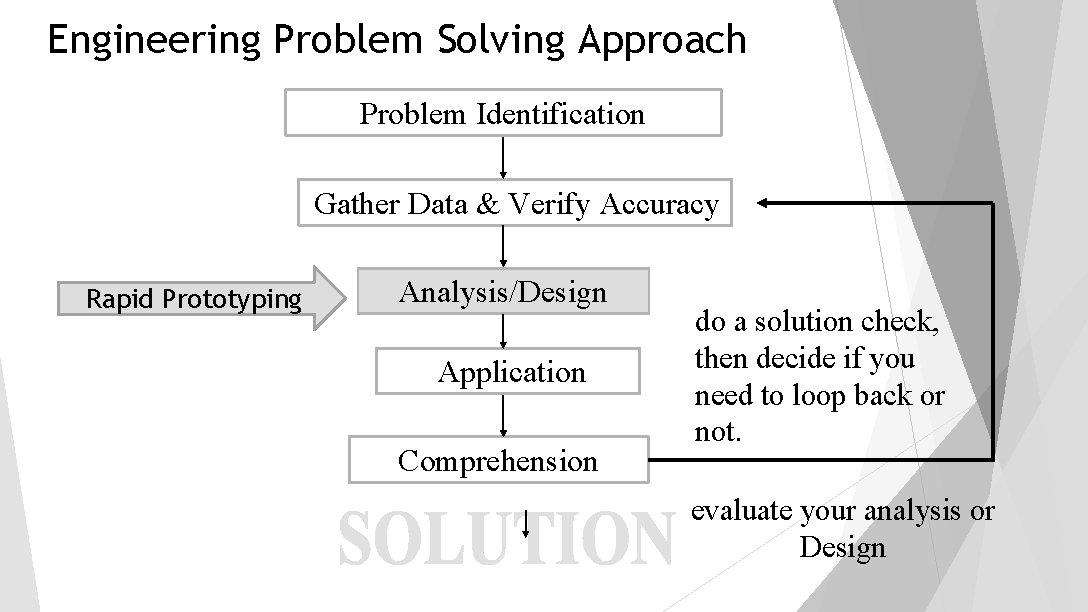
Engineering Problem Solving Approach Problem Identification Gather Data & Verify Accuracy Rapid Prototyping Analysis/Design Application Comprehension do a solution check, then decide if you need to loop back or not. evaluate your analysis or Design
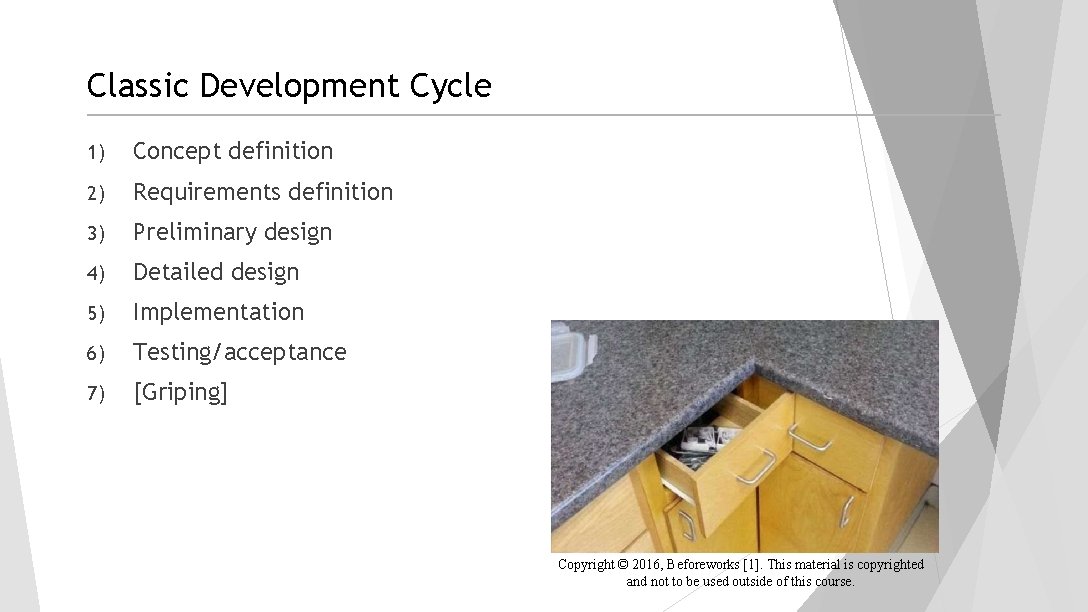
Classic Development Cycle 1) Concept definition 2) Requirements definition 3) Preliminary design 4) Detailed design 5) Implementation 6) Testing/acceptance 7) [Griping] Copyright © 2016, Beforeworks [1]. This material is copyrighted and not to be used outside of this course.
Rapid Prototyping Cycle [2] 1. Concept Design 2. Implement skeletal system 3. User evaluation and concept refinement 4. Implementation of refined requirements 5. User evaluations and concept refinement 6. Implementation of refined requirements 7. Repeat “Early development of a small-scale prototype used to test out certain key features of the design. ”
Rapid Prototyping Prototype for a purpose: develop a question your prototype should answer. Build an aquaponics system How much oxygen does pump X put into water? What material can I use for grow-towers that will be mold-resistant? Develop a sensor system How accurate is the sensor when detecting Y? How much data is collected in continuous-monitoring system?
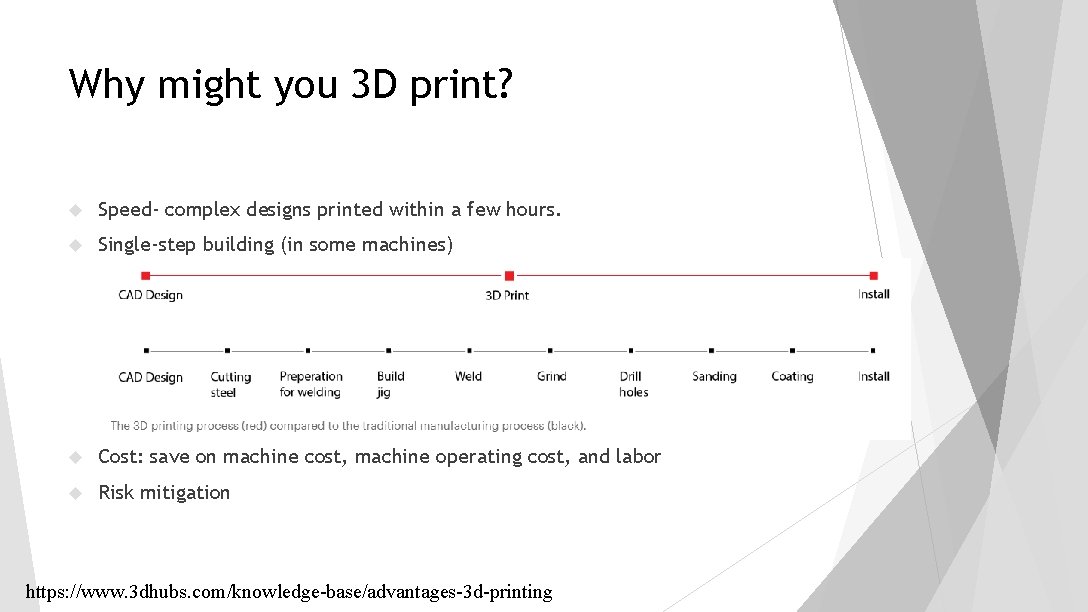
Why might you 3 D print? Speed- complex designs printed within a few hours. https: //www. 3 dhubs. com/knowledge-base/advantages-3 d-printing
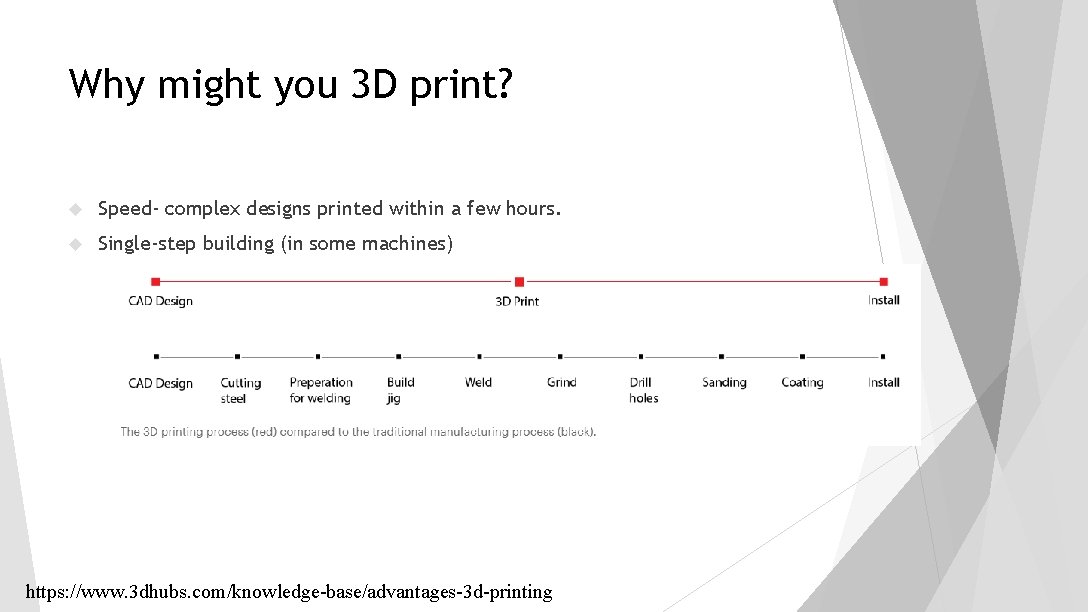
Why might you 3 D print? Speed- complex designs printed within a few hours. Single-step building (in some machines) https: //www. 3 dhubs. com/knowledge-base/advantages-3 d-printing
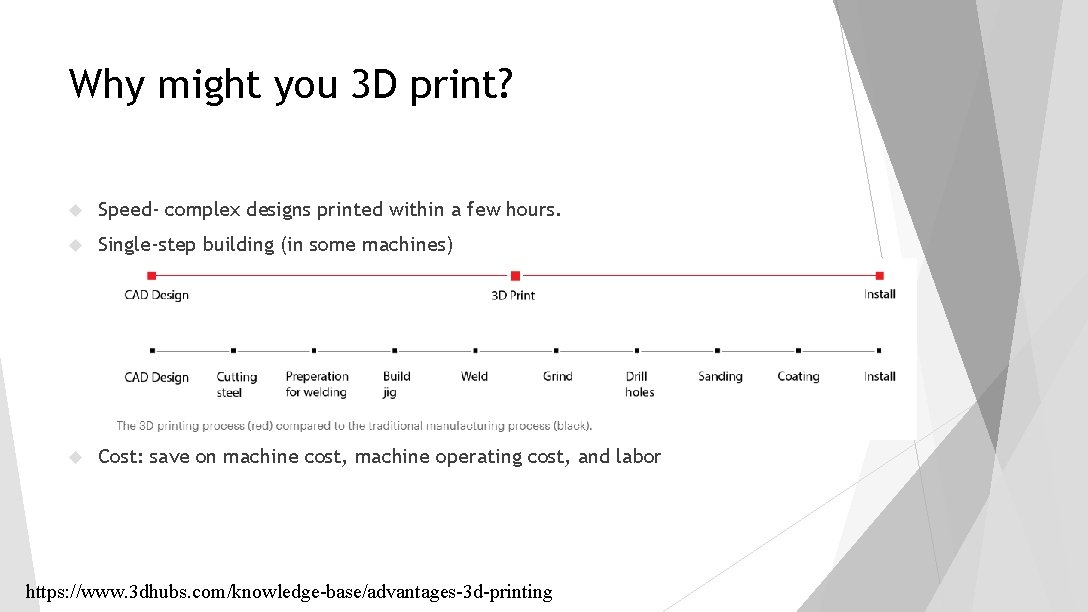
Why might you 3 D print? Speed- complex designs printed within a few hours. Single-step building (in some machines) Cost: save on machine cost, machine operating cost, and labor https: //www. 3 dhubs. com/knowledge-base/advantages-3 d-printing
Why might you 3 D print? Speed- complex designs printed within a few hours. Single-step building (in some machines) Cost: save on machine cost, machine operating cost, and labor Risk mitigation https: //www. 3 dhubs. com/knowledge-base/advantages-3 d-printing
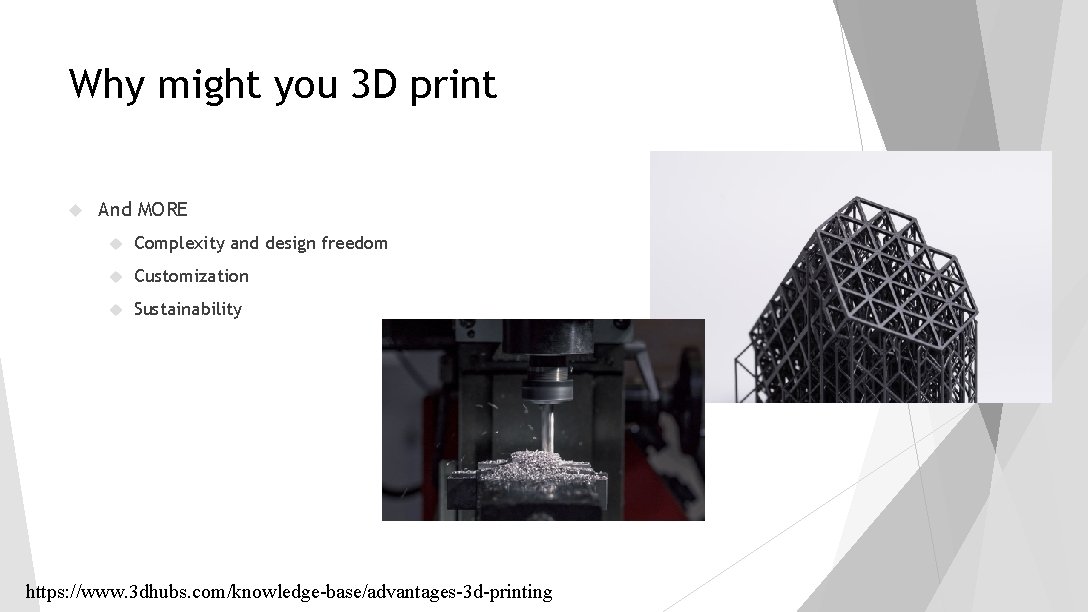
Why might you 3 D print And MORE Complexity and design freedom Customization Sustainability https: //www. 3 dhubs. com/knowledge-base/advantages-3 d-printing
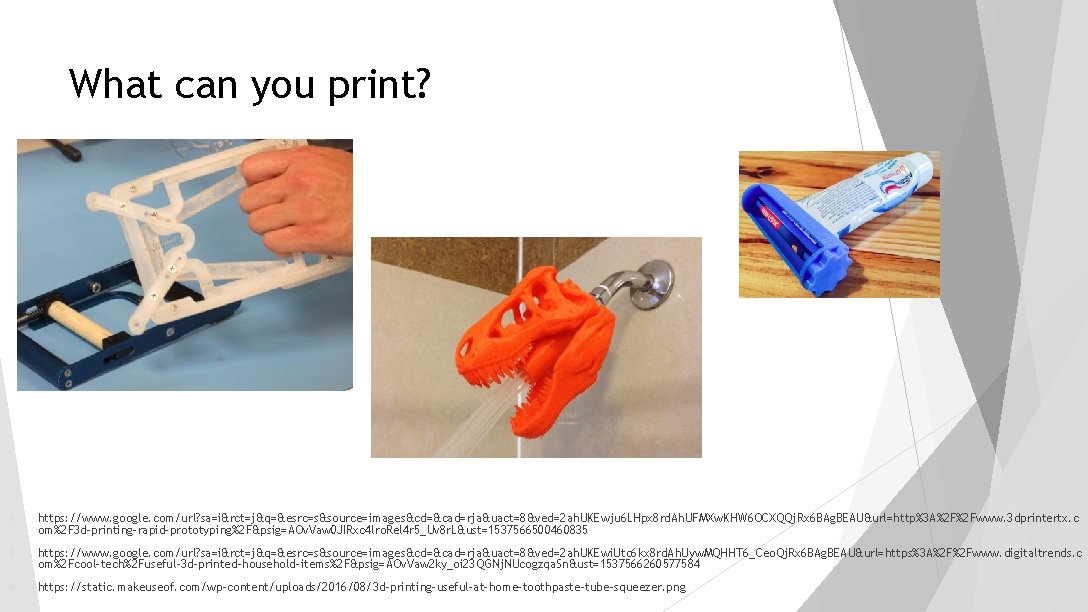
What can you print? https: //www. google. com/url? sa=i&rct=j&q=&esrc=s&source=images&cd=&cad=rja&uact=8&ved=2 ah. UKEwju 6 LHpx 8 rd. Ah. UFMXw. KHW 6 OCXQQj. Rx 6 BAg. BEAU&url=http%3 A%2 F%2 Fwww. 3 dprintertx. c om%2 F 3 d-printing-rapid-prototyping%2 F&psig=AOv. Vaw 0 JIRxc 4 lro. Rel 4 r 5_Uv 8 r. L&ust=1537566500460835 https: //www. google. com/url? sa=i&rct=j&q=&esrc=s&source=images&cd=&cad=rja&uact=8&ved=2 ah. UKEwi. Utc 6 kx 8 rd. Ah. Uyw. MQHHT 6_Ceo. Qj. Rx 6 BAg. BEAU&url=https%3 A%2 F%2 Fwww. digitaltrends. c om%2 Fcool-tech%2 Fuseful-3 d-printed-household-items%2 F&psig=AOv. Vaw 2 ky_oi 23 QGNj. NUcogzqa. Sn&ust=1537566260577584 https: //static. makeuseof. com/wp-content/uploads/2016/08/3 d-printing-useful-at-home-toothpaste-tube-squeezer. png
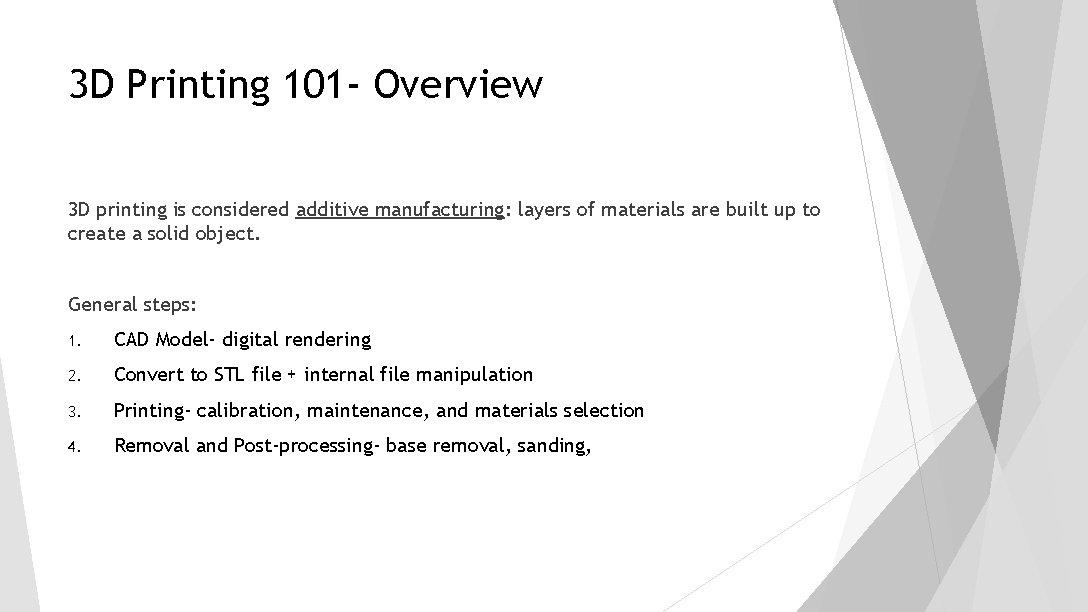
3 D Printing 101 - Overview 3 D printing is considered additive manufacturing: layers of materials are built up to create a solid object. General steps: 1. CAD Model- digital rendering 2. Convert to STL file + internal file manipulation 3. Printing- calibration, maintenance, and materials selection 4. Removal and Post-processing- base removal, sanding,
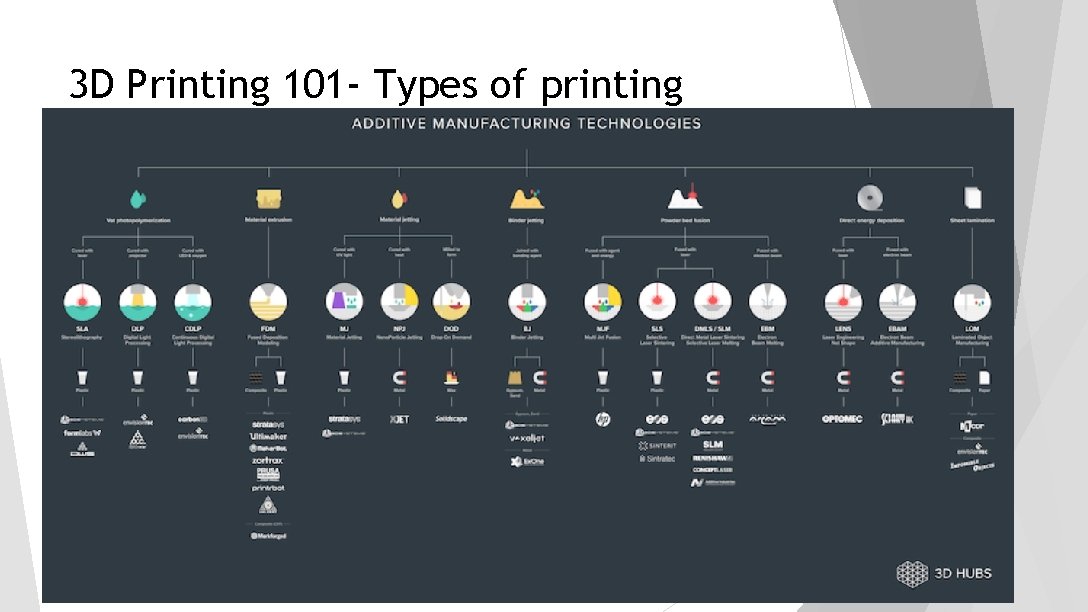
3 D Printing 101 - Types of printing
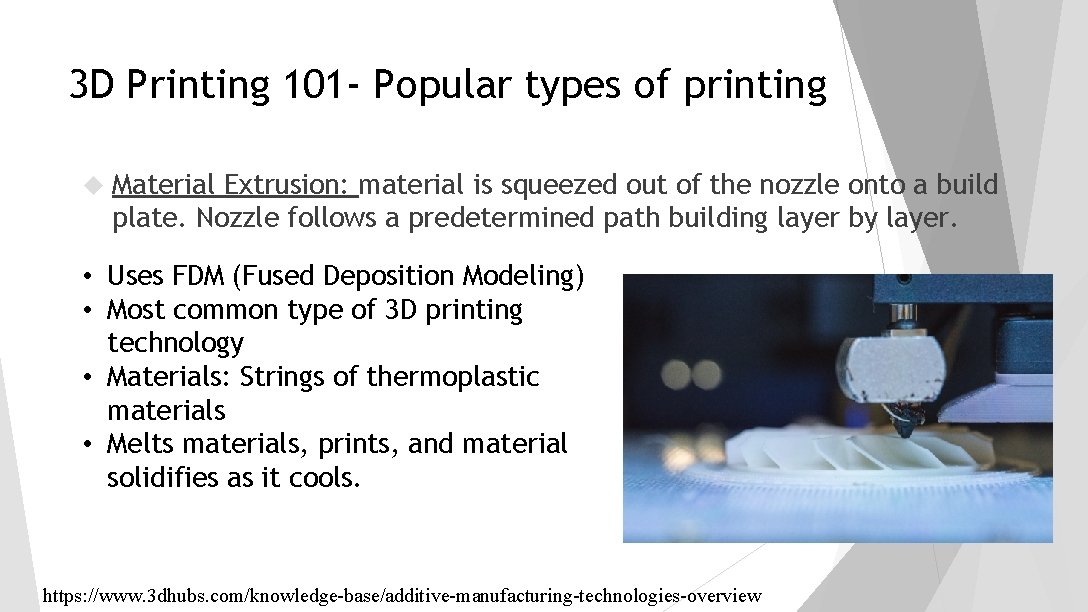
3 D Printing 101 - Popular types of printing Material Extrusion: material is squeezed out of the nozzle onto a build plate. Nozzle follows a predetermined path building layer by layer. • Uses FDM (Fused Deposition Modeling) • Most common type of 3 D printing technology • Materials: Strings of thermoplastic materials • Melts materials, prints, and material solidifies as it cools. https: //www. 3 dhubs. com/knowledge-base/additive-manufacturing-technologies-overview
3 D Printing 101 - Popular types of printing Material Jetting: Similar to 2 D printing, liquid layers are built one at a time and then exposed to light or heat to harden. • Multiple types of printing technologies under this main type • Ideal for realistic prototypes- high detail resolution and smooth surface finish • Can print in multiple colors and materials in a single print. • Negatives: High cost https: //www. 3 dhubs. com/knowledge-base/additive-manufacturing-technologies-overview
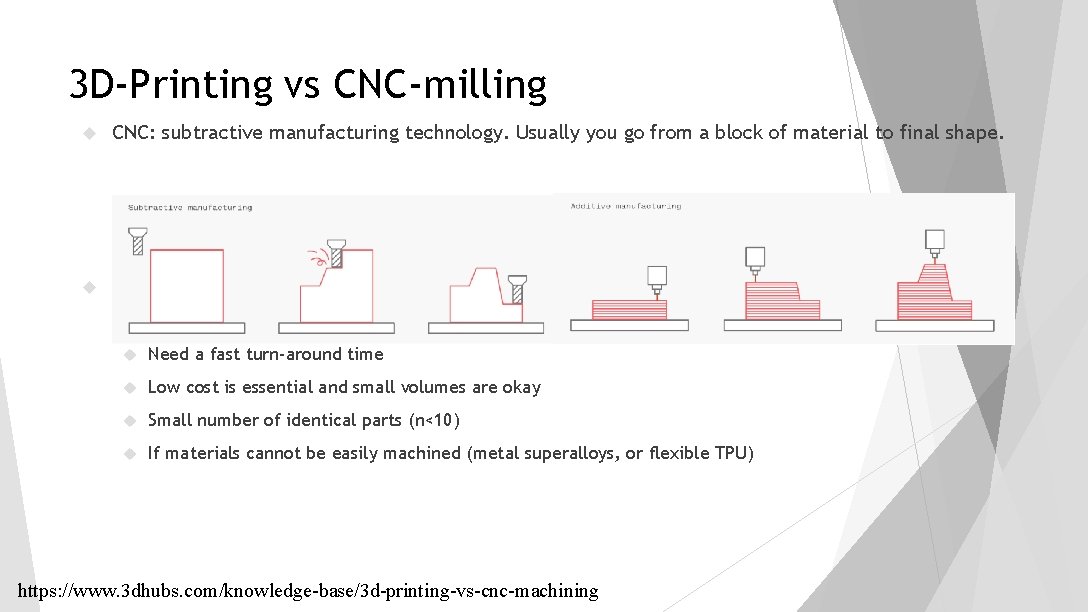
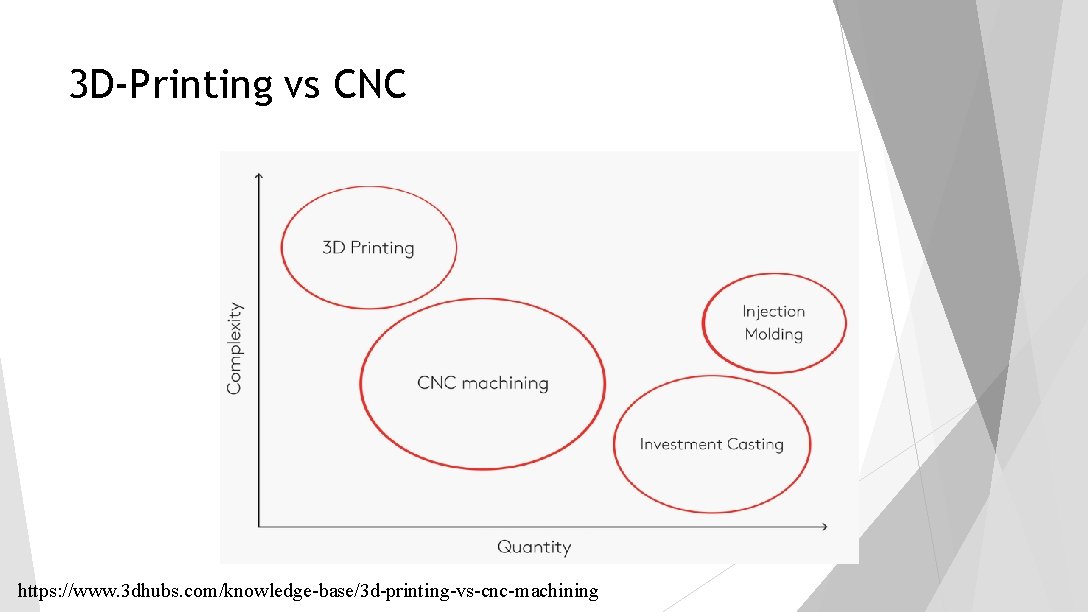
3 D-Printing vs CNC-milling CNC: subtractive manufacturing technology. Usually you go from a block of material to final shape. Use 3 D printing when: Traditional methods can’t produce the part (too complex, topology based) Need a fast turn-around time Low cost is essential and small volumes are okay Small number of identical parts (n<10) If materials cannot be easily machined (metal superalloys, or flexible TPU) https: //www. 3 dhubs. com/knowledge-base/3 d-printing-vs-cnc-machining
3 D-Printing vs CNC https: //www. 3 dhubs. com/knowledge-base/3 d-printing-vs-cnc-machining
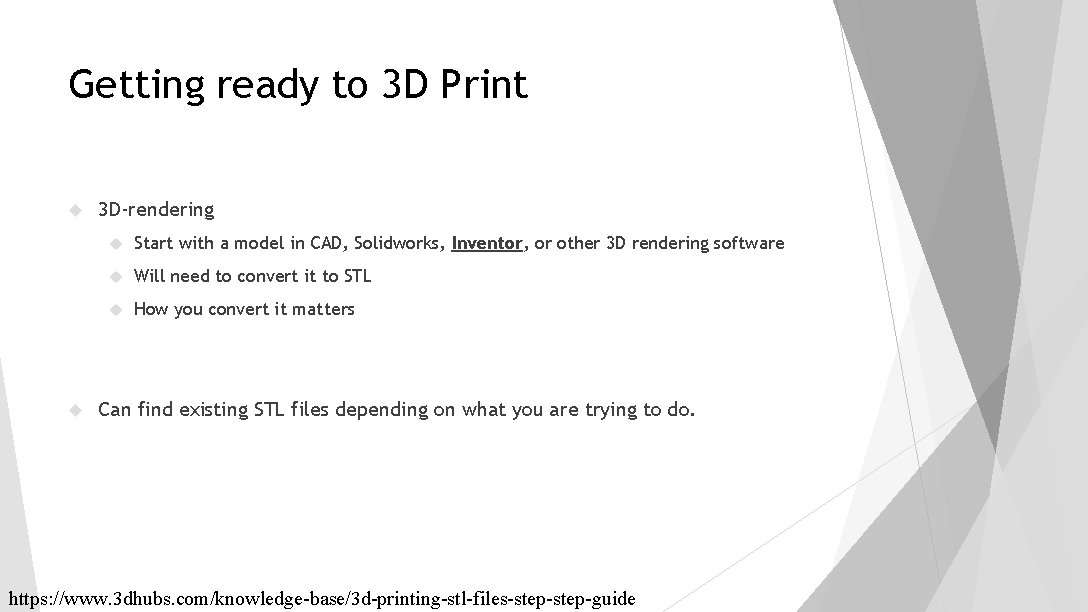
Getting ready to 3 D Print 3 D-rendering Start with a model in CAD, Solidworks, Inventor, or other 3 D rendering software Will need to convert it to STL How you convert it matters Can find existing STL files depending on what you are trying to do. https: //www. 3 dhubs. com/knowledge-base/3 d-printing-stl-files-step-guide
Creating a 3 D Model (Follow Inventor guidelines on BB handout)
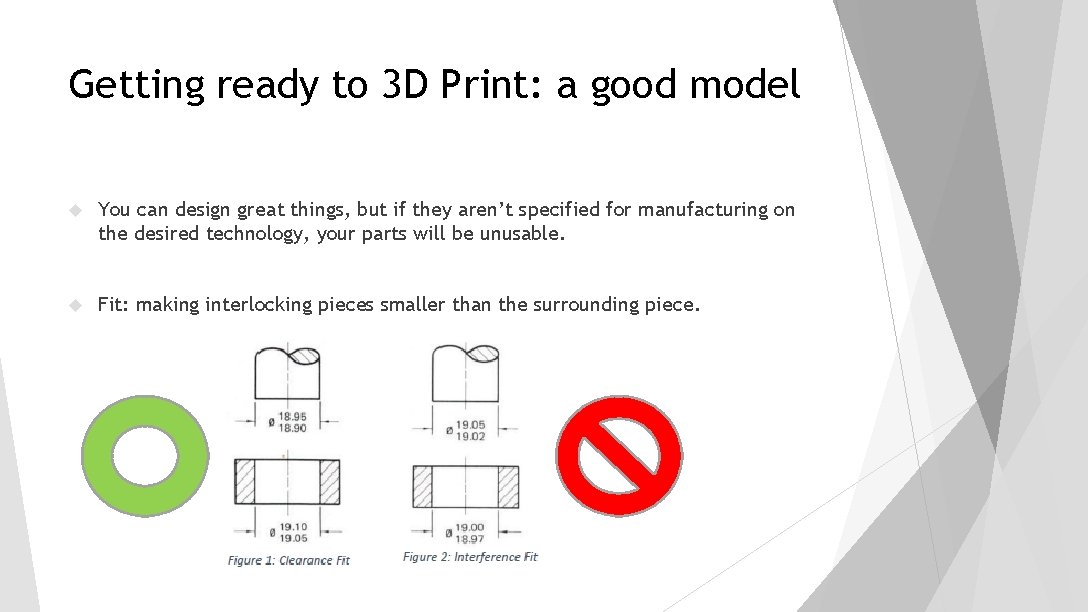
Getting ready to 3 D Print: a good model You can design great things, but if they aren’t specified for manufacturing on the desired technology, your parts will be unusable. Fit: making interlocking pieces smaller than the surrounding piece.
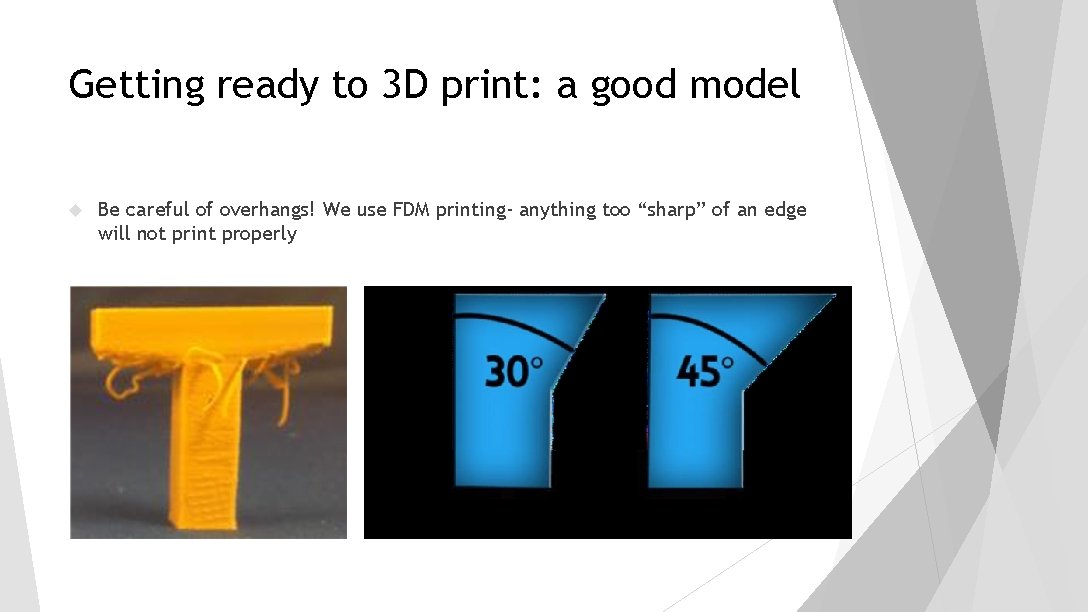
Getting ready to 3 D print: a good model Be careful of overhangs! We use FDM printing- anything too “sharp” of an edge will not print properly
Getting ready to 3 D print: a good model Not everything needs to be 3 D printed! Things that don’t 3 D print well: Large, flat “plate” like pieces (use other things like laser cutter) Really thin pieces Things with sharp overhangs
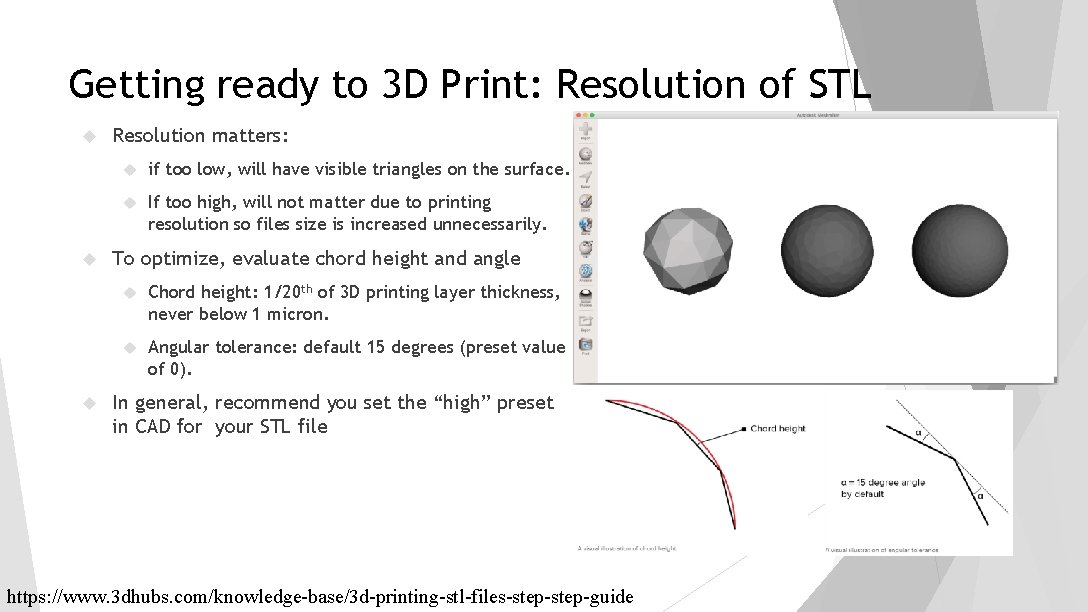
Getting ready to 3 D Print: Resolution of STL Resolution matters: if too low, will have visible triangles on the surface. If too high, will not matter due to printing resolution so files size is increased unnecessarily. To optimize, evaluate chord height and angle Chord height: 1/20 th of 3 D printing layer thickness, never below 1 micron. Angular tolerance: default 15 degrees (preset value of 0). In general, recommend you set the “high” preset in CAD for your STL file https: //www. 3 dhubs. com/knowledge-base/3 d-printing-stl-files-step-guide
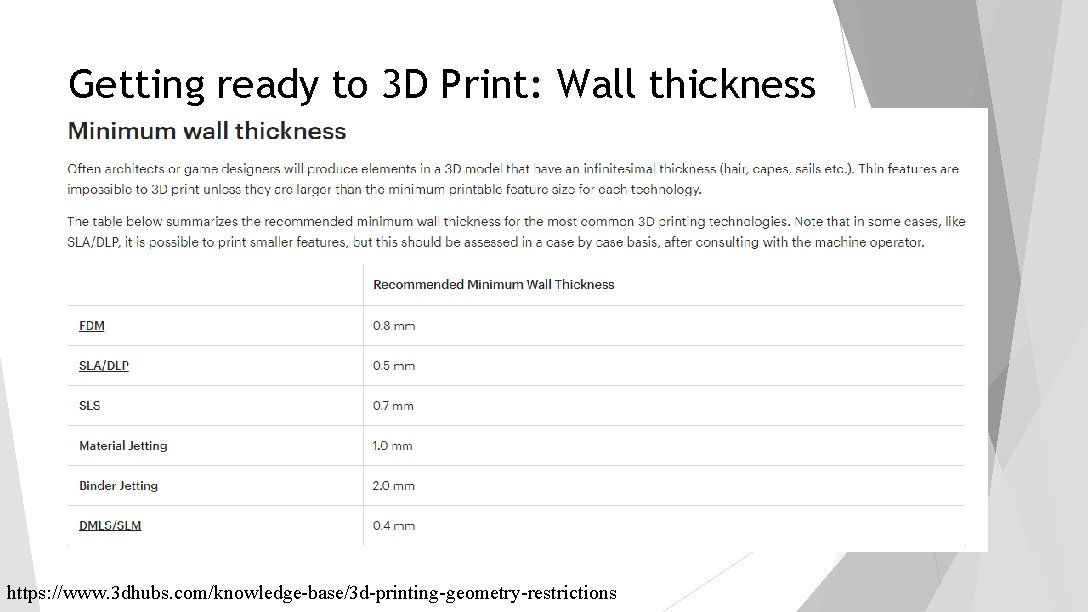
Getting ready to 3 D Print: Wall thickness https: //www. 3 dhubs. com/knowledge-base/3 d-printing-geometry-restrictions
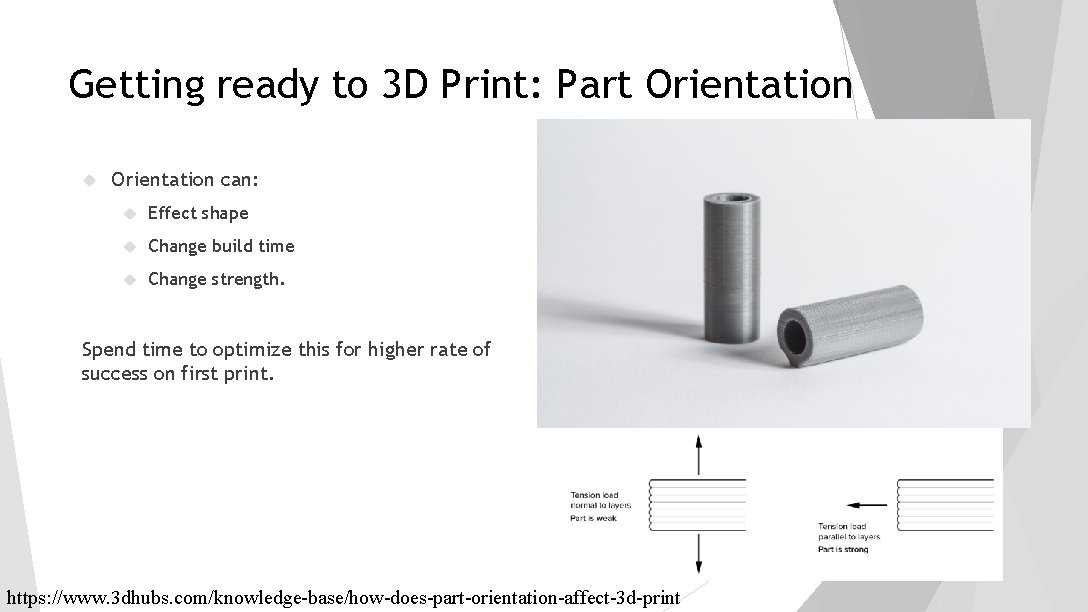
Getting ready to 3 D Print: Part Orientation can: Effect shape Change build time Change strength. Spend time to optimize this for higher rate of success on first print. https: //www. 3 dhubs. com/knowledge-base/how-does-part-orientation-affect-3 d-print
Assigned Readings: PDFs online in Blackboard Content folder: Fits 3 D Take and Design for 3 D Printing Reference for EASC 1107 summarized notes and bring to class in 1 week.