
Lecture 16 of 41 Transparency Painters Algorithm ZBuffer
Lecture 16 of 41 Transparency, Painter’s Algorithm, & Z-Buffer Lab 3 a: Shading & Transparency William H. Hsu Department of Computing and Information Sciences, KSU KSOL course pages: http: //bit. ly/h. Gv. Xl. H / http: //bit. ly/e. Vizr. E Public mirror web site: http: //www. kddresearch. org/Courses/CIS 636 Instructor home page: http: //www. cis. ksu. edu/~bhsu Readings: Today: § 2. 6, 20. 1 Eberly 2 e Open. GL: A Primer on shading, alpha blending Khronos Group docs on transparency: http: //bit. ly/h. Ra. Qgk Wikipedia, Painter’s Algorithm: http: //bit. ly/eeeb. CN Wikipedia, Z-buffering: http: //bit. ly/g. GRFMA CIS 536/636 Introduction to Computer Graphics Lecture 16 of 41 Computing & Information Sciences Kansas State University
Lecture Outline l l Reading for Last Class: § 4. 1 – 4. 3, Eberly 2 e; CGA handout Reading for Today: § 2. 6, 20. 1, Eberly 2 e; Open. GL primer material Reading for Next Class: § 5. 1 – 5. 2, Eberly 2 e Last Time: Scene Graphs; CGA Demos, Videos Scene graphs and state – main topic State of CGA: videos and discussion Demos to download Ø Adobe Maya: http: //students. autodesk. com Ø New. Tek Lightwave: http: //www. newtek. com/lightwave/ l Today: Shading and Transparency in Open. GL Transparency revisited Open. GL how-to: http: //bit. ly/h. Ra. Qgk Ø Alpha blending (15. 020, 15. 040) Ø Screen-door transparency (15. 030) Painter’s algorithm & depth buffering (z-buffering) CIS 536/636 Introduction to Computer Graphics Lecture 16 of 41 Computing & Information Sciences Kansas State University
Where We Are CIS 536/636 Introduction to Computer Graphics Lecture 16 of 41 Computing & Information Sciences Kansas State University
![Review [1]: Scene Graphs l Scene Graph: General Data Structure used in CG Used](http://slidetodoc.com/presentation_image_h/8f1133612925d804d5d08fecb39931e9/image-4.jpg "Review [1]: Scene Graphs l Scene Graph: General Data Structure used in CG Used")
Review [1]: Scene Graphs l Scene Graph: General Data Structure used in CG Used to: compute visibility, set up rendering pipeline Actual graph: general graph, forest, or rooted tree l Scene Graph Traversal: Initial Step – Drives Rendering l Features of Scene Graphs Spatial partitioning: e. g. , using bounding volume hierarchies Leaves: primitive components Interior nodes: assembly operations, modelview transformations Root(s): scene or major objects Images © 2007 A. Bar-Zeev http: //bit. ly/gxy 9 ed CIS 536/636 Introduction to Computer Graphics Lecture 16 of 41 Computing & Information Sciences Kansas State University
![Review [2]: Aesthetic Considerations l Non-Photorealistic Rendering: Aimed at Achieving Natural Aesthetic Cartoon shaders:](http://slidetodoc.com/presentation_image_h/8f1133612925d804d5d08fecb39931e9/image-5.jpg "Review [2]: Aesthetic Considerations l Non-Photorealistic Rendering: Aimed at Achieving Natural Aesthetic Cartoon shaders:")
Review [2]: Aesthetic Considerations l Non-Photorealistic Rendering: Aimed at Achieving Natural Aesthetic Cartoon shaders: use sharp gradient (thresholded) Pencil shaders: blurring, stippling l CGA and Realism l Aliasing (see Wikipedia: http: //bit. ly/f. Ik. Ckr) © 2004 – 2009 Wikipedia, Jaggies http: //bit. ly/f. Ik. Ckr Term from signal processing Two sampled signals indistinguishable from (aliases of) one another Examples: jaggies, Moiré vibration (Moiré pattern) Anti-aliasing: operations to prevent such effects l Temporal Aliasing Similar effect in animation Small artifact can be much more jarring! Example: think of flecks in traditional film reels CIS 536/636 Introduction to Computer Graphics Lecture 16 of 41 © 2004 – 2009 Wikipedia, Aliasing http: //bit. ly/f. Ik. Ckr Computing & Information Sciences Kansas State University
![Review[3]: CG Feature Films & Shorts Tron: Legacy © 2010 Walt Disney Pictures http:](http://slidetodoc.com/presentation_image_h/8f1133612925d804d5d08fecb39931e9/image-6.jpg "Review[3]: CG Feature Films & Shorts Tron: Legacy © 2010 Walt Disney Pictures http:")
Review[3]: CG Feature Films & Shorts Tron: Legacy © 2010 Walt Disney Pictures http: //youtu. be/p. Iw. Xw. VJZ 3 BY Monsters Inc. 2 © 2012 Disney/Pixar http: //youtu. be/c. JHU 9 IYv. WUg Toy Story 3 © 2010 Disney/Pixar http: //youtu. be/Jcp. WXa. A 2 qeg Kung-Fu Panda © 2008 Dream. Works Animation SKG http: //bit. ly/h 8 kr. Lv Happy Feet © 2006 Warner Brothers http: //bit. ly/g. Tnp 2 V Wall-E Shrek Forever After © 2008 Disney/Pixar © 2010 Dream. Works http: //bit. ly/e. KDwkk Animation SKG http: //youtu. be/u 7__TG 7 swg 0 Luxo Jr. © 1986 Pixar Animation Studios http: //youtu. be/L_o. L_27 Kqg. U CIS 536/636 Introduction to Computer Graphics Lecture 16 of 41 Computing & Information Sciences Kansas State University
![Review [4]: Open. GL Shading (Overview) l Set Up Point Light Sources l Set](http://slidetodoc.com/presentation_image_h/8f1133612925d804d5d08fecb39931e9/image-7.jpg "Review [4]: Open. GL Shading (Overview) l Set Up Point Light Sources l Set")
Review [4]: Open. GL Shading (Overview) l Set Up Point Light Sources l Set Up Materials, Turn Lights On Frank Pfenning Professor of Computer Science School of Computer Science Carnegie Mellon University http: //www. cs. cmu. edu/~fp/ See also: Open. GL: A Primer, 3 e (Angel) http: //bit. ly/h. Vc. VWN l Start Drawing (gl. Begin … gl. End) Adapted from slides © 2003 F. Pfenning, Carnegie Mellon University http: //bit. ly/g 1 J 2 nj CIS 536/636 Introduction to Computer Graphics Lecture 16 of 41 Computing & Information Sciences Kansas State University
![Transparency in Open. GL [1]: Transparent vs. Translucent, Blended © 1997 – 2011 Khronos](http://slidetodoc.com/presentation_image_h/8f1133612925d804d5d08fecb39931e9/image-8.jpg "Transparency in Open. GL [1]: Transparent vs. Translucent, Blended © 1997 – 2011 Khronos")
Transparency in Open. GL [1]: Transparent vs. Translucent, Blended © 1997 – 2011 Khronos Group http: //bit. ly/h. Ra. Qgk CIS 536/636 Introduction to Computer Graphics Lecture 16 of 41 Computing & Information Sciences Kansas State University
![Transparency in Open. GL [2]: Blending vs. Screen Door © 1997 – 2011 Khronos](http://slidetodoc.com/presentation_image_h/8f1133612925d804d5d08fecb39931e9/image-9.jpg "Transparency in Open. GL [2]: Blending vs. Screen Door © 1997 – 2011 Khronos")
Transparency in Open. GL [2]: Blending vs. Screen Door © 1997 – 2011 Khronos Group http: //bit. ly/h. Ra. Qgk CIS 536/636 Introduction to Computer Graphics Lecture 16 of 41 Computing & Information Sciences Kansas State University
![Transparency in Open. GL [3]: Screen Door Screen door: Viola et al. (2004), http:](http://slidetodoc.com/presentation_image_h/8f1133612925d804d5d08fecb39931e9/image-10.jpg "Transparency in Open. GL [3]: Screen Door Screen door: Viola et al. (2004), http:")
Transparency in Open. GL [3]: Screen Door Screen door: Viola et al. (2004), http: //bit. ly/d. VEa 7 l Technical University of Vienna, IEEE Vis 2004 © 1997 – 2011 Khronos Group http: //bit. ly/h. Ra. Qgk CIS 536/636 Introduction to Computer Graphics Lecture 16 of 41 Computing & Information Sciences Kansas State University
![Transparency in Open. GL [4]: Glass Alpha blending: Lim (2010), http: //bit. ly/6 Ts.](http://slidetodoc.com/presentation_image_h/8f1133612925d804d5d08fecb39931e9/image-11.jpg "Transparency in Open. GL [4]: Glass Alpha blending: Lim (2010), http: //bit. ly/6 Ts.")
Transparency in Open. GL [4]: Glass Alpha blending: Lim (2010), http: //bit. ly/6 Ts. Jrb Goon Creative, Maya Transparency Tutorial © 1997 – 2011 Khronos Group http: //bit. ly/h. Ra. Qgk CIS 536/636 Introduction to Computer Graphics Lecture 16 of 41 Computing & Information Sciences Kansas State University
![Transparency in Open. GL [5]: Alpha & Painter’s Algorithm © 2004 – 2009 Wikipedia,](http://slidetodoc.com/presentation_image_h/8f1133612925d804d5d08fecb39931e9/image-12.jpg "Transparency in Open. GL [5]: Alpha & Painter’s Algorithm © 2004 – 2009 Wikipedia,")
Transparency in Open. GL [5]: Alpha & Painter’s Algorithm © 2004 – 2009 Wikipedia, Painter’s Algorithm http: //bit. ly/eeeb. CN © 1997 – 2011 Khronos Group http: //bit. ly/h. Ra. Qgk CIS 536/636 Introduction to Computer Graphics Lecture 16 of 41 Computing & Information Sciences Kansas State University
![Transparency in Open. GL [6]: Painter’s algorithm & Z-buffering © 2009 Wikipedia, Z-buffering http:](http://slidetodoc.com/presentation_image_h/8f1133612925d804d5d08fecb39931e9/image-13.jpg "Transparency in Open. GL [6]: Painter’s algorithm & Z-buffering © 2009 Wikipedia, Z-buffering http:")
Transparency in Open. GL [6]: Painter’s algorithm & Z-buffering © 2009 Wikipedia, Z-buffering http: //bit. ly/g. GRFMA © 1997 – 2011 Khronos Group http: //bit. ly/h. Ra. Qgk CIS 536/636 Introduction to Computer Graphics Lecture 16 of 41 Computing & Information Sciences Kansas State University
![Transparency in Open. GL [6]: Partial Transparency © 1997 – 2011 Khronos Group http:](http://slidetodoc.com/presentation_image_h/8f1133612925d804d5d08fecb39931e9/image-14.jpg "Transparency in Open. GL [6]: Partial Transparency © 1997 – 2011 Khronos Group http:")
Transparency in Open. GL [6]: Partial Transparency © 1997 – 2011 Khronos Group http: //bit. ly/h. Ra. Qgk CIS 536/636 Introduction to Computer Graphics Lecture 16 of 41 Computing & Information Sciences Kansas State University
Summary l l Reading for Last Class: § 4. 1 – 4. 3, Eberly 2 e; CGA handout Reading for Today: § 2. 6, 20. 1, Eberly 2 e; Open. GL primer material Reading for Next Class: § 5. 1 – 5. 2, Eberly 2 e Last Time: Scene Graphs Maintaining state Coming up: traversal l CGA Demos, Videos State of CGA: videos Issues: photorealism, hardware, traditional (non-CG) animation Techniques showcased: multipass texturing, alpha, portals l Shading and Transparency in Open. GL Alpha blending Painter’s algorithm – less efficient, can handle non-opaque objects Depth buffering (z-buffering) – in hardware, fast, opaque only CIS 536/636 Introduction to Computer Graphics Lecture 16 of 41 Computing & Information Sciences Kansas State University
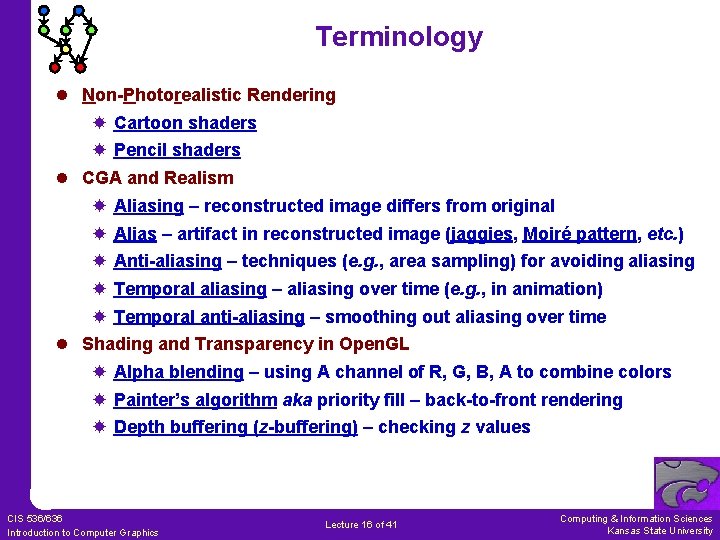
Terminology l Non-Photorealistic Rendering Cartoon shaders Pencil shaders l CGA and Realism Aliasing – reconstructed image differs from original Alias – artifact in reconstructed image (jaggies, Moiré pattern, etc. ) Anti-aliasing – techniques (e. g. , area sampling) for avoiding aliasing Temporal aliasing – aliasing over time (e. g. , in animation) Temporal anti-aliasing – smoothing out aliasing over time l Shading and Transparency in Open. GL Alpha blending – using A channel of R, G, B, A to combine colors Painter’s algorithm aka priority fill – back-to-front rendering Depth buffering (z-buffering) – checking z values CIS 536/636 Introduction to Computer Graphics Lecture 16 of 41 Computing & Information Sciences Kansas State University
- Slides: 16