
Lecture 16 Cache Associativity and Virtual Memory Prof

- Slides: 29
Lecture 16 Cache Associativity and Virtual Memory Prof. Mike Schulte Computer Architecture ECE 201
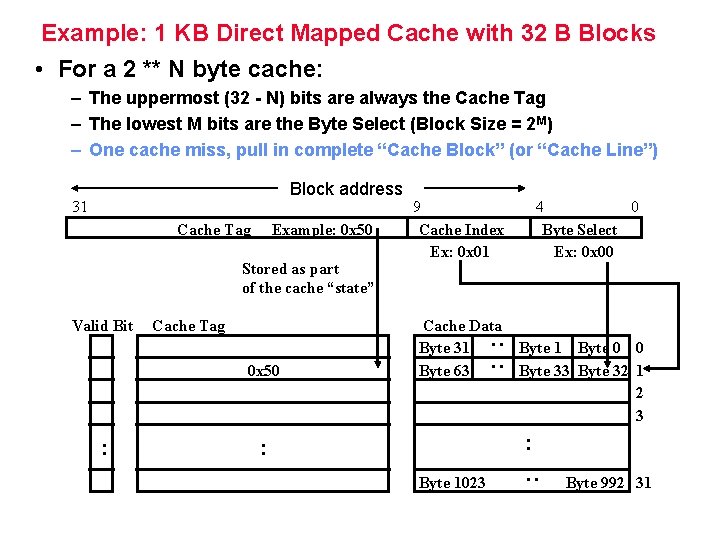
Example: 1 KB Direct Mapped Cache with 32 B Blocks • For a 2 ** N byte cache: – The uppermost (32 - N) bits are always the Cache Tag – The lowest M bits are the Byte Select (Block Size = 2 M) – One cache miss, pull in complete “Cache Block” (or “Cache Line”) Cache Tag Example: 0 x 50 Stored as part of the cache “state” Valid Bit Cache Tag 0 x 50 : 9 Cache Index Ex: 0 x 01 Cache Data Byte 31 Byte 63 4 0 Byte Select Ex: 0 x 00 Byte 1 Byte 0 0 Byte 33 Byte 32 1 2 3 : : Byte 1023 : 31 : : Block address Byte 992 31
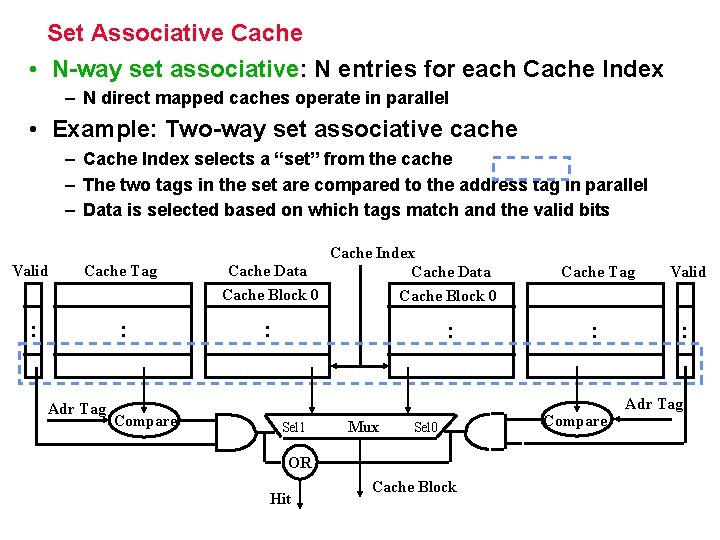
Set Associative Cache • N-way set associative: N entries for each Cache Index – N direct mapped caches operate in parallel • Example: Two-way set associative cache – Cache Index selects a “set” from the cache – The two tags in the set are compared to the address tag in parallel – Data is selected based on which tags match and the valid bits Valid Cache Tag : : Adr Tag Compare Cache Index Cache Data Cache Block 0 : : Sel 1 Mux Sel 0 OR Hit Cache Block Cache Tag Valid : : Compare Adr Tag
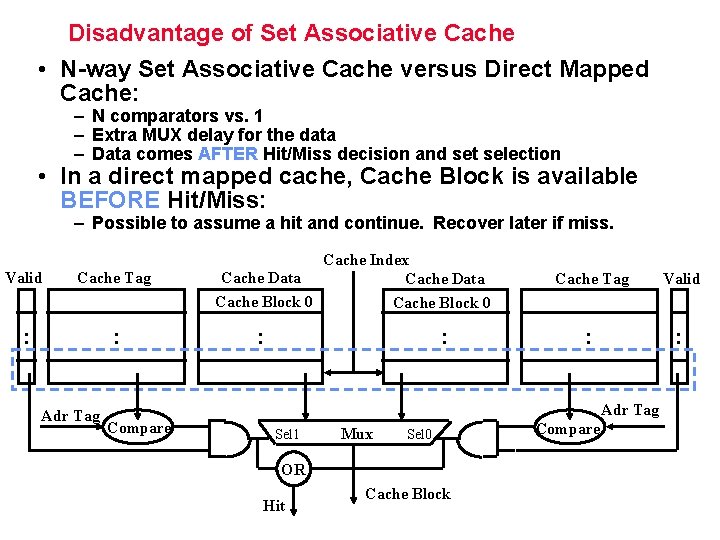
Disadvantage of Set Associative Cache • N-way Set Associative Cache versus Direct Mapped Cache: – N comparators vs. 1 – Extra MUX delay for the data – Data comes AFTER Hit/Miss decision and set selection • In a direct mapped cache, Cache Block is available BEFORE Hit/Miss: – Possible to assume a hit and continue. Recover later if miss. Valid Cache Tag : : Adr Tag Cache Index Cache Data Cache Block 0 : : Cache Tag Valid : : Adr Tag Compare Sel 1 Mux Sel 0 OR Hit Cache Block Compare
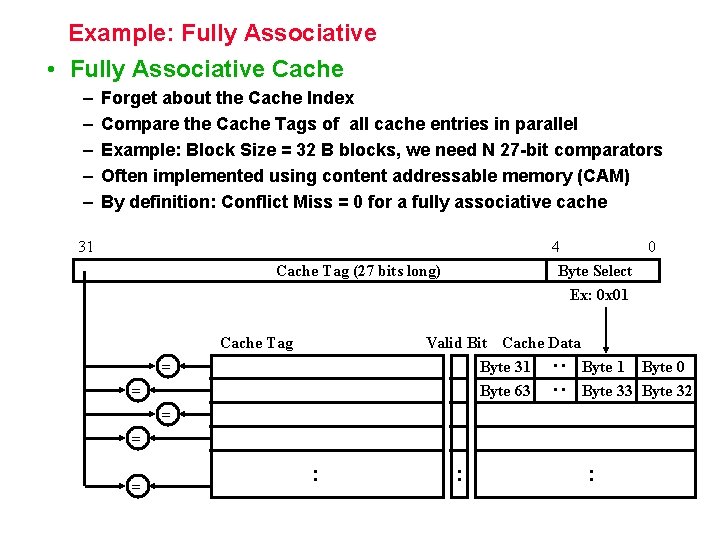
Example: Fully Associative • Fully Associative Cache – – – Forget about the Cache Index Compare the Cache Tags of all cache entries in parallel Example: Block Size = 32 B blocks, we need N 27 -bit comparators Often implemented using content addressable memory (CAM) By definition: Conflict Miss = 0 for a fully associative cache 31 4 0 Byte Select Ex: 0 x 01 Cache Tag (27 bits long) Cache Tag Valid Bit Cache Data Byte 31 Byte 0 Byte 63 Byte 32 : : = = = : : :
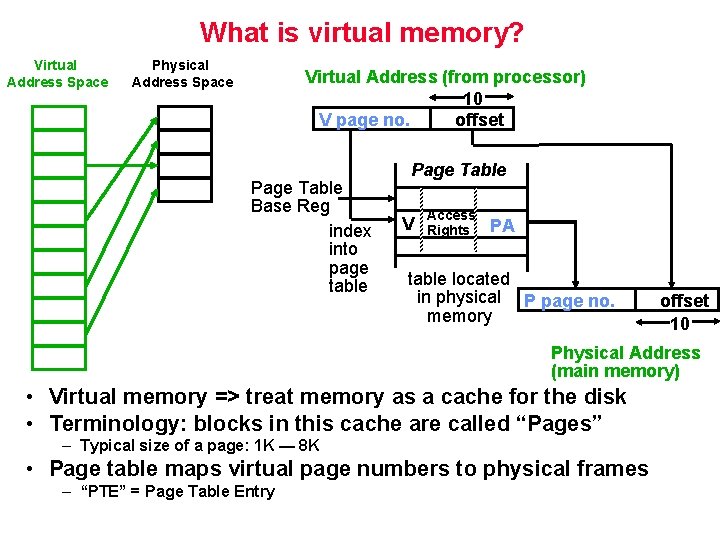
What is virtual memory? Virtual Address Space Physical Address Space Virtual Address (from processor) 10 V page no. offset Page Table Base Reg index into page table Page Table V Access Rights PA table located in physical P page no. memory offset 10 Physical Address (main memory) • Virtual memory => treat memory as a cache for the disk • Terminology: blocks in this cache are called “Pages” – Typical size of a page: 1 K — 8 K • Page table maps virtual page numbers to physical frames – “PTE” = Page Table Entry
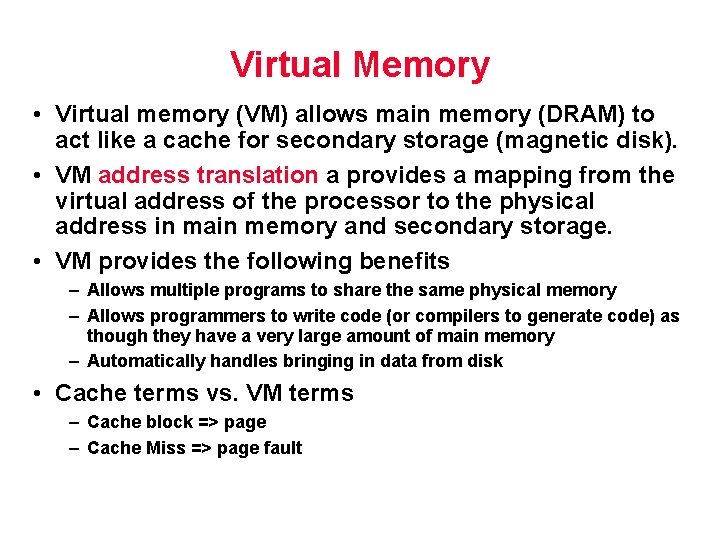
Virtual Memory • Virtual memory (VM) allows main memory (DRAM) to act like a cache for secondary storage (magnetic disk). • VM address translation a provides a mapping from the virtual address of the processor to the physical address in main memory and secondary storage. • VM provides the following benefits – Allows multiple programs to share the same physical memory – Allows programmers to write code (or compilers to generate code) as though they have a very large amount of main memory – Automatically handles bringing in data from disk • Cache terms vs. VM terms – Cache block => page – Cache Miss => page fault
Cache and Main Memory Parameters
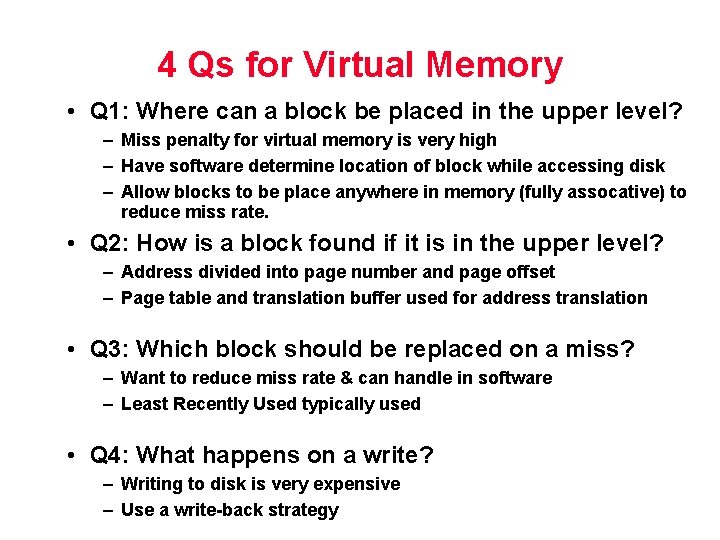
4 Qs for Virtual Memory • Q 1: Where can a block be placed in the upper level? – Miss penalty for virtual memory is very high – Have software determine location of block while accessing disk – Allow blocks to be place anywhere in memory (fully assocative) to reduce miss rate. • Q 2: How is a block found if it is in the upper level? – Address divided into page number and page offset – Page table and translation buffer used for address translation • Q 3: Which block should be replaced on a miss? – Want to reduce miss rate & can handle in software – Least Recently Used typically used • Q 4: What happens on a write? – Writing to disk is very expensive – Use a write-back strategy
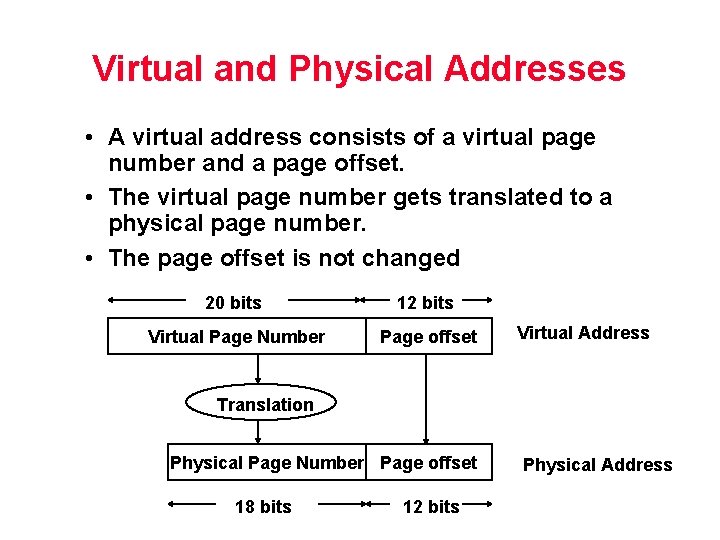
Virtual and Physical Addresses • A virtual address consists of a virtual page number and a page offset. • The virtual page number gets translated to a physical page number. • The page offset is not changed 20 bits 12 bits Virtual Page Number Page offset Virtual Address Translation Physical Page Number Page offset 18 bits 12 bits Physical Address
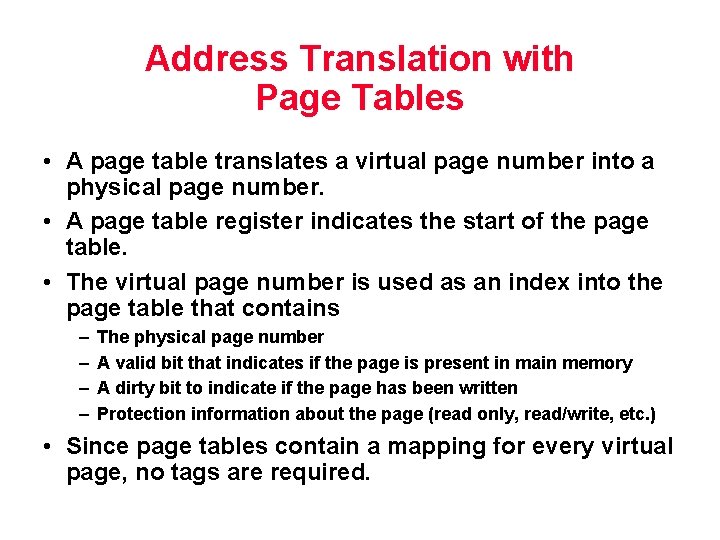
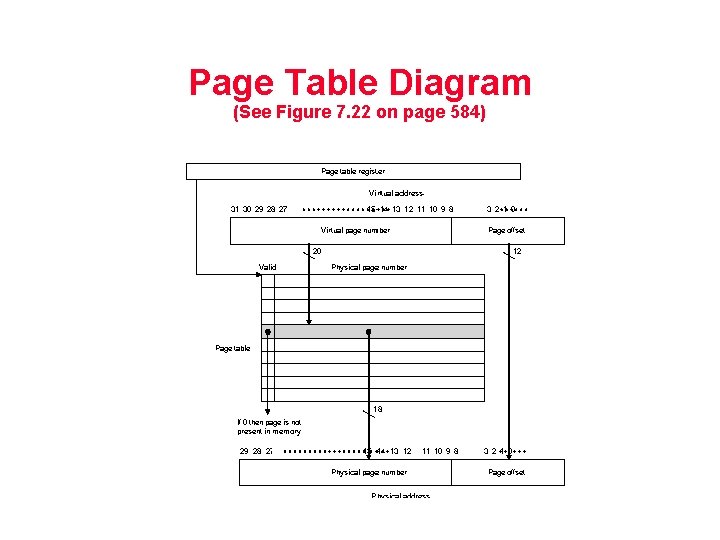
Address Translation with Page Tables • A page table translates a virtual page number into a physical page number. • A page table register indicates the start of the page table. • The virtual page number is used as an index into the page table that contains – – The physical page number A valid bit that indicates if the page is present in main memory A dirty bit to indicate if the page has been written Protection information about the page (read only, read/write, etc. ) • Since page tables contain a mapping for every virtual page, no tags are required.
Page Table Diagram (See Figure 7. 22 on page 584)
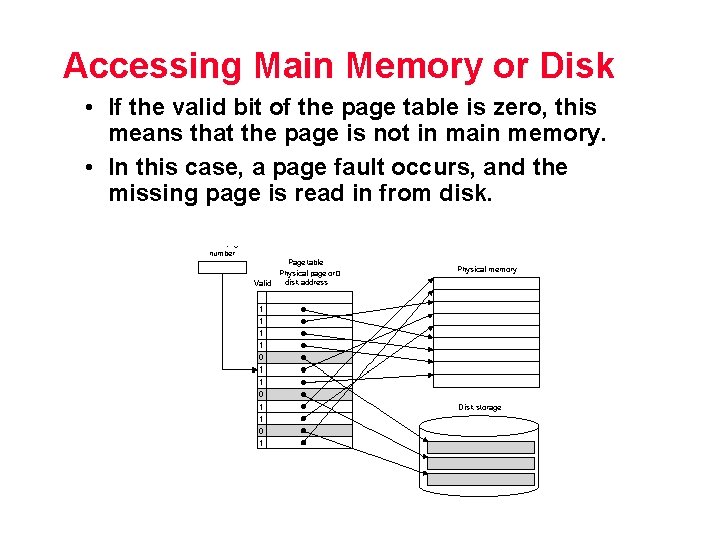
Accessing Main Memory or Disk • If the valid bit of the page table is zero, this means that the page is not in main memory. • In this case, a page fault occurs, and the missing page is read in from disk.
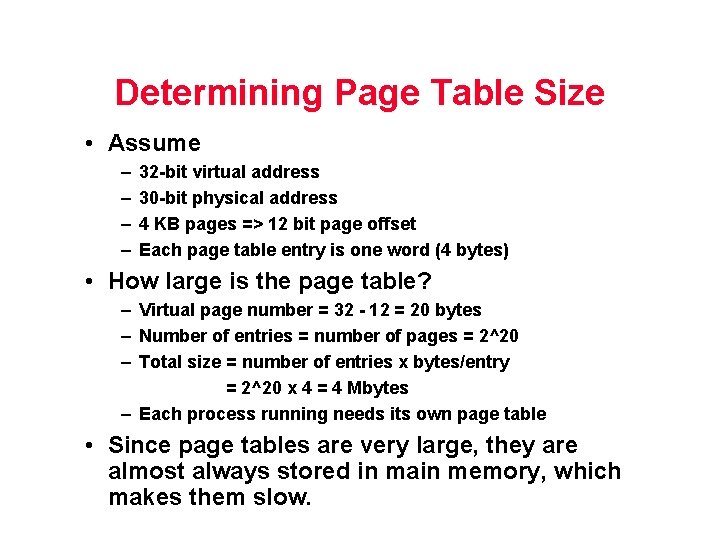
Determining Page Table Size • Assume – – 32 -bit virtual address 30 -bit physical address 4 KB pages => 12 bit page offset Each page table entry is one word (4 bytes) • How large is the page table? – Virtual page number = 32 - 12 = 20 bytes – Number of entries = number of pages = 2^20 – Total size = number of entries x bytes/entry = 2^20 x 4 = 4 Mbytes – Each process running needs its own page table • Since page tables are very large, they are almost always stored in main memory, which makes them slow.
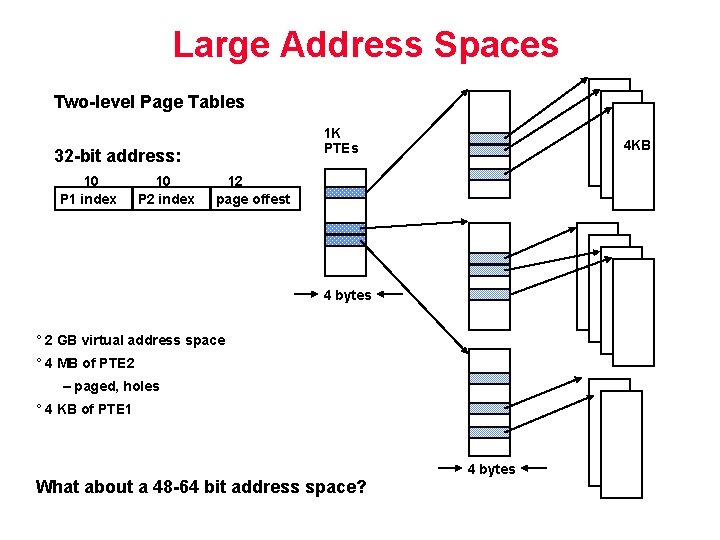
Large Address Spaces Two-level Page Tables 1 K PTEs 32 -bit address: 10 P 1 index 10 P 2 index 4 KB 12 page offest 4 bytes ° 2 GB virtual address space ° 4 MB of PTE 2 – paged, holes ° 4 KB of PTE 1 4 bytes What about a 48 -64 bit address space?
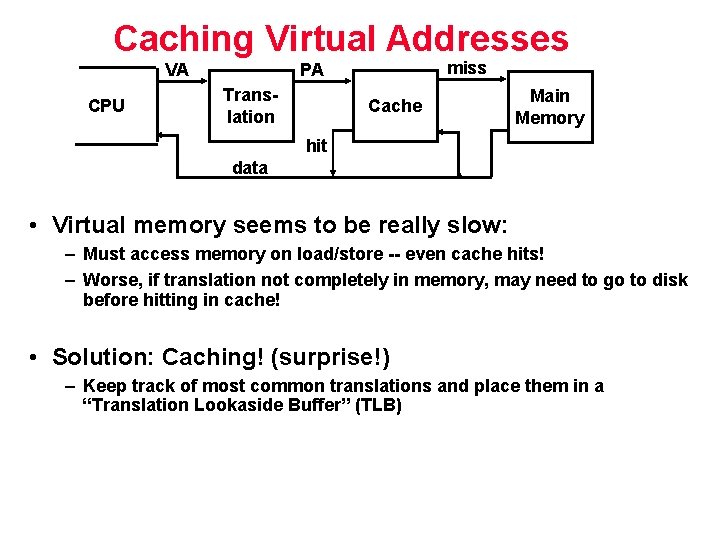
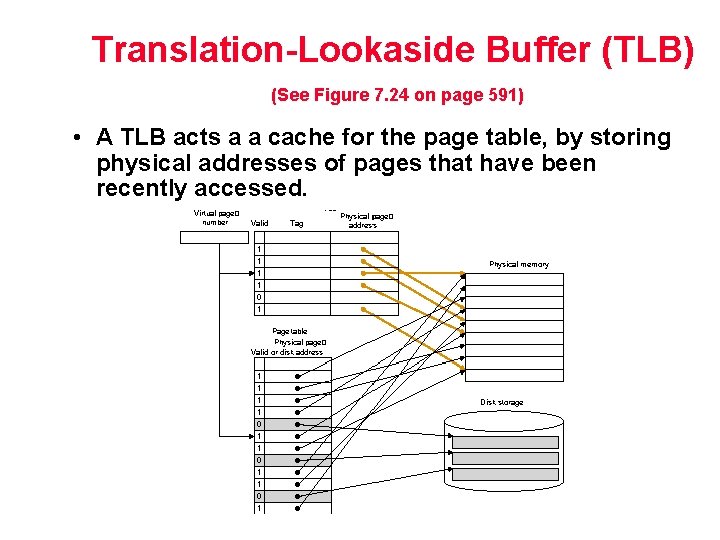
Caching Virtual Addresses VA CPU miss PA Translation Cache Main Memory hit data • Virtual memory seems to be really slow: – Must access memory on load/store -- even cache hits! – Worse, if translation not completely in memory, may need to go to disk before hitting in cache! • Solution: Caching! (surprise!) – Keep track of most common translations and place them in a “Translation Lookaside Buffer” (TLB)
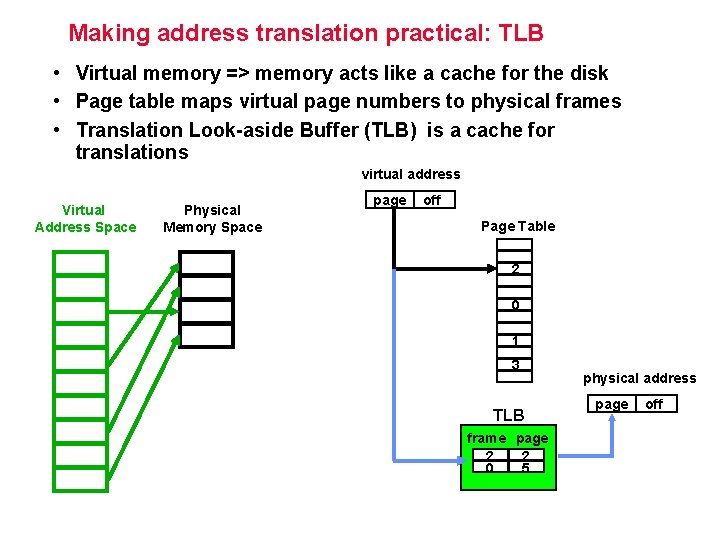
Making address translation practical: TLB • Virtual memory => memory acts like a cache for the disk • Page table maps virtual page numbers to physical frames • Translation Look-aside Buffer (TLB) is a cache for translations virtual address Virtual Address Space Physical Memory Space page off Page Table 2 0 1 3 TLB frame page 2 2 0 5 physical address page off
Translation-Lookaside Buffer (TLB) (See Figure 7. 24 on page 591) • A TLB acts a a cache for the page table, by storing physical addresses of pages that have been recently accessed.
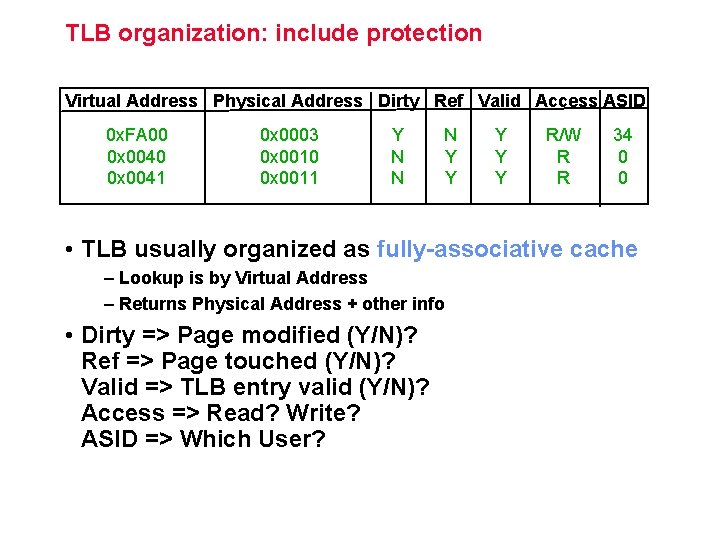
TLB organization: include protection Virtual Address Physical Address Dirty Ref Valid Access ASID 0 x. FA 00 0 x 0041 0 x 0003 0 x 0010 0 x 0011 Y N N N Y Y Y R/W R R 34 0 0 • TLB usually organized as fully-associative cache – Lookup is by Virtual Address – Returns Physical Address + other info • Dirty => Page modified (Y/N)? Ref => Page touched (Y/N)? Valid => TLB entry valid (Y/N)? Access => Read? Write? ASID => Which User?
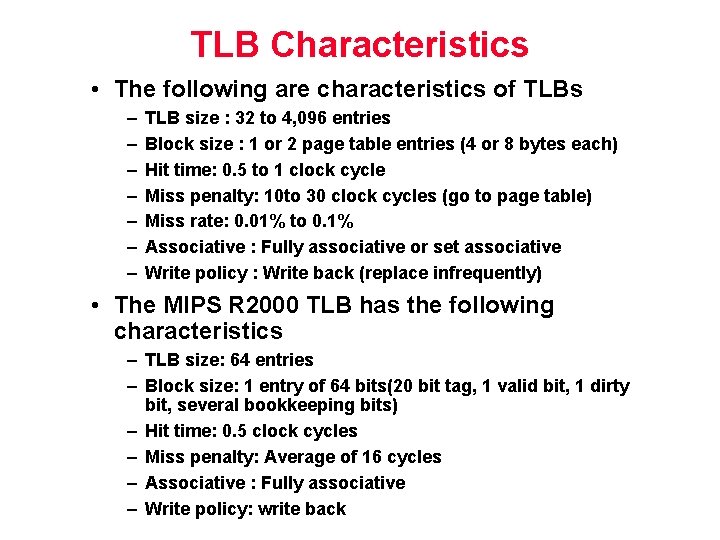
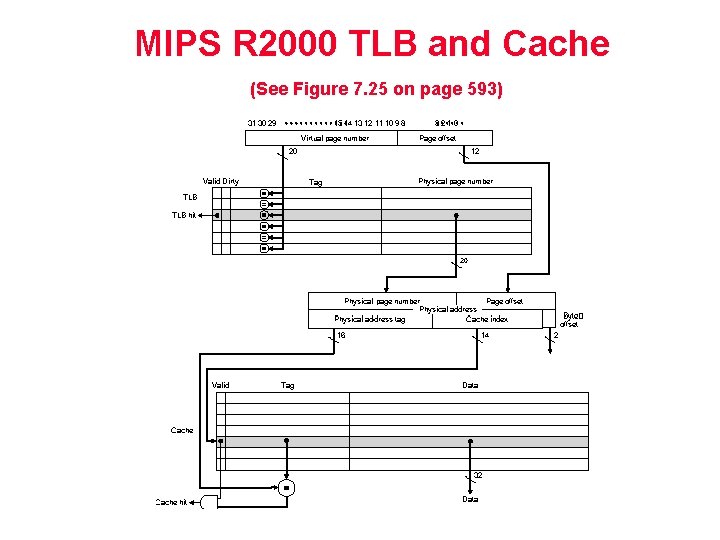
TLB Characteristics • The following are characteristics of TLBs – – – – TLB size : 32 to 4, 096 entries Block size : 1 or 2 page table entries (4 or 8 bytes each) Hit time: 0. 5 to 1 clock cycle Miss penalty: 10 to 30 clock cycles (go to page table) Miss rate: 0. 01% to 0. 1% Associative : Fully associative or set associative Write policy : Write back (replace infrequently) • The MIPS R 2000 TLB has the following characteristics – TLB size: 64 entries – Block size: 1 entry of 64 bits(20 bit tag, 1 valid bit, 1 dirty bit, several bookkeeping bits) – Hit time: 0. 5 clock cycles – Miss penalty: Average of 16 cycles – Associative : Fully associative – Write policy: write back
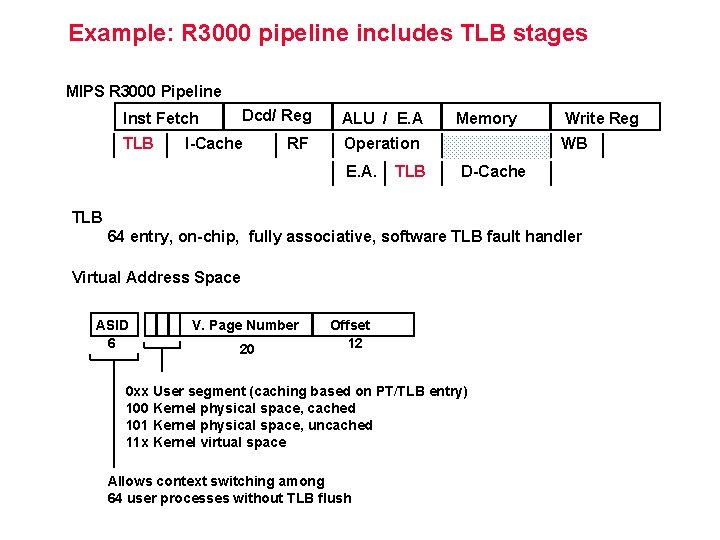
Example: R 3000 pipeline includes TLB stages MIPS R 3000 Pipeline Dcd/ Reg Inst Fetch TLB I-Cache RF ALU / E. A Memory Operation E. A. TLB Write Reg WB D-Cache TLB 64 entry, on-chip, fully associative, software TLB fault handler Virtual Address Space ASID 6 V. Page Number 20 Offset 12 0 xx User segment (caching based on PT/TLB entry) 100 Kernel physical space, cached 101 Kernel physical space, uncached 11 x Kernel virtual space Allows context switching among 64 user processes without TLB flush
MIPS R 2000 TLB and Cache (See Figure 7. 25 on page 593)
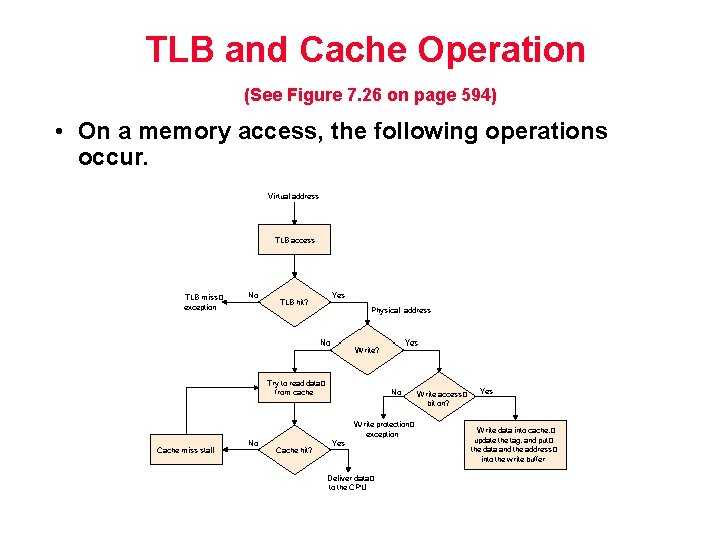
TLB and Cache Operation (See Figure 7. 26 on page 594) • On a memory access, the following operations occur.
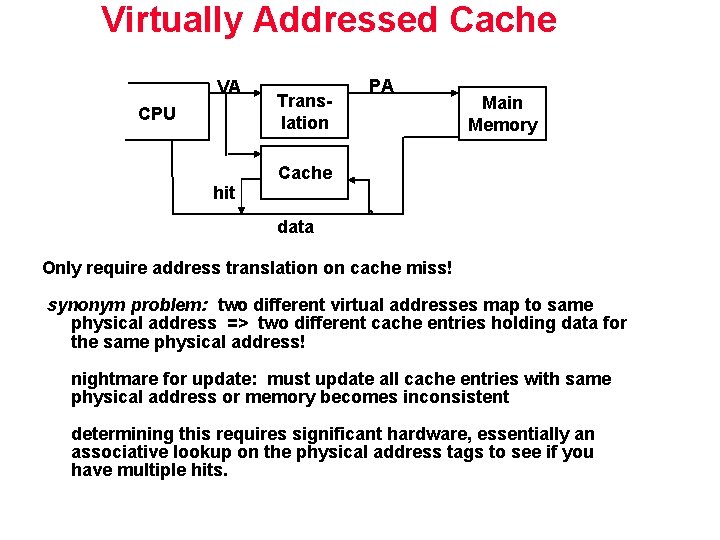
Virtually Addressed Caches • On MIPS R 2000, the TLB translated the virtual address to a physical address before the address was sent to the cache => physically addressed cache. • Another approach is to have the virtual address be sent directly to the cache=> virtually addressed cache – Avoids translation if data is in the cache – If data is not in the cache, the address is translated by a TLB/page table before going to main memory. – Often requires larger tags – Can result in aliasing, if two virtual addresses map to the same location in physical memory. • With a virtually indexed cache, the tag gets translated into a physical address, while the rest of the address is accessing the cache.
Virtually Addressed Cache VA CPU hit Translation PA Main Memory Cache data Only require address translation on cache miss! synonym problem: two different virtual addresses map to same physical address => two different cache entries holding data for the same physical address! nightmare for update: must update all cache entries with same physical address or memory becomes inconsistent determining this requires significant hardware, essentially an associative lookup on the physical address tags to see if you have multiple hits.
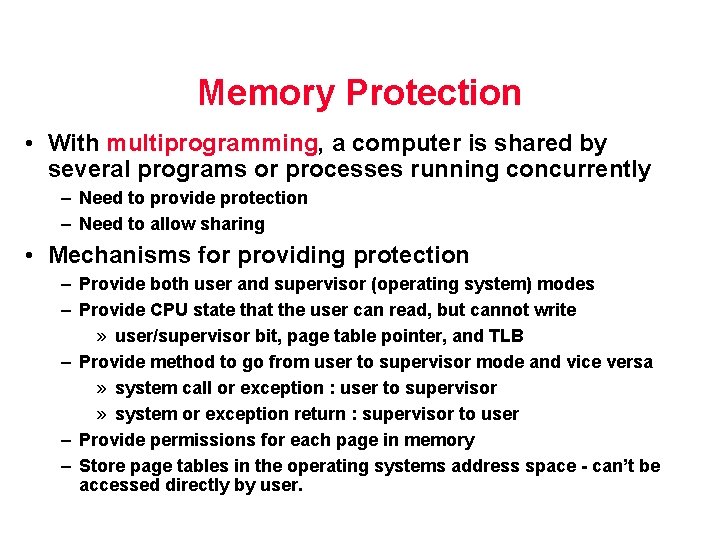
Memory Protection • With multiprogramming, a computer is shared by several programs or processes running concurrently – Need to provide protection – Need to allow sharing • Mechanisms for providing protection – Provide both user and supervisor (operating system) modes – Provide CPU state that the user can read, but cannot write » user/supervisor bit, page table pointer, and TLB – Provide method to go from user to supervisor mode and vice versa » system call or exception : user to supervisor » system or exception return : supervisor to user – Provide permissions for each page in memory – Store page tables in the operating systems address space - can’t be accessed directly by user.
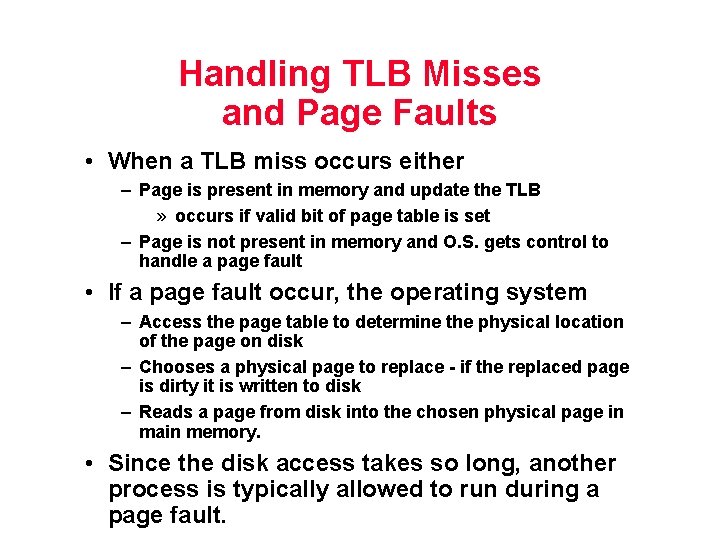
Handling TLB Misses and Page Faults • When a TLB miss occurs either – Page is present in memory and update the TLB » occurs if valid bit of page table is set – Page is not present in memory and O. S. gets control to handle a page fault • If a page fault occur, the operating system – Access the page table to determine the physical location of the page on disk – Chooses a physical page to replace - if the replaced page is dirty it is written to disk – Reads a page from disk into the chosen physical page in main memory. • Since the disk access takes so long, another process is typically allowed to run during a page fault.
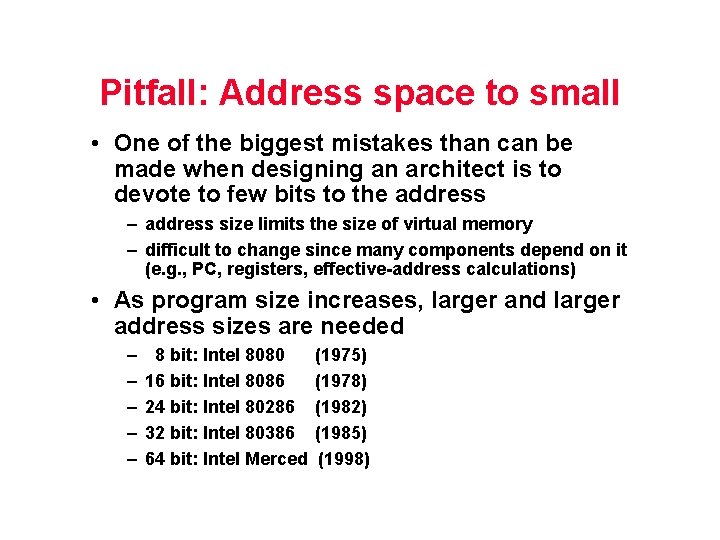
Pitfall: Address space to small • One of the biggest mistakes than can be made when designing an architect is to devote to few bits to the address – address size limits the size of virtual memory – difficult to change since many components depend on it (e. g. , PC, registers, effective-address calculations) • As program size increases, larger and larger address sizes are needed – – – 8 bit: Intel 8080 16 bit: Intel 8086 24 bit: Intel 80286 32 bit: Intel 80386 64 bit: Intel Merced (1975) (1978) (1982) (1985) (1998)
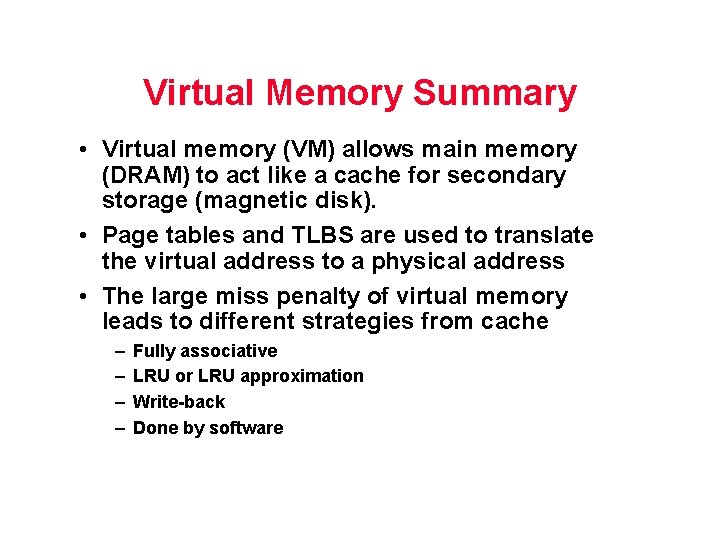
Virtual Memory Summary • Virtual memory (VM) allows main memory (DRAM) to act like a cache for secondary storage (magnetic disk). • Page tables and TLBS are used to translate the virtual address to a physical address • The large miss penalty of virtual memory leads to different strategies from cache – – Fully associative LRU or LRU approximation Write-back Done by software