
Lecture 15 Interactive Tools Prototypers Hyper Card Director
- Slides: 23
Lecture 15: Interactive Tools: Prototypers (Hyper. Card, Director, Visual Basic), Interface Builders, Sketching Tools Brad Myers 05 -830 Advanced User Interface Software © 2013 - Brad Myers 1
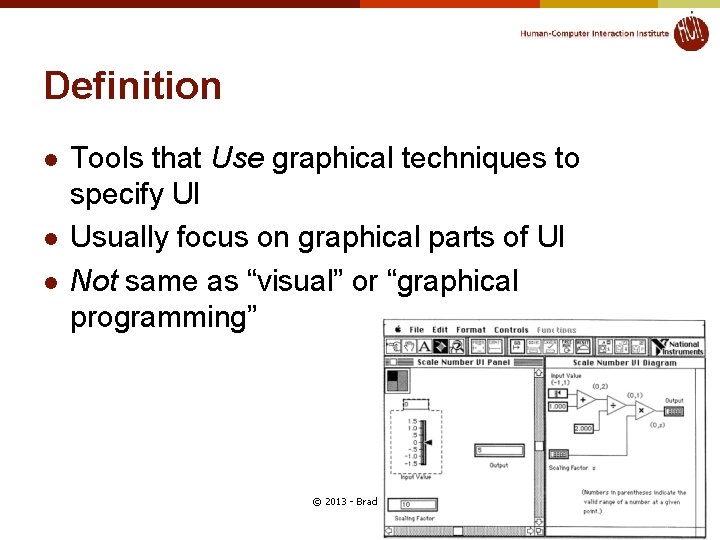
Definition l l l Tools that Use graphical techniques to specify UI Usually focus on graphical parts of UI Not same as “visual” or “graphical programming” © 2013 - Brad Myers n 2
Prototyping Tools l Just show what looks like l l l l l Storyboard of screens “Click-through prototypes” Note: differentiate from term "rapid prototyping“ Some support for behavior: typically changing screens Like a movie of the interaction Goal: see some of interface very quickly (hours) Often no possibility of migrating to real application May not use "real" widgets "Low Fidelity" Techniques © 2013 - Brad Myers 3
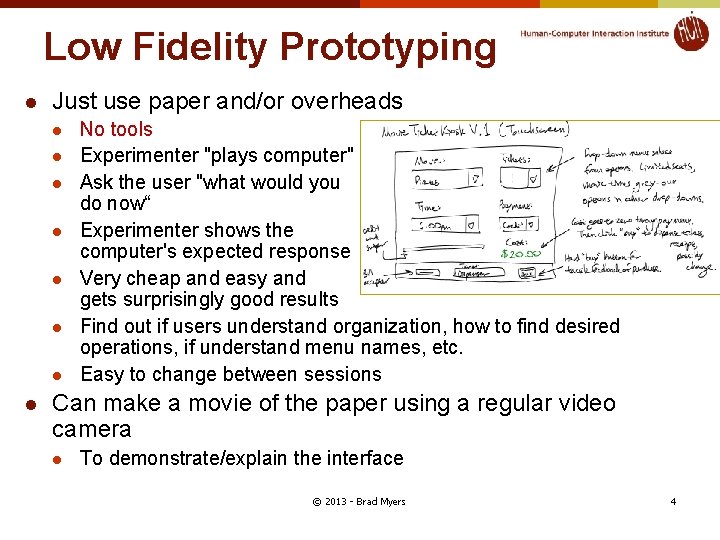
Low Fidelity Prototyping l Just use paper and/or overheads l l l l No tools Experimenter "plays computer" Ask the user "what would you do now“ Experimenter shows the computer's expected response Very cheap and easy and gets surprisingly good results Find out if users understand organization, how to find desired operations, if understand menu names, etc. Easy to change between sessions Can make a movie of the paper using a regular video camera l To demonstrate/explain the interface © 2013 - Brad Myers 4
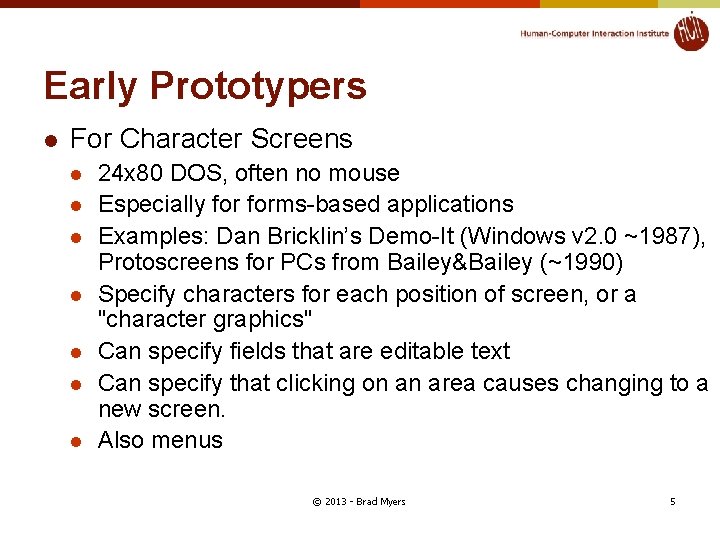
Early Prototypers l For Character Screens l l l l 24 x 80 DOS, often no mouse Especially forms-based applications Examples: Dan Bricklin’s Demo-It (Windows v 2. 0 ~1987), Protoscreens for PCs from Bailey&Bailey (~1990) Specify characters for each position of screen, or a "character graphics" Can specify fields that are editable text Can specify that clicking on an area causes changing to a new screen. Also menus © 2013 - Brad Myers 5
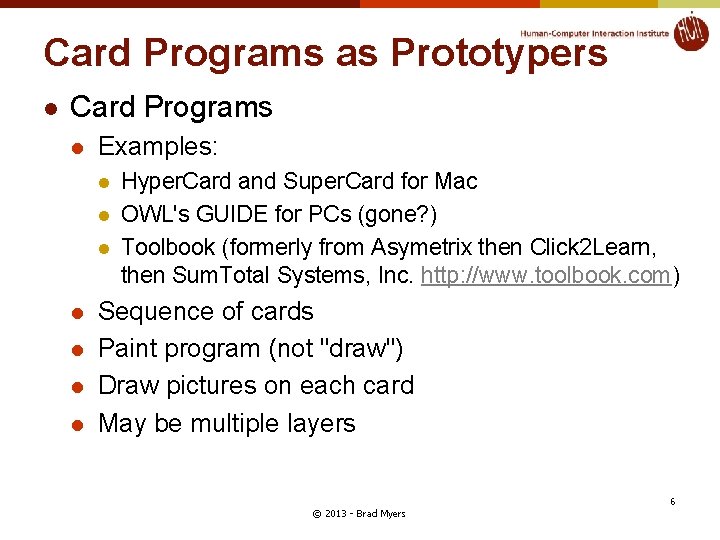
Card Programs as Prototypers l Card Programs l Examples: l l l l Hyper. Card and Super. Card for Mac OWL's GUIDE for PCs (gone? ) Toolbook (formerly from Asymetrix then Click 2 Learn, then Sum. Total Systems, Inc. http: //www. toolbook. com) Sequence of cards Paint program (not "draw") Draw pictures on each card May be multiple layers © 2013 - Brad Myers 6
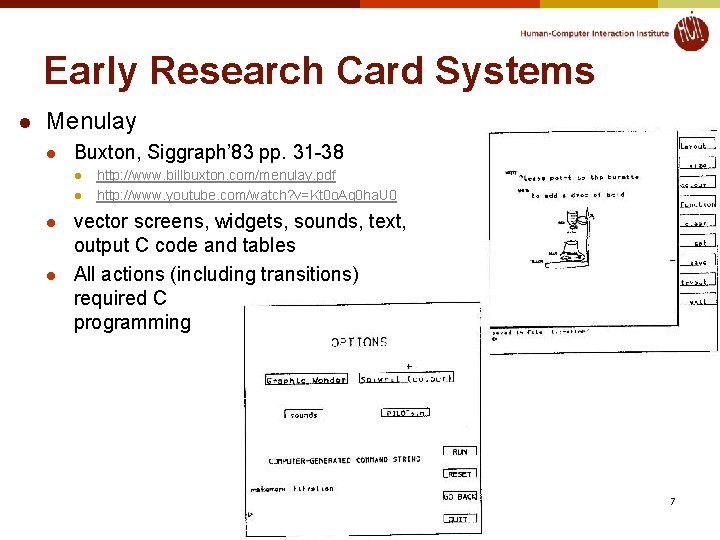
Early Research Card Systems l Menulay l Buxton, Siggraph’ 83 pp. 31 -38 l l http: //www. billbuxton. com/menulay. pdf http: //www. youtube. com/watch? v=Kt 0 o. Ag 0 ha. U 0 vector screens, widgets, sounds, text, output C code and tables All actions (including transitions) required C programming n © 2013 - Brad Myers 7
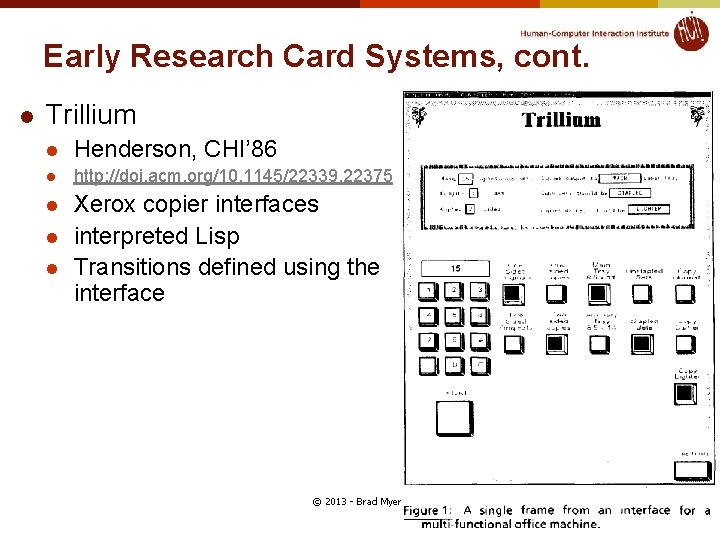
Early Research Card Systems, cont. l Trillium l Henderson, CHI’ 86 l http: //doi. acm. org/10. 1145/22339. 22375 l Xerox copier interfaces interpreted Lisp Transitions defined using the interface l l © 2013 - Brad Myers 8
Hyper. Card, details l Buttons can transition to another card l l l Single window Buttons can start running a script ("Hyper. Talk") l l Script can move objects, change cards, animate, compute, etc. Code management: who changes what; finding the script Not good for dynamically created graphics Complete control of individual pixels l l l Fancy transitions Graphic designers have complete control Design new widgets Can be "real" application if sufficient power/speed l Used for original Myst game, etc. © 2013 - Brad Myers 9
Animation Programs l l l Example: Macro. Media’s Director (1987) – now Adobe Also control individual pixels Individual paintings can be specified as animation element l l Good control over timing, synchronization Scripting language l l E. g. , characters Each can be instantiated, moved, etc. Can program that when a mouse button is clicked in an area, start an animation or transition Scripting language even more primitive than Hyper. Talk Good for "Future Scenarios" when want good fidelity with real look Not for final (real) interface unless Multi-media © 2013 - Brad Myers 10
Interface Builders l l l Also called Interface Development Tools (IDTs) or GUI Builders or “resource editors” Lay out widgets to make dialog boxes, menus. Have a palette or menu of kinds of widgets Select widget, place with mouse in a window Set some properties Design menus, palettes, dialog boxes, controls Put in “graphics” pane for main application window Easy to use, but limited Connect call-backs with each widget Generates C code directly or intermediate language Sometimes connected to an intepreter so can execute callbacks. l If not, some call-backs can be simulated, e. g. transition to another window; pop-up error © 2013 - Brad Myers 11
Interface Builders, cont. l Layout mechanisms l usually a complication l l “Resources” l l X's row and columns stuff Galaxy's struts and springs Java’s Layout Managers store information in special files rather than in source code positions, colors, text labels, etc. allow for easier modification for users, internationalization, etc. IBs Usually don't support: l l l Error checking of values, e. g. for text input fields Graying of widgets depending on values and other widgets Default values of widgets Dynamic changing of widgets (e. g. , add more items) Dynamic changing layers (groups) of widgets (visibility) depending on values and other widgets Any dynamically created graphical objects. © 2013 - Brad Myers 12
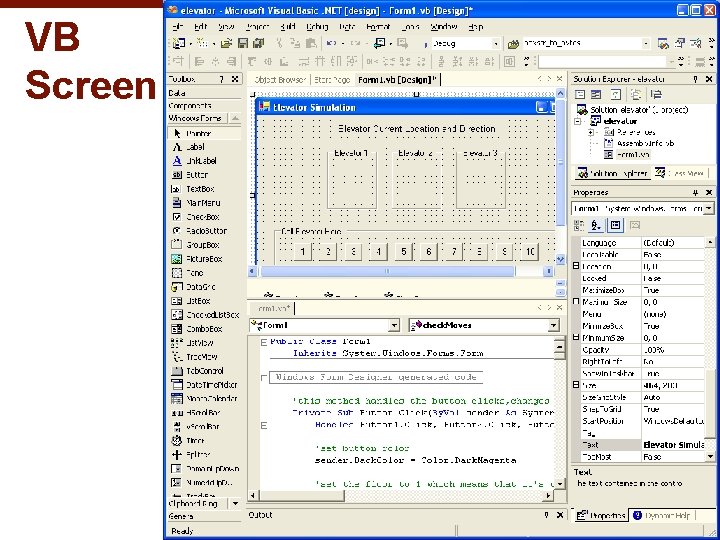
Interface Builders, cont. l Examples: l l See “Card” systems, e. g. , Menulay (1983 -research system) Ne. XT Interface Builder (Ne. XT) - 1988 popularized the name § l l l By Jean-Marie Hullot who had an IB in Lisp at INRIA in France Visual Basic Resource editors in programming environments Used to be lots of IB products l Used to be many commercial tools are in this category; over 100 § l l See my old list (1997): http: //www. cs. cmu. edu/~bam/toolnames. html Most went out of business Microsoft, Metro. Works, etc. include “resource editors” for “free” © 2013 - Brad Myers 13
VB Screen n © 2013 - Brad Myers n 14
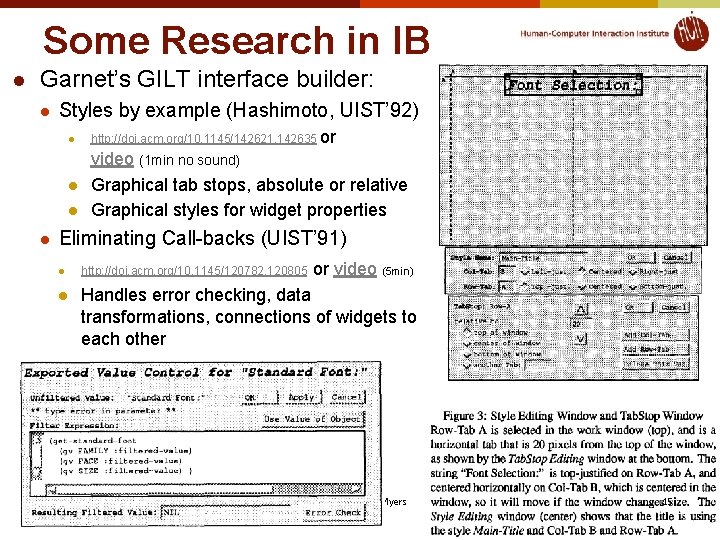
Some Research in IB l Garnet’s GILT interface builder: l Styles by example (Hashimoto, UIST’ 92) l http: //doi. acm. org/10. 1145/142621. 142635 or l video (1 min no sound) Graphical tab stops, absolute or relative Graphical styles for widget properties l l Eliminating Call-backs (UIST’ 91) l l or video (5 min) http: //doi. acm. org/10. 1145/120782. 120805 Handles error checking, data transformations, connections of widgets to each other n © 2013 - Brad Myers n 15
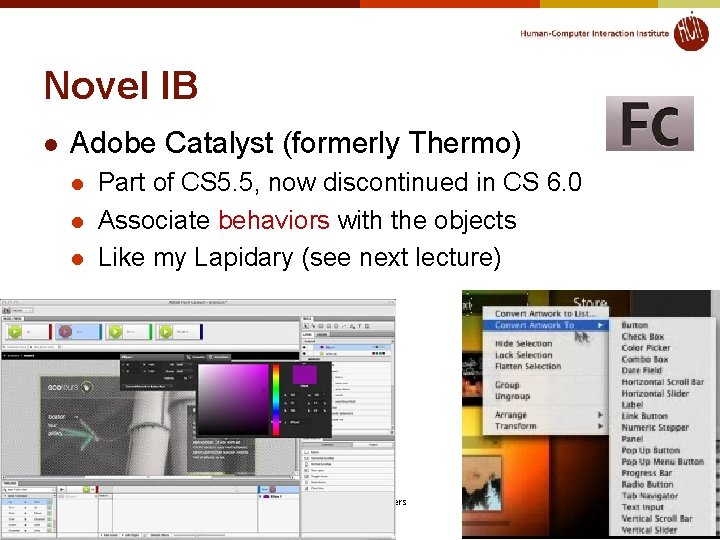
Novel IB l Adobe Catalyst (formerly Thermo) l l l Part of CS 5. 5, now discontinued in CS 6. 0 Associate behaviors with the objects Like my Lapidary (see next lecture) n © 2013 - Brad Myers n 16
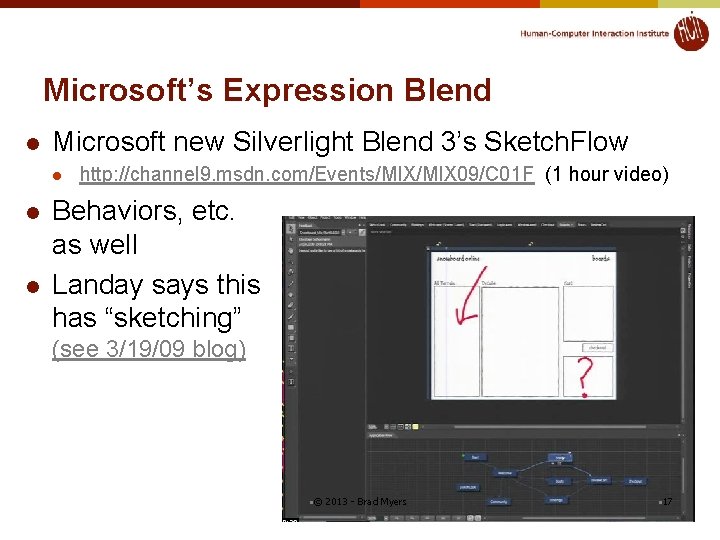
Microsoft’s Expression Blend l Microsoft new Silverlight Blend 3’s Sketch. Flow l l l http: //channel 9. msdn. com/Events/MIX 09/C 01 F (1 hour video) Behaviors, etc. as well Landay says this has “sketching” (see 3/19/09 blog) n © 2013 - Brad Myers n 17
Commercial Prototypers l l Search for “Prototyping tools” or “Wireframing Tools” Here are some lists: l l l http: //mashable. com/2010/07/15/wireframing-tools/ - “ 10 free wireframing tools” http: //www. uxbooth. com/blog/15 -desktop-online-wireframingtools/ http: //www. tripwiremagazine. com/2010/04/15 -best-wireframingtools-for-designers. html http: //www. uie. com/articles/prototyping_tools/? link=tips 100318_6 http: //c 2. com/cgi/wiki? Gui. Prototyping. Tools © 2012 - Brad Myers 18
Examples: l l Axure (downloaded) On-line tools l l l Fluid UI Balsamiq (http: //www. balsamiq. com/) Moqups Mockingbird Fluid. UI Mockflow © 2013 - Brad Myers 19
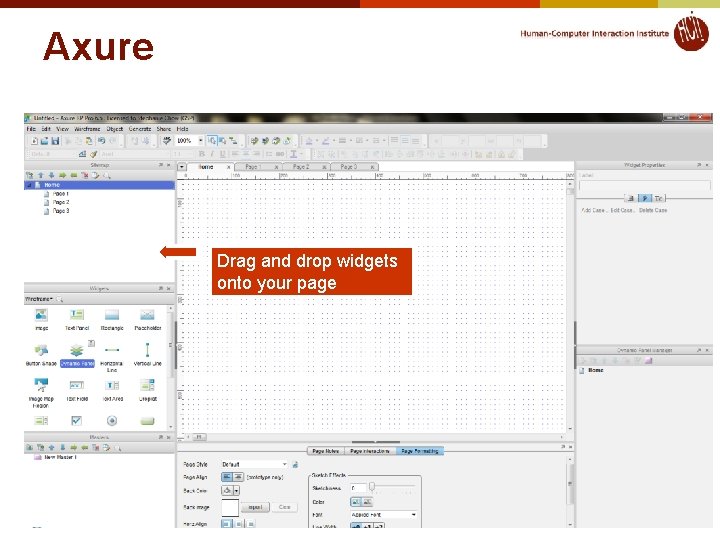
Axure Drag and drop widgets onto your page
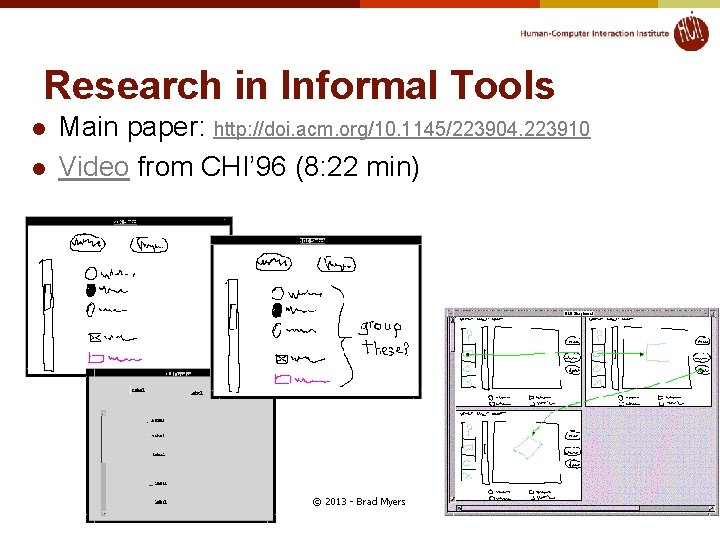
Research in Informal Tools l l l Sketching tools Use before interface builders Designed to help support the ideation phase Menulay (saw earlier) James Landay’s SILK tool l Infer formal widgets and widget groupings from sketches Convert to real widgets Sketch storyboards for transitions © 2013 - Brad Myers 21
Research in Informal Tools l l Main paper: http: //doi. acm. org/10. 1145/223904. 223910 Video from CHI’ 96 (8: 22 min) © 2013 - Brad Myers n 22
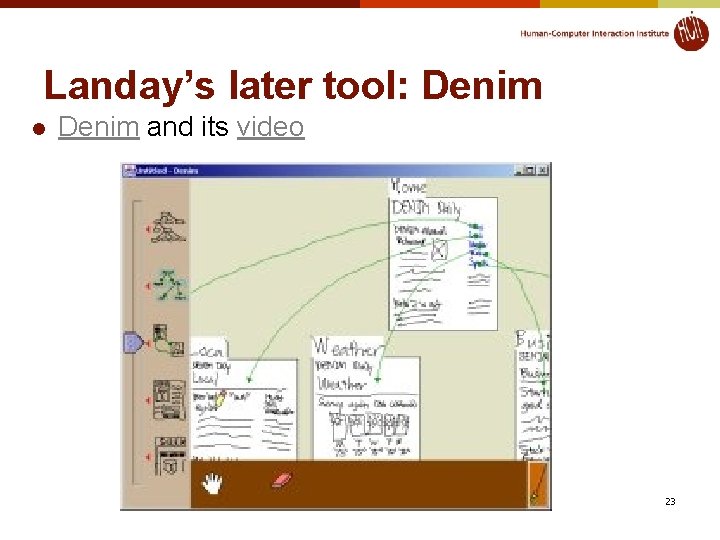
Landay’s later tool: Denim l Denim and its video n © 2013 - Brad Myers 23