
Lecture 12 XQuery in SQL Server Monday October
Lecture 12: XQuery in SQL Server Monday, October 23, 2006 1
Announcements • Homework 2 due on Wednesday • Midterm on Friday. To study: – SQL – E/R diagrams – Functional dependencies and BCNF • Project phase 2 due next Wednesday 2
![Sorting in XQuery <publisher_list> { FOR $b IN document("bib. xml")//book[year = “ 97”] ORDER](http://slidetodoc.com/presentation_image_h2/a6a0d644ab04e452db0c9a8121c86c8b/image-3.jpg "Sorting in XQuery <publisher_list> { FOR $b IN document(\"bib. xml\")//book[year = “ 97”] ORDER")
Sorting in XQuery <publisher_list> { FOR $b IN document("bib. xml")//book[year = “ 97”] ORDER BY $b/price/text() RETURN <book> { $b/title , $b/price } </book> } </publisher_list> 3
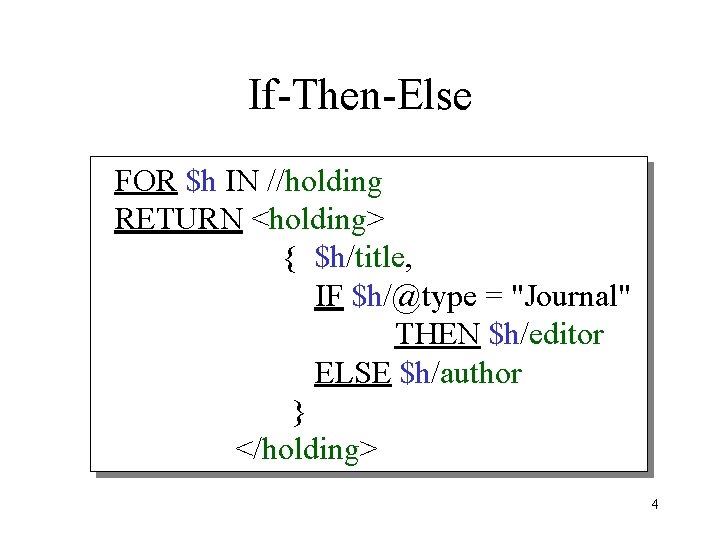
If-Then-Else FOR $h IN //holding RETURN <holding> { $h/title, IF $h/@type = "Journal" THEN $h/editor ELSE $h/author } </holding> 4
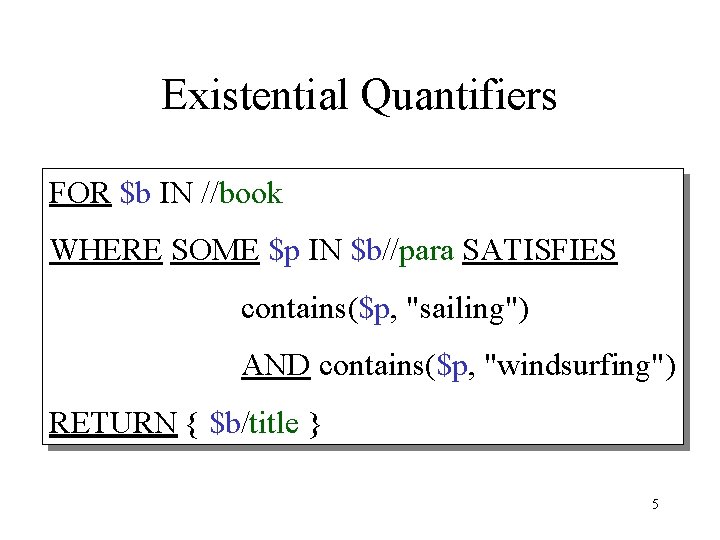
Existential Quantifiers FOR $b IN //book WHERE SOME $p IN $b//para SATISFIES contains($p, "sailing") AND contains($p, "windsurfing") RETURN { $b/title } 5
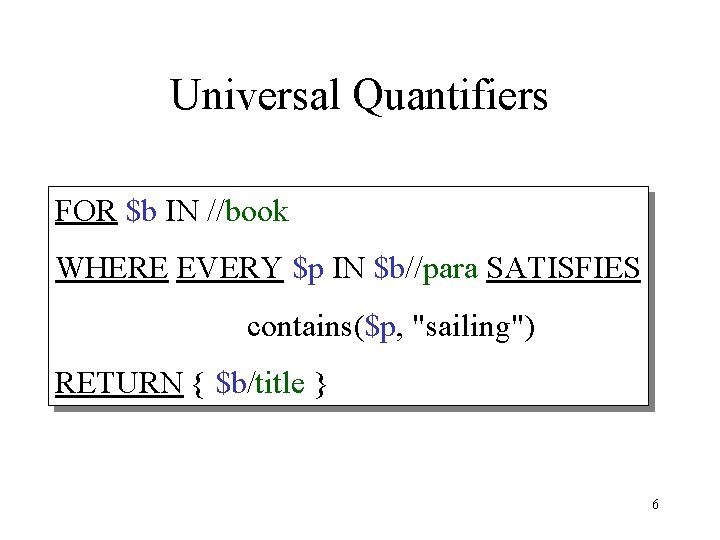
Universal Quantifiers FOR $b IN //book WHERE EVERY $p IN $b//para SATISFIES contains($p, "sailing") RETURN { $b/title } 6
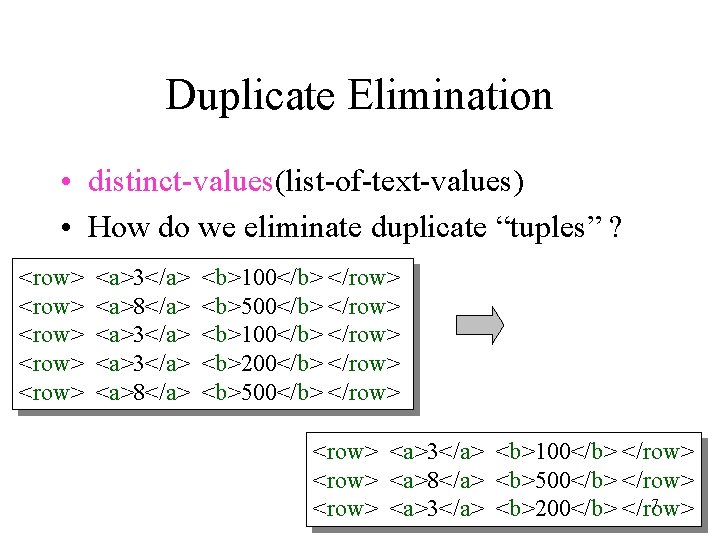
Duplicate Elimination • distinct-values(list-of-text-values) • How do we eliminate duplicate “tuples” ? <row> <row> <a>3</a> <a>8</a> <b>100</b> </row> <b>500</b> </row> <b>100</b> </row> <b>200</b> </row> <b>500</b> </row> <a>3</a> <b>100</b> </row> <a>8</a> <b>500</b> </row> 7 <row> <a>3</a> <b>200</b> </row>
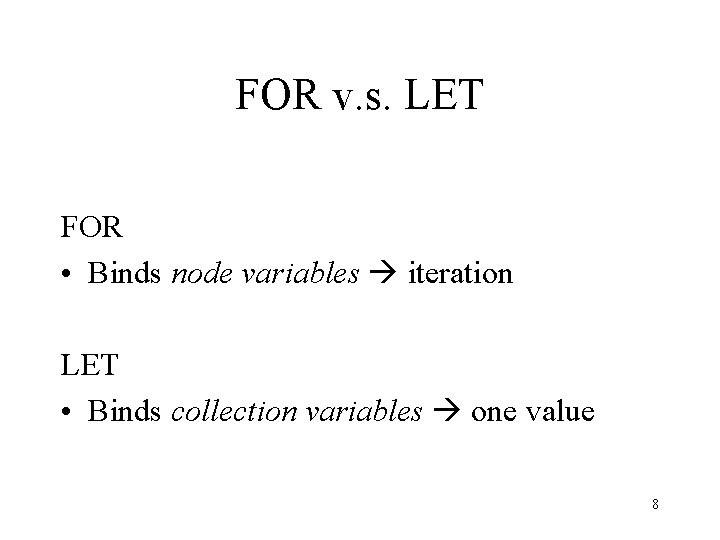
FOR v. s. LET FOR • Binds node variables iteration LET • Binds collection variables one value 8
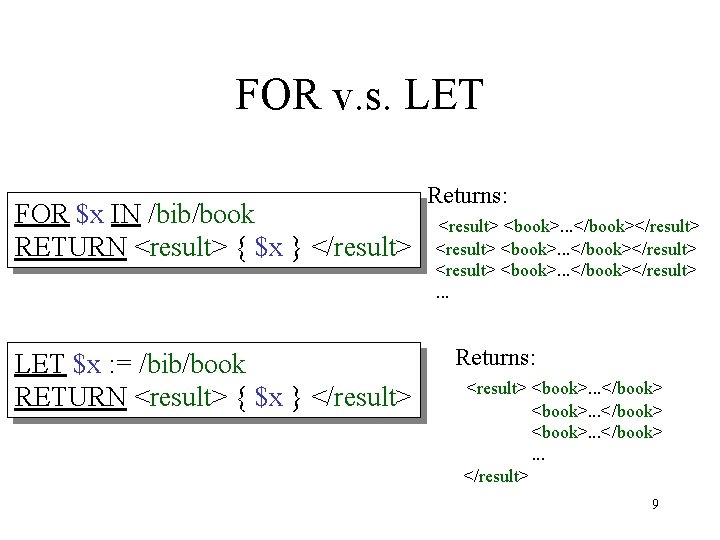
FOR v. s. LET FOR $x IN /bib/book RETURN <result> { $x } </result> LET $x : = /bib/book RETURN <result> { $x } </result> Returns: <result> <book>. . . </book></result>. . . Returns: <result> <book>. . . </book> <book>. . . </result> 9
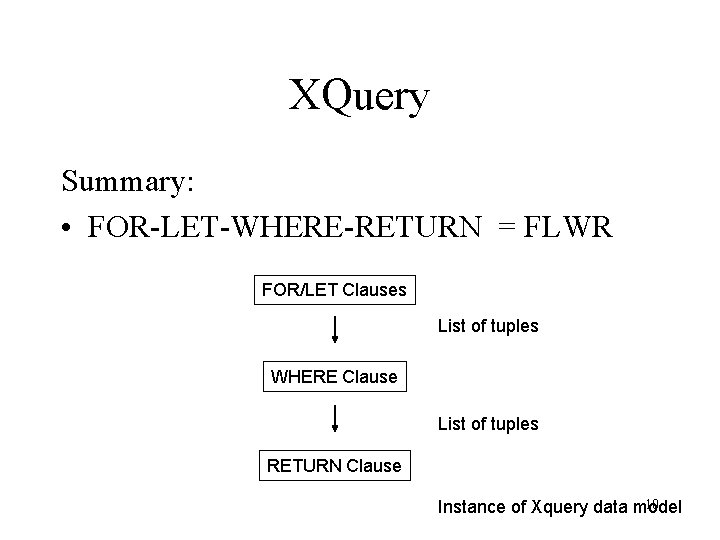
XQuery Summary: • FOR-LET-WHERE-RETURN = FLWR FOR/LET Clauses List of tuples WHERE Clause List of tuples RETURN Clause 10 Instance of Xquery data model
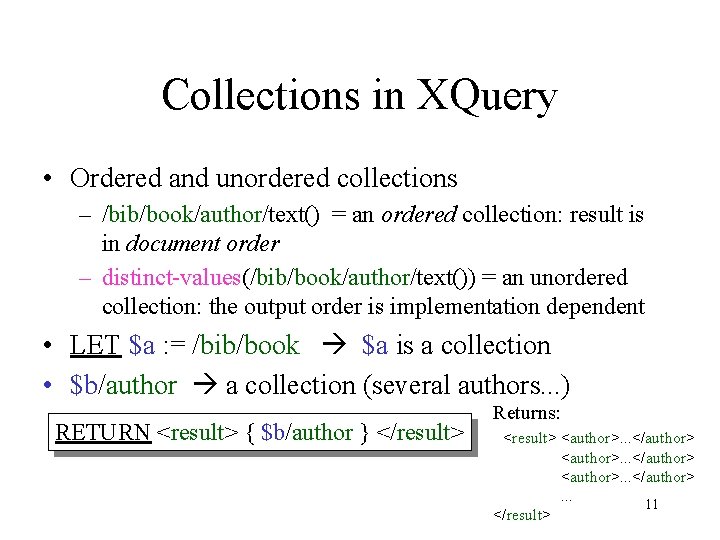
Collections in XQuery • Ordered and unordered collections – /bib/book/author/text() = an ordered collection: result is in document order – distinct-values(/bib/book/author/text()) = an unordered collection: the output order is implementation dependent • LET $a : = /bib/book $a is a collection • $b/author a collection (several authors. . . ) RETURN <result> { $b/author } </result> Returns: <result> <author>. . . </author>. . . 11 </result>
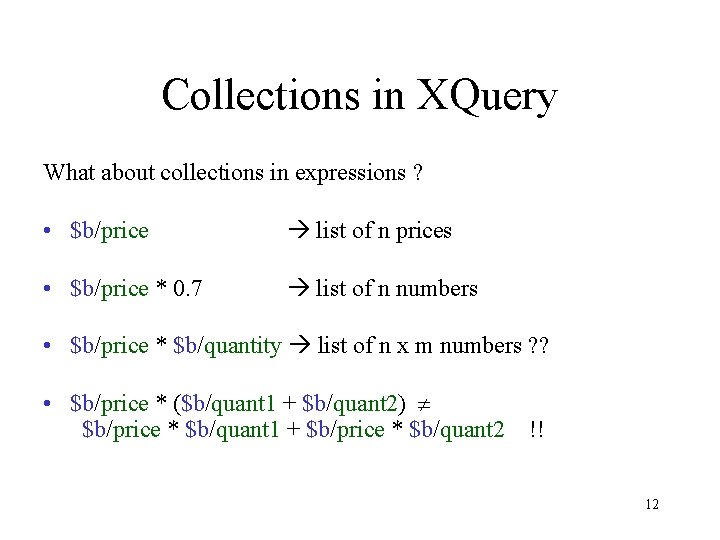
Collections in XQuery What about collections in expressions ? • $b/price list of n prices • $b/price * 0. 7 list of n numbers • $b/price * $b/quantity list of n x m numbers ? ? • $b/price * ($b/quant 1 + $b/quant 2) $b/price * $b/quant 1 + $b/price * $b/quant 2 !! 12
Other XML Topics • Name spaces • XML API: – DOM = “Document Object Model” • XML languages: – XSLT • XML Schema • Xlink, XPointer • SOAP Available from www. w 3. org (but don’t spend rest of your life reading those standards !) 13
XML in SQL Server 2005 • Create tables with attributes of type XML • Use Xquery in SQL queries • Rest of the slides are from: Shankar Pal et al. , Indexing XML data stored in a relational database, VLDB’ 2004 14
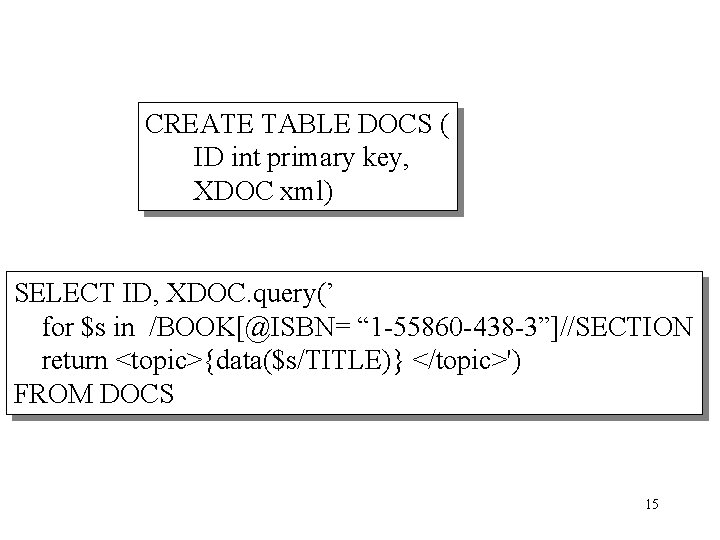
CREATE TABLE DOCS ( ID int primary key, XDOC xml) SELECT ID, XDOC. query(’ for $s in /BOOK[@ISBN= “ 1 -55860 -438 -3”]//SECTION return <topic>{data($s/TITLE)} </topic>') FROM DOCS 15
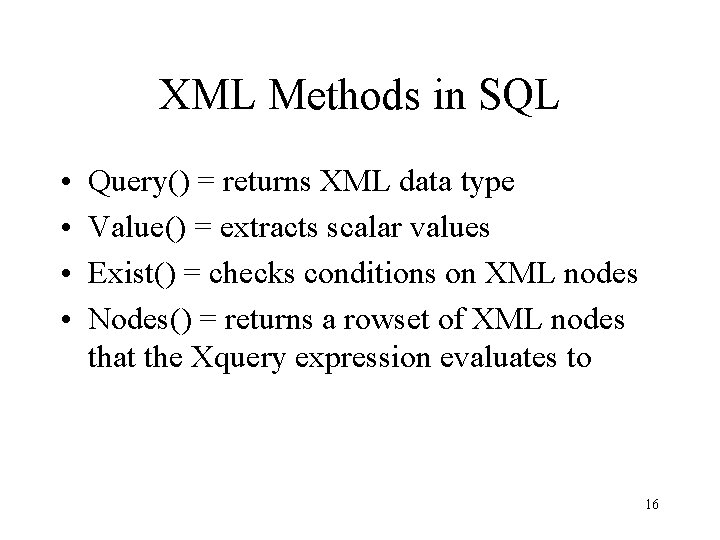
XML Methods in SQL • • Query() = returns XML data type Value() = extracts scalar values Exist() = checks conditions on XML nodes Nodes() = returns a rowset of XML nodes that the Xquery expression evaluates to 16
Examples • From here: http: //msdn. microsoft. com/library/default. as p? url=/library/enus/dnsql 90/html/sql 2 k 5 xml. asp 17
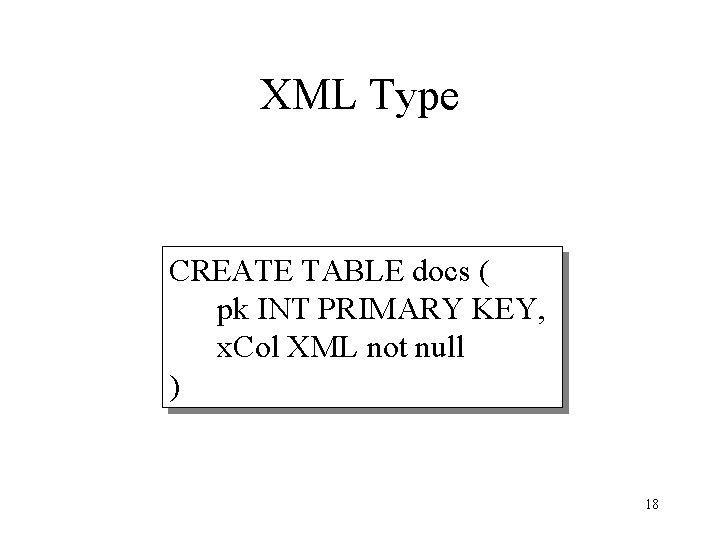
XML Type CREATE TABLE docs ( pk INT PRIMARY KEY, x. Col XML not null ) 18
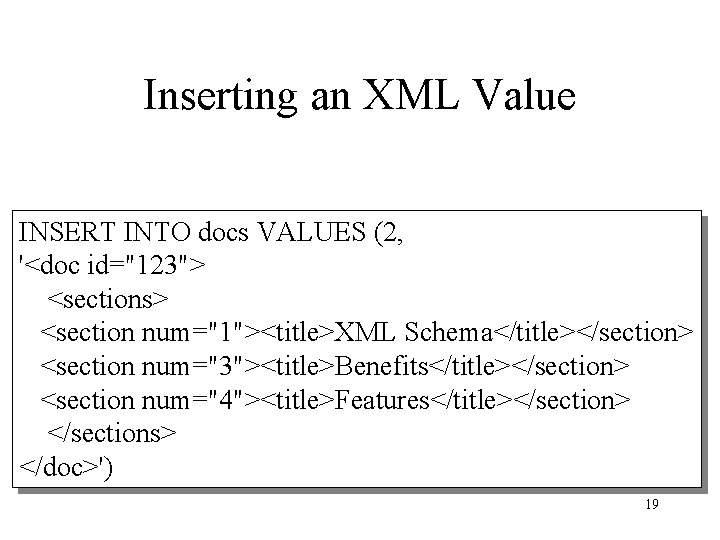
Inserting an XML Value INSERT INTO docs VALUES (2, '<doc id="123"> <sections> <section num="1"><title>XML Schema</title></section> <section num="3"><title>Benefits</title></section> <section num="4"><title>Features</title></section> </sections> </doc>') 19
![Query( ) SELECT pk, x. Col. query('/doc[@id = 123]//section') FROM docs 20](http://slidetodoc.com/presentation_image_h2/a6a0d644ab04e452db0c9a8121c86c8b/image-20.jpg "Query( ) SELECT pk, x. Col. query('/doc[@id = 123]//section') FROM docs 20")
Query( ) SELECT pk, x. Col. query('/doc[@id = 123]//section') FROM docs 20
![Exists( ) SELECT x. Col. query('/doc[@id = 123]//section') FROM docs WHERE x. Col. exist](http://slidetodoc.com/presentation_image_h2/a6a0d644ab04e452db0c9a8121c86c8b/image-21.jpg "Exists( ) SELECT x. Col. query('/doc[@id = 123]//section') FROM docs WHERE x. Col. exist")
Exists( ) SELECT x. Col. query('/doc[@id = 123]//section') FROM docs WHERE x. Col. exist ('/doc[@id = 123]') = 1 21
![Value( ) SELECT x. Col. value( 'data((/doc//section[@num = 3]/title)[1])', 'nvarchar(max)') FROM docs 22](http://slidetodoc.com/presentation_image_h2/a6a0d644ab04e452db0c9a8121c86c8b/image-22.jpg "Value( ) SELECT x. Col. value( 'data((/doc//section[@num = 3]/title)[1])', 'nvarchar(max)') FROM docs 22")
Value( ) SELECT x. Col. value( 'data((/doc//section[@num = 3]/title)[1])', 'nvarchar(max)') FROM docs 22
![Nodes( ) SELECT nref. value('first-name[1]', 'nvarchar(50)') AS First. Name, nref. value('last-name[1]', 'nvarchar(50)') AS Last.](http://slidetodoc.com/presentation_image_h2/a6a0d644ab04e452db0c9a8121c86c8b/image-23.jpg "Nodes( ) SELECT nref. value('first-name[1]', 'nvarchar(50)') AS First. Name, nref. value('last-name[1]', 'nvarchar(50)') AS Last.")
Nodes( ) SELECT nref. value('first-name[1]', 'nvarchar(50)') AS First. Name, nref. value('last-name[1]', 'nvarchar(50)') AS Last. Name FROM @x. Var. nodes('//author') AS R(nref) WHERE nref. exist('. [first-name != "David"]') = 1 23
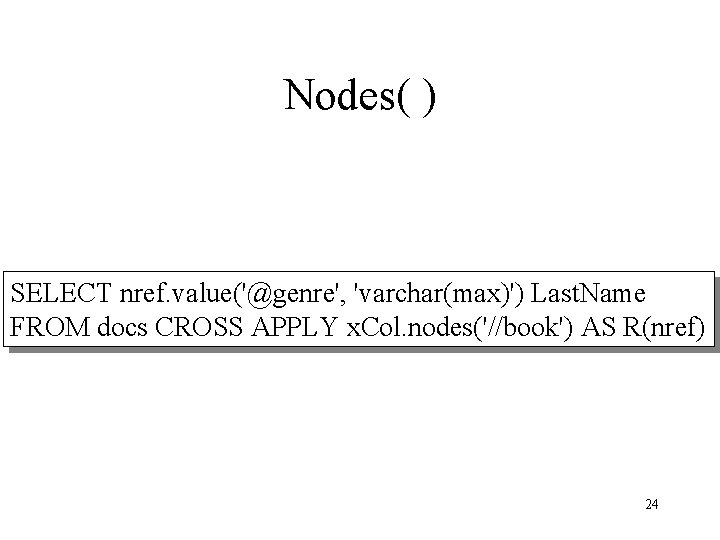
Nodes( ) SELECT nref. value('@genre', 'varchar(max)') Last. Name FROM docs CROSS APPLY x. Col. nodes('//book') AS R(nref) 24
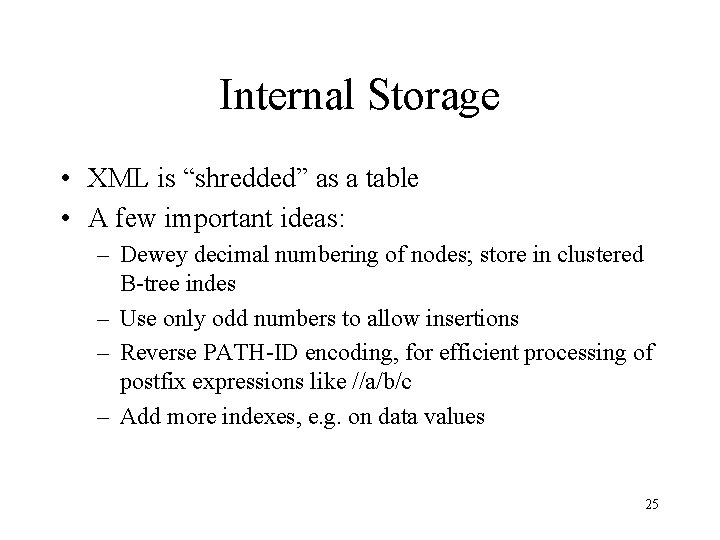
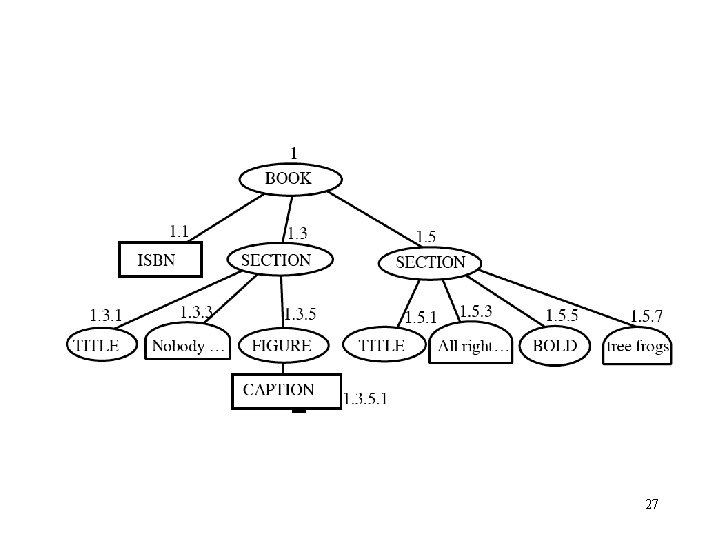
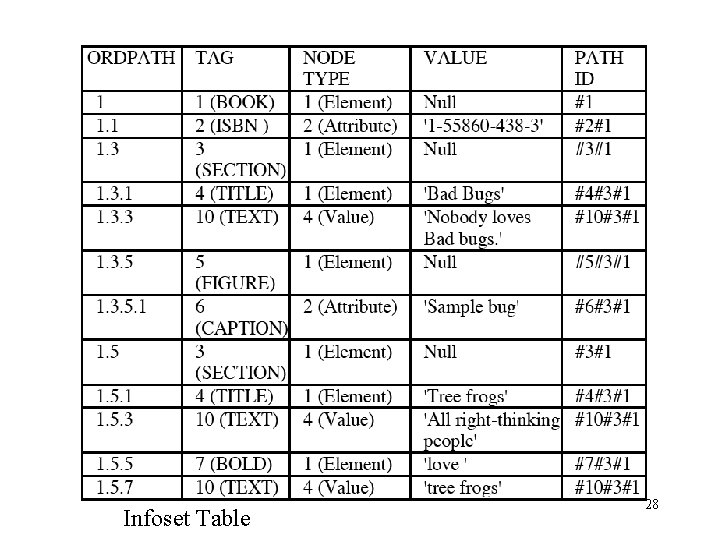
Internal Storage • XML is “shredded” as a table • A few important ideas: – Dewey decimal numbering of nodes; store in clustered B-tree indes – Use only odd numbers to allow insertions – Reverse PATH-ID encoding, for efficient processing of postfix expressions like //a/b/c – Add more indexes, e. g. on data values 25
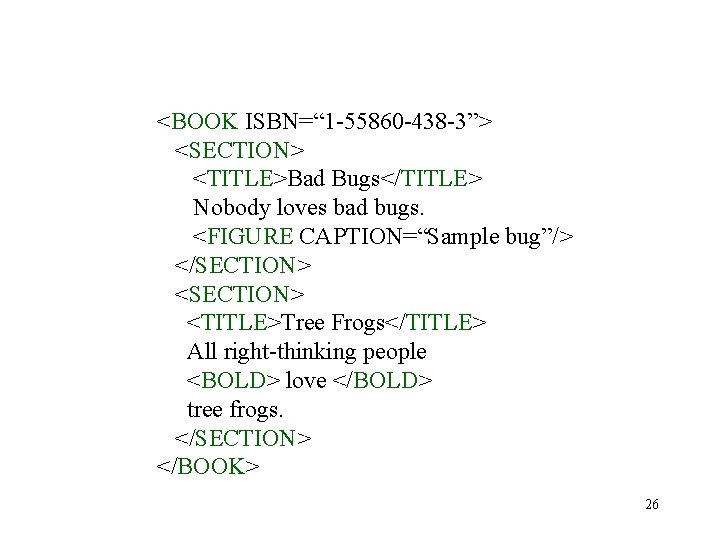
<BOOK ISBN=“ 1 -55860 -438 -3”> <SECTION> <TITLE>Bad Bugs</TITLE> Nobody loves bad bugs. <FIGURE CAPTION=“Sample bug”/> </SECTION> <TITLE>Tree Frogs</TITLE> All right-thinking people <BOLD> love </BOLD> tree frogs. </SECTION> </BOOK> 26
27
Infoset Table 28
![/BOOK[@ISBN = “ 1 -55860 -438 -3”]/SECTION SELECT Serialize. XML (N 2. ID, N](http://slidetodoc.com/presentation_image_h2/a6a0d644ab04e452db0c9a8121c86c8b/image-29.jpg "/BOOK[@ISBN = “ 1 -55860 -438 -3”]/SECTION SELECT Serialize. XML (N 2. ID, N")
/BOOK[@ISBN = “ 1 -55860 -438 -3”]/SECTION SELECT Serialize. XML (N 2. ID, N 2. ORDPATH) FROM infosettab N 1 JOIN infosettab N 2 ON (N 1. ID = N 2. ID) WHERE N 1. PATH_ID = PATH_ID(/BOOK/@ISBN) AND N 1. VALUE = '1 -55860 -438 -3' AND N 2. PATH_ID = PATH_ID(BOOK/SECTION) AND Parent (N 1. ORDPATH) = Parent (N 2. ORDPATH) 29
- Slides: 29