
Lecture 11 Socket Programming 1 What is communication
- Slides: 42
Lecture 11 Socket Programming 1
What is communication • Communication = exchanging information. • Network communication = exchanging bits between two processes, residing either on the same computer or on different computers connected by a network. • General case of enabling two processes to communicate 2
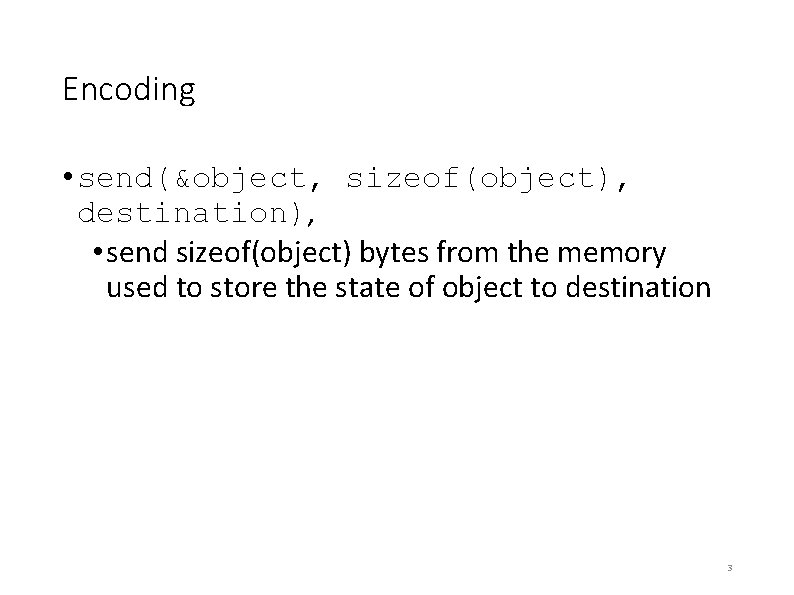
Encoding • send(&object, sizeof(object), destination), • send sizeof(object) bytes from the memory used to store the state of object to destination 3
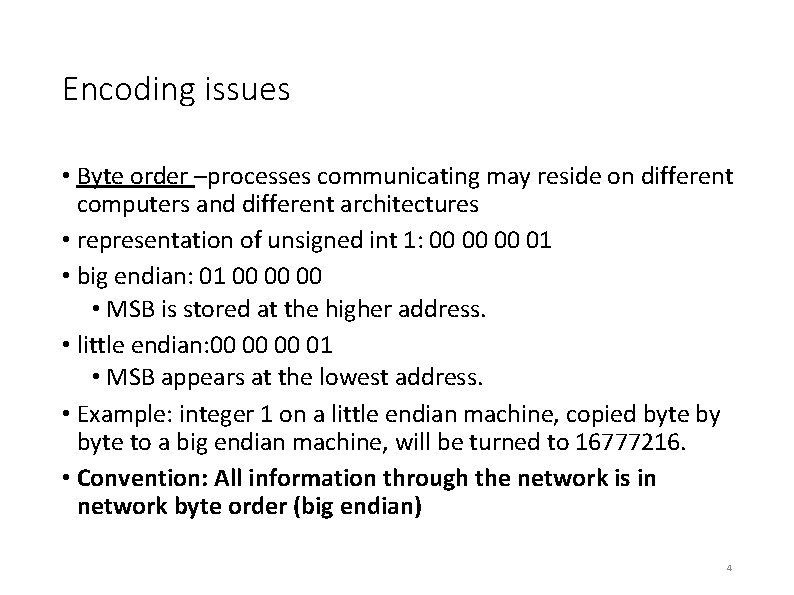
Encoding issues • Byte order –processes communicating may reside on different computers and different architectures • representation of unsigned int 1: 00 00 00 01 • big endian: 01 00 00 00 • MSB is stored at the higher address. • little endian: 00 00 00 01 • MSB appears at the lowest address. • Example: integer 1 on a little endian machine, copied byte by byte to a big endian machine, will be turned to 16777216. • Convention: All information through the network is in network byte order (big endian) 4
Encoding issues • RTE Types –processes might be running on RTE's (JVM(Java) vs C++(OS)), memory layout of objects in one RTE cannot be interpreted by the other. • Compilers: same problem arises, as different compilers may represent different values differently. 5
Encoding - strings • encode data into strings, and send strings over the network. • debug-able! • see what is sent and received • Are strings represented uniformly? no! • How to send binary data using strings? use string encoding of binary data (Base 64) 6
UNICODE and UTF-8, 16, 32 • UNICODE: encoding schemes for correct exchange of strings across architectures • portable way (independent of OS, RTEs, languages, compilers) 7
UTF-8, 16, 32 • Most used encoding schemes are UTF-8, UTF-16 and UTF-32. • Number after UTF specifies the width (how many bytes) of each character in the encoding scheme. • UTF-32: each character takes exactly 4 bytes (2^32 different characters). • UTF-8: characters represented by a single byte. Only 2^8 different characters. • UTF-8 allows consecutive bytes to represent a single character. May be represented by 1, 2, 3 or 4 bytes 8
Course standard • Negate the effect endianness - use UTF-8! • Send: first encode the string using UTF-8, and then send the string. • Receive: first decode data as a UTF-8 string and then convert to native representation 9
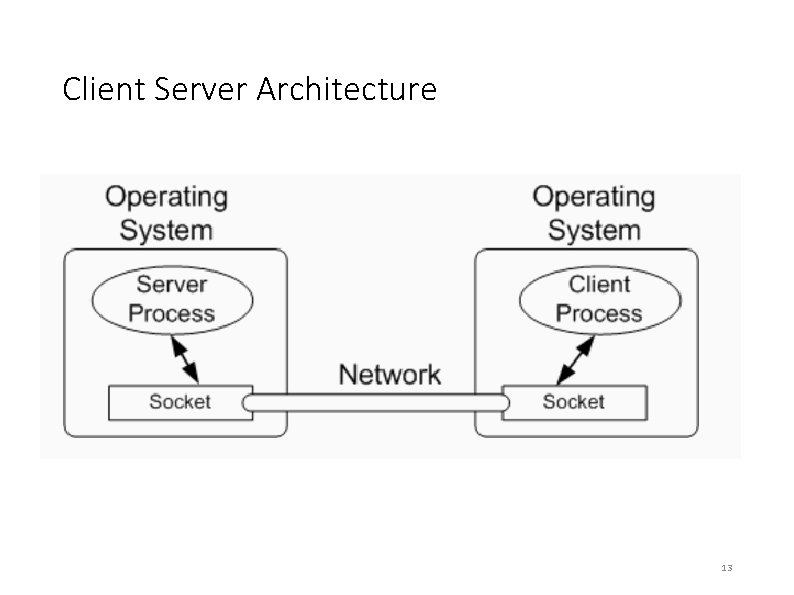
Client Server Architecture • Server: a process that is accessible over the network. a computer that runs one or more servers is also called a server • Client: a process that initiates a connection to a server. • Host: any computer with a network presence – that is, connected to a network 10
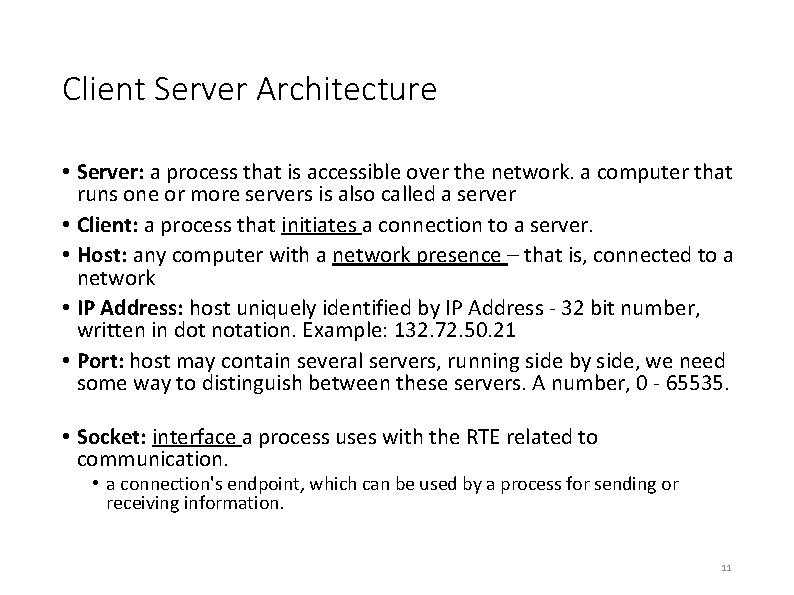
Client Server Architecture • Server: a process that is accessible over the network. a computer that runs one or more servers is also called a server • Client: a process that initiates a connection to a server. • Host: any computer with a network presence – that is, connected to a network • IP Address: host uniquely identified by IP Address - 32 bit number, written in dot notation. Example: 132. 72. 50. 21 • Port: host may contain several servers, running side by side, we need some way to distinguish between these servers. A number, 0 - 65535. • Socket: interface a process uses with the RTE related to communication. • a connection's endpoint, which can be used by a process for sending or receiving information. 11
Client Server Architecture • Clients wish to contact a server, on a different computer, and ask a service. • Server is ”always-on”, listening for requests prior to the time a client initiates the communication. • world wide web; client – web browser – contacts web server, asks for a web page. • service is information inside the web page 12
Client Server Architecture 13
Network Communication Models • Bi-directional? (phone call vs. a T. V. broadcast) • Point-to-point? (two parties talking or a radio broadcast) • Reliable? (everything sent reaches its destination or not? ) • Session-oriented? (phone call vs. a snail mail) 14
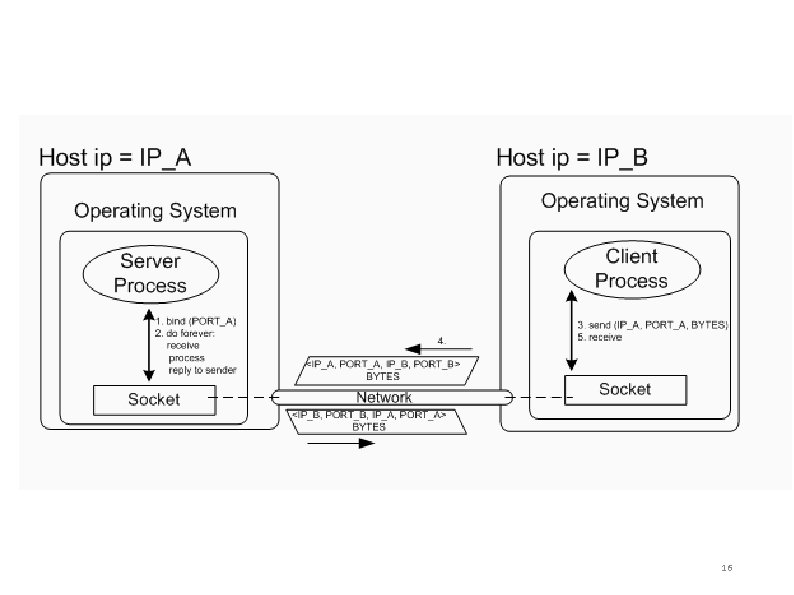
UDP – User Datagram Protocol • Unreliable. • Data may be lost or arrive in a different order than sent. • Connectionless – no connection is made between client and server. • Relatively fast. • Mostly one-directional. • Point to point scenario is possible but not necessarily. • Suitable for Voice over IP (Vo. IP): We need a fast transmission. Lost data is not relevant. 15
16
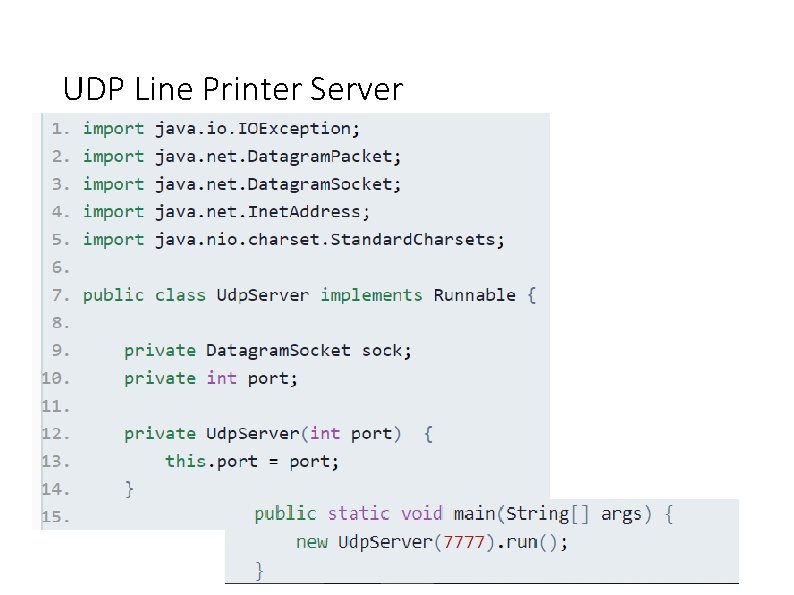
UDP Line Printer Server 17
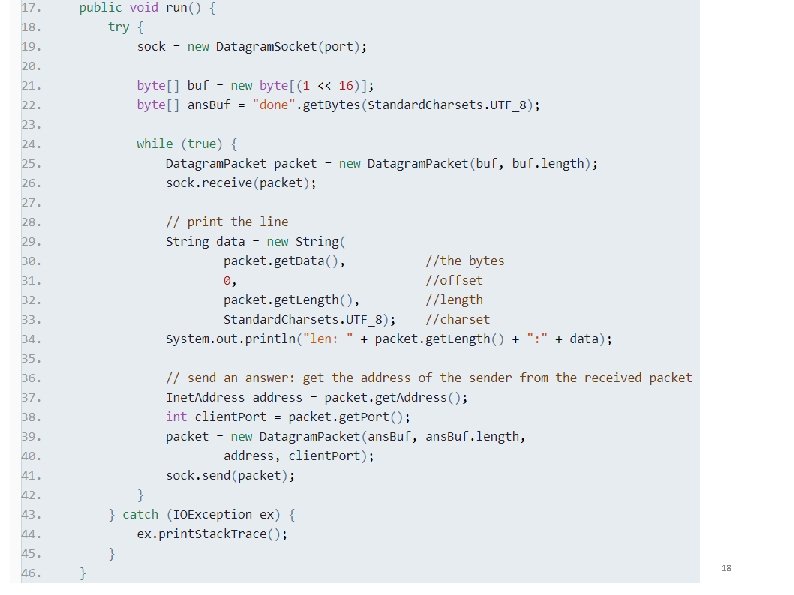
18
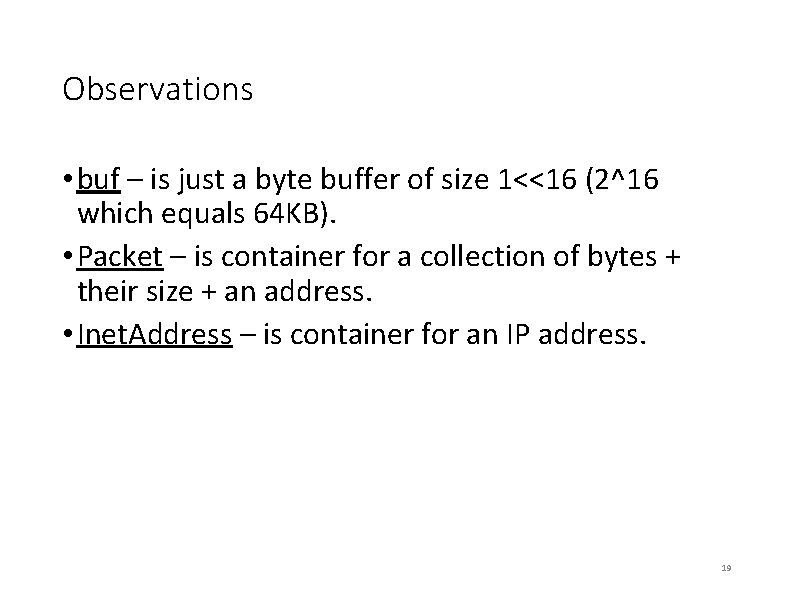
Observations • buf – is just a byte buffer of size 1<<16 (2^16 which equals 64 KB). • Packet – is container for a collection of bytes + their size + an address. • Inet. Address – is container for an IP address. 19
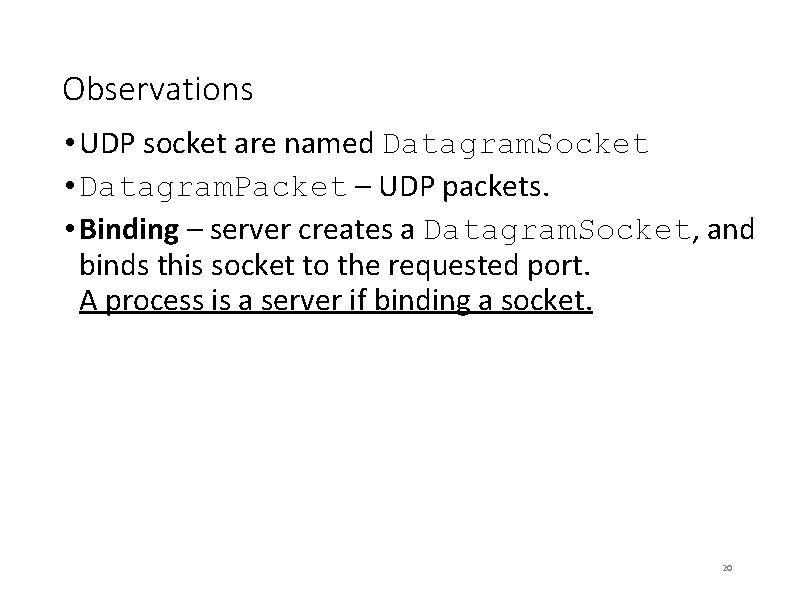
Observations • UDP socket are named Datagram. Socket • Datagram. Packet – UDP packets. • Binding – server creates a Datagram. Socket, and binds this socket to the requested port. A process is a server if binding a socket. 20
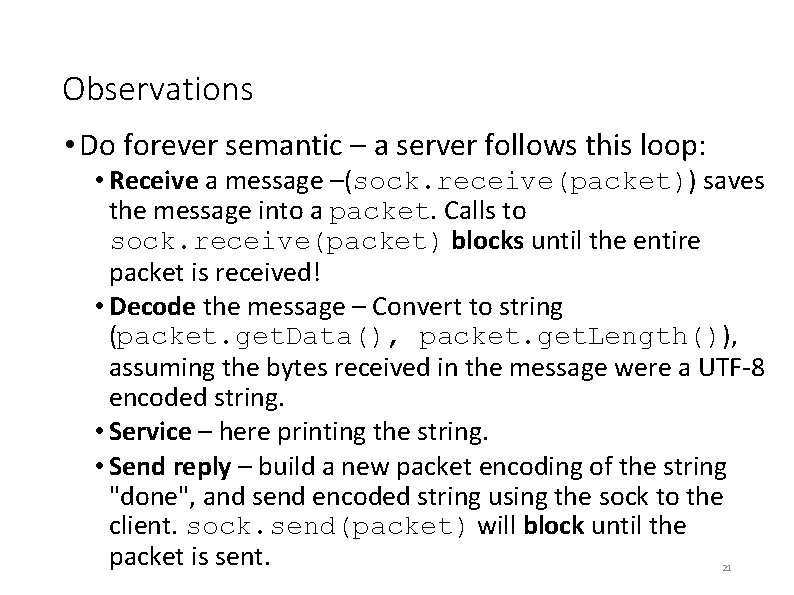
Observations • Do forever semantic – a server follows this loop: • Receive a message –(sock. receive(packet)) saves the message into a packet. Calls to sock. receive(packet) blocks until the entire packet is received! • Decode the message – Convert to string (packet. get. Data(), packet. get. Length()), assuming the bytes received in the message were a UTF-8 encoded string. • Service – here printing the string. • Send reply – build a new packet encoding of the string "done", and send encoded string using the sock to the client. sock. send(packet) will block until the packet is sent. 21
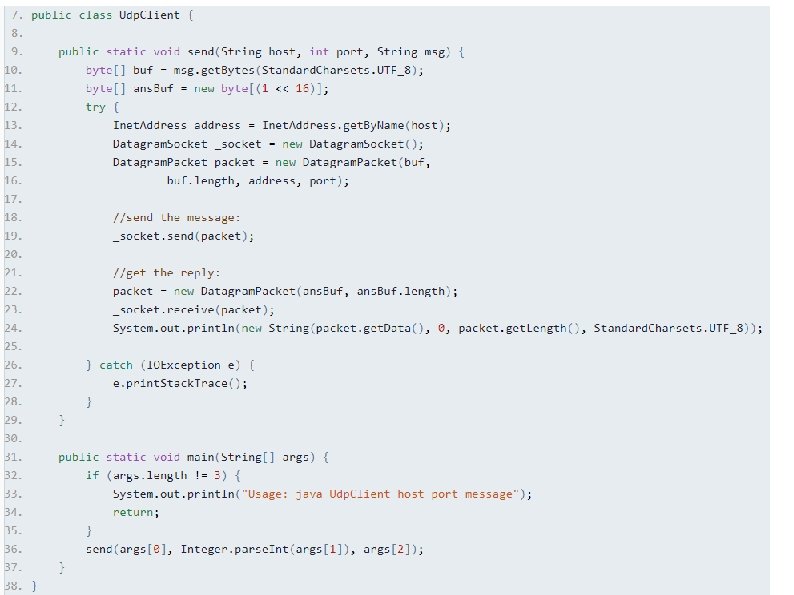
A UDP Line Printer Client - in Java • We use the same classes of Datagram. Socket and Datagram. Packet. • the order of operations is inverse in the client: • first call send (the client takes the initiative), • then call receive (to wait for an answer). 22
23
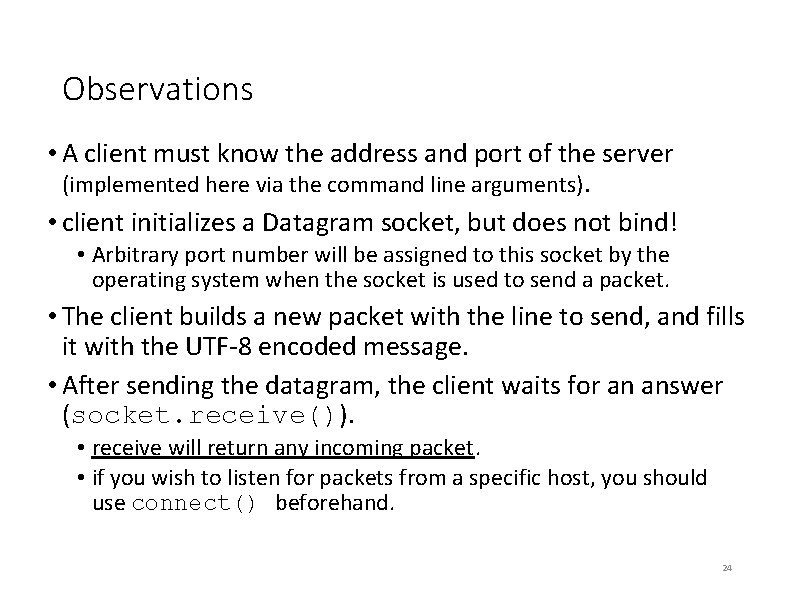
Observations • A client must know the address and port of the server (implemented here via the command line arguments). • client initializes a Datagram socket, but does not bind! • Arbitrary port number will be assigned to this socket by the operating system when the socket is used to send a packet. • The client builds a new packet with the line to send, and fills it with the UTF-8 encoded message. • After sending the datagram, the client waits for an answer (socket. receive()). • receive will return any incoming packet. • if you wish to listen for packets from a specific host, you should use connect() beforehand. 24
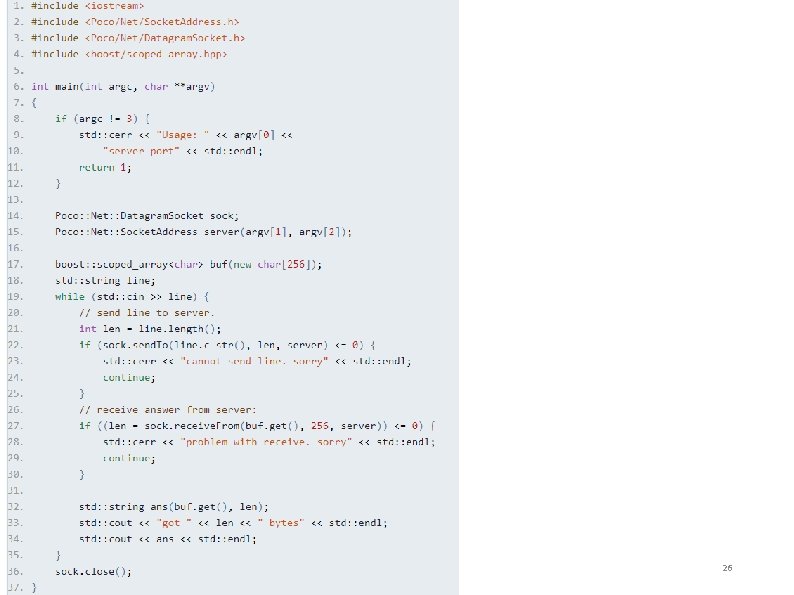
Line Printer Client in C++ • Using communication means asking services from the RTE. • OS API is not object oriented but functional. • Low level - a lot of technical code • Use Poco and Boost. 25
26
TCP - Transmission Control Protocol • Reliable, session oriented, bi-directional communication protocol. • Only point to point communication. Parties communicate by using a bi-directional data stream. • TCP ensures correct transmission of data. Nothing gets lost. 27
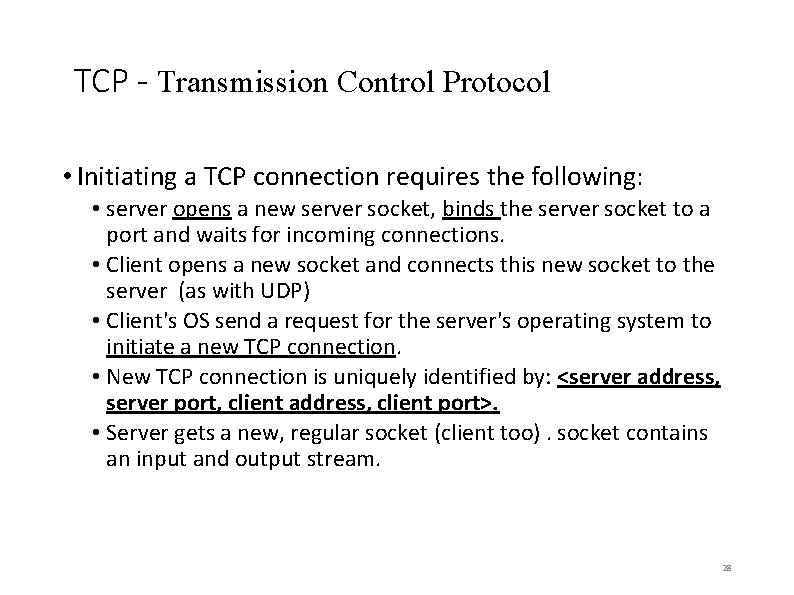
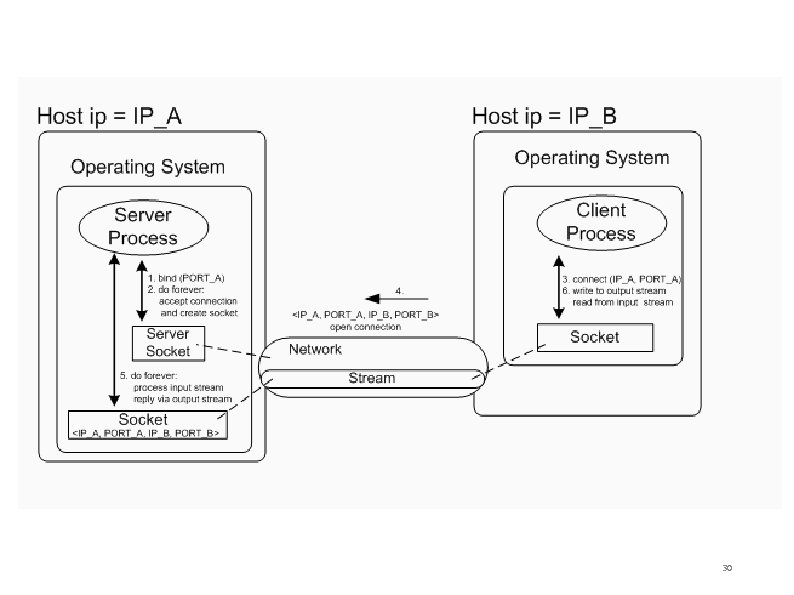
TCP - Transmission Control Protocol • Initiating a TCP connection requires the following: • server opens a new server socket, binds the server socket to a port and waits for incoming connections. • Client opens a new socket and connects this new socket to the server (as with UDP) • Client's OS send a request for the server's operating system to initiate a new TCP connection. • New TCP connection is uniquely identified by: <server address, server port, client address, client port>. • Server gets a new, regular socket (client too). socket contains an input and output stream. 28
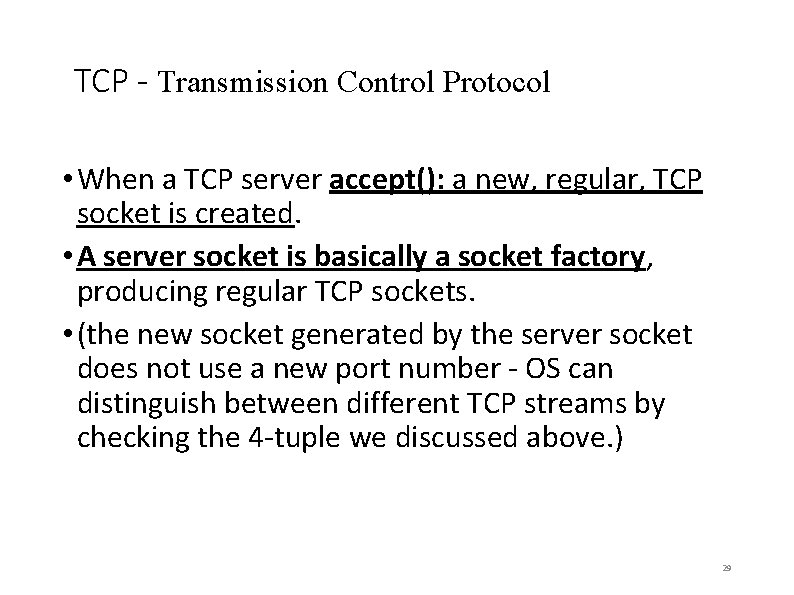
TCP - Transmission Control Protocol • When a TCP server accept(): a new, regular, TCP socket is created. • A server socket is basically a socket factory, producing regular TCP sockets. • (the new socket generated by the server socket does not use a new port number - OS can distinguish between different TCP streams by checking the 4 -tuple we discussed above. ) 29
30
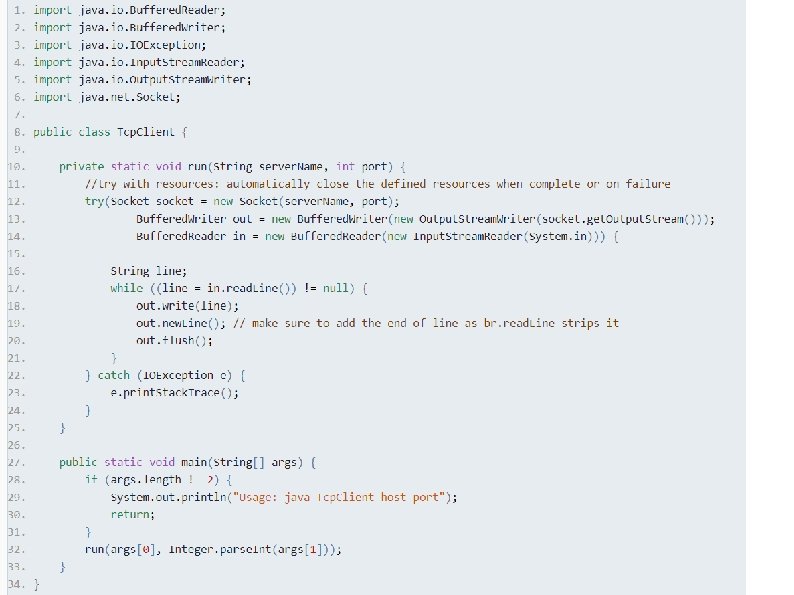
A TCP Line Printer client in Java • A client repeatedly sends lines to the server, which prints these lines. • The client does not try to listen for replies from the server. 31
32
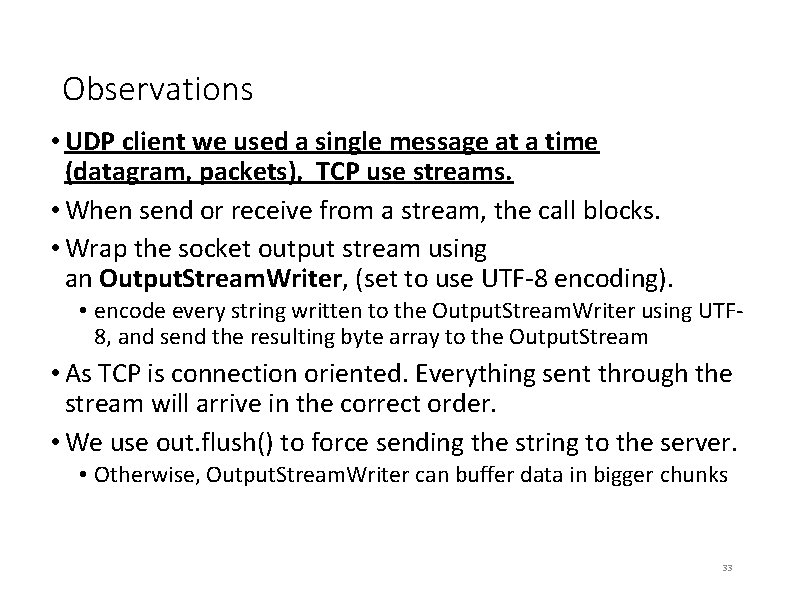
Observations • UDP client we used a single message at a time (datagram, packets), TCP use streams. • When send or receive from a stream, the call blocks. • Wrap the socket output stream using an Output. Stream. Writer, (set to use UTF-8 encoding). • encode every string written to the Output. Stream. Writer using UTF 8, and send the resulting byte array to the Output. Stream • As TCP is connection oriented. Everything sent through the stream will arrive in the correct order. • We use out. flush() to force sending the string to the server. • Otherwise, Output. Stream. Writer can buffer data in bigger chunks 33
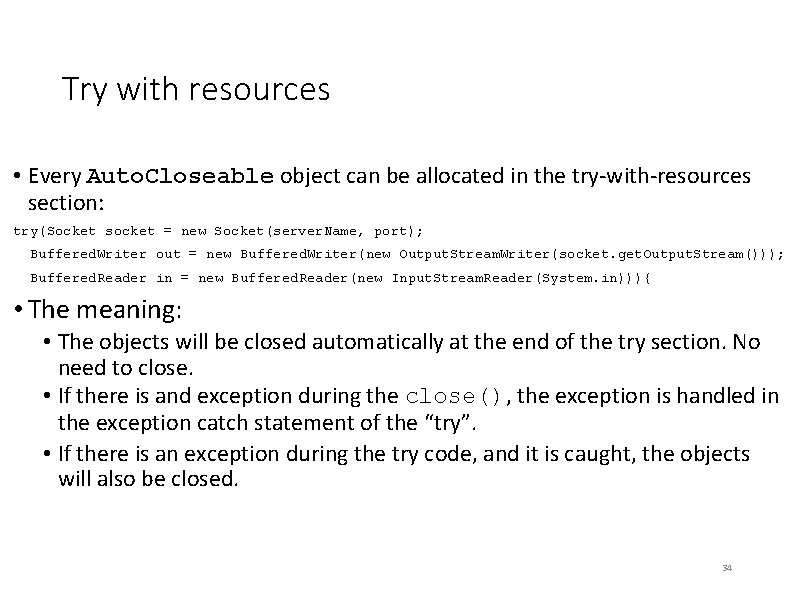
Try with resources • Every Auto. Closeable object can be allocated in the try-with-resources section: try(Socket socket = new Socket(server. Name, port); Buffered. Writer out = new Buffered. Writer(new Output. Stream. Writer(socket. get. Output. Stream())); Buffered. Reader in = new Buffered. Reader(new Input. Stream. Reader(System. in))){ • The meaning: • The objects will be closed automatically at the end of the try section. No need to close. • If there is and exception during the close(), the exception is handled in the exception catch statement of the “try”. • If there is an exception during the try code, and it is caught, the objects will also be closed. 34
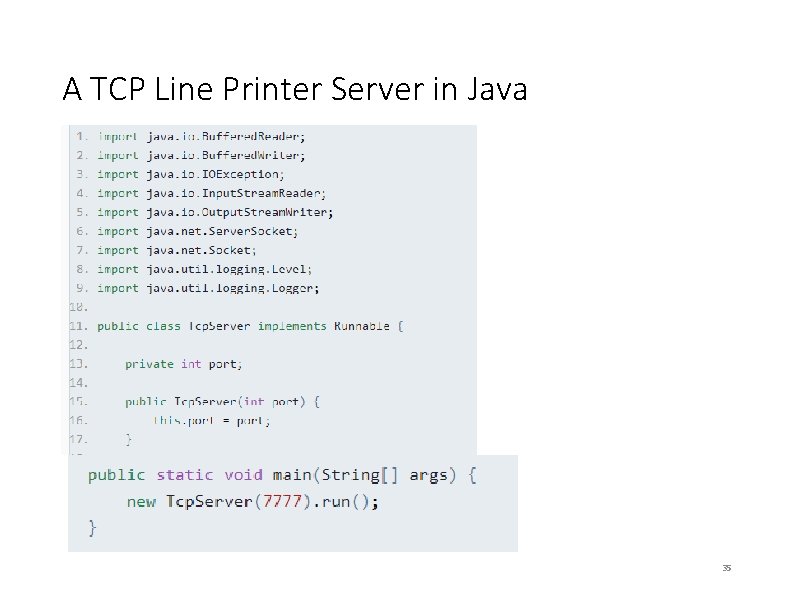
A TCP Line Printer Server in Java 35
36
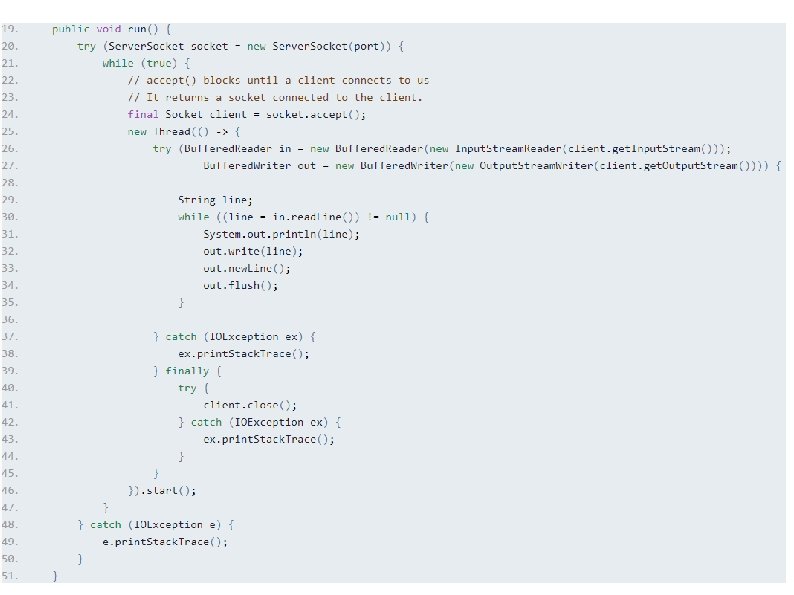
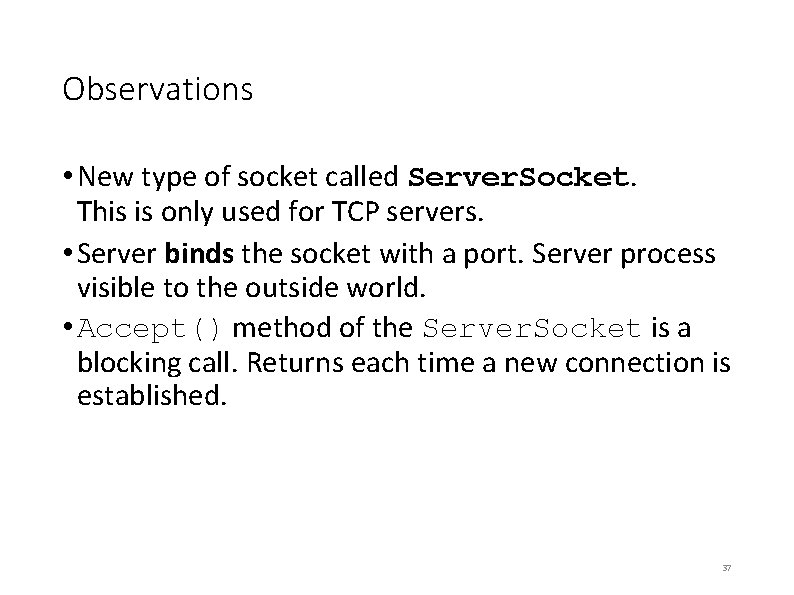
Observations • New type of socket called Server. Socket. This is only used for TCP servers. • Server binds the socket with a port. Server process visible to the outside world. • Accept() method of the Server. Socket is a blocking call. Returns each time a new connection is established. 37
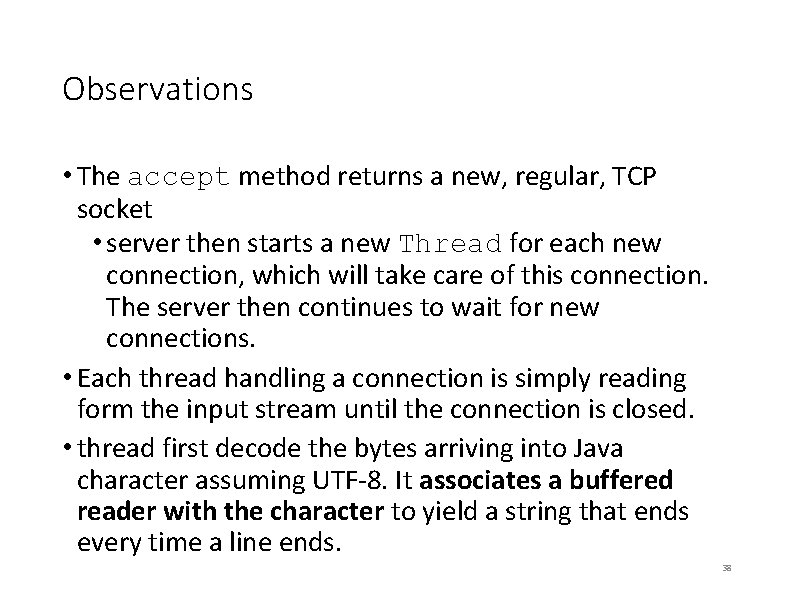
Observations • The accept method returns a new, regular, TCP socket • server then starts a new Thread for each new connection, which will take care of this connection. The server then continues to wait for new connections. • Each thread handling a connection is simply reading form the input stream until the connection is closed. • thread first decode the bytes arriving into Java character assuming UTF-8. It associates a buffered reader with the character to yield a string that ends every time a line ends. 38
Blocking Sockets • reads and writes to a socket, using regular input and output streams, is blocking. • call read on input stream (in the server) or we call write on the output stream (in the client), call is suspended until required set of character has been sent or received. • main obstacles we need to overcome in order to create scalable servers 39
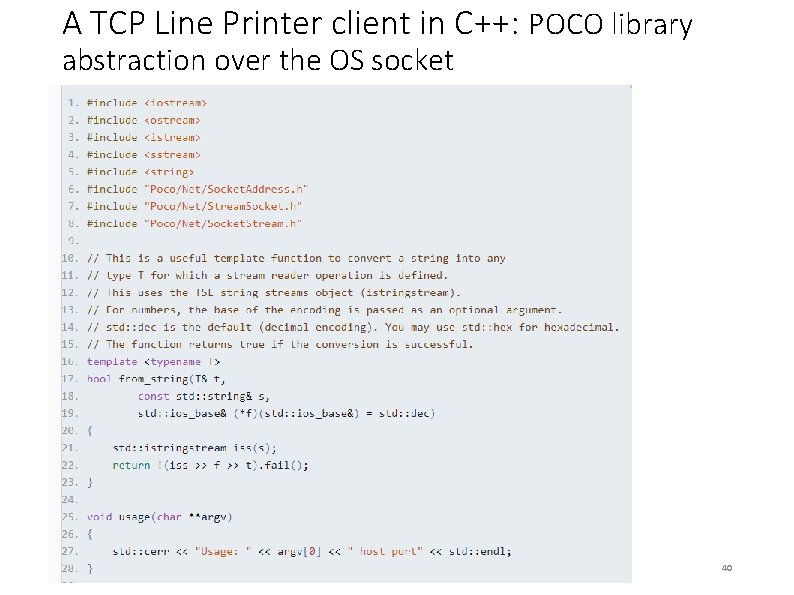
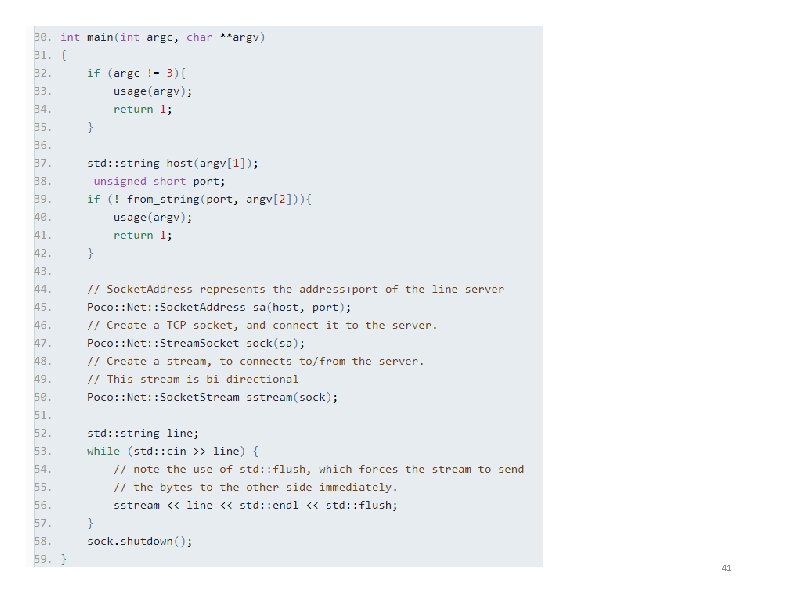
A TCP Line Printer client in C++: POCO library abstraction over the OS socket 40
41
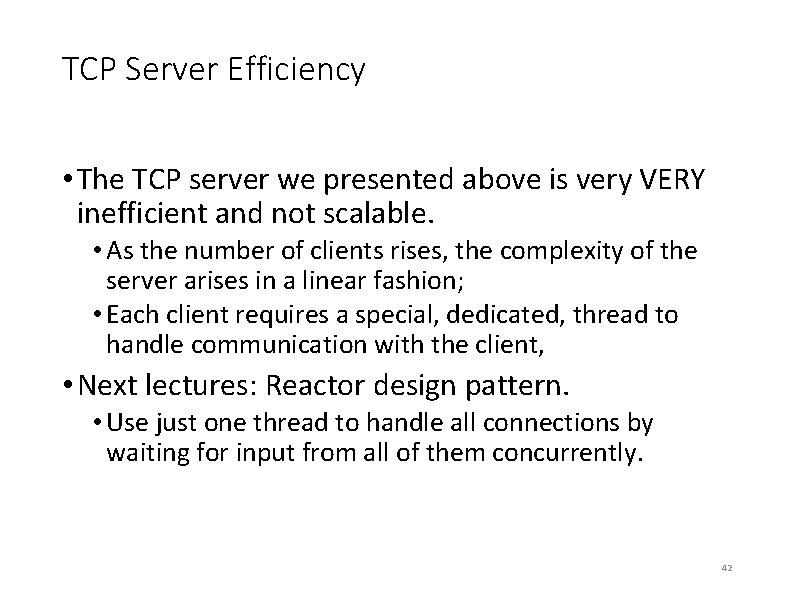
TCP Server Efficiency • The TCP server we presented above is very VERY inefficient and not scalable. • As the number of clients rises, the complexity of the server arises in a linear fashion; • Each client requires a special, dedicated, thread to handle communication with the client, • Next lectures: Reactor design pattern. • Use just one thread to handle all connections by waiting for input from all of them concurrently. 42