
Learning Unit 10 Protecting Microsoft SQL Server 2005
- Slides: 44
Learning Unit 10 Protecting Microsoft SQL Server 2005 Mount Vernon Data Systems LLC dedicated to keeping your SQL Server-powered business systems running
What Constitutes SQL Server Protection? Understanding what keeps you awake at night SQL-powered business functions come with risk Need to mitigate the risk Protecting the physical database and log files backup & restore disaster recovery business/database continuity Protecting access to the SQL Server physical accessibility to the server logical accessibility to the database/data © Mount Vernon Data Systems LLC 2010 All Rights Reserved 2
SQL Server Risks & Exposure Small businesses rely on SQL Server databases just as much as the largest corporations CRM/ERP systems financials, HR, legal sales force automation manufacturing & production systems Small businesses needs uptime & high availability, protection & continuity limited budget restricts options limited employee skill set restricts options © Mount Vernon Data Systems LLC 2010 All Rights Reserved 3
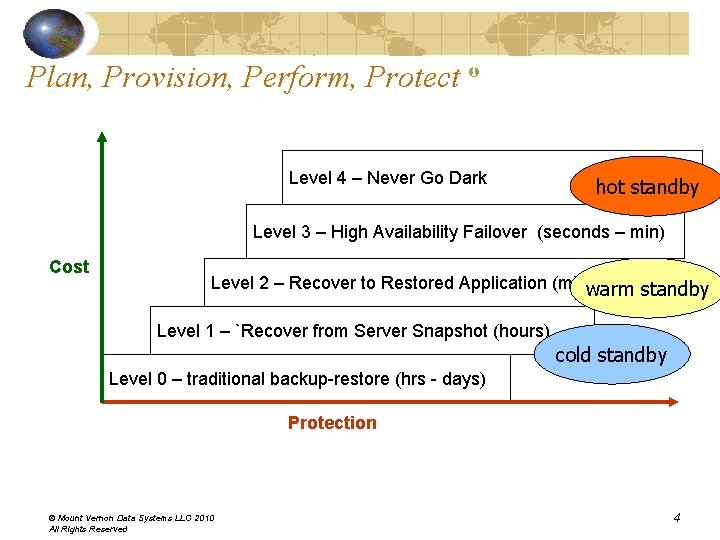
Plan, Provision, Perform, Protect Level 4 – Never Go Dark hot standby Level 3 – High Availability Failover (seconds – min) Cost Level 2 – Recover to Restored Application (minwarm – hrs) standby Level 1 – `Recover from Server Snapshot (hours) cold standby Level 0 – traditional backup-restore (hrs - days) Protection © Mount Vernon Data Systems LLC 2010 All Rights Reserved 4
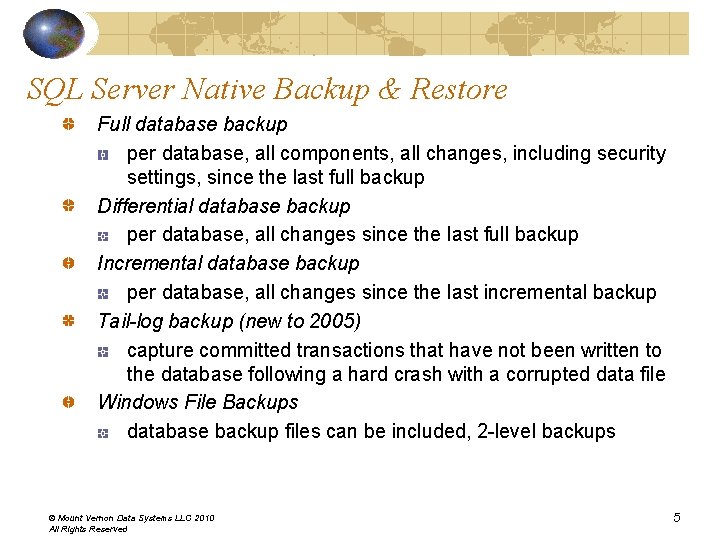
SQL Server Native Backup & Restore Full database backup per database, all components, all changes, including security settings, since the last full backup Differential database backup per database, all changes since the last full backup Incremental database backup per database, all changes since the last incremental backup Tail-log backup (new to 2005) capture committed transactions that have not been written to the database following a hard crash with a corrupted data file Windows File Backups database backup files can be included, 2 -level backups © Mount Vernon Data Systems LLC 2010 All Rights Reserved 5
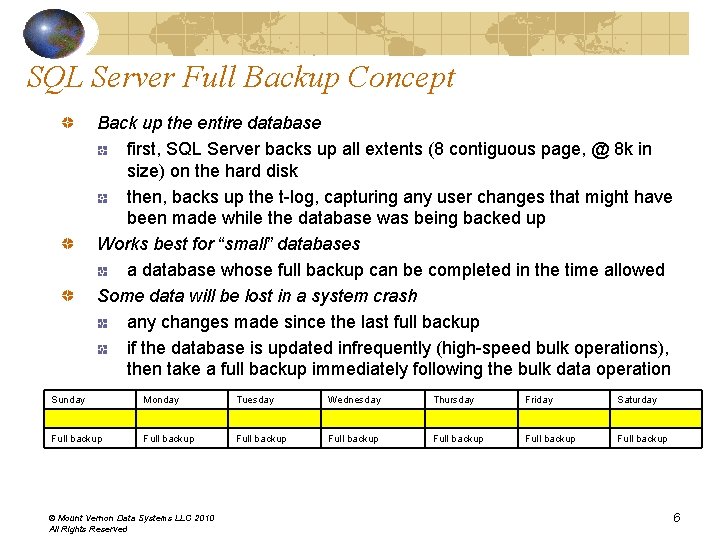
SQL Server Full Backup Concept Back up the entire database first, SQL Server backs up all extents (8 contiguous page, @ 8 k in size) on the hard disk then, backs up the t-log, capturing any user changes that might have been made while the database was being backed up Works best for “small” databases a database whose full backup can be completed in the time allowed Some data will be lost in a system crash any changes made since the last full backup if the database is updated infrequently (high-speed bulk operations), then take a full backup immediately following the bulk data operation Sunday Monday Tuesday Wednesday Thursday Friday Saturday Full backup Full backup © Mount Vernon Data Systems LLC 2010 All Rights Reserved 6
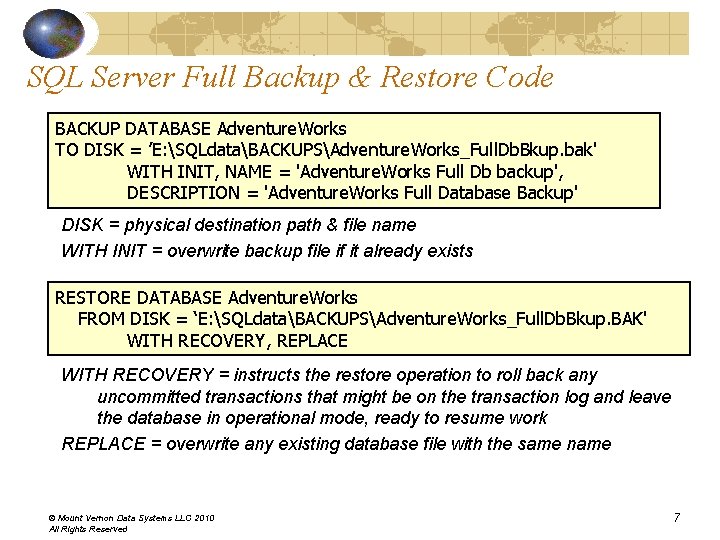
SQL Server Full Backup & Restore Code BACKUP DATABASE Adventure. Works TO DISK = ’E: SQLdataBACKUPSAdventure. Works_Full. Db. Bkup. bak' WITH INIT, NAME = 'Adventure. Works Full Db backup', DESCRIPTION = 'Adventure. Works Full Database Backup' DISK = physical destination path & file name WITH INIT = overwrite backup file if it already exists RESTORE DATABASE Adventure. Works FROM DISK = ‘E: SQLdataBACKUPSAdventure. Works_Full. Db. Bkup. BAK' WITH RECOVERY, REPLACE WITH RECOVERY = instructs the restore operation to roll back any uncommitted transactions that might be on the transaction log and leave the database in operational mode, ready to resume work REPLACE = overwrite any existing database file with the same name © Mount Vernon Data Systems LLC 2010 All Rights Reserved 7
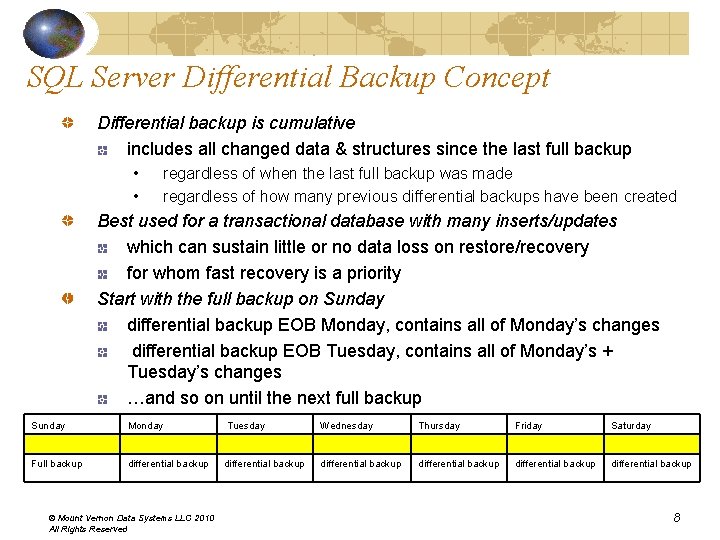
SQL Server Differential Backup Concept Differential backup is cumulative includes all changed data & structures since the last full backup • • regardless of when the last full backup was made regardless of how many previous differential backups have been created Best used for a transactional database with many inserts/updates which can sustain little or no data loss on restore/recovery for whom fast recovery is a priority Start with the full backup on Sunday differential backup EOB Monday, contains all of Monday’s changes differential backup EOB Tuesday, contains all of Monday’s + Tuesday’s changes …and so on until the next full backup Sunday Monday Tuesday Wednesday Thursday Friday Saturday Full backup differential backup differential backup © Mount Vernon Data Systems LLC 2010 All Rights Reserved 8
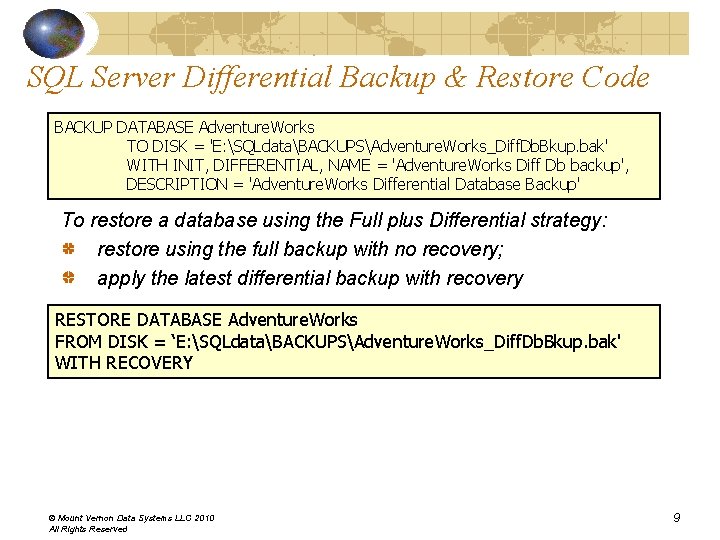
SQL Server Differential Backup & Restore Code BACKUP DATABASE Adventure. Works TO DISK = 'E: SQLdataBACKUPSAdventure. Works_Diff. Db. Bkup. bak' WITH INIT, DIFFERENTIAL, NAME = 'Adventure. Works Diff Db backup', DESCRIPTION = 'Adventure. Works Differential Database Backup' To restore a database using the Full plus Differential strategy: restore using the full backup with no recovery; apply the latest differential backup with recovery RESTORE DATABASE Adventure. Works FROM DISK = ‘E: SQLdataBACKUPSAdventure. Works_Diff. Db. Bkup. bak' WITH RECOVERY © Mount Vernon Data Systems LLC 2010 All Rights Reserved 9
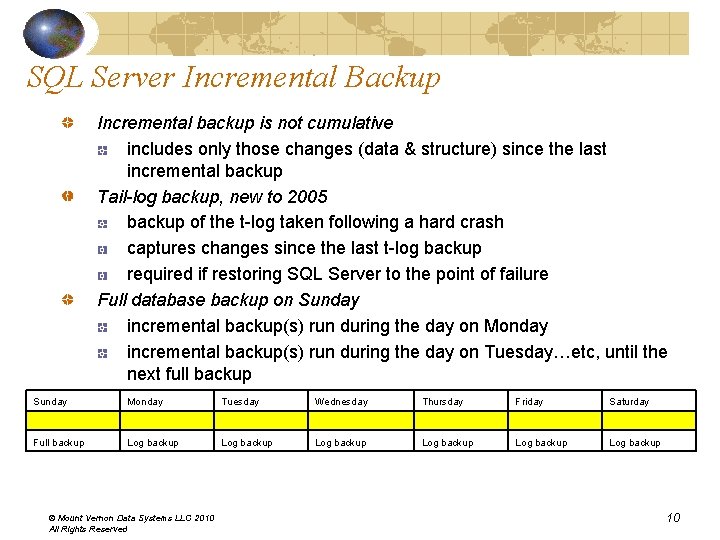
SQL Server Incremental Backup Incremental backup is not cumulative includes only those changes (data & structure) since the last incremental backup Tail-log backup, new to 2005 backup of the t-log taken following a hard crash captures changes since the last t-log backup required if restoring SQL Server to the point of failure Full database backup on Sunday incremental backup(s) run during the day on Monday incremental backup(s) run during the day on Tuesday…etc, until the next full backup Sunday Monday Tuesday Wednesday Thursday Friday Saturday Full backup Log backup Log backup © Mount Vernon Data Systems LLC 2010 All Rights Reserved 10
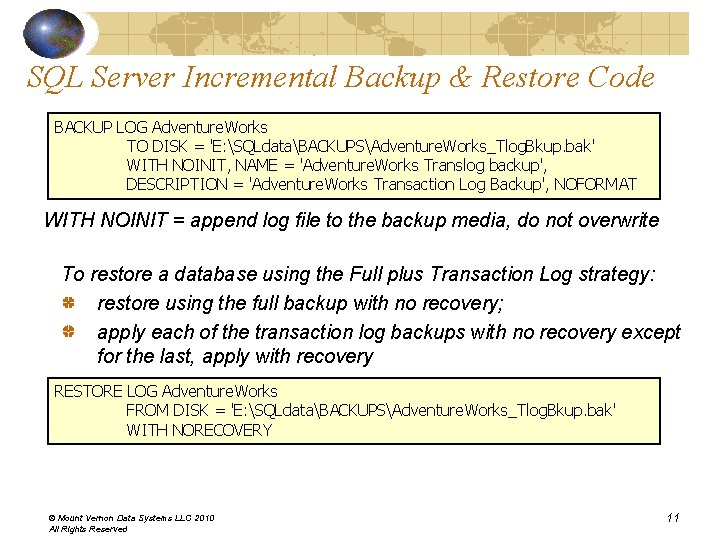
SQL Server Incremental Backup & Restore Code BACKUP LOG Adventure. Works TO DISK = 'E: SQLdataBACKUPSAdventure. Works_Tlog. Bkup. bak' WITH NOINIT, NAME = 'Adventure. Works Translog backup', DESCRIPTION = 'Adventure. Works Transaction Log Backup', NOFORMAT WITH NOINIT = append log file to the backup media, do not overwrite To restore a database using the Full plus Transaction Log strategy: restore using the full backup with no recovery; apply each of the transaction log backups with no recovery except for the last, apply with recovery RESTORE LOG Adventure. Works FROM DISK = 'E: SQLdataBACKUPSAdventure. Works_Tlog. Bkup. bak' WITH NORECOVERY © Mount Vernon Data Systems LLC 2010 All Rights Reserved 11
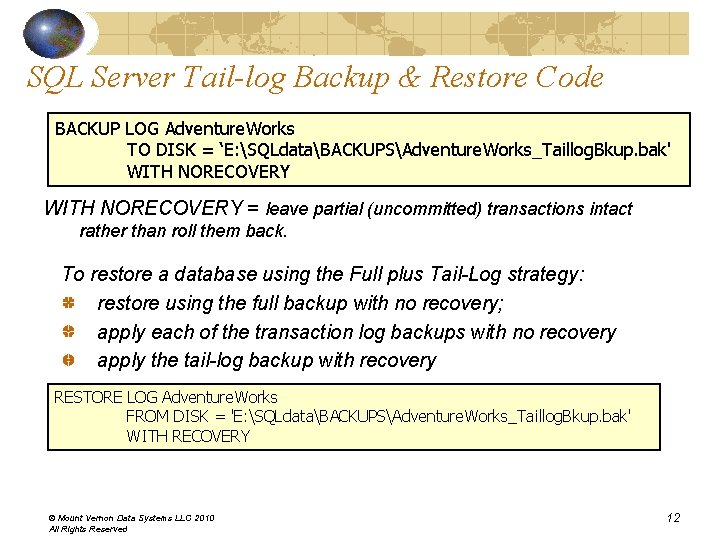
SQL Server Tail-log Backup & Restore Code BACKUP LOG Adventure. Works TO DISK = ‘E: SQLdataBACKUPSAdventure. Works_Taillog. Bkup. bak' WITH NORECOVERY = leave partial (uncommitted) transactions intact rather than roll them back. To restore a database using the Full plus Tail-Log strategy: restore using the full backup with no recovery; apply each of the transaction log backups with no recovery apply the tail-log backup with recovery RESTORE LOG Adventure. Works FROM DISK = 'E: SQLdataBACKUPSAdventure. Works_Taillog. Bkup. bak' WITH RECOVERY © Mount Vernon Data Systems LLC 2010 All Rights Reserved 12
Monitor the Size of the Transaction Log Using Full Backup Strategy will need to monitor the size of the transaction log a full backup doesn’t truncate (remove inactive entries from) the transaction log. To shrink the transaction log BACKUP LOG Adventure. Works WITH TRUNCATE_ONLY = force SQL Server to take a checkpoint doesn’t back up the transaction log the checkpoint will cause truncation of the log • gets rid of inactive entries, shrinks the size of the log file this option will be dropped in future releases of SQL Server use the simple recovery model instead • SQL Server automatically rids the transaction log of inactive entries © Mount Vernon Data Systems LLC 2010 All Rights Reserved 13
SQL Server Recovery Model Recovery model setting determines how much data can be recovered after a database crash Three levels Full • • makes the most use of the transaction log recover a database to a highly granular point-in-time all operations (data transactions, structural changes to the database, operational instructions such as commits and rollbacks, etc. ) are captured in the log transaction log continues to grow until it is backed up by a transaction log backup operation © Mount Vernon Data Systems LLC 2010 All Rights Reserved 14
SQL Server Recovery Model Simple • • • makes the least use of the transaction log recover to your last good full database backup like the full recovery model, all transactions, with the exception of some bulk operations, will be captured in the log unlike the full recovery model, SQL Server automatically rids the log of inactive (committed) entries cannot make backups of the transaction log Bulk-logged • • bulk operations (high-speed insert of lots of records) are not logged SQL Server sets a bit on each database extent (a group of 8 pages) that’s changed by the bulk operation -- the actual inserted records are not written to the transaction log during the next transaction log backup, SQL Server checks for the bit flags, the t-log backup includes the actual database extents modified during the bulk operation (in addition to the regularly captured inserts, edits, deletes) the bulk-logged recovery model log backup contains the results of a bulklogged operation, not the actual, individual transactions © Mount Vernon Data Systems LLC 2010 All Rights Reserved 15
SQL Server Disaster Recovery Database backups do not equal database continuity Log Shipping Database Mirroring asynchronous Storage Snapshot Backups Storage Snapshot Replication Failover Software Packages Database Replication = high data availability, not increased database continuity © Mount Vernon Data Systems LLC 2010 All Rights Reserved 16
SQL Server Log Shipping Keep a “warm standby” server ready, just in case… Primary server full backup copy over to secondary server restore backup onto secondary server Take copies of every transaction log backup restore onto secondary server Log shipping has been around a long time (SQL Server 7/2000) Body of script code available to automate the processes © Mount Vernon Data Systems LLC 2010 All Rights Reserved 17
Drawbacks of Log Shipping Can never miss a transaction log restore have to start all over again with full backup of the primary large (1 TB) databases, faster to Fed. Ex tapes than to FTP Network problems can cause operations to lag behind schedule index rebuilds, creates lots of t-log entries, can easily overload network and file transfer capacity Always at least 15+ minutes behind if every transaction is vital then this is not a solution for you File transfer over WAN can be very slow native FTP is not automated, subject to interruption Secondary server is read-only because of constant restores restricted_user mode for database restore • only db_owner, dbcreator & sysadmin fixed server roles can access the database © Mount Vernon Data Systems LLC 2010 All Rights Reserved 18
SQL Server Database Mirroring - Asynchronous New to SQL Server 2005 Two identical or near-identical servers, principal & mirror servers “partners” principal role & mirror role, server designation switches with role Process automatically copies t-log file contents as a background job, restores to secondary in sequence principal commits transaction without waiting for write to mirror “high-performance mode of operation” Reasonably low impact on performance as long as t-log file is optimized Automatic failover feature not available in high-performance mode, must be running in high-safety mode Manual failover (“forced service”) is available, probable data loss © Mount Vernon Data Systems LLC 2010 All Rights Reserved 19
SQL Server Database Mirroring - Synchronous A transaction is only complete when it’s committed at both servers… two-phase commit technology, “high safety mode of operation” 1. principal & mirror servers are synchronized 2. user program updates record(s) on principal server 3. update(s) are copied to mirror server and applied 4. mirror server notifies principal that updates have been applied 5. principal & mirror both commit transaction at the same time 6. principal & mirror confirm data synchronicity 7. control passes back to user program for next transaction Requires a 3 rd server (Witness) to enable automatic failover 1. Principal & mirror are fully synchronized 2. Witness & mirror are connected and operational 3. Witness verifies that principal is offline & unavailable 4. Mirror assume role of principal, swap roles © Mount Vernon Data Systems LLC 2010 All Rights Reserved 20
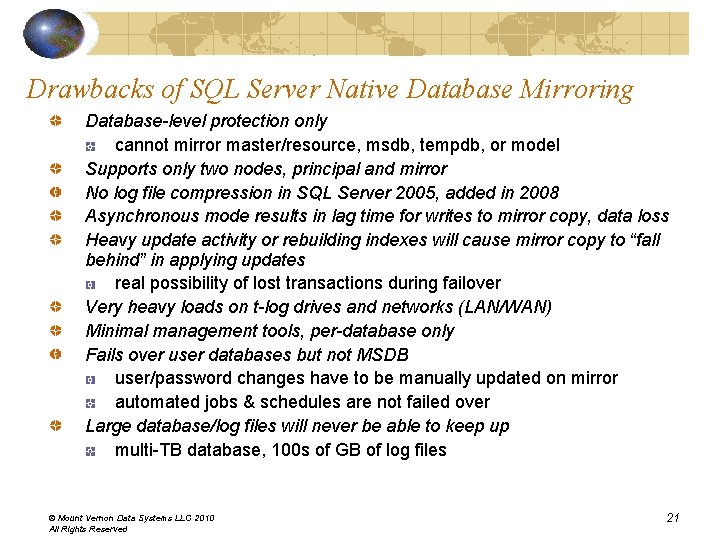
Drawbacks of SQL Server Native Database Mirroring Database-level protection only cannot mirror master/resource, msdb, tempdb, or model Supports only two nodes, principal and mirror No log file compression in SQL Server 2005, added in 2008 Asynchronous mode results in lag time for writes to mirror copy, data loss Heavy update activity or rebuilding indexes will cause mirror copy to “fall behind” in applying updates real possibility of lost transactions during failover Very heavy loads on t-log drives and networks (LAN/WAN) Minimal management tools, per-database only Fails over user databases but not MSDB user/password changes have to be manually updated on mirror automated jobs & schedules are not failed over Large database/log files will never be able to keep up multi-TB database, 100 s of GB of log files © Mount Vernon Data Systems LLC 2010 All Rights Reserved 21
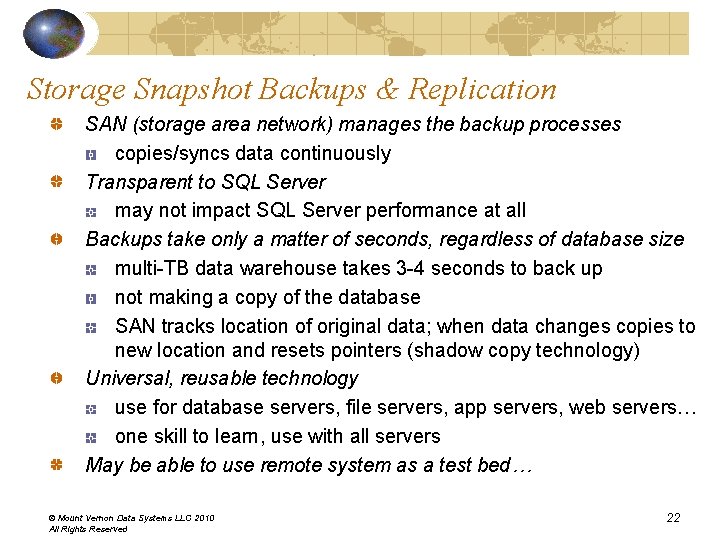
Storage Snapshot Backups & Replication SAN (storage area network) manages the backup processes copies/syncs data continuously Transparent to SQL Server may not impact SQL Server performance at all Backups take only a matter of seconds, regardless of database size multi-TB data warehouse takes 3 -4 seconds to back up not making a copy of the database SAN tracks location of original data; when data changes copies to new location and resets pointers (shadow copy technology) Universal, reusable technology use for database servers, file servers, app servers, web servers… one skill to learn, use with all servers May be able to use remote system as a test bed… © Mount Vernon Data Systems LLC 2010 All Rights Reserved 22
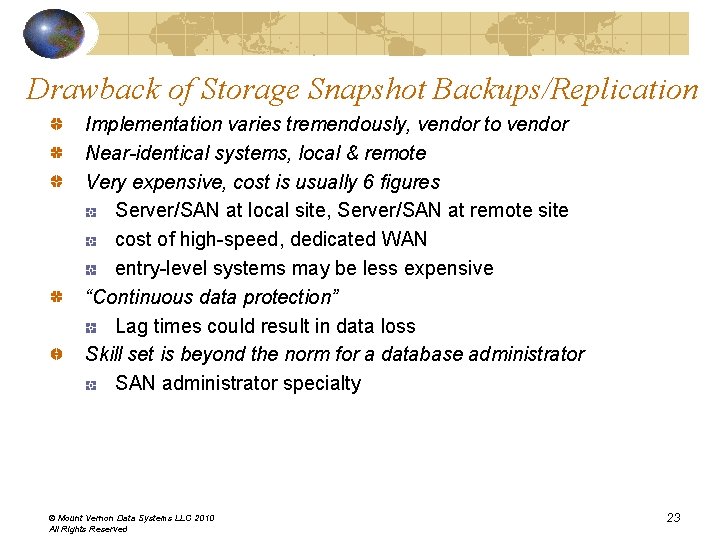
Drawback of Storage Snapshot Backups/Replication Implementation varies tremendously, vendor to vendor Near-identical systems, local & remote Very expensive, cost is usually 6 figures Server/SAN at local site, Server/SAN at remote site cost of high-speed, dedicated WAN entry-level systems may be less expensive “Continuous data protection” Lag times could result in data loss Skill set is beyond the norm for a database administrator SAN administrator specialty © Mount Vernon Data Systems LLC 2010 All Rights Reserved 23
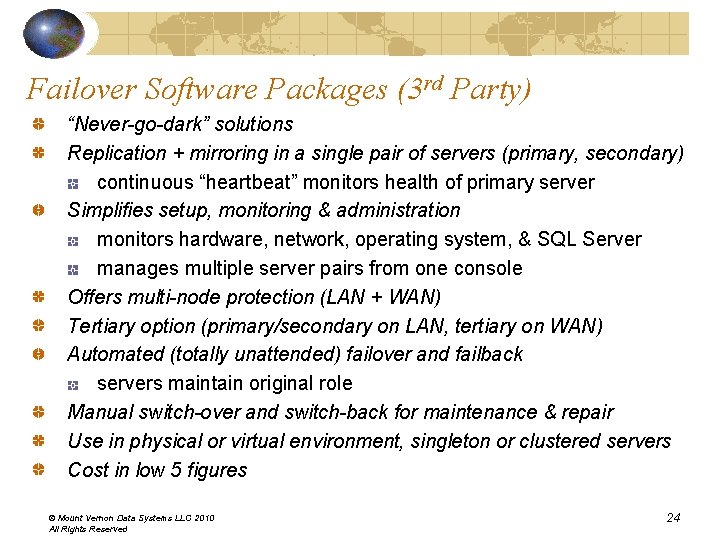
Failover Software Packages (3 rd Party) “Never-go-dark” solutions Replication + mirroring in a single pair of servers (primary, secondary) continuous “heartbeat” monitors health of primary server Simplifies setup, monitoring & administration monitors hardware, network, operating system, & SQL Server manages multiple server pairs from one console Offers multi-node protection (LAN + WAN) Tertiary option (primary/secondary on LAN, tertiary on WAN) Automated (totally unattended) failover and failback servers maintain original role Manual switch-over and switch-back for maintenance & repair Use in physical or virtual environment, singleton or clustered servers Cost in low 5 figures © Mount Vernon Data Systems LLC 2010 All Rights Reserved 24
Choose the Right Solution How much time can you be without the processes that make the business run? Recovery Time Objective (RTO) How much data can you loose? Recovery Point Objective (RPO) How large are the databases that underlie the business functions? How many servers do you have? How many critical servers do you have? Multi-TB data warehouse generating 100 s of GB of log files, SQL Server native solutions will be inadequate SAN backup/replication If you have 10 transactional servers, 5 of which are critical, almost any option that meets the RTO & RPO will do © Mount Vernon Data Systems LLC 2010 All Rights Reserved 25
Security & Privacy Security protection of data against unauthorized disclosure, alteration, or destruction unauthorized access to corporate or client information that the corporation or a client does not wish to be released Privacy unauthorized access to personal information that an individual does not wish to be released Is now easier & cheaper to keep data than to destroy it, establishing potential for violation of both security & privacy Legal liability: must keep audit trails, records of transactions, copies of electronic mail messages, etc. History of security past: security was discretionary, access to stored data was a matter of lock & key today: rules & regulations, both discretionary & mandatory access to shared information in a database is established as a matter of company policy or government regulation © Mount Vernon Data Systems LLC 2010 All Rights Reserved 26
SQL Server Pre-Installation Best Practices Enhance physical security place servers in a room accessible to authorized persons only place database servers in a physically protected location: locked, with monitored flood detection & fire detection/suppression systems install SQL Server in secure zone of the corporate intranet, never directly connect to the Internet back up all data regularly, store copies in a secure off-site location Use firewalls put a firewall between the server & the Internet divide the network into security zones separated by firewalls, block all traffic, selectively admit only what is required block packets addressed to TCP port 1433 and UDP port 1434 on your perimeter firewall (used by default instance); if named instances are listening on additional ports, block those In a multi-tier environment, use multiple firewalls to create screened subnets If installing SQL Server inside a Windows domain, configure interior firewalls to permit Windows Authentication Open ports used by Kerberos or NTLM authentication For distributed transactions, may have to configure the firewall to allow Microsoft Distributed Transaction Coordinator (MS DTC) traffic to flow between separate MS DTC instances, & between the MS DTC and resource managers such as SQL Server © Mount Vernon Data Systems LLC 2010 All Rights Reserved 27
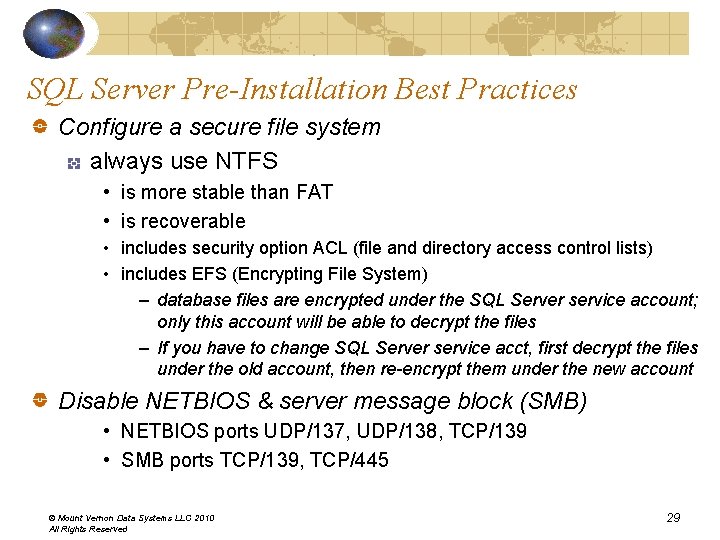
SQL Server Pre-Installation Best Practices Isolate services Never install SQL Server on a domain controller Run separate SQL Server services under separate Windows accounts created especially for the purpose In a multi-tier environment, run Web logic and business logic on separate computers Create service accounts with least privileges SQL Server automatically grants full control to the service account(s) SQL Server 2005 automatically grants full control to the local administrators group (changed in 2008, no longer included) Create Windows service accounts that have the lowest possible privileges for running SQL Server services © Mount Vernon Data Systems LLC 2010 All Rights Reserved 28
SQL Server Pre-Installation Best Practices Configure a secure file system always use NTFS • is more stable than FAT • is recoverable • includes security option ACL (file and directory access control lists) • includes EFS (Encrypting File System) – database files are encrypted under the SQL Server service account; only this account will be able to decrypt the files – If you have to change SQL Server service acct, first decrypt the files under the old account, then re-encrypt them under the new account Disable NETBIOS & server message block (SMB) • NETBIOS ports UDP/137, UDP/138, TCP/139 • SMB ports TCP/139, TCP/445 © Mount Vernon Data Systems LLC 2010 All Rights Reserved 29
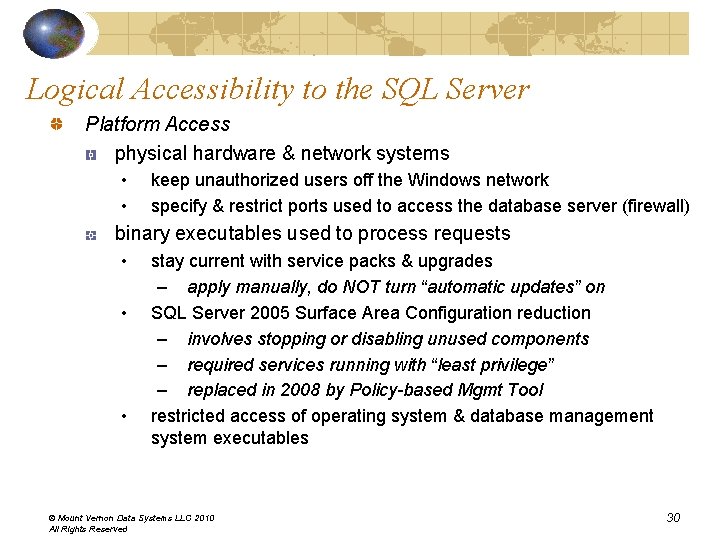
Logical Accessibility to the SQL Server Platform Access physical hardware & network systems • • keep unauthorized users off the Windows network specify & restrict ports used to access the database server (firewall) binary executables used to process requests • • • stay current with service packs & upgrades – apply manually, do NOT turn “automatic updates” on SQL Server 2005 Surface Area Configuration reduction – involves stopping or disabling unused components – required services running with “least privilege” – replaced in 2008 by Policy-based Mgmt Tool restricted access of operating system & database management system executables © Mount Vernon Data Systems LLC 2010 All Rights Reserved 30
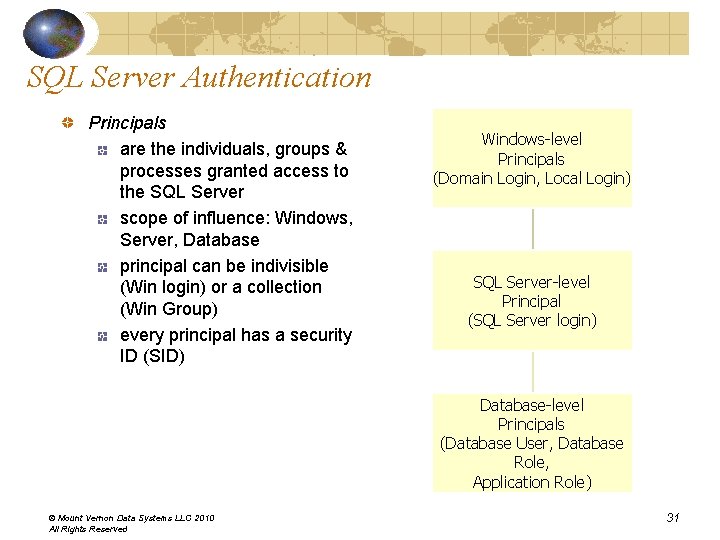
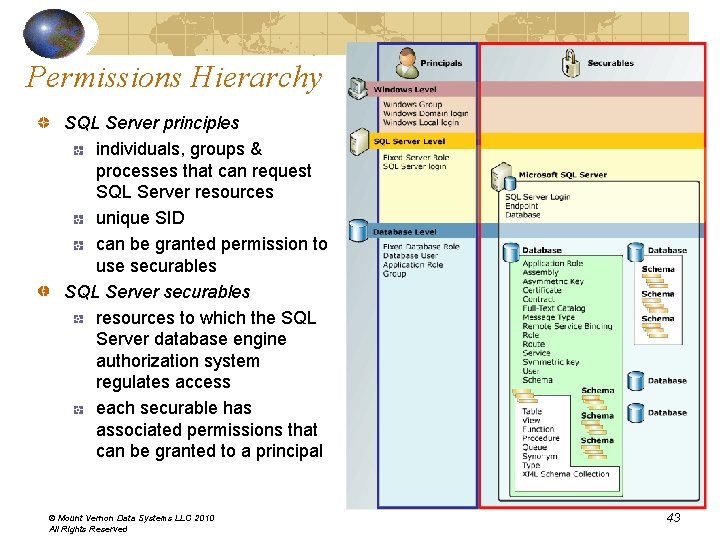
SQL Server Authentication Principals are the individuals, groups & processes granted access to the SQL Server scope of influence: Windows, Server, Database principal can be indivisible (Win login) or a collection (Win Group) every principal has a security ID (SID) Windows-level Principals (Domain Login, Local Login) SQL Server-level Principal (SQL Server login) Database-level Principals (Database User, Database Role, Application Role) © Mount Vernon Data Systems LLC 2010 All Rights Reserved 31
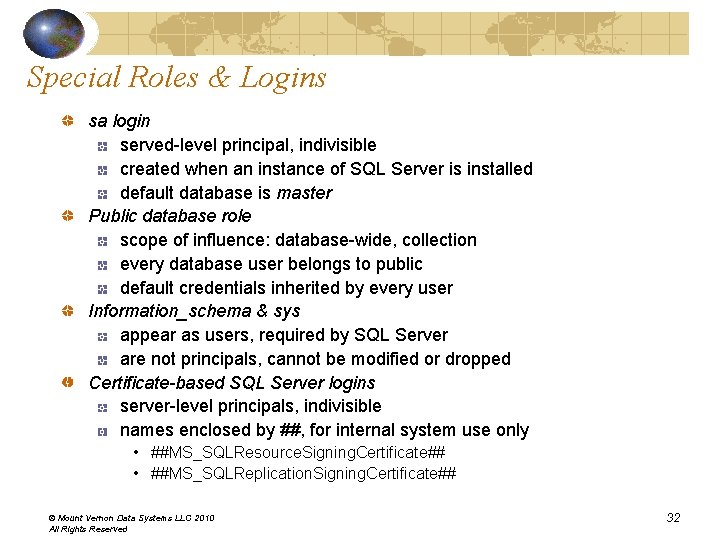
Special Roles & Logins sa login served-level principal, indivisible created when an instance of SQL Server is installed default database is master Public database role scope of influence: database-wide, collection every database user belongs to public default credentials inherited by every user Information_schema & sys appear as users, required by SQL Server are not principals, cannot be modified or dropped Certificate-based SQL Server logins server-level principals, indivisible names enclosed by ##, for internal system use only • ##MS_SQLResource. Signing. Certificate## • ##MS_SQLReplication. Signing. Certificate## © Mount Vernon Data Systems LLC 2010 All Rights Reserved 32
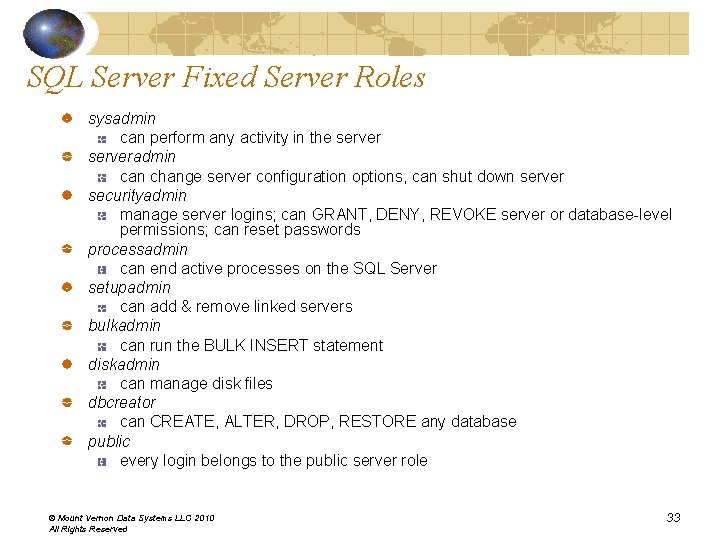
SQL Server Fixed Server Roles sysadmin can perform any activity in the serveradmin can change server configuration options, can shut down server securityadmin manage server logins; can GRANT, DENY, REVOKE server or database-level permissions; can reset passwords processadmin can end active processes on the SQL Server setupadmin can add & remove linked servers bulkadmin can run the BULK INSERT statement diskadmin can manage disk files dbcreator can CREATE, ALTER, DROP, RESTORE any database public every login belongs to the public server role © Mount Vernon Data Systems LLC 2010 All Rights Reserved 33
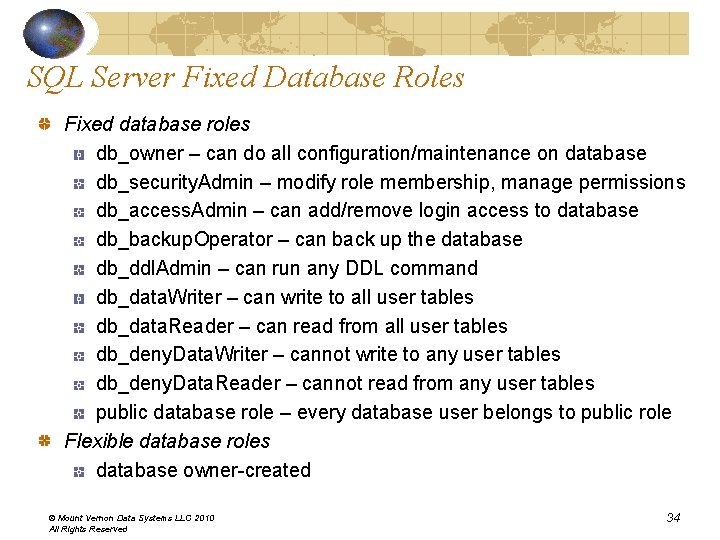
SQL Server Fixed Database Roles Fixed database roles db_owner – can do all configuration/maintenance on database db_security. Admin – modify role membership, manage permissions db_access. Admin – can add/remove login access to database db_backup. Operator – can back up the database db_ddl. Admin – can run any DDL command db_data. Writer – can write to all user tables db_data. Reader – can read from all user tables db_deny. Data. Writer – cannot write to any user tables db_deny. Data. Reader – cannot read from any user tables public database role – every database user belongs to public role Flexible database roles database owner-created © Mount Vernon Data Systems LLC 2010 All Rights Reserved 34
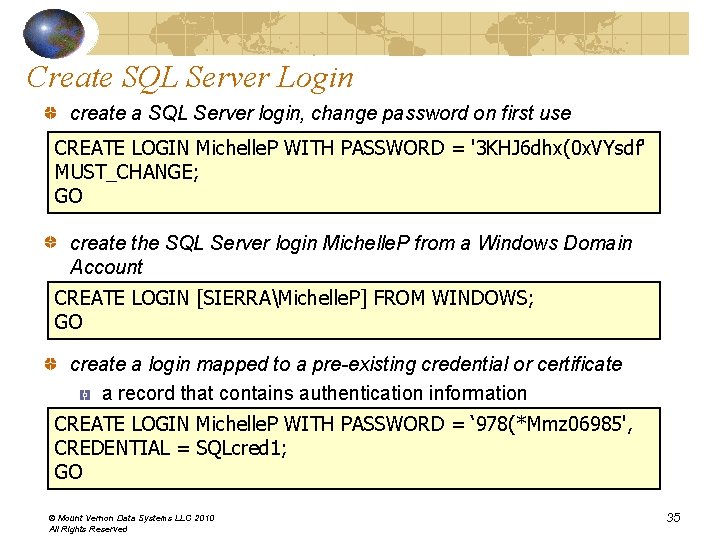
Create SQL Server Login create a SQL Server login, change password on first use CREATE LOGIN Michelle. P WITH PASSWORD = '3 KHJ 6 dhx(0 x. VYsdf' MUST_CHANGE; GO create the SQL Server login Michelle. P from a Windows Domain Account CREATE LOGIN [SIERRAMichelle. P] FROM WINDOWS; GO create a login mapped to a pre-existing credential or certificate a record that contains authentication information CREATE LOGIN Michelle. P WITH PASSWORD = ‘ 978(*Mmz 06985', CREDENTIAL = SQLcred 1; GO © Mount Vernon Data Systems LLC 2010 All Rights Reserved 35
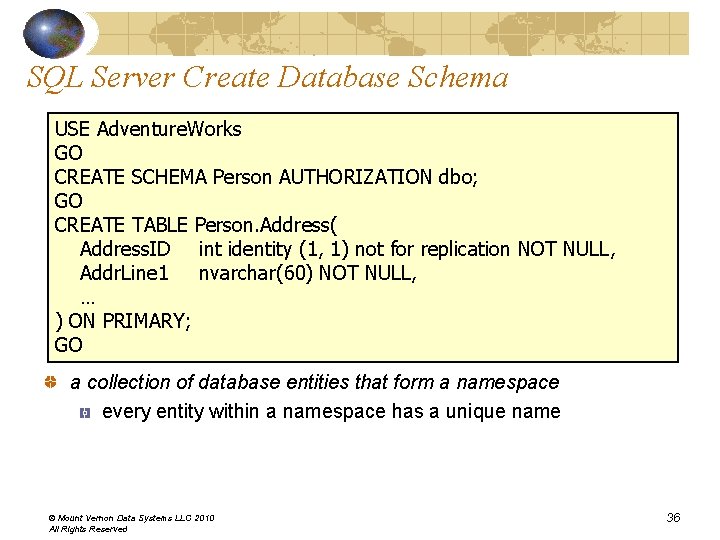
SQL Server Create Database Schema USE Adventure. Works GO CREATE SCHEMA Person AUTHORIZATION dbo; GO CREATE TABLE Person. Address( Address. ID int identity (1, 1) not for replication NOT NULL, Addr. Line 1 nvarchar(60) NOT NULL, … ) ON PRIMARY; GO a collection of database entities that form a namespace every entity within a namespace has a unique name © Mount Vernon Data Systems LLC 2010 All Rights Reserved 36
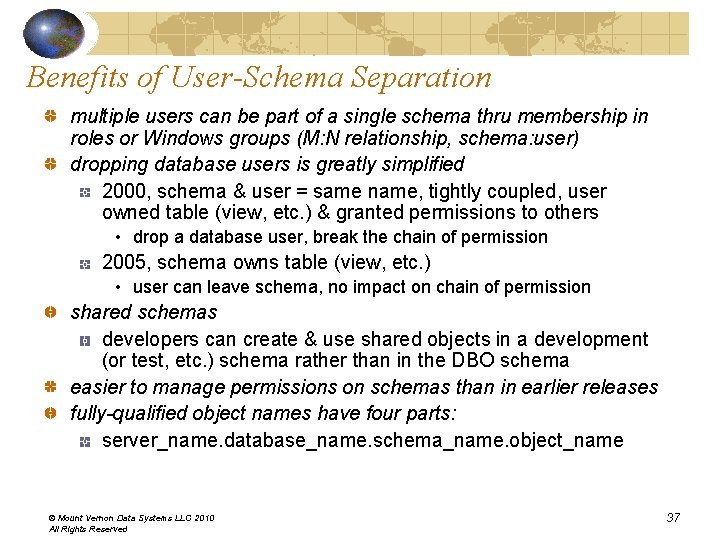
Benefits of User-Schema Separation multiple users can be part of a single schema thru membership in roles or Windows groups (M: N relationship, schema: user) dropping database users is greatly simplified 2000, schema & user = same name, tightly coupled, user owned table (view, etc. ) & granted permissions to others • drop a database user, break the chain of permission 2005, schema owns table (view, etc. ) • user can leave schema, no impact on chain of permission shared schemas developers can create & use shared objects in a development (or test, etc. ) schema rather than in the DBO schema easier to manage permissions on schemas than in earlier releases fully-qualified object names have four parts: server_name. database_name. schema_name. object_name © Mount Vernon Data Systems LLC 2010 All Rights Reserved 37
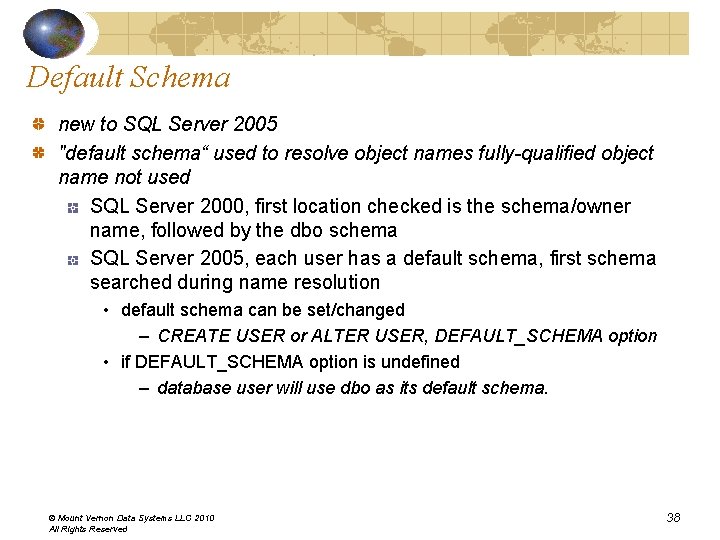
Default Schema new to SQL Server 2005 "default schema“ used to resolve object names fully-qualified object name not used SQL Server 2000, first location checked is the schema/owner name, followed by the dbo schema SQL Server 2005, each user has a default schema, first schema searched during name resolution • default schema can be set/changed – CREATE USER or ALTER USER, DEFAULT_SCHEMA option • if DEFAULT_SCHEMA option is undefined – database user will use dbo as its default schema. © Mount Vernon Data Systems LLC 2010 All Rights Reserved 38
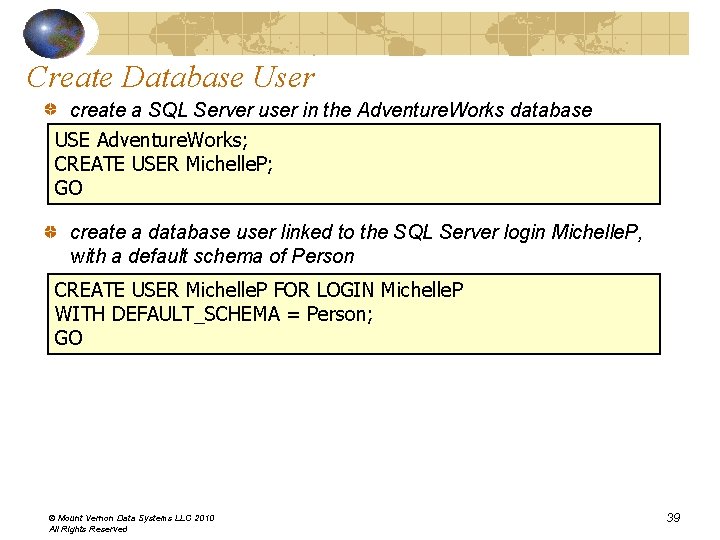
Create Database User create a SQL Server user in the Adventure. Works database USE Adventure. Works; CREATE USER Michelle. P; GO create a database user linked to the SQL Server login Michelle. P, with a default schema of Person CREATE USER Michelle. P FOR LOGIN Michelle. P WITH DEFAULT_SCHEMA = Person; GO © Mount Vernon Data Systems LLC 2010 All Rights Reserved 39
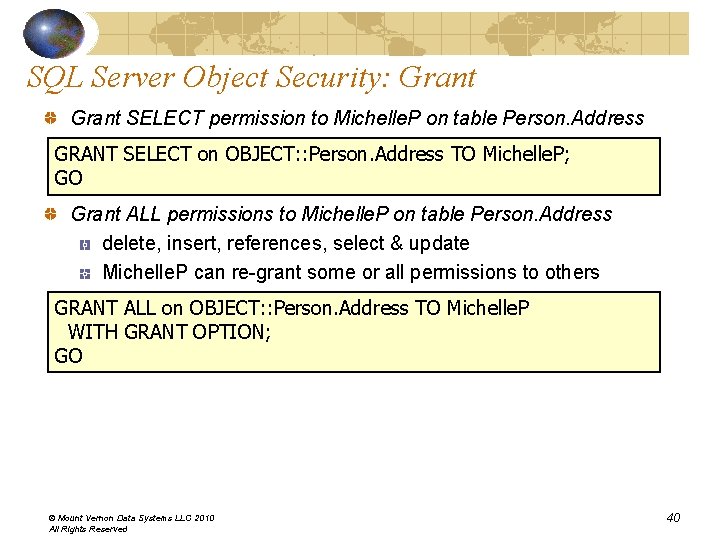
SQL Server Object Security: Grant SELECT permission to Michelle. P on table Person. Address GRANT SELECT on OBJECT: : Person. Address TO Michelle. P; GO Grant ALL permissions to Michelle. P on table Person. Address delete, insert, references, select & update Michelle. P can re-grant some or all permissions to others GRANT ALL on OBJECT: : Person. Address TO Michelle. P WITH GRANT OPTION; GO © Mount Vernon Data Systems LLC 2010 All Rights Reserved 40
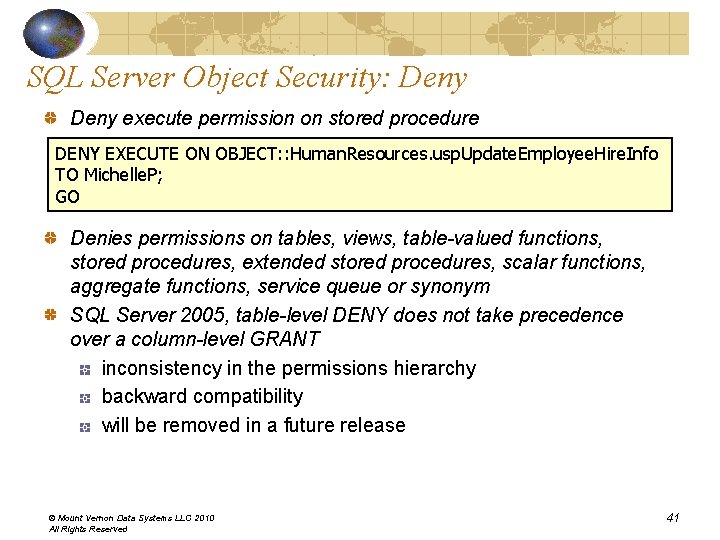
SQL Server Object Security: Deny execute permission on stored procedure DENY EXECUTE ON OBJECT: : Human. Resources. usp. Update. Employee. Hire. Info TO Michelle. P; GO Denies permissions on tables, views, table-valued functions, stored procedures, extended stored procedures, scalar functions, aggregate functions, service queue or synonym SQL Server 2005, table-level DENY does not take precedence over a column-level GRANT inconsistency in the permissions hierarchy backward compatibility will be removed in a future release © Mount Vernon Data Systems LLC 2010 All Rights Reserved 41
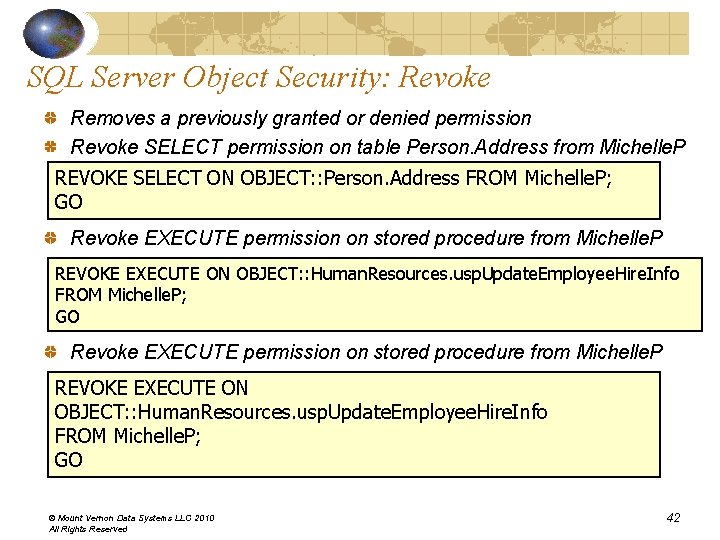
SQL Server Object Security: Revoke Removes a previously granted or denied permission Revoke SELECT permission on table Person. Address from Michelle. P REVOKE SELECT ON OBJECT: : Person. Address FROM Michelle. P; GO Revoke EXECUTE permission on stored procedure from Michelle. P REVOKE EXECUTE ON OBJECT: : Human. Resources. usp. Update. Employee. Hire. Info FROM Michelle. P; GO © Mount Vernon Data Systems LLC 2010 All Rights Reserved 42
Permissions Hierarchy SQL Server principles individuals, groups & processes that can request SQL Server resources unique SID can be granted permission to use securables SQL Server securables resources to which the SQL Server database engine authorization system regulates access each securable has associated permissions that can be granted to a principal © Mount Vernon Data Systems LLC 2010 All Rights Reserved 43
The Author… Michelle A. Poolet, MCIS, University of Denver Zachman Certified™ - Enterprise Architect Contributing Editor, SQL Server Magazine Adjunct faculty, University of Denver, University College President/co-founder of Mount Vernon Data Systems – database consulting company specializing in database systems, data modeling, courseware development, education/training. Michelle@Mount. Vernon. Data. Systems. com Hanging out near the beach at Kailua. Kona, Hawaii…aloha, everyone! © Mount Vernon Data Systems LLC 2010 All Rights Reserved 44