
Learning Management Systems Transition to Canvas Steering Committee
- Slides: 18
Learning Management Systems Transition to Canvas Steering Committee October 24, 2019
Agenda • • • Current Moodle Migration Status Sakai Migration Status Blackboard Migration Status Future Migration Schedule LMS Use Guidelines Discussion Next Steps LMS Transition to Canvas 2
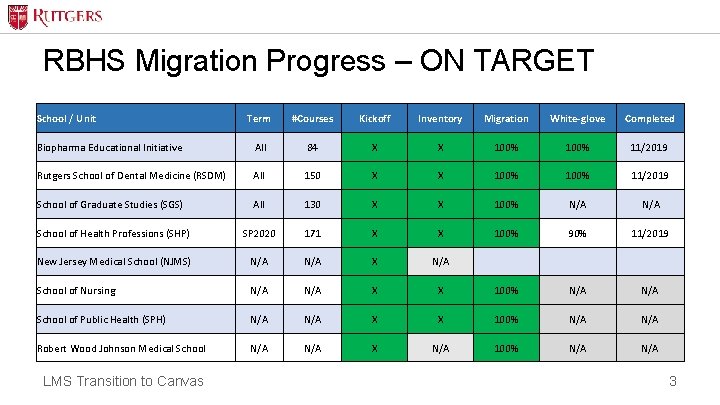
RBHS Migration Progress – ON TARGET School / Unit Term #Courses Kickoff Inventory Migration White-glove Completed Biopharma Educational Initiative All 84 X X 100% 11/2019 Rutgers School of Dental Medicine (RSDM) All 150 X X 100% 11/2019 School of Graduate Studies (SGS) All 130 X X 100% N/A School of Health Professions (SHP) SP 2020 171 X X 100% 90% 11/2019 New Jersey Medical School (NJMS) N/A X N/A School of Nursing N/A X X 100% N/A School of Public Health (SPH) N/A X X 100% N/A Robert Wood Johnson Medical School N/A X N/A 100% N/A LMS Transition to Canvas 3
Sakai Migration Pilot – School of Comm & Info • All SCI Spring 2020 courses have been fully migrated • 50% have been approved with remaining under SCI Review and pending approval • Initial planning for migration of Summer and Fall 2020 SCI courses will be initiated • Course content archives to be developed LMS Transition to Canvas 4
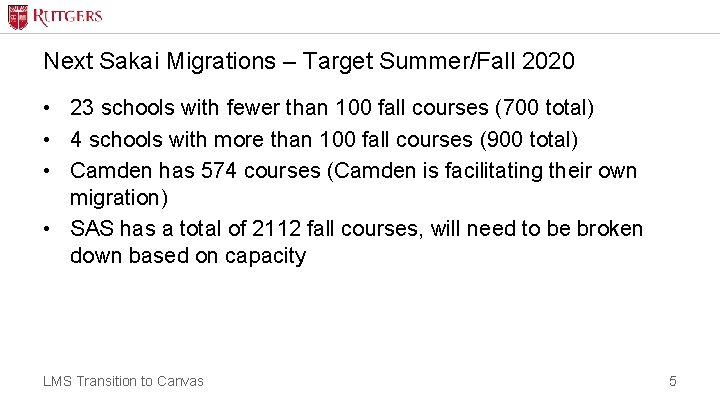
Next Sakai Migrations – Target Summer/Fall 2020 • 23 schools with fewer than 100 fall courses (700 total) • 4 schools with more than 100 fall courses (900 total) • Camden has 574 courses (Camden is facilitating their own migration) • SAS has a total of 2112 fall courses, will need to be broken down based on capacity LMS Transition to Canvas 5
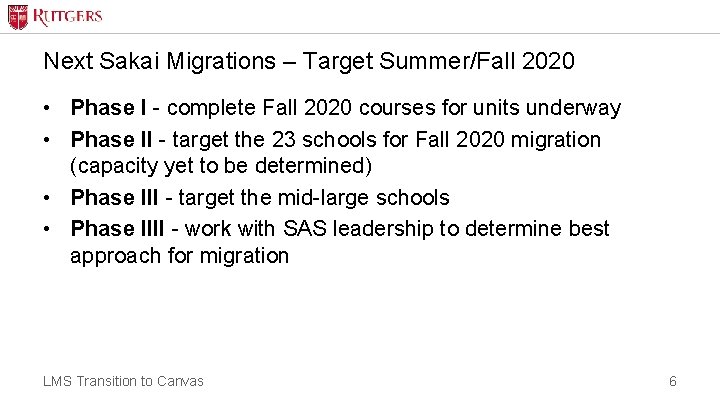
Next Sakai Migrations – Target Summer/Fall 2020 • Phase I - complete Fall 2020 courses for units underway • Phase II - target the 23 schools for Fall 2020 migration (capacity yet to be determined) • Phase III - target the mid-large schools • Phase IIII - work with SAS leadership to determine best approach for migration LMS Transition to Canvas 6
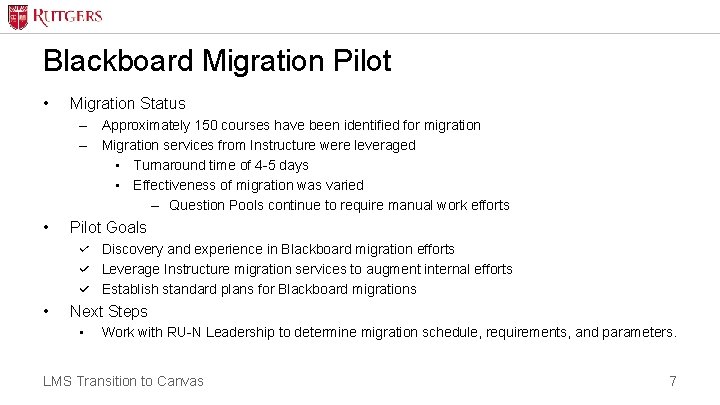
Blackboard Migration Pilot • Migration Status – Approximately 150 courses have been identified for migration – Migration services from Instructure were leveraged • Turnaround time of 4 -5 days • Effectiveness of migration was varied – Question Pools continue to require manual work efforts • Pilot Goals Discovery and experience in Blackboard migration efforts Leverage Instructure migration services to augment internal efforts Establish standard plans for Blackboard migrations • Next Steps • Work with RU-N Leadership to determine migration schedule, requirements, and parameters. LMS Transition to Canvas 7
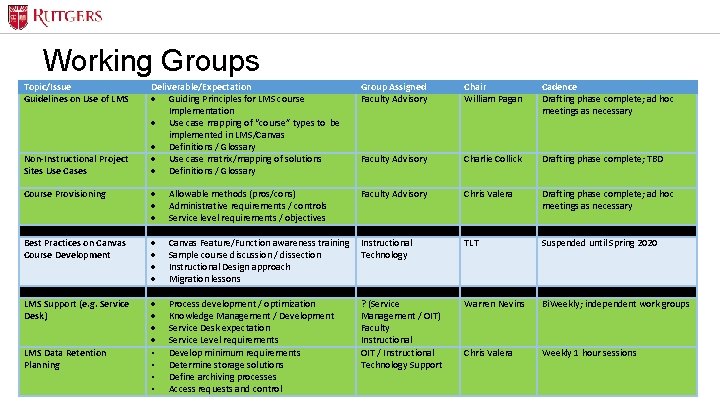
Working Groups Topic/Issue Guidelines on Use of LMS Deliverable/Expectation · Guiding Principles for LMS course Implementation · Use case mapping of “course” types to be implemented in LMS/Canvas · Definitions / Glossary · Use case matrix/mapping of solutions · Definitions / Glossary Group Assigned Faculty Advisory Chair William Pagan Cadence Drafting phase complete; ad hoc meetings as necessary Faculty Advisory Charlie Collick Drafting phase complete; TBD Course Provisioning · Allowable methods (pros/cons) · Administrative requirements / controls · Service level requirements / objectives Faculty Advisory Chris Valera Drafting phase complete; ad hoc meetings as necessary Best Practices on Canvas Course Development · Canvas Feature/Function awareness training · Sample course discussion / dissection · Instructional Design approach · Migration lessons Instructional Technology TLT Suspended until Spring 2020 ? (Service Management / OIT) Faculty Instructional OIT / Instructional Technology Support Warren Nevins Bi. Weekly; independent work groups Chris Valera Weekly 1 hour sessions Non-Instructional Project Sites Use Cases · Process development / optimization · Knowledge Management / Development · Service Desk expectation · Service Level requirements LMS Data Retention • Develop minimum requirements Planning • Determine storage solutions • Define archiving processes LMS Transition to Canvas • Access requests and control LMS Support (e. g. Service Desk) 8
LMS Use Guidelines The primary purpose of Canvas at Rutgers is to enhance the student's learning experience. Acceptable use of Canvas is governed by this principle and determines the types of courses permissible on the system. Sites created in Canvas should have students as the main audience or impact their learning. • The following guidelines and procedures regulate the use of Canvas at Rutgers by instructors, students, and staff. – Canvas can be used for the following purposes: – For an official course published in the Rutgers schedule of classes – To support course content development – To provide program or degree resources for students enrolled in an official program or degree, such as a cohort site – For continuous education, extension, and professional development courses – For medical residencies, clinical rotations, and fellowship programs – To provide students with academic resources and training LMS Transition to Canvas 9
LMS Use Guidelines • Decision points – – Additional Recommendations Acceptance Socializing Communications LMS Transition to Canvas 10
LMS Use Guidelines • How are profit generating courses handled? • Should there be a cost share? • How will this be decided? • How will this be facilitated? • How are staff training courses/PD handled? • Alternative product like Bridge? • Separate instance of Canvas? • Fee based usage of Canvas? LMS Transition to Canvas 11
LMS Use Guidelines • Non-instructional/project sites – How are alternative solutions delivered and supported? – How to get project sites off legacy systems? – What to do/timeline for non-permitted content currently on Canvas? • LMS Use Governance – How will these guidelines be enforced? – Who will facilitate the exception review process? – New software request process LMS Transition to Canvas 12
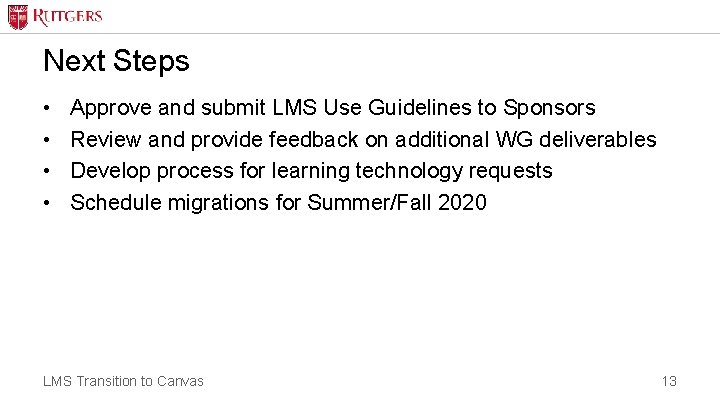
Next Steps • • Approve and submit LMS Use Guidelines to Sponsors Review and provide feedback on additional WG deliverables Develop process for learning technology requests Schedule migrations for Summer/Fall 2020 LMS Transition to Canvas 13
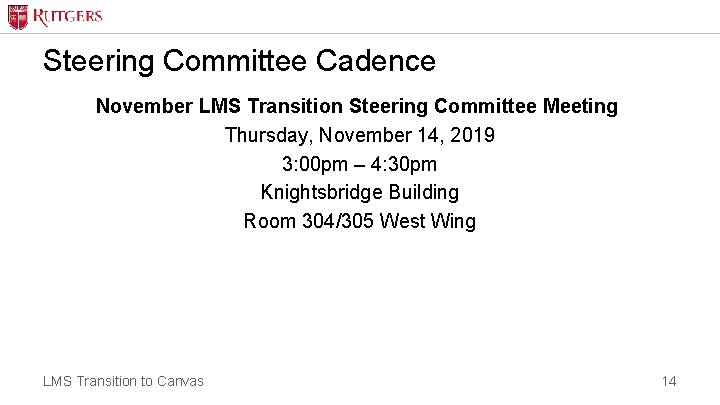
Steering Committee Cadence November LMS Transition Steering Committee Meeting Thursday, November 14, 2019 3: 00 pm – 4: 30 pm Knightsbridge Building Room 304/305 West Wing LMS Transition to Canvas 14
Appendix LMS Transition to Canvas 15
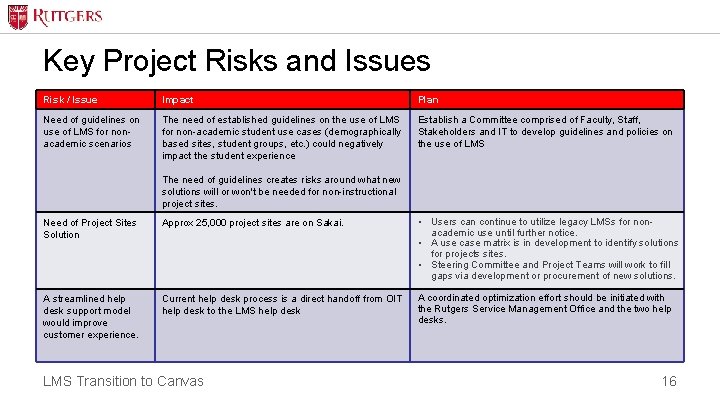
Key Project Risks and Issues Risk / Issue Impact Plan Need of guidelines on use of LMS for nonacademic scenarios The need of established guidelines on the use of LMS for non-academic student use cases (demographically based sites, student groups, etc. ) could negatively impact the student experience Establish a Committee comprised of Faculty, Staff, Stakeholders and IT to develop guidelines and policies on the use of LMS The need of guidelines creates risks around what new solutions will or won't be needed for non-instructional project sites. Need of Project Sites Solution Approx 25, 000 project sites are on Sakai. • Users can continue to utilize legacy LMSs for nonacademic use until further notice. • A use case matrix is in development to identify solutions for projects sites. • Steering Committee and Project Teams will work to fill gaps via development or procurement of new solutions. A streamlined help desk support model would improve customer experience. Current help desk process is a direct handoff from OIT help desk to the LMS help desk A coordinated optimization effort should be initiated with the Rutgers Service Management Office and the two help desks. LMS Transition to Canvas 16
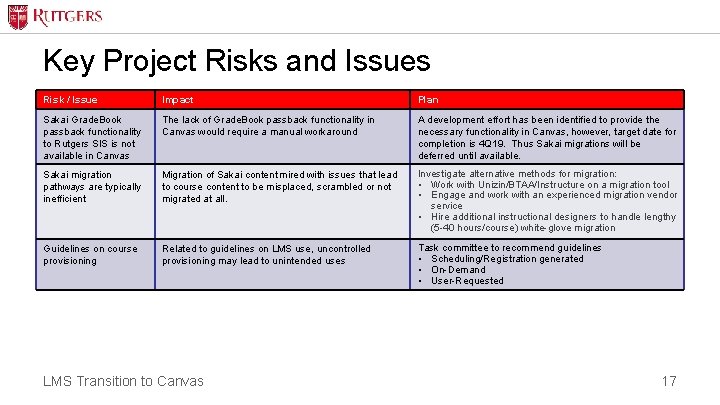
Key Project Risks and Issues Risk / Issue Impact Plan Sakai Grade. Book passback functionality to Rutgers SIS is not available in Canvas The lack of Grade. Book passback functionality in Canvas would require a manual workaround A development effort has been identified to provide the necessary functionality in Canvas, however, target date for completion is 4 Q 19. Thus Sakai migrations will be deferred until available. Sakai migration pathways are typically inefficient Migration of Sakai content mired with issues that lead to course content to be misplaced, scrambled or not migrated at all. Investigate alternative methods for migration: • Work with Unizin/BTAA/Instructure on a migration tool • Engage and work with an experienced migration vendor service • Hire additional instructional designers to handle lengthy (5 -40 hours/course) white-glove migration Guidelines on course provisioning Related to guidelines on LMS use, uncontrolled provisioning may lead to unintended uses Task committee to recommend guidelines • Scheduling/Registration generated • On-Demand • User-Requested LMS Transition to Canvas 17
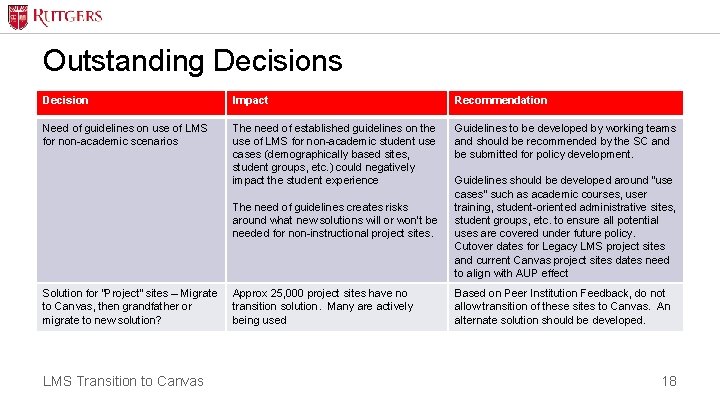
Outstanding Decisions Decision Impact Recommendation Need of guidelines on use of LMS for non-academic scenarios The need of established guidelines on the use of LMS for non-academic student use cases (demographically based sites, student groups, etc. ) could negatively impact the student experience Guidelines to be developed by working teams and should be recommended by the SC and be submitted for policy development. The need of guidelines creates risks around what new solutions will or won't be needed for non-instructional project sites. Solution for “Project” sites – Migrate to Canvas, then grandfather or migrate to new solution? LMS Transition to Canvas Approx 25, 000 project sites have no transition solution. Many are actively being used Guidelines should be developed around “use cases” such as academic courses, user training, student-oriented administrative sites, student groups, etc. to ensure all potential uses are covered under future policy. Cutover dates for Legacy LMS project sites and current Canvas project sites dates need to align with AUP effect Based on Peer Institution Feedback, do not allow transition of these sites to Canvas. An alternate solution should be developed. 18