
Lean in Higher Education Alisa Buck Misty Haskamp

Lean in Higher Education Alisa Buck, Misty Haskamp & Mara Roberts Columbia College
Agenda • • Why Lean? What is Lean? Lean culture Current state Dream state Future state Post-Workout & Keys to success
Problem EVP and Dean for Academic Affairs recognized need to streamline processes. • Wasteful redundancies and inefficient processes. • Root cause analysis not thorough enough when “fixes” were put into place (often “fixes” were expensive software solutions that automated bad processing).
Lean: Institutional Improvement • Vision: A culture of continuous improvement that empowers the beneficiaries of college processes to define the value. • Goal: Clear, straightforward, scalable and practical to implement strategy, decrease unnecessary cost, increase satisfaction, and encourage innovation. • Proven technique adopted by many diverse industries, including higher education. It’s an easy to grasp approach that leads to a new way of “thinking” about processes and their intended outcomes.
What is Lean? • Culture/way of thinking • Proven approach to process analysis • Reduction of waste, improving existing processes • An opportunity to maximize resources • Challenge preconceptions • Empowerment of process owners and users
What LEAN is not… • • • A way to create new processes A way to achieve furloughs and layoffs A way to train others on processes Acting on assumptions Jumping to conclusions
Lean Mantra • Simplify • Eliminate • Automate • Integrate Automating bad business practices will not fix your problems. It will just allow them to happen faster!
Lean Culture • Create a problem-solving environment: “No problem is problem” • Allow open environment for admitting problems (no embarrassment or retribution) • All problems are fixable • Root cause analysis • It’s the process, not the people

Ham Story
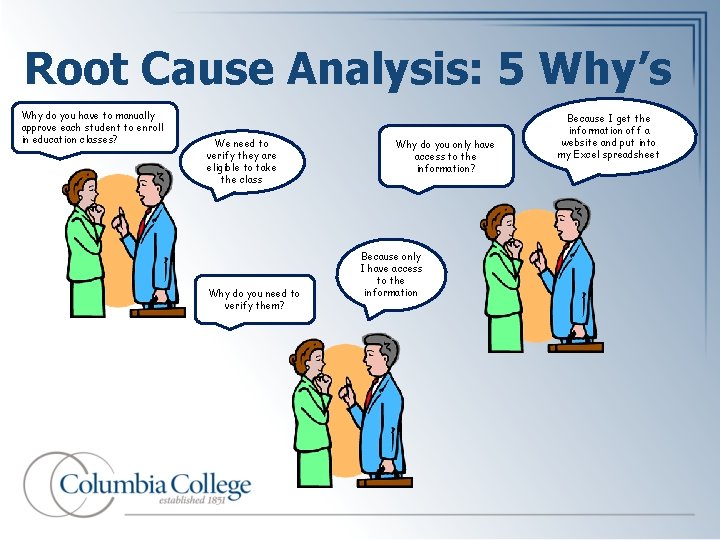
Root Cause Analysis: 5 Why’s Why do you have to manually approve each student to enroll in education classes? We need to verify they are eligible to take the class Why do you need to verify them? Why do you only have access to the information? Because only I have access to the information Because I get the information off a website and put into my Excel spreadsheet
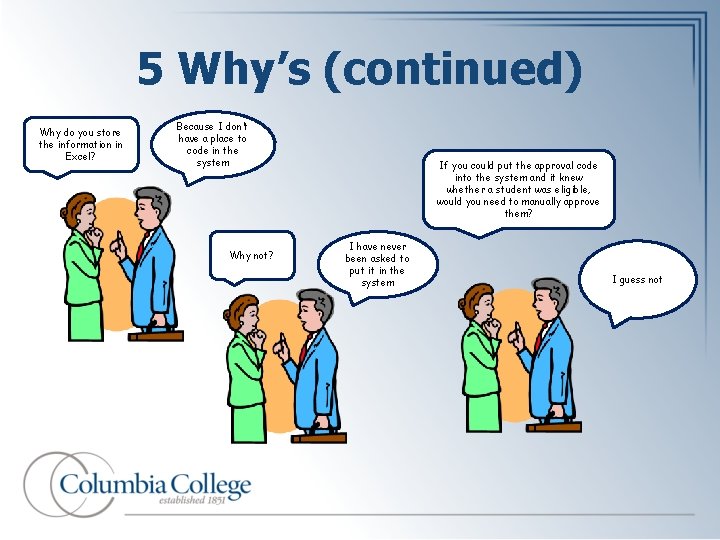
5 Why’s (continued) Why do you store the information in Excel? Because I don’t have a place to code in the system Why not? If you could put the approval code into the system and it knew whether a student was eligible, would you need to manually approve them? I have never been asked to put it in the system I guess not
“There is nothing so useless as doing efficiently that which should not be done at all. ” Peter F. Drucker
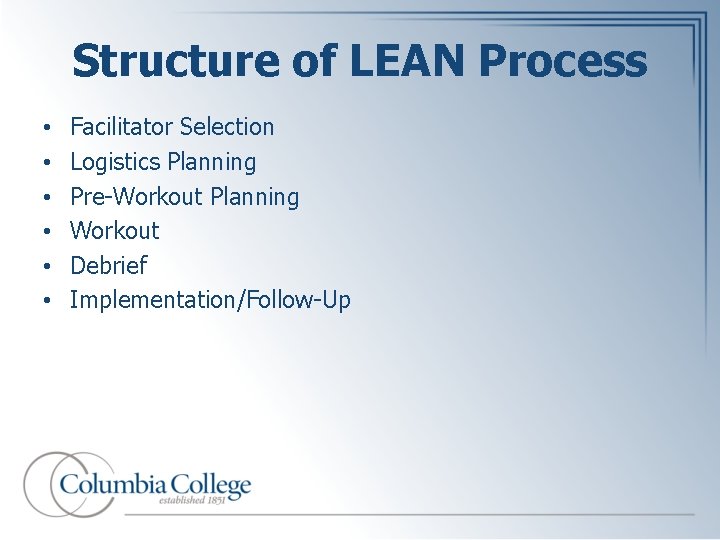
Structure of LEAN Process • • • Facilitator Selection Logistics Planning Pre-Workout Planning Workout Debrief Implementation/Follow-Up
Planning • Identification of process owners, users, and other participants • Preliminary Charter and Current State documentation – Determine metrics and start quantifying baselines. • Meet with key process owners and users individually (or in small groups): – Complete Charter – Build full Current State process map • In Visio • On Butcher paper with post-its
Charter • Problem Statement – Description of problem/pain points – Reason for needing this changed • Business Case and Benefits – Objectives/Outcomes – Metrics for measuring success/KPI’s – Benchmarked data • • Scope In/Out Start Participants Timeline
Value Stream • Mapping the entire process across all departments • Identifying activities creating value (no waste) – Start with initial information – End with delivery to the customer – Benchmarking
Typical LEAN Workout Day 1 • Set a common language and clear expectations • • Lean terminology Ground rules Review the project charter Remind everyone that its about the process not the people
Typical LEAN Workout Day 1 (Cont’d) • Review the current state process map • Walk through each step to verify accuracy • Add/Remove/Edit step post-its as necessary • Start logging issues and parking lot items • Waste identification • Participants (individuals or smaller groups) are given stickers • Stickers are added to step post-its • Team review and discussion of “waste” steps/stickers
Current State • This is a process map of the steps that are occurring in the process as of today. • This is what is actually happening, not what “should” be happening. • Imperative you work with the people who do the actions to develop this.
Walk the Process • Start at the point where the problem first arises and think of possible causes without prejudice. • Put yourself in the customer’s shoes and “walk the process” to see what the customer sees.
Value • Value is the voice of the customer • Listen to the voice of the customer in order to meet their needs • Recognize and eliminate Waste By clearly defining Value from the customer’s perspective, all non-value activities – or waste – can be targeted for removal.
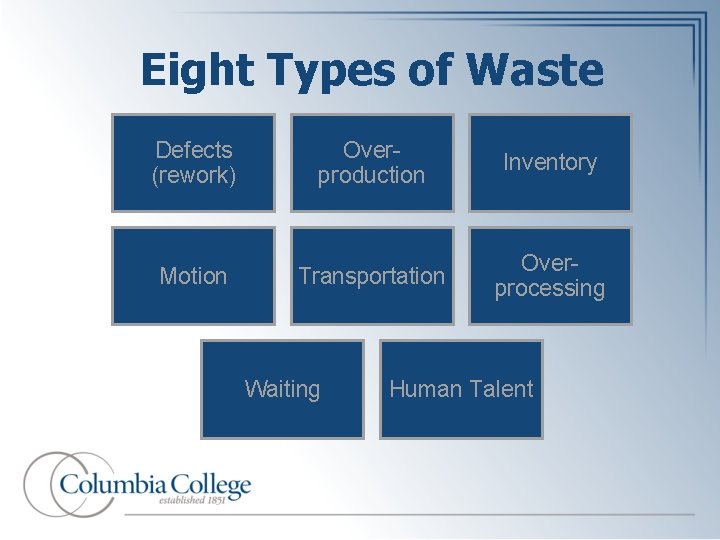
Eight Types of Waste Defects (rework) Overproduction Inventory Motion Transportation Overprocessing Waiting Human Talent
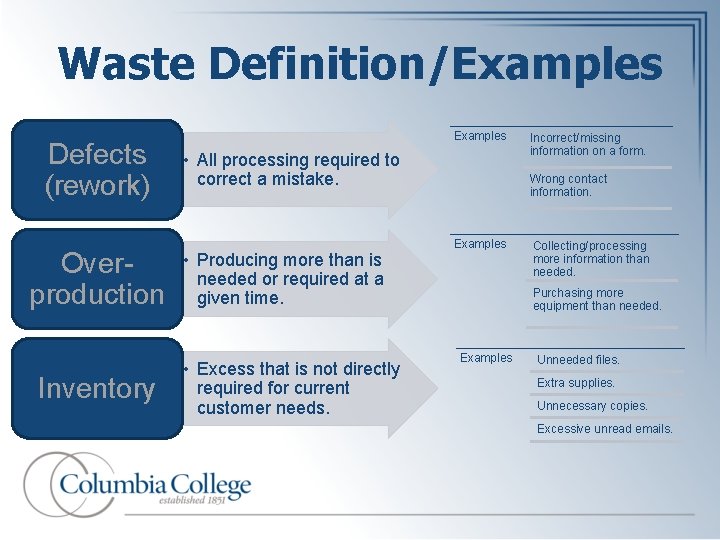
Waste Definition/Examples Defects (rework) Overproduction Inventory Examples • All processing required to correct a mistake. • Producing more than is needed or required at a given time. • Excess that is not directly required for current customer needs. Incorrect/missing information on a form. Wrong contact information. Examples Collecting/processing more information than needed. Purchasing more equipment than needed. Examples Unneeded files. Extra supplies. Unnecessary copies. Excessive unread emails.
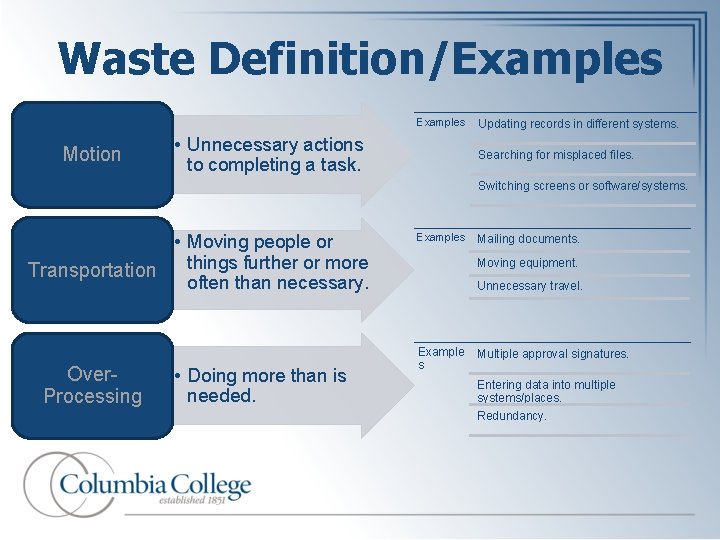
Waste Definition/Examples Motion • Unnecessary actions to completing a task. Updating records in different systems. Searching for misplaced files. Switching screens or software/systems. • Moving people or things further or more Transportation often than necessary. Over. Processing • Doing more than is needed. Examples Mailing documents. Moving equipment. Unnecessary travel. Example s Multiple approval signatures. Entering data into multiple systems/places. Redundancy.
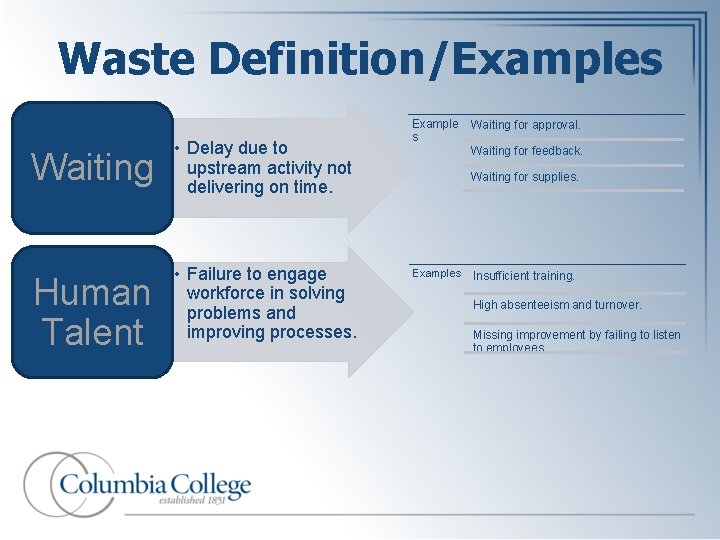
Waste Definition/Examples Waiting • Delay due to upstream activity not delivering on time. Human Talent • Failure to engage workforce in solving problems and improving processes. Example s Waiting for approval. Waiting for feedback. Waiting for supplies. Examples Insufficient training. High absenteeism and turnover. Missing improvement by failing to listen to employees.
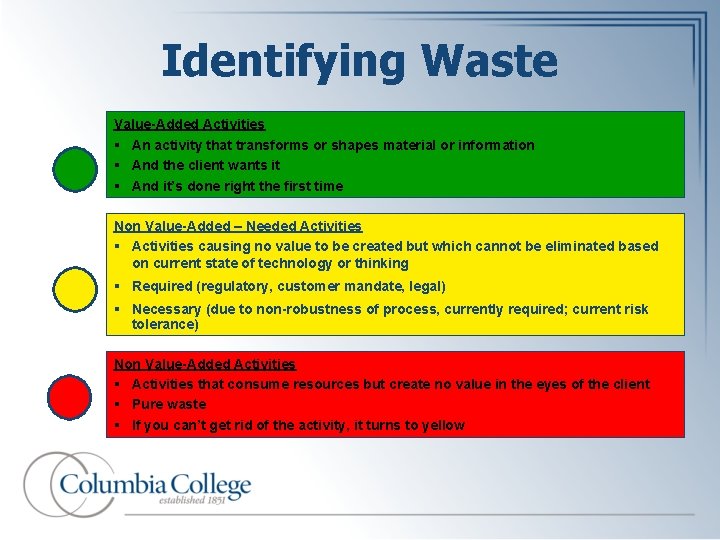
Identifying Waste Value-Added Activities § An activity that transforms or shapes material or information § And the client wants it § And it’s done right the first time Non Value-Added – Needed Activities § Activities causing no value to be created but which cannot be eliminated based on current state of technology or thinking § Required (regulatory, customer mandate, legal) § Necessary (due to non-robustness of process, currently required; current risk tolerance) Non Value-Added Activities § Activities that consume resources but create no value in the eyes of the client § Pure waste § If you can’t get rid of the activity, it turns to yellow
"Tell me and I will forget, show me and I might remember, involve me and I will understand. " Confucius *Lean day 1 activity
Typical LEAN Workout (Cont’d) Day 2 • Create Dream State list • Break into smaller groups • Push groups to think about what process would look like if there were no boundaries/constraints • Start Future State map • Review Dream State list and apply boundaries/constraints • Identify must-have’s and nice-to-have’s • Start logging action items
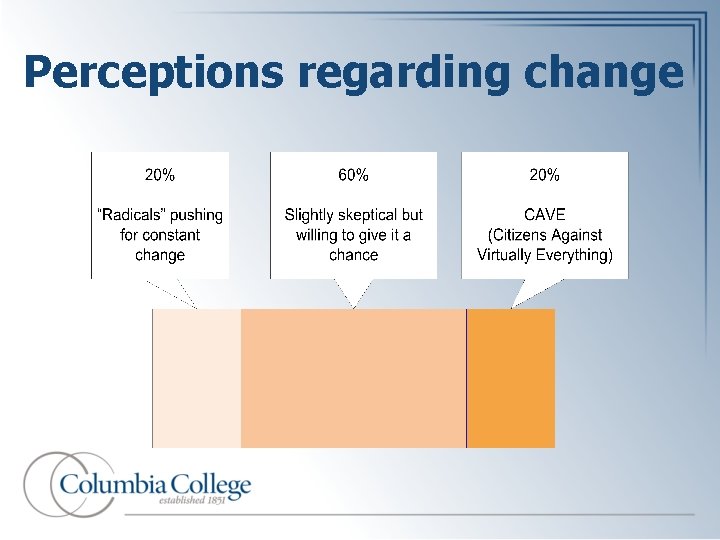
Perceptions regarding change
“Take no action and nothing will happen. ” - Tim Mc. Mahon *Lean day 2 activity
Typical LEAN Workout (Cont’d) Day 3 • Complete Future State map • Complete documentation and assign action items • Plan debrief presentation to department and/or division leader(s)
Action Items • • Title (Starting with event acronym) Implementation Status (for tracking) Dependencies – which items are related Owner – a person who is responsible for ensuring the implementation of the item is completed successfully Deadline/Reason – If required Effort – level of work required to implement Potential team members – people or depts Expected Deliverables
Action Items (Cont’d) • Action Items are… – Actionable – Measurable – Representative of the collective need of the institution • Action Items are not… – Calls for more human talent/resources – Research only
Debrief Presentation • Present Current State Map and Future State Map – visual comparison • Present synopsis of action items – what will it take overall to move from Current State to Future State • Present details of action items – if necessary to answer questions *Lean day 2 activity
Post – Workout Implementation: • Action item teams are formed and begin meeting • Baseline metrics are measured Follow-Up: • Validate that Future State has become Current State • Metrics are re-measured • Return on Investment (ROI) is calculated
Common Metrics • Types of metrics to measure: • Processing time (System, Human, Wait) • Quantity/volume (Data, Documents, People) • Number or percentage of defects (Errors, Issues, Complaints) • Correction time (Time for resolution) • How to measure (examples): • Time spent processing vs time spent waiting • Quantity/count of incoming files in a specified period of time • How often does data need to be corrected • How long does correction take Updated 01/2013
Keys to Success • It takes true commitment and change in culture – Be the change you wish to see • Those who do the work should be those who develop the new process • Involve all affected stakeholders • Make changes now • Practice accountability • Leadership determines success or failure of any LEAN initiative!! “If you change the way you look at things, the things you look at will change. ” - Unknown

Wrap Up & Takeaways
- Slides: 38