
LDAP Lightweight Directory Access Protocol wangth Computer Center
- Slides: 39
LDAP (Lightweight Directory Access Protocol) wangth
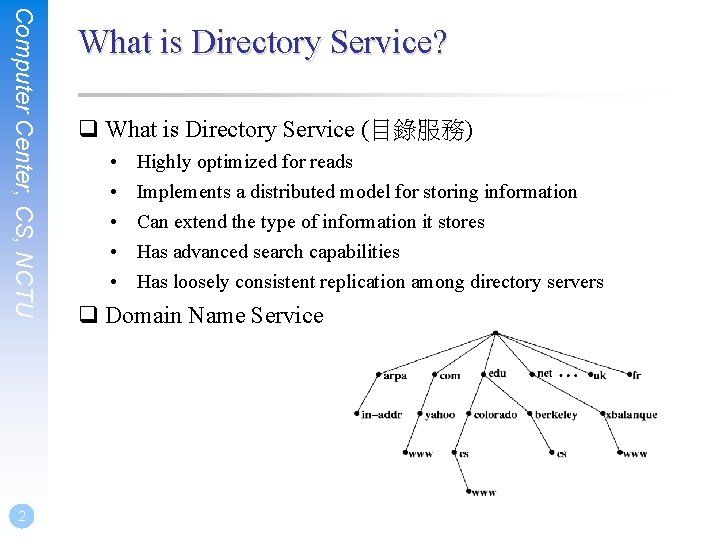
Computer Center, CS, NCTU 2 What is Directory Service? q What is Directory Service (目錄服務) • • • Highly optimized for reads Implements a distributed model for storing information Can extend the type of information it stores Has advanced search capabilities Has loosely consistent replication among directory servers q Domain Name Service
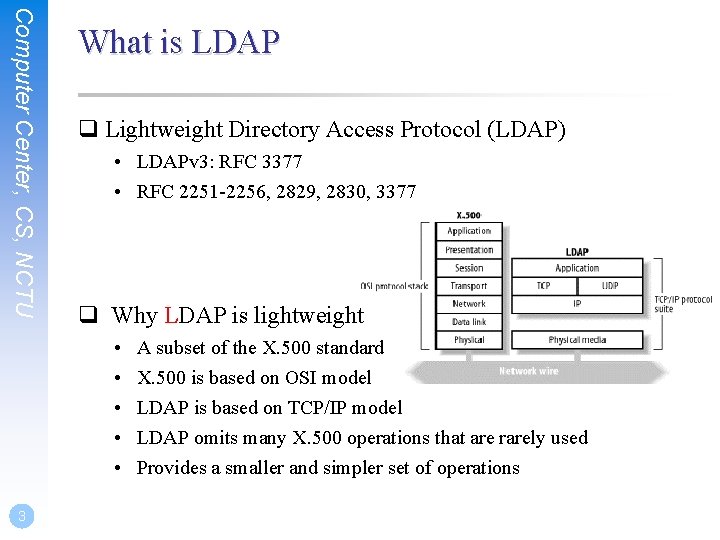
Computer Center, CS, NCTU What is LDAP q Lightweight Directory Access Protocol (LDAP) • LDAPv 3: RFC 3377 • RFC 2251 -2256, 2829, 2830, 3377 q Why LDAP is lightweight • • • 3 A subset of the X. 500 standard X. 500 is based on OSI model LDAP is based on TCP/IP model LDAP omits many X. 500 operations that are rarely used Provides a smaller and simpler set of operations
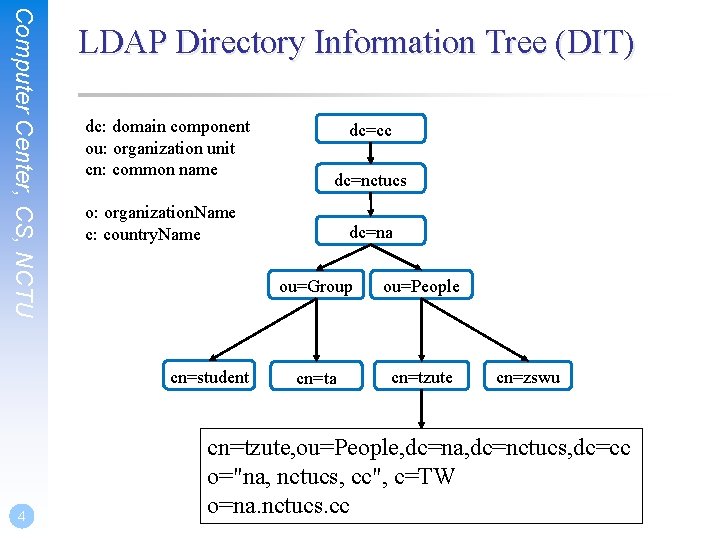
Computer Center, CS, NCTU LDAP Directory Information Tree (DIT) dc: domain component ou: organization unit cn: common name dc=nctucs o: organization. Name c: country. Name cn=student 4 dc=cc dc=na ou=Group ou=People cn=ta cn=tzute cn=zswu cn=tzute, ou=People, dc=na, dc=nctucs, dc=cc o="na, nctucs, cc", c=TW o=na. nctucs. cc
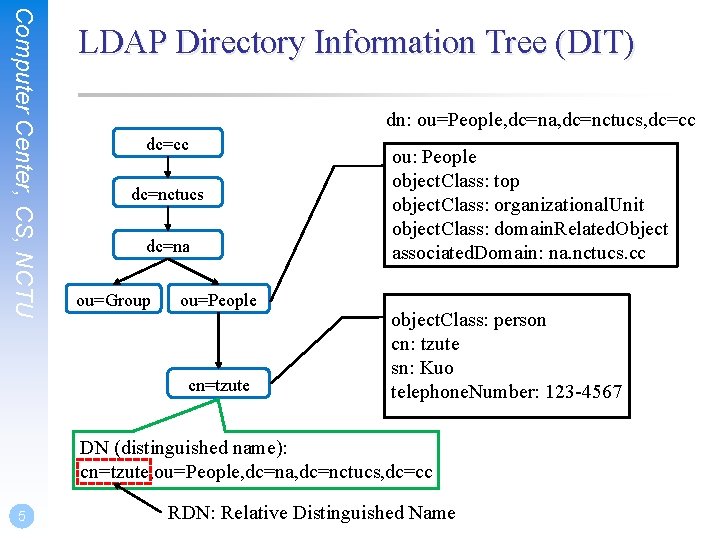
Computer Center, CS, NCTU LDAP Directory Information Tree (DIT) dn: ou=People, dc=na, dc=nctucs, dc=cc dc=nctucs dc=na ou=Group ou=People cn=tzute ou: People object. Class: top object. Class: organizational. Unit object. Class: domain. Related. Object associated. Domain: na. nctucs. cc object. Class: person cn: tzute sn: Kuo telephone. Number: 123 -4567 DN (distinguished name): cn=tzute, ou=People, dc=na, dc=nctucs, dc=cc 5 RDN: Relative Distinguished Name
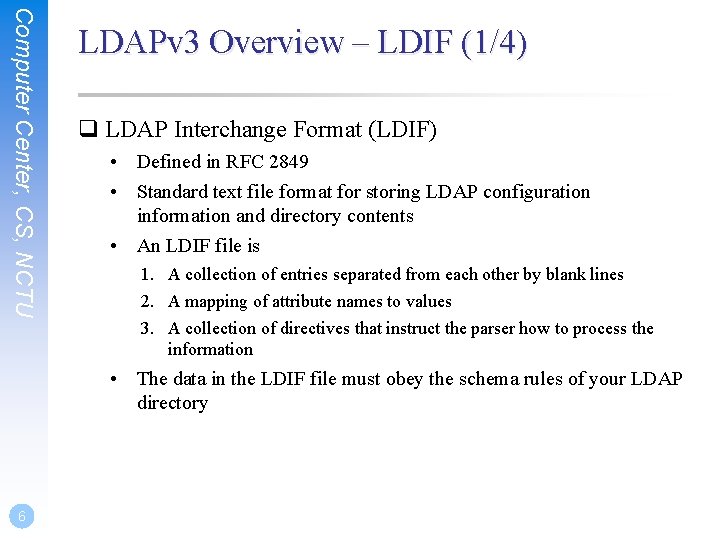
Computer Center, CS, NCTU LDAPv 3 Overview – LDIF (1/4) q LDAP Interchange Format (LDIF) • Defined in RFC 2849 • Standard text file format for storing LDAP configuration information and directory contents • An LDIF file is 1. A collection of entries separated from each other by blank lines 2. A mapping of attribute names to values 3. A collection of directives that instruct the parser how to process the information • The data in the LDIF file must obey the schema rules of your LDAP directory 6
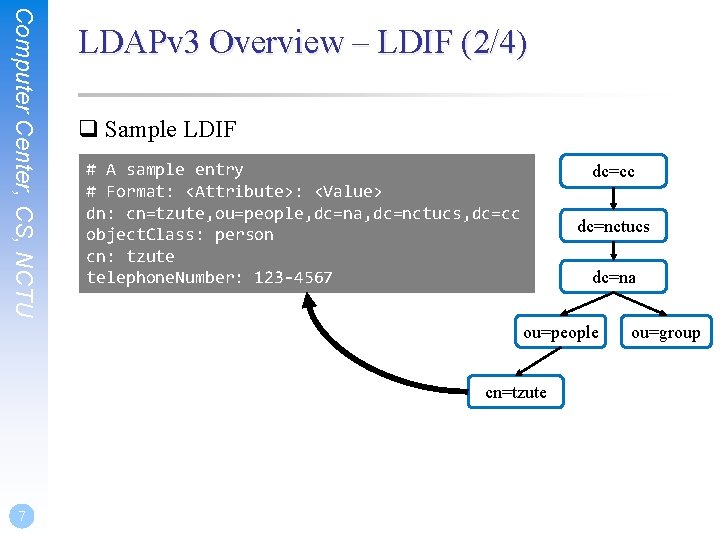
Computer Center, CS, NCTU LDAPv 3 Overview – LDIF (2/4) q Sample LDIF # A sample entry # Format: <Attribute>: <Value> dn: cn=tzute, ou=people, dc=na, dc=nctucs, dc=cc object. Class: person cn: tzute telephone. Number: 123 -4567 dc=cc dc=nctucs dc=na ou=people cn=tzute 7 ou=group
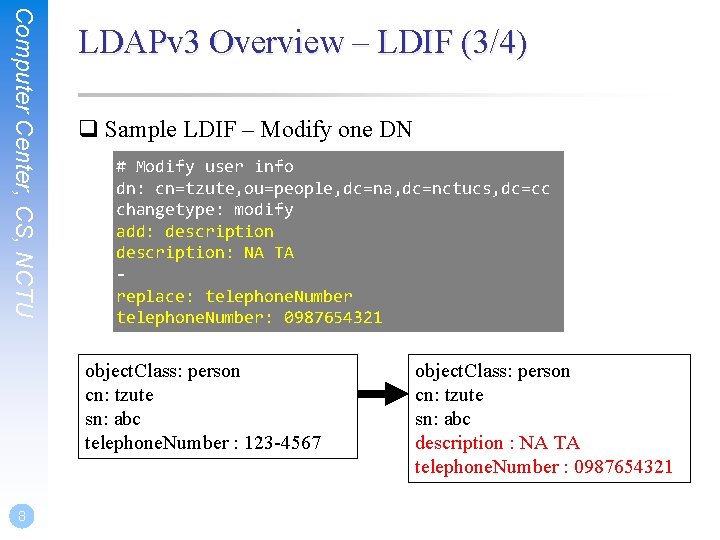
Computer Center, CS, NCTU LDAPv 3 Overview – LDIF (3/4) q Sample LDIF – Modify one DN # Modify user info dn: cn=tzute, ou=people, dc=na, dc=nctucs, dc=cc changetype: modify add: description: NA TA replace: telephone. Number: 0987654321 object. Class: person cn: tzute sn: abc telephone. Number : 123 -4567 8 object. Class: person cn: tzute sn: abc description : NA TA telephone. Number : 0987654321
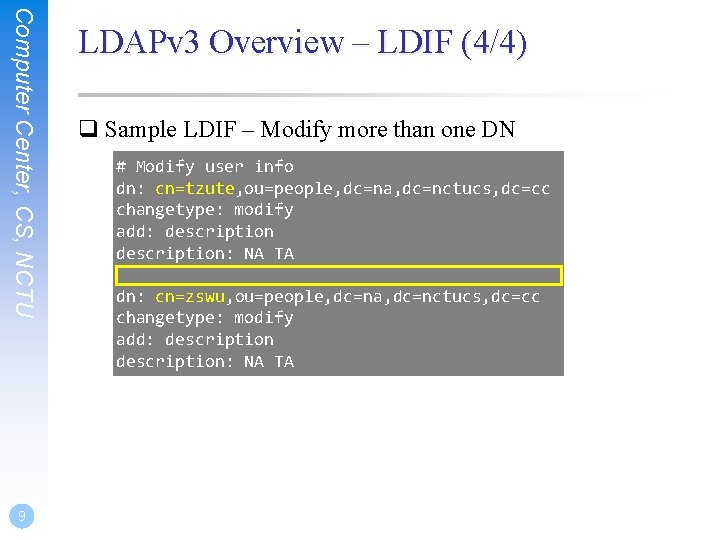
Computer Center, CS, NCTU 9 LDAPv 3 Overview – LDIF (4/4) q Sample LDIF – Modify more than one DN # Modify user info dn: cn=tzute, ou=people, dc=na, dc=nctucs, dc=cc changetype: modify add: description: NA TA dn: cn=zswu, ou=people, dc=na, dc=nctucs, dc=cc changetype: modify add: description: NA TA
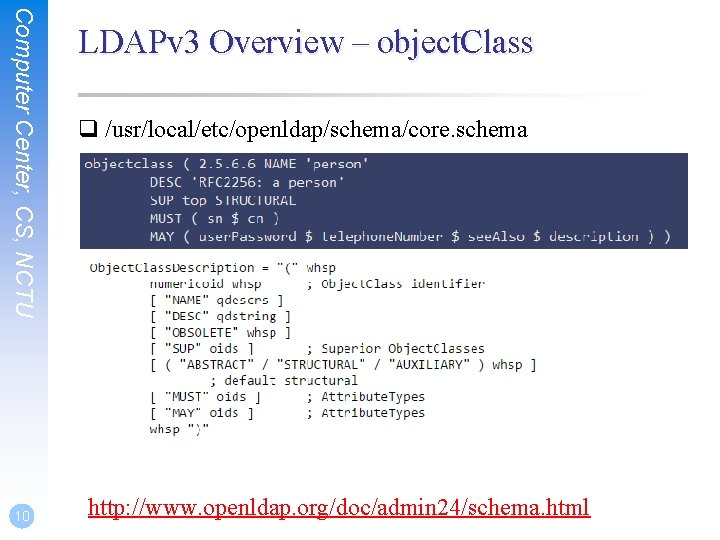
Computer Center, CS, NCTU 10 LDAPv 3 Overview – object. Class q /usr/local/etc/openldap/schema/core. schema http: //www. openldap. org/doc/admin 24/schema. html
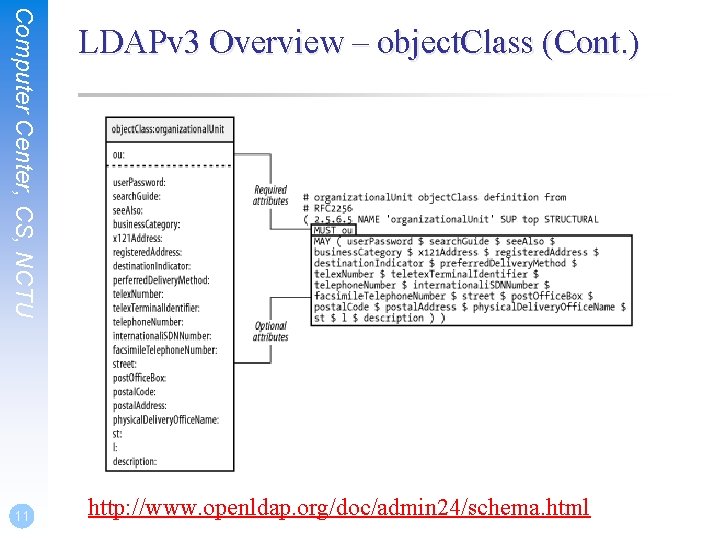
Computer Center, CS, NCTU 11 LDAPv 3 Overview – object. Class (Cont. ) http: //www. openldap. org/doc/admin 24/schema. html
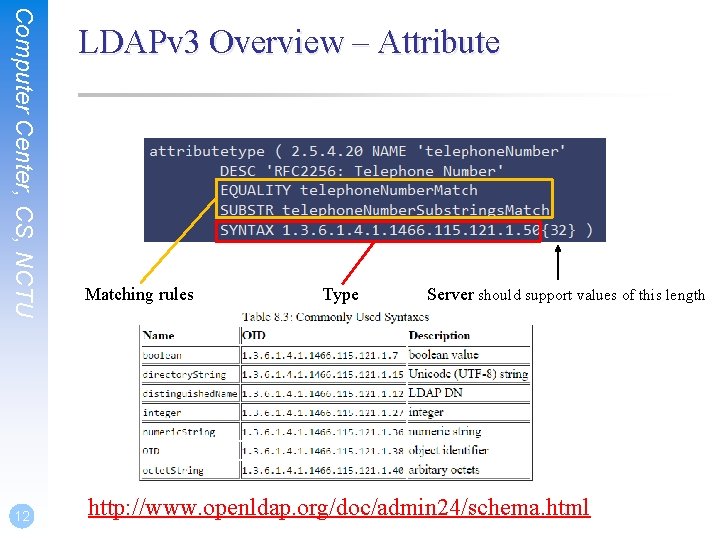
Computer Center, CS, NCTU 12 LDAPv 3 Overview – Attribute Matching rules Type Server should support values of this length http: //www. openldap. org/doc/admin 24/schema. html
Computer Center, CS, NCTU 13 Comparison with relational databases q It is tempting to think that having a RDBMS backend to the directory solves all problems. However, it is wrong. q This is because the data models are very different. Representing directory data with a relational database is going to require splitting data into multiple tables.
Open. LDAP An open source implementation of the Lightweight Directory Access Protocol
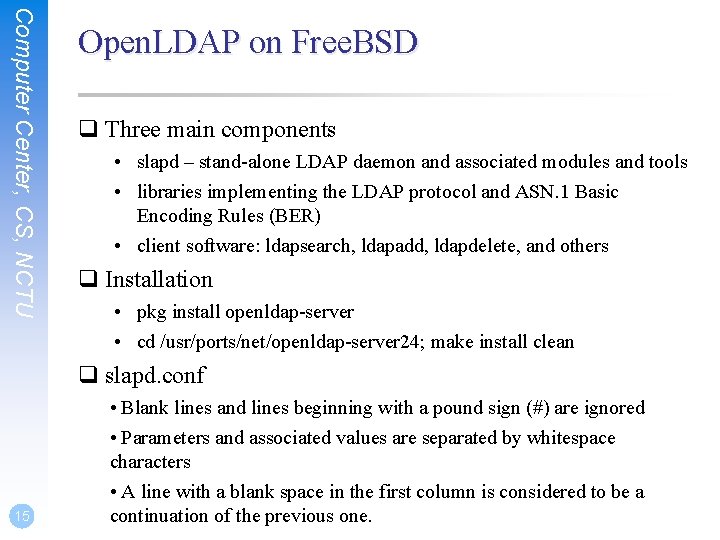
Computer Center, CS, NCTU Open. LDAP on Free. BSD q Three main components • slapd – stand-alone LDAP daemon and associated modules and tools • libraries implementing the LDAP protocol and ASN. 1 Basic Encoding Rules (BER) • client software: ldapsearch, ldapadd, ldapdelete, and others q Installation • pkg install openldap-server • cd /usr/ports/net/openldap-server 24; make install clean q slapd. conf 15 • Blank lines and lines beginning with a pound sign (#) are ignored • Parameters and associated values are separated by whitespace characters • A line with a blank space in the first column is considered to be a continuation of the previous one.
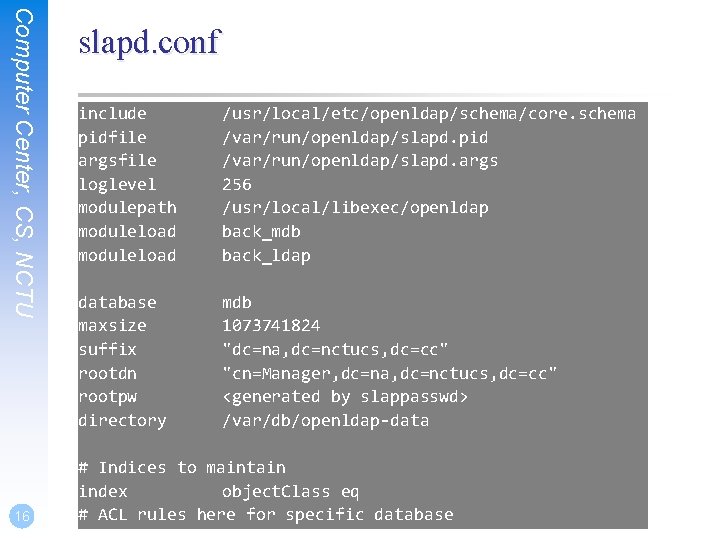
Computer Center, CS, NCTU 16 slapd. conf include pidfile argsfile loglevel modulepath moduleload /usr/local/etc/openldap/schema/core. schema /var/run/openldap/slapd. pid /var/run/openldap/slapd. args 256 /usr/local/libexec/openldap back_mdb back_ldap database maxsize suffix rootdn rootpw directory mdb 1073741824 "dc=na, dc=nctucs, dc=cc" "cn=Manager, dc=na, dc=nctucs, dc=cc" <generated by slappasswd> /var/db/openldap-data # Indices to maintain index object. Class eq # ACL rules here for specific database
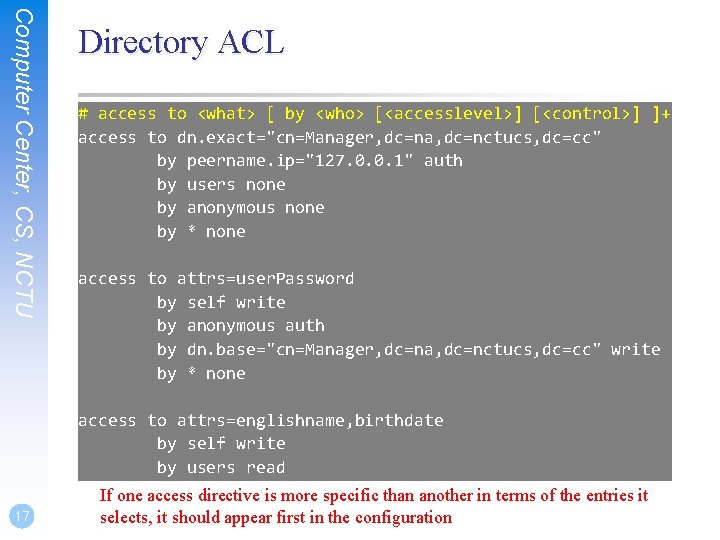
Computer Center, CS, NCTU 17 Directory ACL # access to <what> [ by <who> [<accesslevel>] [<control>] ]+ access to dn. exact="cn=Manager, dc=na, dc=nctucs, dc=cc" by peername. ip="127. 0. 0. 1" auth by users none by anonymous none by * none access to attrs=user. Password by self write by anonymous auth by dn. base="cn=Manager, dc=na, dc=nctucs, dc=cc" write by * none access to attrs=englishname, birthdate by self write by users read by anonymous readspecific than another in terms of the entries it If one access directive is more selects, it should appear first in the configuration
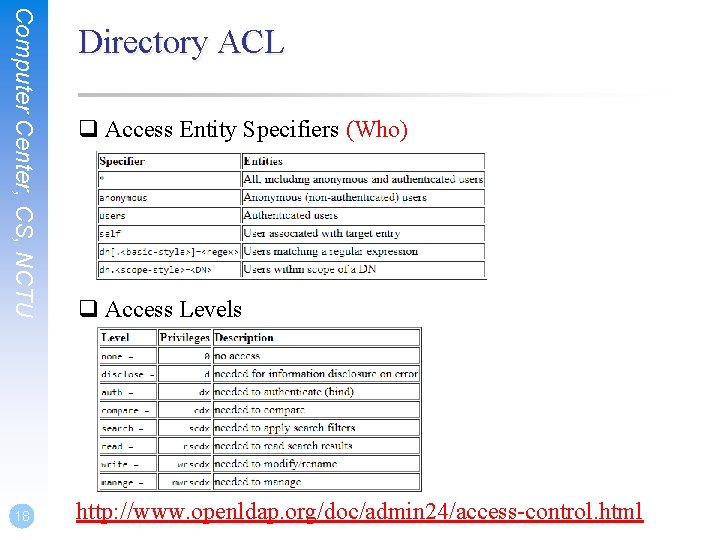
Computer Center, CS, NCTU 18 Directory ACL q Access Entity Specifiers (Who) q Access Levels http: //www. openldap. org/doc/admin 24/access-control. html
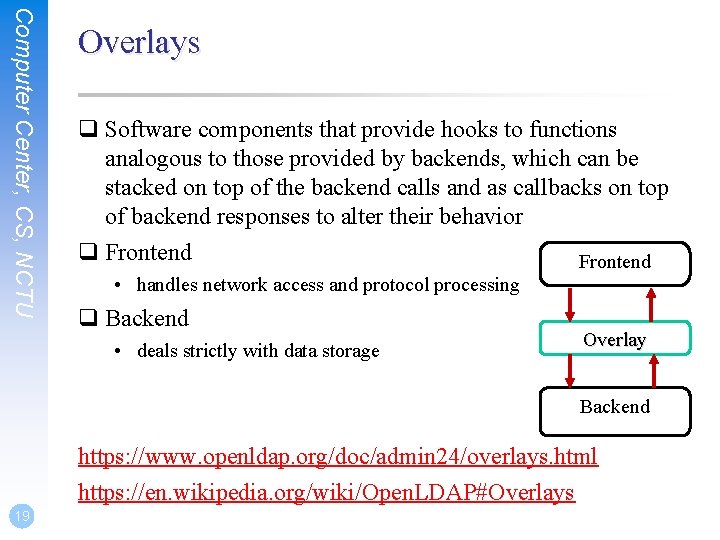
Computer Center, CS, NCTU Overlays q Software components that provide hooks to functions analogous to those provided by backends, which can be stacked on top of the backend calls and as callbacks on top of backend responses to alter their behavior q Frontend • handles network access and protocol processing q Backend • deals strictly with data storage Overlay Backend https: //www. openldap. org/doc/admin 24/overlays. html https: //en. wikipedia. org/wiki/Open. LDAP#Overlays 19
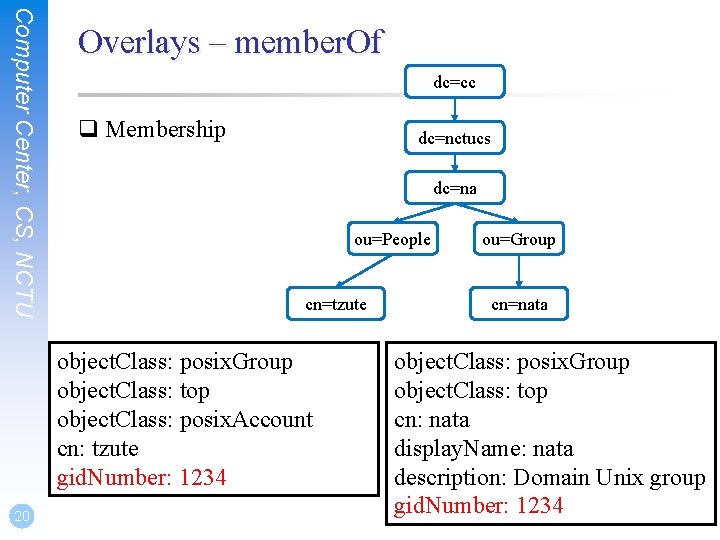
Computer Center, CS, NCTU Overlays – member. Of dc=cc q Membership dc=nctucs dc=na ou=People cn=tzute object. Class: posix. Group object. Class: top object. Class: posix. Account cn: tzute gid. Number: 1234 20 ou=Group cn=nata object. Class: posix. Group object. Class: top cn: nata display. Name: nata description: Domain Unix group gid. Number: 1234
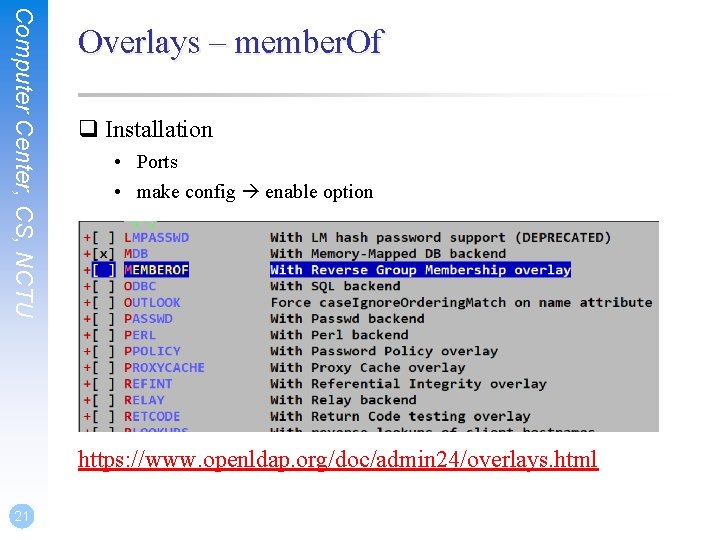
Computer Center, CS, NCTU Overlays – member. Of q Installation • Ports • make config enable option https: //www. openldap. org/doc/admin 24/overlays. html 21
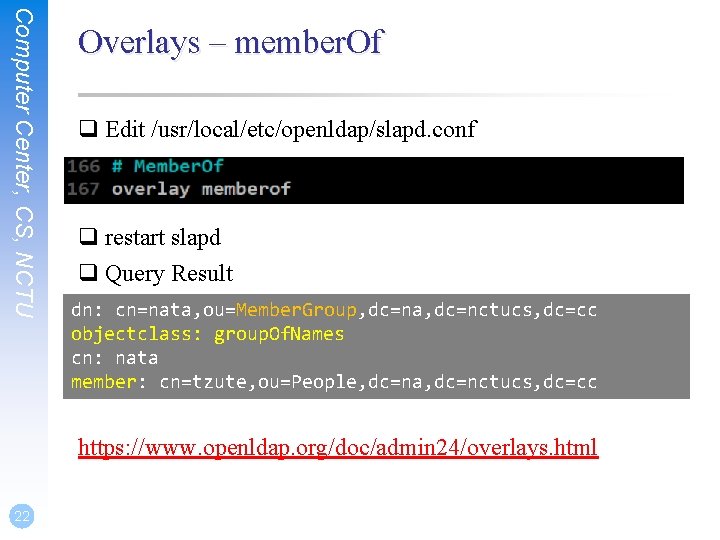
Computer Center, CS, NCTU Overlays – member. Of q Edit /usr/local/etc/openldap/slapd. conf q restart slapd q Query Result dn: cn=nata, ou=Member. Group, dc=na, dc=nctucs, dc=cc objectclass: group. Of. Names cn: nata member: cn=tzute, ou=People, dc=na, dc=nctucs, dc=cc https: //www. openldap. org/doc/admin 24/overlays. html 22
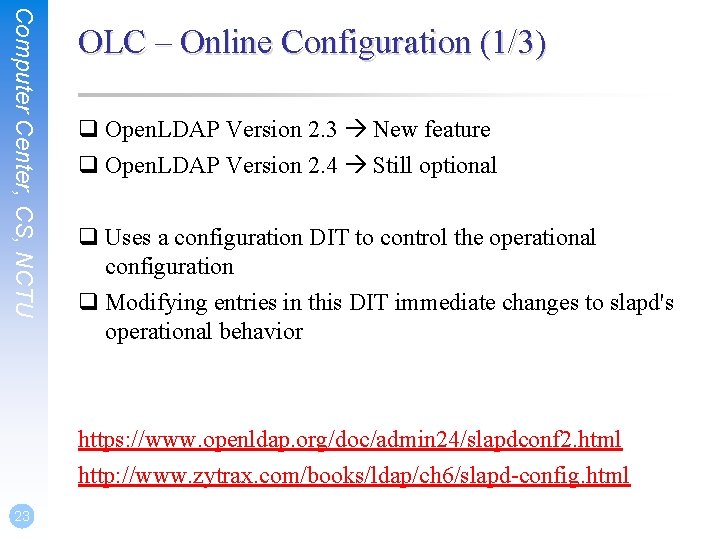
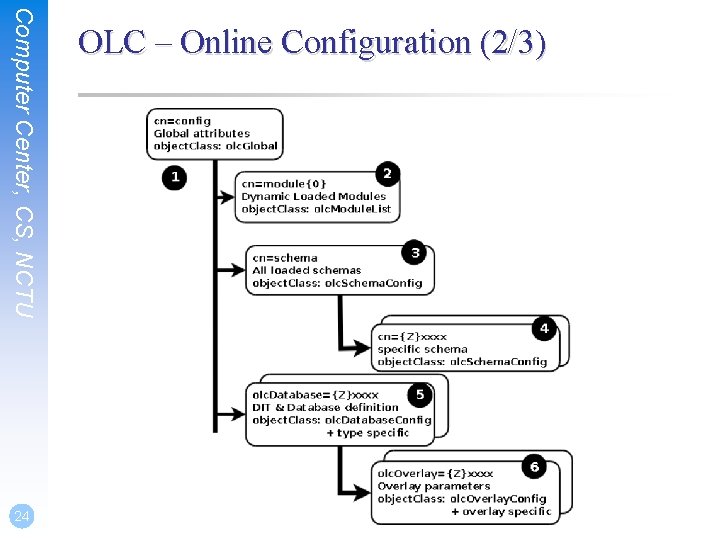
Computer Center, CS, NCTU OLC – Online Configuration (1/3) q Open. LDAP Version 2. 3 New feature q Open. LDAP Version 2. 4 Still optional q Uses a configuration DIT to control the operational configuration q Modifying entries in this DIT immediate changes to slapd's operational behavior https: //www. openldap. org/doc/admin 24/slapdconf 2. html http: //www. zytrax. com/books/ldap/ch 6/slapd-config. html 23
Computer Center, CS, NCTU 24 OLC – Online Configuration (2/3)
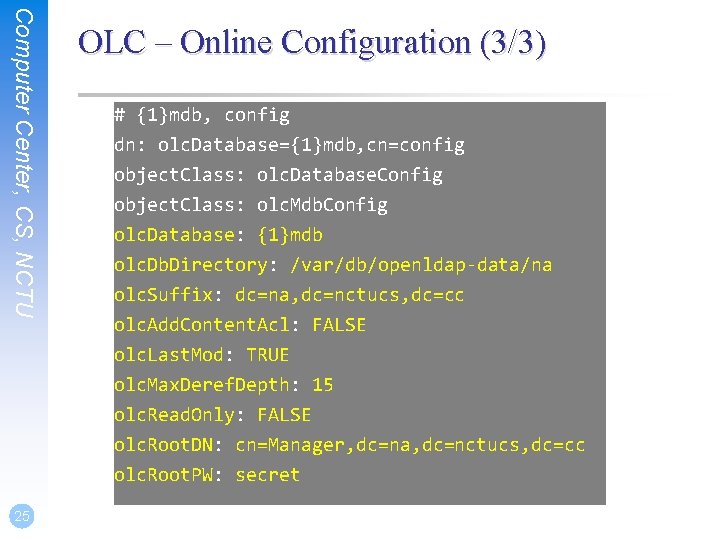
Computer Center, CS, NCTU 25 OLC – Online Configuration (3/3) # {1}mdb, config dn: olc. Database={1}mdb, cn=config object. Class: olc. Database. Config object. Class: olc. Mdb. Config olc. Database: {1}mdb olc. Db. Directory: /var/db/openldap-data/na olc. Suffix: dc=na, dc=nctucs, dc=cc olc. Add. Content. Acl: FALSE olc. Last. Mod: TRUE olc. Max. Deref. Depth: 15 olc. Read. Only: FALSE olc. Root. DN: cn=Manager, dc=na, dc=nctucs, dc=cc olc. Root. PW: secret
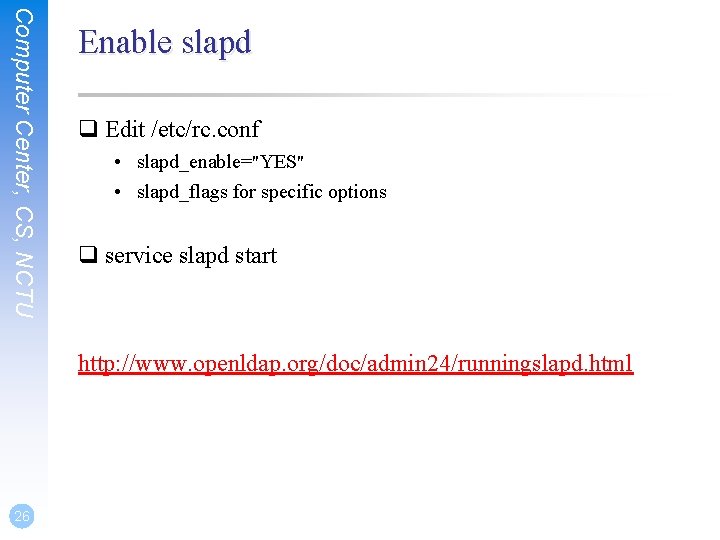
Computer Center, CS, NCTU Enable slapd q Edit /etc/rc. conf • slapd_enable="YES" • slapd_flags for specific options q service slapd start http: //www. openldap. org/doc/admin 24/runningslapd. html 26
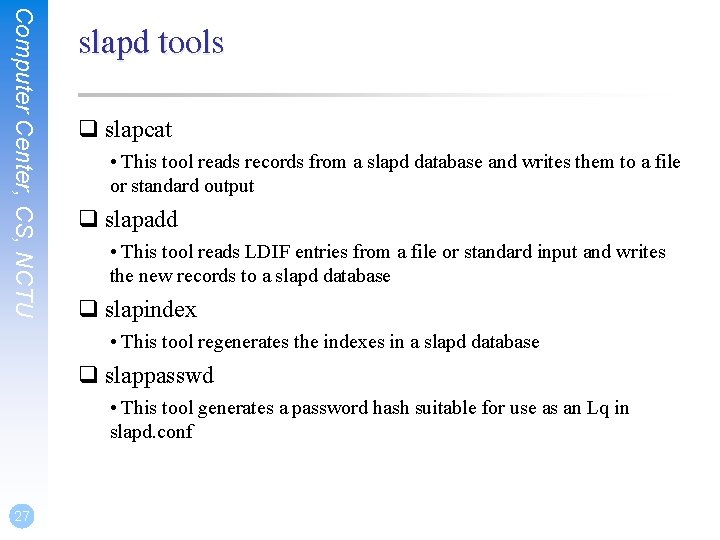
Computer Center, CS, NCTU slapd tools q slapcat • This tool reads records from a slapd database and writes them to a file or standard output q slapadd • This tool reads LDIF entries from a file or standard input and writes the new records to a slapd database q slapindex • This tool regenerates the indexes in a slapd database q slappasswd • This tool generates a password hash suitable for use as an Lq in slapd. conf 27
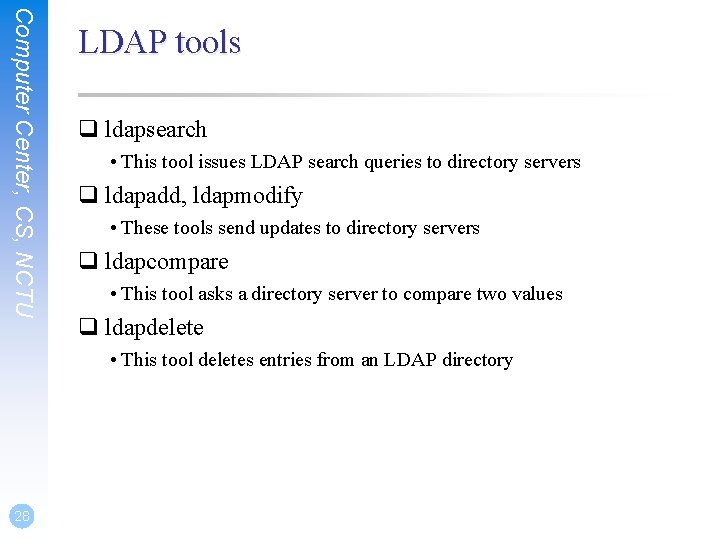
Computer Center, CS, NCTU LDAP tools q ldapsearch • This tool issues LDAP search queries to directory servers q ldapadd, ldapmodify • These tools send updates to directory servers q ldapcompare • This tool asks a directory server to compare two values q ldapdelete • This tool deletes entries from an LDAP directory 28
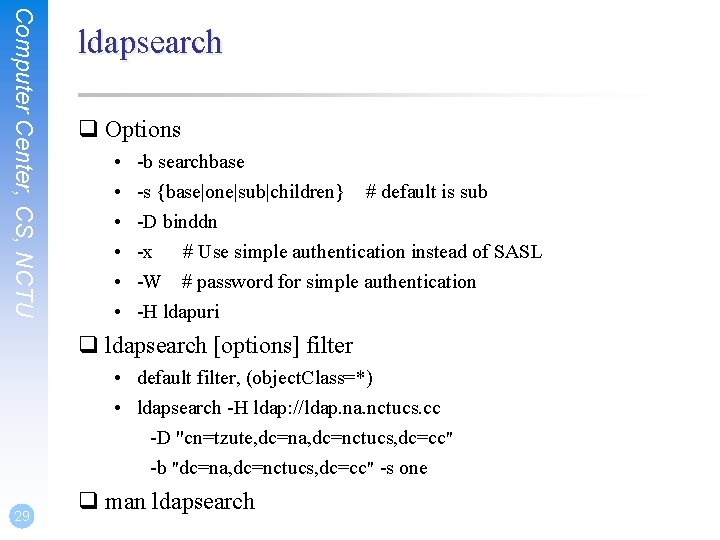
Computer Center, CS, NCTU ldapsearch q Options • • • -b searchbase -s {base|one|sub|children} # default is sub -D binddn -x # Use simple authentication instead of SASL -W # password for simple authentication -H ldapuri q ldapsearch [options] filter • default filter, (object. Class=*) • ldapsearch -H ldap: //ldap. na. nctucs. cc -D "cn=tzute, dc=na, dc=nctucs, dc=cc" -b "dc=na, dc=nctucs, dc=cc" -s one 29 q man ldapsearch
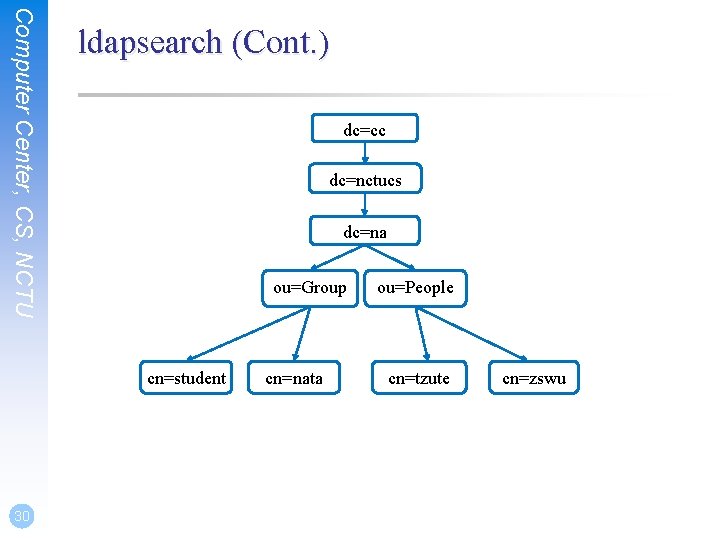
Computer Center, CS, NCTU ldapsearch (Cont. ) dc=cc dc=nctucs dc=na ou=Group cn=student 30 cn=nata ou=People cn=tzute cn=zswu
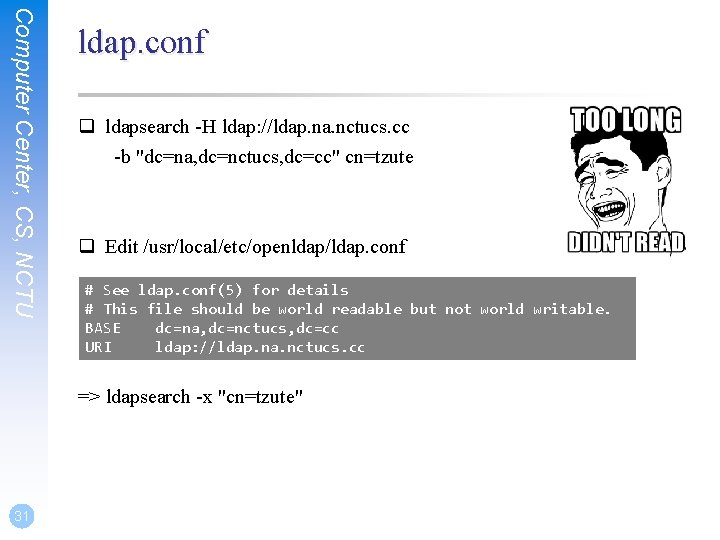
Computer Center, CS, NCTU ldap. conf q ldapsearch -H ldap: //ldap. na. nctucs. cc -b "dc=na, dc=nctucs, dc=cc" cn=tzute q Edit /usr/local/etc/openldap/ldap. conf # See ldap. conf(5) for details # This file should be world readable but not world writable. BASE dc=na, dc=nctucs, dc=cc URI ldap: //ldap. na. nctucs. cc => ldapsearch -x "cn=tzute" 31
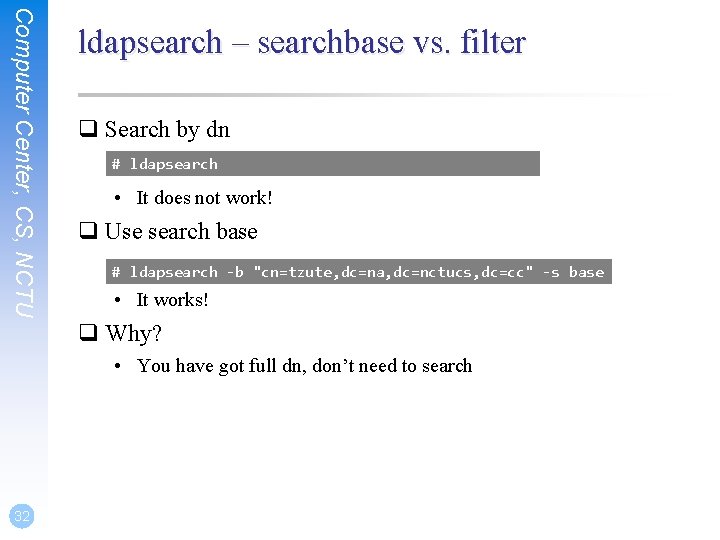
Computer Center, CS, NCTU ldapsearch – searchbase vs. filter q Search by dn # ldapsearch dn="cn=tzute, dc=na, dc=nctucs, dc=cc" • It does not work! q Use search base # ldapsearch -b "cn=tzute, dc=na, dc=nctucs, dc=cc" -s base • It works! q Why? • You have got full dn, don’t need to search 32
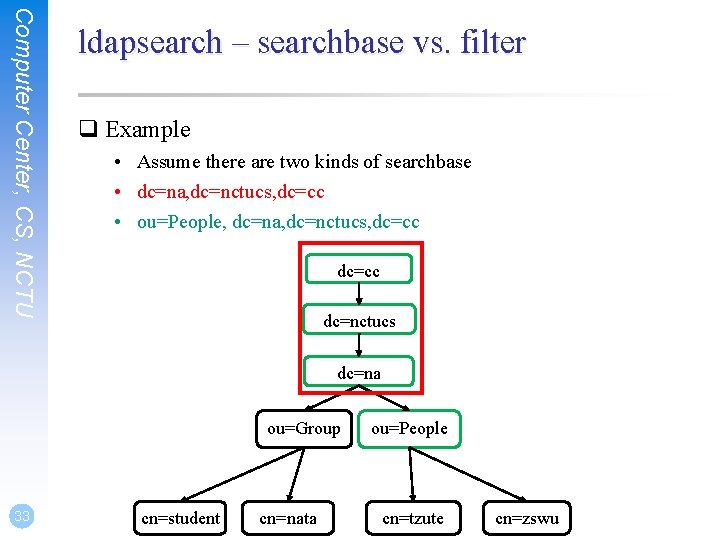
Computer Center, CS, NCTU ldapsearch – searchbase vs. filter q Example • Assume there are two kinds of searchbase • dc=na, dc=nctucs, dc=cc • ou=People, dc=na, dc=nctucs, dc=cc dc=nctucs dc=na ou=Group 33 cn=student cn=nata ou=People cn=tzute cn=zswu
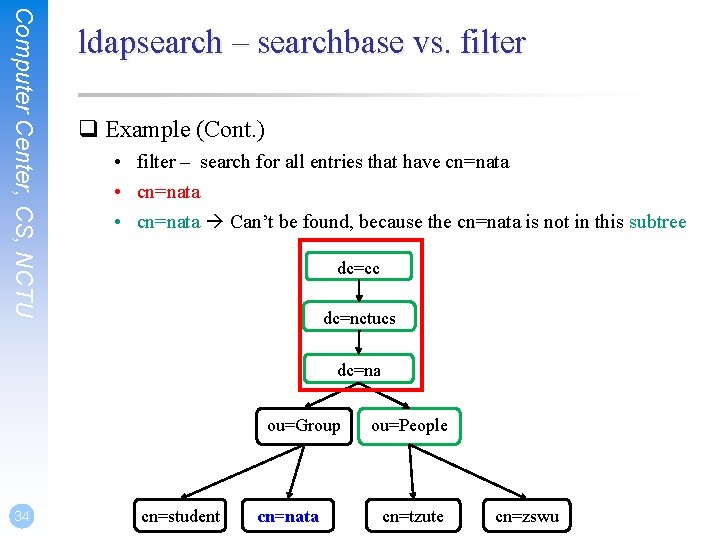
Computer Center, CS, NCTU ldapsearch – searchbase vs. filter q Example (Cont. ) • filter – search for all entries that have cn=nata • cn=nata Can’t be found, because the cn=nata is not in this subtree dc=cc dc=nctucs dc=na ou=Group 34 cn=student cn=nata ou=People cn=tzute cn=zswu
LDAP Authentication
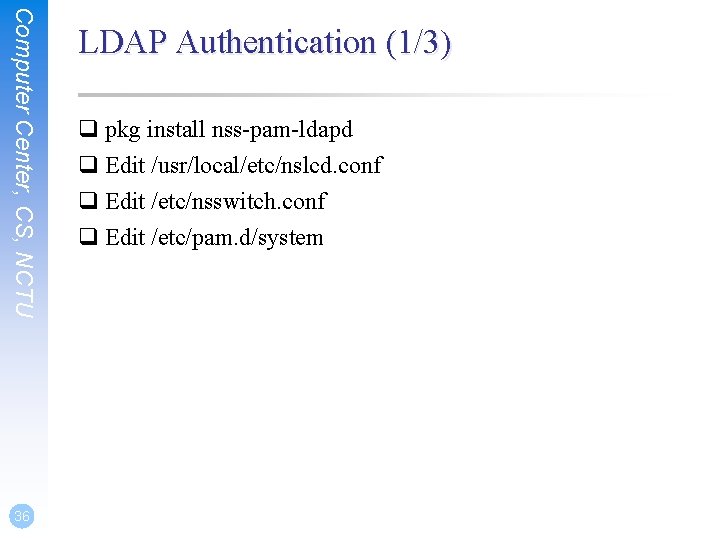
Computer Center, CS, NCTU 36 LDAP Authentication (1/3) q pkg install nss-pam-ldapd q Edit /usr/local/etc/nslcd. conf q Edit /etc/nsswitch. conf q Edit /etc/pam. d/system
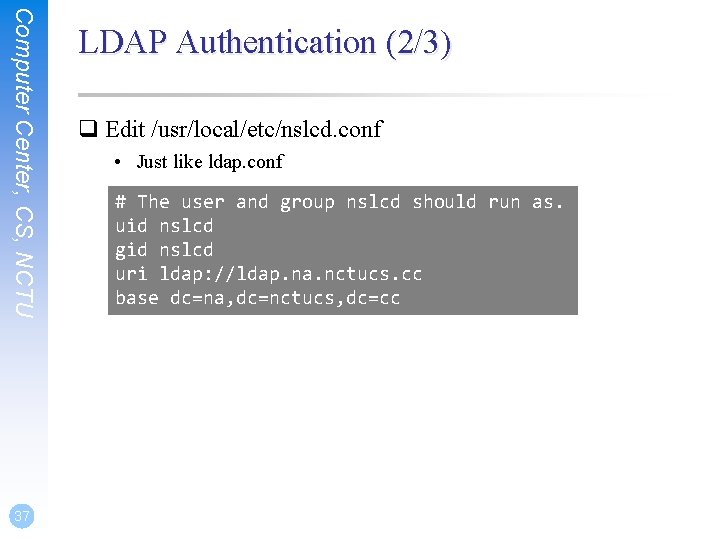
Computer Center, CS, NCTU 37 LDAP Authentication (2/3) q Edit /usr/local/etc/nslcd. conf • Just like ldap. conf # The user and group nslcd should run as. uid nslcd gid nslcd uri ldap: //ldap. na. nctucs. cc base dc=na, dc=nctucs, dc=cc
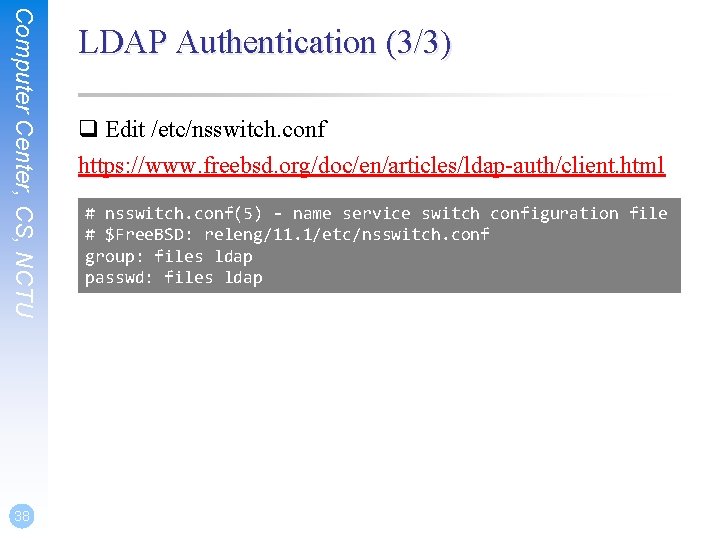
Computer Center, CS, NCTU 38 LDAP Authentication (3/3) q Edit /etc/nsswitch. conf https: //www. freebsd. org/doc/en/articles/ldap-auth/client. html # nsswitch. conf(5) - name service switch configuration file # $Free. BSD: releng/11. 1/etc/nsswitch. conf group: files ldap passwd: files ldap
Computer Center, CS, NCTU References q Understanding Directory Services • Beth Sheresh, Doug Sheresh - Sams Publishing q LDAP System Administration: Putting Directories to Work • Gerald Carter - O'Reilly Media, Inc. q The Lightweight Directory Access Protocol: X. 500 Lite • Timothy A. Howes q Internet protocol suite – Wikipedia • https: //en. wikipedia. org/wiki/Internet_protocol_suite#Comparison_o f_TCP/IP_and_OSI_layering 39