
LAS Links Online Leading the Way in Authentic

- Slides: 32
LAS Links Online: Leading the Way in Authentic Language Assessment ~1~
About Data Recognition Corporation • Founded in 1978 • 9 offices around the US • Headquarters in Maple Grove, MN • Conducts educational assessment programs • Reports results to thousands of clients via web-based platform: DRC INSIGHT • Delivers more than 46 million secure online assessments annually ~2~
LAS Links • Providing an authentic language proficiency assessment; • help accelerate learning recovery • Ability to group-administer all four domains entirely online, allowing for less time testing and more time teaching and learning; • Multiple forms available in English and Spanish, allowing districts to administer multiple times per year and monitor progress year over year; ~3~
LAS Links • Opportunity for local educator scoring or use of DRC’s scoring services; • Interactive reporting system with immediate and actionable reports —educators receive “just in time” data for “just in time” learning and instruction; • Aligns to the New York Progression Standards for ELLs, helping monitor progress and prepare for the NYSESLAT. ~4~
About Data Recognition Corporation Offers Language Assessment Products: • LAS Links (K– 12) • LAS Links Español (K– 12) • pre. LAS (Pre. K–K) • pre. LAS Español (Pre. K–K) ~5~
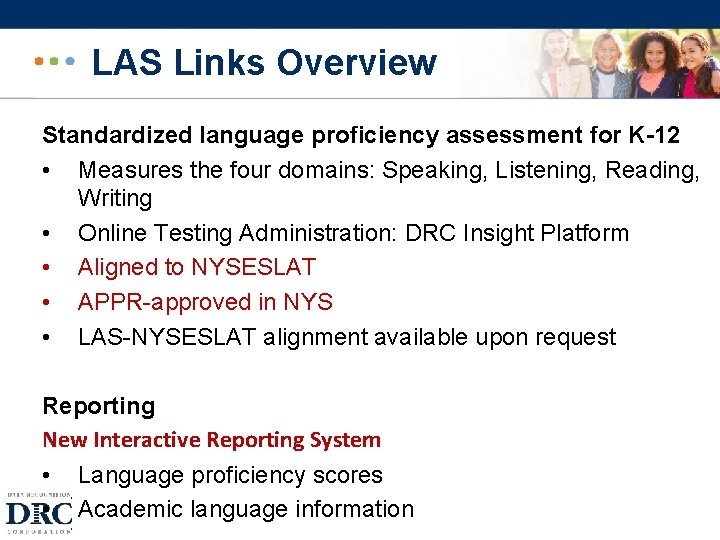
LAS Links Overview Standardized language proficiency assessment for K-12 • Measures the four domains: Speaking, Listening, Reading, Writing • Online Testing Administration: DRC Insight Platform • Aligned to NYSESLAT • APPR-approved in NYS • LAS-NYSESLAT alignment available upon request Reporting New Interactive Reporting System • Language proficiency scores • Academic language information ~6~
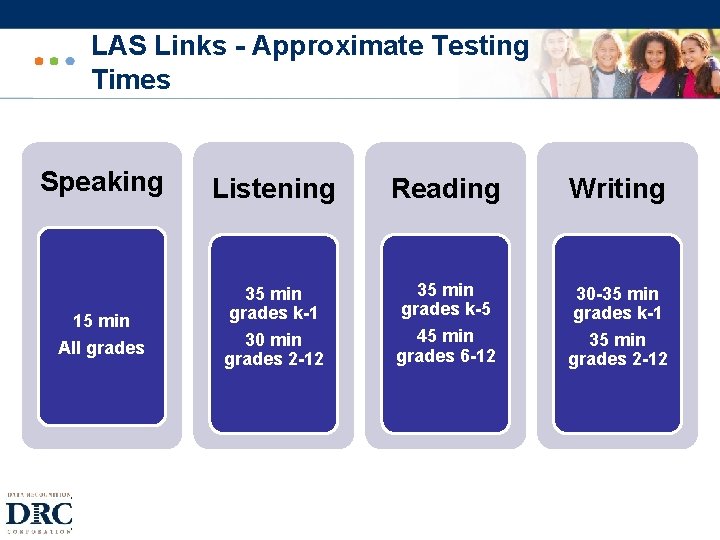
LAS Links - Approximate Testing Times Speaking Listening Reading Writing 15 min All grades 35 min grades k-1 30 min grades 2 -12 35 min grades k-5 45 min grades 6 -12 30 -35 min grades k-1 35 min grades 2 -12 ~7~
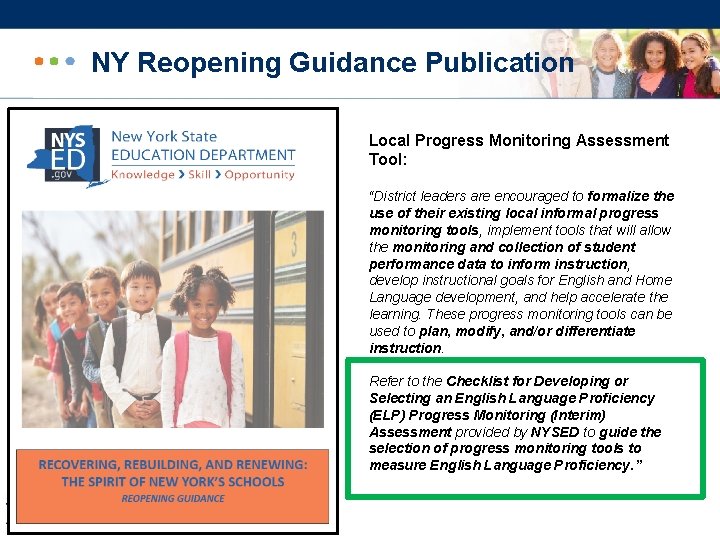
NY Reopening Guidance Publication Local Progress Monitoring Assessment Tool: “District leaders are encouraged to formalize the use of their existing local informal progress monitoring tools, implement tools that will allow the monitoring and collection of student performance data to inform instruction, develop instructional goals for English and Home Language development, and help accelerate the learning. These progress monitoring tools can be used to plan, modify, and/or differentiate instruction. Refer to the Checklist for Developing or Selecting an English Language Proficiency (ELP) Progress Monitoring (Interim) Assessment provided by NYSED to guide the selection of progress monitoring tools to measure English Language Proficiency. ” ~8~
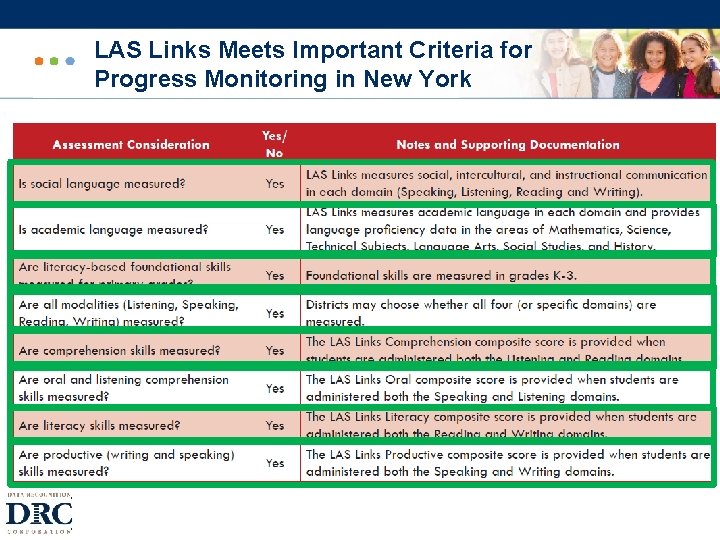
LAS Links Meets Important Criteria for Progress Monitoring in New York ~9~
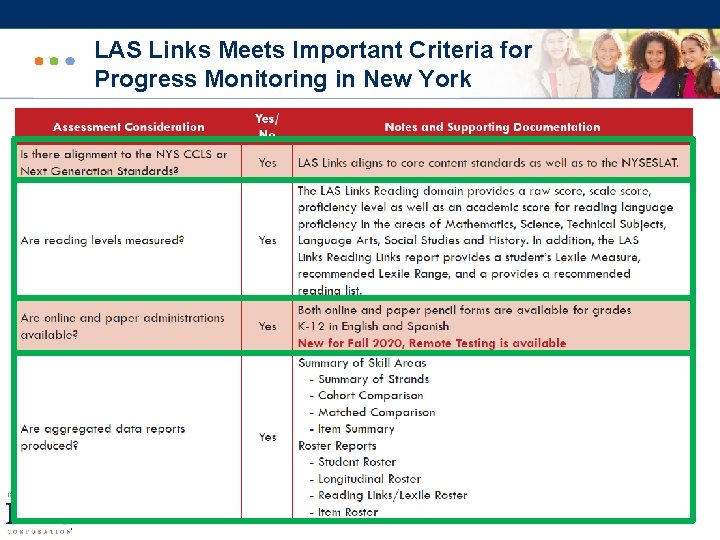
LAS Links Meets Important Criteria for Progress Monitoring in New York ~ 10 ~
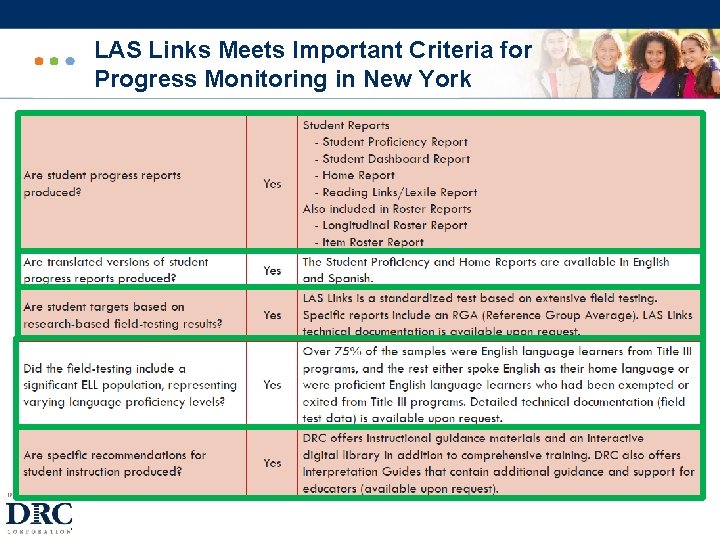
LAS Links Meets Important Criteria for Progress Monitoring in New York ~ 11 ~
Scoring and Reporting ~ 12 ~
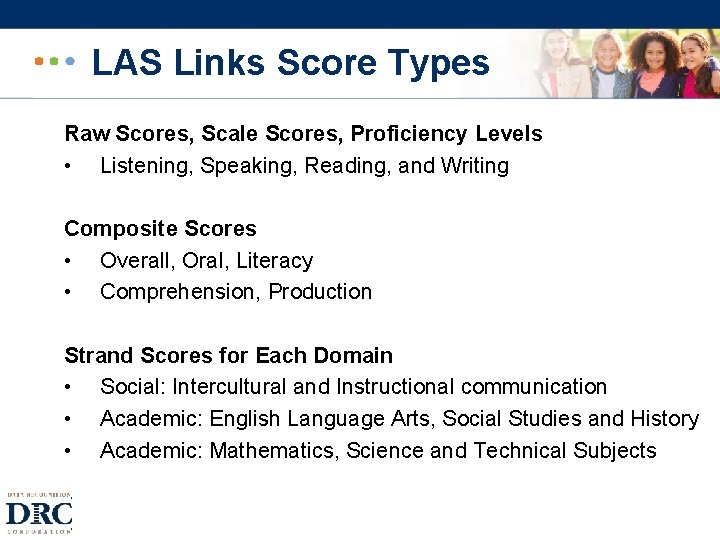
LAS Links Score Types Raw Scores, Scale Scores, Proficiency Levels • Listening, Speaking, Reading, and Writing Composite Scores • Overall, Oral, Literacy • Comprehension, Production Strand Scores for Each Domain • Social: Intercultural and Instructional communication • Academic: English Language Arts, Social Studies and History • Academic: Mathematics, Science and Technical Subjects ~ 13 ~
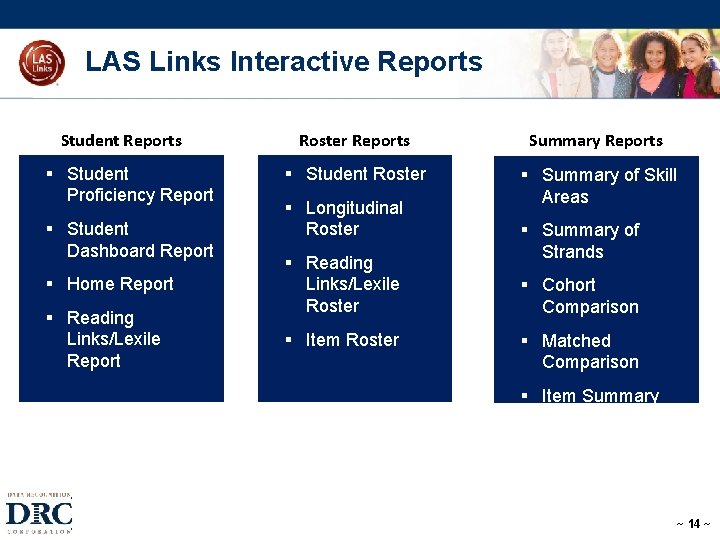
LAS Links Interactive Reports Student Reports § Student Proficiency Report § Student Dashboard Report § Home Report § Reading Links/Lexile Report Roster Reports Summary Reports § Student Roster § Summary of Skill Areas § Longitudinal Roster § Reading Links/Lexile Roster § Item Roster § Summary of Strands § Cohort Comparison § Matched Comparison § Item Summary ~ 14 ~
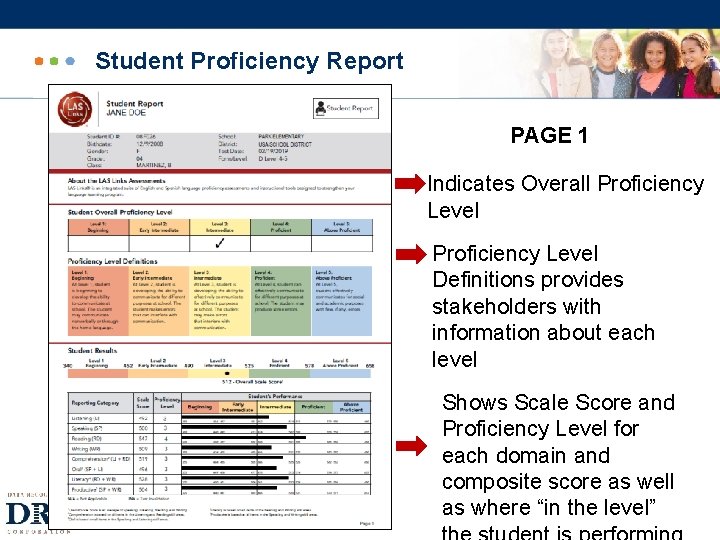
Student Proficiency Report PAGE 1 Indicates Overall Proficiency Level Definitions provides stakeholders with information about each level Shows Scale Score and Proficiency Level for each domain and composite score as well as where “in the level” ~ 15 ~
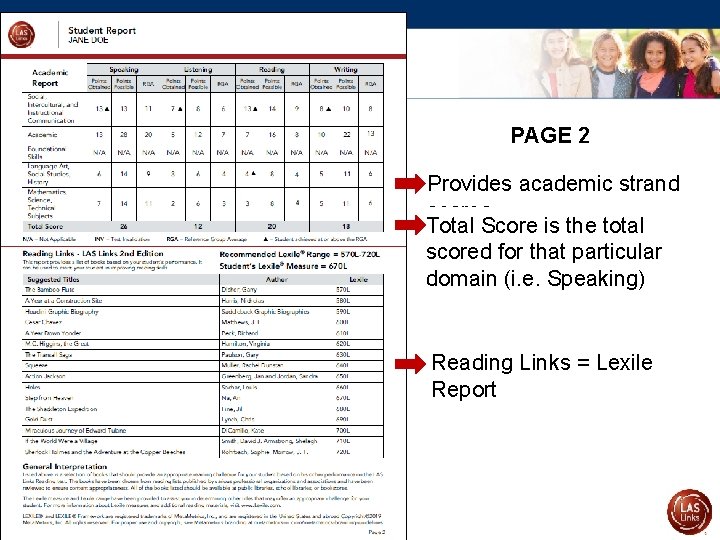
Student Proficiency Report PAGE 2 Provides academic strand scores Total Score is the total scored for that particular domain (i. e. Speaking) Reading Links = Lexile Report ~ 16 ~
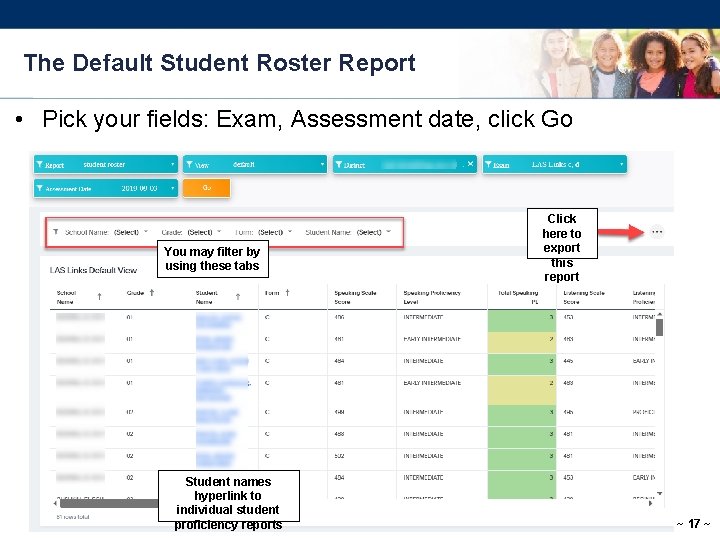
The Default Student Roster Report • Pick your fields: Exam, Assessment date, click Go You may filter by using these tabs Student names hyperlink to individual student proficiency reports Click here to export this report ~ 17 ~
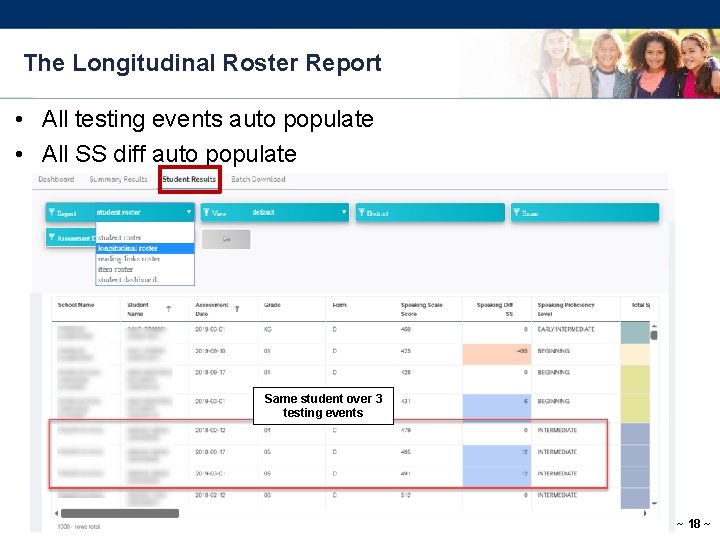
The Longitudinal Roster Report • All testing events auto populate • All SS diff auto populate Same student over 3 testing events ~ 18 ~
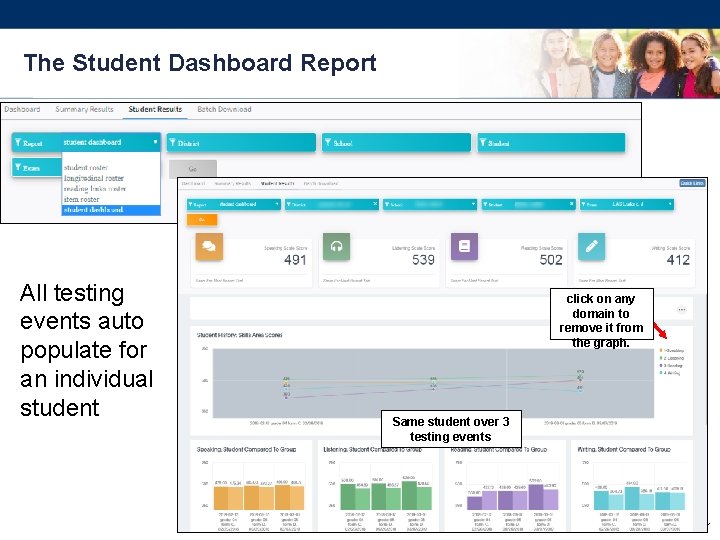
The Student Dashboard Report All testing events auto populate for an individual student click on any domain to remove it from the graph. Same student over 3 testing events ~ 19 ~
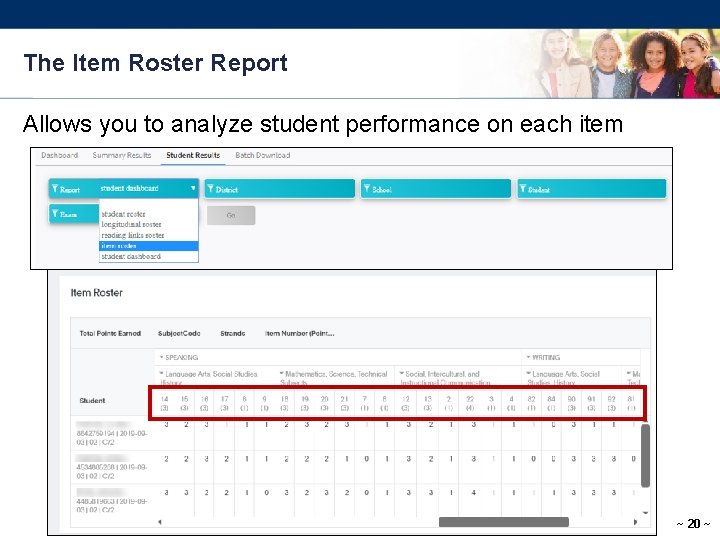
The Item Roster Report Allows you to analyze student performance on each item ~ 20 ~
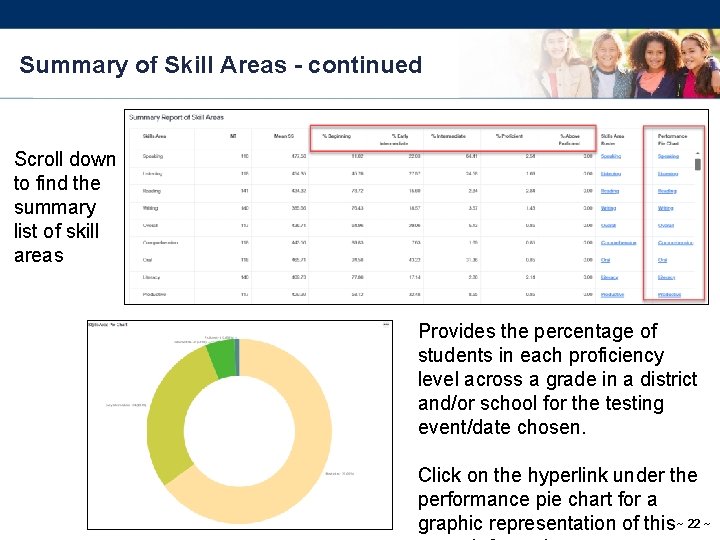
Summary of Skill Areas Allows you to analyze grades as a whole throughout the district and/or school by school. Each bar provides additional data when hovered ~ 21 ~
Summary of Skill Areas - continued Scroll down to find the summary list of skill areas Provides the percentage of students in each proficiency level across a grade in a district and/or school for the testing event/date chosen. Click on the hyperlink under the performance pie chart for a graphic representation of this ~ 22 ~
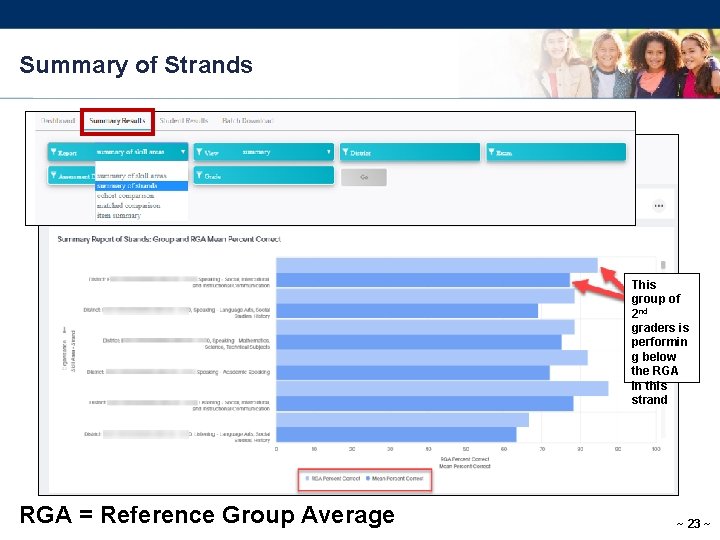
Summary of Strands This group of 2 nd graders is performin g below the RGA in this strand RGA = Reference Group Average ~ 23 ~
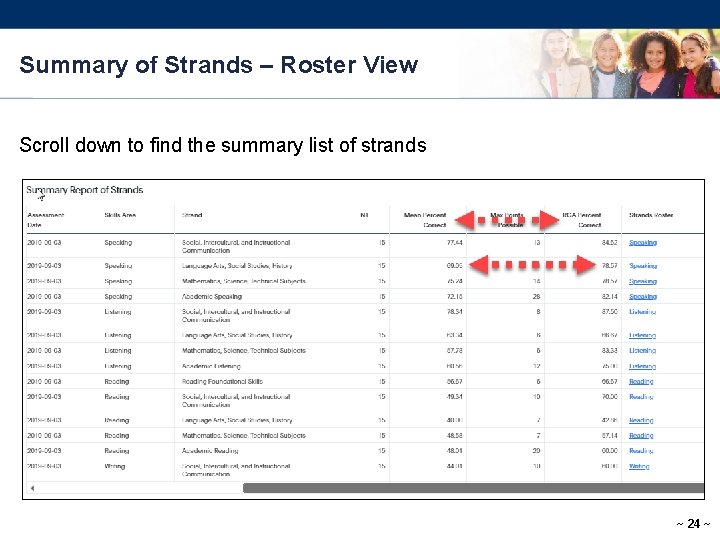
Summary of Strands – Roster View Scroll down to find the summary list of strands ~ 24 ~
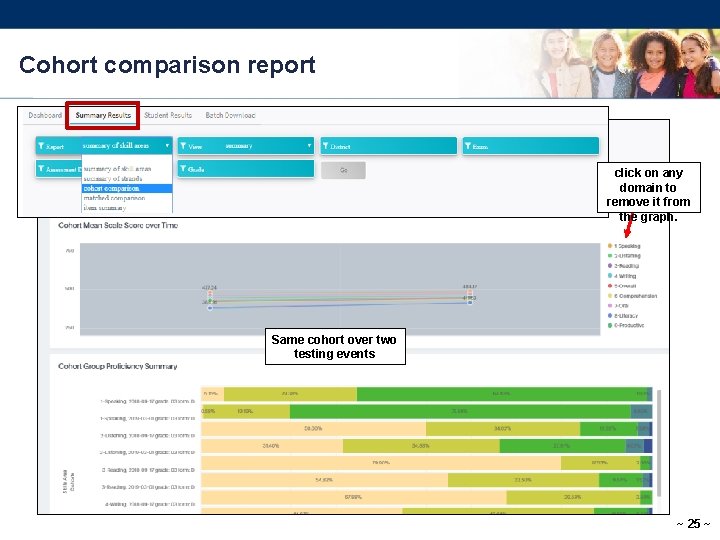
Cohort comparison report click on any domain to remove it from the graph. Same cohort over two testing events ~ 25 ~
Resources Laslinks. com LAS-NYSESLAT Alignment LAS Links Digital Library LAS Links Online Practice Test LAS Links Online FAQ LAS Links Guidance for Remote Testing ~ 26 ~
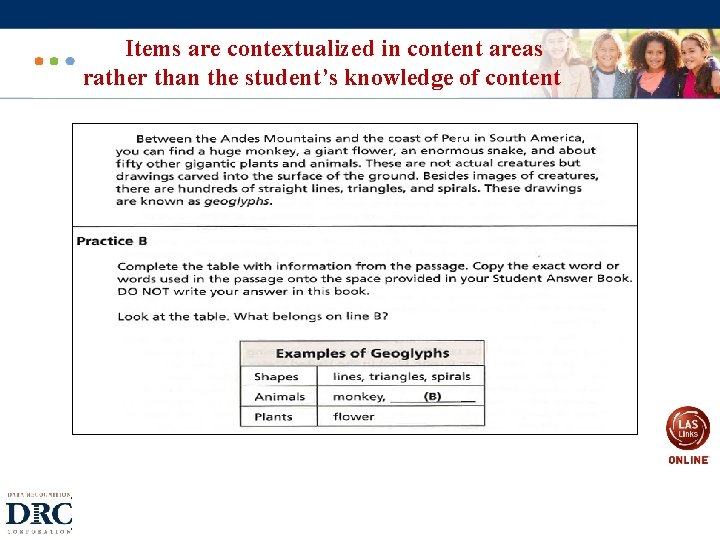
Items are contextualized in content areas rather than the student’s knowledge of content ~ 27 ~
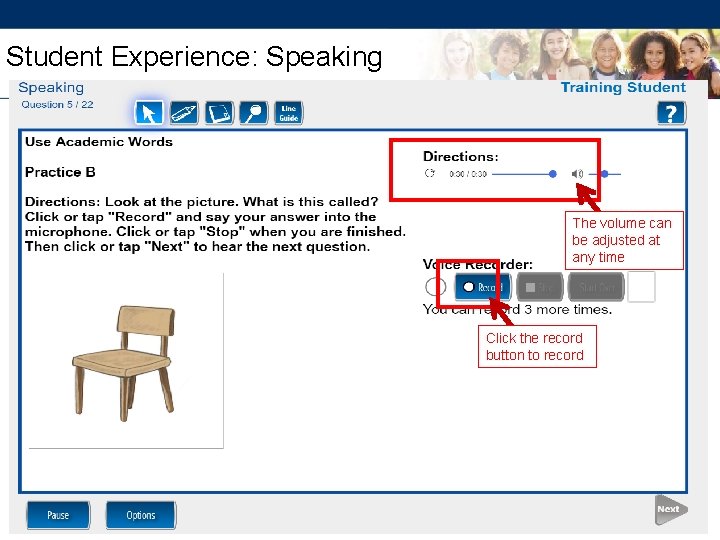
Student Experience: Speaking The volume can be adjusted at any time Click the record button to record 28 ~
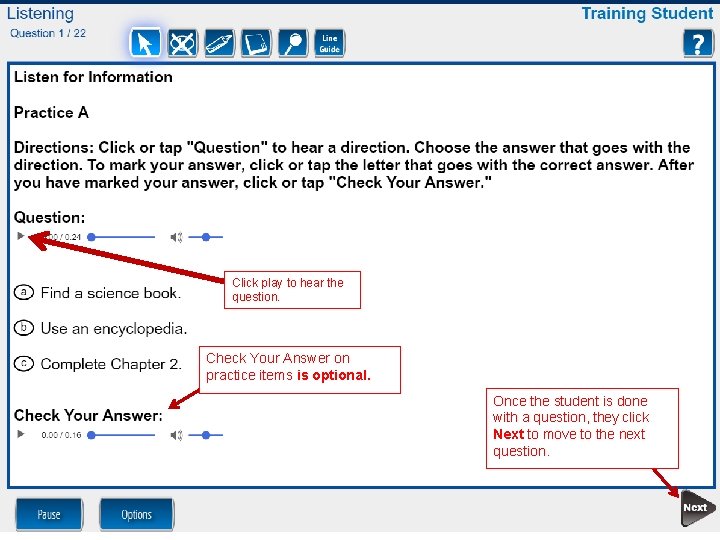
Click play to hear the question. Check Your Answer on practice items is optional. Once the student is done with a question, they click Next to move to the next question. ~ 29 ~
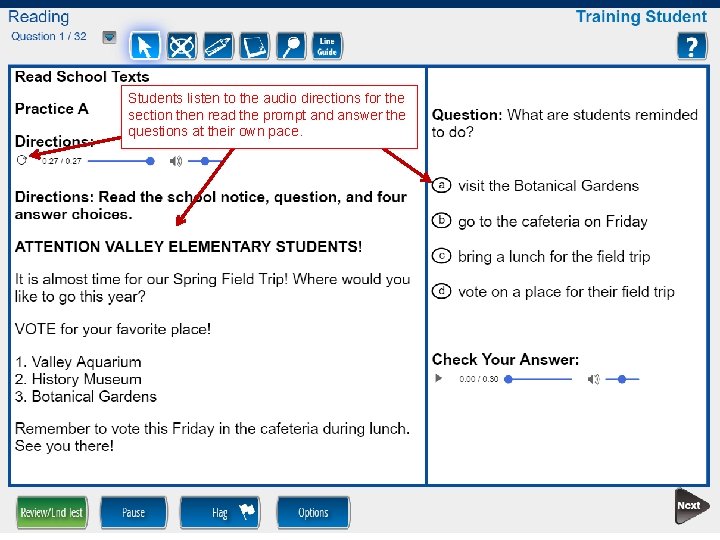
Students listen to the audio directions for the section then read the prompt and answer the questions at their own pace. ~ 30 ~
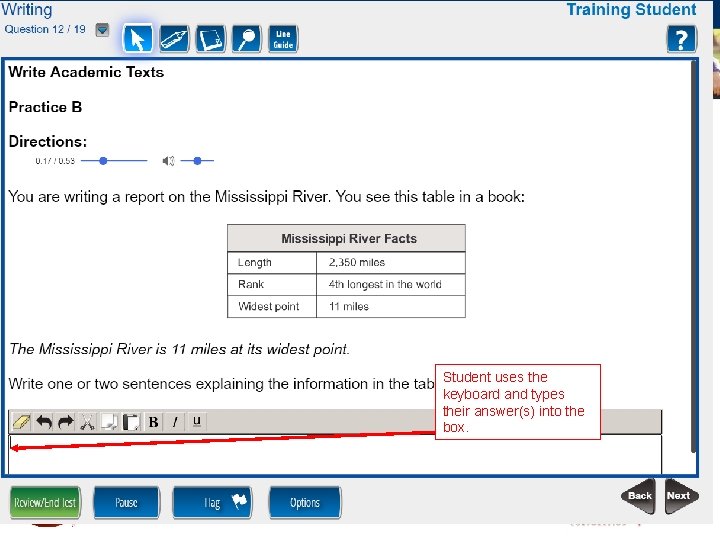
Student uses the keyboard and types their answer(s) into the box. ~ 31 ~
Maxine Mc. Cormick DRC Assessment Consultant 609 -354 -2500 mmccormick@datarecognitioncorp. c om ~ ~