
Languages and Tools for Web Programming Uri Dekel
Languages and Tools for Web Programming Uri Dekel ISRI, Carnegie Mellon University Presented in UI course Some examples taken from w 3 schools. com
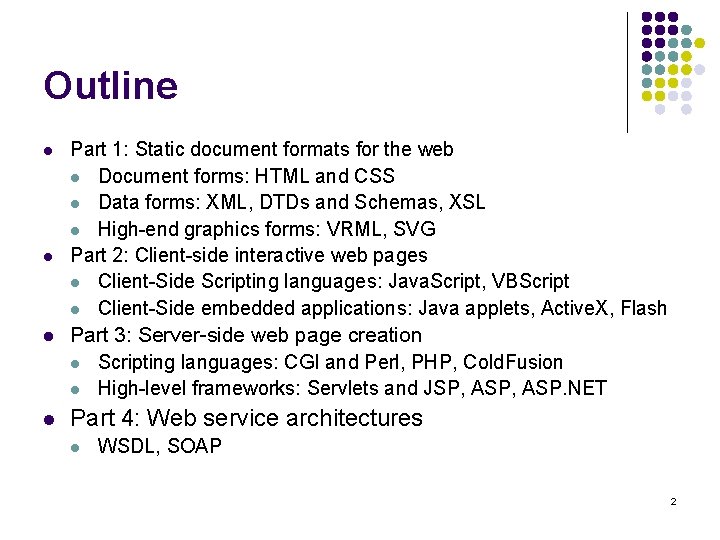
Outline l l Part 1: Static document formats for the web l Document forms: HTML and CSS l Data forms: XML, DTDs and Schemas, XSL l High-end graphics forms: VRML, SVG Part 2: Client-side interactive web pages l Client-Side Scripting languages: Java. Script, VBScript l Client-Side embedded applications: Java applets, Active. X, Flash l Part 3: Server-side web page creation l Scripting languages: CGI and Perl, PHP, Cold. Fusion l High-level frameworks: Servlets and JSP, ASP. NET l Part 4: Web service architectures l WSDL, SOAP 2
Document Formats: The evolution of HTML
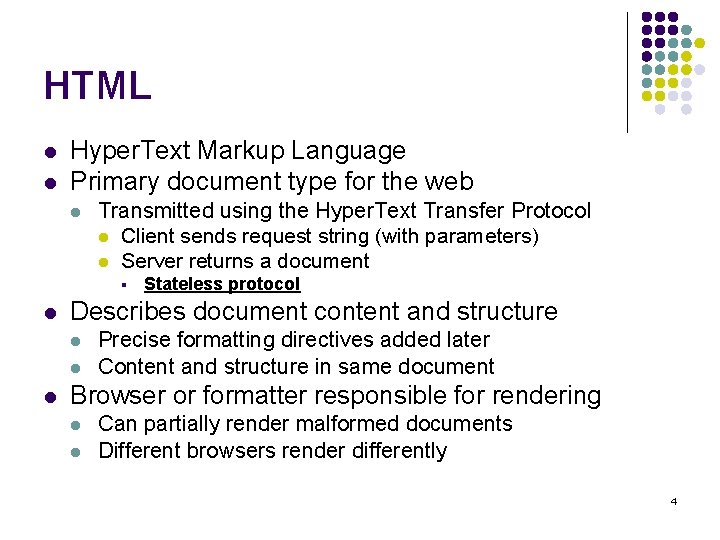
HTML l l Hyper. Text Markup Language Primary document type for the web l Transmitted using the Hyper. Text Transfer Protocol l Client sends request string (with parameters) l Server returns a document § l Describes document content and structure l l l Stateless protocol Precise formatting directives added later Content and structure in same document Browser or formatter responsible for rendering l l Can partially render malformed documents Different browsers render differently 4
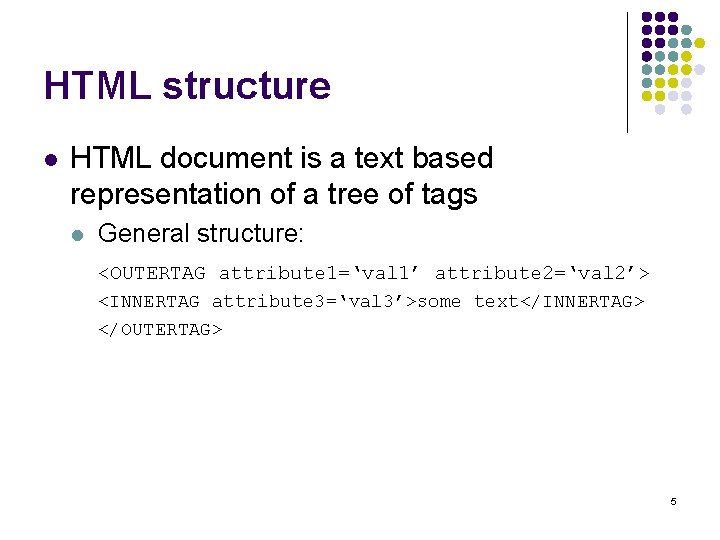
HTML structure l HTML document is a text based representation of a tree of tags l General structure: <OUTERTAG attribute 1=‘val 1’ attribute 2=‘val 2’> <INNERTAG attribute 3=‘val 3’>some text</INNERTAG> </OUTERTAG> 5
![HTML evolution l HTML 1 [early ‘ 90 s] l Invented by Tim Berners-Lee](http://slidetodoc.com/presentation_image_h2/0b317b1054e1e61186b2822801f8ac0b/image-6.jpg "HTML evolution l HTML 1 [early ‘ 90 s] l Invented by Tim Berners-Lee")
HTML evolution l HTML 1 [early ‘ 90 s] l Invented by Tim Berners-Lee of CERN l l Aimed as standard format to faciliate collaboration between physicists Based on the SGML framework l Old ISO standard for structuring documents § l l Tags for paragraphs, headings, lists, etc. HTML added the hyperlinks, thus creating the web Rendered on prototype formatters 6
![HTML evolution l HTML+ [mid ‘ 94] l l Defined by small group of](http://slidetodoc.com/presentation_image_h2/0b317b1054e1e61186b2822801f8ac0b/image-7.jpg "HTML evolution l HTML+ [mid ‘ 94] l l Defined by small group of")
HTML evolution l HTML+ [mid ‘ 94] l l Defined by small group of researchers Several new tags l l Many browsers l l l Most notably, IMG for embedding images First text-based browser (Lynx) released in 03/93 First graphical browser (Mosaic) released in 04/93 First W 3 conference [5/94] l HTML+ presented 7
![HTML evolution l HTML 2 [7/94 -11/95] l l Prompted by variety of diverging](http://slidetodoc.com/presentation_image_h2/0b317b1054e1e61186b2822801f8ac0b/image-8.jpg "HTML evolution l HTML 2 [7/94 -11/95] l l Prompted by variety of diverging")
HTML evolution l HTML 2 [7/94 -11/95] l l Prompted by variety of diverging language variants and additions of different browsers Adds many widely used tags l l No custom style support l l e. g. , forms e. g. , no colors W 3 consortium formed [Late 94] l Mission: Open standards for the web 8
![HTML evolution l Netscape formed [11/94] l Becomes immediate market leader l l Support](http://slidetodoc.com/presentation_image_h2/0b317b1054e1e61186b2822801f8ac0b/image-9.jpg "HTML evolution l Netscape formed [11/94] l Becomes immediate market leader l l Support")
HTML evolution l Netscape formed [11/94] l Becomes immediate market leader l l Support for home users Forms a de-facto standard l Use of “Netscape proprietary tags” § § l Difficult for other browsers to replicate Documents start rendering differently Addition of stylistic tags § § e. g. , font color and size, backgrounds, image alignment Frowned upon by structure-only advocates 9
HTML evolution l HTML 3. 0 draft proposed l Huge language overhaul l Tables, math, footnotes Support for style sheets (discussed later) Too difficult for browsers to adapt l Every browser implemented different subset § l But claimed to support the standard § And added new tags… Standard abandoned § Incremental changes from here on 10
![HTML evolution l Microsoft introduces Internet explorer [8/95] l l First serious competition to](http://slidetodoc.com/presentation_image_h2/0b317b1054e1e61186b2822801f8ac0b/image-11.jpg "HTML evolution l Microsoft introduces Internet explorer [8/95] l l First serious competition to")
HTML evolution l Microsoft introduces Internet explorer [8/95] l l First serious competition to Netscape Starts introducing its own tags l e. g. , MARQUEE l Effectively splitting web sites into Microsoft and Netscape pages § l Many sites have two versions Microsoft starts supporting interactive application embedding with Active. X l l Netscape responds with the emerging Java technology Starts supporting Java. Script l Microsoft introduces VBScript 11
![HTML evolution l HTML 3. 2 [1/97] l Implements some of the HTML 3.](http://slidetodoc.com/presentation_image_h2/0b317b1054e1e61186b2822801f8ac0b/image-12.jpg "HTML evolution l HTML 3. 2 [1/97] l Implements some of the HTML 3.")
HTML evolution l HTML 3. 2 [1/97] l Implements some of the HTML 3. 0 proposals l l l Essentially catches up with some widespread features. Supports applets Placeholders for scripting and stylesheet support 12
![HTML evolution l HTML 4 [12/97] l l Major overhaul l Stylesheet support l](http://slidetodoc.com/presentation_image_h2/0b317b1054e1e61186b2822801f8ac0b/image-13.jpg "HTML evolution l HTML 4 [12/97] l l Major overhaul l Stylesheet support l")
HTML evolution l HTML 4 [12/97] l l Major overhaul l Stylesheet support l Tag identifier attribute l Internationalization and bidirectional text l Accessibility l Frames and inline frames l <object> tag for multimedia and embedded objects Adapted by IE (market leader) l Slow adaptation by Netscape XML 1. 0 standard [2/98] XHTML 1. 0 [1/00, 8/02] 13
Limitations of HTML l l l No support for accessibility until HTML 4 No support for internationalization until HTML 4 No dynamic content in original definition No inherent support for different display configurations (e. g. , grayscale screen) l Except for alt tag for images l Added in CSS 2 No separation of data, structure and formatting l Until version 4 14
Wireless Markup Language (WML) l Markup language for WAP browsers l l WAP = Wireless Application Protocol Based on limited HTML, uses XML notation Uses WMLScript scripting language, based on Java. Script A page is called a “deck”, displayed in individual sections called “cards” l l Tasks are used to perform events Variables used to maintain state between cards 15
Client-side: Cascading Style Sheets
Why CSS? l HTML was not meant to support styling information l l But browsers started supporting inline style changes to make web look better Inline styling information is problematic l l l Difficult to change Lack of consistency No support for different display formats Bloats pages No support for some styling features 17
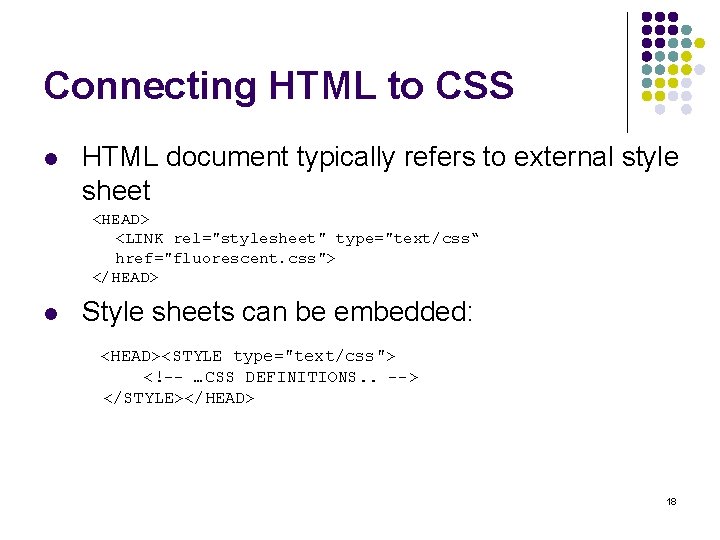
Connecting HTML to CSS l HTML document typically refers to external style sheet <HEAD> <LINK rel="stylesheet" type="text/css“ href="fluorescent. css"> </HEAD> l Style sheets can be embedded: <HEAD><STYLE type="text/css"> <!-- …CSS DEFINITIONS. . --> </STYLE></HEAD> 18
Connecting HTML to CSS l l Styles can be embedded inline with the style attribute Style sheets can be chosen by media type l l l Simply add a media attribute to the link or style tags Choose from: screen, tty, tv, projection, handheld, braille, aural, all HTML document can provide several stylesheet options l l Give titles to each stylesheet One preferred (default) style, the rest are alternates l l e. g. , http: //www. w 3. org/Style/Examples/007/alternatives. html Default configuration in internal browser stylesheet and user stylesheet 19
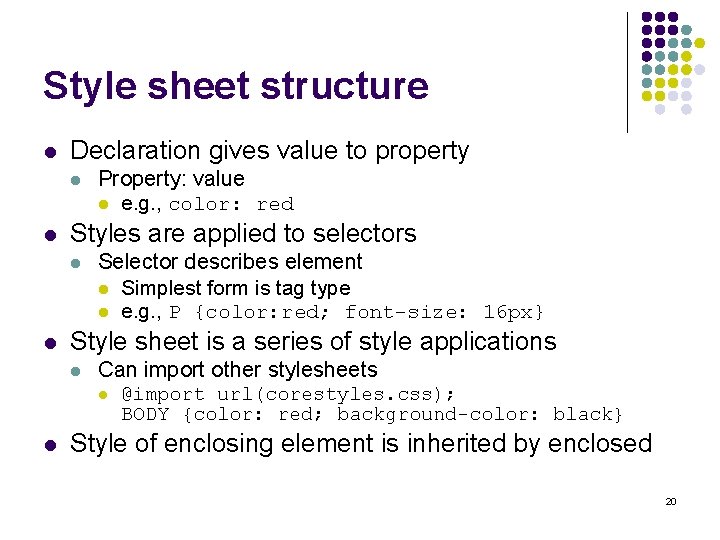
Style sheet structure l Declaration gives value to property l l Styles are applied to selectors l l Property: value l e. g. , color: red Selector describes element l Simplest form is tag type l e. g. , P {color: red; font-size: 16 px} Style sheet is a series of style applications l Can import other stylesheets l l @import url(corestyles. css); BODY {color: red; background-color: black} Style of enclosing element is inherited by enclosed 20
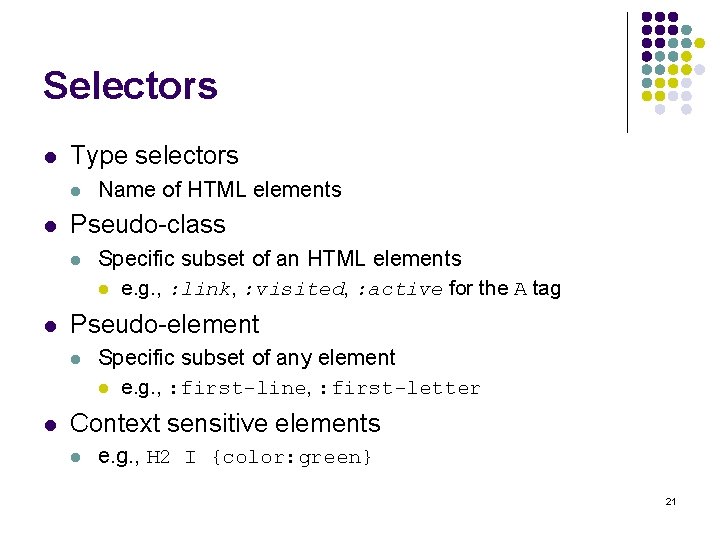
Selectors l Type selectors l l Pseudo-class l l Specific subset of an HTML elements l e. g. , : link, : visited, : active for the A tag Pseudo-element l l Name of HTML elements Specific subset of any element l e. g. , : first-line, : first-letter Context sensitive elements l e. g. , H 2 I {color: green} 21
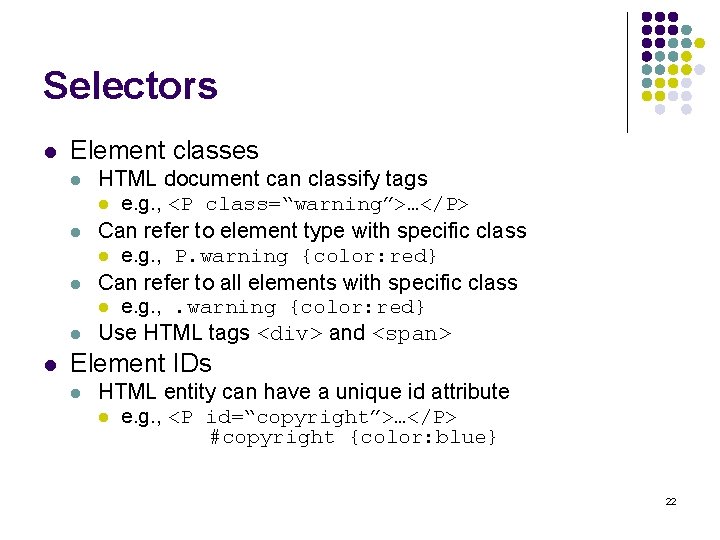
Selectors l Element classes l l l HTML document can classify tags l e. g. , <P class=“warning”>…</P> Can refer to element type with specific class l e. g. , P. warning {color: red} Can refer to all elements with specific class l e. g. , . warning {color: red} Use HTML tags <div> and <span> Element IDs l HTML entity can have a unique id attribute l e. g. , <P id=“copyright”>…</P> #copyright {color: blue} 22
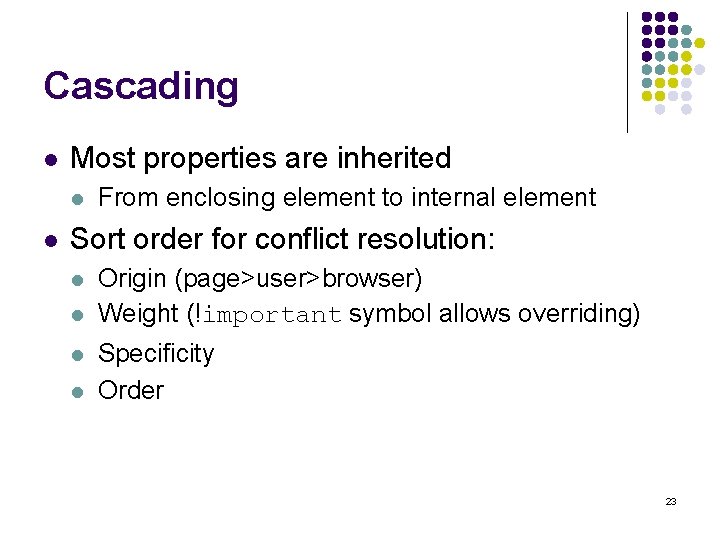
Cascading l Most properties are inherited l l From enclosing element to internal element Sort order for conflict resolution: l l Origin (page>user>browser) Weight (!important symbol allows overriding) Specificity Order 23
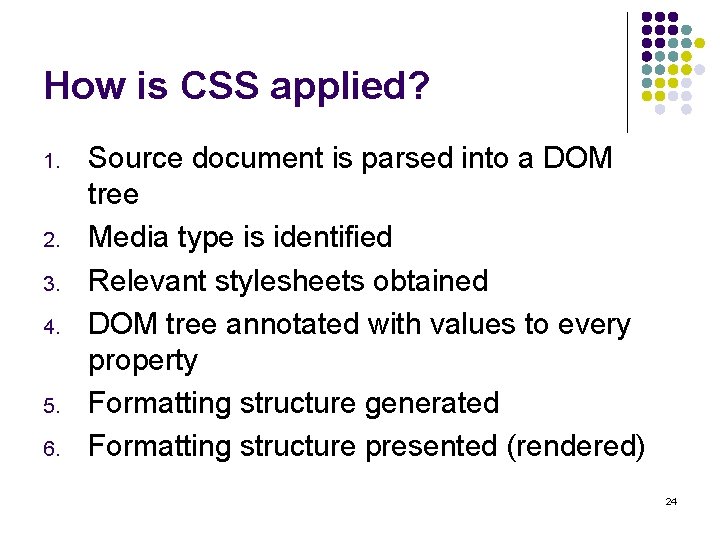
How is CSS applied? 1. 2. 3. 4. 5. 6. Source document is parsed into a DOM tree Media type is identified Relevant stylesheets obtained DOM tree annotated with values to every property Formatting structure generated Formatting structure presented (rendered) 24
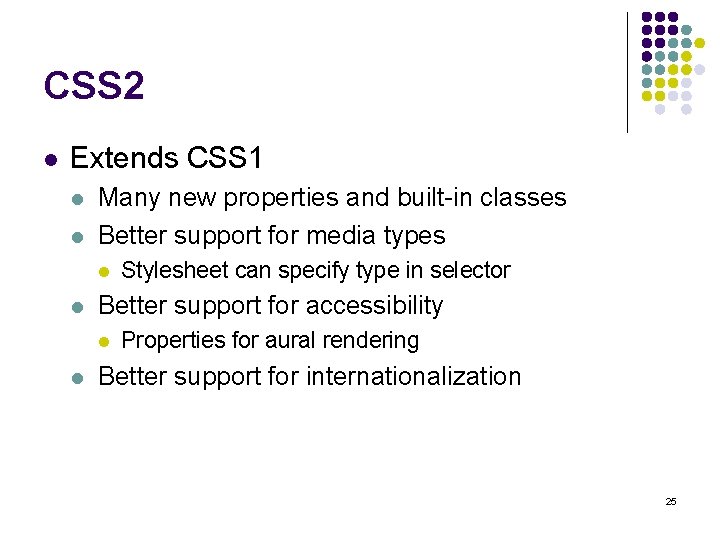
CSS 2 l Extends CSS 1 l l Many new properties and built-in classes Better support for media types l l Better support for accessibility l l Stylesheet can specify type in selector Properties for aural rendering Better support for internationalization 25
Document Formats: XML, SAX, DOM, DTD, XML-SCHEMA, XSL, XMLFO
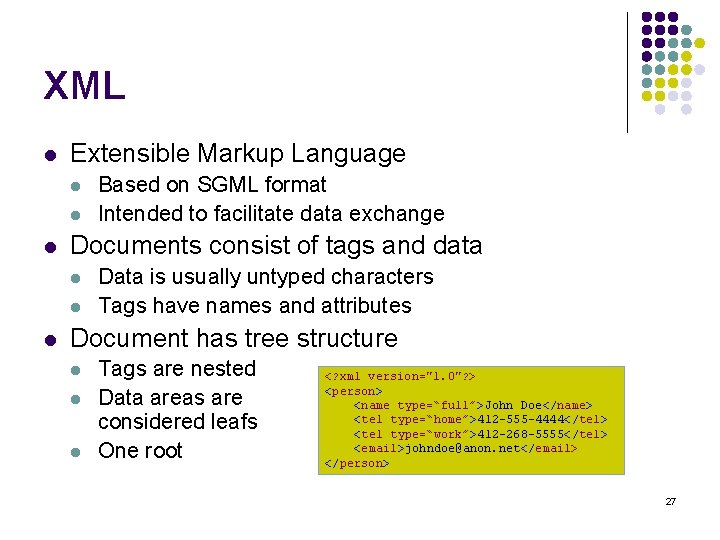
XML l Extensible Markup Language l l l Documents consist of tags and data l l l Based on SGML format Intended to facilitate data exchange Data is usually untyped characters Tags have names and attributes Document has tree structure l l l Tags are nested Data areas are considered leafs One root <? xml version="1. 0"? > <person> <name type=“full”>John Doe</name> <tel type=“home”>412 -555 -4444</tel> <tel type=“work”>412 -268 -5555</tel> <email>johndoe@anon. net</email> </person> 27
XML Structure l XML documents have no semantics l l XML does not enforce structure l l It is up to the programs using them No restriction on possible tags No restriction on order, repeats, etc. Mixed content allowed l Text followed by tags followed by text l Allows HTML compatibility (XHTML) “Well-Formed Document” l l Tree structure with proper nesting Attributes are not repeated in same tag 28
XML Programming with SAX l Lightweight simple event-based parser l l l Originally in Java, ports for other languages Programmer instantiates SAX parser Parser is invoked on input and an implementation of Document Handler l l Parser invokes callback functions on handler during DFS traversal e. g. , start. Document, end. Document, start. Element, end. Element, etc. 29
XML Programming with DOM l A heavyweight XML-based API l l A programmatic representation of the XML document tree l l Supported in multiple languages Variety of interfaces representing elements, attributes, etc. User instantiates a DOM parser of specific vendor and supplies XML file l Receives Document interface l Different parsers use different optimizations 30
DTD l Document Type Descriptor l l Impose structure on XML document Usually placed in separate file l XML refers to HTML file using following header: § l l l <!DOCTYPE root-element SYSTEM "filename"> DTD can be placed inline An XML document is Valid if it conforms to the DTD consists of a series of declarations 31
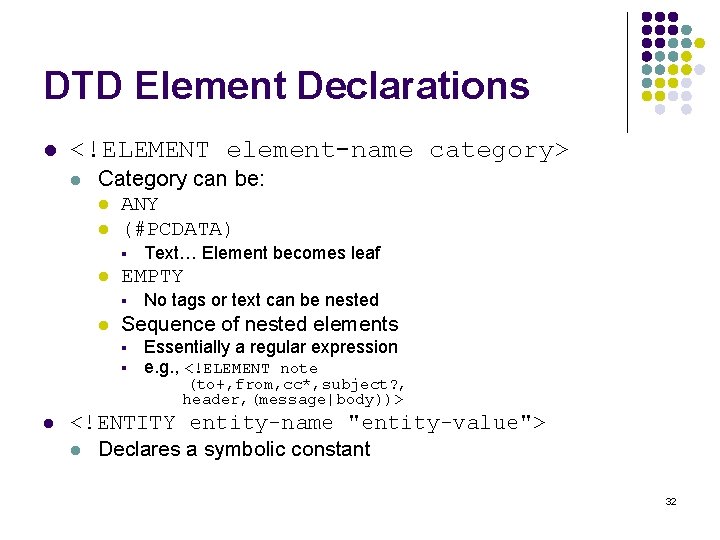
DTD Element Declarations l <!ELEMENT element-name category> l Category can be: l ANY l (#PCDATA) § l EMPTY § l No tags or text can be nested Sequence of nested elements § § l Text… Element becomes leaf Essentially a regular expression e. g. , <!ELEMENT note (to+, from, cc*, subject? , header, (message|body))> <!ENTITY entity-name "entity-value"> l Declares a symbolic constant 32
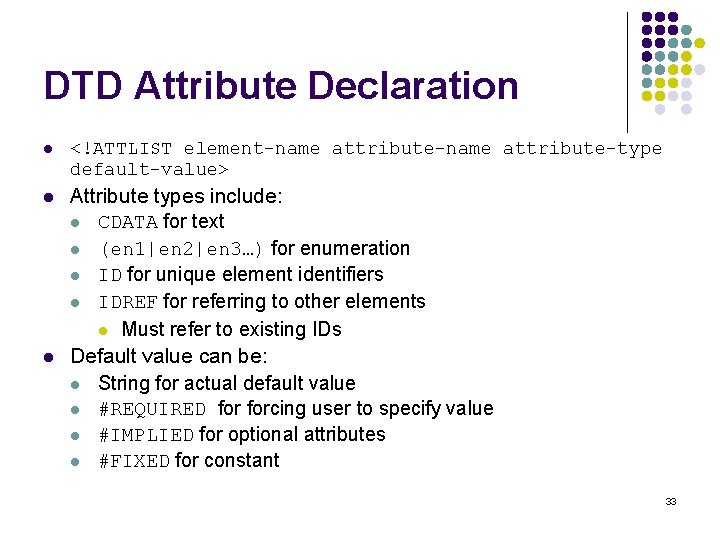
DTD Attribute Declaration l <!ATTLIST element-name attribute-type default-value> l Attribute types include: l CDATA for text l (en 1|en 2|en 3…) for enumeration l ID for unique element identifiers l IDREF for referring to other elements l Must refer to existing IDs Default value can be: l String for actual default value l #REQUIRED forcing user to specify value l #IMPLIED for optional attributes l #FIXED for constant l 33
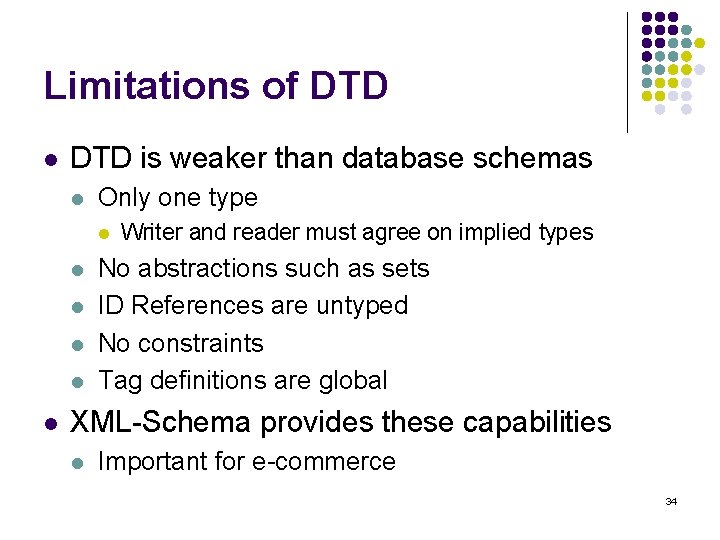
Limitations of DTD l DTD is weaker than database schemas l Only one type l l l Writer and reader must agree on implied types No abstractions such as sets ID References are untyped No constraints Tag definitions are global XML-Schema provides these capabilities l Important for e-commerce 34
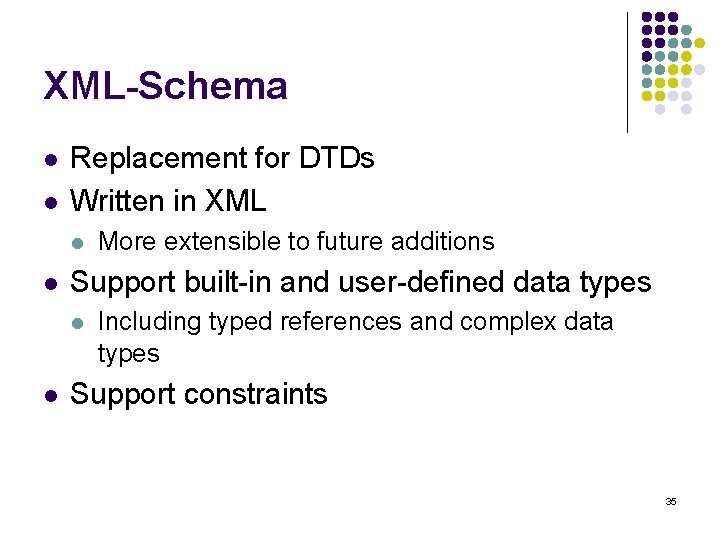
XML-Schema l l Replacement for DTDs Written in XML l l Support built-in and user-defined data types l l More extensible to future additions Including typed references and complex data types Support constraints 35
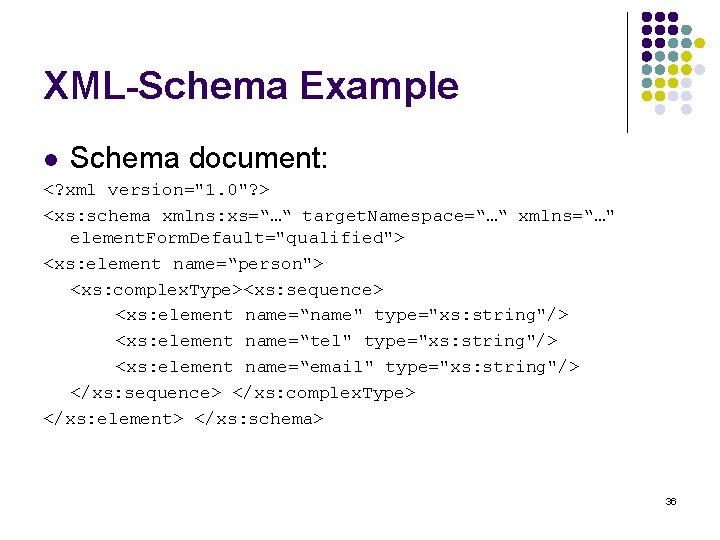
XML-Schema Example l Schema document: <? xml version="1. 0"? > <xs: schema xmlns: xs=“…“ target. Namespace=“…“ xmlns=“…" element. Form. Default="qualified"> <xs: element name=“person"> <xs: complex. Type><xs: sequence> <xs: element name=“name" type="xs: string"/> <xs: element name=“tel" type="xs: string"/> <xs: element name=“email" type="xs: string"/> </xs: sequence> </xs: complex. Type> </xs: element> </xs: schema> 36
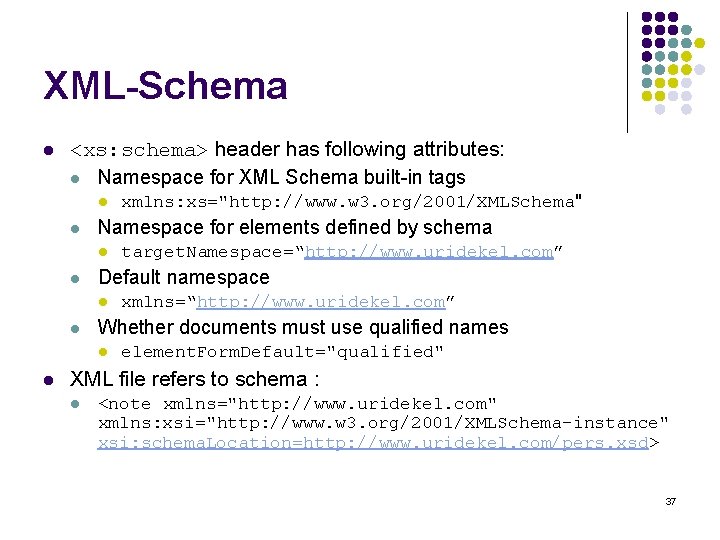
XML-Schema l <xs: schema> header has following attributes: l Namespace for XML Schema built-in tags l l Namespace for elements defined by schema l l xmlns=“http: //www. uridekel. com” Whether documents must use qualified names l l target. Namespace=“http: //www. uridekel. com” Default namespace l l xmlns: xs="http: //www. w 3. org/2001/XMLSchema" element. Form. Default="qualified" XML file refers to schema : l <note xmlns="http: //www. uridekel. com" xmlns: xsi="http: //www. w 3. org/2001/XMLSchema-instance" xsi: schema. Location=http: //www. uridekel. com/pers. xsd> 37
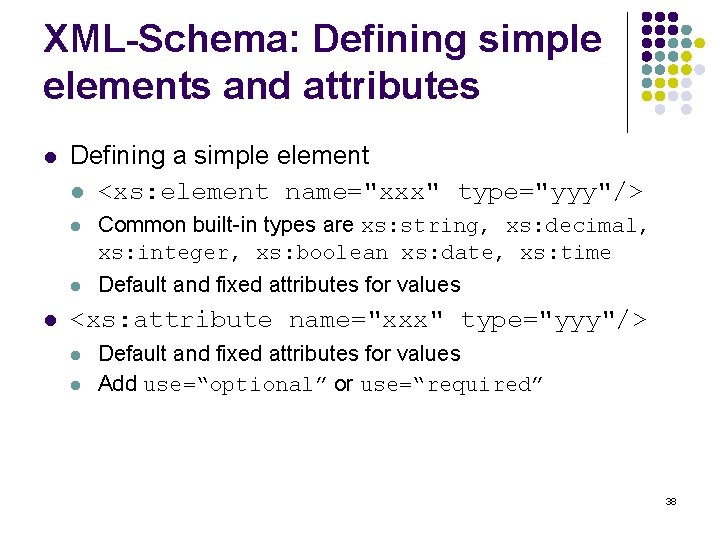
XML-Schema: Defining simple elements and attributes l l Defining a simple element l <xs: element name="xxx" type="yyy"/> l Common built-in types are xs: string, xs: decimal, xs: integer, xs: boolean xs: date, xs: time l Default and fixed attributes for values <xs: attribute name="xxx" type="yyy"/> l l Default and fixed attributes for values Add use=“optional” or use=“required” 38
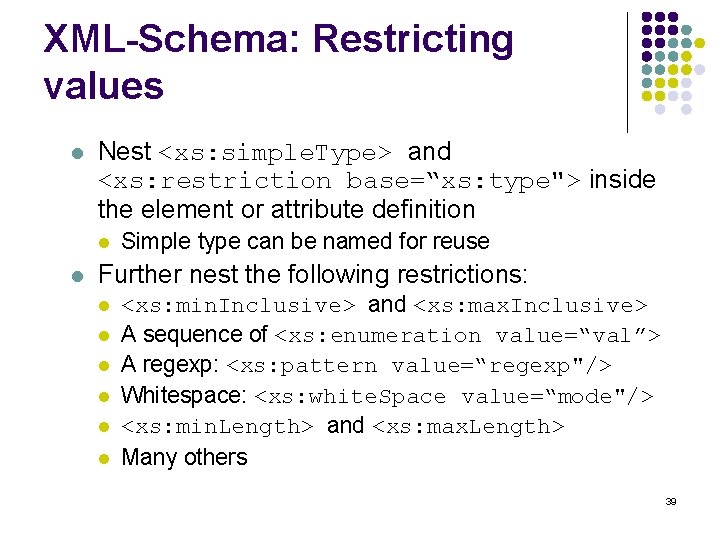
XML-Schema: Restricting values l Nest <xs: simple. Type> and <xs: restriction base=“xs: type"> inside the element or attribute definition l l Simple type can be named for reuse Further nest the following restrictions: l l l <xs: min. Inclusive> and <xs: max. Inclusive> A sequence of <xs: enumeration value=“val”> A regexp: <xs: pattern value=“regexp"/> Whitespace: <xs: white. Space value=“mode"/> <xs: min. Length> and <xs: max. Length> Many others 39
XML-Schema: Defining complex elements l l l Create a new type with <xs: complex. Type> Extend an existing type by nesting <xs: complex. Content> and <xs: extension base="personinfo"> Specify child ordering with the following tags: l <xs: all> – Each child appears exactly once, but can permutate l <xs: choice> – Exactly one of the children will occur l <xs: sequence> – Each child appears exactly once, in order Specify child recurrence with min. Occurs and max. Occurs Elements can be grouped with <xs: group name=“groupname”> Attributes group with <xs: attribute. Group> 40
XSL l Extensible Stylesheet Language l l l Intended to assist in presenting XML data l CSS is not enough because it refers to HTML tags that have some display semantics Responsible for transforming an XML document into an XHTML document l Essentially a tree transformation Consists of three languages: l l l XSLT for transforming XML documents XPath for defining parts of XML documents XSL-FO formatting the elements 41
XPath l A system for referring to XML tree elements l l Used in XSLT for matching templates Similar to directory structure l l Absolute paths start with / Relative paths start with child name Parent is selected with. . Ignore ancestors with // l l e. g. , //cd selects all cd elements Variety of special functions 42
XSLT l Conditional Selection l l Wildcard Selection l l e. g. , /catalog/*/price Selection of specific child l l l e. g. , /catalog/cd[price>10. 80] e. g. , /catalog/cd[1] e. g. , /catalog/cd[last()] Referencing attributes l e. g. , //cd[@country='UK'] 43
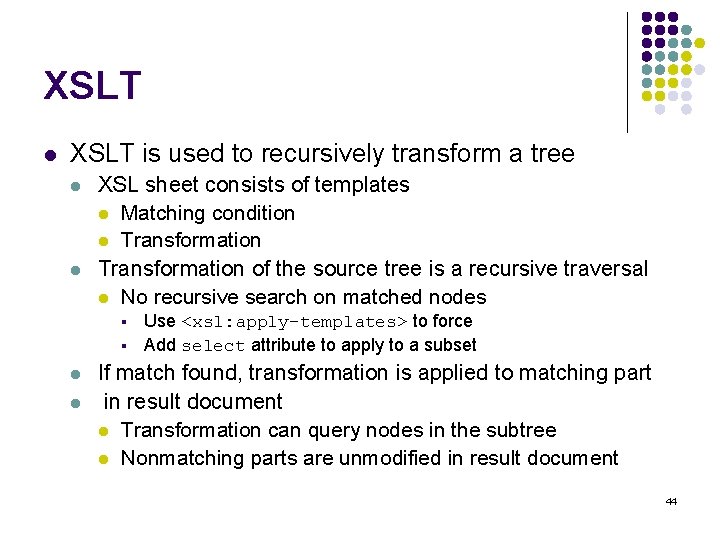
XSLT l XSLT is used to recursively transform a tree l l XSL sheet consists of templates l Matching condition l Transformation of the source tree is a recursive traversal l No recursive search on matched nodes § § l l Use <xsl: apply-templates> to force Add select attribute to apply to a subset If match found, transformation is applied to matching part in result document l Transformation can query nodes in the subtree l Nonmatching parts are unmodified in result document 44
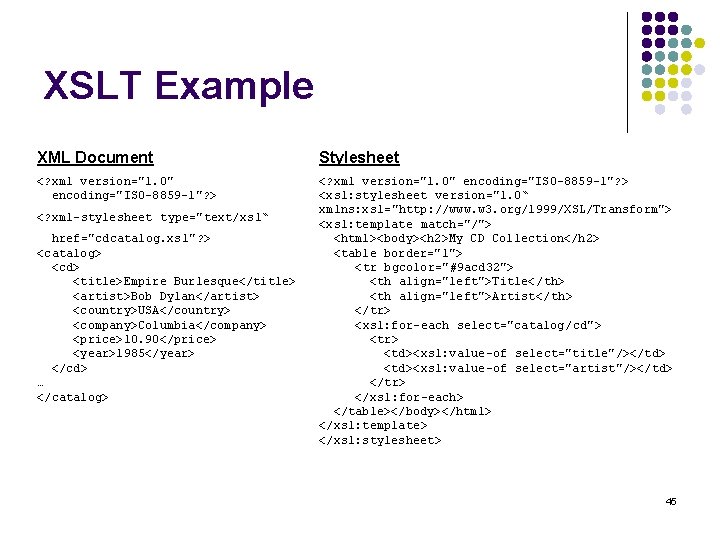
XSLT Example XML Document Stylesheet <? xml version="1. 0" encoding="ISO-8859 -1"? > <xsl: stylesheet version="1. 0“ xmlns: xsl="http: //www. w 3. org/1999/XSL/Transform"> <xsl: template match="/"> <html><body><h 2>My CD Collection</h 2> <table border="1"> <tr bgcolor="#9 acd 32"> <th align="left">Title</th> <th align="left">Artist</th> </tr> <xsl: for-each select="catalog/cd"> <tr> <td><xsl: value-of select="title"/></td> <td><xsl: value-of select="artist"/></td> </tr> </xsl: for-each> </table></body></html> </xsl: template> </xsl: stylesheet> <? xml-stylesheet type="text/xsl“ href="cdcatalog. xsl"? > <catalog> <cd> <title>Empire Burlesque</title> <artist>Bob Dylan</artist> <country>USA</country> <company>Columbia</company> <price>10. 90</price> <year>1985</year> </cd> … </catalog> 45
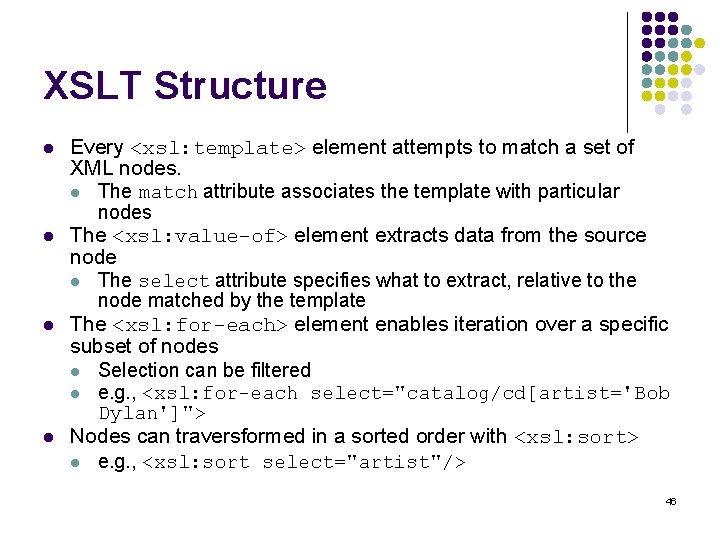
XSLT Structure l l Every <xsl: template> element attempts to match a set of XML nodes. l The match attribute associates the template with particular nodes The <xsl: value-of> element extracts data from the source node l The select attribute specifies what to extract, relative to the node matched by the template The <xsl: for-each> element enables iteration over a specific subset of nodes l Selection can be filtered l e. g. , <xsl: for-each select="catalog/cd[artist='Bob Dylan']"> Nodes can traversformed in a sorted order with <xsl: sort> l e. g. , <xsl: sort select="artist"/> 46
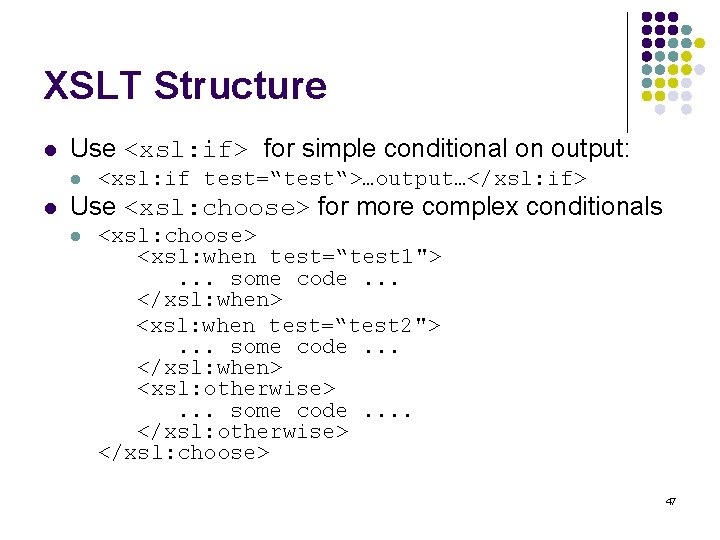
XSLT Structure l Use <xsl: if> for simple conditional on output: l l <xsl: if test=“test“>…output…</xsl: if> Use <xsl: choose> for more complex conditionals l <xsl: choose> <xsl: when test=“test 1">. . . some code. . . </xsl: when> <xsl: when test=“test 2">. . . some code. . . </xsl: when> <xsl: otherwise>. . . some code. . </xsl: otherwise> </xsl: choose> 47
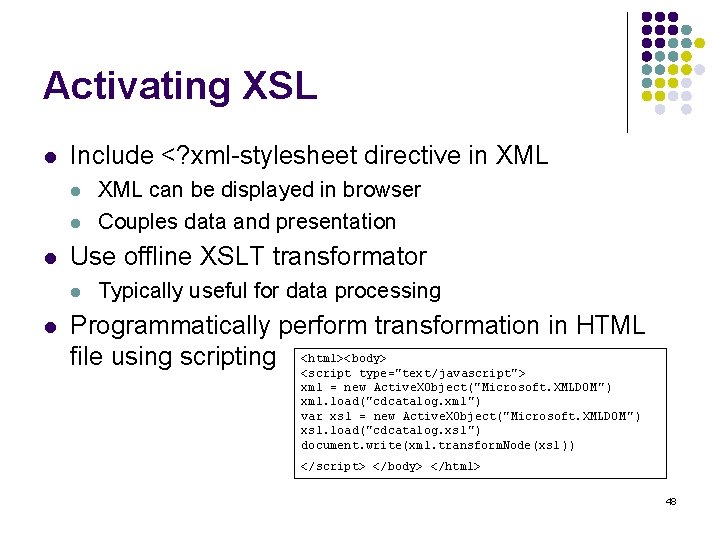
Activating XSL l Include <? xml-stylesheet directive in XML l l l Use offline XSLT transformator l l XML can be displayed in browser Couples data and presentation Typically useful for data processing Programmatically perform transformation in HTML file using scripting <html><body> <script type="text/javascript"> xml = new Active. XObject("Microsoft. XMLDOM ") xml. load("cdcatalog. xml") var xsl = new Active. XObject("Microsoft. XMLDOM ") xsl. load("cdcatalog. xsl") document. write(xml. transform. Node(xsl )) </script> </body> </html> 48
XML-FO l Extensible Stylesheet Language Formatting Objects l l A W 3 C language formatting XML data Now part of the XSL standard, a target language for transformed documents Supports a variety of output targets Output is in “pages” l Further separated into rectangular areas 49
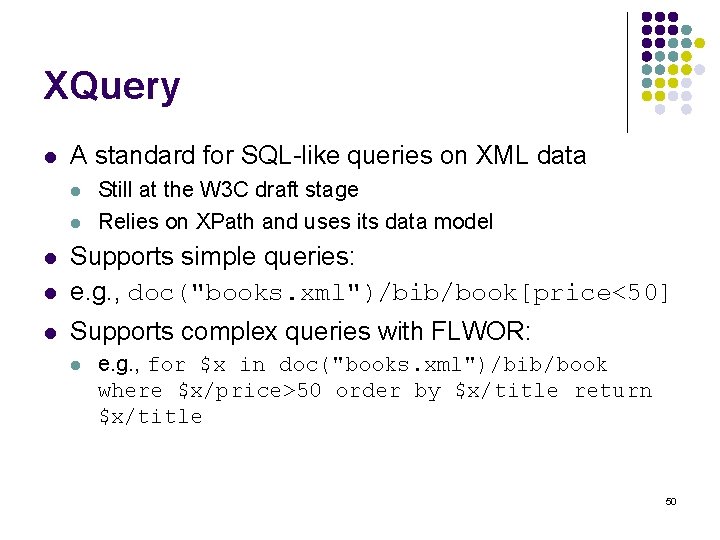
XQuery l A standard for SQL-like queries on XML data l l Still at the W 3 C draft stage Relies on XPath and uses its data model l Supports simple queries: e. g. , doc("books. xml")/bib/book[price<50] l Supports complex queries with FLWOR: l l e. g. , for $x in doc("books. xml")/bib/book where $x/price>50 order by $x/title return $x/title 50
XForms l l A new infrastructure for web forms Separates form functionality from presentation Single XML form definition model Form data maintained as XML instance data l l Supports suspend and resume XForms UI replaces XHTML form controls Proprietary UIs provide alternative presentation Extensible for new form elements and widgets 51
Document Format: Vector and 3 D Graphics VRML, X 3 D, SVG
Virtual Reality Modeling Language (VRML) l l l Abandoned W 3 C standard Requires third party VRML plug-in Used to set up 3 D scenes called “worlds” l l Unique syntax for defining objects, transforms, effects, etc. VRML 2. 0 (or ’ 97) adds many new features, supports animation, Java interaction, etc. 53
X 3 D l Successor of VRML l l XML based l l Developed by Web 3 D consortium Extensible for specific markets and needs Several layers of extensions called “profiles” l l Interchange – Simple scenes (geometry, animation) Interactive – Enables basic interaction via sensors Immersive – Adds advanced interaction, audio, scripting Physical Simulation 54
Scalable Vector Graphics (SVG) l Standard for 2 D graphics and applications l l Simple example: l l W 3 C XML based standard Requires browser plug-in to view Viewers for standalone applications l e. g. , Apache Batik project for Java <? xml version="1. 0"? > <svg xmlns="http: //www. w 3. org/2000/svg" version="1. 2"> <rect x="10" y="10" width="10“height="10"/> </svg> Complex examples: http: //www. adobe. com/svg/demos/main. html 55
Client Side: Scripting Languages Java. Script, VBScript, DHTML
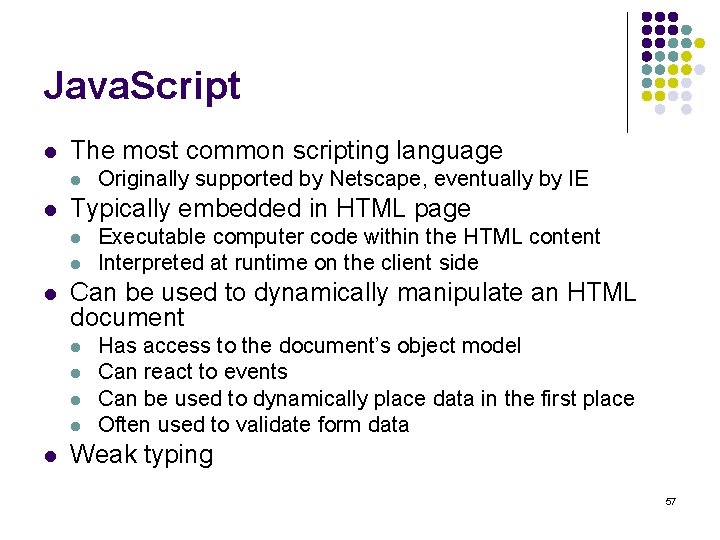
Java. Script l The most common scripting language l l Typically embedded in HTML page l l l Executable computer code within the HTML content Interpreted at runtime on the client side Can be used to dynamically manipulate an HTML document l l l Originally supported by Netscape, eventually by IE Has access to the document’s object model Can react to events Can be used to dynamically place data in the first place Often used to validate form data Weak typing 57
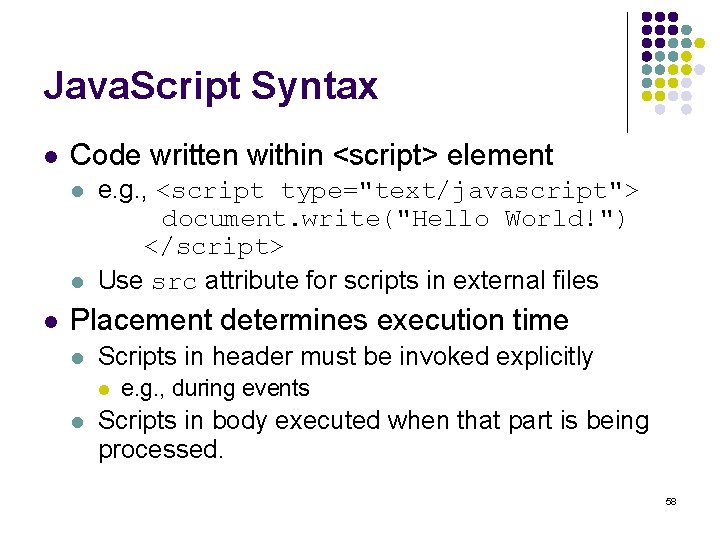
Java. Script Syntax l Code written within <script> element l l l e. g. , <script type="text/javascript"> document. write("Hello World!") </script> Use src attribute for scripts in external files Placement determines execution time l Scripts in header must be invoked explicitly l l e. g. , during events Scripts in body executed when that part is being processed. 58
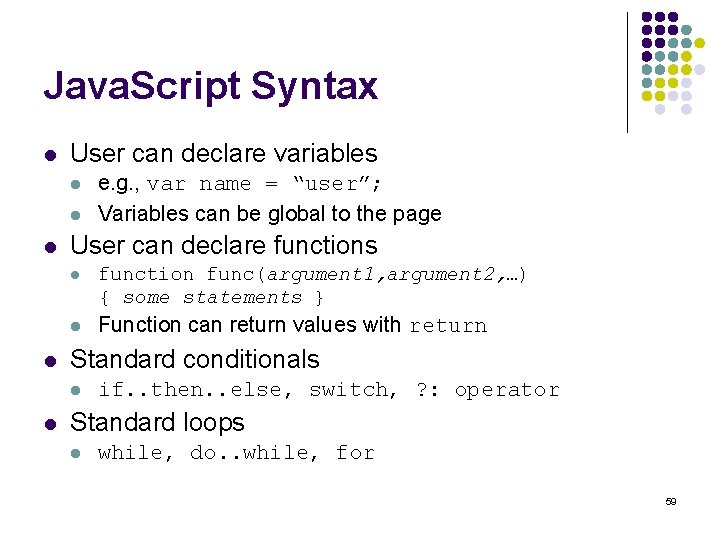
Java. Script Syntax l User can declare variables l l User can declare functions l function func(argument 1, argument 2, …) { some statements } l Function can return values with return Standard conditionals l l e. g. , var name = “user”; Variables can be global to the page if. . then. . else, switch, ? : operator Standard loops l while, do. . while, for 59
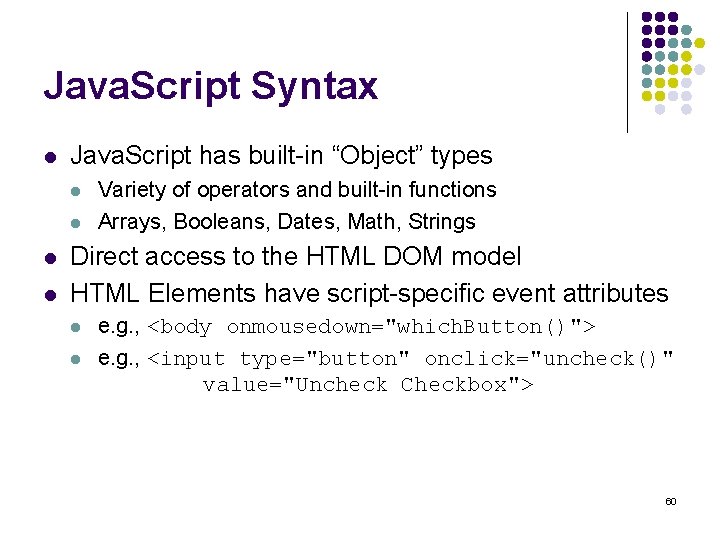
Java. Script Syntax l Java. Script has built-in “Object” types l l Variety of operators and built-in functions Arrays, Booleans, Dates, Math, Strings Direct access to the HTML DOM model HTML Elements have script-specific event attributes l l e. g. , <body onmousedown="which. Button()"> e. g. , <input type="button" onclick="uncheck()" value="Uncheck Checkbox"> 60
VBScript l Microsoft’s answer to Java. Script l l Never been supported by Netscape Less in use now Use <script type="text/vbscript"> Similar to Java. Script l l Follows Visual Basic look and feel Possible to declare variables l l Use “option explicit” to force declaration Separates procedures and functions 61
DHTML l DHTML is a marketing buzzword l l l It is not a W 3 C standard Every browser supports different flavour It is HTML 4 + CSS stylesheets + scripting language with access to document model 62
Client Side: Embedding Interactive Content Java Applets, Active. X, . NET controls, Flash
Java Applets l Precompiled Java programs which can run independently within a browser l l Main applet class inherits from java. applet. Applet Sandboxed by a variety of security measures and functional limitations l l l Cannot load libraries or native methods Cannot read/write most files on host Most network connections are blocked Cannot start external programs Limited access to system properties Different window style 64
Java Applets l Applet API facilitates browser-related tasks l l l Obtain parameters from the <APPLET> tag Load files relative to the applet or page URL Setting status messages on the browser Interact with other applets on the page Make the browser display a document. Play sounds. 65
Active. X Controls l Enhanced OLE controls l l l Active. X adds web-related features l l l Security Reduced footprint Digital signatures and licensing Simplified distribution as a cabinet file Many limitations l l l OLE controls are part of the Microsoft COM framework Support base COM interfaces, as well as interfaces for automation, persistence and UI. Works only in Microsoft browsers Numerous security holes Very difficult to develop in C++ Simple in visual basic, but not as powerful More component and UI oriented than Java applets 66
. NET Controls l l The equivalents of Active. X controls in the Microsoft. NET Framework Different in internal structure l l Created from a hierarchy of control classes Represented in Microsoft Intermediate Language l l Supposedly multiplatform Can be developed in variety of languages 67
Flash l Proprietary Macro. Media Format l l l Intended to create interactive “movies for the web l l l Provides free browser plugins Deployed as a single SWF file Initially used mostly for animation Later for interactive menus and navigation Then used for interactive games l e. g. , Warcraft I in Flash Uses vector graphics Does not require programming skills l Except for highly interactive tasks which use scripting language 68
Flash l User uses interactive Flash editor l l l Draws and makes changes to “stage” Uses “timeline” to direct animation Active. Script language has interactive IDE l User drags-and-drops elements l l e. g. , drag conditional and then variables Users need to learn a new language and type code for sophisticated events l Still faster ramp-up than Java applets or. NET 69
Server side: Scripting and low-level languages CGI, Perl, PHP, Python, Cold. Fusion
Common Gateway Interface (CGI) l l l Standard interface allowing web server to delegate page creation to external programs Any programming language can be used l Compile into executable binary l Run scripts (e. g. , perl) with executable intepreter Arguments passed via environment variables l QUERY_STRING l l PATH_INFO, PATH_TRANSLATED l l Everything after the first ? Symbol in the URL Additional information in addition to the page URL Document returned via standard output l Should return content-type header l Can refer to other document with Location 71
CGI Limitations l Not appropriate for busy servers l l Each program instance is a separate process Security risks l l Only web-master has install privileges Bad code can cause serious trouble 72
![PERL based CGI scripts l l Practical Extraction and Report Language [1987] l Popular](http://slidetodoc.com/presentation_image_h2/0b317b1054e1e61186b2822801f8ac0b/image-73.jpg "PERL based CGI scripts l l Practical Extraction and Report Language [1987] l Popular")
PERL based CGI scripts l l Practical Extraction and Report Language [1987] l Popular interpreted language among system administrators l Aimed at string processing Messy yet powerful language l Scripted, Procedural, Object Oriented l l l OO support very sketchy Mixed notions from UNIX, C, Basic, SED/AWK Weak typing system Rapid built-in data structures Relies heavily on regular expressions Variety of extensions and libraries l CGI module facilitates web programming l e. g. , easy access to arguments from URL 73
PHP l Personal Home Page tools l l l Open-source language for server-side scripting l Commercial 3 rd party optimizers available Adopted in popular large-scale web-applications l Ph. PBB bulletin board system l Software behind Wikis and Wiki. Pedia Some standalone rich-client applications Built-in facilities for popular protocols and services Shifts towards OOP Requires special server support l Web master must allow php scripts 74
![Python l A popular multi-paradigm language [’ 90] l l l Variety of built-in](http://slidetodoc.com/presentation_image_h2/0b317b1054e1e61186b2822801f8ac0b/image-75.jpg "Python l A popular multi-paradigm language [’ 90] l l l Variety of built-in")
Python l A popular multi-paradigm language [’ 90] l l l Variety of built-in data types Extensible Some support for functional programming l l Considers itself a “dynamic programming language” rather than a scripting language Used to build some large scale applications Inherent object oriented programming Interactive mode a-la LISP Indentation is used to indicate blocks l l No semicolons or curly braces Whitespace can destroy a program 75
Cold. Fusion l Macromedia’s server-side scripting language l l Tag based l l l Easier to learn than other languages Extensible Targeted for the enterprise market l l Based on Allaire’s software early prototype l Tag-based access to databases Security and scalability features Interacts with variety of protocols and services Visual tools for rapid development Recent versions can run on J 2 EE application servers 76
Server side: High-level languages Java servlets and JSPs ASP and ASP. NET
Java Servlets l Java analogue of a CGI script l l A servlet can service multiple requests in its lifetime l l Servlet-enabled server activates servlet More efficient than creating separate processes User servlet implements Servlet interface l l l init(Servlet. Config config) Service(Servlet. Request req, Servlet. Response res) destroy() l Preferable to inherit from Http. Servlet l Filter infrastructure allows transformation of response 78
Java Servlets l l Servlets can interact and share information with other components l They can also invoke other HTTP requests and include their results in their response Servlets have access to session information l Sessions encoded either as cookies or in URL l l l API hides details from the servlet programmer Servlets are good for intermediate service-oriented documents l e. g. , XML data from a web service Servlets are not natural for presentation-oriented documents l Usually small portions of the page are dynamic 79
Java Server Pages l l A more natural way to dynamically create web pages l Dynamic sections embedded within the static document l JSP translator / compiler creates servlet Directives l e. g. , <%@ page import="java. util. *" %> Scriplets containing Java code l e. g. , <% int local. Stack. Based. Variable = 1; %> JSP action tags l Invoke built-in servlet functionality l l l <jsp: forward page="subpage. jsp"> <jsp: param name="forwarded. From" value="this. jsp"/> </jsp: forward> Include plug-ins such as Java. Beans Custom tags 80
JSP Tag Libraries l JSP language can be extended with custom tags deployed as tag libraries l Reduces amount of Java code that JSP users have to do. l e. g. , unique iterators to faciliate coding l e. g. , routines such as clearing a shopping cart 81
Apache Struts l A framework for building web applications using a Model-View-Client architecture l l l Model - Database interfaces such as JDBC or EJB View – Presentation interfaces such as JSP or XSLT Struts provides the controller 82
Classic ASP l l Microsoft’s server-side technology Code intermixed with static HTML l l Classic ASP used VBScript e. g. , <html> <body bgcolor="yellow"> <center> <h 2>The time is: <%Response. Write(now())%> </h 2> </center></body> </html> 83
ASP. NET l New generation of. NET l l l Supports visual editing similar to VB programming Allows code to be decoupled from HTML l l Now supports all. NET languages Server controls are tags similar to JSP tags Supports a view state forms l In case of problems in form validation, values are restored 84
Architectures for Web Services
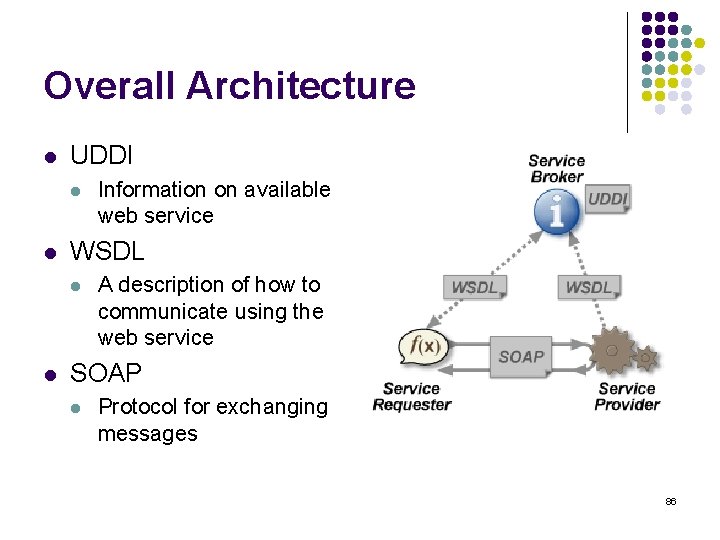
Overall Architecture l UDDI l l WSDL l l Information on available web service A description of how to communicate using the web service SOAP l Protocol for exchanging messages 86
Universal Description, Discovery, and Integration (UDDI) l l l Platform-independent XML registry Allows businesses to list services they provide Registration consists of: While pages info – real address and contact information Yellow pages info – industrial categorization Green pages info – technical information on exposed services 87
Web Services Description Language (WSDL) l XML format for describing public interface of web services l l Services are collection of abstract endpoints called “ports” Each port has a protocol (“binding”) and address Each port has a type that defines valid “operations” An operation consists of messages and data formats WSDL document describes: l l l Data formats Valid messages Ports types with their supported operations Binding of ports to types and addresses Services in terms of ports they provide and documentation 88
Simple Object Access Protocol (SOAP) l Lightweight protocol for message exchange l l XML based, runs on top of HTTP Optional header with information on l l Enable “access” to objects, including RPCs Defines formats for requests, responses, errors Security requirements Routing Transactions Body contains actual data 89
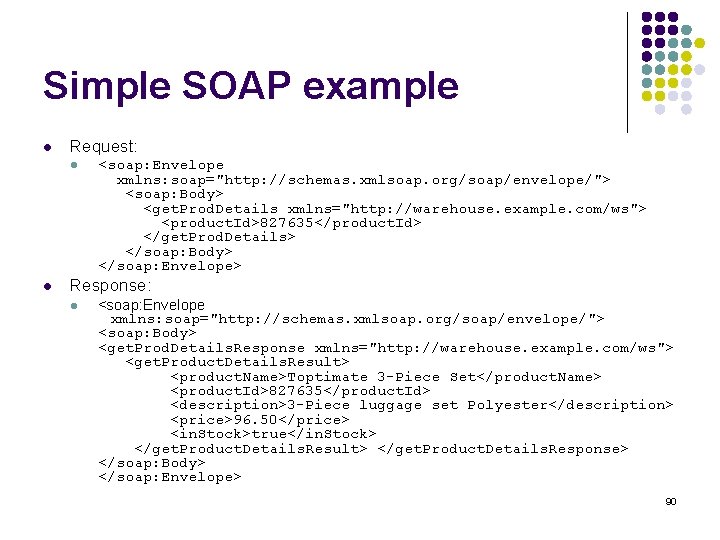
Simple SOAP example l Request: l l <soap: Envelope xmlns: soap="http: //schemas. xmlsoap. org/soap/envelope/"> <soap: Body> <get. Prod. Details xmlns="http: //warehouse. example. com/ws"> <product. Id>827635</product. Id> </get. Prod. Details> </soap: Body> </soap: Envelope> Response: l <soap: Envelope xmlns: soap="http: //schemas. xmlsoap. org/soap/envelope/"> <soap: Body> <get. Prod. Details. Response xmlns="http: //warehouse. example. com/ws"> <get. Product. Details. Result> <product. Name>Toptimate 3 -Piece Set</product. Name> <product. Id>827635</product. Id> <description>3 -Piece luggage set Polyester</description> <price>96. 50</price> <in. Stock>true</in. Stock> </get. Product. Details. Result> </get. Product. Details. Response> </soap: Body> </soap: Envelope> 90
Questions?
Break !
- Slides: 92