
LAMS Learning Activity Management System James Dalziel Adjunct
- Slides: 19
LAMS - Learning Activity Management System James Dalziel Adjunct Professor & Director, Macquarie University E-learning Centre of Excellence (MELCOE) james@melcoe. mq. edu. au www. melcoe. mq. edu. au Copyright James Dalziel 2002 -2003. All rights reserved. This document may only be reproduced in its entirety.
Overview • Pedagogical Models and Standards • COLIS Global Use Case and Learning Object diagram • Background to Learning Design • “What is Greatness? ” example • Annotated LAMS screenshots from “What is Greatness? ” example – Student environment – Monitor environment – Author environment • Conclusion and Next Steps
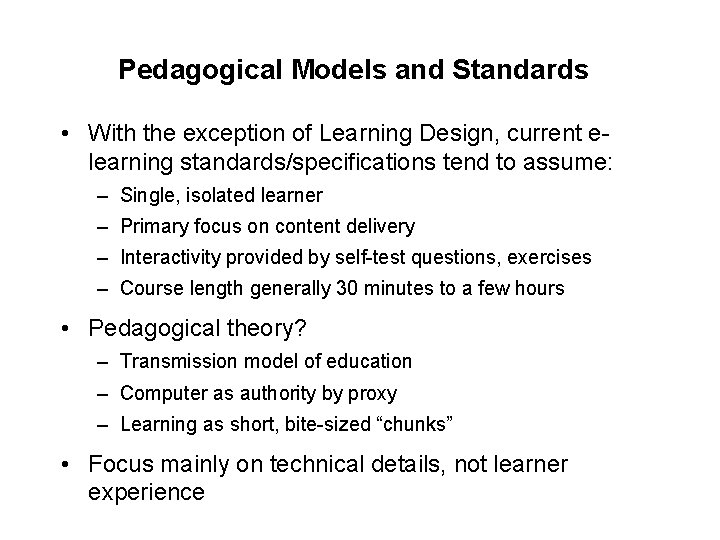
Pedagogical Models and Standards • With the exception of Learning Design, current elearning standards/specifications tend to assume: – Single, isolated learner – Primary focus on content delivery – Interactivity provided by self-test questions, exercises – Course length generally 30 minutes to a few hours • Pedagogical theory? – Transmission model of education – Computer as authority by proxy – Learning as short, bite-sized “chunks” • Focus mainly on technical details, not learner experience
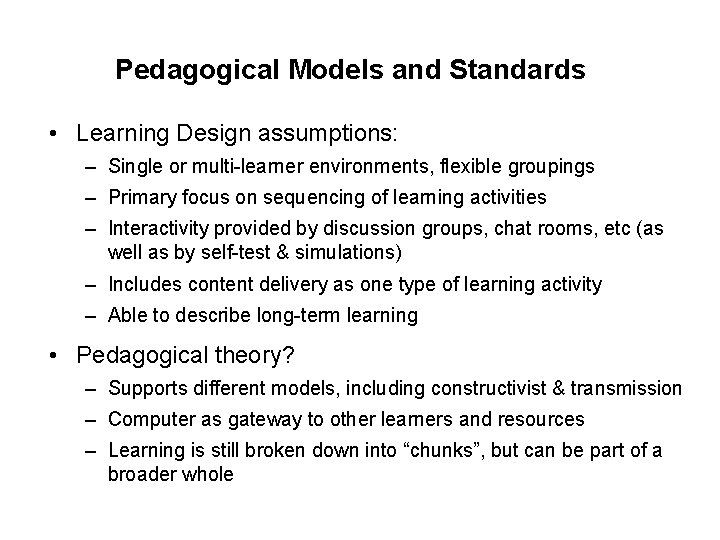
Pedagogical Models and Standards • Learning Design assumptions: – Single or multi-learner environments, flexible groupings – Primary focus on sequencing of learning activities – Interactivity provided by discussion groups, chat rooms, etc (as well as by self-test & simulations) – Includes content delivery as one type of learning activity – Able to describe long-term learning • Pedagogical theory? – Supports different models, including constructivist & transmission – Computer as gateway to other learners and resources – Learning is still broken down into “chunks”, but can be part of a broader whole
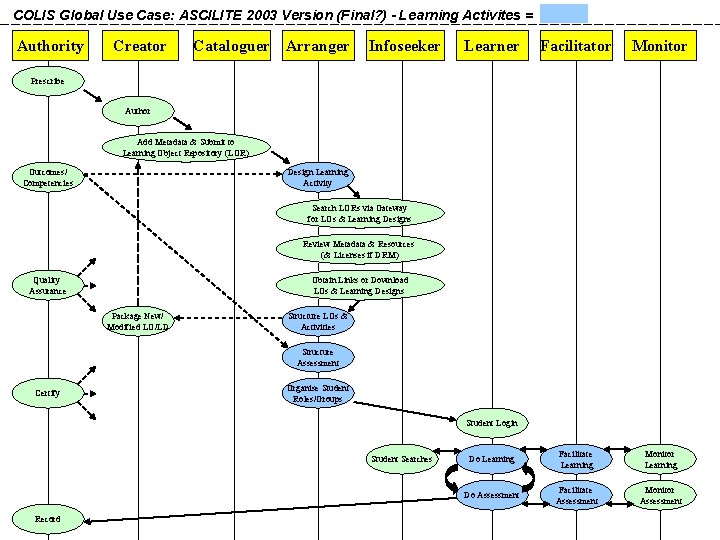
COLIS Global Use Case: ASCILITE 2003 Version (Final? ) - Learning Activites = Authority Creator Cataloguer Arranger Infoseeker Learner Facilitator Monitor Do Learning Facilitate Learning Monitor Learning Do Assessment Facilitate Assessment Monitor Assessment Prescribe Author Add Metadata & Submit to Learning Object Repository (LOR) Outcomes/ Competencies Design Learning Activity Search LORs via Gateway for LOs & Learning Designs Review Metadata & Resources (& Licenses if DRM) Quality Assurance Obtain Links or Download LOs & Learning Designs Package New/ Modified LO/LD Structure LOs & Activities Structure Assessment Certify Organise Student Roles/Groups Student Login Student Searches Record
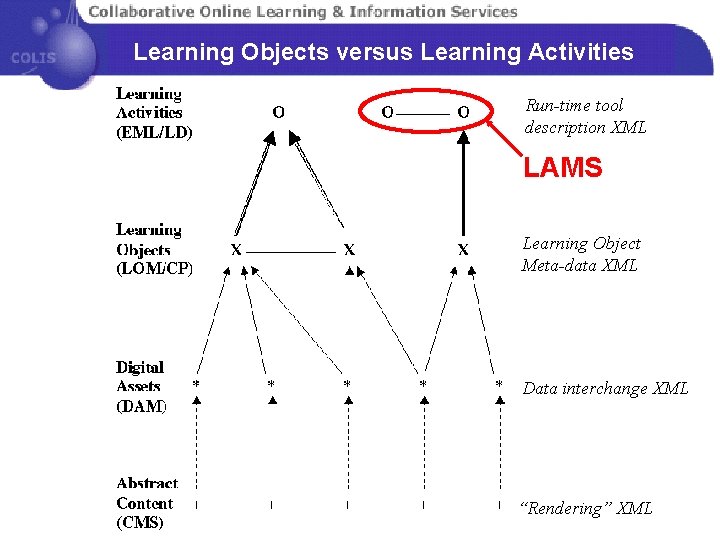
Learning Objects versus Learning Activities Run-time tool description XML LAMS Learning Object Meta-data XML Data interchange XML “Rendering” XML
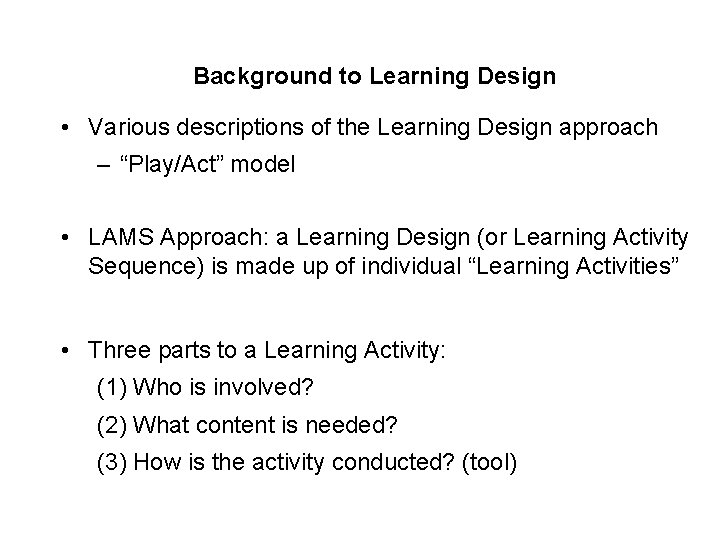
Background to Learning Design • Various descriptions of the Learning Design approach – “Play/Act” model • LAMS Approach: a Learning Design (or Learning Activity Sequence) is made up of individual “Learning Activities” • Three parts to a Learning Activity: (1) Who is involved? (2) What content is needed? (3) How is the activity conducted? (tool)
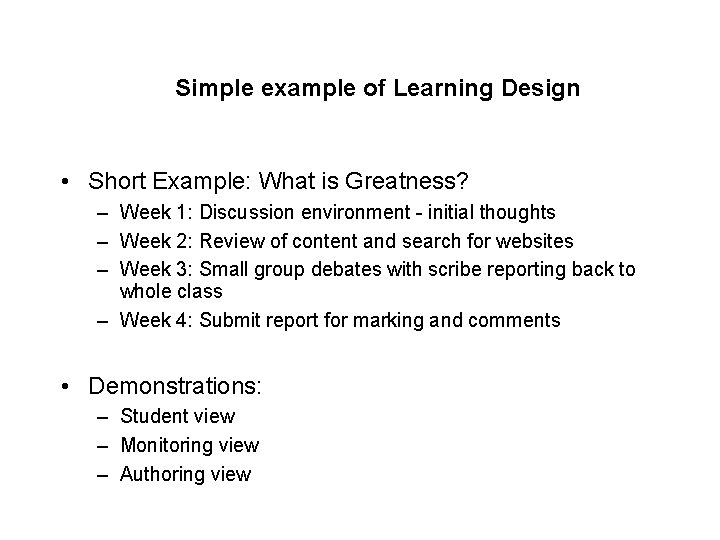
Simple example of Learning Design • Short Example: What is Greatness? – Week 1: Discussion environment - initial thoughts – Week 2: Review of content and search for websites – Week 3: Small group debates with scribe reporting back to whole class – Week 4: Submit report for marking and comments • Demonstrations: – Student view – Monitoring view – Authoring view
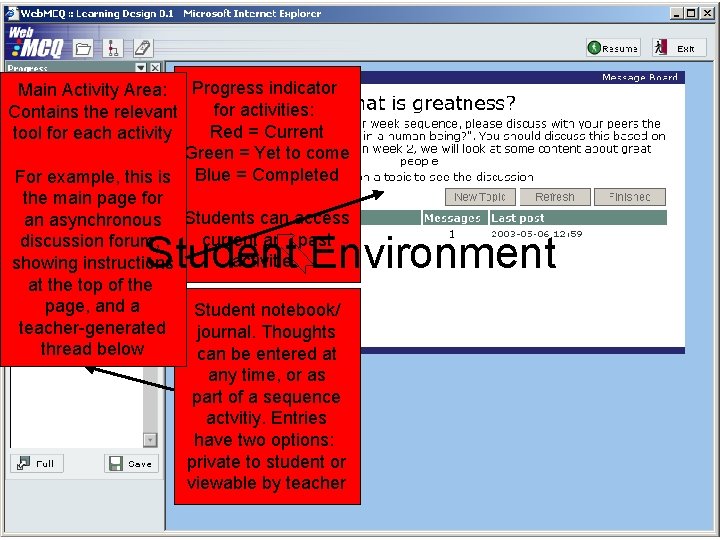
Main Activity Area: Progress indicator for activities: Contains the relevant Red = Current tool for each activity Green = Yet to come For example, this is Blue = Completed the main page for an asynchronous Students can access current and past discussion forum, activities showing instructions at the top of the page, and a Student notebook/ teacher-generated journal. Thoughts thread below can be entered at any time, or as part of a sequence actvitiy. Entries have two options: private to student or viewable by teacher Student Environment
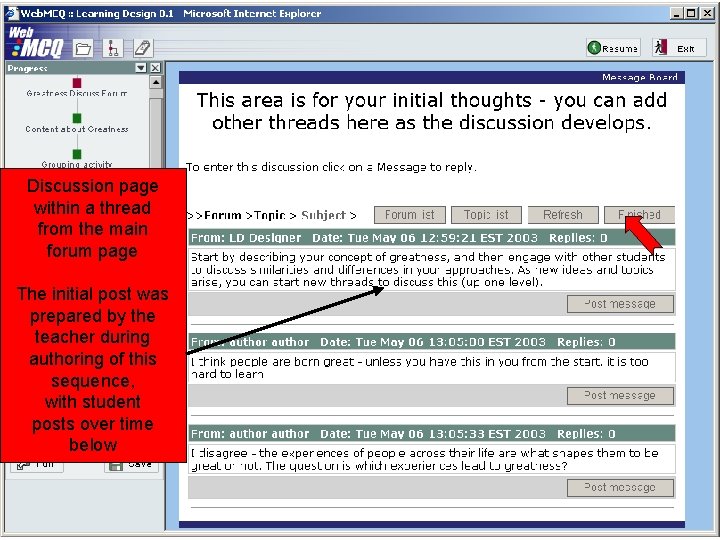
Discussion page within a thread from the main forum page The initial post was prepared by the teacher during authoring of this sequence, with student posts over time below
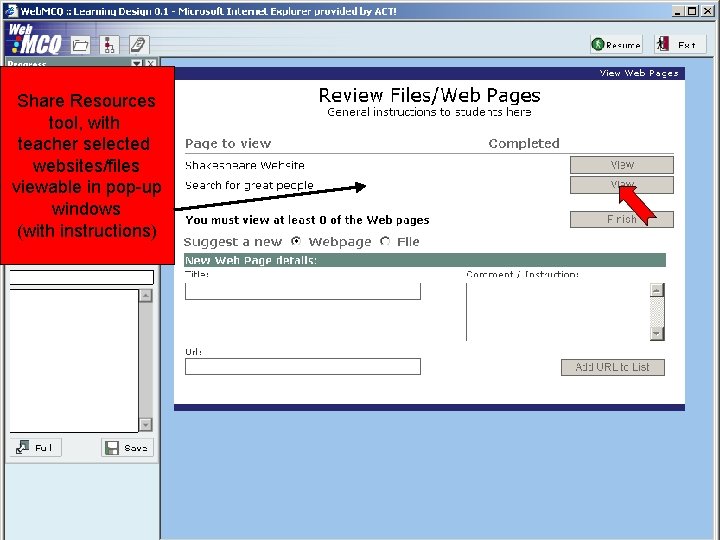
Share Resources tool, with teacher selected websites/files viewable in pop-up windows (with instructions)
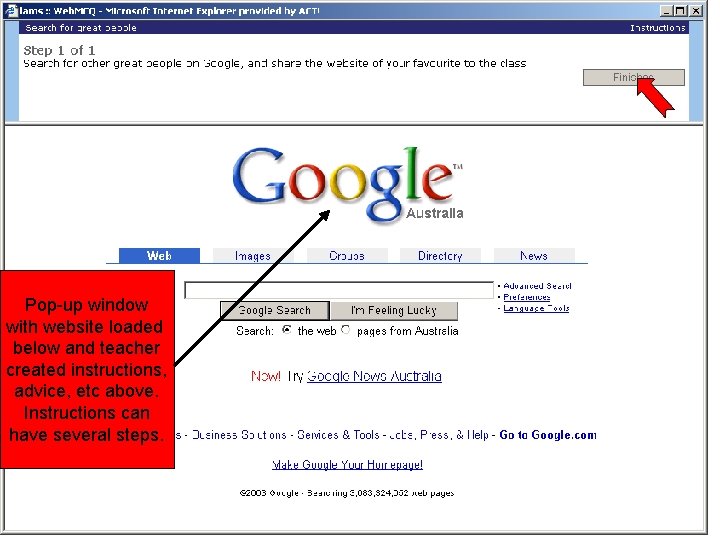
Pop-up window with website loaded below and teacher created instructions, advice, etc above. Instructions can have several steps.
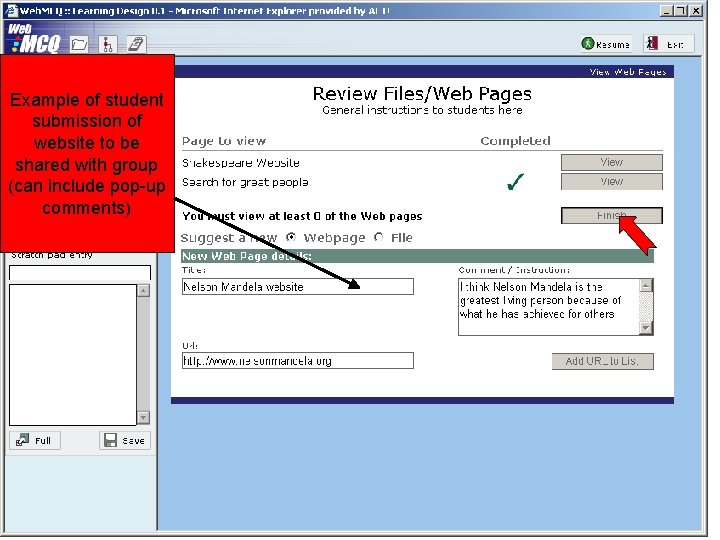
Example of student submission of website to be shared with group (can include pop-up comments)
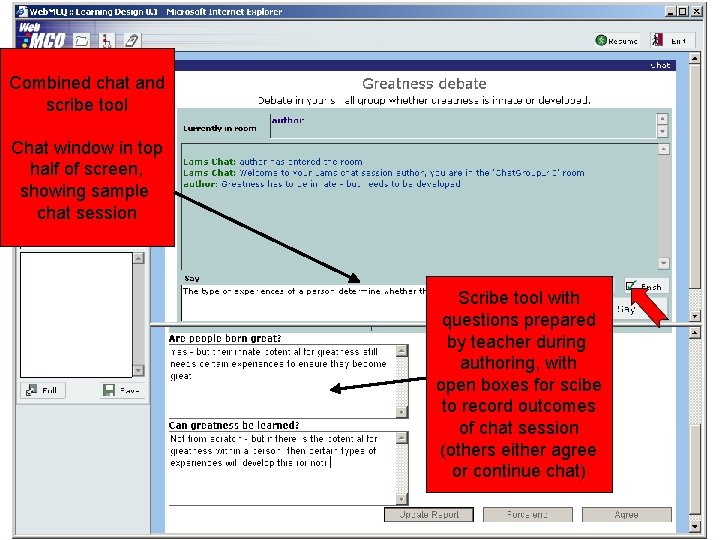
Combined chat and scribe tool Chat window in top half of screen, showing sample chat session Scribe tool with questions prepared by teacher during authoring, with open boxes for scibe to record outcomes of chat session (others either agree or continue chat)
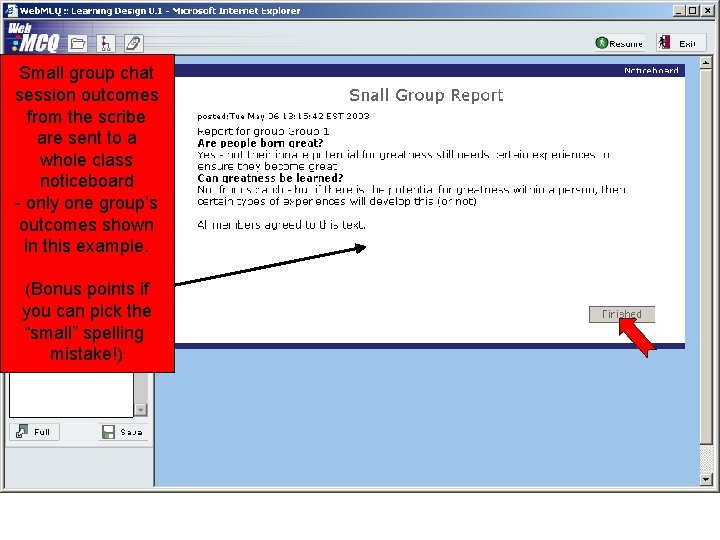
Small group chat session outcomes from the scribe are sent to a whole class noticeboard - only one group’s outcomes shown in this example. (Bonus points if you can pick the “small” spelling mistake!)
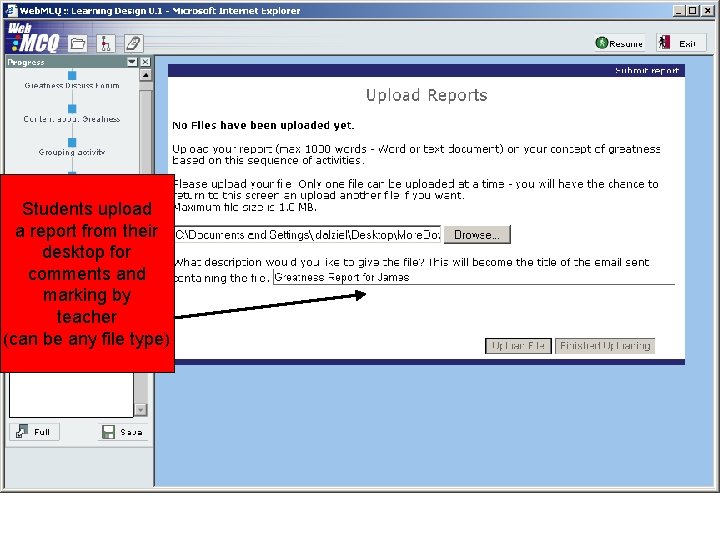
Students upload a report from their desktop for comments and marking by teacher (can be any file type)
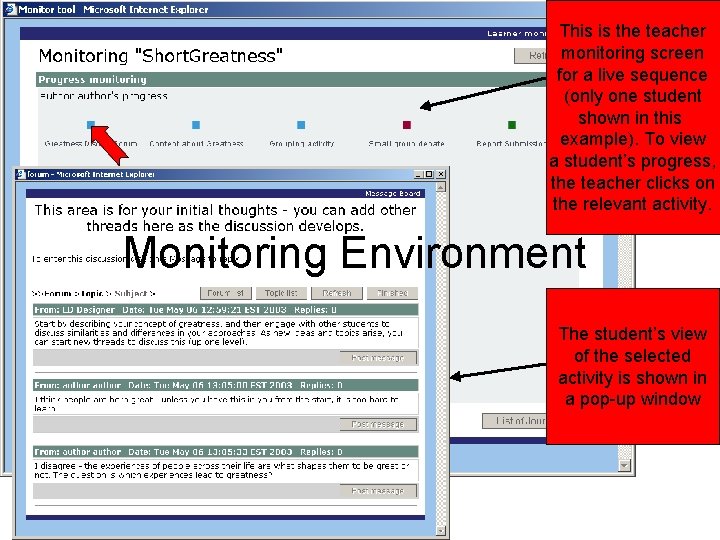
This is the teacher monitoring screen for a live sequence (only one student shown in this example). To view a student’s progress, the teacher clicks on the relevant activity. Monitoring Environment The student’s view of the selected activity is shown in a pop-up window
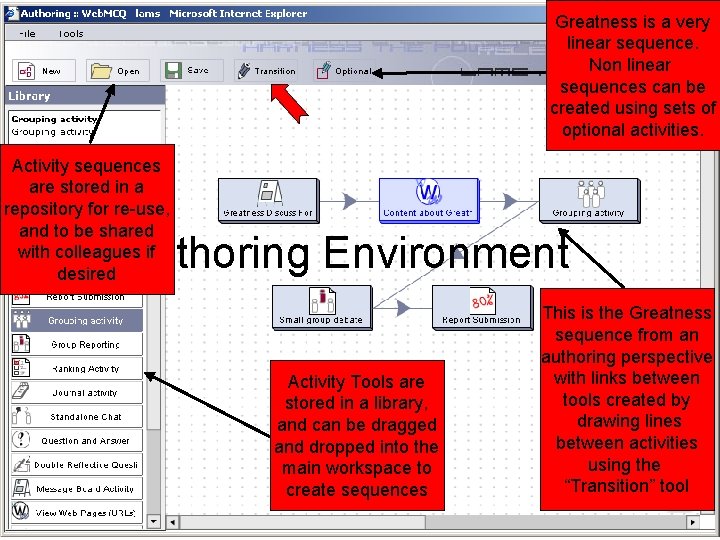
Greatness is a very linear sequence. Non linear sequences can be created using sets of optional activities. Activity sequences are stored in a repository for re-use, and to be shared with colleagues if desired Authoring Environment Activity Tools are stored in a library, and can be dragged and dropped into the main workspace to create sequences This is the Greatness sequence from an authoring perspective with links between tools created by drawing lines between activities using the “Transition” tool
Conclusion and Next Steps • LAMS is a Learning Design “inspired” system – LAMS development issues contributed to Valkenburg meeting to assist future development of IMS Learning Design – For further details, see ASCILITE conference article: http: //www. melcoe. mq. edu. au/documents/ASCILITE 2003%20 Dalziel%20 Final. pdf • LAMS V 1. 0 beta is now final and ready for use – Seeking development partners for rest of 2003/early 2004 – Currently up to beta 4 release, various trials in progress – Final V 1. 0 system due first half of 2004 – For details about becoming a development partner and licensing the LAMS V 1. 0 beta contact: james@melcoe. mq. edu. au Ph: +61 412 512218