
Laboratory Control System LCS UCF Engineering I Cleanroom
Laboratory Control System (LCS) UCF Engineering I Cleanroom Laboratory A. Borgess, A. Kozorezov J. Ossa, M. Aleksich Sponsor: Dr. Reza Abdolvand, UCF
Motivation • Antiquated logging system • Laboratory equipment control and usage tracking • Ability to reserve machines online • Provide monthly usage reports for billing
Sponsor requirements • User-serviceable parts, long lasting • System expandability • Diagnostic tool (PCB design) • Integrated with UCF network • Online reservation system • User manual
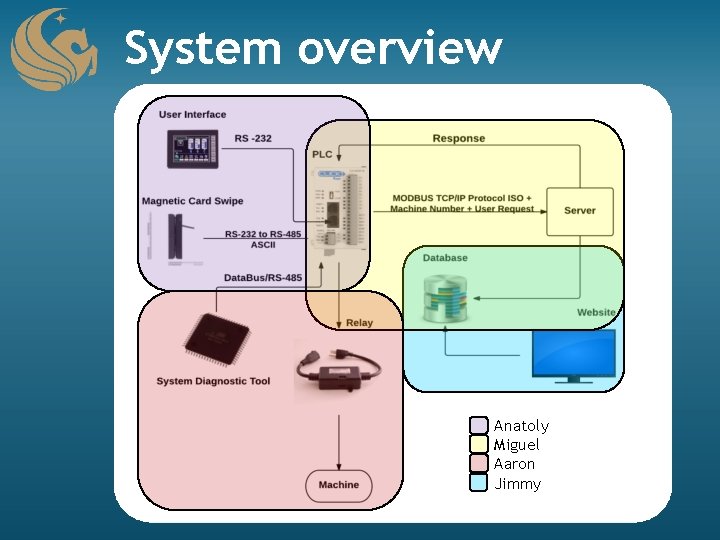
System overview Anatoly Miguel Aaron Jimmy
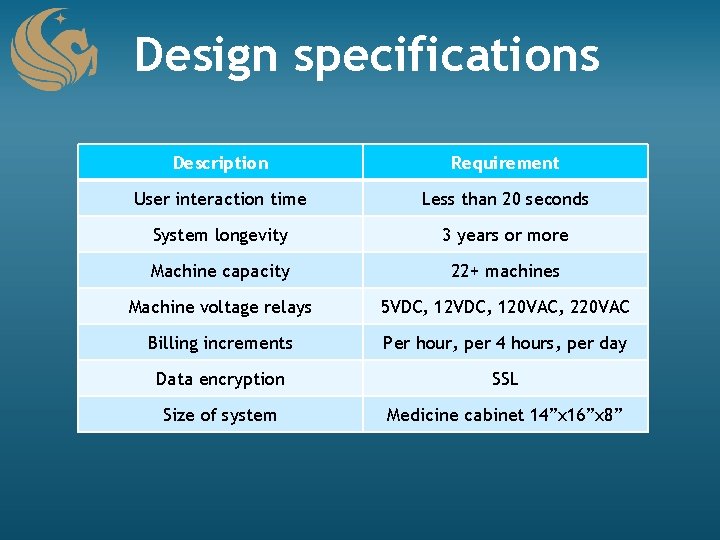
Design specifications Description Requirement User interaction time Less than 20 seconds System longevity 3 years or more Machine capacity 22+ machines Machine voltage relays 5 VDC, 120 VAC, 220 VAC Billing increments Per hour, per 4 hours, per day Data encryption SSL Size of system Medicine cabinet 14”x 16”x 8”
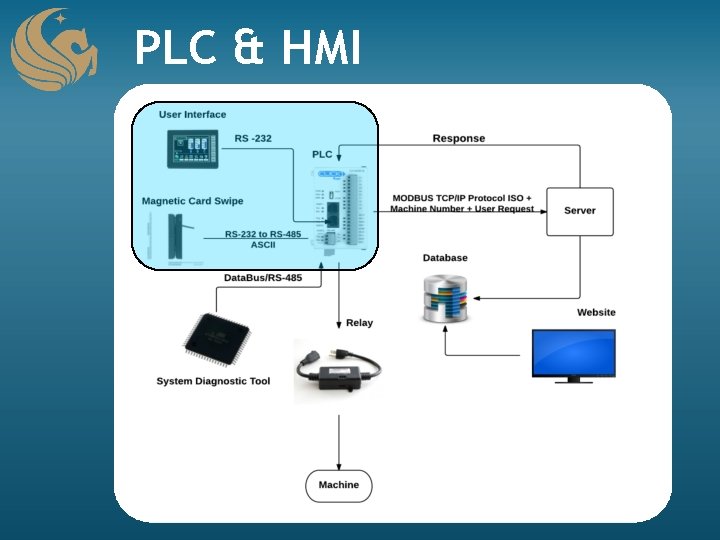
PLC & HMI
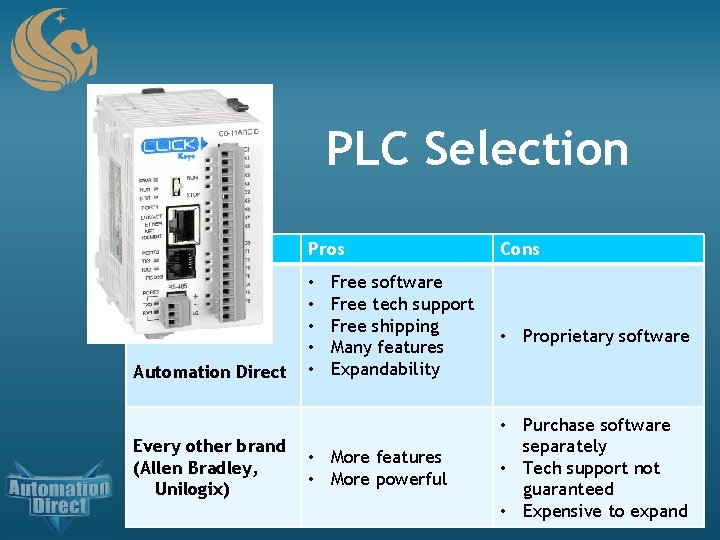
PLC Selection Brand Pros Automation Direct • • • Every other brand (Allen Bradley, Unilogix) Free software Free tech support Free shipping Many features Expandability • More features • More powerful Cons • Proprietary software • Purchase software separately • Tech support not guaranteed • Expensive to expand
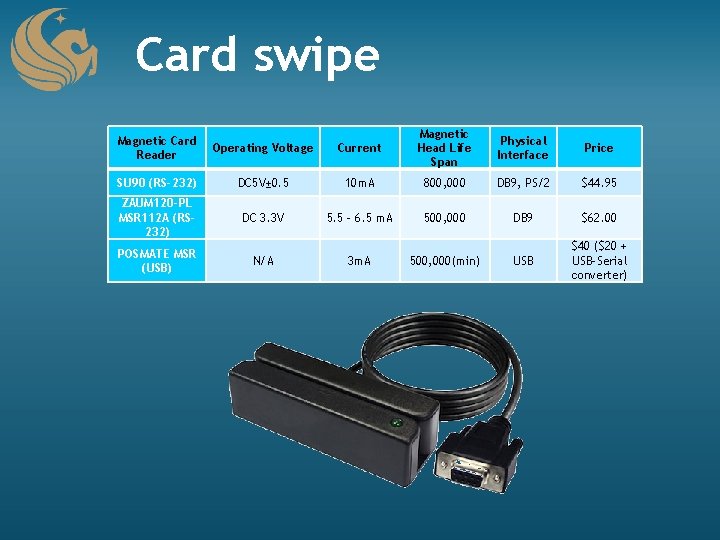
Card swipe Current Magnetic Head Life Span Physical Interface Price DC 5 V± 0. 5 10 m. A 800, 000 DB 9, PS/2 $44. 95 DC 3. 3 V 5. 5 – 6. 5 m. A 500, 000 DB 9 $62. 00 USB $40 ($20 + USB-Serial converter) Magnetic Card Reader Operating Voltage SU 90 (RS-232) ZAUM 120 -PL MSR 112 A (RS 232) POSMATE MSR (USB) N/A 3 m. A 500, 000(min)
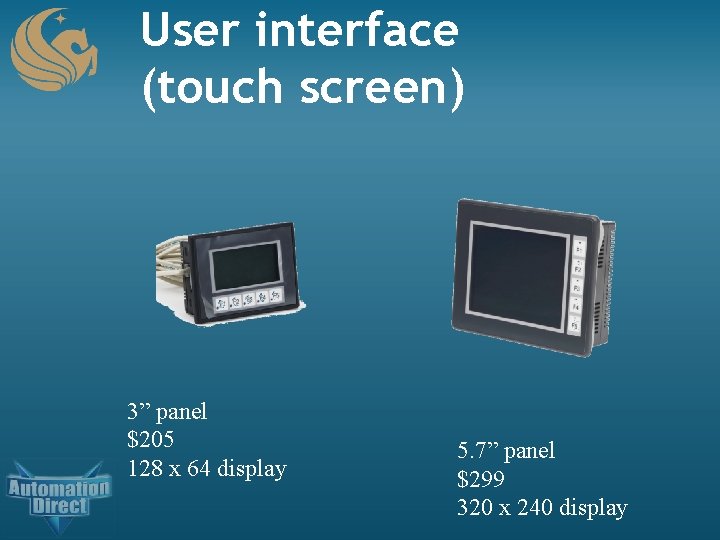
User interface (touch screen) 3” panel $205 128 x 64 display 5. 7” panel $299 320 x 240 display
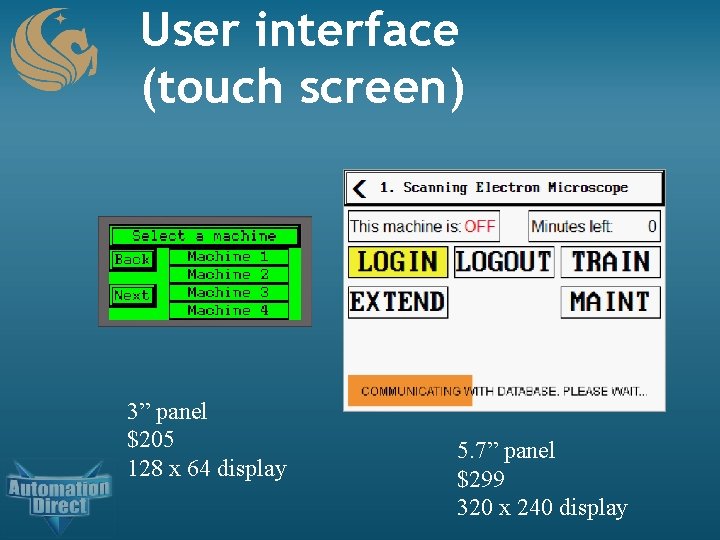
User interface (touch screen) 3” panel $205 128 x 64 display 5. 7” panel $299 320 x 240 display
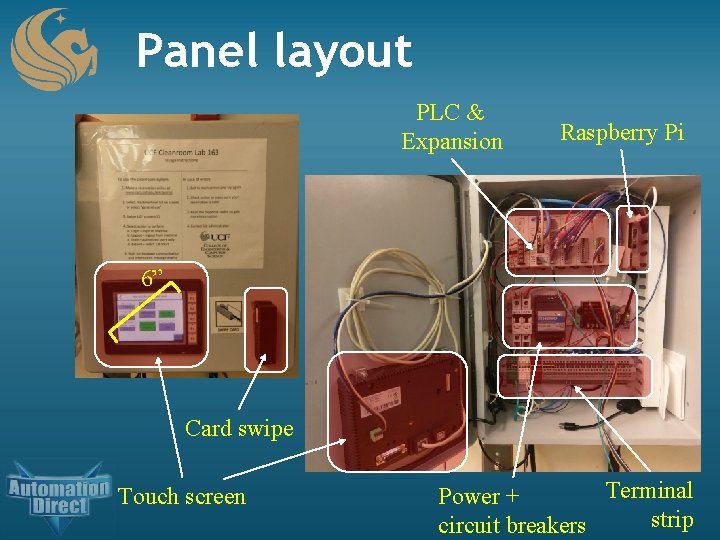
Panel layout PLC & Expansion Raspberry Pi 6” Card swipe Touch screen Terminal Power + strip circuit breakers
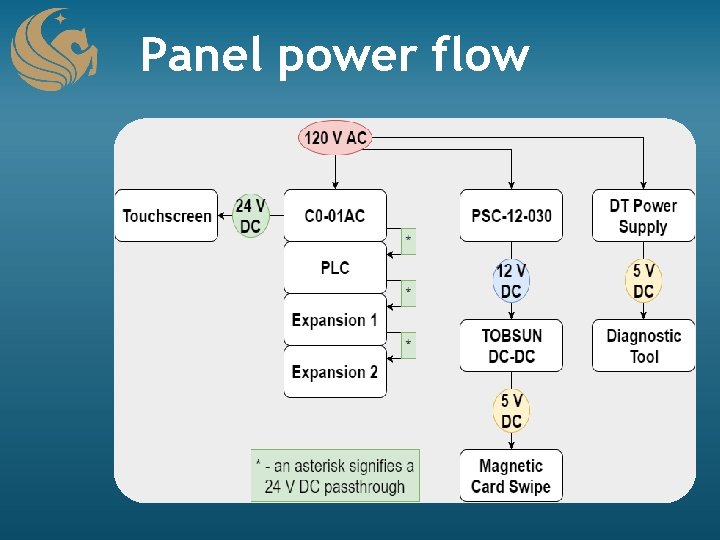
Panel power flow
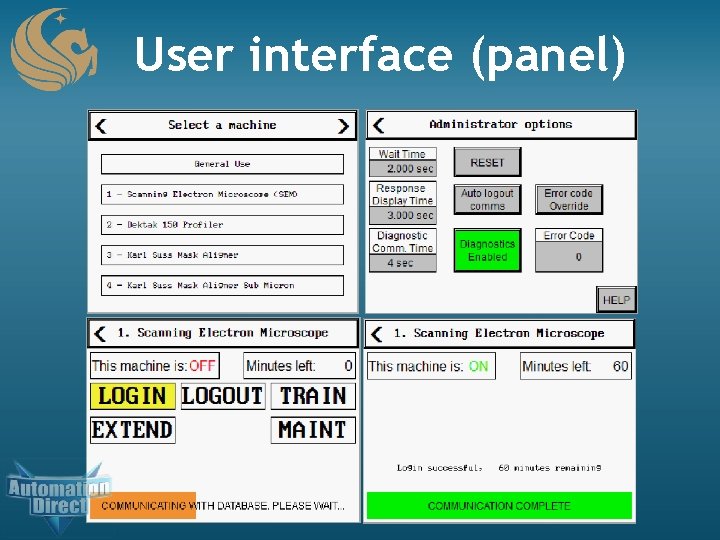
User interface (panel)
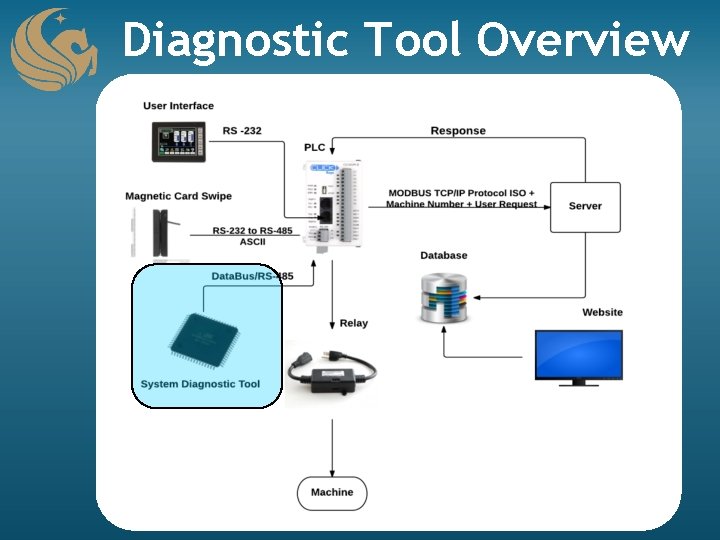
Diagnostic Tool Overview • Runs parallel to the control system • Provides quick administrative access to the PLC • User friendly interface
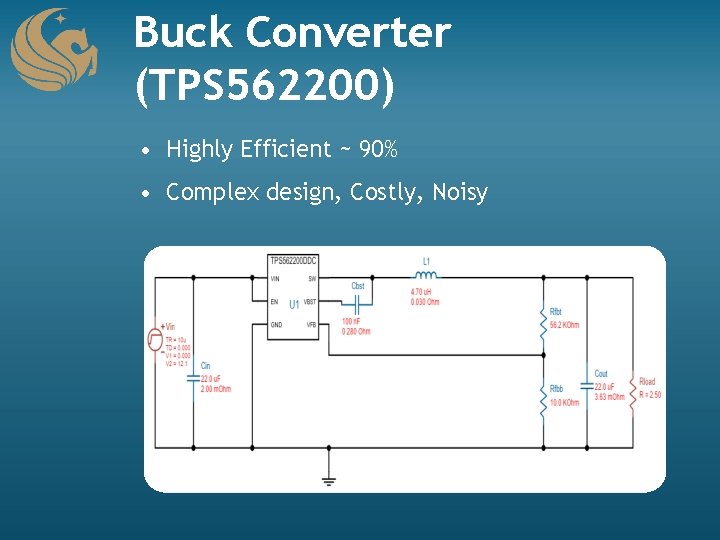
Buck Converter (TPS 562200) • Highly Efficient ~ 90% • Complex design, Costly, Noisy
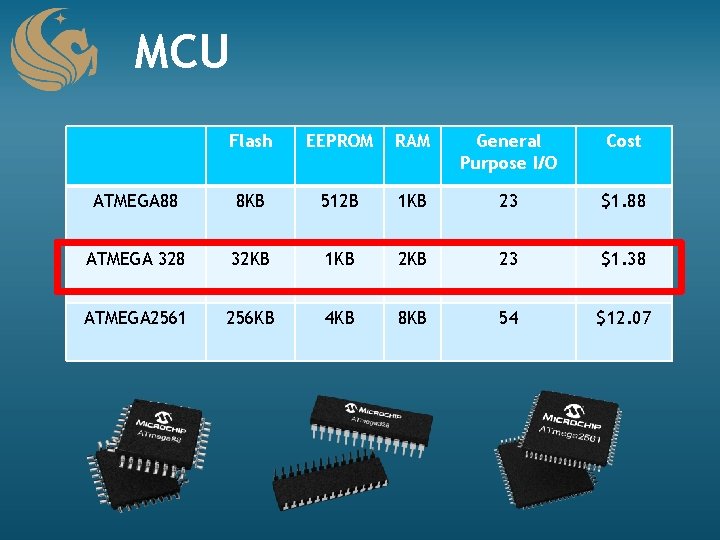
MCU Flash EEPROM RAM General Purpose I/O Cost ATMEGA 88 8 KB 512 B 1 KB 23 $1. 88 ATMEGA 328 32 KB 1 KB 23 $1. 38 ATMEGA 2561 256 KB 4 KB 8 KB 54 $12. 07
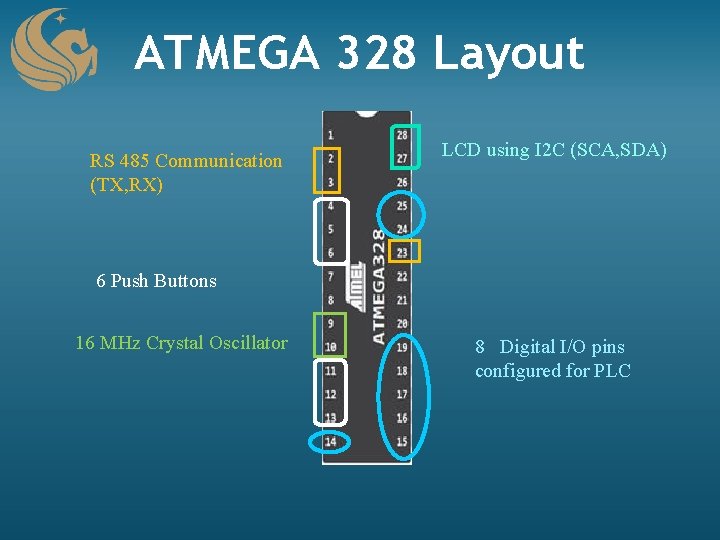
ATMEGA 328 Layout RS 485 Communication (TX, RX) LCD using I 2 C (SCA, SDA) 6 Push Buttons 16 MHz Crystal Oscillator 8 Digital I/O pins configured for PLC
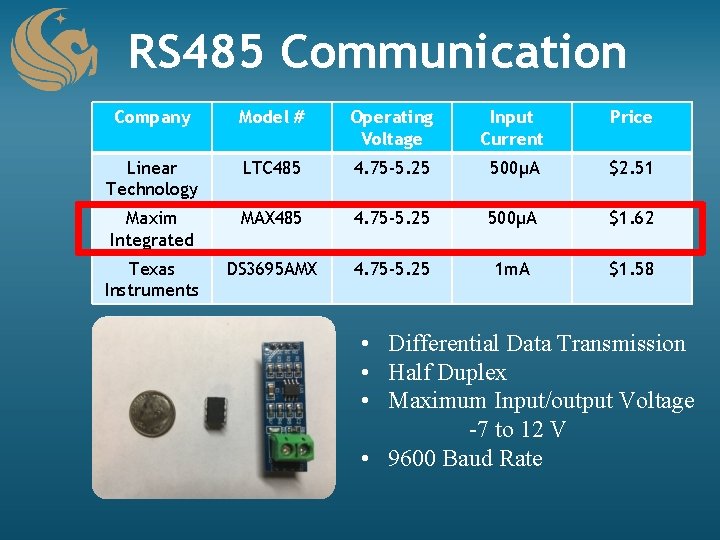
RS 485 Communication Company Model # Operating Voltage Input Current Price Linear Technology LTC 485 4. 75 -5. 25 500μA $2. 51 Maxim Integrated MAX 485 4. 75 -5. 25 500μA $1. 62 Texas Instruments DS 3695 AMX 4. 75 -5. 25 1 m. A $1. 58 • Differential Data Transmission • Half Duplex • Maximum Input/output Voltage -7 to 12 V • 9600 Baud Rate
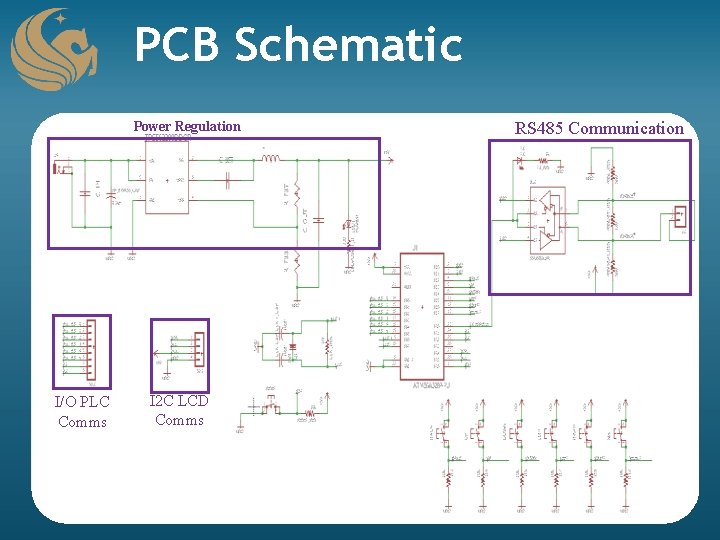
PCB Schematic Power Regulation I/O PLC Comms I 2 C LCD Comms RS 485 Communication
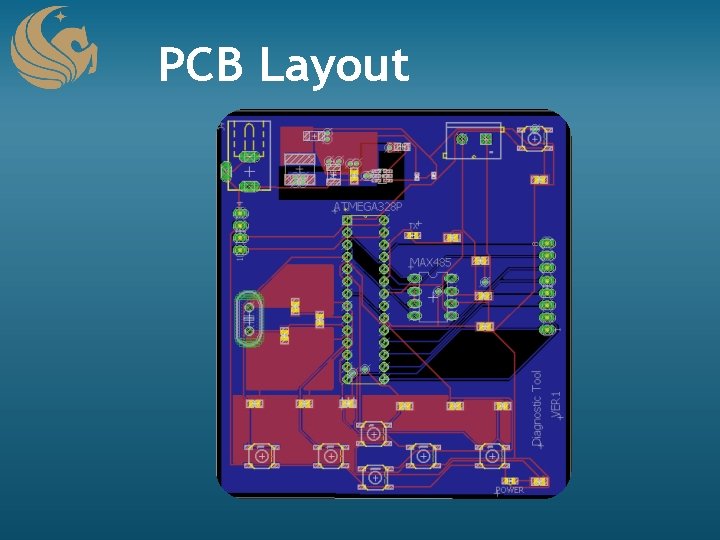
PCB Layout
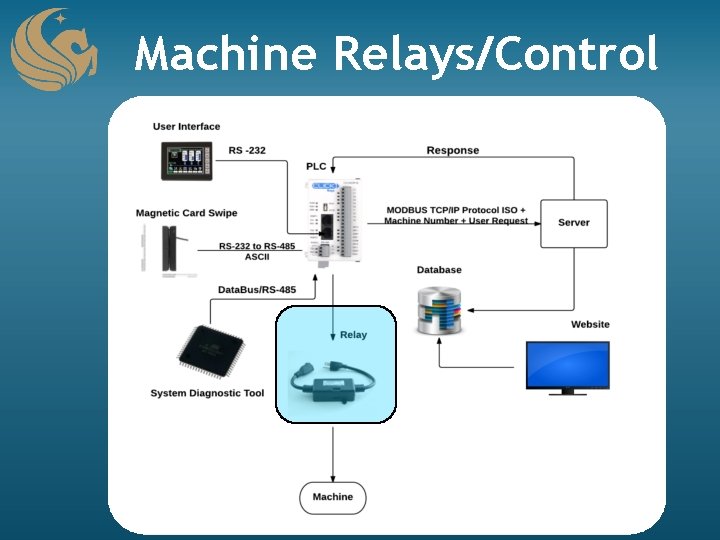
Machine Relays/Control
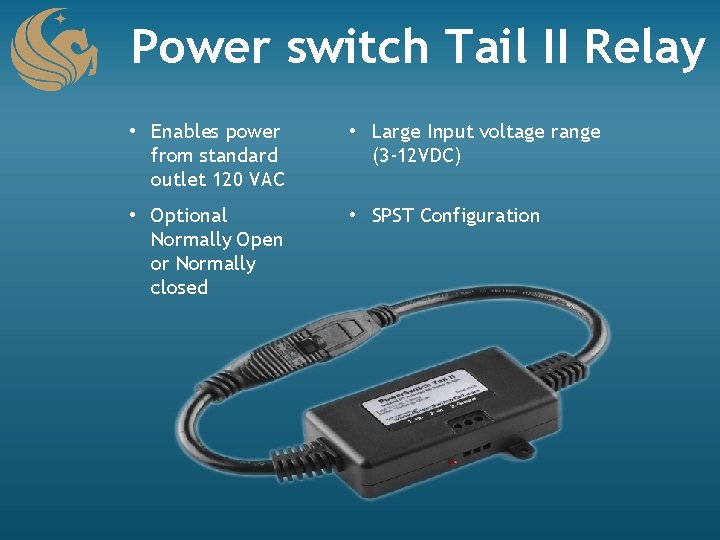
Power switch Tail II Relay • Enables power from standard outlet 120 VAC • Large Input voltage range (3 -12 VDC) • Optional Normally Open or Normally closed • SPST Configuration
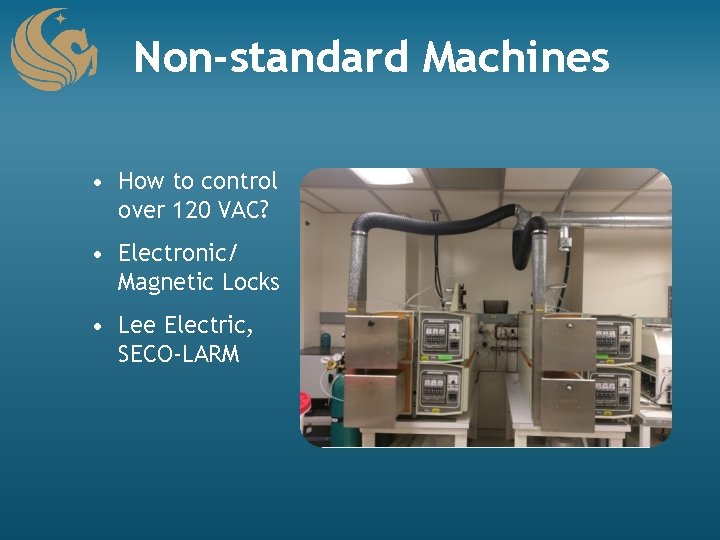
Non-standard Machines • How to control over 120 VAC? • Electronic/ Magnetic Locks • Lee Electric, SECO-LARM
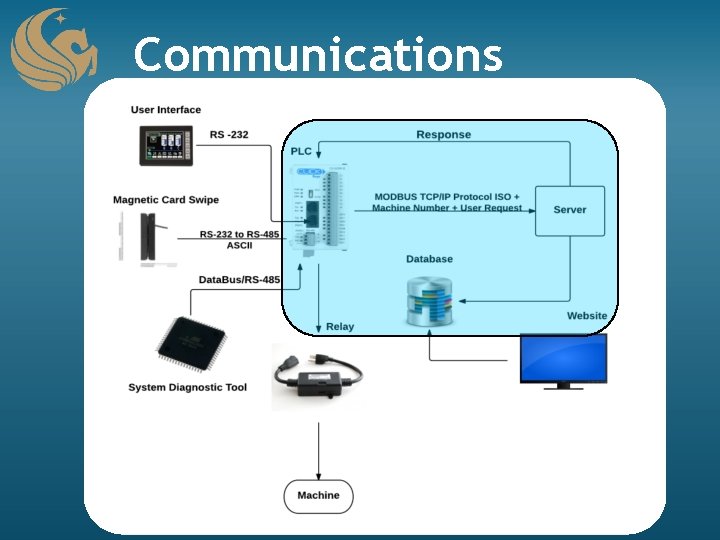
Communications • Data must be transferred from one component to another • Must be consistent to allow for seamless communication
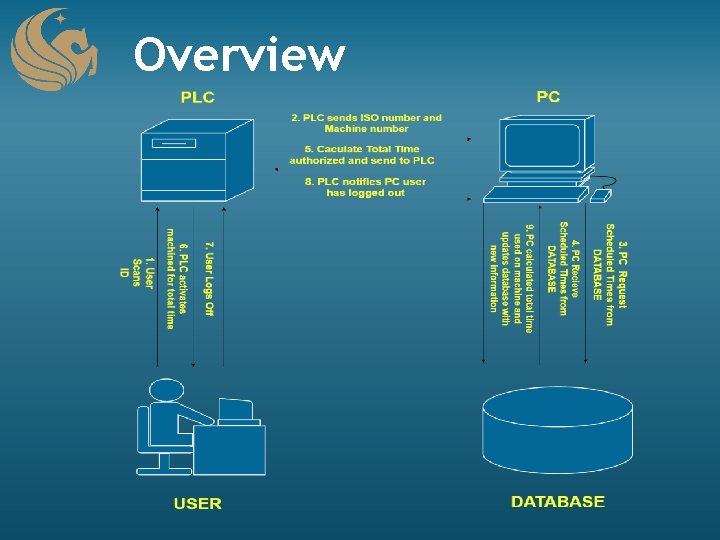
Overview
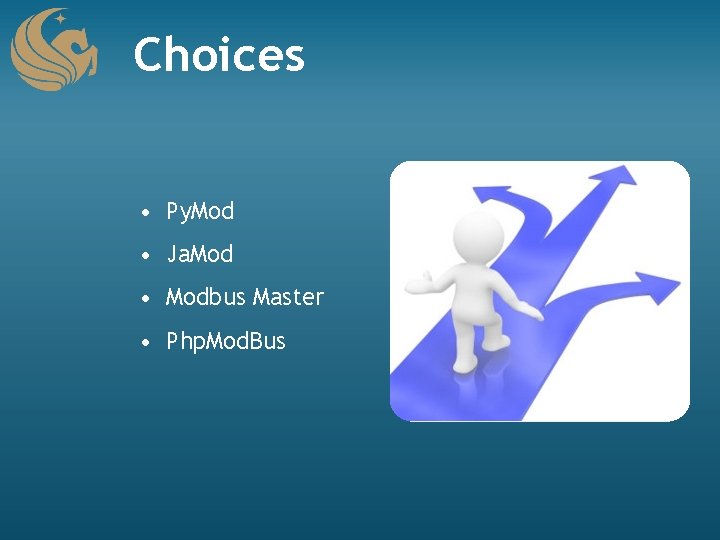
Choices • Py. Mod • Ja. Mod • Modbus Master • Php. Mod. Bus
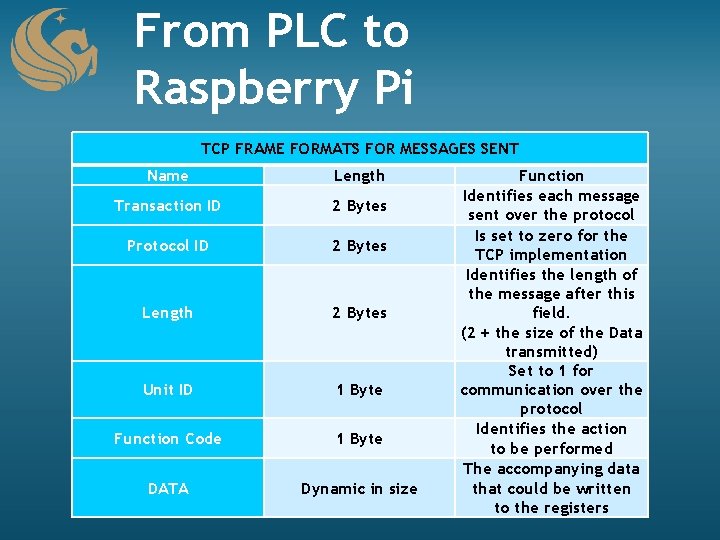
From PLC to Raspberry Pi TCP FRAME FORMATS FOR MESSAGES SENT Name Length Transaction ID 2 Bytes Protocol ID 2 Bytes Length 2 Bytes Unit ID 1 Byte Function Code 1 Byte DATA Dynamic in size Function Identifies each message sent over the protocol Is set to zero for the TCP implementation Identifies the length of the message after this field. (2 + the size of the Data transmitted) Set to 1 for communication over the protocol Identifies the action to be performed The accompanying data that could be written to the registers

From PLC to Raspberry PI 1. Create A Socket 2. Constant Monitor 3. Gets Request 4. Send acknowledgement 5. Separate message to bytes and shorts 6. Decide the next action to follow
From Raspberry PI to Database 1. Send ISO and Machine Number 2. Take a timestamp 3. Check ISO and Machine Number 4. Check Schedules
Database Back to Raspberry PI 1. Calculate total time 2. Lots of math (originally) 3. Still lots actually but interesting way to get around it 4. Milliseconds since the Great Epoch
Raspberry Pi to PLC 1. Package the final message 2. Send message 3. Update the database 4. Continue to listen
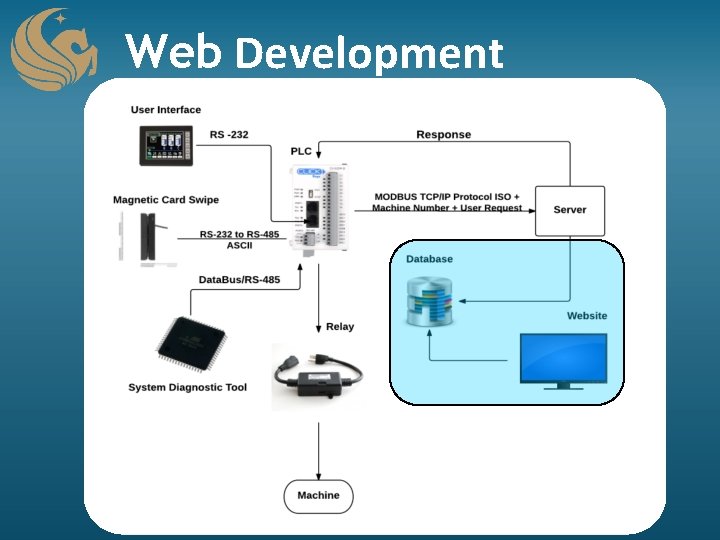
Web Development • Front-End • Back-End • Database Design • UCF Network

Tools Front End • CSS, HTML, and Java. Script • Bootstrap • j. Query • Word. Press Back End • PHP • My. SQL
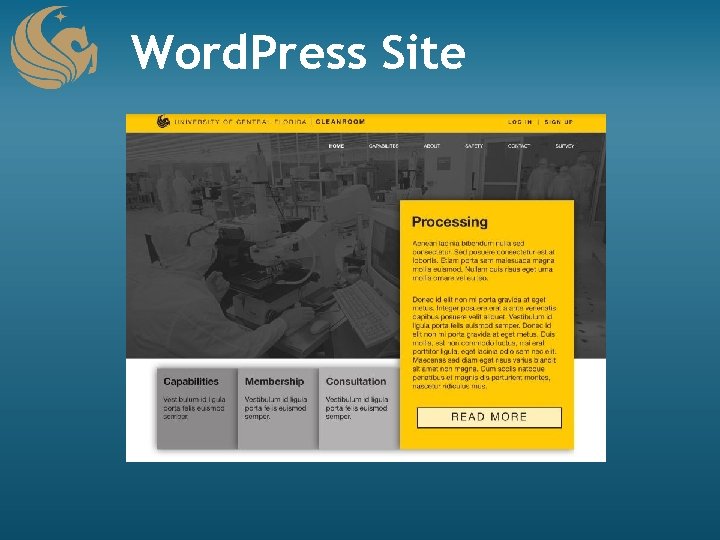
Word. Press Site

Cleanroom Portal
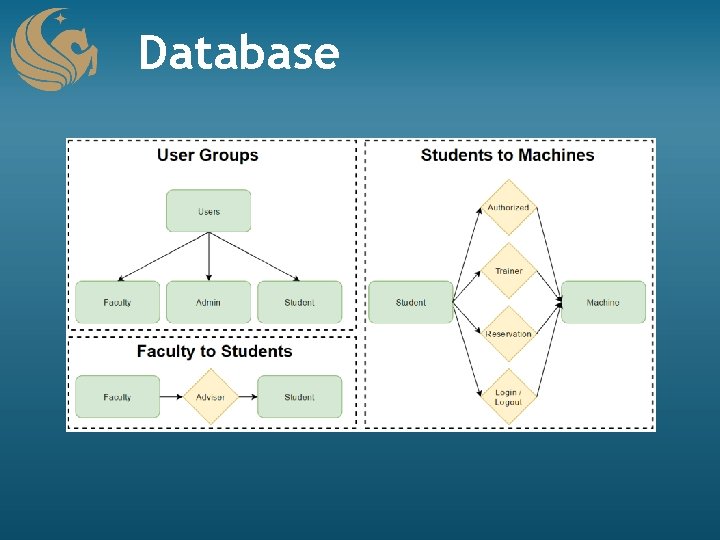
Database
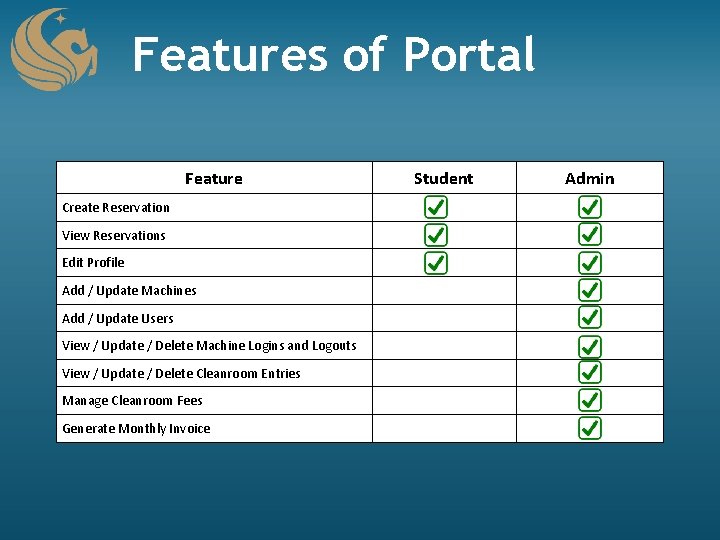
Features of Portal Feature Create Reservation View Reservations Edit Profile Add / Update Machines Add / Update Users View / Update / Delete Machine Logins and Logouts View / Update / Delete Cleanroom Entries Manage Cleanroom Fees Generate Monthly Invoice Student Admin
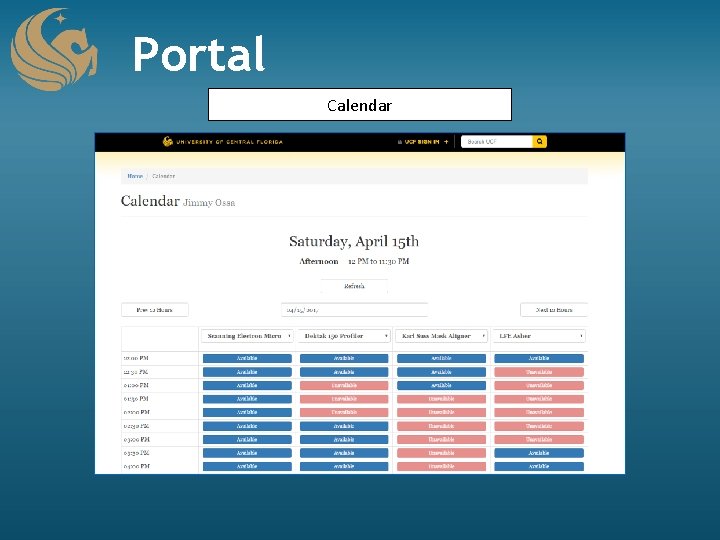
Portal Calendar
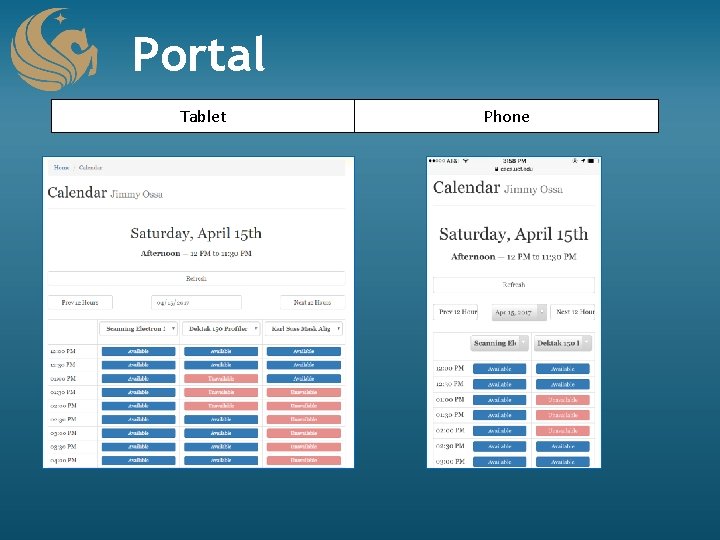
Portal Tablet Phone
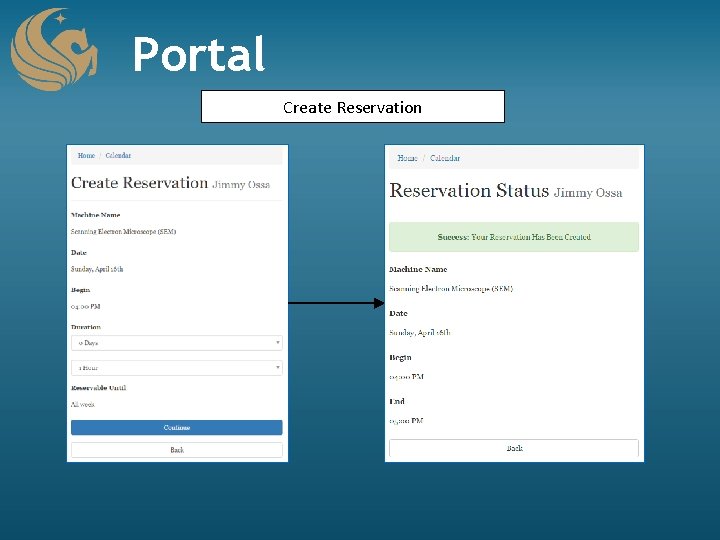
Portal Create Reservation
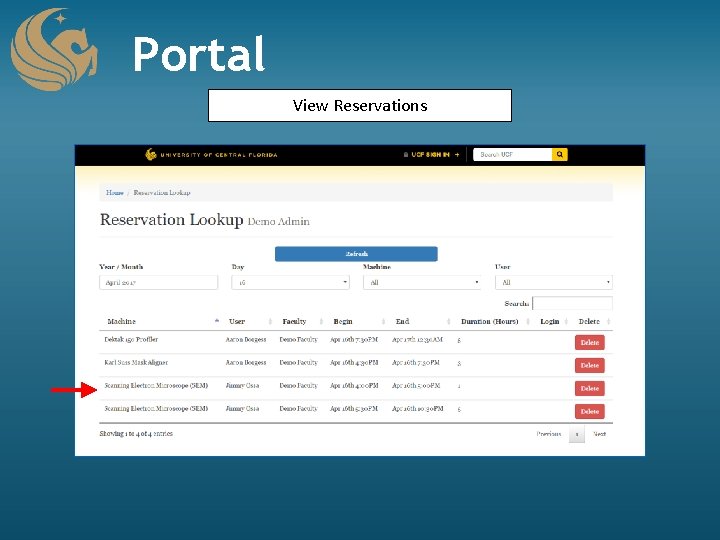
Portal View Reservations
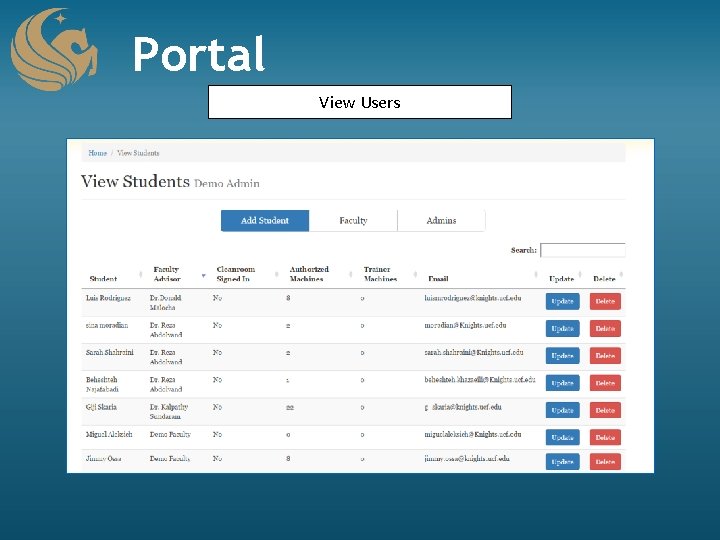
Portal View Users
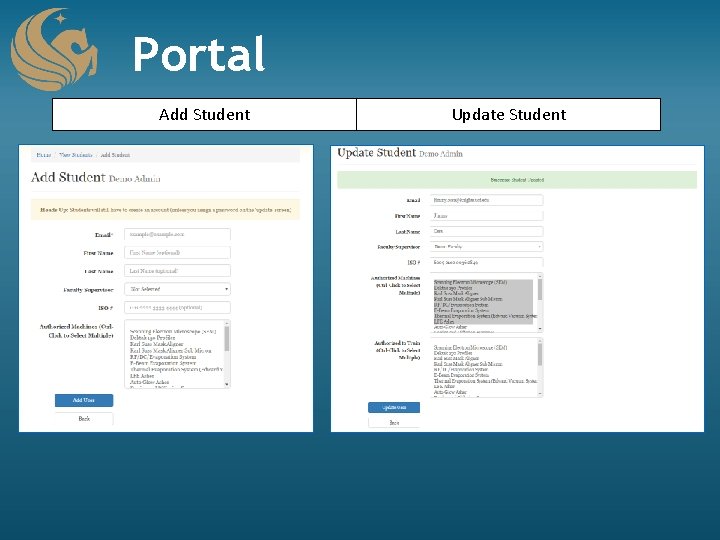
Portal Add Student Update Student
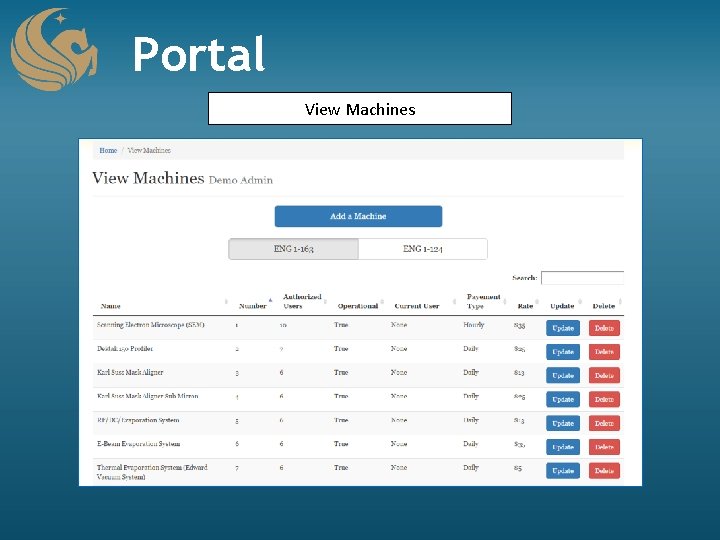
Portal View Machines
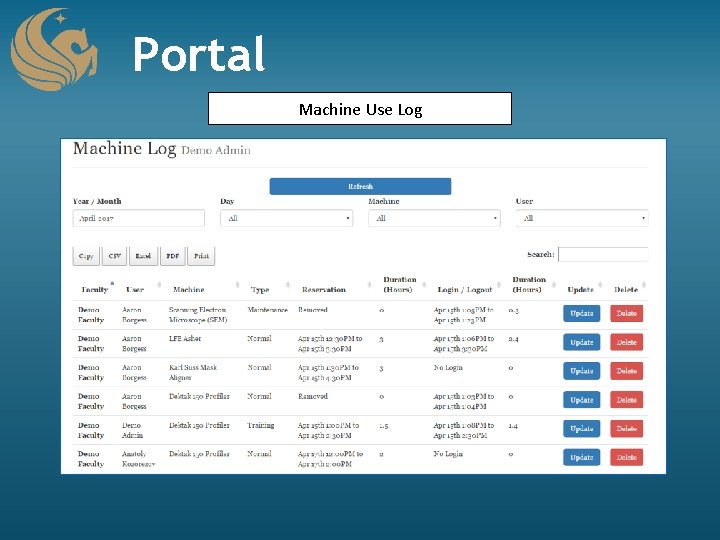
Portal Machine Use Log
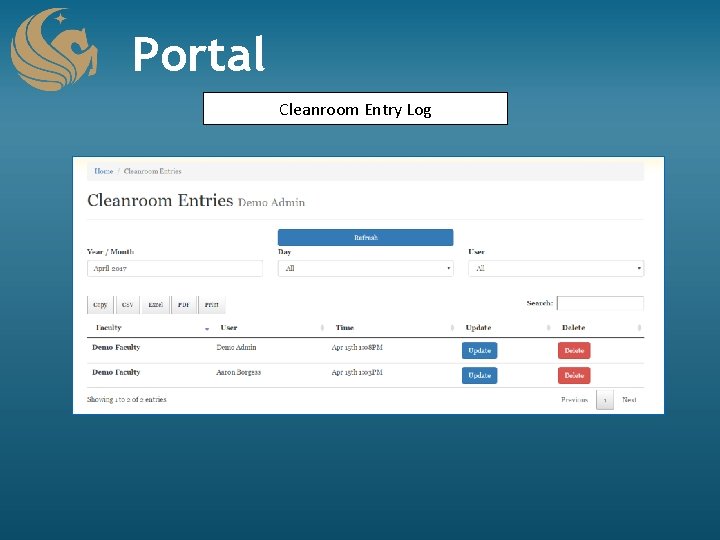
Portal Cleanroom Entry Log
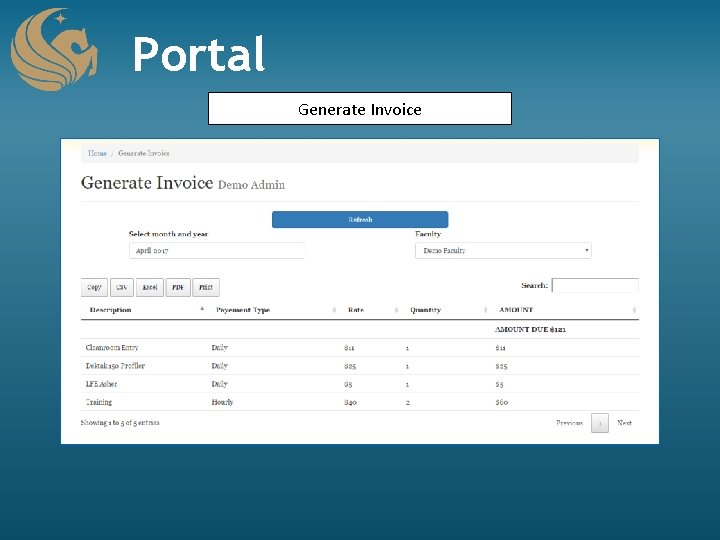
Portal Generate Invoice
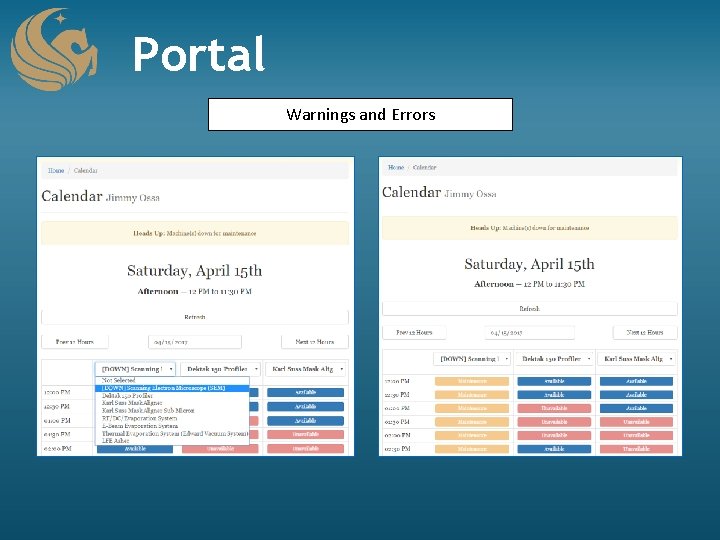
Portal Warnings and Errors
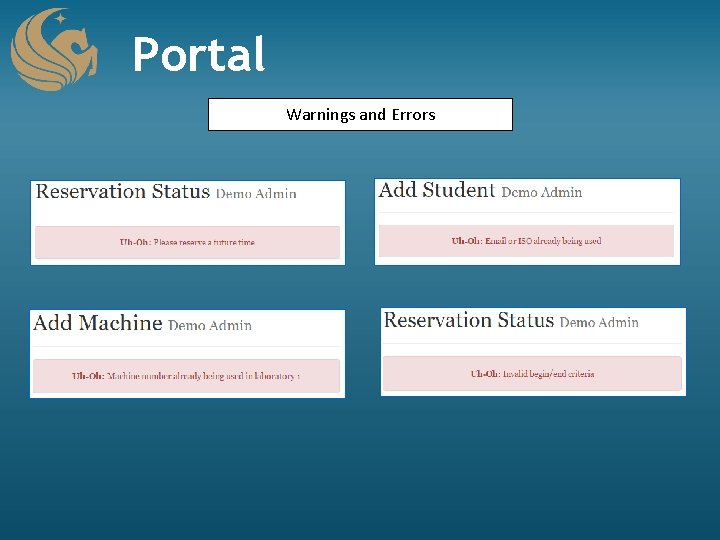
Portal Warnings and Errors
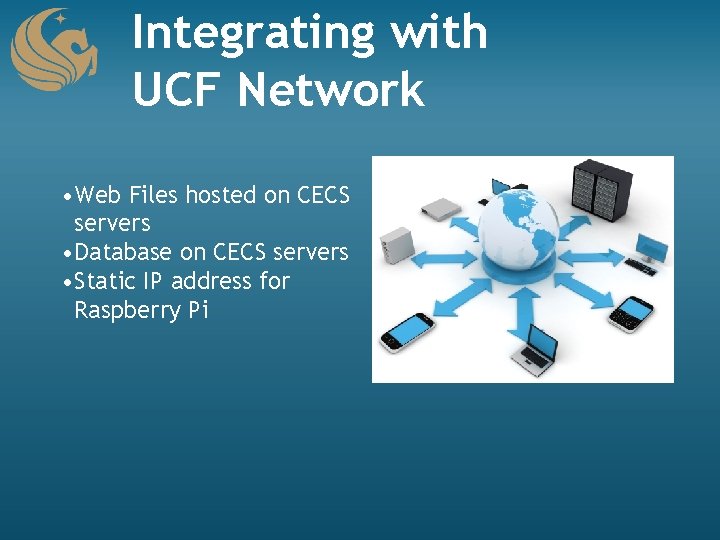
Integrating with UCF Network • Web Files hosted on CECS servers • Database on CECS servers • Static IP address for Raspberry Pi
Administrative Content
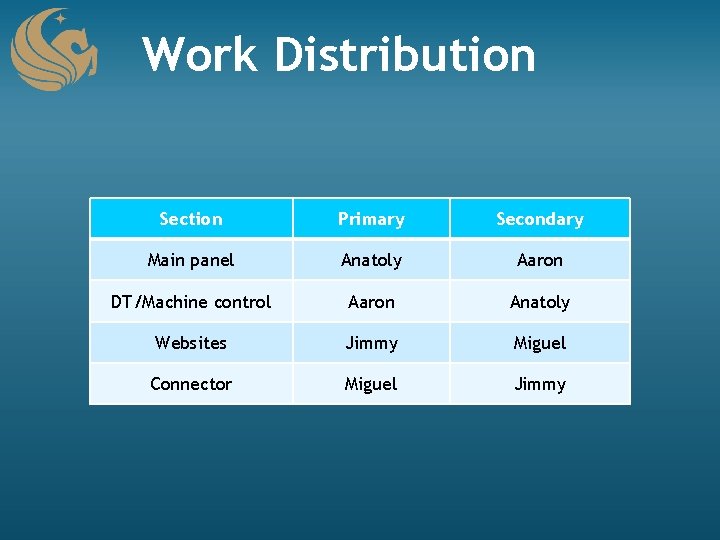
Work Distribution Section Primary Secondary Main panel Anatoly Aaron DT/Machine control Aaron Anatoly Websites Jimmy Miguel Connector Miguel Jimmy
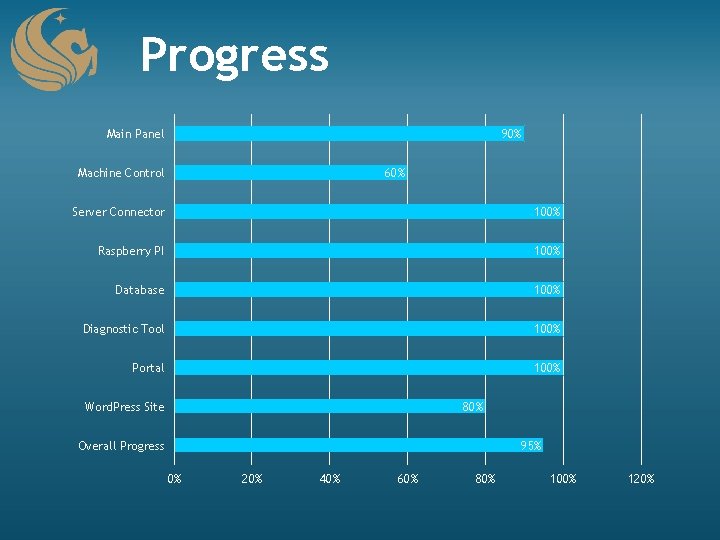
Progress Main Panel 90% Machine Control 60% Server Connector 100% Raspberry PI 100% Database 100% Diagnostic Tool 100% Portal 100% Word. Press Site 80% Overall Progress 95% 0% 20% 40% 60% 80% 100% 120%
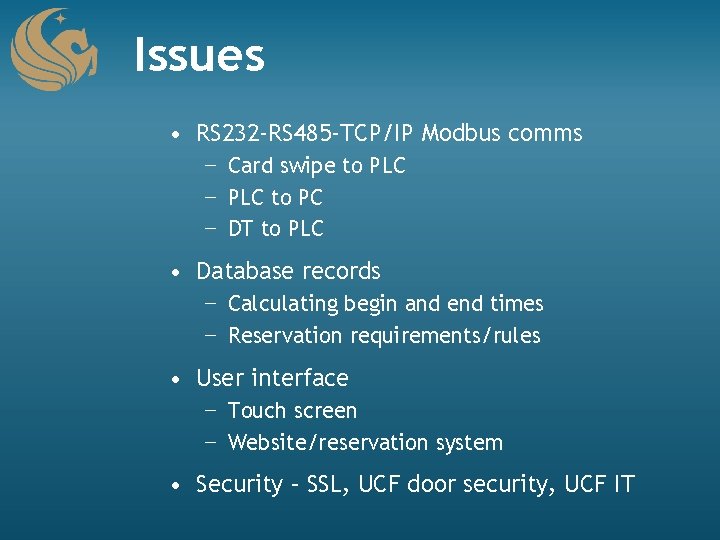
Issues • RS 232 -RS 485 -TCP/IP Modbus comms − Card swipe to PLC − PLC to PC − DT to PLC • Database records − Calculating begin and end times − Reservation requirements/rules • User interface − Touch screen − Website/reservation system • Security – SSL, UCF door security, UCF IT
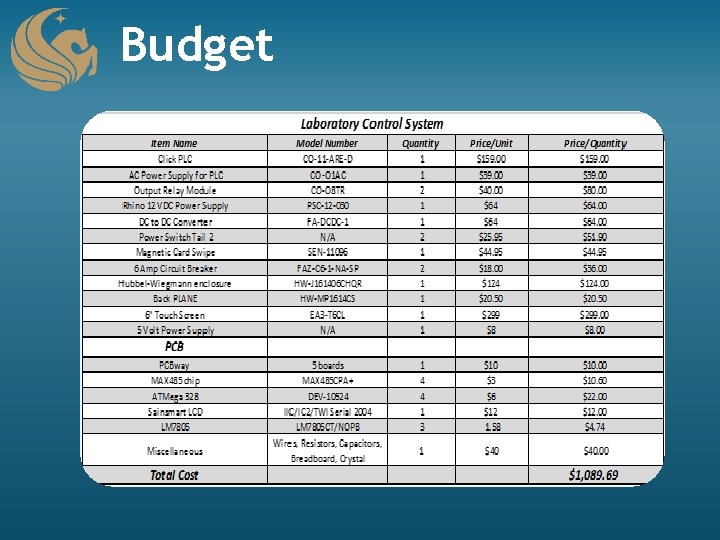
Budget
Questions?
- Slides: 56