
Laboratory 5 Introduction to Lab VIEW Overview Objectives
Laboratory 5: Introduction to Lab. VIEW

Overview • • • Objectives Background Materials Procedure Report / Presentation Closing

Objectives • Familiarization with graphical programming • Obtain data from outside the computer using simulated instrumentation • Use this knowledge to create programs in Lab. VIEW – Simple calculator – Heating and cooling system – Lighting system
What is Lab. VIEW? • Laboratory Virtual Instrument Engineering Workbench • Graphical programming language • Used for data acquisition, instrument control, and signal processing • Based on G programming language

Text-based
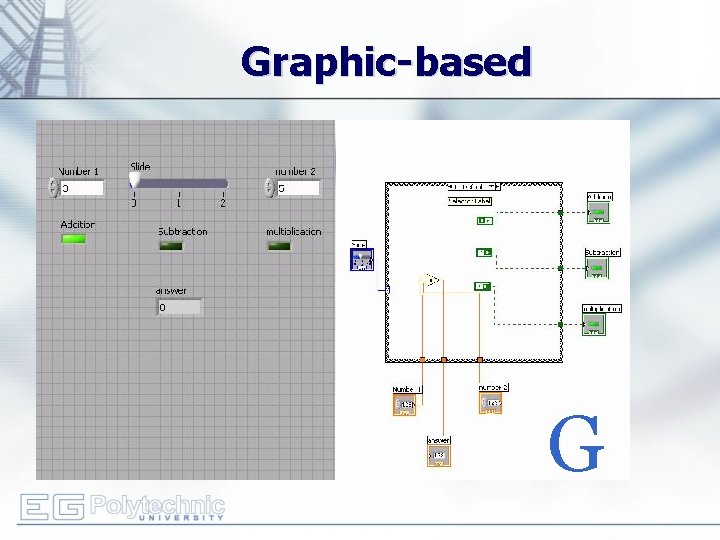
Graphic-based G
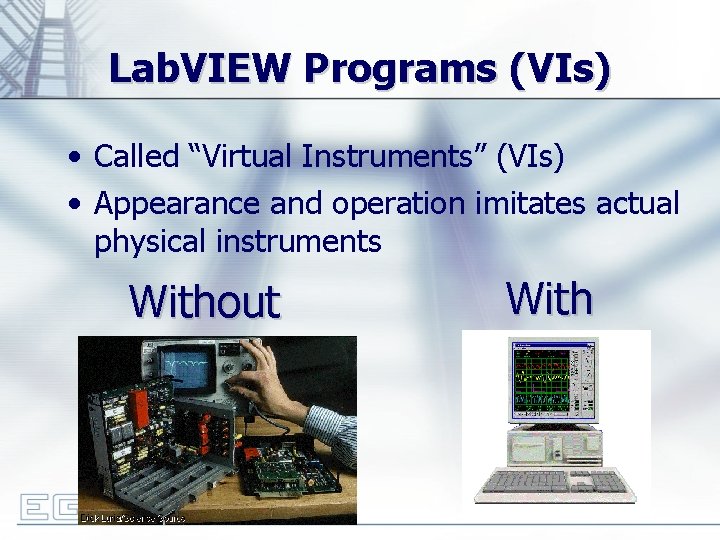
Lab. VIEW Programs (VIs) • Called “Virtual Instruments” (VIs) • Appearance and operation imitates actual physical instruments Without With
Applications in EG 1004 • Heat Transfer and Thermal Insulation Lab – Therm 1. vi • Electronic Filters Lab – Oscilloscope • Semester Long Project – Supermarket, Train – – – Lighting system and heater/AC Computerized checkout counters Security system Light sensors Switches rail paths
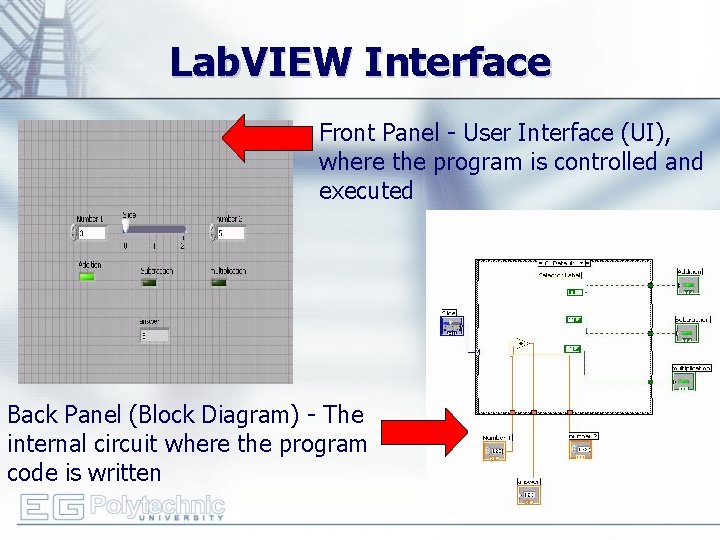
Lab. VIEW Interface Front Panel - User Interface (UI), where the program is controlled and executed Back Panel (Block Diagram) - The internal circuit where the program code is written
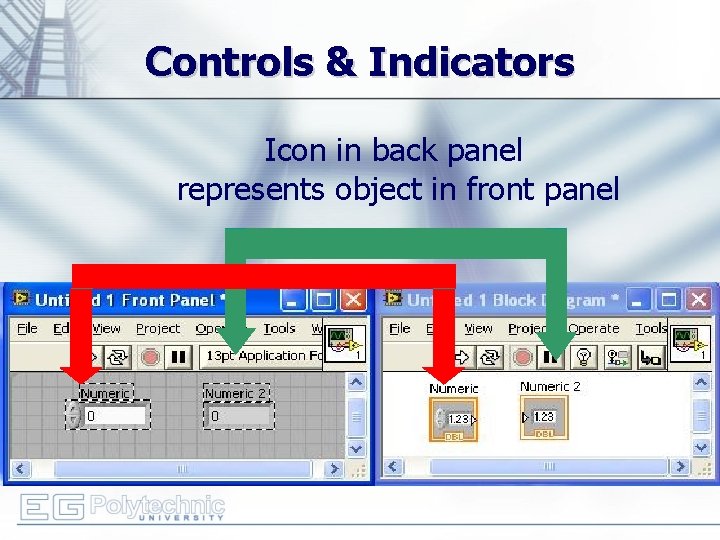
Controls & Indicators Icon in back panel represents object in front panel
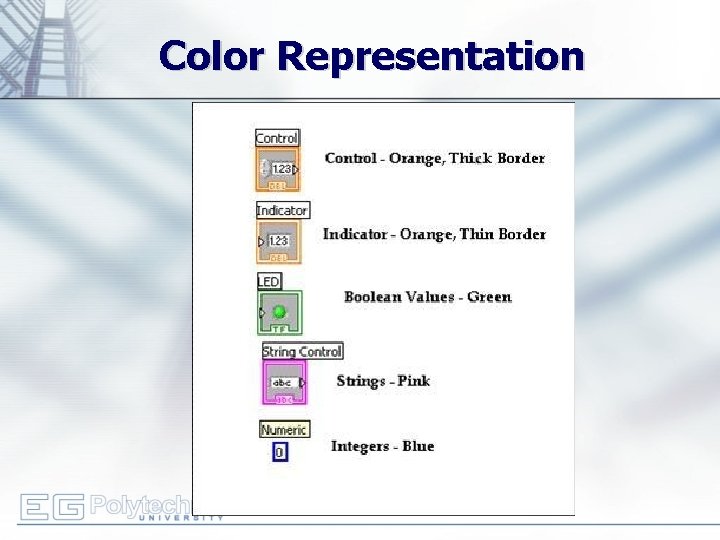
Color Representation
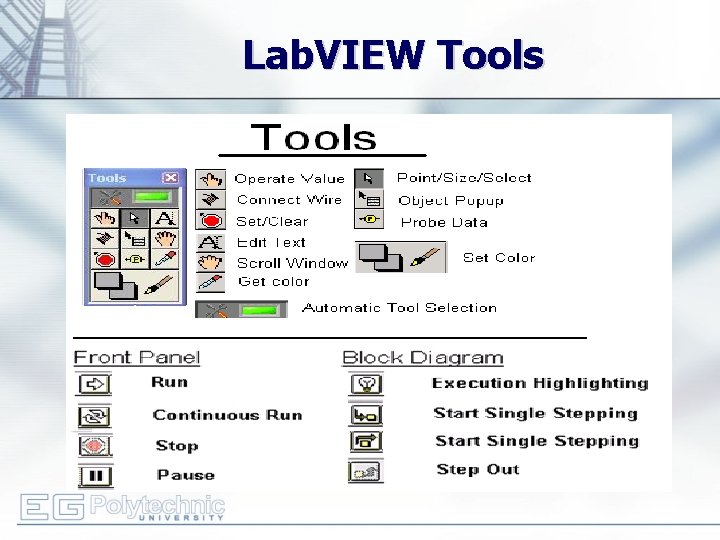
Lab. VIEW Tools
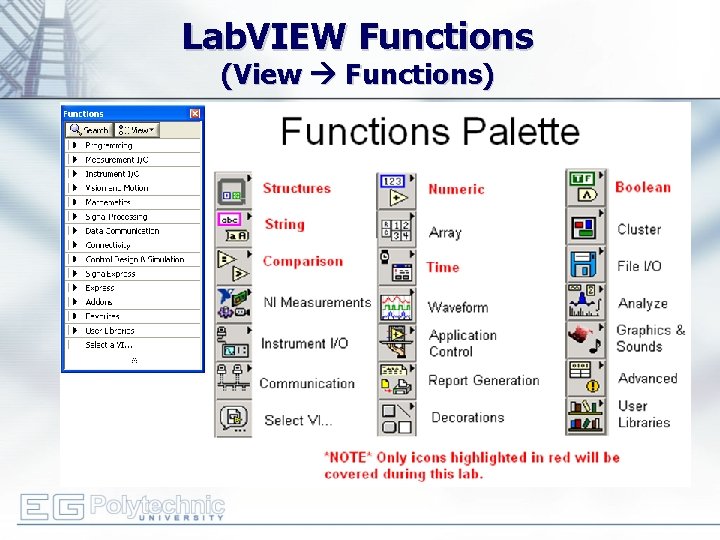
Lab. VIEW Functions (View Functions)
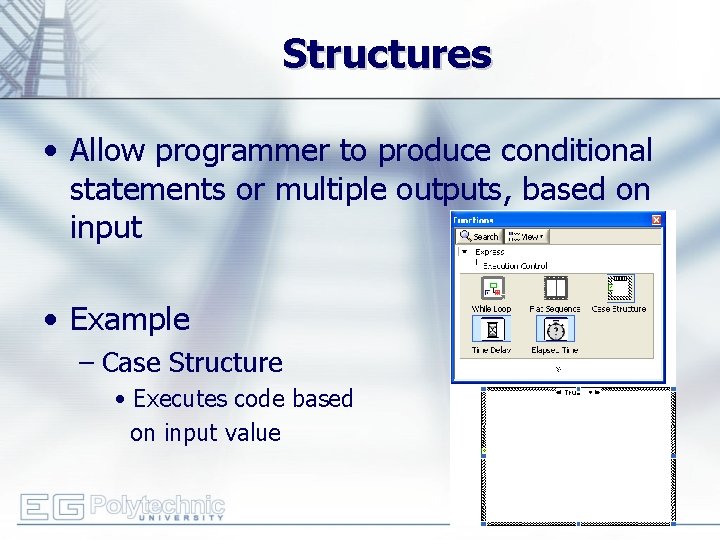
Structures • Allow programmer to produce conditional statements or multiple outputs, based on input • Example – Case Structure • Executes code based on input value
DAC Board • Data Acquisition & Control Board – Interface that exchanges data (sends/receives) between the computer and the outside world – DAC Icons Used: • One Input Analog Channel • Port Config • Port Write References: See EG 1004 Online Manual, National Instruments documentation, and other Lab. VIEW oriented websites (i. e. IIT’s Lab. VIEW for Dummies©)
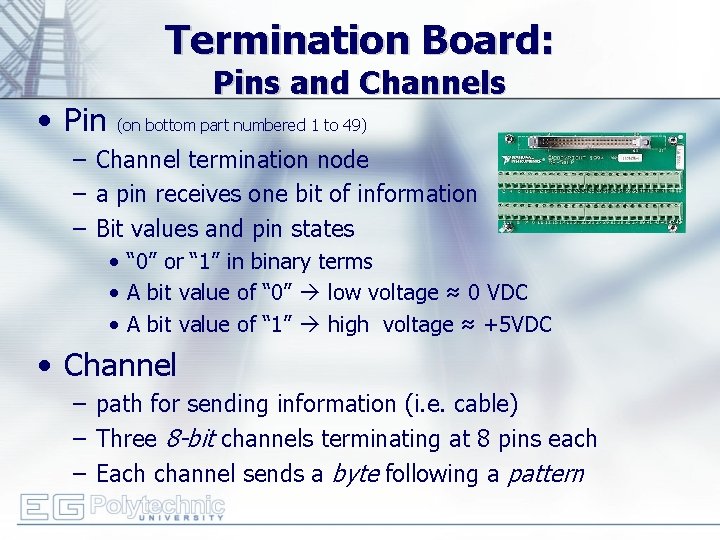
Termination Board: • Pins and Channels (on bottom part numbered 1 to 49) – Channel termination node – a pin receives one bit of information – Bit values and pin states • “ 0” or “ 1” in binary terms • A bit value of “ 0” low voltage ≈ 0 VDC • A bit value of “ 1” high voltage ≈ +5 VDC • Channel – path for sending information (i. e. cable) – Three 8 -bit channels terminating at 8 pins each – Each channel sends a byte following a pattern
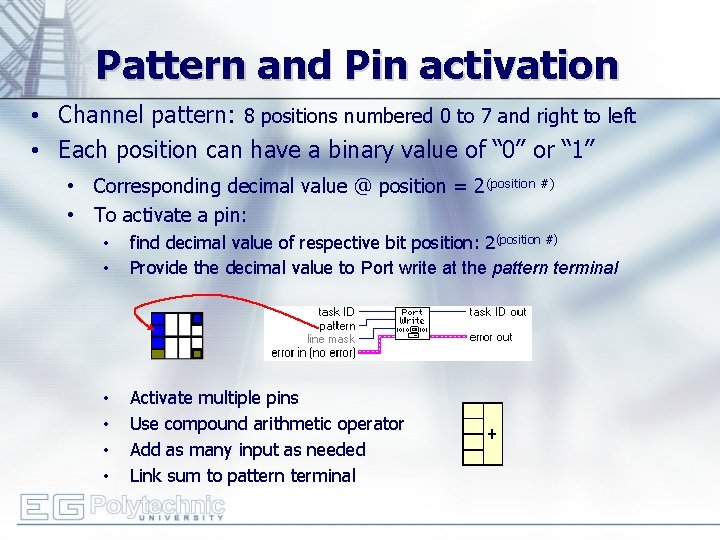
Pattern and Pin activation • Channel pattern: 8 positions numbered 0 to 7 and right to left • Each position can have a binary value of “ 0” or “ 1” • Corresponding decimal value @ position = 2(position #) • To activate a pin: • • find decimal value of respective bit position: 2(position #) Provide the decimal value to Port write at the pattern terminal • • Activate multiple pins Use compound arithmetic operator Add as many input as needed Link sum to pattern terminal
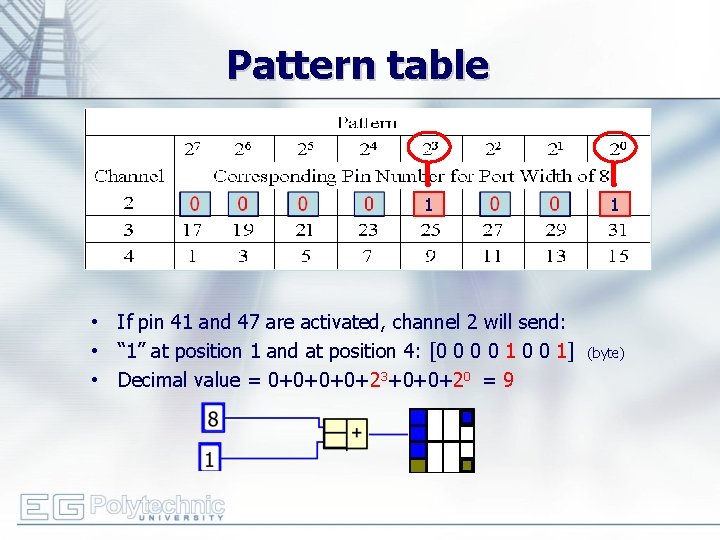
Pattern table 1 • If pin 41 and 47 are activated, channel 2 will send: • “ 1” at position 1 and at position 4: [0 0 1] • Decimal value = 0+0+23+0+0+20 = 9 1 (byte)
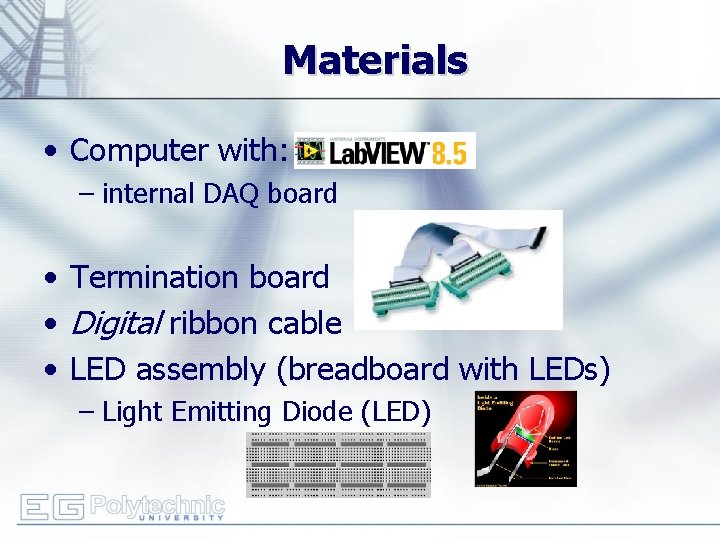
Materials • Computer with: – internal DAQ board • Termination board • Digital ribbon cable • LED assembly (breadboard with LEDs) – Light Emitting Diode (LED)
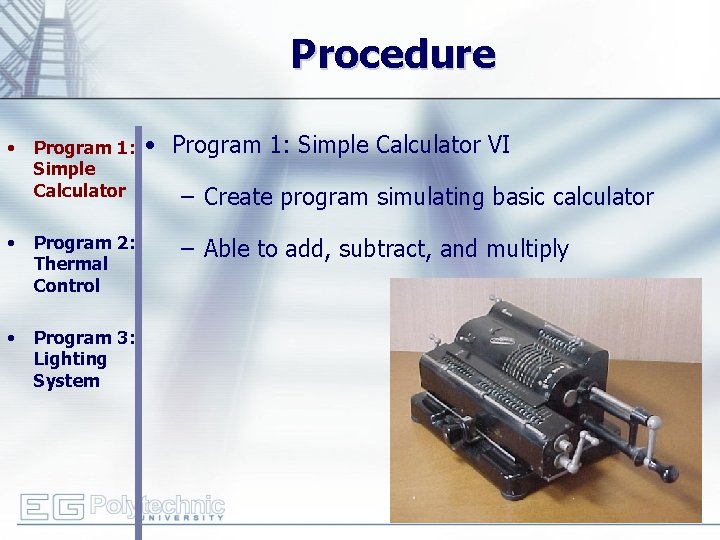
Procedure • Program 1: Simple Calculator • Program 2: Thermal Control • Program 3: Lighting System • Program 1: Simple Calculator VI – Create program simulating basic calculator – Able to add, subtract, and multiply
Procedure • Program 1: Simple Calculator • Program 2: Thermal Control • Program 3: Lighting System • Program 1: Simple Calculator VI – Front panel of program must have: • 1 slide to control 3 different arithmetic operations (add +; subtract -; multiply *) • 3 LED (Boolean) indicators to show which arithmetic operation is selected • Two numeric controls for inputting numbers • One numeric indicator to display results – Back panel should have: • A case statement to control arithmetic operations
Procedure • • • Program 1: Simple Calculator Program 2: Thermal Control Program 3: Lighting System • Program 2: Thermal Control VI – Home heating/cooling system – Program requirements- Automatic Mode • • Regulate house air temperature AC is ON when temperature is greater than 80 o. F Heater is ON when the temperature is less than 60 o. F Heater and AC are OFF when temperature is between 60 o. F and 80 o. F – Program requirements- Manual Mode • Heater and AC power are controlled directly by user (overrides automatic mode)
Procedure • Program 1: Simple Calculator • Program 2: Thermal Control VI – Front panel must have: • 3 LEDs • • Program 2: Thermal Control Program 3: Lighting System – AC on/off indicator – Heater on/off indicator – Manual operation on/off indicator • 3 switches for AC, heater and system operation (automatic/manual) • A temperature control represented by a thermometer – Back panel should have: • A Boolean case statement to control manual and automatic operations
Procedure • Program 1: Simple Calculator • Program 2: Thermal Control • Program 3: Lighting System • Program 3: Lighting System VI – Simulate typical household lighting system – Use Boolean indicators in conjunction with real LEDs to illustrate operation
Procedure • • • Program 1: Simple Calculator Program 2: Thermal Control Program 3: Lighting System • Program 3: Lighting System VI – Front panel must have: • Main power on/off switch for all lights • 4 lights, each representing a different room – Each light should have a separate on/off switch – Back panel should have: • A “Port Config” and “Port Write” setup to control LEDs through DAC board • A Boolean case for each LED – Real world • Functional LED assembly (depict real lights)
Assignment: Report • Submit a Zip file with all Lab. VIEW programs (. vi) • Individual report • Title page • Discussion topics in the manual • Include lab notes with TA’s initials – TA must note that student programs worked • Scan in data and lab notes (ask TA for assistance)
Assignment: Presentation • Team presentation • Include screen shots of your programs – Photo of functioning LED assembly • Explain what each part does – Provide program walk-through • Suggest improvements for programs • Refer to “Creating Power. Point Presentations” found on EG website
Closing • Have all lab notes signed by TA • Each team member should have turn using software • Save Heating and Cooling VI – to be used in a future lab • Submit all work electronically • Return all unused materials to TA
- Slides: 28