
Laboratorio di Calcolo I Docente prof Berardi Dip
Laboratorio di Calcolo I • Docente: prof. Berardi (Dip. Informatica) • Lezione introduttiva su Computing ed esercitazioni di Unix/Linux tenute da Fabrizio Bianchi (saro’ il vostro docente di Laboratorio di Calcolo II) • Lezioni “teoriche” tutti insieme • Esercitazioni individuali al computer Calvin College
Textbook & Slides Trasparenze in: www. to. infn. it/~bianchi/Laboratorio. Calcolo. I/ *. ppt versione power point *. pdf versione Acrobate Reader Per la stampa usare la versione pdf Calvin College
What is Programming? A sequence of statements that instruct a computer in how to solve a problem is called a program. The act of designing, writing and maintaining a program is called programming. People who write programs are called programmers. Calvin College
What kinds of statements do computers understand? A computer only understands machine language statements. A machine language statement is a sequence of ones and zeros that cause the computer to perform a particular action, such as add, subtract, multiply, . . . Calvin College
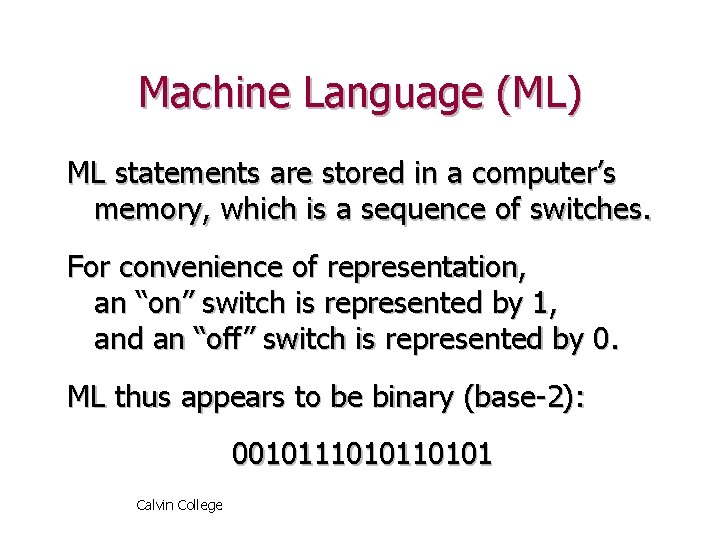
Machine Language (ML) ML statements are stored in a computer’s memory, which is a sequence of switches. For convenience of representation, an “on” switch is represented by 1, and an “off” switch is represented by 0. ML thus appears to be binary (base-2): 00101110101 Calvin College
Early Computers. . . required a programmer to write in ML. . . – Easy to make mistakes! – Such mistakes are hard to find! – Not portable -- only runs on one kind of machine! Programming was very difficult! Calvin College
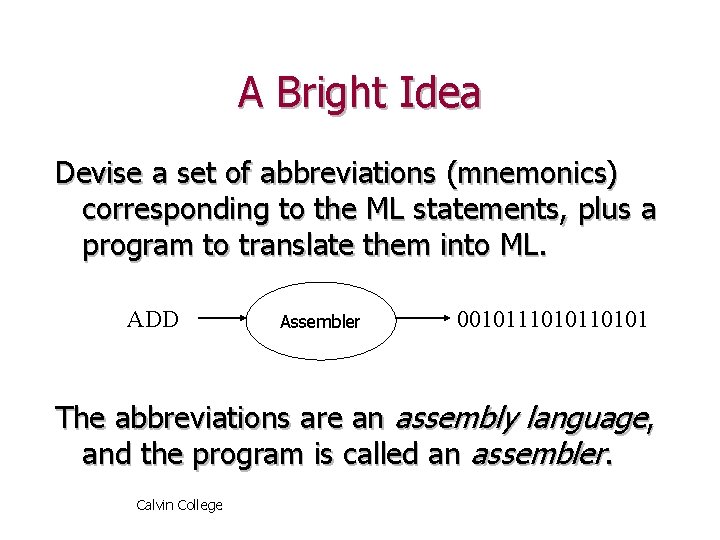
A Bright Idea Devise a set of abbreviations (mnemonics) corresponding to the ML statements, plus a program to translate them into ML. ADD Assembler 00101110101 The abbreviations are an assembly language, and the program is called an assembler. Calvin College
Assembly Languages Allowed a programmer to use mnemonics, which were more natural than binary. + Much easier to read programs + Much easier to find and fix mistakes – Still not portable to different machines Calvin College
High Level Languages Devise a set of statements that are close to human language (if, while, do, . . . ), plus a program to translate them into ML. The set of statements is called a high level language (HLL) and the program is called a compiler. Calvin College
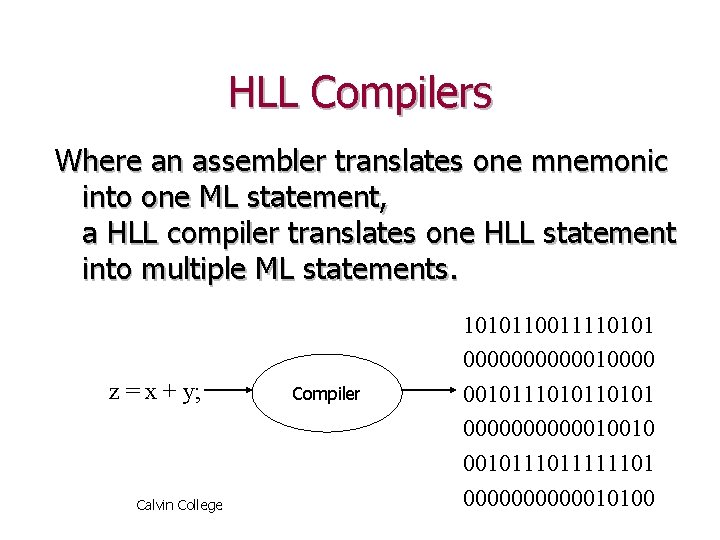
HLL Compilers Where an assembler translates one mnemonic into one ML statement, a HLL compiler translates one HLL statement into multiple ML statements. z = x + y; Calvin College Compiler 1010110011110101 00000010000 00101110101 0000001001011111101 00000010100
HLLs High level languages (like C++) are + Much easier to read programs + Much easier to find and fix mistakes + Portable from one machine to another (so long as they keep to the language standard). Calvin College
Objectives in Programming A program should solve a problem: + correctly (it actually solves the problem) + efficiently (without wasting time or space) + readably (understandable by another person) + in a user-friendly fashion (in a way that is easy for its user to use). Calvin College
Summary There are “levels” to computer languages: – ML consists of “low” level binary statements, that is hard to read, write, and not portable. – Assembly uses “medium” level mnemonics: easier to read/write, but not portable. – C++ is a “high” level language that is even easier to read/write, and portable. Calvin College
Computer Organization Hardware and Software Calvin College
Computing Systems Computers have two kinds of components: • Hardware, consisting of its physical devices (CPU, memory, bus, storage devices, . . . ) • Software, consisting of the programs it has (Operating system, applications, utilities, . . . ) Calvin College
Hardware: CPU Central Processing Unit (CPU): – the “brain” of the machine – location of circuitry that performs arithmetic and logical ML statements – measurement: speed (roughly) in megahertz (millions of clock-ticks per second) – examples: Intel Pentium, AMD K 6, Motorola Power. PC, Sun SPARC, Calvin College
Hardware: RAM Random Access Memory (RAM) – “main” memory, which is fast, but volatile. . . – analogous to a person’s short-term memory. – many tiny “on-off” switches: for convenience • “on” is represented by 1, “off” by 0. – each switch is called a binary digit, or bit. • 8 bits is called a byte. • 210 bytes =1024 bytes is called a kilobyte (1 K) • 220 bytes is called a megabyte (1 M). Calvin College
Hardware (Disk) Secondary Memory (Disk): – Stable storage using magnetic or optical media. – Analogous to a person’s long-term memory. – Slower to access than RAM. – Examples: • floppy disk (measured in kilobytes) • hard disk (measured in gigabytes (230 bytes)) • CD-ROM (measured in megabytes), . . . Calvin College
Hardware: the Bus The Bus: – Connects CPU to other hardware devices. – Analogous to a person’s spinal cord. – Speed measured in megahertz (like the CPU), but typically much slower than the CPU. . . – The bottleneck in most of today’s PCs. Calvin College
Hardware: Cache While accessing RAM is faster than accessing secondary memory, it is still quite slow, relative to the rate at which the CPU runs. To circumvent this problem, most systems add a fast cache memory to the CPU, to store recently used instructions and data. (Assumption: Since such instructions/data were needed recently, they will be needed again in the near future. ) Calvin College
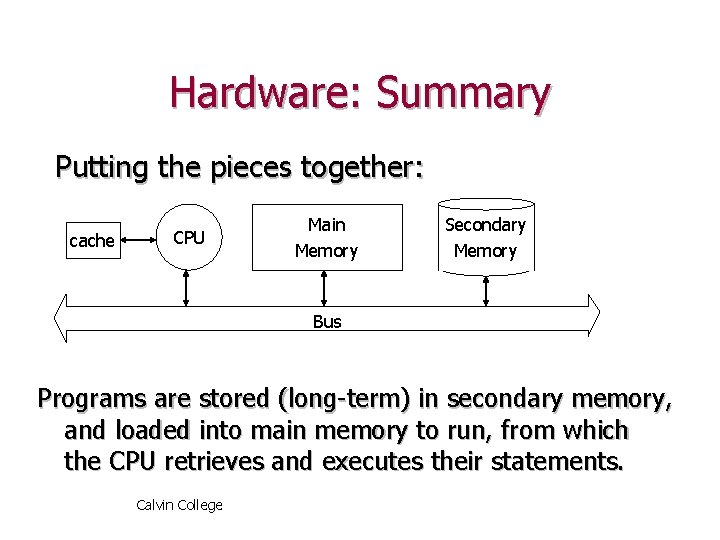
Hardware: Summary Putting the pieces together: cache CPU Main Memory Secondary Memory Bus Programs are stored (long-term) in secondary memory, and loaded into main memory to run, from which the CPU retrieves and executes their statements. Calvin College
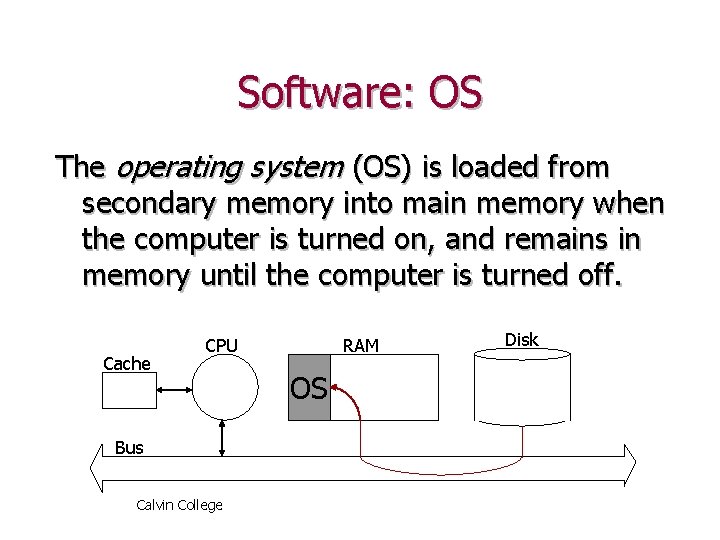
Software: OS The operating system (OS) is loaded from secondary memory into main memory when the computer is turned on, and remains in memory until the computer is turned off. Cache CPU Bus Calvin College RAM OS Disk
Software: OS The OS acts as the “manager” of the system, making sure that each hardware device interacts smoothly with the others. It also provides the interface by which the user interacts with the computer, and awaits user input if no application is running. Examples: Mac. OS, Windows-98, Windows-NT, UNIX, Linux, Solaris, . . . Calvin College
Software: Applications are non-OS programs that perform some useful task, including word processors, spreadsheets, databases, web browsers, C++ compilers, . . . Example C++ compilers/environments: – Code. Warrior (Mac. OS, Win 95, Win. NT, Solaris) – GNU C++ (UNIX, Linux) – Turbo/Borland C++ (Win 95, Win. NT) – Visual C++ (Win 95, Win. NT) Calvin College
Software: User Programs that are neither OS programs nor applications are called user programs. User programs are what you’ll be writing in this course. Calvin College
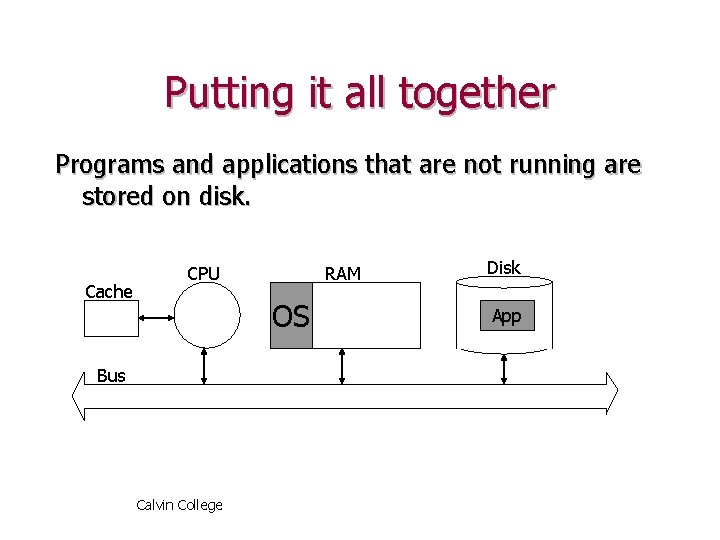
Putting it all together Programs and applications that are not running are stored on disk. Cache CPU RAM OS Bus Calvin College Disk App
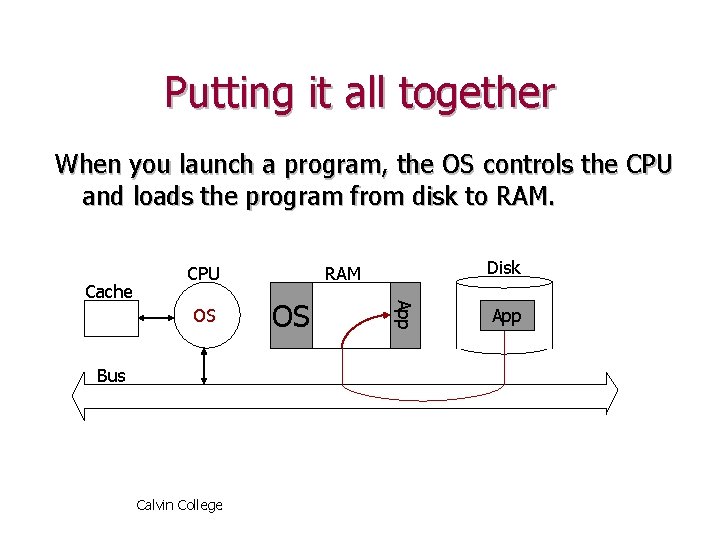
Putting it all together When you launch a program, the OS controls the CPU and loads the program from disk to RAM. OS Bus Calvin College Disk RAM OS App Cache CPU App
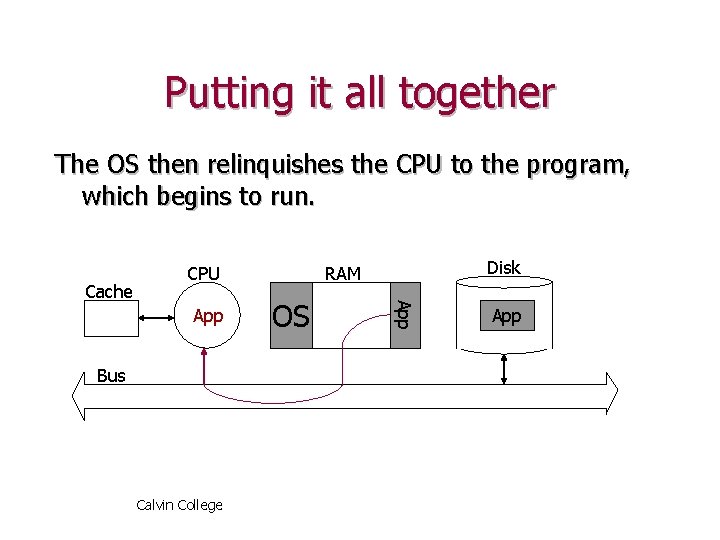
Putting it all together The OS then relinquishes the CPU to the program, which begins to run. App Bus Calvin College Disk RAM OS App Cache CPU App
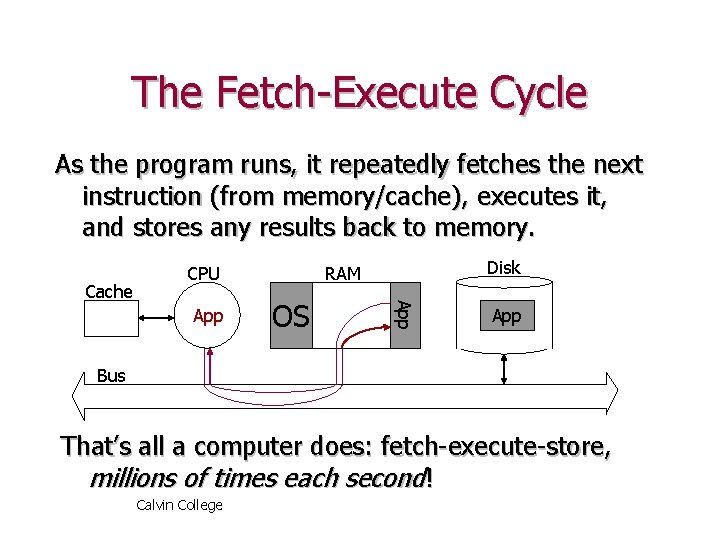
The Fetch-Execute Cycle As the program runs, it repeatedly fetches the next instruction (from memory/cache), executes it, and stores any results back to memory. App Disk RAM OS App Cache CPU App Bus That’s all a computer does: fetch-execute-store, millions of times each second! Calvin College
Summary A computer has two kinds of components: – Hardware: its CPU, RAM, Disk(s), . . . – Software, its OS, Applications, and User Programs. Calvin College
- Slides: 30