
Lab 2 Debugging and Evaluation Speaker SunRise Wu
Lab 2 Debugging and Evaluation Speaker: Sun-Rise Wu Directed by Prof. Tien-Fu Chen October 23, 2003 National Chung Cheng University Adopted from NCTU & NTU SOC Course Material SOC Consortium Course Material
Goal of This Lab ARM Debug Target – Usage of different ARM debug architecture Debug skills to be used to debug both software of processor and memory-mapped hardware design running at the target platform. Software cost estimation – Estimation of code sizes and performance of benchmark Profiling utility – Can be used to estimate percentage time of each function in an application Memory configuration – For performance/cost trade-off SOC Consortium Course Material 2
Outline Introduction ARM Debug Target Debugging Skills Software Quality Measurement (Evaluation) Appendix Reference SOC Consortium Course Material 3
Introduction (1/2) A debugger is software that enables you to make use of a debug agent in order to examine and control the execution of software running on a debug target. The debugger issues instructions that can: 1. 2. 3. 4. 5. Load software into memory on the target Start and stop execution of that software Display contents of memory, registers, variables Enable you to change stored values. Software Quality Measurement ( code size, performance, profiling. . ) SOC Consortium Course Material 4

Introduction (2/2) ARM support two methods to do debugging. GUI : ARM e. Xtended Debugger (AXD). DOS : ARM Symbolic Debugger (armsd). AXD armsd SOC Consortium Course Material 5

ARM Debug Target AXD can debug design through: – ARMulator (software) – Multi-ICE (hardware) • use JTAG – Angel (hardware) • Use COM port SOC Consortium Course Material 6
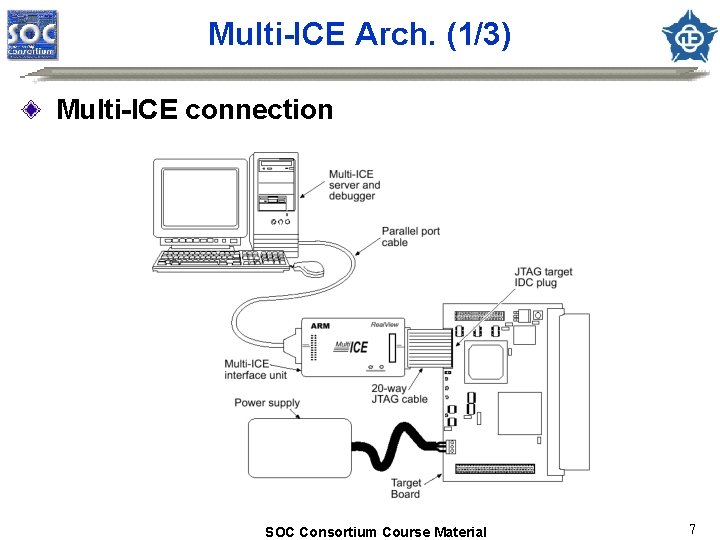
Multi-ICE Arch. (1/3) Multi-ICE connection SOC Consortium Course Material 7
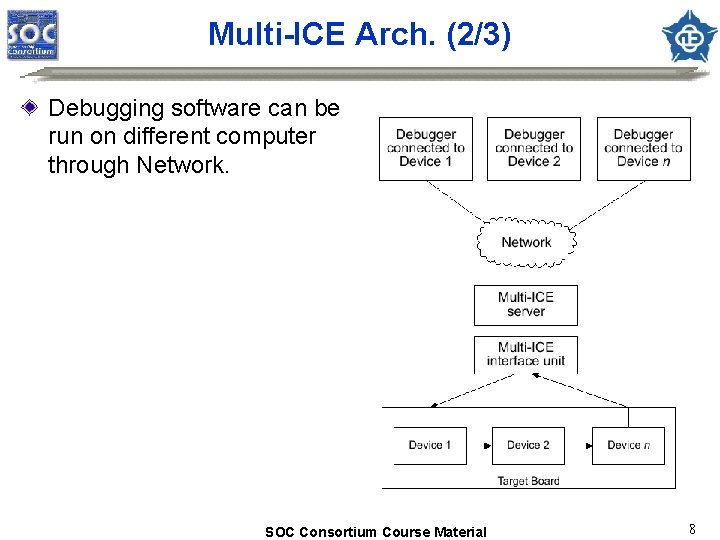
Multi-ICE Arch. (2/3) Debugging software can be run on different computer through Network. SOC Consortium Course Material 8
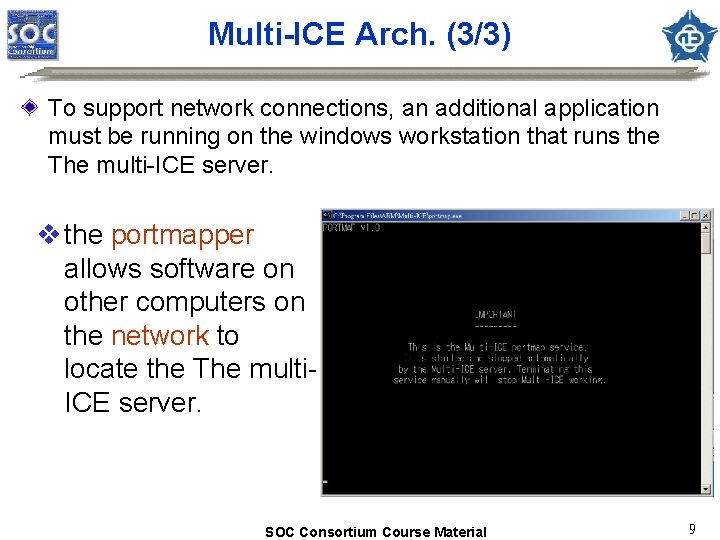
Multi-ICE Arch. (3/3) To support network connections, an additional application must be running on the windows workstation that runs the The multi-ICE server. v the portmapper allows software on other computers on the network to locate the The multi. ICE server. SOC Consortium Course Material 9
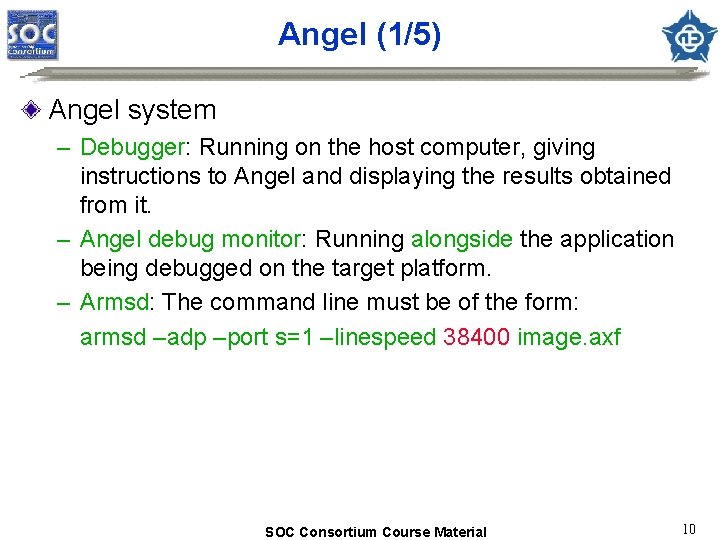
Angel (1/5) Angel system – Debugger: Running on the host computer, giving instructions to Angel and displaying the results obtained from it. – Angel debug monitor: Running alongside the application being debugged on the target platform. – Armsd: The command line must be of the form: armsd –adp –port s=1 –linespeed 38400 image. axf SOC Consortium Course Material 10
Angel (2/5) Debug support – Reporting and modifying memory and processor status – Downloading applications to the target system – Setting breakpoints C library semihosting support – Enabling applications linked the ARM C and C++ libraries to make semihosting requests by SWI Communications support – Using ADP for communicates – Providing an error-correcting communications protocol. SOC Consortium Course Material 11
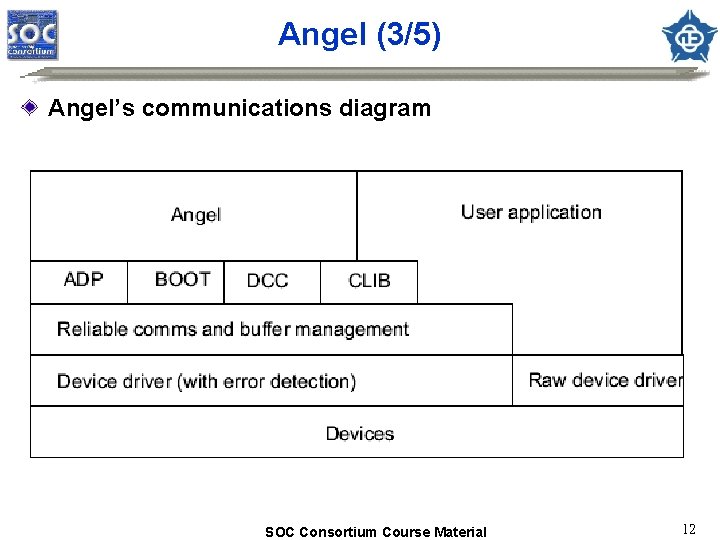
Angel (3/5) Angel’s communications diagram SOC Consortium Course Material 12
Angel (4/5) Task management – Ensuring that only a single operation is carried out at any time – Assigning task priorities and schedules tasks accordingly – Controlling the Angel environment processor mode SOC Consortium Course Material 13
Angel (5/5) Exception handling SWI Installing it to support semihosting requests , to allow applications and Angel to enter Supervisor mode Undefined Using 3 undefined instructions to set breakpoints in code Data, Prefetch Abort Reporting the exception to the debugger, suspend the application, and pass control back to the debug FIQ, IRQ Enabling Angel communications to run off, or both types of interrupt. SOC Consortium Course Material 14

Debugging Skills Control of program execution – set breakpoints on interesting instructions – set watchpoints on interesting data accesses – single step through code Examine and change processor state – read and write register values Examine and change system state – access to system memory Interleaving source code – show C/C++ code and assemble code together SOC Consortium Course Material 15
Watch / break point Watchpoints are taken when the data being watchpointed has changed. Breakpoints are taken when the instruction being breakpointed reaches the execution stage. the program counter is not updated, and retains the address of the breakpointed instruction. SOC Consortium Course Material 16
Software Quality Measurement Memory requirement of the program – Data type: Volatile (RAM), non-volatile (ROM) – Memory performance: access speed, data width, size and range Profiling – build up a picture of the percentage of time spent in each procedure. Performance benchmarking – Evaluate software performance prior to implement on hardware Writing efficient C for ARM cores – ARM/Thumb interworking – Coding styles SOC Consortium Course Material 17
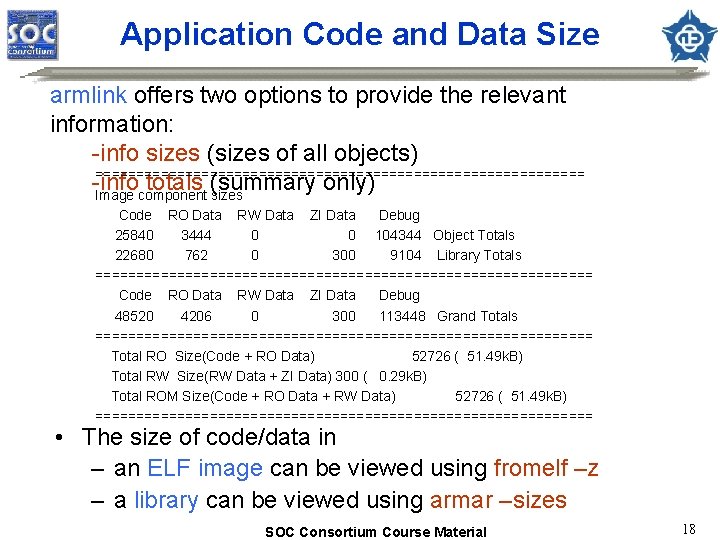
Application Code and Data Size armlink offers two options to provide the relevant information: -info sizes (sizes of all objects) ============================== -info totals (summary only) Image component sizes Code RO Data RW Data ZI Data Debug 25840 3444 0 0 104344 Object Totals 22680 762 0 300 9104 Library Totals =============================== Code RO Data RW Data ZI Data Debug 48520 4206 0 300 113448 Grand Totals =============================== Total RO Size(Code + RO Data) 52726 ( 51. 49 k. B) Total RW Size(RW Data + ZI Data) 300 ( 0. 29 k. B) Total ROM Size(Code + RO Data + RW Data) 52726 ( 51. 49 k. B) =============================== • The size of code/data in – an ELF image can be viewed using fromelf –z – a library can be viewed using armar –sizes SOC Consortium Course Material 18
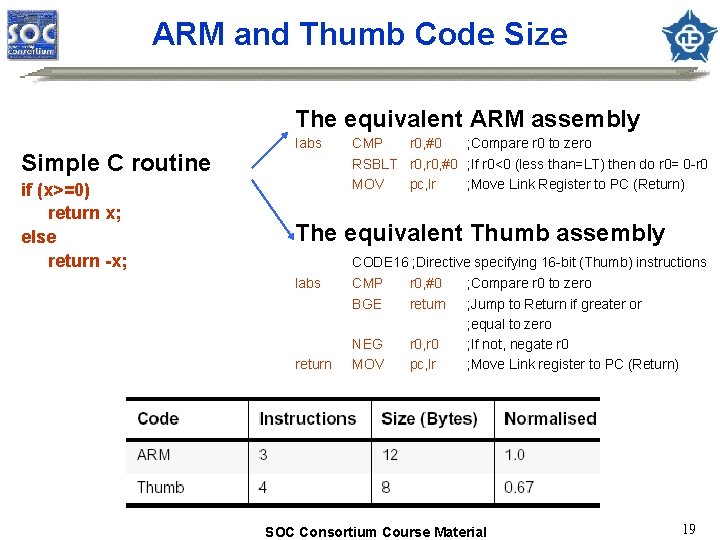
ARM and Thumb Code Size The equivalent ARM assembly Simple C routine if (x>=0) return x; else return -x; Iabs CMP r 0, #0 ; Compare r 0 to zero RSBLT r 0, #0 ; If r 0<0 (less than=LT) then do r 0= 0 -r 0 MOV pc, lr ; Move Link Register to PC (Return) The equivalent Thumb assembly CODE 16 ; Directive specifying 16 -bit (Thumb) instructions labs return CMP BGE r 0, #0 return NEG MOV r 0, r 0 pc, lr ; Compare r 0 to zero ; Jump to Return if greater or ; equal to zero ; If not, negate r 0 ; Move Link register to PC (Return) SOC Consortium Course Material 19
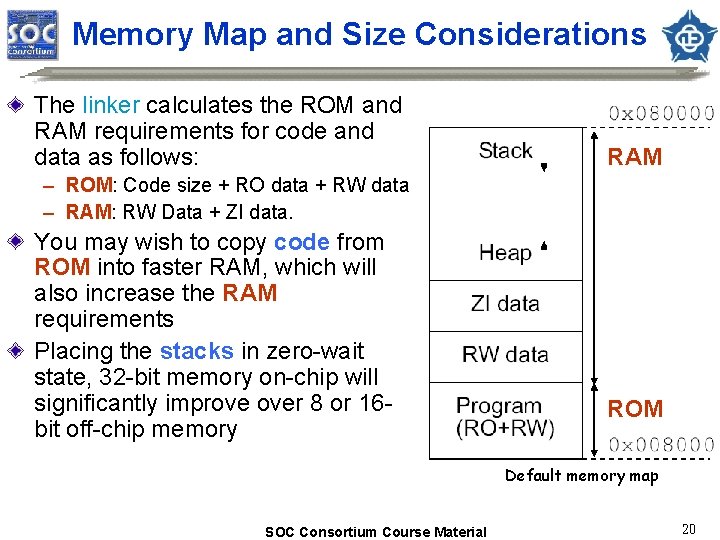
Memory Map and Size Considerations The linker calculates the ROM and RAM requirements for code and data as follows: RAM – ROM: Code size + RO data + RW data – RAM: RW Data + ZI data. You may wish to copy code from ROM into faster RAM, which will also increase the RAM requirements Placing the stacks in zero-wait state, 32 -bit memory on-chip will significantly improve over 8 or 16 bit off-chip memory ROM Default memory map SOC Consortium Course Material 20
Profiling (1/3) About Profiling: – Profiler samples the program counter and computes the percentage time of each function spent. – Flat Profiling: • If only pc-sampling info. is present. It can only display the time percentage spent in each function excluding the time in its children. • Flat profiling accumulates limited information without altering the image – Call graph Profiling: • If function call count info. is present. It can show the approximations of the time spent in each function including the time in its children. • Extra code is added to the image SOC Consortium Course Material 21
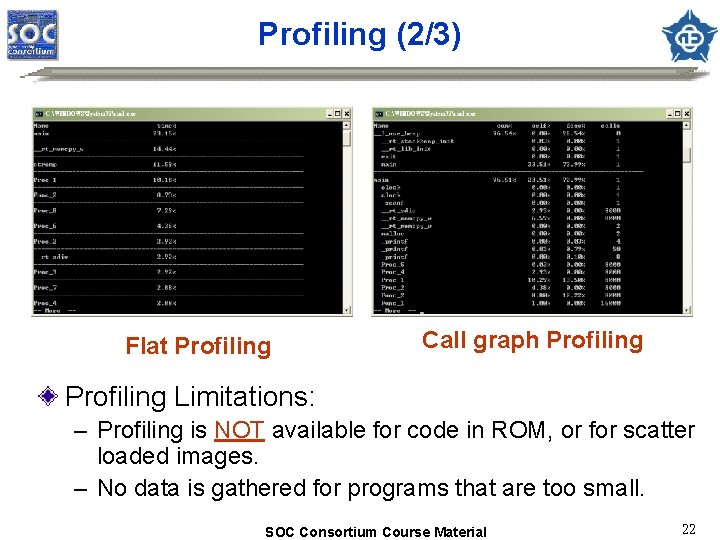
Profiling (2/3) Flat Profiling Call graph Profiling Limitations: – Profiling is NOT available for code in ROM, or for scatter loaded images. – No data is gathered for programs that are too small. SOC Consortium Course Material 22
![Profiling (3/3) The Profiler command syntax is as follows: armprof [-parent|-noparent] [-child|-nochild] [-sort options]](http://slidetodoc.com/presentation_image_h2/469ecaa910cab8fe3c031163d2dc45f7/image-23.jpg "Profiling (3/3) The Profiler command syntax is as follows: armprof [-parent|-noparent] [-child|-nochild] [-sort options]")
Profiling (3/3) The Profiler command syntax is as follows: armprof [-parent|-noparent] [-child|-nochild] [-sort options] prf_file cumulative Call graph Profiling Sample Output Name cum% self% desc% calls ----------------------------------main 17. 69% 60. 06% 1 insert_sort 77. 76% 17. 69% 60. 06% 1 strcmp 60. 06% 0. 00% 243432 ----------------------------------qs_string_compare 3. 21% 0. 00% 13021 shell_sort 3. 46% 0. 00% 14059 insert_sort 60. 06% 0. 00% 243432 strcmp 66. 75% 0. 00% 270512 ----------------------------------SOC Consortium Course Material self descendants calls 23
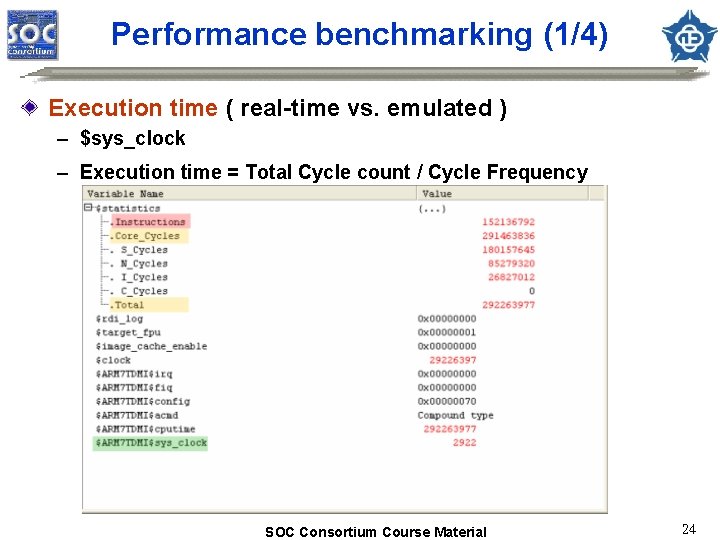
Performance benchmarking (1/4) Execution time ( real-time vs. emulated ) – $sys_clock – Execution time = Total Cycle count / Cycle Frequency SOC Consortium Course Material 24
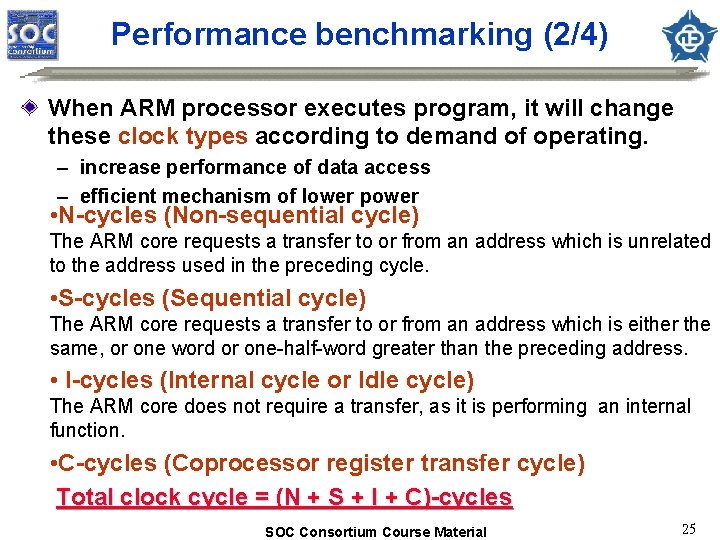
Performance benchmarking (2/4) When ARM processor executes program, it will change these clock types according to demand of operating. – increase performance of data access – efficient mechanism of lower power • N-cycles (Non-sequential cycle) The ARM core requests a transfer to or from an address which is unrelated to the address used in the preceding cycle. • S-cycles (Sequential cycle) The ARM core requests a transfer to or from an address which is either the same, or one word or one-half-word greater than the preceding address. • I-cycles (Internal cycle or Idle cycle) The ARM core does not require a transfer, as it is performing an internal function. • C-cycles (Coprocessor register transfer cycle) Total clock cycle = (N + S + I + C)-cycles SOC Consortium Course Material 25
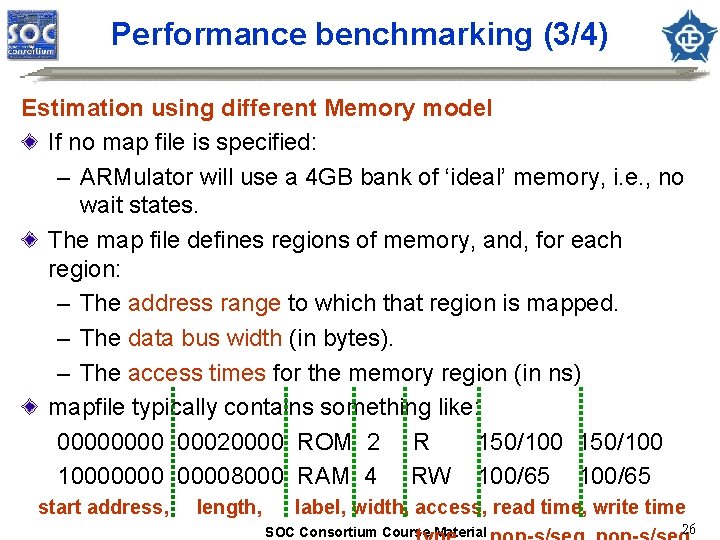
Performance benchmarking (3/4) Estimation using different Memory model If no map file is specified: – ARMulator will use a 4 GB bank of ‘ideal’ memory, i. e. , no wait states. The map file defines regions of memory, and, for each region: – The address range to which that region is mapped. – The data bus width (in bytes). – The access times for the memory region (in ns) mapfile typically contains something like: 0000 00020000 ROM 2 R 150/100 100000008000 RAM 4 RW 100/65 start address, length, label, width, access, read time, write time SOC Consortium Course Material 26
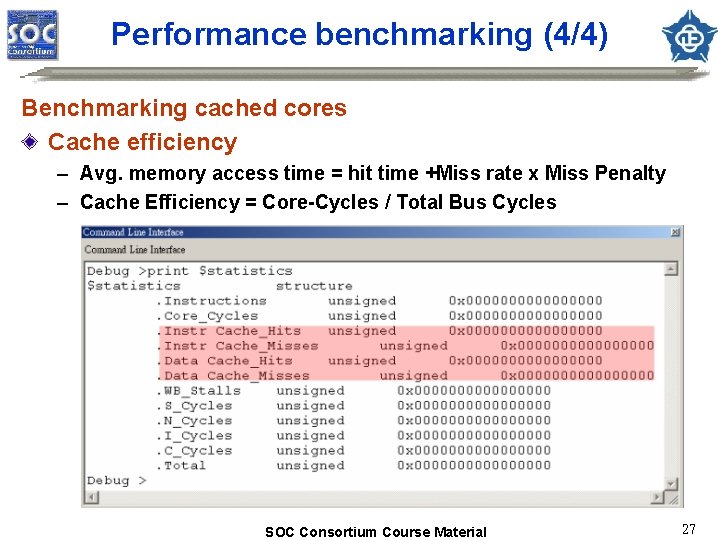
Performance benchmarking (4/4) Benchmarking cached cores Cache efficiency – Avg. memory access time = hit time +Miss rate x Miss Penalty – Cache Efficiency = Core-Cycles / Total Bus Cycles SOC Consortium Course Material 27
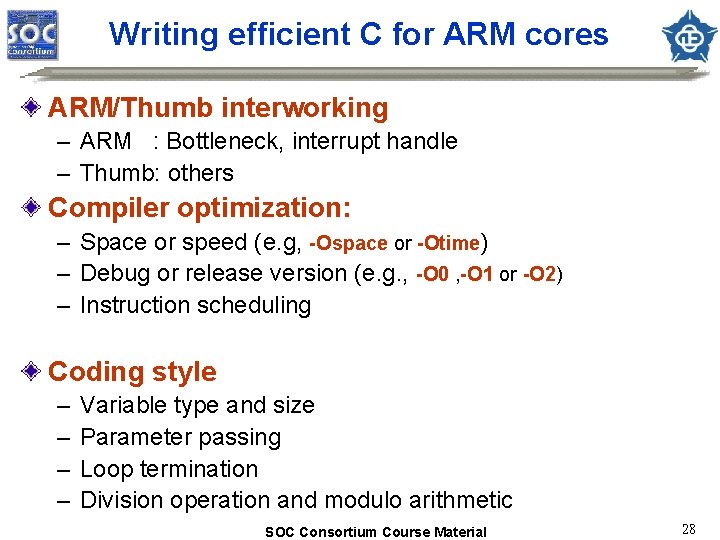
Writing efficient C for ARM cores ARM/Thumb interworking – ARM : Bottleneck, interrupt handle – Thumb: others Compiler optimization: – Space or speed (e. g, -Ospace or -Otime) – Debug or release version (e. g. , -O 0 , -O 1 or -O 2) – Instruction scheduling Coding style – – Variable type and size Parameter passing Loop termination Division operation and modulo arithmetic SOC Consortium Course Material 28
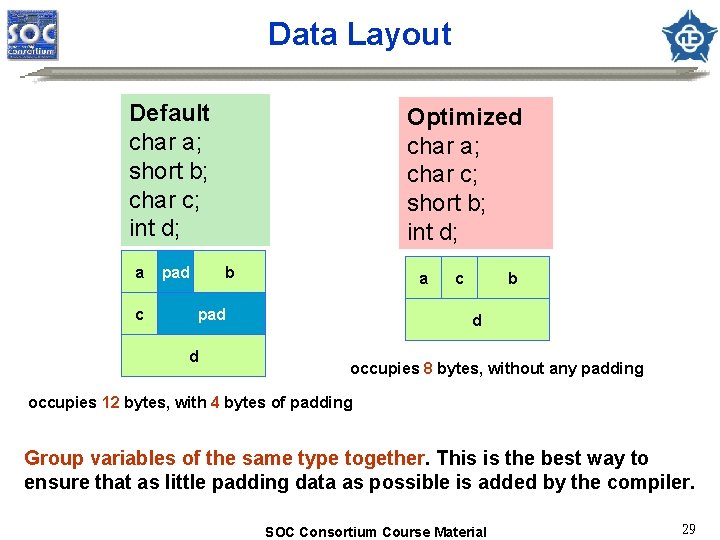
Data Layout Default char a; short b; char c; int d; a c pad Optimized char a; char c; short b; int d; b a pad d c b d occupies 8 bytes, without any padding occupies 12 bytes, with 4 bytes of padding Group variables of the same type together. This is the best way to ensure that as little padding data as possible is added by the compiler. SOC Consortium Course Material 29
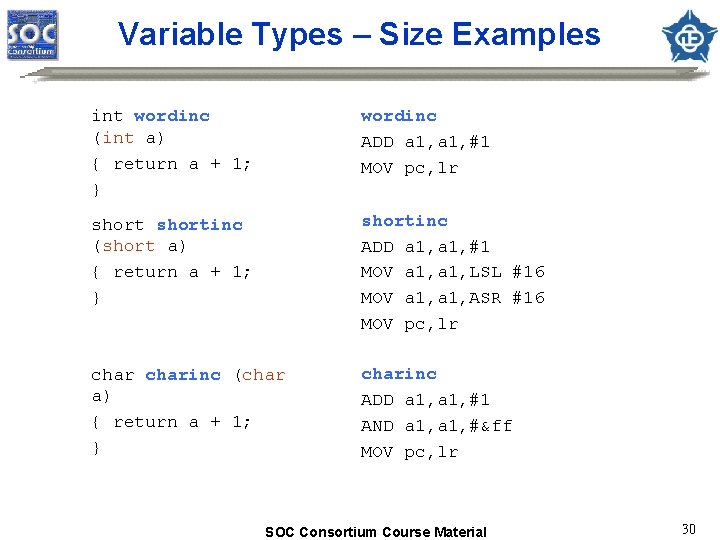
Variable Types – Size Examples int wordinc (int a) { return a + 1; } wordinc ADD a 1, #1 MOV pc, lr shortinc (short a) { return a + 1; } shortinc ADD a 1, #1 MOV a 1, LSL #16 MOV a 1, ASR #16 MOV pc, lr charinc (char a) { return a + 1; } charinc ADD a 1, #1 AND a 1, #&ff MOV pc, lr SOC Consortium Course Material 30
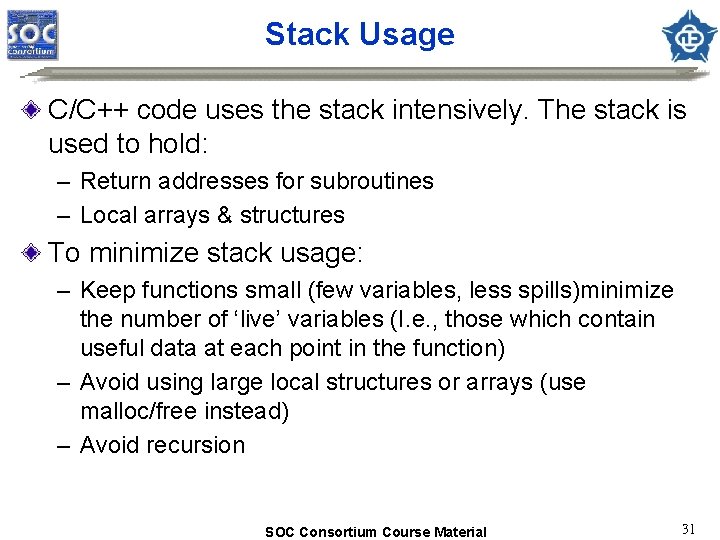
Stack Usage C/C++ code uses the stack intensively. The stack is used to hold: – Return addresses for subroutines – Local arrays & structures To minimize stack usage: – Keep functions small (few variables, less spills)minimize the number of ‘live’ variables (I. e. , those which contain useful data at each point in the function) – Avoid using large local structures or arrays (use malloc/free instead) – Avoid recursion SOC Consortium Course Material 31
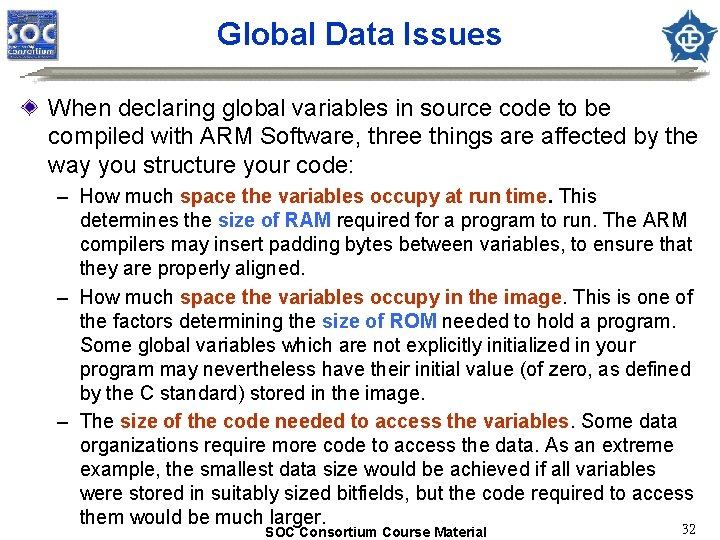
Global Data Issues When declaring global variables in source code to be compiled with ARM Software, three things are affected by the way you structure your code: – How much space the variables occupy at run time. This determines the size of RAM required for a program to run. The ARM compilers may insert padding bytes between variables, to ensure that they are properly aligned. – How much space the variables occupy in the image. This is one of the factors determining the size of ROM needed to hold a program. Some global variables which are not explicitly initialized in your program may nevertheless have their initial value (of zero, as defined by the C standard) stored in the image. – The size of the code needed to access the variables. Some data organizations require more code to access the data. As an extreme example, the smallest data size would be achieved if all variables were stored in suitably sized bitfields, but the code required to access them would be much larger. 32 SOC Consortium Course Material
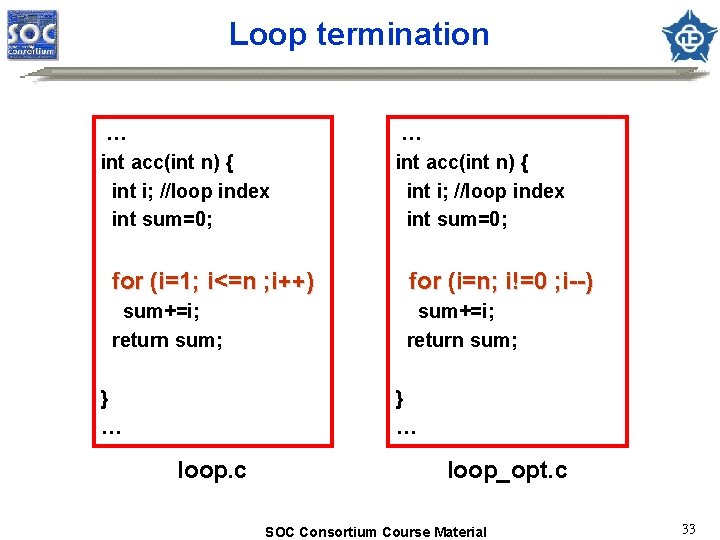
Loop termination … int acc(int n) { int i; //loop index int sum=0; for (i=1; i<=n ; i++) for (i=n; i!=0 ; i--) sum+=i; return sum; } … loop. c loop_opt. c SOC Consortium Course Material 33
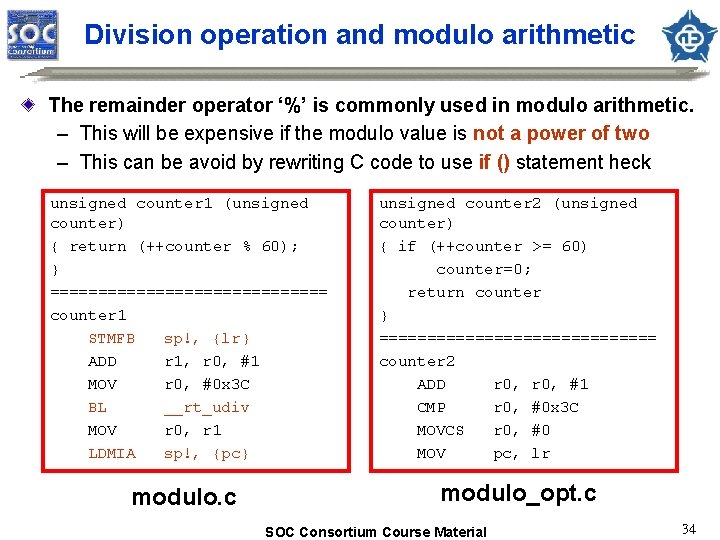
Division operation and modulo arithmetic The remainder operator ‘%’ is commonly used in modulo arithmetic. – This will be expensive if the modulo value is not a power of two – This can be avoid by rewriting C code to use if () statement heck unsigned counter 1 (unsigned counter) { return (++counter % 60); } =============== counter 1 STMFB sp!, {lr} ADD r 1, r 0, #1 MOV r 0, #0 x 3 C BL __rt_udiv MOV r 0, r 1 LDMIA sp!, {pc} unsigned counter 2 (unsigned counter) { if (++counter >= 60) counter=0; return counter } =============== counter 2 ADD r 0, #1 CMP r 0, #0 x 3 C MOVCS r 0, #0 MOV pc, lr modulo. c modulo_opt. c SOC Consortium Course Material 34
Appendix Content of JTAG Content of Embedded ICE SOC Consortium Course Material 35
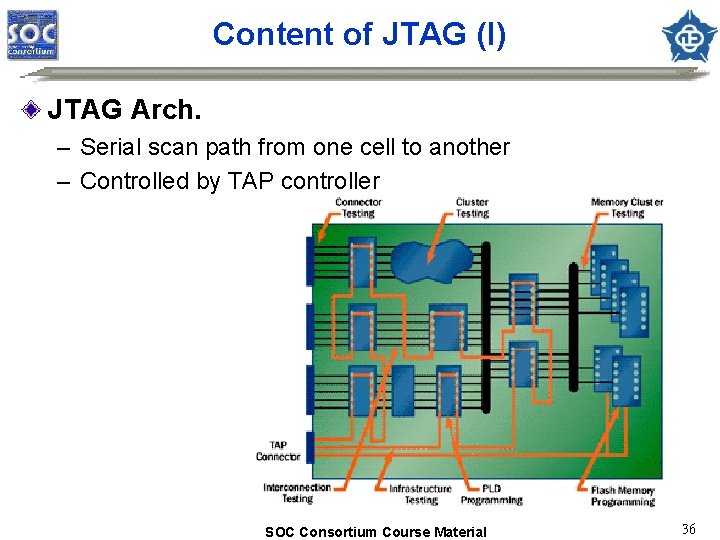
Content of JTAG (I) JTAG Arch. – Serial scan path from one cell to another – Controlled by TAP controller SOC Consortium Course Material 36
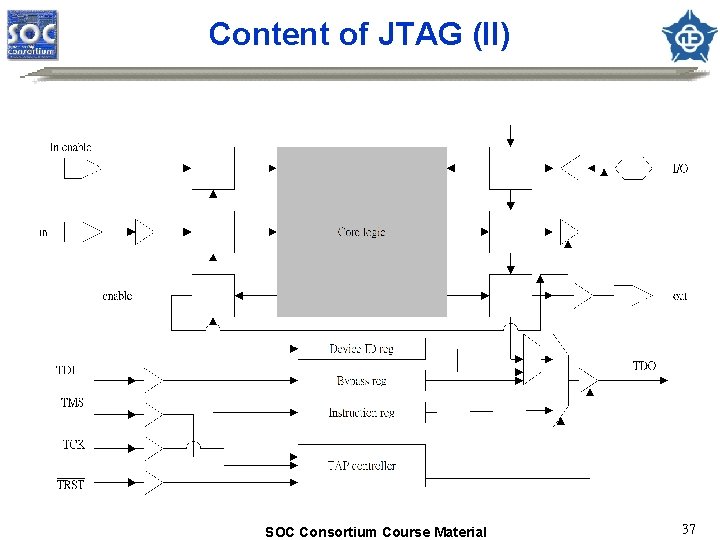
Content of JTAG (II) SOC Consortium Course Material 37
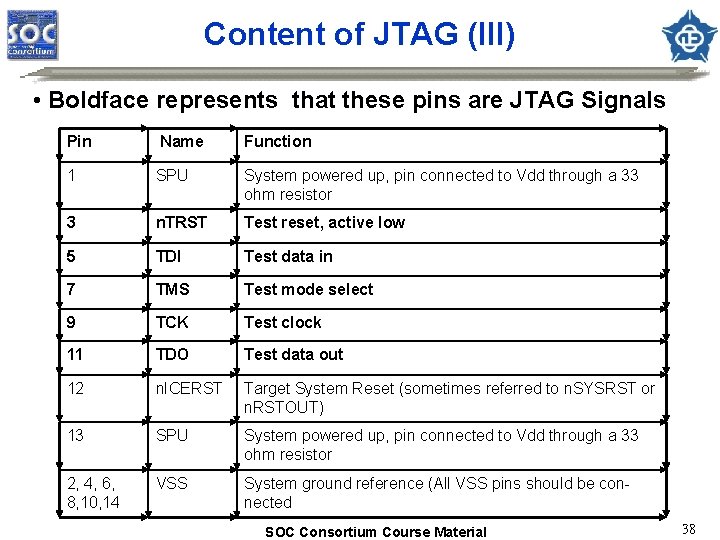
Content of JTAG (III) • Boldface represents that these pins are JTAG Signals Pin Name Function 1 SPU System powered up, pin connected to Vdd through a 33 ohm resistor 3 n. TRST Test reset, active low 5 TDI Test data in 7 TMS Test mode select 9 TCK Test clock 11 TDO Test data out 12 n. ICERST Target System Reset (sometimes referred to n. SYSRST or n. RSTOUT) 13 SPU System powered up, pin connected to Vdd through a 33 ohm resistor 2, 4, 6, 8, 10, 14 VSS System ground reference (All VSS pins should be connected SOC Consortium Course Material 38
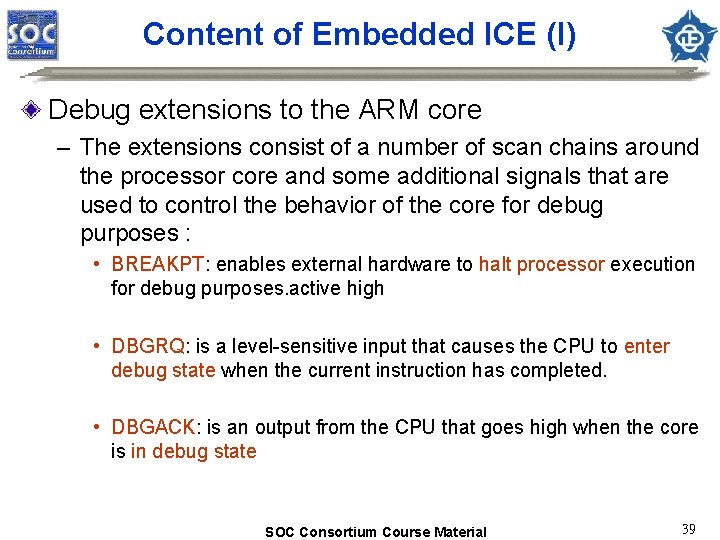
Content of Embedded ICE (I) Debug extensions to the ARM core – The extensions consist of a number of scan chains around the processor core and some additional signals that are used to control the behavior of the core for debug purposes : • BREAKPT: enables external hardware to halt processor execution for debug purposes. active high • DBGRQ: is a level-sensitive input that causes the CPU to enter debug state when the current instruction has completed. • DBGACK: is an output from the CPU that goes high when the core is in debug state SOC Consortium Course Material 39
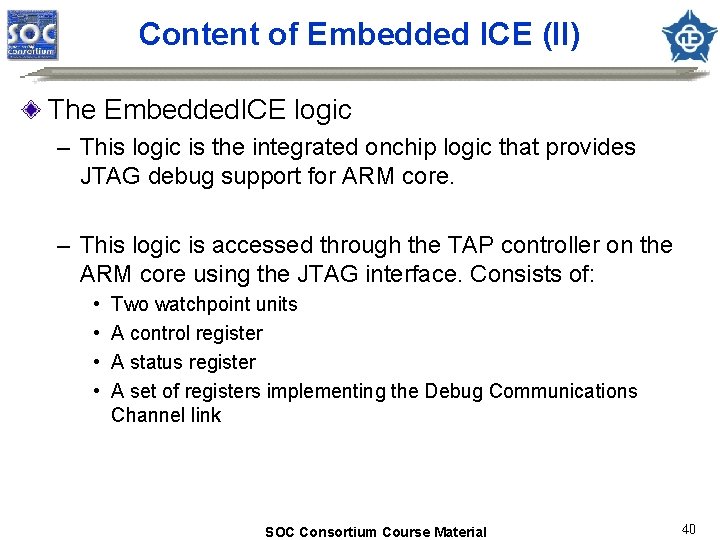
Content of Embedded ICE (II) The Embedded. ICE logic – This logic is the integrated onchip logic that provides JTAG debug support for ARM core. – This logic is accessed through the TAP controller on the ARM core using the JTAG interface. Consists of: • • Two watchpoint units A control register A status register A set of registers implementing the Debug Communications Channel link SOC Consortium Course Material 40
Reference Profiling: “Application Note 93: Benchmarking with ARMulator” Efficient C programming: “Application Note 34: Writing Efficient C for ARM” Multi-ICE. pdf ADS_Debuggers. Guide. pdf ADS_Getting. Started. pdf AFS_Referece_Guide. pdf Using Embedded. ICE. pdf SOC Consortium Course Material 41
- Slides: 41