
Lab 1 Part 2 Adding the Open GL
Lab 1 – Part 2 Adding the Open. GL Panel Roger Crawfis
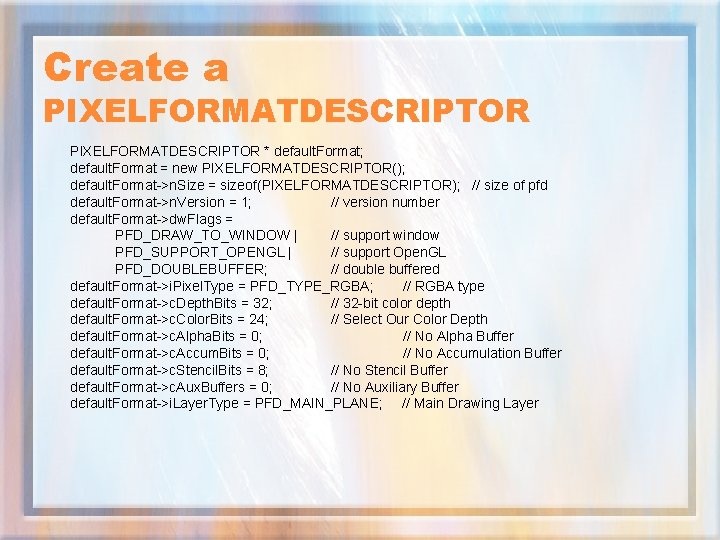
Create a PIXELFORMATDESCRIPTOR * default. Format; default. Format = new PIXELFORMATDESCRIPTOR(); default. Format->n. Size = sizeof(PIXELFORMATDESCRIPTOR); // size of pfd default. Format->n. Version = 1; // version number default. Format->dw. Flags = PFD_DRAW_TO_WINDOW | // support window PFD_SUPPORT_OPENGL | // support Open. GL PFD_DOUBLEBUFFER; // double buffered default. Format->i. Pixel. Type = PFD_TYPE_RGBA; // RGBA type default. Format->c. Depth. Bits = 32; // 32 -bit color depth default. Format->c. Color. Bits = 24; // Select Our Color Depth default. Format->c. Alpha. Bits = 0; // No Alpha Buffer default. Format->c. Accum. Bits = 0; // No Accumulation Buffer default. Format->c. Stencil. Bits = 8; // No Stencil Buffer default. Format->c. Aux. Buffers = 0; // No Auxiliary Buffer default. Format->i. Layer. Type = PFD_MAIN_PLANE; // Main Drawing Layer
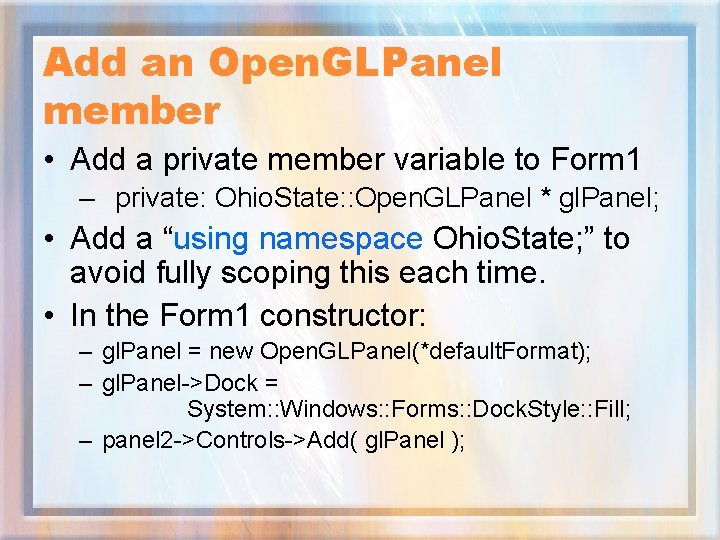
Add an Open. GLPanel member • Add a private member variable to Form 1 – private: Ohio. State: : Open. GLPanel * gl. Panel; • Add a “using namespace Ohio. State; ” to avoid fully scoping this each time. • In the Form 1 constructor: – gl. Panel = new Open. GLPanel(*default. Format); – gl. Panel->Dock = System: : Windows: : Forms: : Dock. Style: : Fill; – panel 2 ->Controls->Add( gl. Panel );
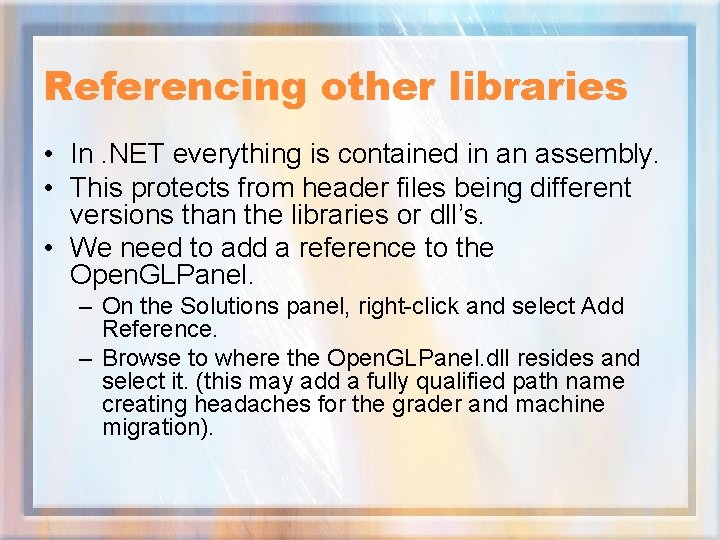
Referencing other libraries • In. NET everything is contained in an assembly. • This protects from header files being different versions than the libraries or dll’s. • We need to add a reference to the Open. GLPanel. – On the Solutions panel, right-click and select Add Reference. – Browse to where the Open. GLPanel. dll resides and select it. (this may add a fully qualified path name creating headaches for the grader and machine migration).
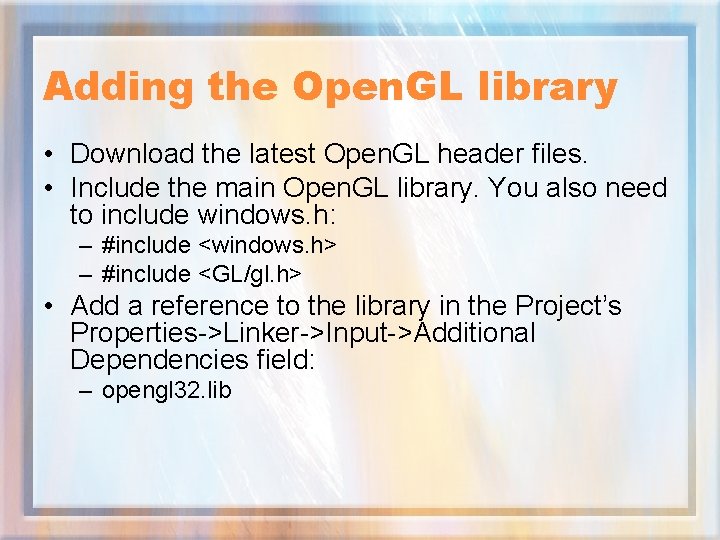
Adding the Open. GL library • Download the latest Open. GL header files. • Include the main Open. GL library. You also need to include windows. h: – #include <windows. h> – #include <GL/gl. h> • Add a reference to the library in the Project’s Properties->Linker->Input->Additional Dependencies field: – opengl 32. lib
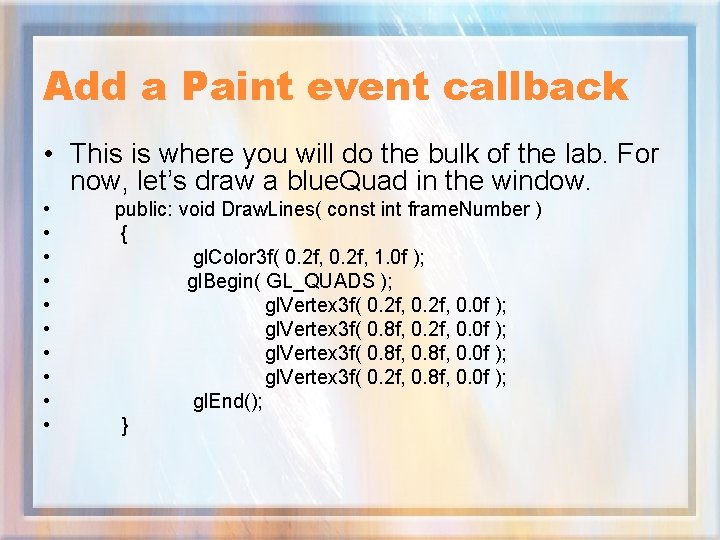
Add a Paint event callback • This is where you will do the bulk of the lab. For now, let’s draw a blue. Quad in the window. • • • public: void Draw. Lines( const int frame. Number ) { gl. Color 3 f( 0. 2 f, 1. 0 f ); gl. Begin( GL_QUADS ); gl. Vertex 3 f( 0. 2 f, 0. 0 f ); gl. Vertex 3 f( 0. 8 f, 0. 0 f ); gl. Vertex 3 f( 0. 2 f, 0. 8 f, 0. 0 f ); gl. End(); }
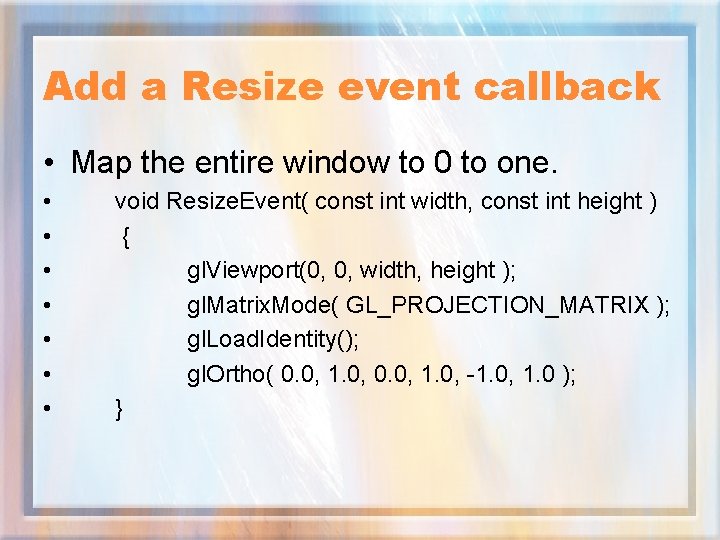
Add a Resize event callback • Map the entire window to 0 to one. • • void Resize. Event( const int width, const int height ) { gl. Viewport(0, 0, width, height ); gl. Matrix. Mode( GL_PROJECTION_MATRIX ); gl. Load. Identity(); gl. Ortho( 0. 0, 1. 0, -1. 0, 1. 0 ); }
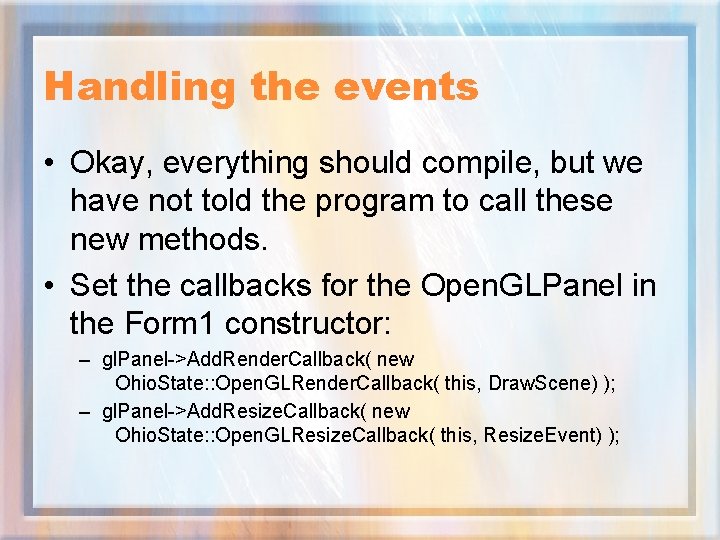
Handling the events • Okay, everything should compile, but we have not told the program to call these new methods. • Set the callbacks for the Open. GLPanel in the Form 1 constructor: – gl. Panel->Add. Render. Callback( new Ohio. State: : Open. GLRender. Callback( this, Draw. Scene) ); – gl. Panel->Add. Resize. Callback( new Ohio. State: : Open. GLResize. Callback( this, Resize. Event) );
Build and Run • Well something happened, but nothing is being drawn. • This is because our Open. GLPanel does not make any assumptions, and hence leaves all work for you to do. • In particular, we asked for double buffering, but we never swap the buffers. • Add a gl. Panel->Swap. Buffers() call, preferably in a Post. Render callback.
Working Open. GL? • This actually compiles and runs on my machine. • Try resizing the window to force some Paint events. You can also drag a small window across it like a calculator. • I am surprised this works. Why? Because we never explicitly cleared the buffer between paint events. Open. GLPanel overrides the On. Paint. Background method, but does nothing. • We should add a Pre. Render callback that does a gl. Clear( GL_COLOR_BUFFER_BIT )
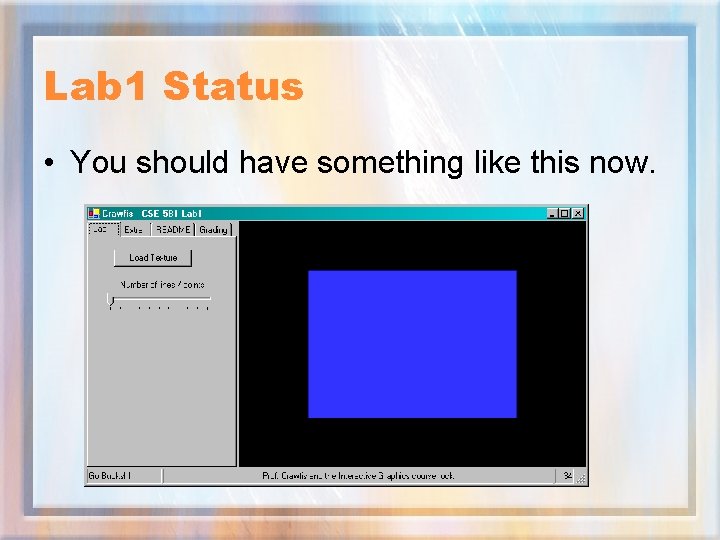
Lab 1 Status • You should have something like this now.
Lab 1 Status • Okay, we now have a start on our GUI and document, we have an Open. GL canvas or panel that we can draw to, all we need is the logic. • Part 3 will look at some of the elements we need for a working lab.
- Slides: 12