
Lab 1 Intro Vivado HLS Design Flow This

Lab 1 Intro Vivado HLS Design Flow This material exempt per Department of Commerce license exception TSU
Objectives After completing this lab, you will be able to: – Create a project in Vivado HLS – Run C-simulation – Use debugger – Synthesize and implement the design using the default options – Use design analysis perspective to see what is going on under the hood – Understand analyze the generated output Lab 1 Intro 12 a- 2 © Copyright 2016 Xilinx
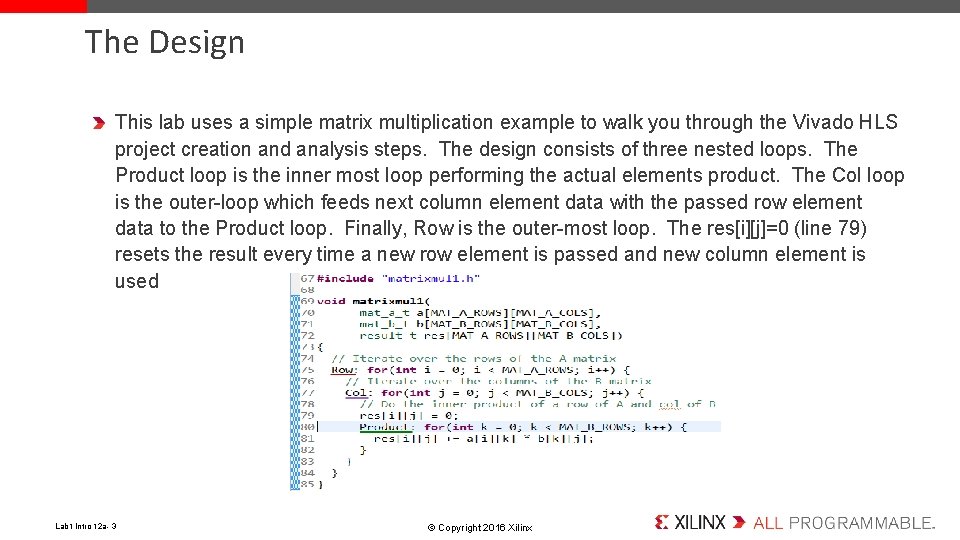
The Design This lab uses a simple matrix multiplication example to walk you through the Vivado HLS project creation and analysis steps. The design consists of three nested loops. The Product loop is the inner most loop performing the actual elements product. The Col loop is the outer-loop which feeds next column element data with the passed row element data to the Product loop. Finally, Row is the outer-most loop. The res[i][j]=0 (line 79) resets the result every time a new row element is passed and new column element is used Lab 1 Intro 12 a- 3 © Copyright 2016 Xilinx
Procedure Create a project after starting Vivado HLS in GUI mode Run C simulation – to understand the design behavior Run the debugger – to see how the top-level module works Synthesize the design Analyze the generated output using the Analysis perspective Run C/RTL cosimulation – to perform RTL simulation View simulation results in Vivado – to understand the IO protocol Export RTL in the Evaluate mode and run the implementation Lab 1 Intro 12 a- 4 © Copyright 2016 Xilinx
Summary In this lab, you completed the major steps of the high-level synthesis design flow using Vivado HLS. You created a project, added source files, synthesized the design, simulated the design, and implemented the design. You also learned that how to use the Analysis perspective to understand the scheduling Lab 1 Intro 12 a- 5 © Copyright 2016 Xilinx
- Slides: 5