
La Te X For Dummies Mulugeta Gebregziabher Division
La. Te. X For Dummies Mulugeta Gebregziabher Division of Biostatistics and Epidemiology MUSC April 4, 2011 1
What is La. Te. X • • • Pronounced as Lay-tek A typesetting program, NOT a word-processor Designed by Lamport based on Te. X (Knuth) Current version La. Te. X 2 (La. Te. X 3 coming. . ) Designed for producing books, thesis, articles. . . De facto standard for writing academic papers 2
Why La. Te. X? • • • Our profession requires it Platform, version independent (Unix, Windows…) Pre-set standard formats (for paper, thesis…) Bibliography management Fast, professional math equations typesetting Free available The commands are easy to learn Never crash, never lose your file Can compile very big books (unless your document is more than 70, 000 pages! –verify? ) 3
Disadvantages • You need other softwares for processing figures (eg. Eps, jpeg, ps, pdf) • Spelling/grammar checking is not as convenient as those in MS Word • Requires remembering some commands • Not straightforward for creating complex tables • Not integrated with other MS Office products (Now, Mathtype is integrated with La. Te. X in MS Word 2007) 4
Where to get La. Te. X? • Windows – Mik. Te. X http: //www. miktex. de/ – Win. Edit, La. Te. X editor available at DBE – Win. Shell, a free La. Te. X editor • Where to get help? newsgroup comp. text. tex • http: //www-cs-faculty. stanford. edu/~uno/abcde. html#texbk – Introduction and tips for La. Te. X 5
Host sites 4 La. Te. X related stuff? • La. Te. X/Mi. KTe. X are available free of charge • The best source for these packages is the Comprehensive Te. X Archive Network (CTAN) • three host sites (and many mirrors): 1. http: //ctan. tug. org/ in Boston, MA, USA, 2. http: //www. tex. ac. uk/ in Cambridge, UK, and 3. http: //www. dante. de/ in Mainz, Germany (in German). 6
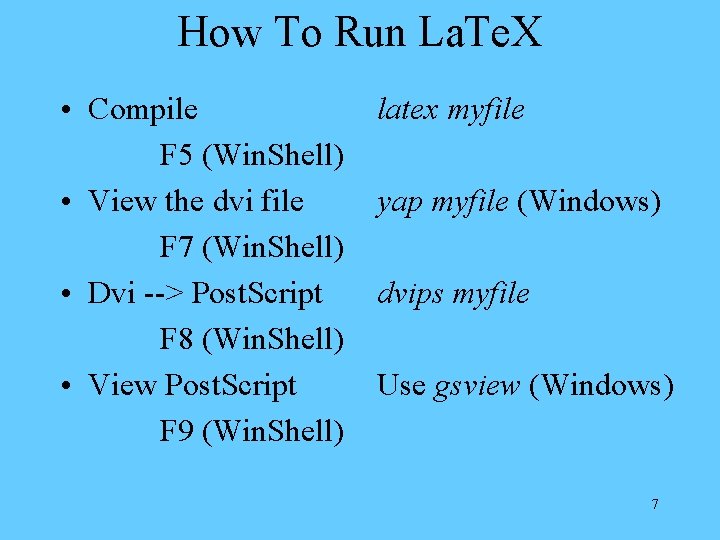
How To Run La. Te. X • Compile F 5 (Win. Shell) • View the dvi file F 7 (Win. Shell) • Dvi --> Post. Script F 8 (Win. Shell) • View Post. Script F 9 (Win. Shell) latex myfile yap myfile (Windows) dvips myfile Use gsview (Windows) 7
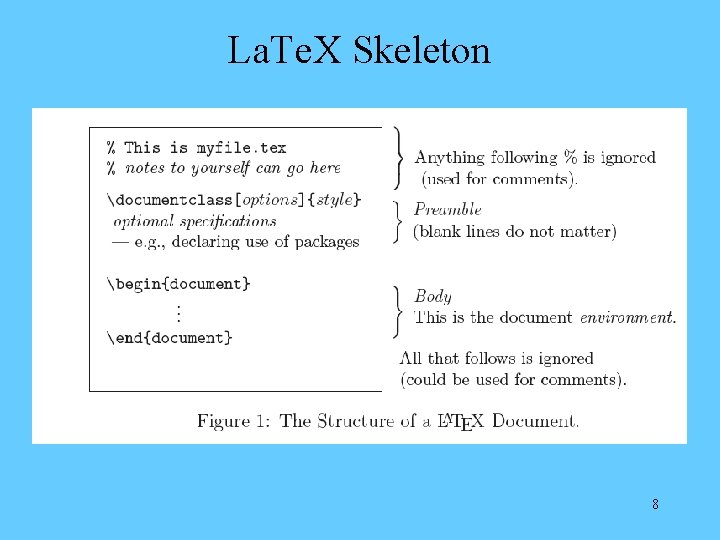
La. Te. X Skeleton 8
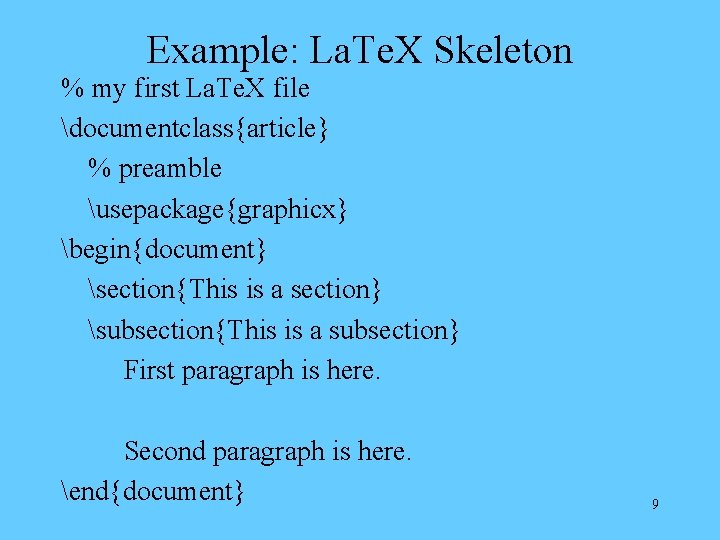
Example: La. Te. X Skeleton % my first La. Te. X file documentclass{article} % preamble usepackage{graphicx} begin{document} section{This is a section} subsection{This is a subsection} First paragraph is here. Second paragraph is here. end{document} 9
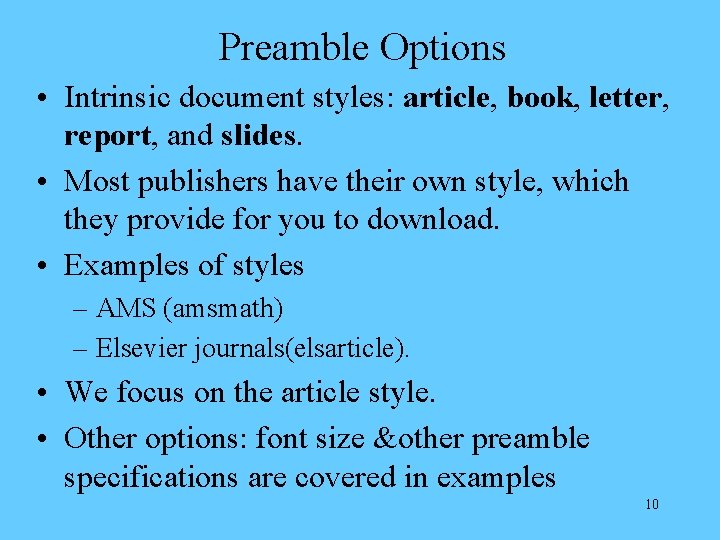
Preamble Options • Intrinsic document styles: article, book, letter, report, and slides. • Most publishers have their own style, which they provide for you to download. • Examples of styles – AMS (amsmath) – Elsevier journals(elsarticle). • We focus on the article style. • Other options: font size &other preamble specifications are covered in examples 10
Now let’s learn by trying some Example Hands on! 11
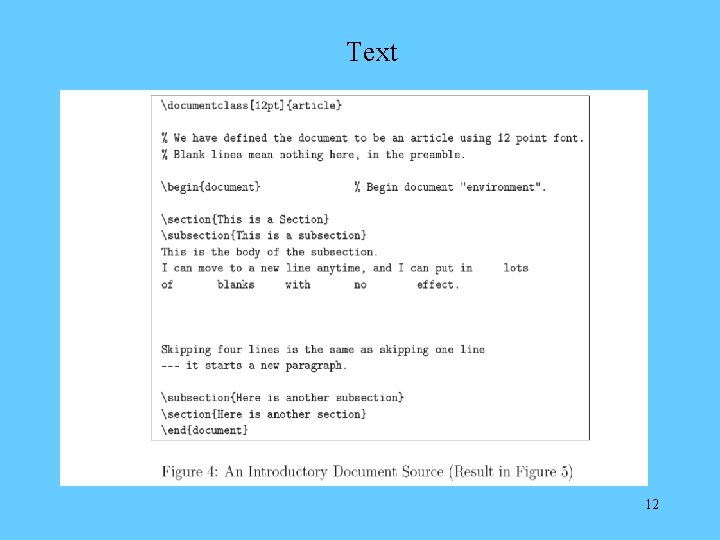
Text 12
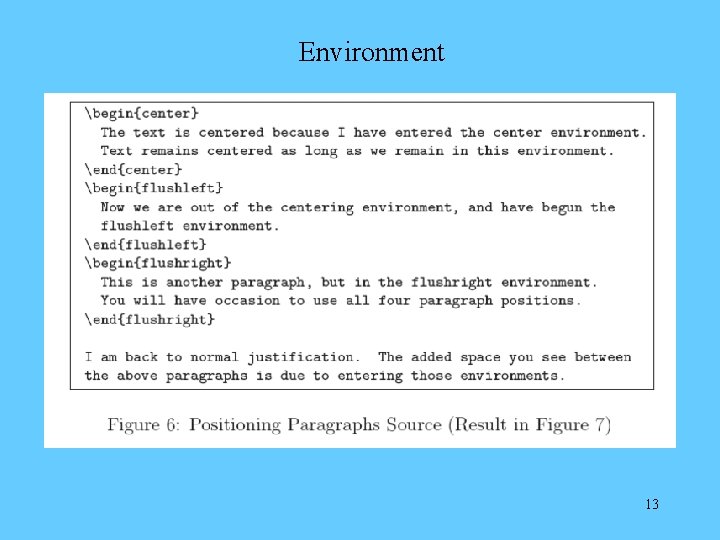
Environment 13
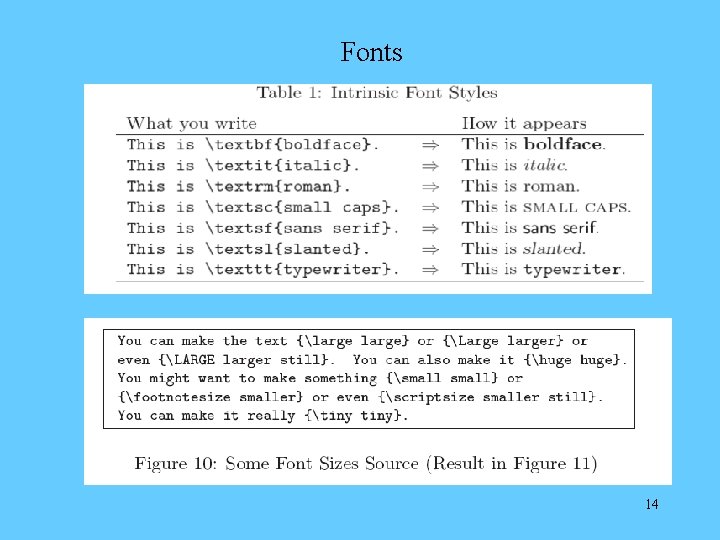
Fonts 14
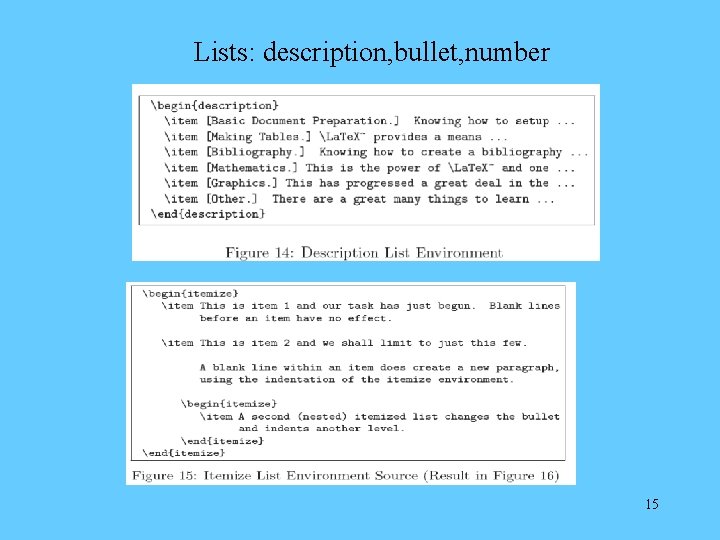
Lists: description, bullet, number 15
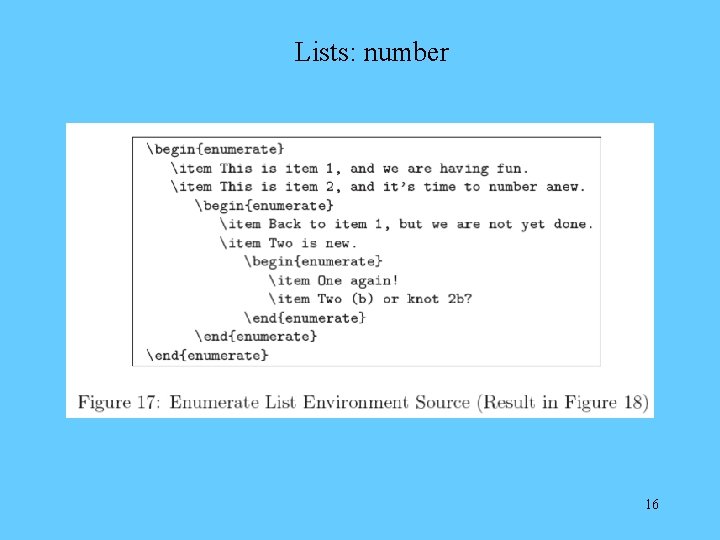
Lists: number 16
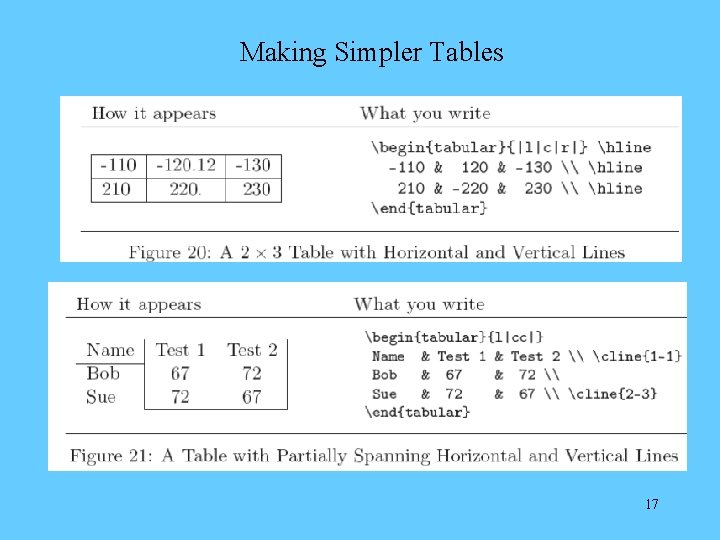
Making Simpler Tables 17
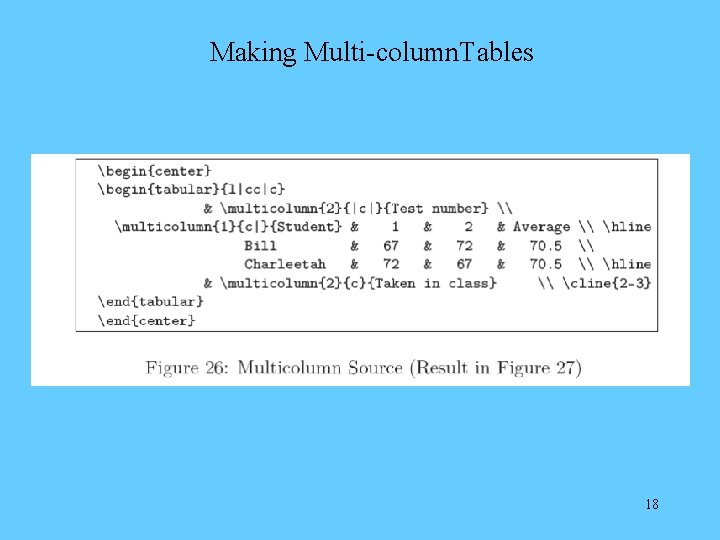
Making Multi-column. Tables 18
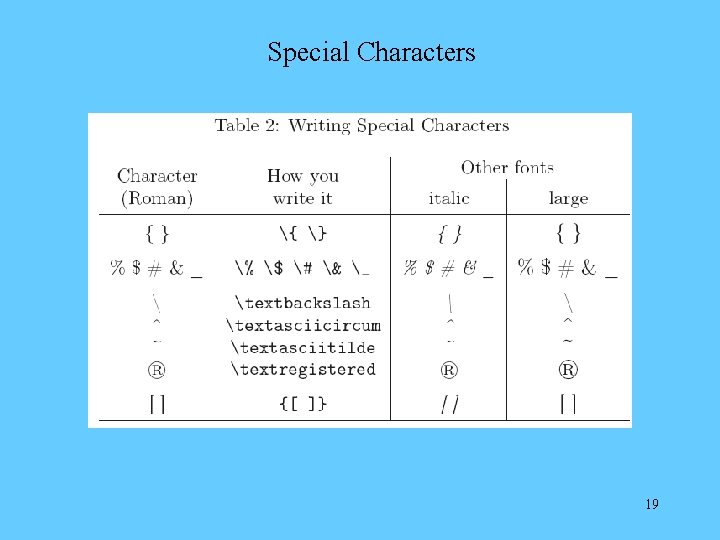
Special Characters 19
Mathematical Operations 20
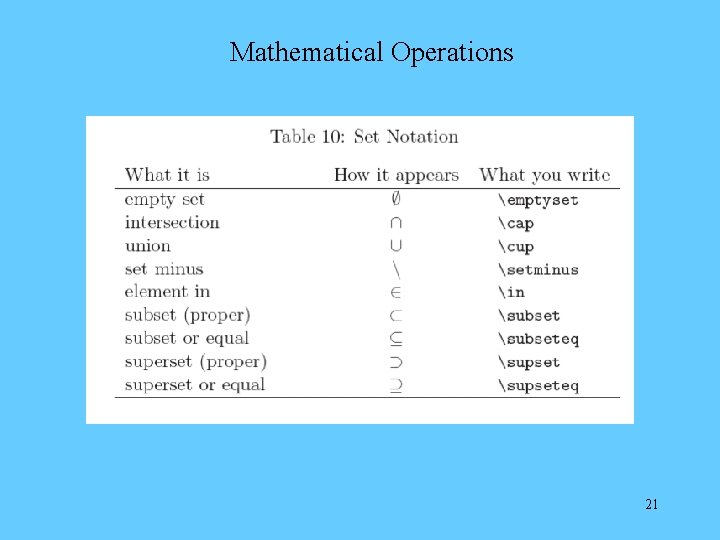
Mathematical Operations 21
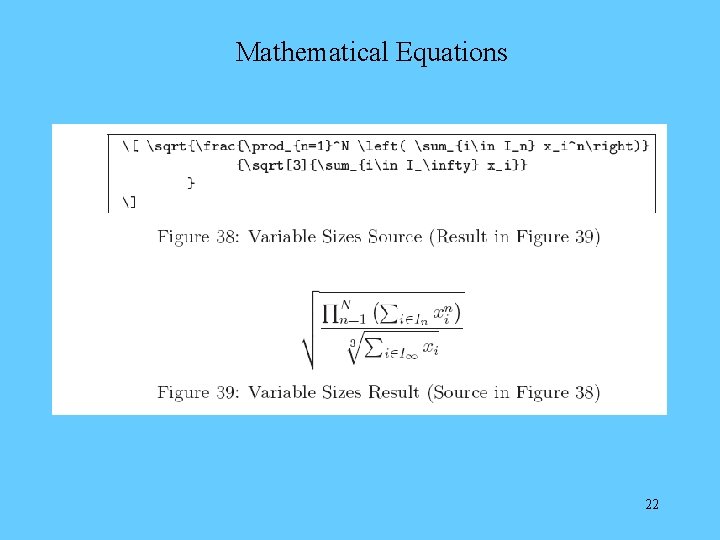
Mathematical Equations 22
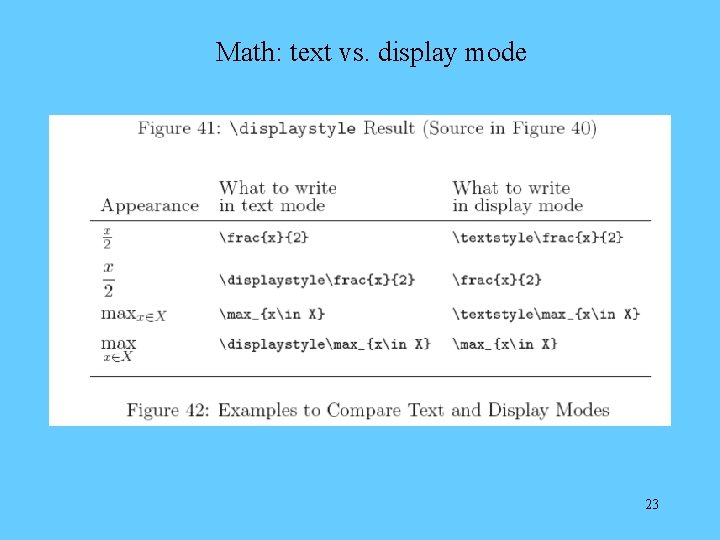
Math: text vs. display mode 23
Math: equation arrays 24
Math: equation arrays 25
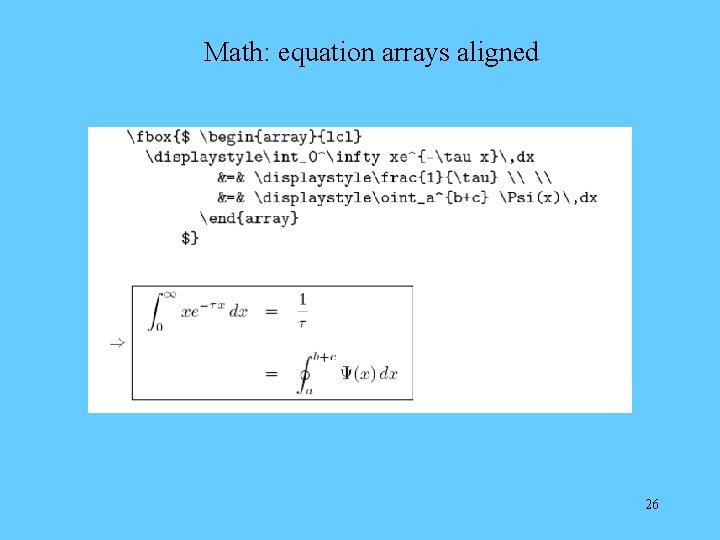
Math: equation arrays aligned 26
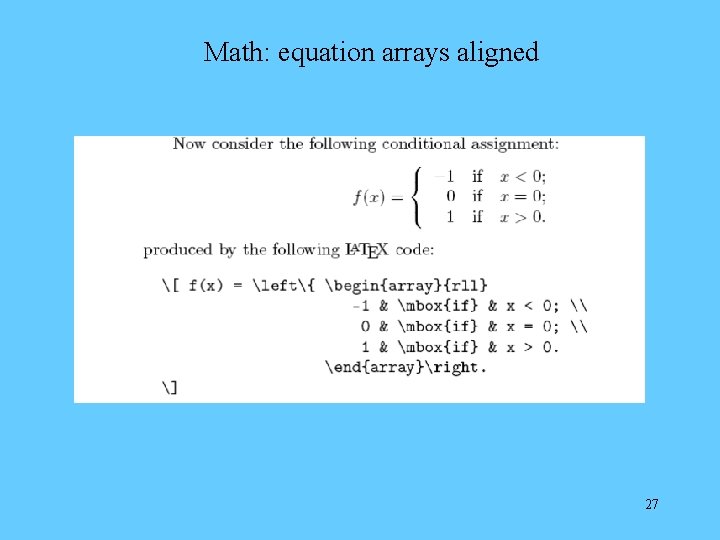
Math: equation arrays aligned 27
Math: means and predicted values 28
Graphs and Pictures: scale 29
Graphs and Pictures: dimensions 30
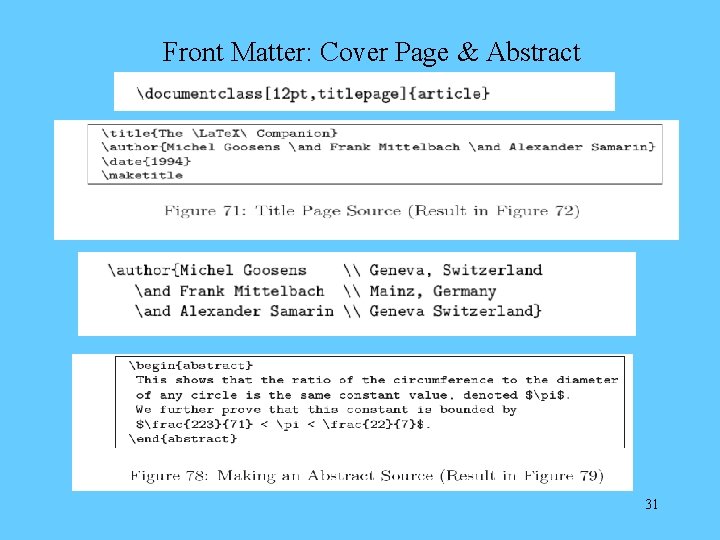
Front Matter: Cover Page & Abstract 31
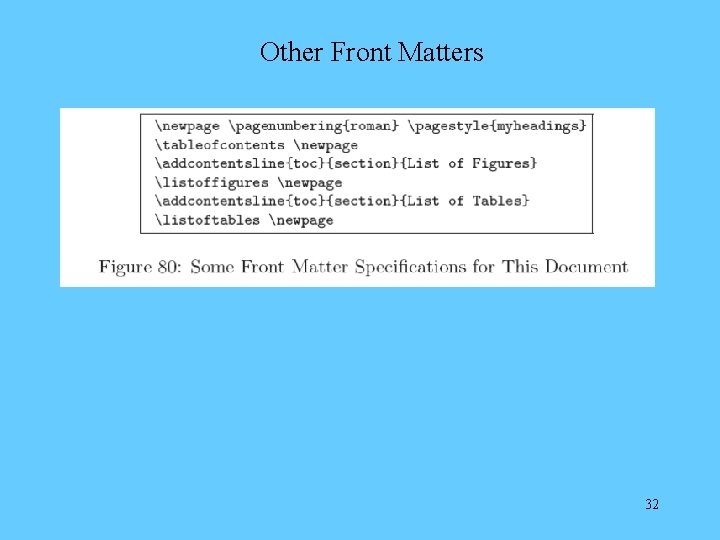
Other Front Matters 32
Bib. Te. X--Bibliography Management • Bibliography database file mybib. bib • Command cite{biblabel} • How to compile – latex myfile – bibtex myfile – latex myfile (may need to run twice) • At the end of the document • bibliographystyle{plain} • bibliography{mybib} • You could also make your own bibliography 33
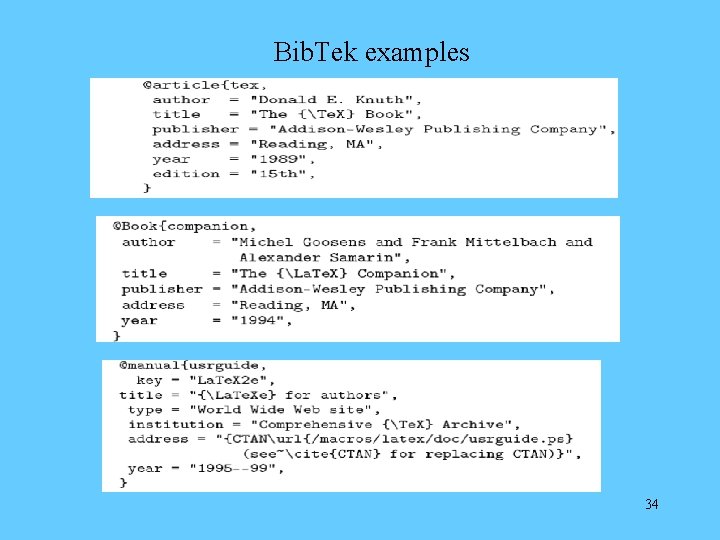
Bib. Tek examples 34
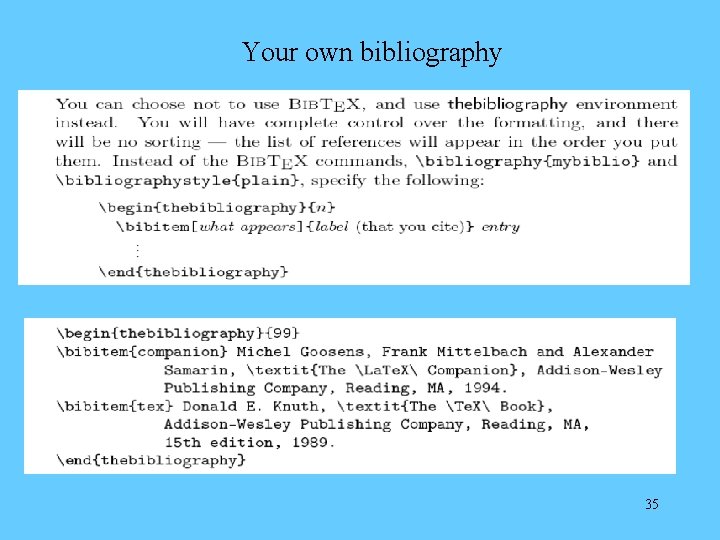
Your own bibliography 35
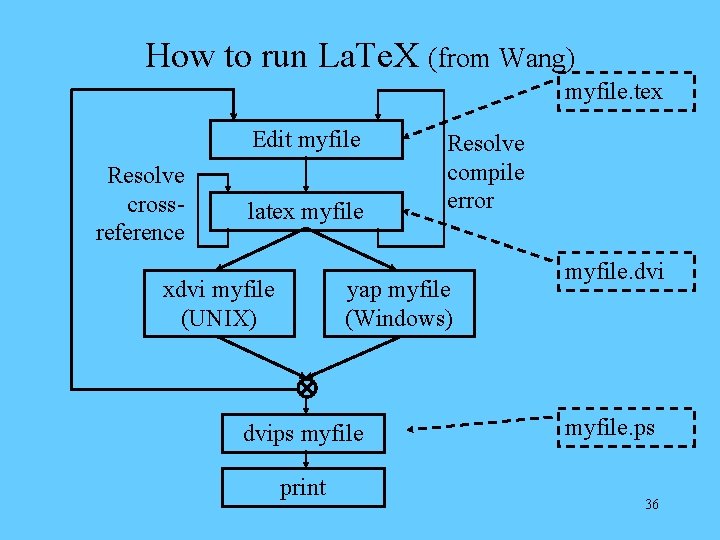
How to run La. Te. X (from Wang) myfile. tex Edit myfile Resolve crossreference latex myfile xdvi myfile (UNIX) Resolve compile error yap myfile (Windows) dvips myfile print myfile. dvi myfile. ps 36

Thank you! Happy La. Te. Xing 37
References 1. Greenberg HJ (2006). A simplified introduction to La. Tex 2. Lamport L (1994). La. Te. X: a document preparation system 3. La. Te. X 2 e for Authors. CTAN 1995 -99. 4. Wang’s Intro to La. Te. X
- Slides: 38