
l DSG Data Sync Initiative and the GXS

- Slides: 27
l DSG Data Sync Initiative and the GXS Catalogue
Agenda • • Introduction Why Data Sync for DSG What is Data Sync DSG and GXS Required Attributes Using the GXS Catalogue for DSG Utilizing provided resources for the DSG initiative Documentation and Support Q&A November 1, 2020 | Slide 2 | © 2011 GXS, Inc.
Why Data Sync for Dick’s Sporting Goods November 1, 2020 | Slide 3 | © 2011 GXS, Inc.
Dick’s Sporting Goods Data Synchronization Initiative Our goal: To create a more efficient way for Dick’s Sporting Goods to receive your product data by eliminating the numerous touch points for data collection by utilizing the GXS Catalog to establish a single source systemic method Key Objectives – Increase speed to market – Improve product data accuracy – Realize supply chain efficiencies for vendors as well as retailers – Establish GXS as the Recommended Catalogue Provider for Dick’s Sporting Goods • Experience with leading retailers • Multiple Publishing Options for loading data into the Catalogue • EDI , XML, Web & CSV options November 1, 2020 | Slide 4 | © 2011 GXS, Inc.
Data Synchronization Benefits • • • Eliminate points of failure—replace paper and spreadsheets – Product is setup is systemically presented in Dick’s Sporting Goods systems with minimal user interaction – More efficient generation of purchase orders by DGS to our vendor community Efficient, repeatable and controlled processes for New Product Introduction (NPI) and Product Changes Availability of consistent product master data for all business processes and channels Vendor product data will be available at the optimal time in the product lifecycle And finally, faster Item Setup which means… Increased speed to market - enabling us to get your products on the web and to our shelves faster! November 1, 2020 | Slide 5 | © 2011 GXS, Inc.
What is Data Sync November 1, 2020 | Slide 6 | © 2011 GXS, Inc.
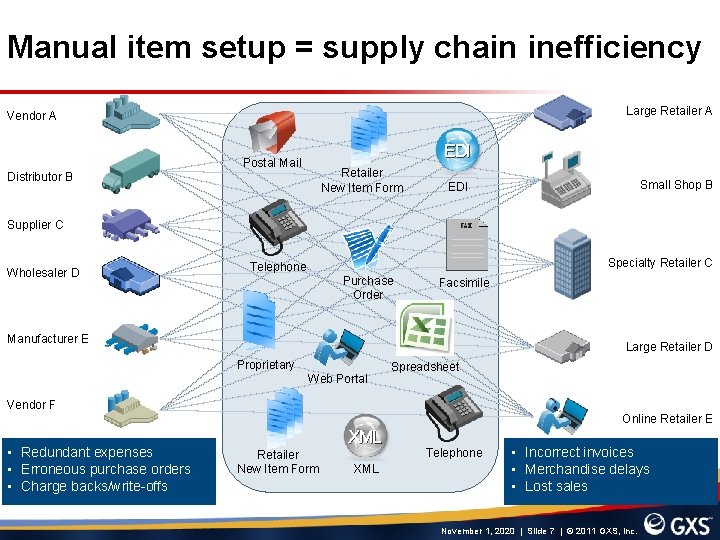
Manual item setup = supply chain inefficiency Large Retailer A Vendor A EDI Postal Mail Retailer New Item Form Distributor B Small Shop B EDI Supplier C Wholesaler D Specialty Retailer C Telephone Purchase Order Facsimile Manufacturer E Large Retailer D Proprietary Web Portal Spreadsheet Vendor F Online Retailer E • Redundant expenses • Erroneous purchase orders • Charge backs/write-offs XML Retailer New Item Form Telephone XML • Incorrect invoices • Merchandise delays • Lost sales November 1, 2020 | Slide 7 | © 2011 GXS, Inc.
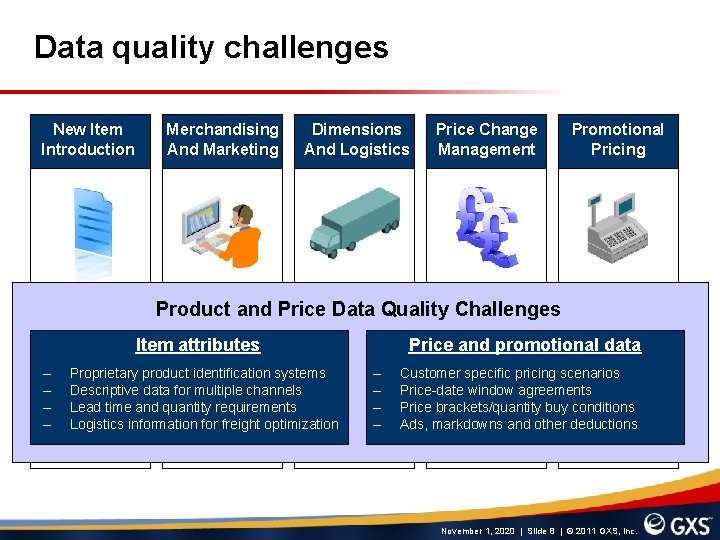
Data quality challenges New Item Introduction Merchandising And Marketing Dimensions And Logistics Price Change Management Promotional Pricing Product and Price Data Quality Challenges Item attributes – – Proprietary product identification systems Descriptive data for multiple channels Lead time and quantity requirements Logistics information for freight optimization Price and promotional data – – Customer specific pricing scenarios Price-date window agreements Price brackets/quantity buy conditions Ads, markdowns and other deductions November 1, 2020 | Slide 8 | © 2011 GXS, Inc.
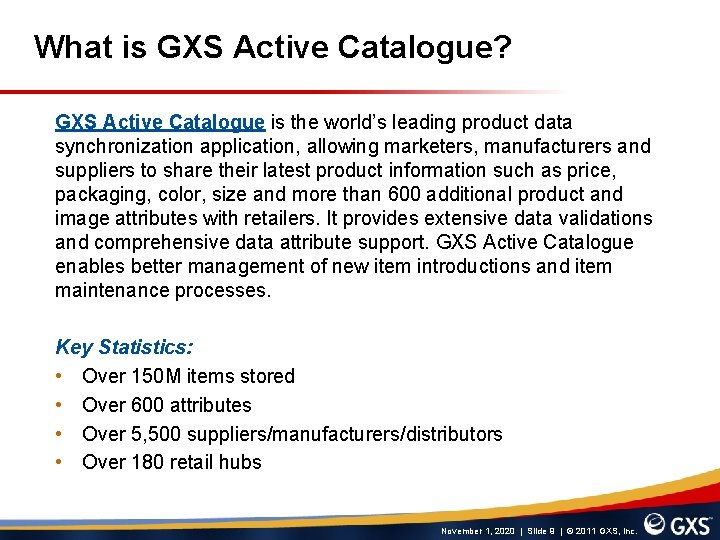
What is GXS Active Catalogue? GXS Active Catalogue is the world’s leading product data synchronization application, allowing marketers, manufacturers and suppliers to share their latest product information such as price, packaging, color, size and more than 600 additional product and image attributes with retailers. It provides extensive data validations and comprehensive data attribute support. GXS Active Catalogue enables better management of new item introductions and item maintenance processes. Key Statistics: • Over 150 M items stored • Over 600 attributes • Over 5, 500 suppliers/manufacturers/distributors • Over 180 retail hubs November 1, 2020 | Slide 9 | © 2011 GXS, Inc.
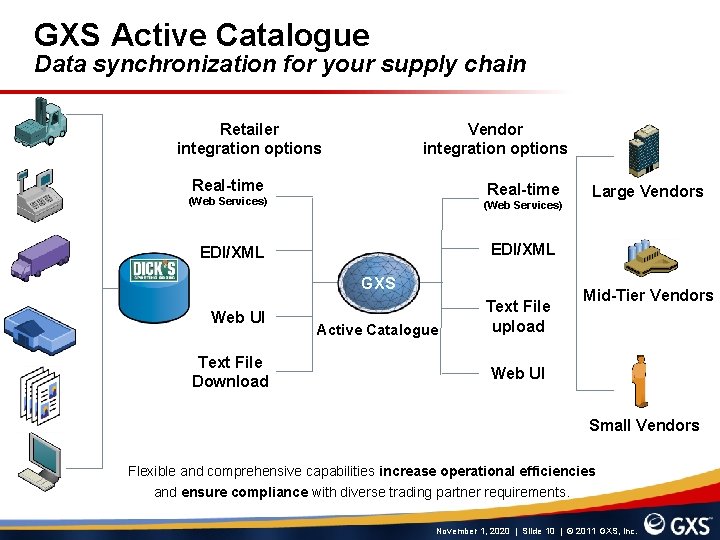
GXS Active Catalogue Data synchronization for your supply chain Retailer integration options Vendor integration options Real-time (Web Services) EDI/XML GXS Web UI Text File Download Large Vendors Active Catalogue Text File upload Mid-Tier Vendors Web UI Small Vendors Flexible and comprehensive capabilities increase operational efficiencies and ensure compliance with diverse trading partner requirements. November 1, 2020 | Slide 10 | © 2011 GXS, Inc.
DSG and GXS Required Attributes November 1, 2020 | Slide 11 | © 2011 GXS, Inc.
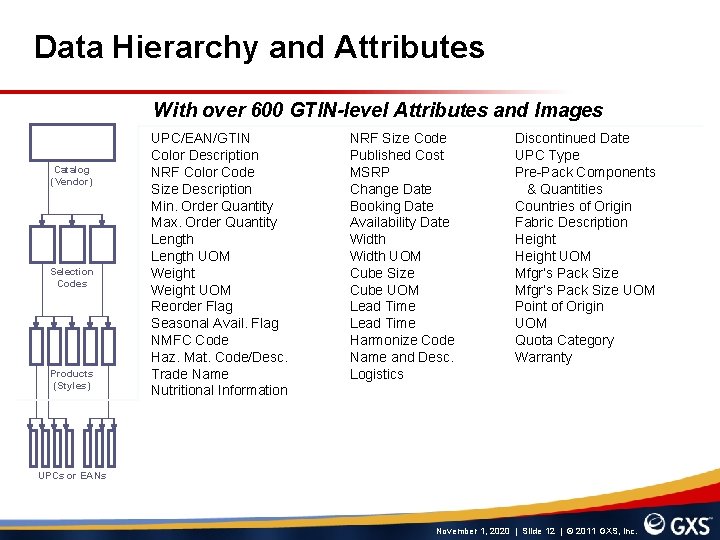
Data Hierarchy and Attributes With over 600 GTIN-level Attributes and Images Catalog (Vendor) Selection Codes Products (Styles) UPC/EAN/GTIN Color Description NRF Color Code Size Description Min. Order Quantity Max. Order Quantity Length UOM Weight UOM Reorder Flag Seasonal Avail. Flag NMFC Code Haz. Mat. Code/Desc. Trade Name Nutritional Information NRF Size Code Published Cost MSRP Change Date Booking Date Availability Date Width UOM Cube Size Cube UOM Lead Time Harmonize Code Name and Desc. Logistics Discontinued Date UPC Type Pre-Pack Components & Quantities Countries of Origin Fabric Description Height UOM Mfgr’s Pack Size UOM Point of Origin UOM Quota Category Warranty UPCs or EANs November 1, 2020 | Slide 12 | © 2011 GXS, Inc.
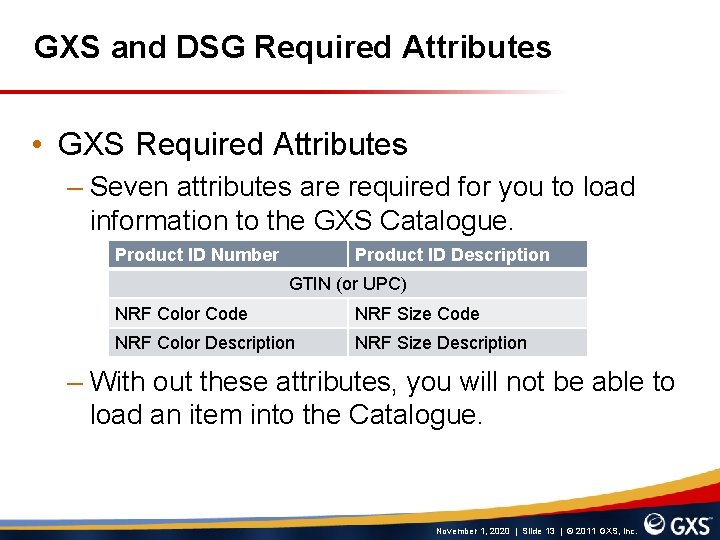
GXS and DSG Required Attributes • GXS Required Attributes – Seven attributes are required for you to load information to the GXS Catalogue. Product ID Number Product ID Description GTIN (or UPC) NRF Color Code NRF Size Code NRF Color Description NRF Size Description – With out these attributes, you will not be able to load an item into the Catalogue. November 1, 2020 | Slide 13 | © 2011 GXS, Inc.
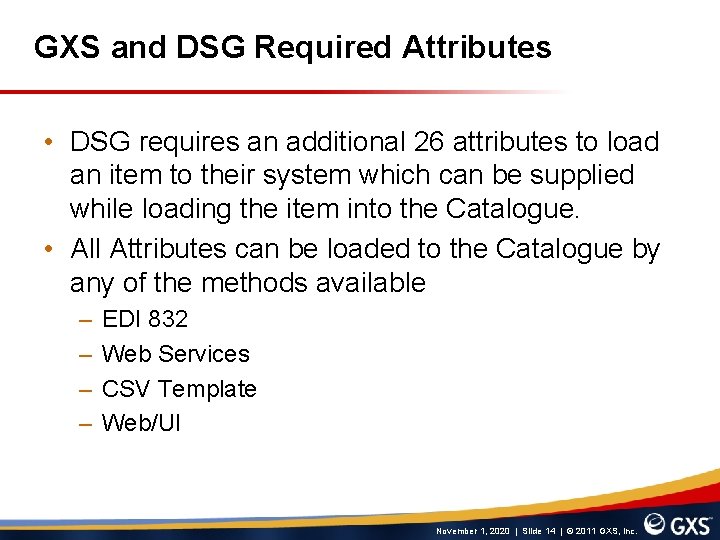
GXS and DSG Required Attributes • DSG requires an additional 26 attributes to load an item to their system which can be supplied while loading the item into the Catalogue. • All Attributes can be loaded to the Catalogue by any of the methods available – – EDI 832 Web Services CSV Template Web/UI November 1, 2020 | Slide 14 | © 2011 GXS, Inc.
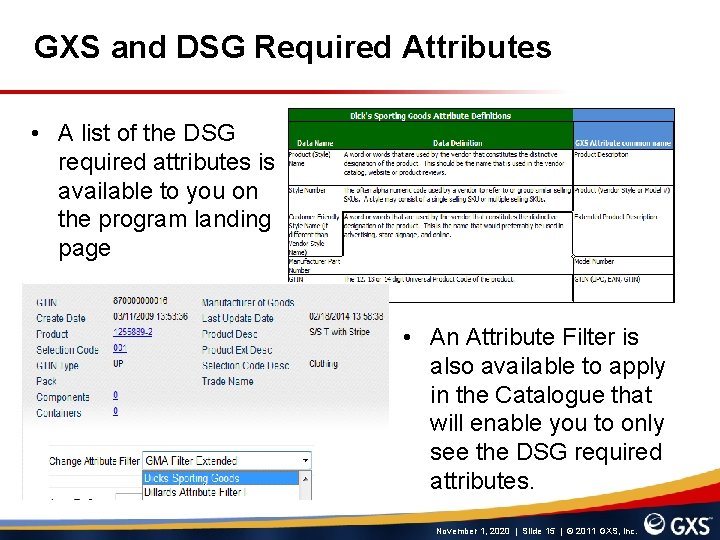
GXS and DSG Required Attributes • A list of the DSG required attributes is available to you on the program landing page • An Attribute Filter is also available to apply in the Catalogue that will enable you to only see the DSG required attributes. November 1, 2020 | Slide 15 | © 2011 GXS, Inc.
Using the GXS Catalogue for DSG November 1, 2020 | Slide 16 | © 2011 GXS, Inc.
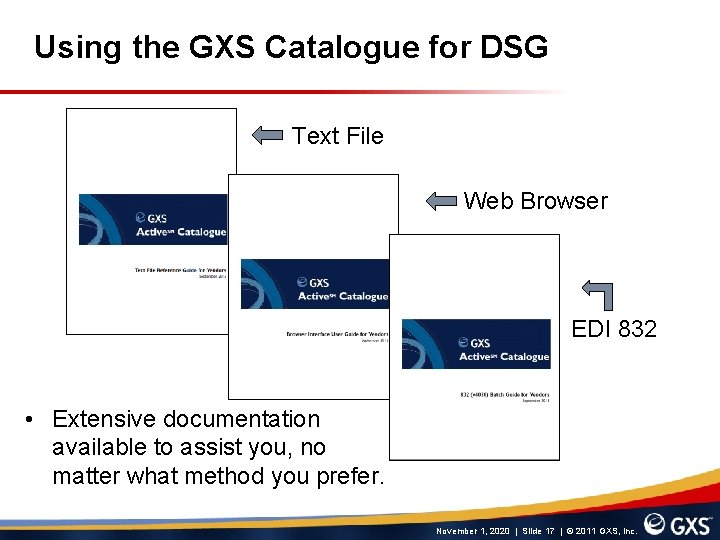
Using the GXS Catalogue for DSG Text File Web Browser EDI 832 • Extensive documentation available to assist you, no matter what method you prefer. November 1, 2020 | Slide 17 | © 2011 GXS, Inc.
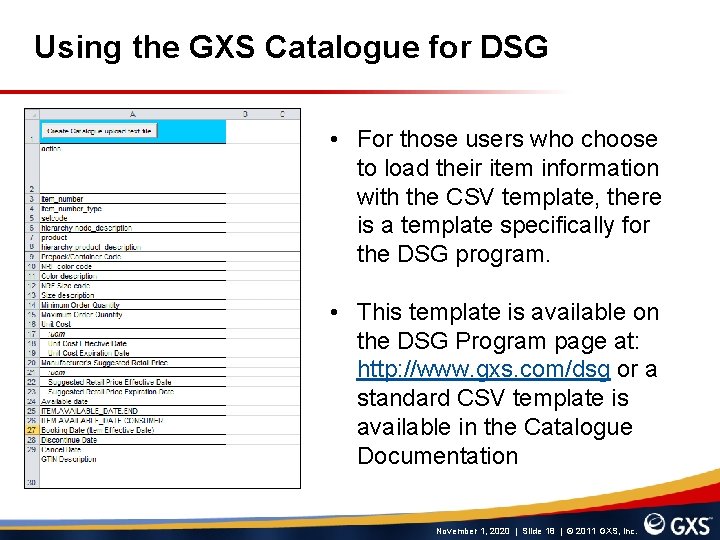
Using the GXS Catalogue for DSG • For those users who choose to load their item information with the CSV template, there is a template specifically for the DSG program. • This template is available on the DSG Program page at: http: //www. gxs. com/dsg or a standard CSV template is available in the Catalogue Documentation November 1, 2020 | Slide 18 | © 2011 GXS, Inc.
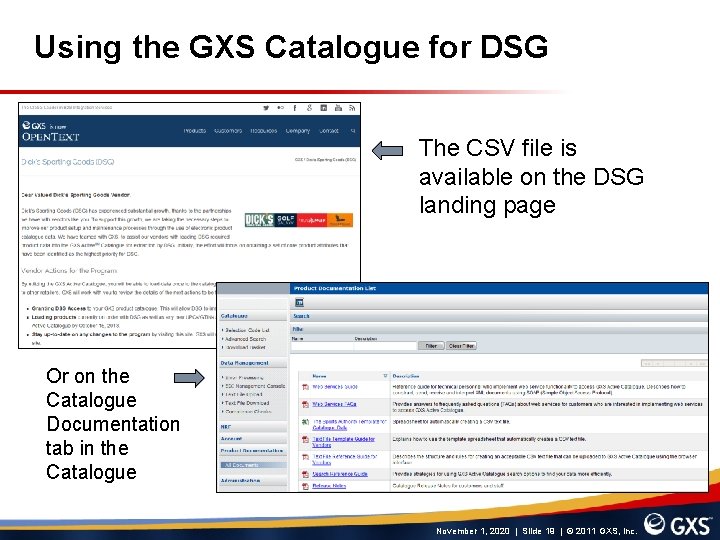
Using the GXS Catalogue for DSG The CSV file is available on the DSG landing page Or on the Catalogue Documentation tab in the Catalogue November 1, 2020 | Slide 19 | © 2011 GXS, Inc.
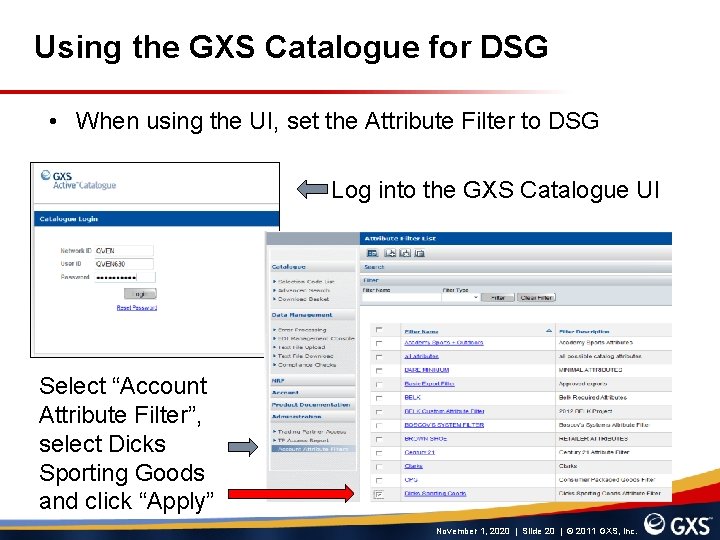
Using the GXS Catalogue for DSG • When using the UI, set the Attribute Filter to DSG Log into the GXS Catalogue UI Select “Account Attribute Filter”, select Dicks Sporting Goods and click “Apply” November 1, 2020 | Slide 20 | © 2011 GXS, Inc.
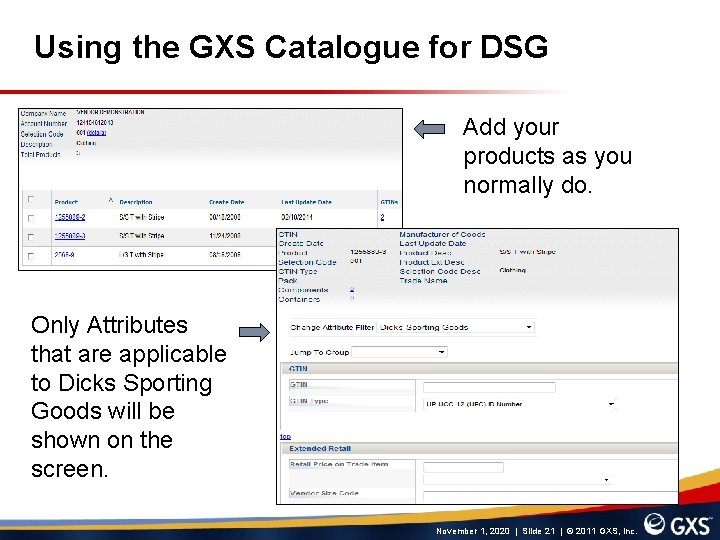
Using the GXS Catalogue for DSG Add your products as you normally do. Only Attributes that are applicable to Dicks Sporting Goods will be shown on the screen. November 1, 2020 | Slide 21 | © 2011 GXS, Inc.
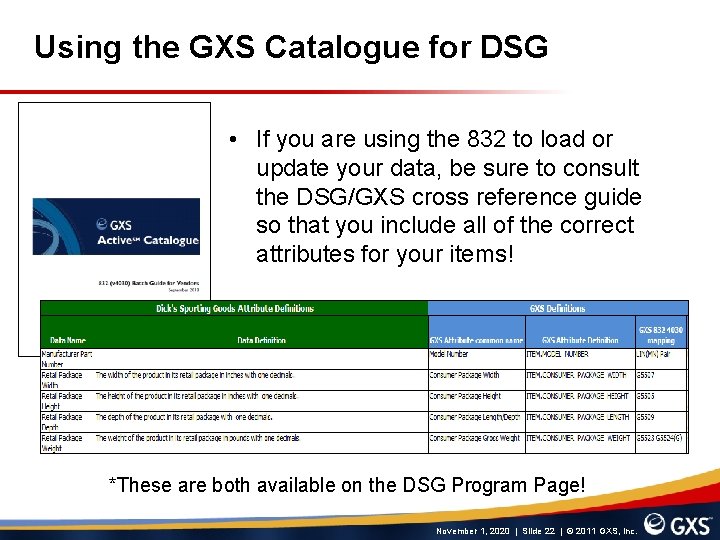
Using the GXS Catalogue for DSG • If you are using the 832 to load or update your data, be sure to consult the DSG/GXS cross reference guide so that you include all of the correct attributes for your items! *These are both available on the DSG Program Page! November 1, 2020 | Slide 22 | © 2011 GXS, Inc.
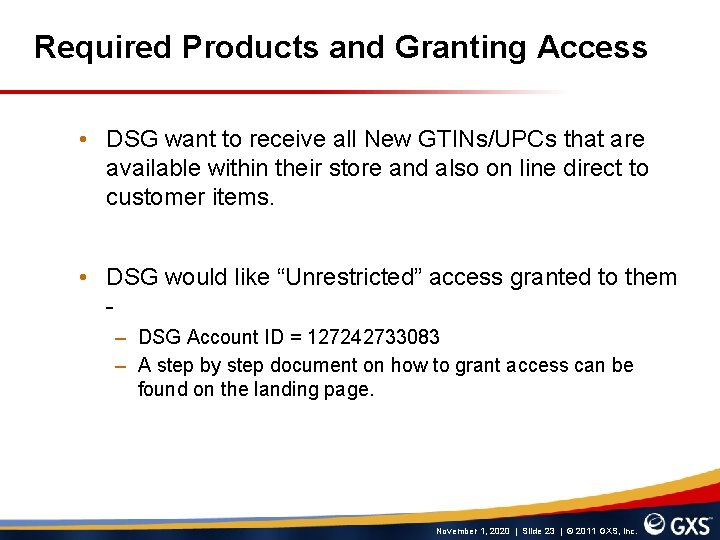
Required Products and Granting Access • DSG want to receive all New GTINs/UPCs that are available within their store and also on line direct to customer items. • DSG would like “Unrestricted” access granted to them – DSG Account ID = 127242733083 – A step by step document on how to grant access can be found on the landing page. November 1, 2020 | Slide 23 | © 2011 GXS, Inc.
Documentation and Support November 1, 2020 | Slide 24 | © 2011 GXS, Inc.
Documentation and Support • GXS Contact Details – If you are an existing customer and need assistance in granting access you can call our support group at: +1 877 -446 -6847 Option 2, Option *, Option 4, Option 1 or email at cataloguesupport@gxs. com – If you wish to get signed up with the GXS Catalogue, you can call out Sales Group at +1 800 -334 -2255, option 3 or email at sales@gxs. com • DSG Contact Details – – merchdata@dcsg. com November 1, 2020 | Slide 25 | © 2011 GXS, Inc.
Documentation and Support • For all of the latest information and documentation pertaining to the DSG Data Sync Initiative, please visit the DSG Landing Page at: www. gxs. com/dsg • Questions about todays information? Kenny. Terhurne@GXS. com November 1, 2020 | Slide 26 | © 2011 GXS, Inc.
Questions November 1, 2020 | Slide 27 | © 2011 GXS, Inc.