
KRONOS Attestation Training Employee Guide to Approving Their
- Slides: 8
KRONOS Attestation Training Employee Guide to Approving Their Timesheet CITY OF TUCSON
ATTESTION-TIME REVIEW Where to log in to Timekeeper On City of Tucson provided internet https: //kronos. central. tucsonaz. gov/wfc/navigator/logon Outside of City of Tucson provided internet https: //kronos. tucsonaz. gov/wfc/navigator/logon CITY OF TUCSON
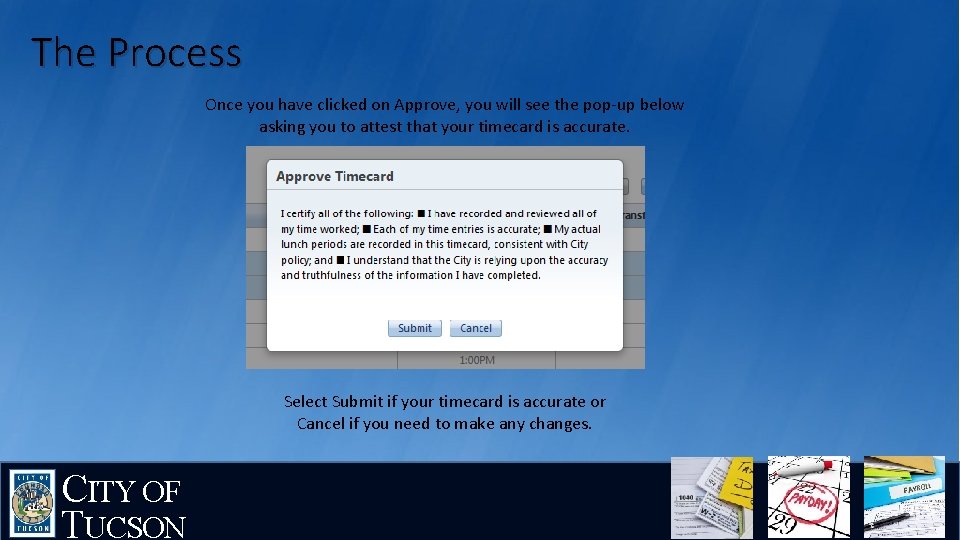
ATTESTION-TIME REVIEW • Why should I review my time? • Time review is important to make sure that you are correctly reporting the time that you worked and that you do not have missed punches or other issues on your timecard. • What is attestation and why is it important? • Attestation is the act of showing, or evidence of showing, that something is true. It is important because you are certifying that the time reported on your timecard is correct and truthful. • What am I attesting to? • That you have recorded and reviewed all of your time worked. • Each of your time entries is accurate. • Actual lunch periods are recorded in this timecard, consistent with City Policy. • You understand that the City is relying upon the accuracy and truthfulness of the information that you have completed. CITY OF TUCSON
ATTESTION-TIME REVIEW • It is essential that you thoroughly review your timecard before approving. • Do not attest/approve any part of your timecard that is inaccurate. • It is your responsibility to communicate to your supervisor if there is an error on your timecard. • Once your timecard is accurate, you must approve your timecard, thereby applying your electronic signature. CITY OF TUCSON
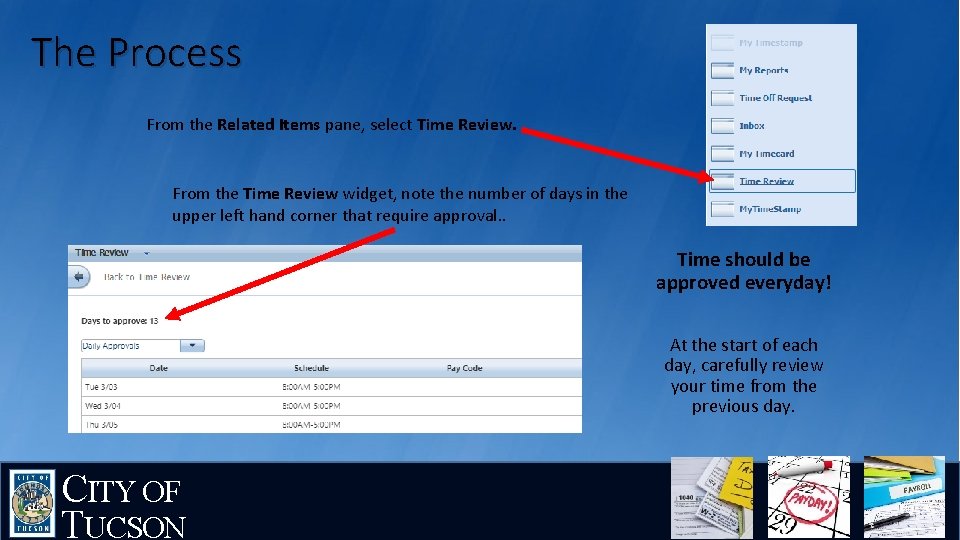
The Process From the Related Items pane, select Time Review. From the Time Review widget, note the number of days in the upper left hand corner that require approval. . Time should be approved everyday! At the start of each day, carefully review your time from the previous day. CITY OF TUCSON
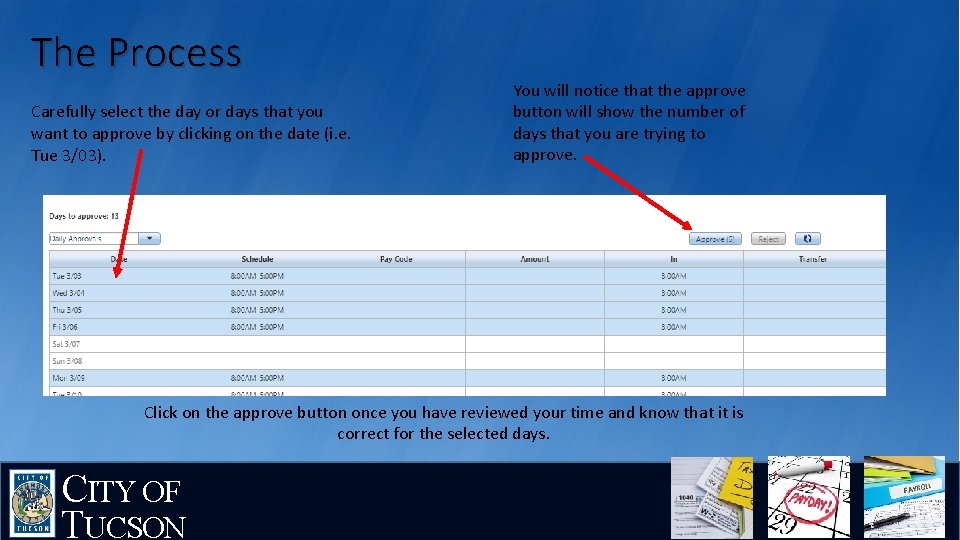
The Process Carefully select the day or days that you want to approve by clicking on the date (i. e. Tue 3/03). You will notice that the approve button will show the number of days that you are trying to approve. Click on the approve button once you have reviewed your time and know that it is correct for the selected days. CITY OF TUCSON
The Process Once you have clicked on Approve, you will see the pop-up below asking you to attest that your timecard is accurate. Select Submit if your timecard is accurate or Cancel if you need to make any changes. CITY OF TUCSON
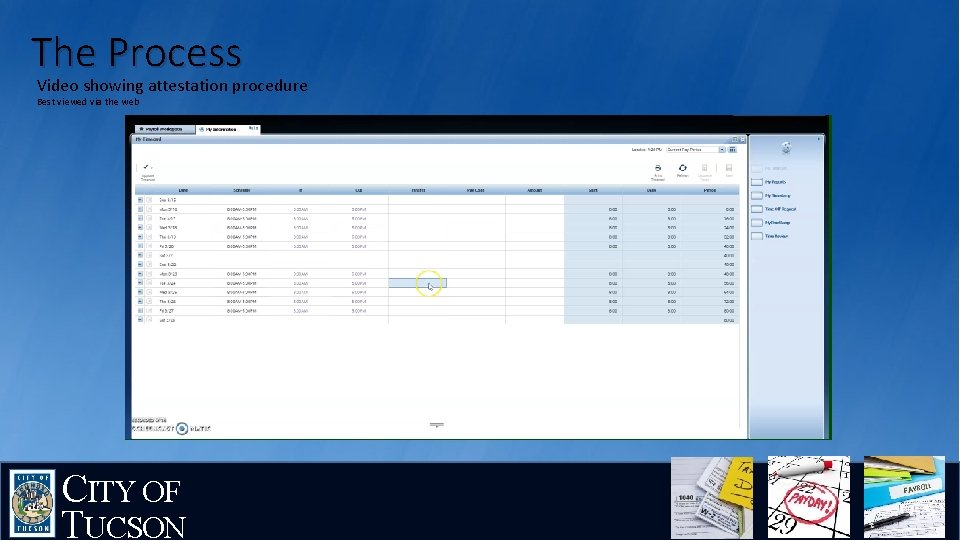
The Process Video showing attestation procedure Best viewed via the web CITY OF TUCSON