
Knowledge Nugget ASA Object Grouping Bogdan Doinea Assoc
Knowledge Nugget ASA Object Grouping Bogdan Doinea Assoc. Technical Manager CEE&RCIS bdoinea@cisco. com Cisco Networking Academy © 2010 Cisco and/or its affiliates. All rights reserved. Cisco Confidential 1
ACL Scalability Issues What is Object grouping? Types of Object grouping © 2011 Cisco and/or its affiliates. All rights reserved. Cisco Confidential 2
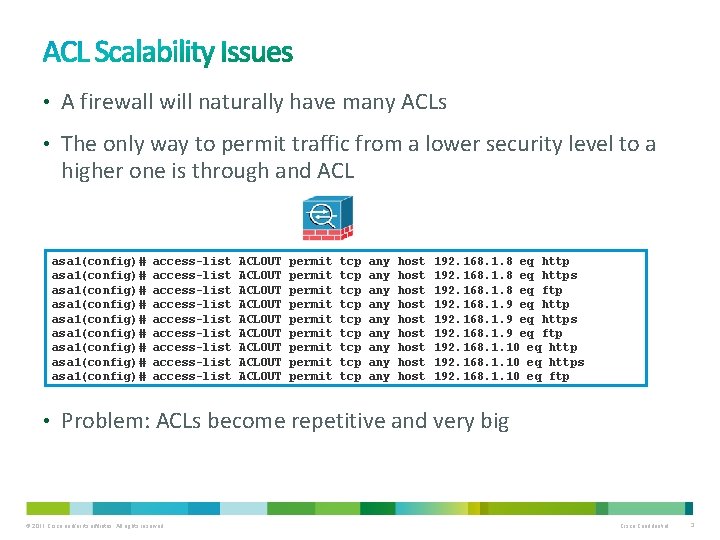
• A firewall will naturally have many ACLs • The only way to permit traffic from a lower security level to a higher one is through and ACL asa 1(config)# asa 1(config)# asa 1(config)# access-list access-list access-list ACLOUT ACLOUT ACLOUT permit permit permit tcp tcp tcp any any any host host host 192. 168. 1. 8 eq https 192. 168. 1. 8 eq ftp 192. 168. 1. 9 eq https 192. 168. 1. 9 eq ftp 192. 168. 1. 10 eq https 192. 168. 1. 10 eq ftp • Problem: ACLs become repetitive and very big © 2011 Cisco and/or its affiliates. All rights reserved. Cisco Confidential 3
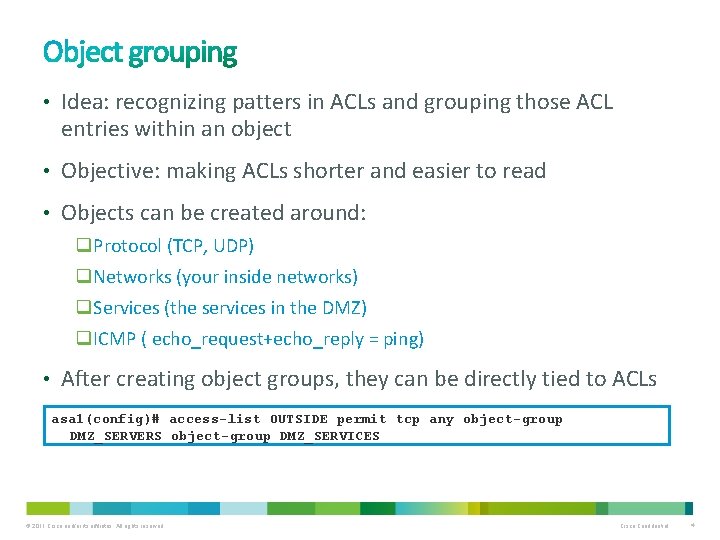
• Idea: recognizing patters in ACLs and grouping those ACL entries within an object • Objective: making ACLs shorter and easier to read • Objects can be created around: q. Protocol (TCP, UDP) q. Networks (your inside networks) q. Services (the services in the DMZ) q. ICMP ( echo_request+echo_reply = ping) • After creating object groups, they can be directly tied to ACLs asa 1(config)# access-list OUTSIDE permit tcp any object-group DMZ_SERVERS object-group DMZ_SERVICES © 2011 Cisco and/or its affiliates. All rights reserved. Cisco Confidential 4
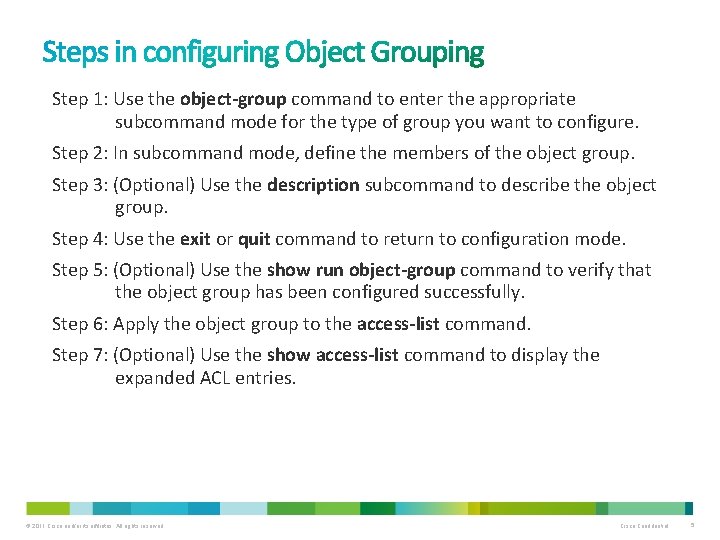
Step 1: Use the object-group command to enter the appropriate subcommand mode for the type of group you want to configure. Step 2: In subcommand mode, define the members of the object group. Step 3: (Optional) Use the description subcommand to describe the object group. Step 4: Use the exit or quit command to return to configuration mode. Step 5: (Optional) Use the show run object-group command to verify that the object group has been configured successfully. Step 6: Apply the object group to the access-list command. Step 7: (Optional) Use the show access-list command to display the expanded ACL entries. © 2011 Cisco and/or its affiliates. All rights reserved. Cisco Confidential 5
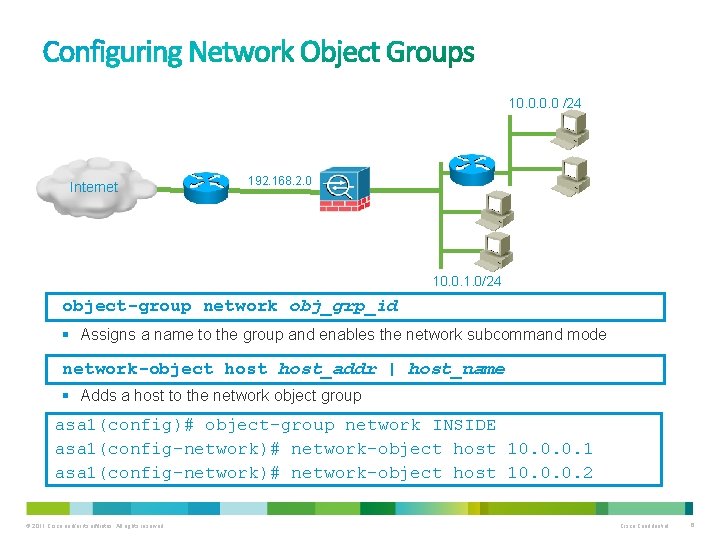
10. 0 /24 Internet 192. 168. 2. 0 10. 0. 1. 0/24 object-group network obj_grp_id § Assigns a name to the group and enables the network subcommand mode network-object host_addr | host_name § Adds a host to the network object group asa 1(config)# object-group network INSIDE asa 1(config-network)# network-object host 10. 0. 0. 1 asa 1(config-network)# network-object host 10. 0. 0. 2 © 2011 Cisco and/or its affiliates. All rights reserved. Cisco Confidential 6
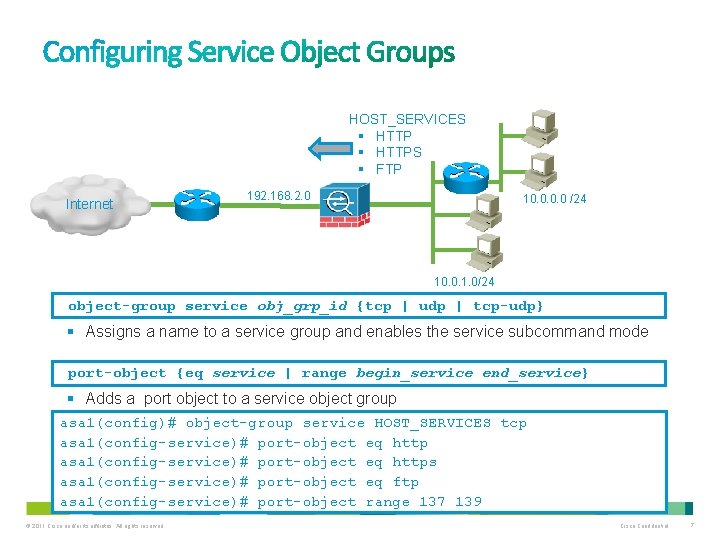
HOST_SERVICES § HTTPS § FTP Internet 192. 168. 2. 0 10. 0 /24 10. 0. 1. 0/24 object-group service obj_grp_id {tcp | udp | tcp-udp} § Assigns a name to a service group and enables the service subcommand mode port-object {eq service | range begin_service end_service} § Adds a port object to a service object group asa 1(config)# object-group service HOST_SERVICES tcp asa 1(config-service)# port-object eq https asa 1(config-service)# port-object eq ftp asa 1(config-service)# port-object range 137 139 © 2011 Cisco and/or its affiliates. All rights reserved. Cisco Confidential 7
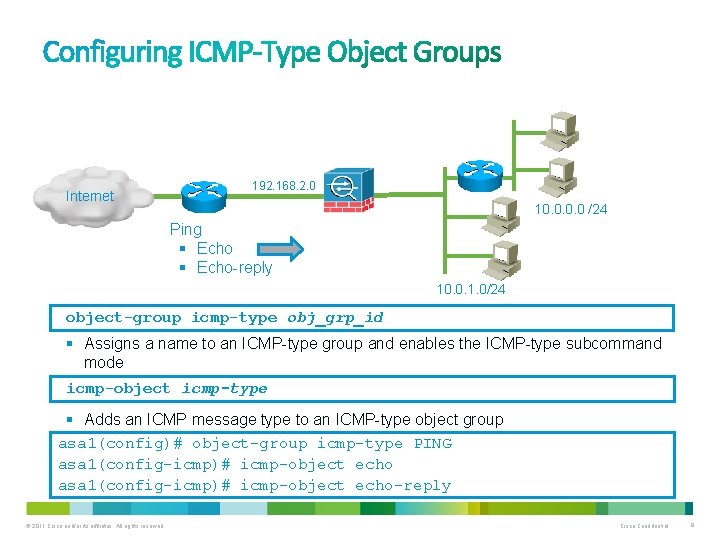
Internet 192. 168. 2. 0 10. 0 /24 Ping § Echo-reply 10. 0. 1. 0/24 object-group icmp-type obj_grp_id § Assigns a name to an ICMP-type group and enables the ICMP-type subcommand mode icmp-object icmp-type § Adds an ICMP message type to an ICMP-type object group asa 1(config)# object-group icmp-type PING asa 1(config-icmp)# icmp-object echo-reply © 2011 Cisco and/or its affiliates. All rights reserved. Cisco Confidential 8
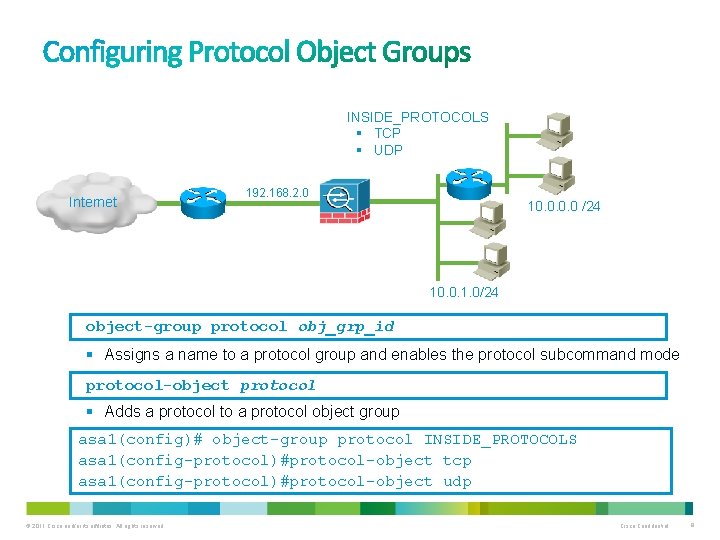
INSIDE_PROTOCOLS § TCP § UDP Internet 192. 168. 2. 0 10. 0 /24 10. 0. 1. 0/24 object-group protocol obj_grp_id § Assigns a name to a protocol group and enables the protocol subcommand mode protocol-object protocol § Adds a protocol to a protocol object group asa 1(config)# object-group protocol INSIDE_PROTOCOLS asa 1(config-protocol)#protocol-object tcp asa 1(config-protocol)#protocol-object udp © 2011 Cisco and/or its affiliates. All rights reserved. Cisco Confidential 9
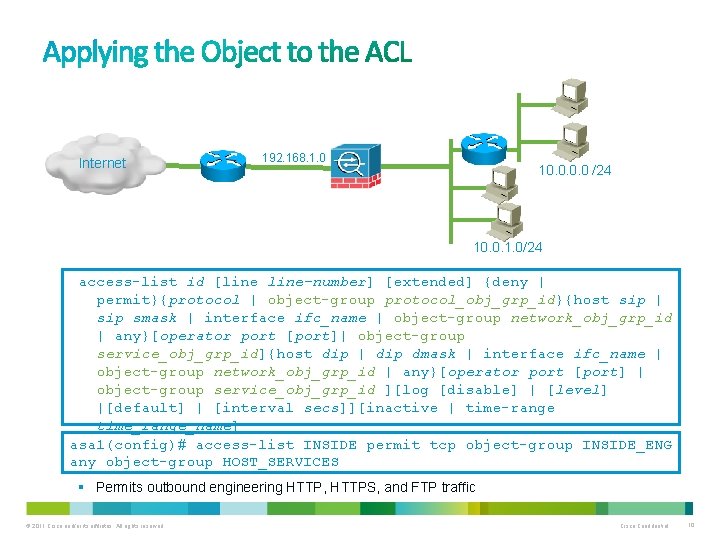
Internet 192. 168. 1. 0 10. 0 /24 10. 0. 1. 0/24 access-list id [line-number] [extended] {deny | permit}{protocol | object-group protocol_obj_grp_id}{host sip | sip smask | interface ifc_name | object-group network_obj_grp_id | any}[operator port [port]| object-group service_obj_grp_id]{host dip | dip dmask | interface ifc_name | object-group network_obj_grp_id | any}[operator port [port] | object-group service_obj_grp_id ][log [disable] | [level] |[default] | [interval secs]][inactive | time-range time_range_name] asa 1(config)# access-list INSIDE permit tcp object-group INSIDE_ENG any object-group HOST_SERVICES § Permits outbound engineering HTTP, HTTPS, and FTP traffic © 2011 Cisco and/or its affiliates. All rights reserved. Cisco Confidential 10
![show running-config object-group [protocol | service | network | icmp-type | id obj_grp_id] •](http://slidetodoc.com/presentation_image_h2/f4f98176da43b3a81e3729b7f032c369/image-11.jpg "show running-config object-group [protocol | service | network | icmp-type | id obj_grp_id] •")
show running-config object-group [protocol | service | network | icmp-type | id obj_grp_id] • Displays object groups in the configuration asa 1# show run object-group network INSIDE network-object host 10. 0. 0. 1 network-object host 10. 0. 0. 2 object-group service HOST_SERVICES tcp port-object eq www port-object eq https port-object eq ftp port-object range 137 netbios-ssn object-group icmp-type PING icmp-object echo-reply © 2011 Cisco and/or its affiliates. All rights reserved. Cisco Confidential 11
• Join the Global Instructor Community • http: //community. netacad. net • Check out more knowledge nuggets • http: //lms. netacad. net/course/view. php? id=3101 ASA Essentials Series The less known world of IPv 6 – Tunneling, Autoconfigure, Routing DHCP Series PPPo. E – combining PPP and Ethernet Netacad Maintenance Advanced VLAN Troubleshooting © 2011 Cisco and/or its affiliates. All rights reserved. Cisco Confidential 12

Thank you.
- Slides: 13