
Khulisa Management Services Pty Ltd Building Community and
Khulisa Management Services (Pty) Ltd Building Community and Collaborating with Social Computing Tools Stacy Langner Khulisa Management Services 25 August 2009
Introduction • What do we mean by social computing? • How can we use these tools? • Illustrative case study: Social software in action • Challenges encountered • Lessons learned
What is social computing? • Technology that puts power in communities not institutions (Forrester 1) • Social software supports group interaction • Broad, fluid concept • Not new - but the toolbox is getting bigger 1. Charron, C. , Favier, J. & Li, C. (2006). Social Computing: How networks erode institutional power, and what to do about it. Forrester Research.
How can we use social software? • “Typical” use = Self-promotion to external audiences • Social software can be multi-purpose • Used “behind the firewall” it provides opportunities to: § Capitalise on natural social behaviours § Break down silos and improve the flow of information § Leverage and customise existing tools for your own purposes
Social software in action • Background about Khulisa § Small South African organisation (<50 emp) § Private (for-profit) company § Social research § Focus on international development • Growing frustration with lack of knowledge sharing resulting in: § Decreased productivity § Impact on quality of work
Social software in action • Specific KM challenges at Khulisa: § Divisional silos § Geographically dispersed teams § Short-term staff § Connectivity issues § Varying levels of technical skills § Very culturally diverse
Social software in action • Starting point = Intranet • The tools: § Open Source Content Management Software § Social Bookmarking § Document Sharing § Digital Media Sharing § Social Networking
Tool #1: Drupal • Content management system www. drupal. org • Open source platform that served as our foundation Pros: -Useful forums on drupal. org -Wide community of users -Extendable – lots of addon modules available Cons: -Steep learning curve -Custom module development can be tricky
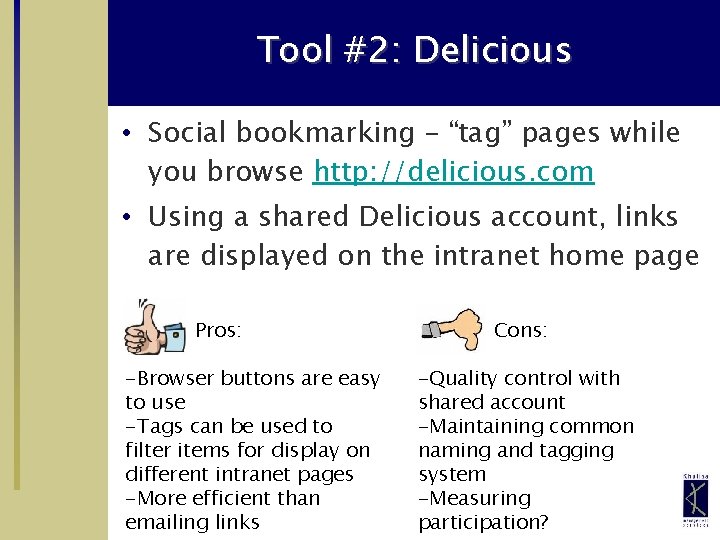
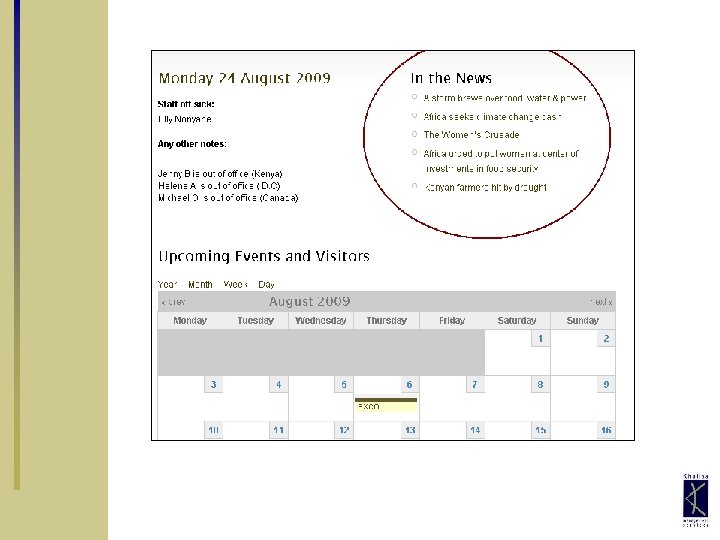
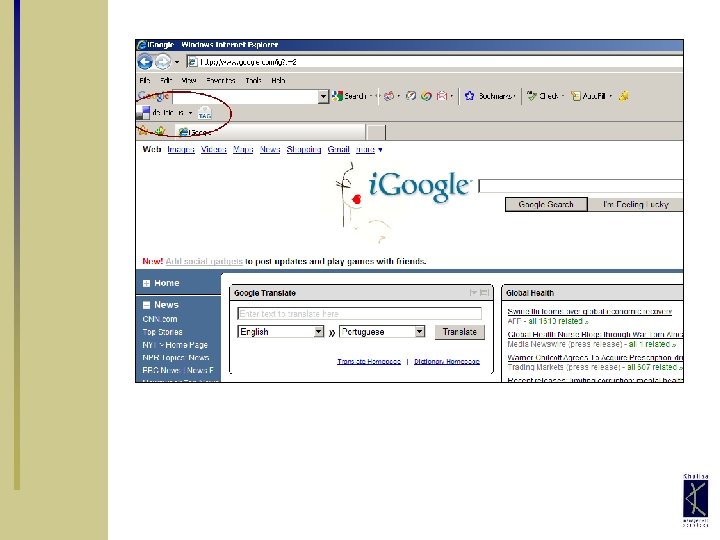
Tool #2: Delicious • Social bookmarking – “tag” pages while you browse http: //delicious. com • Using a shared Delicious account, links are displayed on the intranet home page Pros: -Browser buttons are easy to use -Tags can be used to filter items for display on different intranet pages -More efficient than emailing links Cons: -Quality control with shared account -Maintaining common naming and tagging system -Measuring participation?
Tool #3: Scribd • Document Sharing www. scribd. com • Use a shared Scribd account and Drupal’s i. Paper module to create searchable document repository • Upload reports, presentations, training tools, CVs/resomes, etc. • KM Manager serves as “gatekeeper” • Careful use of privacy settings
Tool #3: Scribd Pros: -Full text searching - “Hidden” tool -Documents can be fully embedded into web page -Viewer can comment on documents -Viewers can tag documents Cons: -Requires oversight, less “communitydriven” -Embedded documents can be prohibitively slow to load

Tool #4: Flickr • Photo sharing www. flickr. com • Using a shared Flickr account, photos are displayed on various intranet pages • Use tags to display on relevant pages, plus random image on home page Pros: -Ability to comment and tag -Visual images more interesting than text Cons: -Quality control with shared account -Maintaining tagging system -Uneven participation
Tool #5: Linked. In • Social networking www. linkedin. com • All staff set up Linked. In profile when they join the company • Use private group to share announcements, facilitate discussions
Tool #5: Linked. In Pros: -Repository of staff expertise -Keep track of / create mutual contacts -Keep up with former employees -Recommendations boost morale Cons: -Not (yet) integrated with intranet -Limited benefits without “champions” - More effort required by users
Key Challenges • Maintaining momentum • Measuring impact and return on investment? • Requires significant time to develop a custom system that integrates many tools • Converting “Lurkers”
Key Lessons • Terminology is more intimidating than technology • Choose the right tool for the job § Carefully consider needs and options § Don’t choose a tool just because it’s “trendy” § Test in small groups and make adjustments • Constant training and reminders • Don’t invade personal space

Khulisa Management Services (Pty) Ltd Question or Comments? Stacy Langner Khulisa Management Services Phone: 202 -316 -8954 Email: slangner@khulisa. com
- Slides: 20