
Kent County Council Schools Bankline Presentation Presented by

Kent County Council Schools Bankline Presentation Presented by Gill Pegrum June 2018 Information classification: Confidential
Contents 1. Welcome to Bankline/Logging On 2. Bankline Account Information 3. Importing Payments 4. Frequently Asked Questions 5. Staying Safe Online Information classification: Confidential 2
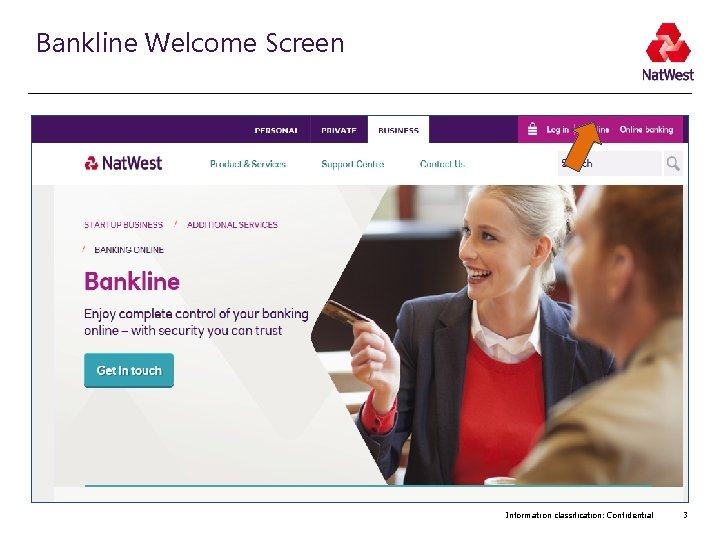
Bankline Welcome Screen Information classification: Confidential 3
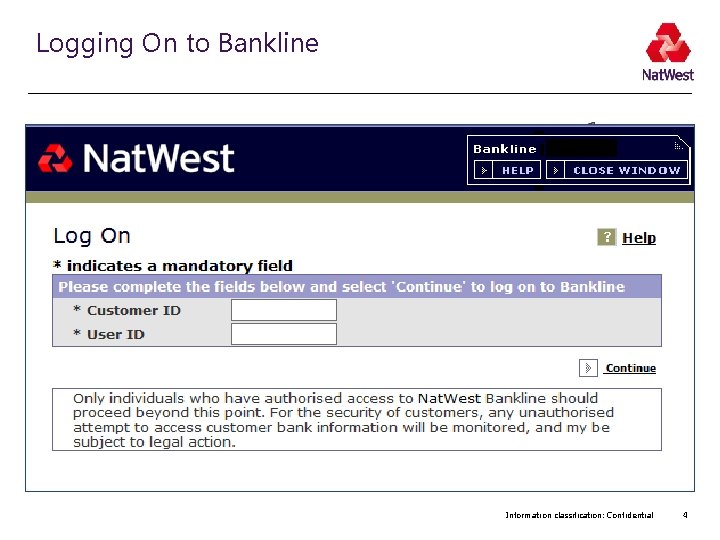
Logging On to Bankline Information classification: Confidential 4
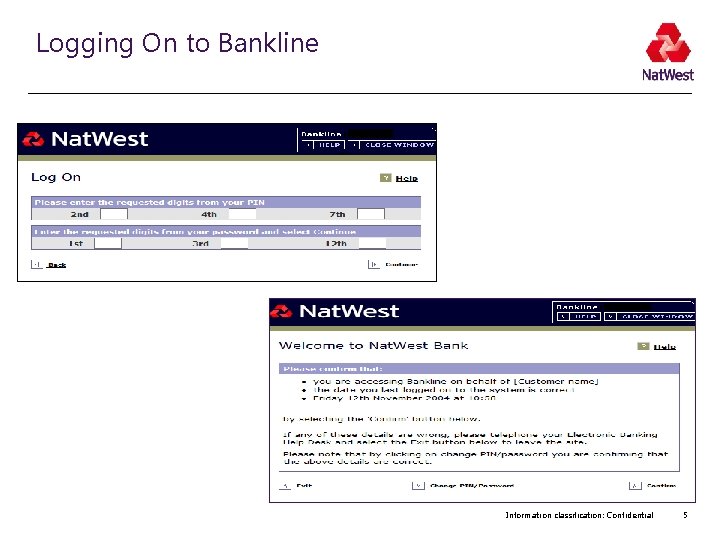
Logging On to Bankline Information classification: Confidential 5

Customer Details for Bankline Profile Information classification: Confidential 6
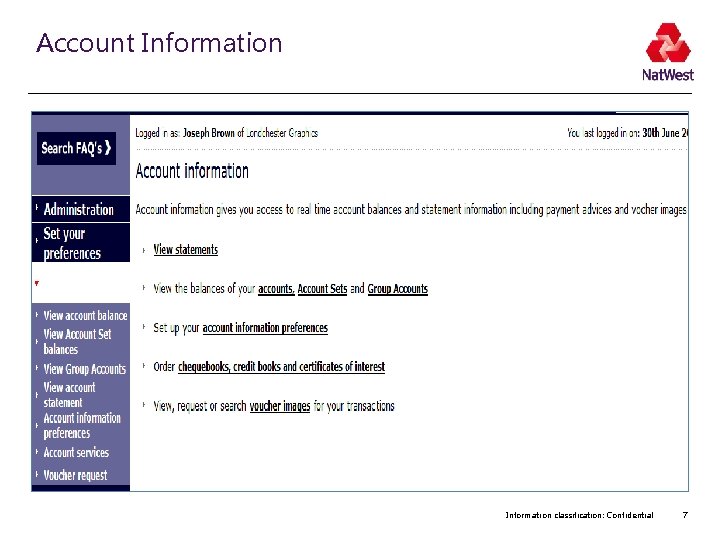
Account Information classification: Confidential 7
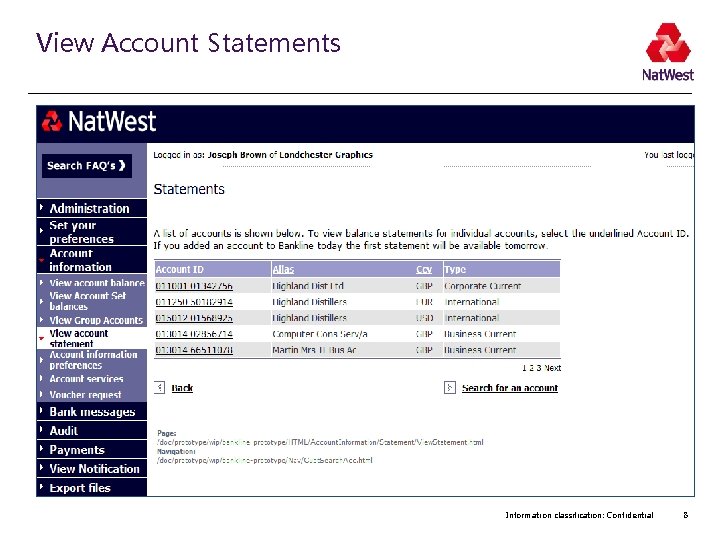
View Account Statements Information classification: Confidential 8
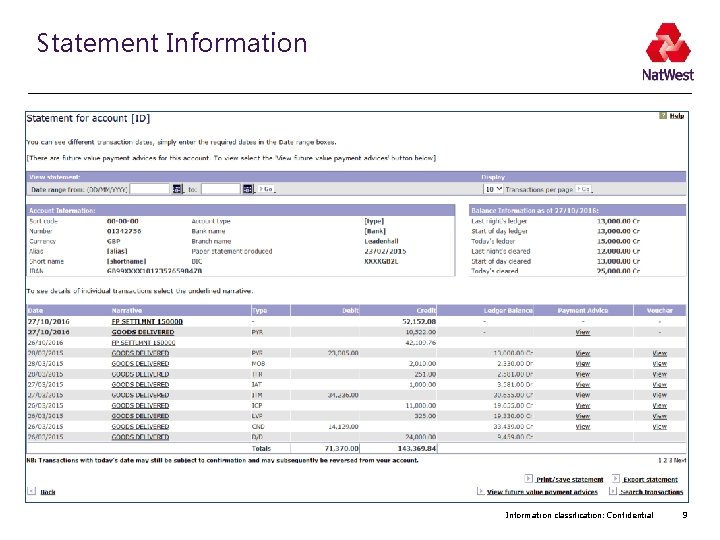
Statement Information classification: Confidential 9
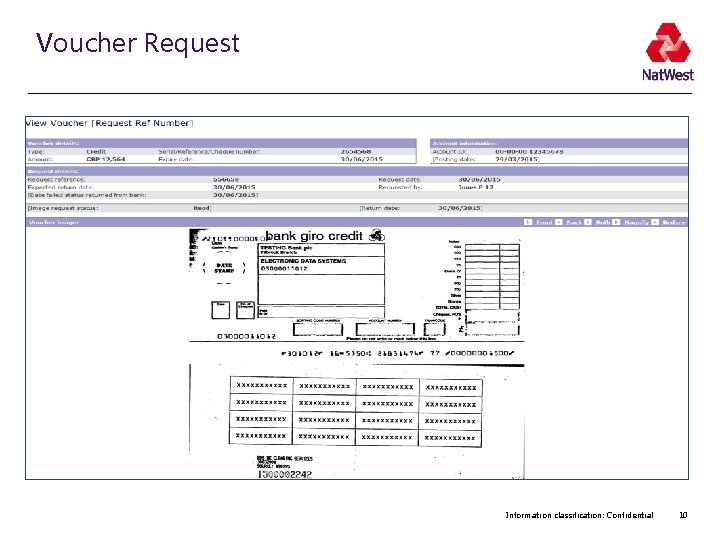
Voucher Request Information classification: Confidential 10
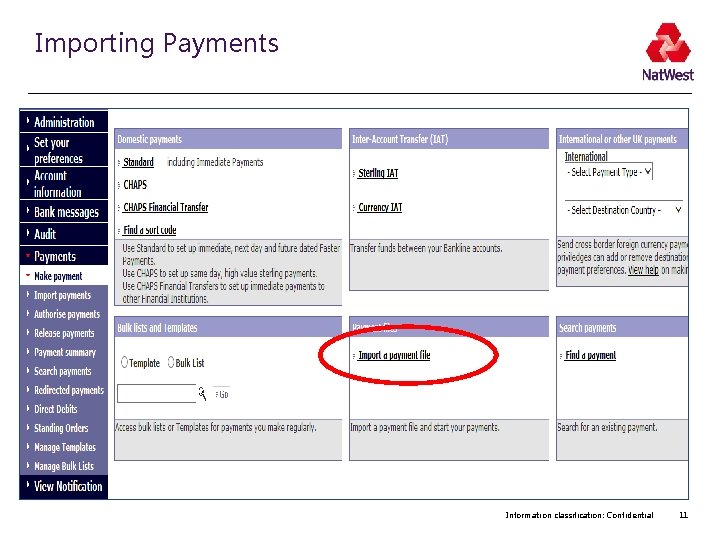
Importing Payments Information classification: Confidential 11
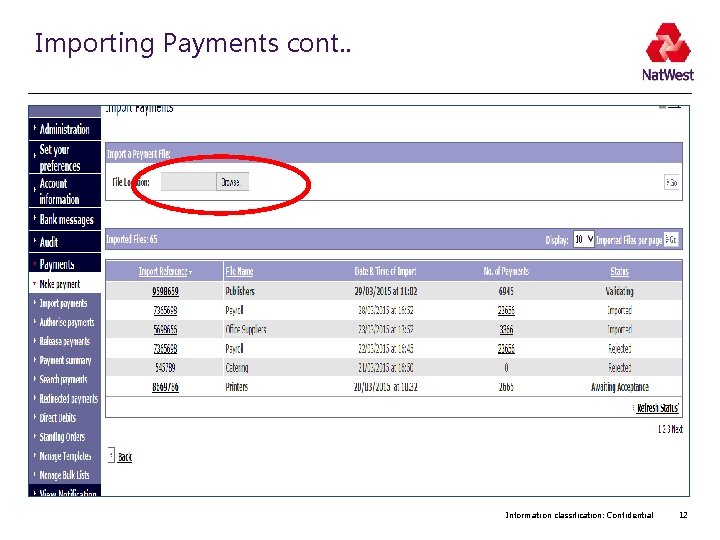
Importing Payments cont. . Information classification: Confidential 12
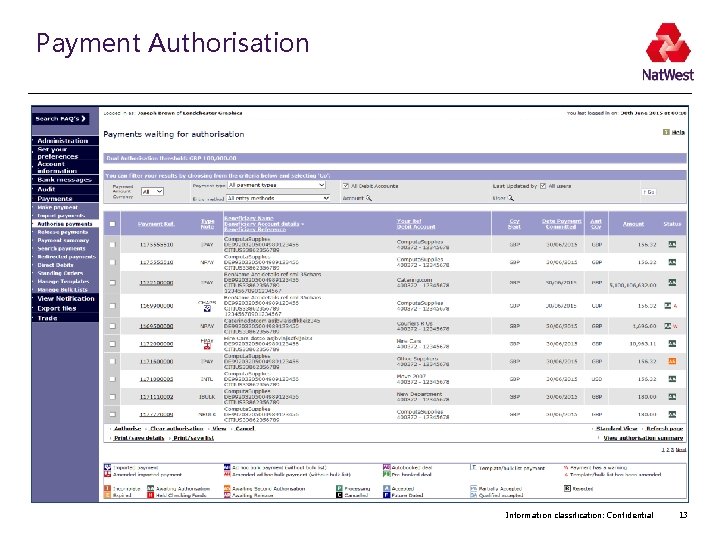
Payment Authorisation Information classification: Confidential 13
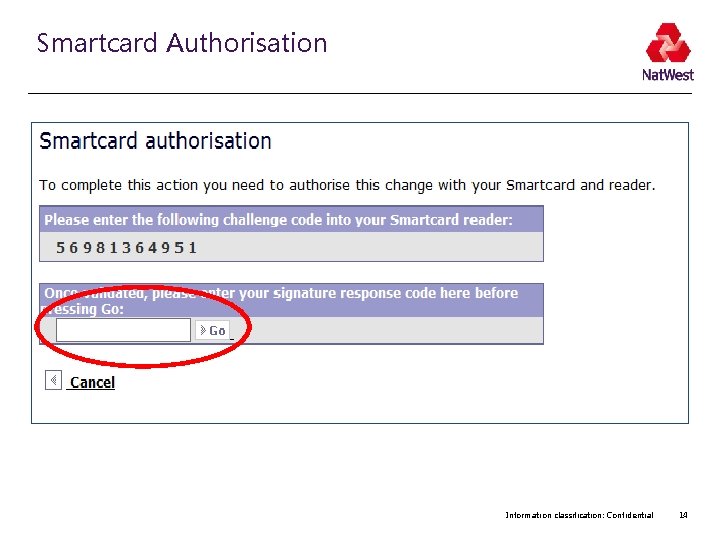
Smartcard Authorisation Information classification: Confidential 14
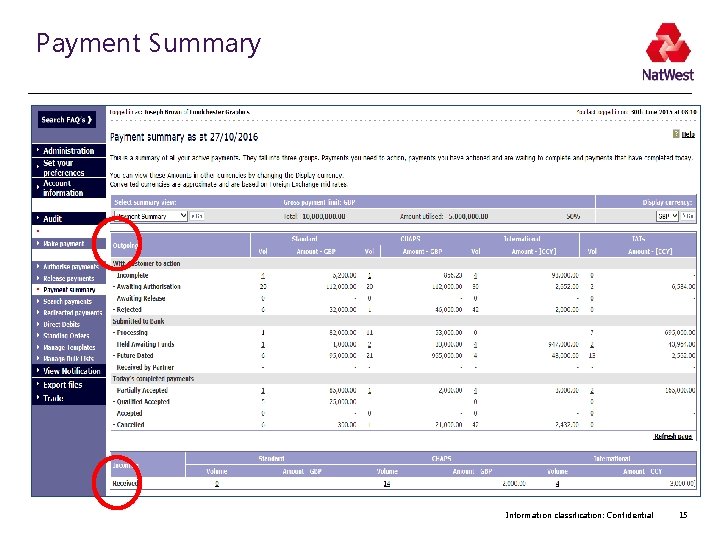
Payment Summary Information classification: Confidential 15
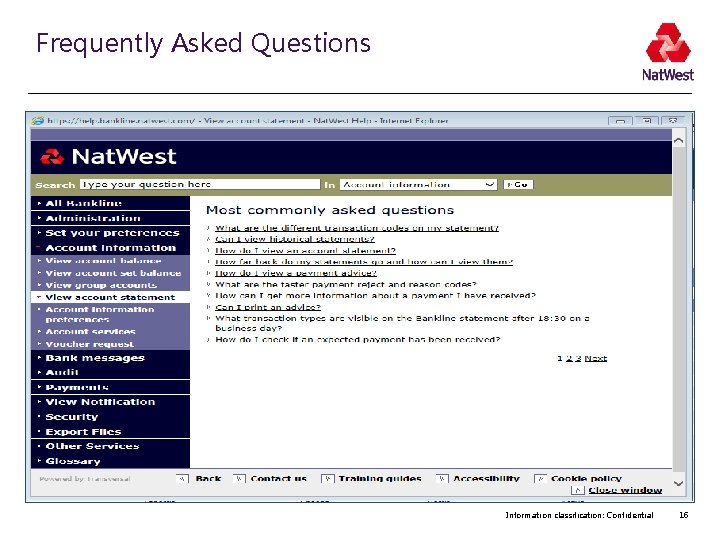
Frequently Asked Questions Information classification: Confidential 16
Bankline Golden Rules We will never. . . Ask for your full PIN & password online: only 3 random digits from each are needed to log in Ask for your PIN & password or any smartcard codes over the telephone: beware of imposters Ask for smartcard codes to log in: these codes are used to authorise payments Ask you to make test payments to prevent fraud Information classification: Confidential 17
Top Tops for Staying Safe Online • • Keep software up to date Strong controls – dual administration / dual authorisation. Segregation of duties Bankline Broadcast Messages & Fraud Awareness Material • User Awareness. • Use the functionality of Smartcard authorisation and dual authorisation to protect your payments and changes made in Bankline • Check user privileges and that users don’t have access to information and functionality that they don’t need • Create a secure password that cannot be guessed • Download Trusteer Rapport security software to protect your computer. Information classification: Confidential 18
Contact details Bankline Helpdesk 0345 300 4108 Bankline Webchat – click the icon when logged on Corporate Service Team – Tel: 0345 308 8964 email - Commercial. Emails. CS&OBolton@rbs. co. uk Information classification: Confidential 19
Any Questions Information classification: Confidential 20
- Slides: 20