
Kansas Base Flood Elevation BFE Portal KDADWR and
Kansas Base Flood Elevation (BFE) Portal KDA-DWR and DASC Project GIS Policy Board Meeting Tara Lanzrath, CFM February 15, 2018
Outline – Background • What is a Base Flood Elevation? • Why this data is important – Base Flood Elevation Portal • Development & Testing • How it Works • Future Enhancements – Questions/Contacts
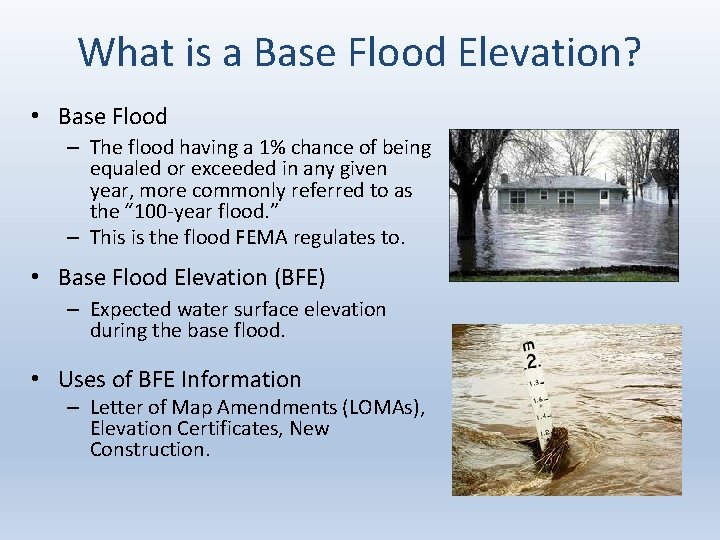
What is a Base Flood Elevation? • Base Flood – The flood having a 1% chance of being equaled or exceeded in any given year, more commonly referred to as the “ 100 -year flood. ” – This is the flood FEMA regulates to. • Base Flood Elevation (BFE) – Expected water surface elevation during the base flood. • Uses of BFE Information – Letter of Map Amendments (LOMAs), Elevation Certificates, New Construction.
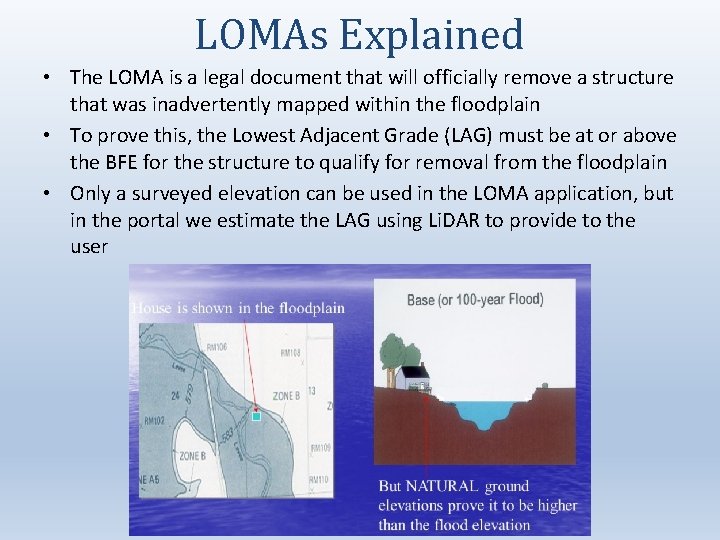
LOMAs Explained • The LOMA is a legal document that will officially remove a structure that was inadvertently mapped within the floodplain • To prove this, the Lowest Adjacent Grade (LAG) must be at or above the BFE for the structure to qualify for removal from the floodplain • Only a surveyed elevation can be used in the LOMA application, but in the portal we estimate the LAG using Li. DAR to provide to the user
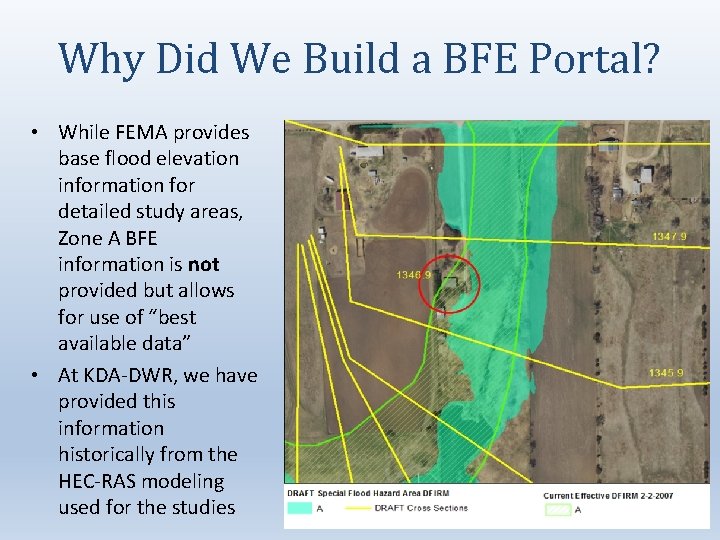
Why Did We Build a BFE Portal? • While FEMA provides base flood elevation information for detailed study areas, Zone A BFE information is not provided but allows for use of “best available data” • At KDA-DWR, we have provided this information historically from the HEC-RAS modeling used for the studies
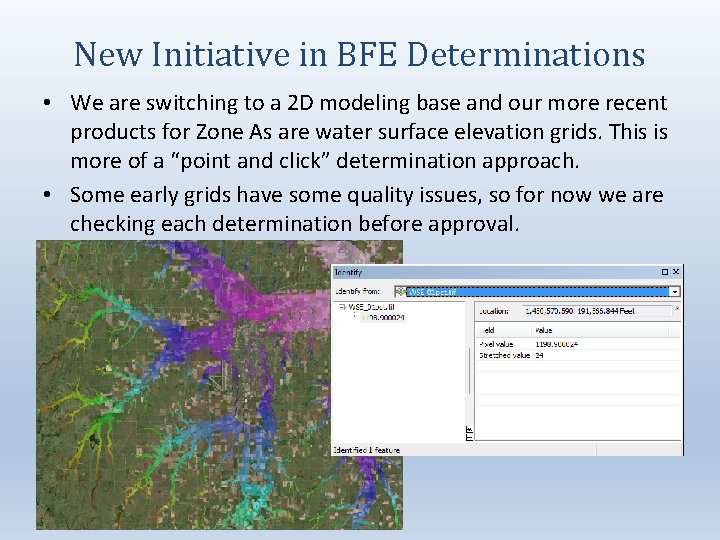
New Initiative in BFE Determinations • We are switching to a 2 D modeling base and our more recent products for Zone As are water surface elevation grids. This is more of a “point and click” determination approach. • Some early grids have some quality issues, so for now we are checking each determination before approval.
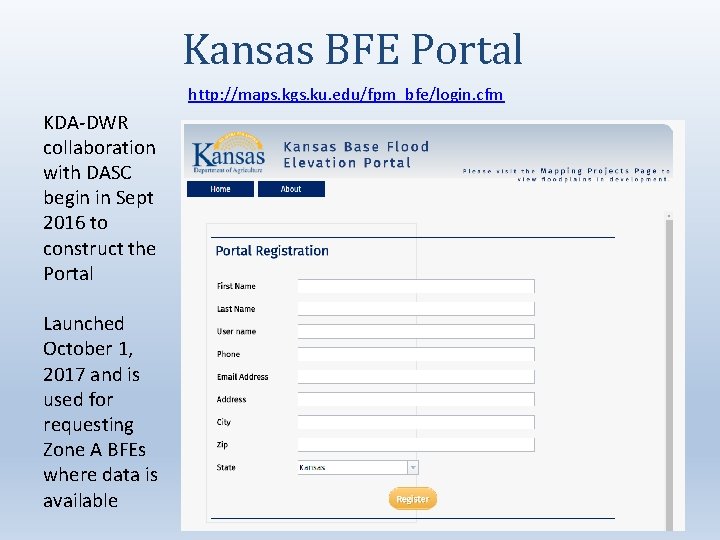
Kansas BFE Portal http: //maps. kgs. ku. edu/fpm_bfe/login. cfm KDA-DWR collaboration with DASC begin in Sept 2016 to construct the Portal Launched October 1, 2017 and is used for requesting Zone A BFEs where data is available
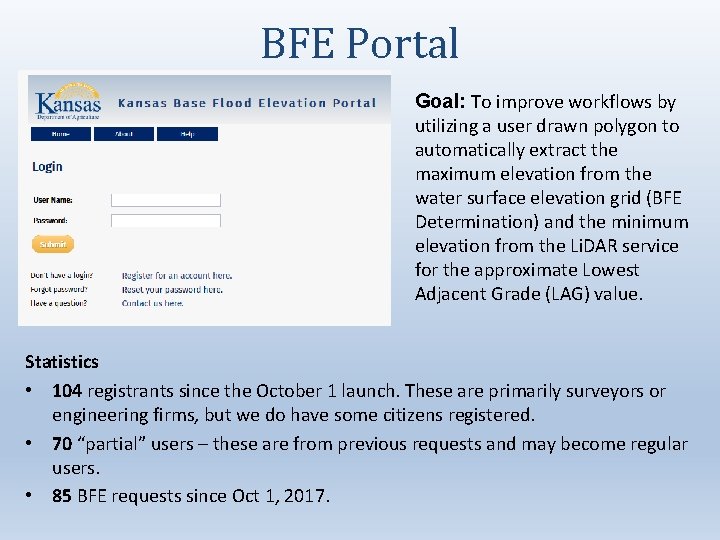
BFE Portal Goal: To improve workflows by utilizing a user drawn polygon to automatically extract the maximum elevation from the water surface elevation grid (BFE Determination) and the minimum elevation from the Li. DAR service for the approximate Lowest Adjacent Grade (LAG) value. Statistics • 104 registrants since the October 1 launch. These are primarily surveyors or engineering firms, but we do have some citizens registered. • 70 “partial” users – these are from previous requests and may become regular users. • 85 BFE requests since Oct 1, 2017.
Behind the Scenes • The Portal draws upon the following Services: – KDA-DWR service on the BFE Status and Detailed Study areas vs Zone A Floodplain information – DASCs NG 911 & Li. DAR Service- for address points and road names and to return Li. DAR values from the user click and an approximate Lowest Adjacent Grade (LAG) from the user polygon – DASC is hosting KDA-DWR water surface elevation grids as a service where the BFE is extracted from the user polygon
Testing the Portal • KDA-DWR tested the Portal several times within KDA hosted classes and within DWR before releasing to the public • During the first test the system crashed, and we did not have any successful BFE submissions • Since then, DASC moved the geoprocessing task outside of the map, and it runs smoothly
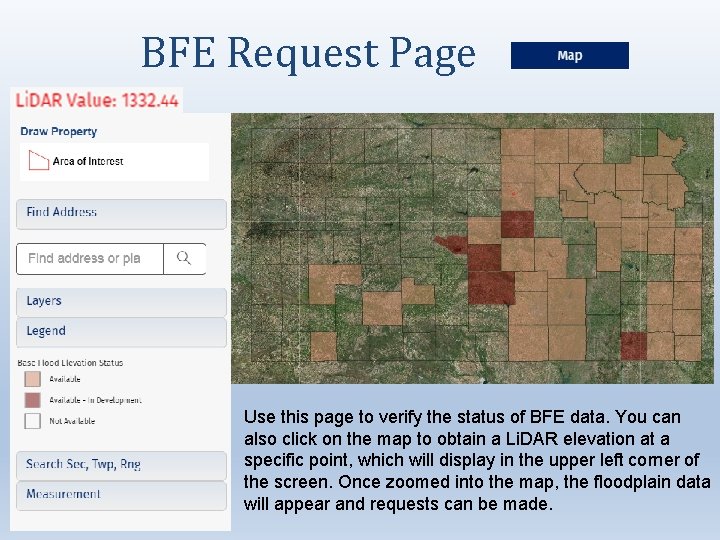
BFE Request Page Use this page to verify the status of BFE data. You can also click on the map to obtain a Li. DAR elevation at a specific point, which will display in the upper left corner of the screen. Once zoomed into the map, the floodplain data will appear and requests can be made.
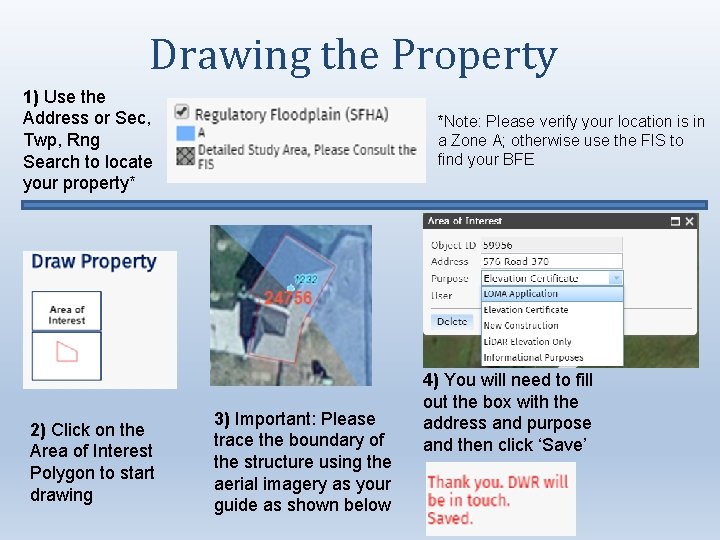
Drawing the Property 1) Use the Address or Sec, Twp, Rng Search to locate your property* 2) Click on the Area of Interest Polygon to start drawing *Note: Please verify your location is in a Zone A; otherwise use the FIS to find your BFE 3) Important: Please trace the boundary of the structure using the aerial imagery as your guide as shown below 4) You will need to fill out the box with the address and purpose and then click ‘Save’
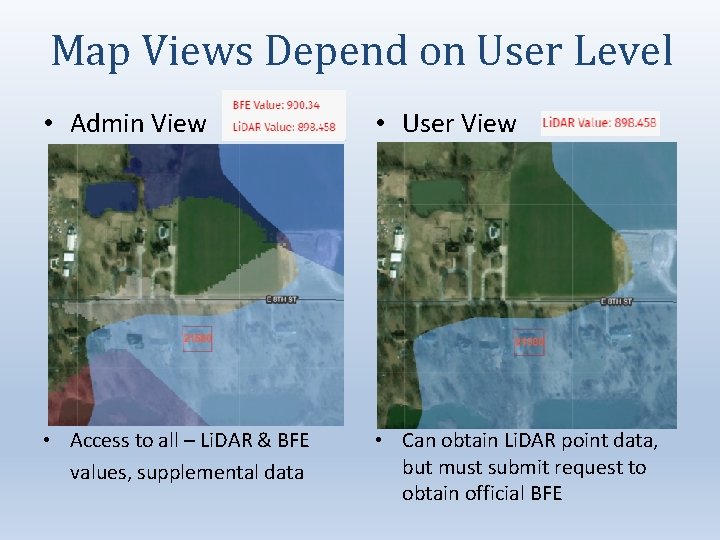
Map Views Depend on User Level • Admin View • User View • Access to all – Li. DAR & BFE values, supplemental data • Can obtain Li. DAR point data, but must submit request to obtain official BFE
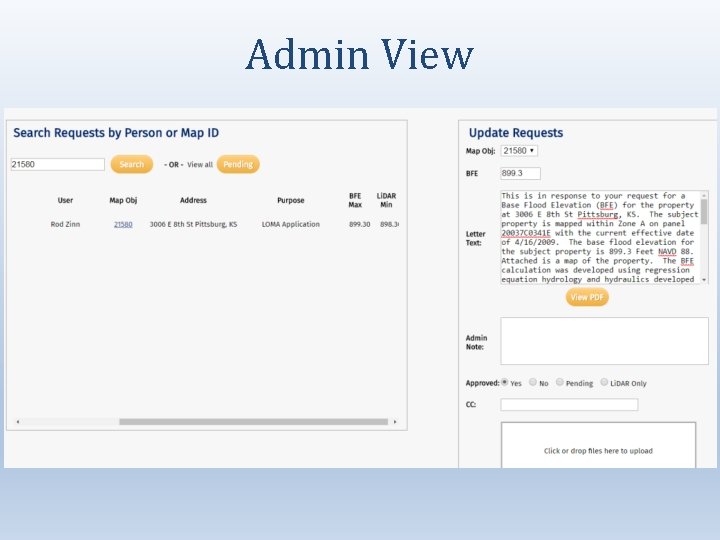
Admin View
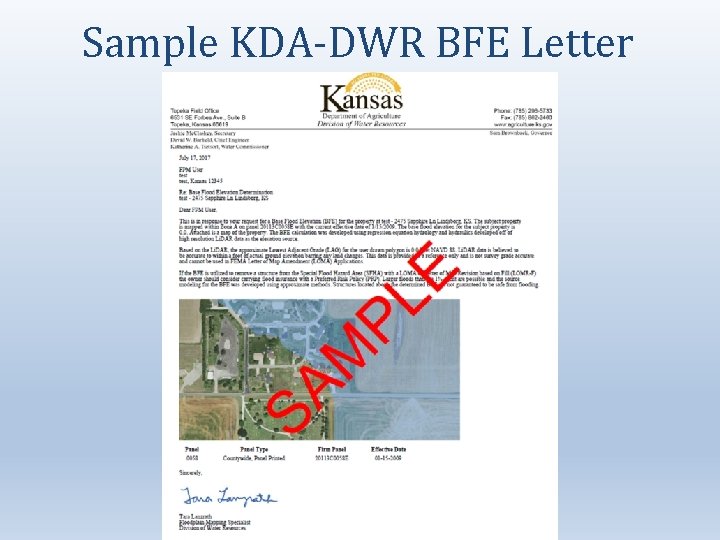
Sample KDA-DWR BFE Letter
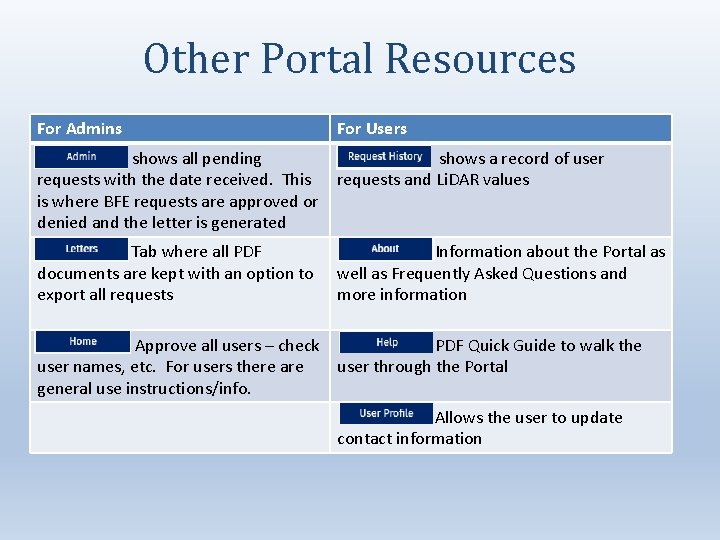
Other Portal Resources For Admins For Users – shows all pending requests with the date received. This is where BFE requests are approved or denied and the letter is generated shows a record of user requests and Li. DAR values Tab where all PDF documents are kept with an option to export all requests Information about the Portal as well as Frequently Asked Questions and more information Approve all users – check PDF Quick Guide to walk the user names, etc. For users there are user through the Portal general use instructions/info. Allows the user to update contact information
Benefits of the BFE Portal • As Admins – BFE requests sit within the Portal and aren’t lost within emails – The user tells us specifically the location, so we aren’t searching for it – We have spatial records of previous requests – DASC is hosting our grid data and provides maintenance • As Users – Central location for all requests – Gives an idea on the chances of obtaining a LOMA before money is spent on a surveyor – An official letter stating the user BFE and approximate LAG will be emailed
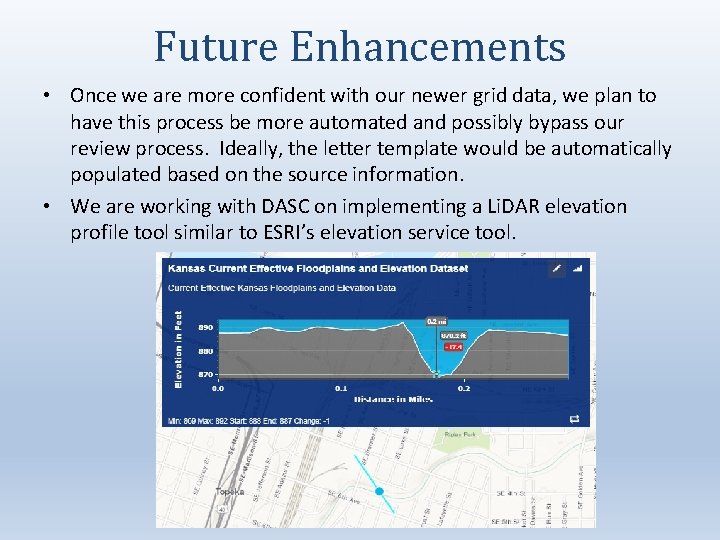
Future Enhancements • Once we are more confident with our newer grid data, we plan to have this process be more automated and possibly bypass our review process. Ideally, the letter template would be automatically populated based on the source information. • We are working with DASC on implementing a Li. DAR elevation profile tool similar to ESRI’s elevation service tool.
Questions? Tara Lanzrath, CFM, KDA-DWR Floodplain Mapping Specialist Tara. Lanzrath@ks. gov • Ken Nelson, DASC, nelson@kgs. ku. edu • Kelly Emmons, DASC, emmons@kgs. ku. edu • Asif Iqbal, DASC, aiqbal@kgs. ku. edu • Brent Miller, DASC, bmiller@kgs. ku. edu
- Slides: 19