
Kako poveati varnost omreja s Forefront TMG Joe




- Slides: 58
Kako povečati varnost omrežja s Forefront TMG Jože Markič, Kompas Xnet d. o. o. joze. markic@kompas-xnet. si
Agenda 2 • • • Kaj je TMG? TMG postavitve Primerjava z ISA Subscriptions Secure Web Gateway o o HTTPS inspection URL filtering Malware protection Intrusion prevention
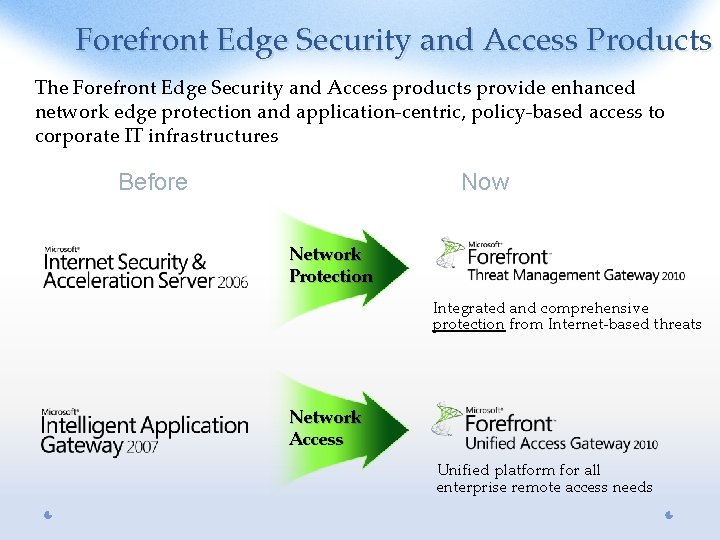
Forefront Edge Security and Access Products The Forefront Edge Security and Access products provide enhanced network edge protection and application-centric, policy-based access to corporate IT infrastructures Before Now Network Protection Integrated and comprehensive protection from Internet-based threats Network Access Unified platform for all enterprise remote access needs
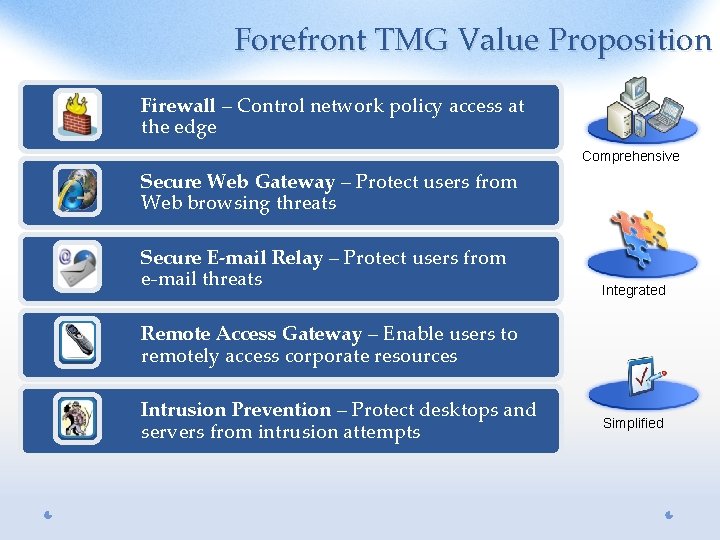
Forefront TMG Value Proposition Firewall – Control network policy access at the edge Comprehensive Secure Web Gateway – Protect users from Web browsing threats Secure E-mail Relay – Protect users from e-mail threats Integrated Remote Access Gateway – Enable users to remotely access corporate resources Intrusion Prevention – Protect desktops and servers from intrusion attempts Simplified
Forefront TMG Deployment Scenarios Unified Threat Management (UTM) • All-in-one solution for medium businesses • Firewall, VPN, Web security, IPS, e-mail relay in a single box Secure Web Gateway • Authenticating proxy with security • Web antivirus and URL filtering • Inspection of HTTP and HTTPS traffic Remote Access Gateway Secure E-mail Relay • Secure Web publishing • Dial-in VPN • Site to site VPN • Antispam • Antivirus • E-mail filtering
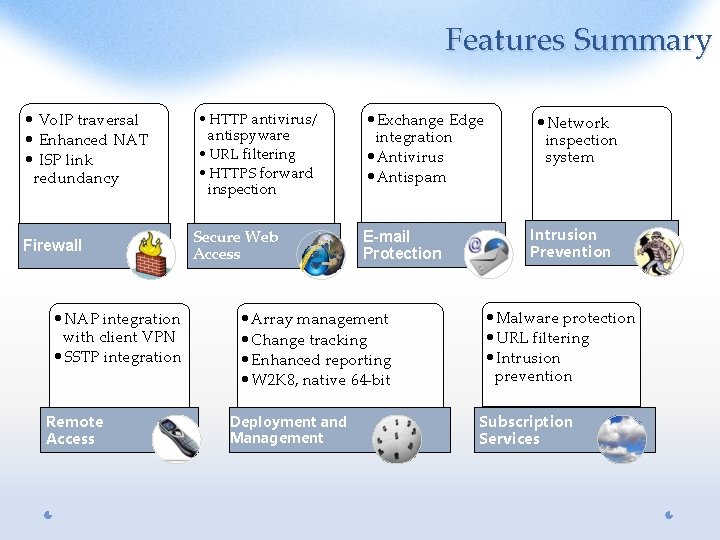
Features Summary • Vo. IP traversal • Enhanced NAT • ISP link redundancy Firewall • NAP integration with client VPN • SSTP integration Remote Access • HTTP antivirus/ antispyware • URL filtering • HTTPS forward inspection Secure Web Access • Exchange Edge integration • Antivirus • Antispam E-mail Protection • Array management • Change tracking • Enhanced reporting • W 2 K 8, native 64 -bit Deployment and Management • Network inspection system Intrusion Prevention • Malware protection • URL filtering • Intrusion prevention Subscription Services
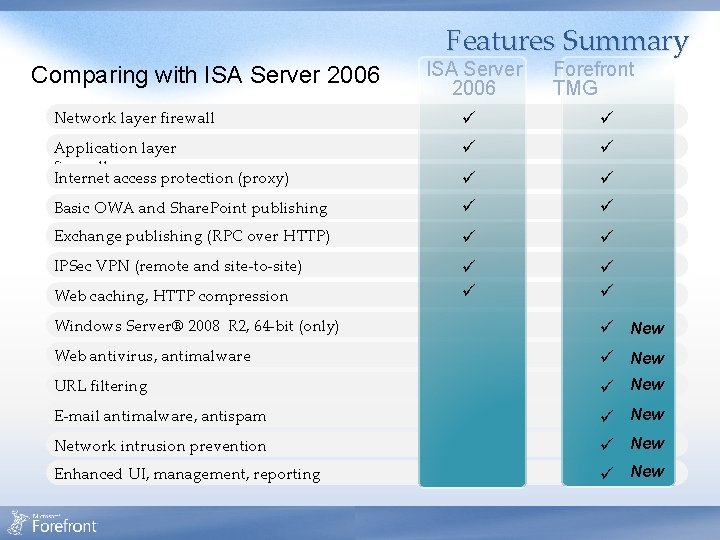
Features Summary Comparing with ISA Server 2006 Forefront TMG Network layer firewall Application layer firewall Internet access protection (proxy) Basic OWA and Share. Point publishing Exchange publishing (RPC over HTTP) IPSec VPN (remote and site-to-site) Web caching, HTTP compression Windows Server® 2008 R 2, 64 -bit (only) New Web antivirus, antimalware New URL filtering New E-mail antimalware, antispam New Network intrusion prevention New Enhanced UI, management, reporting New
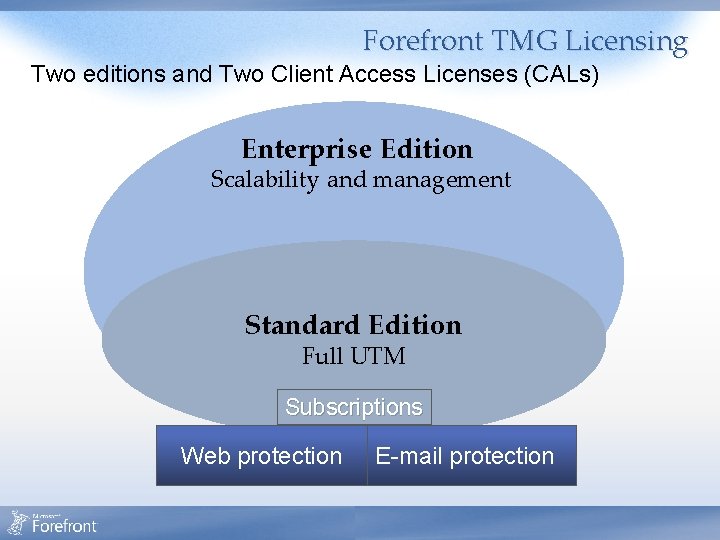
Forefront TMG Licensing Two editions and Two Client Access Licenses (CALs) Enterprise Edition Scalability and management E Standard Edition Full UTM Subscriptions Web protection E-mail protection
Comparing Forefront TMG Editions Standard Edition Enterprise Edition Number of CPUs Up to 4 CPUs Unlimited Array/NLB/CARP support Enterprise management Yes, with added ability for EMS to manage SEs Publishing VPN support Forward proxy/cache, compression Network IPS (NIS) E-mail protection Requires Microsoft® Exchange Server License (Server + CALs) and installation by the admin
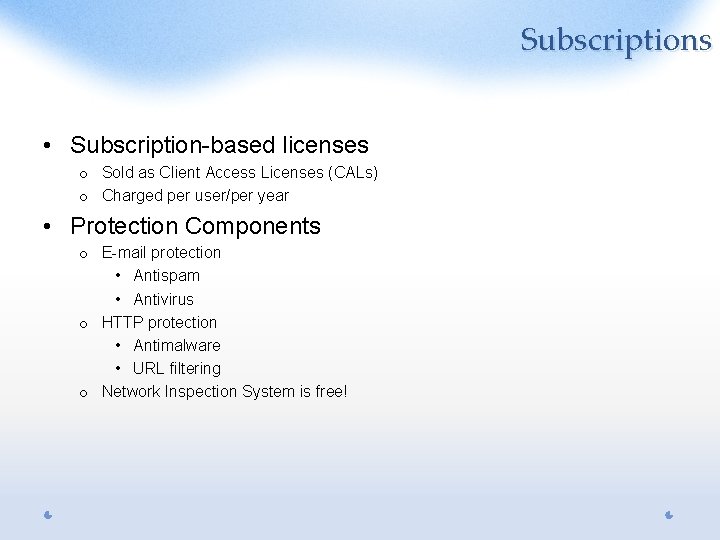
Subscriptions • Subscription-based licenses o Sold as Client Access Licenses (CALs) o Charged per user/per year • Protection Components o E-mail protection • Antispam • Antivirus o HTTP protection • Antimalware • URL filtering o Network Inspection System is free!
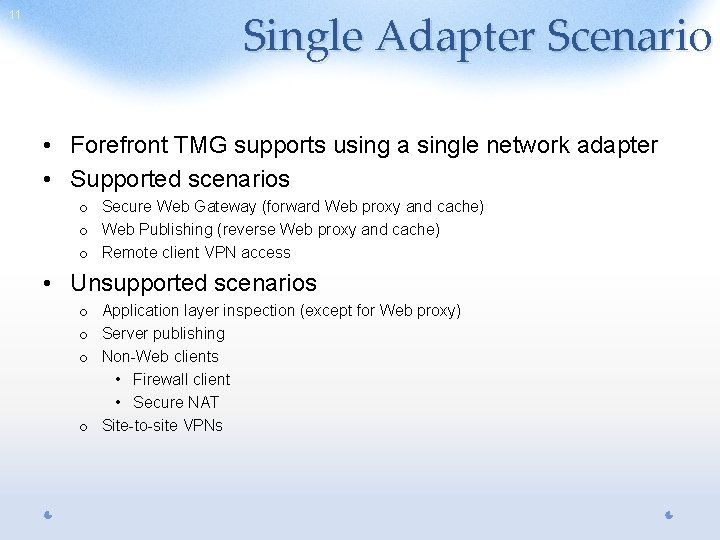
11 Single Adapter Scenario • Forefront TMG supports using a single network adapter • Supported scenarios o Secure Web Gateway (forward Web proxy and cache) o Web Publishing (reverse Web proxy and cache) o Remote client VPN access • Unsupported scenarios o Application layer inspection (except for Web proxy) o Server publishing o Non-Web clients • Firewall client • Secure NAT o Site-to-site VPNs
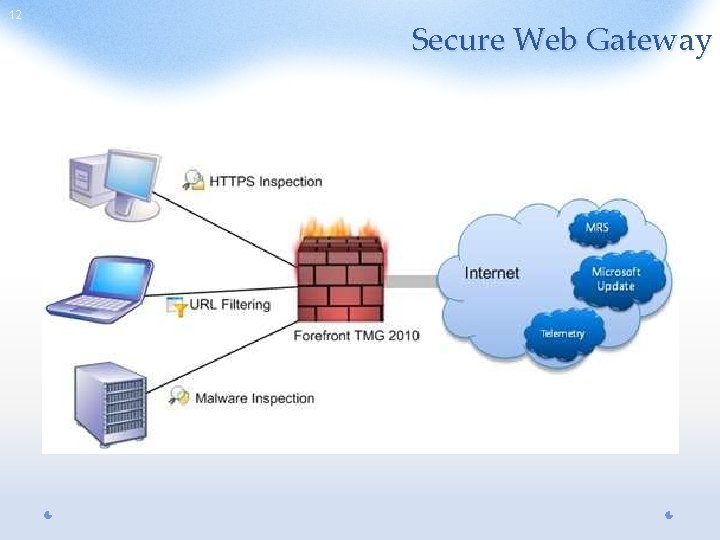
12 Secure Web Gateway
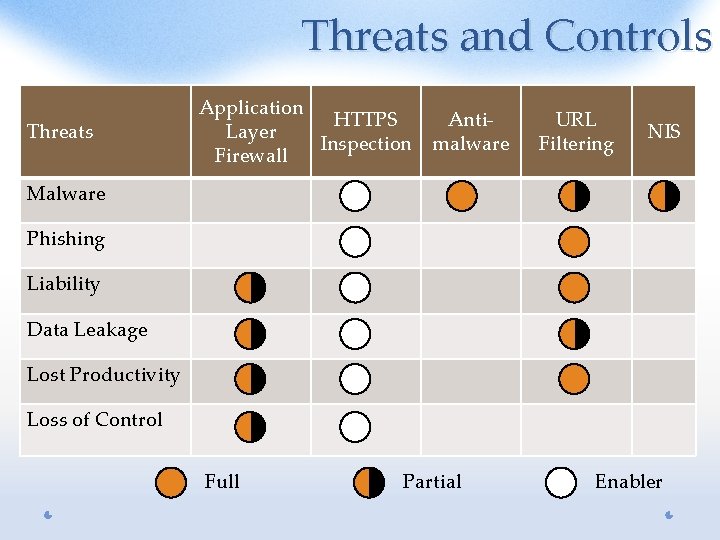
Threats and Controls Threats Application HTTPS Layer Inspection Firewall Antimalware URL Filtering NIS Malware Phishing Liability Data Leakage Lost Productivity Loss of Control Full Partial Enabler
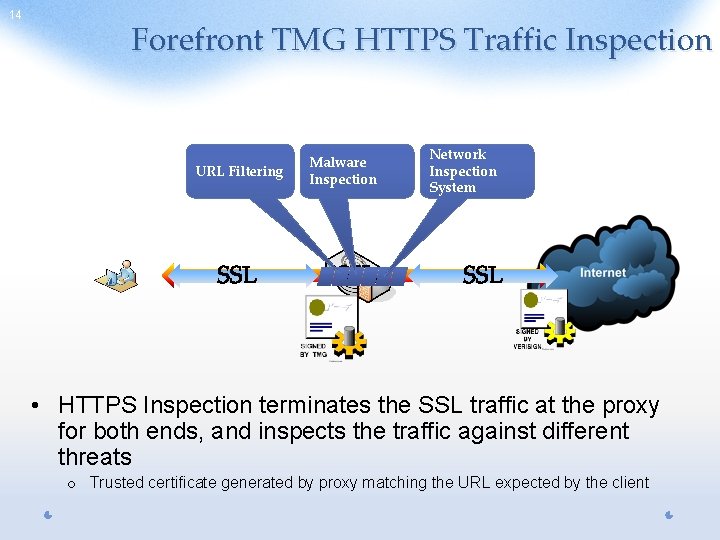
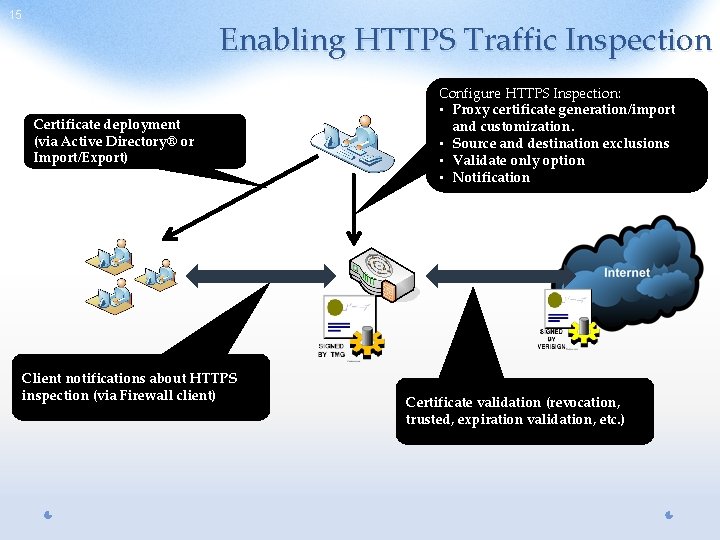
14 Forefront TMG HTTPS Traffic Inspection URL Filtering Malware Inspection Network Inspection System • HTTPS Inspection terminates the SSL traffic at the proxy for both ends, and inspects the traffic against different threats o Trusted certificate generated by proxy matching the URL expected by the client
15 Enabling HTTPS Traffic Inspection Certificate deployment (via Active Directory® or Import/Export) Client notifications about HTTPS inspection (via Firewall client) Configure HTTPS Inspection: • Proxy certificate generation/import and customization. • Source and destination exclusions • Validate only option • Notification Certificate validation (revocation, trusted, expiration validation, etc. )
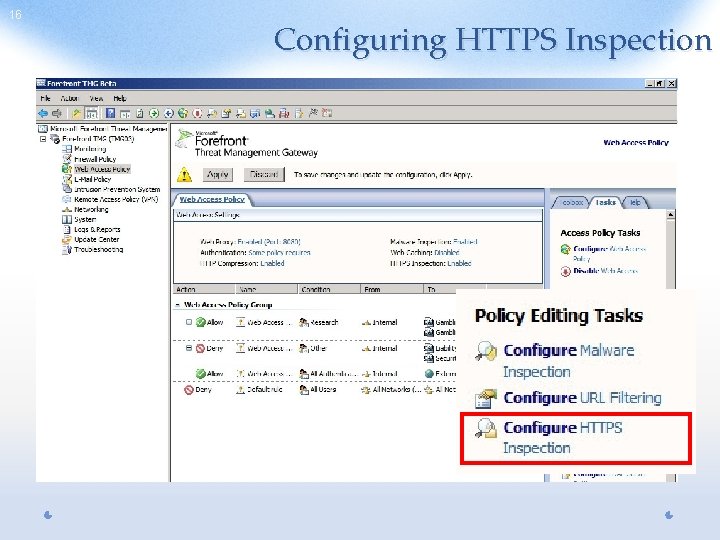
16 Configuring HTTPS Inspection
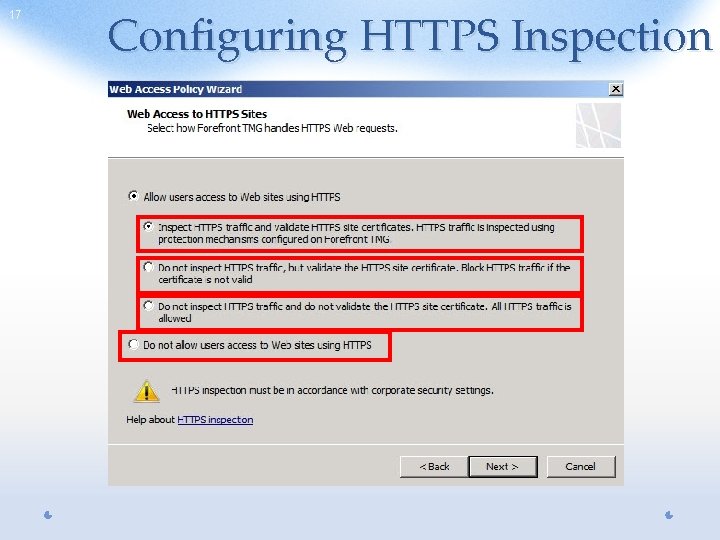
17 Configuring HTTPS Inspection
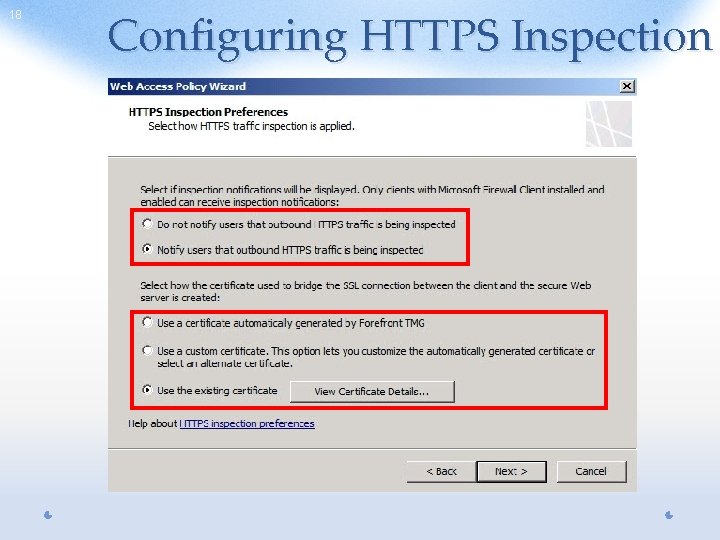
18 Configuring HTTPS Inspection
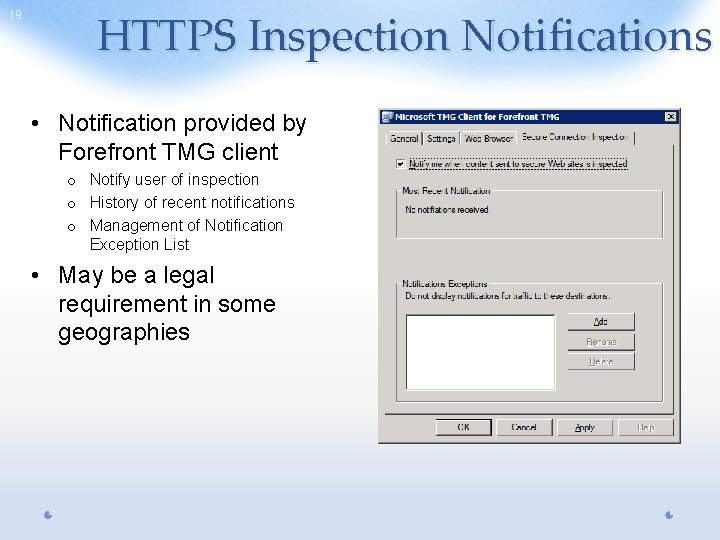
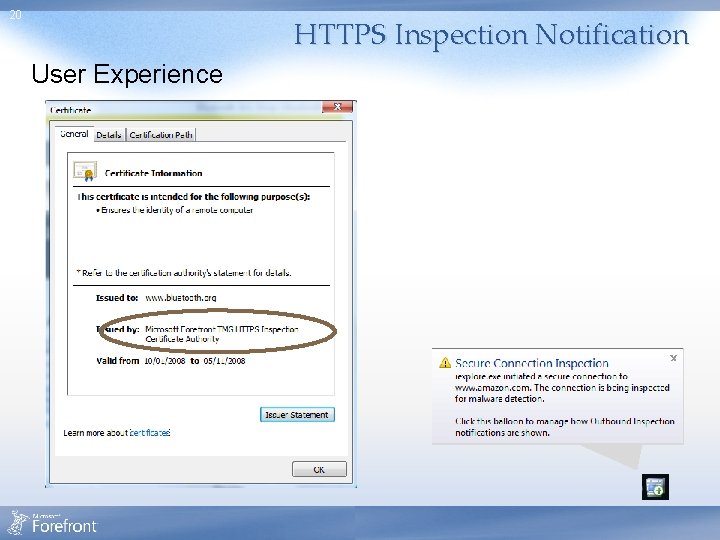
19 HTTPS Inspection Notifications • Notification provided by Forefront TMG client o Notify user of inspection o History of recent notifications o Management of Notification Exception List • May be a legal requirement in some geographies
20 HTTPS Inspection Notification User Experience
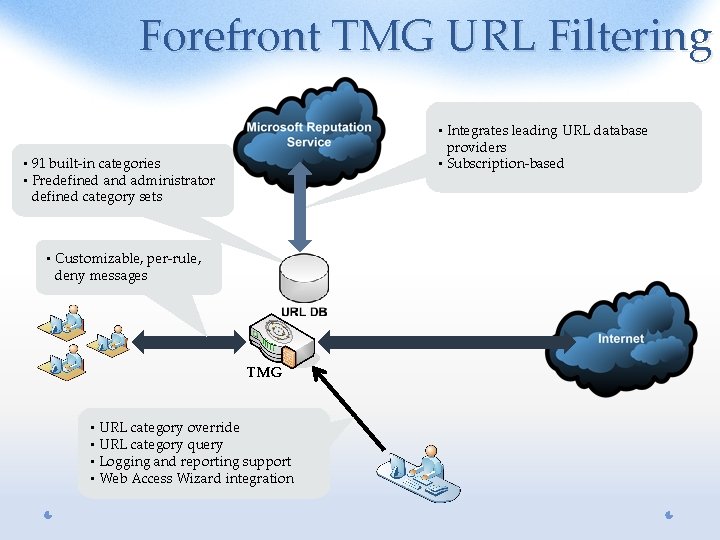
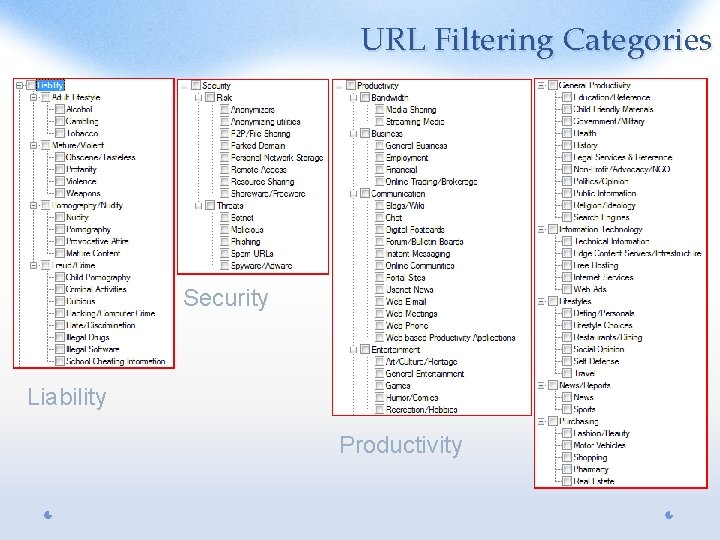
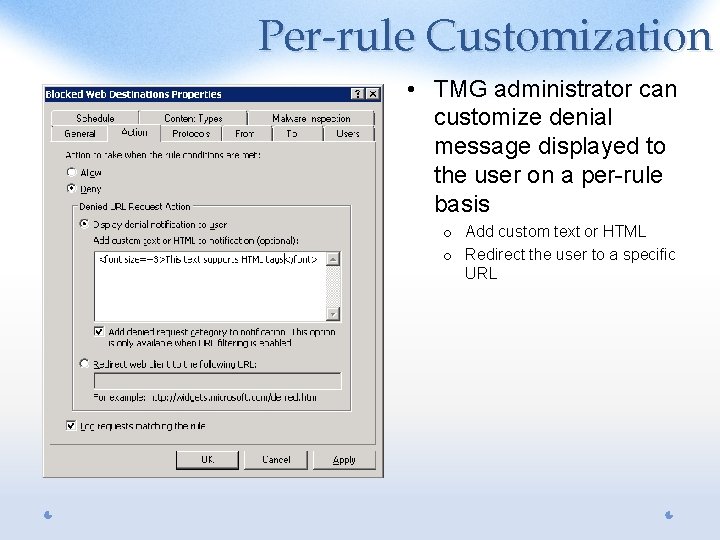
Forefront TMG URL Filtering • Integrates leading URL database providers • Subscription-based • 91 built-in categories • Predefined and administrator defined category sets • Customizable, per-rule, deny messages TMG • URL category override • URL category query • Logging and reporting support • Web Access Wizard integration
URL Filtering Benefits • • • Control user web access based on URL categories Protect users from known malicious sites Reduce liability risks Increase productivity Reduce bandwidth and Forefront TMG resource consumption • Analyze Web usage
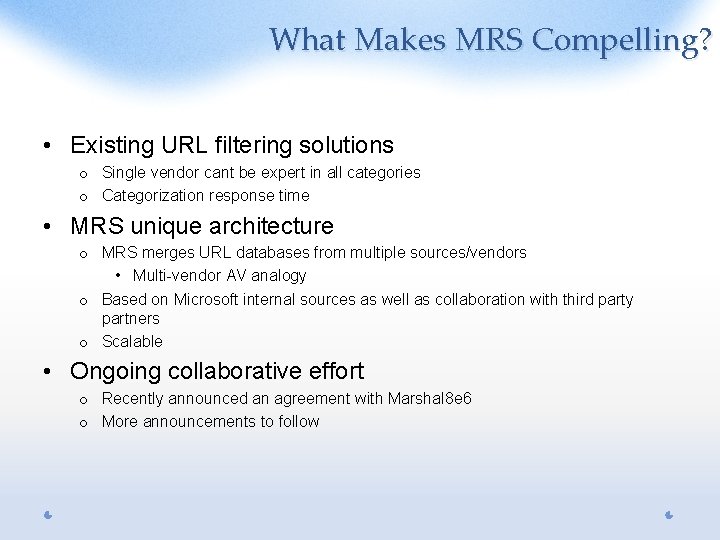
What Makes MRS Compelling? • Existing URL filtering solutions o Single vendor cant be expert in all categories o Categorization response time • MRS unique architecture o MRS merges URL databases from multiple sources/vendors • Multi-vendor AV analogy o Based on Microsoft internal sources as well as collaboration with third party partners o Scalable • Ongoing collaborative effort o Recently announced an agreement with Marshal 8 e 6 o More announcements to follow
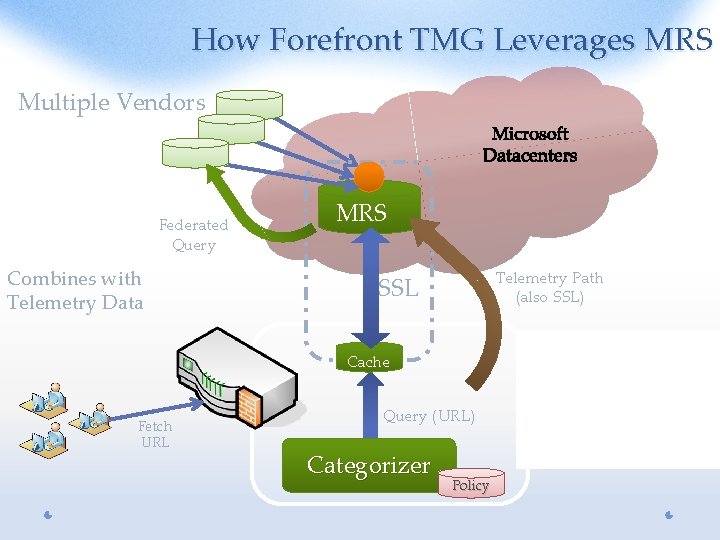
How Forefront TMG Leverages MRS Multiple Vendors Federated Query Combines with Telemetry Data MRS Telemetry Path (also SSL) SSL Cache Fetch URL Query (URL) Categorizer Policy • Cache: Feedback Fetch on cache • mechanism miss Persistent on • • Category SSL In-memory for auth overrides & • privacy Weighted TTL • No PII
URL Filtering Categories Security Liability Productivity
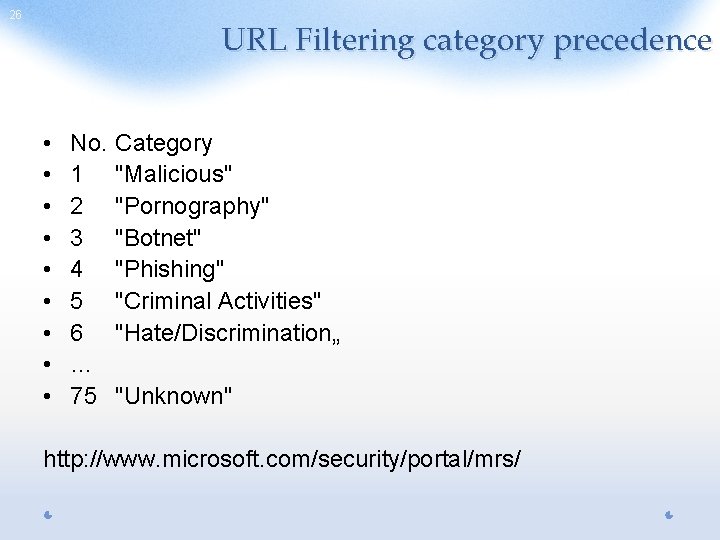
26 URL Filtering category precedence • • • No. 1 2 3 4 5 6 … 75 Category "Malicious" "Pornography" "Botnet" "Phishing" "Criminal Activities" "Hate/Discrimination„ "Unknown" http: //www. microsoft. com/security/portal/mrs/
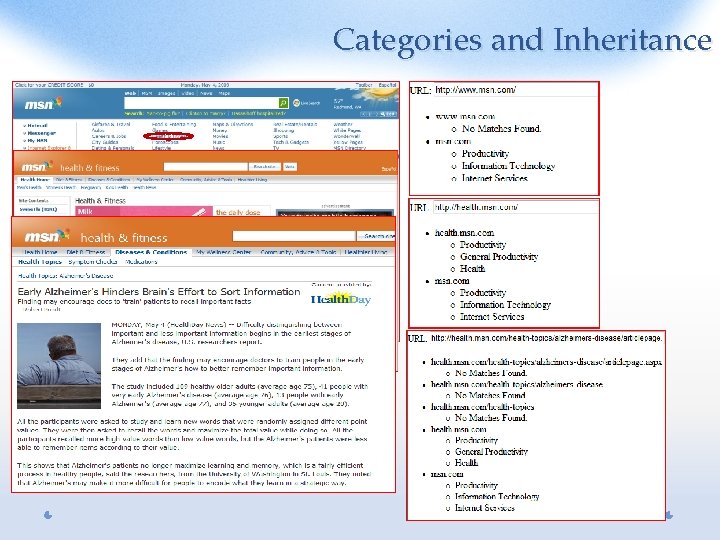
Categories and Inheritance
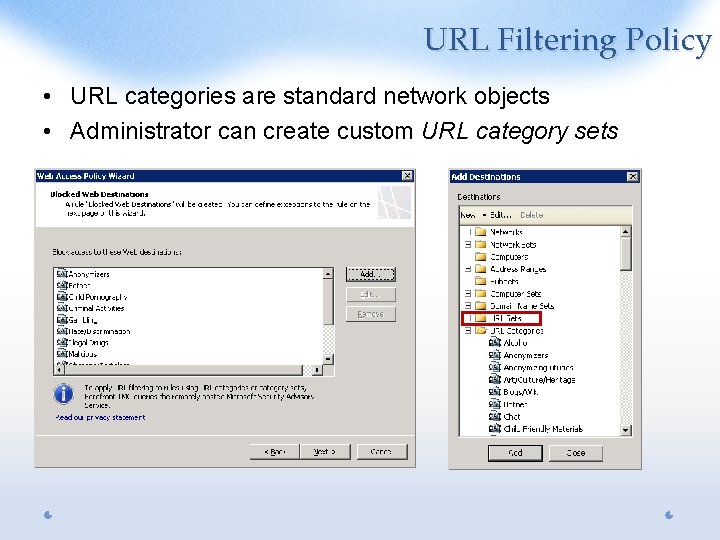
URL Filtering Policy • URL categories are standard network objects • Administrator can create custom URL category sets
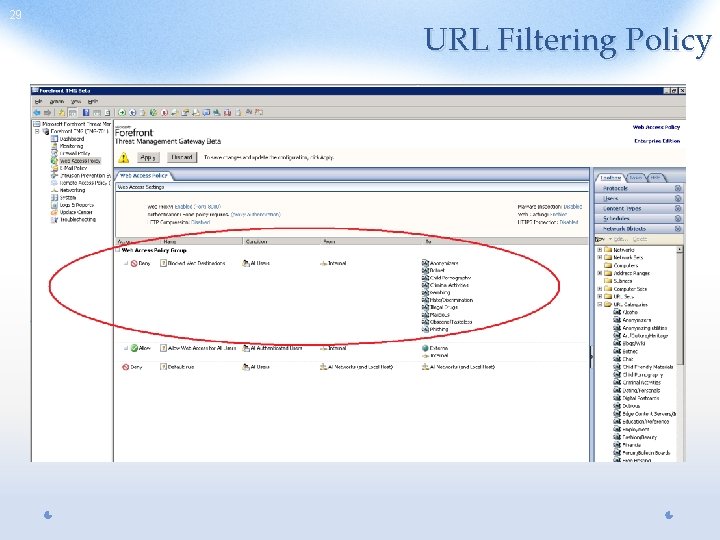
29 URL Filtering Policy
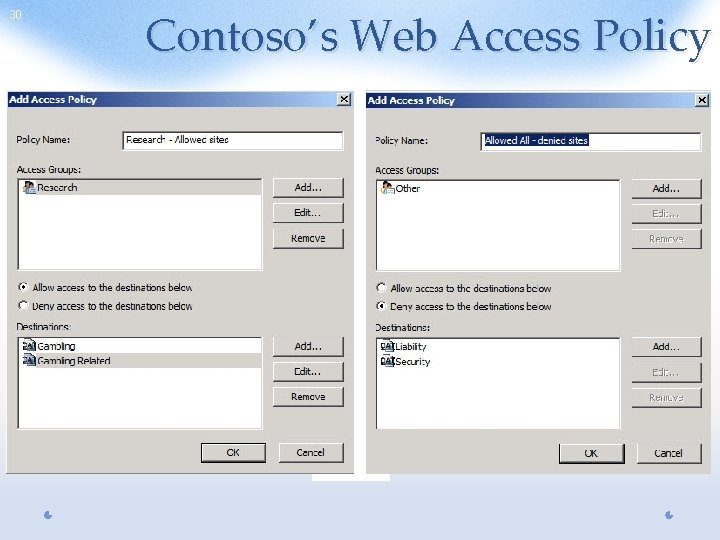
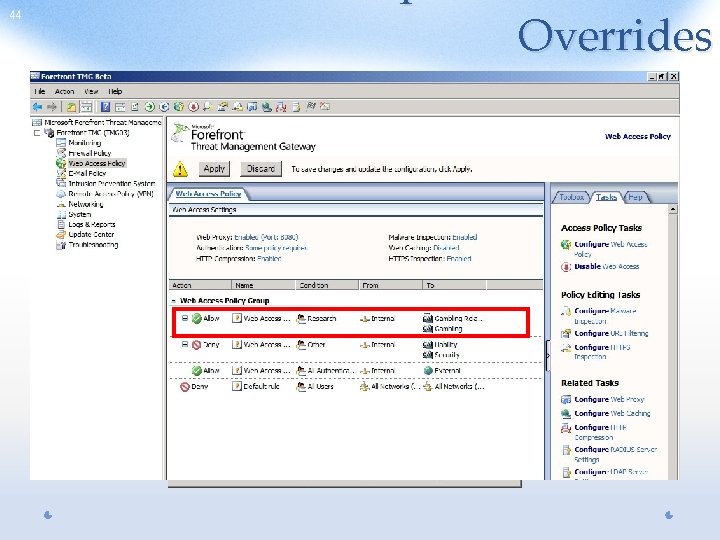
30 Contoso’s Web Access Policy Access rule denying everyone access to Liability and Security sites • Access rule allowing users in the Research group to access gambling and gambling-related sites
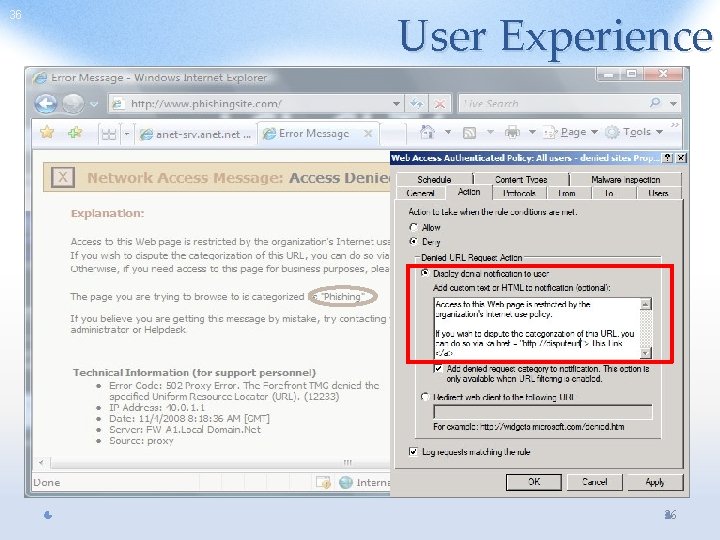
Per-rule Customization • TMG administrator can customize denial message displayed to the user on a per-rule basis o Add custom text or HTML o Redirect the user to a specific URL
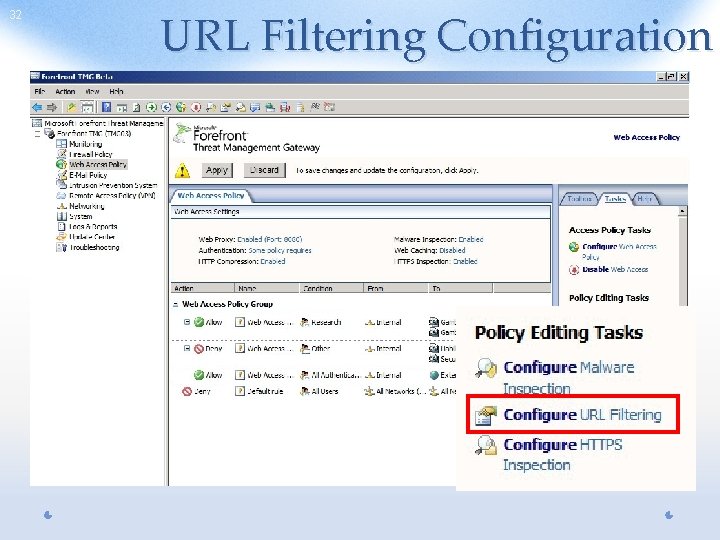
32 URL Filtering Configuration
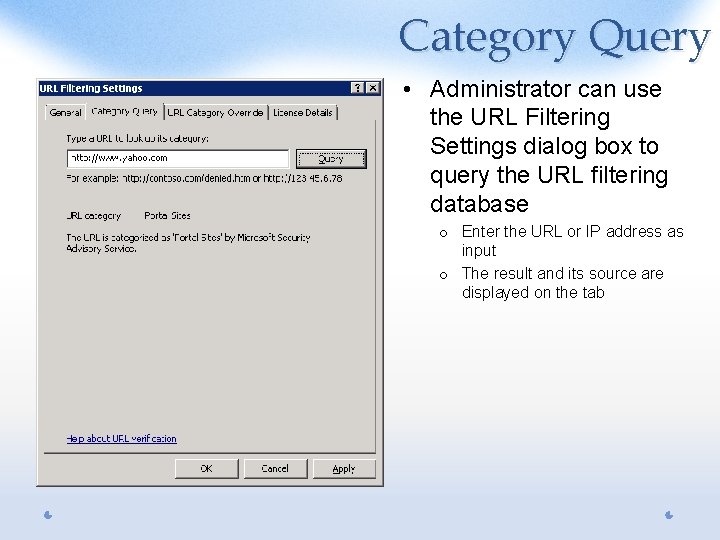
Category Query • Administrator can use the URL Filtering Settings dialog box to query the URL filtering database o Enter the URL or IP address as input o The result and its source are displayed on the tab
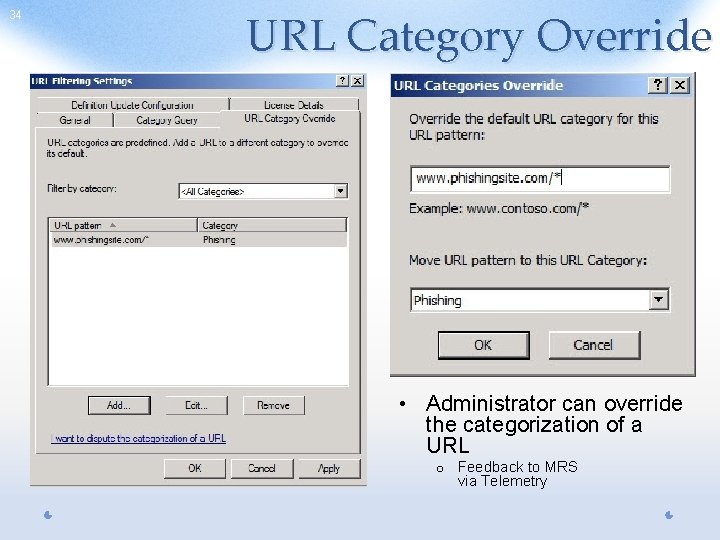
34 URL Category Override • Administrator can override the categorization of a URL o Feedback to MRS via Telemetry
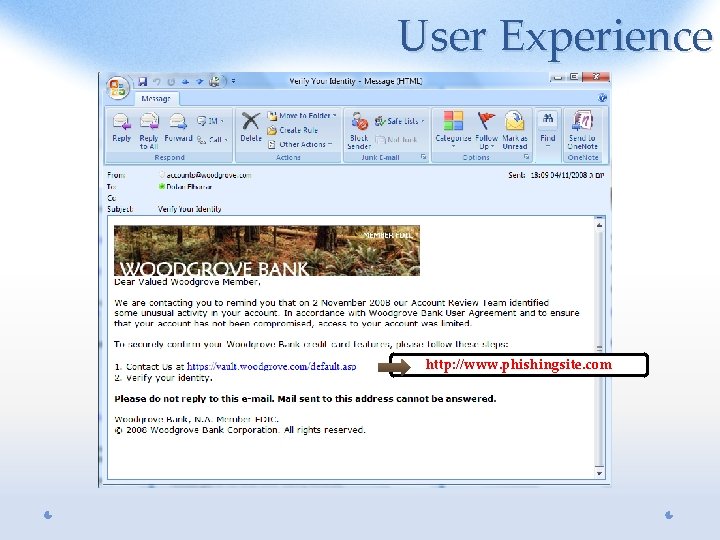
User Experience http: //www. phishingsite. com
36 User Experience HTML tags 36
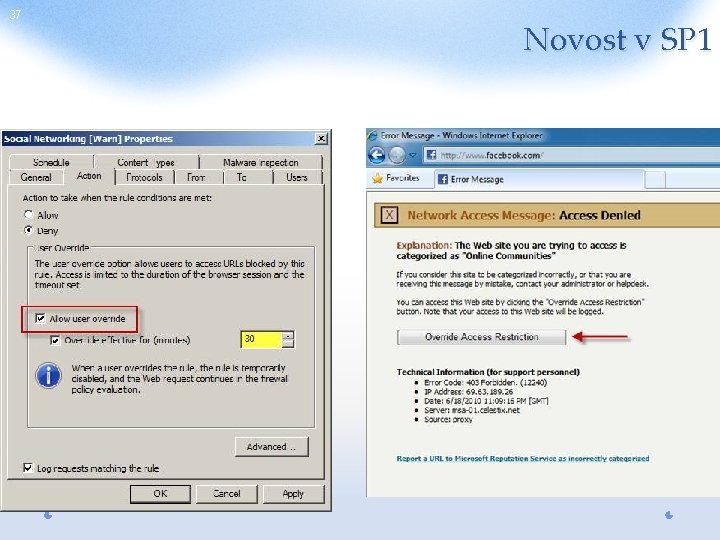
37 Novost v SP 1
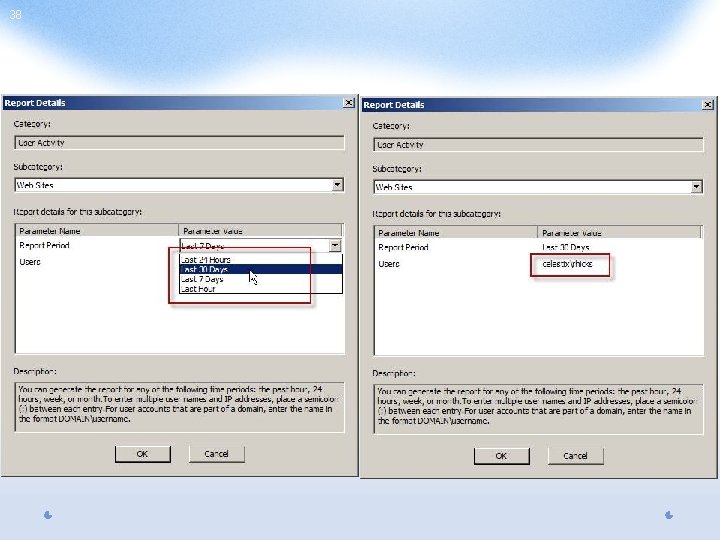
38
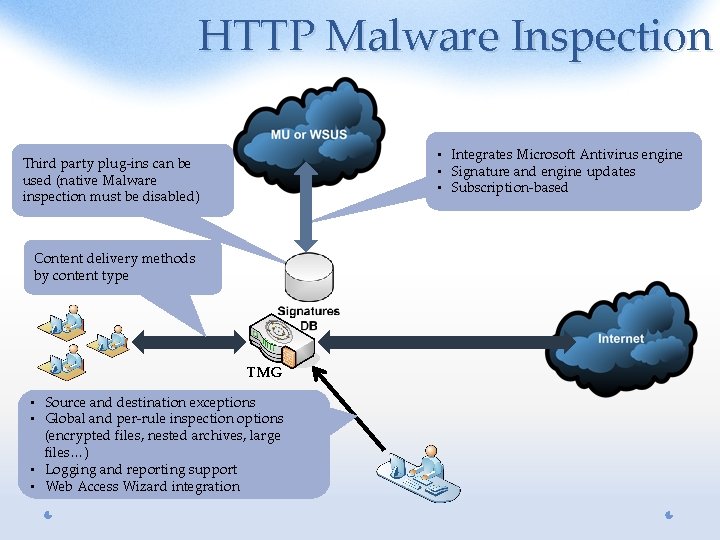
HTTP Malware Inspection • Integrates Microsoft Antivirus engine • Signature and engine updates • Subscription-based Third party plug-ins can be used (native Malware inspection must be disabled) Content delivery methods by content type TMG • Source and destination exceptions • Global and per-rule inspection options (encrypted files, nested archives, large files…) • Logging and reporting support • Web Access Wizard integration
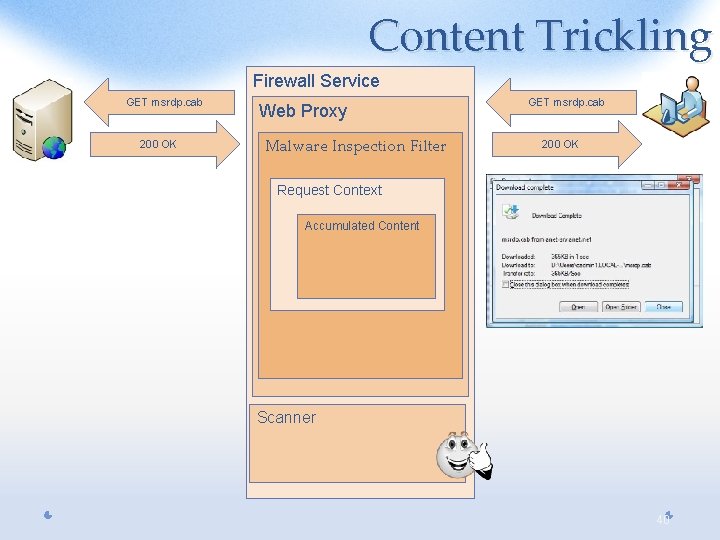
Content Trickling Firewall Service GET msrdp. cab 200 OK Web Proxy Malware Inspection Filter GET msrdp. cab 200 OK Request Context Accumulated Content Scanner 40
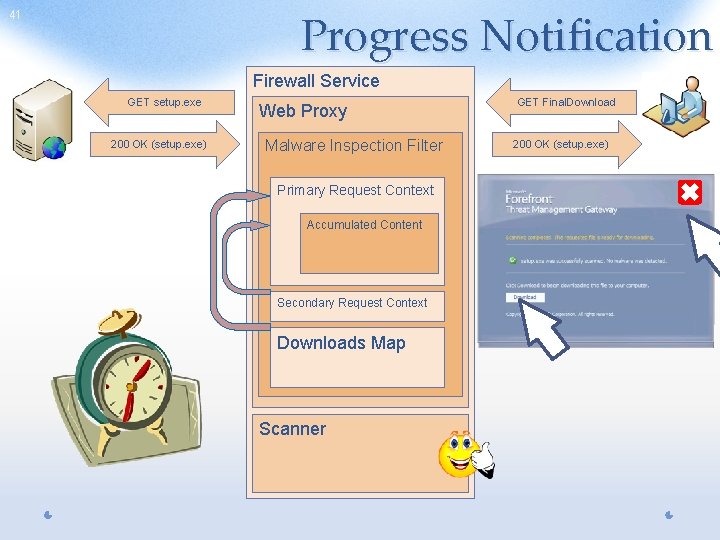
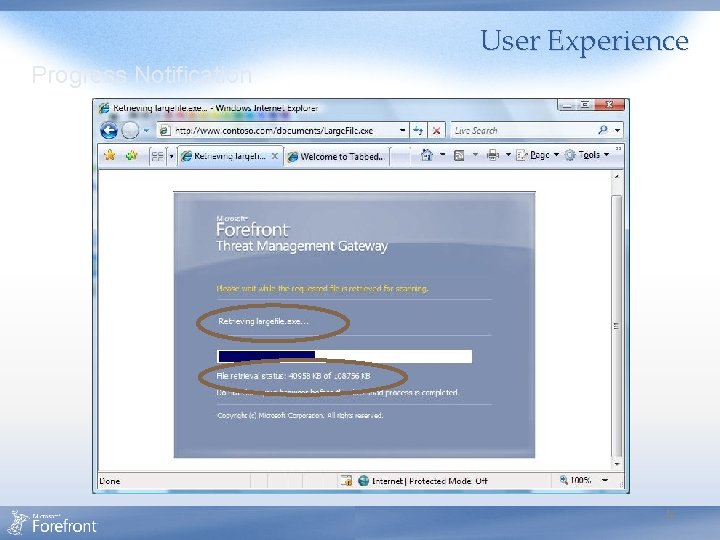
Progress Notification 41 Firewall Service GET setup. exe 200 OK (setup. exe) Web Proxy Malware Inspection Filter Primary Request Context Accumulated Content Secondary Request Context Downloads Map Scanner GET GET Get. Download. Status Final. Download setup. exe 200 200 OK OK OK (Retrieving) (setup. exe) (Scanning) (Ready) (HTML)
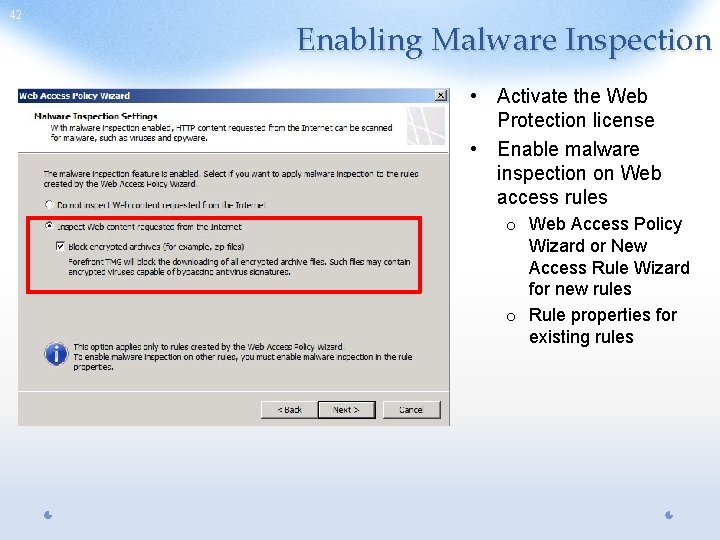
42 Enabling Malware Inspection • Activate the Web Protection license • Enable malware inspection on Web access rules o Web Access Policy Wizard or New Access Rule Wizard for new rules o Rule properties for existing rules
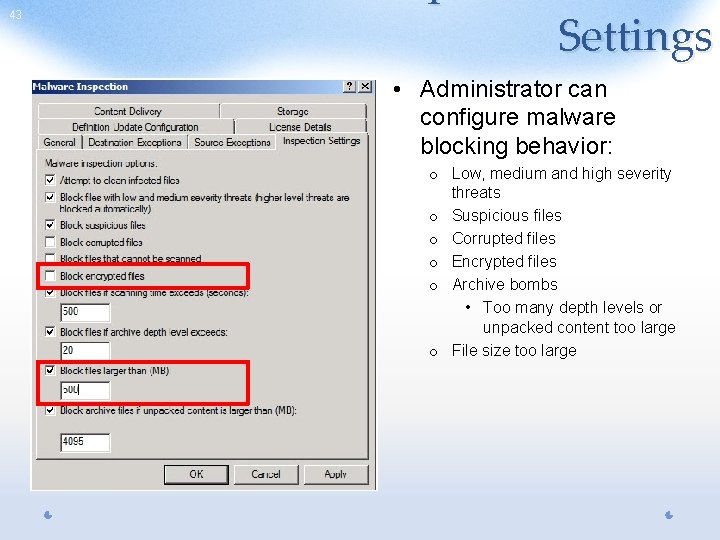
43 Settings • Administrator can configure malware blocking behavior: o Low, medium and high severity threats o Suspicious files o Corrupted files o Encrypted files o Archive bombs • Too many depth levels or unpacked content too large o File size too large
44 Overrides
Content Blocked User Experience
User Experience Progress Notification 46
Network Inspection System (NIS) • Protocol decode-based traffic inspection system that uses signatures of known vulnerabilities o Vulnerability-based signatures (vs. exploit-based signatures used by competing solutions) o Detects and potentially block attacks on network resources • NIS helps organizations reduce the vulnerability window o Protect machines against known vulnerabilities until patch can be deployed o Signatures can be released and deployed much faster than patches, concurrently with patch release, closing the vulnerability window • Integrated into Forefront TMG o Synergy with HTTPS Inspection 47
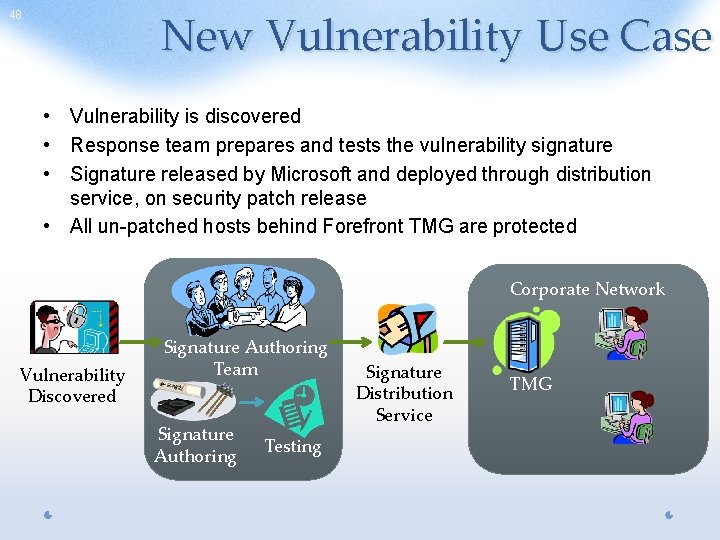
New Vulnerability Use Case 48 • Vulnerability is discovered • Response team prepares and tests the vulnerability signature • Signature released by Microsoft and deployed through distribution service, on security patch release • All un-patched hosts behind Forefront TMG are protected Corporate Network Vulnerability Discovered Signature Authoring Team Signature Authoring Testing Signature Distribution Service TMG
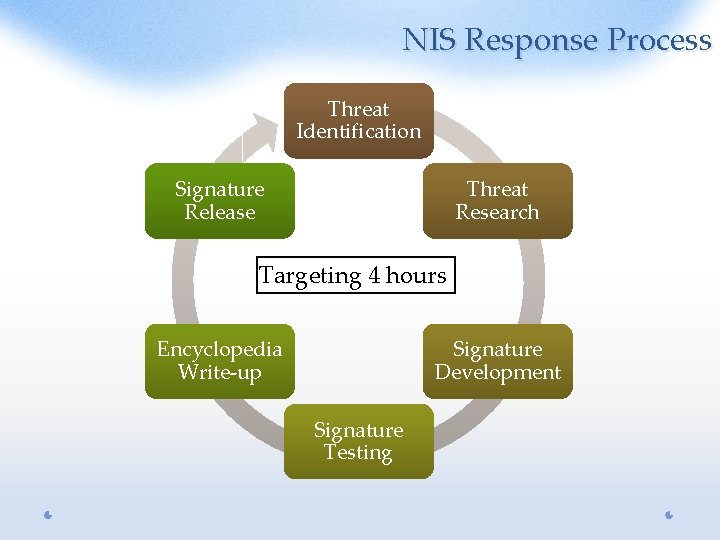
NIS Response Process Threat Identification Signature Release Threat Research Targeting 4 hours Encyclopedia Write-up Signature Development Signature Testing
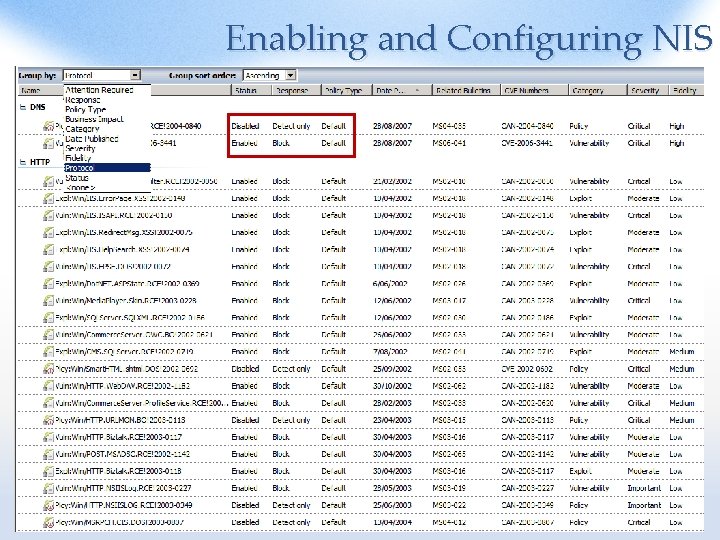
Enabling and Configuring NIS
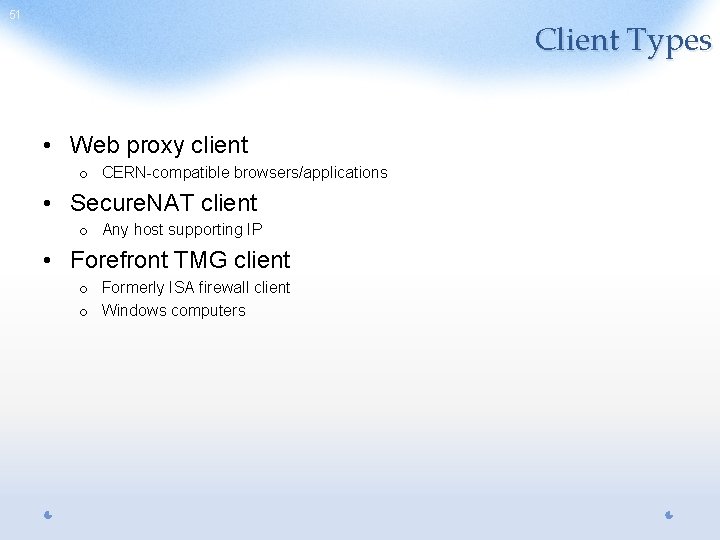
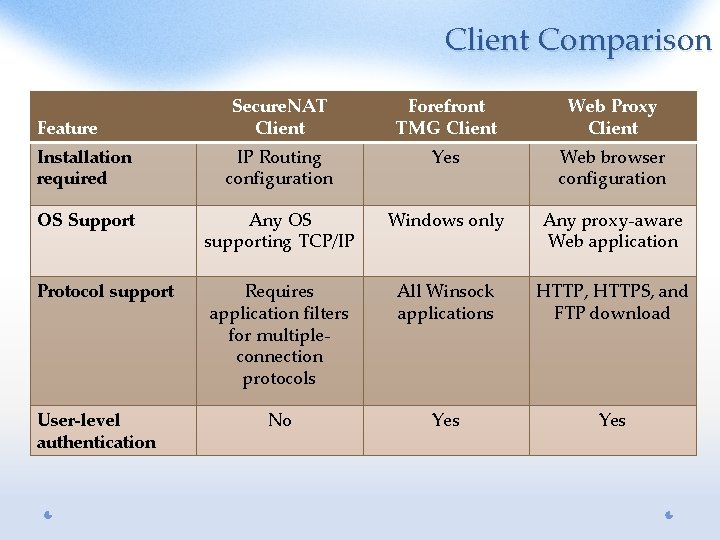
51 Client Types • Web proxy client o CERN-compatible browsers/applications • Secure. NAT client o Any host supporting IP • Forefront TMG client o Formerly ISA firewall client o Windows computers
Client Comparison Secure. NAT Client Forefront TMG Client Web Proxy Client Installation required IP Routing configuration Yes Web browser configuration OS Support Any OS supporting TCP/IP Windows only Any proxy-aware Web application Requires application filters for multipleconnection protocols All Winsock applications HTTP, HTTPS, and FTP download No Yes Feature Protocol support User-level authentication
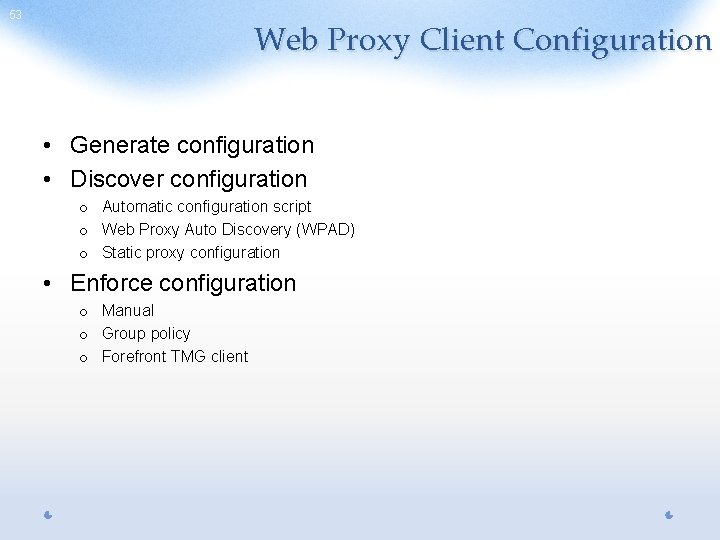
53 Web Proxy Client Configuration • Generate configuration • Discover configuration o Automatic configuration script o Web Proxy Auto Discovery (WPAD) o Static proxy configuration • Enforce configuration o Manual o Group policy o Forefront TMG client
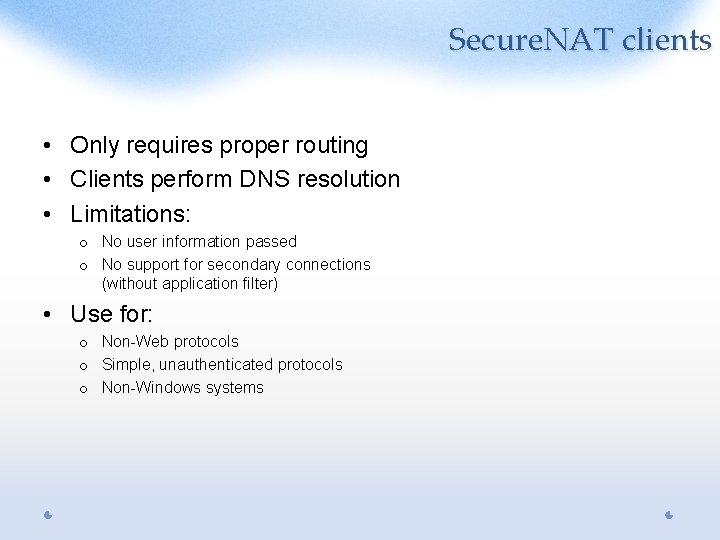
Secure. NAT clients • Only requires proper routing • Clients perform DNS resolution • Limitations: o No user information passed o No support for secondary connections (without application filter) • Use for: o Non-Web protocols o Simple, unauthenticated protocols o Non-Windows systems
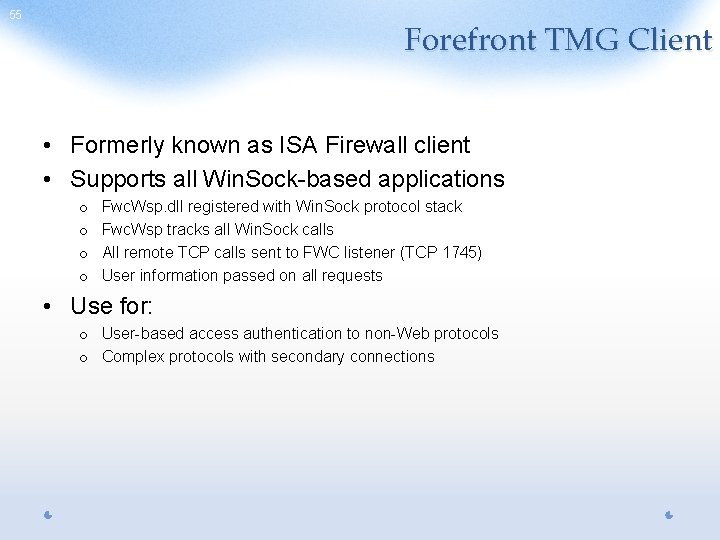
55 Forefront TMG Client • Formerly known as ISA Firewall client • Supports all Win. Sock-based applications o o Fwc. Wsp. dll registered with Win. Sock protocol stack Fwc. Wsp tracks all Win. Sock calls All remote TCP calls sent to FWC listener (TCP 1745) User information passed on all requests • Use for: o User-based access authentication to non-Web protocols o Complex protocols with secondary connections
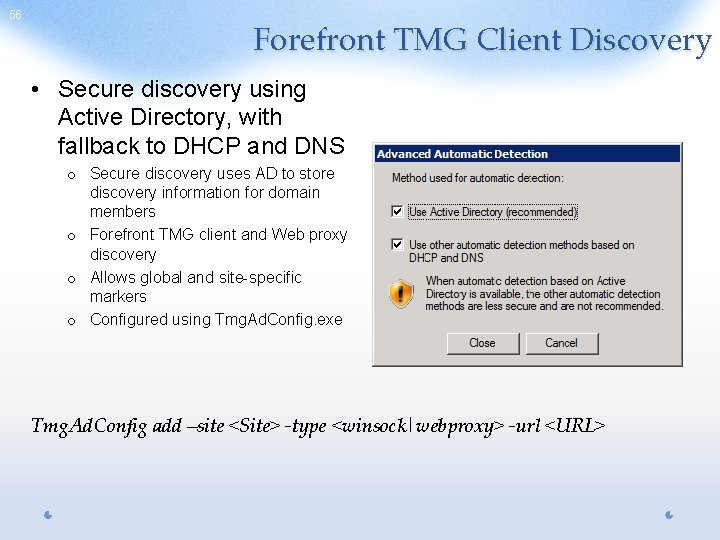
56 Forefront TMG Client Discovery • Secure discovery using Active Directory, with fallback to DHCP and DNS o Secure discovery uses AD to store discovery information for domain members o Forefront TMG client and Web proxy discovery o Allows global and site-specific markers o Configured using Tmg. Ad. Config. exe Tmg. Ad. Config add –site <Site> -type <winsock|webproxy> -url <URL>
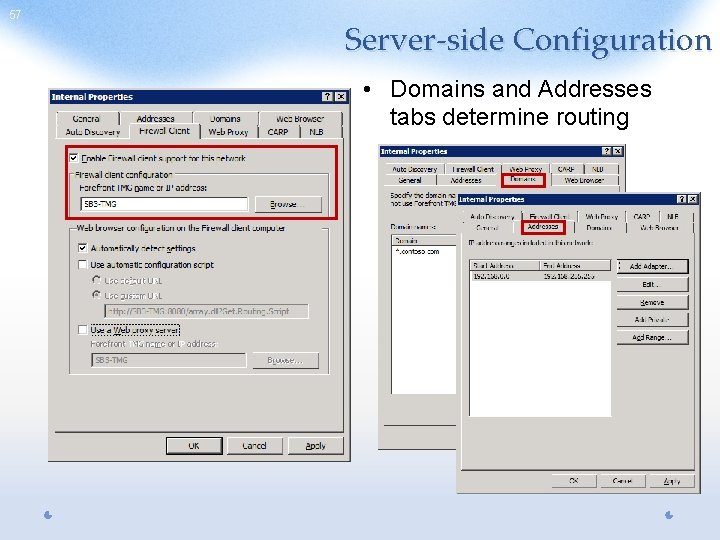
57 Server-side Configuration • Domains and Addresses tabs determine routing
58 ?