
JUMP TRADING SIMULATION INTERFACE Jacob Clifton Dave Mc

JUMP TRADING SIMULATION INTERFACE Jacob Clifton Dave Mc. Kiernan Ryan Schmid
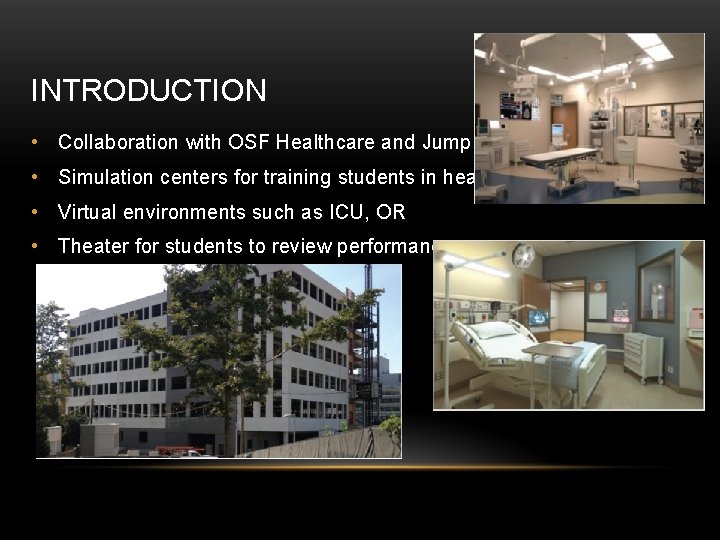
INTRODUCTION • Collaboration with OSF Healthcare and Jump Trading • Simulation centers for training students in healthcare • Virtual environments such as ICU, OR • Theater for students to review performance
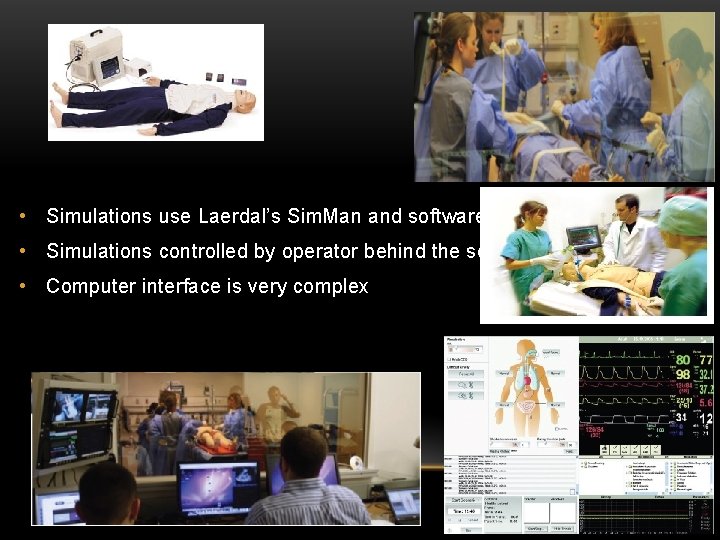
• Simulations use Laerdal’s Sim. Man and software • Simulations controlled by operator behind the scenes • Computer interface is very complex
OBJECTIVE • Design a user interface to improve simulation experience • Ergonomic design, easy to use • Low cost • Interface controls most important parameters of simulations • Connects to PC software via USB connection
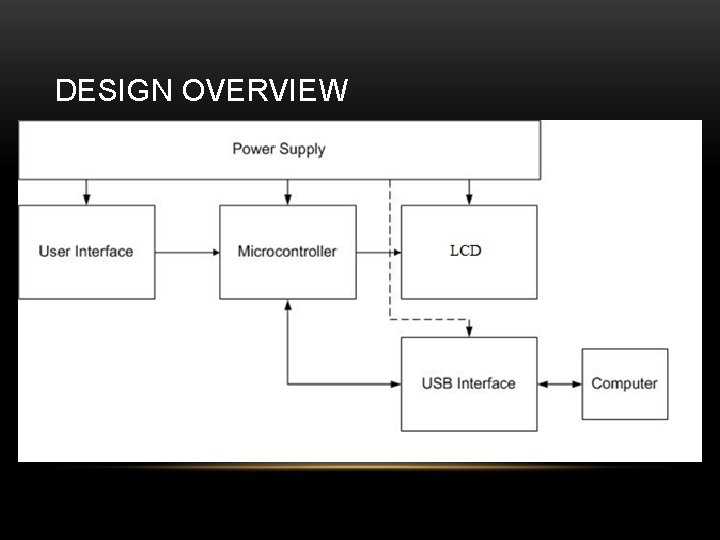
DESIGN OVERVIEW
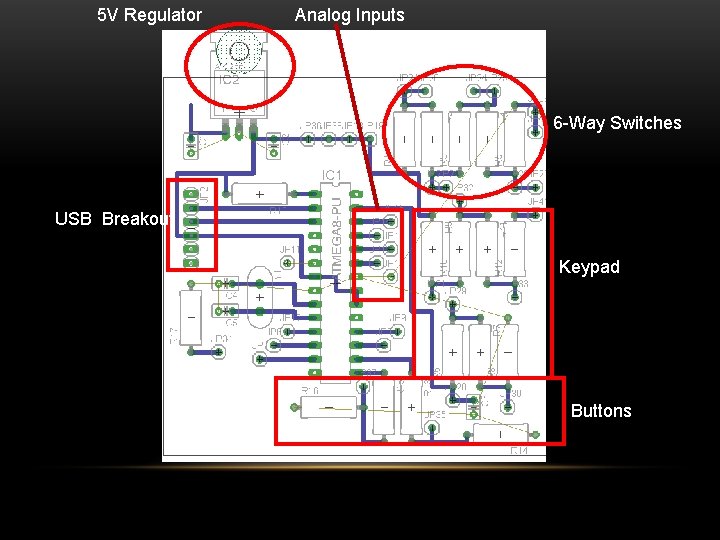
5 V Regulator Analog Inputs 6 -Way Switches USB Breakout Keypad Buttons
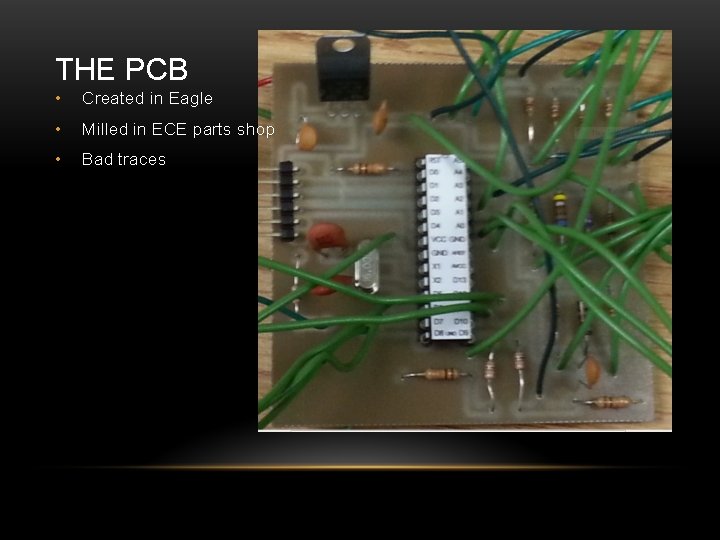
THE PCB • Created in Eagle • Milled in ECE parts shop • Bad traces
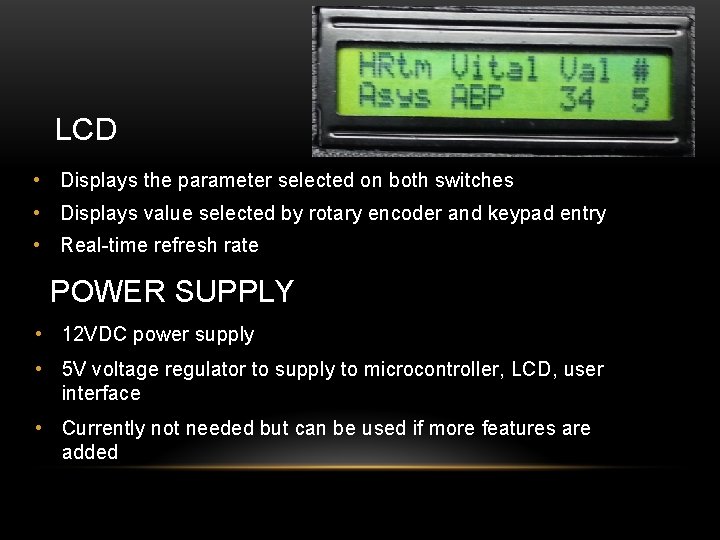
LCD • Displays the parameter selected on both switches • Displays value selected by rotary encoder and keypad entry • Real-time refresh rate POWER SUPPLY • 12 VDC power supply • 5 V voltage regulator to supply to microcontroller, LCD, user interface • Currently not needed but can be used if more features are added
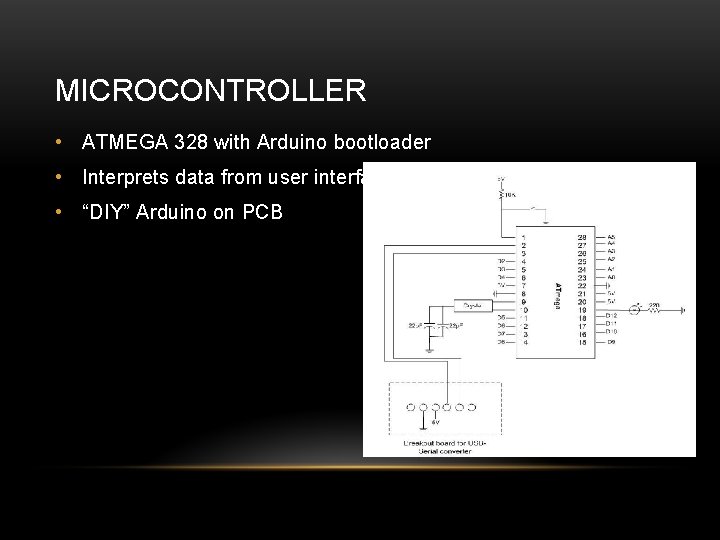
MICROCONTROLLER • ATMEGA 328 with Arduino bootloader • Interprets data from user interface • “DIY” Arduino on PCB
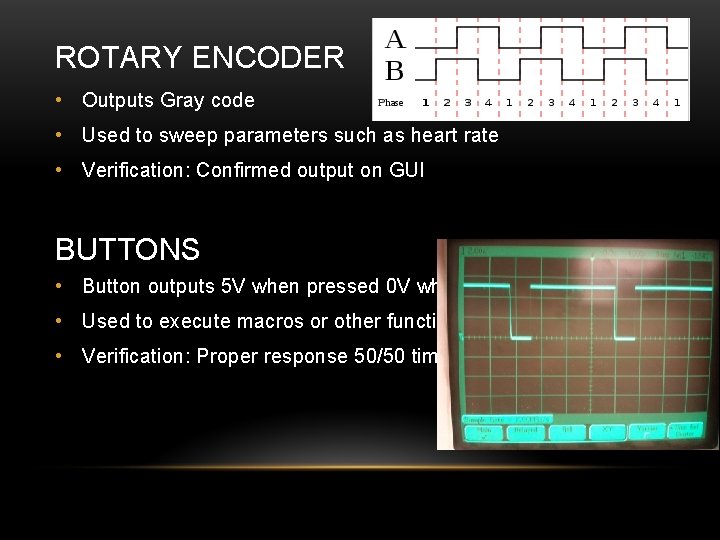
ROTARY ENCODER • Outputs Gray code • Used to sweep parameters such as heart rate • Verification: Confirmed output on GUI BUTTONS • Button outputs 5 V when pressed 0 V when not • Used to execute macros or other functions • Verification: Proper response 50/50 times
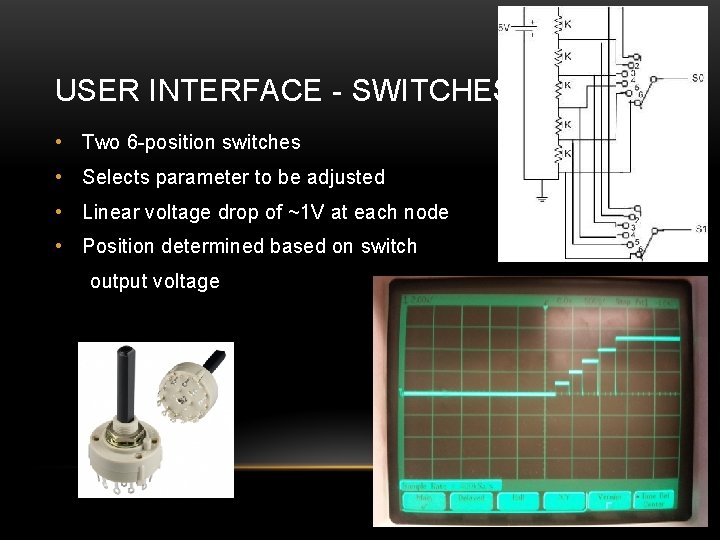
USER INTERFACE - SWITCHES • Two 6 -position switches • Selects parameter to be adjusted • Linear voltage drop of ~1 V at each node • Position determined based on switch output voltage
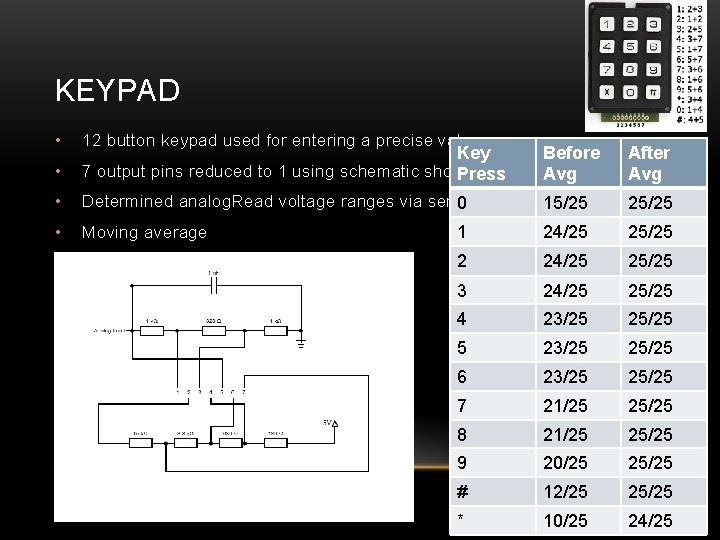
KEYPAD • 12 button keypad used for entering a precise value • Key 7 output pins reduced to 1 using schematic shown Press Before Avg After Avg • Determined analog. Read voltage ranges via serial 0 output 15/25 25/25 • Moving average 1 24/25 25/25 2 24/25 25/25 3 24/25 25/25 4 23/25 25/25 5 23/25 25/25 6 23/25 25/25 7 21/25 25/25 8 21/25 25/25 9 20/25 25/25 # 12/25 25/25 * 10/25 24/25
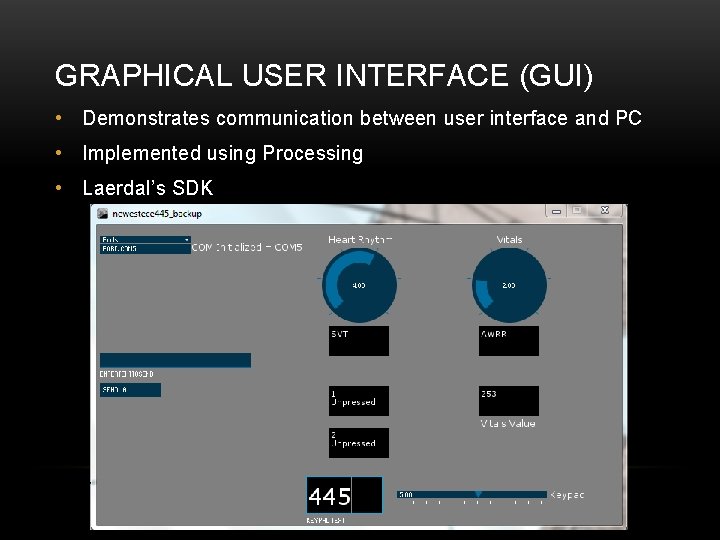
GRAPHICAL USER INTERFACE (GUI) • Demonstrates communication between user interface and PC • Implemented using Processing • Laerdal’s SDK
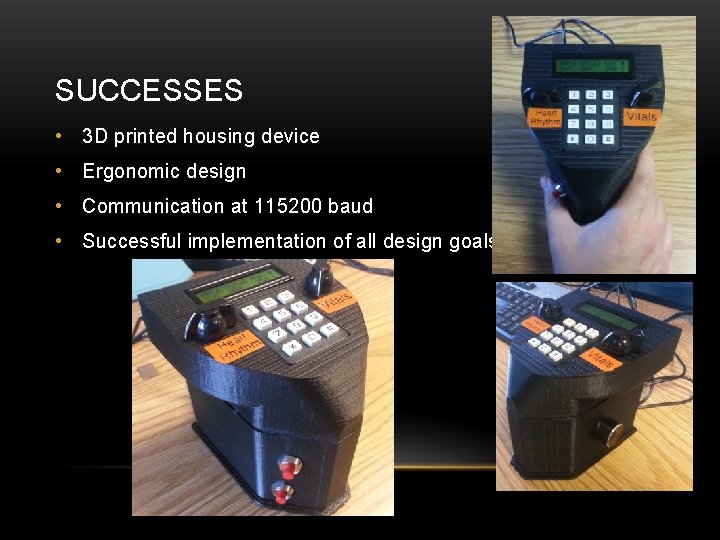
SUCCESSES • 3 D printed housing device • Ergonomic design • Communication at 115200 baud • Successful implementation of all design goals
DIFFICULTIES • Integrate with Laerdal Software • Keypad values inconsistent initially • Poor quality of rotary switches (mechanical) • Numerous revisions of 3 D housing • Processing learning curve • Eagle learning curve
COSTS • 3 D case - $25 • User interface components - $20 • Microcontroller - $25 • LCD - $20 • Total - $90
FUTURE WORK • Make the device smaller • Integrate our interface with Laerdal software • Improve labeling on device • Instruction manual • Make software more user friendly to allow customization of device

ACKNOWLEDGEMENTS • Jump Trading and OSF Healthcare • Jimmy Roland • Dr. Vozenilek • Rajarshi Roy • Fab Lab – Andrew Knight

QUESTIONS?
- Slides: 19