
July 29 and August 11 2015 How CONTENTdm
- Slides: 43
July 29 and August 11, 2015 How CONTENTdm works: A demonstration Ron Gardner OCLC Digital Services Consultant
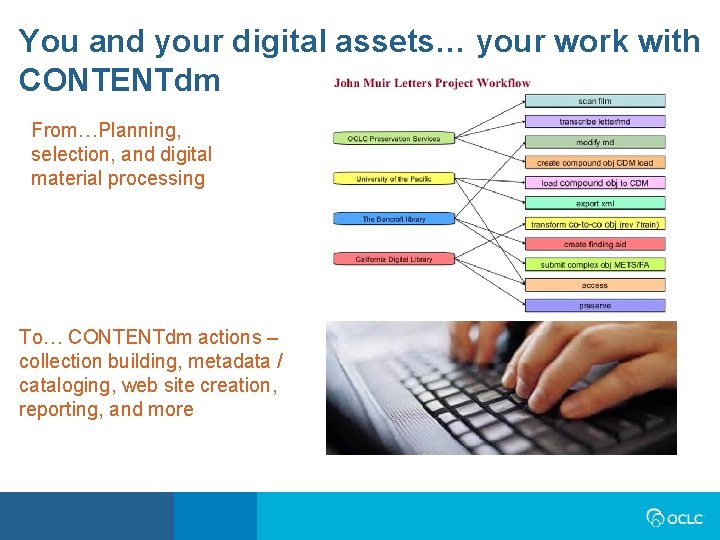
You and your digital assets… your work with CONTENTdm From…Planning, selection, and digital material processing To… CONTENTdm actions – collection building, metadata / cataloging, web site creation, reporting, and more
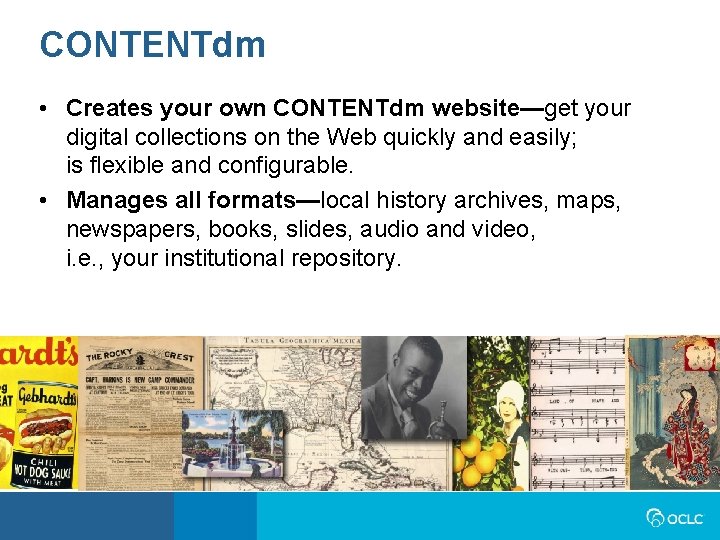
CONTENTdm • Creates your own CONTENTdm website—get your digital collections on the Web quickly and easily; is flexible and configurable. • Manages all formats—local history archives, maps, newspapers, books, slides, audio and video, i. e. , your institutional repository.
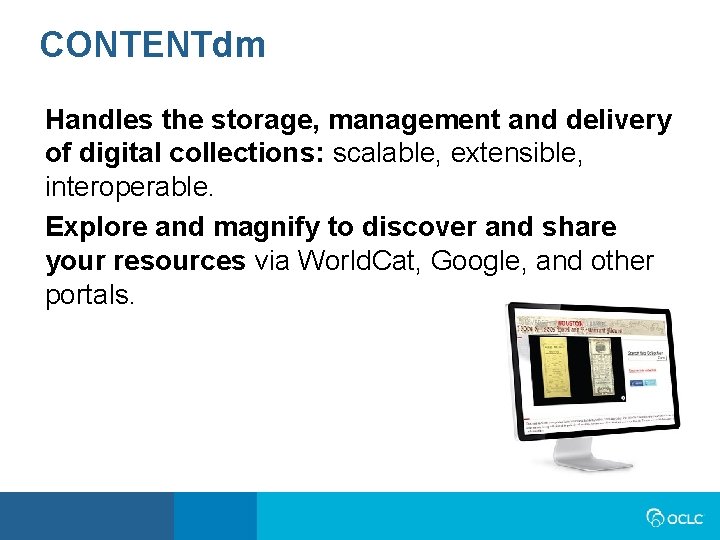
CONTENTdm Handles the storage, management and delivery of digital collections: scalable, extensible, interoperable. Explore and magnify to discover and share your resources via World. Cat, Google, and other portals.
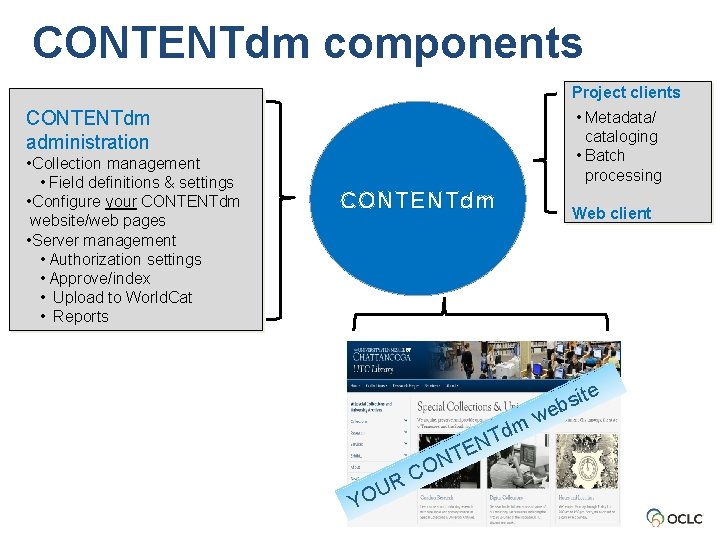
CONTENTdm components Project clients CONTENTdm administration • Collection management • Field definitions & settings • Configure your CONTENTdm website/web pages • Server management • Authorization settings • Approve/index • Upload to World. Cat • Reports • Metadata/ cataloging • Batch processing CONTENTdm N Tdm TE N O YO C R U Web client w te i s eb
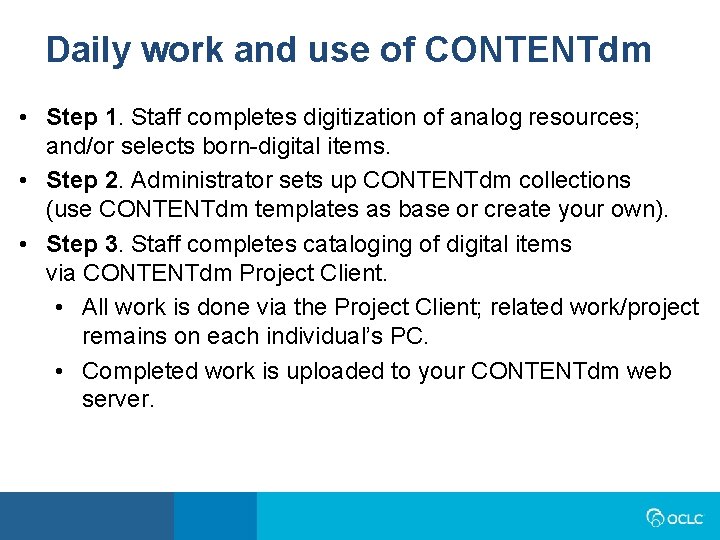
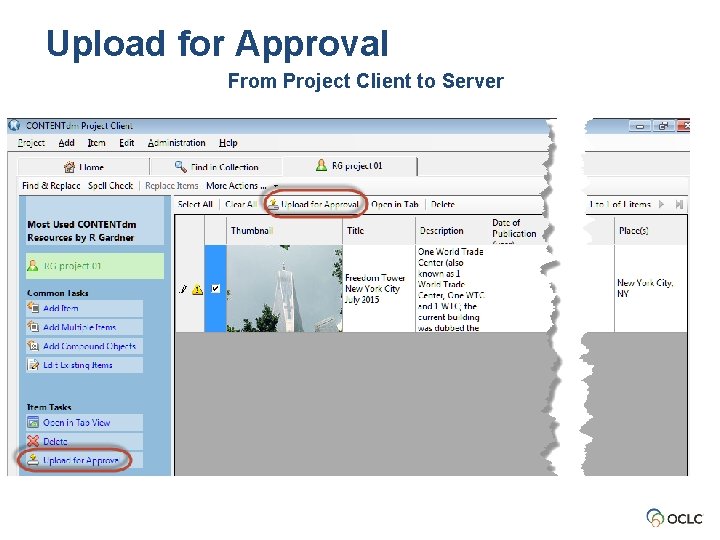
Daily work and use of CONTENTdm • Step 1. Staff completes digitization of analog resources; and/or selects born-digital items. • Step 2. Administrator sets up CONTENTdm collections (use CONTENTdm templates as base or create your own). • Step 3. Staff completes cataloging of digital items via CONTENTdm Project Client. • All work is done via the Project Client; related work/project remains on each individual’s PC. • Completed work is uploaded to your CONTENTdm web server.
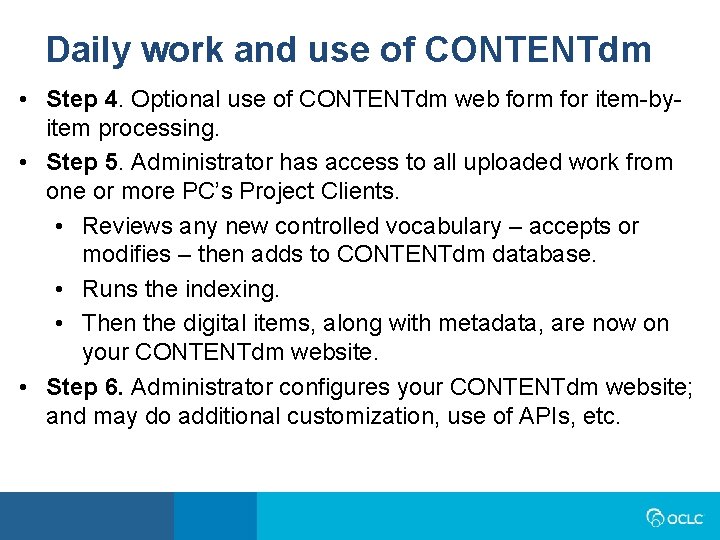
Daily work and use of CONTENTdm • Step 4. Optional use of CONTENTdm web form for item-byitem processing. • Step 5. Administrator has access to all uploaded work from one or more PC’s Project Clients. • Reviews any new controlled vocabulary – accepts or modifies – then adds to CONTENTdm database. • Runs the indexing. • Then the digital items, along with metadata, are now on your CONTENTdm website. • Step 6. Administrator configures your CONTENTdm website; and may do additional customization, use of APIs, etc.
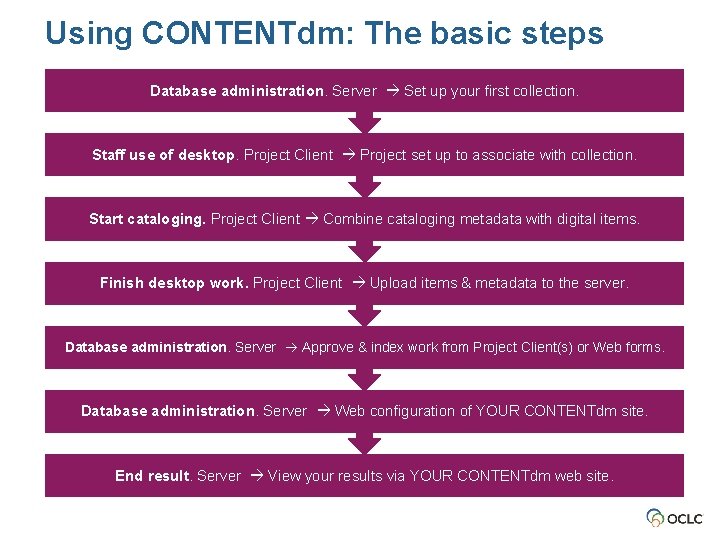
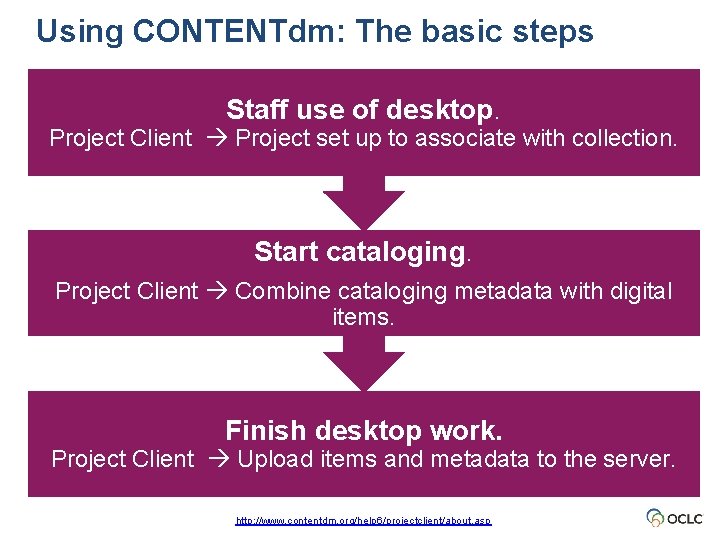
Using CONTENTdm: The basic steps Database administration. Server Set up your first collection. Staff use of desktop. Project Client Project set up to associate with collection. Start cataloging. Project Client Combine cataloging metadata with digital items. Finish desktop work. Project Client Upload items & metadata to the server. Database administration. Server Approve & index work from Project Client(s) or Web forms. Database administration. Server Web configuration of YOUR CONTENTdm site. End result. Server View your results via YOUR CONTENTdm web site.
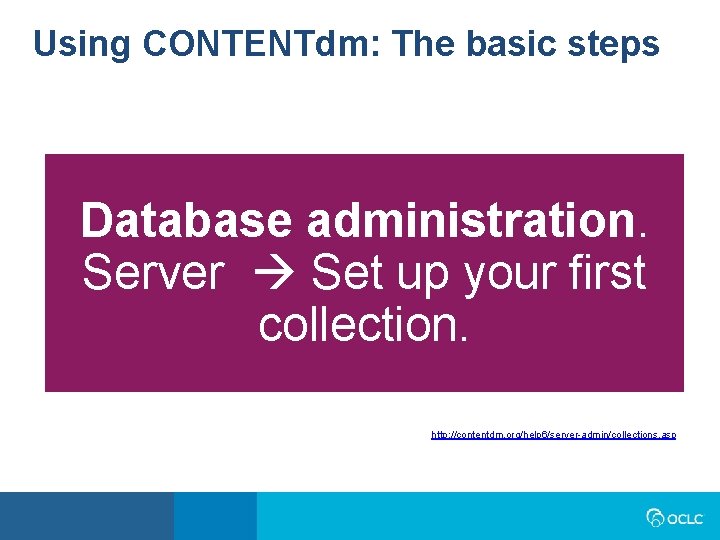
Using CONTENTdm: The basic steps Database administration. Server Set up your first collection. http: //contentdm. org/help 6/server-admin/collections. asp
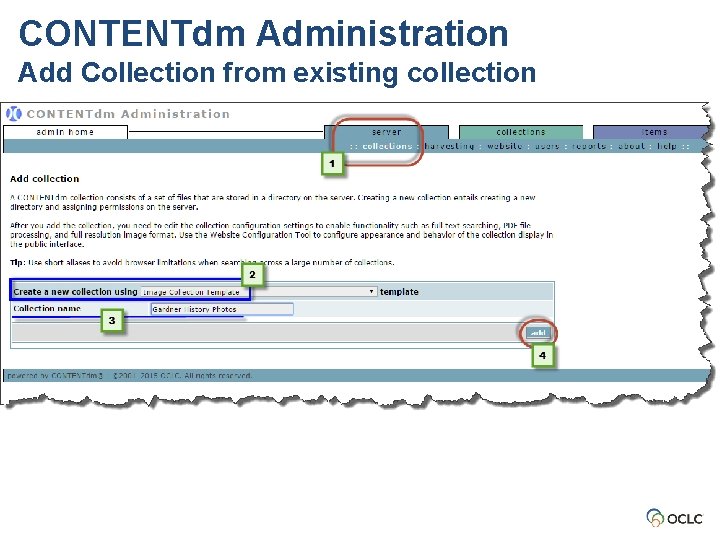
CONTENTdm Administration Add Collection from existing collection
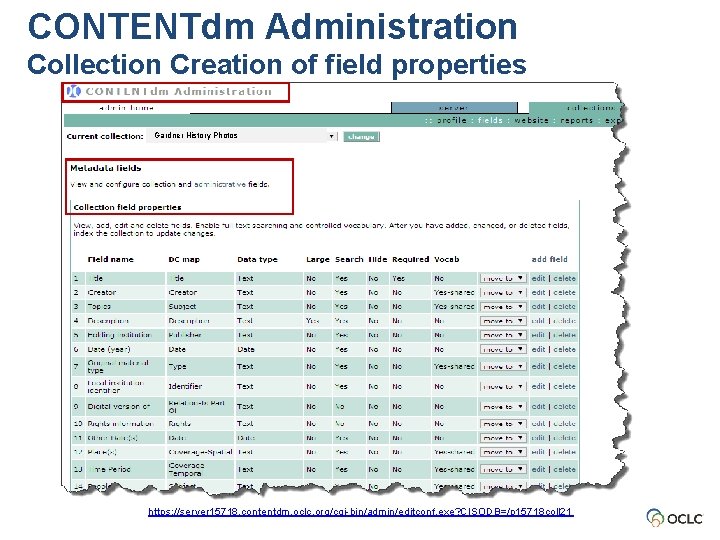
CONTENTdm Administration Collection Creation of field properties Gardner History Photos https: //server 15718. contentdm. oclc. org/cgi-bin/admin/editconf. exe? CISODB=/p 15718 coll 21
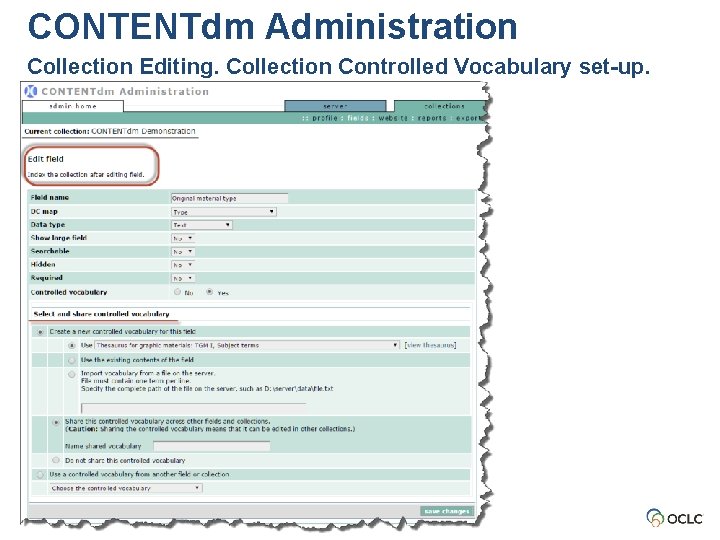
CONTENTdm Administration Collection Editing. Collection Controlled Vocabulary set-up.
Using CONTENTdm: The basic steps Staff use of desktop. Project Client Project set up to associate with collection. Start cataloging. Project Client Combine cataloging metadata with digital items. Finish desktop work. Project Client Upload items and metadata to the server. http: //www. contentdm. org/help 6/projectclient/about. asp
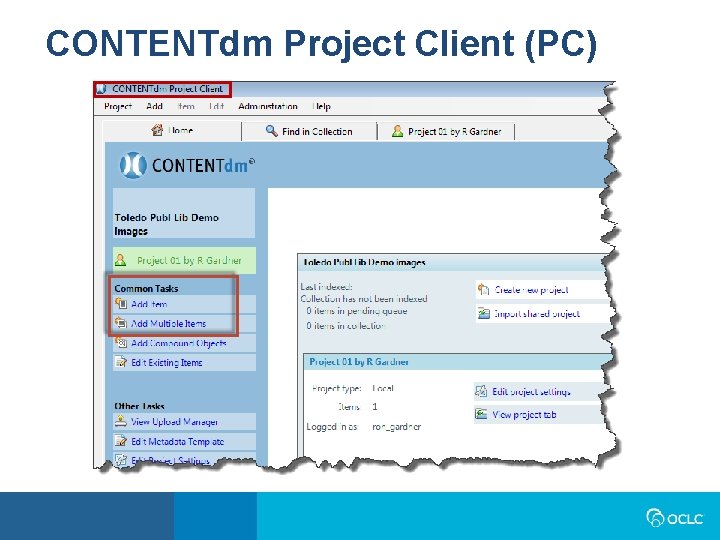
CONTENTdm Project Client (PC)
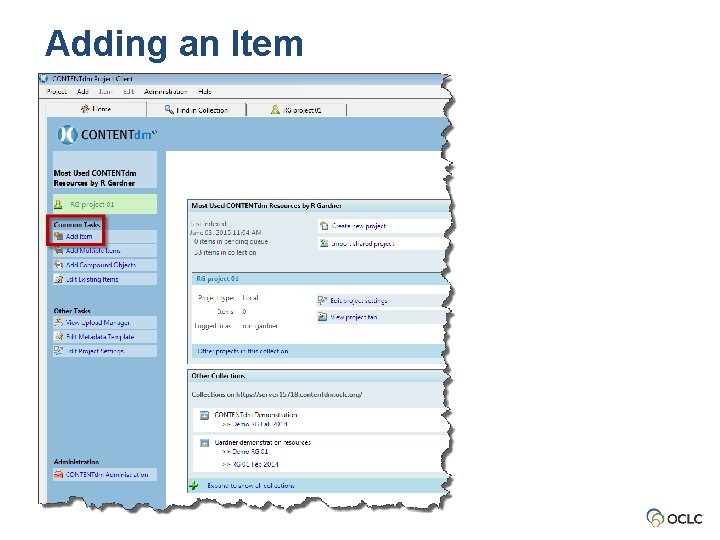
Adding an Item
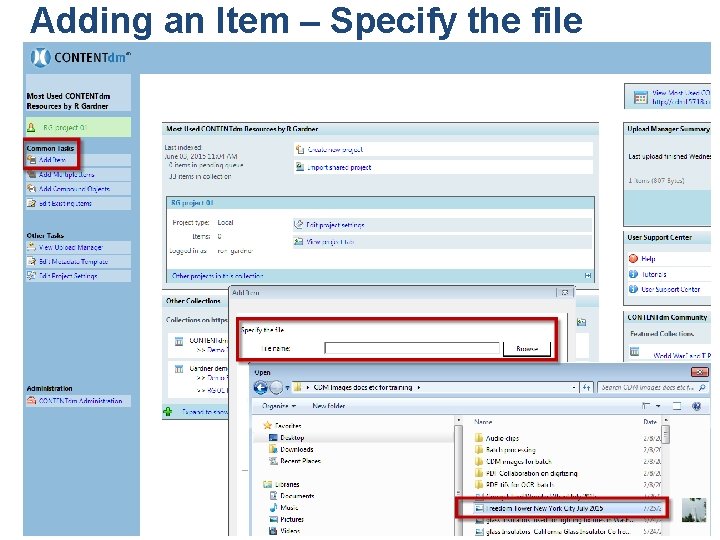
Adding an Item – Specify the file
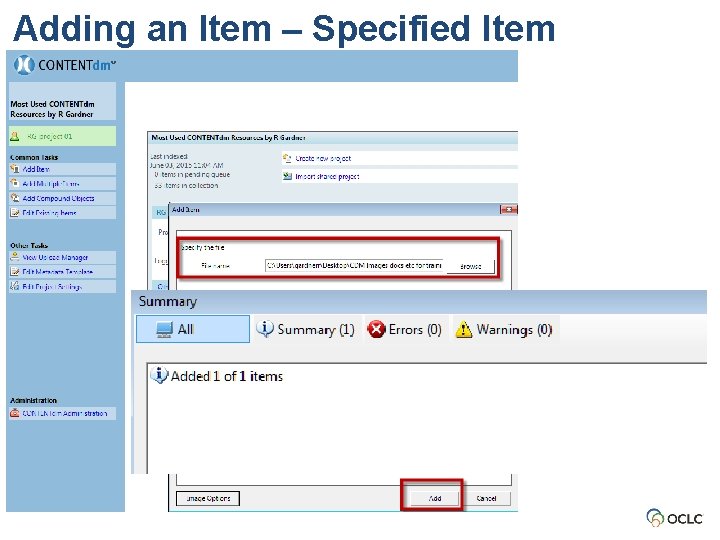
Adding an Item – Specified Item
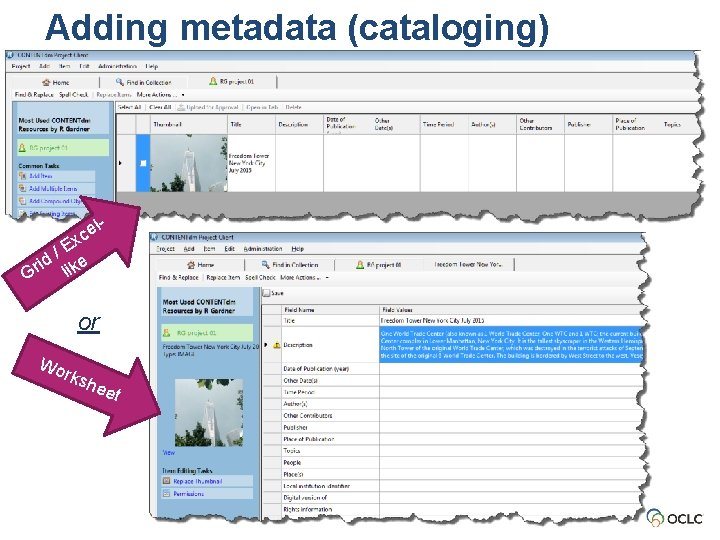
Adding metadata (cataloging) ce x /E d e i Gr lik l- or Wo rk she e t
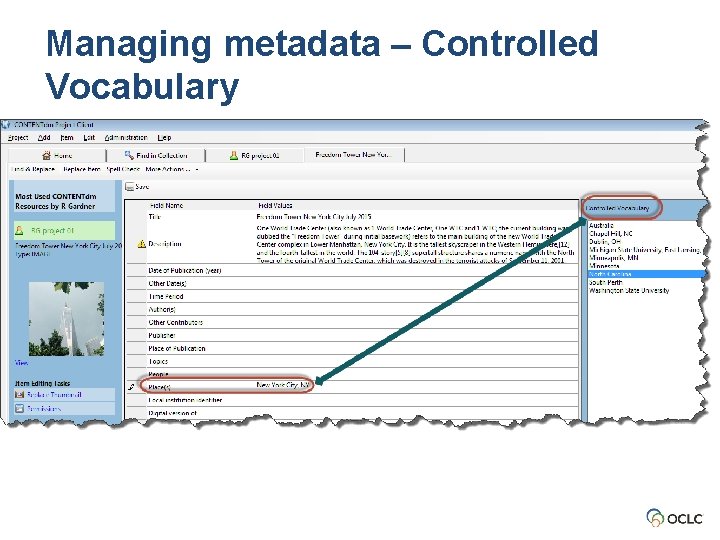
Managing metadata – Controlled Vocabulary
Upload for Approval From Project Client to Server
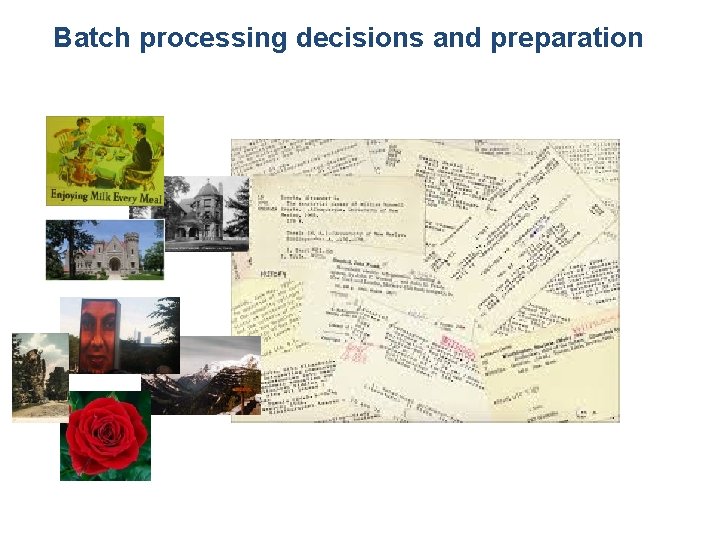
Batch processing decisions and preparation
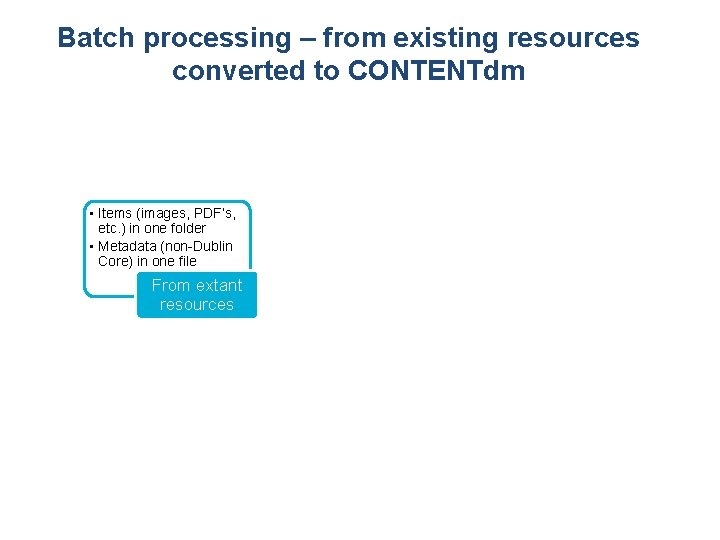
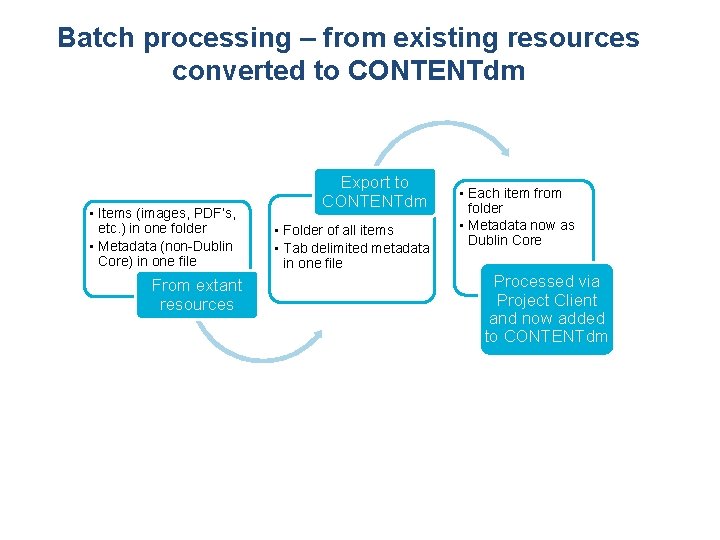
Batch processing – from existing resources converted to CONTENTdm • Items (images, PDF’s, etc. ) in one folder • Metadata (non-Dublin Core) in one file From extant resources
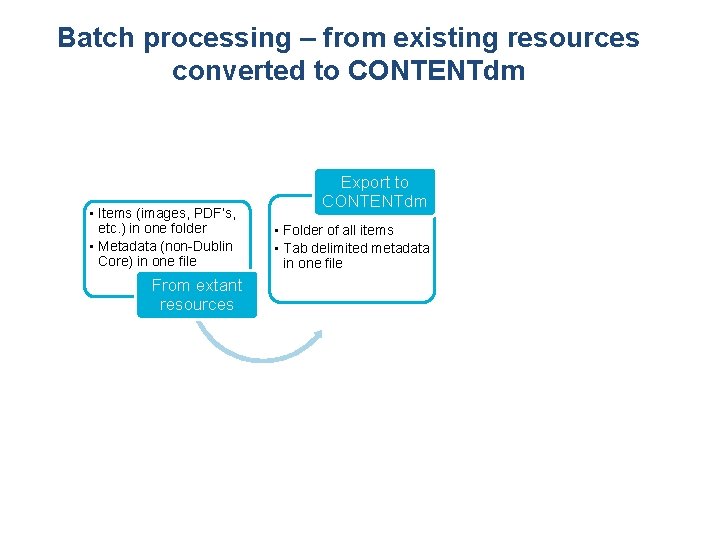
Batch processing – from existing resources converted to CONTENTdm • Items (images, PDF’s, etc. ) in one folder • Metadata (non-Dublin Core) in one file From extant resources Export to CONTENTdm • Folder of all items • Tab delimited metadata in one file
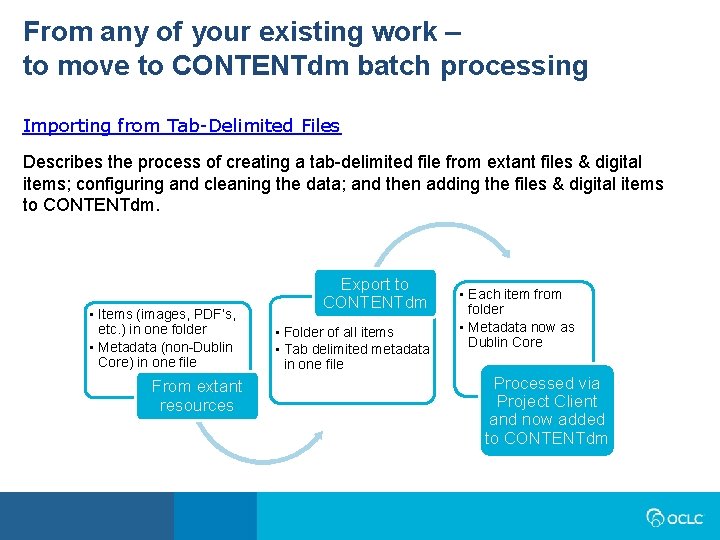
Batch processing – from existing resources converted to CONTENTdm • Items (images, PDF’s, etc. ) in one folder • Metadata (non-Dublin Core) in one file From extant resources Export to CONTENTdm • Folder of all items • Tab delimited metadata in one file • Each item from folder • Metadata now as Dublin Core Processed via Project Client and now added to CONTENTdm
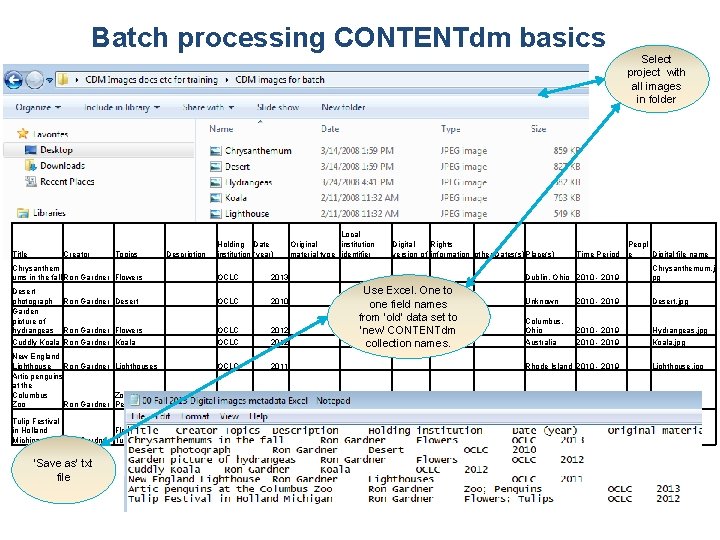
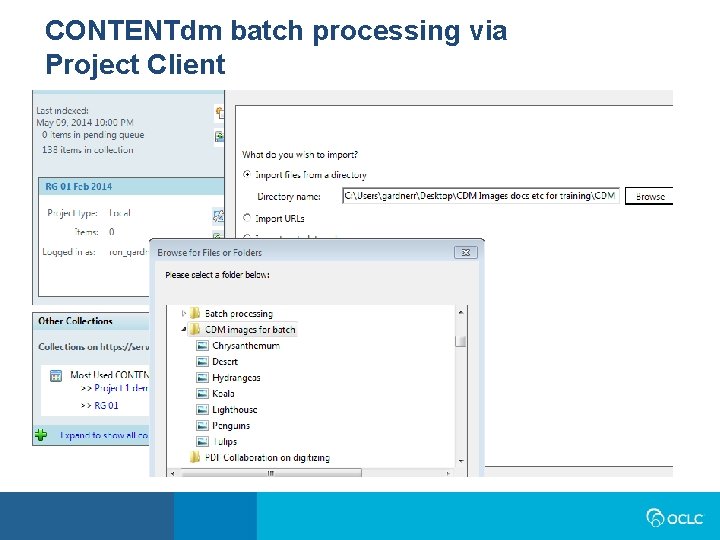
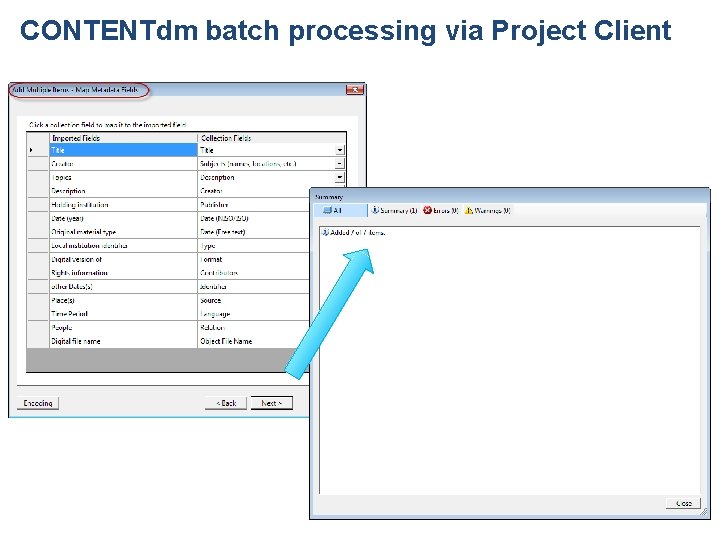
Batch processing CONTENTdm basics Select project with all images in folder Title Creator Topics Chrysanthem ums in the fall Ron Gardner Flowers Desert photograph Ron Gardner Desert Garden picture of hydrangeas Ron Gardner Flowers Cuddly Koala Ron Gardner Koala New England Lighthouse Ron Gardner Lighthouses Artic penguins at the Columbus Zoo; Zoo Ron Gardner Penguins Tulip Festival in Holland Flowers; Michigan Ron Gardner Tulips ‘Save as’ txt file Description Holding Date institution (year) Local institution Original material type identifier Digital Rights version of information other Dates(s)Place(s) Time Period Peopl e Digital file name Dublin, Ohio 2010 - 2019 Chrysanthemum. j pg Unknown 2010 - 2019 Desert. jpg Columbus, Ohio Australia 2010 - 2019 Hydrangeas. jpg Koala. jpg OCLC 2013 OCLC 2010 OCLC 2012 OCLC 2011 Rhode Island 2010 - 2019 Lighthouse. jpg OCLC 2013 Columbus, Ohio 2010 - 2019 Penguins. jpg OCLC 2012 Holland, Michigan 2010 - 2019 Tulips. jpg Use Excel. One to one field names from ‘old’ data set to ‘new’ CONTENTdm collection names.
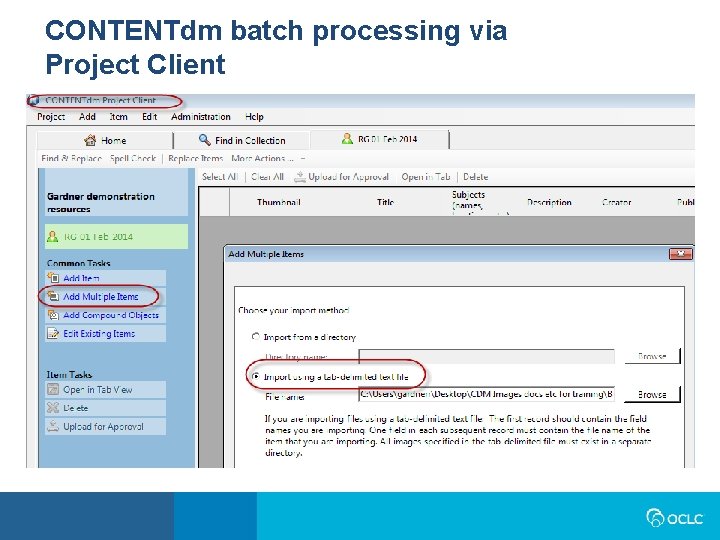
CONTENTdm batch processing via Project Client
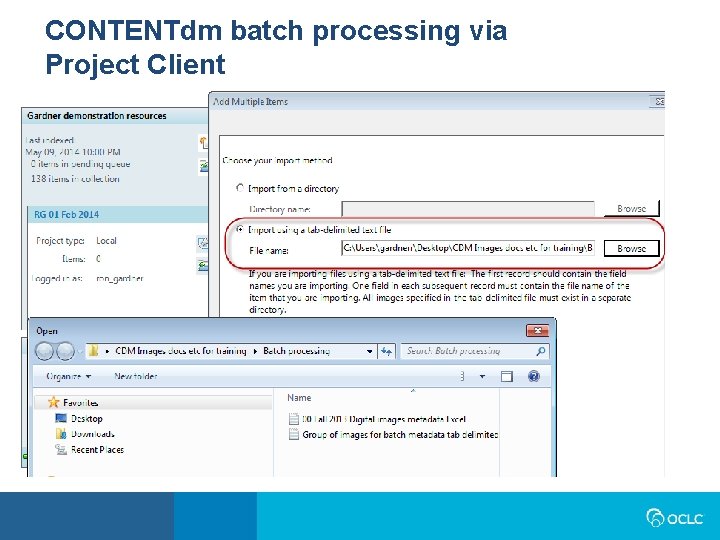
CONTENTdm batch processing via Project Client
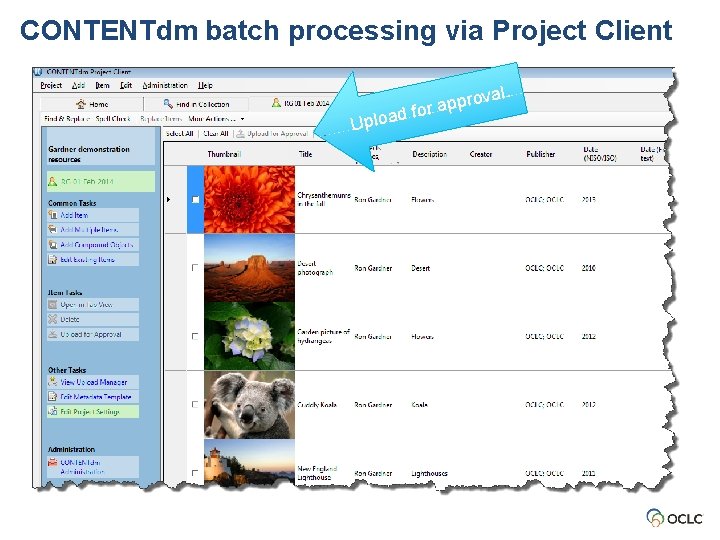
CONTENTdm batch processing via Project Client
CONTENTdm batch processing via Project Client
CONTENTdm batch processing via Project Client al. d Uploa rov p p a r fo
From any of your existing work – to move to CONTENTdm batch processing Importing from Tab-Delimited Files Describes the process of creating a tab-delimited file from extant files & digital items; configuring and cleaning the data; and then adding the files & digital items to CONTENTdm. • Items (images, PDF’s, etc. ) in one folder • Metadata (non-Dublin Core) in one file From extant resources Export to CONTENTdm • Folder of all items • Tab delimited metadata in one file • Each item from folder • Metadata now as Dublin Core Processed via Project Client and now added to CONTENTdm
Using CONTENTdm: The basic steps Staff use option. Web form Associated with collection.
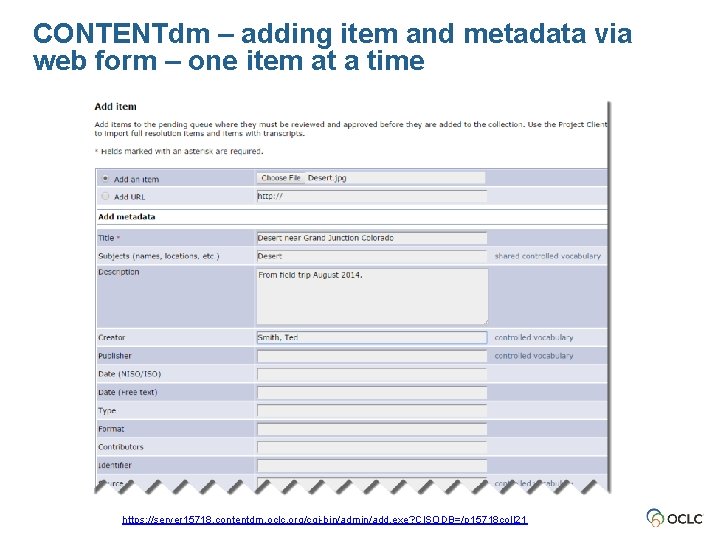
CONTENTdm – adding item and metadata via web form – one item at a time https: //server 15718. contentdm. oclc. org/cgi-bin/admin/add. exe? CISODB=/p 15718 coll 21
Using CONTENTdm: The basic steps Database administration. Server Approve and index work from Project Client(s) or Web form.
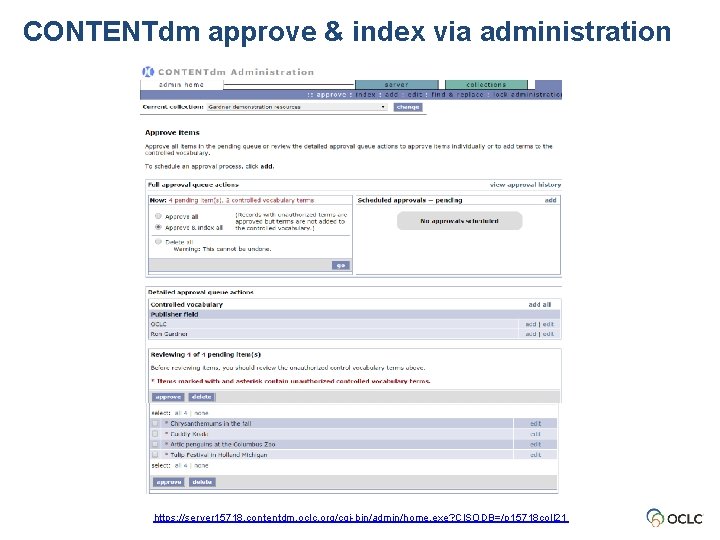
CONTENTdm approve & index via administration https: //server 15718. contentdm. oclc. org/cgi-bin/admin/home. exe? CISODB=/p 15718 coll 21
Using CONTENTdm: The basic steps Database administration. Server Web configuration of your CONTENTdm site. Let’s take a look at the CONTENTdm Demonstration Home page (before): http: //cdm 15718. contentdm. oclc. org/cdm/
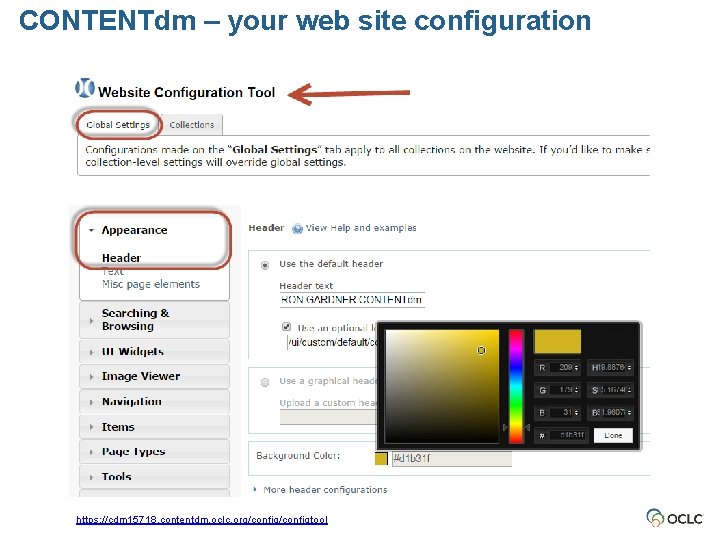
CONTENTdm – your web site configuration https: //cdm 15718. contentdm. oclc. org/configtool
Using CONTENTdm: The basic steps The end result. Server View your results via your CONTENTdm website.
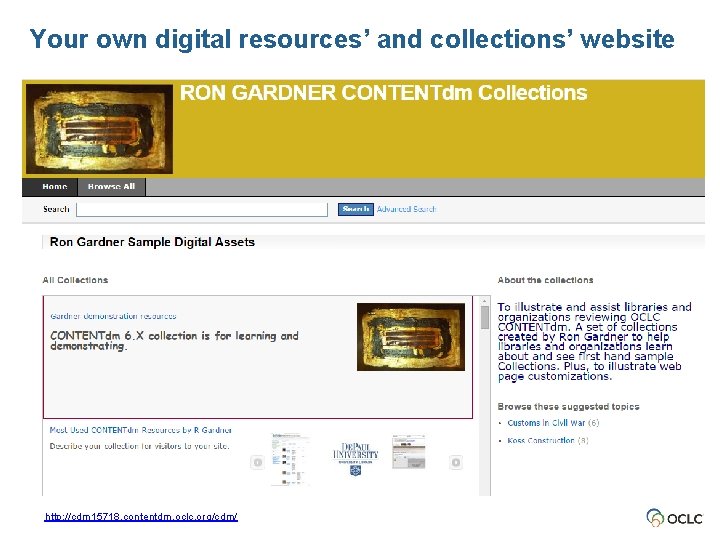
Your own digital resources’ and collections’ website http: //cdm 15718. contentdm. oclc. org/cdm/
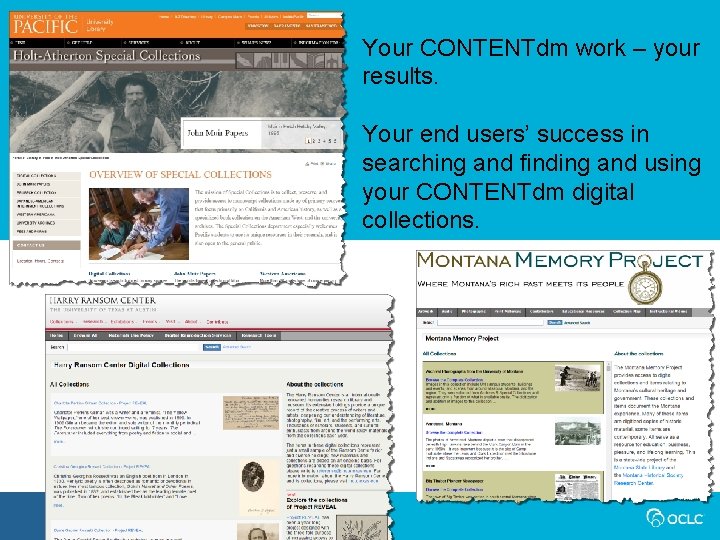
Your CONTENTdm work – your results. Your end users’ success in searching and finding and using your CONTENTdm digital collections.
CONTENTdm: Your next steps Evaluate CONTENTdm for 60 days, at no charge https: //www. oclc. org/forms/contentdm-eval. en. html Contact us Ron Gardner 800 -848 -5878, ext. 6165 gardnerr@oclc. org Michelle Phipps 800 -848 -5878, ext. 4301 phippsm@oclc. org Scott Hojnacki 800 -848 -5878, ext. 6201 hojnacks@oclc. org
Thank you!