
JS Java Script Primer from the Parallux Order
![Arrays • Declared through brackets [] or through object call of Array() • Can](https://slidetodoc.com/presentation_image_h2/46e2e58128504cfc379827a7d1e274ed/image-11.jpg "Arrays • Declared through brackets [] or through object call of Array() • Can")
- Slides: 37
JS Java. Script Primer from the Parallux Order
What this primer contains • HTML, CSS, and JS • Embedding Java. Script code • Variables • Arrays • Data types • Operators • • • Iterators Methods Classes DOM Selecting elements • Handling events • Common • Running scripts only after page load • Alert, confirm, and prompt boxes
What this primer assumes • Basic prior knowledge of HTML and CSS • Basic prior knowledge of any programming language (C, C++, Java, etc. )
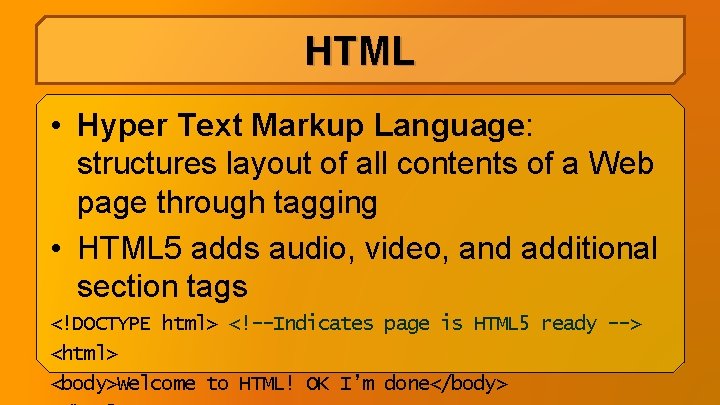
HTML • Hyper Text Markup Language: structures layout of all contents of a Web page through tagging • HTML 5 adds audio, video, and additional section tags <!DOCTYPE html> <!--Indicates page is HTML 5 ready --> <html> <body>Welcome to HTML! OK I’m done</body>
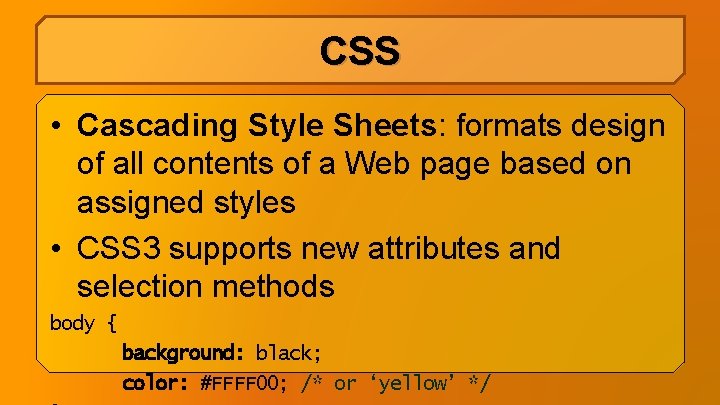
CSS • Cascading Style Sheets: formats design of all contents of a Web page based on assigned styles • CSS 3 supports new attributes and selection methods body { background: black; color: #FFFF 00; /* or ‘yellow’ */
JS • Java. Script: Provides capability to program and interact with all contents of a Web page to perform various tasks • Called as Java. Script due to Java being a popular programming language at the time it was conceived • Now a de facto standard for Web development
JS • Client-side: Java. Script runs from the browser visitors use to view the Web page • Can send data (including files) to server for further processing
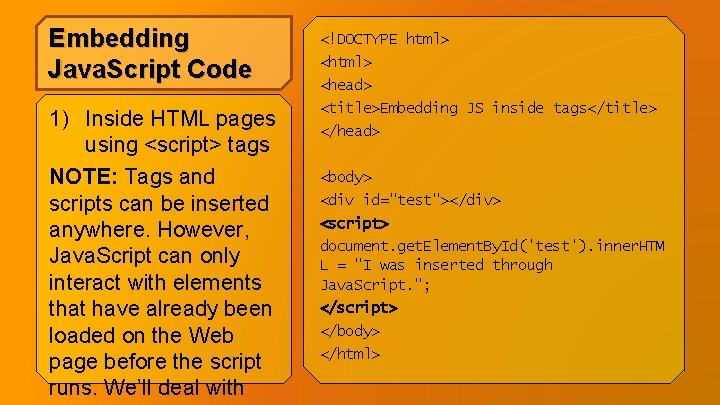
Embedding Java. Script Code 1) Inside HTML pages using <script> tags NOTE: Tags and scripts can be inserted anywhere. However, Java. Script can only interact with elements that have already been loaded on the Web page before the script runs. We’ll deal with <!DOCTYPE html> <head> <title>Embedding JS inside tags</title> </head> <body> <div id="test"></div> <script> document. get. Element. By. Id('test'). inner. HTM L = "I was inserted through Java. Script. "; </script> </body> </html>
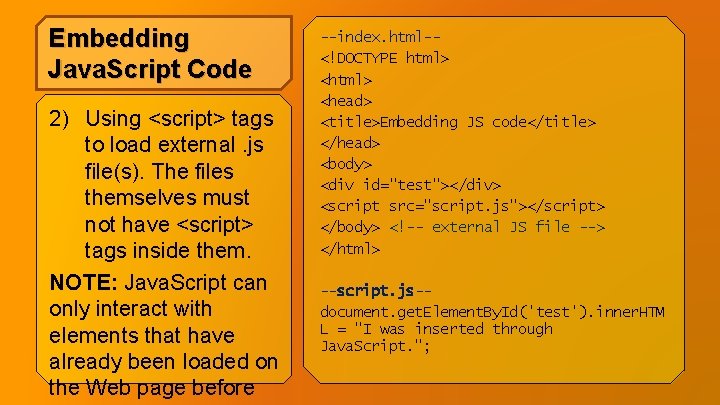
Embedding Java. Script Code 2) Using <script> tags to load external. js file(s). The files themselves must not have <script> tags inside them. NOTE: Java. Script can only interact with elements that have already been loaded on the Web page before --index. html-<!DOCTYPE html> <head> <title>Embedding JS code</title> </head> <body> <div id="test"></div> <script src="script. js"></script> </body> <!-- external JS file --> </html> --script. js-document. get. Element. By. Id('test'). inner. HTM L = "I was inserted through Java. Script. ";
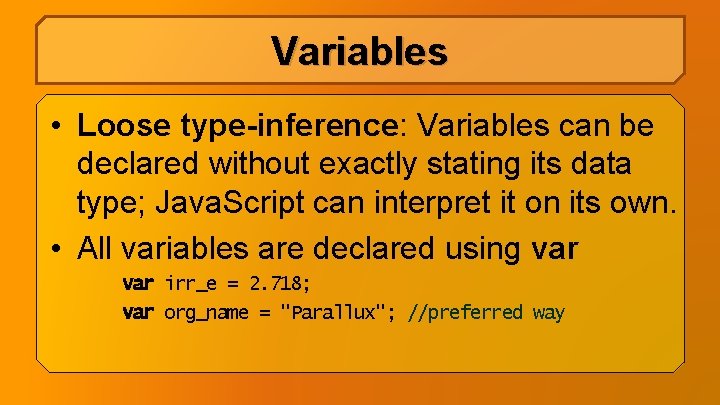
Variables • Loose type-inference: Variables can be declared without exactly stating its data type; Java. Script can interpret it on its own. • All variables are declared using var irr_e = 2. 718; var org_name = "Parallux"; //preferred way
Arrays • Declared through brackets [] or through object call of Array() • Can store multiple data types at once • No need to initialize array size • Can be multidimensional var profile_user = ["Altire", "Zeir", 28, 800. 75, true]; grades = Array(75, 77, 78), Array(80, 82, 84));
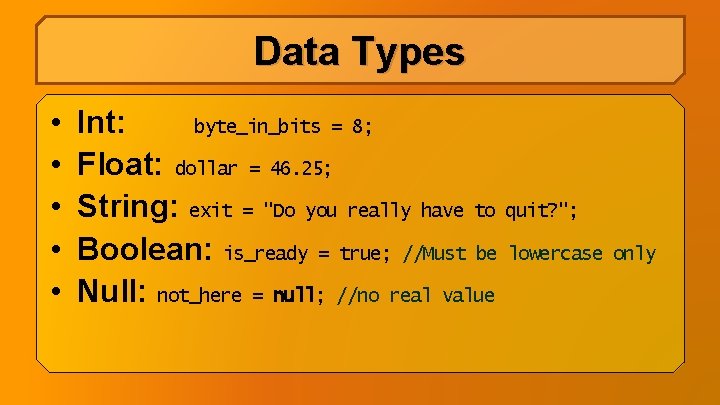
Data Types • • • Int: byte_in_bits = 8; Float: dollar = 46. 25; String: exit = "Do you really have to quit? "; Boolean: is_ready = true; //Must be lowercase only Null: not_here = null; //no real value
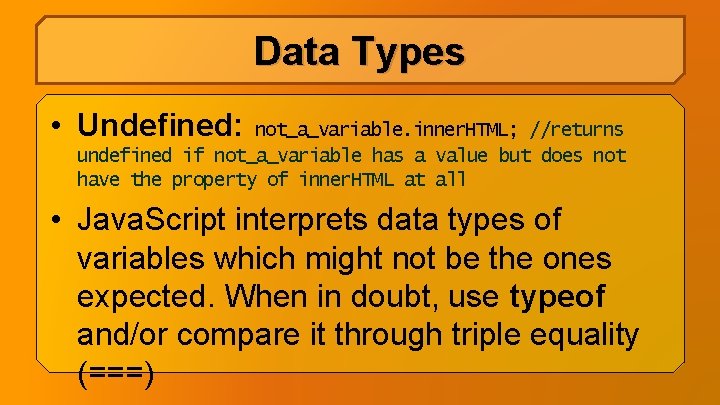
Data Types • Undefined: not_a_variable. inner. HTML; //returns undefined if not_a_variable has a value but does not have the property of inner. HTML at all • Java. Script interprets data types of variables which might not be the ones expected. When in doubt, use typeof and/or compare it through triple equality (===)
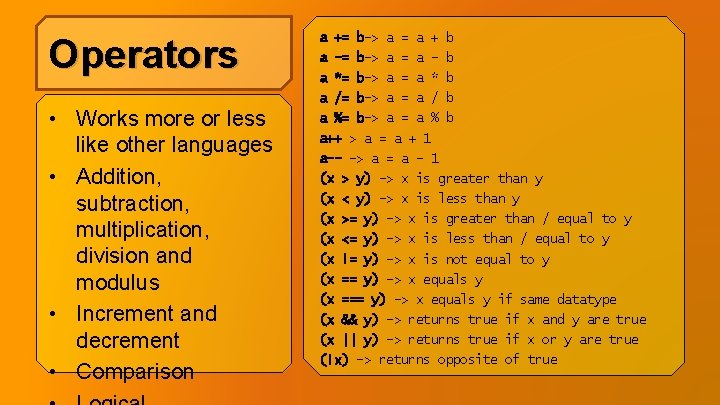
Operators • Works more or less like other languages • Addition, subtraction, multiplication, division and modulus • Increment and decrement • Comparison a += b-> a = a + b a -= b-> a = a - b a *= b-> a = a * b a /= b-> a = a / b a %= b-> a = a % b a++ > a = a + 1 a-- -> a = a - 1 (x > y) -> x is greater than y (x < y) -> x is less than y (x >= y) -> x is greater than / equal to y (x <= y) -> x is less than / equal to y (x != y) -> x is not equal to y (x == y) -> x equals y (x === y) -> x equals y if same datatype (x && y) -> returns true if x and y are true (x || y) -> returns true if x or y are true (!x) -> returns opposite of true
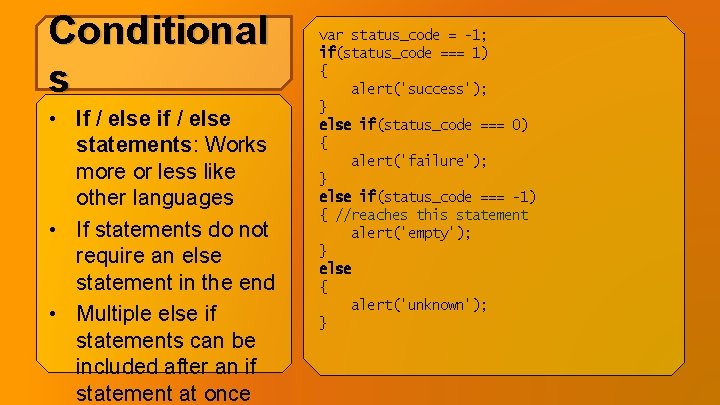
Conditional s • If / else if / else statements: Works more or less like other languages • If statements do not require an else statement in the end • Multiple else if statements can be included after an if statement at once var status_code = -1; if(status_code === 1) { alert('success'); } else if(status_code === 0) { alert('failure'); } else if(status_code === -1) { //reaches this statement alert('empty'); } else { alert('unknown'); }
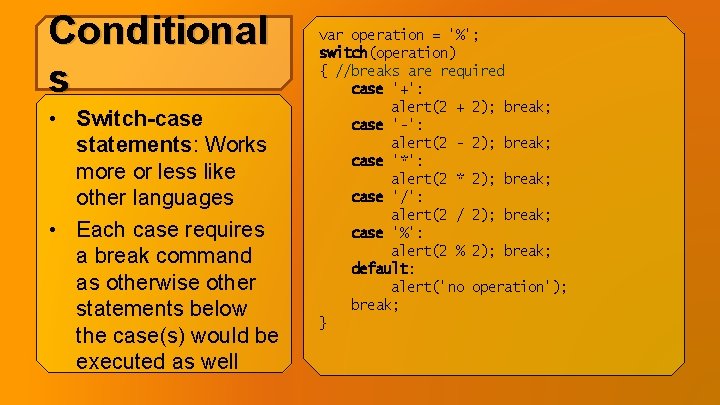
Conditional s • Switch-case statements: Works more or less like other languages • Each case requires a break command as otherwise other statements below the case(s) would be executed as well var operation = '%'; switch(operation) { //breaks are required case '+': alert(2 + 2); break; case '-': alert(2 - 2); break; case '*': alert(2 * 2); break; case '/': alert(2 / 2); break; case '%': alert(2 % 2); break; default: alert('no operation'); break; }
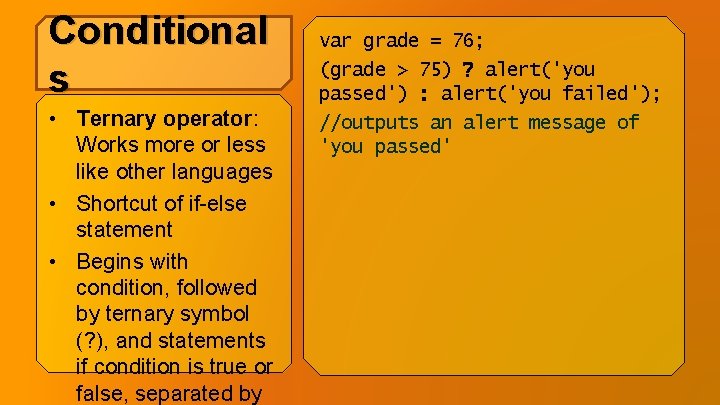
Conditional s • Ternary operator: Works more or less like other languages • Shortcut of if-else statement • Begins with condition, followed by ternary symbol (? ), and statements if condition is true or false, separated by var grade = 76; (grade > 75) ? alert('you passed') : alert('you failed'); //outputs an alert message of 'you passed'
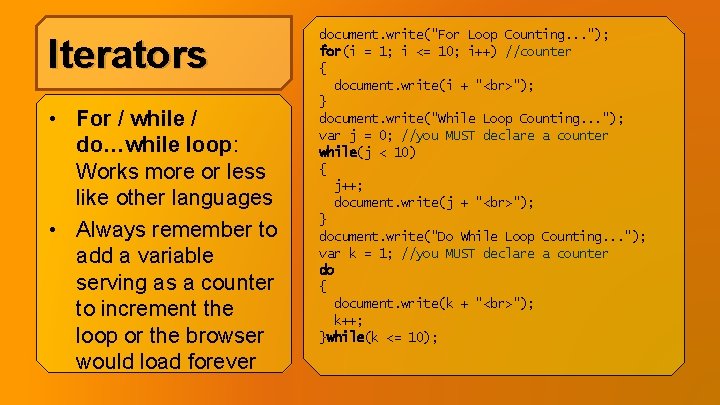
Iterators • For / while / do…while loop: Works more or less like other languages • Always remember to add a variable serving as a counter to increment the loop or the browser would load forever document. write("For Loop Counting. . . "); for(i = 1; i <= 10; i++) //counter { document. write(i + " "); } document. write("While Loop Counting. . . "); var j = 0; //you MUST declare a counter while(j < 10) { j++; document. write(j + " "); } document. write("Do While Loop Counting. . . "); var k = 1; //you MUST declare a counter do { document. write(k + " "); k++; }while(k <= 10);
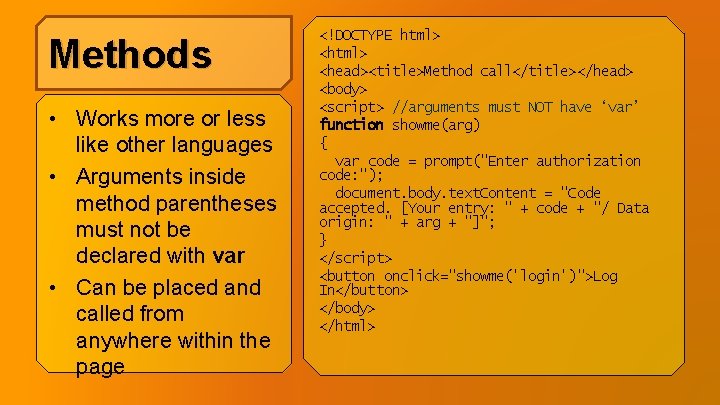
Methods • Works more or less like other languages • Arguments inside method parentheses must not be declared with var • Can be placed and called from anywhere within the page <!DOCTYPE html> <head><title>Method call</title></head> <body> <script> //arguments must NOT have ‘var’ function showme(arg) { var code = prompt("Enter authorization code: "); document. body. text. Content = "Code accepted. [Your entry: " + code + "/ Data origin: " + arg + "]"; } </script> <button onclick="showme('login')">Log In</button> </body> </html>
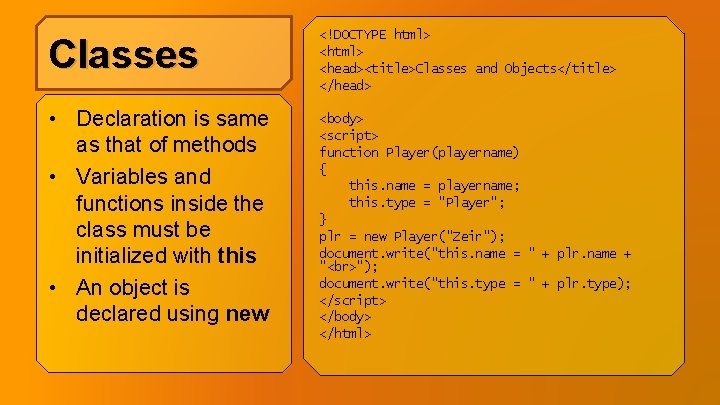
Classes <!DOCTYPE html> <head><title>Classes and Objects</title> </head> • Declaration is same as that of methods • Variables and functions inside the class must be initialized with this • An object is declared using new <body> <script> function Player(playername) { this. name = playername; this. type = "Player"; } plr = new Player("Zeir"); document. write("this. name = " + plr. name + " "); document. write("this. type = " + plr. type); </script> </body> </html>
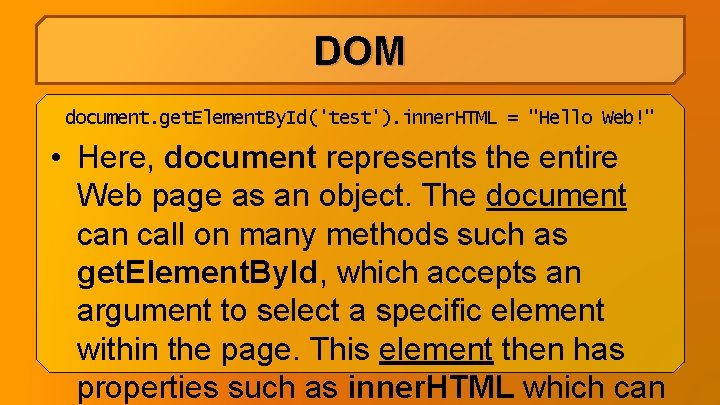
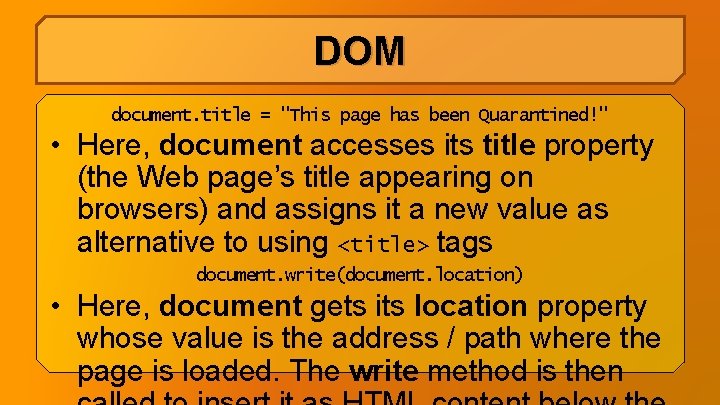
DOM • Document Object Model: separates all parts of a Web page into objects with defined properties, attributes and methods • Java. Script uses the DOM to access and manipulate its objects • document or window are usually used
DOM document. get. Element. By. Id('test'). inner. HTML = "Hello Web!" • Here, document represents the entire Web page as an object. The document can call on many methods such as get. Element. By. Id, which accepts an argument to select a specific element within the page. This element then has properties such as inner. HTML which can
DOM document. title = "This page has been Quarantined!" • Here, document accesses its title property (the Web page’s title appearing on browsers) and assigns it a new value as alternative to using <title> tags document. write(document. location) • Here, document gets its location property whose value is the address / path where the page is loaded. The write method is then
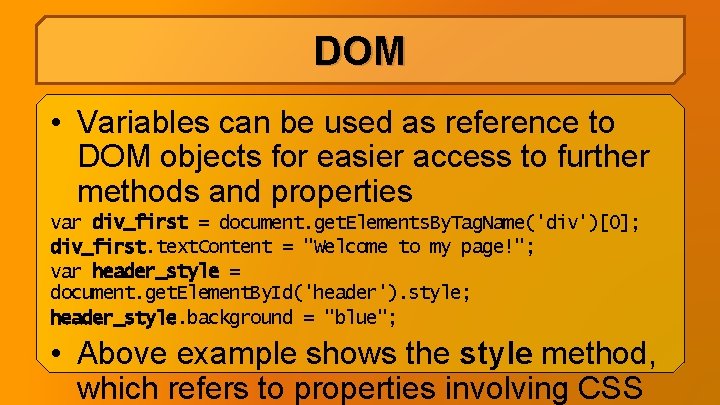
DOM • Variables can be used as reference to DOM objects for easier access to further methods and properties var div_first = document. get. Elements. By. Tag. Name('div')[0]; div_first. text. Content = "Welcome to my page!"; var header_style = document. get. Element. By. Id('header'). style; header_style. background = "blue"; • Above example shows the style method, which refers to properties involving CSS
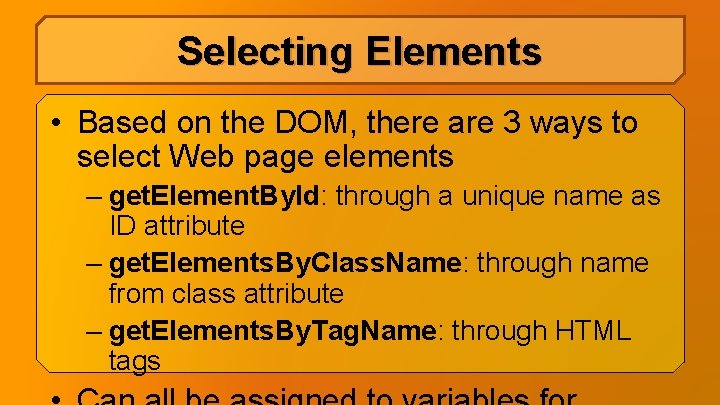
Selecting Elements • Based on the DOM, there are 3 ways to select Web page elements – get. Element. By. Id: through a unique name as ID attribute – get. Elements. By. Class. Name: through name from class attribute – get. Elements. By. Tag. Name: through HTML tags
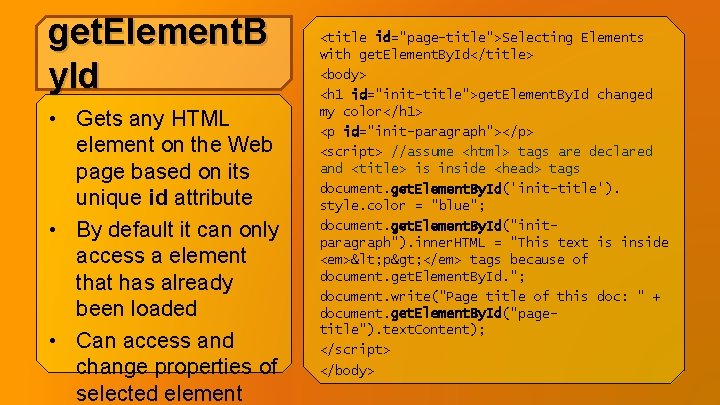
get. Element. B y. Id • Gets any HTML element on the Web page based on its unique id attribute • By default it can only access a element that has already been loaded • Can access and change properties of selected element <title id="page-title">Selecting Elements with get. Element. By. Id</title> <body> <h 1 id="init-title">get. Element. By. Id changed my color</h 1> <p id="init-paragraph"></p> <script> //assume <html> tags are declared and <title> is inside <head> tags document. get. Element. By. Id('init-title'). style. color = "blue"; document. get. Element. By. Id("initparagraph"). inner. HTML = "This text is inside <em>< p> </em> tags because of document. get. Element. By. Id. "; document. write("Page title of this doc: " + document. get. Element. By. Id("pagetitle"). text. Content); </script> </body>
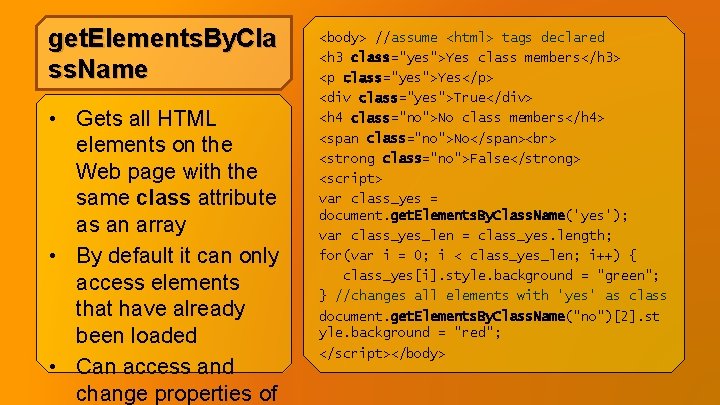
get. Elements. By. Cla ss. Name • Gets all HTML elements on the Web page with the same class attribute as an array • By default it can only access elements that have already been loaded • Can access and change properties of <body> //assume <html> tags declared <h 3 class="yes">Yes class members</h 3> <p class="yes">Yes</p> <div class="yes">True</div> <h 4 class="no">No class members</h 4> <span class="no">No</span> <strong class="no">False</strong> <script> var class_yes = document. get. Elements. By. Class. Name('yes'); var class_yes_len = class_yes. length; for(var i = 0; i < class_yes_len; i++) { class_yes[i]. style. background = "green"; } //changes all elements with 'yes' as class document. get. Elements. By. Class. Name("no")[2]. st yle. background = "red"; </script></body>
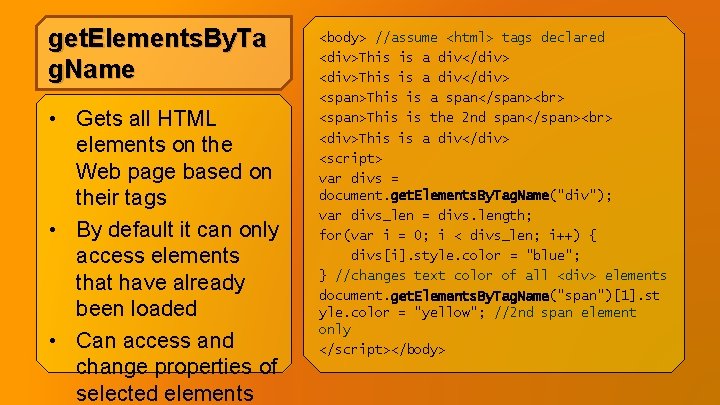
get. Elements. By. Ta g. Name • Gets all HTML elements on the Web page based on their tags • By default it can only access elements that have already been loaded • Can access and change properties of selected elements <body> //assume <html> tags declared <div>This is a div</div> <span>This is a span</span> <span>This is the 2 nd span</span> <div>This is a div</div> <script> var divs = document. get. Elements. By. Tag. Name("div"); var divs_len = divs. length; for(var i = 0; i < divs_len; i++) { divs[i]. style. color = "blue"; } //changes text color of all <div> elements document. get. Elements. By. Tag. Name("span")[1]. st yle. color = "yellow"; //2 nd span element only </script></body>
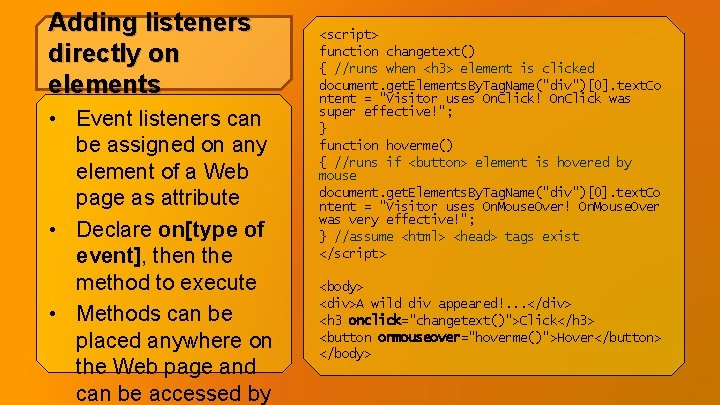
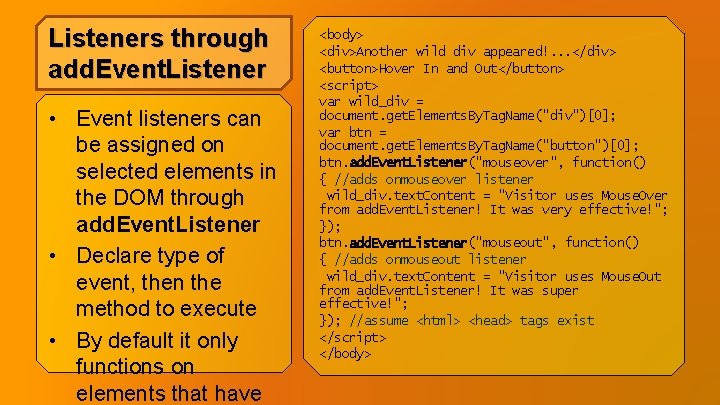
Handling Events • Java. Script can respond to any interactions made by a visitor or browser on a Web page • An event listener is added to an element so that if an action is made to that element on the Web page (click, etc. ) it returns a response, usually through a
Adding listeners directly on elements • Event listeners can be assigned on any element of a Web page as attribute • Declare on[type of event], then the method to execute • Methods can be placed anywhere on the Web page and can be accessed by <script> function changetext() { //runs when <h 3> element is clicked document. get. Elements. By. Tag. Name("div")[0]. text. Co ntent = "Visitor uses On. Click! On. Click was super effective!"; } function hoverme() { //runs if <button> element is hovered by mouse document. get. Elements. By. Tag. Name("div")[0]. text. Co ntent = "Visitor uses On. Mouse. Over! On. Mouse. Over was very effective!"; } //assume <html> <head> tags exist </script> <body> <div>A wild div appeared!. . . </div> <h 3 onclick="changetext()">Click</h 3> <button onmouseover="hoverme()">Hover</button> </body>
Listeners through add. Event. Listener • Event listeners can be assigned on selected elements in the DOM through add. Event. Listener • Declare type of event, then the method to execute • By default it only functions on elements that have <body> <div>Another wild div appeared!. . . </div> <button>Hover In and Out</button> <script> var wild_div = document. get. Elements. By. Tag. Name("div")[0]; var btn = document. get. Elements. By. Tag. Name("button")[0]; btn. add. Event. Listener("mouseover", function() { //adds onmouseover listener wild_div. text. Content = "Visitor uses Mouse. Over from add. Event. Listener! It was very effective!"; }); btn. add. Event. Listener("mouseout", function() { //adds onmouseout listener wild_div. text. Content = "Visitor uses Mouse. Out from add. Event. Listener! It was super effective!"; }); //assume <html> <head> tags exist </script> </body>
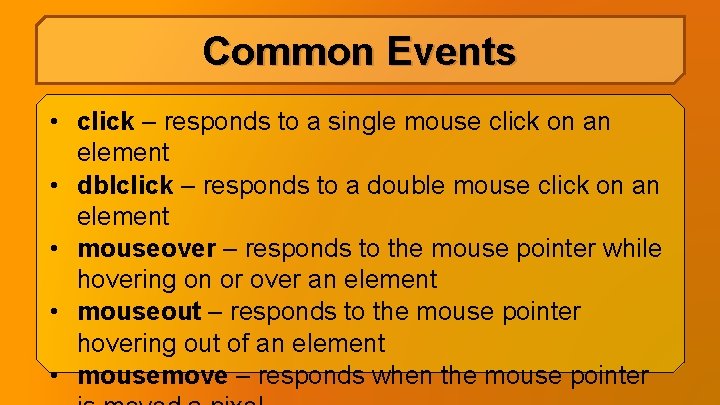
Common Events • click – responds to a single mouse click on an element • dblclick – responds to a double mouse click on an element • mouseover – responds to the mouse pointer while hovering on or over an element • mouseout – responds to the mouse pointer hovering out of an element • mousemove – responds when the mouse pointer
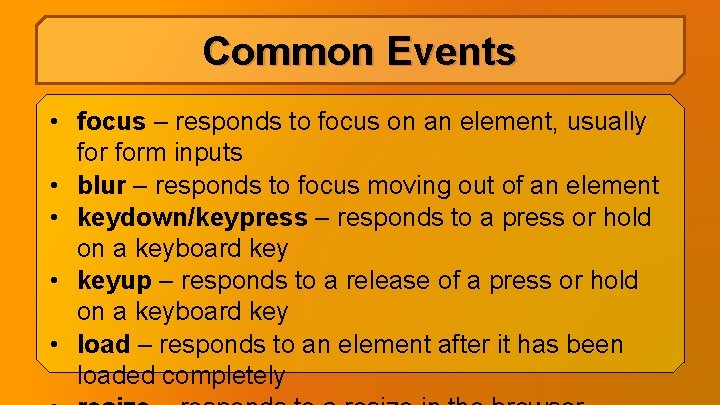
Common Events • focus – responds to focus on an element, usually form inputs • blur – responds to focus moving out of an element • keydown/keypress – responds to a press or hold on a keyboard key • keyup – responds to a release of a press or hold on a keyboard key • load – responds to an element after it has been loaded completely
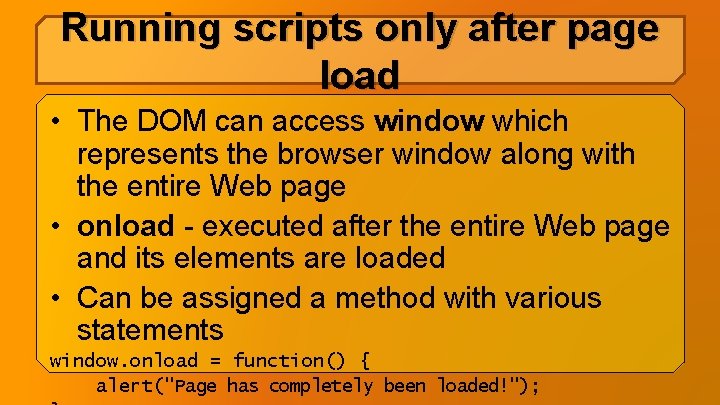
Running scripts only after page load • The DOM can access window which represents the browser window along with the entire Web page • onload - executed after the entire Web page and its elements are loaded • Can be assigned a method with various statements window. onload = function() { alert("Page has completely been loaded!");
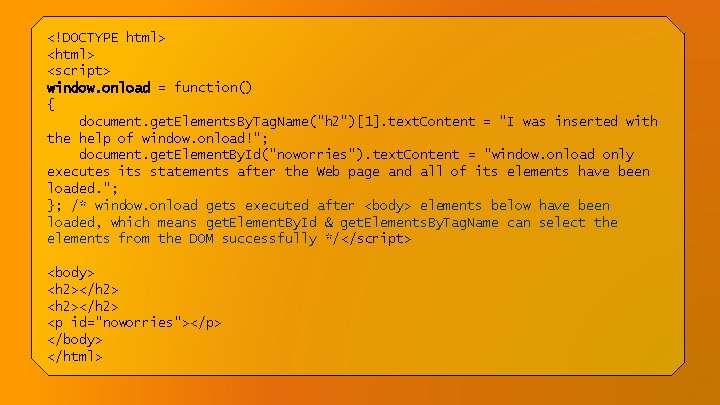
<!DOCTYPE html> <script> window. onload = function() { document. get. Elements. By. Tag. Name("h 2")[1]. text. Content = "I was inserted with the help of window. onload!"; document. get. Element. By. Id("noworries"). text. Content = "window. onload only executes its statements after the Web page and all of its elements have been loaded. "; }; /* window. onload gets executed after <body> elements below have been loaded, which means get. Element. By. Id & get. Elements. By. Tag. Name can select the elements from the DOM successfully */</script> <body> <h 2></h 2> <p id="noworries"></p> </body> </html>
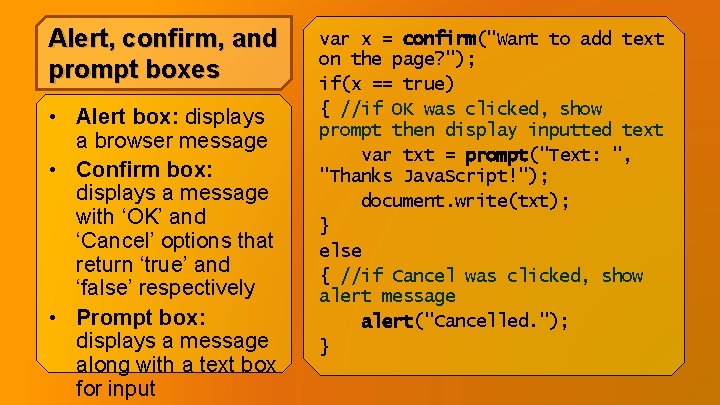
Alert, confirm, and prompt boxes • Alert box: displays a browser message • Confirm box: displays a message with ‘OK’ and ‘Cancel’ options that return ‘true’ and ‘false’ respectively • Prompt box: displays a message along with a text box for input var x = confirm("Want to add text on the page? "); if(x == true) { //if OK was clicked, show prompt then display inputted text var txt = prompt("Text: ", "Thanks Java. Script!"); document. write(txt); } else { //if Cancel was clicked, show alert message alert("Cancelled. "); }
References • Cameron, Dane. (2015). HTML 5, Java. Script and j. Query 24 -Hour Trainer. John Wiley & Sons, Inc. : Indianapolis, IN. • Nixon, Robin. (2014). Learning PHP, My. SQL, Java. Script, • CSS & HTML 5. O’Reilly Media, Inc. : Sebastopol, CA.