
Jonas Lippuner Overview n IPCop Introduction Network Structure


- Slides: 25
Jonas Lippuner
Overview n IPCop Introduction ¨ Network Structure ¨ Services ¨ Addons ¨ n Installing IPCop on a SD card Hardware ¨ Installation ¨
Introduction Linux firewall distribution n the bad packets stop here n SOHO users n current 1. 4. 21 with kernel 2. 4 n version 2. 0 under development n www. ipcop. org n
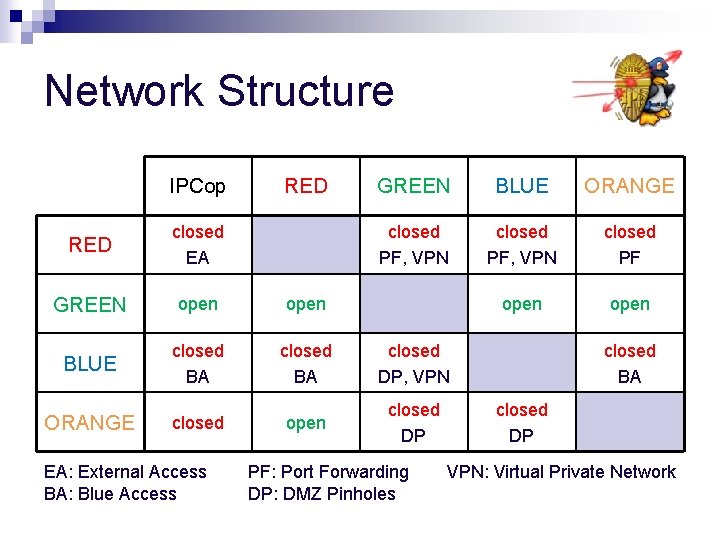
Network Structure up to 4 physically separated networks n RED: untrusted network, i. e. Internet n GREEN: protected (local) network n BLUE: optional network for wireless devices n ORANGE: optional network for public servers (DMZ) n
Network Structure
Network Structure IPCop RED GREEN BLUE ORANGE closed PF, VPN closed PF open RED closed EA GREEN open BLUE closed BA closed DP, VPN open closed DP ORANGE closed EA: External Access BA: Blue Access PF: Port Forwarding DP: DMZ Pinholes closed BA closed DP VPN: Virtual Private Network
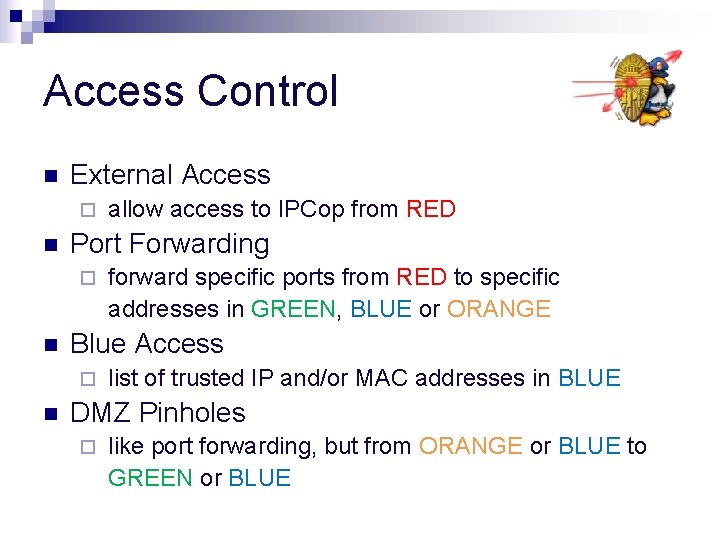
Access Control n External Access ¨ n Port Forwarding ¨ n forward specific ports from RED to specific addresses in GREEN, BLUE or ORANGE Blue Access ¨ n allow access to IPCop from RED list of trusted IP and/or MAC addresses in BLUE DMZ Pinholes ¨ like port forwarding, but from ORANGE or BLUE to GREEN or BLUE
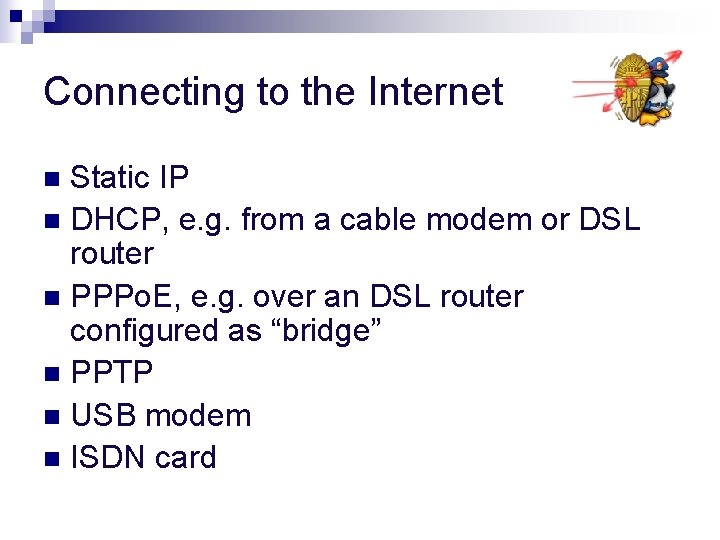
Connecting to the Internet Static IP n DHCP, e. g. from a cable modem or DSL router n PPPo. E, e. g. over an DSL router configured as “bridge” n PPTP n USB modem n ISDN card n
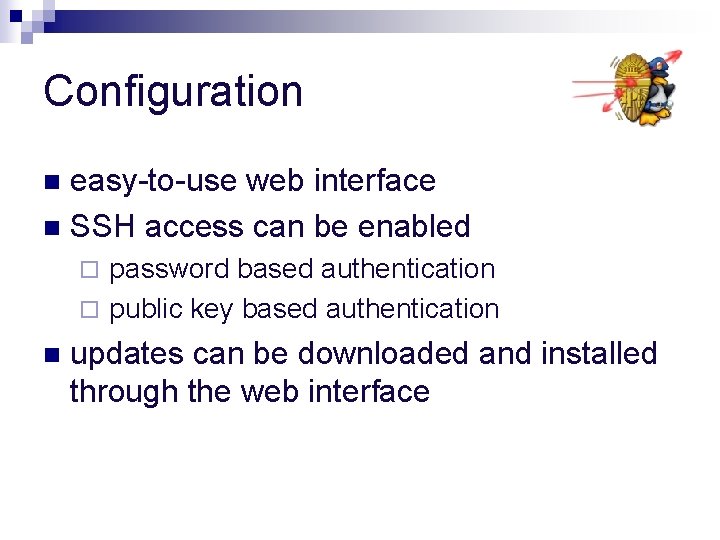
Configuration easy-to-use web interface n SSH access can be enabled n password based authentication ¨ public key based authentication ¨ n updates can be downloaded and installed through the web interface
Services n Web proxy (squid) for GREEN and BLUE ¨ can be transparent for port 80 ¨ n DHCP server for GREEN and BLUE ¨ fixed and dynamic leases ¨ n Dynamic DNS ¨ updates RED IP to a dynamic DNS service
Services n Host Names ¨ n Time Server ¨ n host names can be assigned to IP addresses IPCop retrieves time from public NTP servers and acts as NTP server for local network Traffic Shaping ¨ assign priorities to traffic on different ports
Services n Intrusion Detection System (Snort) on GREEN, BLUE, ORANGE and/or RED ¨ analyses packets for known signatures of malicious activity ¨ passive protection, must be monitored by user ¨ requires a lot of memory ¨
Services n VPN (IPSec) access to GREEN and BLUE from RED and BLUE ¨ secure and encrypted connection through an untrusted network ¨ Net-to-net, Host-to-net (road warrior) ¨ Authentication through pre-shared key or digital certificates ¨
Addons new features and capabilities n unofficial n more than 120 addons n www. ipcopaddons. org n
Addons n Advanced Proxy extends the configuration options ¨ adds user management ¨ n Block. Out. Traffic (BOT) ¨ block access to RED by default and allow only according user-defined rules
Addons n Copfilter ¨ n scans email and web traffic for viruses and spam URL filter blocks specific domains, URLs and/or files ¨ includes time based access control ¨ n WLAN-AP ¨ turns IPCop into a wireless access point
Hardware Requirements minimal n 32 MB RAM (more required for advanced features like IDS) n 128 MB SD card is enough (more space required for extensive logging) n Network adapters (number depends on network configuration) n
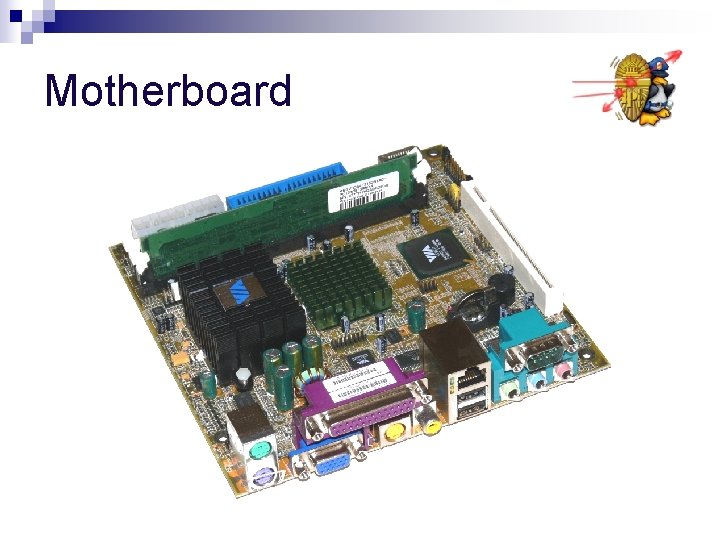
Motherboard
Motherboard Mini-ITX n embedded CPU (533 MHz) n 128 MB RAM n integrated graphics chip n 2 x USB v 1. 1 ports n 1 x network adapter (10/100 Mbps) n 1 x PCI slot n fanless n
Power Supply
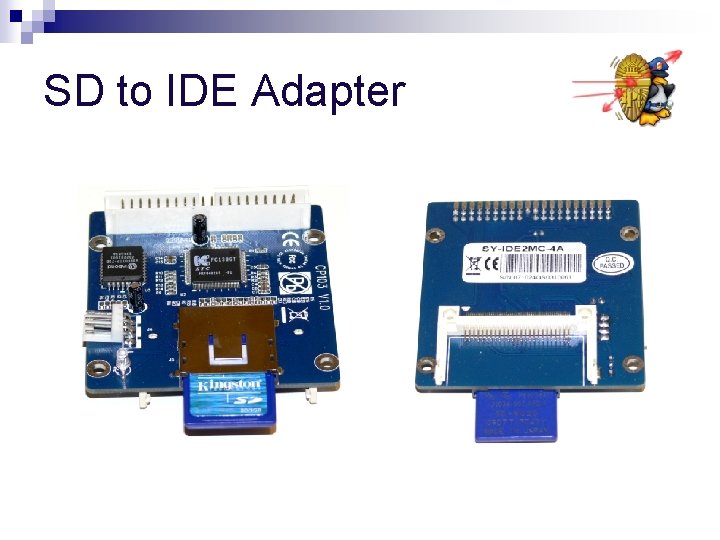
SD to IDE Adapter
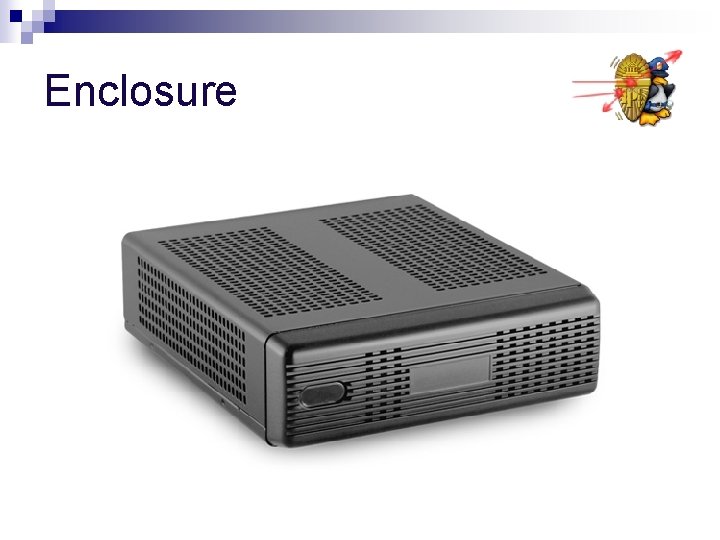
Enclosure
Enclosure designed for Mini-ITX and Pico. PSU n up to two 2. 5” drives n 2 x hidden USB ports n wireless antenna hole n no space for PCI card n fanless n
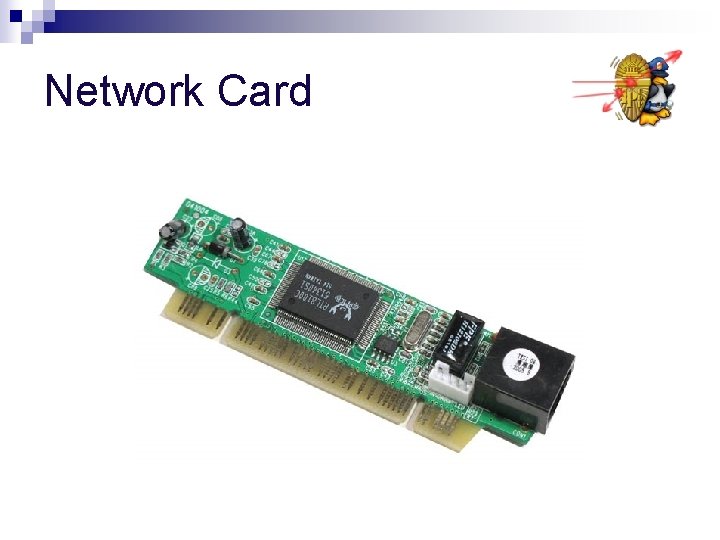
Network Card
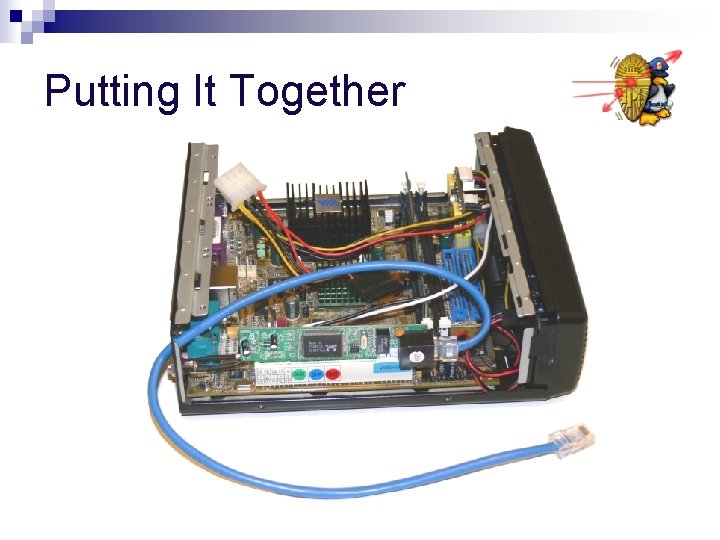
Putting It Together