
JIS Case Processing and Security Presented by Jan
JIS Case Processing and Security Presented by Jan Hickey, JIS Education Services Washington State Administrative Office of the Courts
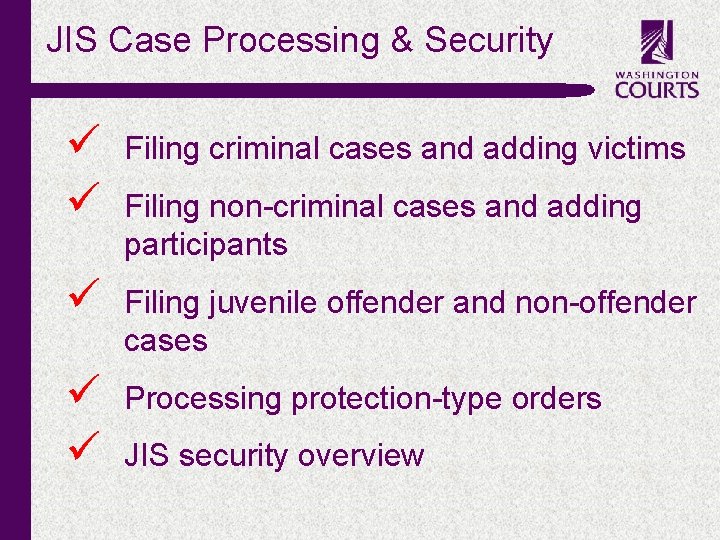
JIS Case Processing & Security c ü ü Filing criminal cases and adding victims ü Filing juvenile offender and non-offender cases ü ü Processing protection-type orders Filing non-criminal cases and adding participants JIS security overview
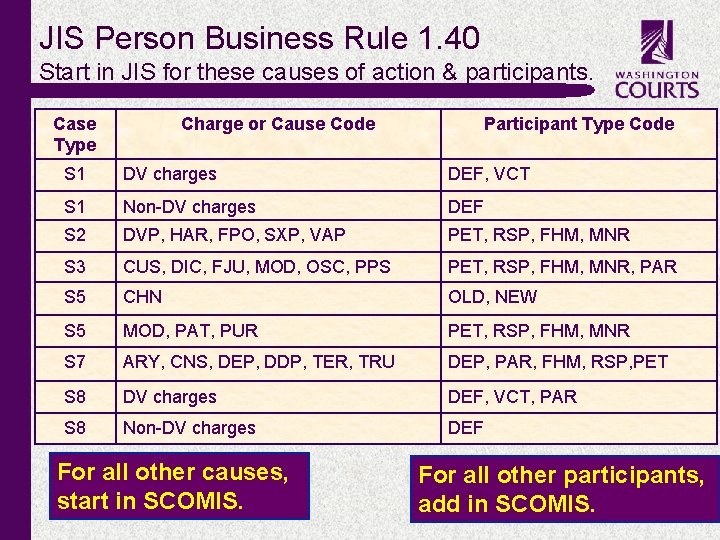
JIS Person Business Rule 1. 40 Start in JIS for these causes of action & participants. Case Type Charge or Cause Code S 1 DV charges DEF, VCT S 1 Non-DV charges DEF S 2 DVP, HAR, FPO, SXP, VAP PET, RSP, FHM, MNR S 3 CUS, DIC, FJU, MOD, OSC, PPS PET, RSP, FHM, MNR, PAR S 5 CHN OLD, NEW S 5 MOD, PAT, PUR PET, RSP, FHM, MNR S 7 ARY, CNS, DEP, DDP, TER, TRU DEP, PAR, FHM, RSP, PET S 8 DV charges DEF, VCT, PAR S 8 Non-DV charges DEF For all other causes, start in SCOMIS. c Participant Type Code For all other participants, add in SCOMIS.
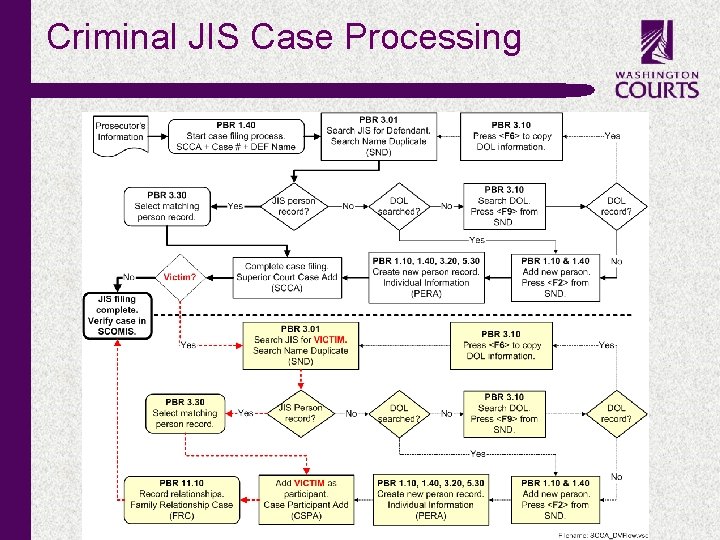
Criminal JIS Case Processing c
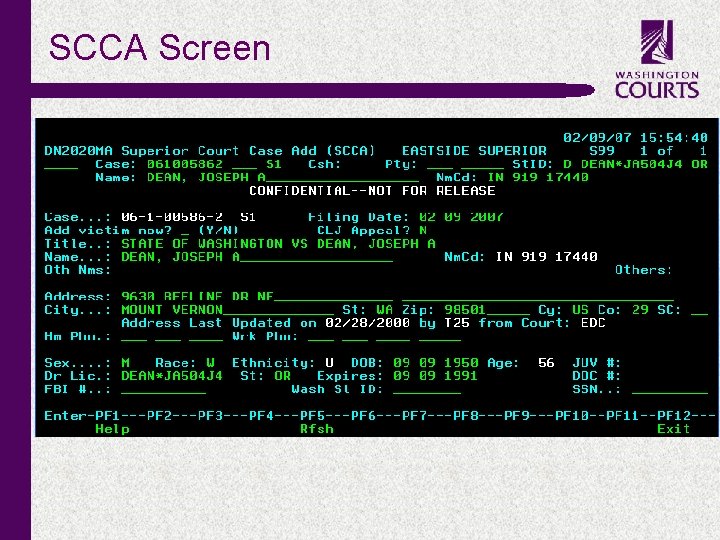
SCCA Screen c
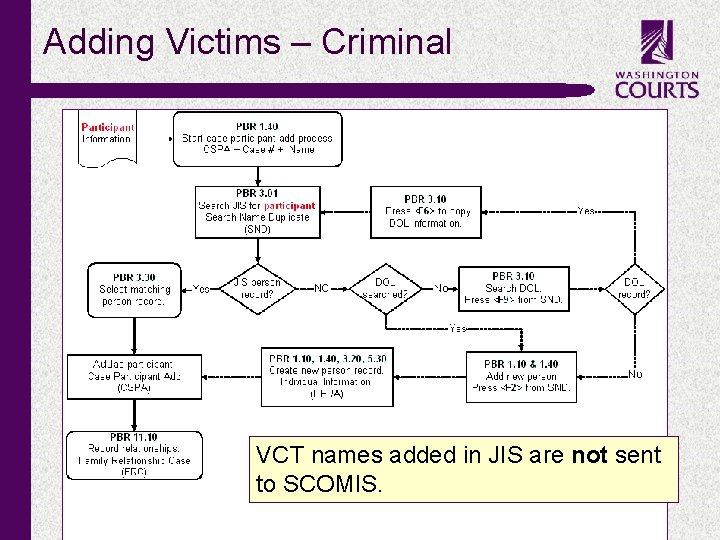
Adding Victims – Criminal VCT names added in JIS are not sent to SCOMIS. c
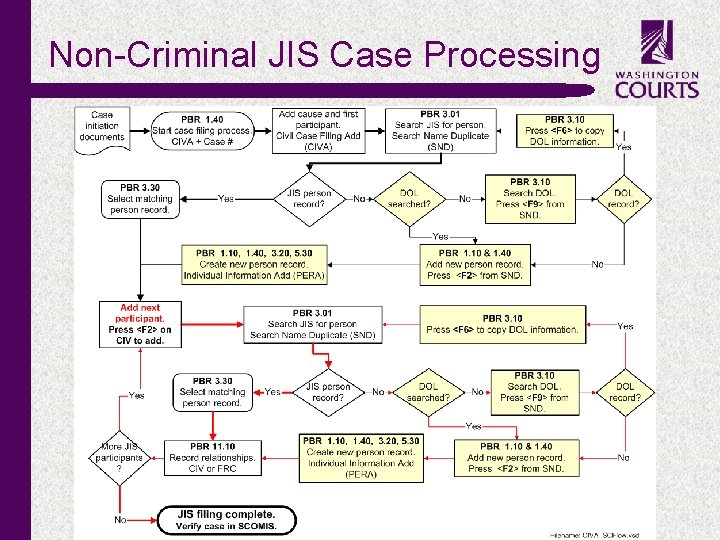
Non-Criminal JIS Case Processing c

CIVA Screen c
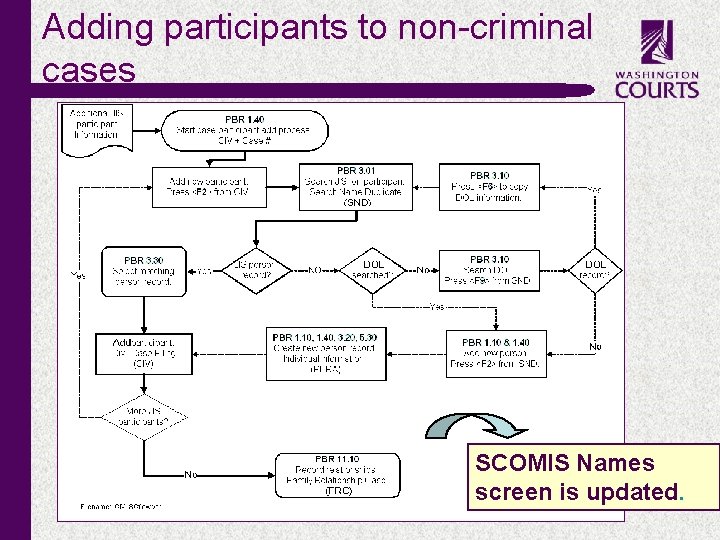
Adding participants to non-criminal cases SCOMIS Names screen is updated. c
Juvenile Offender JIS Case Processing c ü File case based on an existing referral in the Juvenile Department ü File case and auto-generate a referral for the Juvenile Department
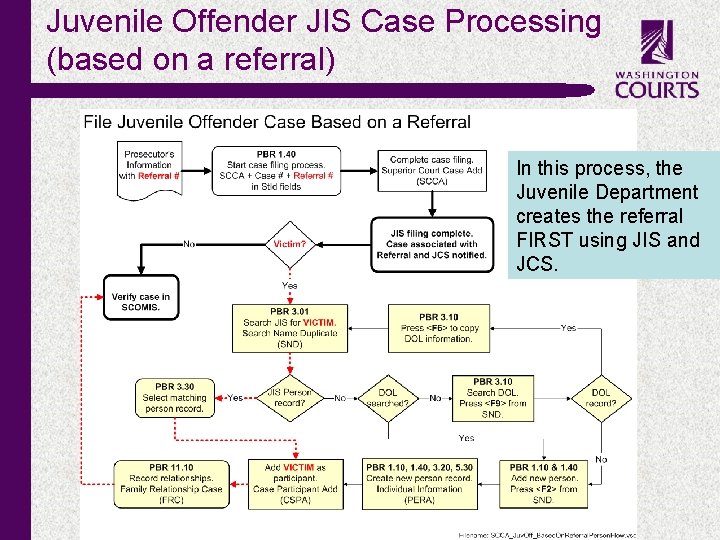
Juvenile Offender JIS Case Processing (based on a referral) In this process, the Juvenile Department creates the referral FIRST using JIS and JCS. c
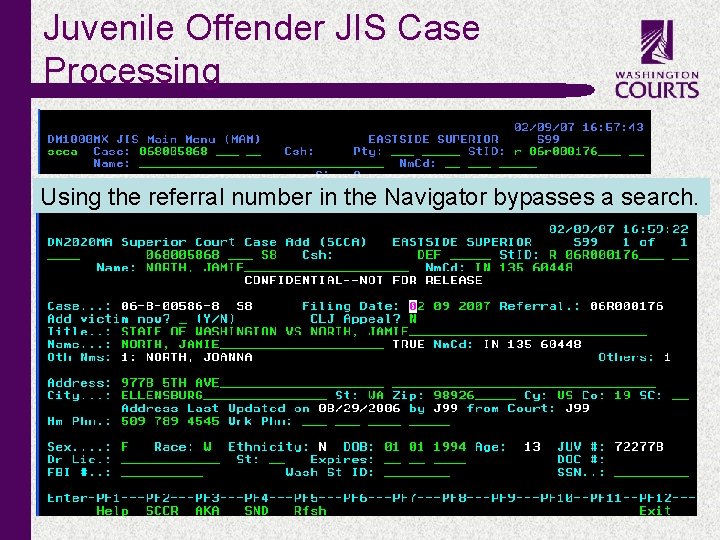
Juvenile Offender JIS Case Processing Using the referral number in the Navigator bypasses a search. c
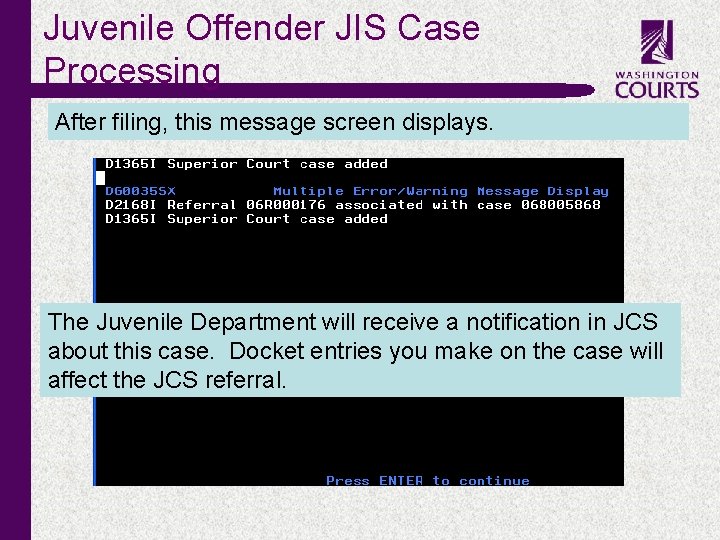
Juvenile Offender JIS Case Processing After filing, this message screen displays. The Juvenile Department will receive a notification in JCS about this case. Docket entries you make on the case will affect the JCS referral. c
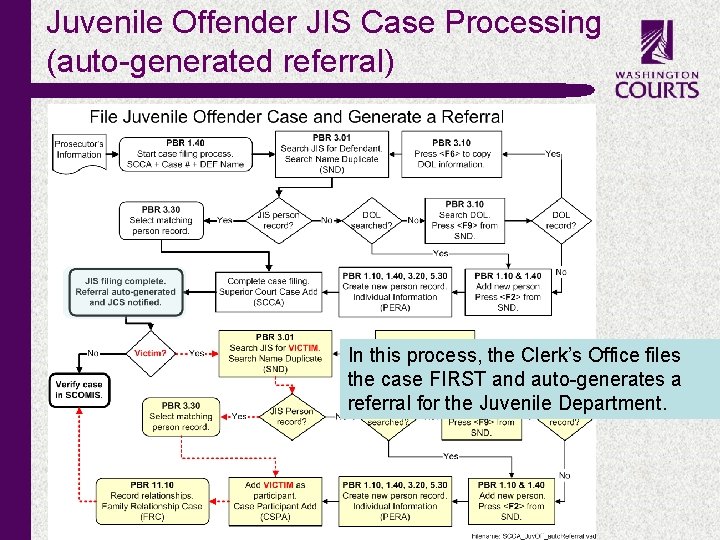
Juvenile Offender JIS Case Processing (auto-generated referral) In this process, the Clerk’s Office files the case FIRST and auto-generates a referral for the Juvenile Department. c
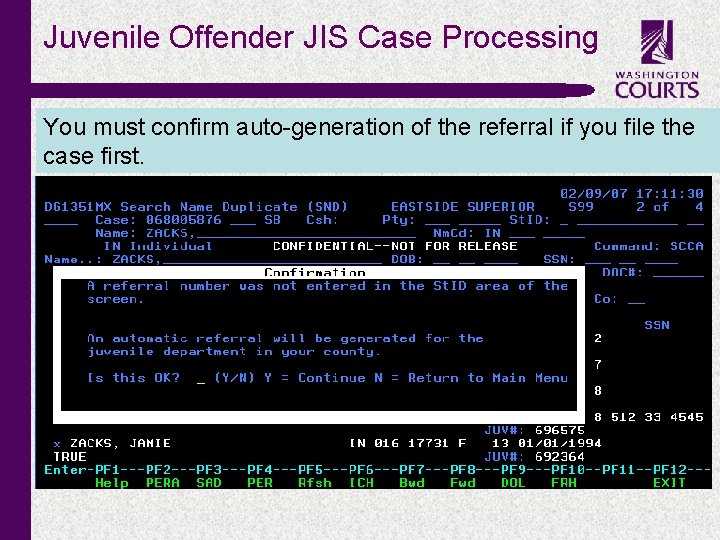
Juvenile Offender JIS Case Processing You must confirm auto-generation of the referral if you file the case first. c
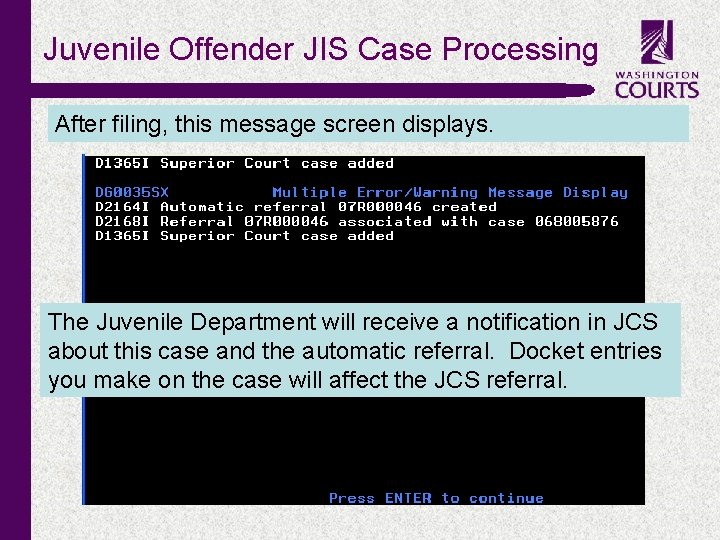
Juvenile Offender JIS Case Processing After filing, this message screen displays. The Juvenile Department will receive a notification in JCS about this case and the automatic referral. Docket entries you make on the case will affect the JCS referral. c
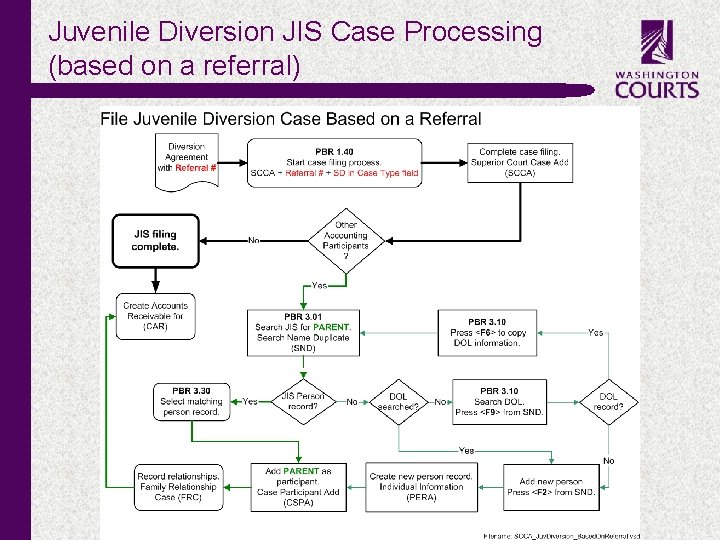
Juvenile Diversion JIS Case Processing (based on a referral) c
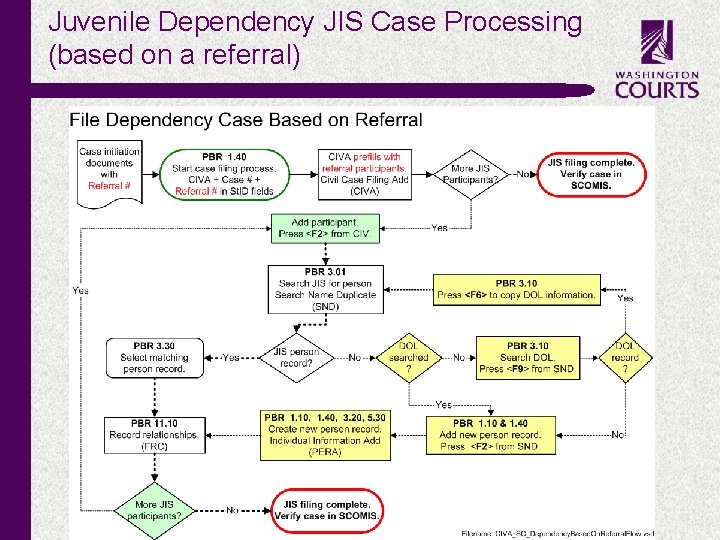
Juvenile Dependency JIS Case Processing (based on a referral) c
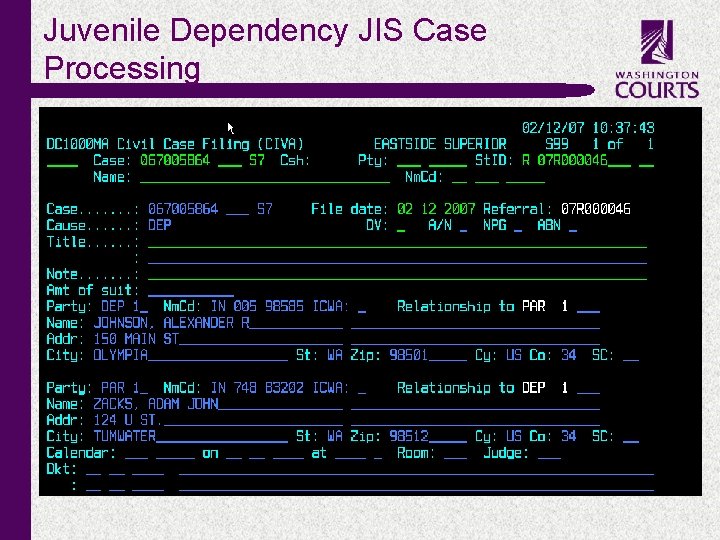
Juvenile Dependency JIS Case Processing c
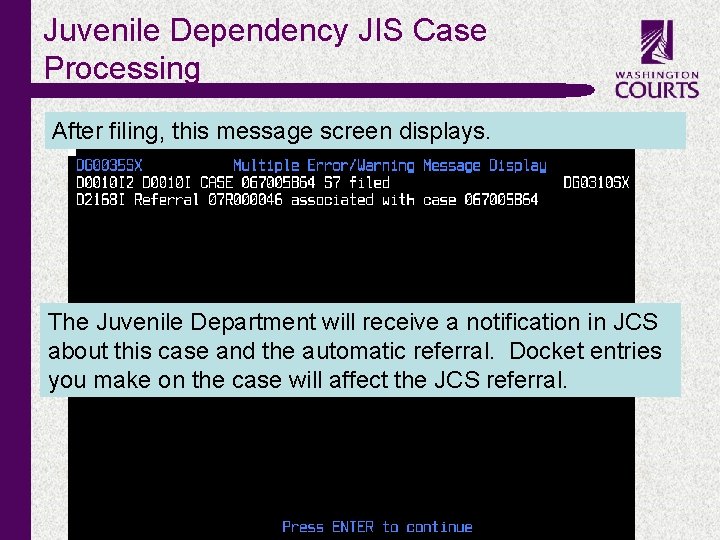
Juvenile Dependency JIS Case Processing After filing, this message screen displays. The Juvenile Department will receive a notification in JCS about this case and the automatic referral. Docket entries you make on the case will affect the JCS referral. c
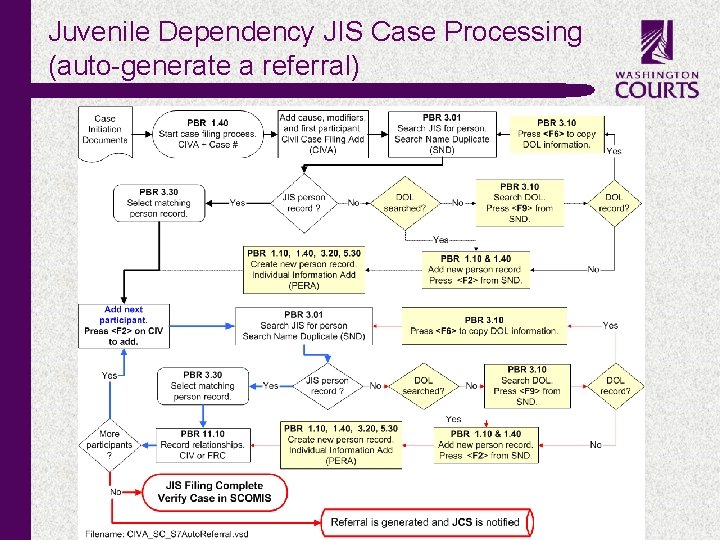
Juvenile Dependency JIS Case Processing (auto-generate a referral) c
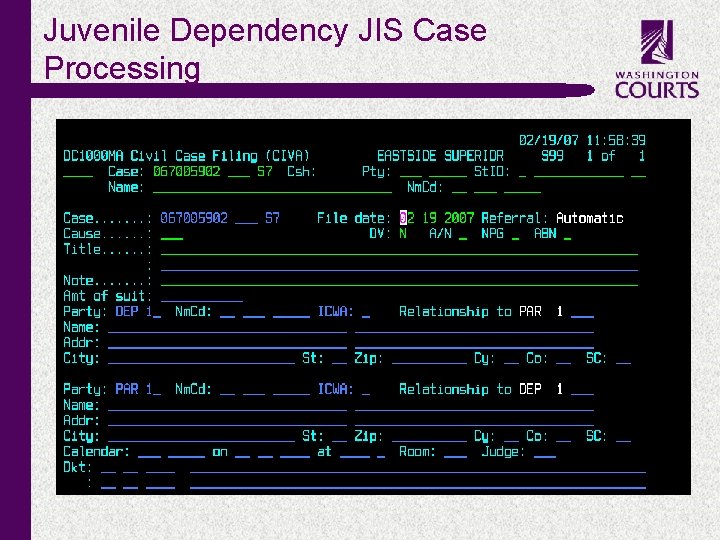
Juvenile Dependency JIS Case Processing c
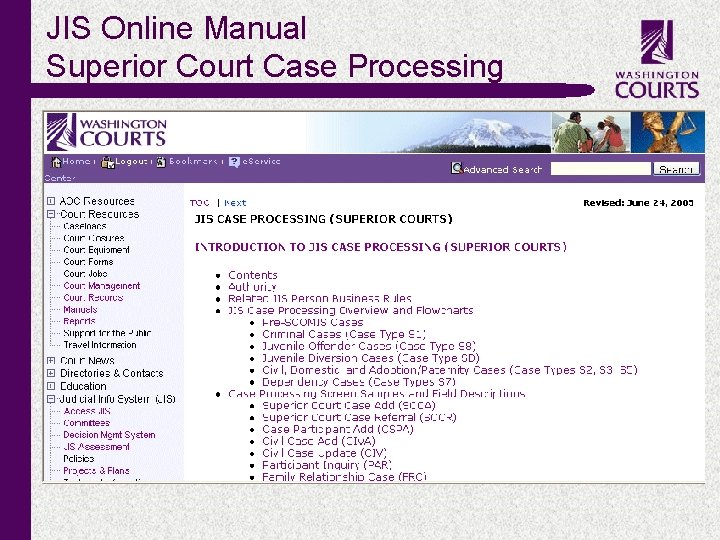
JIS Online Manual Superior Court Case Processing c
JIS SCOMIS c Protection-Type Orders
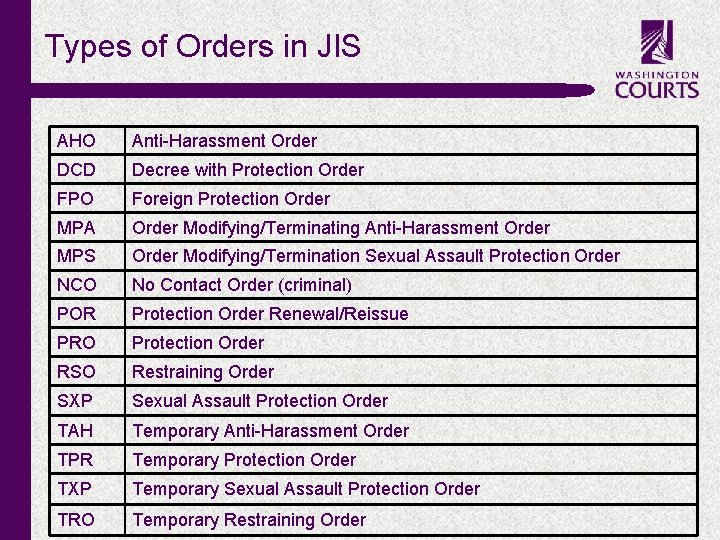
Types of Orders in JIS c AHO Anti-Harassment Order DCD Decree with Protection Order FPO Foreign Protection Order MPA Order Modifying/Terminating Anti-Harassment Order MPS Order Modifying/Termination Sexual Assault Protection Order NCO No Contact Order (criminal) POR Protection Order Renewal/Reissue PRO Protection Order RSO Restraining Order SXP Sexual Assault Protection Order TAH Temporary Anti-Harassment Order TPR Temporary Protection Order TXP Temporary Sexual Assault Protection Order TRO Temporary Restraining Order
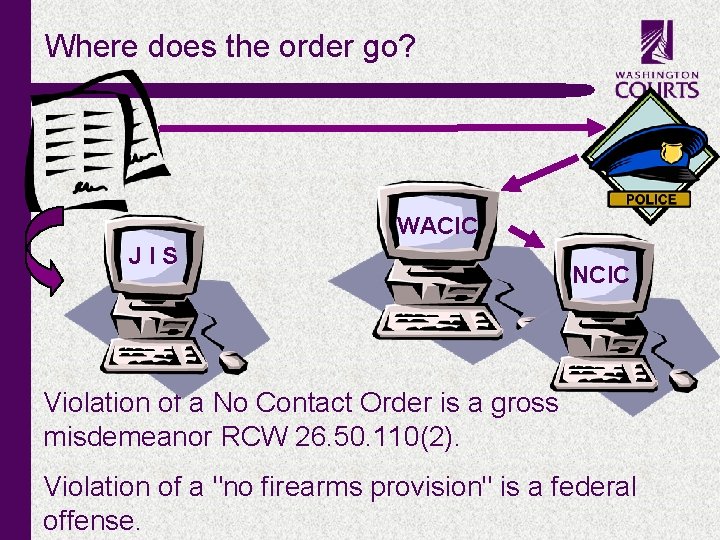
Where does the order go? WACIC JIS NCIC • Violation of a No Contact Order is a gross misdemeanor RCW 26. 50. 110(2). • Violation of a "no firearms provision" is a federal offense. c
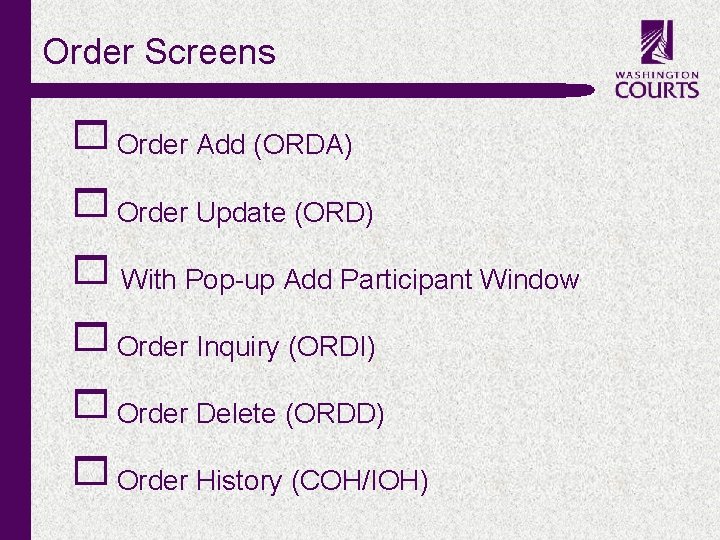
Order Screens 1 Order Add (ORDA) 1 Order Update (ORD) 1 With Pop-up Add Participant Window 1 Order Inquiry (ORDI) 1 Order Delete (ORDD) 1 Order History (COH/IOH) c
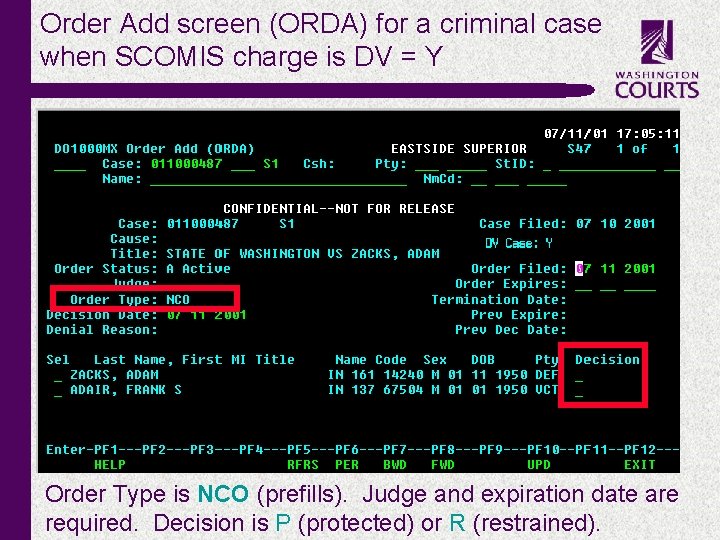
Order Add screen (ORDA) for a criminal case when SCOMIS charge is DV = Y c Order Type is NCO (prefills). Judge and expiration date are required. Decision is P (protected) or R (restrained).
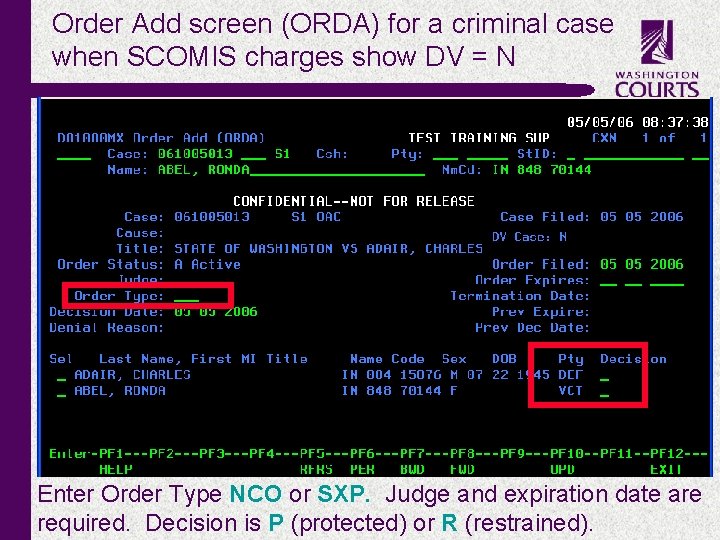
Order Add screen (ORDA) for a criminal case when SCOMIS charges show DV = N c Enter Order Type NCO or SXP. Judge and expiration date are required. Decision is P (protected) or R (restrained).
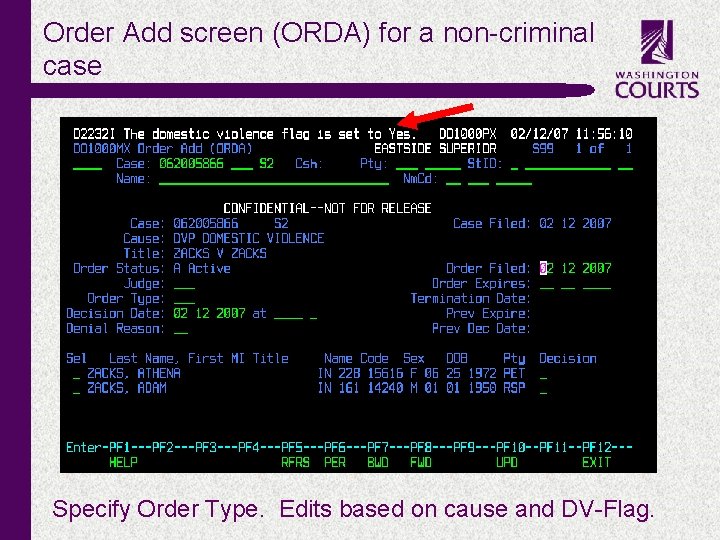
Order Add screen (ORDA) for a non-criminal case c Specify Order Type. Edits based on cause and DV-Flag.
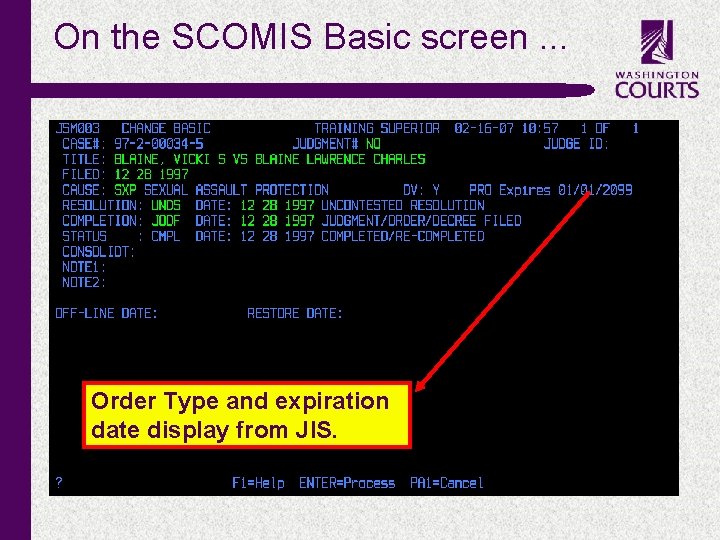
On the SCOMIS Basic screen. . . Order Type and expiration date display from JIS. c
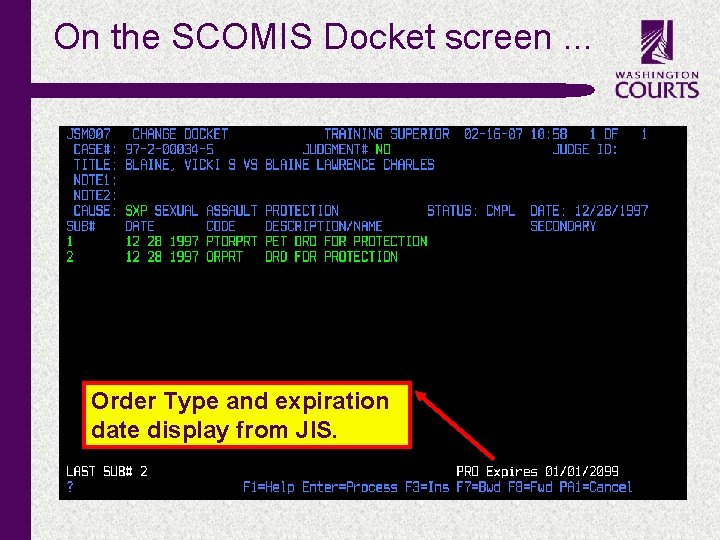
On the SCOMIS Docket screen. . . Order Type and expiration date display from JIS. c
ORDA vs ORD § ORDA § Add Order § Modify Order § Add denied order § ORD § Add Order Participant § Terminate Order c
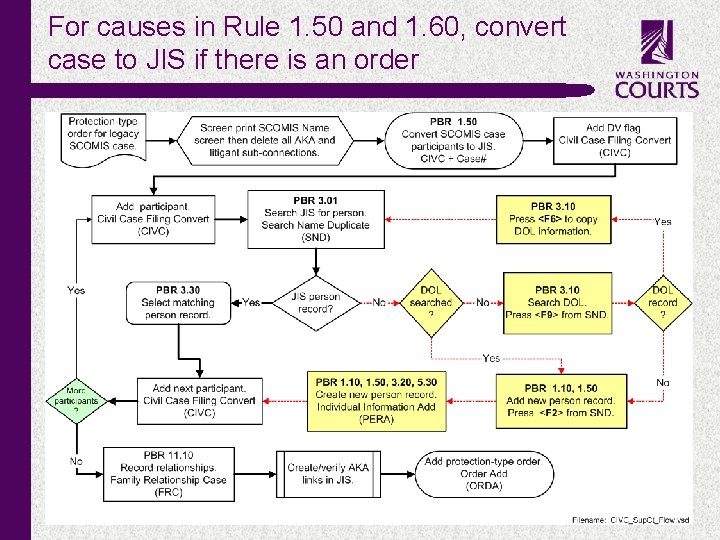
For causes in Rule 1. 50 and 1. 60, convert case to JIS if there is an order c
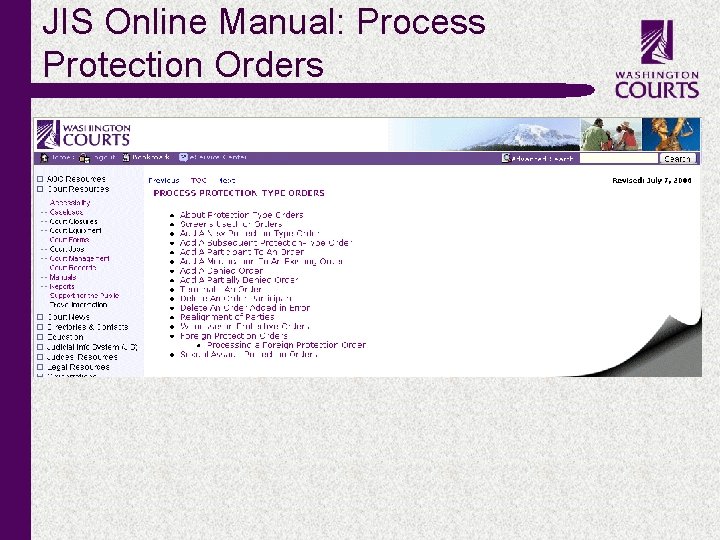
JIS Online Manual: Process Protection Orders c
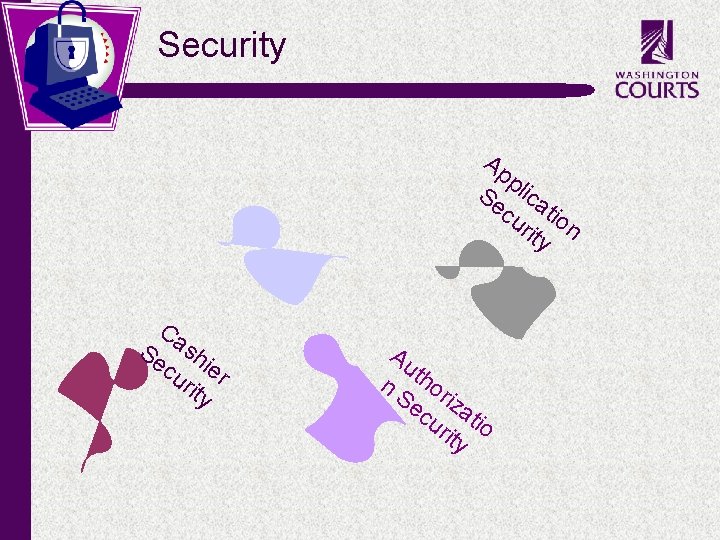
Security Ap p Se lica cu tio rit n y Ca Se sh cu ier rit y c Au n thor Se iz cu atio rit y
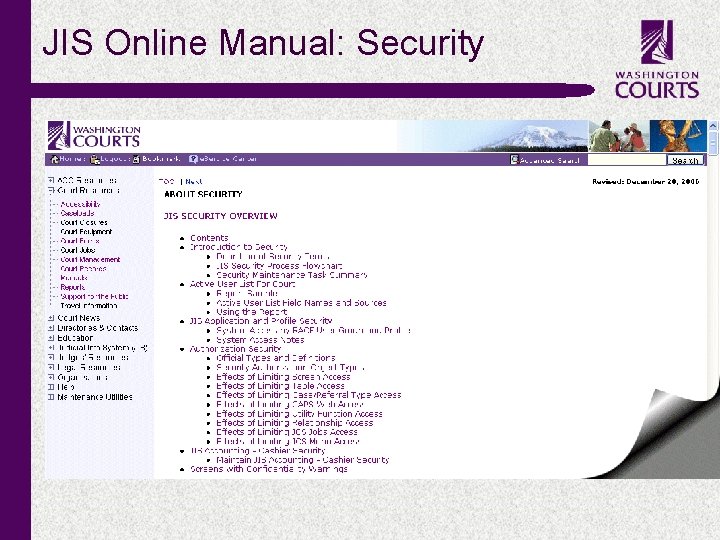
JIS Online Manual: Security c
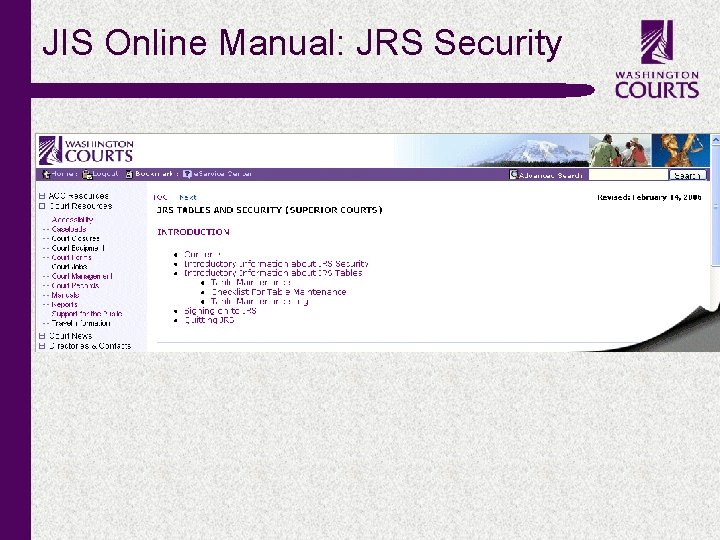
JIS Online Manual: JRS Security c
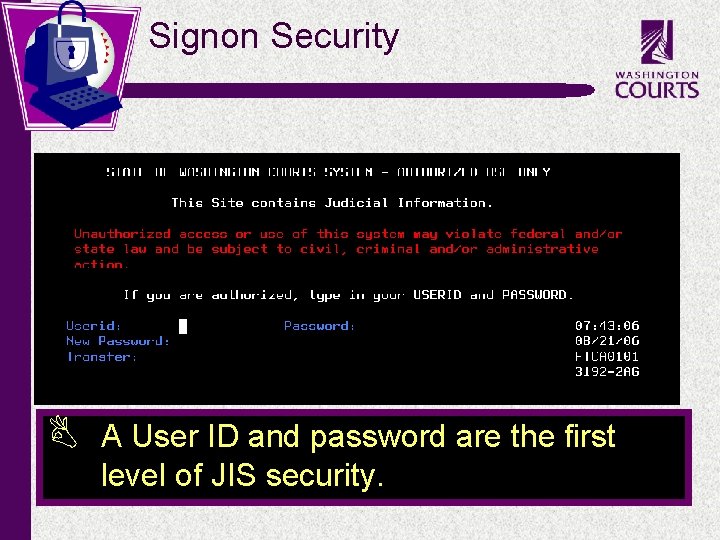
Signon Security B c A User ID and password are the first level of JIS security.
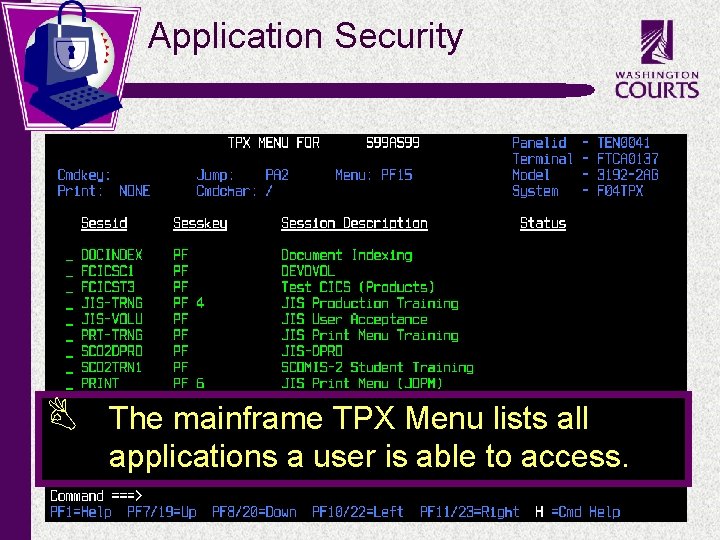
Application Security B c The mainframe TPX Menu lists all applications a user is able to access.
Authorization Security B JIS users authorization security is set by a local security administrator. ü ü ü B c Screens (S) Tables (T) Case Types (C) Utilities (U) Family Relationships (F) SCOMIS users authorization security is set by AOC at the request of a local administrator. ü ü Commands Case Types
Maintaining Signon (RACF) Security c ü Strictly control who is given a User ID. ü Regularly review the User List generated by RACFADMN. ü Regularly review the Active user List requested from AOC Customer Services. ü Promptly reset signon passwords using RACFADMN. ü Delete User IDs when necessary using RACFADMN.
Maintaining JIS Authorization Security c ü Control security on the ATHA and ATHX screens. ü Regularly review each user’s Local Court Profile Security Report generated from the ATH screen. ü Delete security authorizations using the ATHD screen when a person leaves court employment. ü Keep the level of security consistent with job duties.
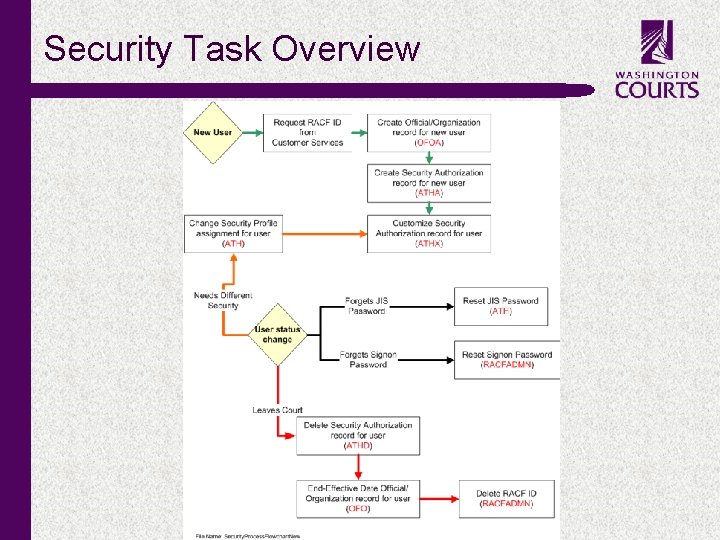
Security Task Overview c
Request RACF IDs or Changes Online § Inside. Courts § Court Resources § Court Management § Manage JIS User IDs § Manage JIS User Access § Manage SCOMIS User Access c
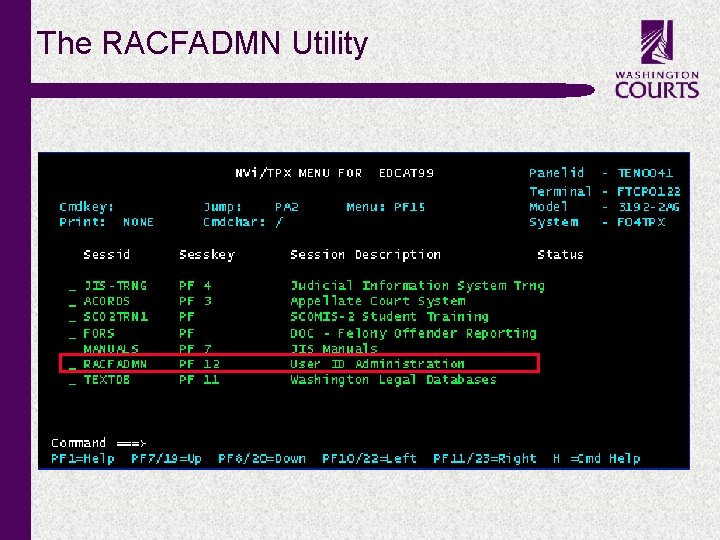
The RACFADMN Utility c
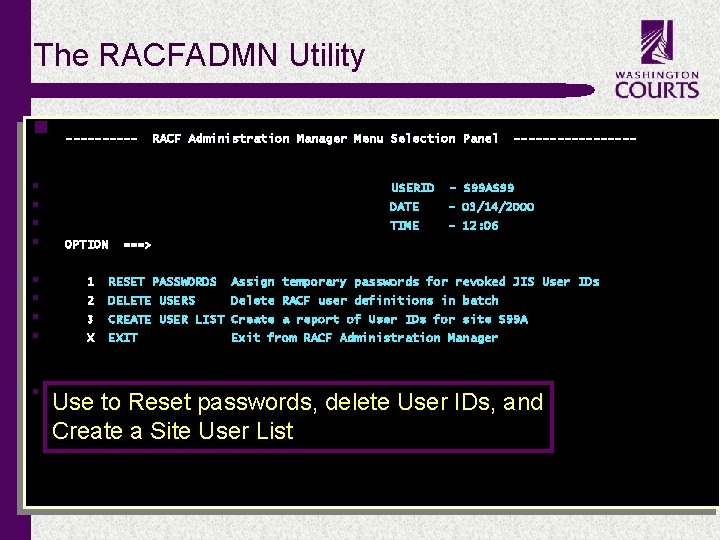
The RACFADMN Utility § § § § § c ----- OPTION RACF Administration Manager Menu Selection Panel --------- USERID - S 99 AS 99 DATE - 03/14/2000 TIME - 12: 06 ===> 1 RESET PASSWORDS Assign temporary passwords for revoked JIS User IDs 2 DELETE USERS Delete RACF user definitions in batch 3 CREATE USER LIST Create a report of User IDs for site S 99 A X EXIT Exit from RACF Administration Manager Use to Reset passwords, delete User IDs, and Create a Site User List Type your selection on the OPTION line and press ENTER.
- Slides: 47