
Jira Workflows for Business Teams Rachel Wright Author
Jira Workflows for Business Teams Rachel Wright, Author Jira Strategy Admin Workbook
Topics • Workflow Types • Resolved ≄ Closed • Do’s and Don’ts • Custom Workflow Planning • Custom Workflow Process • Workflow Concepts • Add-ons & Plugins • Resources jirastrategy. com
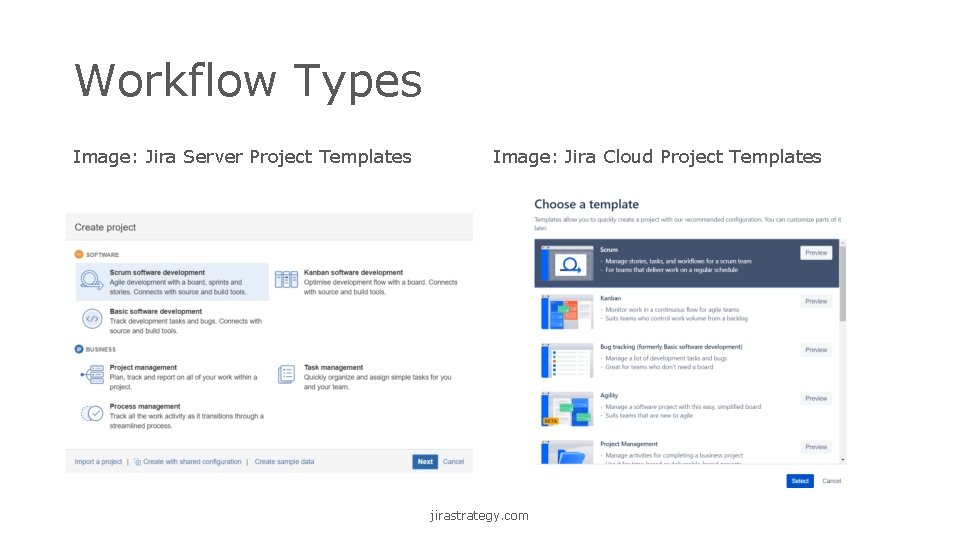
Workflow Types Image: Jira Server Project Templates Image: Jira Cloud Project Templates jirastrategy. com
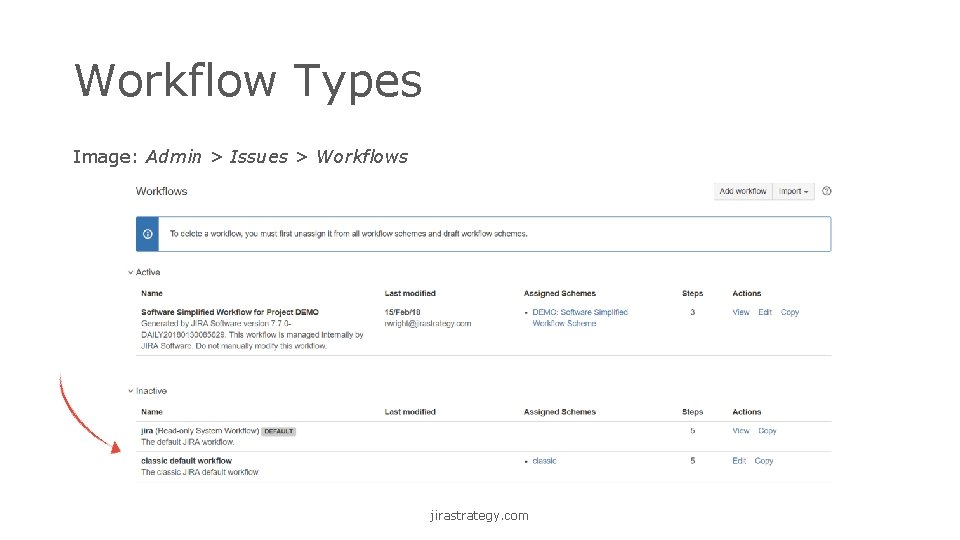
Workflow Types Image: Admin > Issues > Workflows jirastrategy. com
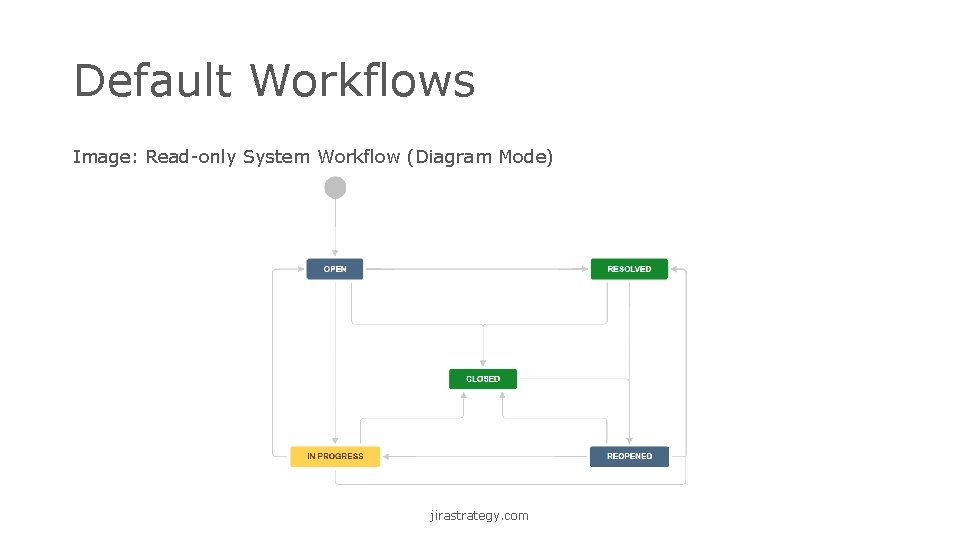
Default Workflows Image: Read-only System Workflow (Diagram Mode) jirastrategy. com
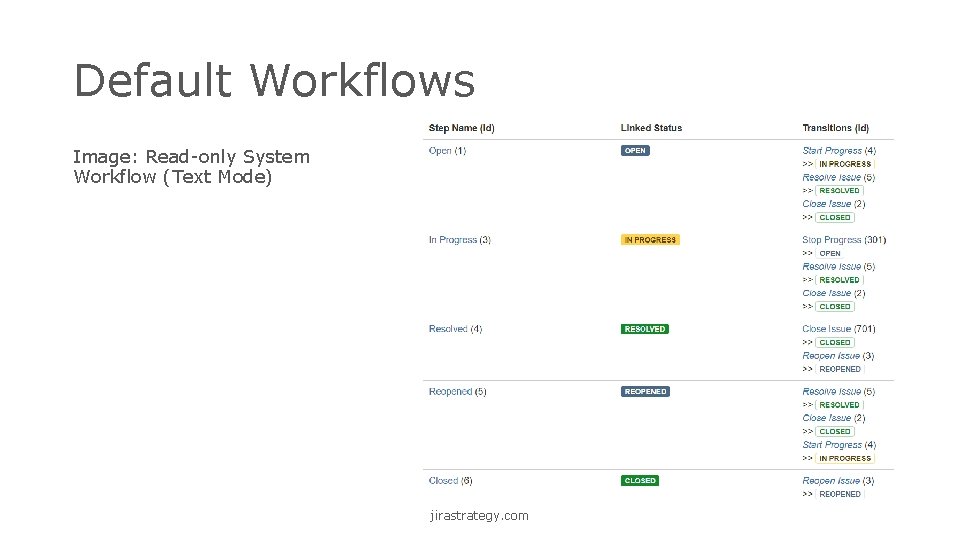
Default Workflows Image: Read-only System Workflow (Text Mode) jirastrategy. com
Software vs. Business Workflows Software Business • Receive Request • Review Requirements • Write Code • Test Code • Deploy Code • etc. • Extra Steps • Forward & Backward Movement • Conditional • Highly Customized • etc. jirastrategy. com
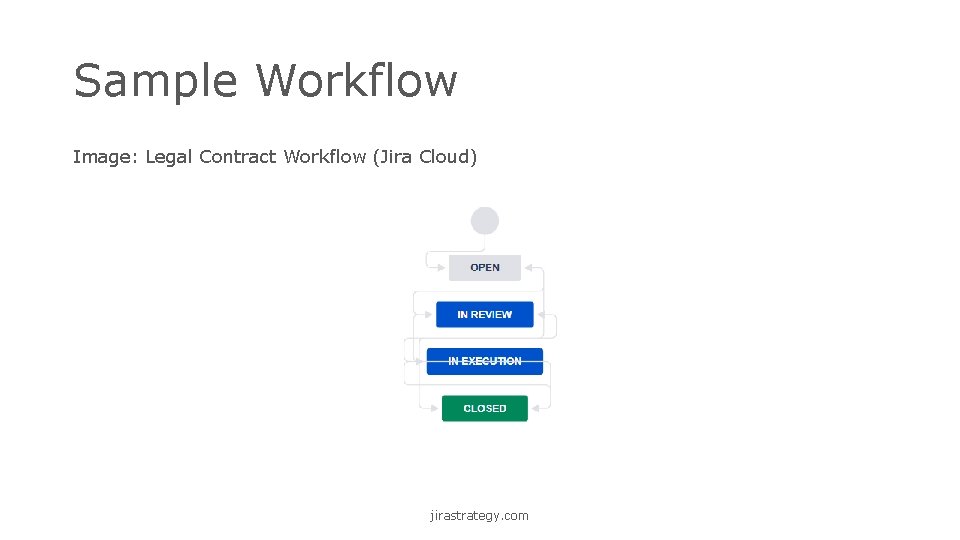
Sample Workflow Image: Legal Contract Workflow (Jira Cloud) jirastrategy. com
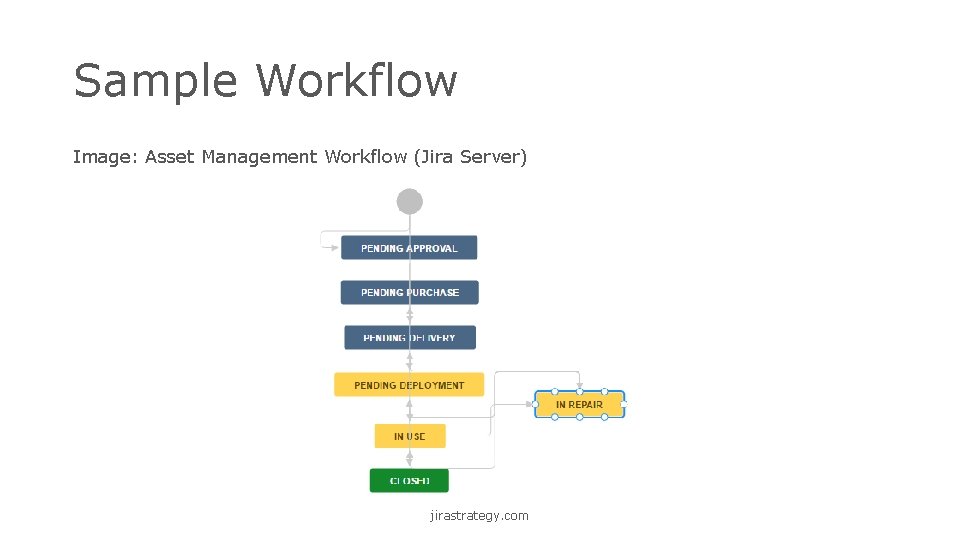
Sample Workflow Image: Asset Management Workflow (Jira Server) jirastrategy. com
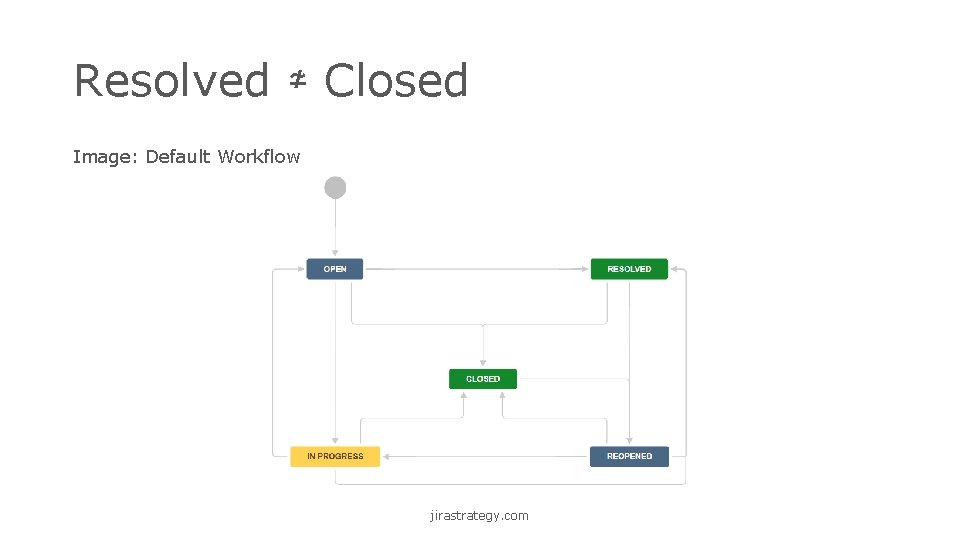
Resolved ≄ Closed Image: Default Workflow jirastrategy. com
Do’s and Don’ts Do • Use Proper Naming • Give Users & Admins Options • Use Appropriate Workflow Behaviors • Use Roles and Groups jirastrategy. com
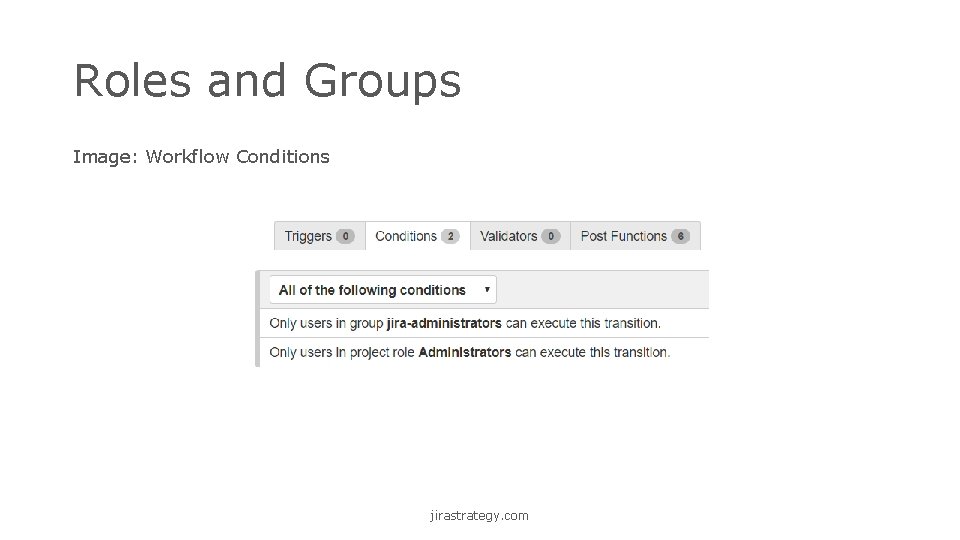
Roles and Groups Image: Workflow Conditions jirastrategy. com
Do’s and Don’ts Don’t • Add Unneeded Complexity • Create Temporary or “Dead” Statuses • Be Too Specific • Create Illogical Statuses and Transitions jirastrategy. com
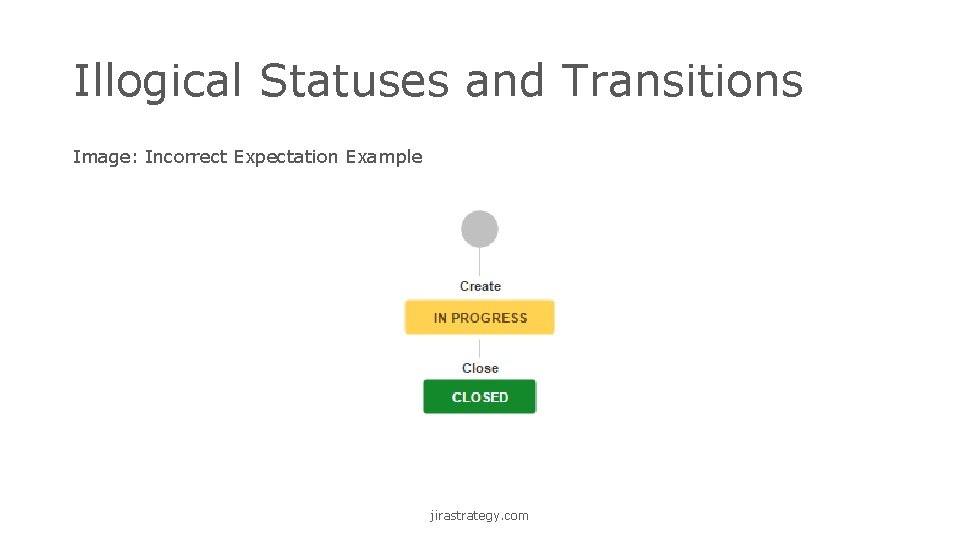
Illogical Statuses and Transitions Image: Incorrect Expectation Example jirastrategy. com
Custom Workflow Planning • Phased Approach • Example: Your company is signing a partnership agreement • Open > In Review > In Execution > Closed jirastrategy. com
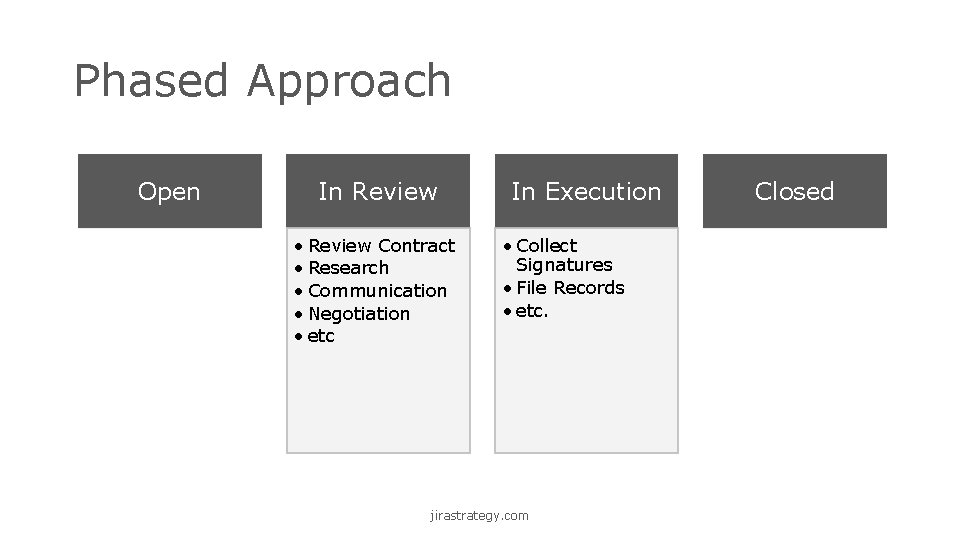
Phased Approach Open In Review • Review Contract • Research • Communication • Negotiation • etc In Execution • Collect Signatures • File Records • etc. jirastrategy. com Closed
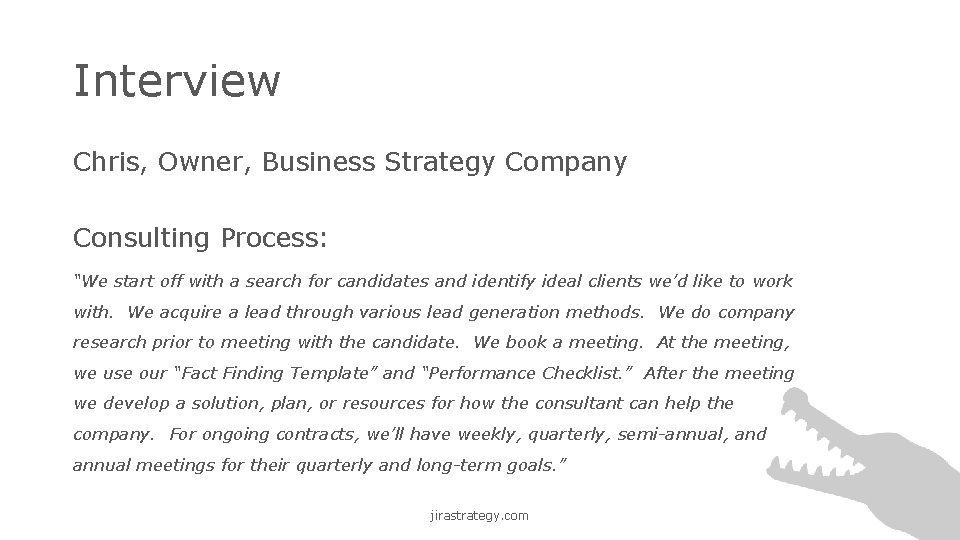
Interview Chris, Owner, Business Strategy Company Consulting Process: “We start off with a search for candidates and identify ideal clients we’d like to work with. We acquire a lead through various lead generation methods. We do company research prior to meeting with the candidate. We book a meeting. At the meeting, we use our “Fact Finding Template” and “Performance Checklist. ” After the meeting we develop a solution, plan, or resources for how the consultant can help the company. For ongoing contracts, we’ll have weekly, quarterly, semi-annual, and annual meetings for their quarterly and long-term goals. ” jirastrategy. com
Custom Workflow Process • Narrative • Statuses + Forward Transitions • Statuses + Forward + Alternate Transitions • Transition Behaviors jirastrategy. com
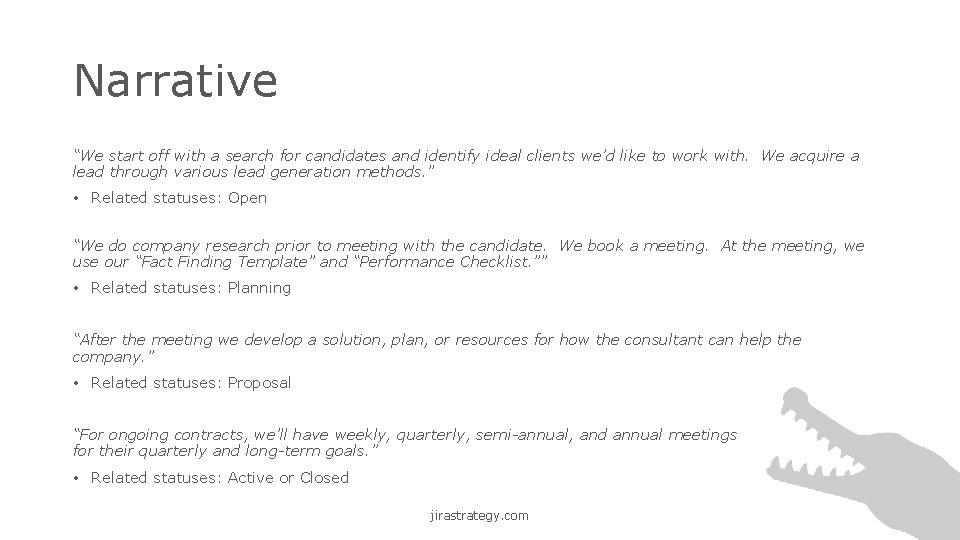
Narrative “We start off with a search for candidates and identify ideal clients we’d like to work with. We acquire a lead through various lead generation methods. ” • Related statuses: Open “We do company research prior to meeting with the candidate. We book a meeting. At the meeting, we use our “Fact Finding Template” and “Performance Checklist. ”” • Related statuses: Planning “After the meeting we develop a solution, plan, or resources for how the consultant can help the company. ” • Related statuses: Proposal “For ongoing contracts, we’ll have weekly, quarterly, semi-annual, and annual meetings for their quarterly and long-term goals. ” • Related statuses: Active or Closed jirastrategy. com
![Statuses Key: Status = Open [label] Planning Proposal Active Closed In Words: A lead](http://slidetodoc.com/presentation_image_h/bbdcc8c13358b3d623cf5e483f4ac2ae/image-20.jpg "Statuses Key: Status = Open [label] Planning Proposal Active Closed In Words: A lead")
Statuses Key: Status = Open [label] Planning Proposal Active Closed In Words: A lead is acquired and on creation is in the “Open” status. Research and meetings occur in the “Planning” status. Solutions are determined and pitched in the “Proposal” status. If the proposal is accepted, the issue moves to the “Active” status where all ongoing consulting occurs. When consulting is complete, the issues moves to the final “Closed” status. jirastrategy. com
![Statuses + Forward Transitions Key: Status = [label] Open , Transition Button = [label]](http://slidetodoc.com/presentation_image_h/bbdcc8c13358b3d623cf5e483f4ac2ae/image-21.jpg "Statuses + Forward Transitions Key: Status = [label] Open , Transition Button = [label]")
Statuses + Forward Transitions Key: Status = [label] Open , Transition Button = [label] Proposal Planning Start Planning , Happy Path = Start Proposal Closed Active Start Consulting Close In Words: A lead is acquired and on creation is in the “Open” status. The user clicks the “Start Planning” transition button to move to the “Planning” status where all research and meetings occur. The user clicks the “Start Proposal” button to determine solutions and pitch them to the customer. If the proposal is accepted, the user clicks the “Start Consulting” button to move to the “Active” status where all ongoing consulting occurs. When consulting is complete, the user clicks the “Close” button to move to the final “Closed” status. jirastrategy. com
![Statuses + Alternate Transitions Key: Status = [label] , Transition Button = Open [label]](http://slidetodoc.com/presentation_image_h/bbdcc8c13358b3d623cf5e483f4ac2ae/image-22.jpg "Statuses + Alternate Transitions Key: Status = [label] , Transition Button = Open [label]")
Statuses + Alternate Transitions Key: Status = [label] , Transition Button = Open [label] , Happy Path = , Alternate Path = Proposal Planning Closed Active Start Planning Start Proposal Start Consulting Close* Skip to Proposal Back to Open Back to Planning Back to Proposal Close* Reopen In Words: A lead is acquired and on creation is in the “Open” status. The user clicks the “Start Planning” transition button to move to the “Planning” status. If no planning is needed, the user clicks “Skip to Proposal” to skip to the “Proposal” status. In the “Planning” status, the user clicks “Start Proposal” to move forward to the “Proposal” status or clicks “Back to Open” to move backwards to the “Open” status. In the “Proposal” status, the user clicks “Start Consulting” if the proposal is accepted. If the proposal is declined, the user clicks the “Close” button to move to the final “Closed” status. In the “Active” status, the user clicks the “Close” button when consulting is complete. In the “Closed” status, a user clicks the “Reopen” button to reopen the issue. * The “Close” transition is global. jirastrategy. com
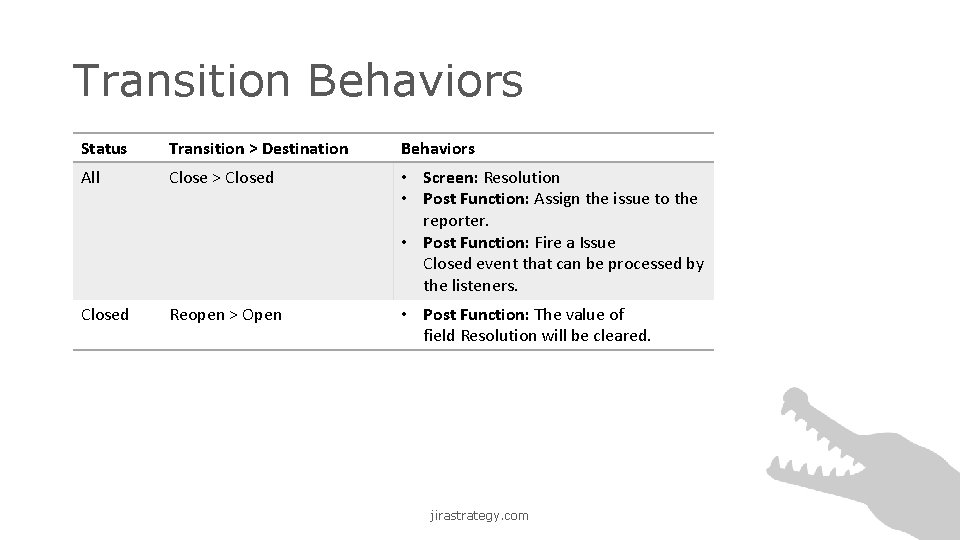
Transition Behaviors Status Transition > Destination Behaviors All Close > Closed • Screen: Resolution • Post Function: Assign the issue to the reporter. • Post Function: Fire a Issue Closed event that can be processed by the listeners. Closed Reopen > Open • Post Function: The value of field Resolution will be cleared. jirastrategy. com
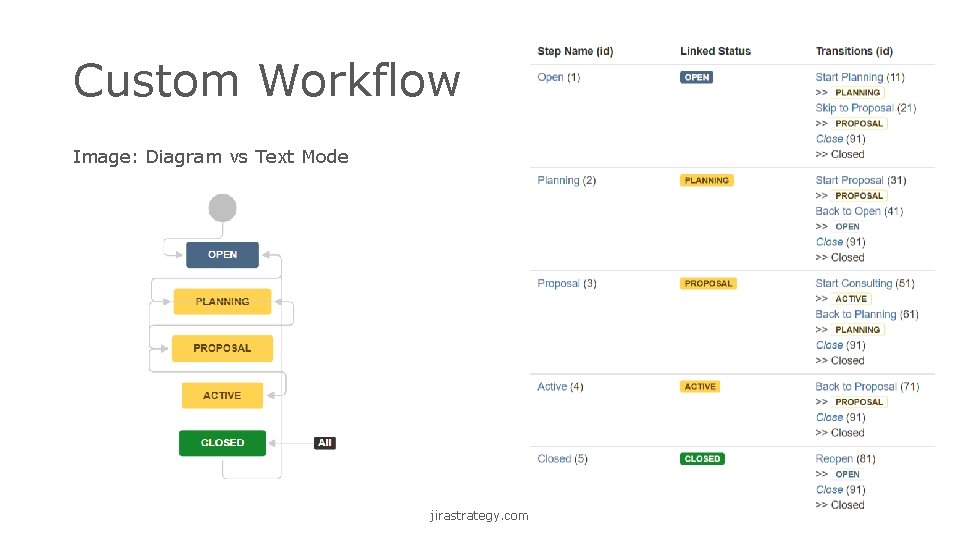
Custom Workflow Image: Diagram vs Text Mode jirastrategy. com
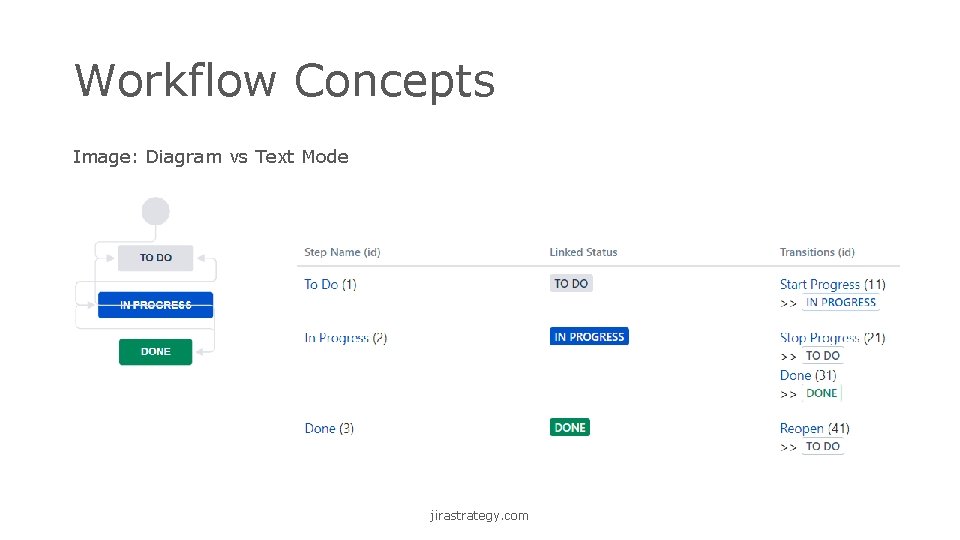
Workflow Concepts Image: Diagram vs Text Mode jirastrategy. com
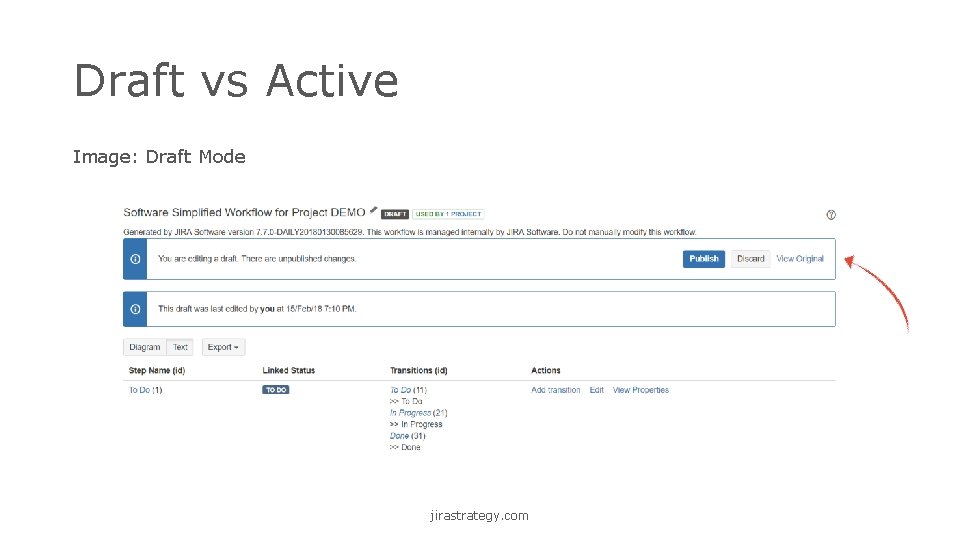
Draft vs Active Image: Draft Mode jirastrategy. com
Workflow Editing Tips • Make a Workflow Copy • Build in a Test Environment • Workflow Changes Impact JQL jirastrategy. com
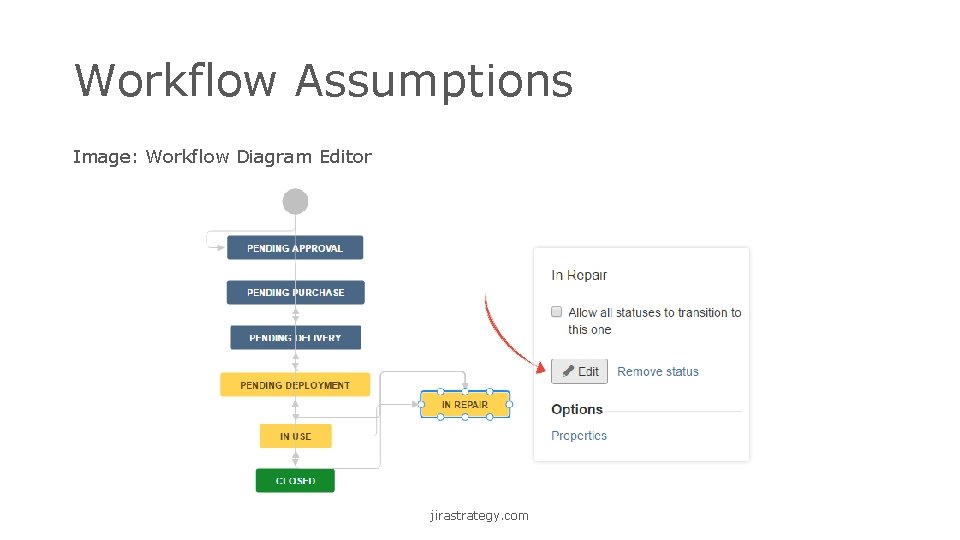
Workflow Assumptions Image: Workflow Diagram Editor jirastrategy. com
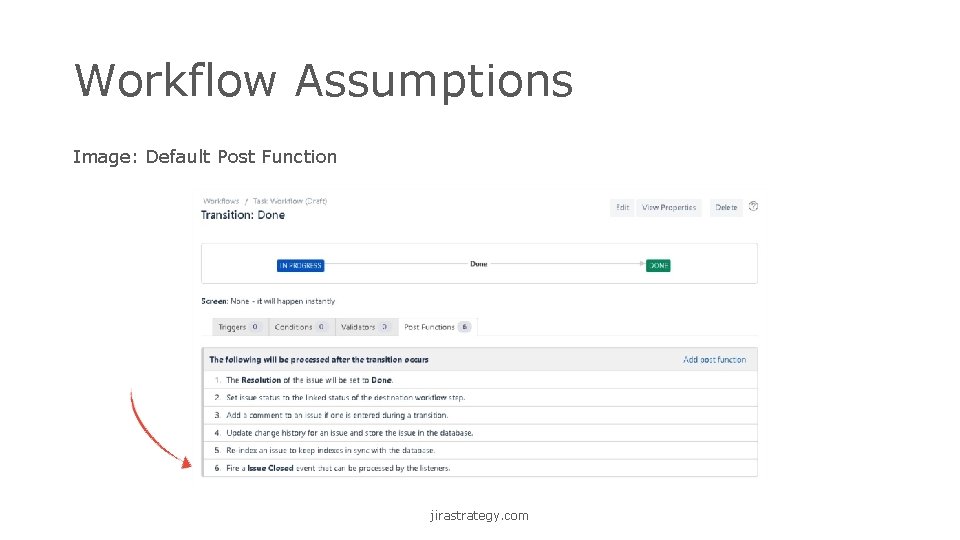
Workflow Assumptions Image: Default Post Function jirastrategy. com
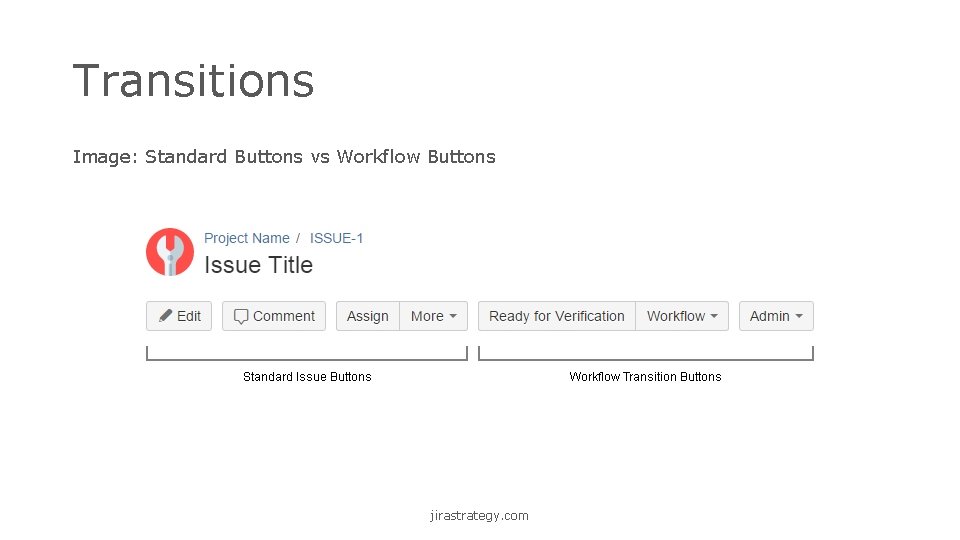
Transitions Image: Standard Buttons vs Workflow Buttons jirastrategy. com
Transition Types • Forward • Backward • Global • Skip • Administrative Sample Workflow: Open > In Review > In Execution > Closed jirastrategy. com
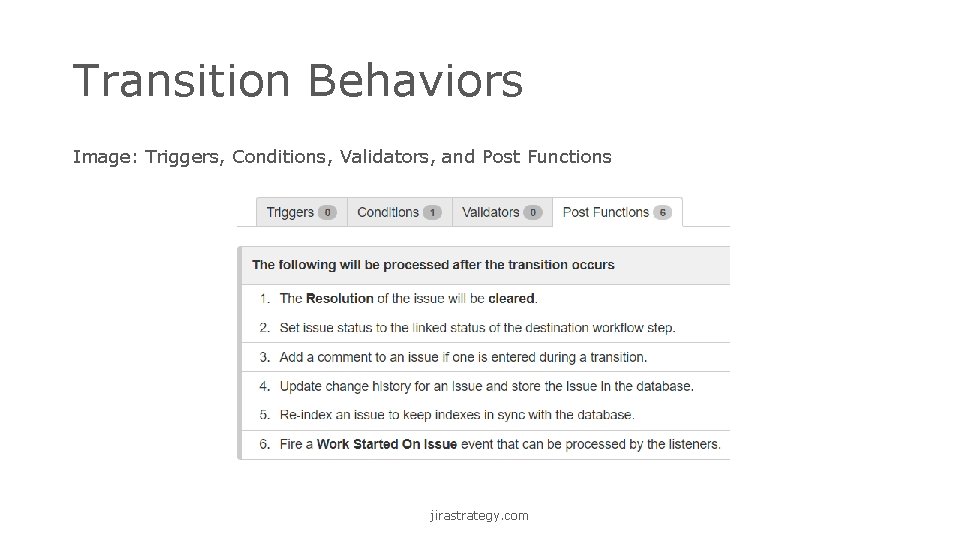
Transition Behaviors Image: Triggers, Conditions, Validators, and Post Functions jirastrategy. com
Add-ons & Plugins • Explore: marketplace. atlassian. com • Install: Admin > Add-ons > Find new add-ons jirastrategy. com
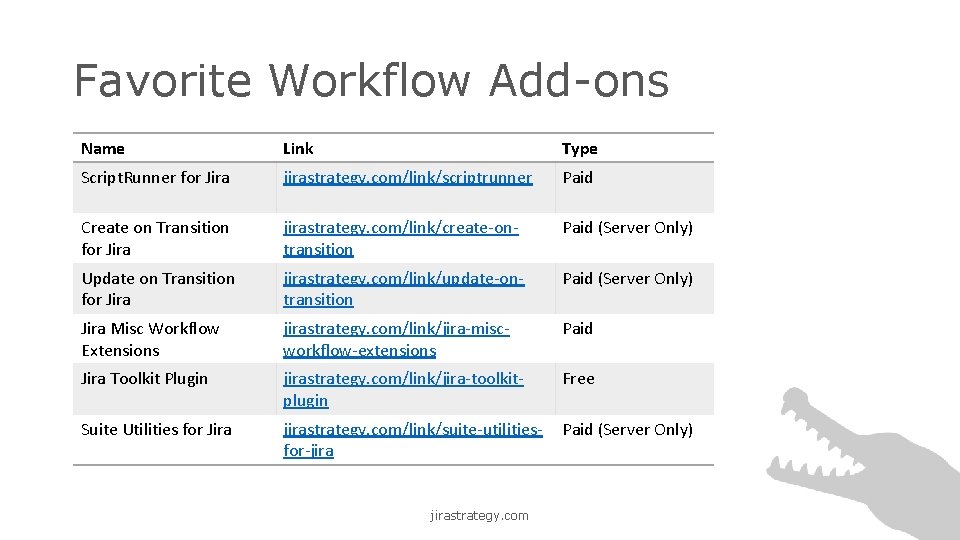
Favorite Workflow Add-ons Name Link Type Script. Runner for Jira jirastrategy. com/link/scriptrunner Paid Create on Transition for Jira jirastrategy. com/link/create-ontransition Paid (Server Only) Update on Transition for Jira jirastrategy. com/link/update-ontransition Paid (Server Only) Jira Misc Workflow Extensions jirastrategy. com/link/jira-miscworkflow-extensions Paid Jira Toolkit Plugin jirastrategy. com/link/jira-toolkitplugin Free Suite Utilities for Jira jirastrategy. com/link/suite-utilitiesfor-jira Paid (Server Only) jirastrategy. com
Resources • Test Your Knowledge • Project • Business Team Process Description • Custom Workflow Template • Sample Solution • Quiz • Visit: jirastrategy. com/business-workflows-materials jirastrategy. com
Resources • Downloads • Slides and Notes • Custom Workflow Template • Visit: jirastrategy. com/business-workflows-materials • Continue the Conversation • Facebook Group: facebook. com/groups/strategyforjira/ • Linked. In Group: jirastrategy. com/link/conversation • Twitter: twitter. com/rlw_www jirastrategy. com
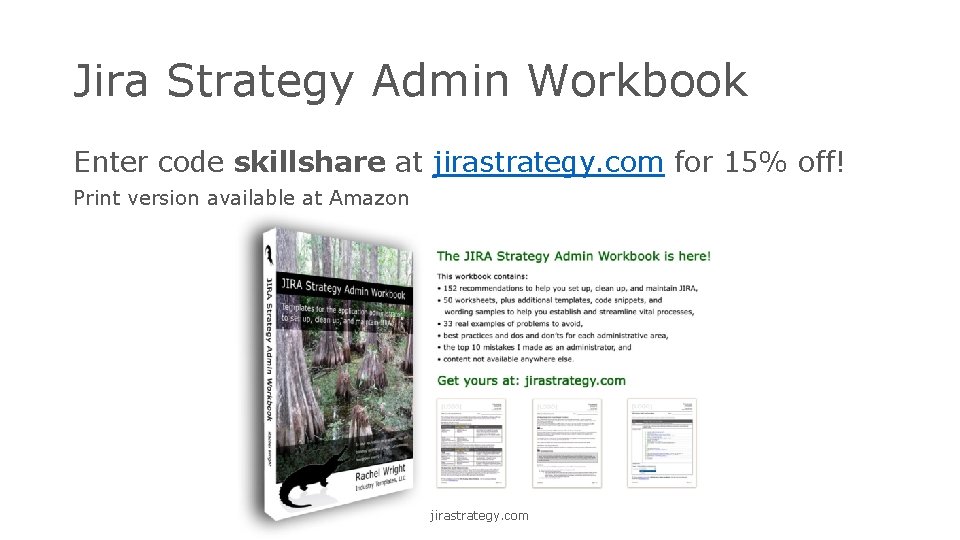
Jira Strategy Admin Workbook Enter code skillshare at jirastrategy. com for 15% off! Print version available at Amazon jirastrategy. com
Questions? Contact: Rachel Wright rwright@jirastrategy. com
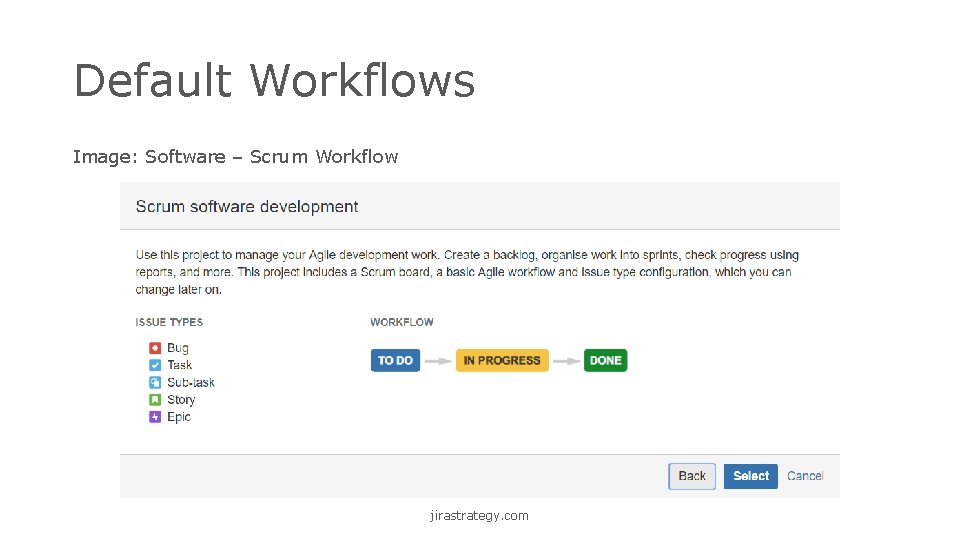
Default Workflows Image: Software – Scrum Workflow jirastrategy. com
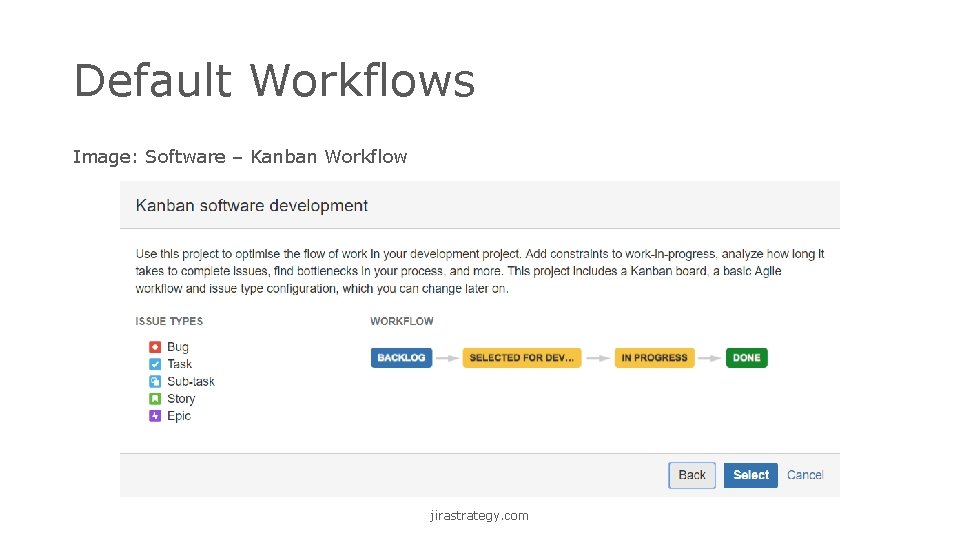
Default Workflows Image: Software – Kanban Workflow jirastrategy. com
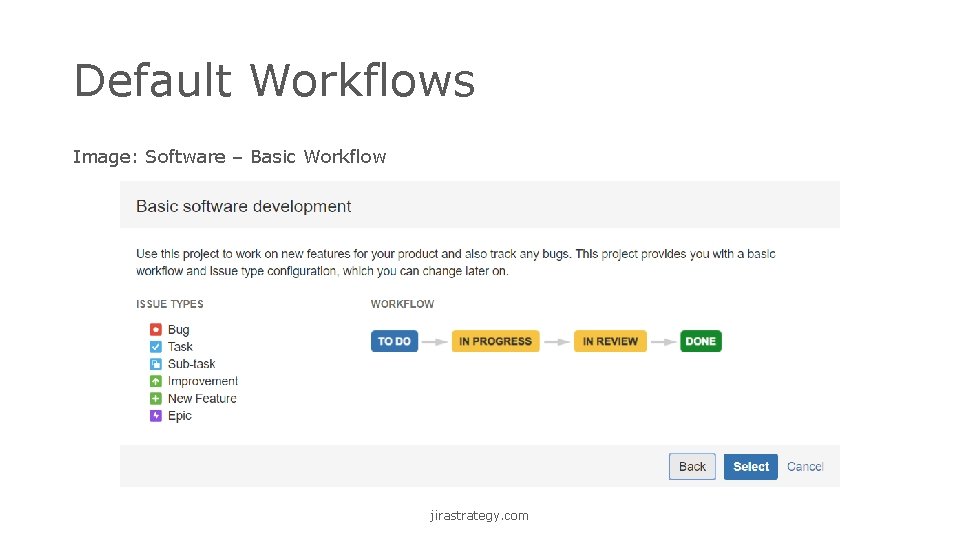
Default Workflows Image: Software – Basic Workflow jirastrategy. com
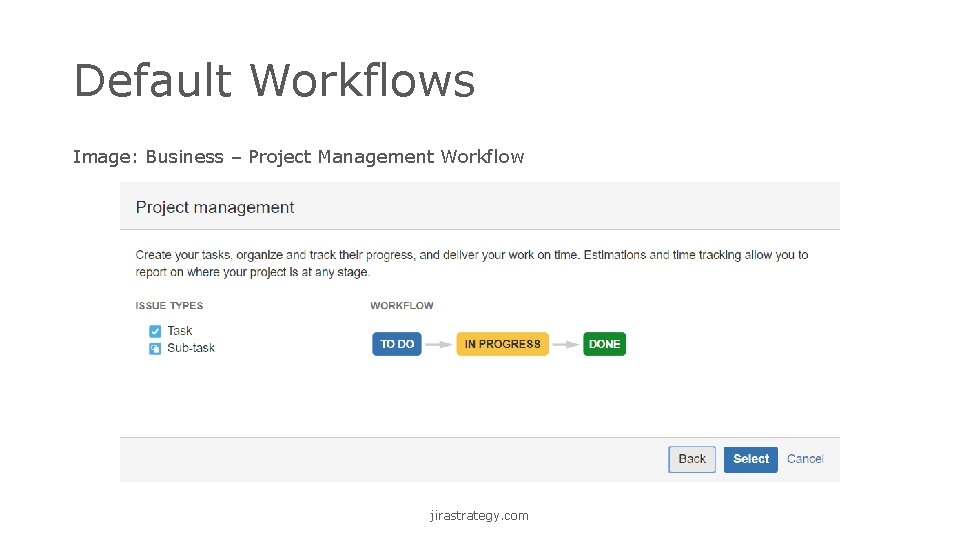
Default Workflows Image: Business – Project Management Workflow jirastrategy. com
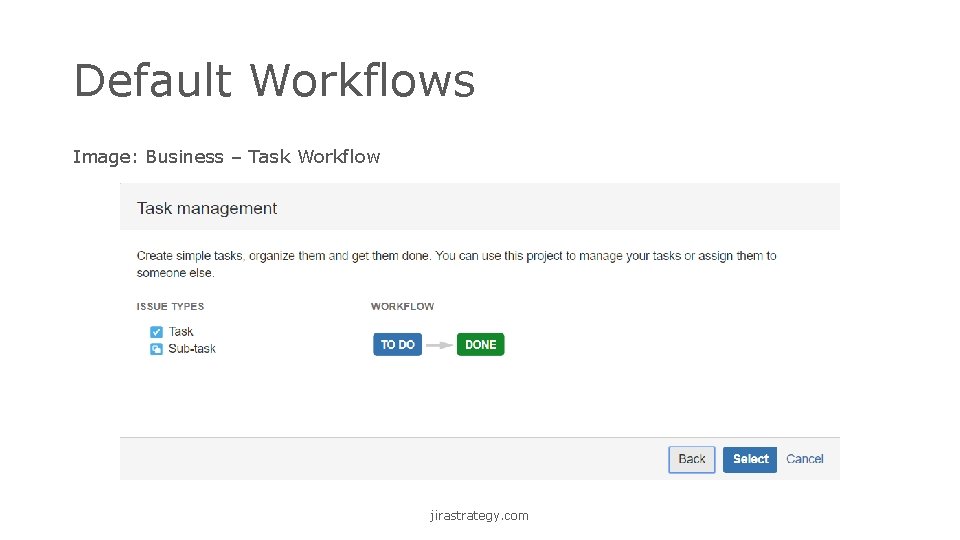
Default Workflows Image: Business – Task Workflow jirastrategy. com
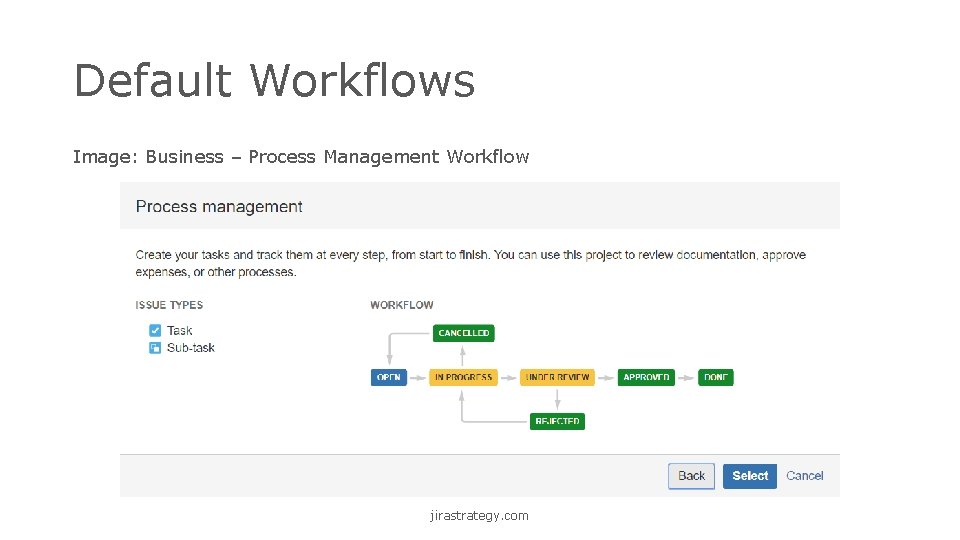
Default Workflows Image: Business – Process Management Workflow jirastrategy. com
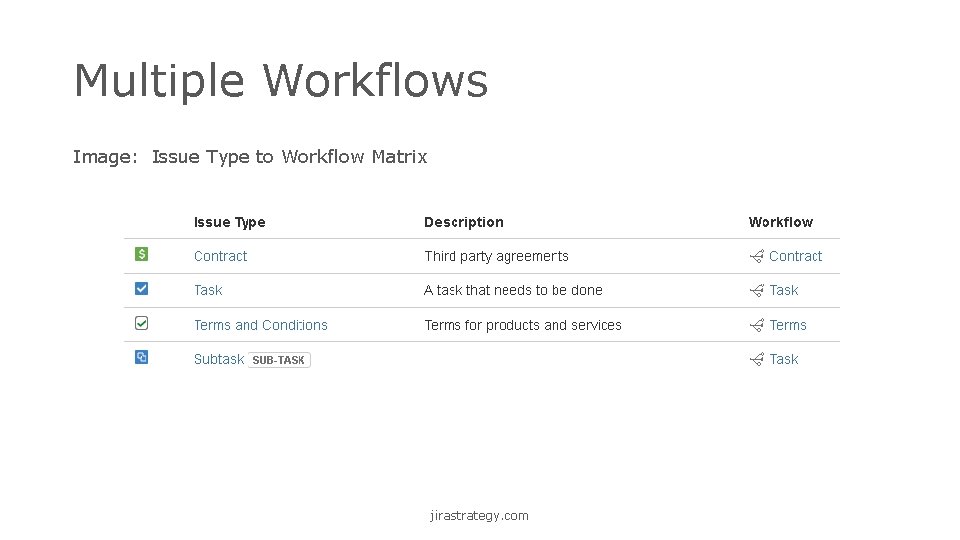
Multiple Workflows Image: Issue Type to Workflow Matrix jirastrategy. com
- Slides: 45