
JDBC Java Data Base Connectivity Presented by Uday
JDBC – Java Data. Base Connectivity Presented by : Uday Lohar
What is JDBC? l “An API that lets you access virtually any tabular data source from the Java programming language” l JDBC Data Access API – JDBC Technology Homepage What’s an API? l See J 2 SE documentation l What’s a tabular data source? “… access virtually any data source, from relational databases to spreadsheets and flat files. ” l l JDBC Documentation We’ll focus on accessing Oracle databases 2
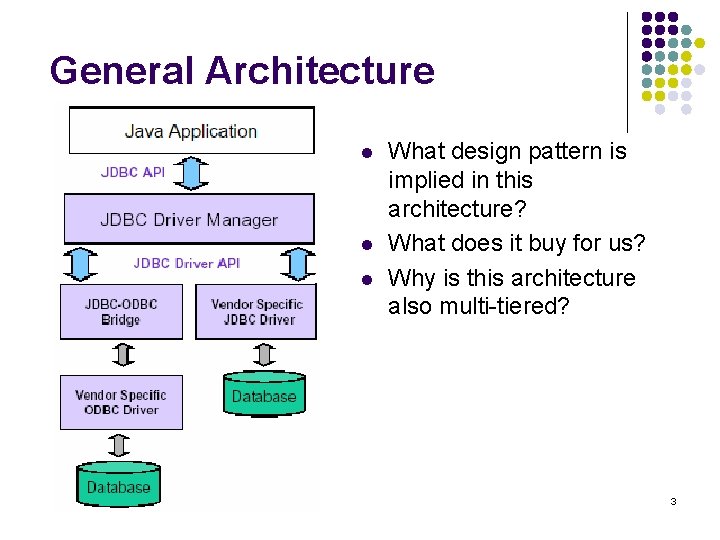
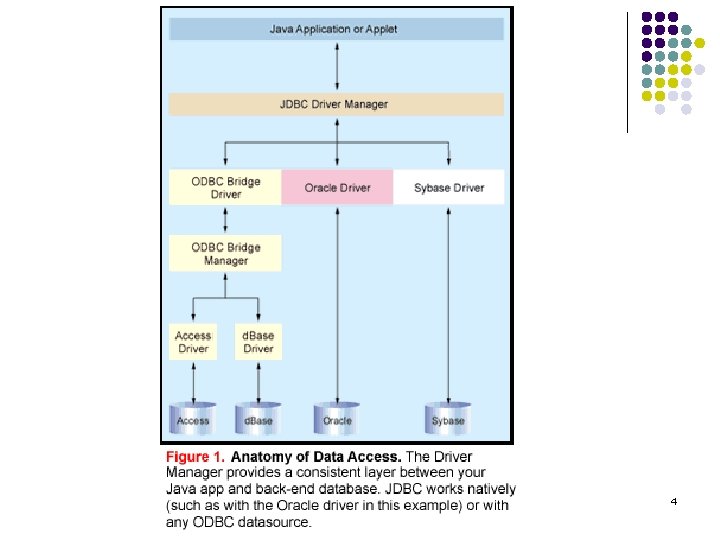
General Architecture l l l What design pattern is implied in this architecture? What does it buy for us? Why is this architecture also multi-tiered? 3
4
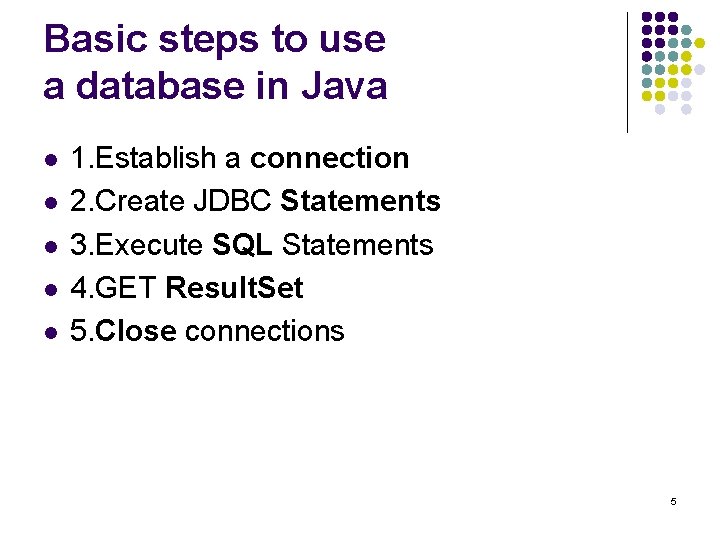
Basic steps to use a database in Java l l l 1. Establish a connection 2. Create JDBC Statements 3. Execute SQL Statements 4. GET Result. Set 5. Close connections 5
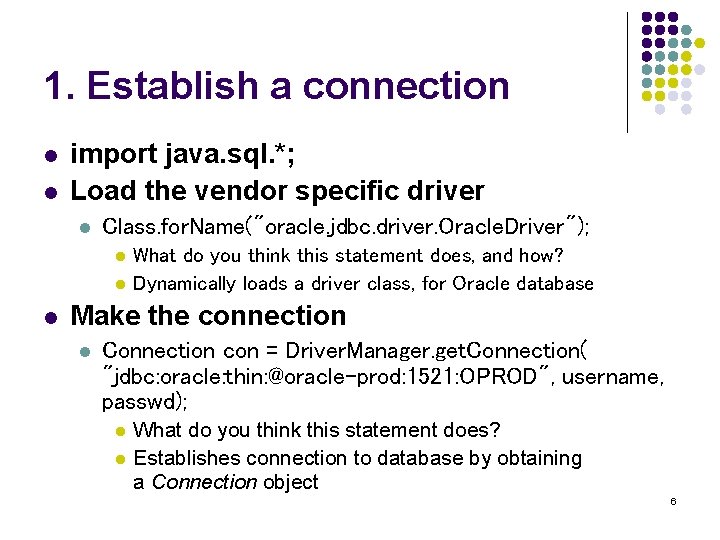
1. Establish a connection l l import java. sql. *; Load the vendor specific driver l Class. for. Name("oracle. jdbc. driver. Oracle. Driver"); l l l What do you think this statement does, and how? Dynamically loads a driver class, for Oracle database Make the connection l Connection con = Driver. Manager. get. Connection( "jdbc: oracle: thin: @oracle-prod: 1521: OPROD", username, passwd); l l What do you think this statement does? Establishes connection to database by obtaining a Connection object 6
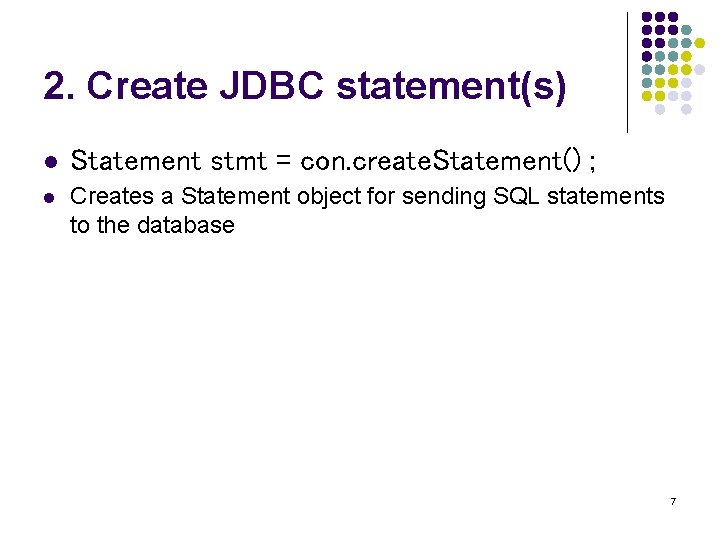
2. Create JDBC statement(s) l Statement stmt = con. create. Statement() ; l Creates a Statement object for sending SQL statements to the database 7
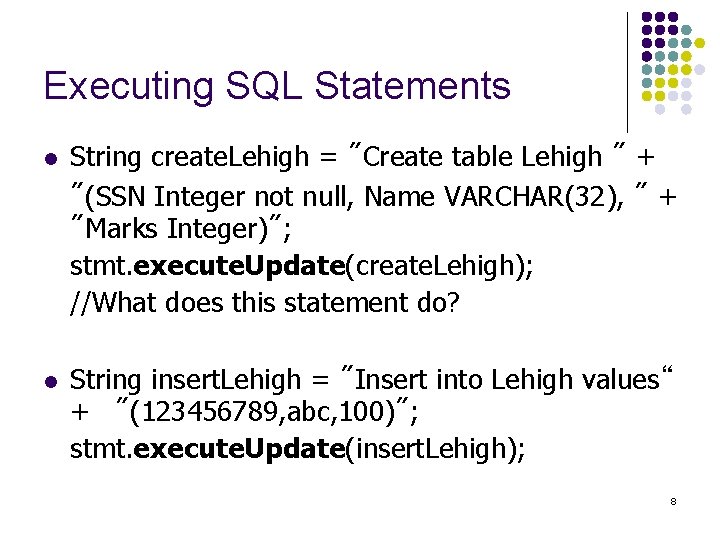
Executing SQL Statements l l String create. Lehigh = "Create table Lehigh " + "(SSN Integer not null, Name VARCHAR(32), " + "Marks Integer)"; stmt. execute. Update(create. Lehigh); //What does this statement do? String insert. Lehigh = "Insert into Lehigh values“ + "(123456789, abc, 100)"; stmt. execute. Update(insert. Lehigh); 8
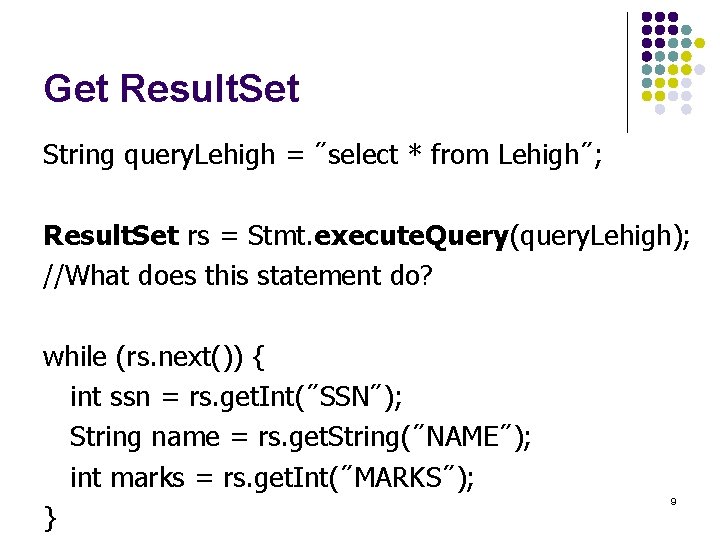
Get Result. Set String query. Lehigh = "select * from Lehigh"; Result. Set rs = Stmt. execute. Query(query. Lehigh); //What does this statement do? while (rs. next()) { int ssn = rs. get. Int("SSN"); String name = rs. get. String("NAME"); int marks = rs. get. Int("MARKS"); } 9
Close connection l l stmt. close(); con. close(); 10
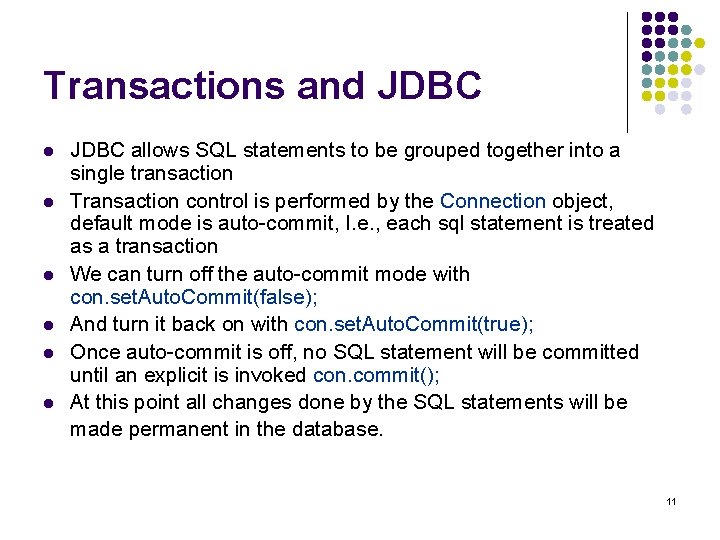
Transactions and JDBC l l l JDBC allows SQL statements to be grouped together into a single transaction Transaction control is performed by the Connection object, default mode is auto-commit, I. e. , each sql statement is treated as a transaction We can turn off the auto-commit mode with con. set. Auto. Commit(false); And turn it back on with con. set. Auto. Commit(true); Once auto-commit is off, no SQL statement will be committed until an explicit is invoked con. commit(); At this point all changes done by the SQL statements will be made permanent in the database. 11
Handling Errors with Exceptions l l Programs should recover and leave the database in a consistent state. If a statement in the try block throws an exception or warning, it can be caught in one of the corresponding catch statements How might a finally {…} block be helpful here? E. g. , you could rollback your transaction in a catch { …} block or close database connection and free database related resources in finally {…} block 12
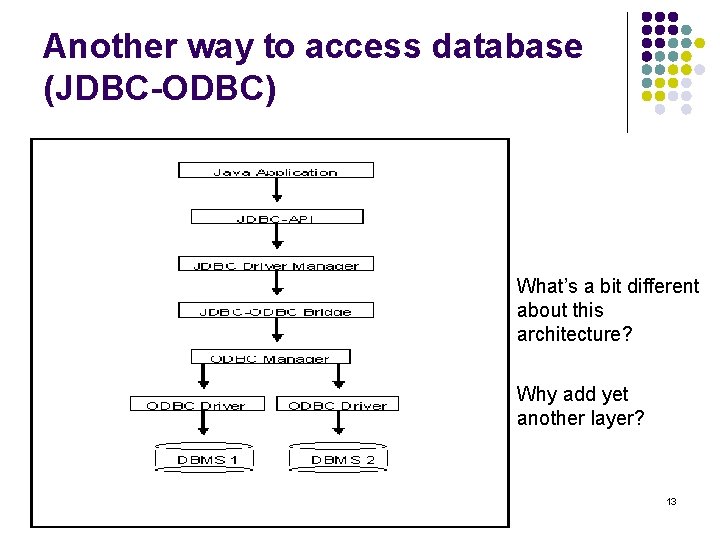
Another way to access database (JDBC-ODBC) What’s a bit different about this architecture? Why add yet another layer? 13
![Sample program import java. sql. *; class Test { public static void main(String[] args)](http://slidetodoc.com/presentation_image_h2/f9569cebc20f87ecb9ed69c8ce710328/image-14.jpg "Sample program import java. sql. *; class Test { public static void main(String[] args)")
Sample program import java. sql. *; class Test { public static void main(String[] args) { try { Class. for. Name("sun. jdbc. odbc. Jdbc. Odbc. Driver"); //dynamic loading of driver String filename = "c: /db 1. mdb"; //Location of an Access database String database = "jdbc: odbc: Driver={Microsoft Access Driver (*. mdb)}; DBQ="; database+= filename. trim() + "; Driver. ID=22; READONLY=true}"; //add on to end Connection con = Driver. Manager. get. Connection( database , ""); Statement s = con. create. Statement(); s. execute("create table TEST 12345 ( firstcolumn integer )"); s. execute("insert into TEST 12345 values(1)"); s. execute("select firstcolumn from TEST 12345"); 14
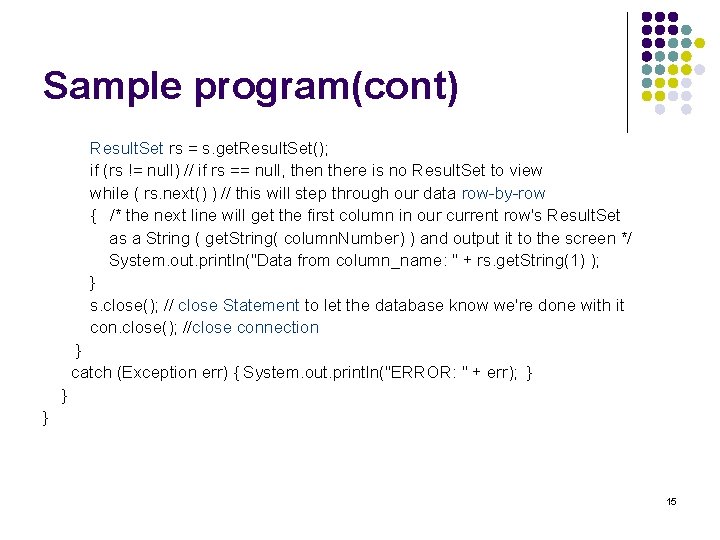
Sample program(cont) Result. Set rs = s. get. Result. Set(); if (rs != null) // if rs == null, then there is no Result. Set to view while ( rs. next() ) // this will step through our data row-by-row { /* the next line will get the first column in our current row's Result. Set as a String ( get. String( column. Number) ) and output it to the screen */ System. out. println("Data from column_name: " + rs. get. String(1) ); } s. close(); // close Statement to let the database know we're done with it con. close(); //close connection } catch (Exception err) { System. out. println("ERROR: " + err); } } } 15
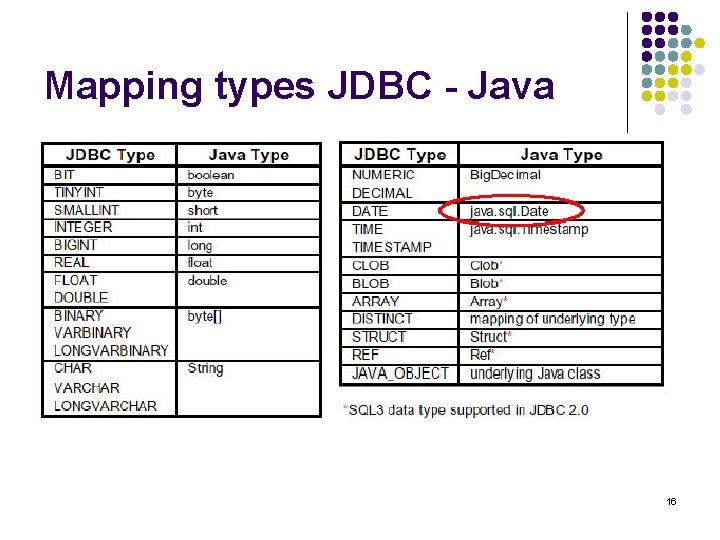
Mapping types JDBC - Java 16
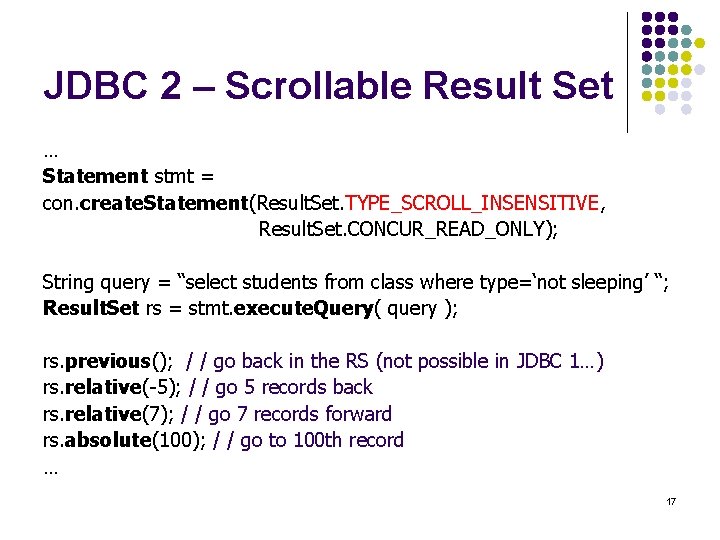
JDBC 2 – Scrollable Result Set … Statement stmt = con. create. Statement(Result. Set. TYPE_SCROLL_INSENSITIVE, Result. Set. CONCUR_READ_ONLY); String query = “select students from class where type=‘not sleeping’ “; Result. Set rs = stmt. execute. Query( query ); rs. previous(); / / go back in the RS (not possible in JDBC 1…) rs. relative(-5); / / go 5 records back rs. relative(7); / / go 7 records forward rs. absolute(100); / / go to 100 th record … 17
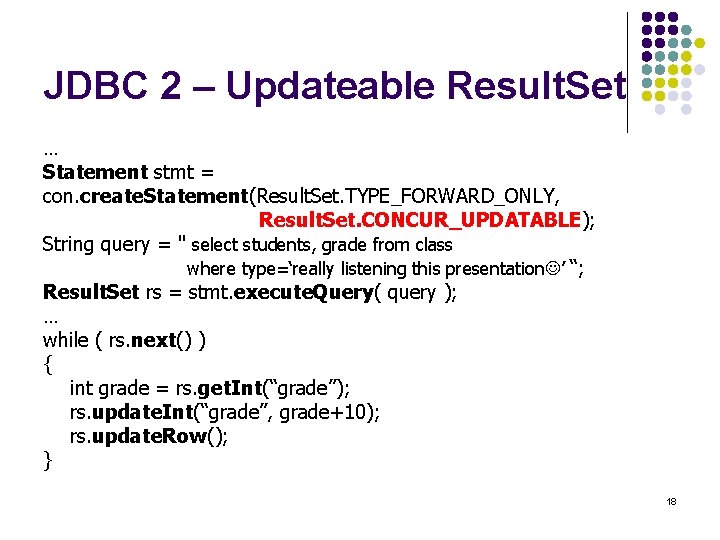
JDBC 2 – Updateable Result. Set … Statement stmt = con. create. Statement(Result. Set. TYPE_FORWARD_ONLY, Result. Set. CONCUR_UPDATABLE); String query = " select students, grade from class where type=‘really listening this presentation ’ “; Result. Set rs = stmt. execute. Query( query ); … while ( rs. next() ) { int grade = rs. get. Int(“grade”); rs. update. Int(“grade”, grade+10); rs. update. Row(); } 18
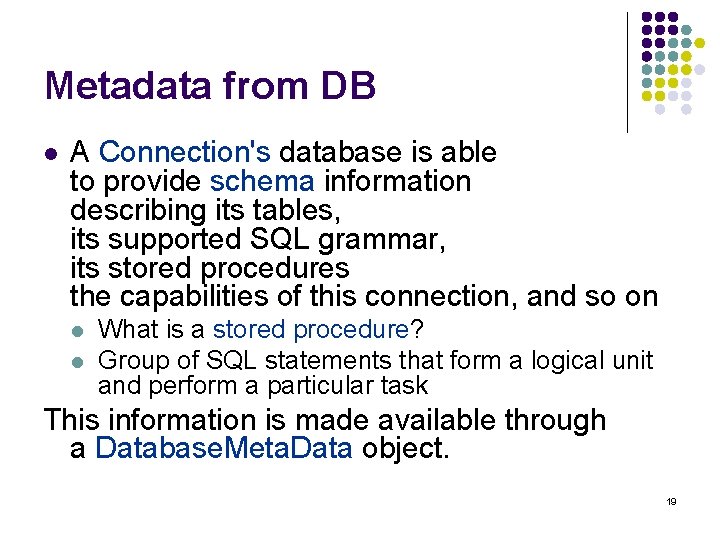
Metadata from DB l A Connection's database is able to provide schema information describing its tables, its supported SQL grammar, its stored procedures the capabilities of this connection, and so on l l What is a stored procedure? Group of SQL statements that form a logical unit and perform a particular task This information is made available through a Database. Meta. Data object. 19
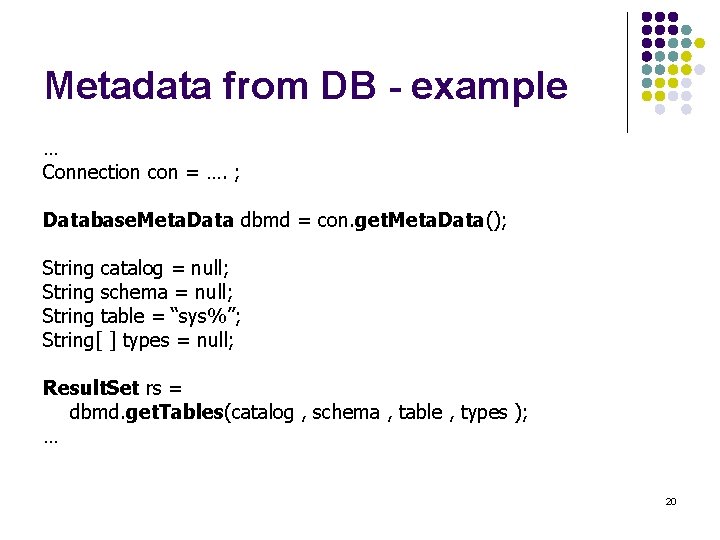
Metadata from DB - example … Connection con = …. ; Database. Meta. Data dbmd = con. get. Meta. Data(); String catalog = null; String schema = null; String table = “sys%”; String[ ] types = null; Result. Set rs = dbmd. get. Tables(catalog , schema , table , types ); … 20
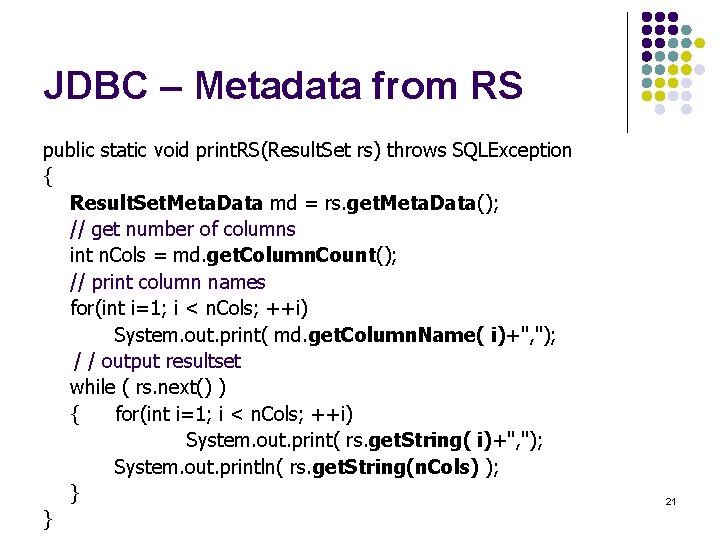
JDBC – Metadata from RS public static void print. RS(Result. Set rs) throws SQLException { Result. Set. Meta. Data md = rs. get. Meta. Data(); // get number of columns int n. Cols = md. get. Column. Count(); // print column names for(int i=1; i < n. Cols; ++i) System. out. print( md. get. Column. Name( i)+", "); / / output resultset while ( rs. next() ) { for(int i=1; i < n. Cols; ++i) System. out. print( rs. get. String( i)+", "); System. out. println( rs. get. String(n. Cols) ); } } 21
JDBC and beyond l (JNDI) Java Naming and Directory Interface l l l (JDO) Java Data Object l l l API for network-wide sharing of information about users, machines, networks, services, and applications Preserves Java’s object model Models persistence of objects, using RDBMS as repository Save, load objects from RDBMS (SQLJ) Embedded SQL in Java l l Standardized and optimized by Sybase, Oracle and IBM Java extended with directives: # sql SQL routines can invoke Java methods Maps SQL types to Java classes 22
JDBC references l JDBC Data Access API – JDBC Technology Homepage l l JDBC Database Access – The Java Tutorial l l http: //java. sun. com/j 2 se/1. 4. 2/docs/api/java/sql/package-summary. html JDBC Technology Guide: Getting Started l l http: //java. sun. com/j 2 se/1. 4. 2/docs/guide/jdbc/index. html java. sql package l l http: //java. sun. com/docs/books/tutorial/jdbc/index. html JDBC Documentation l l http: //java. sun. com/products/jdbc/index. html http: //java. sun. com/j 2 se/1. 4. 2/docs/guide/jdbc/getstart/Getting. Started. TOC. fm. html JDBC API Tutorial and Reference (book) l http: //java. sun. com/docs/books/jdbc/ 24
JDBC l JDBC Data Access API – JDBC Technology Homepage l l JDBC Database Access – The Java Tutorial l l http: //java. sun. com/j 2 se/1. 4. 2/docs/api/java/sql/package-summary. html JDBC Technology Guide: Getting Started l l http: //java. sun. com/j 2 se/1. 4. 2/docs/guide/jdbc/index. html java. sql package l l http: //java. sun. com/docs/books/tutorial/jdbc/index. html JDBC Documentation l l http: //java. sun. com/products/jdbc/index. html http: //java. sun. com/j 2 se/1. 4. 2/docs/guide/jdbc/getstart/Getting. Started. TOC. fm. html JDBC API Tutorial and Reference (book) l http: //java. sun. com/docs/books/jdbc/ 25
- Slides: 24