
JDBC Copyright Wipro Technologies Talent Transformation JDBC Ver
JDBC ãCopyright Wipro Technologies Talent Transformation JDBC Ver 1. 0 Page
Objectives At the end of this session, you will be able to: • Connect to a database using Java Database Connectivity (JDBC) • Create and execute a query using JDBC • Invoke prepared statements • Commit and roll back transactions • Use the Metadata objects to retrieve more information about the database or the resultset ãCopyright Wipro Technologies Talent Transformation JDBC Ver 1. 0 Page
JDBC: Introduction • JDBC is a standard interface for connecting to relational databases from Java • The JDBC classes and interfaces are in the java. sql package ãCopyright Wipro Technologies Talent Transformation JDBC Ver 1. 0 Page
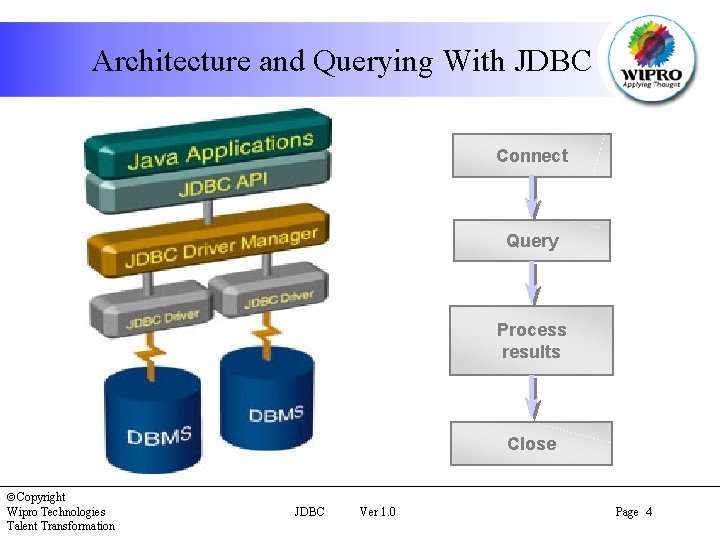
Architecture and Querying With JDBC Connect Query Process results Close ãCopyright Wipro Technologies Talent Transformation JDBC Ver 1. 0 Page 4
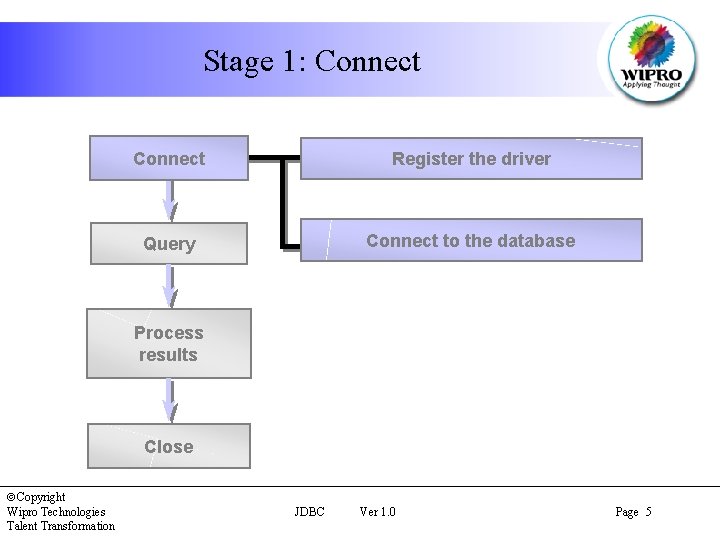
Stage 1: Connect Register the driver Query Connect to the database Process results Close ãCopyright Wipro Technologies Talent Transformation JDBC Ver 1. 0 Page 5
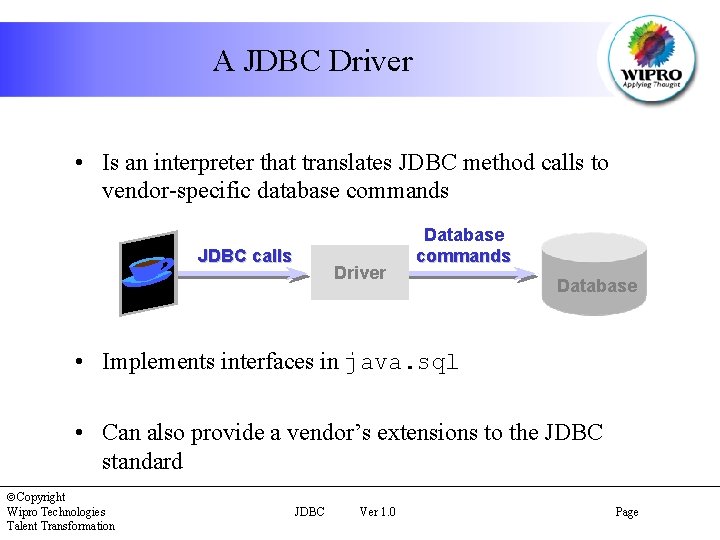
A JDBC Driver • Is an interpreter that translates JDBC method calls to vendor-specific database commands JDBC calls Driver Database commands Database • Implements interfaces in java. sql • Can also provide a vendor’s extensions to the JDBC standard ãCopyright Wipro Technologies Talent Transformation JDBC Ver 1. 0 Page
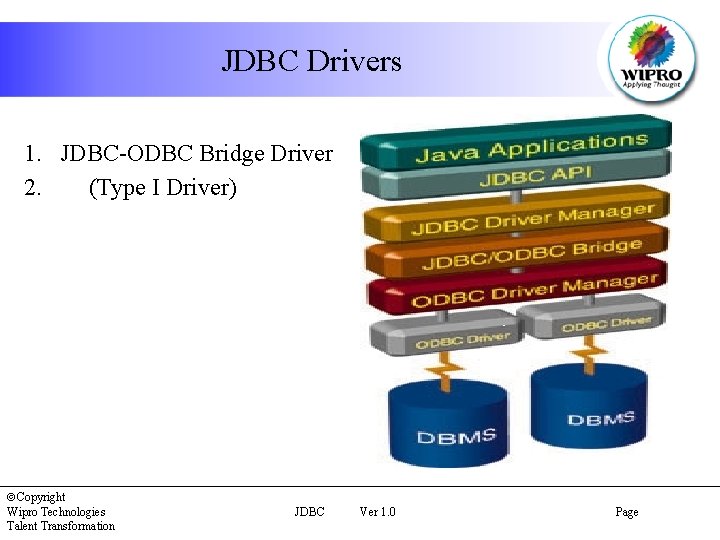
JDBC Drivers 1. JDBC-ODBC Bridge Driver 2. (Type I Driver) ãCopyright Wipro Technologies Talent Transformation JDBC Ver 1. 0 Page

JDBC Drivers 2. Native JDBC Driver (Type II Driver) ãCopyright Wipro Technologies Talent Transformation JDBC Ver 1. 0 Page
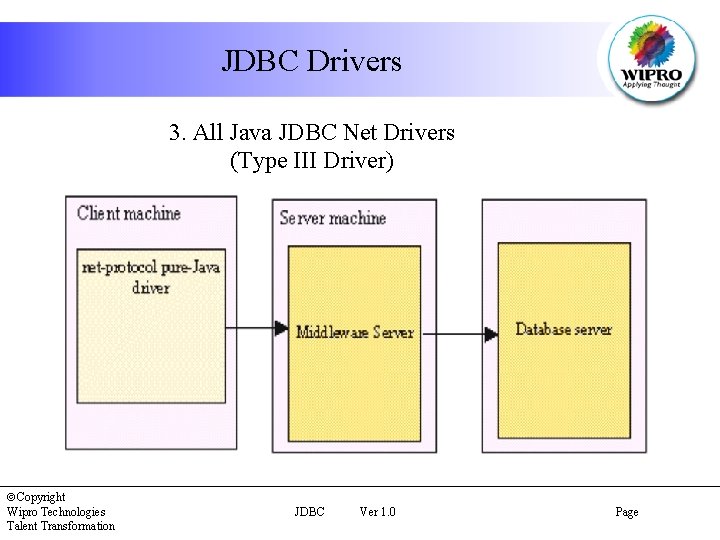
JDBC Drivers 3. All Java JDBC Net Drivers (Type III Driver) ãCopyright Wipro Technologies Talent Transformation JDBC Ver 1. 0 Page
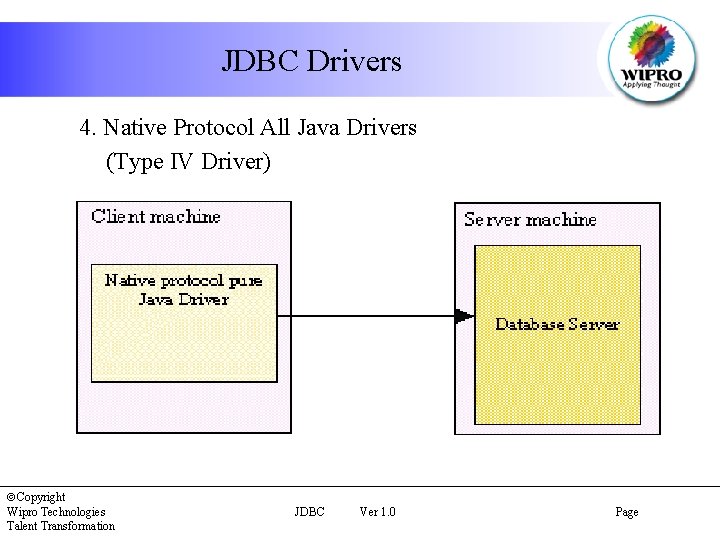
JDBC Drivers 4. Native Protocol All Java Drivers (Type IV Driver) ãCopyright Wipro Technologies Talent Transformation JDBC Ver 1. 0 Page
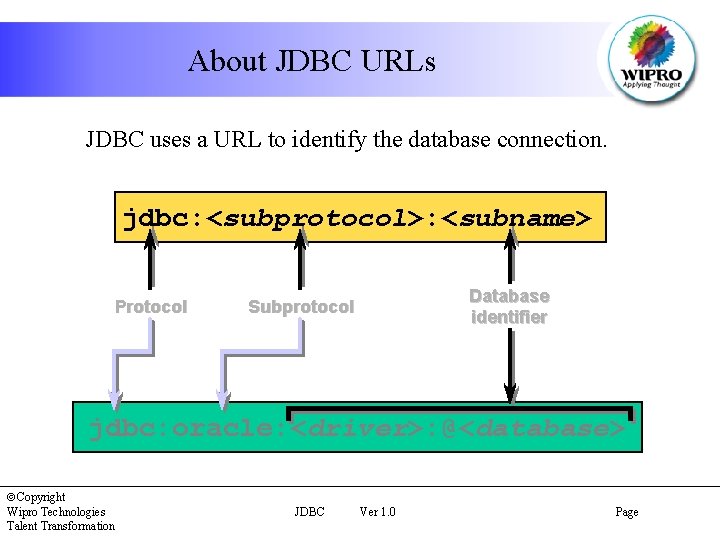
About JDBC URLs JDBC uses a URL to identify the database connection. jdbc: <subprotocol>: <subname> Protocol Database identifier Subprotocol jdbc: oracle: <driver>: @<database> ãCopyright Wipro Technologies Talent Transformation JDBC Ver 1. 0 Page
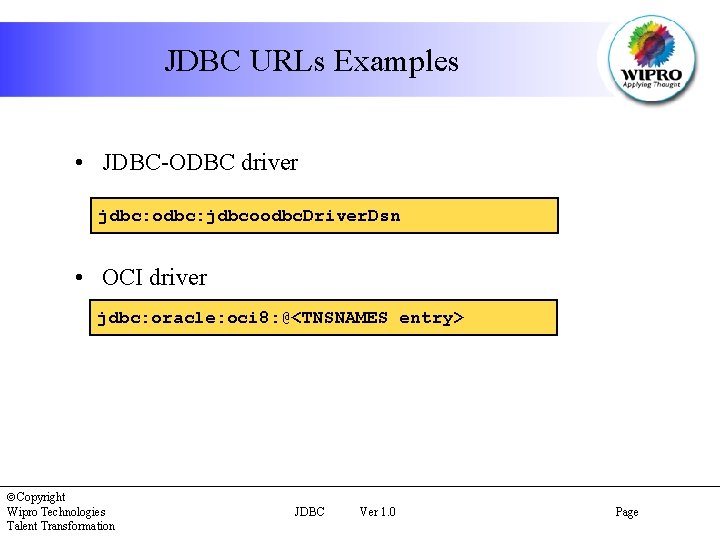
JDBC URLs Examples • JDBC-ODBC driver jdbc: odbc: jdbcoodbc. Driver. Dsn • OCI driver jdbc: oracle: oci 8: @<TNSNAMES entry> ãCopyright Wipro Technologies Talent Transformation JDBC Ver 1. 0 Page
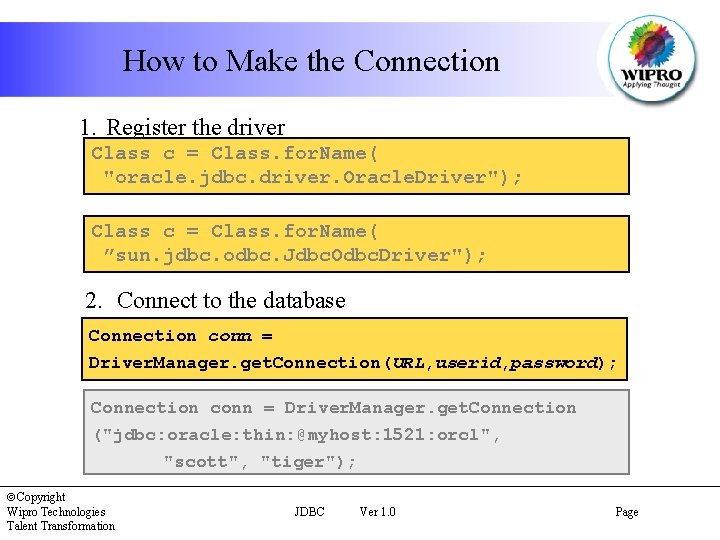
How to Make the Connection 1. Register the driver Class c = Class. for. Name( "oracle. jdbc. driver. Oracle. Driver"); Class c = Class. for. Name( ”sun. jdbc. odbc. Jdbc. Odbc. Driver"); 2. Connect to the database Connection conn = Driver. Manager. get. Connection(URL, userid, password); Connection conn = Driver. Manager. get. Connection ("jdbc: oracle: thin: @myhost: 1521: orcl", "scott", "tiger"); ãCopyright Wipro Technologies Talent Transformation JDBC Ver 1. 0 Page
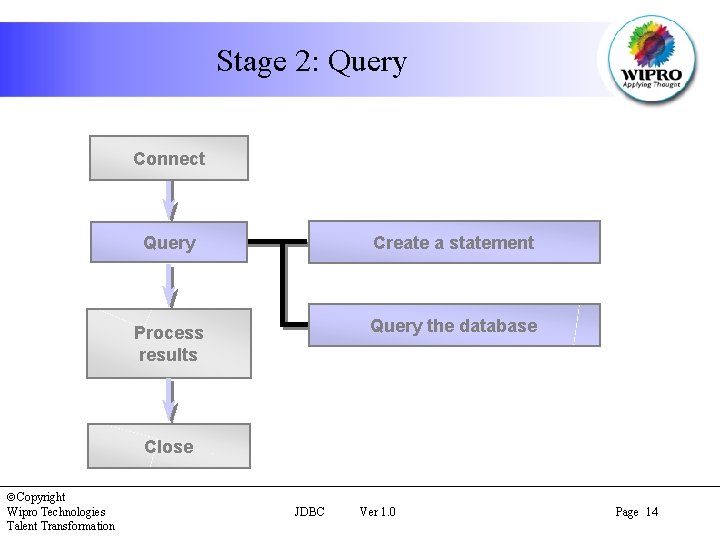
Stage 2: Query Connect Query Create a statement Process results Query the database Close ãCopyright Wipro Technologies Talent Transformation JDBC Ver 1. 0 Page 14
The Statement Object • A Statement object sends your SQL statement to the database • You need an active connection to create a JDBC statement • Statement has three methods to execute a SQL statement: – execute. Query() for QUERY statements – execute. Update()for INSERT, UPDATE, DELETE, or DDL statements – execute() for either type of statement ãCopyright Wipro Technologies Talent Transformation JDBC Ver 1. 0 Page
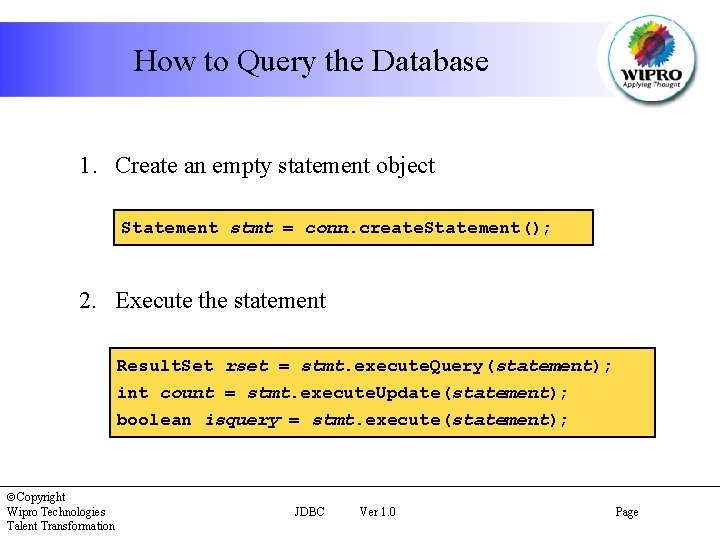
How to Query the Database 1. Create an empty statement object Statement stmt = conn. create. Statement(); 2. Execute the statement Result. Set rset = stmt. execute. Query(statement); int count = stmt. execute. Update(statement); boolean isquery = stmt. execute(statement); ãCopyright Wipro Technologies Talent Transformation JDBC Ver 1. 0 Page
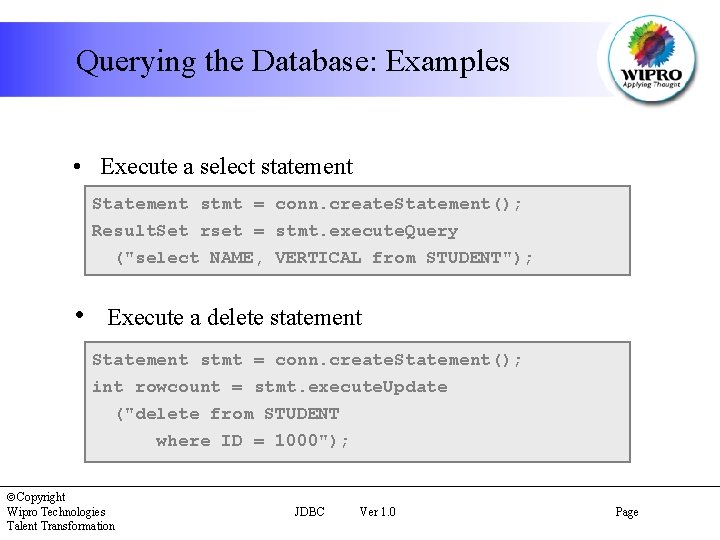
Querying the Database: Examples • Execute a select statement Statement stmt = conn. create. Statement(); Result. Set rset = stmt. execute. Query ("select NAME, VERTICAL from STUDENT"); • Execute a delete statement Statement stmt = conn. create. Statement(); int rowcount = stmt. execute. Update ("delete from STUDENT where ID = 1000"); ãCopyright Wipro Technologies Talent Transformation JDBC Ver 1. 0 Page
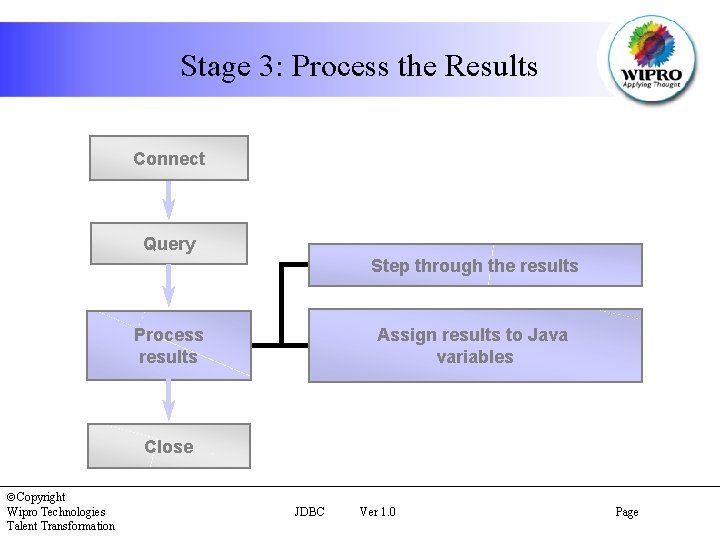
Stage 3: Process the Results Connect Query Step through the results Assign results to Java variables Process results Close ãCopyright Wipro Technologies Talent Transformation JDBC Ver 1. 0 Page
The Result. Set Object • JDBC returns the results of a query in a Result. Set object • A Result. Set maintains a cursor pointing to its current row of data • Use next() to step through the result set row by row • get. String(), get. Int(), and so on assign each value to a Java variable ãCopyright Wipro Technologies Talent Transformation JDBC Ver 1. 0 Page
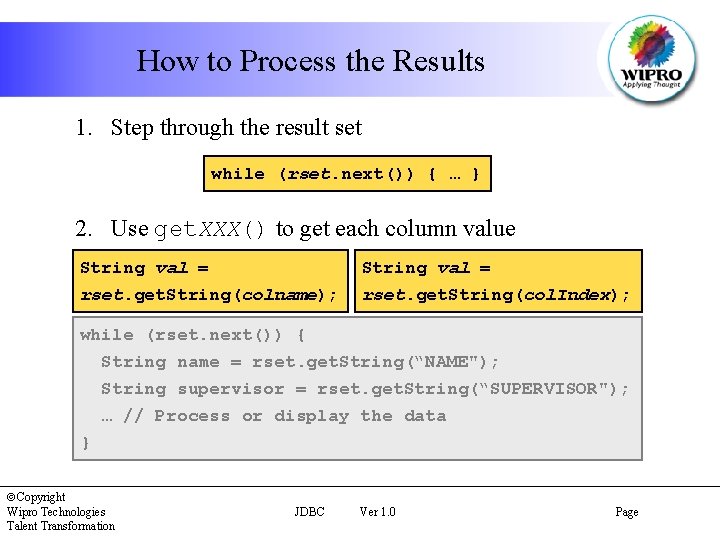
How to Process the Results 1. Step through the result set while (rset. next()) { … } 2. Use get. XXX() to get each column value String val = rset. get. String(colname); rset. get. String(col. Index); while (rset. next()) { String name = rset. get. String(“NAME"); String supervisor = rset. get. String(“SUPERVISOR"); … // Process or display the data } ãCopyright Wipro Technologies Talent Transformation JDBC Ver 1. 0 Page
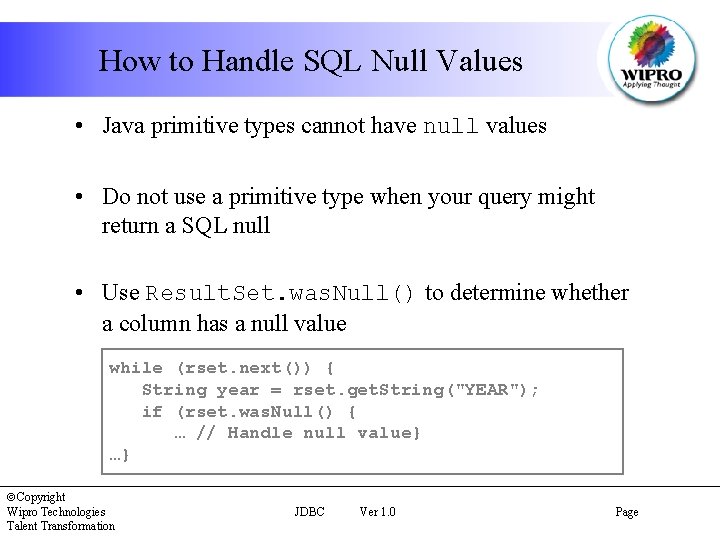
How to Handle SQL Null Values • Java primitive types cannot have null values • Do not use a primitive type when your query might return a SQL null • Use Result. Set. was. Null() to determine whether a column has a null value while (rset. next()) { String year = rset. get. String("YEAR"); if (rset. was. Null() { … // Handle null value} …} ãCopyright Wipro Technologies Talent Transformation JDBC Ver 1. 0 Page
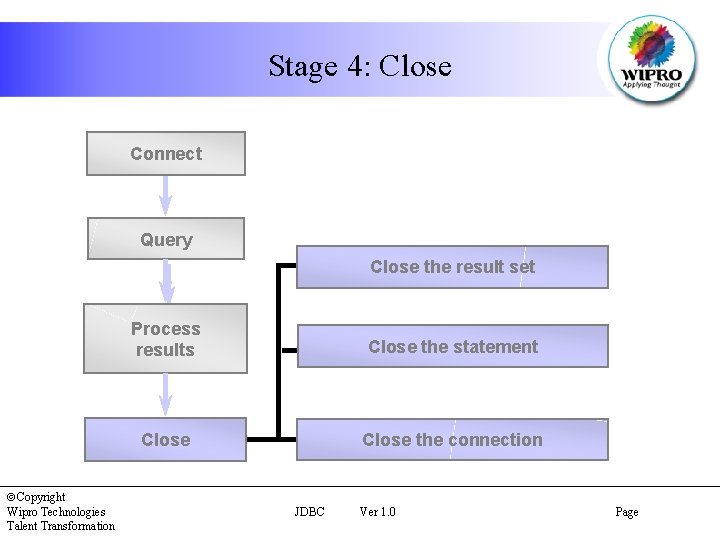
Stage 4: Close Connect Query Close the result set ãCopyright Wipro Technologies Talent Transformation Process results Close the statement Close the connection JDBC Ver 1. 0 Page
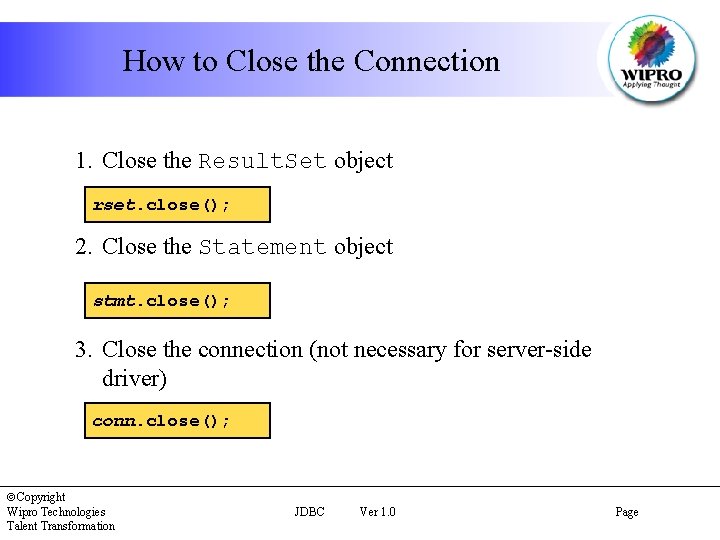
How to Close the Connection 1. Close the Result. Set object rset. close(); 2. Close the Statement object stmt. close(); 3. Close the connection (not necessary for server-side driver) conn. close(); ãCopyright Wipro Technologies Talent Transformation JDBC Ver 1. 0 Page
The Database. Meta. Data Object • The Connection object can be used to get a Database. Meta. Data object • This object provides more than 100 methods to obtain information about the database ãCopyright Wipro Technologies Talent Transformation JDBC Ver 1. 0 Page
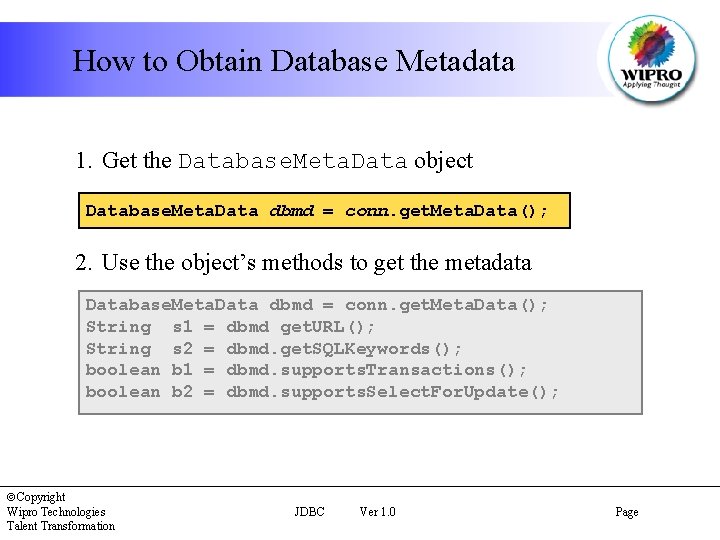
How to Obtain Database Metadata 1. Get the Database. Meta. Data object Database. Meta. Data dbmd = conn. get. Meta. Data(); 2. Use the object’s methods to get the metadata Database. Meta. Data dbmd = conn. get. Meta. Data(); String s 1 = dbmd get. URL(); String s 2 = dbmd. get. SQLKeywords(); boolean b 1 = dbmd. supports. Transactions(); boolean b 2 = dbmd. supports. Select. For. Update(); ãCopyright Wipro Technologies Talent Transformation JDBC Ver 1. 0 Page
The Result. Set. Meta. Data. Object • The Result. Set object can be used to get a Result. Set. Meta. Data object • Result. Set. Meta. Data object provides metadata, including: – Number of columns in the result set – Column type – Column name ãCopyright Wipro Technologies Talent Transformation JDBC Ver 1. 0 Page
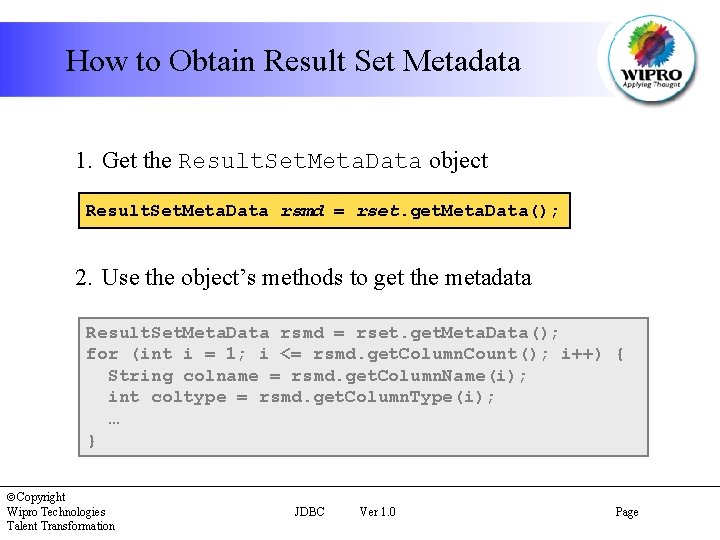
How to Obtain Result Set Metadata 1. Get the Result. Set. Meta. Data object Result. Set. Meta. Data rsmd = rset. get. Meta. Data(); 2. Use the object’s methods to get the metadata Result. Set. Meta. Data rsmd = rset. get. Meta. Data(); for (int i = 1; i <= rsmd. get. Column. Count(); i++) { String colname = rsmd. get. Column. Name(i); int coltype = rsmd. get. Column. Type(i); … } ãCopyright Wipro Technologies Talent Transformation JDBC Ver 1. 0 Page
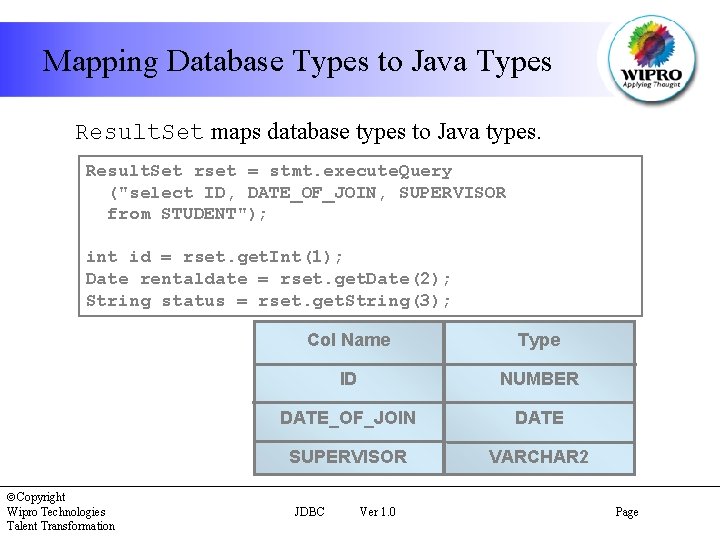
Mapping Database Types to Java Types Result. Set maps database types to Java types. Result. Set rset = stmt. execute. Query ("select ID, DATE_OF_JOIN, SUPERVISOR from STUDENT"); int id = rset. get. Int(1); Date rentaldate = rset. get. Date(2); String status = rset. get. String(3); ãCopyright Wipro Technologies Talent Transformation Col Name Type ID NUMBER DATE_OF_JOIN DATE SUPERVISOR VARCHAR 2 JDBC Ver 1. 0 Page
The Prepared. Statement Object • A Prepared. Statement object holds precompiled SQL statements • Use this object for statements you want to execute more than once • A prepared statement can contain variables that you supply each time you execute the statement ãCopyright Wipro Technologies Talent Transformation JDBC Ver 1. 0 Page
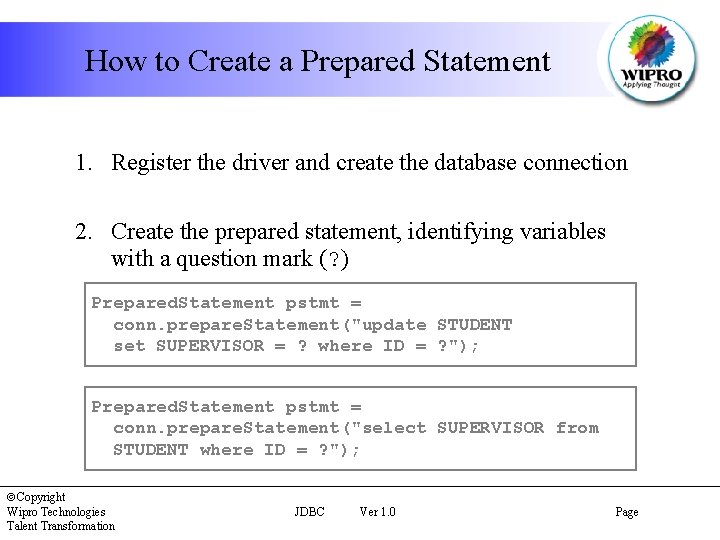
How to Create a Prepared Statement 1. Register the driver and create the database connection 2. Create the prepared statement, identifying variables with a question mark (? ) Prepared. Statement pstmt = conn. prepare. Statement("update STUDENT set SUPERVISOR = ? where ID = ? "); Prepared. Statement pstmt = conn. prepare. Statement("select SUPERVISOR from STUDENT where ID = ? "); ãCopyright Wipro Technologies Talent Transformation JDBC Ver 1. 0 Page
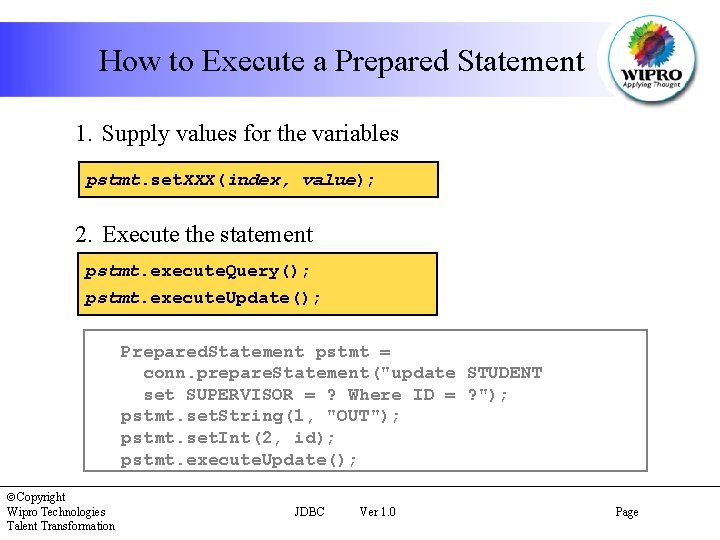
How to Execute a Prepared Statement 1. Supply values for the variables pstmt. set. XXX(index, value); 2. Execute the statement pstmt. execute. Query(); pstmt. execute. Update(); Prepared. Statement pstmt = conn. prepare. Statement("update STUDENT set SUPERVISOR = ? Where ID = ? "); pstmt. set. String(1, "OUT"); pstmt. set. Int(2, id); pstmt. execute. Update(); ãCopyright Wipro Technologies Talent Transformation JDBC Ver 1. 0 Page
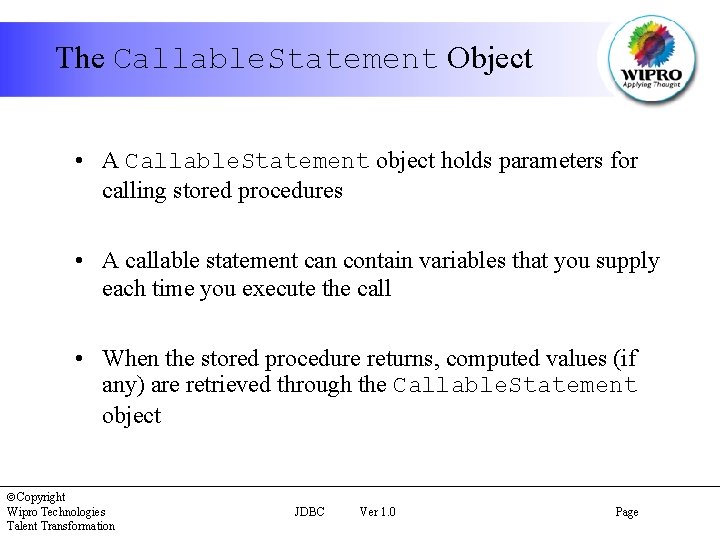
The Callable. Statement Object • A Callable. Statement object holds parameters for calling stored procedures • A callable statement can contain variables that you supply each time you execute the call • When the stored procedure returns, computed values (if any) are retrieved through the Callable. Statement object ãCopyright Wipro Technologies Talent Transformation JDBC Ver 1. 0 Page
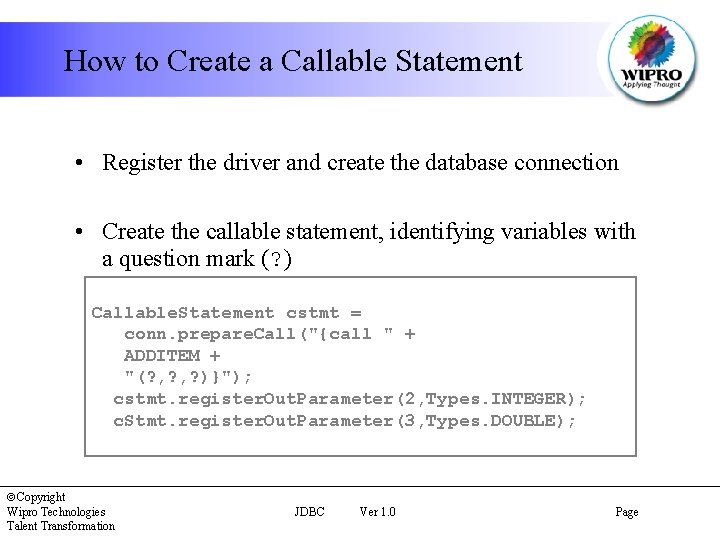
How to Create a Callable Statement • Register the driver and create the database connection • Create the callable statement, identifying variables with a question mark (? ) Callable. Statement cstmt = conn. prepare. Call("{call " + ADDITEM + "(? , ? )}"); cstmt. register. Out. Parameter(2, Types. INTEGER); c. Stmt. register. Out. Parameter(3, Types. DOUBLE); ãCopyright Wipro Technologies Talent Transformation JDBC Ver 1. 0 Page
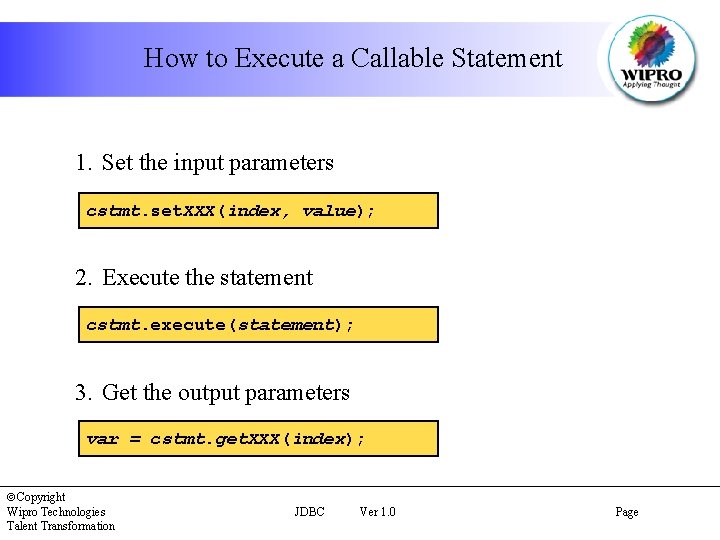
How to Execute a Callable Statement 1. Set the input parameters cstmt. set. XXX(index, value); 2. Execute the statement cstmt. execute(statement); 3. Get the output parameters var = cstmt. get. XXX(index); ãCopyright Wipro Technologies Talent Transformation JDBC Ver 1. 0 Page
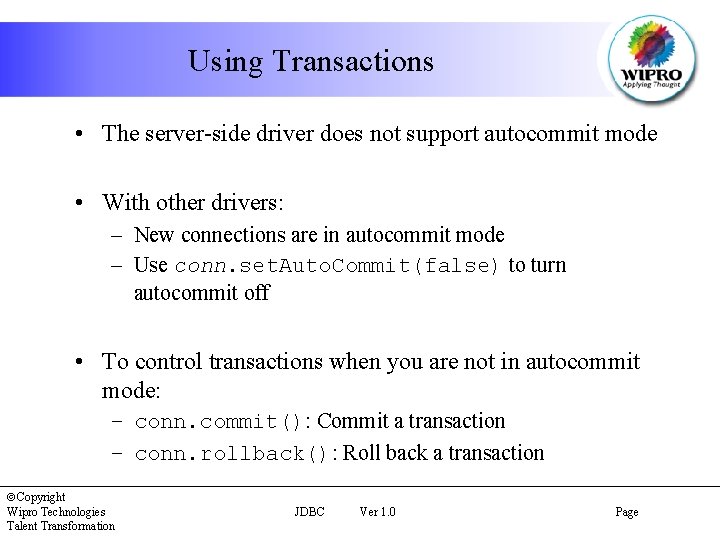
Using Transactions • The server-side driver does not support autocommit mode • With other drivers: – New connections are in autocommit mode – Use conn. set. Auto. Commit(false) to turn autocommit off • To control transactions when you are not in autocommit mode: – conn. commit(): Commit a transaction – conn. rollback(): Roll back a transaction ãCopyright Wipro Technologies Talent Transformation JDBC Ver 1. 0 Page
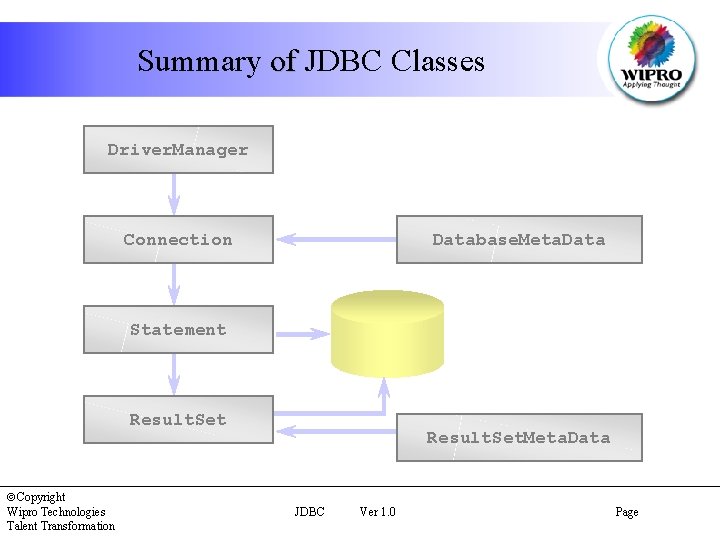
Summary of JDBC Classes Driver. Manager Connection Database. Meta. Data Statement Result. Set ãCopyright Wipro Technologies Talent Transformation Result. Set. Meta. Data JDBC Ver 1. 0 Page
Summary In this session, you have learnt to: • Connect to a database using Java Database Connectivity (JDBC) • Create and execute a query using JDBC • Invoke prepared statements • Commit and roll back transactions • Use the Metadata objects to retrieve more information about the database or the resultset ãCopyright Wipro Technologies Talent Transformation JDBC Ver 1. 0 Page
- Slides: 37