
JAVASCRIPT Session 3 Overview Introduction Data Types Operators
![Digression: Anonymous Functions Consider the set. Timeout function: set. Timeout(function, milliseconds, [optional parameters]); Notice](https://slidetodoc.com/presentation_image_h2/54b2b09a6237e7da42d982c2b8225682/image-23.jpg "Digression: Anonymous Functions Consider the set. Timeout function: set. Timeout(function, milliseconds, [optional parameters]); Notice")
- Slides: 48
JAVASCRIPT Session 3
Overview Introduction, Data Types, Operators and Statements Java. Script Objects, Functions The Browser, The DOM, Dynamic pages, Debugging Java. Script and Custom Object creation, Storage XML - JSON, Introduction to Ajax
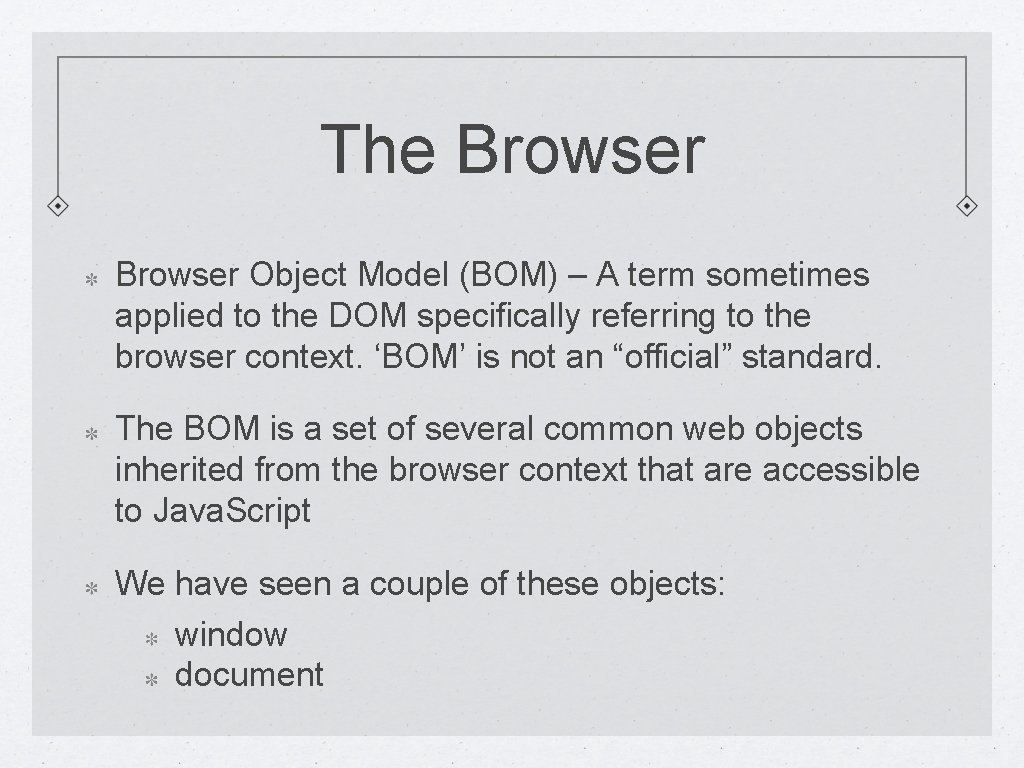
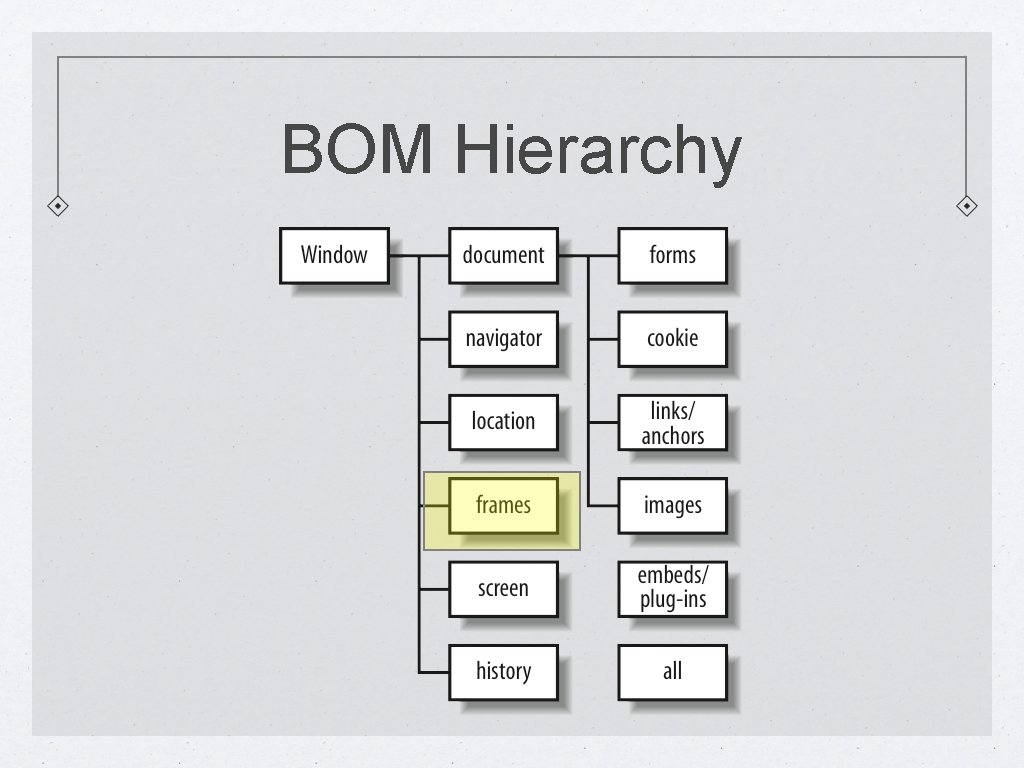
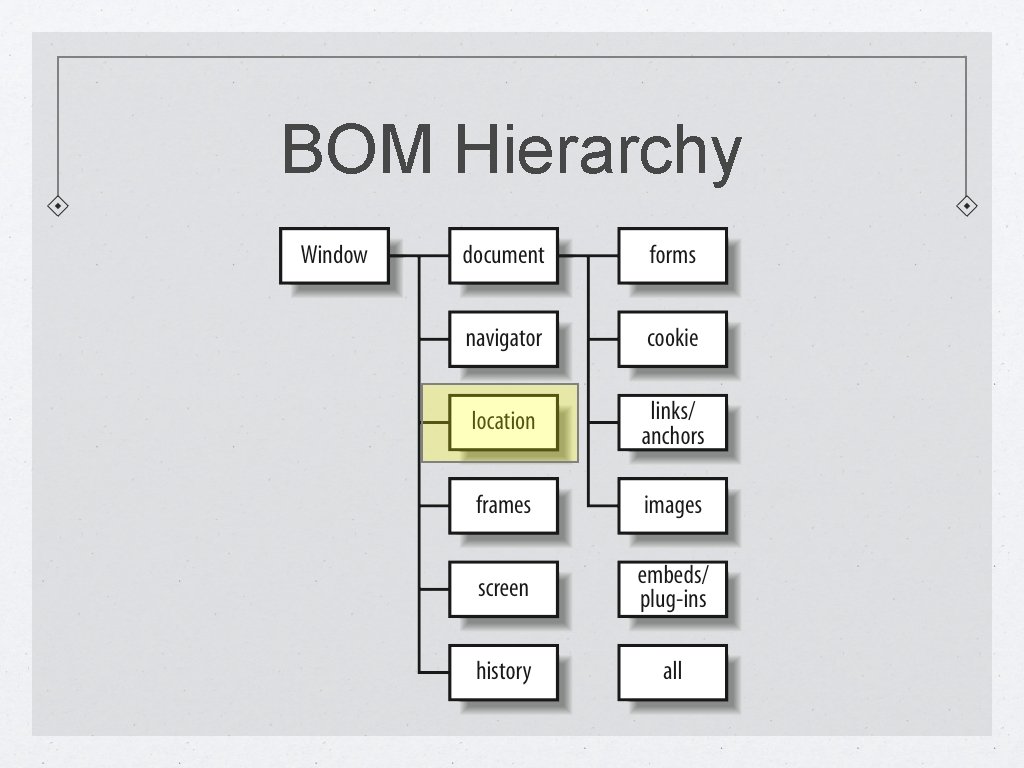
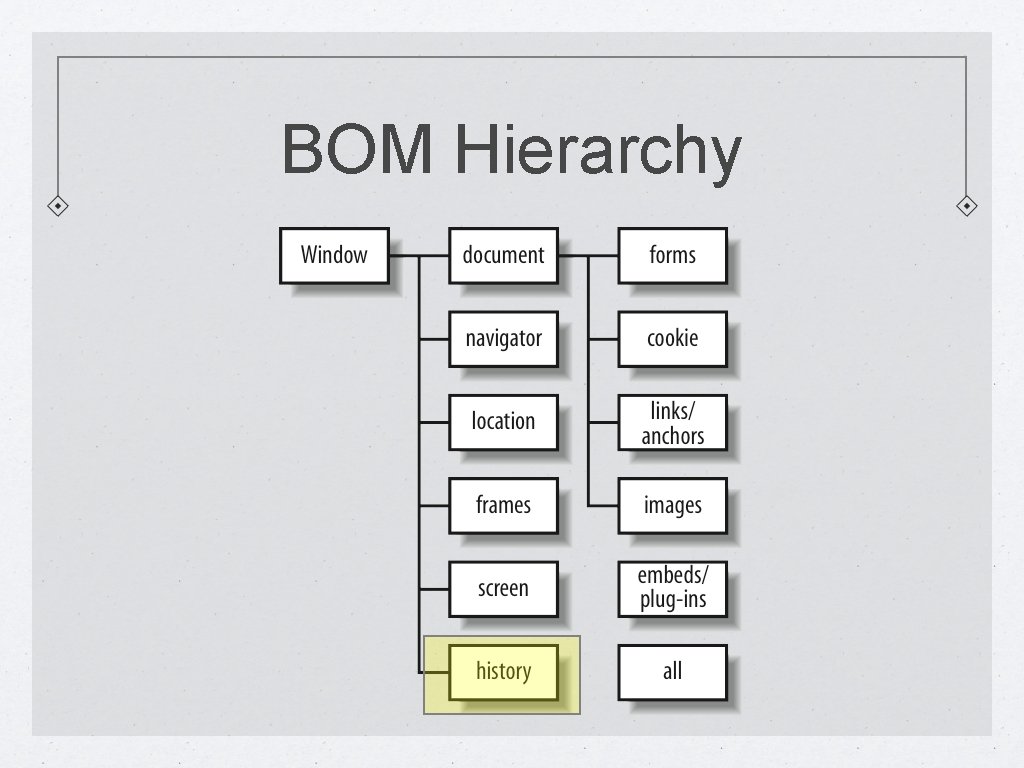
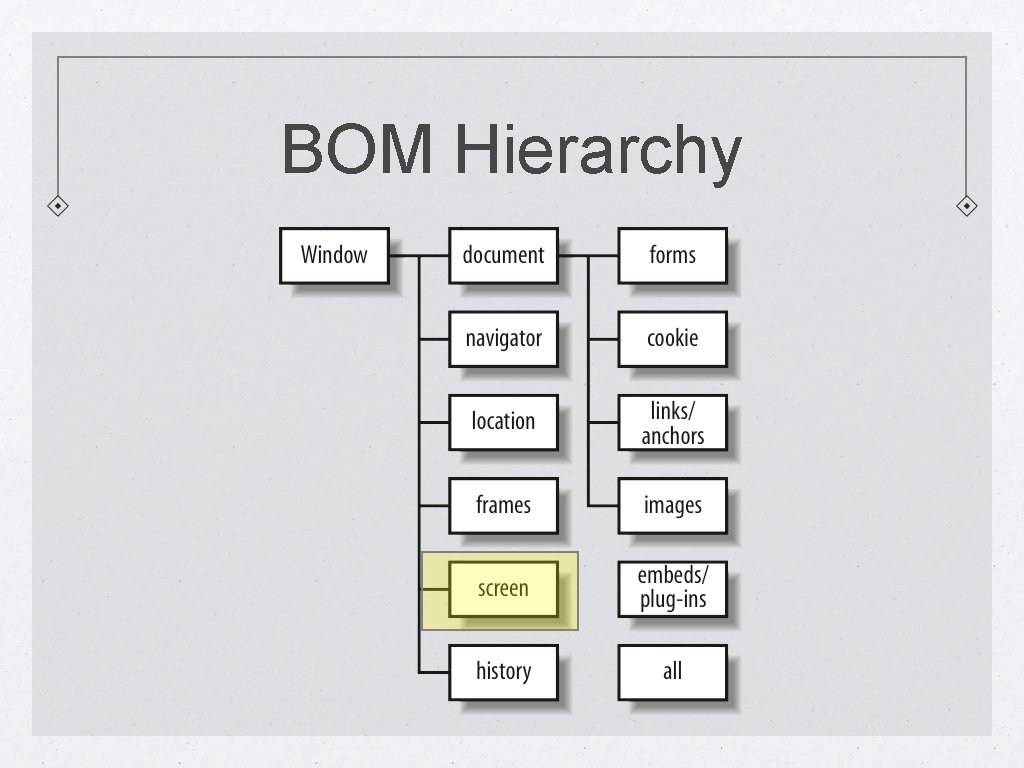
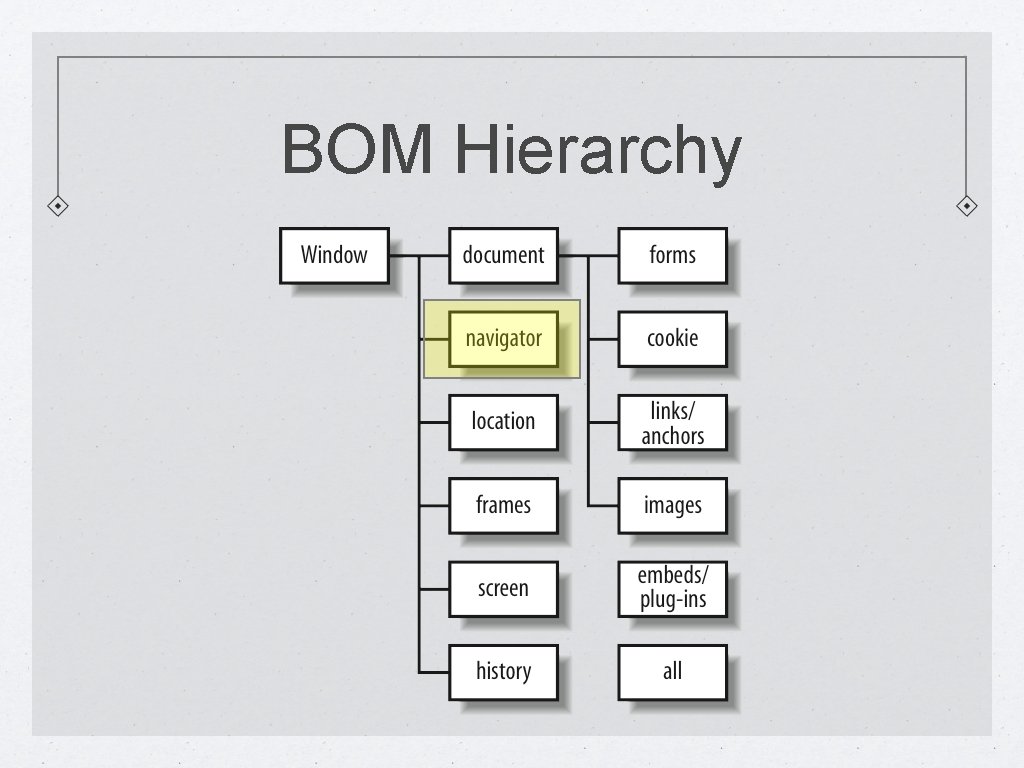
The Browser Object Model (BOM) – A term sometimes applied to the DOM specifically referring to the browser context. ‘BOM’ is not an “official” standard. The BOM is a set of several common web objects inherited from the browser context that are accessible to Java. Script We have seen a couple of these objects: window document
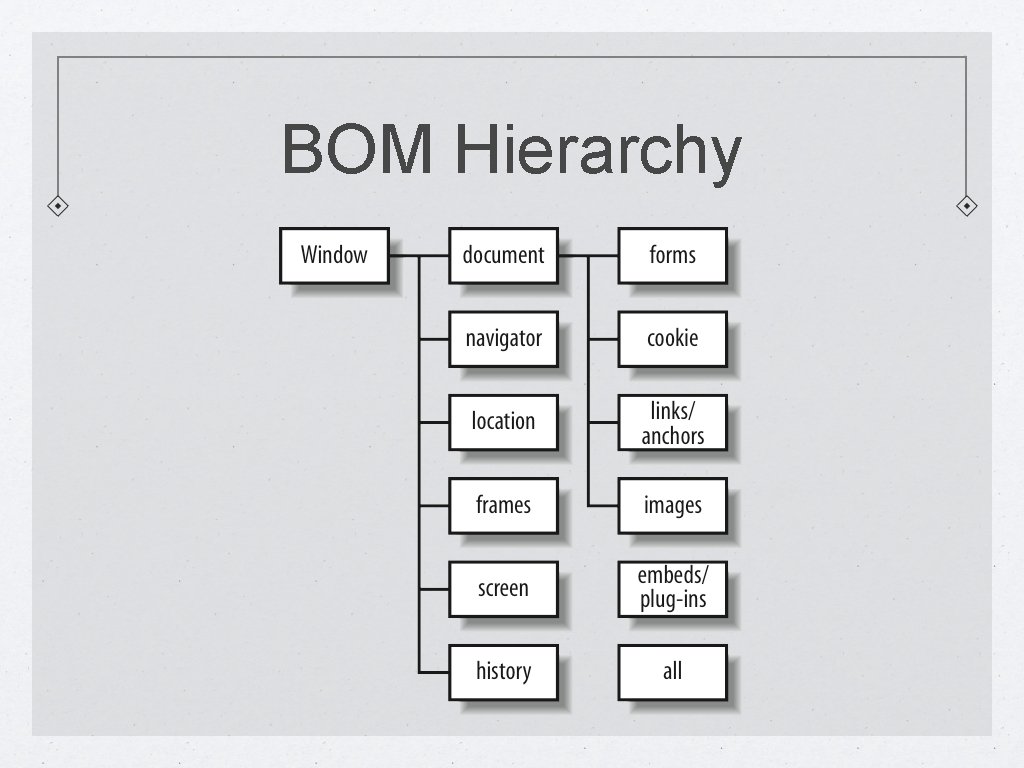
BOM Hierarchy
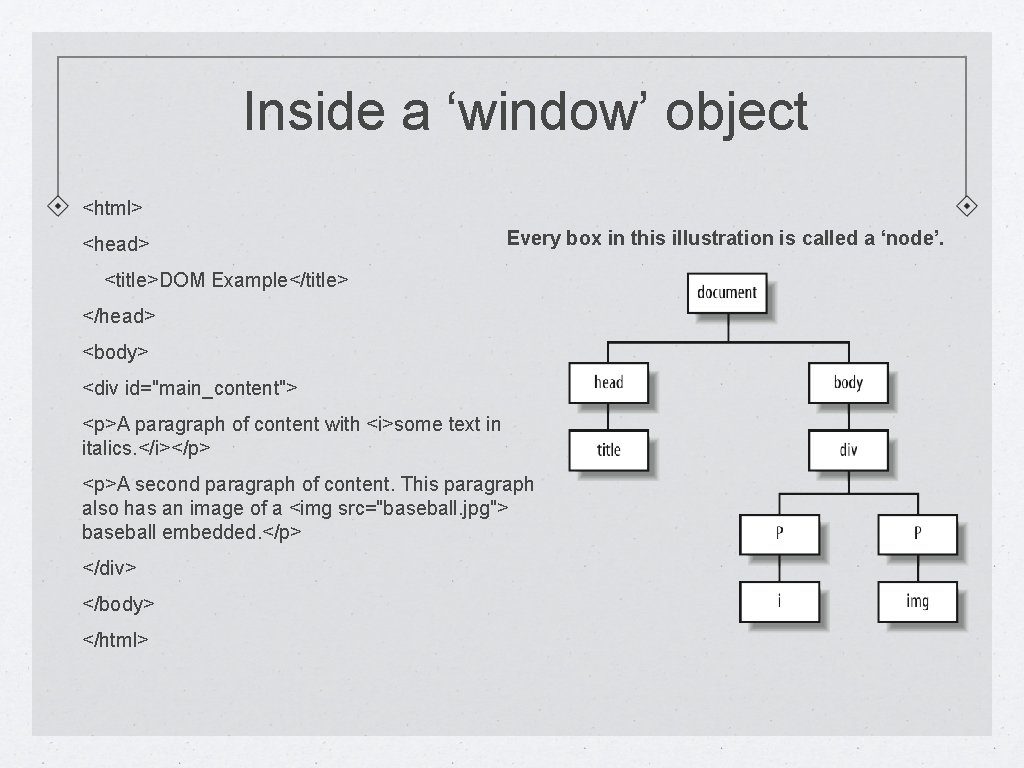
Inside a ‘window’ object <html> <head> Every box in this illustration is called a ‘node’. <title>DOM Example</title> </head> <body> <div id="main_content"> <p>A paragraph of content with <i>some text in italics. </i></p> <p>A second paragraph of content. This paragraph also has an image of a <img src="baseball. jpg"> baseball embedded. </p> </div> </body> </html>
window Object By 'window' we are referring to the part of the browser that surrounds the HTML document You can use the window object to open new windows (or tabs), close existing windows (or tabs), resize windows, change the status of windows, dealing with frames, working with timers, etc The window object incudes methods such as alert() and write() (via the 'document' object) that we have used already. In theory, we should need to write: window. alert() or window. document. write() However, as the very "top" level (global) object, the ‘window’ reference is implicitly understood and, therefore, typing it turns out to be optional.
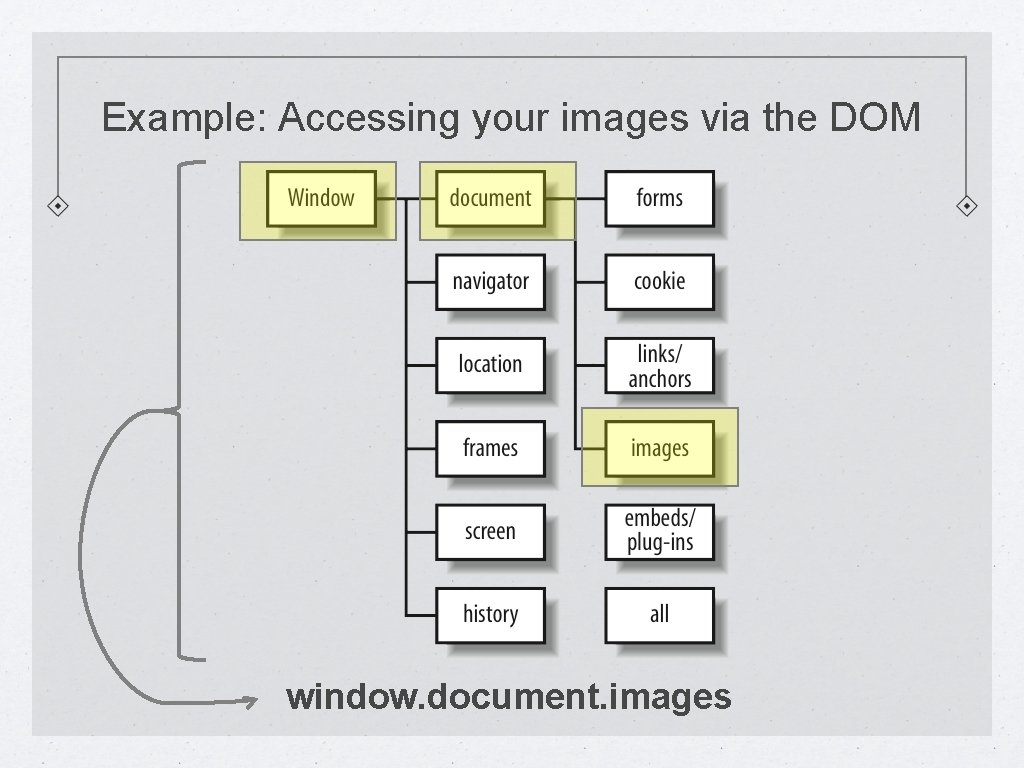
Example: Accessing your images via the DOM window. document. images
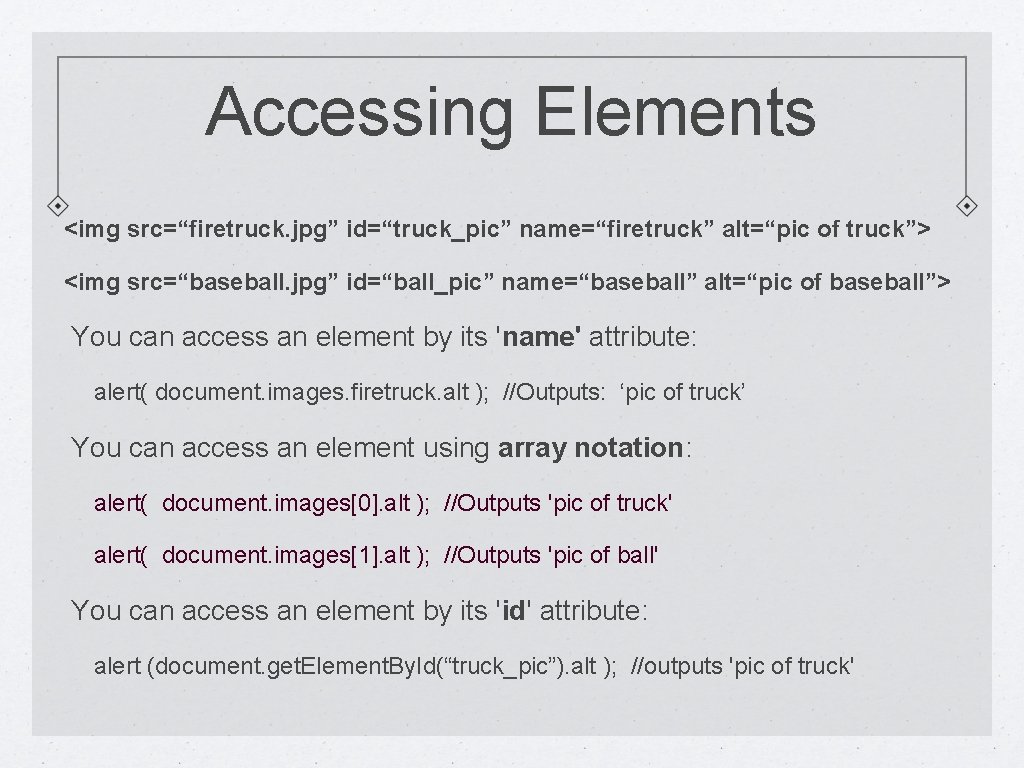
Accessing Elements <img src=“firetruck. jpg” id=“truck_pic” name=“firetruck” alt=“pic of truck”> <img src=“baseball. jpg” id=“ball_pic” name=“baseball” alt=“pic of baseball”> You can access an element by its 'name' attribute: alert( document. images. firetruck. alt ); //Outputs: ‘pic of truck’ You can access an element using array notation: alert( document. images[0]. alt ); //Outputs 'pic of truck' alert( document. images[1]. alt ); //Outputs 'pic of ball' You can access an element by its 'id' attribute: alert (document. get. Element. By. Id(“truck_pic”). alt ); //outputs 'pic of truck'
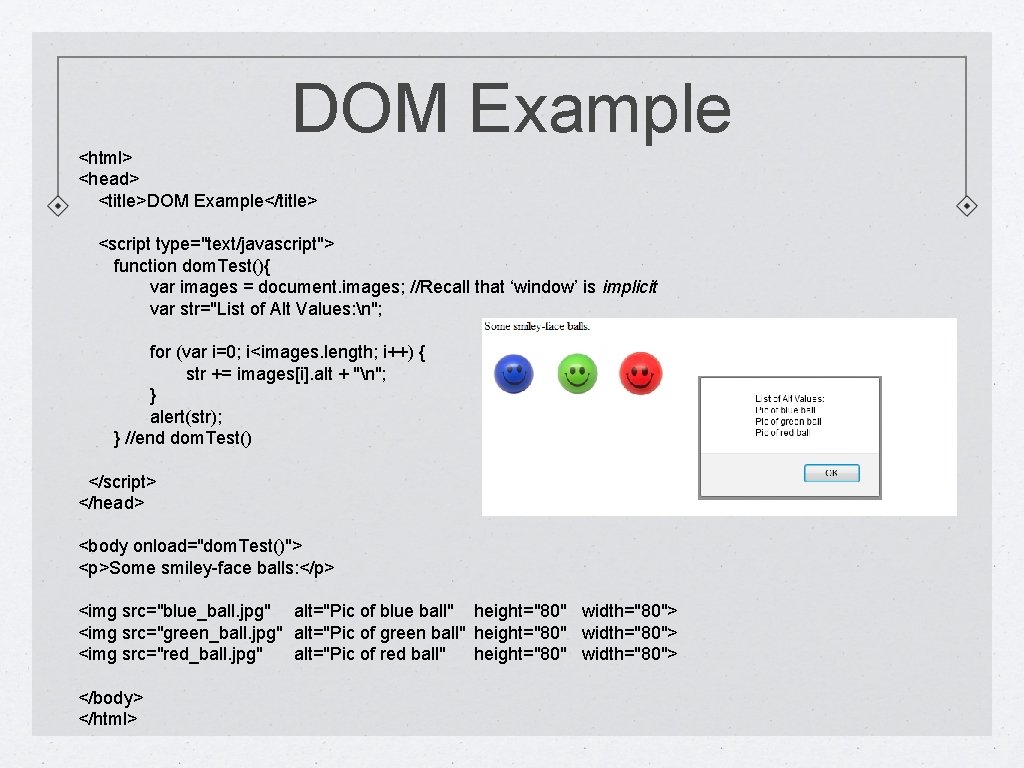
DOM Example <html> <head> <title>DOM Example</title> <script type="text/javascript"> function dom. Test(){ var images = document. images; //Recall that ‘window’ is implicit var str="List of Alt Values: n"; for (var i=0; i<images. length; i++) { str += images[i]. alt + "n"; } alert(str); } //end dom. Test() </script> </head> <body onload="dom. Test()"> <p>Some smiley-face balls: </p> <img src="blue_ball. jpg" alt="Pic of blue ball" height="80" width="80"> <img src="green_ball. jpg" alt="Pic of green ball" height="80" width="80"> <img src="red_ball. jpg" alt="Pic of red ball" height="80" width="80"> </body> </html>
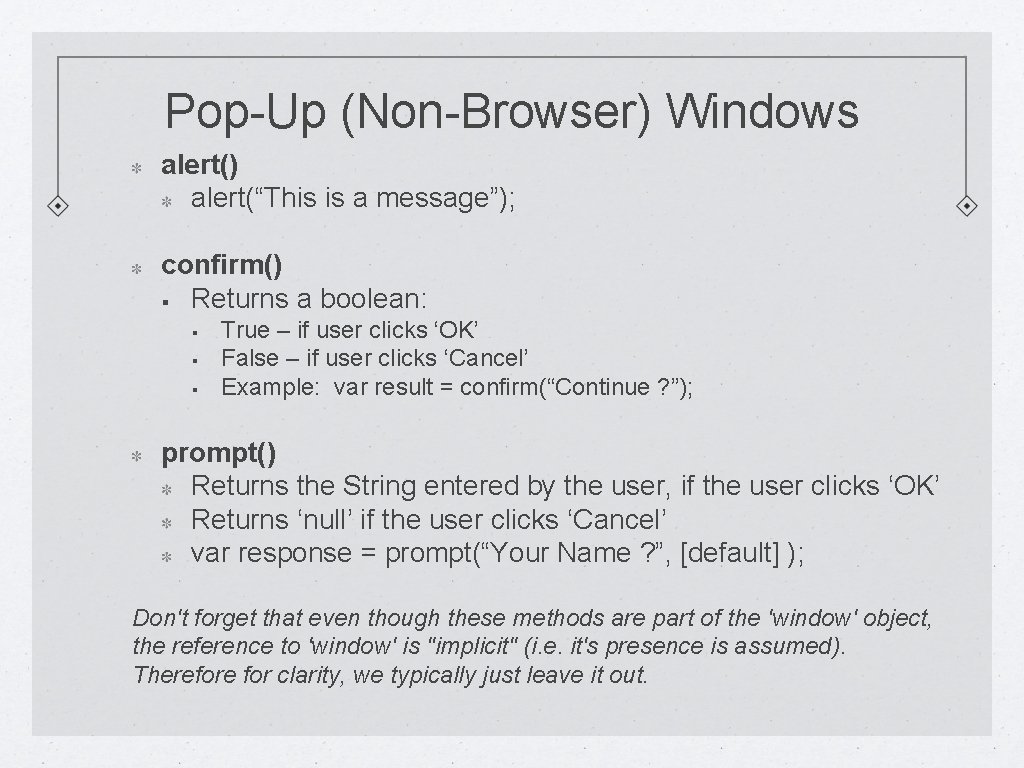
Pop-Up (Non-Browser) Windows alert() alert(“This is a message”); confirm() § Returns a boolean: § § § True – if user clicks ‘OK’ False – if user clicks ‘Cancel’ Example: var result = confirm(“Continue ? ”); prompt() Returns the String entered by the user, if the user clicks ‘OK’ Returns ‘null’ if the user clicks ‘Cancel’ var response = prompt(“Your Name ? ”, [default] ); Don't forget that even though these methods are part of the 'window' object, the reference to 'window' is "implicit" (i. e. it's presence is assumed). Therefore for clarity, we typically just leave it out.
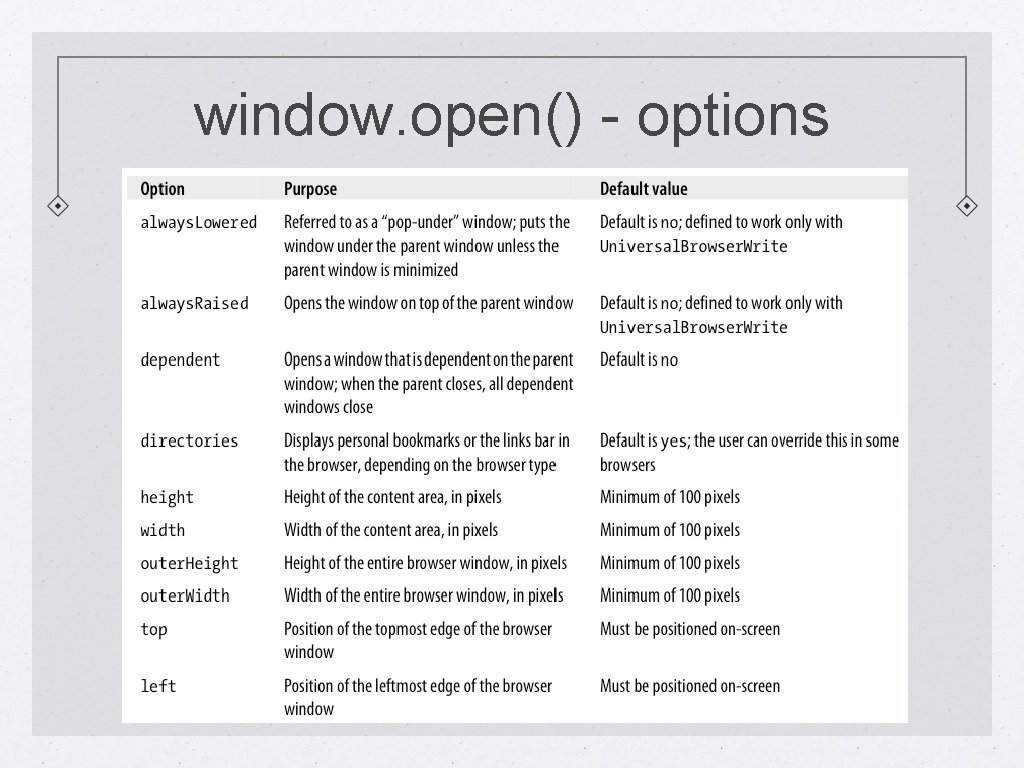
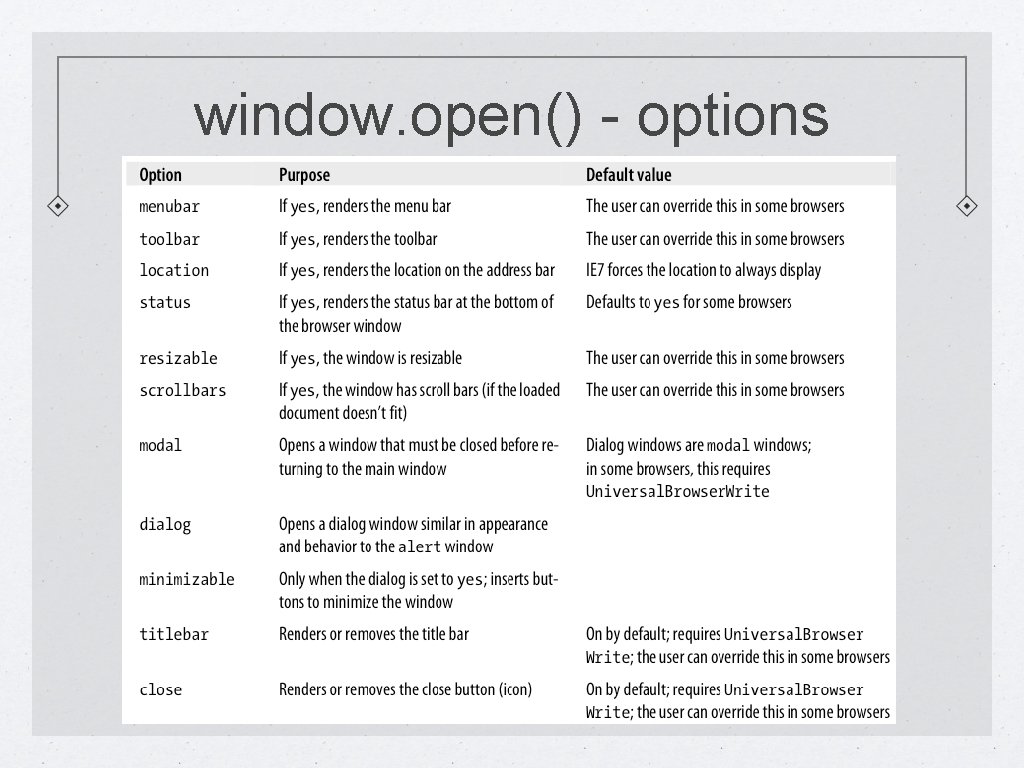
Opening a new browser window To open a window (or tab) use: window. open(param 1, param 2, param 3); All 3 parameters are optional param 1 - the URL of the document param 2 - window name (for purposes of referencing if needed) – Note: This is not the <title> of the window param 3 - window options to control the appearance of the window. All desired options are included in one single string, separated by commas. Not all options are always available. Some are context and window specific. Example: window. open("http: //google. com", "height=600, width=400, toolbar=no");
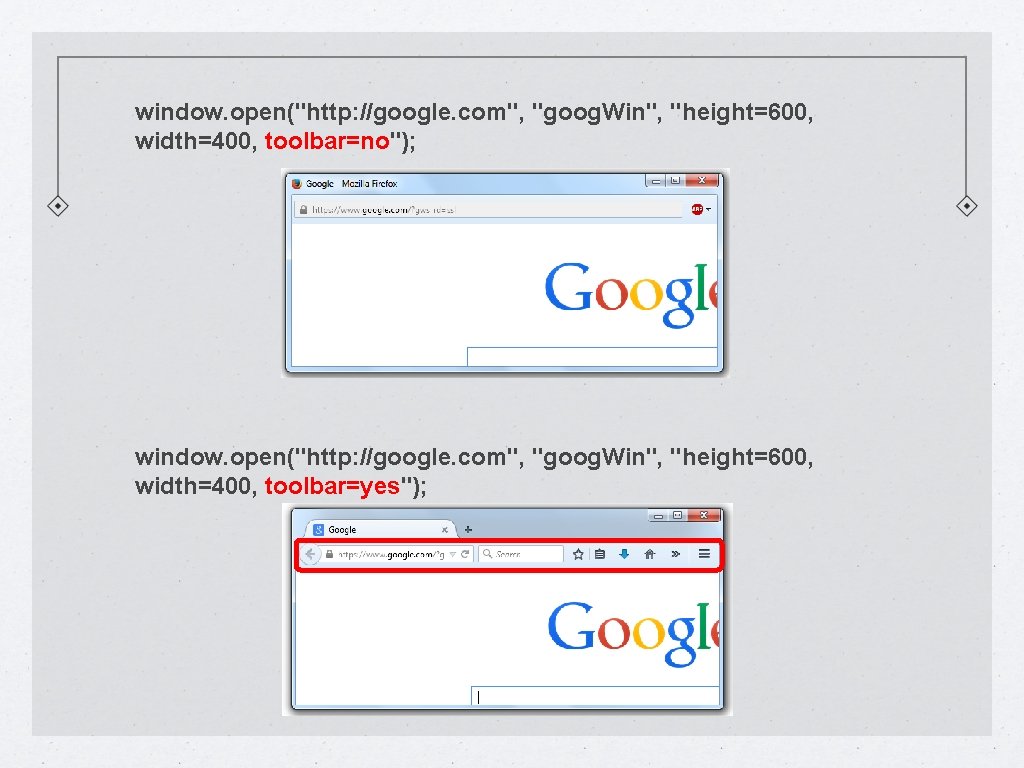
window. open("http: //google. com", "goog. Win", "height=600, width=400, toolbar=no"); window. open("http: //google. com", "goog. Win", "height=600, width=400, toolbar=yes");
window. open() - options
window. open() - options
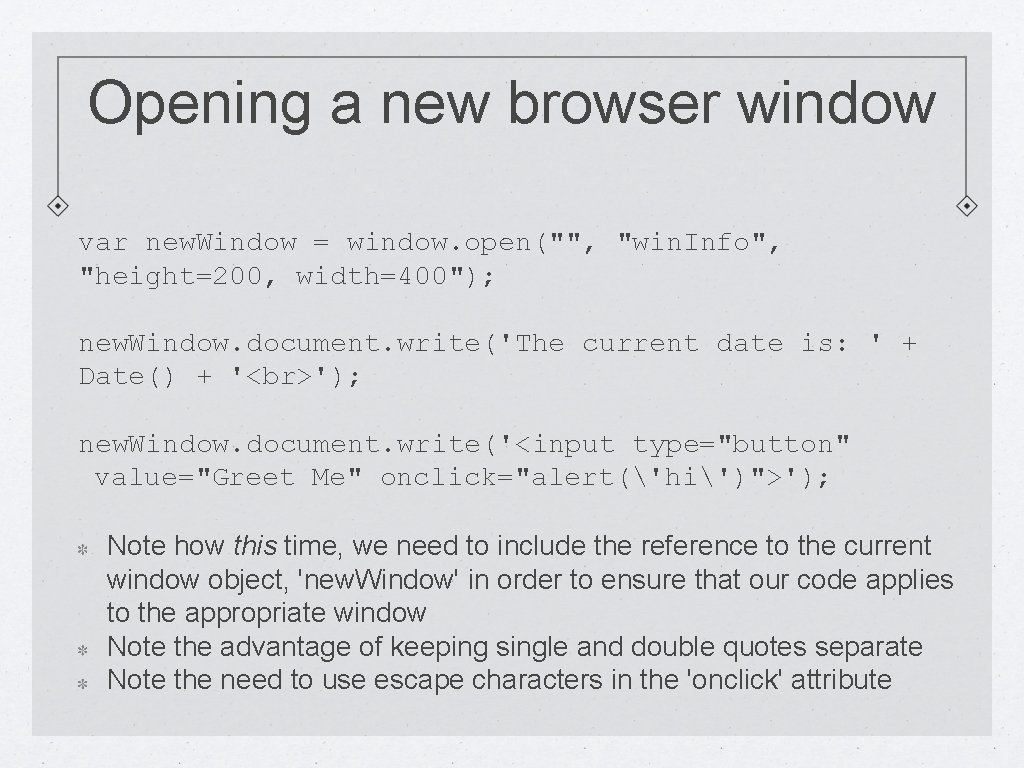
Opening a new browser window var new. Window = window. open("", "win. Info", "height=200, width=400"); new. Window. document. write('The current date is: ' + Date() + ' '); new. Window. document. write('<input type="button" value="Greet Me" onclick="alert('hi')">'); Note how this time, we need to include the reference to the current window object, 'new. Window' in order to ensure that our code applies to the appropriate window Note the advantage of keeping single and double quotes separate Note the need to use escape characters in the 'onclick' attribute
BOM Hierarchy
frames Object The frames object has the following properties: parent length name The parent (frameset) can access the children frames by their names. The children can access the other child by going throught the parent. Frames are no longer popular – in fact, their use has fallen out of favor and rarely recommended. They are discussed here simply for completeness and because it is possible you will encounter them in legacy code.
BOM Hierarchy
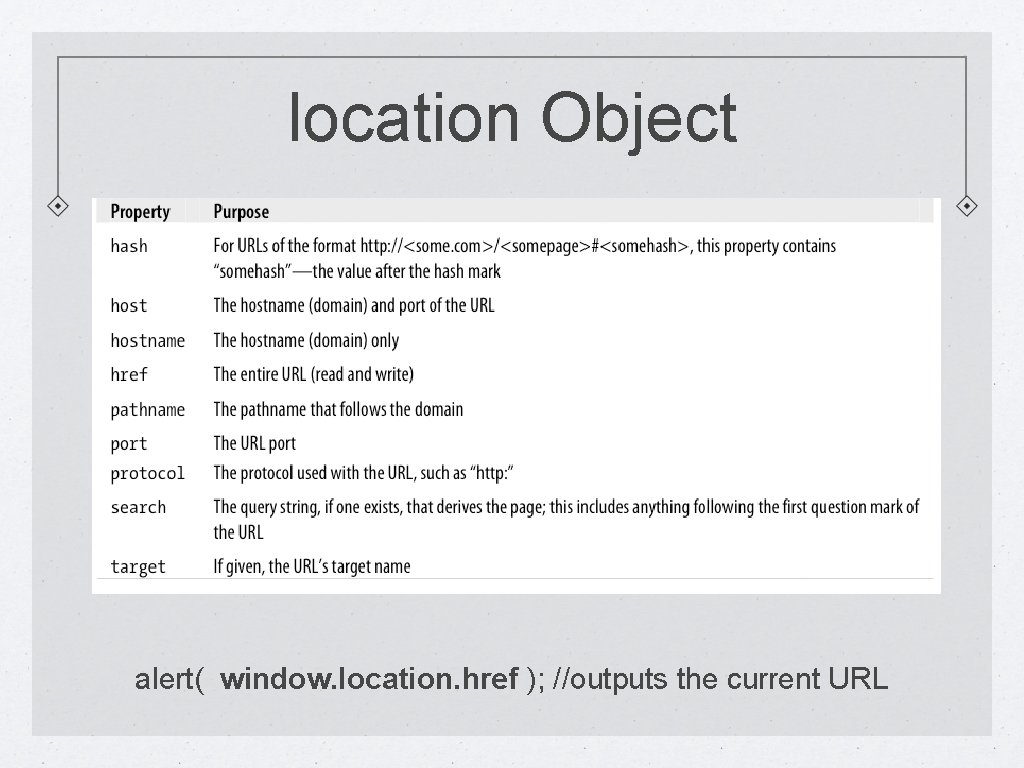
location Object alert( window. location. href ); //outputs the current URL
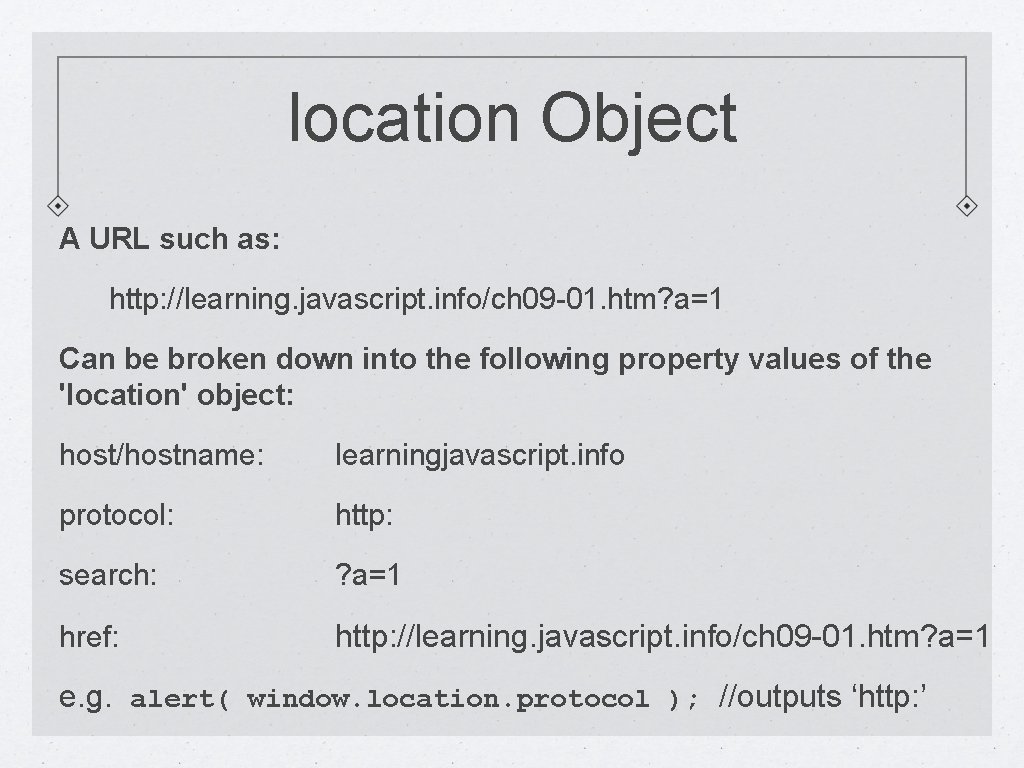
location Object A URL such as: http: //learning. javascript. info/ch 09 -01. htm? a=1 Can be broken down into the following property values of the 'location' object: host/hostname: learningjavascript. info protocol: http: search: ? a=1 href: http: //learning. javascript. info/ch 09 -01. htm? a=1 e. g. alert( window. location. protocol ); //outputs ‘http: ’
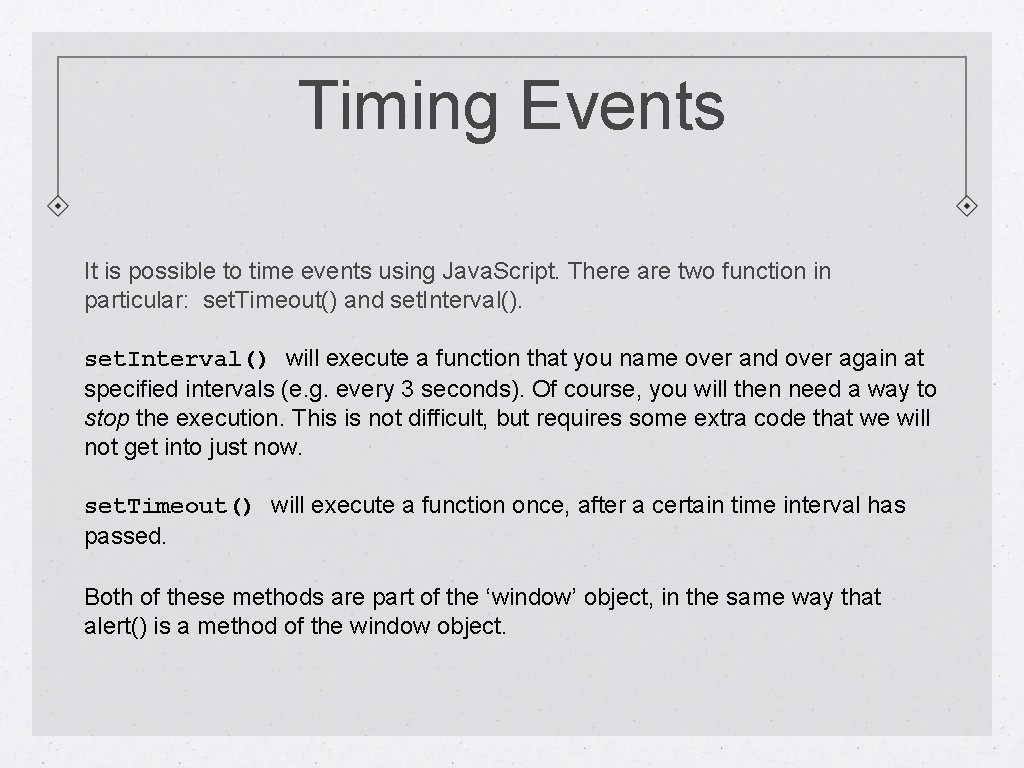
Timing Events It is possible to time events using Java. Script. There are two function in particular: set. Timeout() and set. Interval() will execute a function that you name over and over again at specified intervals (e. g. every 3 seconds). Of course, you will then need a way to stop the execution. This is not difficult, but requires some extra code that we will not get into just now. set. Timeout() will execute a function once, after a certain time interval has passed. Both of these methods are part of the ‘window’ object, in the same way that alert() is a method of the window object.
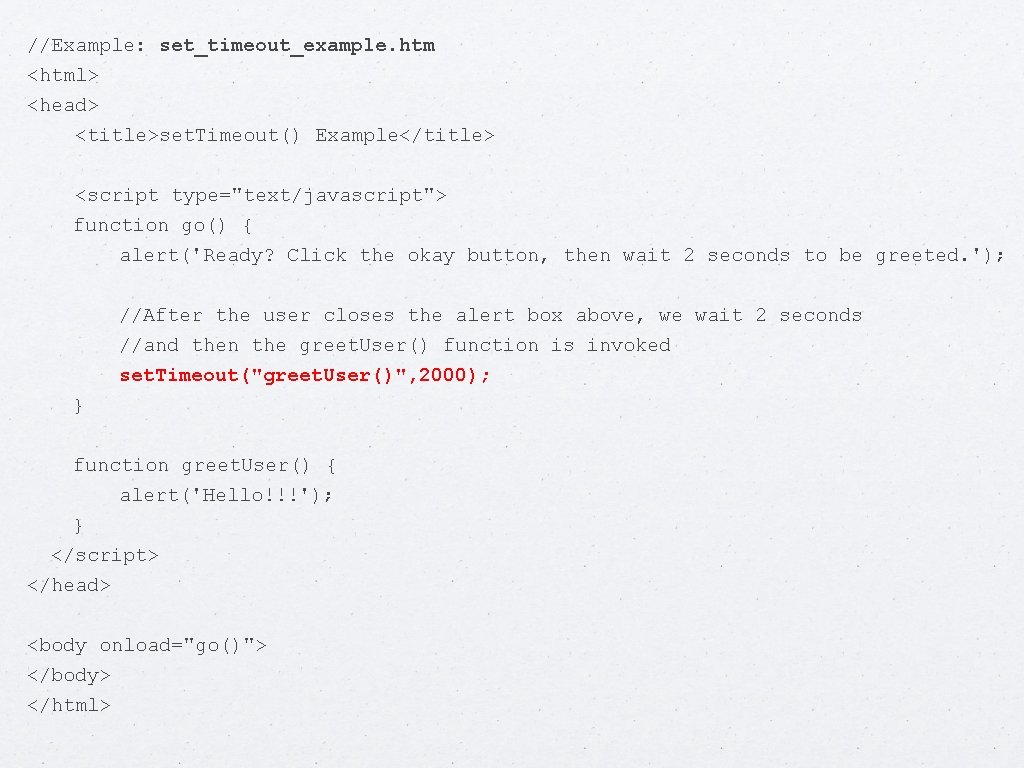
//Example: set_timeout_example. htm <html> <head> <title>set. Timeout() Example</title> <script type="text/javascript"> function go() { alert('Ready? Click the okay button, then wait 2 seconds to be greeted. '); //After the user closes the alert box above, we wait 2 seconds //and then the greet. User() function is invoked set. Timeout("greet. User()", 2000); } function greet. User() { alert('Hello!!!'); } </script> </head> <body onload="go()"> </body> </html>
Digression: Anonymous Functions Consider the set. Timeout function: set. Timeout(function, milliseconds, [optional parameters]); Notice how the first argument is itself an entire function. Situations where an argument to a function is itself a function are not uncommon. Also, it is frequently the case that the function being passed is intended to be used only inside the parameter list. In other words, there are no plans to ever invoke that function elsewhere. For this reason, rather than write a function elsewhere and pass the function's identifier as an argument (e. g. set. Timeout("greet. User()", 3000); we instead write the entire function directly inside the parameter list! For example: set. Timeout( function do. Stuff() { alert('hi'); }, 3000); But wait… since we are not intending to invoke the function at any other time, we do not even need to give the function an identifier: set. Timeout( function () { alert('hi'); }, 3000); When we create a function but dispense with giving the function an identiier, we call it an anonymous function. Anonymous functions are used with some frequency in Java. Script and j. Query.
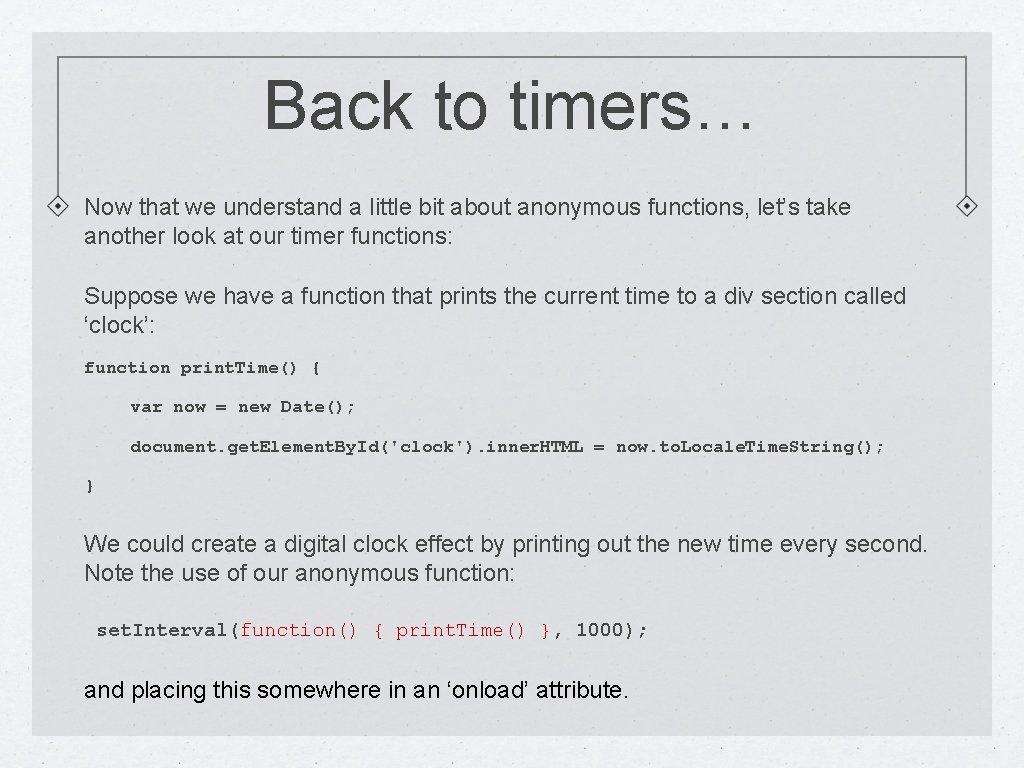
Back to timers… Now that we understand a little bit about anonymous functions, let’s take another look at our timer functions: Suppose we have a function that prints the current time to a div section called ‘clock’: function print. Time() { var now = new Date(); document. get. Element. By. Id('clock'). inner. HTML = now. to. Locale. Time. String(); } We could create a digital clock effect by printing out the new time every second. Note the use of our anonymous function: set. Interval(function() { print. Time() }, 1000); and placing this somewhere in an ‘onload’ attribute.
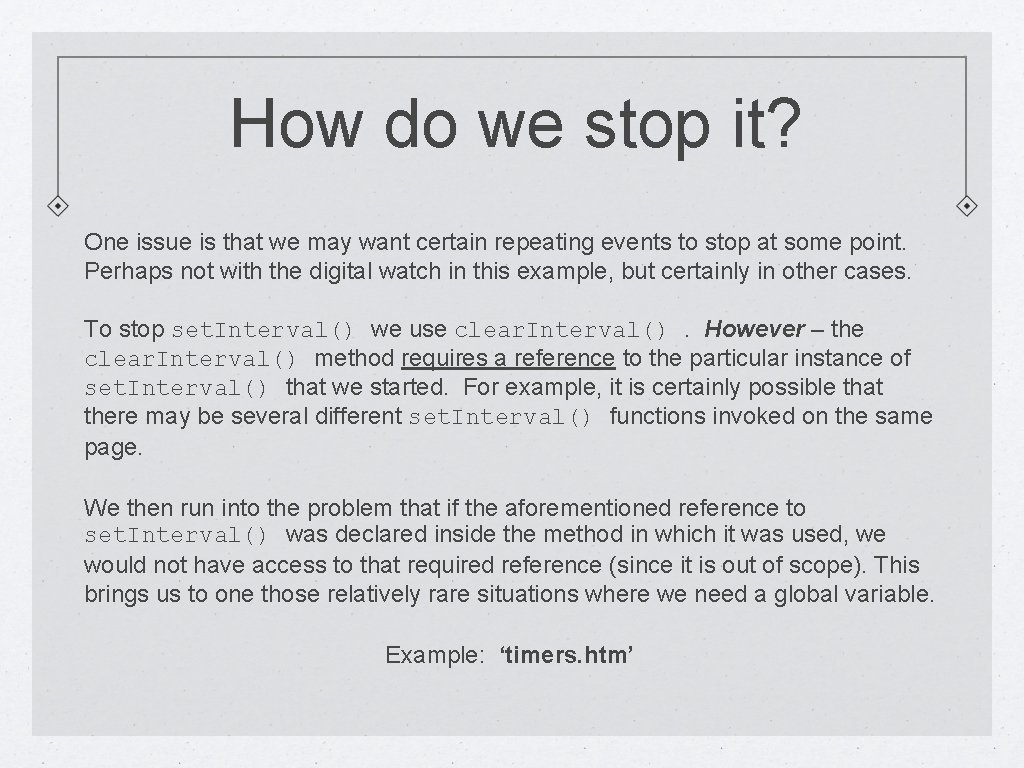
How do we stop it? One issue is that we may want certain repeating events to stop at some point. Perhaps not with the digital watch in this example, but certainly in other cases. To stop set. Interval() we use clear. Interval(). However – the clear. Interval() method requires a reference to the particular instance of set. Interval() that we started. For example, it is certainly possible that there may be several different set. Interval() functions invoked on the same page. We then run into the problem that if the aforementioned reference to set. Interval() was declared inside the method in which it was used, we would not have access to that required reference (since it is out of scope). This brings us to one those relatively rare situations where we need a global variable. Example: ‘timers. htm’
BOM Hierarchy
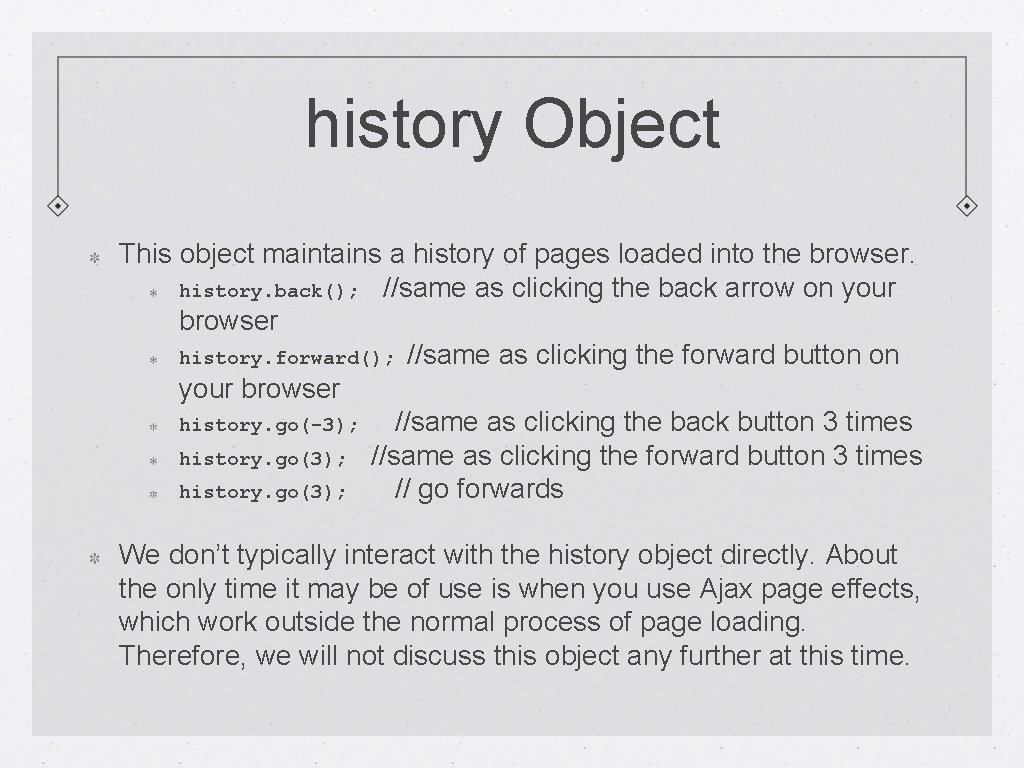
history Object This object maintains a history of pages loaded into the browser. history. back(); //same as clicking the back arrow on your browser history. forward(); //same as clicking the forward button on your browser history. go(-3); //same as clicking the back button 3 times history. go(3); //same as clicking the forward button 3 times history. go(3); // go forwards We don’t typically interact with the history object directly. About the only time it may be of use is when you use Ajax page effects, which work outside the normal process of page loading. Therefore, we will not discuss this object any further at this time.
BOM Hierarchy
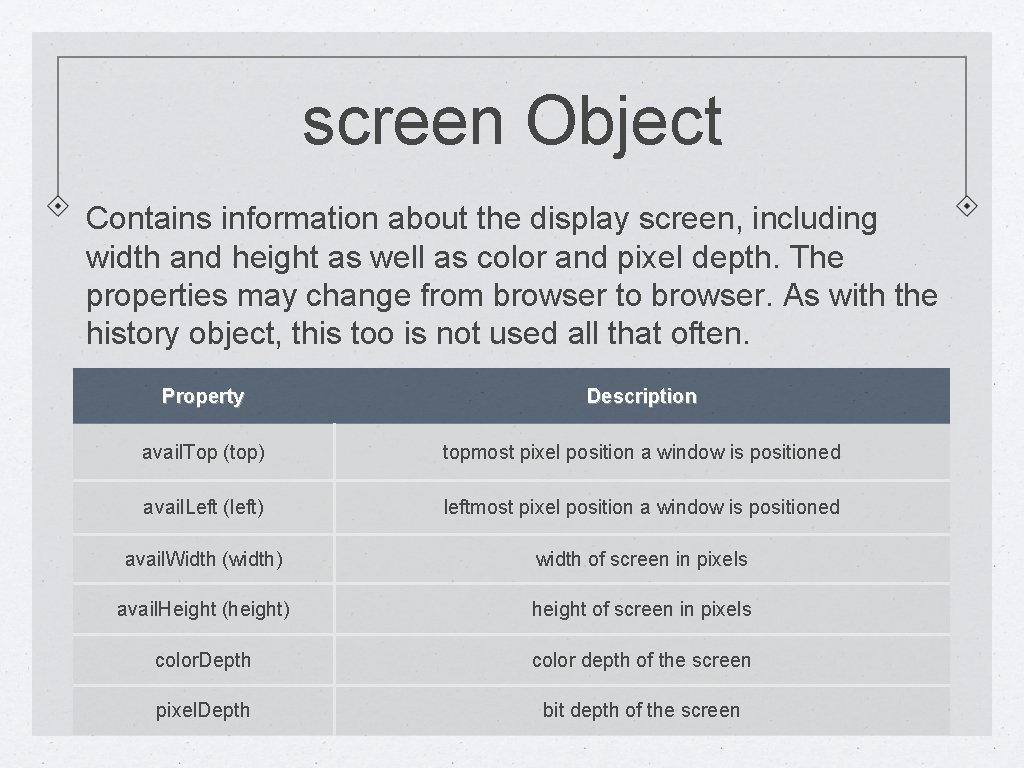
screen Object Contains information about the display screen, including width and height as well as color and pixel depth. The properties may change from browser to browser. As with the history object, this too is not used all that often. Property Description avail. Top (top) topmost pixel position a window is positioned avail. Left (left) leftmost pixel position a window is positioned avail. Width (width) width of screen in pixels avail. Height (height) height of screen in pixels color. Depth color depth of the screen pixel. Depth bit depth of the screen
BOM Hierarchy
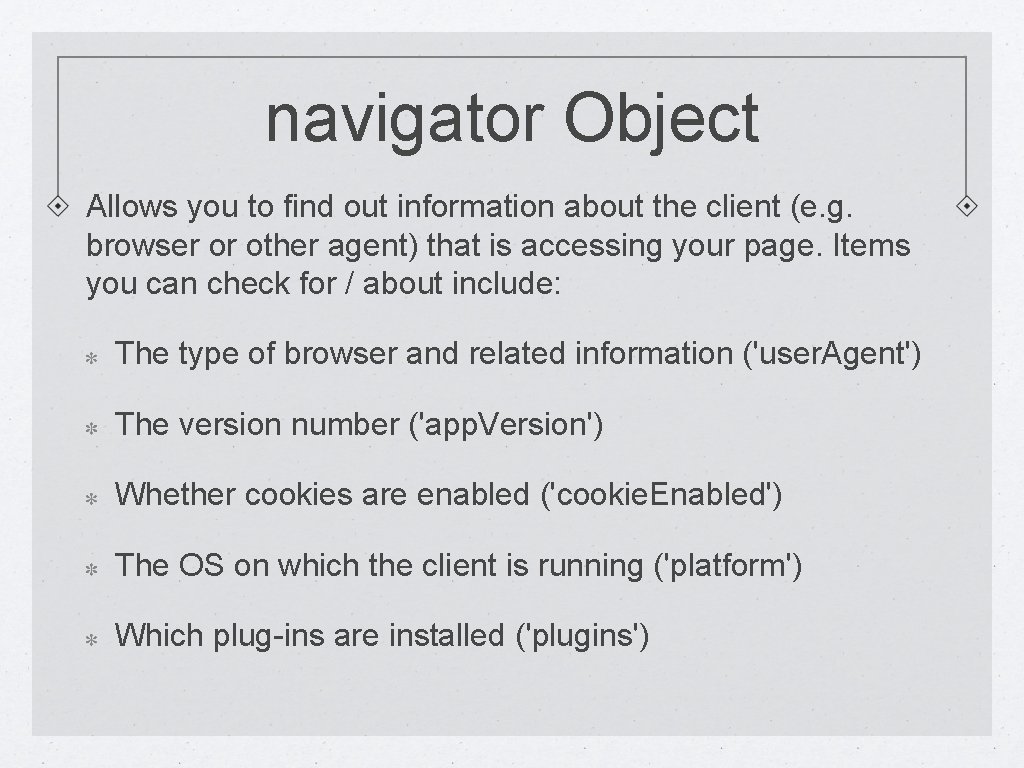
navigator Object Allows you to find out information about the client (e. g. browser or other agent) that is accessing your page. Items you can check for / about include: The type of browser and related information ('user. Agent') The version number ('app. Version') Whether cookies are enabled ('cookie. Enabled') The OS on which the client is running ('platform') Which plug-ins are installed ('plugins')
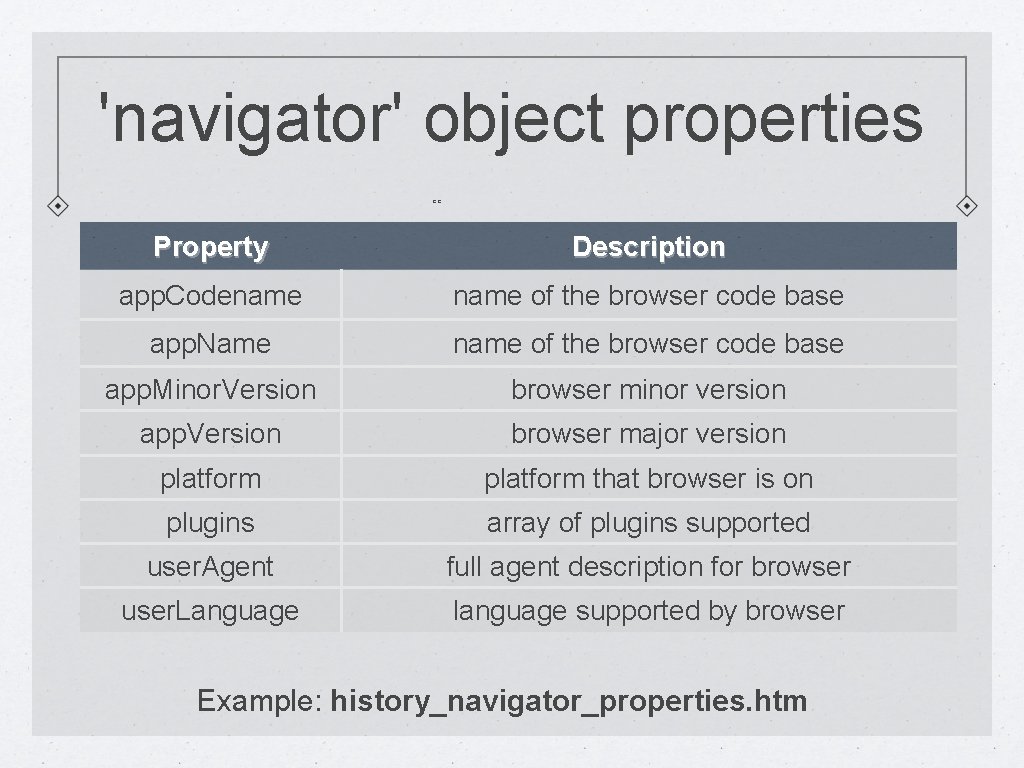
'navigator' object properties ee Property Description app. Codename of the browser code base app. Name name of the browser code base app. Minor. Version browser minor version app. Version browser major version platform that browser is on plugins array of plugins supported user. Agent full agent description for browser user. Language language supported by browser Example: history_navigator_properties. htm
BOM Hierarchy
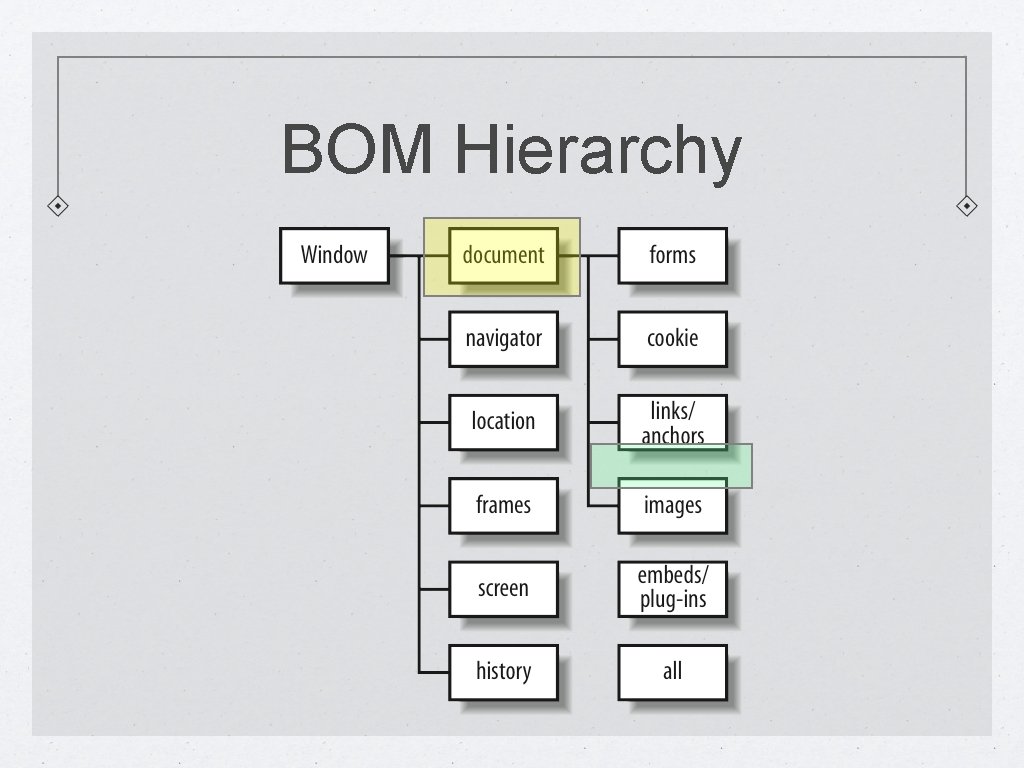
document Object We have now gone through all of the properties of the 'window' object, albeit somewhat briefly. We will now return to object with which we are already somewhat familiar, the 'document' object. Of all the objects encapsulated by the 'windows' object, the 'document' object is the one JS programmers interact with most frequently. The document object provides access to any element on the page, either individually or as a collection (e. g. a specific image, or an array of all of the images). We've already seen a few properties/methods: get. Element. By. Id, get. Element. By. Tag. Name and writeln. Other things we can access/do via the 'document' object: Get the links on a page. Alter images on the page Change html contained within a page element
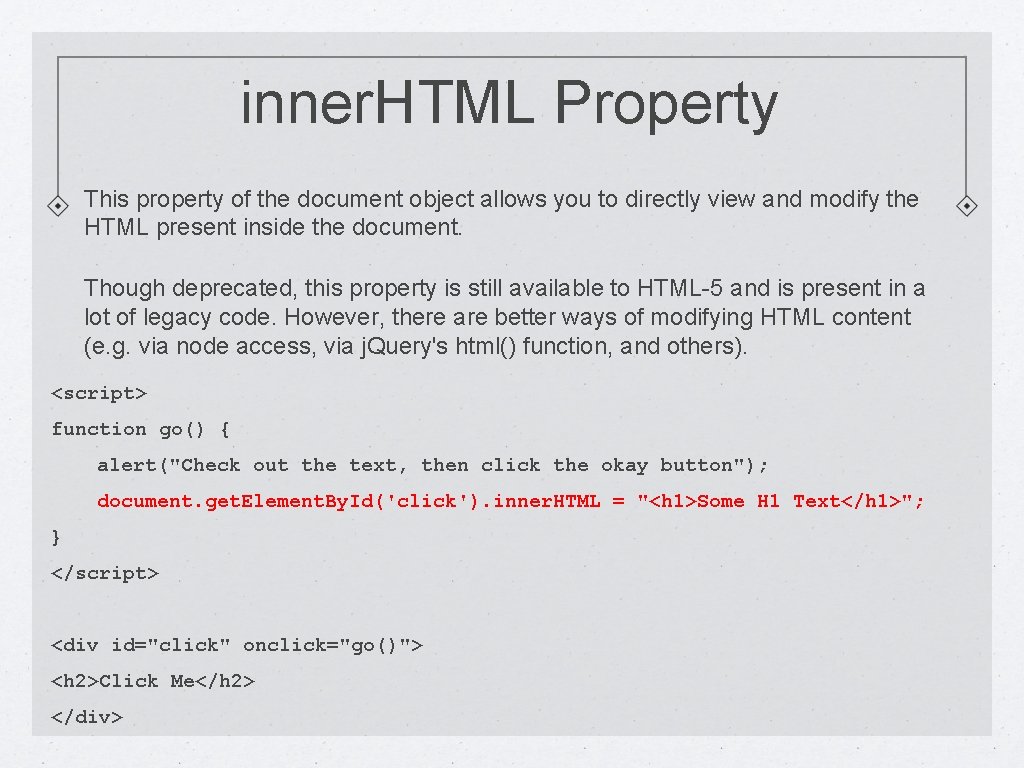
inner. HTML Property This property of the document object allows you to directly view and modify the HTML present inside the document. Though deprecated, this property is still available to HTML-5 and is present in a lot of legacy code. However, there are better ways of modifying HTML content (e. g. via node access, via j. Query's html() function, and others). <script> function go() { alert("Check out the text, then click the okay button"); document. get. Element. By. Id('click'). inner. HTML = "<h 1>Some H 1 Text</h 1>"; } </script> <div id="click" onclick="go()"> <h 2>Click Me</h 2> </div>
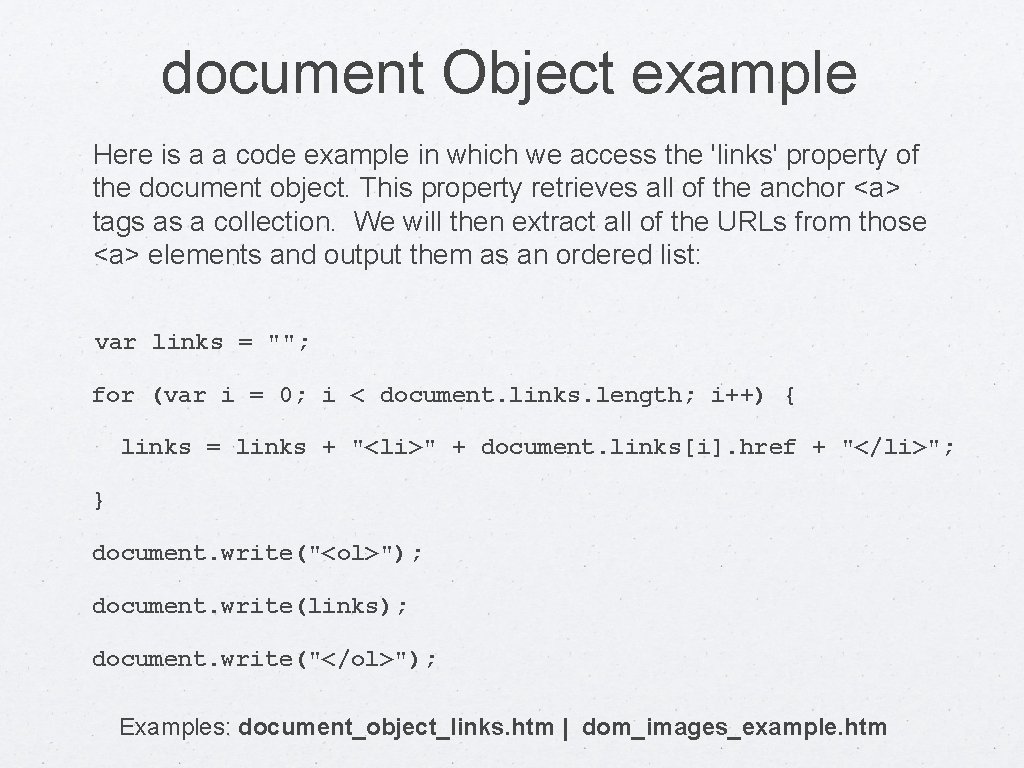
document Object example Here is a a code example in which we access the 'links' property of the document object. This property retrieves all of the anchor <a> tags as a collection. We will then extract all of the URLs from those <a> elements and output them as an ordered list: var links = ""; for (var i = 0; i < document. links. length; i++) { links = links + "<li>" + document. links[i]. href + "</li>"; } document. write("<ol>"); document. write(links); document. write("</ol>"); Examples: document_object_links. htm | dom_images_example. htm
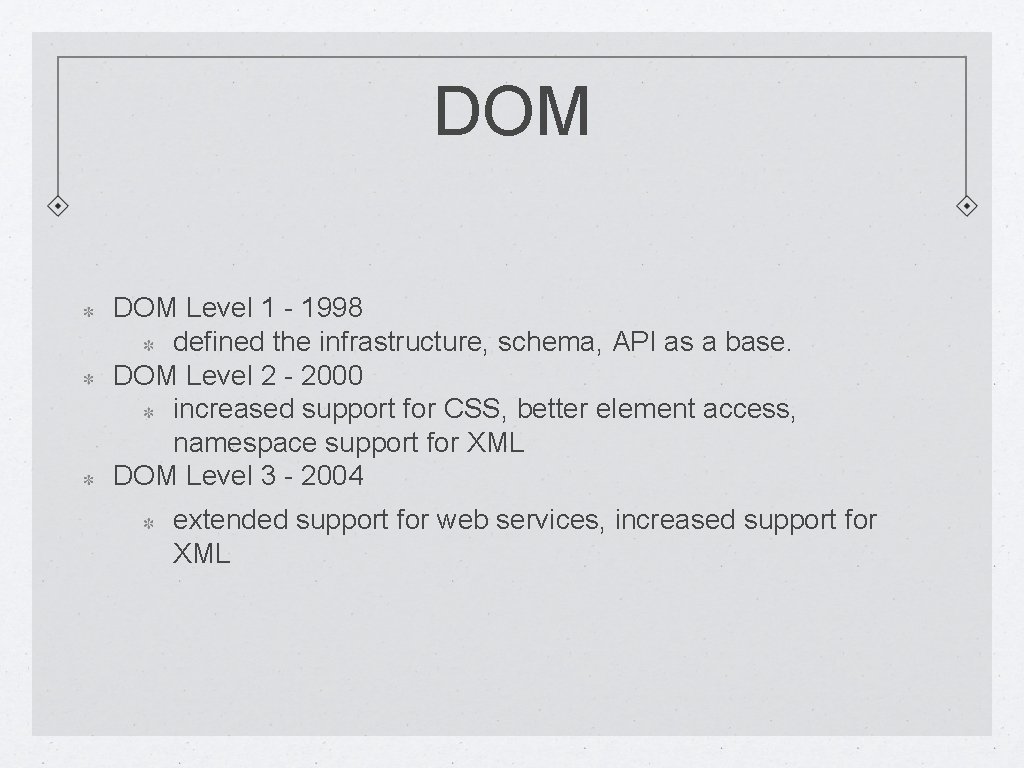
DOM Level 1 - 1998 defined the infrastructure, schema, API as a base. DOM Level 2 - 2000 increased support for CSS, better element access, namespace support for XML DOM Level 3 - 2004 extended support for web services, increased support for XML
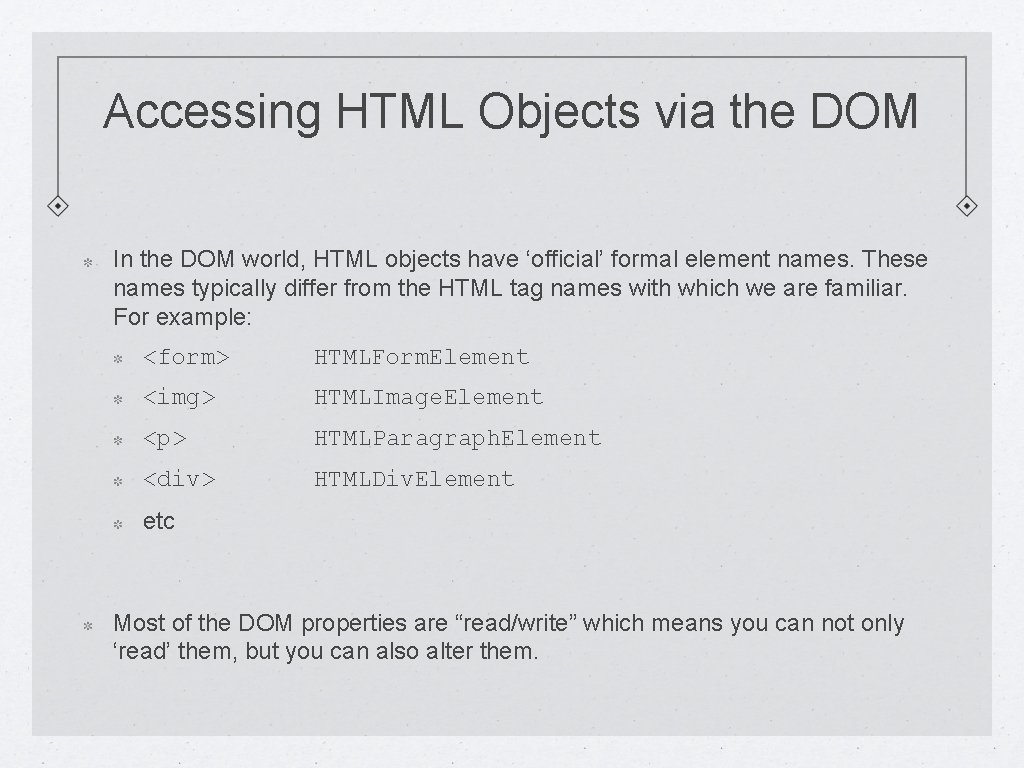
Accessing HTML Objects via the DOM In the DOM world, HTML objects have ‘official’ formal element names. These names typically differ from the HTML tag names with which we are familiar. For example: <form> HTMLForm. Element <img> HTMLImage. Element <p> HTMLParagraph. Element <div> HTMLDiv. Element etc Most of the DOM properties are “read/write” which means you can not only ‘read’ them, but you can also alter them.
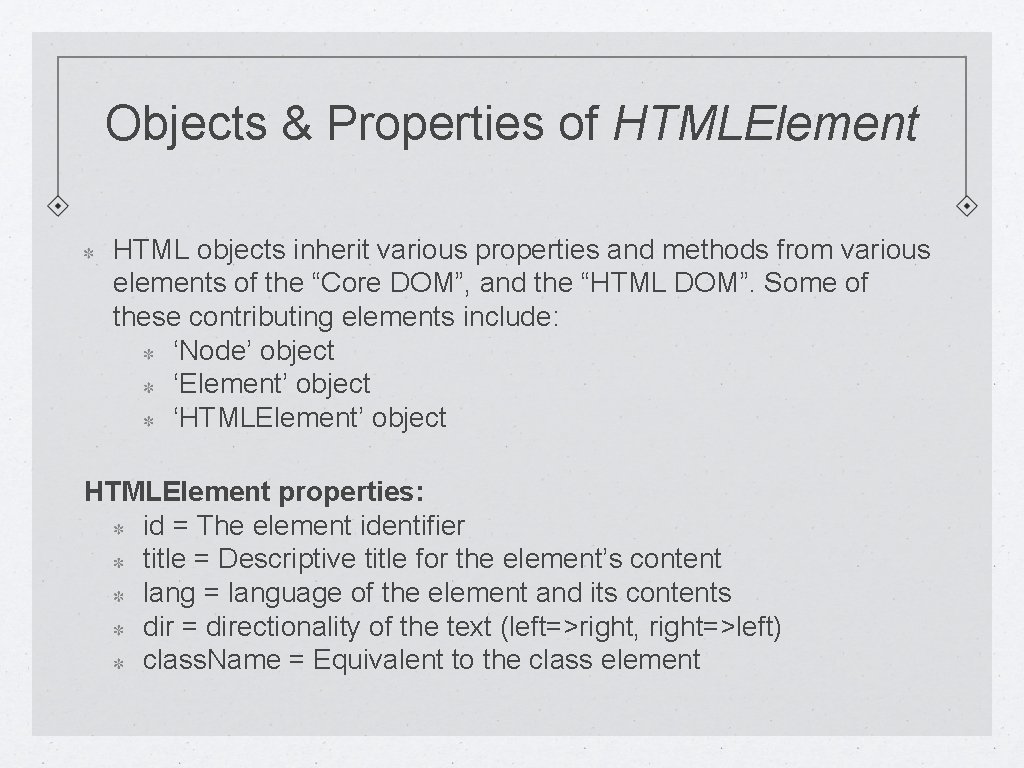
Objects & Properties of HTMLElement HTML objects inherit various properties and methods from various elements of the “Core DOM”, and the “HTML DOM”. Some of these contributing elements include: ‘Node’ object ‘Element’ object ‘HTMLElement’ object HTMLElement properties: id = The element identifier title = Descriptive title for the element’s content lang = language of the element and its contents dir = directionality of the text (left=>right, right=>left) class. Name = Equivalent to the class element
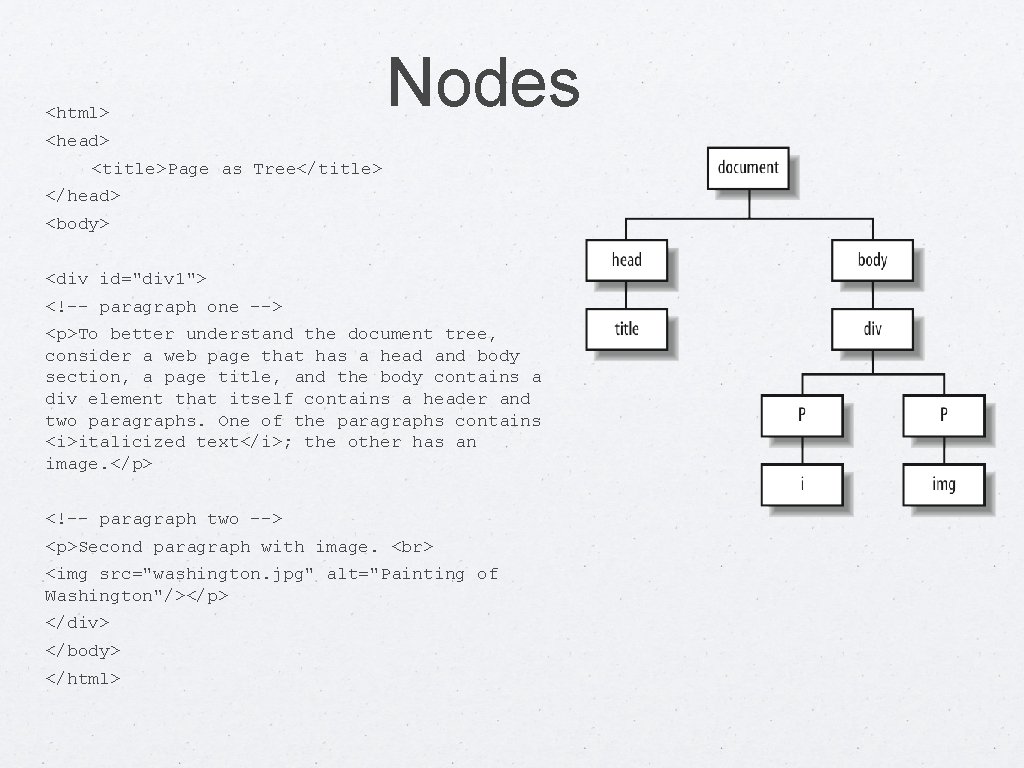
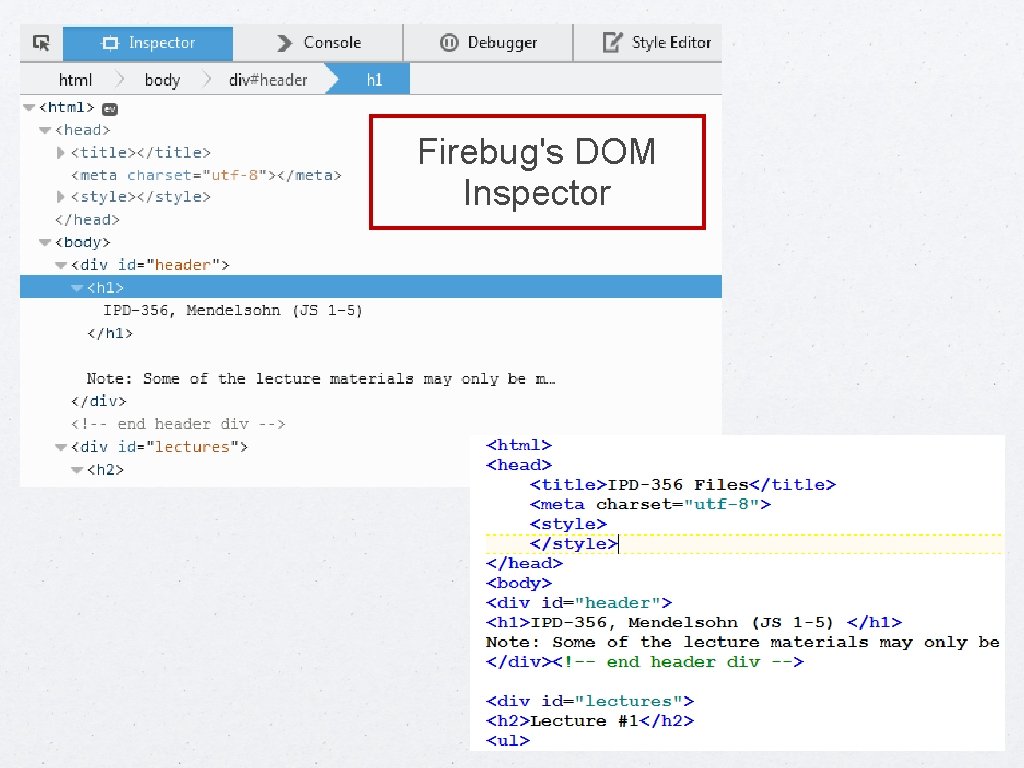
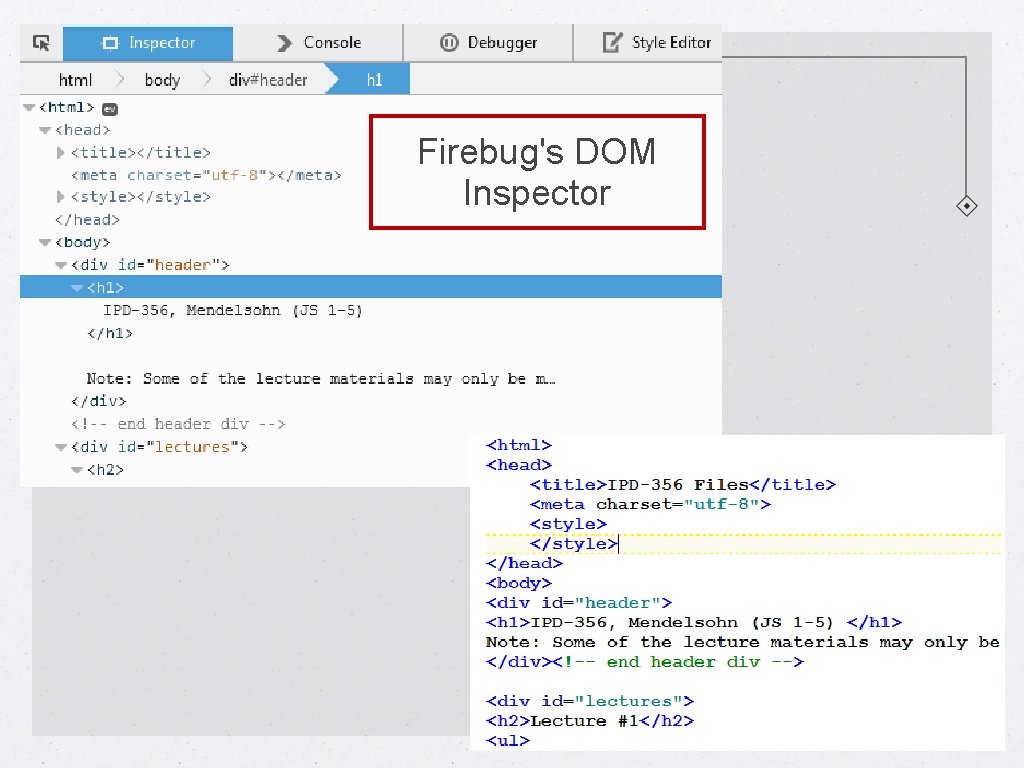
Nodes The W 3 C’s specification for the DOM works by describing a web document as a series of “nodes”. A web page’s DOM is essentially, a ‘tree’ in which there are parents, children, siblings, and so on. The easiest way to see how all of this plays out is probably by example. We will first open up a document to view the HTML. We will then use a ‘DOM Inspector’ to see the visual representation of the DOM as a collection of nodes. Most browsers have some form of DOM Inspector built in, or available via plug-ins. We will use Firebug, a plug-in available for Firefox browsers.
<html> Nodes <head> <title>Page as Tree</title> </head> <body> <div id="div 1"> <!-- paragraph one --> <p>To better understand the document tree, consider a web page that has a head and body section, a page title, and the body contains a div element that itself contains a header and two paragraphs. One of the paragraphs contains <i>italicized text</i>; the other has an image. </p> <!-- paragraph two --> <p>Second paragraph with image. <img src="washington. jpg" alt="Painting of Washington"/></p> </div> </body> </html>
Firebug's DOM Inspector
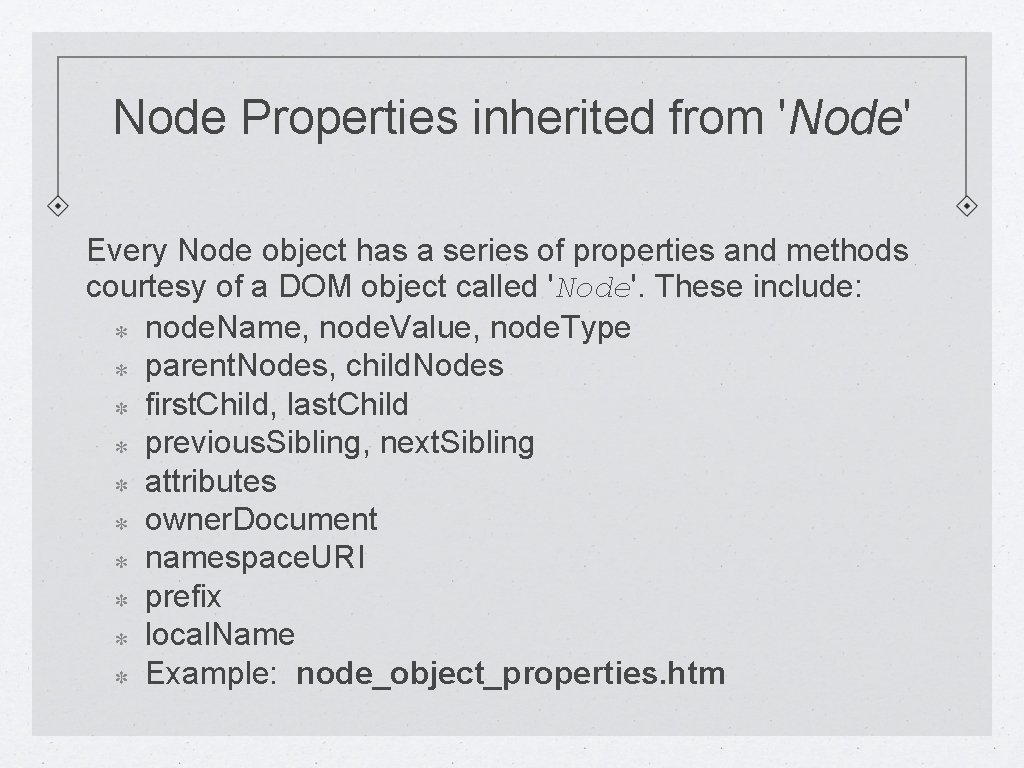
Node Properties inherited from 'Node' Every Node object has a series of properties and methods courtesy of a DOM object called 'Node'. These include: node. Name, node. Value, node. Type parent. Nodes, child. Nodes first. Child, last. Child previous. Sibling, next. Sibling attributes owner. Document namespace. URI prefix local. Name Example: node_object_properties. htm
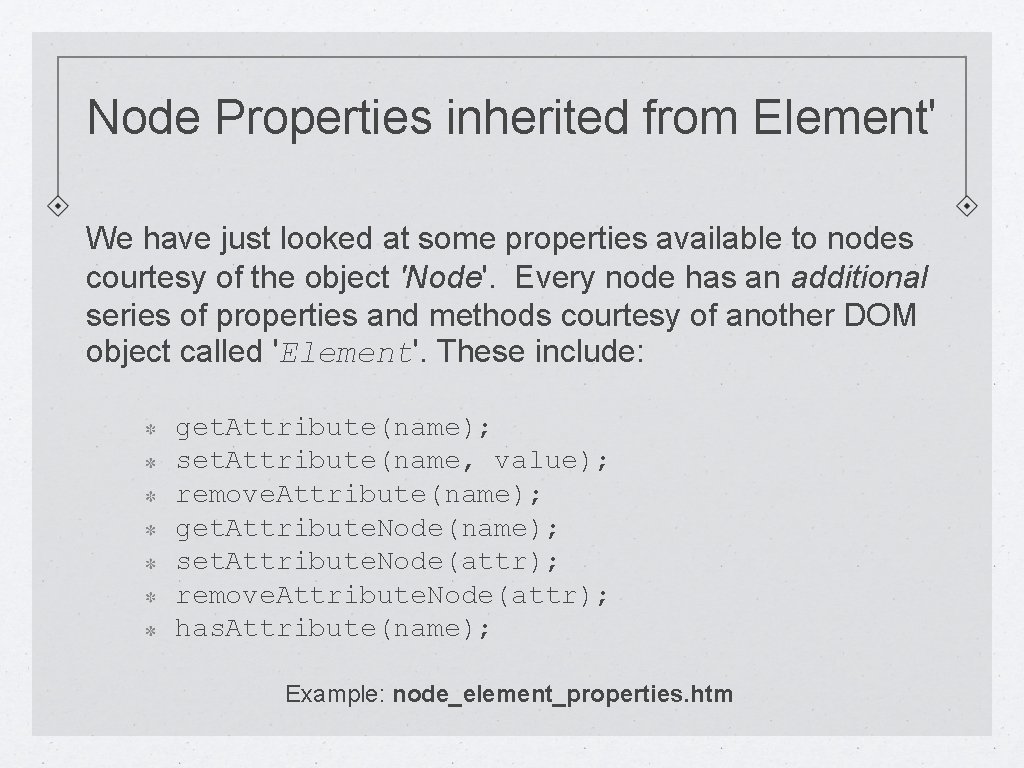
Node Properties inherited from Element' We have just looked at some properties available to nodes courtesy of the object 'Node'. Every node has an additional series of properties and methods courtesy of another DOM object called 'Element'. These include: get. Attribute(name); set. Attribute(name, value); remove. Attribute(name); get. Attribute. Node(name); set. Attribute. Node(attr); remove. Attribute. Node(attr); has. Attribute(name); Example: node_element_properties. htm
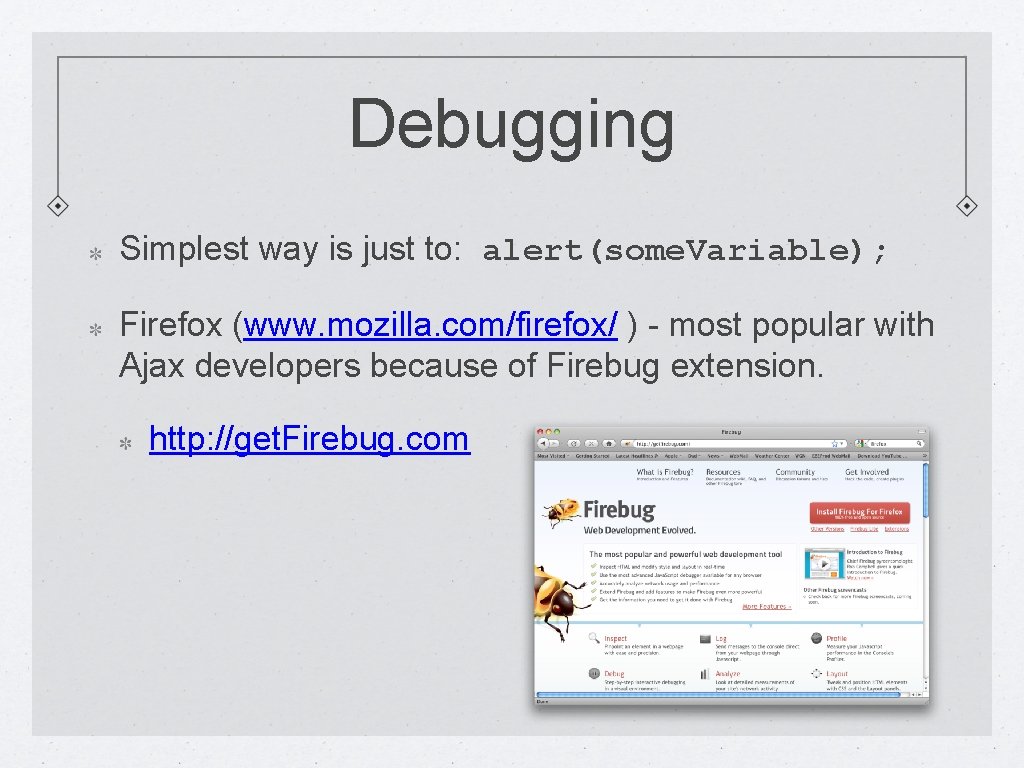
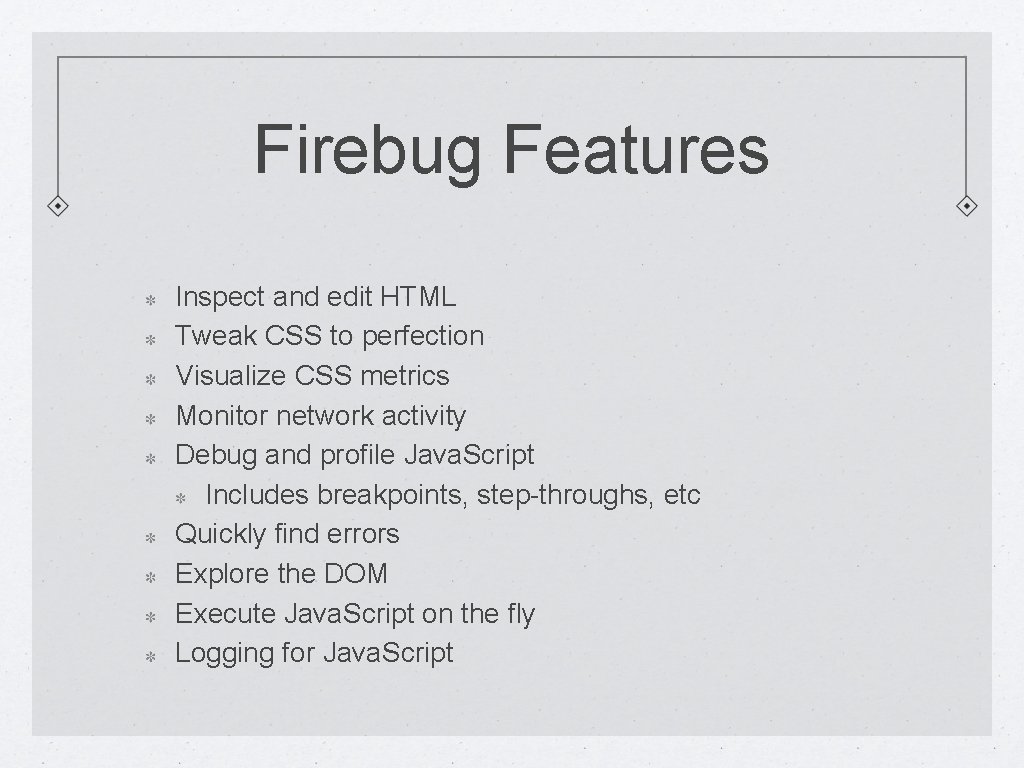
Debugging Simplest way is just to: alert(some. Variable); Firefox (www. mozilla. com/firefox/ ) - most popular with Ajax developers because of Firebug extension. http: //get. Firebug. com
Firebug Features Inspect and edit HTML Tweak CSS to perfection Visualize CSS metrics Monitor network activity Debug and profile Java. Script Includes breakpoints, step-throughs, etc Quickly find errors Explore the DOM Execute Java. Script on the fly Logging for Java. Script
Firebug's DOM Inspector
End of Session 3 Next Session: Java. Script and Custom Object creation, Storage