
Java Script basics Chapter 4 of text supplement
Java. Script basics Chapter 4 of text supplement Most of the text and my examples are in a directory mostly linked at http: //employees. oneonta. edu/higgindm/javascript/scriptexamples. html Text examples are in http: //. . . /Higgindm/csci 245/javascript as js or html under their text names
background • Java. Script was originally called Live. Script (pre-’ 95) and was developed by Netscape. It changed its name to Java. Script and became a joint venture with Sun. ECMA developed a standard for Java. Script in the late 90 s which is also an ISO standard and the official name of the language is ECMAScript. ECMA is at version 3 which corresponds to Netscape’s 1. 5.
Parts of Java. Script • Core: operators, expressions, statements and subprograms • Client-side: browser control and user interaction (ie. , mouse-clicks, input) • Server-side: language features for use on a server – not covered in this text.
Client-side Java. Script • XHTML-embedded scripting language. • Client-side Java. Script can substitute for some server-side functionality – especially things like checking form data to make sure phone numbers have an area code or ss numbers have the right format. • The browser interprets the Java. Script. • Client-side Java. Script cannot substitute for server-side file networking and database operations. • Applets – which are also client-side code (albeit delivered as bytecode to a client by a server) can often be replaced by Java. Script. • Since Applets can access nearly the full java API(s) they are much more powerful than Java. Script, but also harder to learn.
interaction • Mouseclicks and form data can trigger java script functions. • DOM allows Java. Script to access and modify the CSS properties and content of any element of a displayed XHTML – enabling dynamic presentation. (this is covered in text chapter 6)

interpreter • Browsers use their Java. Script interpreters to process scripts embedded in html. • Client-side input data checking is an important role for Java. Script. Without this, form information goes to the server, which must locate errors and relay them back to the client.
Placement in head or body of html • Typically function definitions or code for handling events is placed in the head (and accessed if/as needed). • Script meant to be processed just once as part of document content goes in the body. Scripts in the head are cataloged but not interpreted at that time. Scripts in the body are processed as encountered.
OO • java. Script is not OO, but Object based. There are no classes, polymorphism or object inheritance. • It does support something called prototype -based inheritance. • However, documents and elements are modeled with objects and so there is an object-sense to Java. Script.
objects • Java. Script objects are collections of properties, roughly corresponding to C++ or Java objects. Each is a data or method property. Data properties may be primitives or references, although in Java. Script the latter are themselves usually called Objects. • The text will usually use properties to mean data properties and methods to mean method properties.
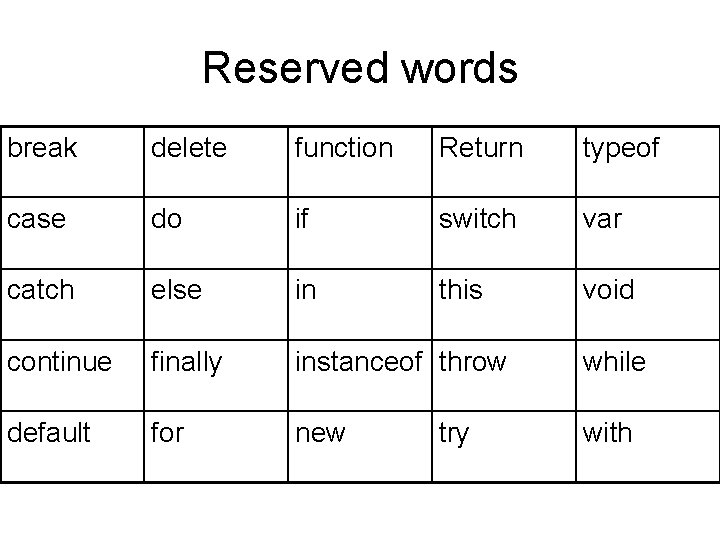
Reserved words break delete function Return typeof case do if switch var catch else in this void continue finally instanceof throw while default for new with try
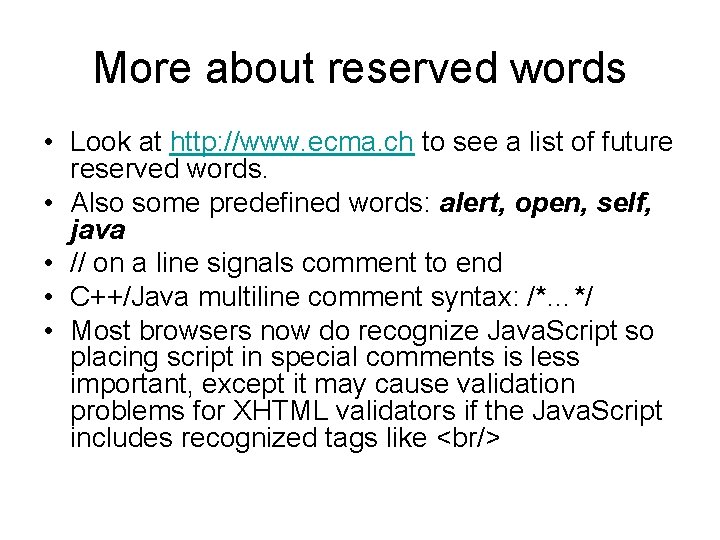
More about reserved words • Look at http: //www. ecma. ch to see a list of future reserved words. • Also some predefined words: alert, open, self, java • // on a line signals comment to end • C++/Java multiline comment syntax: /*…*/ • Most browsers now do recognize Java. Script so placing script in special comments is less important, except it may cause validation problems for XHTML validators if the Java. Script includes recognized tags like <br/>
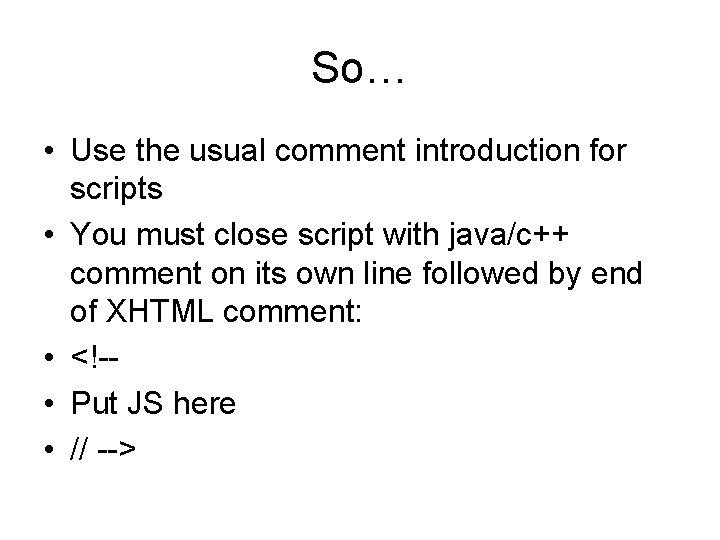
So… • Use the usual comment introduction for scripts • You must close script with java/c++ comment on its own line followed by end of XHTML comment: • <!- • Put JS here • // -->
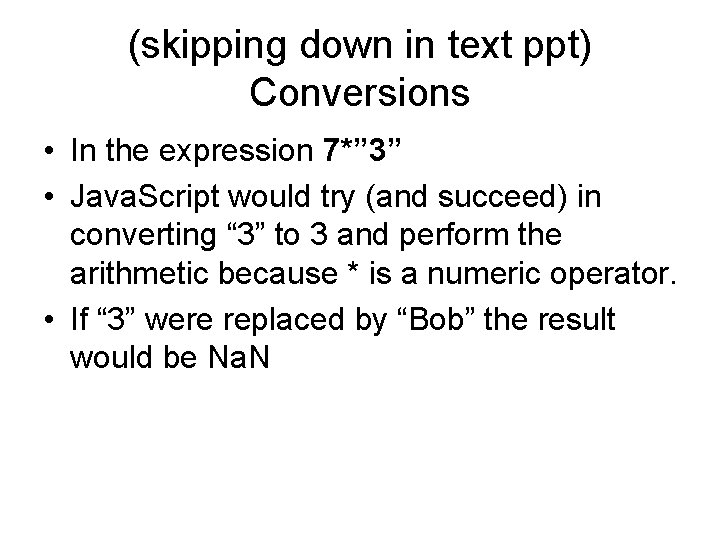
(skipping down in text ppt) Conversions • In the expression 7*” 3” • Java. Script would try (and succeed) in converting “ 3” to 3 and perform the arithmetic because * is a numeric operator. • If “ 3” were replaced by “Bob” the result would be Na. N
output to the html document • Document. write(“here is your answer”, answer, ”<br/>”); • Basically writes (dynamic) html content
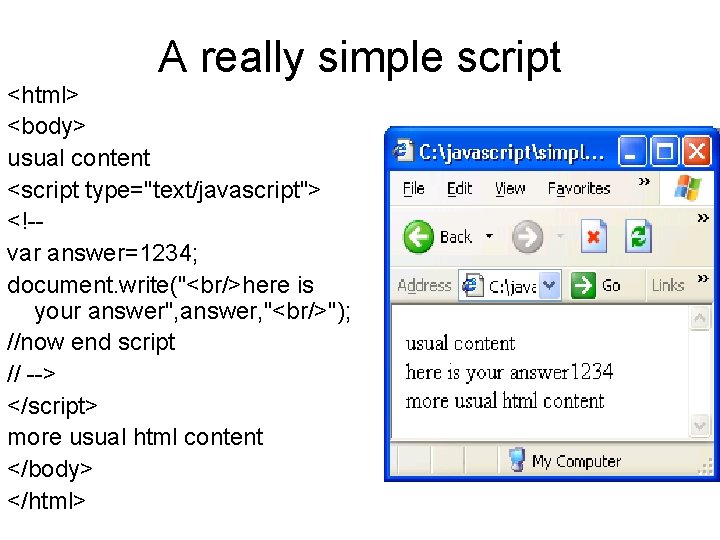
A really simple script <html> <body> usual content <script type="text/javascript"> <!-var answer=1234; document. write("<br/>here is your answer", answer, "<br/>"); //now end script // --> </script> more usual html content </body> </html>
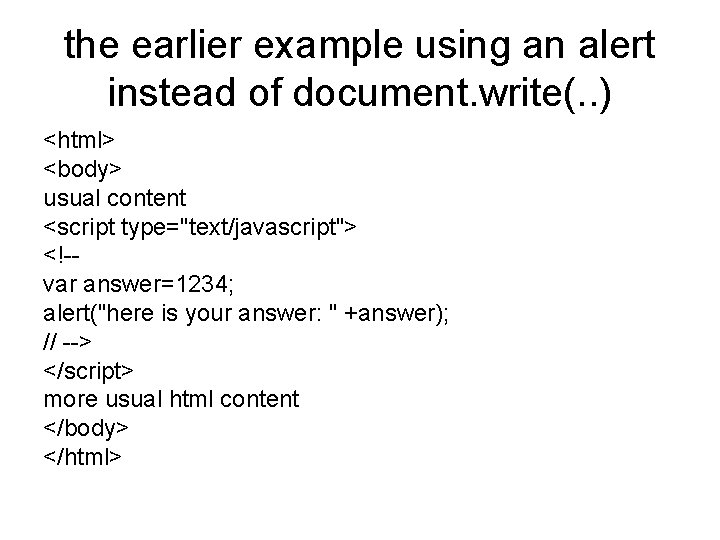
the earlier example using an alert instead of document. write(. . ) <html> <body> usual content <script type="text/javascript"> <!-var answer=1234; alert("here is your answer: " +answer); // --> </script> more usual html content </body> </html>
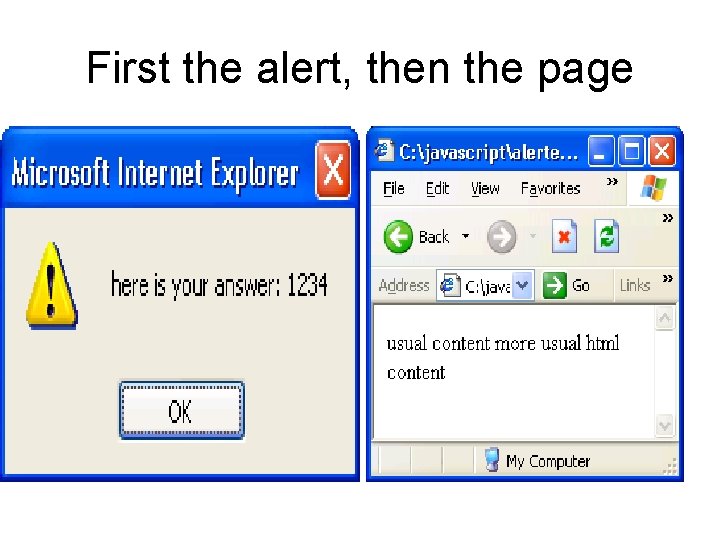
First the alert, then the page
Some more examples • http: //employees. oneonta. edu/higgindm/javascript/Add. N ums. Ex. html • http: //employees. oneonta. edu/higgindm/javascript/scripte xamples. html • (many of my examples and code posted there) • http: //employees. oneonta. edu/Higgindm/javascript/basec onverter. Ex 2. html • http: //employees. oneonta. edu/Higgindm/javascript/dialog box. Ex. html
Aside on two operators: “strict” comparison • === and !== disallow type conversions in evaluation. • The usual == and != allow type conversions of operands, so “ 3”==3 evaluates to true. • === disallows type conversions so 3===“ 3” evaluates to false.
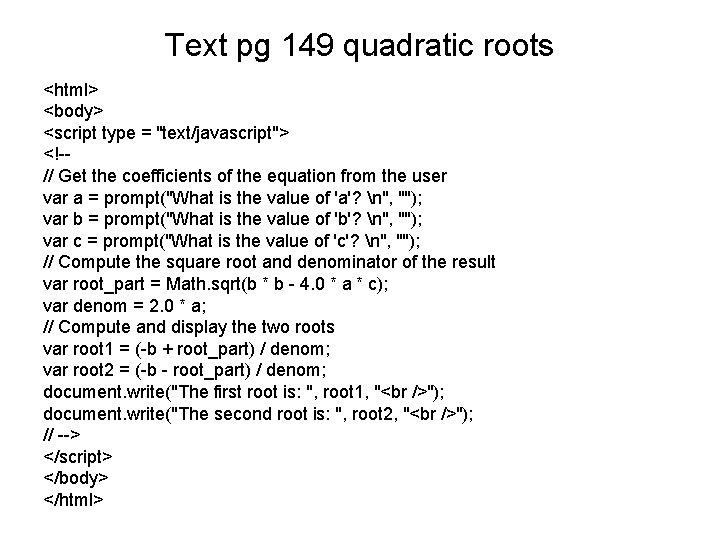
Text pg 149 quadratic roots <html> <body> <script type = "text/javascript"> <!-// Get the coefficients of the equation from the user var a = prompt("What is the value of 'a'? n", ""); var b = prompt("What is the value of 'b'? n", ""); var c = prompt("What is the value of 'c'? n", ""); // Compute the square root and denominator of the result var root_part = Math. sqrt(b * b - 4. 0 * a * c); var denom = 2. 0 * a; // Compute and display the two roots var root 1 = (-b + root_part) / denom; var root 2 = (-b - root_part) / denom; document. write("The first root is: ", root 1, " "); document. write("The second root is: ", root 2, " "); // --> </script> </body> </html>
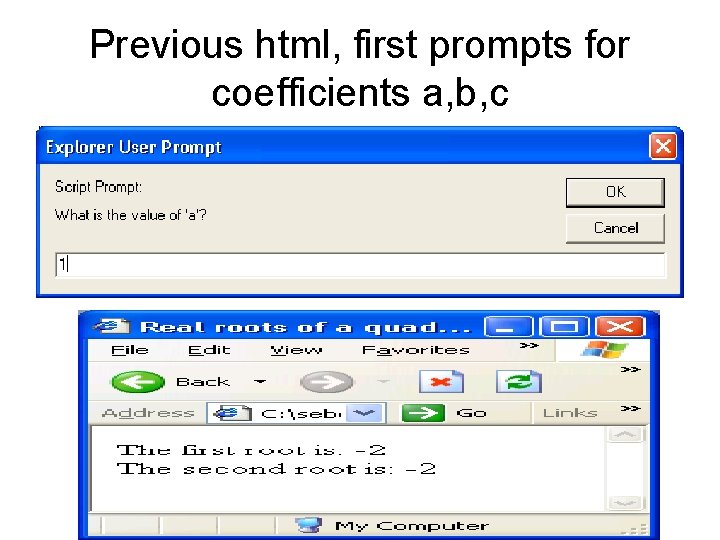
Previous html, first prompts for coefficients a, b, c
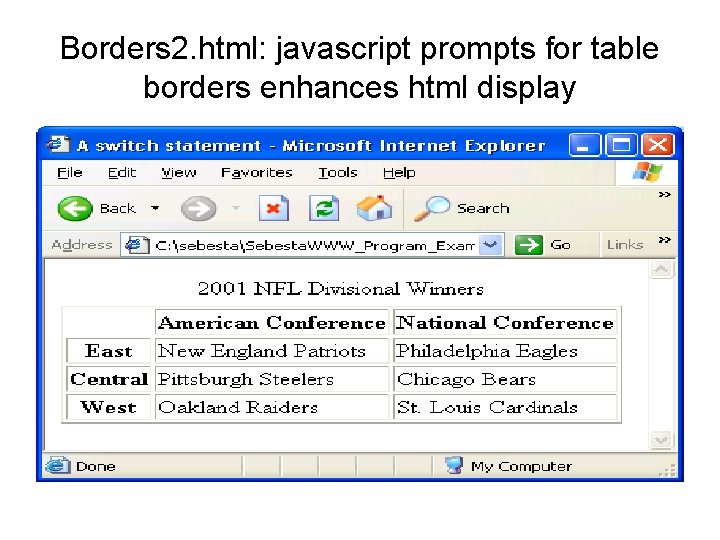
Borders 2. html: javascript prompts for table borders enhances html display
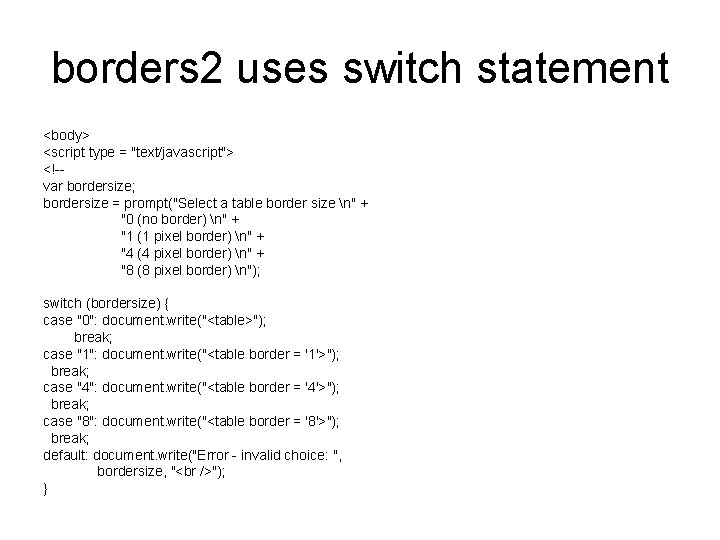
borders 2 uses switch statement <body> <script type = "text/javascript"> <!-var bordersize; bordersize = prompt("Select a table border size n" + "0 (no border) n" + "1 (1 pixel border) n" + "4 (4 pixel border) n" + "8 (8 pixel border) n"); switch (bordersize) { case "0": document. write("<table>"); break; case "1": document. write("<table border = '1'>"); break; case "4": document. write("<table border = '4'>"); break; case "8": document. write("<table border = '8'>"); break; default: document. write("Error - invalid choice: ", bordersize, " "); }
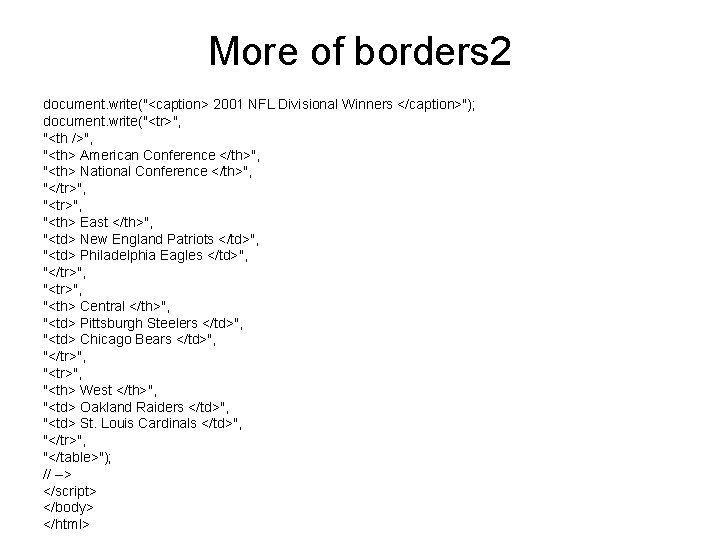
More of borders 2 document. write("<caption> 2001 NFL Divisional Winners </caption>"); document. write("<tr>", "<th />", "<th> American Conference </th>", "<th> National Conference </th>", "</tr>", "<th> East </th>", "<td> New England Patriots </td>", "<td> Philadelphia Eagles </td>", "</tr>", "<th> Central </th>", "<td> Pittsburgh Steelers </td>", "<td> Chicago Bears </td>", "</tr>", "<th> West </th>", "<td> Oakland Raiders </td>", "<td> St. Louis Cardinals </td>", "</tr>", "</table>"); // --> </script> </body> </html>
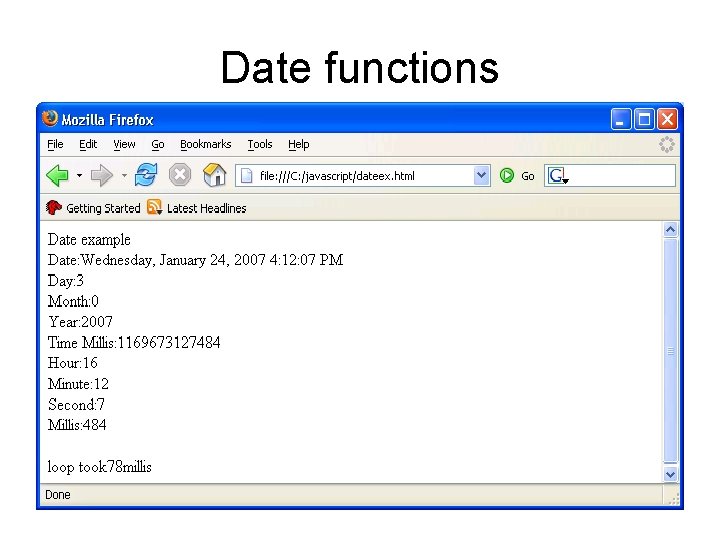
Date functions
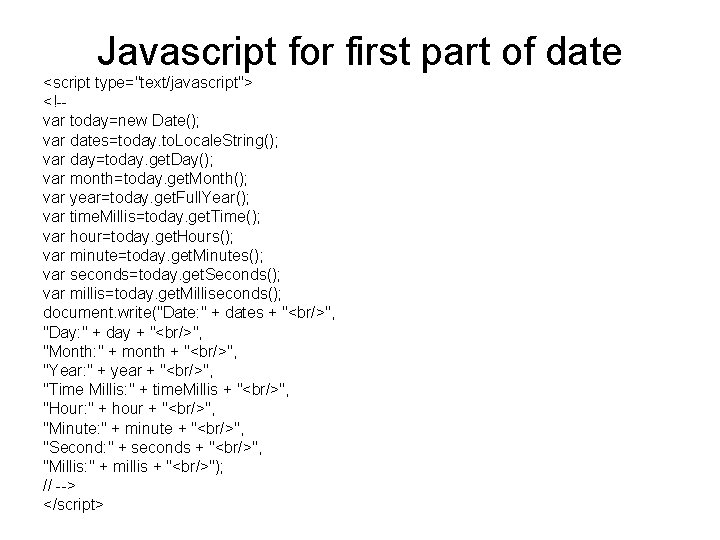
Javascript for first part of date <script type="text/javascript"> <!-var today=new Date(); var dates=today. to. Locale. String(); var day=today. get. Day(); var month=today. get. Month(); var year=today. get. Full. Year(); var time. Millis=today. get. Time(); var hour=today. get. Hours(); var minute=today. get. Minutes(); var seconds=today. get. Seconds(); var millis=today. get. Milliseconds(); document. write("Date: " + dates + "<br/>", "Day: " + day + "<br/>", "Month: " + month + "<br/>", "Year: " + year + "<br/>", "Time Millis: " + time. Millis + "<br/>", "Hour: " + hour + "<br/>", "Minute: " + minute + "<br/>", "Second: " + seconds + "<br/>", "Millis: " + millis + "<br/>"); // --> </script>
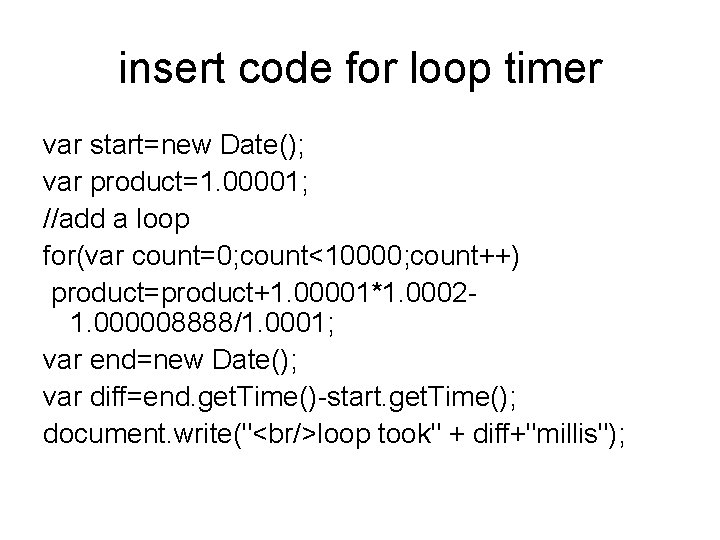
insert code for loop timer var start=new Date(); var product=1. 00001; //add a loop for(var count=0; count<10000; count++) product=product+1. 00001*1. 00021. 000008888/1. 0001; var end=new Date(); var diff=end. get. Time()-start. get. Time(); document. write("<br/>loop took" + diff+"millis");
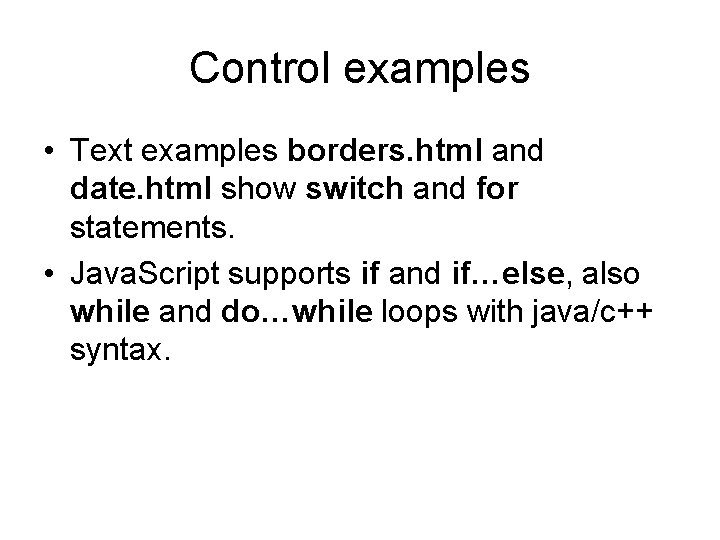
Control examples • Text examples borders. html and date. html show switch and for statements. • Java. Script supports if and if…else, also while and do…while loops with java/c++ syntax.
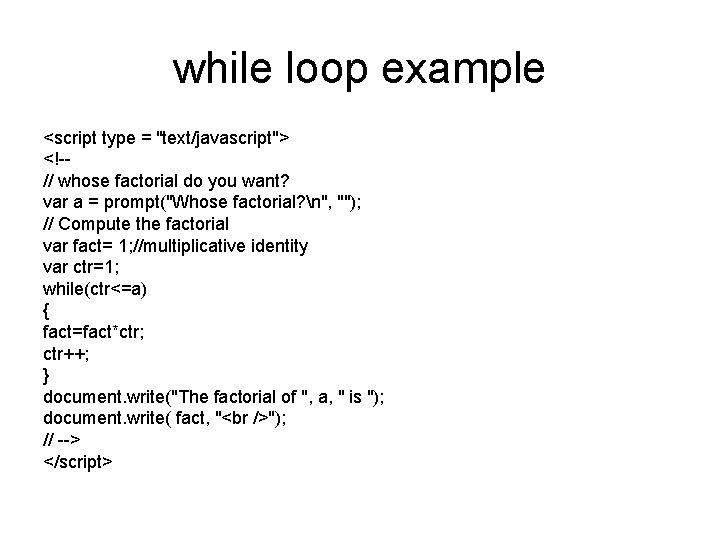
while loop example <script type = "text/javascript"> <!-// whose factorial do you want? var a = prompt("Whose factorial? n", ""); // Compute the factorial var fact= 1; //multiplicative identity var ctr=1; while(ctr<=a) { fact=fact*ctr; ctr++; } document. write("The factorial of ", a, " is "); document. write( fact, " "); // --> </script>
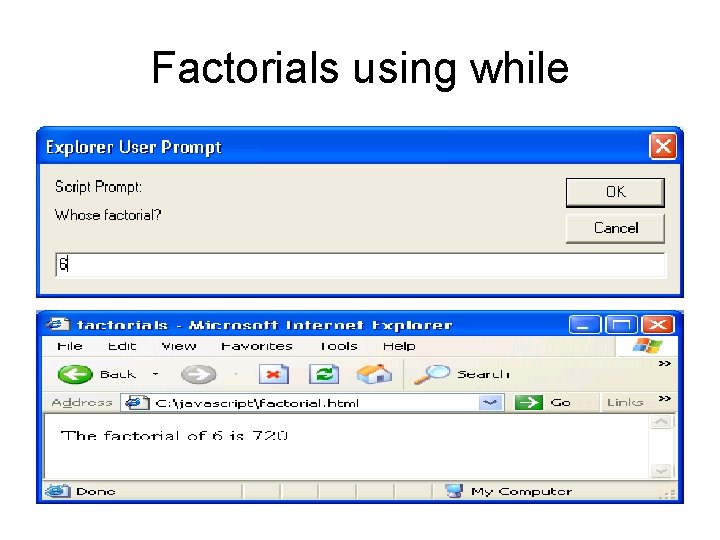
Factorials using while
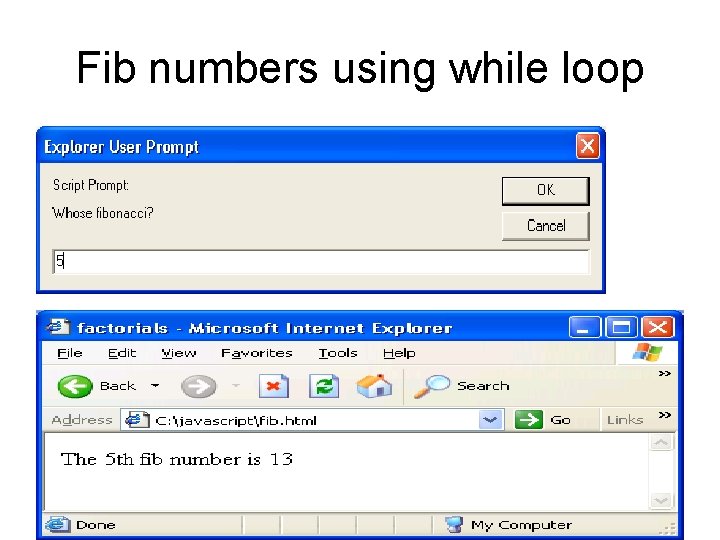
Fib numbers using while loop
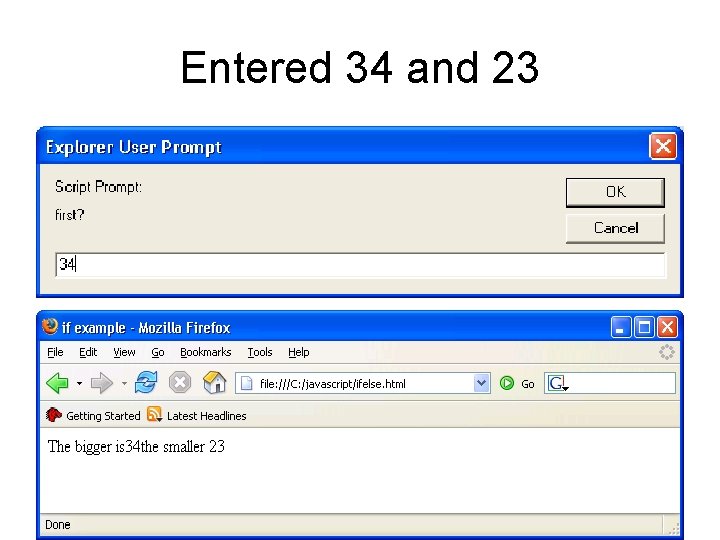
Entered 34 and 23
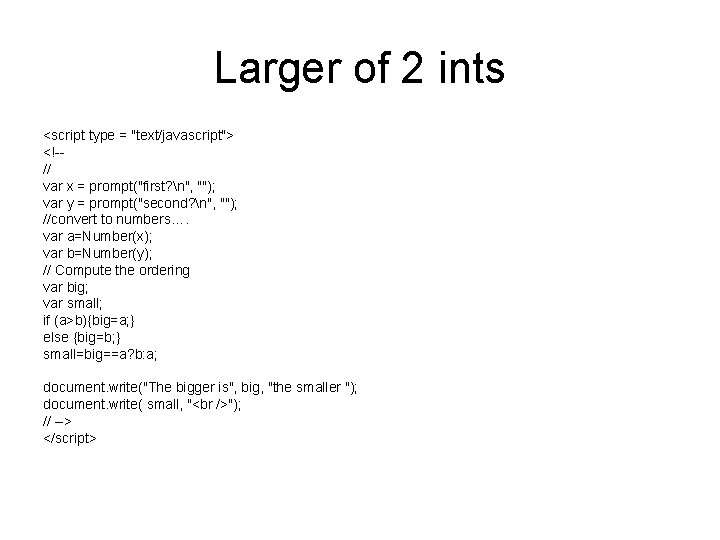
Larger of 2 ints <script type = "text/javascript"> <!-// var x = prompt("first? n", ""); var y = prompt("second? n", ""); //convert to numbers…. var a=Number(x); var b=Number(y); // Compute the ordering var big; var small; if (a>b){big=a; } else {big=b; } small=big==a? b: a; document. write("The bigger is", big, "the smaller "); document. write( small, " "); // --> </script>
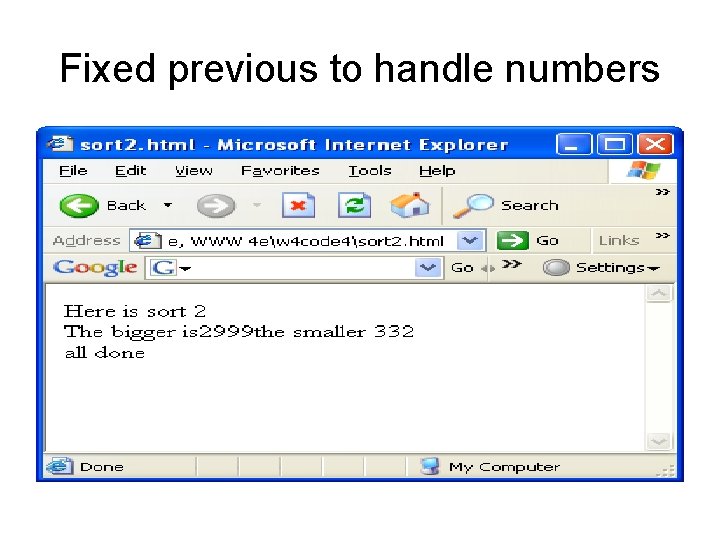
Fixed previous to handle numbers
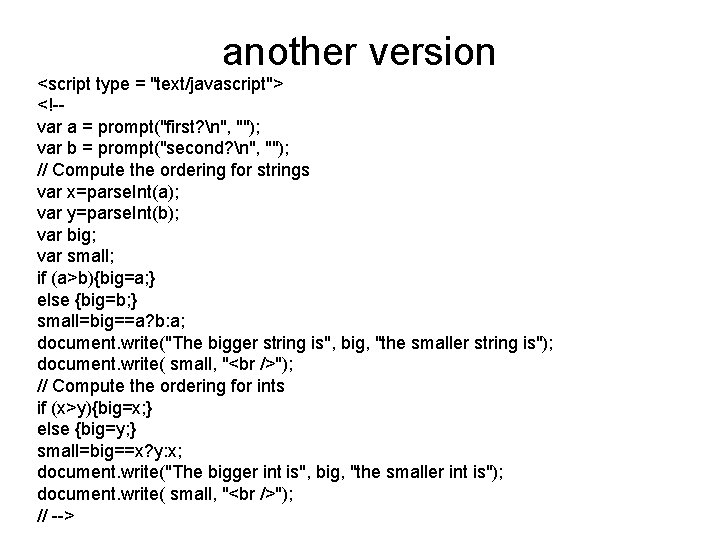
another version <script type = "text/javascript"> <!-var a = prompt("first? n", ""); var b = prompt("second? n", ""); // Compute the ordering for strings var x=parse. Int(a); var y=parse. Int(b); var big; var small; if (a>b){big=a; } else {big=b; } small=big==a? b: a; document. write("The bigger string is", big, "the smaller string is"); document. write( small, " "); // Compute the ordering for ints if (x>y){big=x; } else {big=y; } small=big==x? y: x; document. write("The bigger int is", big, "the smaller int is"); document. write( small, " "); // -->
Lab 1 for javascript • Expand the previous example. The user enters 3 integers via prompts, display them in descending order.
Objects • Objects can be created with the new keyword and call to a constructor as in var obj=new Object(); • The created object here has no initial properties. • Properties themselves can be objects, (or not), accessible via the dot or [] operator, as in var theprop=airplane. engine; //or var theprop=airplane[engine]; • The next slide shows how to set and display some properties.
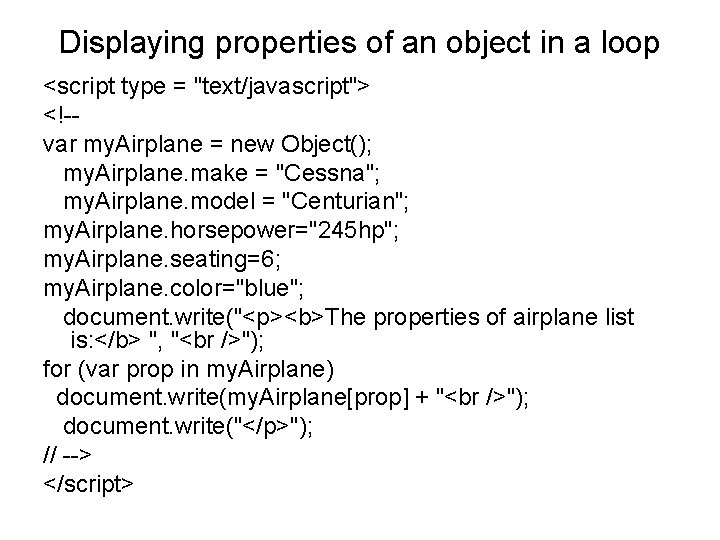
Displaying properties of an object in a loop <script type = "text/javascript"> <!-var my. Airplane = new Object(); my. Airplane. make = "Cessna"; my. Airplane. model = "Centurian"; my. Airplane. horsepower="245 hp"; my. Airplane. seating=6; my. Airplane. color="blue"; document. write("<p><b>The properties of airplane list is: </b> ", " "); for (var prop in my. Airplane) document. write(my. Airplane[prop] + " "); document. write("</p>"); // --> </script>
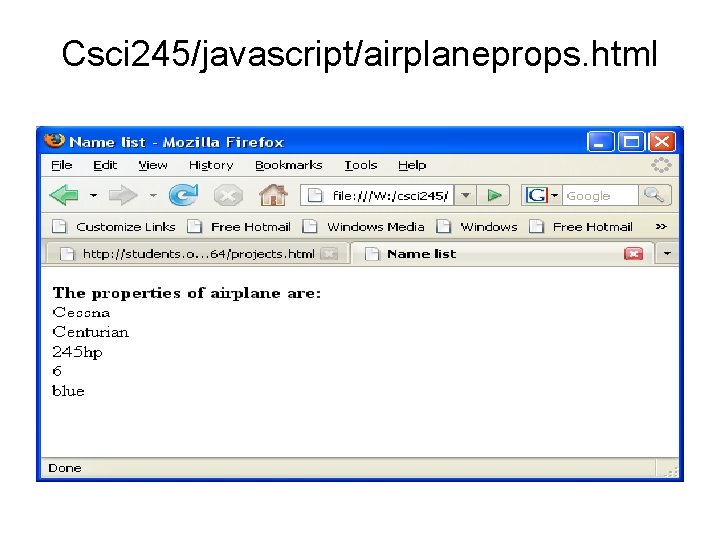
Csci 245/javascript/airplaneprops. html
Arrays • Arrays are dynamically allocated from the heap in Java. Script • Only the locations actually assigned values occupy space in memory, despite array length. • Length is a R/W “property” so it can be set, and retrieved. myarray. length=100 myarray. length=44 • is a legal sequence. 44 would be length though there might not actually be anything allocated.
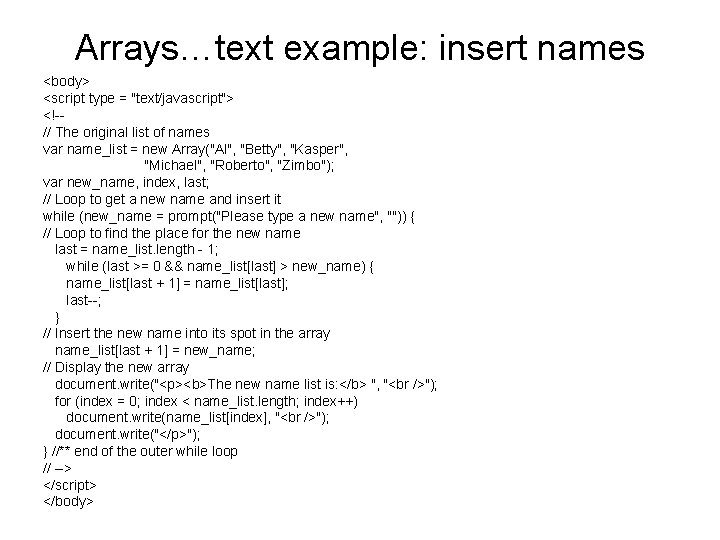
Arrays…text example: insert names <body> <script type = "text/javascript"> <!-// The original list of names var name_list = new Array("Al", "Betty", "Kasper", "Michael", "Roberto", "Zimbo"); var new_name, index, last; // Loop to get a new name and insert it while (new_name = prompt("Please type a new name", "")) { // Loop to find the place for the new name last = name_list. length - 1; while (last >= 0 && name_list[last] > new_name) { name_list[last + 1] = name_list[last]; last--; } // Insert the new name into its spot in the array name_list[last + 1] = new_name; // Display the new array document. write("<p><b>The new name list is: </b> ", " "); for (index = 0; index < name_list. length; index++) document. write(name_list[index], " "); document. write("</p>"); } //** end of the outer while loop // --> </script> </body>
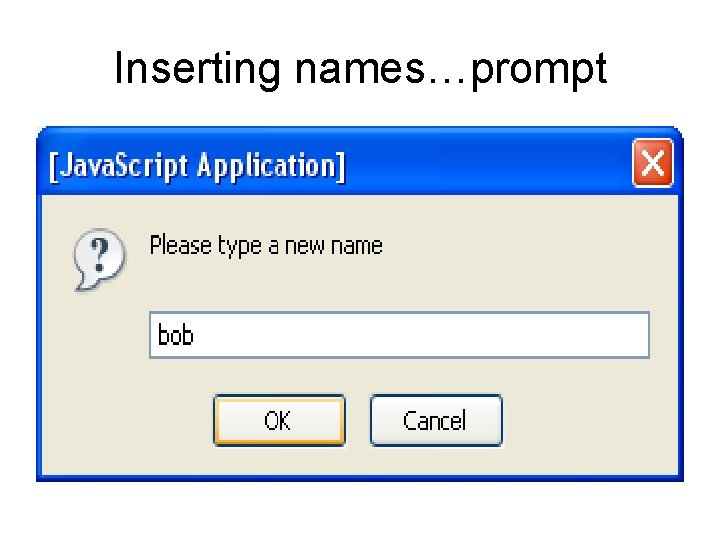
Inserting names…prompt
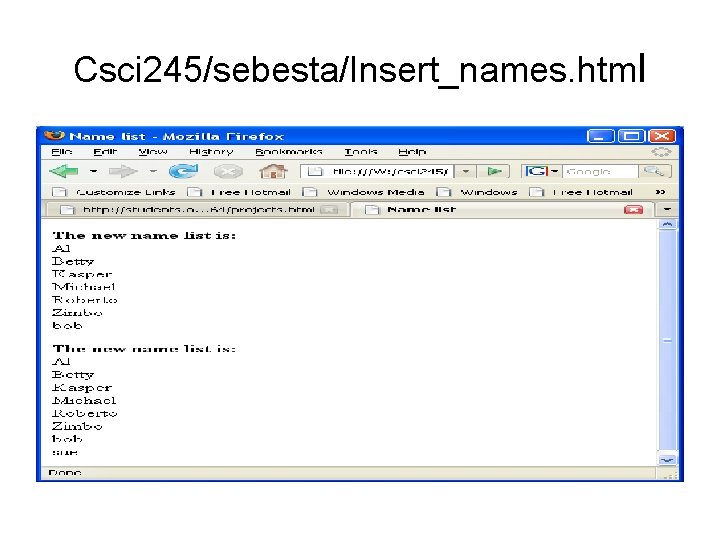
Csci 245/sebesta/Insert_names. html
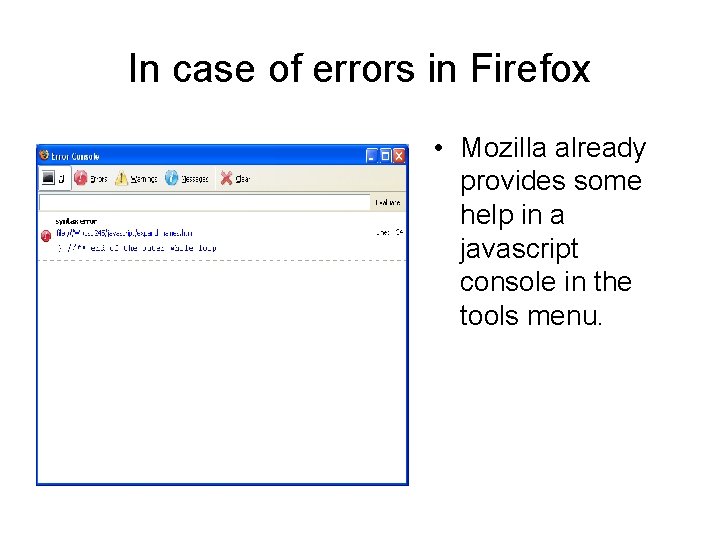
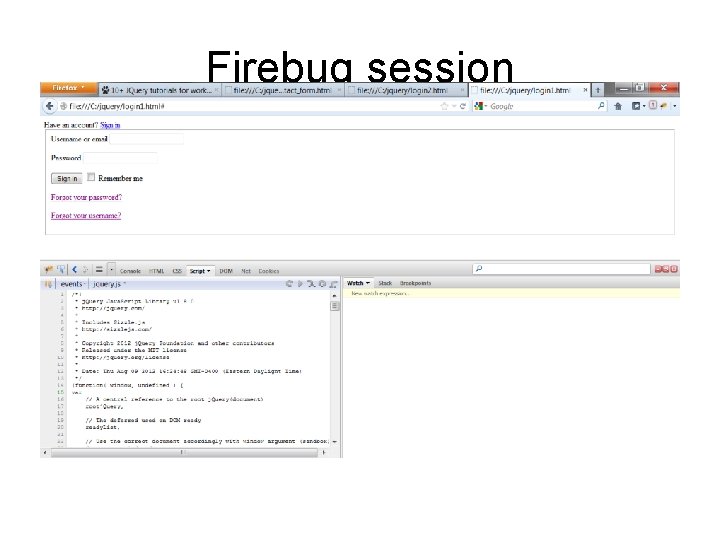
In case of errors in Firefox • Mozilla already provides some help in a javascript console in the tools menu.
Debugging for Java. Script in Firefox • If you have your own machine, download firebug, a plugin for Firefox very helpful in debugging javascript (which will include the js libraries like Backbone and j. Query).
Firebug session
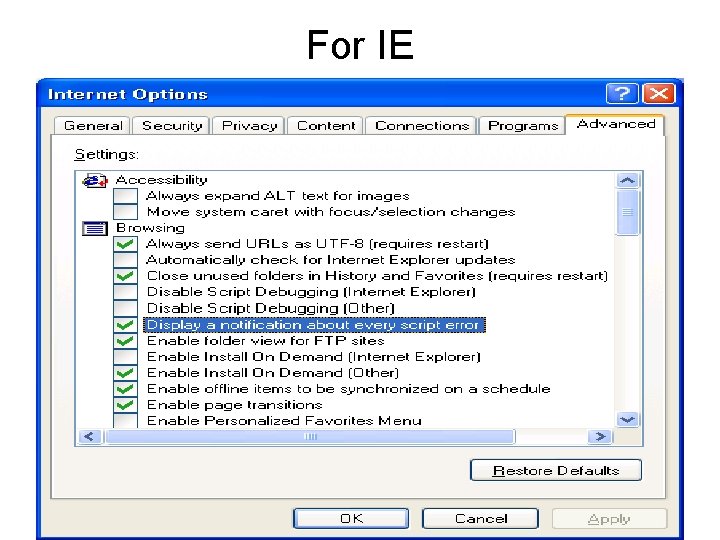
For IE • Go into tools/internet options/advanced tab and check/uncheck boxes as in next slide.
For IE
plunker • There are several javascript debugger/tester thingies out there. Plunker is one.
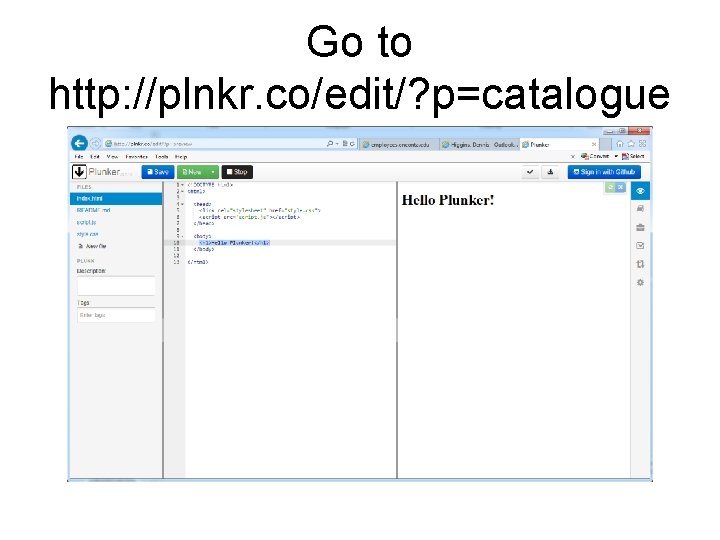
Go to http: //plnkr. co/edit/? p=catalogue
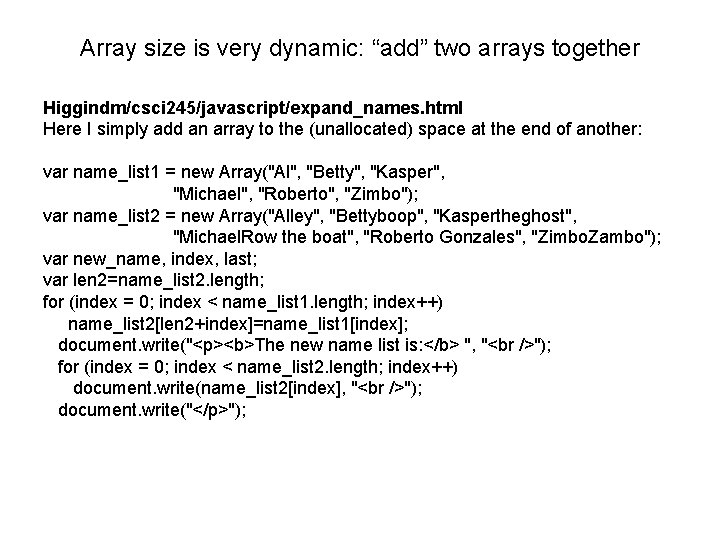
Array size is very dynamic: “add” two arrays together Higgindm/csci 245/javascript/expand_names. html Here I simply add an array to the (unallocated) space at the end of another: var name_list 1 = new Array("Al", "Betty", "Kasper", "Michael", "Roberto", "Zimbo"); var name_list 2 = new Array("Alley", "Bettyboop", "Kaspertheghost", "Michael. Row the boat", "Roberto Gonzales", "Zimbo. Zambo"); var new_name, index, last; var len 2=name_list 2. length; for (index = 0; index < name_list 1. length; index++) name_list 2[len 2+index]=name_list 1[index]; document. write("<p><b>The new name list is: </b> ", " "); for (index = 0; index < name_list 2. length; index++) document. write(name_list 2[index], " "); document. write("</p>");
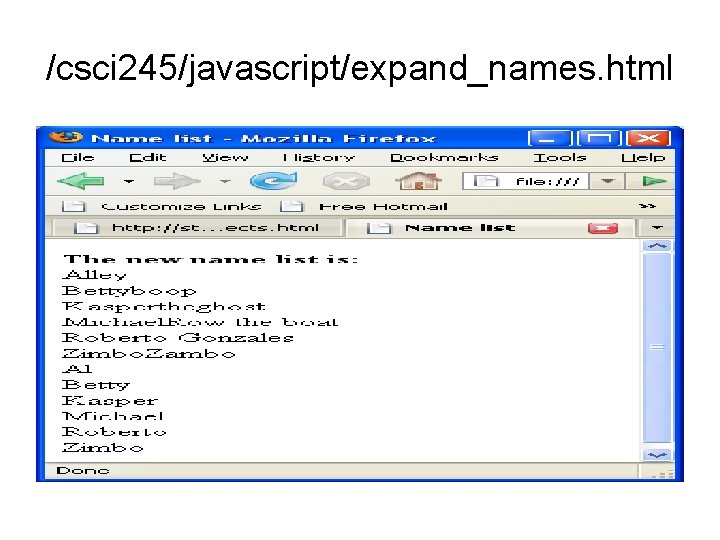
/csci 245/javascript/expand_names. html
More methods: join • Array. join(. . ) converts array contents to string and returns the string concatenation of them. Without any parameter, it puts a “, ” between elements. You can pass another separator.
concat • Array. concat(…) concatenates its parameters to the end of the array (increasing allocation and array length)
Sort we have seen in examples above • Sort converts contents to string and provides dictionary ordering. • A different comparison function can be provided (returning – for less, 0 for equal and + for greater, as in C) to sort contents differently. function f(a, b){return a-b; } • provides numerical ordering
Slice works like substring • Slice returns an array subset of the original from the start param position to the final position -1. If only 1 param is provided, it returns from that position to the end of the array. Little=Big. slice(4, 7); • would return an array of 3 guys, from positions 4, 5 and 6 of Big
Push and pop • These modify at the highest subscript of the array allowing stack operations
Postfix expression evaluation • We are used to writing expressions in infix form, where the operator appears between its operand. For example 10+20 is an infix expression. • In postfix form, the operator appears after its operands. 10 20 + is legal postfix and corresponds to the infix above. • Postfix expressions can be quite complicated: 10 20 + 30 + 40 - 50 * evaluates to 1000.
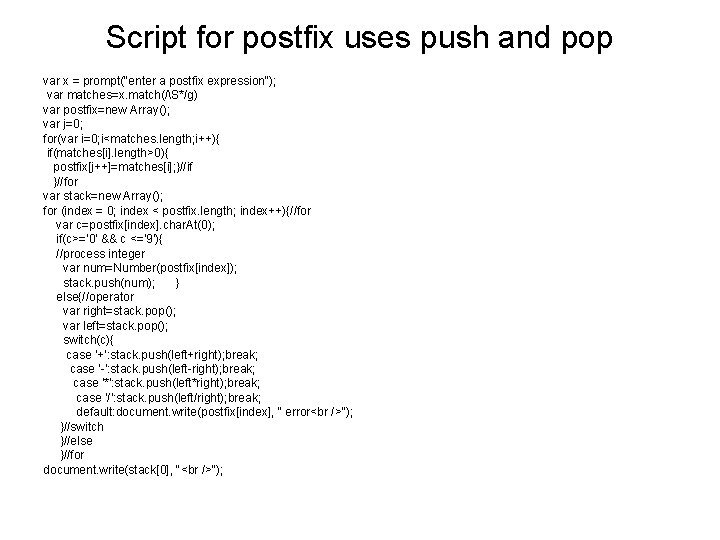
Script for postfix uses push and pop var x = prompt("enter a postfix expression"); var matches=x. match(/S*/g) var postfix=new Array(); var j=0; for(var i=0; i<matches. length; i++){ if(matches[i]. length>0){ postfix[j++]=matches[i]; }//if }//for var stack=new Array(); for (index = 0; index < postfix. length; index++){//for var c=postfix[index]. char. At(0); if(c>='0' && c <='9'){ //process integer var num=Number(postfix[index]); stack. push(num); } else{//operator var right=stack. pop(); var left=stack. pop(); switch(c){ case '+': stack. push(left+right); break; case '-': stack. push(left-right); break; case '*': stack. push(left*right); break; case '/': stack. push(left/right); break; default: document. write(postfix[index], " error "); }//switch }//else }//for document. write(stack[0], " ");
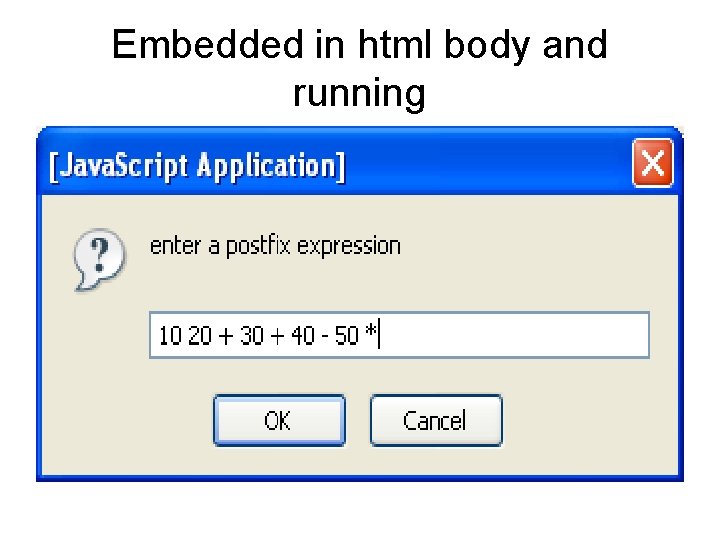
Embedded in html body and running
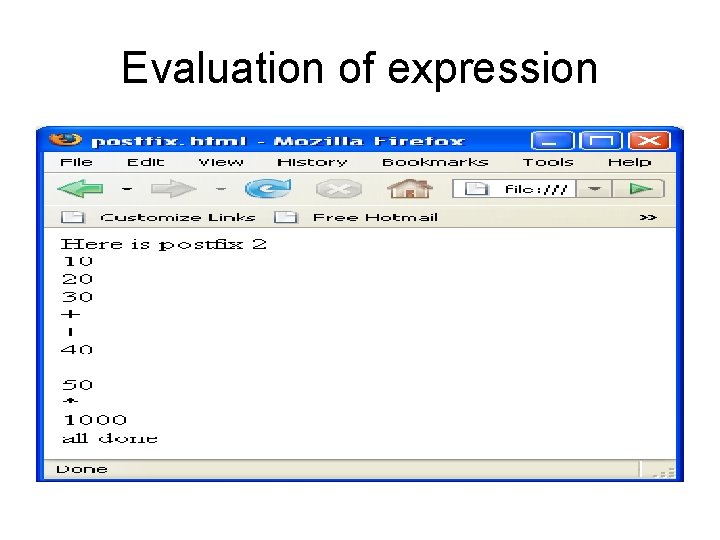
Evaluation of expression
Improvements needed • My postfix evaluator currently requires blanks between input values but blanks should not be needed between operators, or between operators and operands. • No error checking is present and no error messages are generated by illegal expressions. Java. Script will output Na. N for certain kinds of numeric errors.
Shift and unshift • These modify at the start/end of an array allowing queue operations. • Exercise for Higgins… Do BFS or DFS using shift unshift
![Nested/2 d arrays <script type = "text/javascript"> <!-var nested=[[1, 2, 3], [3, 4, 5],](http://slidetodoc.com/presentation_image/4afffd0584b9e610fe4e4df67a9e0f08/image-64.jpg "Nested/2 d arrays <script type = \"text/javascript\"> <!-var nested=[[1, 2, 3], [3, 4, 5],")
Nested/2 d arrays <script type = "text/javascript"> <!-var nested=[[1, 2, 3], [3, 4, 5], [5, 6, 7], [7, 8, 9]]; for(var row=0; row<=3; row++){ document. write("Row", row, ": "); for(var col=0; col<=2; col++) document. write(nested[row][col], " "); document. write("<br/>"); } // --> </script>
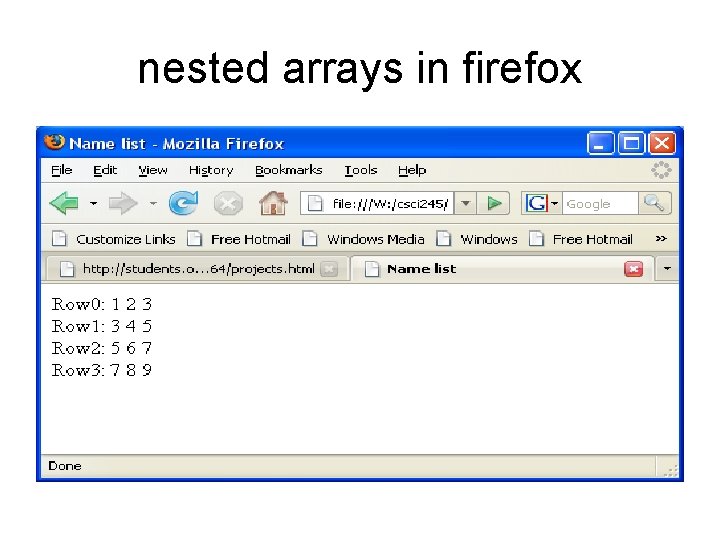
nested arrays in firefox
Functions • Define in <head> portion of html • May have local vars and params • Aside: Other variables declared in <head> are treated as global. • Objects are passed by reference so if something in the object reference is changed (in a function) then the object is changed when you return. • Consequently, (as in Java), you need to be tricky to change a primitive in a function.
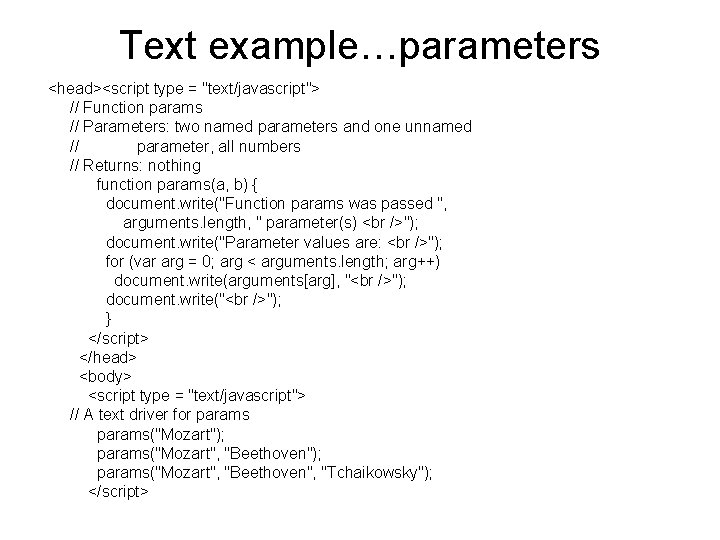
Text example…parameters <head><script type = "text/javascript"> // Function params // Parameters: two named parameters and one unnamed // parameter, all numbers // Returns: nothing function params(a, b) { document. write("Function params was passed ", arguments. length, " parameter(s) "); document. write("Parameter values are: "); for (var arg = 0; arg < arguments. length; arg++) document. write(arguments[arg], " "); document. write(" "); } </script> </head> <body> <script type = "text/javascript"> // A text driver for params("Mozart"); params("Mozart", "Beethoven", "Tchaikowsky"); </script>
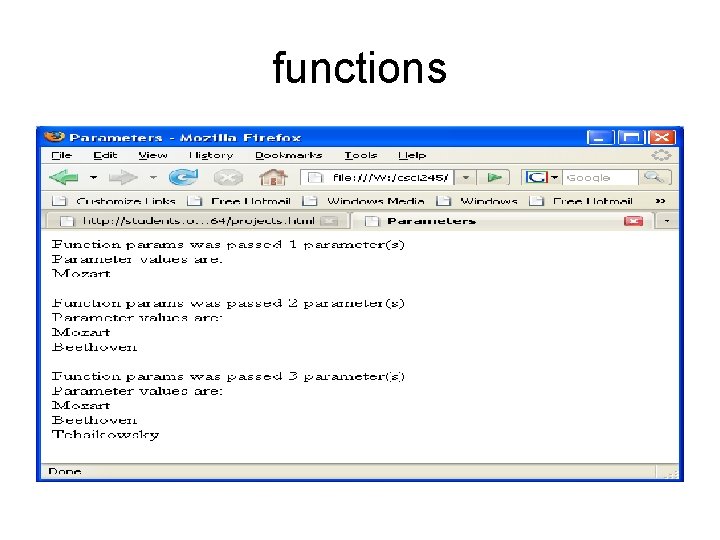
functions
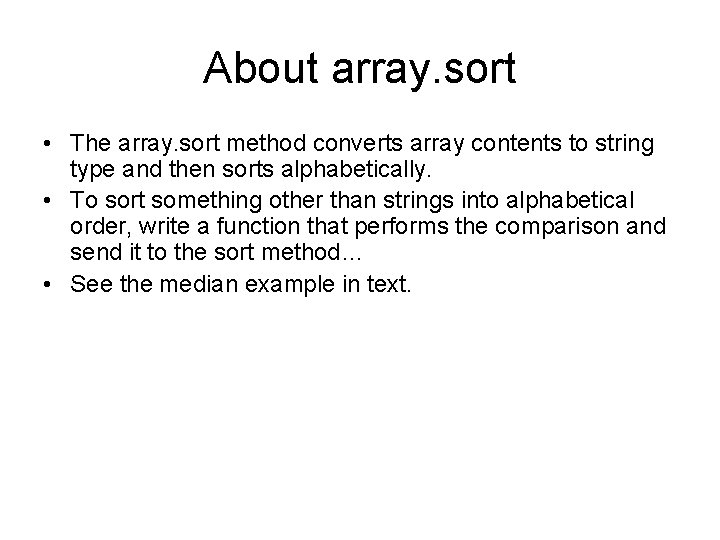
About array. sort • The array. sort method converts array contents to string type and then sorts alphabetically. • To sort something other than strings into alphabetical order, write a function that performs the comparison and send it to the sort method… • See the median example in text.
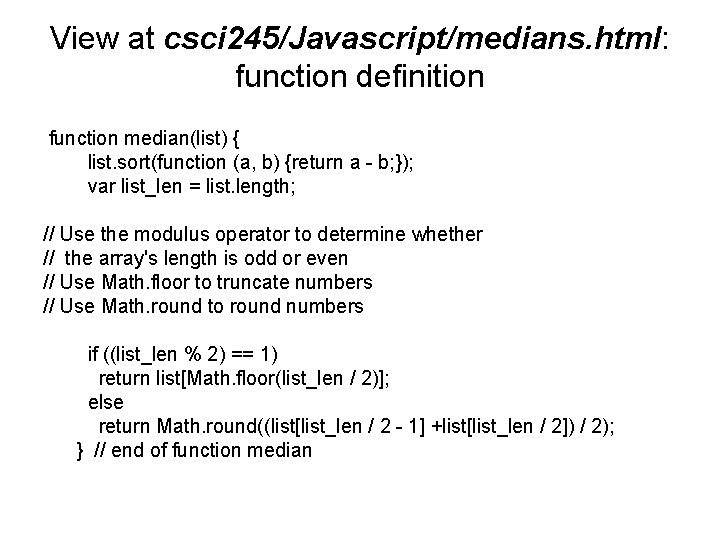
View at csci 245/Javascript/medians. html: function definition function median(list) { list. sort(function (a, b) {return a - b; }); var list_len = list. length; // Use the modulus operator to determine whether // the array's length is odd or even // Use Math. floor to truncate numbers // Use Math. round to round numbers if ((list_len % 2) == 1) return list[Math. floor(list_len / 2)]; else return Math. round((list[list_len / 2 - 1] +list[list_len / 2]) / 2); } // end of function median
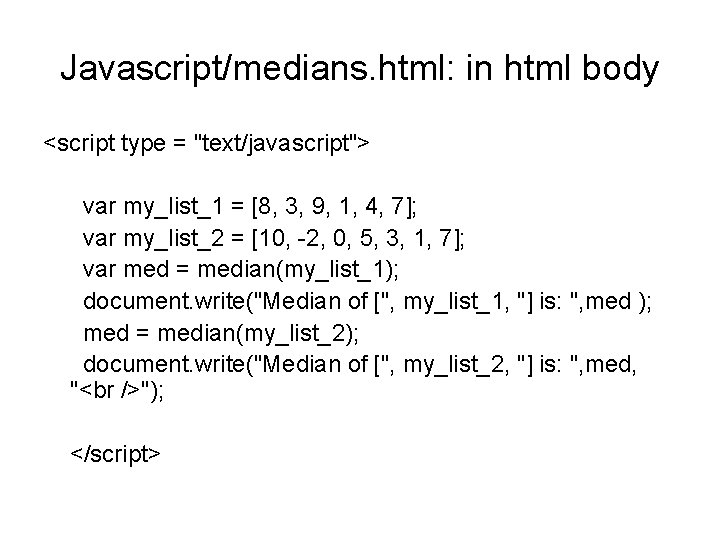
Javascript/medians. html: in html body <script type = "text/javascript"> var my_list_1 = [8, 3, 9, 1, 4, 7]; var my_list_2 = [10, -2, 0, 5, 3, 1, 7]; var med = median(my_list_1); document. write("Median of [", my_list_1, "] is: ", med ); med = median(my_list_2); document. write("Median of [", my_list_2, "] is: ", med, " "); </script>
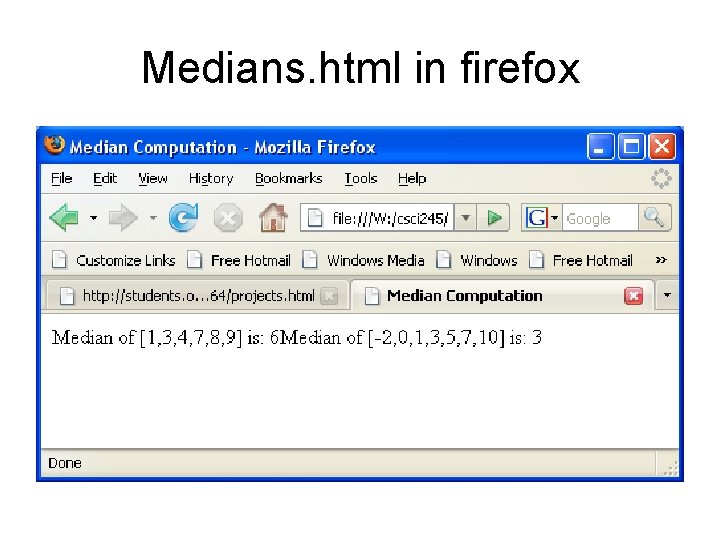
Medians. html in firefox
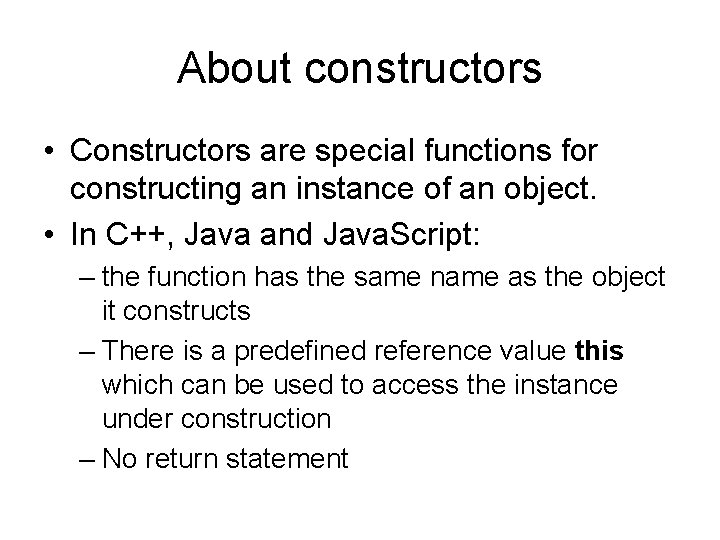
About constructors • Constructors are special functions for constructing an instance of an object. • In C++, Java and Java. Script: – the function has the same name as the object it constructs – There is a predefined reference value this which can be used to access the instance under construction – No return statement
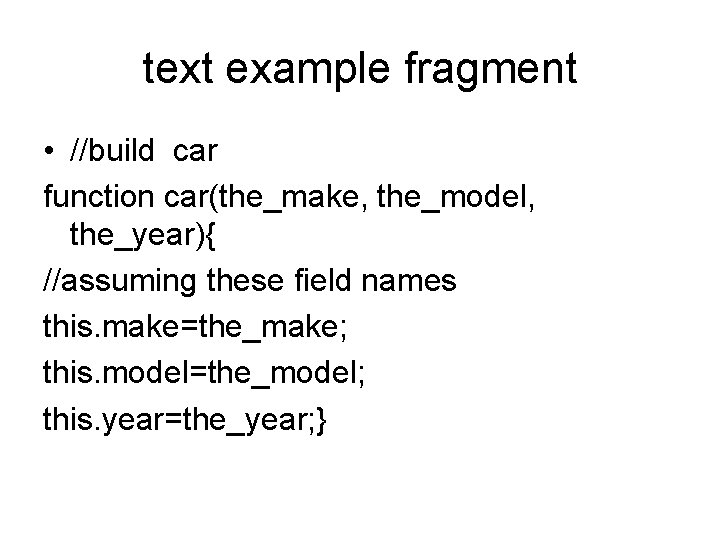
text example fragment • //build car function car(the_make, the_model, the_year){ //assuming these field names this. make=the_make; this. model=the_model; this. year=the_year; }
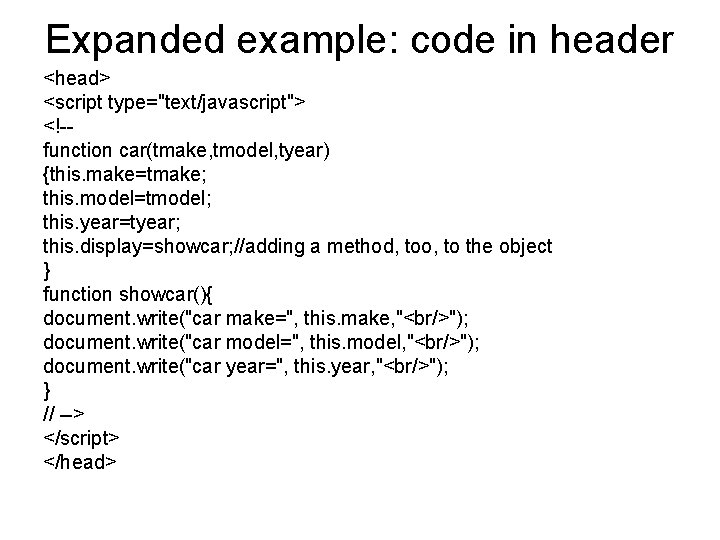
Expanded example: code in header <head> <script type="text/javascript"> <!-function car(tmake, tmodel, tyear) {this. make=tmake; this. model=tmodel; this. year=tyear; this. display=showcar; //adding a method, too, to the object } function showcar(){ document. write("car make=", this. make, "<br/>"); document. write("car model=", this. model, "<br/>"); document. write("car year=", this. year, "<br/>"); } // --> </script> </head>
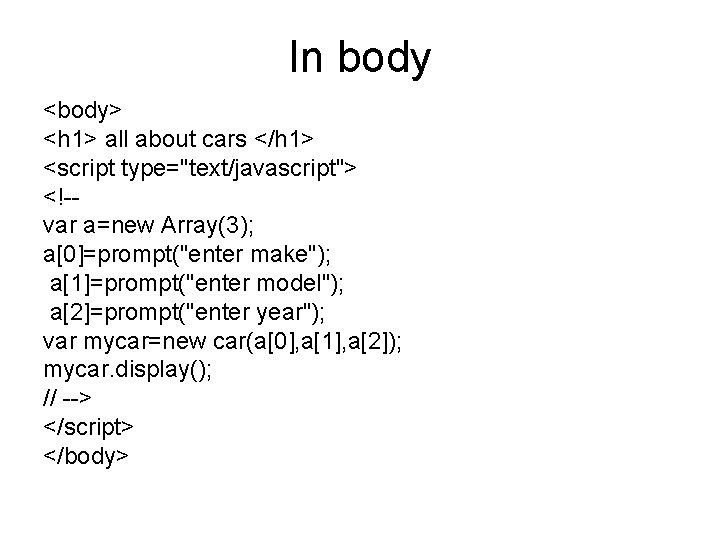
In body <body> <h 1> all about cars </h 1> <script type="text/javascript"> <!-var a=new Array(3); a[0]=prompt("enter make"); a[1]=prompt("enter model"); a[2]=prompt("enter year"); var mycar=new car(a[0], a[1], a[2]); mycar. display(); // --> </script> </body>
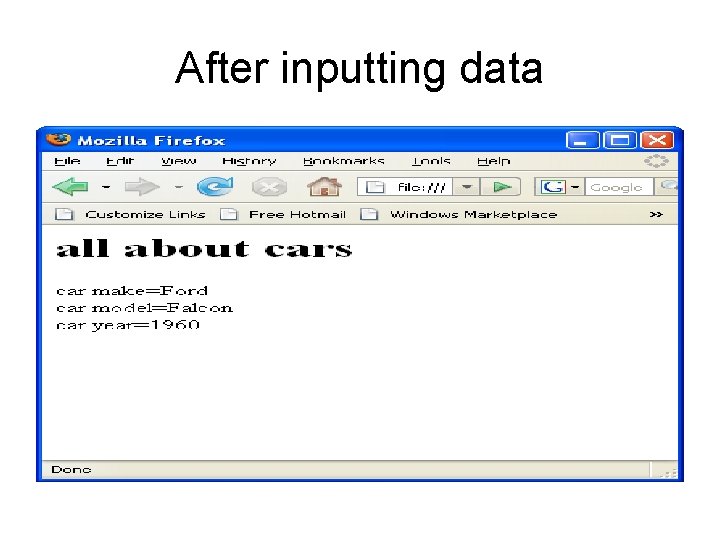
After inputting data
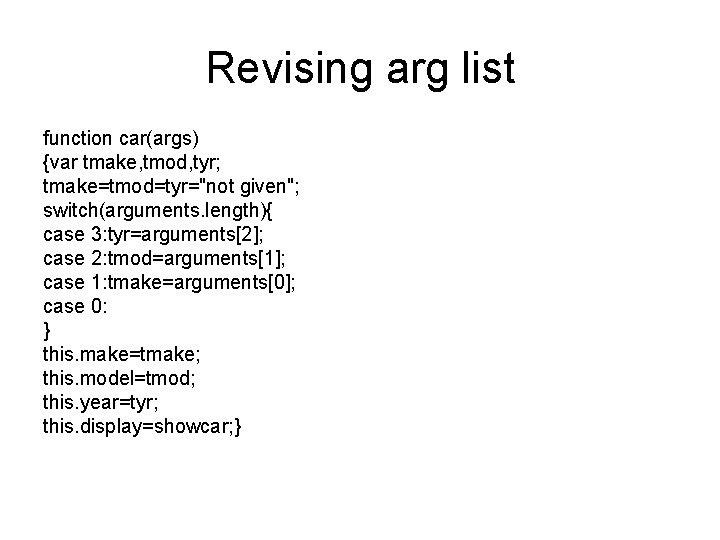
Revising arg list function car(args) {var tmake, tmod, tyr; tmake=tmod=tyr="not given"; switch(arguments. length){ case 3: tyr=arguments[2]; case 2: tmod=arguments[1]; case 1: tmake=arguments[0]; case 0: } this. make=tmake; this. model=tmod; this. year=tyr; this. display=showcar; }
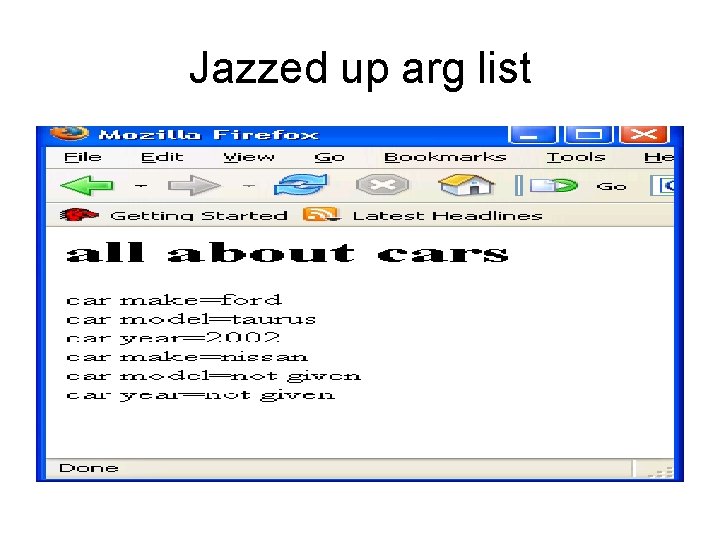
Jazzed up arg list
Adding more object methods this. price=baseprice; //add to car constructor in //html head function baseprice(){//also in html head switch(this. make){ case"ford": return 10000; case "toyota": return 20000; }//switch return 15000; }//fn //later. . . output in body var num=mycar. price(); //output in body document. write("car cost=", num , "<br/>");
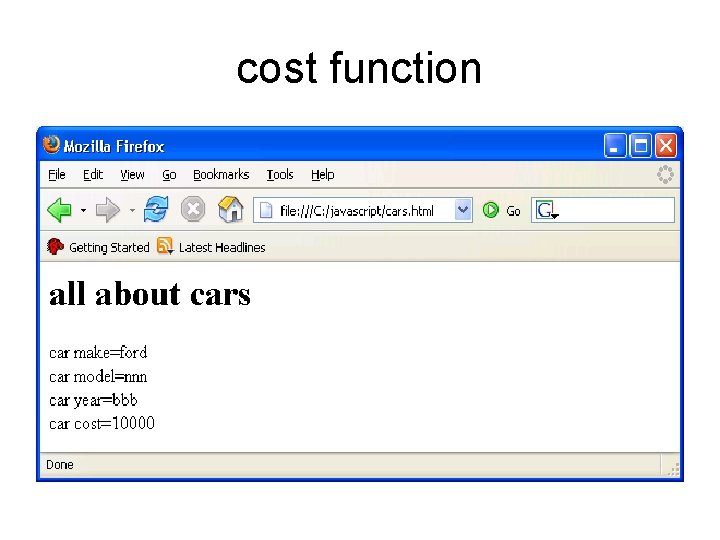
cost function
Pattern matching using regular expressions • Java. Script provides strong patternmatching capability based on the regular expressions of Perl. • This is performed in one of two ways: – Using the Reg. Exp object – Using methods of String object • Our text covers only the latter type.
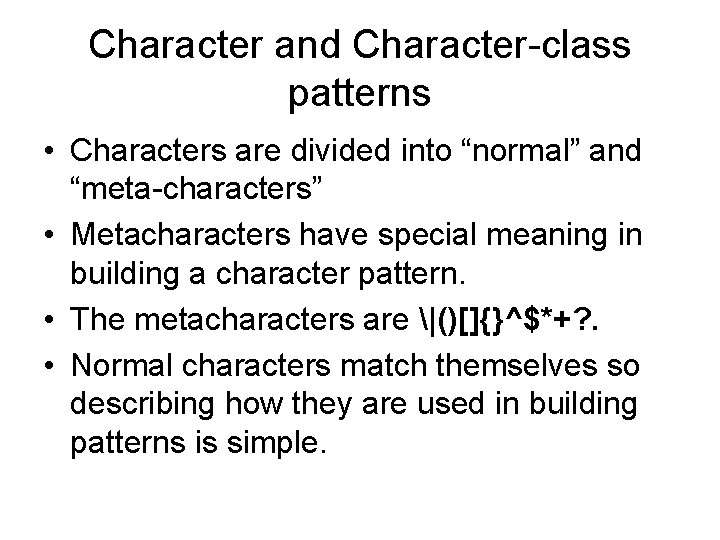
Character and Character-class patterns • Characters are divided into “normal” and “meta-characters” • Metacharacters have special meaning in building a character pattern. • The metacharacters are |()[]{}^$*+? . • Normal characters match themselves so describing how they are used in building patterns is simple.
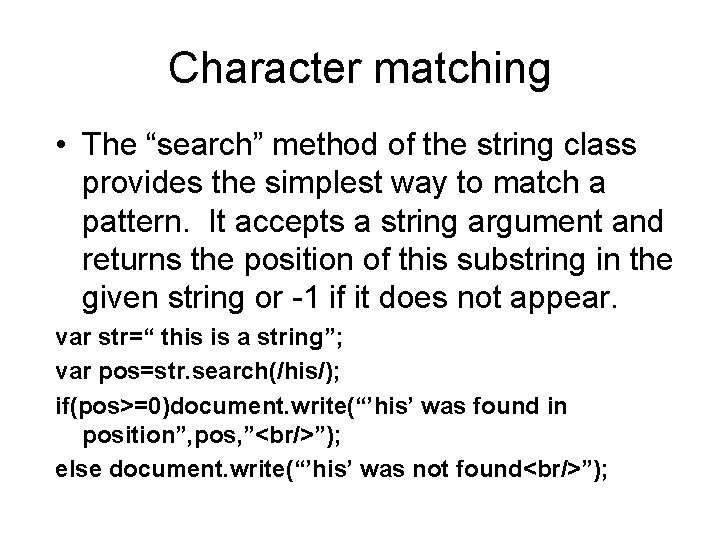
Character matching • The “search” method of the string class provides the simplest way to match a pattern. It accepts a string argument and returns the position of this substring in the given string or -1 if it does not appear. var str=“ this is a string”; var pos=str. search(/his/); if(pos>=0)document. write(“’his’ was found in position”, pos, ”<br/>”); else document. write(“’his’ was not found<br/>”);
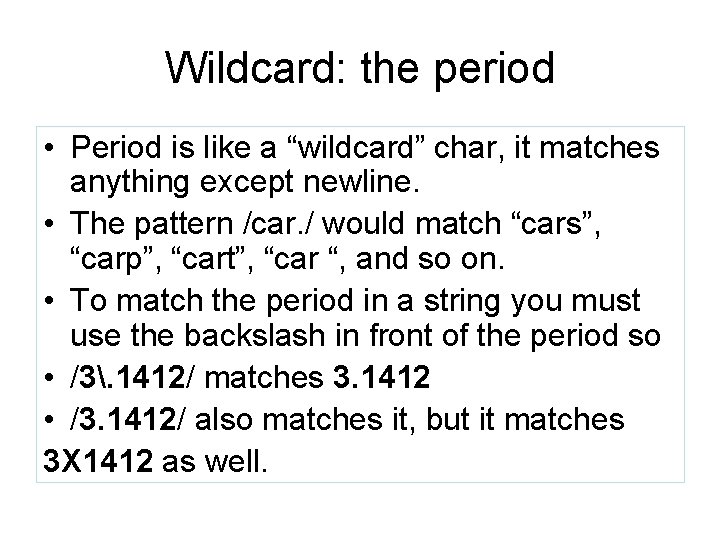
Wildcard: the period • Period is like a “wildcard” char, it matches anything except newline. • The pattern /car. / would match “cars”, “carp”, “cart”, “car “, and so on. • To match the period in a string you must use the backslash in front of the period so • /3. 1412/ matches 3. 1412 • /3. 1412/ also matches it, but it matches 3 X 1412 as well.
![Character classes • Characters inside brackets define a “class” of characters, for example [abc]](http://slidetodoc.com/presentation_image/4afffd0584b9e610fe4e4df67a9e0f08/image-86.jpg "Character classes • Characters inside brackets define a “class” of characters, for example [abc]")
Character classes • Characters inside brackets define a “class” of characters, for example [abc] would match ‘a’ or ‘b’ or ‘c’ • A dash in a class definition indicates a sequence, so [a-h] would match any character ‘a’ up to ‘h’ • A circumflex inverts a class like taking the complement of a set. So the set [^aeiou] would match any character except lower case vowel.
![Predefined classes Name Equiv pattern matches d [0 -9] digit D [^0 -9] Not](http://slidetodoc.com/presentation_image/4afffd0584b9e610fe4e4df67a9e0f08/image-87.jpg "Predefined classes Name Equiv pattern matches d [0 -9] digit D [^0 -9] Not")
Predefined classes Name Equiv pattern matches d [0 -9] digit D [^0 -9] Not a digit w [A-za-z 0 -9] Alpha-numeric W [^A-Za-z 0 -9] Not alphanumeric s [ rtnf] Whitespace char S [^ rtnf] Not a whitespace char
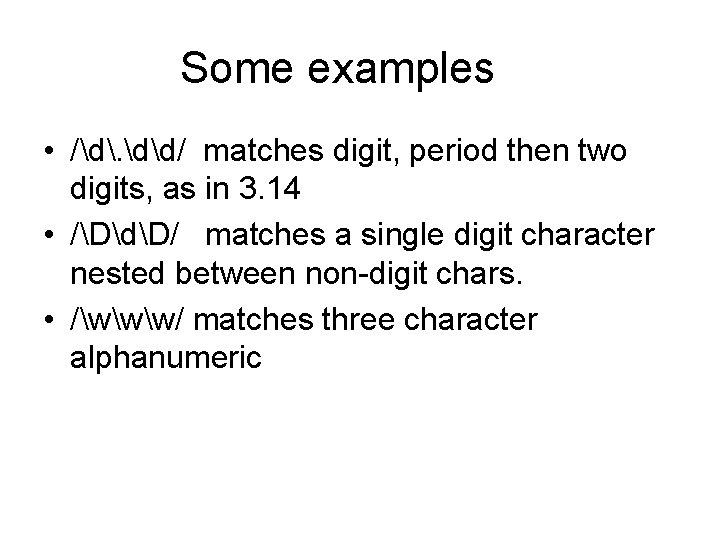
Some examples • /d. dd/ matches digit, period then two digits, as in 3. 14 • /DdD/ matches a single digit character nested between non-digit chars. • /www/ matches three character alphanumeric
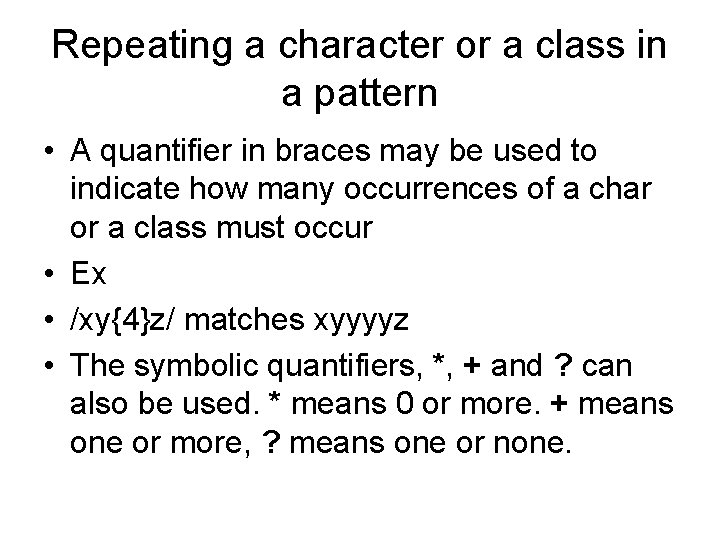
Repeating a character or a class in a pattern • A quantifier in braces may be used to indicate how many occurrences of a char or a class must occur • Ex • /xy{4}z/ matches xyyyyz • The symbolic quantifiers, *, + and ? can also be used. * means 0 or more. + means one or more, ? means one or none.
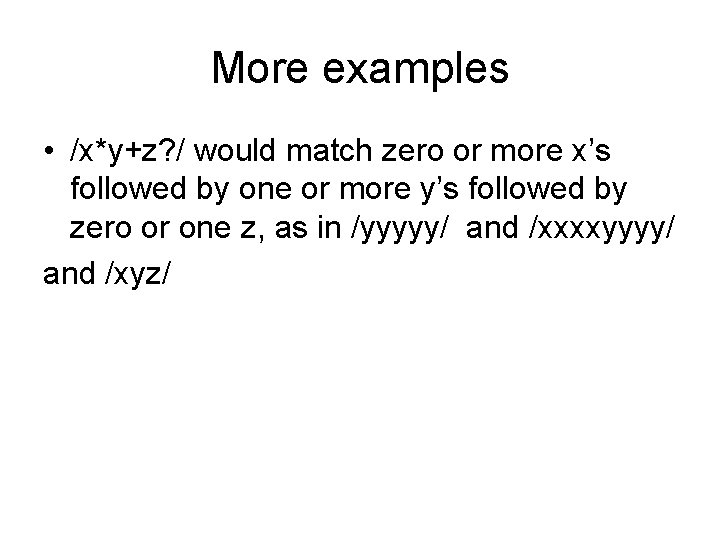
More examples • /x*y+z? / would match zero or more x’s followed by one or more y’s followed by zero or one z, as in /yyyyy/ and /xxxxyyyy/ and /xyz/
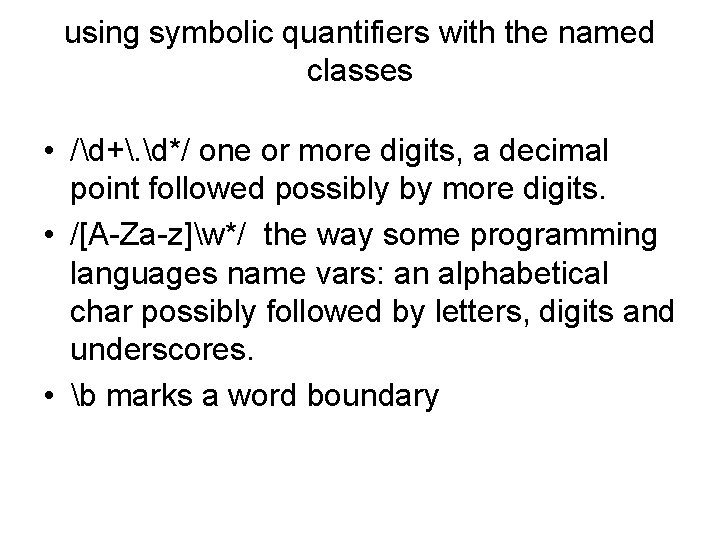
using symbolic quantifiers with the named classes • /d+. d*/ one or more digits, a decimal point followed possibly by more digits. • /[A-Za-z]w*/ the way some programming languages name vars: an alphabetical char possibly followed by letters, digits and underscores. • b marks a word boundary
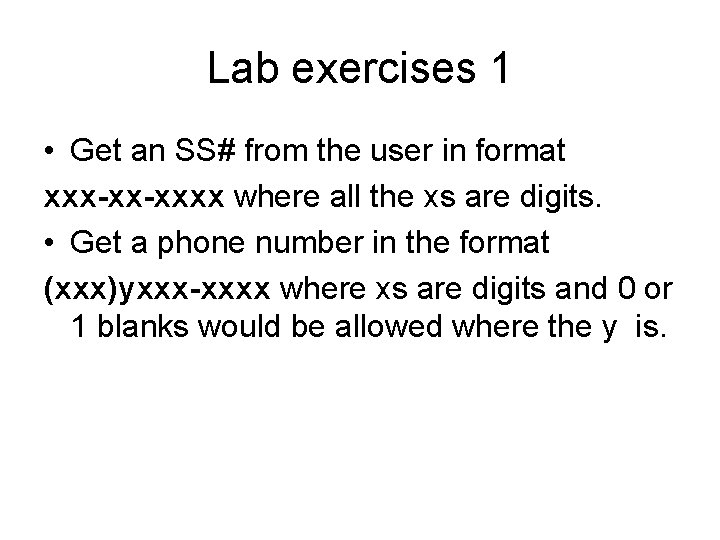
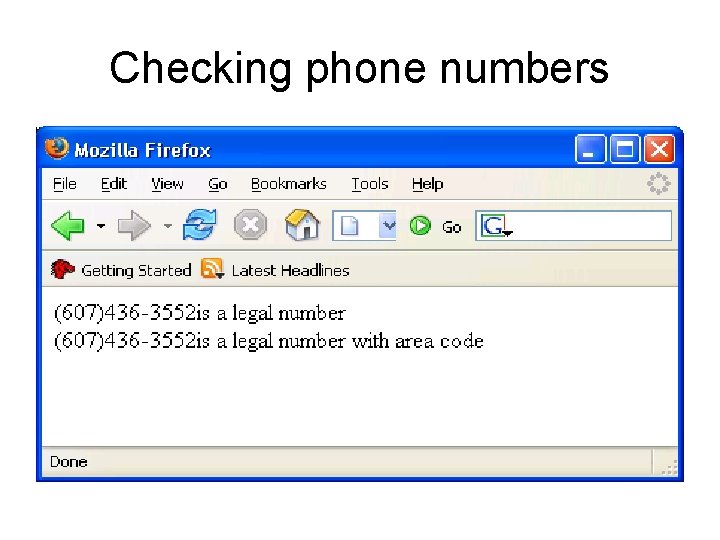
Lab exercises 1 • Get an SS# from the user in format xxx-xx-xxxx where all the xs are digits. • Get a phone number in the format (xxx)yxxx-xxxx where xs are digits and 0 or 1 blanks would be allowed where the y is.
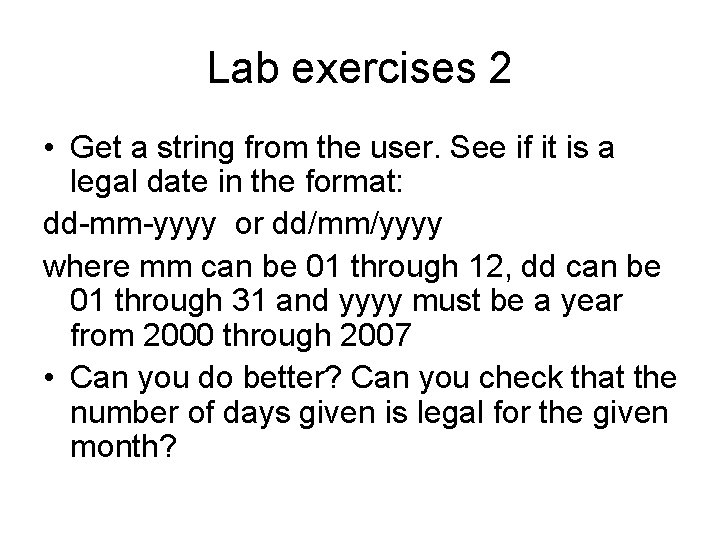
Lab exercises 2 • Get a string from the user. See if it is a legal date in the format: dd-mm-yyyy or dd/mm/yyyy where mm can be 01 through 12, dd can be 01 through 31 and yyyy must be a year from 2000 through 2007 • Can you do better? Can you check that the number of days given is legal for the given month?
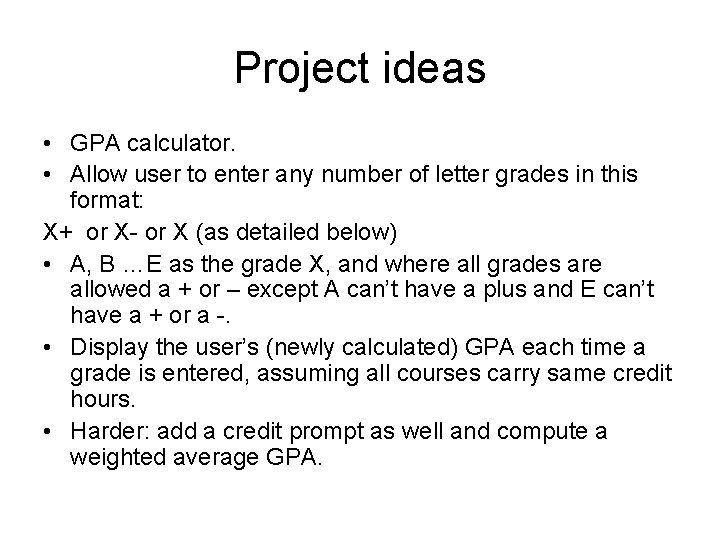
Project ideas • GPA calculator. • Allow user to enter any number of letter grades in this format: X+ or X- or X (as detailed below) • A, B …E as the grade X, and where all grades are allowed a + or – except A can’t have a plus and E can’t have a + or a -. • Display the user’s (newly calculated) GPA each time a grade is entered, assuming all courses carry same credit hours. • Harder: add a credit prompt as well and compute a weighted average GPA.
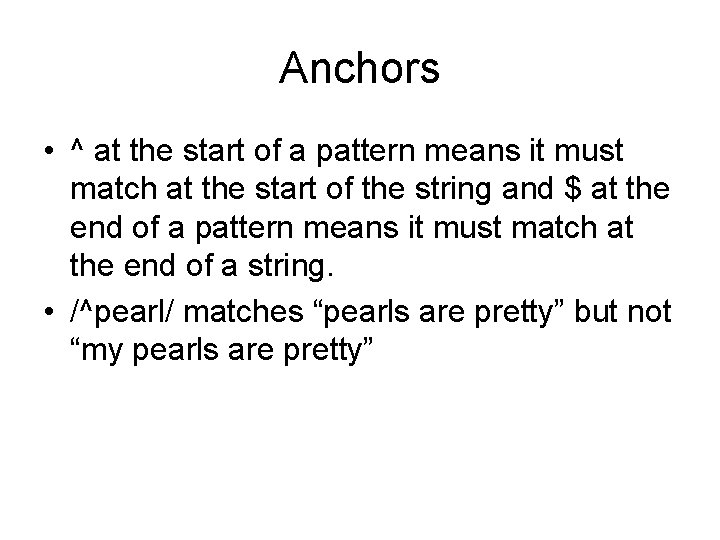
Anchors • ^ at the start of a pattern means it must match at the start of the string and $ at the end of a pattern means it must match at the end of a string. • /^pearl/ matches “pearls are pretty” but not “my pearls are pretty”
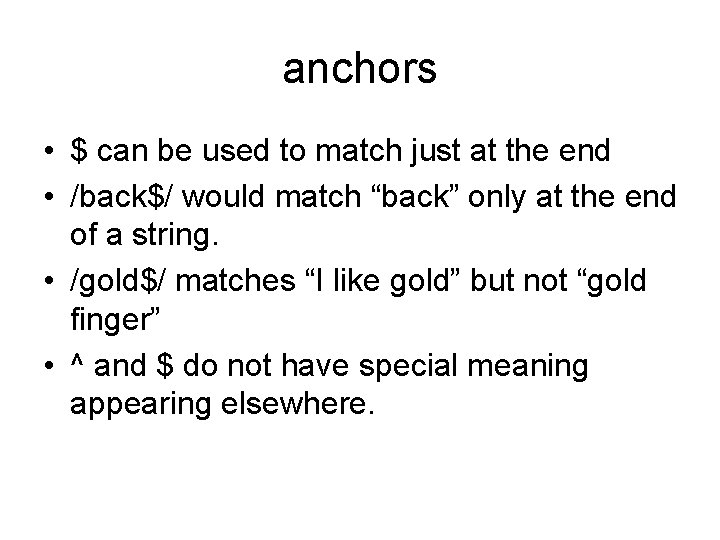
anchors • $ can be used to match just at the end • /back$/ would match “back” only at the end of a string. • /gold$/ matches “I like gold” but not “gold finger” • ^ and $ do not have special meaning appearing elsewhere.
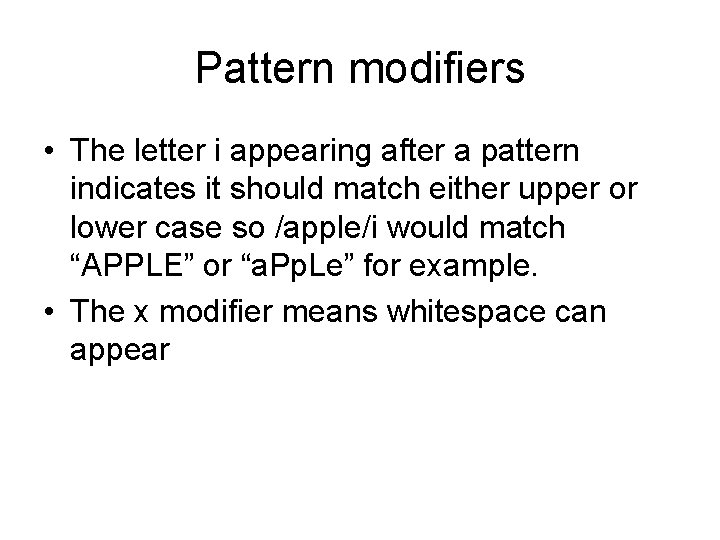
Pattern modifiers • The letter i appearing after a pattern indicates it should match either upper or lower case so /apple/i would match “APPLE” or “a. Pp. Le” for example. • The x modifier means whitespace can appear
More methods of the string class • replace() can be used to replace substrings that match a given pattern. • replace takes two parameters, the pattern and the replacement string.
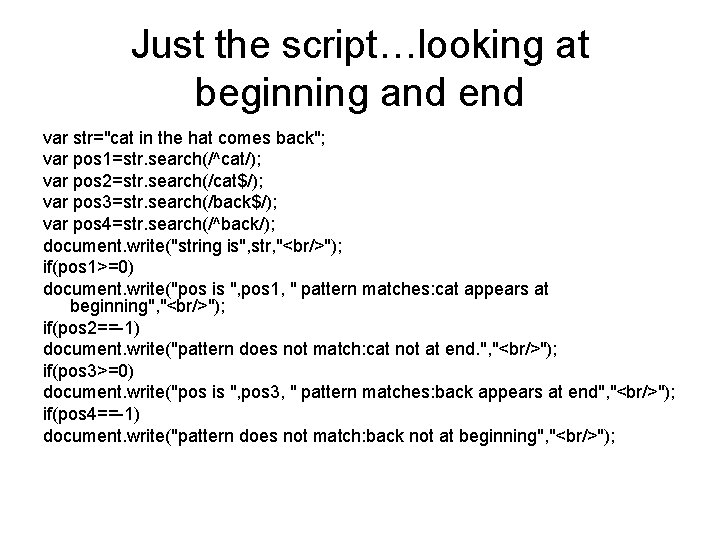
Just the script…looking at beginning and end var str="cat in the hat comes back"; var pos 1=str. search(/^cat/); var pos 2=str. search(/cat$/); var pos 3=str. search(/back$/); var pos 4=str. search(/^back/); document. write("string is", str, "<br/>"); if(pos 1>=0) document. write("pos is ", pos 1, " pattern matches: cat appears at beginning", "<br/>"); if(pos 2==-1) document. write("pattern does not match: cat not at end. ", "<br/>"); if(pos 3>=0) document. write("pos is ", pos 3, " pattern matches: back appears at end", "<br/>"); if(pos 4==-1) document. write("pattern does not match: back not at beginning", "<br/>");
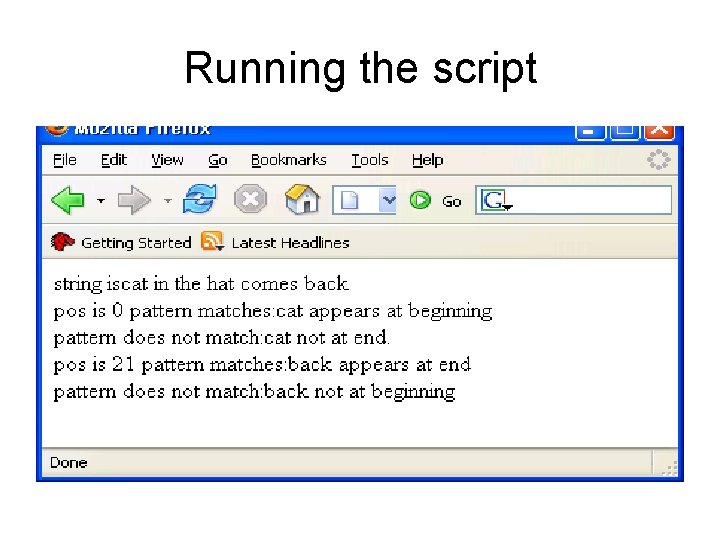
Running the script
modifiers • Special modifiers appearing after the pattern can provide added flexibility. • i means upper or lower case. • x means whitespace in the pattern ok
Other useful string functions • Replace can be used to replace substrings of the search string that match the pattern with another string. It takes two parameters: the pattern and the replacement. If the g modifier is attached to the pattern, it means all occurrences of the substring at to be replaced. • Without the g, only the first occurrence is replaced.
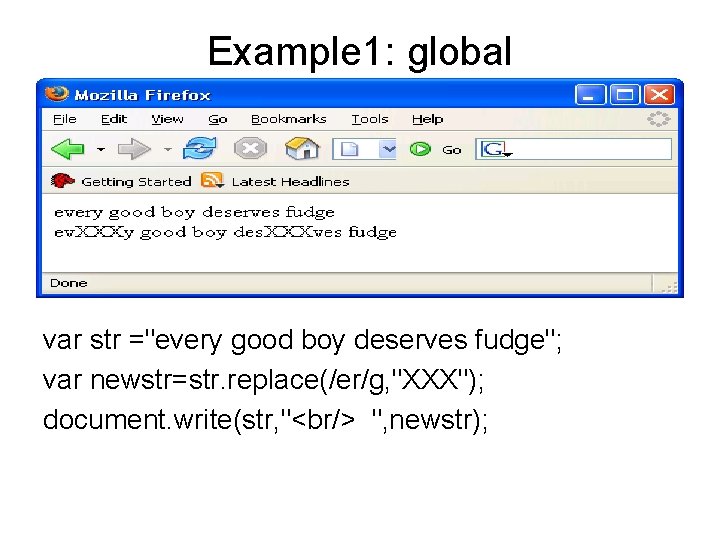
Example 1: global var str ="every good boy deserves fudge"; var newstr=str. replace(/er/g, "XXX"); document. write(str, "<br/> ", newstr);
![Example 2 of globals var str ="every good boy deserves fudge"; var newstr=str. replace(/e[rs]/g,](http://slidetodoc.com/presentation_image/4afffd0584b9e610fe4e4df67a9e0f08/image-104.jpg "Example 2 of globals var str =\"every good boy deserves fudge\"; var newstr=str. replace(/e[rs]/g,")
Example 2 of globals var str ="every good boy deserves fudge"; var newstr=str. replace(/e[rs]/g, "XXX"); document. write(str, "<br/> ", newstr);
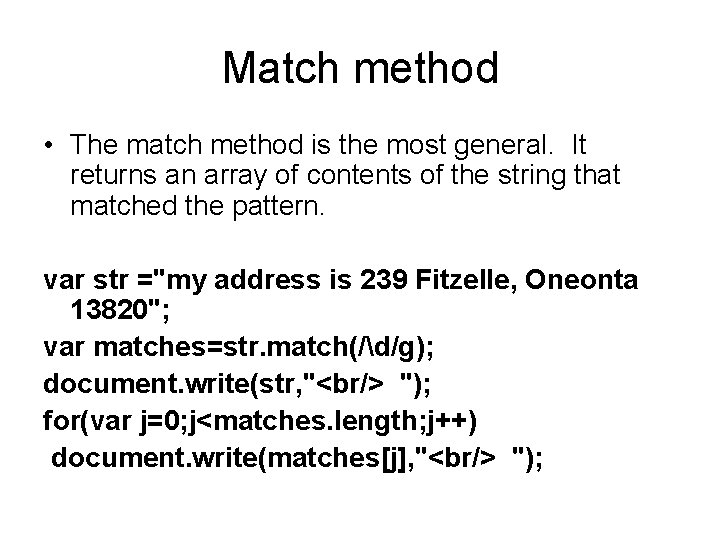
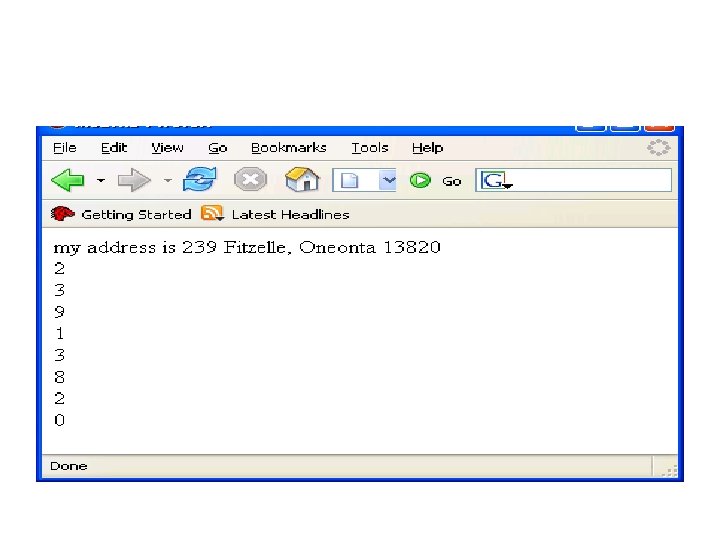
Match method • The match method is the most general. It returns an array of contents of the string that matched the pattern. var str ="my address is 239 Fitzelle, Oneonta 13820"; var matches=str. match(/d/g); document. write(str, "<br/> "); for(var j=0; j<matches. length; j++) document. write(matches[j], "<br/> ");
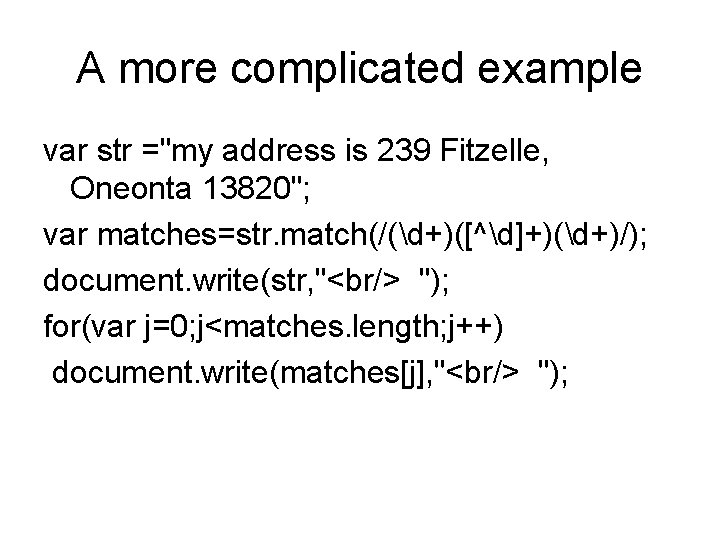
A more complicated example var str ="my address is 239 Fitzelle, Oneonta 13820"; var matches=str. match(/(d+)([^d]+)(d+)/); document. write(str, "<br/> "); for(var j=0; j<matches. length; j++) document. write(matches[j], "<br/> ");
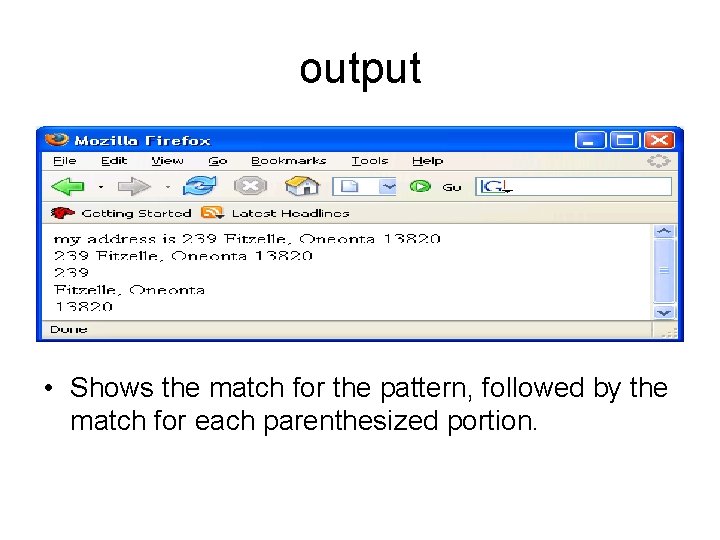
output • Shows the match for the pattern, followed by the match for each parenthesized portion.
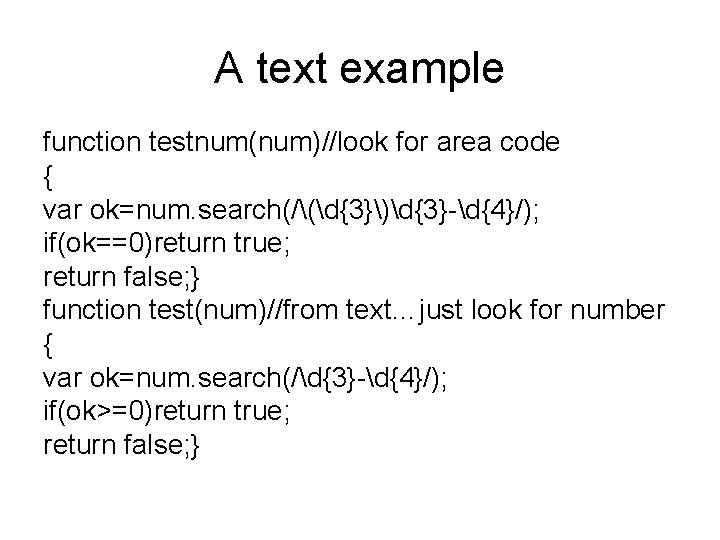
A text example function testnum(num)//look for area code { var ok=num. search(/(d{3})d{3}-d{4}/); if(ok==0)return true; return false; } function test(num)//from text…just look for number { var ok=num. search(/d{3}-d{4}/); if(ok>=0)return true; return false; }
Checking phone numbers
- Slides: 110