
Java Overview CS 2336 Computer Science II 1
![First Program public class Hello. World { public static void main(String args[]) { System.](https://slidetodoc.com/presentation_image_h2/c0e9307de51a645315cc07a7858b9642/image-2.jpg "First Program public class Hello. World { public static void main(String args[]) { System.")





![Syntax Errors public class Show. Syntax. Errors { public static void main(String[] args) {](https://slidetodoc.com/presentation_image_h2/c0e9307de51a645315cc07a7858b9642/image-34.jpg "Syntax Errors public class Show. Syntax. Errors { public static void main(String[] args) {")
![Runtime Errors public class Show. Runtime. Errors { public static void main(String[] args) {](https://slidetodoc.com/presentation_image_h2/c0e9307de51a645315cc07a7858b9642/image-35.jpg "Runtime Errors public class Show. Runtime. Errors { public static void main(String[] args) {")

- Slides: 60
Java Overview CS 2336: Computer Science II 1
First Program public class Hello. World { public static void main(String args[]) { System. out. println("Hello World"); } } CS 2336: Computer Science II 2
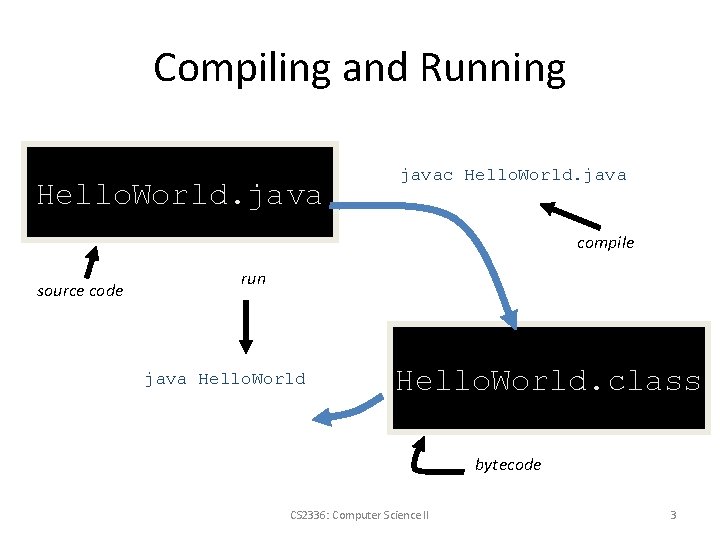
Compiling and Running Hello. World. javac Hello. World. java compile source code run java Hello. World. class bytecode CS 2336: Computer Science II 3
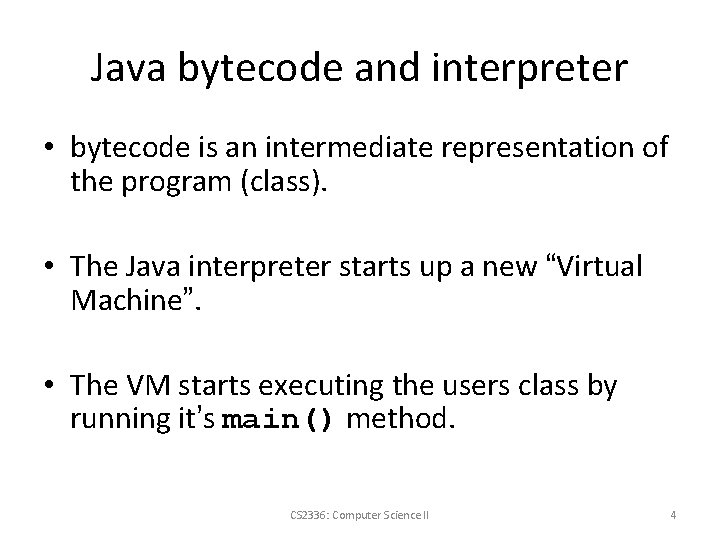
Java bytecode and interpreter • bytecode is an intermediate representation of the program (class). • The Java interpreter starts up a new “Virtual Machine”. • The VM starts executing the users class by running it’s main() method. CS 2336: Computer Science II 4
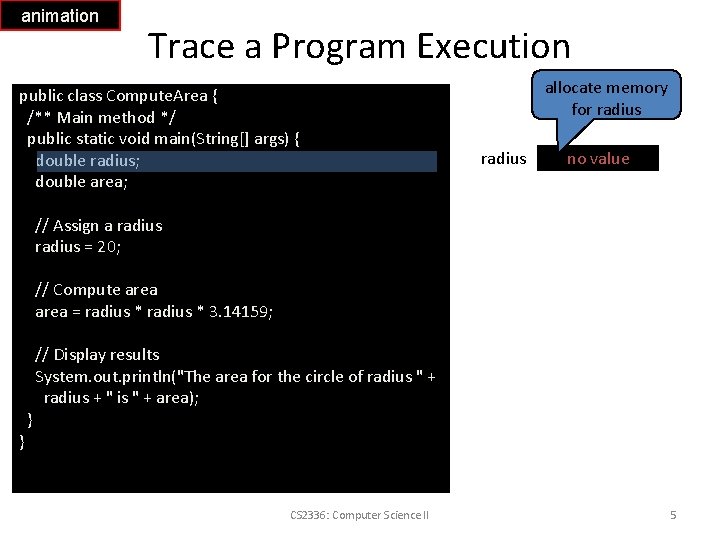
animation Trace a Program Execution public class Compute. Area { /** Main method */ public static void main(String[] args) { double radius; double area; allocate memory for radius no value // Assign a radius = 20; // Compute area = radius * 3. 14159; } } // Display results System. out. println("The area for the circle of radius " + radius + " is " + area); CS 2336: Computer Science II 5
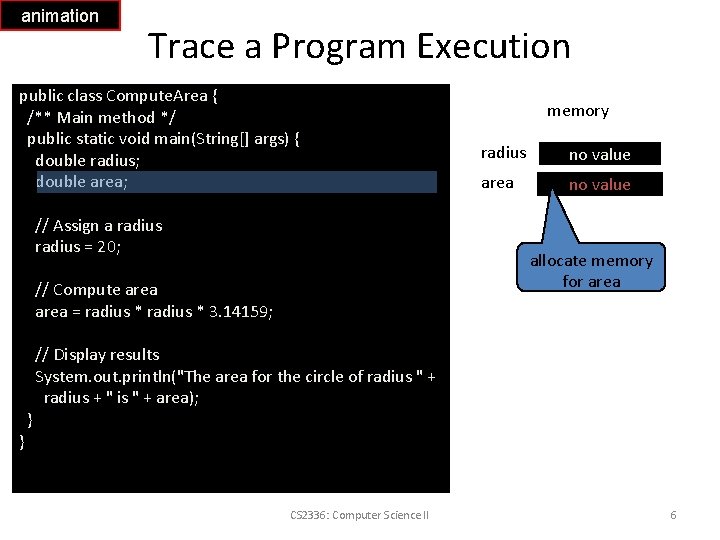
animation Trace a Program Execution public class Compute. Area { /** Main method */ public static void main(String[] args) { double radius; double area; // Assign a radius = 20; } radius no value area no value allocate memory for area // Compute area = radius * 3. 14159; } memory // Display results System. out. println("The area for the circle of radius " + radius + " is " + area); CS 2336: Computer Science II 6
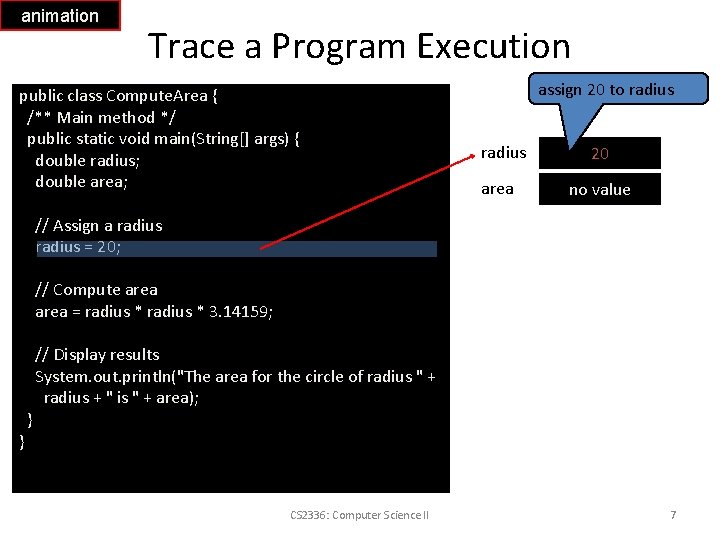
animation Trace a Program Execution public class Compute. Area { /** Main method */ public static void main(String[] args) { double radius; double area; assign 20 to radius area 20 no value // Assign a radius = 20; // Compute area = radius * 3. 14159; } } // Display results System. out. println("The area for the circle of radius " + radius + " is " + area); CS 2336: Computer Science II 7
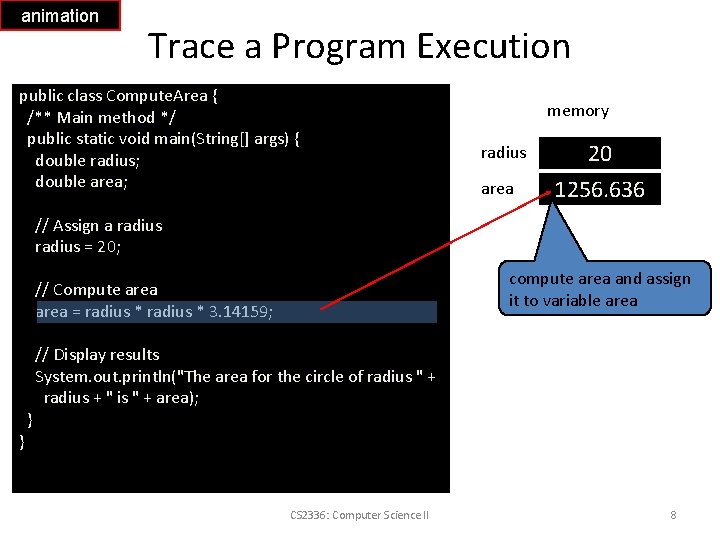
animation Trace a Program Execution public class Compute. Area { /** Main method */ public static void main(String[] args) { double radius; double area; memory radius area 20 1256. 636 // Assign a radius = 20; compute area and assign it to variable area // Compute area = radius * 3. 14159; } } // Display results System. out. println("The area for the circle of radius " + radius + " is " + area); CS 2336: Computer Science II 8
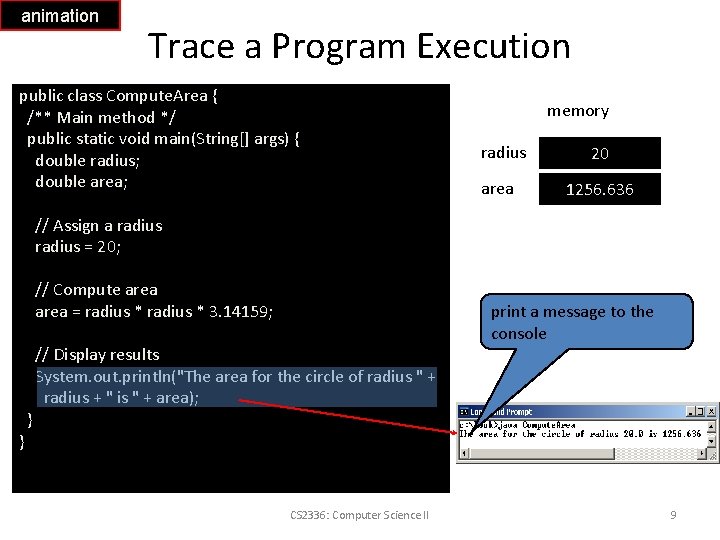
animation Trace a Program Execution public class Compute. Area { /** Main method */ public static void main(String[] args) { double radius; double area; memory radius area 20 1256. 636 // Assign a radius = 20; // Compute area = radius * 3. 14159; } } // Display results System. out. println("The area for the circle of radius " + radius + " is " + area); CS 2336: Computer Science II print a message to the console 9
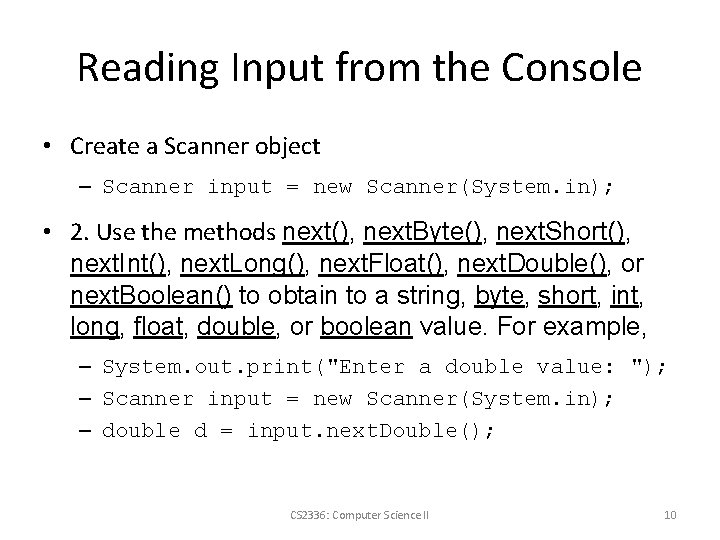
Reading Input from the Console • Create a Scanner object – Scanner input = new Scanner(System. in); • 2. Use the methods next(), next. Byte(), next. Short(), next. Int(), next. Long(), next. Float(), next. Double(), or next. Boolean() to obtain to a string, byte, short, int, long, float, double, or boolean value. For example, – System. out. print("Enter a double value: "); – Scanner input = new Scanner(System. in); – double d = input. next. Double(); CS 2336: Computer Science II 10
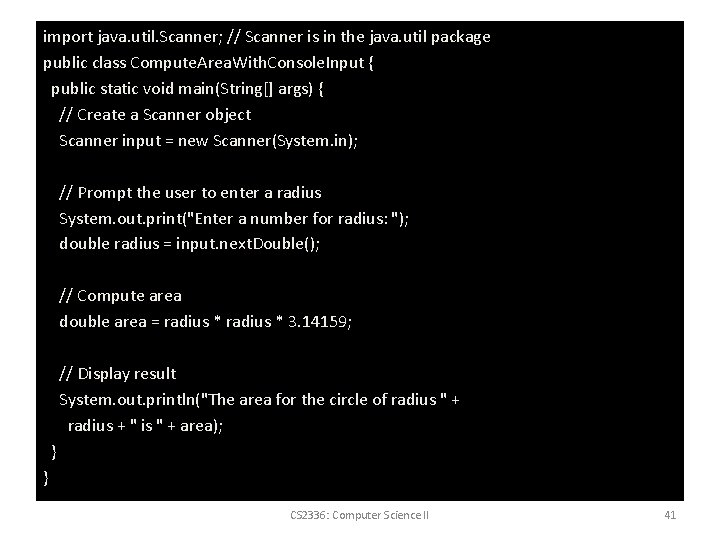
import java. util. Scanner; // Scanner is in the java. util package public class Compute. Area. With. Console. Input { public static void main(String[] args) { // Create a Scanner object Scanner input = new Scanner(System. in); // Prompt the user to enter a radius System. out. print("Enter a number for radius: "); double radius = input. next. Double(); // Compute area double area = radius * 3. 14159; // Display result System. out. println("The area for the circle of radius " + radius + " is " + area); } } CS 2336: Computer Science II 11
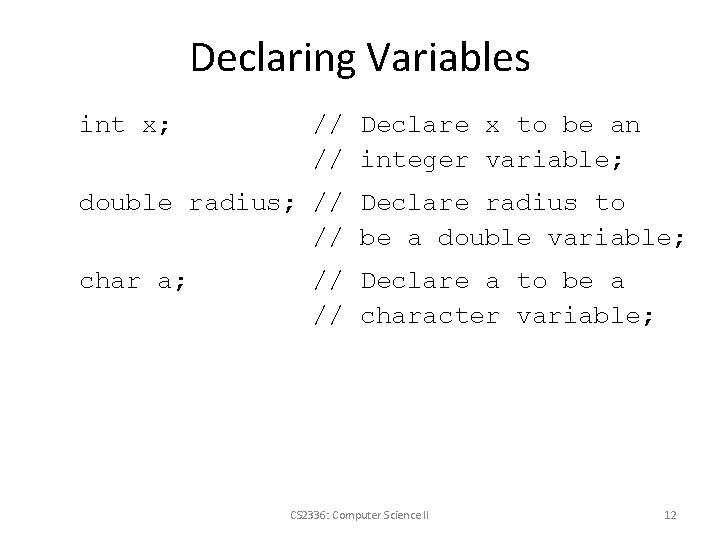
Declaring Variables int x; // Declare x to be an // integer variable; double radius; // Declare radius to // be a double variable; char a; // Declare a to be a // character variable; CS 2336: Computer Science II 12
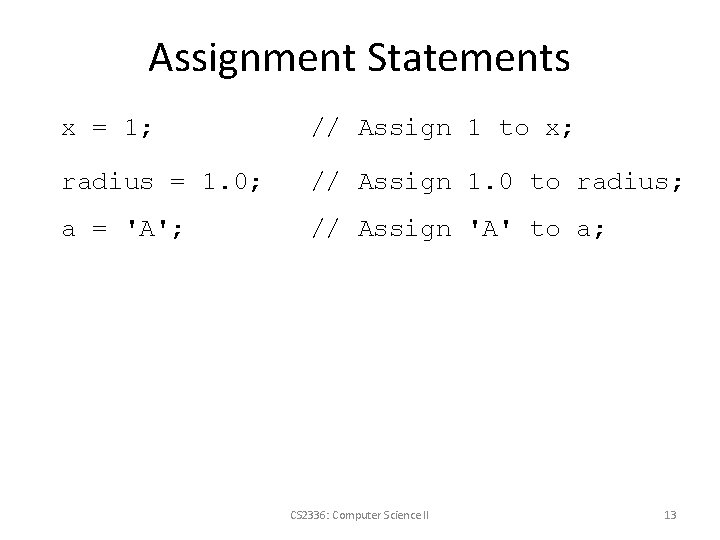
Assignment Statements x = 1; // Assign 1 to x; radius = 1. 0; // Assign 1. 0 to radius; a = 'A'; // Assign 'A' to a; CS 2336: Computer Science II 13
Declaring and Initializing in One Step • int x = 1; • double d = 1. 4; CS 2336: Computer Science II 14
Constants final datatype CONSTANTNAME = VALUE; final double PI = 3. 14159; final int SIZE = 3; CS 2336: Computer Science II 15
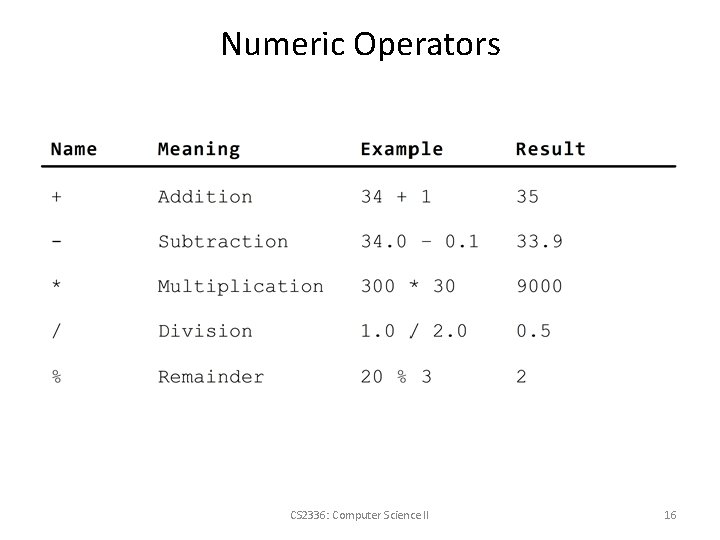
Numeric Operators CS 2336: Computer Science II 16
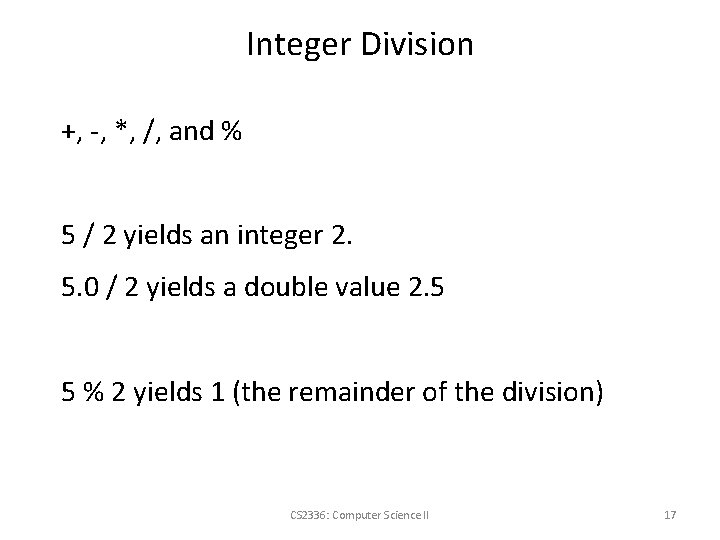
Integer Division +, -, *, /, and % 5 / 2 yields an integer 2. 5. 0 / 2 yields a double value 2. 5 5 % 2 yields 1 (the remainder of the division) CS 2336: Computer Science II 17
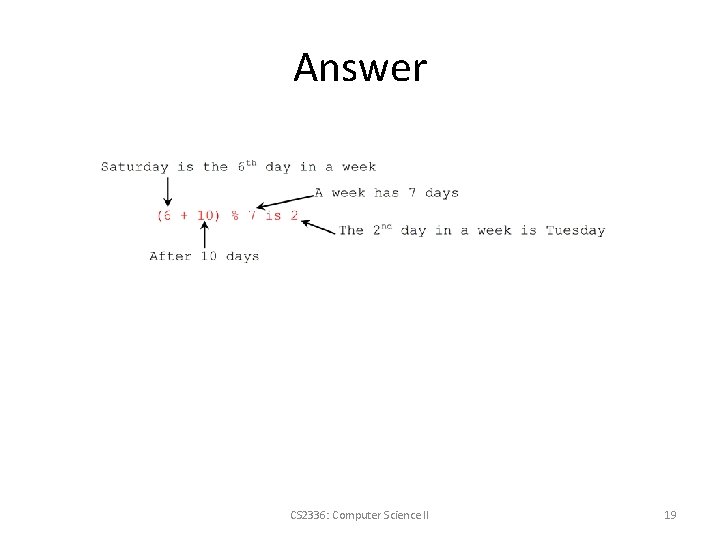
Quiz 1 -1 • Suppose today is Saturday and your friends are going to meet in 10 days. What day is in 10 days? CS 2336: Computer Science II 18
Answer CS 2336: Computer Science II 19
Quiz 1 -2 Write a program that obtains hours and minutes from seconds. CS 2336: Computer Science II 20
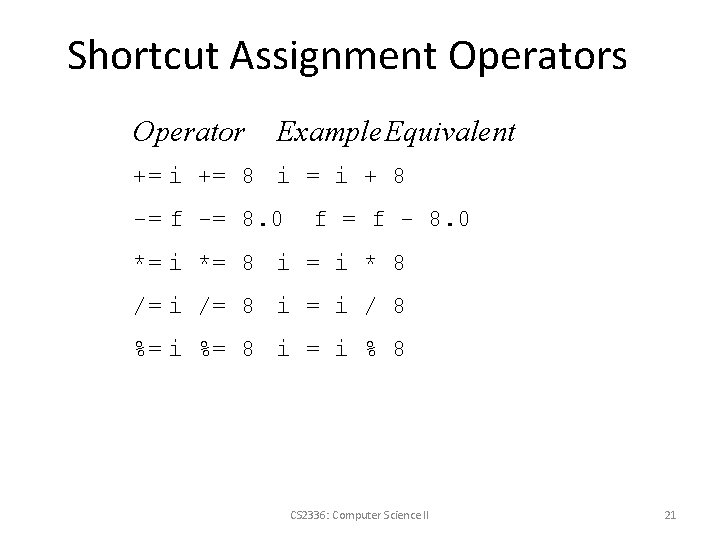
Shortcut Assignment Operators Operator Example Equivalent += i += 8 i = i + 8 -= f -= 8. 0 f = f - 8. 0 *= i *= 8 i = i * 8 /= i /= 8 i = i / 8 %= i %= 8 i = i % 8 CS 2336: Computer Science II 21
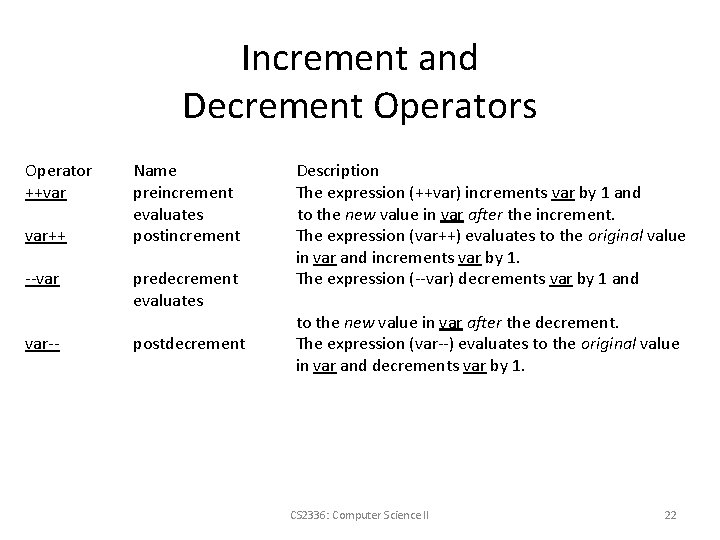
Increment and Decrement Operators Operator ++var var++ --var var-- Name preincrement evaluates postincrement predecrement evaluates postdecrement Description The expression (++var) increments var by 1 and to the new value in var after the increment. The expression (var++) evaluates to the original value in var and increments var by 1. The expression (--var) decrements var by 1 and to the new value in var after the decrement. The expression (var--) evaluates to the original value in var and decrements var by 1. CS 2336: Computer Science II 22
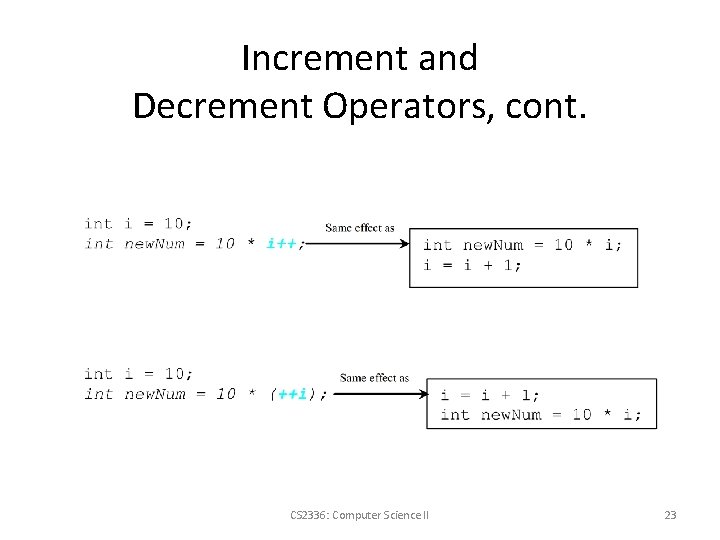
Increment and Decrement Operators, cont. CS 2336: Computer Science II 23
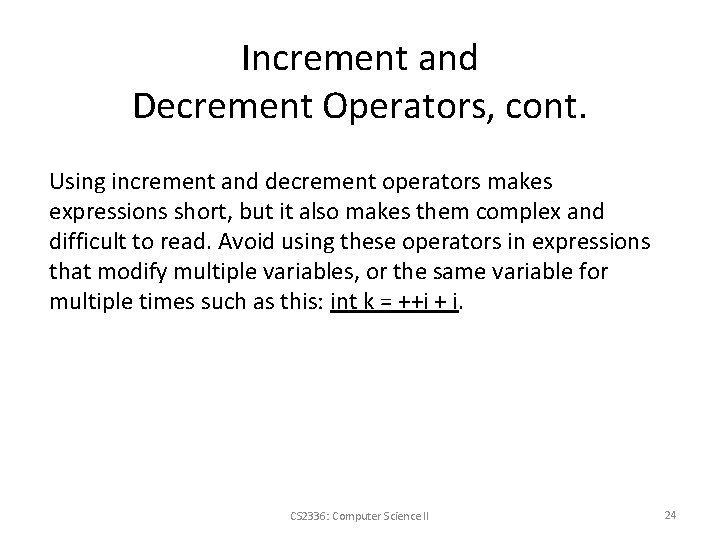
Increment and Decrement Operators, cont. Using increment and decrement operators makes expressions short, but it also makes them complex and difficult to read. Avoid using these operators in expressions that modify multiple variables, or the same variable for multiple times such as this: int k = ++i + i. CS 2336: Computer Science II 24
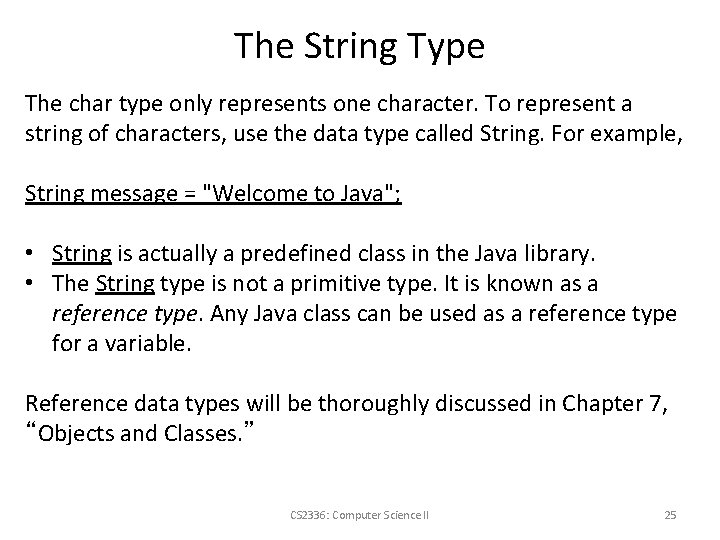
The String Type The char type only represents one character. To represent a string of characters, use the data type called String. For example, String message = "Welcome to Java"; • String is actually a predefined class in the Java library. • The String type is not a primitive type. It is known as a reference type. Any Java class can be used as a reference type for a variable. Reference data types will be thoroughly discussed in Chapter 7, “Objects and Classes. ” CS 2336: Computer Science II 25
String Concatenation // Three strings are concatenated String message = "Welcome " + "to " + "Java"; // String Chapter is concatenated with number 2 String s = "Chapter" + 2; // s becomes Chapter 2 // String Supplement is concatenated with character B String s 1 = "Supplement" + 'B'; // s 1 becomes Supplement. B CS 2336: Computer Science II 26
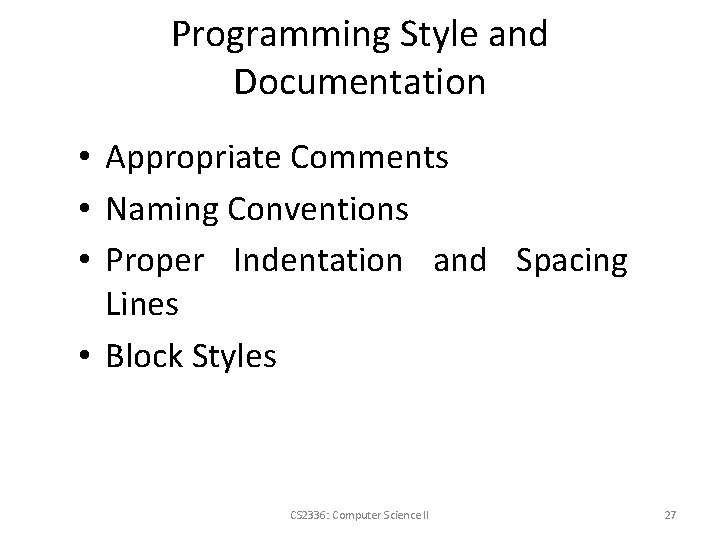
Programming Style and Documentation • Appropriate Comments • Naming Conventions • Proper Indentation and Spacing Lines • Block Styles CS 2336: Computer Science II 27
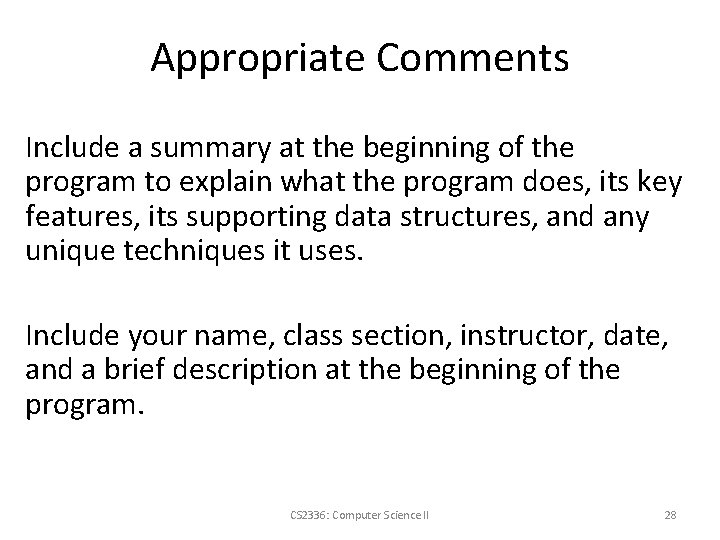
Appropriate Comments Include a summary at the beginning of the program to explain what the program does, its key features, its supporting data structures, and any unique techniques it uses. Include your name, class section, instructor, date, and a brief description at the beginning of the program. CS 2336: Computer Science II 28
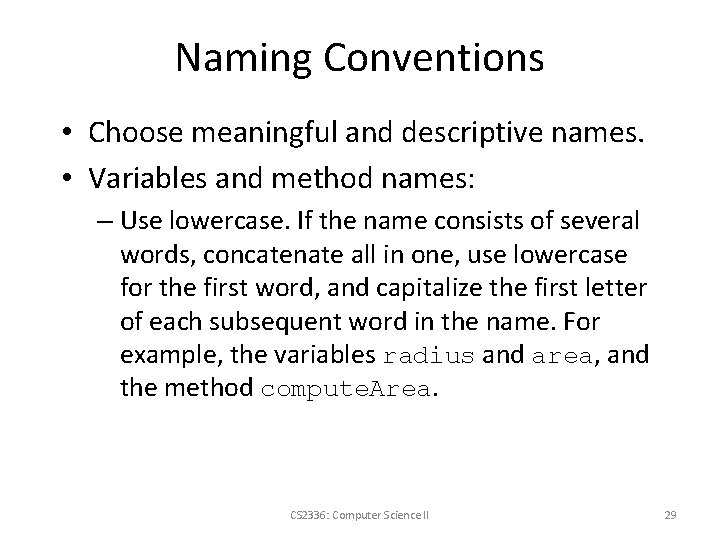
Naming Conventions • Choose meaningful and descriptive names. • Variables and method names: – Use lowercase. If the name consists of several words, concatenate all in one, use lowercase for the first word, and capitalize the first letter of each subsequent word in the name. For example, the variables radius and area, and the method compute. Area. CS 2336: Computer Science II 29
Naming Conventions, cont. • Class names: – Capitalize the first letter of each word in the name. For example, the class name Compute. Area. • Constants: – Capitalize all letters in constants, and use underscores to connect words. For example, the constant PI and MAX_VALUE CS 2336: Computer Science II 30
Proper Indentation and Spacing • Indentation – Indent two spaces. • Spacing – Use blank line to separate segments of the code. CS 2336: Computer Science II 31
Block Styles Use end-of-line style for braces. CS 2336: Computer Science II 32
Programming Errors • Syntax Errors – Detected by the compiler • Runtime Errors – Causes the program to abort • Logic Errors – Produces incorrect result CS 2336: Computer Science II 33
Syntax Errors public class Show. Syntax. Errors { public static void main(String[] args) { i = 30; System. out. println(i + 4); } } CS 2336: Computer Science II 34
Runtime Errors public class Show. Runtime. Errors { public static void main(String[] args) { int i = 1 / 0; } } CS 2336: Computer Science II 35
Debugging Logic errors are called bugs. The process of finding and correcting errors is called debugging. A common approach to debugging is to use a combination of methods to narrow down to the part of the program where the bug is located. You can hand-trace the program (i. e. , catch errors by reading the program), or you can insert print statements in order to show the values of the variables or the execution flow of the program. This approach might work for a short, simple program. But for a large, complex program, the most effective approach for debugging is to use a debugger utility. CS 2336: Computer Science II 36
Debugger is a program that facilitates debugging. You can use a debugger to • Execute a single statement at a time. • Trace into or stepping over a method. • Set breakpoints. • Display variables. • Display call stack. • Modify variables. CS 2336: Computer Science II 37
Converting Strings to Integers The input returned from the input dialog box is a string. If you enter a numeric value such as 123, it returns “ 123”. To obtain the input as a number, you have to convert a string into a number. To convert a string into an int value, you can use the static parse. Int method in the Integer class as follows: int. Value = Integer. parse. Int(int. String); where int. String is a numeric string such as “ 123”. CS 2336: Computer Science II 38
Converting Strings to Doubles To convert a string into a double value, you can use the static parse. Double method in the Double class as follows: double. Value =Double. parse. Double(double. String); where double. String is a numeric string such as “ 123. 45”. CS 2336: Computer Science II 39
Motivations If you assigned a negative value for radius in Compute. Area. java, the program would print an invalid result. If the radius is negative, you don't want the program to compute the area. How can you deal with this situation? CS 2336: Computer Science II 40
import java. util. Scanner; // Scanner is in the java. util package public class Compute. Area. With. Console. Input { public static void main(String[] args) { // Create a Scanner object Scanner input = new Scanner(System. in); // Prompt the user to enter a radius System. out. print("Enter a number for radius: "); double radius = input. next. Double(); // Compute area double area = radius * 3. 14159; // Display result System. out. println("The area for the circle of radius " + radius + " is " + area); } } CS 2336: Computer Science II 41
Comparison Operators The boolean Type and Operators Operator Name < less than <= less than or equal to > greater than >= greater than or equal to == equal to != not equal to boolean b = (1 > 2); CS 2336: Computer Science II 42
Control Structures • More of what you expect: conditional: if, if else, switch loop: while, for, do break and continue (but a little different than with C/C++). CS 2336: Computer Science II 43
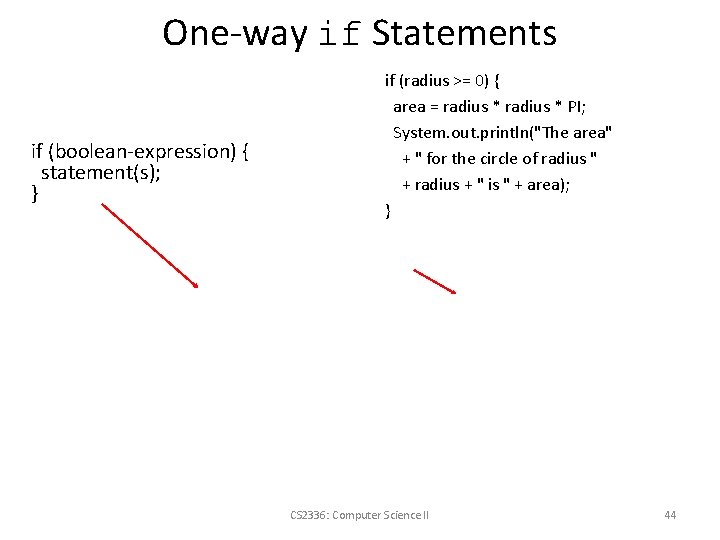
One-way if Statements if (boolean-expression) { statement(s); } if (radius >= 0) { area = radius * PI; System. out. println("The area" + " for the circle of radius " + radius + " is " + area); } CS 2336: Computer Science II 44
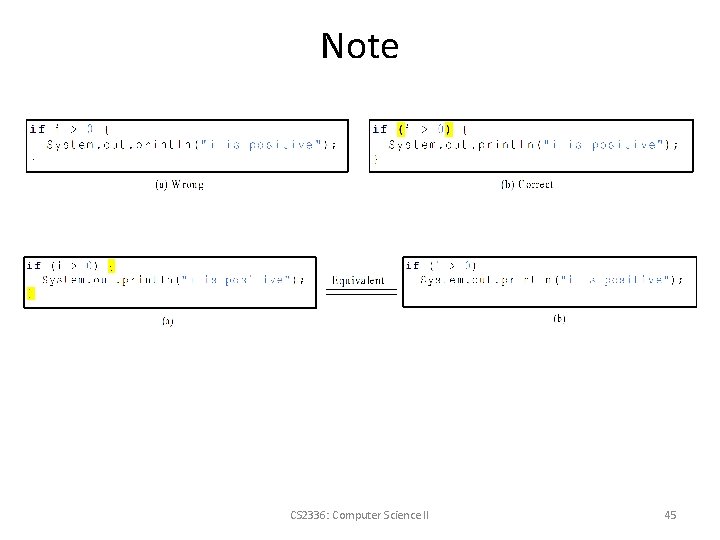
Note CS 2336: Computer Science II 45
Problem: Guessing Birthday The program can guess your birth date. Run to see how it works. CS 2336: Computer Science II 46
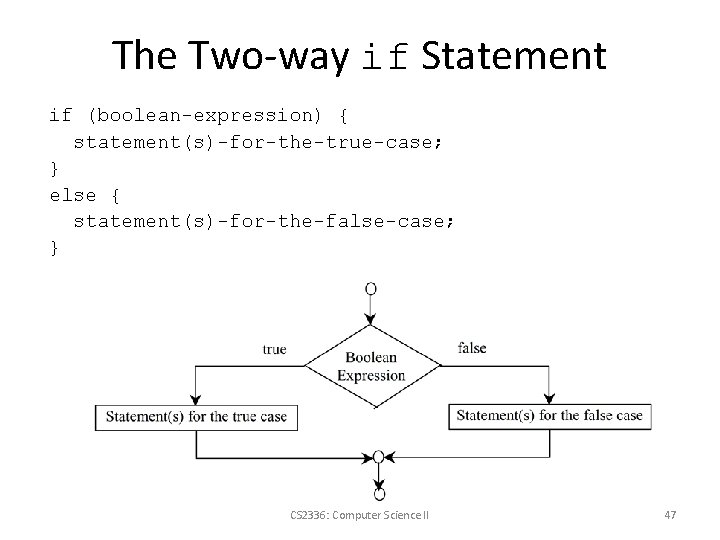
The Two-way if Statement if (boolean-expression) { statement(s)-for-the-true-case; } else { statement(s)-for-the-false-case; } CS 2336: Computer Science II 47
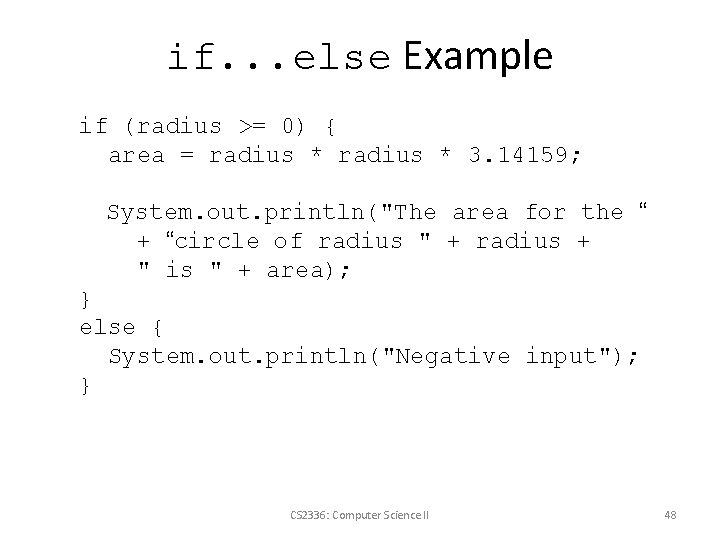
if. . . else Example if (radius >= 0) { area = radius * 3. 14159; System. out. println("The area for the “ + “circle of radius " + radius + " is " + area); } else { System. out. println("Negative input"); } CS 2336: Computer Science II 48
Multiple Alternative if Statements CS 2336: Computer Science II 49
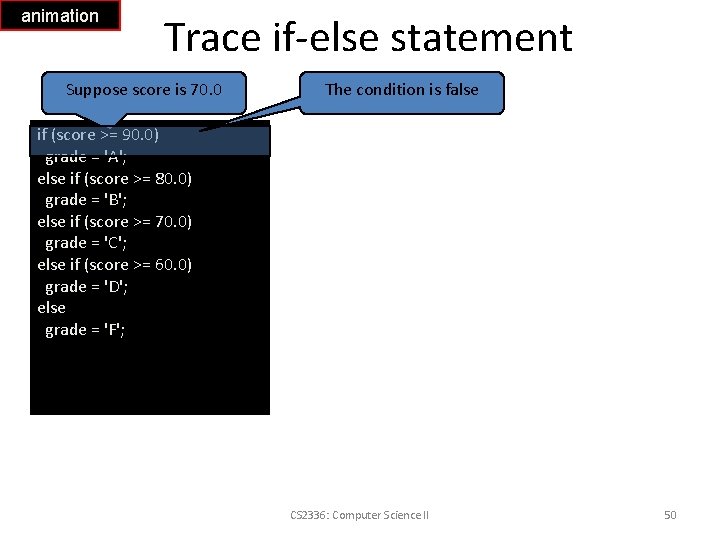
animation Trace if-else statement Suppose score is 70. 0 The condition is false if (score >= 90. 0) grade = 'A'; else if (score >= 80. 0) grade = 'B'; else if (score >= 70. 0) grade = 'C'; else if (score >= 60. 0) grade = 'D'; else grade = 'F'; CS 2336: Computer Science II 50
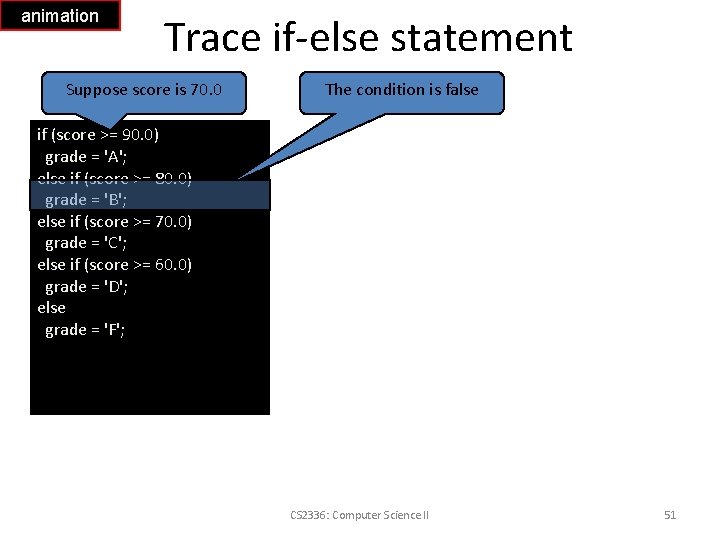
animation Trace if-else statement Suppose score is 70. 0 The condition is false if (score >= 90. 0) grade = 'A'; else if (score >= 80. 0) grade = 'B'; else if (score >= 70. 0) grade = 'C'; else if (score >= 60. 0) grade = 'D'; else grade = 'F'; CS 2336: Computer Science II 51
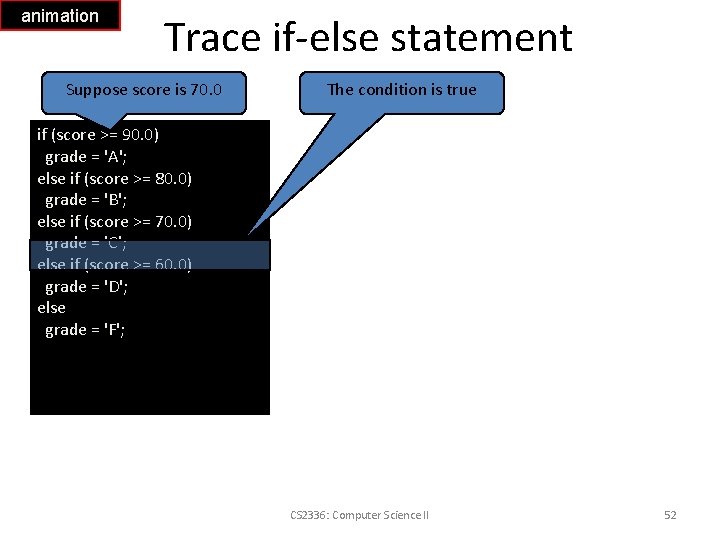
animation Trace if-else statement Suppose score is 70. 0 The condition is true if (score >= 90. 0) grade = 'A'; else if (score >= 80. 0) grade = 'B'; else if (score >= 70. 0) grade = 'C'; else if (score >= 60. 0) grade = 'D'; else grade = 'F'; CS 2336: Computer Science II 52
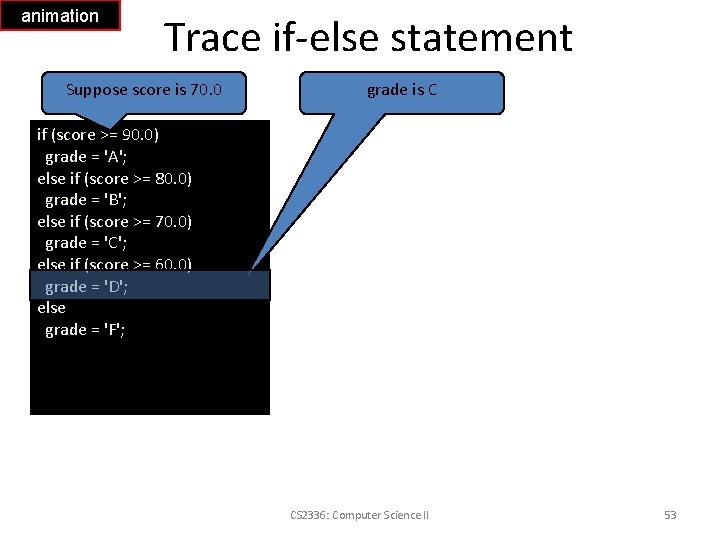
animation Trace if-else statement Suppose score is 70. 0 grade is C if (score >= 90. 0) grade = 'A'; else if (score >= 80. 0) grade = 'B'; else if (score >= 70. 0) grade = 'C'; else if (score >= 60. 0) grade = 'D'; else grade = 'F'; CS 2336: Computer Science II 53
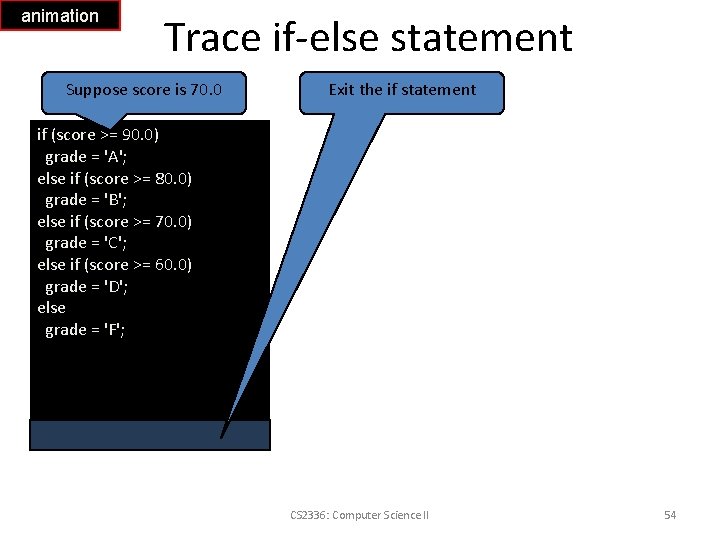
animation Trace if-else statement Suppose score is 70. 0 Exit the if statement if (score >= 90. 0) grade = 'A'; else if (score >= 80. 0) grade = 'B'; else if (score >= 70. 0) grade = 'C'; else if (score >= 60. 0) grade = 'D'; else grade = 'F'; CS 2336: Computer Science II 54
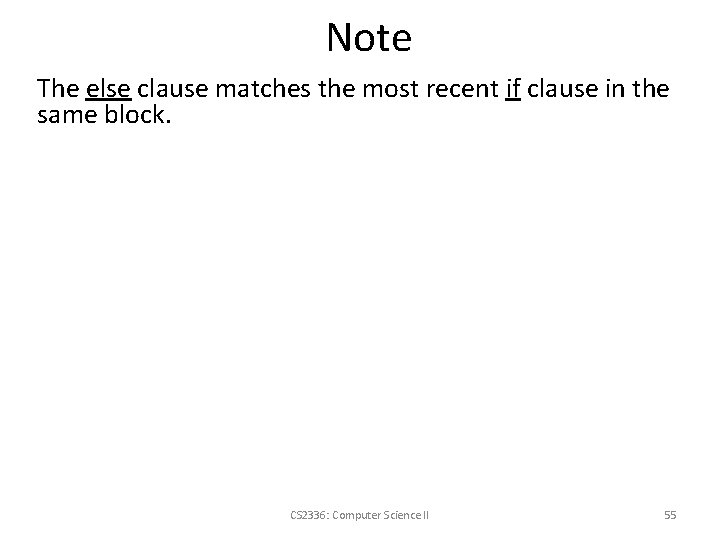
Note The else clause matches the most recent if clause in the same block. CS 2336: Computer Science II 55
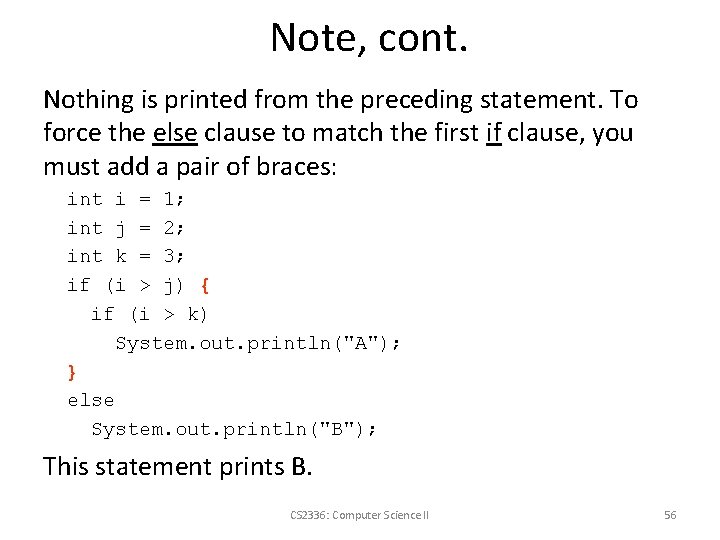
Note, cont. Nothing is printed from the preceding statement. To force the else clause to match the first if clause, you must add a pair of braces: int i = 1; int j = 2; int k = 3; if (i > j) { if (i > k) System. out. println("A"); } else System. out. println("B"); This statement prints B. CS 2336: Computer Science II 56
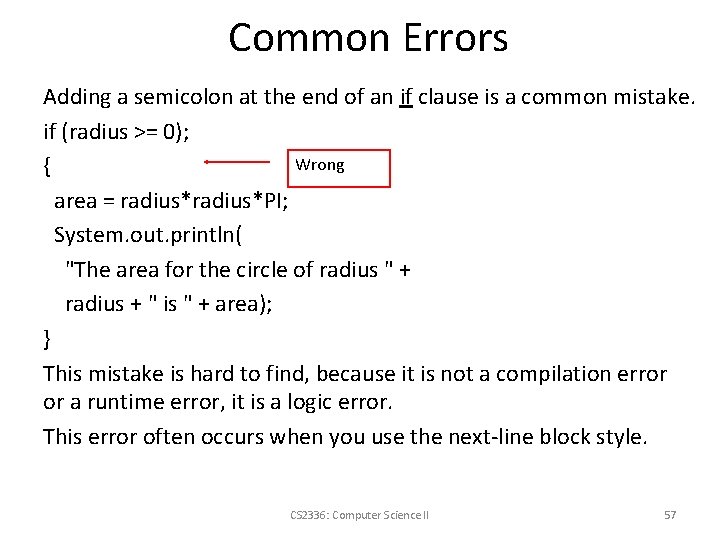
Common Errors Adding a semicolon at the end of an if clause is a common mistake. if (radius >= 0); Wrong { area = radius*PI; System. out. println( "The area for the circle of radius " + radius + " is " + area); } This mistake is hard to find, because it is not a compilation error or a runtime error, it is a logic error. This error often occurs when you use the next-line block style. CS 2336: Computer Science II 57
TIP CS 2336: Computer Science II 58
CAUTION CS 2336: Computer Science II 59
Acknowledgement The original authors of these slides are the authors of the textbook. The instructor made necessary modifications, with permissions from the authors. CS 2336: Computer Science II