
Java JDBC 1 JDBC Java JDBC is a
Java JDBC 1
JDBC Java JDBC is a java API to connect and execute query with the database. JDBC API uses jdbc drivers to connect with the database. 2
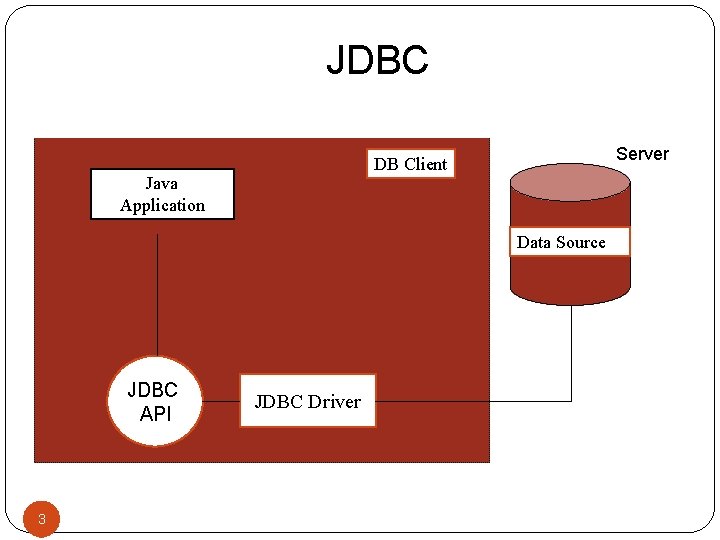
JDBC Server DB Client Java Application Data Source JDBC API 3 3 JDBC Driver
Why use JDBC Before JDBC, ODBC API was the database API to connect and execute query with the database. But, ODBC API uses ODBC driver which is written in C language (i. e. platform dependent and unsecured). That is why Java has defined its own API (JDBC API) that uses JDBC drivers (written in Java language). 4
JDBC Driver is a software component that enables java application to interact with the database. There are 4 types of JDBC drivers: JDBC-ODBC bridge driver Native-API driver (partially java driver) Network Protocol driver (fully java driver) Thin driver (fully java driver) 5
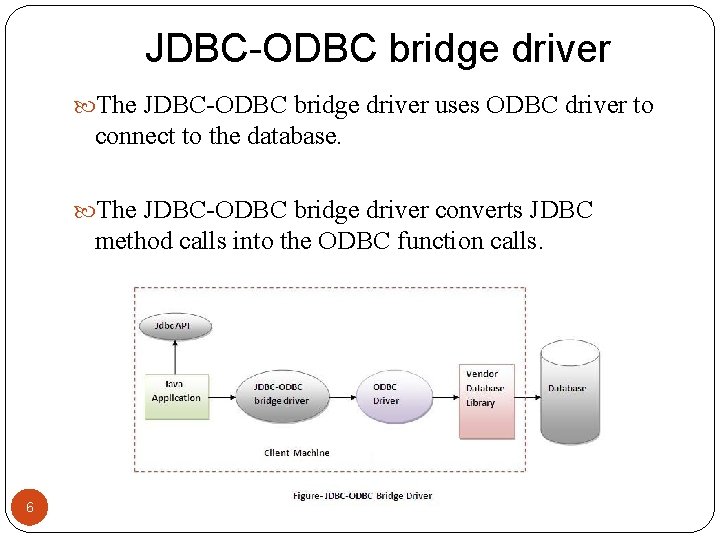
JDBC-ODBC bridge driver The JDBC-ODBC bridge driver uses ODBC driver to connect to the database. The JDBC-ODBC bridge driver converts JDBC method calls into the ODBC function calls. 6
JDBC-ODBC bridge driver When Java first came out, this was a useful driver because most databases only supported ODBC access but now this type of driver is recommended only for experimental use or when no other alternative is available. Advantages: easy to use. can be easily connected to any database. Disadvantages: Performance degraded because JDBC method call is converted into the ODBC function calls. The ODBC driver needs to be installed on the client machine. 7
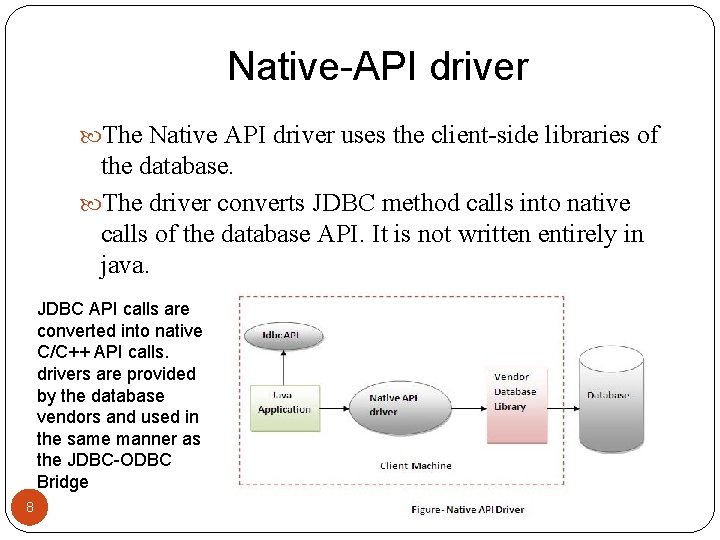
Native-API driver The Native API driver uses the client-side libraries of the database. The driver converts JDBC method calls into native calls of the database API. It is not written entirely in java. JDBC API calls are converted into native C/C++ API calls. drivers are provided by the database vendors and used in the same manner as the JDBC-ODBC Bridge 8
Native-API driver Advantage: performance upgraded than JDBC-ODBC bridge driver. Disadvantage: The Native driver needs to be installed on the each client machine. The Vendor client library needs to be installed on client machine. 9
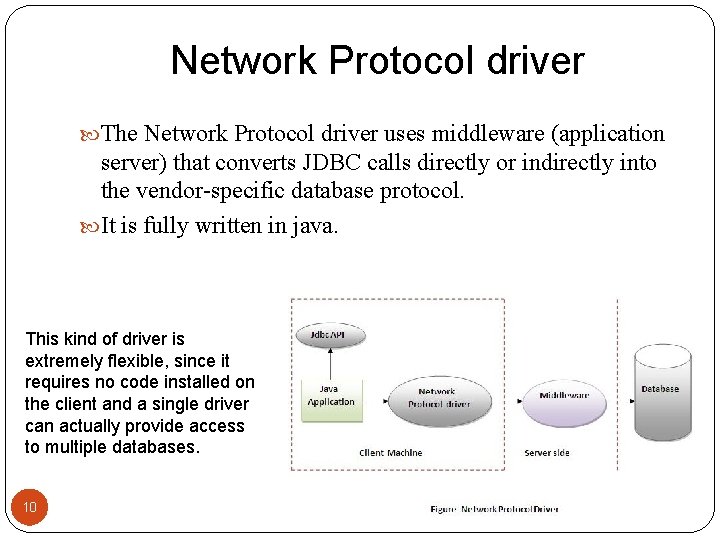
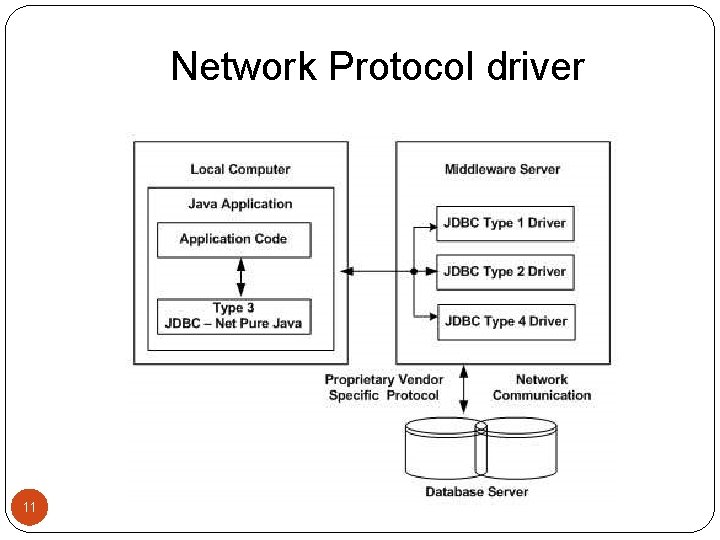
Network Protocol driver The Network Protocol driver uses middleware (application server) that converts JDBC calls directly or indirectly into the vendor-specific database protocol. It is fully written in java. This kind of driver is extremely flexible, since it requires no code installed on the client and a single driver can actually provide access to multiple databases. 10
Network Protocol driver 11
Network Protocol driver Advantage: No client side library is required because of application server that can perform many tasks like auditing, load balancing, logging etc. Disadvantages: Network support is required on client machine. Requires database-specific coding to be done in the middle tier. Maintenance of Network Protocol driver becomes costly because it requires database-specific coding to be done in the middle tier. 12
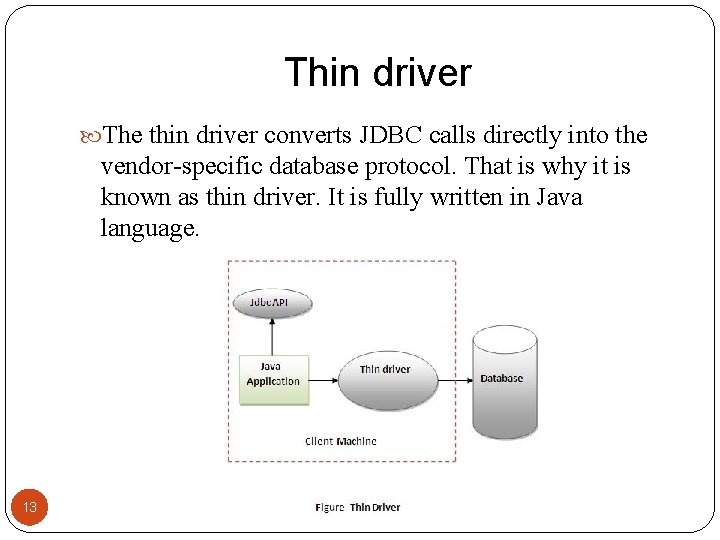
Thin driver The thin driver converts JDBC calls directly into the vendor-specific database protocol. That is why it is known as thin driver. It is fully written in Java language. 13
Thin driver Advantage: Better performance than all other drivers. No software is required at client side or server side. Disadvantage: Drivers depends on the Database. 14
Which Driver should be Used? If you are accessing one type of database, such as Oracle, Sybase, or IBM, the preferred Thin driver. If your Java application is accessing multiple types of databases at the same time, Network Protocol driver is the preferred driver. 15
Which Driver should be Used? Native-API drivers are useful in situations, where Network Protocol driver or Thin driver is not available yet for your database. JDBC-ODBC bridge driver is not considered a deployment-level driver, and is typically used for development and testing purposes only. 16
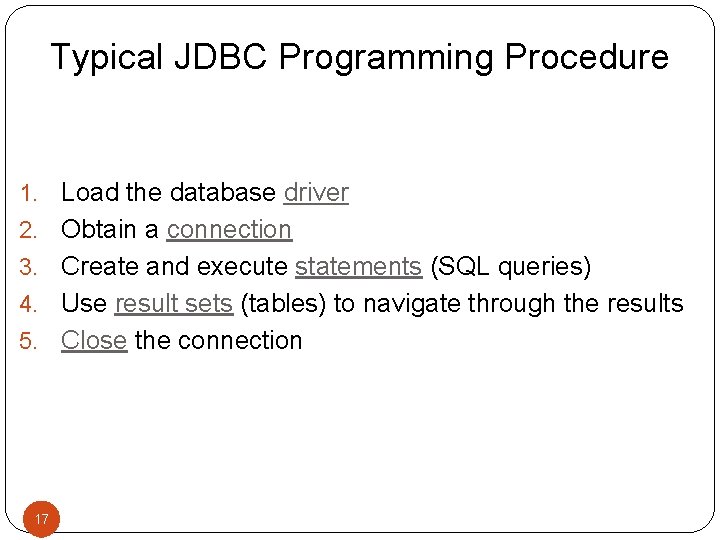
Typical JDBC Programming Procedure 1. 2. 3. 4. 5. 17 17 Load the database driver Obtain a connection Create and execute statements (SQL queries) Use result sets (tables) to navigate through the results Close the connection
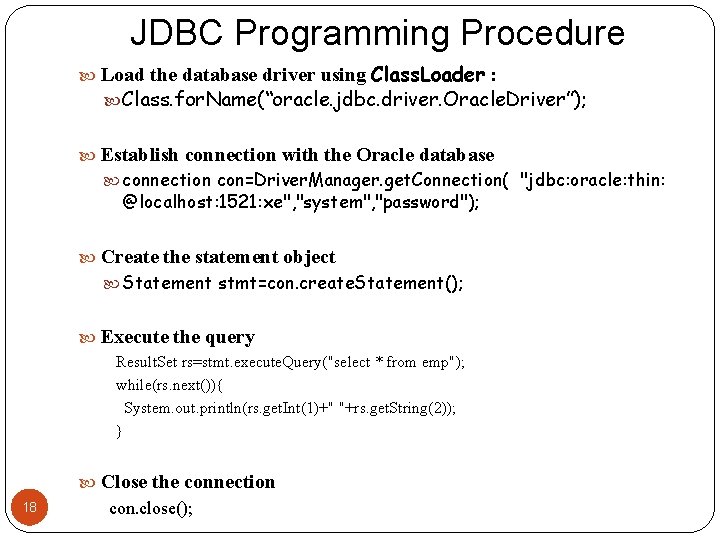
JDBC Programming Procedure Load the database driver using Class. Loader : Class. for. Name(“oracle. jdbc. driver. Oracle. Driver”); Establish connection with the Oracle database connection con=Driver. Manager. get. Connection( "jdbc: oracle: thin: @localhost: 1521: xe", "system", "password"); Create the statement object Statement stmt=con. create. Statement(); Execute the query Result. Set rs=stmt. execute. Query("select * from emp"); while(rs. next()){ System. out. println(rs. get. Int(1)+" "+rs. get. String(2)); } 18 Close the connection con. close();
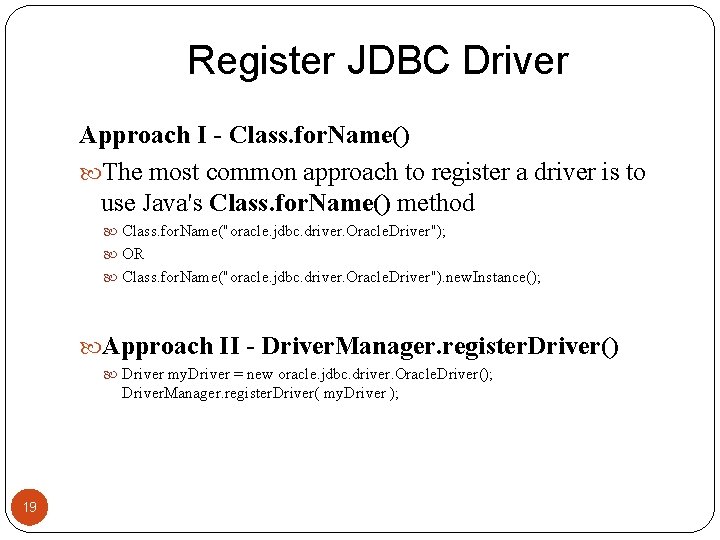
Register JDBC Driver Approach I - Class. for. Name() The most common approach to register a driver is to use Java's Class. for. Name() method Class. for. Name("oracle. jdbc. driver. Oracle. Driver"); OR Class. for. Name("oracle. jdbc. driver. Oracle. Driver"). new. Instance(); Approach II - Driver. Manager. register. Driver() Driver my. Driver = new oracle. jdbc. driver. Oracle. Driver(); Driver. Manager. register. Driver( my. Driver ); 19
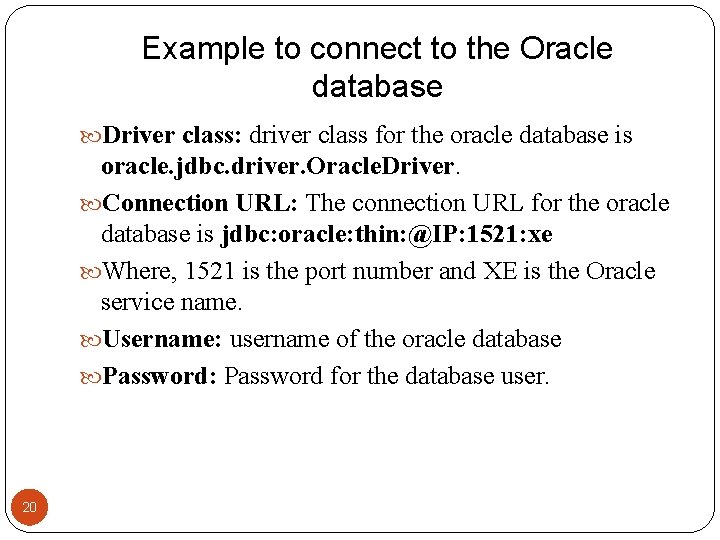
Example to connect to the Oracle database Driver class: driver class for the oracle database is oracle. jdbc. driver. Oracle. Driver. Connection URL: The connection URL for the oracle database is jdbc: oracle: thin: @IP: 1521: xe Where, 1521 is the port number and XE is the Oracle service name. Username: username of the oracle database Password: Password for the database user. 20
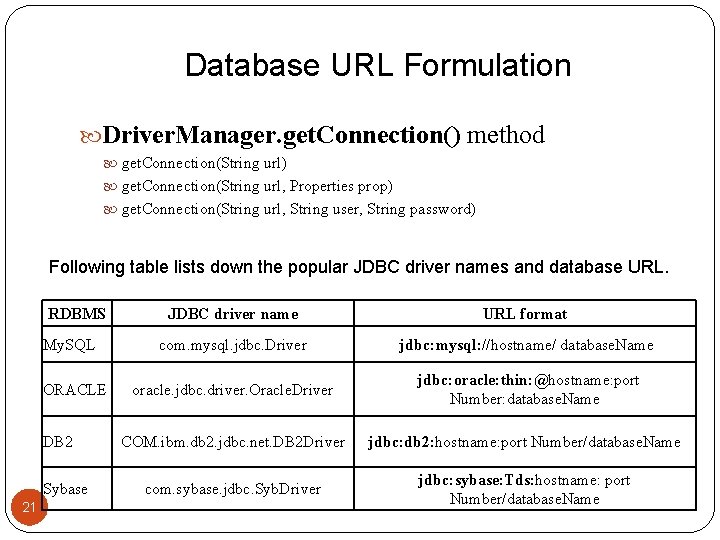
Database URL Formulation Driver. Manager. get. Connection() method get. Connection(String url) get. Connection(String url, Properties prop) get. Connection(String url, String user, String password) Following table lists down the popular JDBC driver names and database URL. RDBMS My. SQL ORACLE DB 2 Sybase 21 JDBC driver name URL format com. mysql. jdbc. Driver jdbc: mysql: //hostname/ database. Name oracle. jdbc. driver. Oracle. Driver jdbc: oracle: thin: @hostname: port Number: database. Name COM. ibm. db 2. jdbc. net. DB 2 Driver jdbc: db 2: hostname: port Number/database. Name com. sybase. jdbc. Syb. Driver jdbc: sybase: Tds: hostname: port Number/database. Name
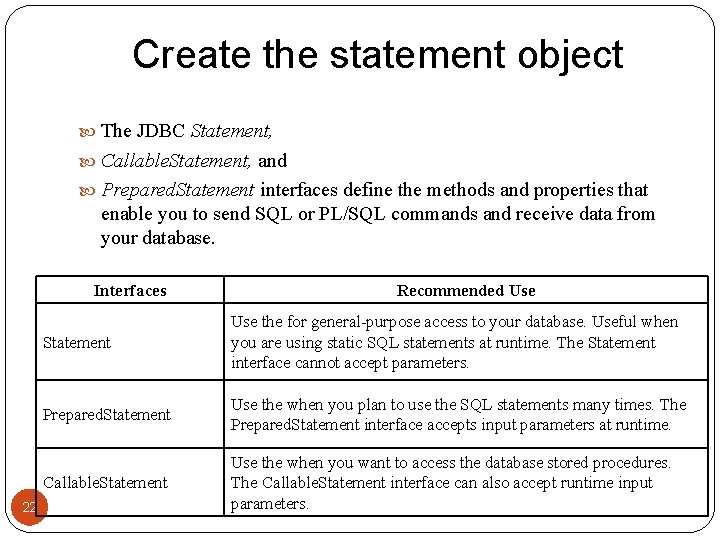
Create the statement object The JDBC Statement, Callable. Statement, and Prepared. Statement interfaces define the methods and properties that enable you to send SQL or PL/SQL commands and receive data from your database. Interfaces 22 Recommended Use Statement Use the for general-purpose access to your database. Useful when you are using static SQL statements at runtime. The Statement interface cannot accept parameters. Prepared. Statement Use the when you plan to use the SQL statements many times. The Prepared. Statement interface accepts input parameters at runtime. Callable. Statement Use the when you want to access the database stored procedures. The Callable. Statement interface can also accept runtime input parameters.
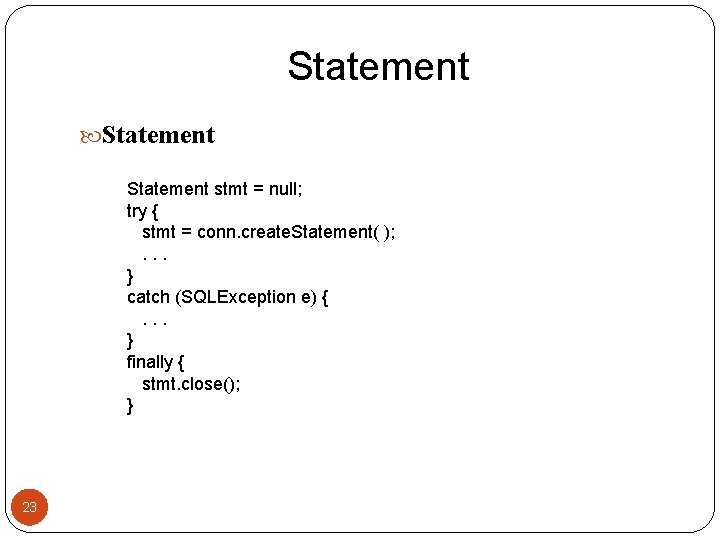
Statement stmt = null; try { stmt = conn. create. Statement( ); . . . } catch (SQLException e) { . . . } finally { stmt. close(); } 23
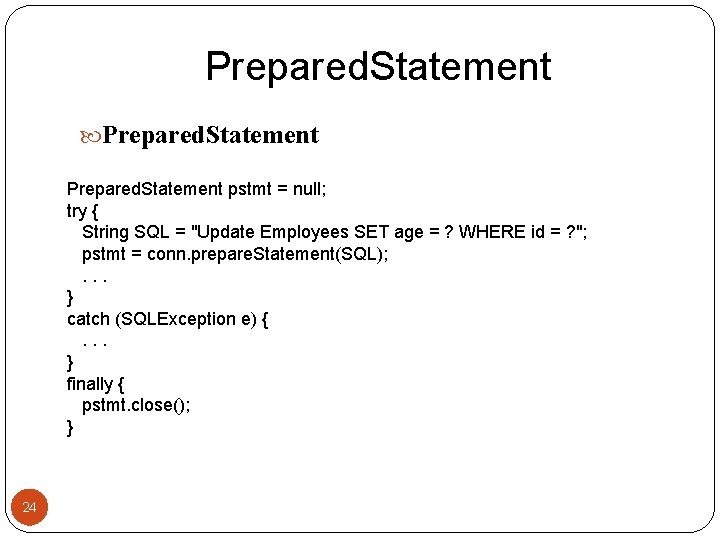
Prepared. Statement pstmt = null; try { String SQL = "Update Employees SET age = ? WHERE id = ? "; pstmt = conn. prepare. Statement(SQL); . . . } catch (SQLException e) { . . . } finally { pstmt. close(); } 24
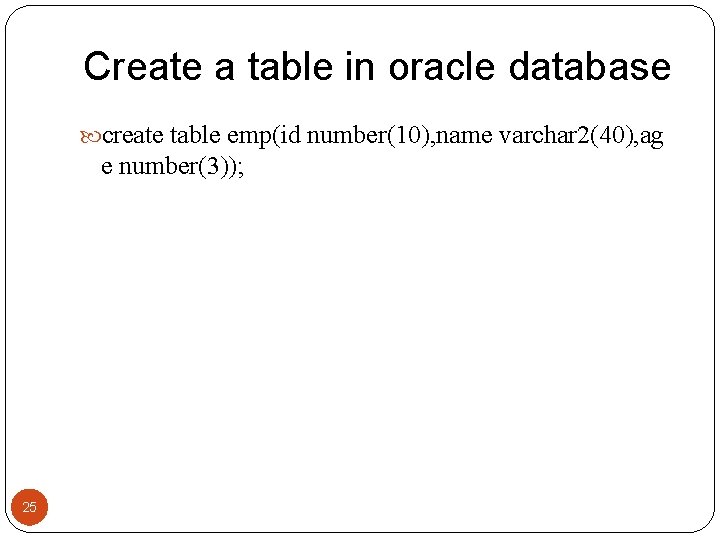
Create a table in oracle database create table emp(id number(10), name varchar 2(40), ag e number(3)); 25
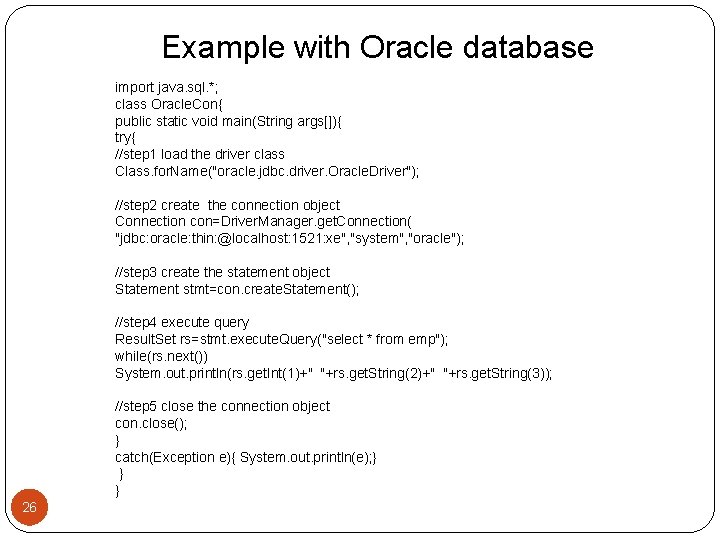
Example with Oracle database import java. sql. *; class Oracle. Con{ public static void main(String args[]){ try{ //step 1 load the driver class Class. for. Name("oracle. jdbc. driver. Oracle. Driver"); //step 2 create the connection object Connection con=Driver. Manager. get. Connection( "jdbc: oracle: thin: @localhost: 1521: xe", "system", "oracle"); //step 3 create the statement object Statement stmt=con. create. Statement(); //step 4 execute query Result. Set rs=stmt. execute. Query("select * from emp"); while(rs. next()) System. out. println(rs. get. Int(1)+" "+rs. get. String(2)+" "+rs. get. String(3)); //step 5 close the connection object con. close(); } catch(Exception e){ System. out. println(e); } } } 26
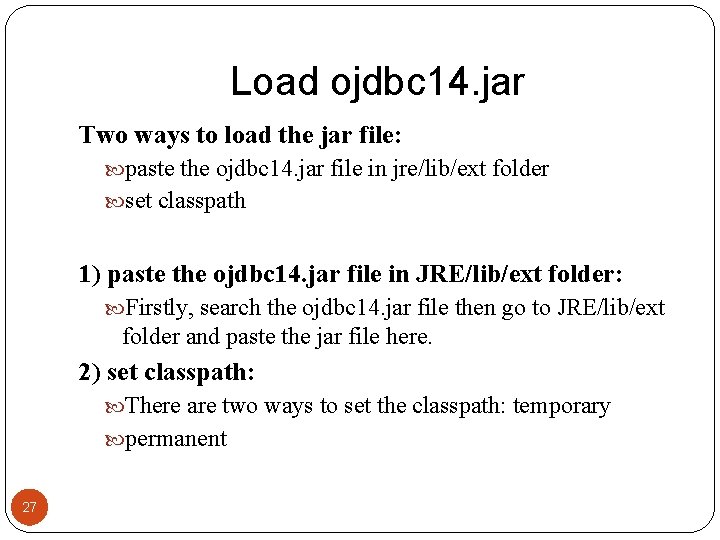
Load ojdbc 14. jar Two ways to load the jar file: paste the ojdbc 14. jar file in jre/lib/ext folder set classpath 1) paste the ojdbc 14. jar file in JRE/lib/ext folder: Firstly, search the ojdbc 14. jar file then go to JRE/lib/ext folder and paste the jar file here. 2) set classpath: There are two ways to set the classpath: temporary permanent 27
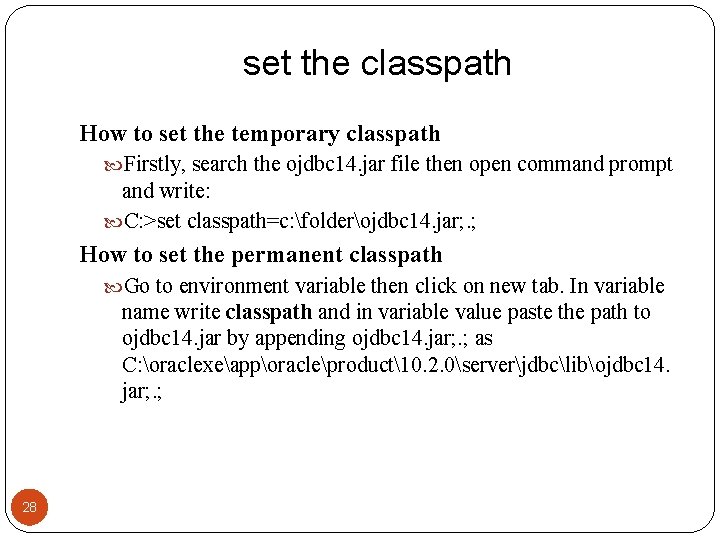
set the classpath How to set the temporary classpath Firstly, search the ojdbc 14. jar file then open command prompt and write: C: >set classpath=c: folderojdbc 14. jar; . ; How to set the permanent classpath Go to environment variable then click on new tab. In variable name write classpath and in variable value paste the path to ojdbc 14. jar by appending ojdbc 14. jar; . ; as C: oraclexeapporacleproduct10. 2. 0serverjdbclibojdbc 14. jar; . ; 28
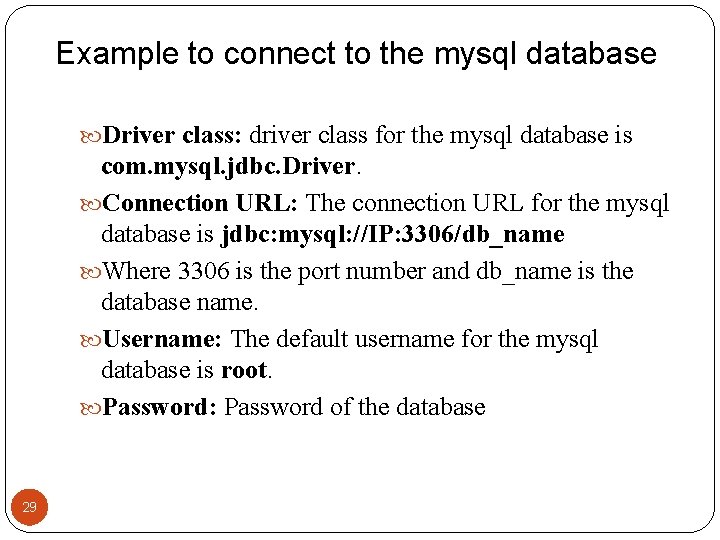
Example to connect to the mysql database Driver class: driver class for the mysql database is com. mysql. jdbc. Driver. Connection URL: The connection URL for the mysql database is jdbc: mysql: //IP: 3306/db_name Where 3306 is the port number and db_name is the database name. Username: The default username for the mysql database is root. Password: Password of the database 29
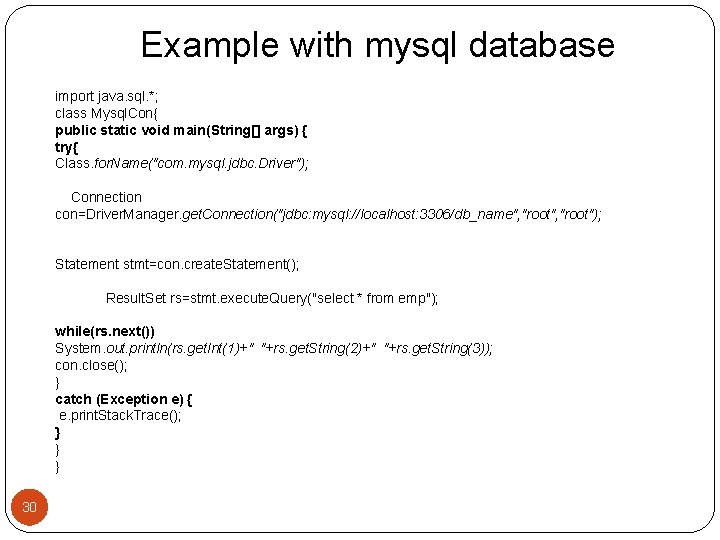
Example with mysql database import java. sql. *; class Mysql. Con{ public static void main(String[] args) { try{ Class. for. Name("com. mysql. jdbc. Driver"); Connection con=Driver. Manager. get. Connection("jdbc: mysql: //localhost: 3306/db_name", "root"); Statement stmt=con. create. Statement(); Result. Set rs=stmt. execute. Query("select * from emp"); while(rs. next()) System. out. println(rs. get. Int(1)+" "+rs. get. String(2)+" "+rs. get. String(3)); con. close(); } catch (Exception e) { e. print. Stack. Trace(); } } } 30
Load the jar file Two ways to load the jar file: paste the mysqlconnector. jar file in jre/lib/ext folder set classpath jar file : mysql-connector-java-5. 0. 8 -bin. jar As we describe before. . . 31
Connectivity with Access without DSN There are two ways to connect java application with the access database. Without DSN (Data Source Name) With DSN 32
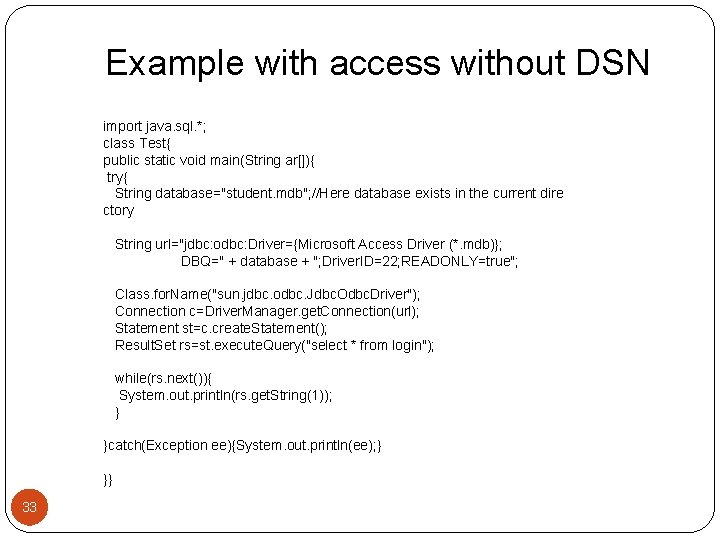
Example with access without DSN import java. sql. *; class Test{ public static void main(String ar[]){ try{ String database="student. mdb"; //Here database exists in the current dire ctory String url="jdbc: odbc: Driver={Microsoft Access Driver (*. mdb)}; DBQ=" + database + "; Driver. ID=22; READONLY=true"; Class. for. Name("sun. jdbc. odbc. Jdbc. Odbc. Driver"); Connection c=Driver. Manager. get. Connection(url); Statement st=c. create. Statement(); Result. Set rs=st. execute. Query("select * from login"); while(rs. next()){ System. out. println(rs. get. String(1)); } }catch(Exception ee){System. out. println(ee); } }} 33
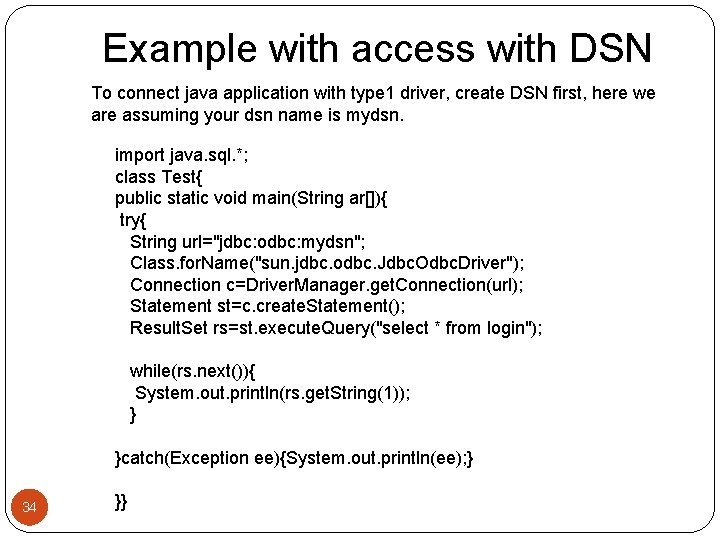
Example with access with DSN To connect java application with type 1 driver, create DSN first, here we are assuming your dsn name is mydsn. 34 import java. sql. *; class Test{ public static void main(String ar[]){ try{ String url="jdbc: odbc: mydsn"; Class. for. Name("sun. jdbc. odbc. Jdbc. Odbc. Driver"); Connection c=Driver. Manager. get. Connection(url); Statement st=c. create. Statement(); Result. Set rs=st. execute. Query("select * from login"); while(rs. next()){ System. out. println(rs. get. String(1)); } }catch(Exception ee){System. out. println(ee); } }}
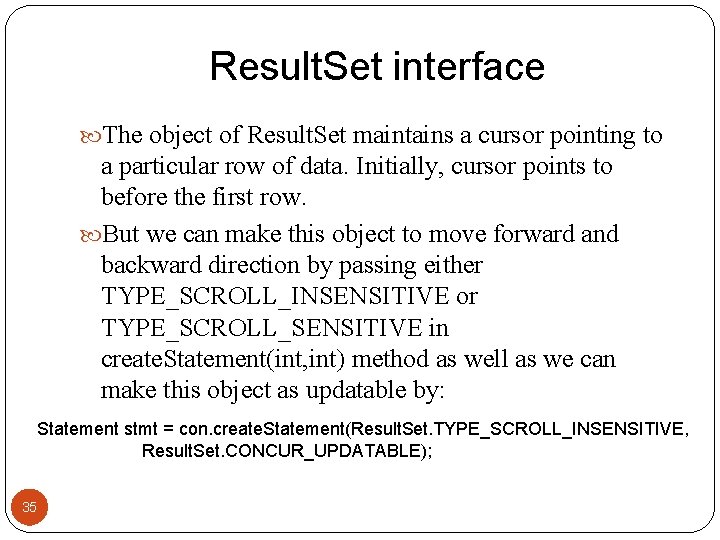
Result. Set interface The object of Result. Set maintains a cursor pointing to a particular row of data. Initially, cursor points to before the first row. But we can make this object to move forward and backward direction by passing either TYPE_SCROLL_INSENSITIVE or TYPE_SCROLL_SENSITIVE in create. Statement(int, int) method as well as we can make this object as updatable by: Statement stmt = con. create. Statement(Result. Set. TYPE_SCROLL_INSENSITIVE, Result. Set. CONCUR_UPDATABLE); 35
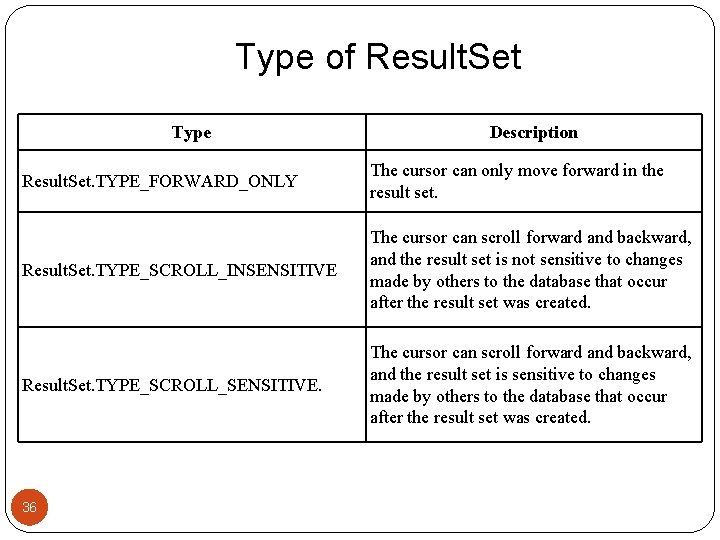
Type of Result. Set Type Description Result. Set. TYPE_FORWARD_ONLY The cursor can only move forward in the result set. Result. Set. TYPE_SCROLL_INSENSITIVE The cursor can scroll forward and backward, and the result set is not sensitive to changes made by others to the database that occur after the result set was created. Result. Set. TYPE_SCROLL_SENSITIVE. The cursor can scroll forward and backward, and the result set is sensitive to changes made by others to the database that occur after the result set was created. 36
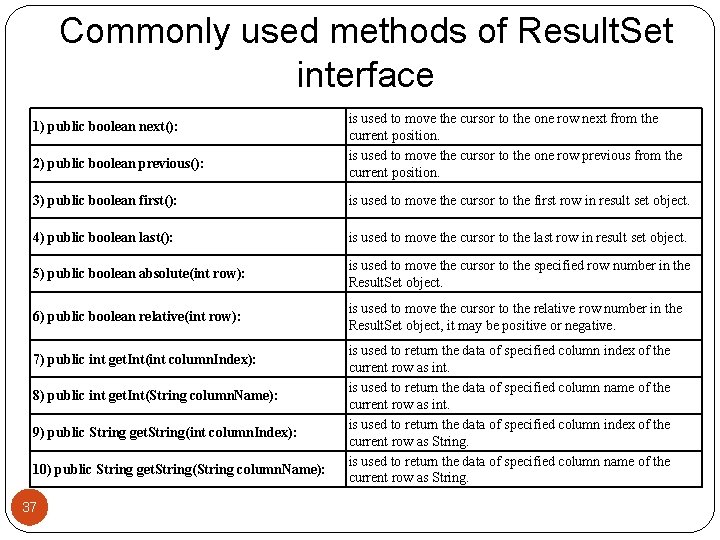
Commonly used methods of Result. Set interface 1) public boolean next(): 2) public boolean previous(): is used to move the cursor to the one row next from the current position. is used to move the cursor to the one row previous from the current position. 3) public boolean first(): is used to move the cursor to the first row in result set object. 4) public boolean last(): is used to move the cursor to the last row in result set object. 5) public boolean absolute(int row): is used to move the cursor to the specified row number in the Result. Set object. 6) public boolean relative(int row): is used to move the cursor to the relative row number in the Result. Set object, it may be positive or negative. 7) public int get. Int(int column. Index): 8) public int get. Int(String column. Name): 9) public String get. String(int column. Index): 10) public String get. String(String column. Name): 37 is used to return the data of specified column index of the current row as int. is used to return the data of specified column name of the current row as int. is used to return the data of specified column index of the current row as String. is used to return the data of specified column name of the current row as String.
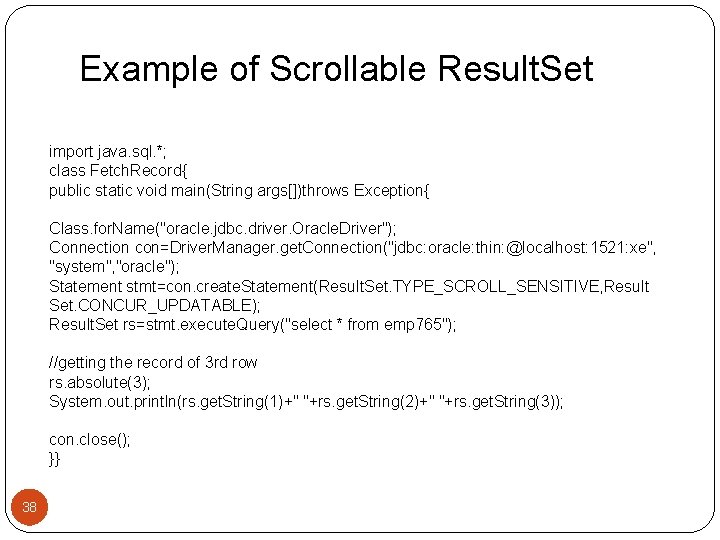
Example of Scrollable Result. Set import java. sql. *; class Fetch. Record{ public static void main(String args[])throws Exception{ Class. for. Name("oracle. jdbc. driver. Oracle. Driver"); Connection con=Driver. Manager. get. Connection("jdbc: oracle: thin: @localhost: 1521: xe", "system", "oracle"); Statement stmt=con. create. Statement(Result. Set. TYPE_SCROLL_SENSITIVE, Result Set. CONCUR_UPDATABLE); Result. Set rs=stmt. execute. Query("select * from emp 765"); //getting the record of 3 rd row rs. absolute(3); System. out. println(rs. get. String(1)+" "+rs. get. String(2)+" "+rs. get. String(3)); con. close(); }} 38
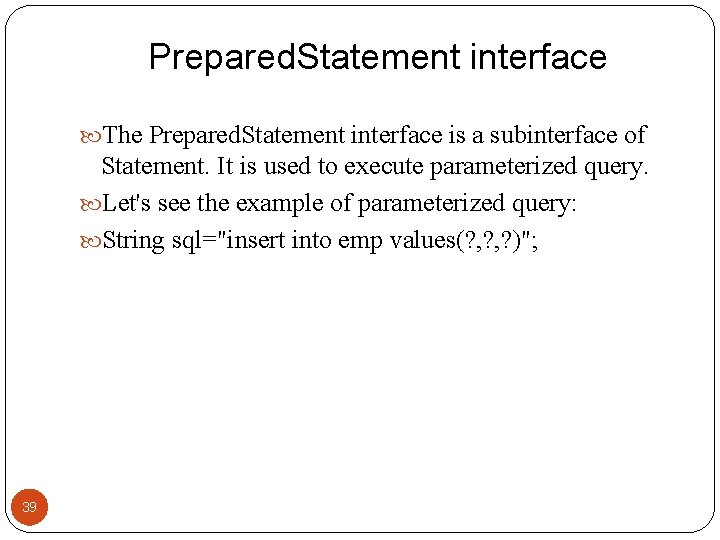
Prepared. Statement interface The Prepared. Statement interface is a subinterface of Statement. It is used to execute parameterized query. Let's see the example of parameterized query: String sql="insert into emp values(? , ? )"; 39
Why use Prepared. Statement? Improves performance: The performance of the application will be faster if you use Prepared. Statement interface because query is compiled only once. 40
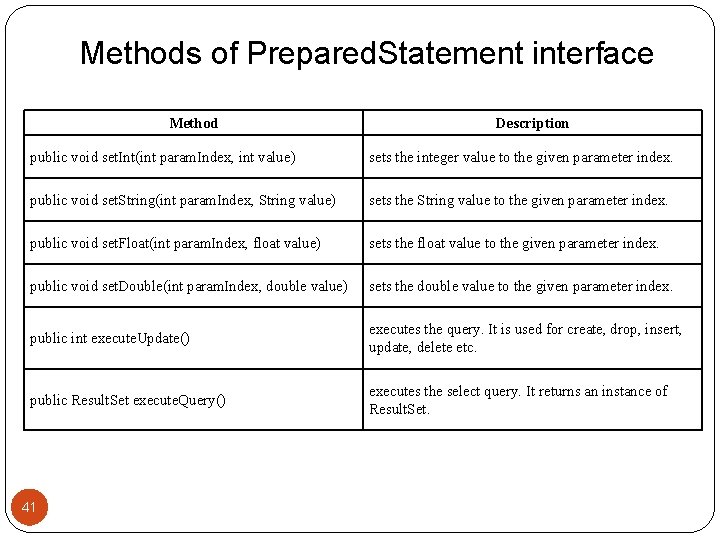
Methods of Prepared. Statement interface Method Description public void set. Int(int param. Index, int value) sets the integer value to the given parameter index. public void set. String(int param. Index, String value) sets the String value to the given parameter index. public void set. Float(int param. Index, float value) sets the float value to the given parameter index. public void set. Double(int param. Index, double value) sets the double value to the given parameter index. public int execute. Update() executes the query. It is used for create, drop, insert, update, delete etc. public Result. Set execute. Query() executes the select query. It returns an instance of Result. Set. 41
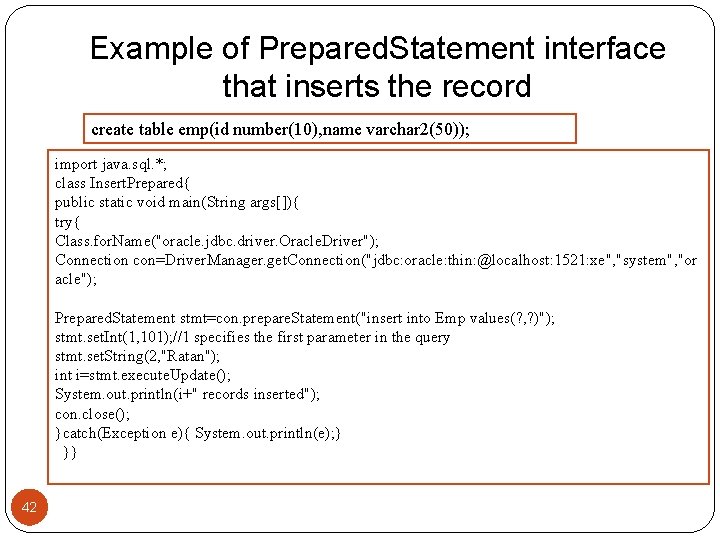
Example of Prepared. Statement interface that inserts the record create table emp(id number(10), name varchar 2(50)); import java. sql. *; class Insert. Prepared{ public static void main(String args[]){ try{ Class. for. Name("oracle. jdbc. driver. Oracle. Driver"); Connection con=Driver. Manager. get. Connection("jdbc: oracle: thin: @localhost: 1521: xe", "system", "or acle"); Prepared. Statement stmt=con. prepare. Statement("insert into Emp values(? , ? )"); stmt. set. Int(1, 101); //1 specifies the first parameter in the query stmt. set. String(2, "Ratan"); int i=stmt. execute. Update(); System. out. println(i+" records inserted"); con. close(); }catch(Exception e){ System. out. println(e); } }} 42
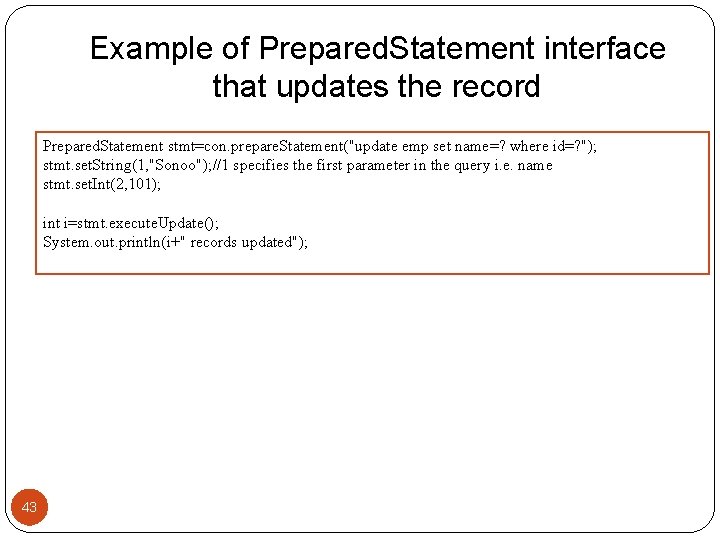
Example of Prepared. Statement interface that updates the record Prepared. Statement stmt=con. prepare. Statement("update emp set name=? where id=? "); stmt. set. String(1, "Sonoo"); //1 specifies the first parameter in the query i. e. name stmt. set. Int(2, 101); int i=stmt. execute. Update(); System. out. println(i+" records updated"); 43
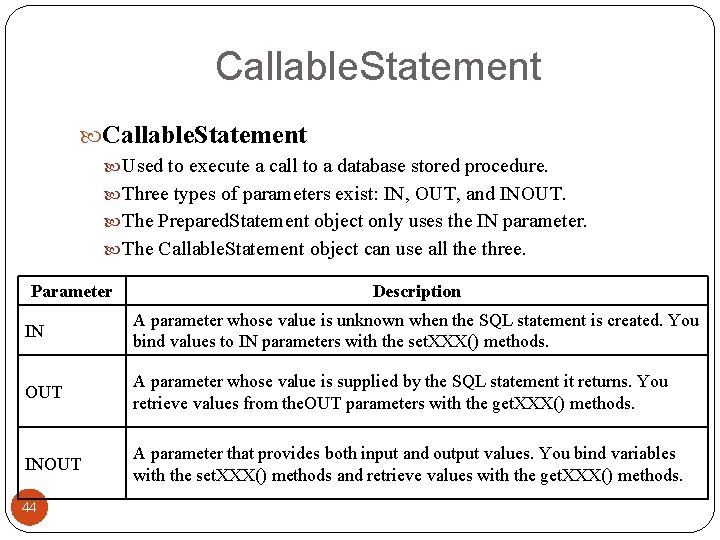
Callable. Statement Used to execute a call to a database stored procedure. Three types of parameters exist: IN, OUT, and INOUT. The Prepared. Statement object only uses the IN parameter. The Callable. Statement object can use all the three. Parameter Description IN A parameter whose value is unknown when the SQL statement is created. You bind values to IN parameters with the set. XXX() methods. OUT A parameter whose value is supplied by the SQL statement it returns. You retrieve values from the. OUT parameters with the get. XXX() methods. INOUT A parameter that provides both input and output values. You bind variables with the set. XXX() methods and retrieve values with the get. XXX() methods. 44
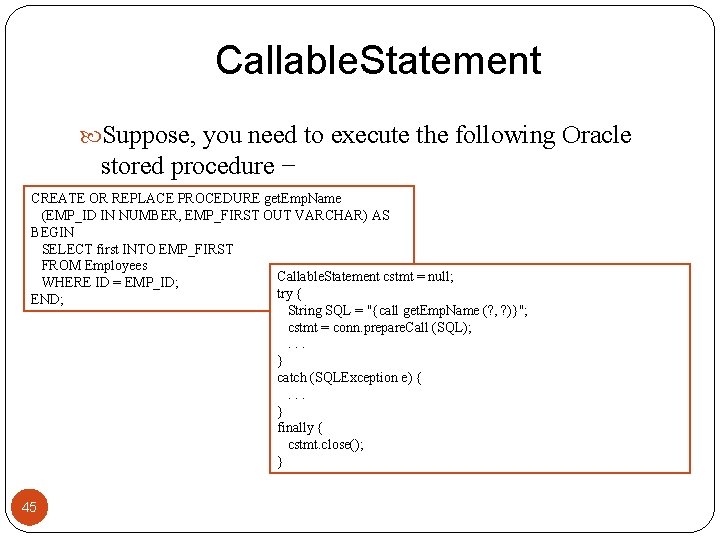
Callable. Statement Suppose, you need to execute the following Oracle stored procedure − CREATE OR REPLACE PROCEDURE get. Emp. Name (EMP_ID IN NUMBER, EMP_FIRST OUT VARCHAR) AS BEGIN SELECT first INTO EMP_FIRST FROM Employees Callable. Statement cstmt = null; WHERE ID = EMP_ID; try { END; String SQL = "{call get. Emp. Name (? , ? )}"; cstmt = conn. prepare. Call (SQL); . . . } catch (SQLException e) { . . . } finally { cstmt. close(); } 45
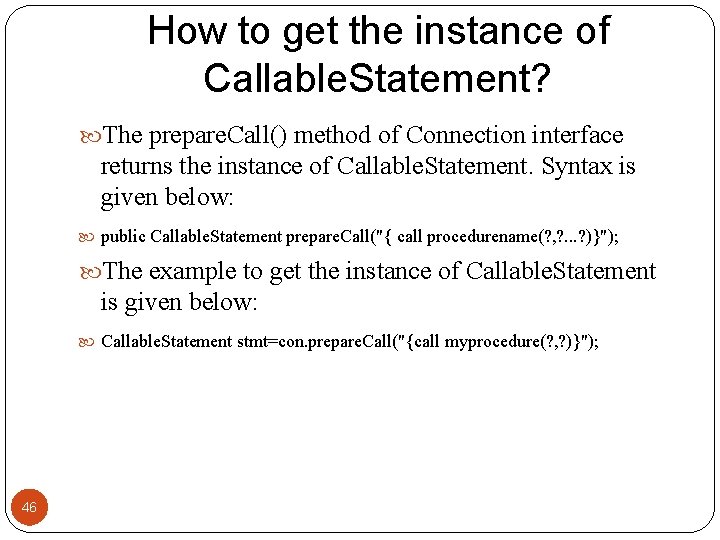
How to get the instance of Callable. Statement? The prepare. Call() method of Connection interface returns the instance of Callable. Statement. Syntax is given below: public Callable. Statement prepare. Call("{ call procedurename(? , ? . . . ? )}"); The example to get the instance of Callable. Statement is given below: Callable. Statement stmt=con. prepare. Call("{call myprocedure(? , ? )}"); 46
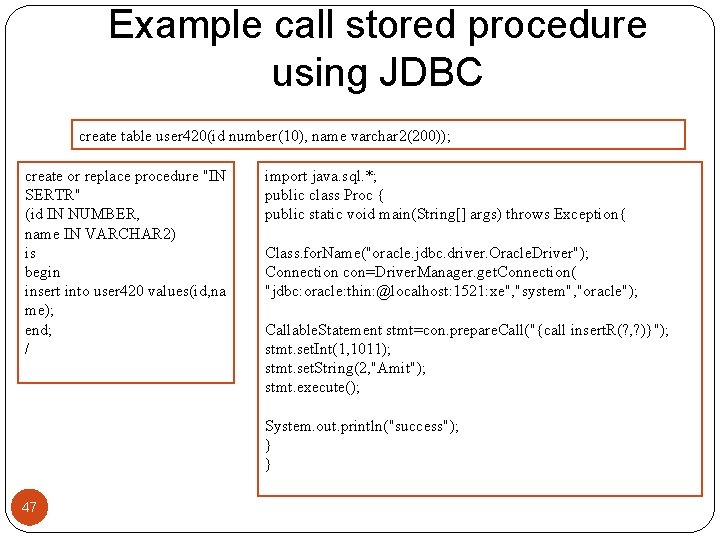
Example call stored procedure using JDBC create table user 420(id number(10), name varchar 2(200)); create or replace procedure "IN SERTR" (id IN NUMBER, name IN VARCHAR 2) is begin insert into user 420 values(id, na me); end; / 47 import java. sql. *; public class Proc { public static void main(String[] args) throws Exception{ Class. for. Name("oracle. jdbc. driver. Oracle. Driver"); Connection con=Driver. Manager. get. Connection( "jdbc: oracle: thin: @localhost: 1521: xe", "system", "oracle"); Callable. Statement stmt=con. prepare. Call("{call insert. R(? , ? )}"); stmt. set. Int(1, 1011); stmt. set. String(2, "Amit"); stmt. execute(); System. out. println("success"); } }
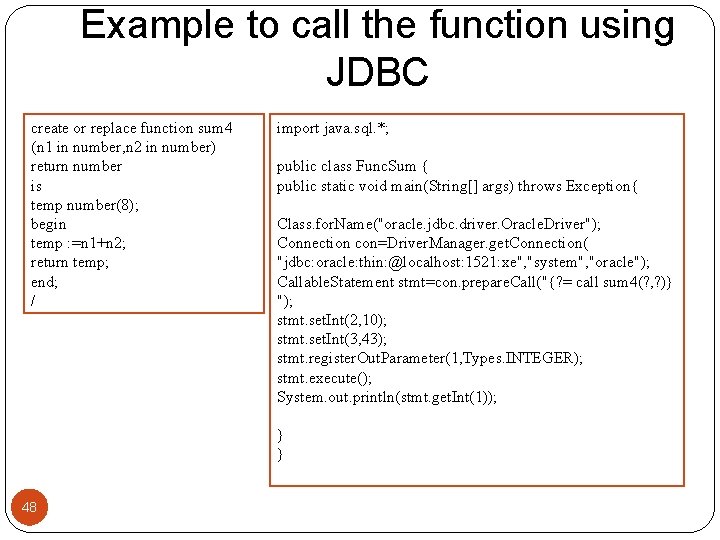
Example to call the function using JDBC create or replace function sum 4 (n 1 in number, n 2 in number) return number is temp number(8); begin temp : =n 1+n 2; return temp; end; / 48 import java. sql. *; public class Func. Sum { public static void main(String[] args) throws Exception{ Class. for. Name("oracle. jdbc. driver. Oracle. Driver"); Connection con=Driver. Manager. get. Connection( "jdbc: oracle: thin: @localhost: 1521: xe", "system", "oracle"); Callable. Statement stmt=con. prepare. Call("{? = call sum 4(? , ? )} "); stmt. set. Int(2, 10); stmt. set. Int(3, 43); stmt. register. Out. Parameter(1, Types. INTEGER); stmt. execute(); System. out. println(stmt. get. Int(1)); } }
Transaction Management in JDBC Transaction represents a single unit of work. The ACID properties describes the transaction management well. ACID stands for Atomicity, Consistency, isolation and durability. 49
ACID Atomicity means either all successful or none. Consistency A transaction reaching its normal end, thereby committing its results, preserves the consistency of the database. In other words, each successful transaction by definition commits only legal results. Isolation ensures that transaction is isolated from other transaction. users should be able to work in isolation, working as though he or she is the only user. Each set of changes must be isolated from those of the other users. Durability means once a transaction has been committed, it will remain so, even in the event of errors, power loss etc. 50
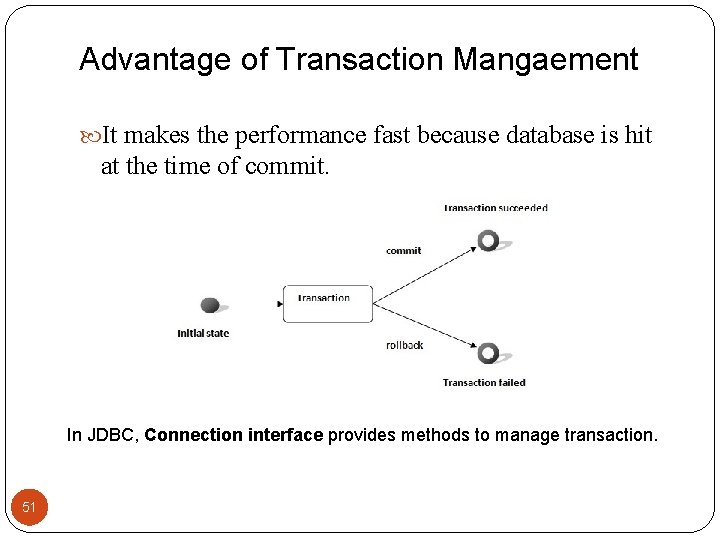
Advantage of Transaction Mangaement It makes the performance fast because database is hit at the time of commit. In JDBC, Connection interface provides methods to manage transaction. 51
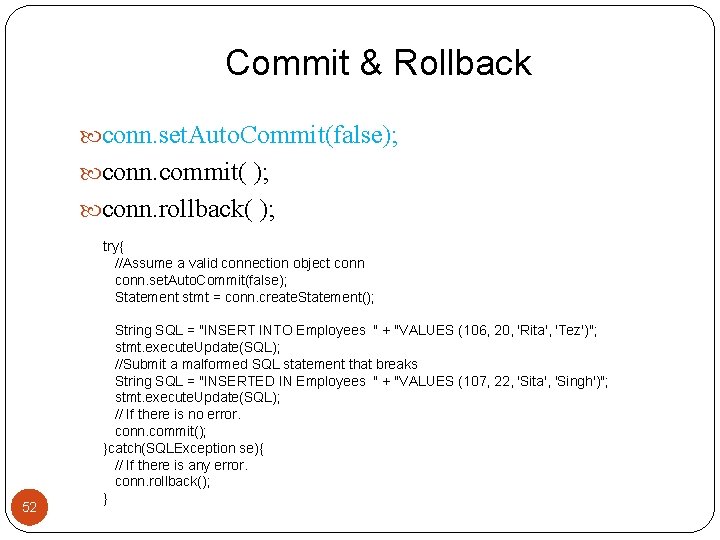
Commit & Rollback conn. set. Auto. Commit(false); conn. commit( ); conn. rollback( ); 52 try{ //Assume a valid connection object conn. set. Auto. Commit(false); Statement stmt = conn. create. Statement(); String SQL = "INSERT INTO Employees " + "VALUES (106, 20, 'Rita', 'Tez')"; stmt. execute. Update(SQL); //Submit a malformed SQL statement that breaks String SQL = "INSERTED IN Employees " + "VALUES (107, 22, 'Sita', 'Singh')"; stmt. execute. Update(SQL); // If there is no error. conn. commit(); }catch(SQLException se){ // If there is any error. conn. rollback(); }
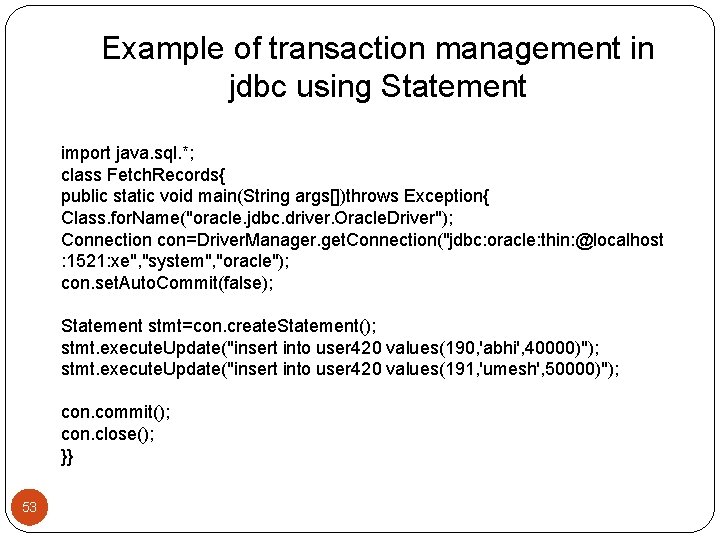
Example of transaction management in jdbc using Statement import java. sql. *; class Fetch. Records{ public static void main(String args[])throws Exception{ Class. for. Name("oracle. jdbc. driver. Oracle. Driver"); Connection con=Driver. Manager. get. Connection("jdbc: oracle: thin: @localhost : 1521: xe", "system", "oracle"); con. set. Auto. Commit(false); Statement stmt=con. create. Statement(); stmt. execute. Update("insert into user 420 values(190, 'abhi', 40000)"); stmt. execute. Update("insert into user 420 values(191, 'umesh', 50000)"); con. commit(); con. close(); }} 53
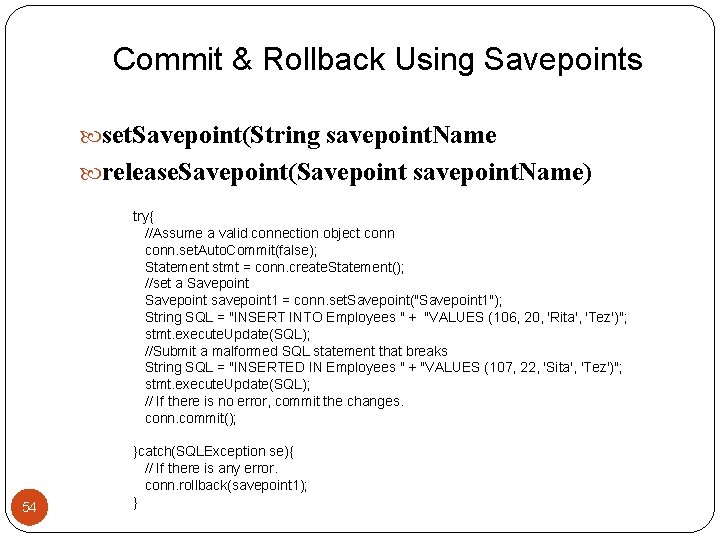
Commit & Rollback Using Savepoints set. Savepoint(String savepoint. Name release. Savepoint(Savepoint savepoint. Name) try{ //Assume a valid connection object conn. set. Auto. Commit(false); Statement stmt = conn. create. Statement(); //set a Savepoint savepoint 1 = conn. set. Savepoint("Savepoint 1"); String SQL = "INSERT INTO Employees " + "VALUES (106, 20, 'Rita', 'Tez')"; stmt. execute. Update(SQL); //Submit a malformed SQL statement that breaks String SQL = "INSERTED IN Employees " + "VALUES (107, 22, 'Sita', 'Tez')"; stmt. execute. Update(SQL); // If there is no error, commit the changes. conn. commit(); 54 }catch(SQLException se){ // If there is any error. conn. rollback(savepoint 1); }
Batch Processing in JDBC Instead of executing a single query, we can execute a batch (group) of queries. It makes the performance fast. The java. sql. Statement and java. sql. Prepared. Statement interfaces provide methods for batch processing. 55
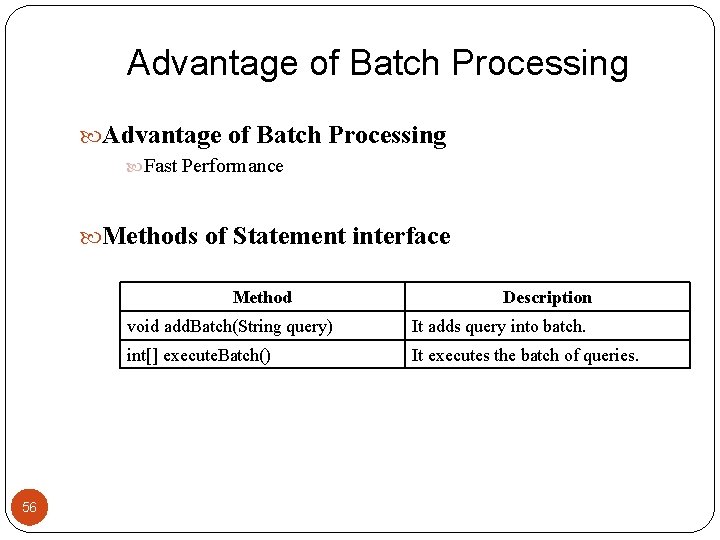
Advantage of Batch Processing Fast Performance Methods of Statement interface Method 56 Description void add. Batch(String query) It adds query into batch. int[] execute. Batch() It executes the batch of queries.
Example of batch processing in jdbc Let's see the simple example of batch processing in jdbc. It follows following steps: Load the driver class Create Connection Create Statement Add query in the batch Execute Batch Close Connection 57
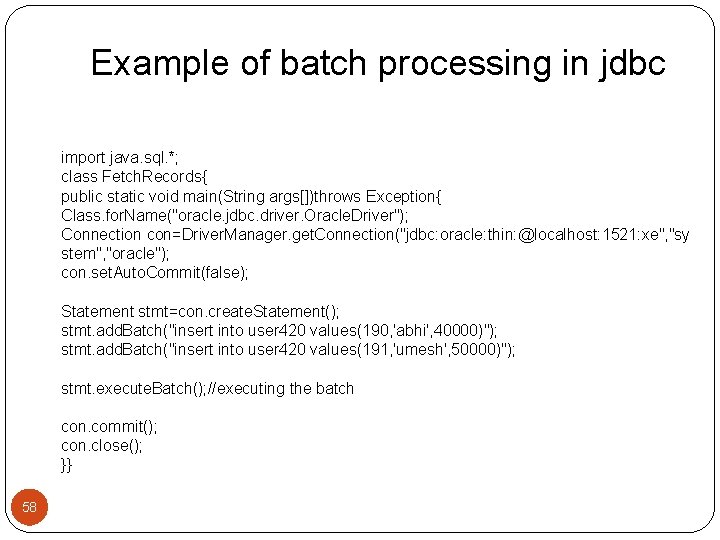
Example of batch processing in jdbc import java. sql. *; class Fetch. Records{ public static void main(String args[])throws Exception{ Class. for. Name("oracle. jdbc. driver. Oracle. Driver"); Connection con=Driver. Manager. get. Connection("jdbc: oracle: thin: @localhost: 1521: xe", "sy stem", "oracle"); con. set. Auto. Commit(false); Statement stmt=con. create. Statement(); stmt. add. Batch("insert into user 420 values(190, 'abhi', 40000)"); stmt. add. Batch("insert into user 420 values(191, 'umesh', 50000)"); stmt. execute. Batch(); //executing the batch con. commit(); con. close(); }} 58
Java Programs 59
- Slides: 59