
Java Fundamentals The Parts of a Java program
![The print and println methods 5 public static void main(String[] args) 6 { 7](https://slidetodoc.com/presentation_image_h/c8dbf5bd7bbf1644cd37d9be2b34a81d/image-19.jpg "The print and println methods 5 public static void main(String[] args) 6 { 7")
![The print and println methods 5 public static void main(String[] args) 6 { 7](https://slidetodoc.com/presentation_image_h/c8dbf5bd7bbf1644cd37d9be2b34a81d/image-20.jpg "The print and println methods 5 public static void main(String[] args) 6 { 7")
![The print method 5 6 7 8 public static void main(String[] args) { System.](https://slidetodoc.com/presentation_image_h/c8dbf5bd7bbf1644cd37d9be2b34a81d/image-22.jpg "The print method 5 6 7 8 public static void main(String[] args) { System.")
![The print method 5 6 7 8 public static void main(String[] args) { System.](https://slidetodoc.com/presentation_image_h/c8dbf5bd7bbf1644cd37d9be2b34a81d/image-23.jpg "The print method 5 6 7 8 public static void main(String[] args) { System.")
![The println method 5 public static void main(String[] args) 6 { 7 System. out.](https://slidetodoc.com/presentation_image_h/c8dbf5bd7bbf1644cd37d9be2b34a81d/image-24.jpg "The println method 5 public static void main(String[] args) 6 { 7 System. out.")
![The println method 5 public static void main(String[] args) 6 { 7 System. out.](https://slidetodoc.com/presentation_image_h/c8dbf5bd7bbf1644cd37d9be2b34a81d/image-25.jpg "The println method 5 public static void main(String[] args) 6 { 7 System. out.")
![The print and println methods public static void main(String[] args) { System. out. print(“I](https://slidetodoc.com/presentation_image_h/c8dbf5bd7bbf1644cd37d9be2b34a81d/image-26.jpg "The print and println methods public static void main(String[] args) { System. out. print(“I")
![The print and println methods public static void main(String[] args) { System. out. println(“I](https://slidetodoc.com/presentation_image_h/c8dbf5bd7bbf1644cd37d9be2b34a81d/image-27.jpg "The print and println methods public static void main(String[] args) { System. out. println(“I")
![The print and println methods public static void main(String[] args) { System. out. println(“I](https://slidetodoc.com/presentation_image_h/c8dbf5bd7bbf1644cd37d9be2b34a81d/image-28.jpg "The print and println methods public static void main(String[] args) { System. out. println(“I")
![The escape sequence public staticsequence void main(String[] The escape starts with aargs) backslash {character](https://slidetodoc.com/presentation_image_h/c8dbf5bd7bbf1644cd37d9be2b34a81d/image-29.jpg "The escape sequence public staticsequence void main(String[] The escape starts with aargs) backslash {character")
![The escape sequence public staticsequence void main(String[] The escape starts with aargs) backslash {character](https://slidetodoc.com/presentation_image_h/c8dbf5bd7bbf1644cd37d9be2b34a81d/image-30.jpg "The escape sequence public staticsequence void main(String[] The escape starts with aargs) backslash {character")

- Slides: 172
Java Fundamentals The Parts of a Java program Table of contents
Table of contents for this presentation 1 Parts of a Java program 2 The print and println methods 3 Variables and Literals 4 Displaying Multiple Items with the + Operator 5 Identifiers 6 Variable and class names 7 Primitive Data Types 8 Arithmetic Operators 9 The Math Class 10 Combined Assignment Operators 11 Conversion between Primitive Data Types 12 Mixed Integer Operations 13 Creating Named Constants with final 14 The String Class 15 The Scope of a variable 16 Comments 17 The Scanner class 18 The JOption. Pane Class 19 Converting String Input to Numbers
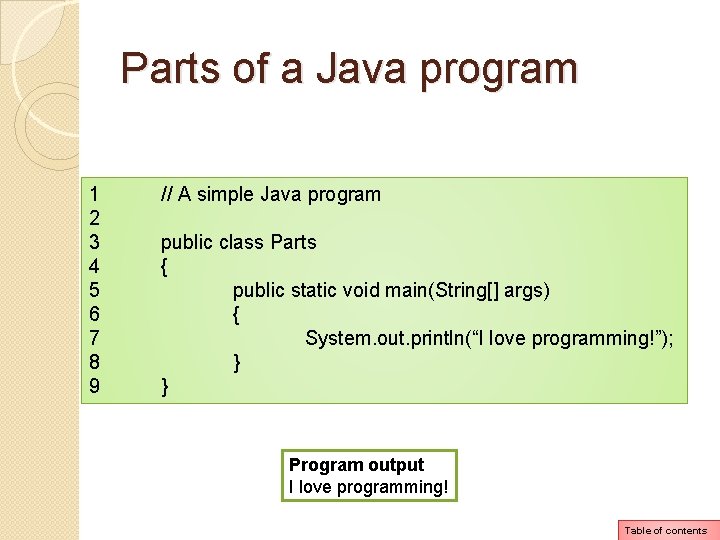
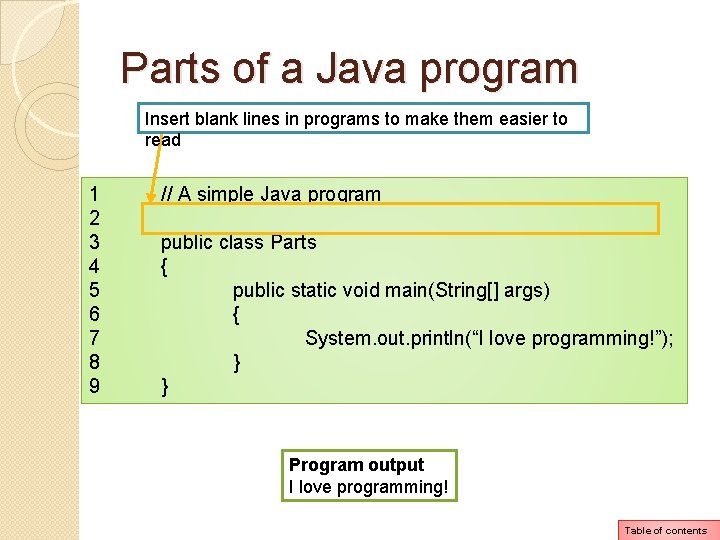
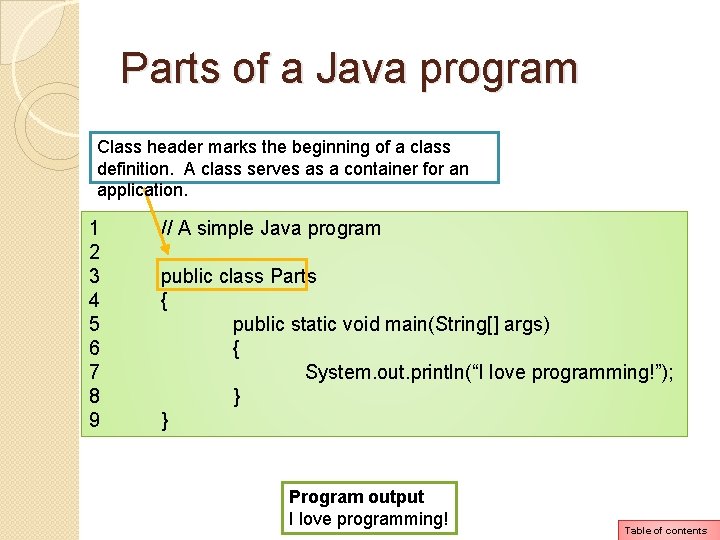
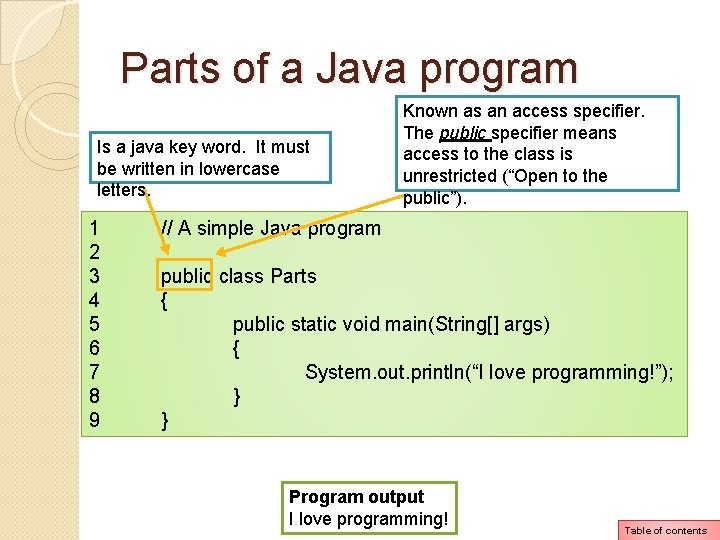
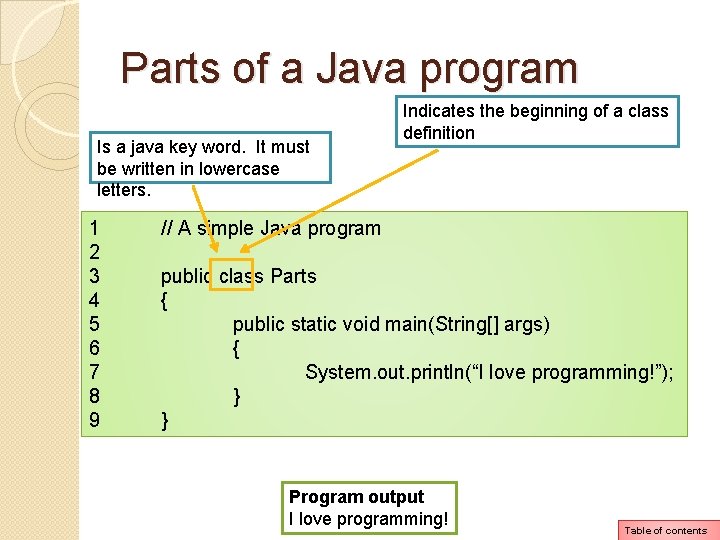
Parts of a Java program 1 2 3 4 5 6 7 8 9 // A simple Java program public class Parts { public static void main(String[] args) { System. out. println(“I love programming!”); } } Program output I love programming! Table of contents
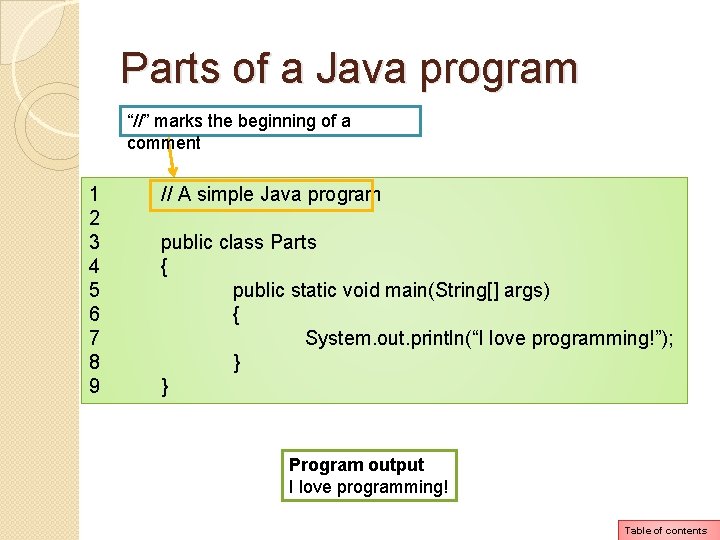
Parts of a Java program “//” marks the beginning of a comment 1 2 3 4 5 6 7 8 9 // A simple Java program public class Parts { public static void main(String[] args) { System. out. println(“I love programming!”); } } Program output I love programming! Table of contents
Parts of a Java program Insert blank lines in programs to make them easier to read 1 2 3 4 5 6 7 8 9 // A simple Java program public class Parts { public static void main(String[] args) { System. out. println(“I love programming!”); } } Program output I love programming! Table of contents
Parts of a Java program Class header marks the beginning of a class definition. A class serves as a container for an application. 1 2 3 4 5 6 7 8 9 // A simple Java program public class Parts { public static void main(String[] args) { System. out. println(“I love programming!”); } } Program output I love programming! Table of contents
Parts of a Java program Is a java key word. It must be written in lowercase letters. 1 2 3 4 5 6 7 8 9 Known as an access specifier. The public specifier means access to the class is unrestricted (“Open to the public”). // A simple Java program public class Parts { public static void main(String[] args) { System. out. println(“I love programming!”); } } Program output I love programming! Table of contents
Parts of a Java program Is a java key word. It must be written in lowercase letters. 1 2 3 4 5 6 7 8 9 Indicates the beginning of a class definition // A simple Java program public class Parts { public static void main(String[] args) { System. out. println(“I love programming!”); } } Program output I love programming! Table of contents
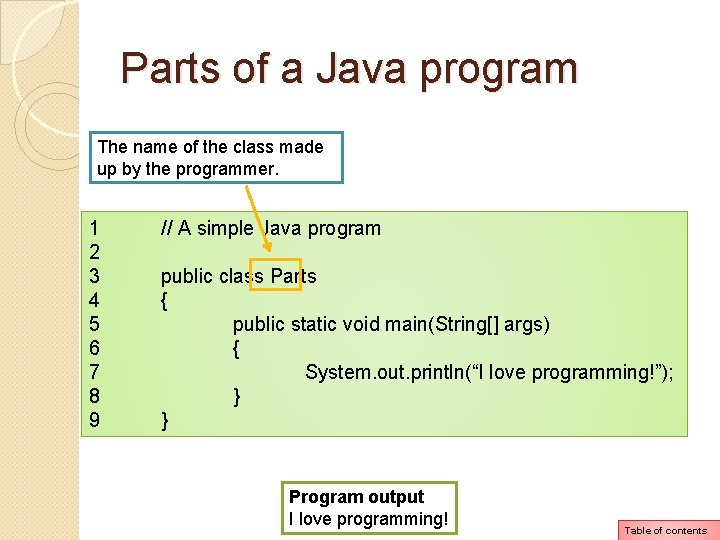
Parts of a Java program The name of the class made up by the programmer. 1 2 3 4 5 6 7 8 9 // A simple Java program public class Parts { public static void main(String[] args) { System. out. println(“I love programming!”); } } Program output I love programming! Table of contents
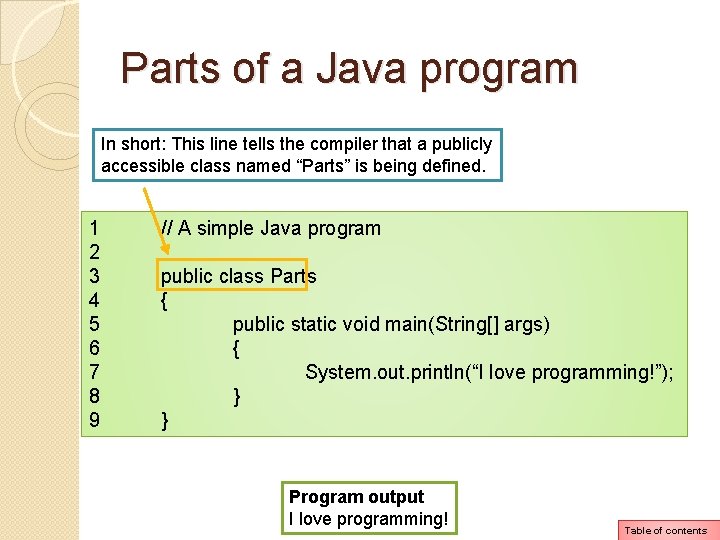
Parts of a Java program In short: This line tells the compiler that a publicly accessible class named “Parts” is being defined. 1 2 3 4 5 6 7 8 9 // A simple Java program public class Parts { public static void main(String[] args) { System. out. println(“I love programming!”); } } Program output I love programming! Table of contents
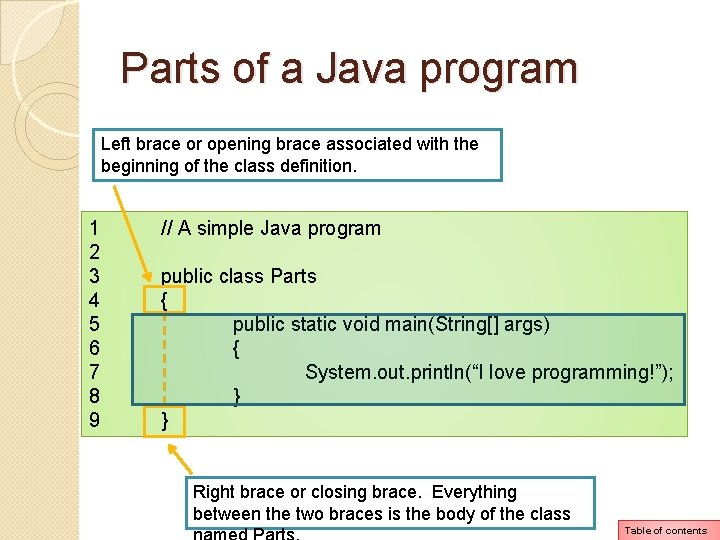
Parts of a Java program Left brace or opening brace associated with the beginning of the class definition. 1 2 3 4 5 6 7 8 9 // A simple Java program public class Parts { public static void main(String[] args) { System. out. println(“I love programming!”); } } Right brace or closing brace. Everything between the two braces is the body of the class Table of contents
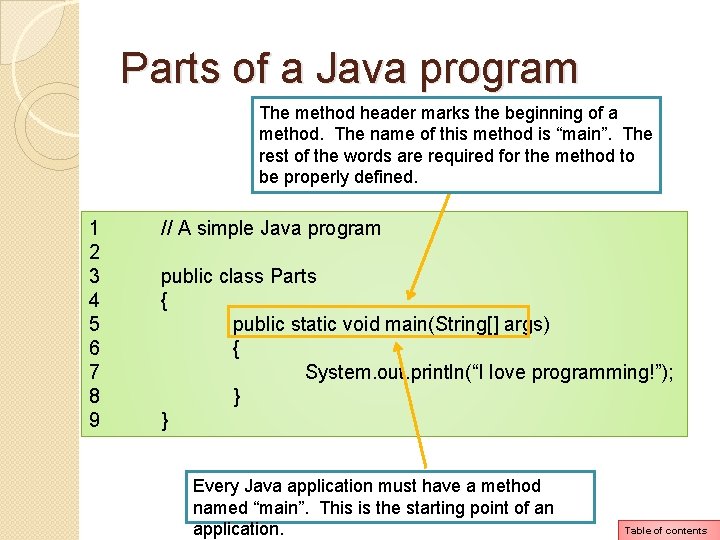
Parts of a Java program The method header marks the beginning of a method. The name of this method is “main”. The rest of the words are required for the method to be properly defined. 1 2 3 4 5 6 7 8 9 // A simple Java program public class Parts { public static void main(String[] args) { System. out. println(“I love programming!”); } } Every Java application must have a method named “main”. This is the starting point of an application. Table of contents
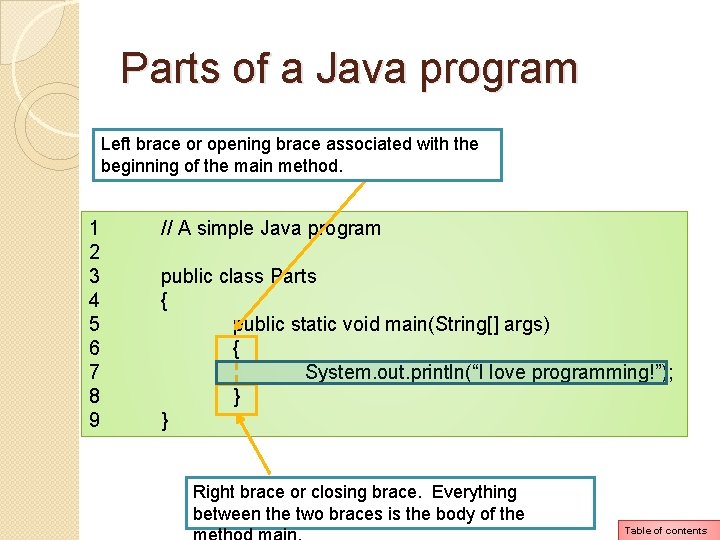
Parts of a Java program Left brace or opening brace associated with the beginning of the main method. 1 2 3 4 5 6 7 8 9 // A simple Java program public class Parts { public static void main(String[] args) { System. out. println(“I love programming!”); } } Right brace or closing brace. Everything between the two braces is the body of the Table of contents
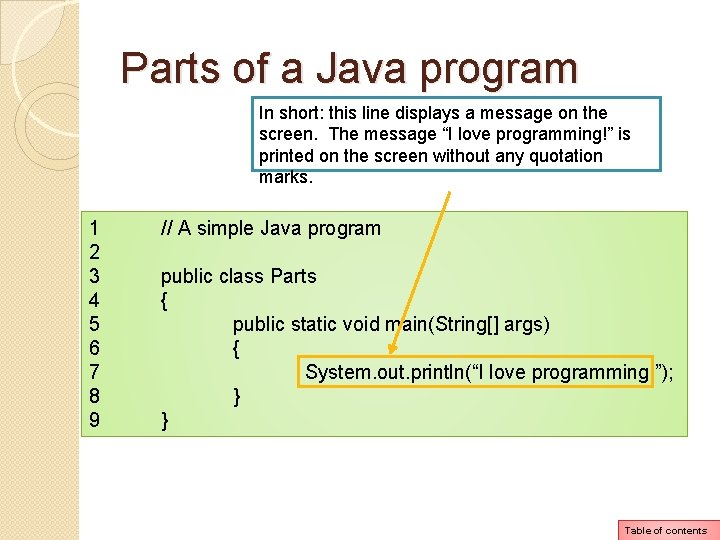
Parts of a Java program In short: this line displays a message on the screen. The message “I love programming!” is printed on the screen without any quotation marks. 1 2 3 4 5 6 7 8 9 // A simple Java program public class Parts { public static void main(String[] args) { System. out. println(“I love programming!”); } } Table of contents
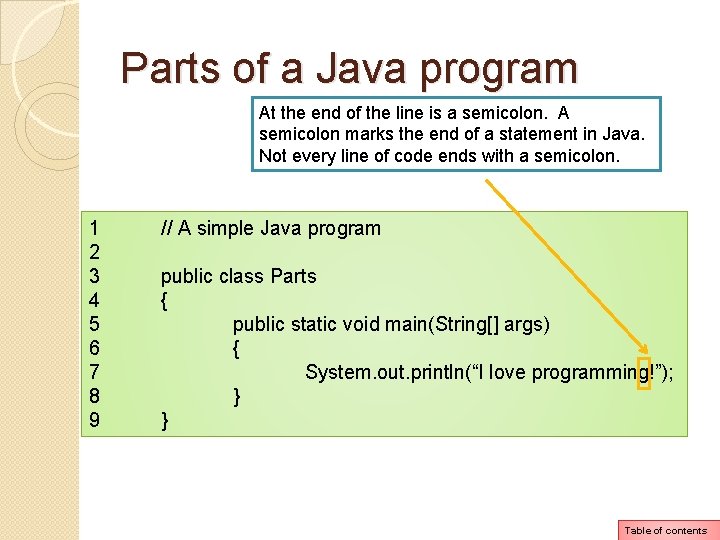
Parts of a Java program At the end of the line is a semicolon. A semicolon marks the end of a statement in Java. Not every line of code ends with a semicolon. 1 2 3 4 5 6 7 8 9 // A simple Java program public class Parts { public static void main(String[] args) { System. out. println(“I love programming!”); } } Table of contents
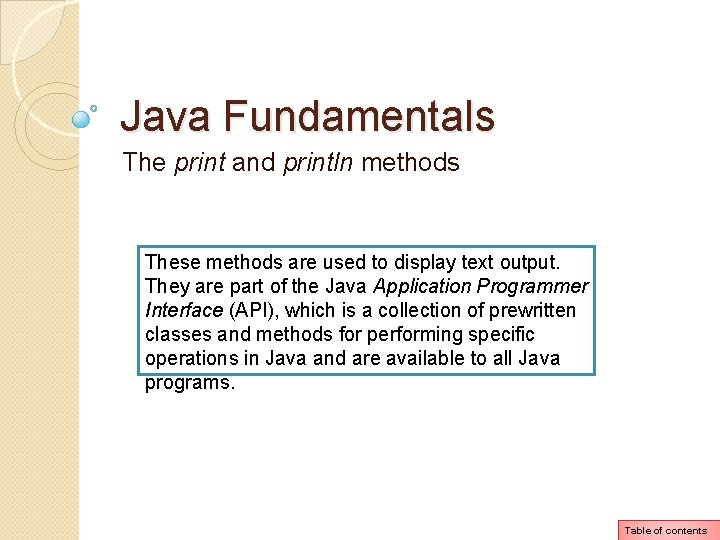
Java Fundamentals The print and println methods These methods are used to display text output. They are part of the Java Application Programmer Interface (API), which is a collection of prewritten classes and methods for performing specific operations in Java and are available to all Java programs. Table of contents
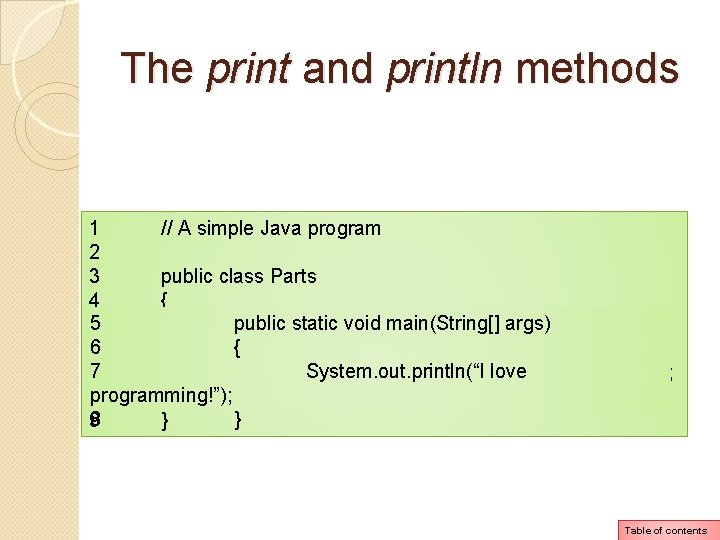
The print and println methods 1 // A simple Java program 2 3 public class Parts 4 { 5 public static void main(String[] args) 6 { 7 System. out. println(“I love programming!”); } 8 8 } 9 } Table of contents
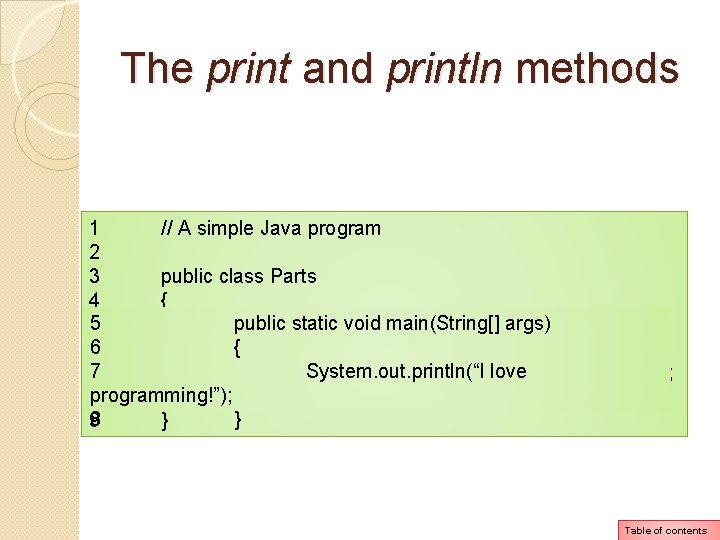
The print and println methods 1 // A simple Java program 2 3 public class Parts 4 { 5 public static void main(String[] args) 6 { 7 System. out. println(“I love programming!”); } 8 8 } 9 } Table of contents
The print and println methods 5 public static void main(String[] args) 6 { 7 System. out. println(“I love programming!”); 8 } System is a class that is part of the Java API. This class contains methods and objects. One of the objects in the System class is named out. Table of contents
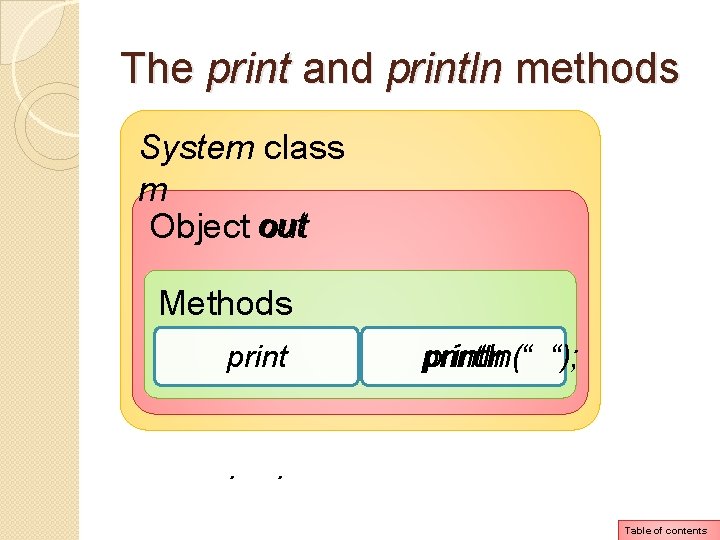
The print and println methods 5 public static void main(String[] args) 6 { 7 System. out. println(“I love programming!”); 8 } System is a class that is part of the Java API. This class contains methods and objects. One of the objects in the System class is named out. The out object also has methods which include print and println. Table of contents
The print and println methods System class Syste m Object out Methods print . println(“ “); . Table of contents
The print method 5 6 7 8 public static void main(String[] args) { System. out. print(“I love programming!”); } An important thing to know about the print method is that it does not advance the cursor to the beginning of the next line after displaying the message: Printed on the computer screen when application runs: I love programming! Table of contents
The print method 5 6 7 8 public static void main(String[] args) { System. out. print(“I love programming!”); } An important thing to know about the print method is that it does not advance the cursor to the beginning of the next line after displaying the message: Printed on the computer screen when application runs: I love programming! | Table of contents
The println method 5 public static void main(String[] args) 6 { 7 System. out. println(“I love programming!”); 8 } An important thing to know about the println method is that it advances the cursor to the beginning of the next line after displaying the message: Printed on the computer screen when application runs: I love programming! Table of contents
The println method 5 public static void main(String[] args) 6 { 7 System. out. println(“I love programming!”); 8 } An important thing to know about the println method is that it advances the cursor to the beginning of the next line after displaying the message: Printed on the computer screen when application runs: I love |programming! Table of contents
The print and println methods public static void main(String[] args) { System. out. print(“I love the following: ”); System. out. print(“Sweets”); System. out. print(“Chips”); System. out. print(“Coffee”); } Printed on the computer screen when application runs: I love the following: Sweets. Chips. Coffee Table of contents
The print and println methods public static void main(String[] args) { System. out. println(“I love the following: ”); System. out. println(“Sweets”); System. out. println (“Chips”); System. out. print(“Coffee”); } Printed on the computer screen when application runs: I love the following: Sweets. Chips. Coffee Chips Coffee Table of contents
The print and println methods public static void main(String[] args) { System. out. println(“I love the following: ”); System. out. println(“Sweets”); System. out. println (“Chips”); System. out. print(“Coffee”); } Printed on the computer screen when application runs: I love the following: Sweets Chips Coffee| Table of contents
The escape sequence public staticsequence void main(String[] The escape starts with aargs) backslash {character “” followed by control characters (in this case the letter “n”) System. out. print(“I love the following: n”); System. out. print(“Sweetsn”); System. out. print (“Chipsn”); System. out. print(“Coffeen”); } Printed on the computer screen when application runs: I love the following: Sweets Chips Coffee Table of contents
The escape sequence public staticsequence void main(String[] The escape starts with aargs) backslash {character “” followed by control characters (in this case the letter “n”) System. out. print(“I love the following: n”); System. out. print(“Sweetsn”); System. out. print (“Chipsn”); System. out. print(“Coffeen”); } Printed on the computer screen when application runs: I love the following: Sweets Chips Coffee | Table of contents
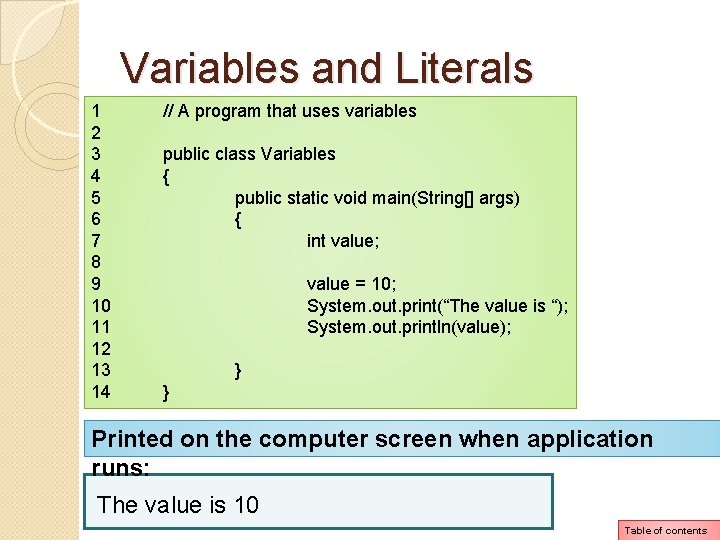
Java Fundamentals Variables and Literals A variable is a named storage location in the computer’s memory. A literal is a value written into the code of a program. Table of contents
Variables and Literals 1 2 3 4 5 6 7 8 9 10 11 12 13 14 // A program that uses variables public class Variables { public static void main(String[] args) { int value; value = 10; System. out. print(“The value is “); System. out. println(value); } } Printed on the computer screen when application runs: The value is 10 Table of contents
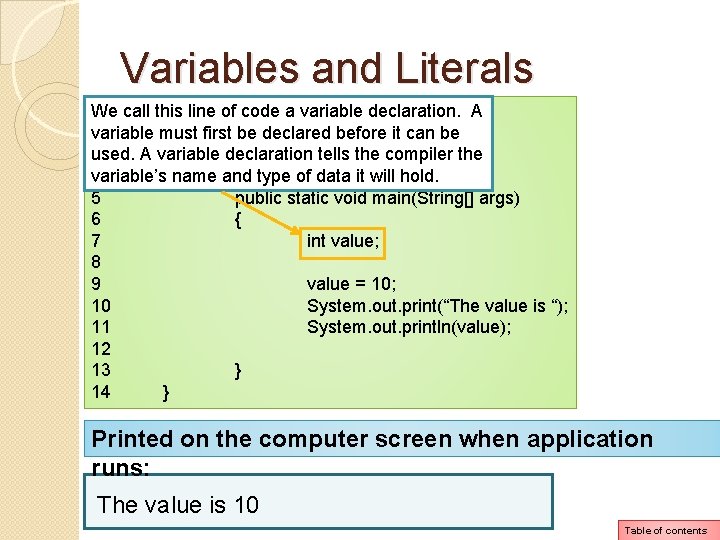
Variables and Literals We of code a variable declaration. A 1 call this // Aline program that uses variable must first be declared before it can be 2 used. A variable declaration tells the compiler the 3 public class Variables variable’s 4 { name and type of data it will hold. 5 public static void main(String[] args) 6 { 7 int value; 8 9 value = 10; 10 System. out. print(“The value is “); 11 System. out. println(value); 12 13 } 14 } Printed on the computer screen when application runs: The value is 10 Table of contents
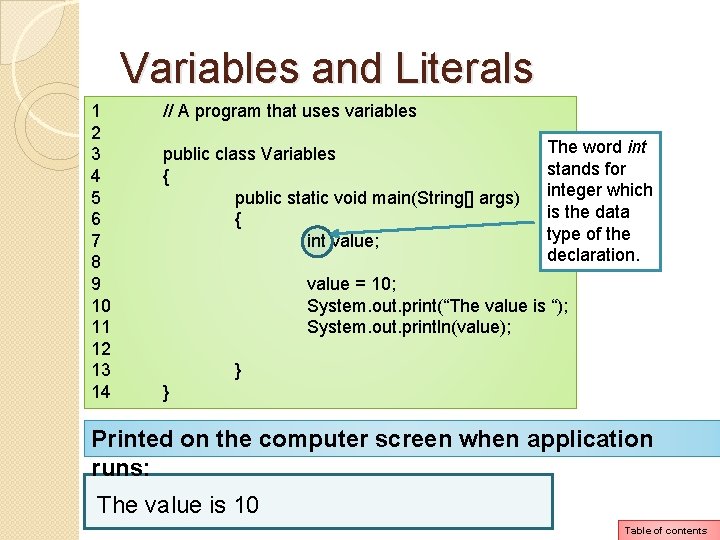
Variables and Literals 1 2 3 4 5 6 7 8 9 10 11 12 13 14 // A program that uses variables public class Variables { public static void main(String[] args) { int value; The word int stands for integer which is the data type of the declaration. value = 10; System. out. print(“The value is “); System. out. println(value); } } Printed on the computer screen when application runs: The value is 10 Table of contents
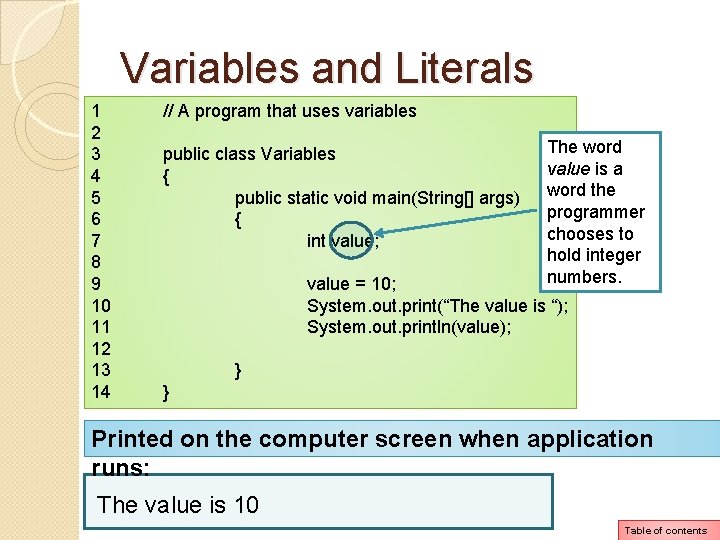
Variables and Literals 1 2 3 4 5 6 7 8 9 10 11 12 13 14 // A program that uses variables public class Variables { public static void main(String[] args) { int value; The word value is a word the programmer chooses to hold integer numbers. value = 10; System. out. print(“The value is “); System. out. println(value); } } Printed on the computer screen when application runs: The value is 10 Table of contents
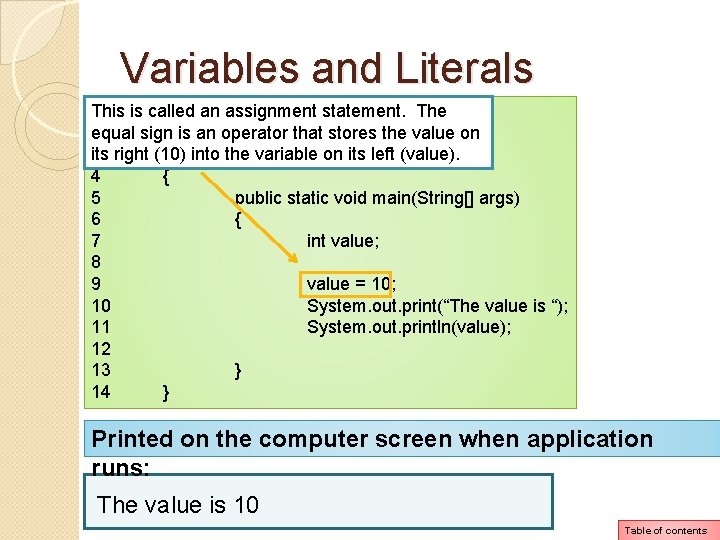
Variables and Literals This is called an assignment statement. 1 // A program that uses variables. The equal sign is an operator that stores the value on 2 its intoclass the variable on its left (value). 3 right (10) public Variables 4 { 5 public static void main(String[] args) 6 { 7 int value; 8 9 value = 10; 10 System. out. print(“The value is “); 11 System. out. println(value); 12 13 } 14 } Printed on the computer screen when application runs: The value is 10 Table of contents
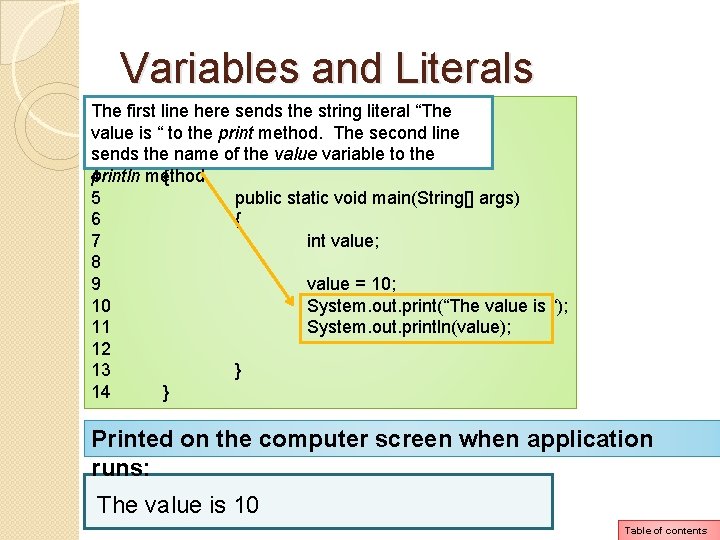
Variables and Literals The sends the string literal “The 1 first line // A here program that uses variables value is “ to the print method. The second line 2 sends thepublic nameclass of the. Variables value variable to the 3 println method. 4 { 5 public static void main(String[] args) 6 { 7 int value; 8 9 value = 10; 10 System. out. print(“The value is “); 11 System. out. println(value); 12 13 } 14 } Printed on the computer screen when application runs: The value is 10 Table of contents
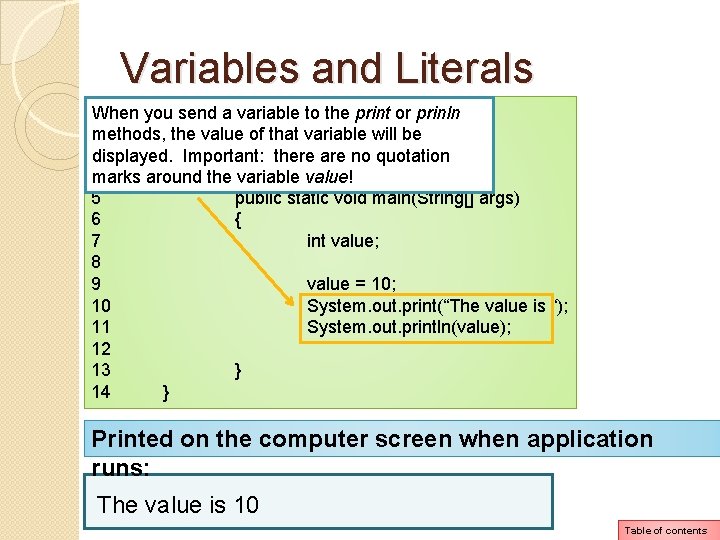
Variables and Literals 1 When you // A program that uses send a variable to thevariables print or prinln 2 methods, the value of that variable will be 3 displayed. public class Variables Important: there are no quotation 4 marks around { the variable value! 5 public static void main(String[] args) 6 { 7 int value; 8 9 value = 10; 10 System. out. print(“The value is “); 11 System. out. println(value); 12 13 } 14 } Printed on the computer screen when application runs: The value is 10 Table of contents
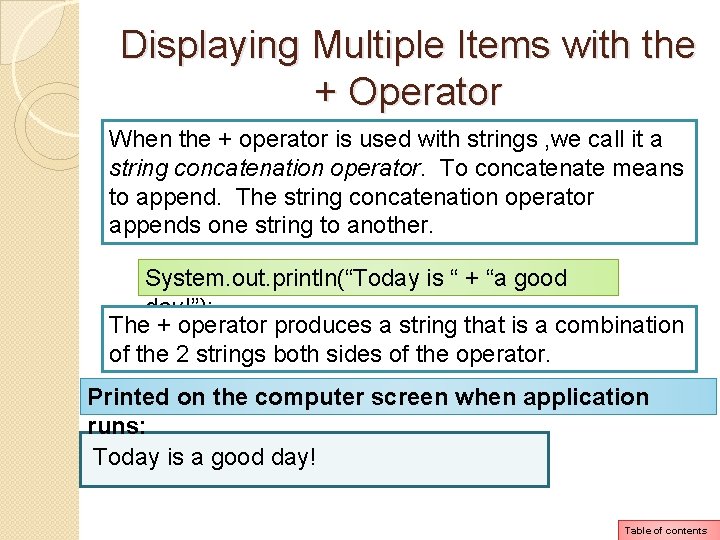
Displaying Multiple Items with the + Operator When the + operator is used with strings , we call it a string concatenation operator. To concatenate means to append. The string concatenation operator appends one string to another. System. out. println(“Today is “ + “a good day!”); The + operator produces a string that is a combination of the 2 strings both sides of the operator. Printed on the computer screen when application runs: Today is a good day! Table of contents
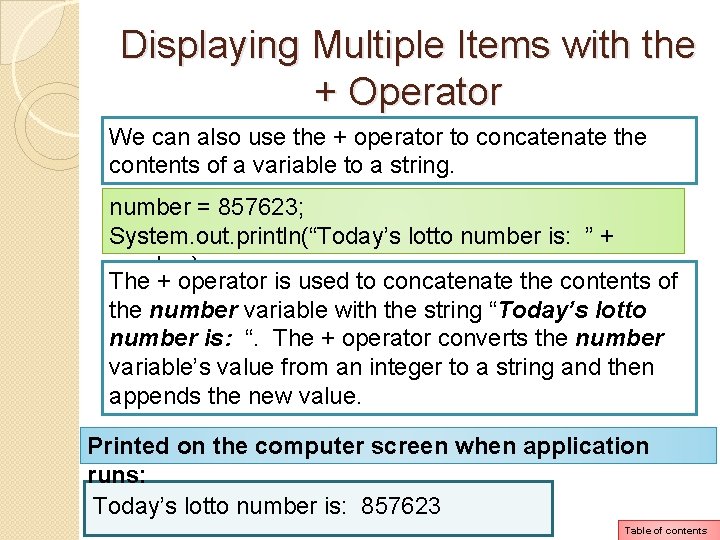
Displaying Multiple Items with the + Operator We can also use the + operator to concatenate the contents of a variable to a string. number = 857623; System. out. println(“Today’s lotto number is: ” + number); The + operator is used to concatenate the contents of the number variable with the string “Today’s lotto number is: “. The + operator converts the number variable’s value from an integer to a string and then appends the new value. Printed on the computer screen when application runs: Today’s lotto number is: 857623 Table of contents
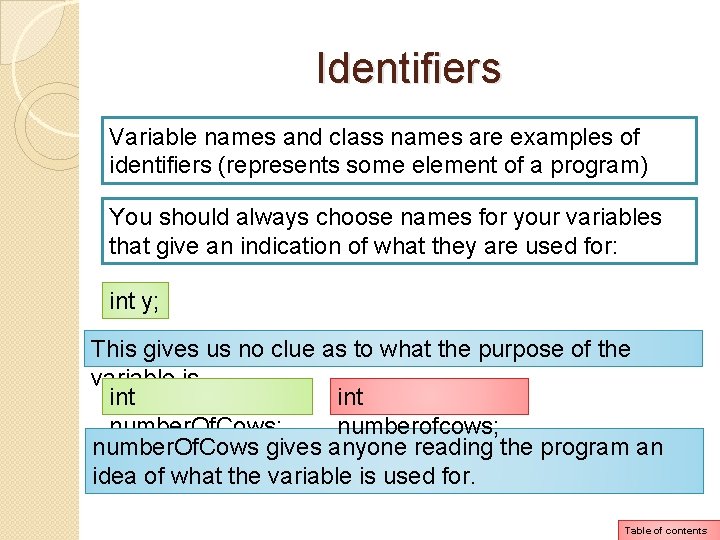
Identifiers Variable names and class names are examples of identifiers (represents some element of a program) You should always choose names for your variables that give an indication of what they are used for: int y; This gives us no clue as to what the purpose of the variable is. int number. Of. Cows; numberofcows; number. Of. Cows gives anyone reading the program an idea of what the variable is used for. Table of contents
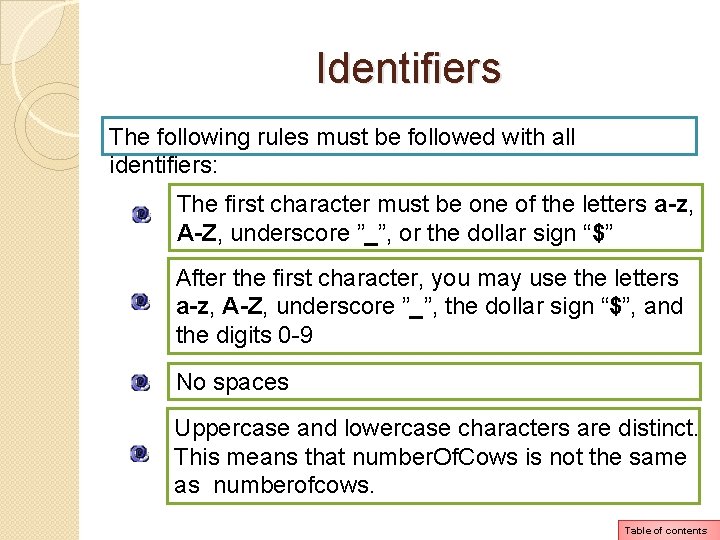
Identifiers The following rules must be followed with all identifiers: The first character must be one of the letters a-z, A-Z, underscore ”_”, or the dollar sign “$” After the first character, you may use the letters a-z, A-Z, underscore ”_”, the dollar sign “$”, and the digits 0 -9 No spaces Uppercase and lowercase characters are distinct. This means that number. Of. Cows is not the same as numberofcows. Table of contents
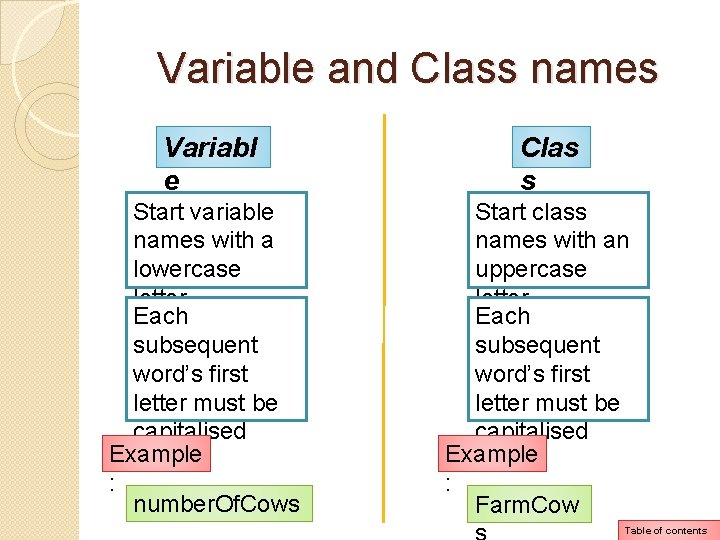
Variable and Class names Variabl e Start variable names with a lowercase letter Each subsequent word’s first letter must be capitalised Example : number. Of. Cows Clas s Start class names with an uppercase letter Each subsequent word’s first letter must be capitalised Example : Farm. Cow Table of contents
Primitive Data Types There are many different types of data. Variables are classified according to their data type. The data type determines the kind of data that may be stored in them. The data type also determines the amount of memory the variable uses, and the way the variable formats and stores data. Table of contents
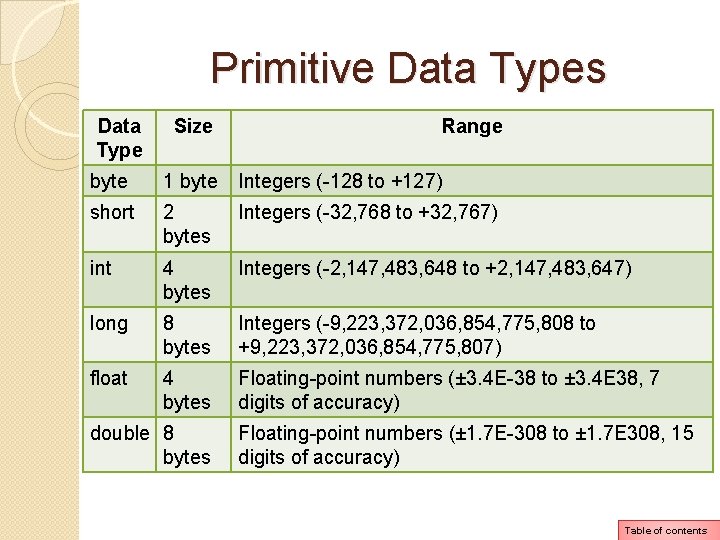
Primitive Data Types Data Type Size Range byte 1 byte Integers (-128 to +127) short 2 bytes Integers (-32, 768 to +32, 767) int 4 bytes Integers (-2, 147, 483, 648 to +2, 147, 483, 647) long 8 bytes Integers (-9, 223, 372, 036, 854, 775, 808 to +9, 223, 372, 036, 854, 775, 807) float 4 bytes Floating-point numbers (± 3. 4 E-38 to ± 3. 4 E 38, 7 digits of accuracy) double 8 bytes Floating-point numbers (± 1. 7 E-308 to ± 1. 7 E 308, 15 digits of accuracy) Table of contents
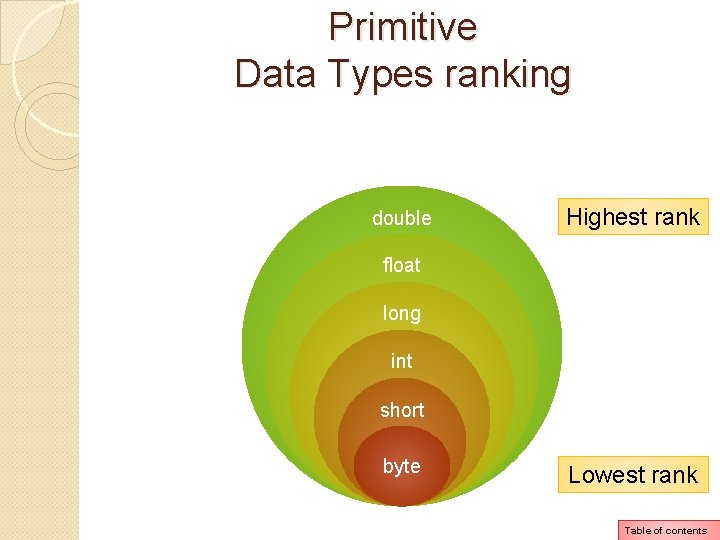
Primitive Data Types ranking double Highest rank float long int short byte Lowest rank Table of contents
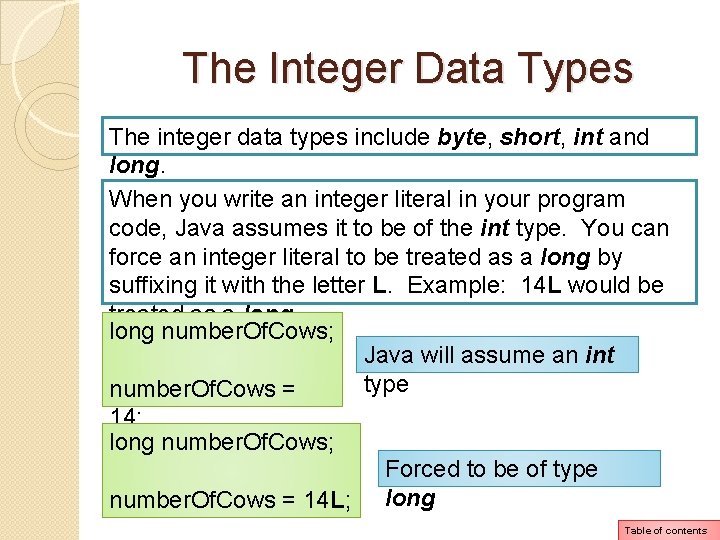
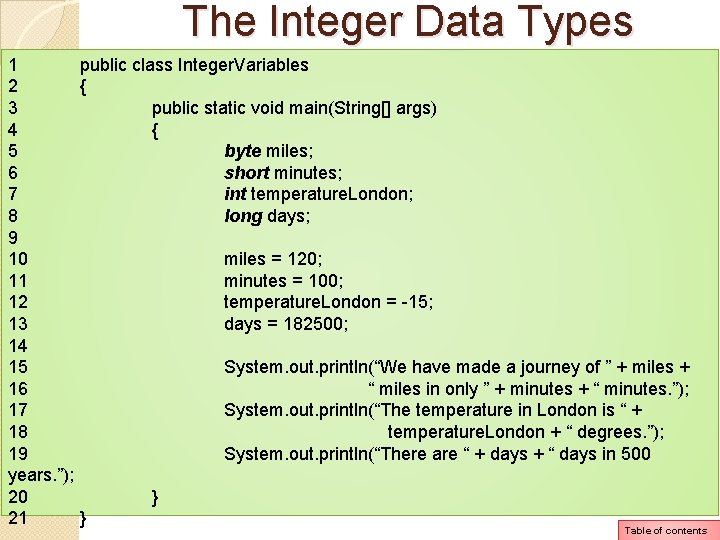
The Integer Data Types The integer data types include byte, short, int and long. When you write an integer literal in your program code, Java assumes it to be of the int type. You can force an integer literal to be treated as a long by suffixing it with the letter L. Example: 14 L would be treated as a long number. Of. Cows; Java will assume an int type number. Of. Cows = 14; long number. Of. Cows; Forced to be of type number. Of. Cows = 14 L; long Table of contents
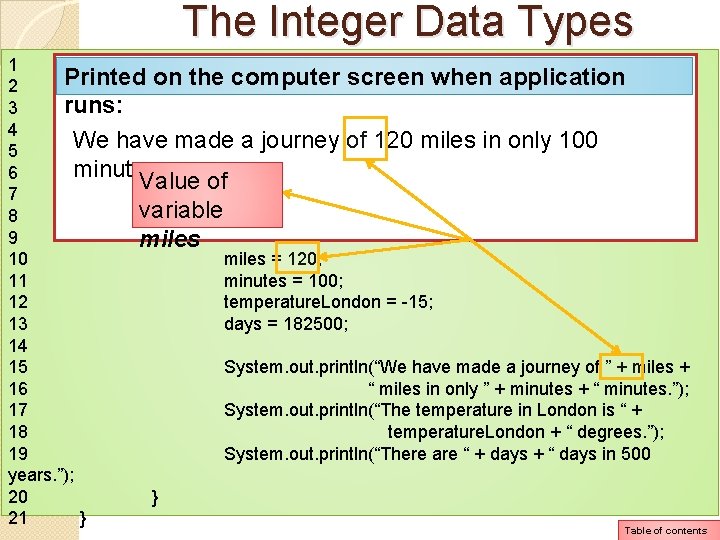
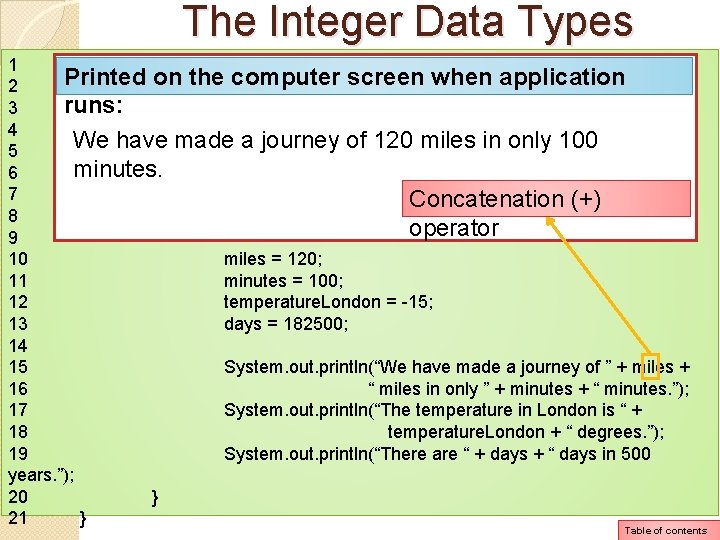
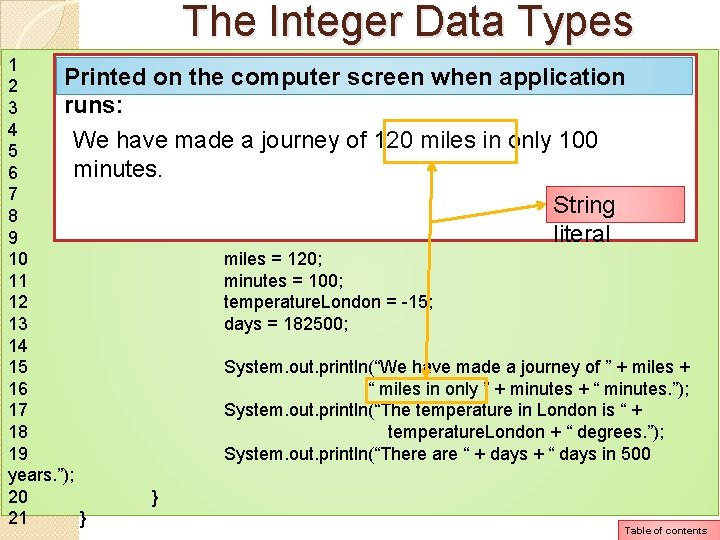
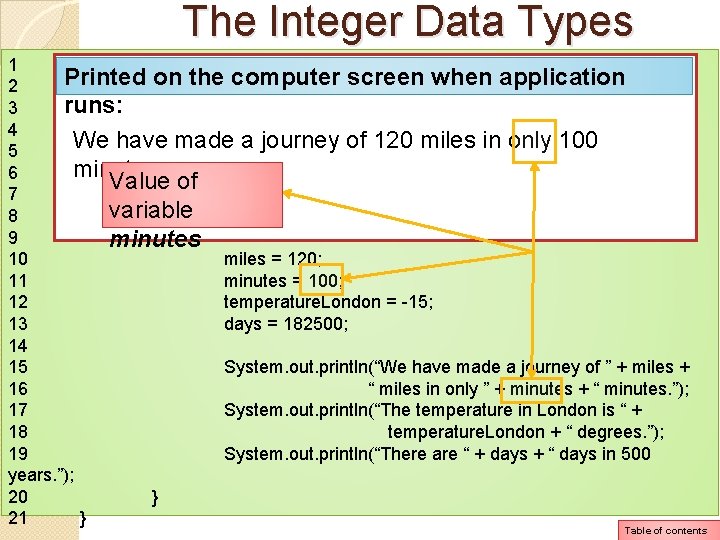
The Integer Data Types 1 public class Integer. Variables 2 { 3 public static void main(String[] args) 4 { 5 byte miles; 6 short minutes; 7 int temperature. London; 8 long days; 9 10 miles = 120; 11 minutes = 100; 12 temperature. London = -15; 13 days = 182500; 14 15 System. out. println(“We have made a journey of ” + miles + 16 “ miles in only ” + minutes + “ minutes. ”); 17 System. out. println(“The temperature in London is “ + 18 temperature. London + “ degrees. ”); 19 System. out. println(“There are “ + days + “ days in 500 years. ”); 20 } 21 } Table of contents
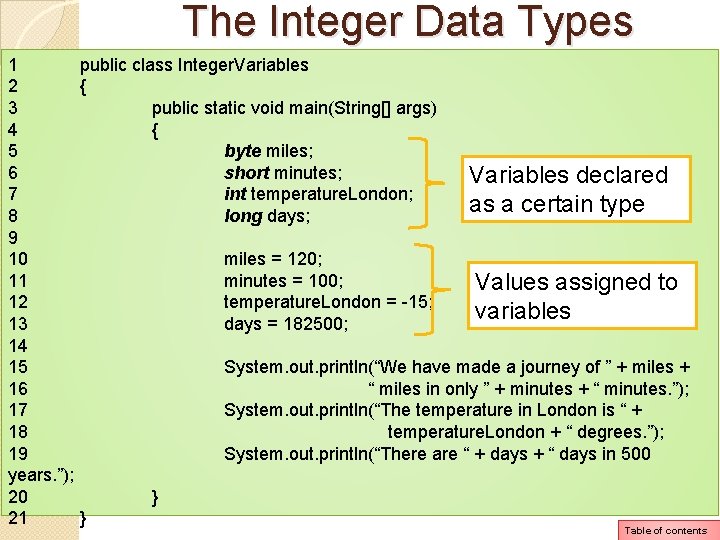
The Integer Data Types 1 public class Integer. Variables 2 { 3 public static void main(String[] args) 4 { 5 byte miles; 6 short minutes; Variables declared 7 int temperature. London; as a certain type 8 long days; 9 10 miles = 120; 11 minutes = 100; Values assigned to 12 temperature. London = -15; variables 13 days = 182500; 14 15 System. out. println(“We have made a journey of ” + miles + 16 “ miles in only ” + minutes + “ minutes. ”); 17 System. out. println(“The temperature in London is “ + 18 temperature. London + “ degrees. ”); 19 System. out. println(“There are “ + days + “ days in 500 years. ”); 20 } 21 } Table of contents
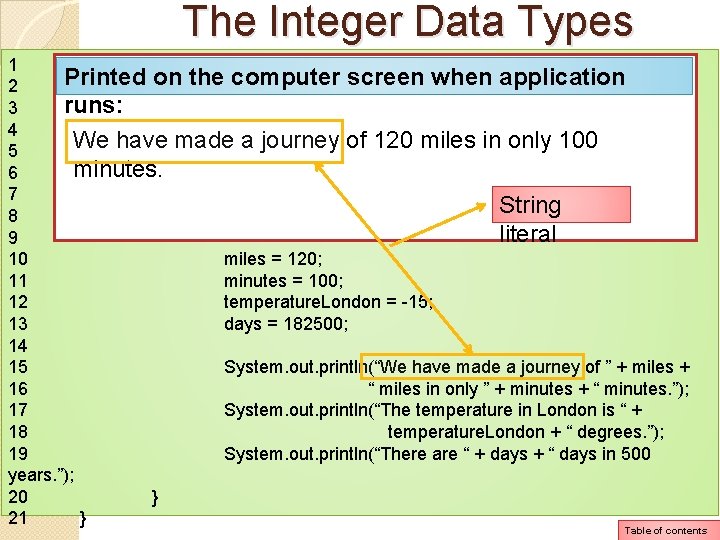
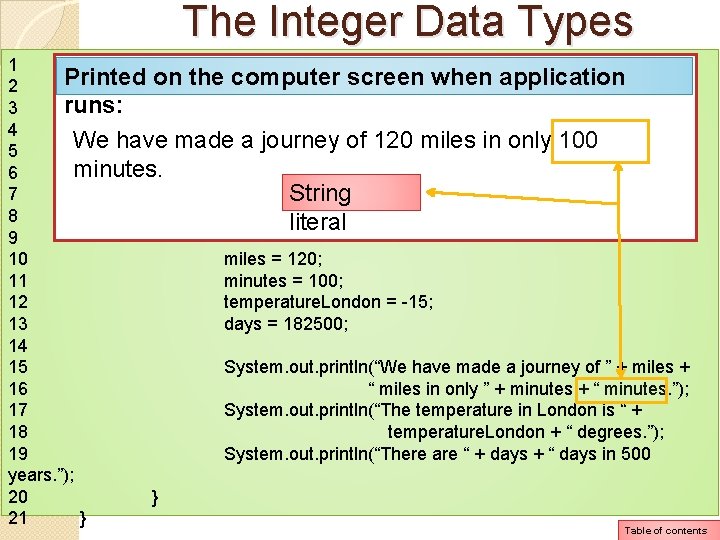
The Integer Data Types 1 public class Integer. Variables Printed on the computer screen when application 2 { runs: public static void main(String[] args) 3 4 { We have madebyte a journey of 120 miles in only 100 5 miles; minutes. 6 short minutes; 7 int temperature. London; String 8 long days; literal 9 10 miles = 120; 11 minutes = 100; 12 temperature. London = -15; 13 days = 182500; 14 15 System. out. println(“We have made a journey of ” + miles + 16 “ miles in only ” + minutes + “ minutes. ”); 17 System. out. println(“The temperature in London is “ + 18 temperature. London + “ degrees. ”); 19 System. out. println(“There are “ + days + “ days in 500 years. ”); 20 } 21 } Table of contents
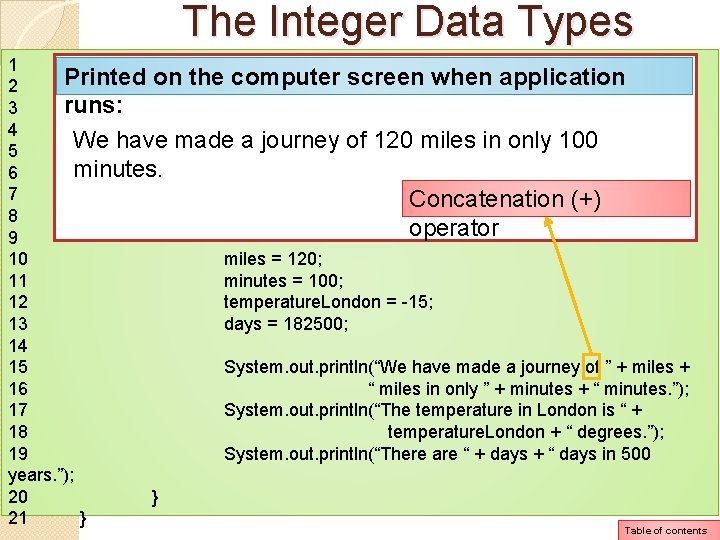
The Integer Data Types 1 public class Integer. Variables Printed on the computer screen when application 2 { runs: public static void main(String[] args) 3 4 { We have madebyte a journey of 120 miles in only 100 5 miles; minutes. 6 short minutes; 7 int temperature. London; Concatenation (+) 8 long days; operator 9 10 miles = 120; 11 minutes = 100; 12 temperature. London = -15; 13 days = 182500; 14 15 System. out. println(“We have made a journey of ” + miles + 16 “ miles in only ” + minutes + “ minutes. ”); 17 System. out. println(“The temperature in London is “ + 18 temperature. London + “ degrees. ”); 19 System. out. println(“There are “ + days + “ days in 500 years. ”); 20 } 21 } Table of contents
The Integer Data Types 1 public class Integer. Variables Printed on the computer screen when application 2 { runs: public static void main(String[] args) 3 4 { We have madebyte a journey of 120 miles in only 100 5 miles; minutes. 6 short minutes; Value of 7 int temperature. London; variable long days; 8 9 miles 10 miles = 120; 11 minutes = 100; 12 temperature. London = -15; 13 days = 182500; 14 15 System. out. println(“We have made a journey of ” + miles + 16 “ miles in only ” + minutes + “ minutes. ”); 17 System. out. println(“The temperature in London is “ + 18 temperature. London + “ degrees. ”); 19 System. out. println(“There are “ + days + “ days in 500 years. ”); 20 } 21 } Table of contents
The Integer Data Types 1 public class Integer. Variables Printed on the computer screen when application 2 { runs: public static void main(String[] args) 3 4 { We have madebyte a journey of 120 miles in only 100 5 miles; minutes. 6 short minutes; 7 int temperature. London; Concatenation (+) 8 long days; operator 9 10 miles = 120; 11 minutes = 100; 12 temperature. London = -15; 13 days = 182500; 14 15 System. out. println(“We have made a journey of ” + miles + 16 “ miles in only ” + minutes + “ minutes. ”); 17 System. out. println(“The temperature in London is “ + 18 temperature. London + “ degrees. ”); 19 System. out. println(“There are “ + days + “ days in 500 years. ”); 20 } 21 } Table of contents
The Integer Data Types 1 public class Integer. Variables Printed on the computer screen when application 2 { runs: public static void main(String[] args) 3 4 { We have madebyte a journey of 120 miles in only 100 5 miles; minutes. 6 short minutes; 7 int temperature. London; String 8 long days; literal 9 10 miles = 120; 11 minutes = 100; 12 temperature. London = -15; 13 days = 182500; 14 15 System. out. println(“We have made a journey of ” + miles + 16 “ miles in only ” + minutes + “ minutes. ”); 17 System. out. println(“The temperature in London is “ + 18 temperature. London + “ degrees. ”); 19 System. out. println(“There are “ + days + “ days in 500 years. ”); 20 } 21 } Table of contents
The Integer Data Types 1 public class Integer. Variables Printed on the computer screen when application 2 { runs: public static void main(String[] args) 3 4 { We have madebyte a journey of 120 miles in only 100 5 miles; minutes. 6 short minutes; Value of 7 int temperature. London; variable long days; 8 9 minutes 10 miles = 120; 11 minutes = 100; 12 temperature. London = -15; 13 days = 182500; 14 15 System. out. println(“We have made a journey of ” + miles + 16 “ miles in only ” + minutes + “ minutes. ”); 17 System. out. println(“The temperature in London is “ + 18 temperature. London + “ degrees. ”); 19 System. out. println(“There are “ + days + “ days in 500 years. ”); 20 } 21 } Table of contents
The Integer Data Types 1 public class Integer. Variables Printed on the computer screen when application 2 { runs: public static void main(String[] args) 3 4 { We have madebyte a journey of 120 miles in only 100 5 miles; minutes. 6 short minutes; 7 int temperature. London; String 8 long days; literal 9 10 miles = 120; 11 minutes = 100; 12 temperature. London = -15; 13 days = 182500; 14 15 System. out. println(“We have made a journey of ” + miles + 16 “ miles in only ” + minutes + “ minutes. ”); 17 System. out. println(“The temperature in London is “ + 18 temperature. London + “ degrees. ”); 19 System. out. println(“There are “ + days + “ days in 500 years. ”); 20 } 21 } Table of contents
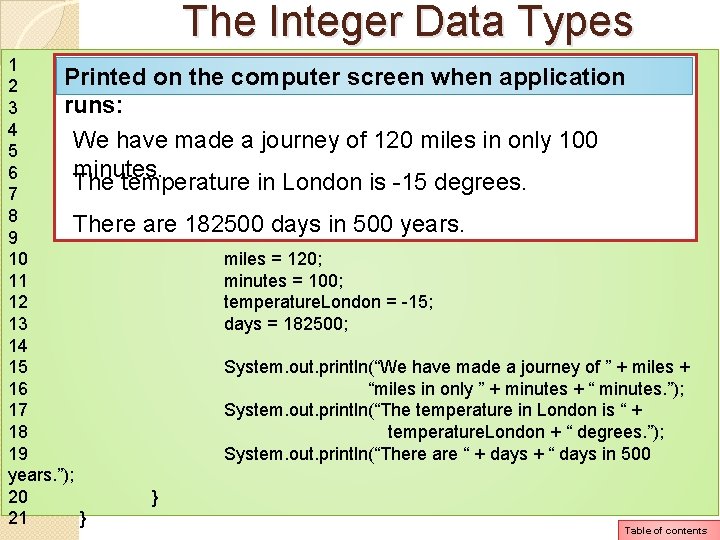
The Integer Data Types 1 public class Integer. Variables Printed on the computer screen when application 2 { runs: public static void main(String[] args) 3 4 { We have madebyte a journey of 120 miles in only 100 5 miles; minutes. 6 short minutes; The temperature in London is -15 degrees. 7 int temperature. London; 8 long days; There are 182500 days in 500 years. 9 10 miles = 120; 11 minutes = 100; 12 temperature. London = -15; 13 days = 182500; 14 15 System. out. println(“We have made a journey of ” + miles + 16 “miles in only ” + minutes + “ minutes. ”); 17 System. out. println(“The temperature in London is “ + 18 temperature. London + “ degrees. ”); 19 System. out. println(“There are “ + days + “ days in 500 years. ”); 20 } 21 } Table of contents
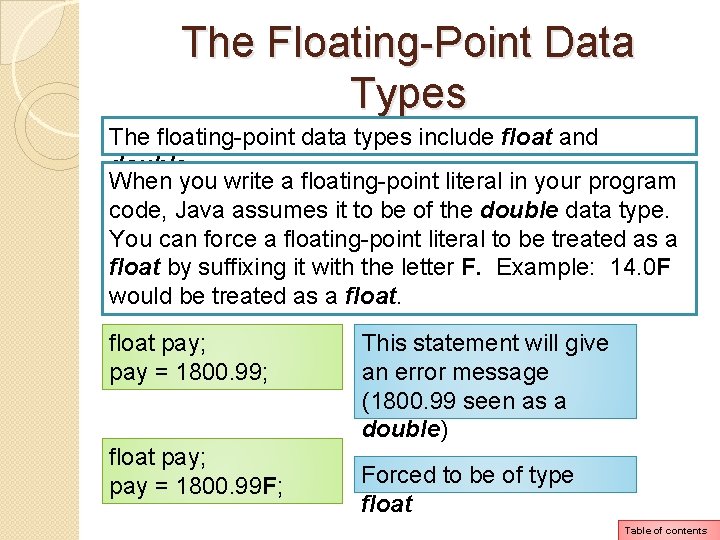
The Floating-Point Data Types The floating-point data types include float and double. When you write a floating-point literal in your program code, Java assumes it to be of the double data type. You can force a floating-point literal to be treated as a float by suffixing it with the letter F. Example: 14. 0 F would be treated as a float pay; pay = 1800. 99; float pay; pay = 1800. 99 F; This statement will give an error message (1800. 99 seen as a double) Forced to be of type float Table of contents
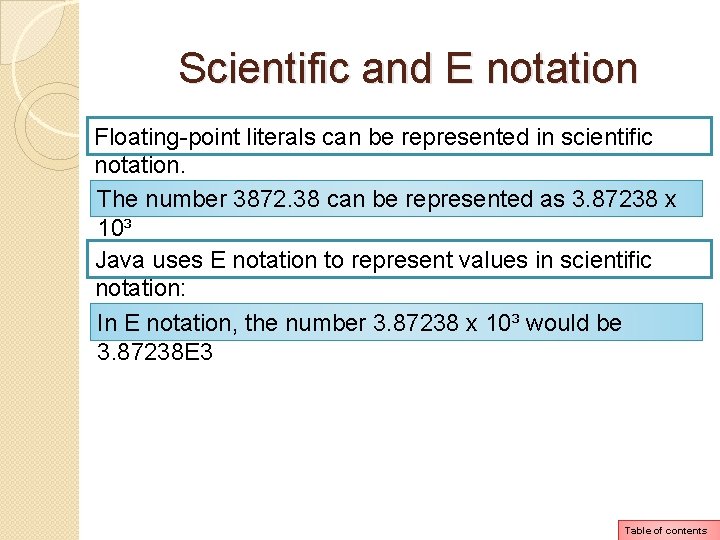
Scientific and E notation Floating-point literals can be represented in scientific notation. The number 3872. 38 can be represented as 3. 87238 x 10³ Java uses E notation to represent values in scientific notation: In E notation, the number 3. 87238 x 10³ would be 3. 87238 E 3 Table of contents
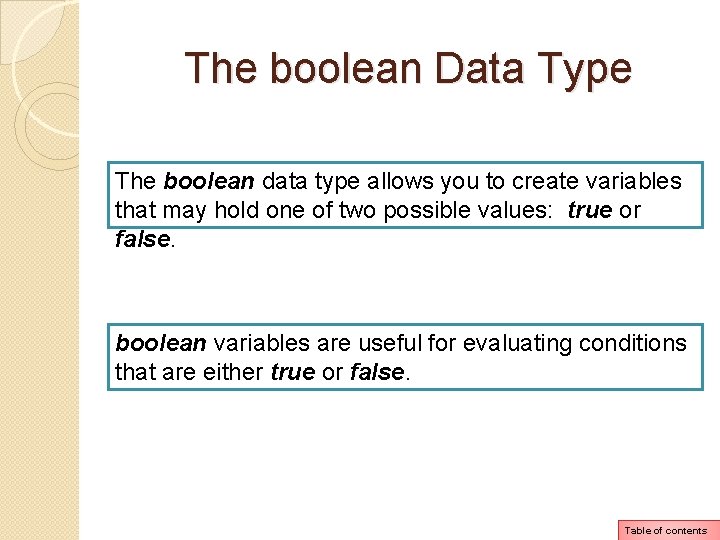
The boolean Data Type The boolean data type allows you to create variables that may hold one of two possible values: true or false. boolean variables are useful for evaluating conditions that are either true or false. Table of contents
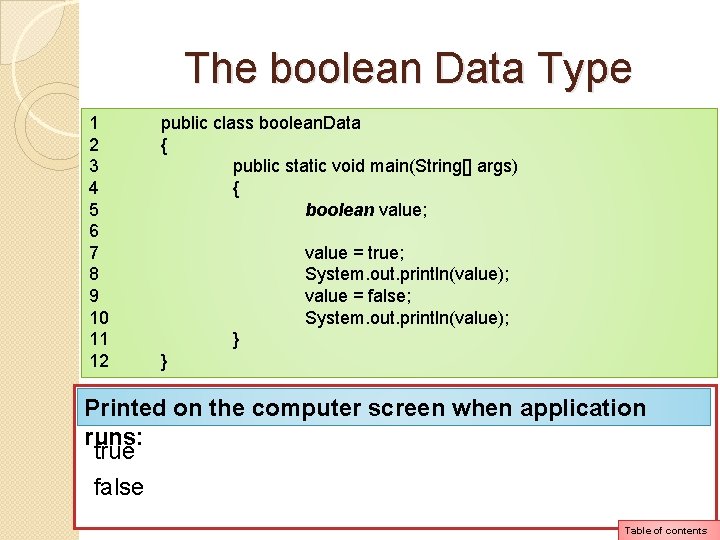
The boolean Data Type 1 2 3 4 5 6 7 8 9 10 11 12 public class boolean. Data { public static void main(String[] args) { boolean value; value = true; System. out. println(value); value = false; System. out. println(value); } } Printed on the computer screen when application runs: true false Table of contents
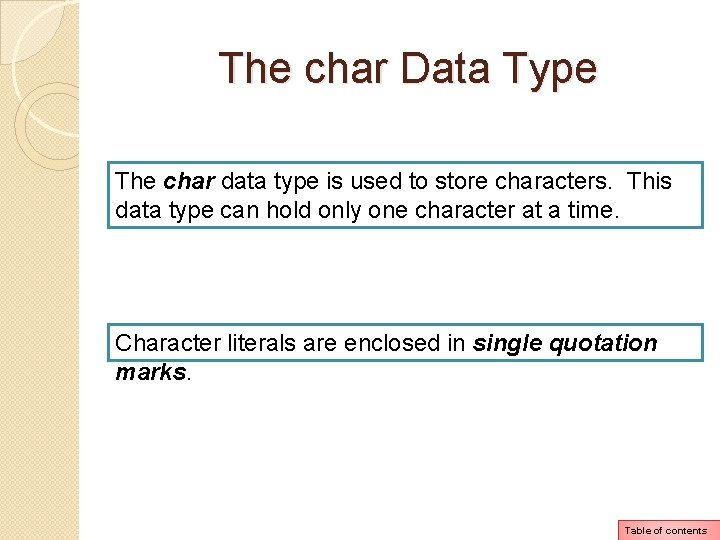
The char Data Type The char data type is used to store characters. This data type can hold only one character at a time. Character literals are enclosed in single quotation marks. Table of contents
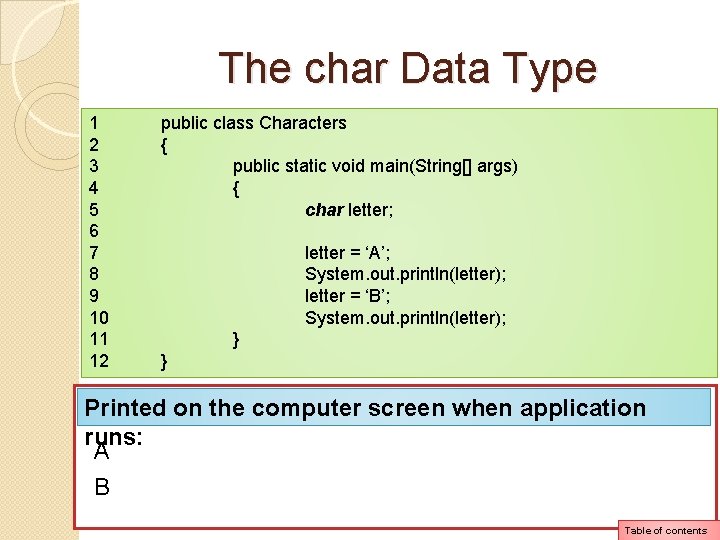
The char Data Type 1 2 3 4 5 6 7 8 9 10 11 12 public class Characters { public static void main(String[] args) { char letter; letter = ‘A’; System. out. println(letter); letter = ‘B’; System. out. println(letter); } } Printed on the computer screen when application runs: A B Table of contents
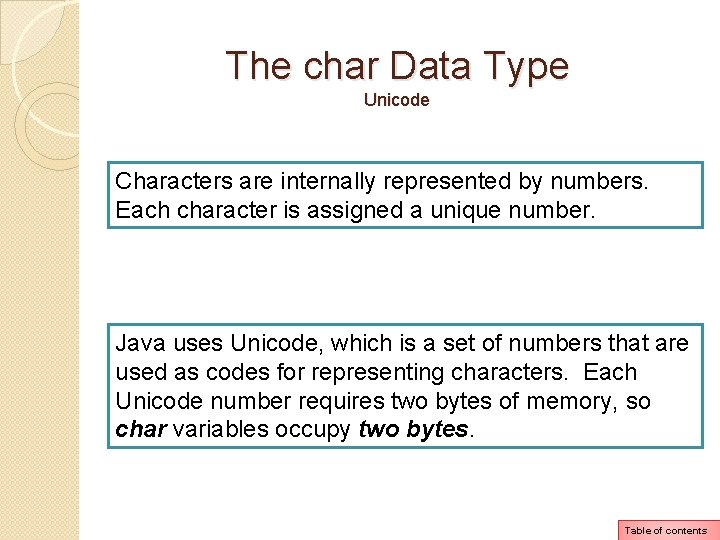
The char Data Type Unicode Characters are internally represented by numbers. Each character is assigned a unique number. Java uses Unicode, which is a set of numbers that are used as codes for representing characters. Each Unicode number requires two bytes of memory, so char variables occupy two bytes. Table of contents
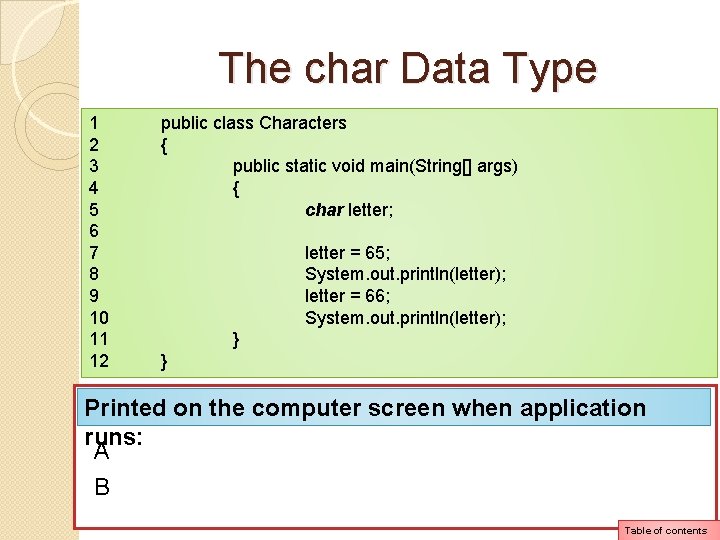
The char Data Type 1 2 3 4 5 6 7 8 9 10 11 12 public class Characters { public static void main(String[] args) { char letter; letter = 65; System. out. println(letter); letter = 66; System. out. println(letter); } } Printed on the computer screen when application runs: A B Table of contents
Arithmetic Operators Java offers a multitude of operators for manipulating data. There are 3 types of operators: unary, binary, ternary. (Please read page 79 for information on these 3 types) Table of contents
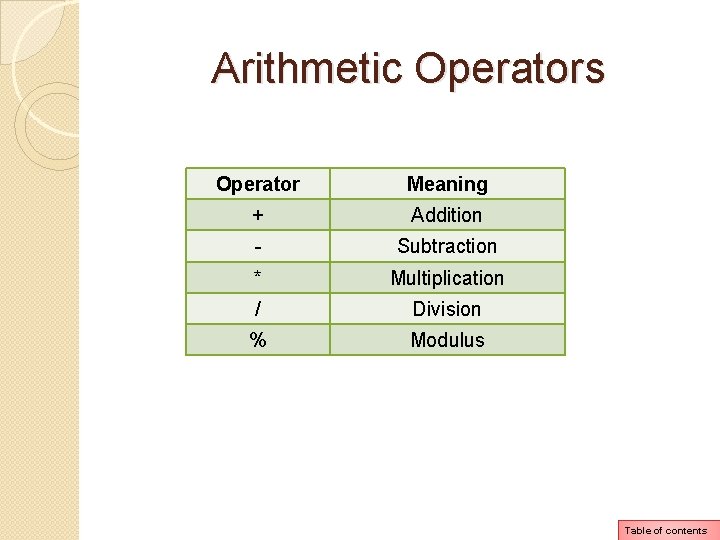
Arithmetic Operators Operator Meaning + Addition - Subtraction * Multiplication / Division % Modulus Table of contents
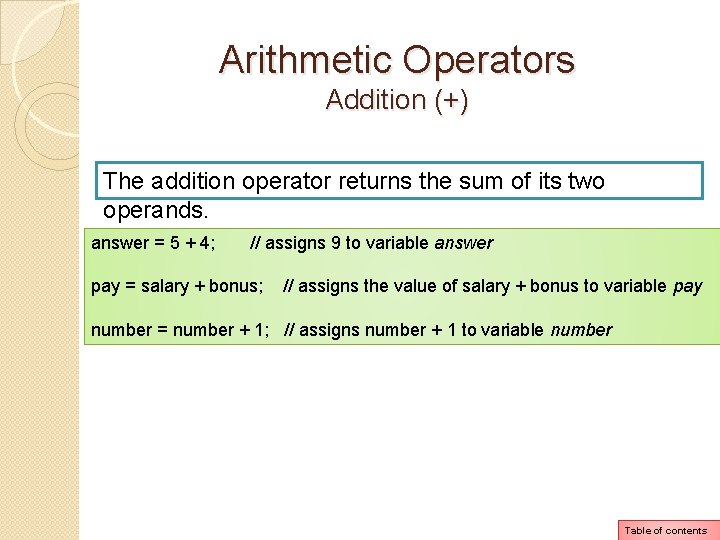
Arithmetic Operators Addition (+) The addition operator returns the sum of its two operands. answer = 5 + 4; // assigns 9 to variable answer pay = salary + bonus; // assigns the value of salary + bonus to variable pay number = number + 1; // assigns number + 1 to variable number Table of contents
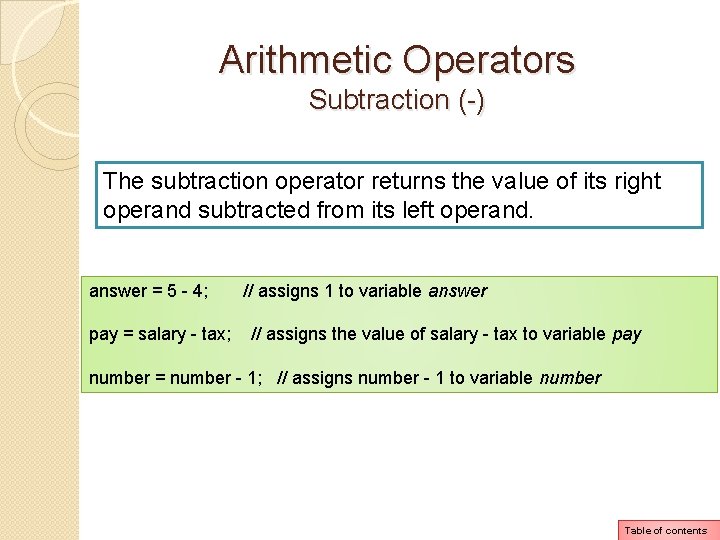
Arithmetic Operators Subtraction (-) The subtraction operator returns the value of its right operand subtracted from its left operand. answer = 5 - 4; pay = salary - tax; // assigns 1 to variable answer // assigns the value of salary - tax to variable pay number = number - 1; // assigns number - 1 to variable number Table of contents
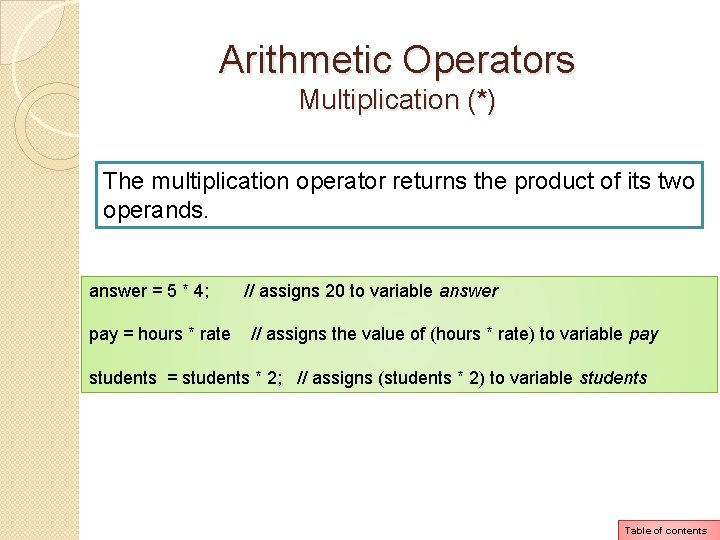
Arithmetic Operators Multiplication (*) The multiplication operator returns the product of its two operands. answer = 5 * 4; pay = hours * rate // assigns 20 to variable answer // assigns the value of (hours * rate) to variable pay students = students * 2; // assigns (students * 2) to variable students Table of contents
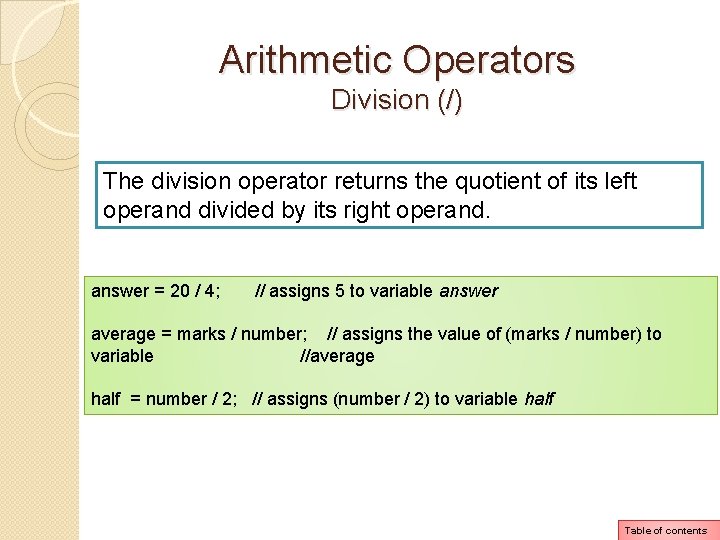
Arithmetic Operators Division (/) The division operator returns the quotient of its left operand divided by its right operand. answer = 20 / 4; // assigns 5 to variable answer average = marks / number; // assigns the value of (marks / number) to variable //average half = number / 2; // assigns (number / 2) to variable half Table of contents
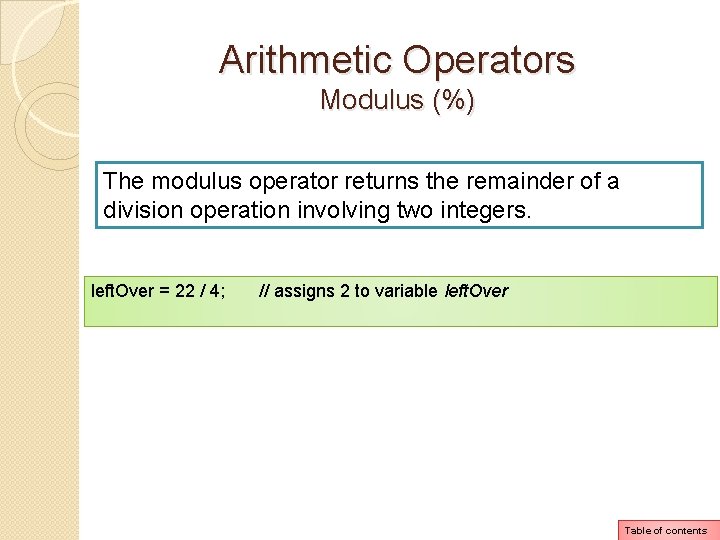
Arithmetic Operators Modulus (%) The modulus operator returns the remainder of a division operation involving two integers. left. Over = 22 / 4; // assigns 2 to variable left. Over Table of contents
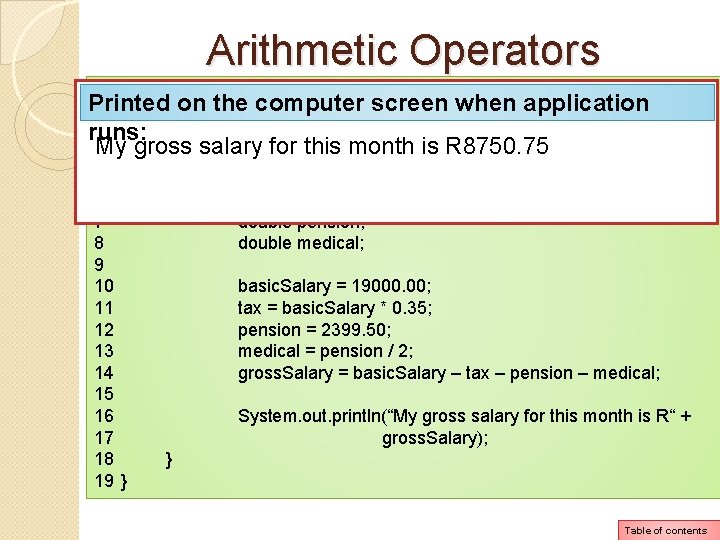
Arithmetic Operators 1 public class Salary Printed on the computer screen when application 2 { runs: 3 public static void main(String[] args) My gross salary for this month is R 8750. 75 4 { 5 6 7 8 9 10 11 12 13 14 15 16 17 18 19 } double basic. Salary, gross. Salary; double tax; double pension; double medical; basic. Salary = 19000. 00; tax = basic. Salary * 0. 35; pension = 2399. 50; medical = pension / 2; gross. Salary = basic. Salary – tax – pension – medical; System. out. println(“My gross salary for this month is R“ + gross. Salary); } Table of contents
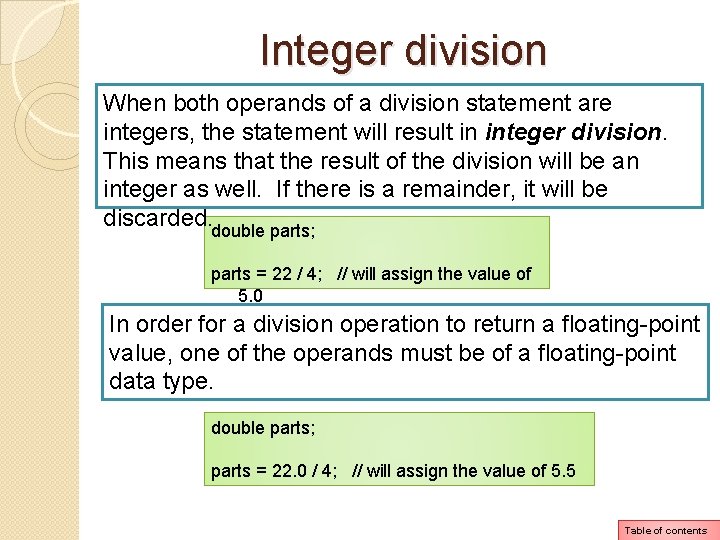
Integer division When both operands of a division statement are integers, the statement will result in integer division. This means that the result of the division will be an integer as well. If there is a remainder, it will be discarded. double parts; parts = 22 / 4; // will assign the value of 5. 0 In order for a division operation to return a floating-point value, one of the operands must be of a floating-point data type. double parts; parts = 22. 0 / 4; // will assign the value of 5. 5 Table of contents
Operator Precedence Please read page 81 and 82 Table of contents
Grouping with parentheses Please read page 83 (top) Table of contents
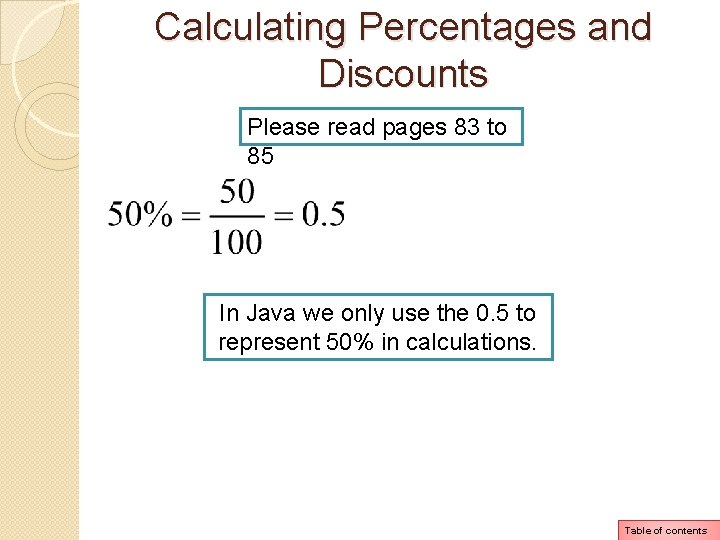
Calculating Percentages and Discounts Please read pages 83 to 85 In Java we only use the 0. 5 to represent 50% in calculations. Table of contents
The Math Class The Java API provides a class named Math, which contains numerous methods that are useful for performing complex mathematical operations. The methods pow, sqrt and constant PI are part of the Math class. Table of contents
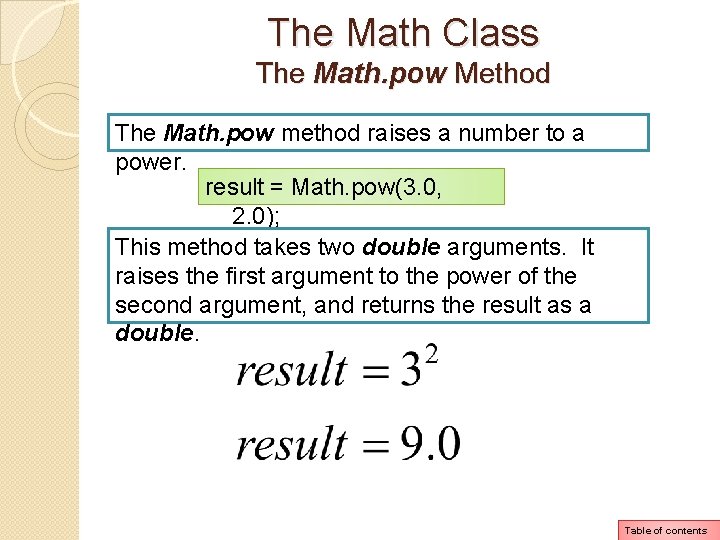
The Math Class The Math. pow Method The Math. pow method raises a number to a power. result = Math. pow(3. 0, 2. 0); This method takes two double arguments. It raises the first argument to the power of the second argument, and returns the result as a double. Table of contents
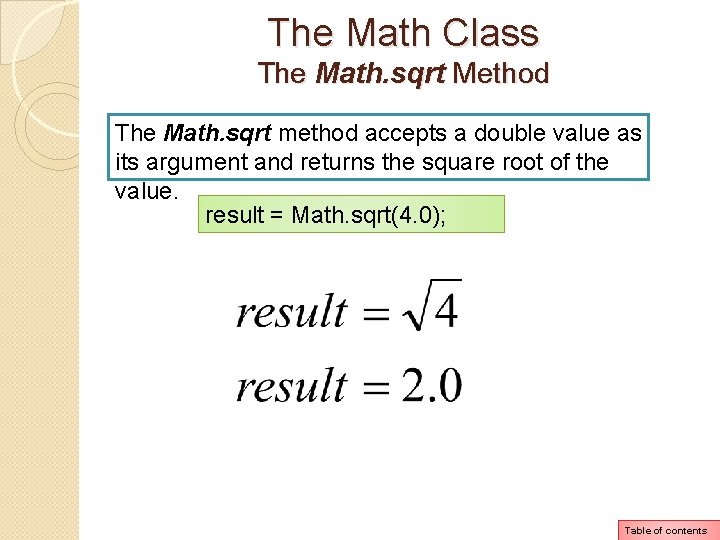
The Math Class The Math. sqrt Method The Math. sqrt method accepts a double value as its argument and returns the square root of the value. result = Math. sqrt(4. 0); Table of contents
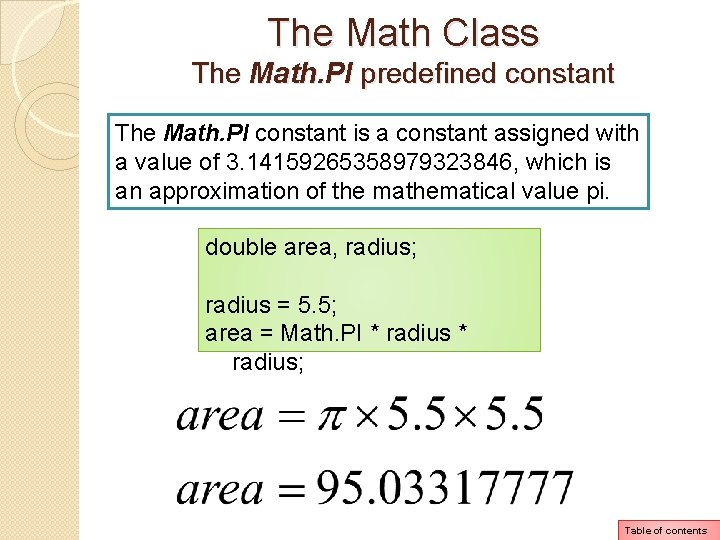
The Math Class The Math. PI predefined constant The Math. PI constant is a constant assigned with a value of 3. 14159265358979323846, which is an approximation of the mathematical value pi. double area, radius; radius = 5. 5; area = Math. PI * radius; Table of contents
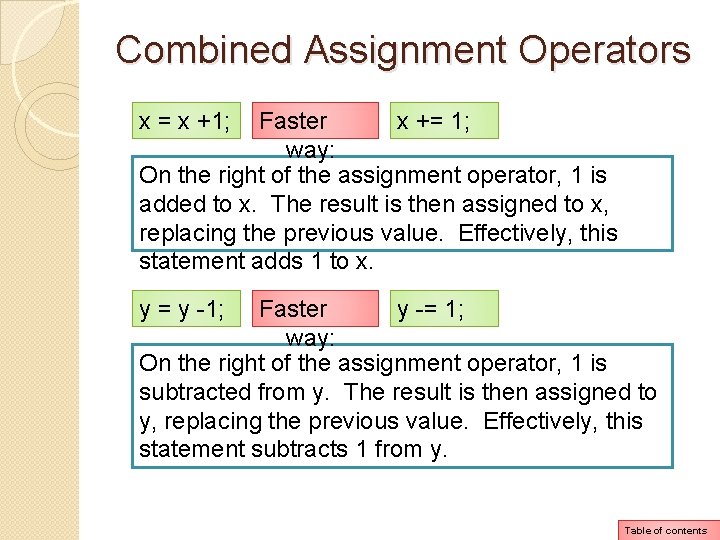
Combined Assignment Operators x = x +1; Faster x += 1; way: On the right of the assignment operator, 1 is added to x. The result is then assigned to x, replacing the previous value. Effectively, this statement adds 1 to x. y = y -1; Faster y -= 1; way: On the right of the assignment operator, 1 is subtracted from y. The result is then assigned to y, replacing the previous value. Effectively, this statement subtracts 1 from y. Table of contents
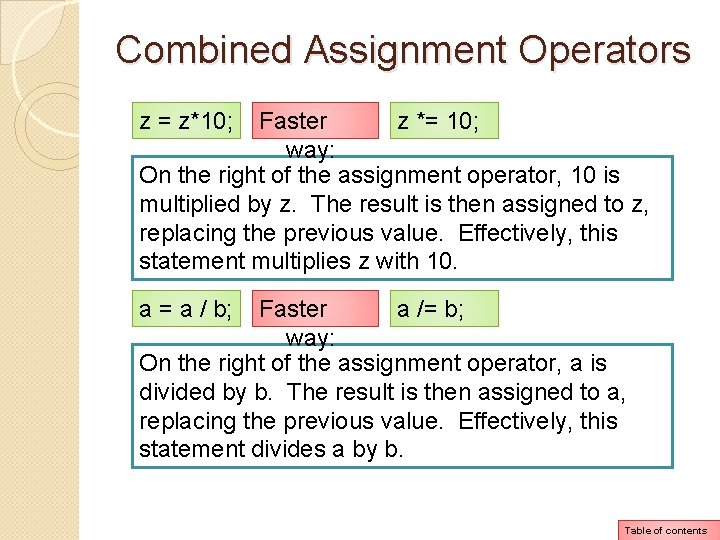
Combined Assignment Operators z = z*10; Faster z *= 10; way: On the right of the assignment operator, 10 is multiplied by z. The result is then assigned to z, replacing the previous value. Effectively, this statement multiplies z with 10. a = a / b; Faster a /= b; way: On the right of the assignment operator, a is divided by b. The result is then assigned to a, replacing the previous value. Effectively, this statement divides a by b. Table of contents
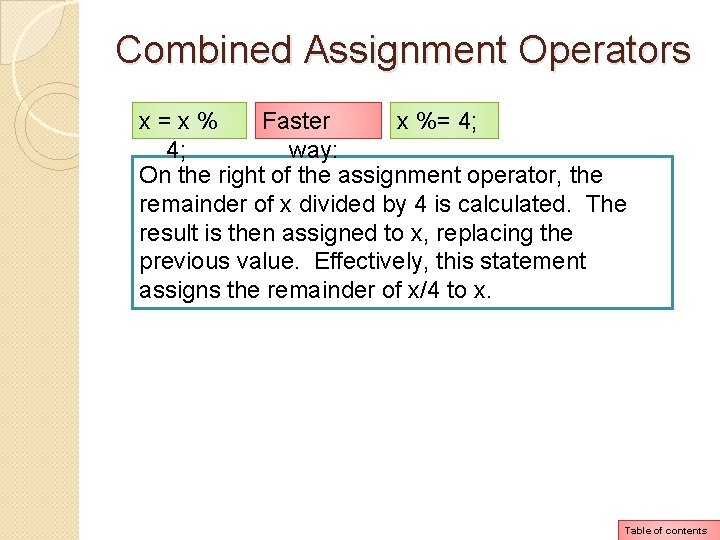
Combined Assignment Operators x=x% Faster x %= 4; 4; way: On the right of the assignment operator, the remainder of x divided by 4 is calculated. The result is then assigned to x, replacing the previous value. Effectively, this statement assigns the remainder of x/4 to x. Table of contents
Conversion between Primitive Data Types Before a value can be stored in a variable, the value’s data type must be compatible with the variable’s data type. Java performs some conversions between data types automatically, but does not automatically perform any conversion that can result in the loss of data. Table of contents
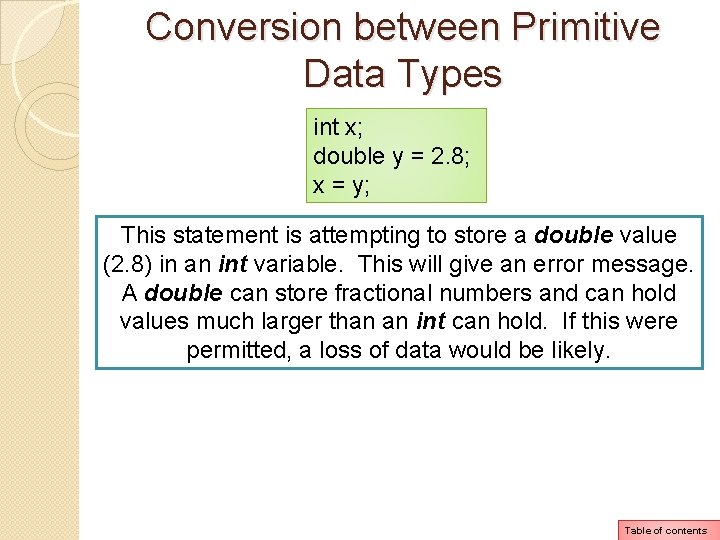
Conversion between Primitive Data Types int x; double y = 2. 8; x = y; This statement is attempting to store a double value (2. 8) in an int variable. This will give an error message. A double can store fractional numbers and can hold values much larger than an int can hold. If this were permitted, a loss of data would be likely. Table of contents
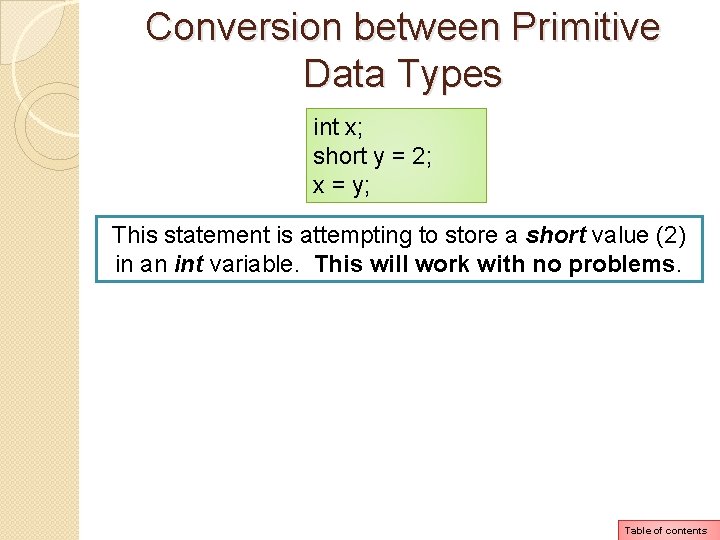
Conversion between Primitive Data Types int x; short y = 2; x = y; This statement is attempting to store a short value (2) in an int variable. This will work with no problems. Table of contents
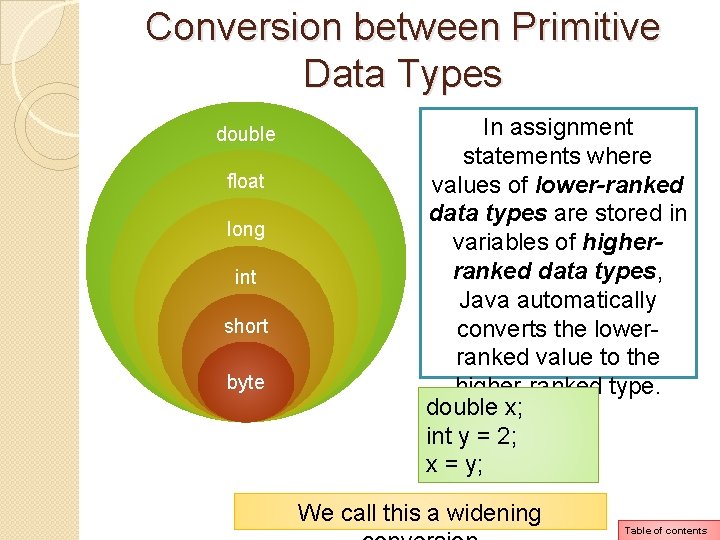
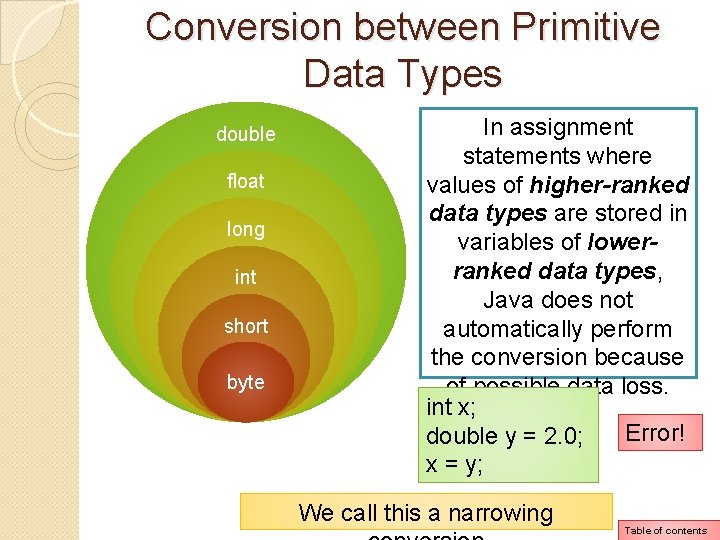
Conversion between Primitive Data Types Primitive data type ranking double Highest rank float long int short byte Lowest rank Table of contents
Conversion between Primitive Data Types double float long int short byte In assignment statements where values of lower-ranked data types are stored in variables of higherranked data types, Java automatically converts the lowerranked value to the higher-ranked type. double x; int y = 2; x = y; We call this a widening Table of contents
Conversion between Primitive Data Types double float long int short byte In assignment statements where values of higher-ranked data types are stored in variables of lowerranked data types, Java does not automatically perform the conversion because of possible data loss. int x; Error! double y = 2. 0; x = y; We call this a narrowing Table of contents
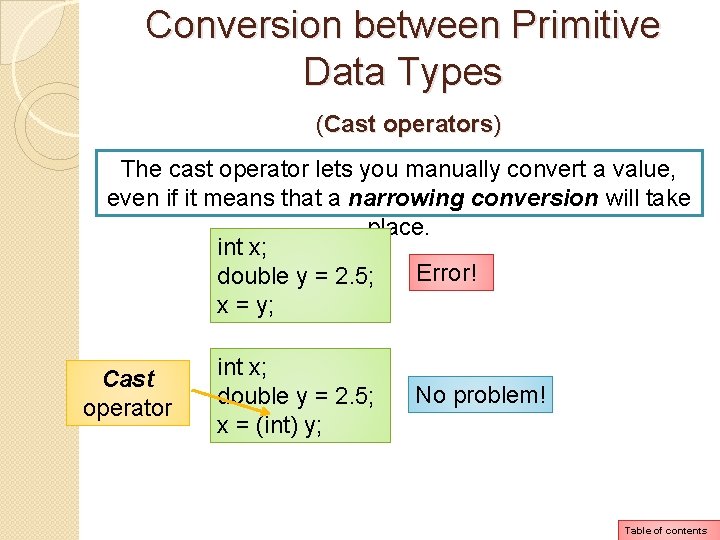
Conversion between Primitive Data Types (Cast operators) The cast operator lets you manually convert a value, even if it means that a narrowing conversion will take place. int x; Error! double y = 2. 5; x = y; Cast operator int x; double y = 2. 5; x = (int) y; No problem! Table of contents
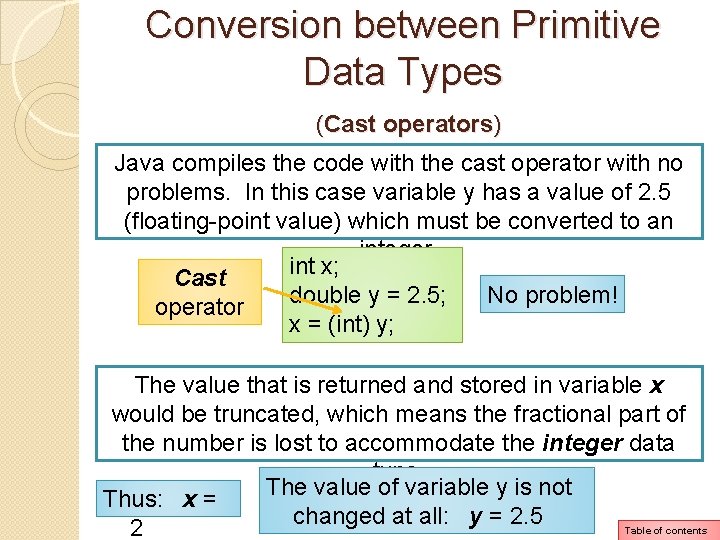
Conversion between Primitive Data Types (Cast operators) Java compiles the code with the cast operator with no problems. In this case variable y has a value of 2. 5 (floating-point value) which must be converted to an integer. int x; Cast No problem! double y = 2. 5; operator x = (int) y; The value that is returned and stored in variable x would be truncated, which means the fractional part of the number is lost to accommodate the integer data type. The value of variable y is not Thus: x = changed at all: y = 2. 5 Table of contents 2
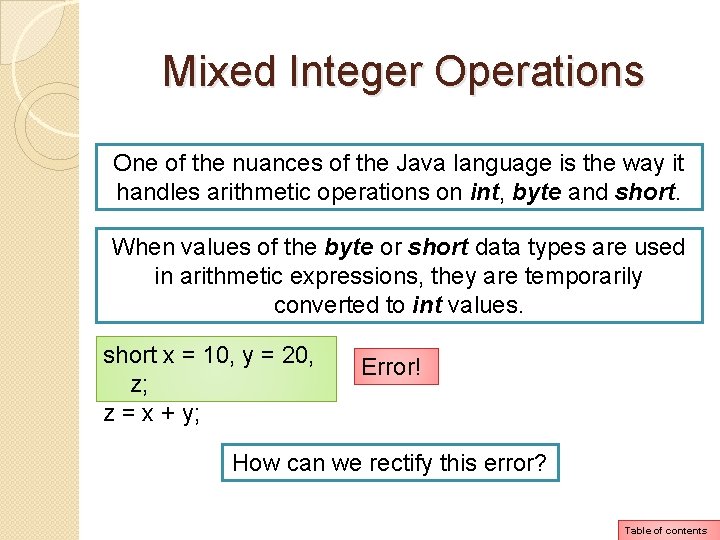
Mixed Integer Operations One of the nuances of the Java language is the way it handles arithmetic operations on int, byte and short. When values of the byte or short data types are used in arithmetic expressions, they are temporarily converted to int values. short x = 10, y = 20, z; z = x + y; Error! How can we rectify this error? Table of contents
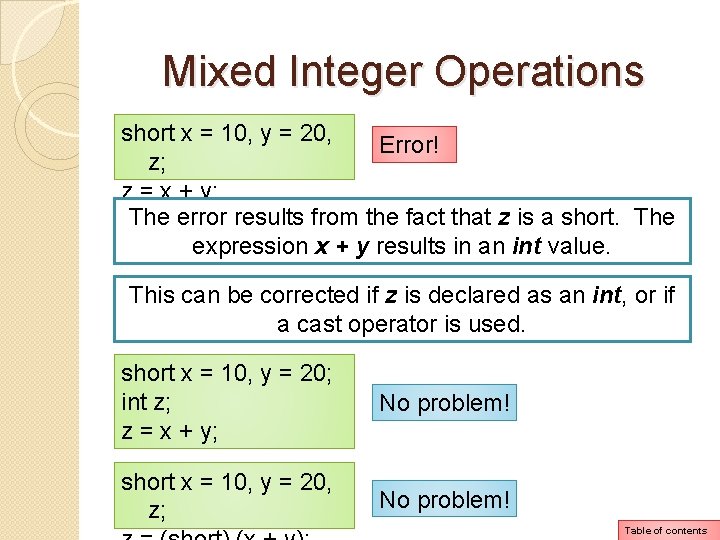
Mixed Integer Operations short x = 10, y = 20, Error! z; z = x + y; The error results from the fact that z is a short. The expression x + y results in an int value. This can be corrected if z is declared as an int, or if a cast operator is used. short x = 10, y = 20; int z; z = x + y; No problem! short x = 10, y = 20, z; No problem! Table of contents
Other Mixed Mathematical Expressions Please read pages 91 and 92. Table of contents
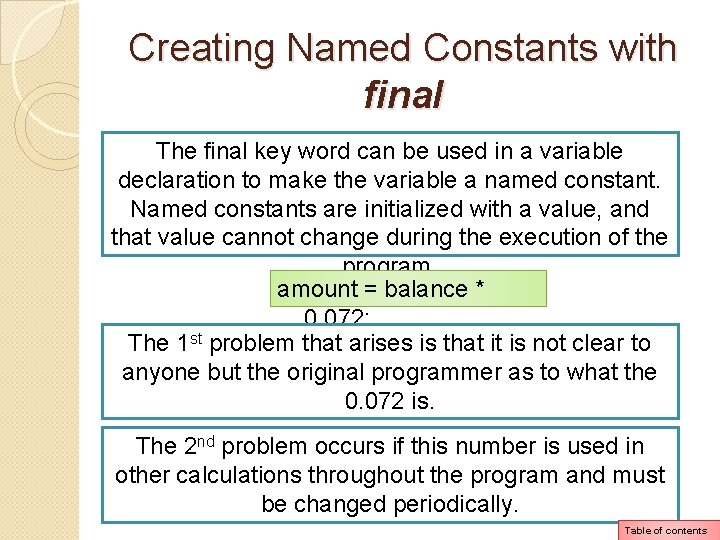
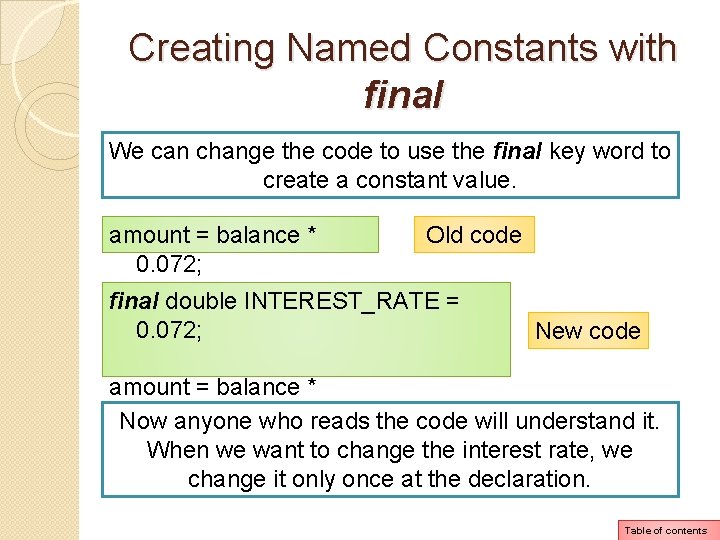
Creating Named Constants with final The final key word can be used in a variable declaration to make the variable a named constant. Named constants are initialized with a value, and that value cannot change during the execution of the program. amount = balance * 0. 072; The 1 st problem that arises is that it is not clear to anyone but the original programmer as to what the 0. 072 is. The 2 nd problem occurs if this number is used in other calculations throughout the program and must be changed periodically. Table of contents
Creating Named Constants with final We can change the code to use the final key word to create a constant value. amount = balance * 0. 072; Old code final double INTEREST_RATE = 0. 072; New code amount = balance * INTEREST_RATE; Now anyone who reads the code will understand it. When we want to change the interest rate, we change it only once at the declaration. Table of contents
The String Class The String class allows you to create objects for holding strings. It also has various methods that allow you to work with strings. A string is a sequence of characters. It can be used to present any type of data that contains text. String literals are enclosed in double quotation marks. Java does not have a primitive data type for storing strings in memory. The Java API provides a class for handling strings. You use this class to create objects that are capable of storing strings and performing operations on them. Table of contents
The String Class Earlier we introduced you to objects as software entities that can contain attributes and methods. An object’s attributes are data values that are stored in the object. An object’s methods are procedures that perform operations on the object’s attributes. Think of a class as a blueprint that objects may be created from. So a class is not an object, but a description of an object. When the program is running, it can use the class to create, in memory, as many objects as needed. Table of contents
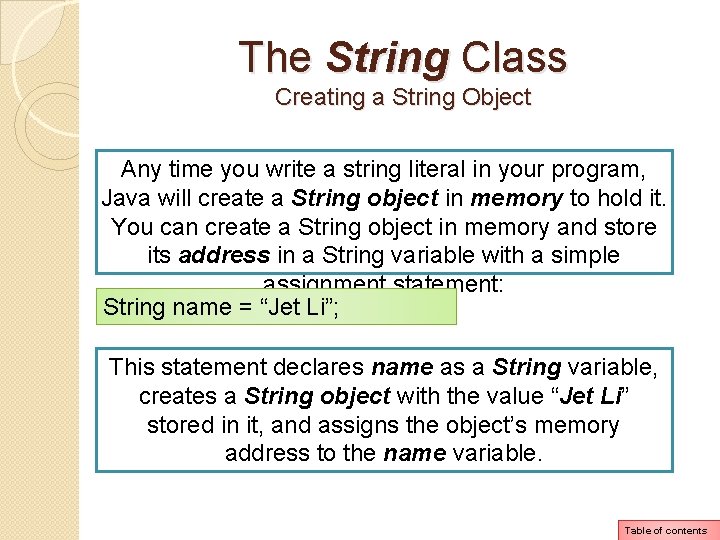
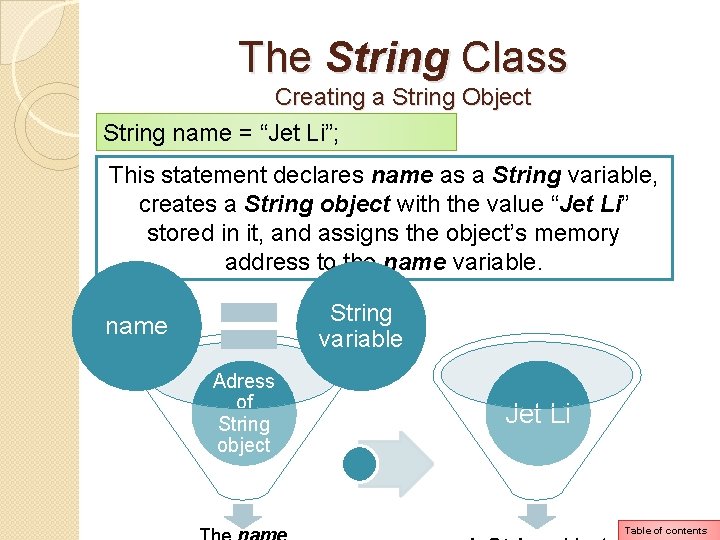
The String Class Creating a String Object Any time you write a string literal in your program, Java will create a String object in memory to hold it. You can create a String object in memory and store its address in a String variable with a simple assignment statement: String name = “Jet Li”; This statement declares name as a String variable, creates a String object with the value “Jet Li” stored in it, and assigns the object’s memory address to the name variable. Table of contents
The String Class Creating a String Object String name = “Jet Li”; This statement declares name as a String variable, creates a String object with the value “Jet Li” stored in it, and assigns the object’s memory address to the name variable. String variable name Adress of String object Jet Li Table of contents
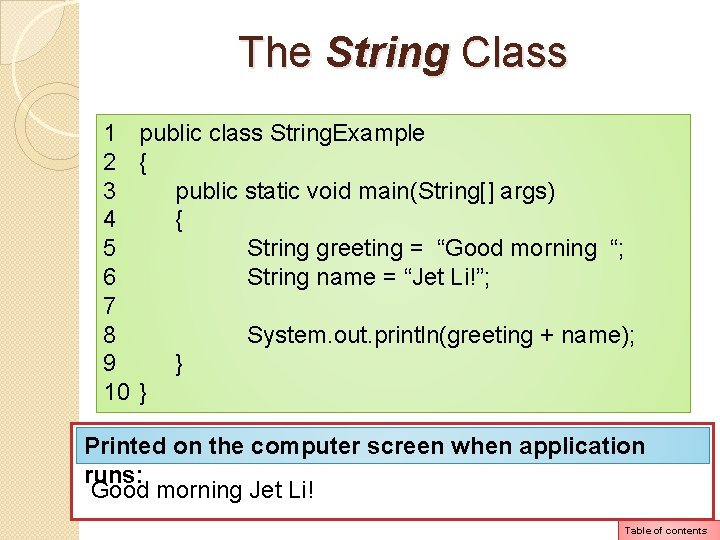
The String Class 1 public class String. Example 2 { 3 public static void main(String[] args) 4 { 5 String greeting = “Good morning “; 6 String name = “Jet Li!”; 7 8 System. out. println(greeting + name); 9 } 10 } Printed on the computer screen when application runs: Good morning Jet Li! Table of contents
The String Class String Methods Because the String type is a class instead of a primitive data type, it provides numerous methods for working with strings. Table of contents
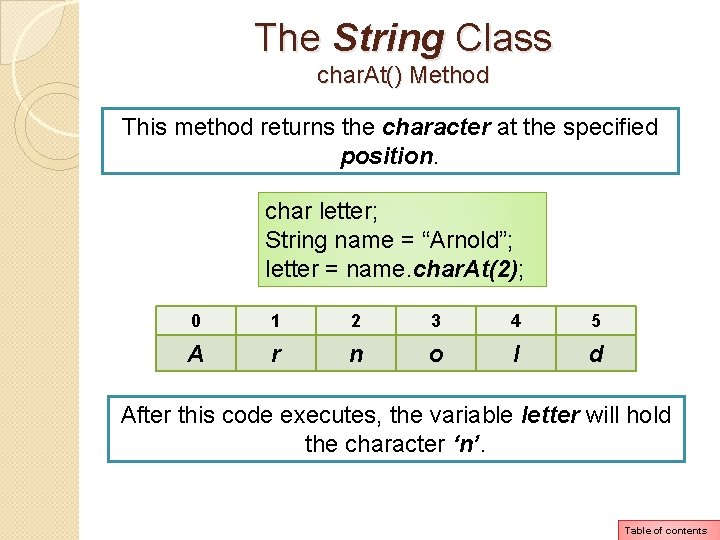
The String Class char. At() Method This method returns the character at the specified position. char letter; String name = “Arnold”; letter = name. char. At(2); 0 1 2 3 4 5 A r n o l d After this code executes, the variable letter will hold the character ‘n’. Table of contents
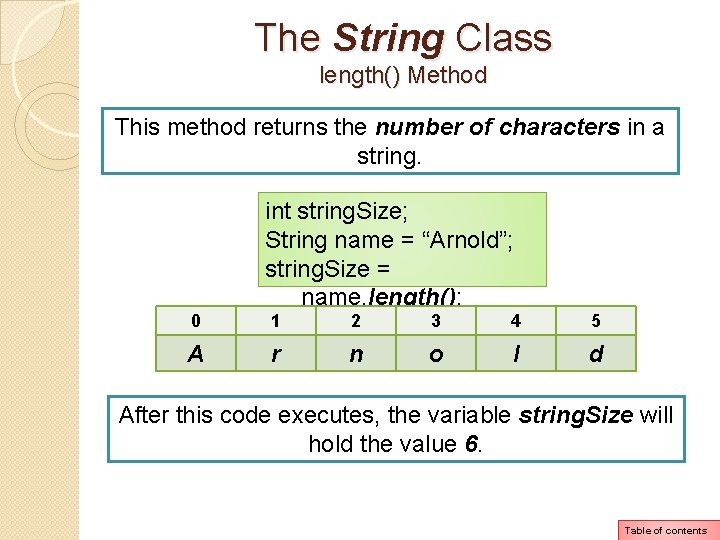
The String Class length() Method This method returns the number of characters in a string. int string. Size; String name = “Arnold”; string. Size = name. length(); 0 1 2 3 4 5 A r n o l d After this code executes, the variable string. Size will hold the value 6. Table of contents
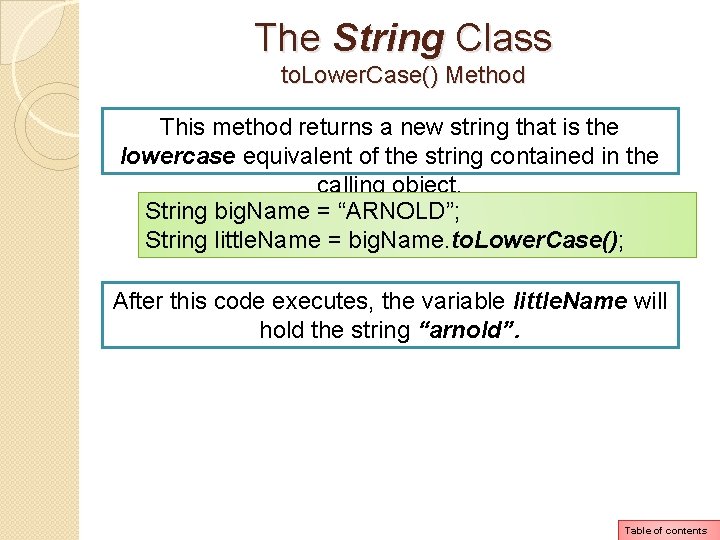
The String Class to. Lower. Case() Method This method returns a new string that is the lowercase equivalent of the string contained in the calling object. String big. Name = “ARNOLD”; String little. Name = big. Name. to. Lower. Case(); After this code executes, the variable little. Name will hold the string “arnold”. Table of contents
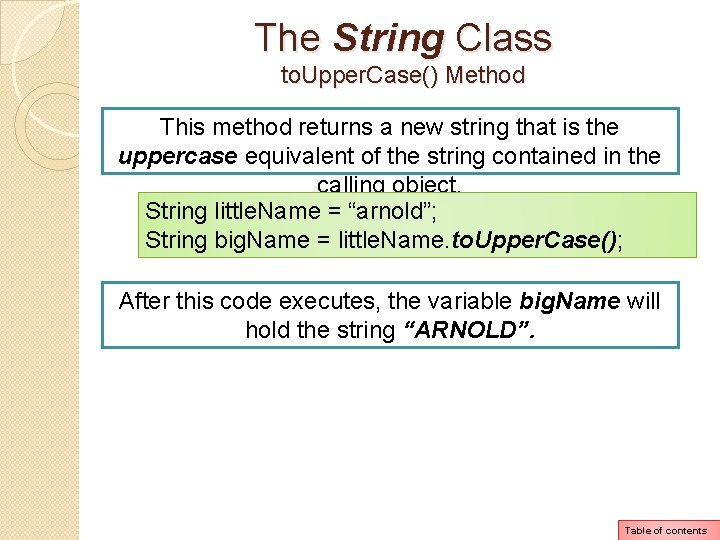
The String Class to. Upper. Case() Method This method returns a new string that is the uppercase equivalent of the string contained in the calling object. String little. Name = “arnold”; String big. Name = little. Name. to. Upper. Case(); After this code executes, the variable big. Name will hold the string “ARNOLD”. Table of contents
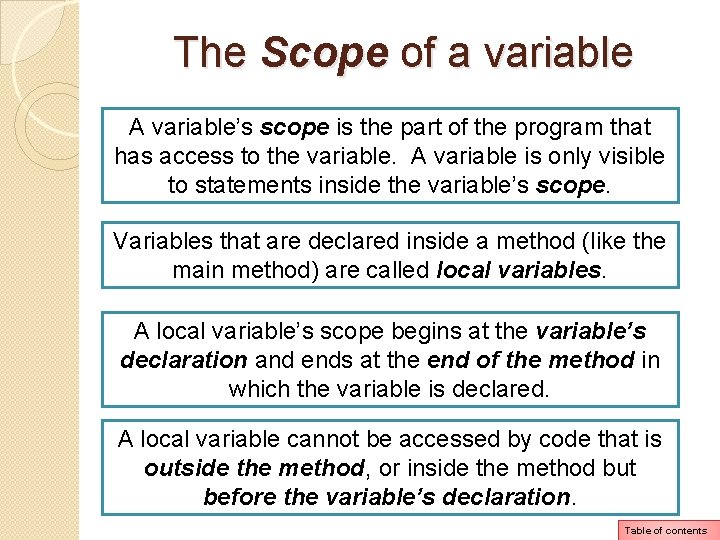
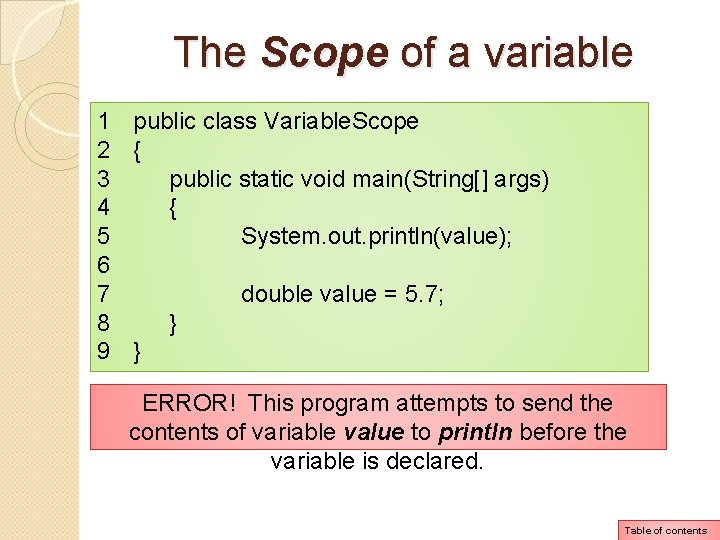
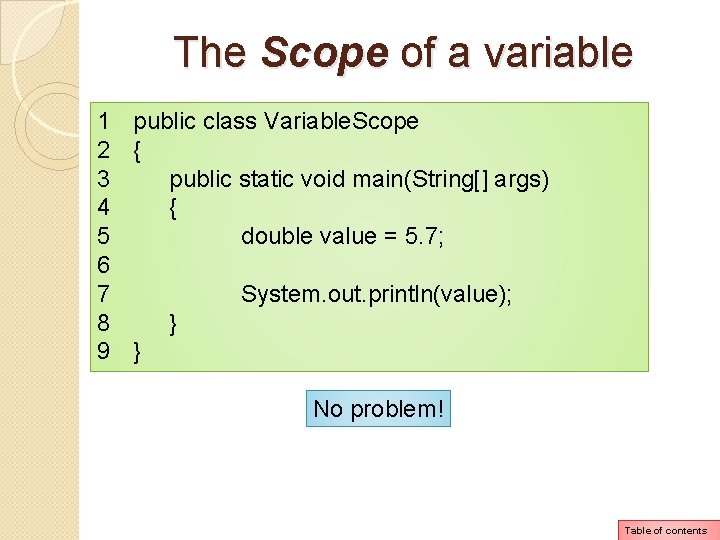
The Scope of a variable A variable’s scope is the part of the program that has access to the variable. A variable is only visible to statements inside the variable’s scope. Variables that are declared inside a method (like the main method) are called local variables. A local variable’s scope begins at the variable’s declaration and ends at the end of the method in which the variable is declared. A local variable cannot be accessed by code that is outside the method, or inside the method but before the variable’s declaration. Table of contents
The Scope of a variable 1 public class Variable. Scope 2 { 3 public static void main(String[] args) 4 { 5 System. out. println(value); 6 7 double value = 5. 7; 8 } 9 } ERROR! This program attempts to send the contents of variable value to println before the variable is declared. Table of contents
The Scope of a variable 1 public class Variable. Scope 2 { 3 public static void main(String[] args) 4 { 5 double value = 5. 7; 6 7 System. out. println(value); 8 } 9 } No problem! Table of contents
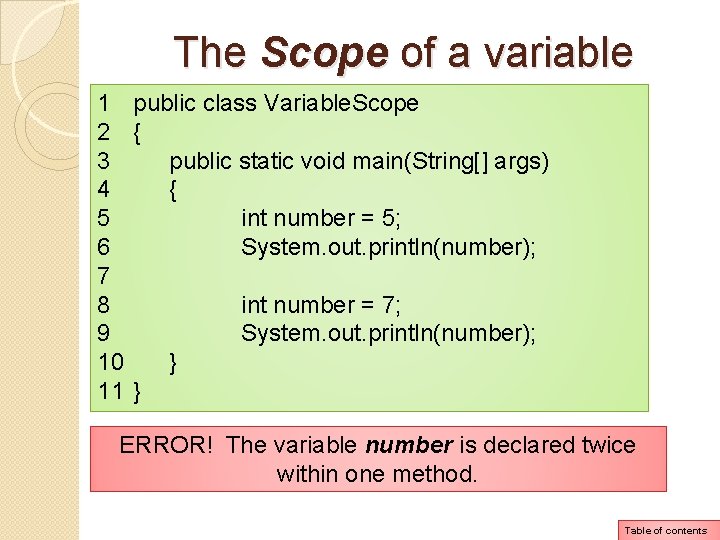
The Scope of a variable Another rule you must remember about local variables is that you cannot have two local variables with the same name in the same scope. Table of contents
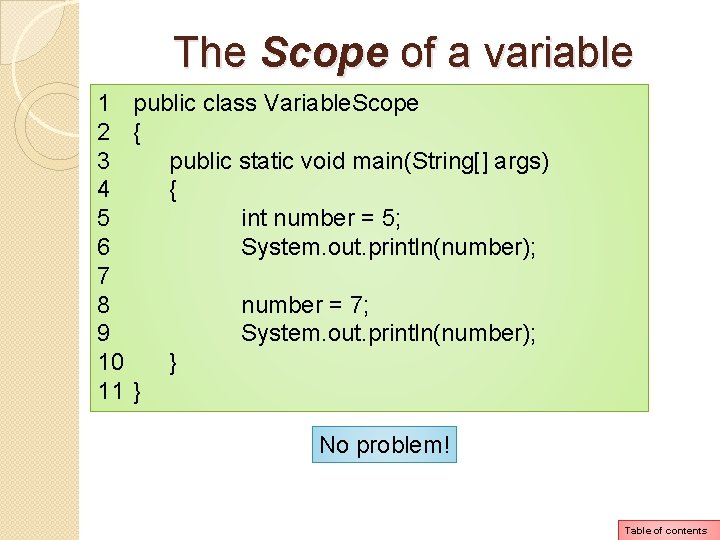
The Scope of a variable 1 public class Variable. Scope 2 { 3 public static void main(String[] args) 4 { 5 int number = 5; 6 System. out. println(number); 7 8 int number = 7; 9 System. out. println(number); 10 } 11 } ERROR! The variable number is declared twice within one method. Table of contents
The Scope of a variable 1 public class Variable. Scope 2 { 3 public static void main(String[] args) 4 { 5 int number = 5; 6 System. out. println(number); 7 8 number = 7; 9 System. out. println(number); 10 } 11 } No problem! Table of contents
Comments are notes of explanation that document lines or sections of a program. Comments are part of the program, but the compiler ignores them. They are intended for people who may be reading the source code. Table of contents
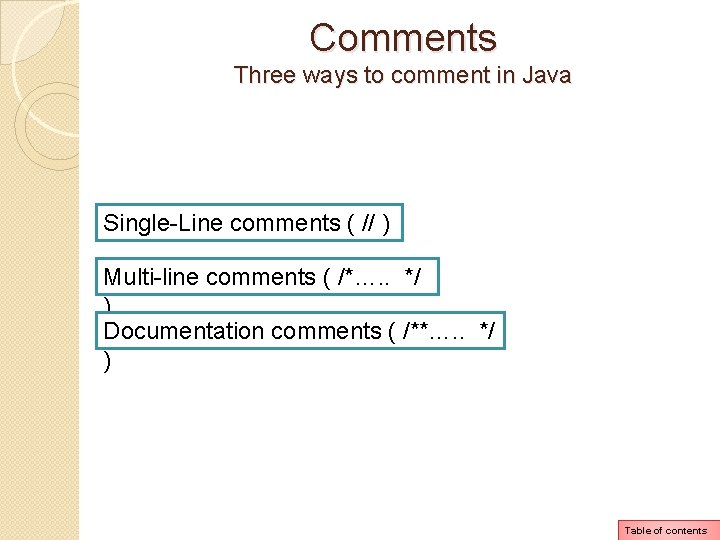
Comments Three ways to comment in Java Single-Line comments ( // ) Multi-line comments ( /*…. . */ ) Documentation comments ( /**…. . */ ) Table of contents
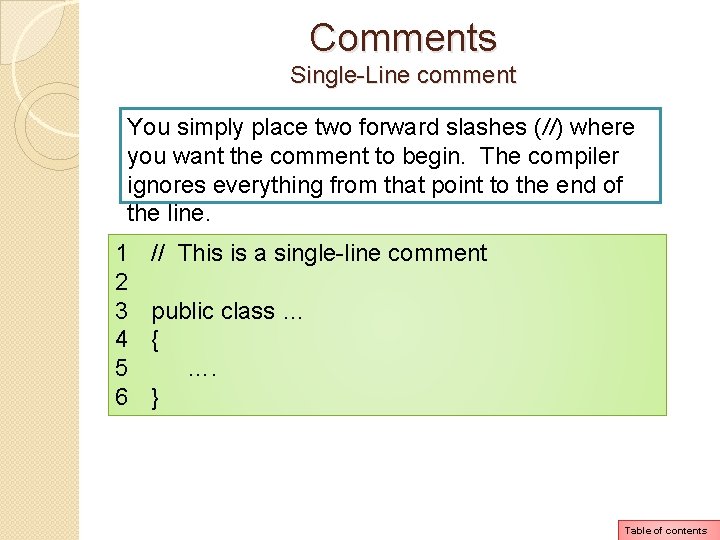
Comments Single-Line comment You simply place two forward slashes (//) where you want the comment to begin. The compiler ignores everything from that point to the end of the line. 1 2 3 4 5 6 // This is a single-line comment public class … { …. } Table of contents
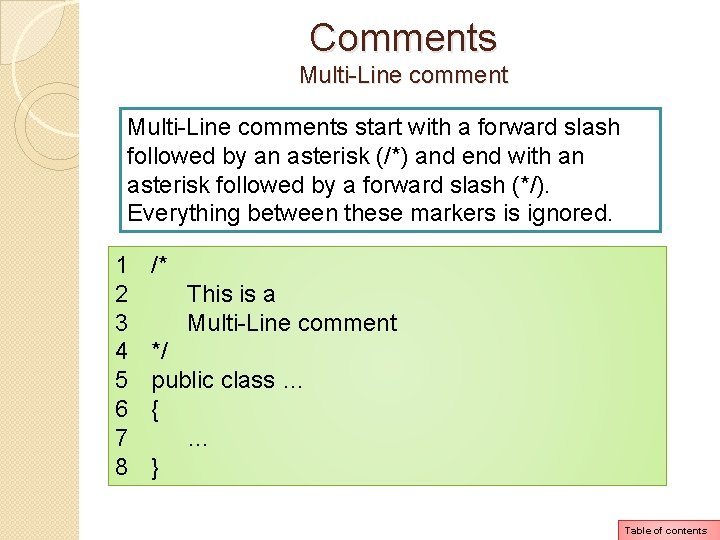
Comments Multi-Line comments start with a forward slash followed by an asterisk (/*) and end with an asterisk followed by a forward slash (*/). Everything between these markers is ignored. 1 2 3 4 5 6 7 8 /* This is a Multi-Line comment */ public class … { … } Table of contents
Comments Documentation comments starts with /** and ends with */. Normally you write a documentation comment just before class and method headers, giving a brief description of the class or method. These comments can be read and processed by a program named javadoc, which comes with the Sun JDK. The purpose of the javadoc program is to read Java source code files and generate attractively formatted HTML files that document the source code. Please read pages 103, 104, 105 Table of contents
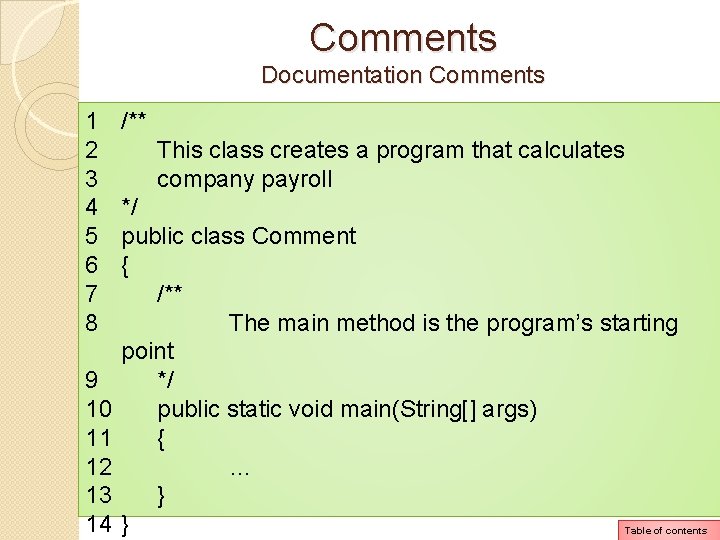
Comments Documentation Comments 1 2 3 4 5 6 7 8 9 10 11 12 13 14 /** This class creates a program that calculates company payroll */ public class Comment { /** The main method is the program’s starting point */ public static void main(String[] args) { … } } Table of contents
Programming Style Please read pages 106 and 107 Table of contents
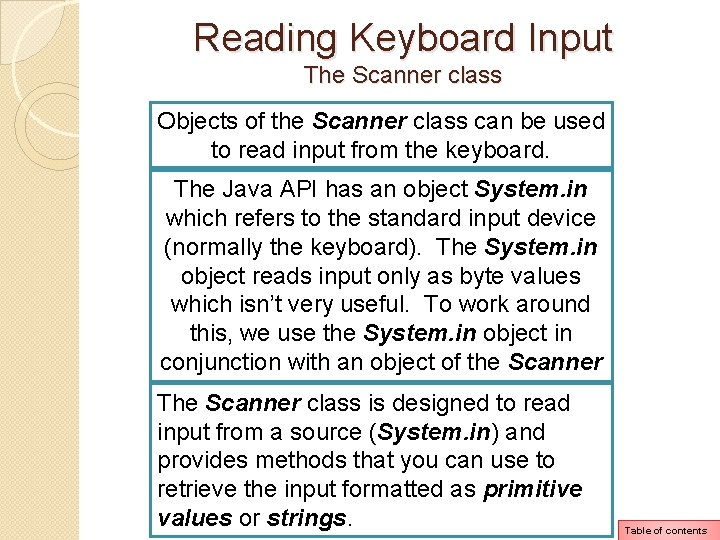
Reading Keyboard Input The Scanner class Objects of the Scanner class can be used to read input from the keyboard. The Java API has an object System. in which refers to the standard input device (normally the keyboard). The System. in object reads input only as byte values which isn’t very useful. To work around this, we use the System. in object in conjunction with an object of the Scanner The Scanner class. is designed to read input from a source (System. in) and provides methods that you can use to retrieve the input formatted as primitive values or strings. Table of contents
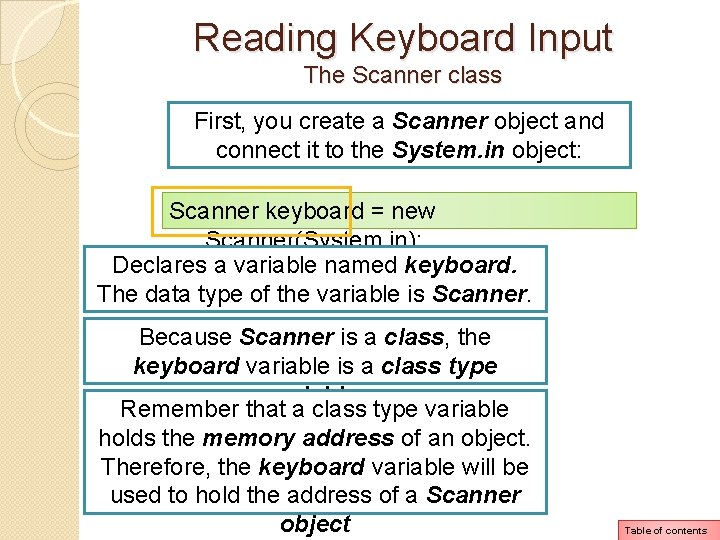
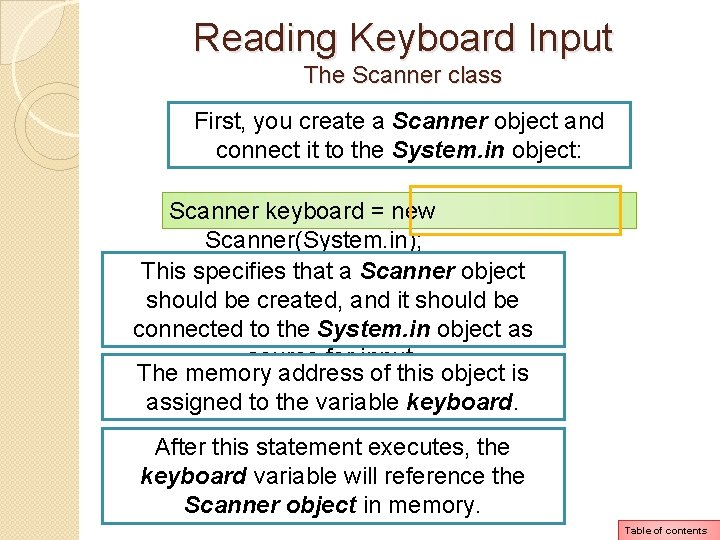
Reading Keyboard Input The Scanner class First, you create a Scanner object and connect it to the System. in object: Scanner keyboard = new Scanner(System. in); Declares a variable named keyboard. The data type of the variable is Scanner. Because Scanner is a class, the keyboard variable is a class type variable. Remember that a class type variable holds the memory address of an object. Therefore, the keyboard variable will be used to hold the address of a Scanner object Table of contents
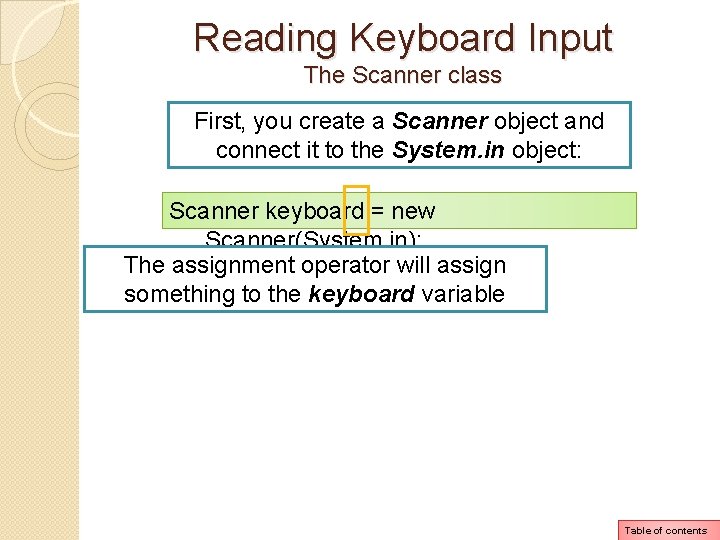
Reading Keyboard Input The Scanner class First, you create a Scanner object and connect it to the System. in object: Scanner keyboard = new Scanner(System. in); The assignment operator will assign something to the keyboard variable Table of contents
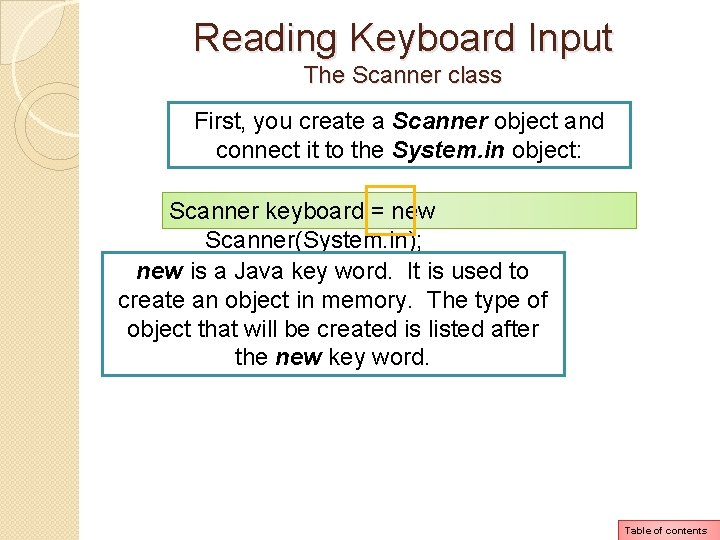
Reading Keyboard Input The Scanner class First, you create a Scanner object and connect it to the System. in object: Scanner keyboard = new Scanner(System. in); new is a Java key word. It is used to create an object in memory. The type of object that will be created is listed after the new key word. Table of contents
Reading Keyboard Input The Scanner class First, you create a Scanner object and connect it to the System. in object: Scanner keyboard = new Scanner(System. in); This specifies that a Scanner object should be created, and it should be connected to the System. in object as source for input. The memory address of this object is assigned to the variable keyboard. After this statement executes, the keyboard variable will reference the Scanner object in memory. Table of contents
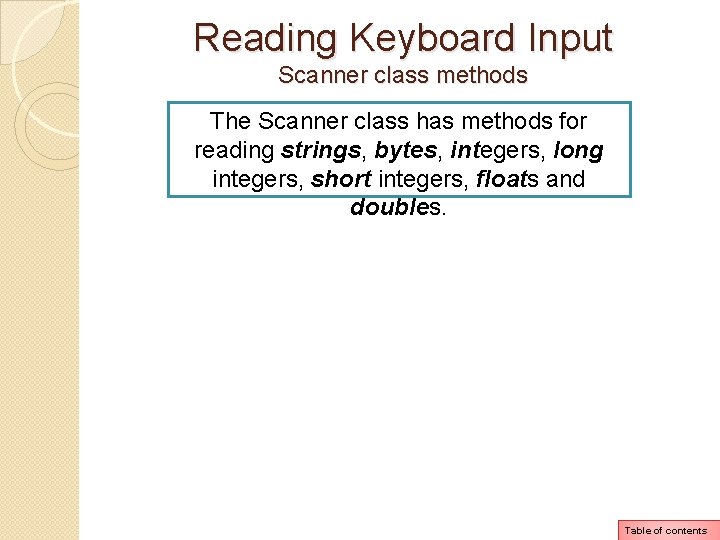
Reading Keyboard Input Scanner class methods The Scanner class has methods for reading strings, bytes, integers, long integers, short integers, floats and doubles. Table of contents
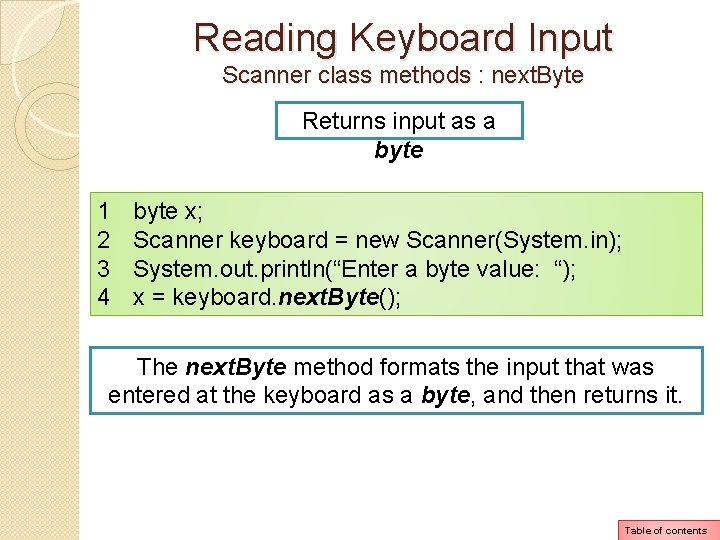
Reading Keyboard Input Scanner class methods : next. Byte Returns input as a byte 1 2 3 4 byte x; Scanner keyboard = new Scanner(System. in); System. out. println(“Enter a byte value: “); x = keyboard. next. Byte(); The next. Byte method formats the input that was entered at the keyboard as a byte, and then returns it. Table of contents
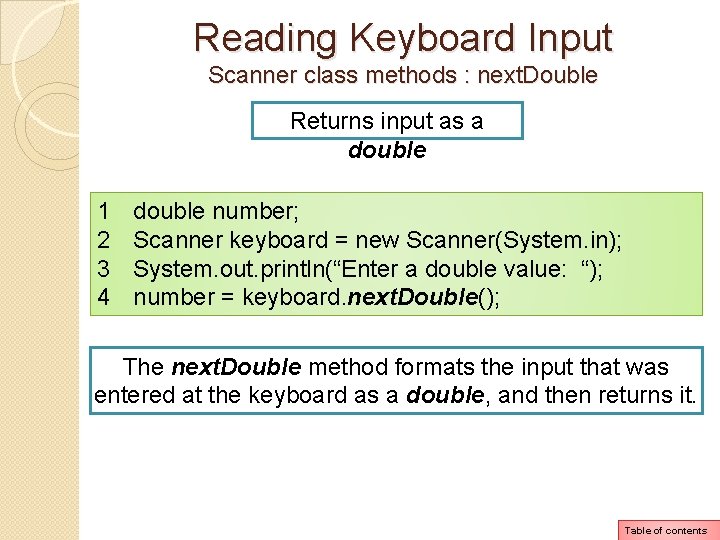
Reading Keyboard Input Scanner class methods : next. Double Returns input as a double 1 2 3 4 double number; Scanner keyboard = new Scanner(System. in); System. out. println(“Enter a double value: “); number = keyboard. next. Double(); The next. Double method formats the input that was entered at the keyboard as a double, and then returns it. Table of contents
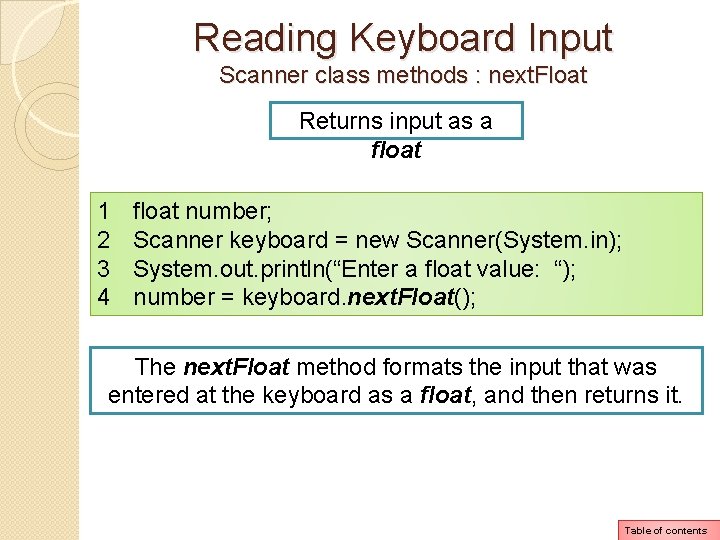
Reading Keyboard Input Scanner class methods : next. Float Returns input as a float 1 2 3 4 float number; Scanner keyboard = new Scanner(System. in); System. out. println(“Enter a float value: “); number = keyboard. next. Float(); The next. Float method formats the input that was entered at the keyboard as a float, and then returns it. Table of contents
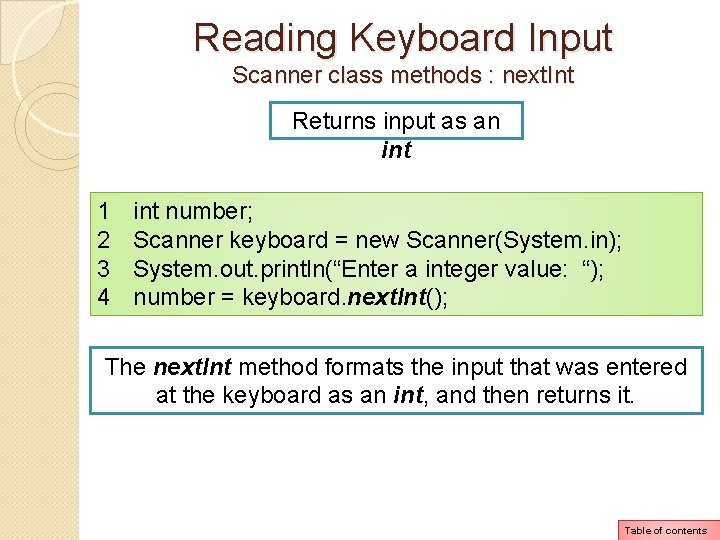
Reading Keyboard Input Scanner class methods : next. Int Returns input as an int 1 2 3 4 int number; Scanner keyboard = new Scanner(System. in); System. out. println(“Enter a integer value: “); number = keyboard. next. Int(); The next. Int method formats the input that was entered at the keyboard as an int, and then returns it. Table of contents
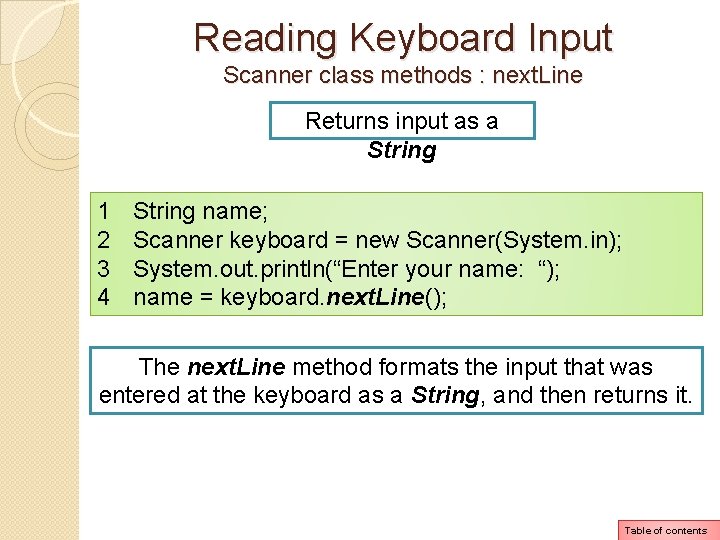
Reading Keyboard Input Scanner class methods : next. Line Returns input as a String 1 2 3 4 String name; Scanner keyboard = new Scanner(System. in); System. out. println(“Enter your name: “); name = keyboard. next. Line(); The next. Line method formats the input that was entered at the keyboard as a String, and then returns it. Table of contents
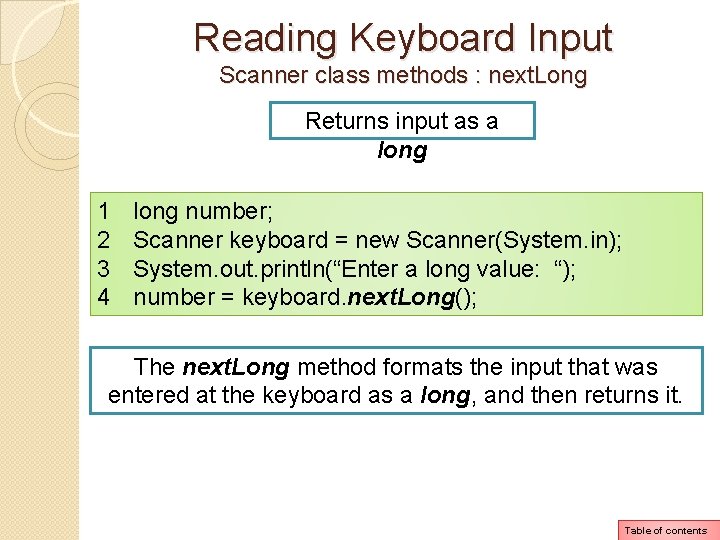
Reading Keyboard Input Scanner class methods : next. Long Returns input as a long 1 2 3 4 long number; Scanner keyboard = new Scanner(System. in); System. out. println(“Enter a long value: “); number = keyboard. next. Long(); The next. Long method formats the input that was entered at the keyboard as a long, and then returns it. Table of contents
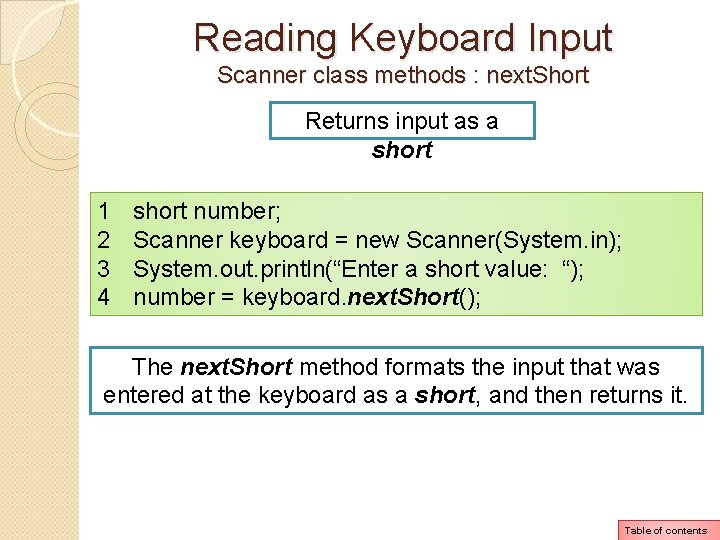
Reading Keyboard Input Scanner class methods : next. Short Returns input as a short 1 2 3 4 short number; Scanner keyboard = new Scanner(System. in); System. out. println(“Enter a short value: “); number = keyboard. next. Short(); The next. Short method formats the input that was entered at the keyboard as a short, and then returns it. Table of contents
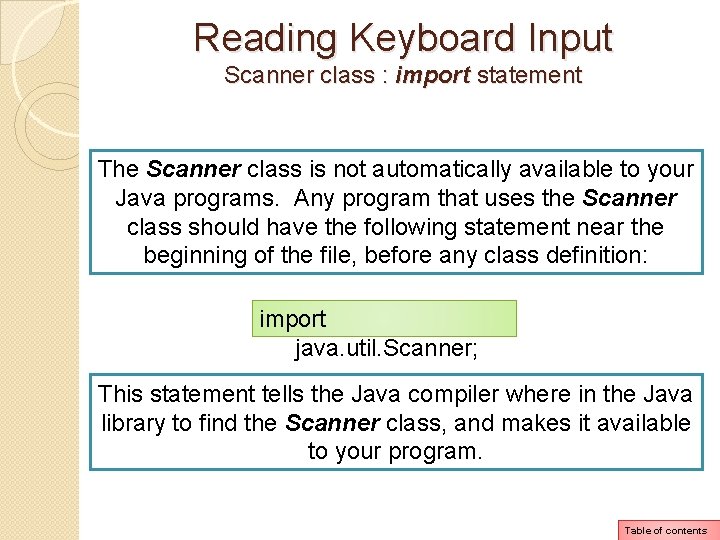
Reading Keyboard Input Scanner class : import statement The Scanner class is not automatically available to your Java programs. Any program that uses the Scanner class should have the following statement near the beginning of the file, before any class definition: import java. util. Scanner; This statement tells the Java compiler where in the Java library to find the Scanner class, and makes it available to your program. Table of contents
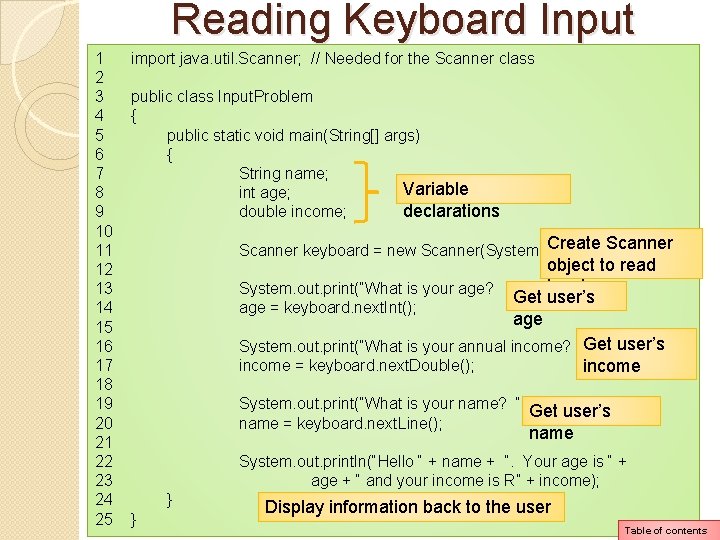
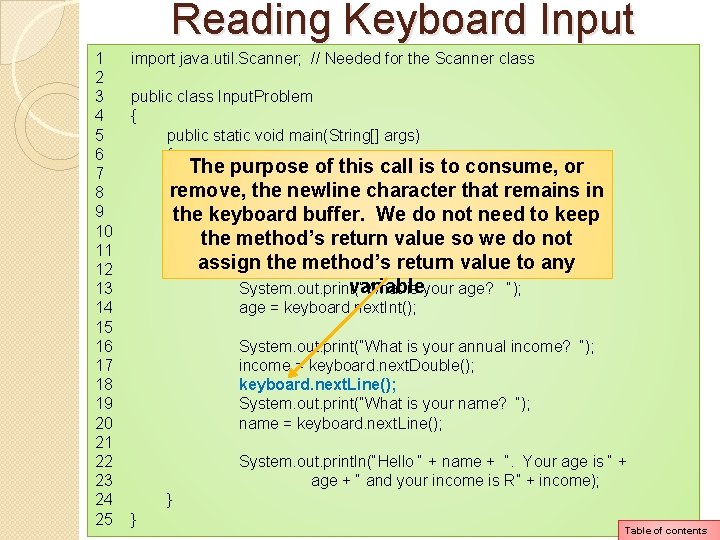
Reading Keyboard Input 1 2 3 4 5 6 7 8 9 10 11 12 13 14 15 16 17 18 19 20 21 22 23 24 25 import java. util. Scanner; // Needed for the Scanner class public class Input. Problem { public static void main(String[] args) { String name; Variable int age; declarations double income; Create Scanner keyboard = new Scanner(System. in); object to read input System. out. print(“What is your age? “); Get user’s age = keyboard. next. Int(); age Get user’s System. out. print(“What is your annual income? “); income = keyboard. next. Double(); income System. out. print(“What is your name? “); Get user’s name = keyboard. next. Line(); name System. out. println(“Hello “ + name + “. Your age is “ + age + “ and your income is R” + income); } } Display information back to the user Table of contents
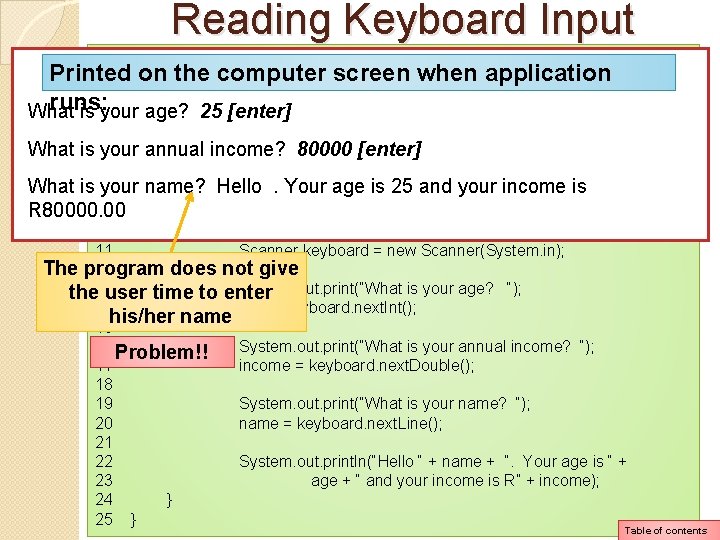
Reading Keyboard Input 1 import java. util. Scanner; // Needed for the Scanner class Printed on the computer screen when application 2 3 public class Input. Problem runs: What is 4 your{ age? 25 [enter] 5 public static void main(String[] args) What is 6 your annual income? 80000 [enter] { 7 String name; What is 8 your name? Hello. Your age is 25 and your income is int age; R 80000. 00 9 double income; 10 11 Scanner keyboard = new Scanner(System. in); The program does not give 12 System. out. print(“What is your age? “); the 13 user time to enter 14 age = keyboard. next. Int(); his/her name 15 16 Problem!! System. out. print(“What is your annual income? “); 17 income = keyboard. next. Double(); 18 19 System. out. print(“What is your name? “); 20 name = keyboard. next. Line(); 21 22 System. out. println(“Hello “ + name + “. Your age is “ + 23 age + “ and your income is R” + income); 24 } 25 } Table of contents
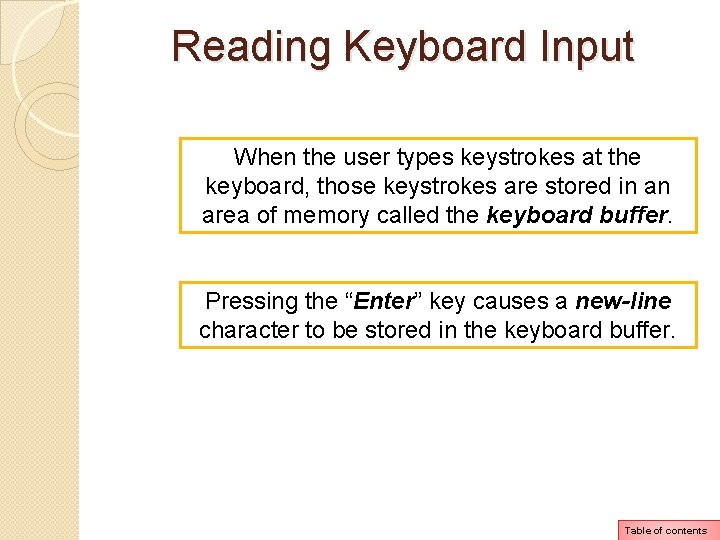
Reading Keyboard Input When the user types keystrokes at the keyboard, those keystrokes are stored in an area of memory called the keyboard buffer. Pressing the “Enter” key causes a new-line character to be stored in the keyboard buffer. Table of contents
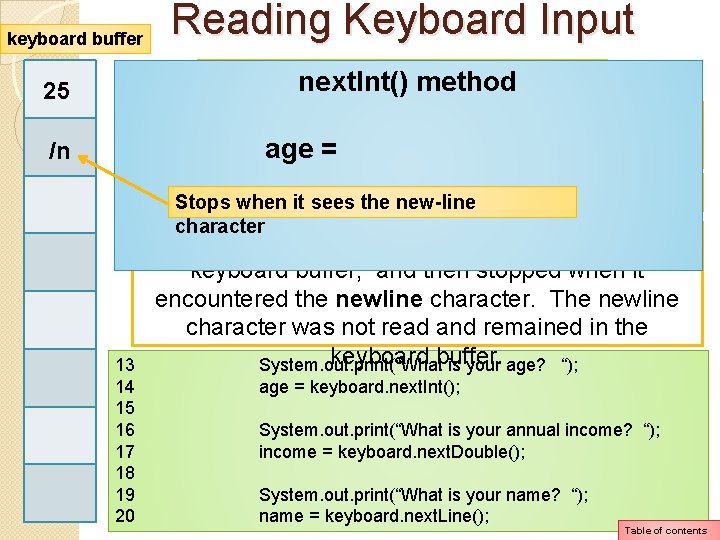
keyboard buffer Reading Keyboard Input The usernext. Int() was askedmethod to enter his/her age. The statement in line 14 called the next. Int() method to read age an integer from the keyboard buffer. = 25 /n The. Stops userwhen typedit 25 and pressed the “Enter” key sees thethen new-line character 13 14 15 16 17 18 19 20 The next. Int() method read the value 25 from the keyboard buffer, and then stopped when it encountered the newline character. The newline character was not read and remained in the keyboard buffer. System. out. print(“What is your age? “); age = keyboard. next. Int(); System. out. print(“What is your annual income? “); income = keyboard. next. Double(); System. out. print(“What is your name? “); name = keyboard. next. Line(); Table of contents
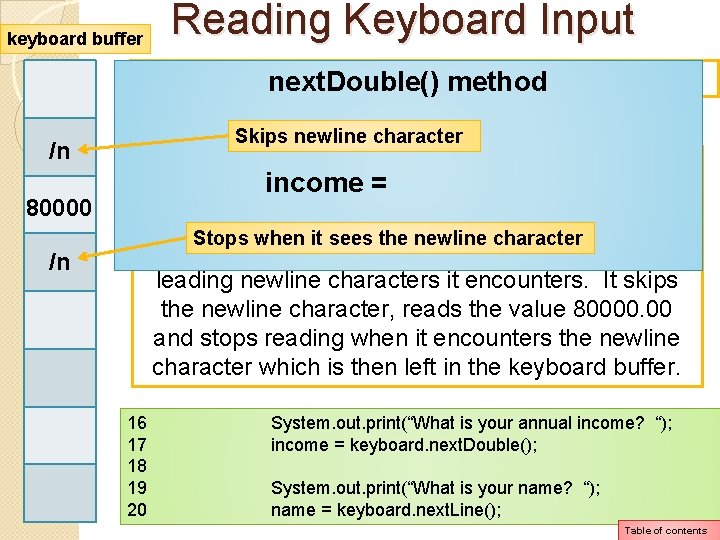
keyboard buffer Reading Keyboard Input Next the user was asked tomethod enter his/her annual next. Double() income The user typed 80000 and pressed the “Enter” key /n 80000 /n Skips newline character When the next. Double() method in line 17 executed, incomethe = new-line character that was it first encountered left behind. This does not cause a problem because Stops when it sees the newline character the next. Double() method is designed to skip any leading newline characters it encounters. It skips the newline character, reads the value 80000. 00 and stops reading when it encounters the newline character which is then left in the keyboard buffer. 16 17 18 19 20 System. out. print(“What is your annual income? “); income = keyboard. next. Double(); System. out. print(“What is your name? “); name = keyboard. next. Line(); Table of contents
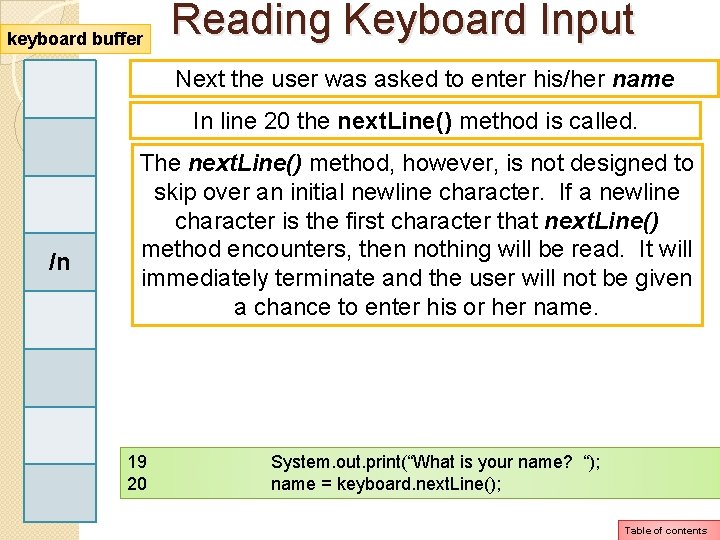
keyboard buffer Reading Keyboard Input Next the user was asked to enter his/her name In line 20 the next. Line() method is called. /n The next. Line() method, however, is not designed to skip over an initial newline character. If a newline character is the first character that next. Line() method encounters, then nothing will be read. It will immediately terminate and the user will not be given a chance to enter his or her name. 19 20 System. out. print(“What is your name? “); name = keyboard. next. Line(); Table of contents
Reading Keyboard Input 1 2 3 4 5 6 7 8 9 10 11 12 13 14 15 16 17 18 19 20 21 22 23 24 25 import java. util. Scanner; // Needed for the Scanner class public class Input. Problem { public static void main(String[] args) { The purpose of this call is to consume, or String name; remove, intthe age; newline character that remains in double income; the keyboard buffer. We do not need to keep the method’s return value so we do not Scanner keyboard = new Scanner(System. in); assign the method’s return value to any variable System. out. print(“What is your age? “); age = keyboard. next. Int(); System. out. print(“What is your annual income? “); income = keyboard. next. Double(); keyboard. next. Line(); System. out. print(“What is your name? “); name = keyboard. next. Line(); System. out. println(“Hello “ + name + “. Your age is “ + age + “ and your income is R” + income); } } Table of contents
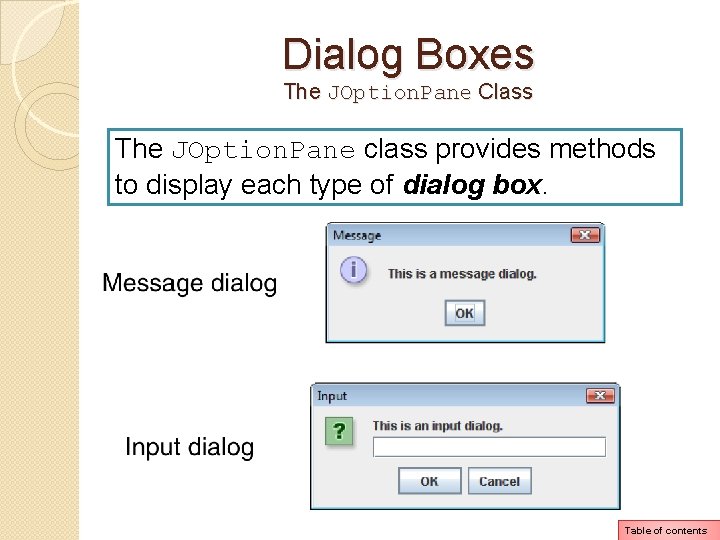
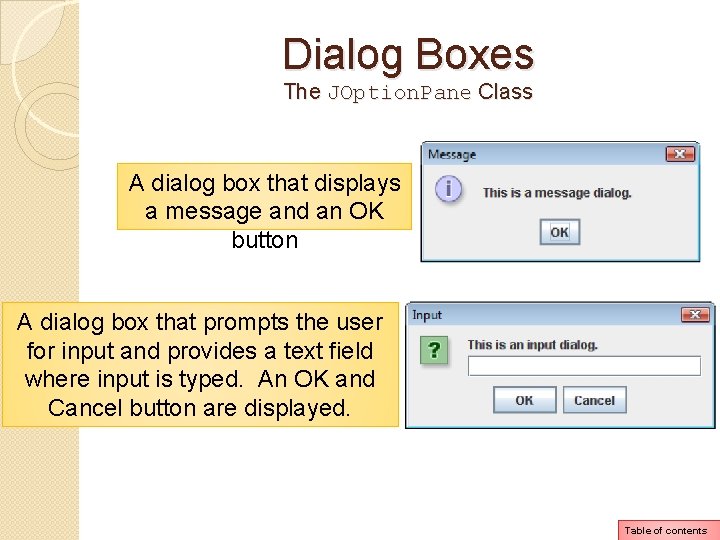
Dialog Boxes The JOption. Pane Class The JOption. Pane class provides methods to display each type of dialog box. Table of contents
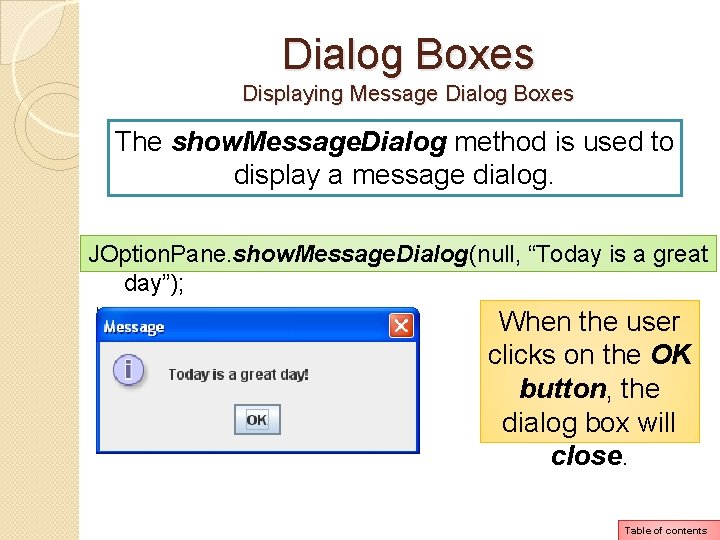
Dialog Boxes The JOption. Pane Class A dialog box that displays a message and an OK button A dialog box that prompts the user for input and provides a text field where input is typed. An OK and Cancel button are displayed. Table of contents
Dialog Boxes The JOption. Pane Class The JOption. Pane class is not automatically available to your Java programs. The class must be imported: import javax. swing. JOption. Pane; This statement tells the compiler where to find the JOption. Pane class and makes it available to your program. Table of contents
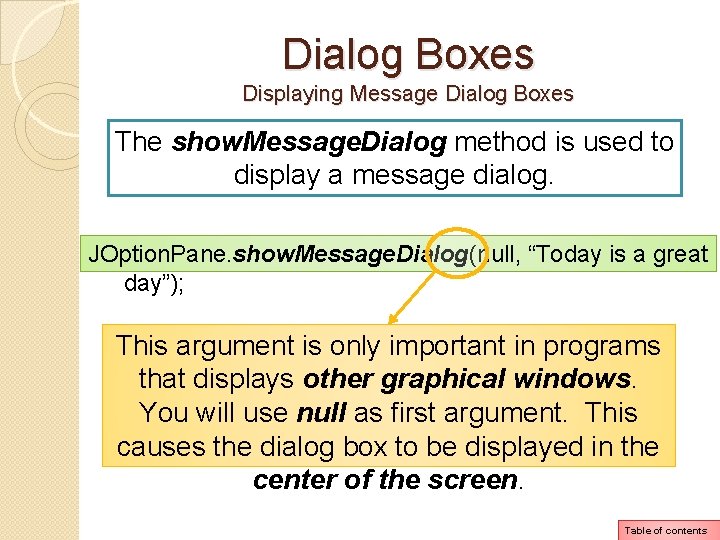
Dialog Boxes Displaying Message Dialog Boxes The show. Message. Dialog method is used to display a message dialog. JOption. Pane. show. Message. Dialog(null, “Today is a great day”); This argument is only important in programs that displays other graphical windows. You will use null as first argument. This causes the dialog box to be displayed in the center of the screen. Table of contents
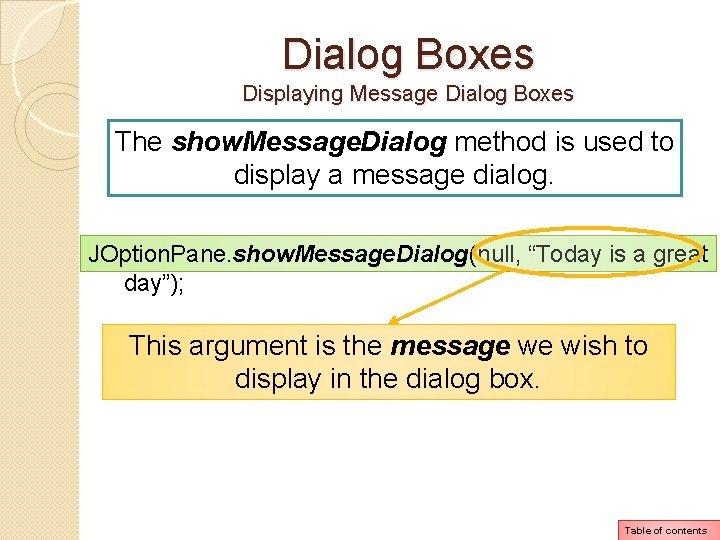
Dialog Boxes Displaying Message Dialog Boxes The show. Message. Dialog method is used to display a message dialog. JOption. Pane. show. Message. Dialog(null, “Today is a great day”); This argument is the message we wish to display in the dialog box. Table of contents
Dialog Boxes Displaying Message Dialog Boxes The show. Message. Dialog method is used to display a message dialog. JOption. Pane. show. Message. Dialog(null, “Today is a great day”); When the user clicks on the OK button, the dialog box will close. Table of contents
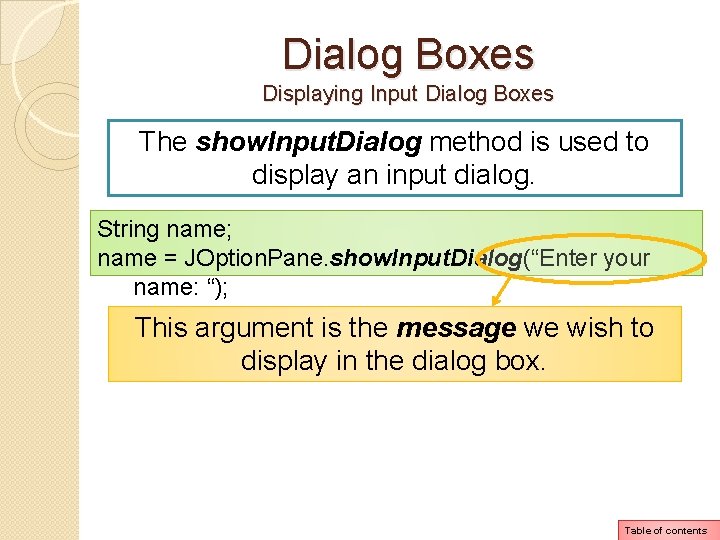
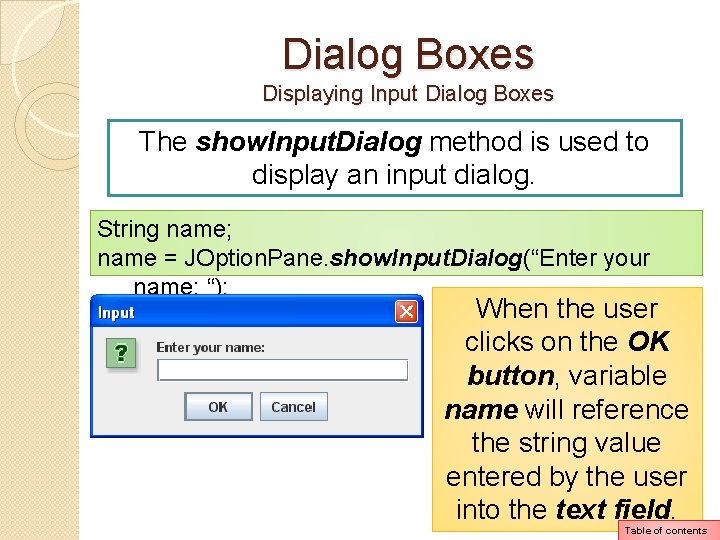
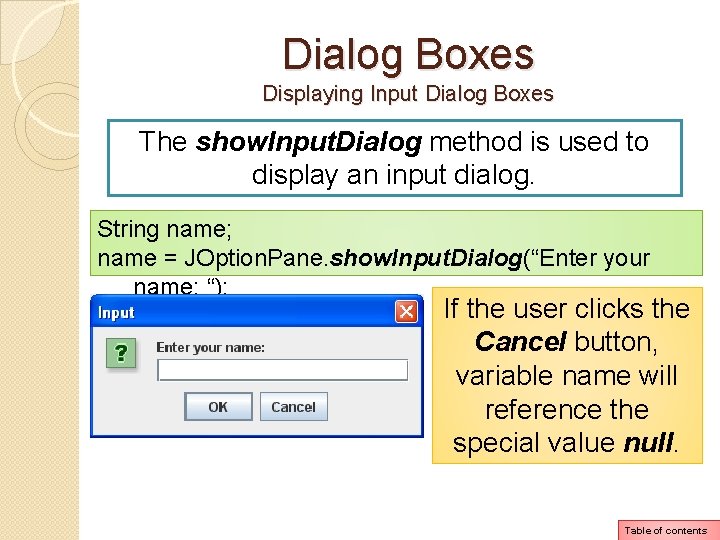
Dialog Boxes Displaying Input Dialog Boxes The show. Input. Dialog method is used to display an input dialog. String name; name = JOption. Pane. show. Input. Dialog(“Enter your name: “); This argument is the message we wish to display in the dialog box. Table of contents
Dialog Boxes Displaying Input Dialog Boxes The show. Input. Dialog method is used to display an input dialog. String name; name = JOption. Pane. show. Input. Dialog(“Enter your name: “); When the user clicks on the OK button, variable name will reference the string value entered by the user into the text field. Table of contents
Dialog Boxes Displaying Input Dialog Boxes The show. Input. Dialog method is used to display an input dialog. String name; name = JOption. Pane. show. Input. Dialog(“Enter your name: “); If the user clicks the Cancel button, variable name will reference the special value null. Table of contents
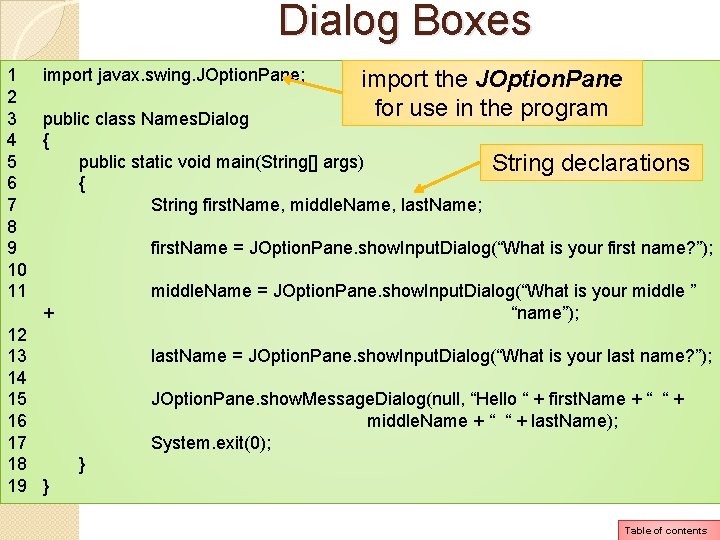
Dialog Boxes 1 import javax. swing. JOption. Pane; import the JOption. Pane 2 for use in the program 3 public class Names. Dialog 4 { 5 public static void main(String[] args) String declarations 6 { 7 String first. Name, middle. Name, last. Name; 8 9 first. Name = JOption. Pane. show. Input. Dialog(“What is your first name? ”); 10 11 middle. Name = JOption. Pane. show. Input. Dialog(“What is your middle ” + “name”); 12 13 last. Name = JOption. Pane. show. Input. Dialog(“What is your last name? ”); 14 15 JOption. Pane. show. Message. Dialog(null, “Hello “ + first. Name + “ “ + 16 middle. Name + “ “ + last. Name); 17 System. exit(0); 18 } 19 } Table of contents
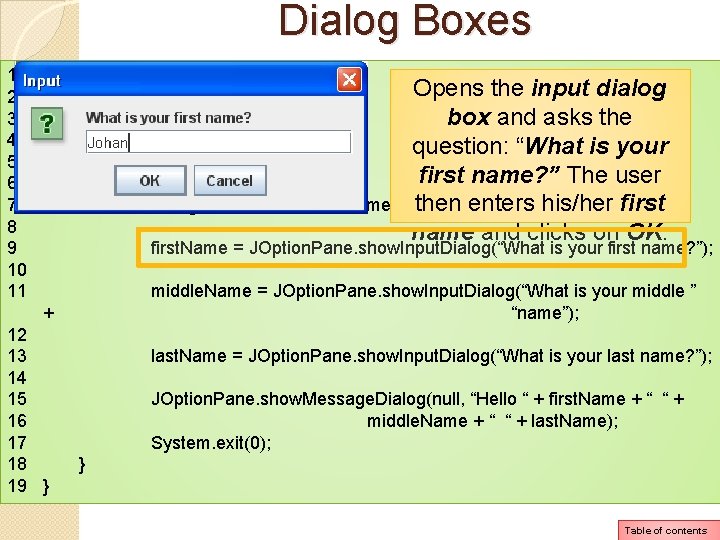
Dialog Boxes 1 import javax. swing. JOption. Pane; Opens the input dialog 2 3 public class Names. Dialog box and asks the 4 { question: “What is your 5 public static void main(String[] args) first name? ” The user 6 { 7 String first. Name, middle. Name, last. Name; then enters his/her first 8 name and clicks on OK. 9 first. Name = JOption. Pane. show. Input. Dialog(“What is your first name? ”); 10 11 middle. Name = JOption. Pane. show. Input. Dialog(“What is your middle ” + “name”); 12 13 last. Name = JOption. Pane. show. Input. Dialog(“What is your last name? ”); 14 15 JOption. Pane. show. Message. Dialog(null, “Hello “ + first. Name + “ “ + 16 middle. Name + “ “ + last. Name); 17 System. exit(0); 18 } 19 } Table of contents
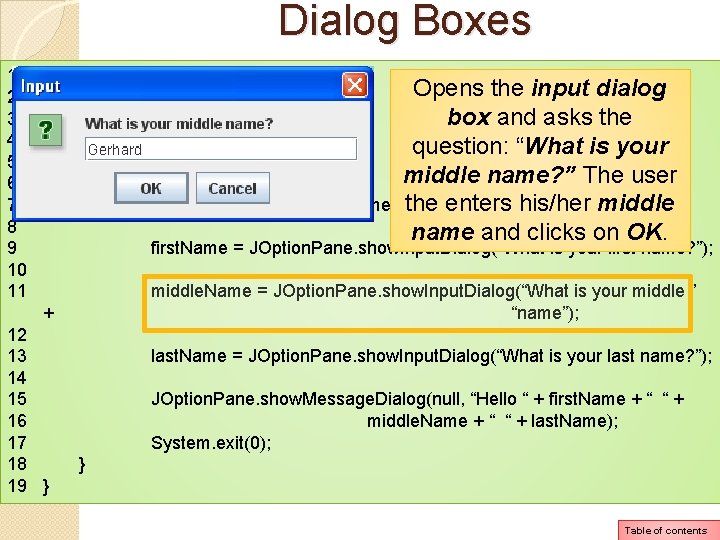
Dialog Boxes 1 import javax. swing. JOption. Pane; Opens the input dialog 2 3 public class Names. Dialog box and asks the 4 { question: “What is your 5 public static void main(String[] args) middle name? ” The user 6 { 7 String first. Name, middle. Name, last. Name; the enters his/her middle 8 name and clicks on OK. 9 first. Name = JOption. Pane. show. Input. Dialog(“What is your first name? ”); 10 11 middle. Name = JOption. Pane. show. Input. Dialog(“What is your middle ” + “name”); 12 13 last. Name = JOption. Pane. show. Input. Dialog(“What is your last name? ”); 14 15 JOption. Pane. show. Message. Dialog(null, “Hello “ + first. Name + “ “ + 16 middle. Name + “ “ + last. Name); 17 System. exit(0); 18 } 19 } Table of contents
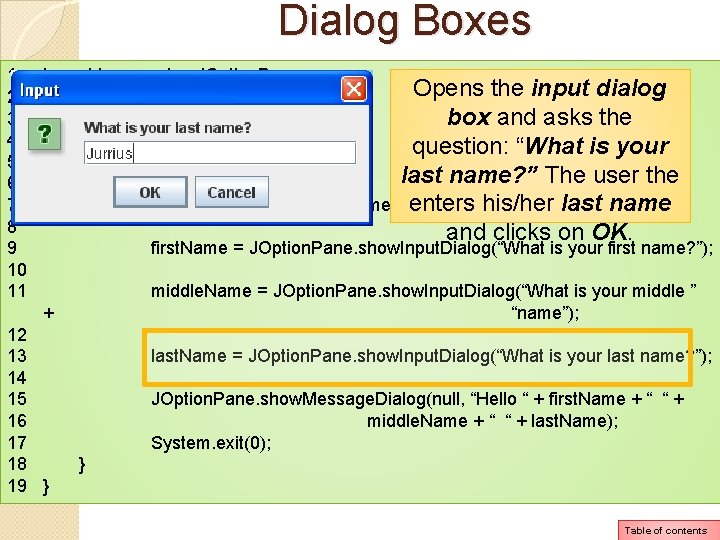
Dialog Boxes 1 import javax. swing. JOption. Pane; Opens the input dialog 2 3 public class Names. Dialog box and asks the 4 { question: “What is your 5 public static void main(String[] args) last name? ” The user the 6 { 7 String first. Name, middle. Name, last. Name; enters his/her last name 8 and clicks on OK. 9 first. Name = JOption. Pane. show. Input. Dialog(“What is your first name? ”); 10 11 middle. Name = JOption. Pane. show. Input. Dialog(“What is your middle ” + “name”); 12 13 last. Name = JOption. Pane. show. Input. Dialog(“What is your last name? ”); 14 15 JOption. Pane. show. Message. Dialog(null, “Hello “ + first. Name + “ “ + 16 middle. Name + “ “ + last. Name); 17 System. exit(0); 18 } 19 } Table of contents
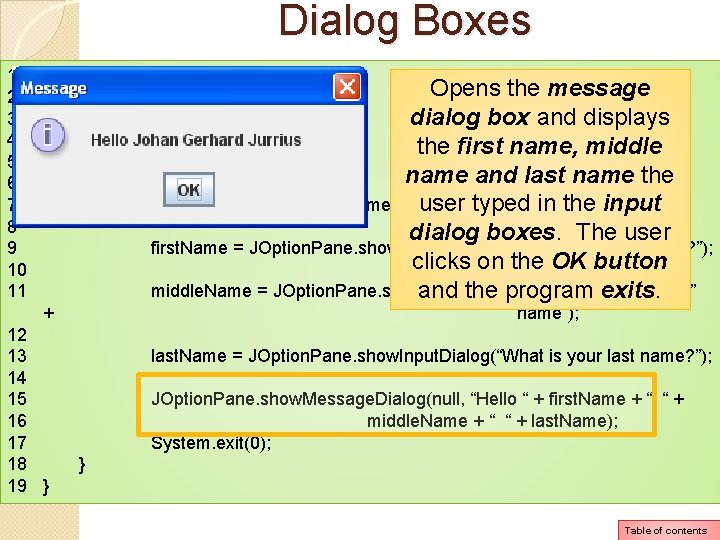
Dialog Boxes 1 import javax. swing. JOption. Pane; Opens the message 2 3 public class Names. Dialog dialog box and displays 4 { the first name, middle 5 public static void main(String[] args) name and last name the 6 { 7 String first. Name, middle. Name, last. Name; user typed in the input 8 dialog boxes. The user 9 first. Name = JOption. Pane. show. Input. Dialog(“What is your first name? ”); clicks on the OK button 10 11 middle. Name = JOption. Pane. show. Input. Dialog(“What is your middle ” and the program exits. + “name”); 12 13 last. Name = JOption. Pane. show. Input. Dialog(“What is your last name? ”); 14 15 JOption. Pane. show. Message. Dialog(null, “Hello “ + first. Name + “ “ + 16 middle. Name + “ “ + last. Name); 17 System. exit(0); 18 } 19 } Table of contents
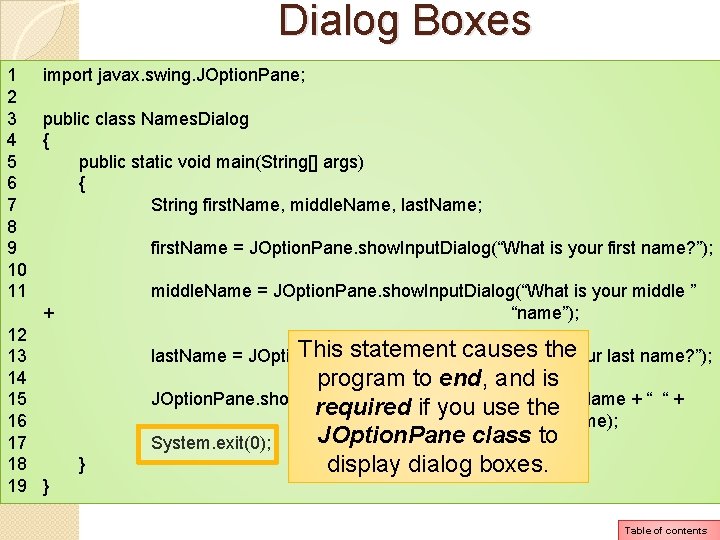
Dialog Boxes 1 import javax. swing. JOption. Pane; 2 3 public class Names. Dialog 4 { 5 public static void main(String[] args) 6 { 7 String first. Name, middle. Name, last. Name; 8 9 first. Name = JOption. Pane. show. Input. Dialog(“What is your first name? ”); 10 11 middle. Name = JOption. Pane. show. Input. Dialog(“What is your middle ” + “name”); 12 This statement causes the 13 last. Name = JOption. Pane. show. Input. Dialog(“What is your last name? ”); 14 program to end, and is 15 JOption. Pane. show. Message. Dialog(null, “Hello “ + first. Name + “ “ + required if you use the 16 middle. Name + “ “ + last. Name); JOption. Pane class to 17 System. exit(0); 18 } display dialog boxes. 19 } Table of contents
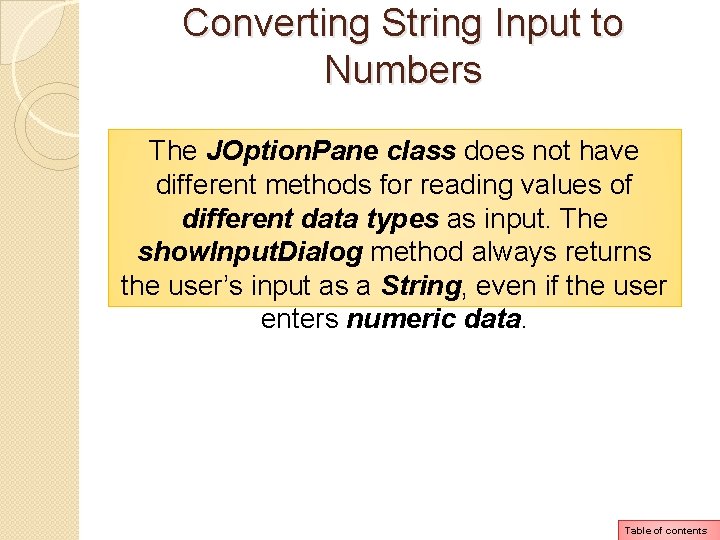
Converting String Input to Numbers The JOption. Pane class does not have different methods for reading values of different data types as input. The show. Input. Dialog method always returns the user’s input as a String, even if the user enters numeric data. Table of contents
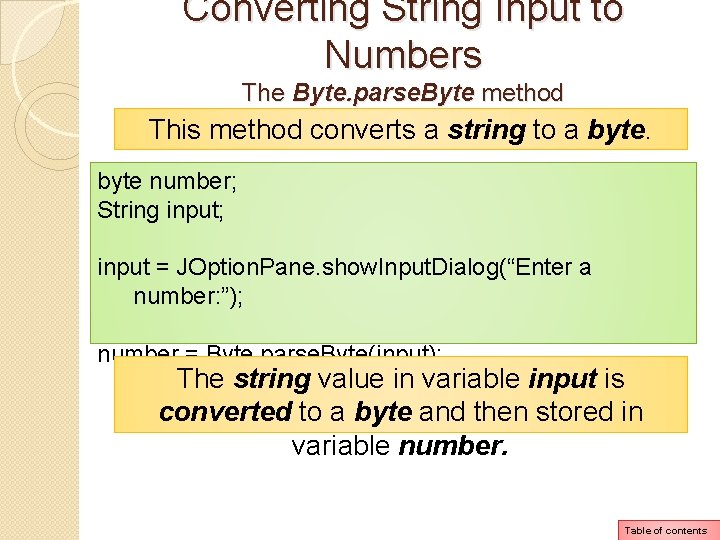
Converting String Input to Numbers The Byte. parse. Byte method This method converts a string to a byte number; String input; input = JOption. Pane. show. Input. Dialog(“Enter a number: ”); number = Byte. parse. Byte(input); The string value in variable input is converted to a byte and then stored in variable number. Table of contents
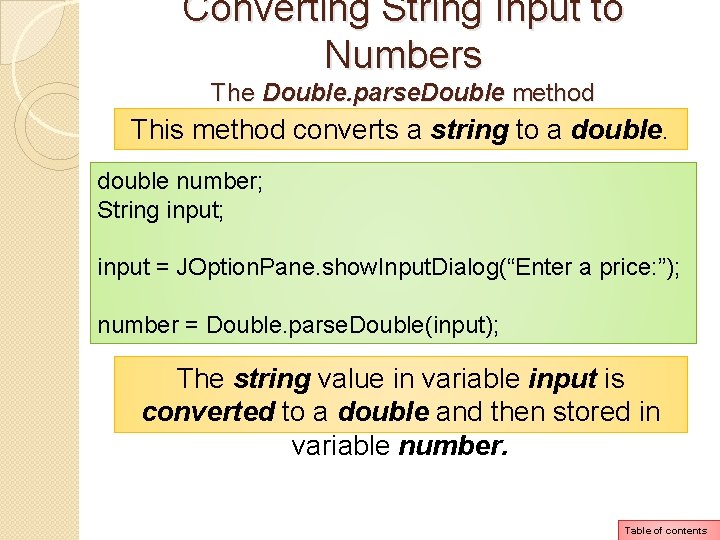
Converting String Input to Numbers The Double. parse. Double method This method converts a string to a double number; String input; input = JOption. Pane. show. Input. Dialog(“Enter a price: ”); number = Double. parse. Double(input); The string value in variable input is converted to a double and then stored in variable number. Table of contents
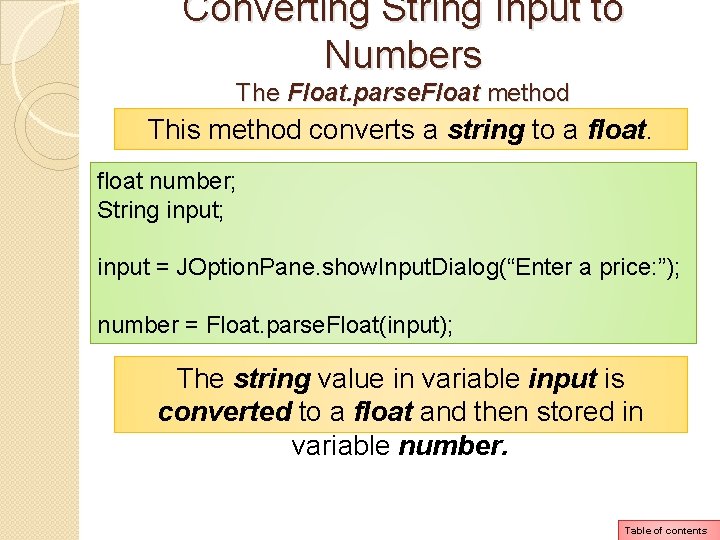
Converting String Input to Numbers The Float. parse. Float method This method converts a string to a float number; String input; input = JOption. Pane. show. Input. Dialog(“Enter a price: ”); number = Float. parse. Float(input); The string value in variable input is converted to a float and then stored in variable number. Table of contents
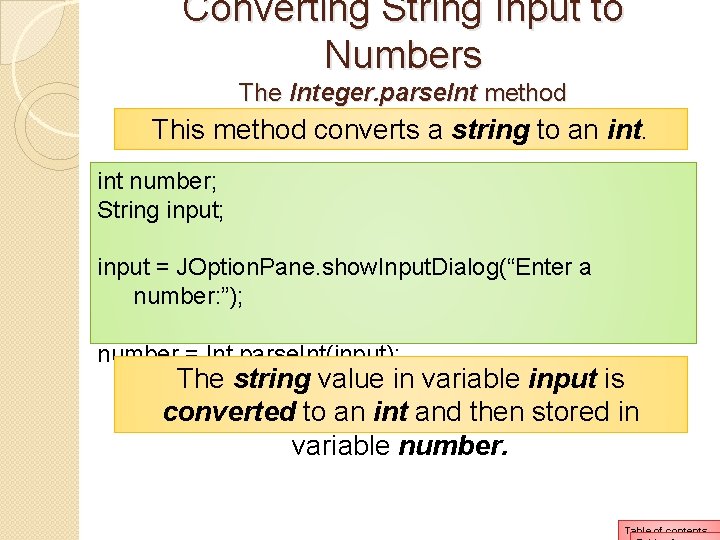
Converting String Input to Numbers The Integer. parse. Int method This method converts a string to an int number; String input; input = JOption. Pane. show. Input. Dialog(“Enter a number: ”); number = Int. parse. Int(input); The string value in variable input is converted to an int and then stored in variable number. Table of contents
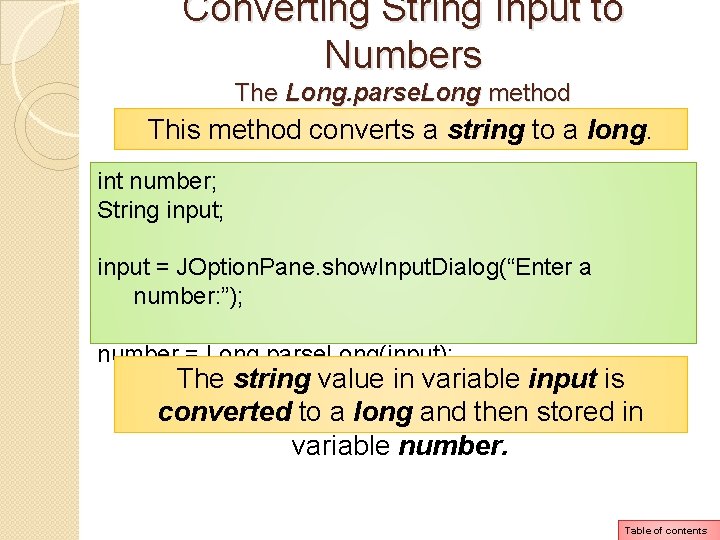
Converting String Input to Numbers The Long. parse. Long method This method converts a string to a long. int number; String input; input = JOption. Pane. show. Input. Dialog(“Enter a number: ”); number = Long. parse. Long(input); The string value in variable input is converted to a long and then stored in variable number. Table of contents
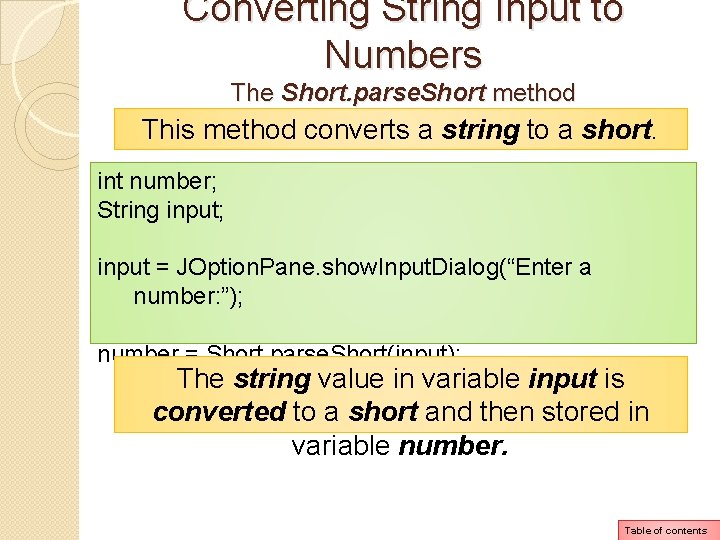
Converting String Input to Numbers The Short. parse. Short method This method converts a string to a short. int number; String input; input = JOption. Pane. show. Input. Dialog(“Enter a number: ”); number = Short. parse. Short(input); The string value in variable input is converted to a short and then stored in variable number. Table of contents
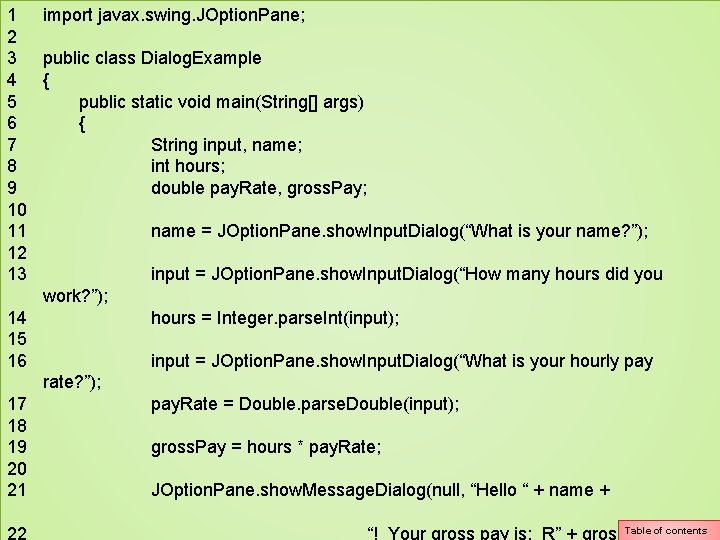
1 import javax. swing. JOption. Pane; 2 3 public class Dialog. Example 4 { 5 public static void main(String[] args) 6 { 7 String input, name; 8 int hours; 9 double pay. Rate, gross. Pay; 10 11 name = JOption. Pane. show. Input. Dialog(“What is your name? ”); 12 13 input = JOption. Pane. show. Input. Dialog(“How many hours did you work? ”); 14 hours = Integer. parse. Int(input); 15 16 input = JOption. Pane. show. Input. Dialog(“What is your hourly pay rate? ”); 17 pay. Rate = Double. parse. Double(input); 18 19 gross. Pay = hours * pay. Rate; 20 21 JOption. Pane. show. Message. Dialog(null, “Hello “ + name + 22 Table of contents “! Your gross pay is: R” + gross. Pay);
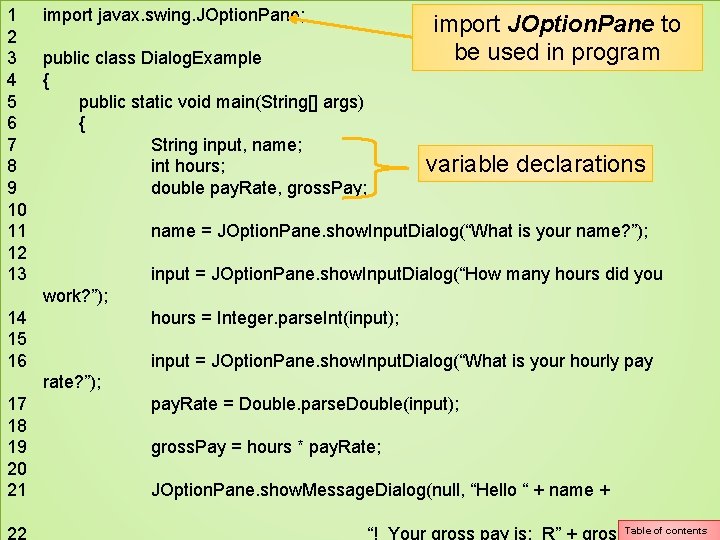
1 import javax. swing. JOption. Pane; import JOption. Pane to 2 be used in program 3 public class Dialog. Example 4 { 5 public static void main(String[] args) 6 { 7 String input, name; variable declarations 8 int hours; 9 double pay. Rate, gross. Pay; 10 11 name = JOption. Pane. show. Input. Dialog(“What is your name? ”); 12 13 input = JOption. Pane. show. Input. Dialog(“How many hours did you work? ”); 14 hours = Integer. parse. Int(input); 15 16 input = JOption. Pane. show. Input. Dialog(“What is your hourly pay rate? ”); 17 pay. Rate = Double. parse. Double(input); 18 19 gross. Pay = hours * pay. Rate; 20 21 JOption. Pane. show. Message. Dialog(null, “Hello “ + name + 22 Table of contents “! Your gross pay is: R” + gross. Pay);
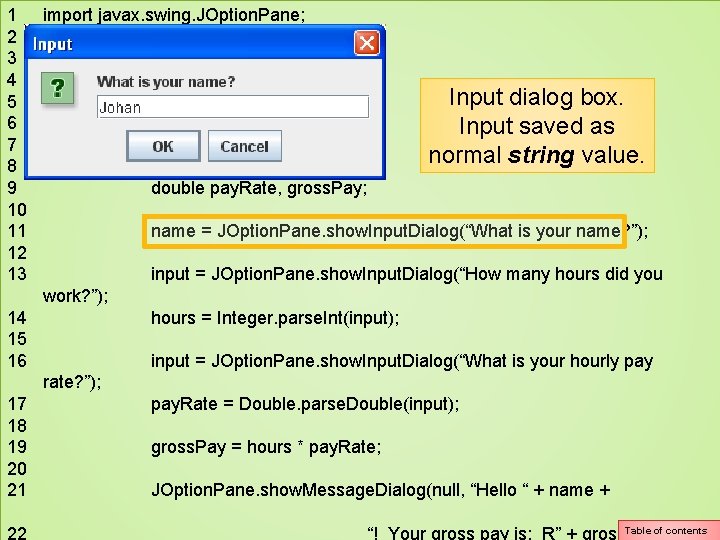
1 import javax. swing. JOption. Pane; 2 3 public class Dialog. Example 4 { Input dialog box. 5 public static void main(String[] args) 6 { Input saved as 7 String input, name; normal string value. 8 int hours; 9 double pay. Rate, gross. Pay; 10 11 name = JOption. Pane. show. Input. Dialog(“What is your name? ”); 12 13 input = JOption. Pane. show. Input. Dialog(“How many hours did you work? ”); 14 hours = Integer. parse. Int(input); 15 16 input = JOption. Pane. show. Input. Dialog(“What is your hourly pay rate? ”); 17 pay. Rate = Double. parse. Double(input); 18 19 gross. Pay = hours * pay. Rate; 20 21 JOption. Pane. show. Message. Dialog(null, “Hello “ + name + 22 Table of contents “! Your gross pay is: R” + gross. Pay);
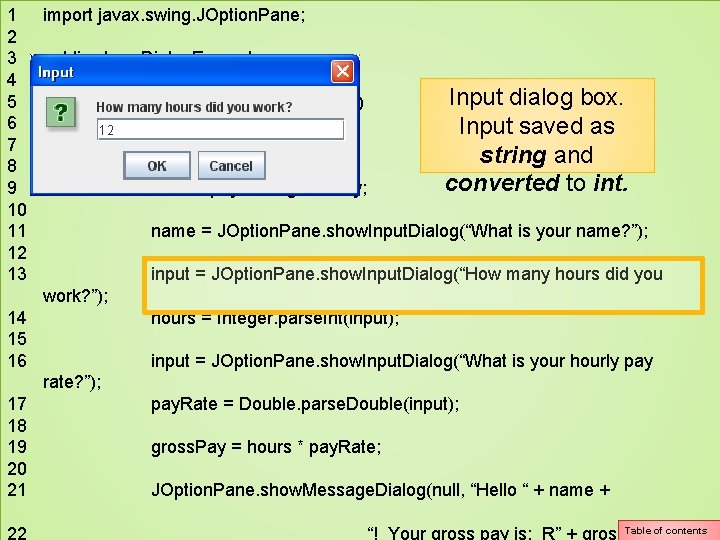
1 import javax. swing. JOption. Pane; 2 3 public class Dialog. Example 4 { Input dialog box. 5 public static void main(String[] args) 6 { Input saved as 7 String input, name; string and 8 int hours; converted to int. 9 double pay. Rate, gross. Pay; 10 11 name = JOption. Pane. show. Input. Dialog(“What is your name? ”); 12 13 input = JOption. Pane. show. Input. Dialog(“How many hours did you work? ”); 14 hours = Integer. parse. Int(input); 15 16 input = JOption. Pane. show. Input. Dialog(“What is your hourly pay rate? ”); 17 pay. Rate = Double. parse. Double(input); 18 19 gross. Pay = hours * pay. Rate; 20 21 JOption. Pane. show. Message. Dialog(null, “Hello “ + name + 22 Table of contents “! Your gross pay is: R” + gross. Pay);
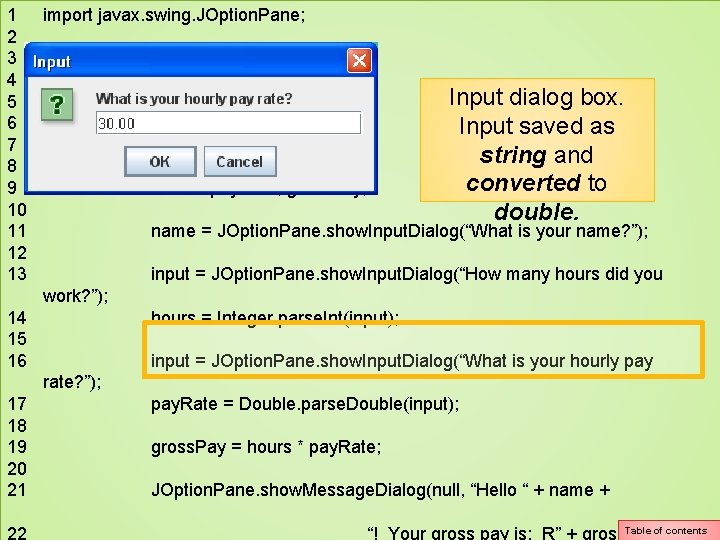
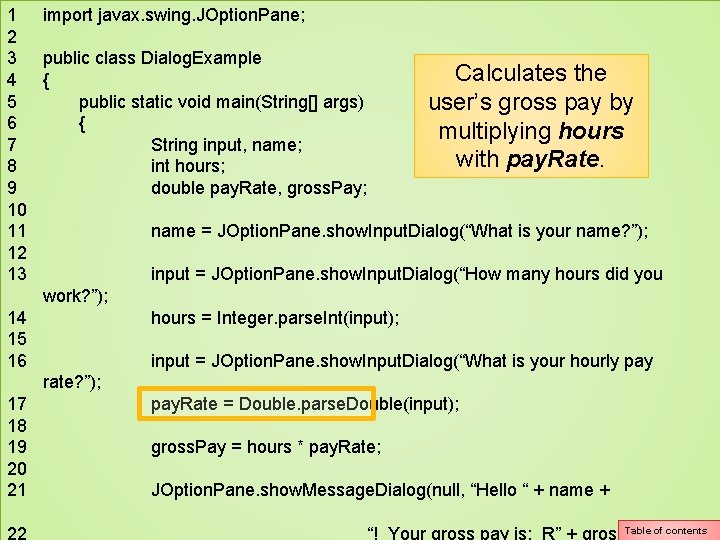
1 import javax. swing. JOption. Pane; 2 3 public class Dialog. Example 4 { Input dialog box. 5 public static void main(String[] args) 6 { Input saved as 7 String input, name; string and 8 int hours; converted to 9 double pay. Rate, gross. Pay; 10 double. 11 name = JOption. Pane. show. Input. Dialog(“What is your name? ”); 12 13 input = JOption. Pane. show. Input. Dialog(“How many hours did you work? ”); 14 hours = Integer. parse. Int(input); 15 16 input = JOption. Pane. show. Input. Dialog(“What is your hourly pay rate? ”); 17 pay. Rate = Double. parse. Double(input); 18 19 gross. Pay = hours * pay. Rate; 20 21 JOption. Pane. show. Message. Dialog(null, “Hello “ + name + 22 Table of contents “! Your gross pay is: R” + gross. Pay);
1 import javax. swing. JOption. Pane; 2 3 public class Dialog. Example Calculates the 4 { 5 public static void main(String[] args) user’s gross pay by 6 { multiplying hours 7 String input, name; with pay. Rate. 8 int hours; 9 double pay. Rate, gross. Pay; 10 11 name = JOption. Pane. show. Input. Dialog(“What is your name? ”); 12 13 input = JOption. Pane. show. Input. Dialog(“How many hours did you work? ”); 14 hours = Integer. parse. Int(input); 15 16 input = JOption. Pane. show. Input. Dialog(“What is your hourly pay rate? ”); 17 pay. Rate = Double. parse. Double(input); 18 19 gross. Pay = hours * pay. Rate; 20 21 JOption. Pane. show. Message. Dialog(null, “Hello “ + name + 22 Table of contents “! Your gross pay is: R” + gross. Pay);
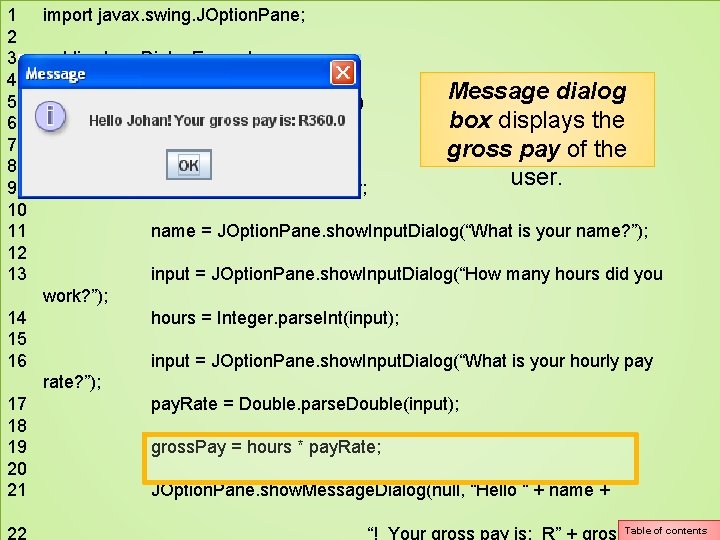
1 import javax. swing. JOption. Pane; 2 3 public class Dialog. Example 4 { Message dialog 5 public static void main(String[] args) box displays the 6 { 7 String input, name; gross pay of the 8 int hours; user. 9 double pay. Rate, gross. Pay; 10 11 name = JOption. Pane. show. Input. Dialog(“What is your name? ”); 12 13 input = JOption. Pane. show. Input. Dialog(“How many hours did you work? ”); 14 hours = Integer. parse. Int(input); 15 16 input = JOption. Pane. show. Input. Dialog(“What is your hourly pay rate? ”); 17 pay. Rate = Double. parse. Double(input); 18 19 gross. Pay = hours * pay. Rate; 20 21 JOption. Pane. show. Message. Dialog(null, “Hello “ + name + 22 Table of contents “! Your gross pay is: R” + gross. Pay);
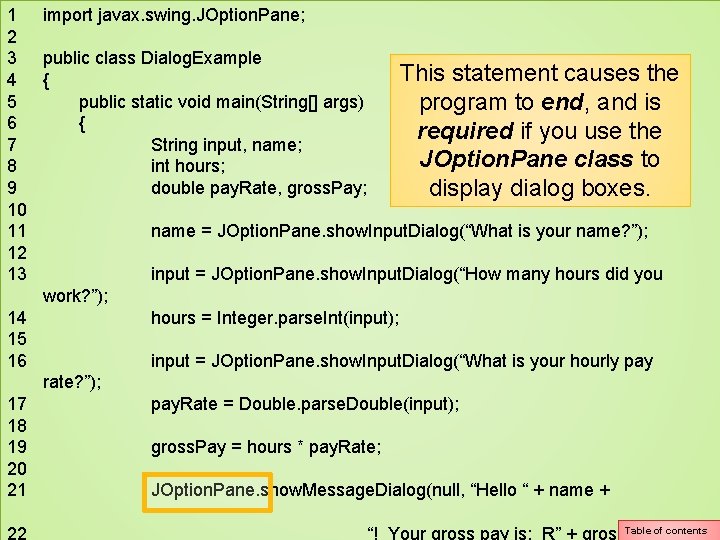
1 import javax. swing. JOption. Pane; 2 3 public class Dialog. Example This statement causes the 4 { 5 public static void main(String[] args) program to end, and is 6 { required if you use the 7 String input, name; JOption. Pane class to 8 int hours; 9 double pay. Rate, gross. Pay; display dialog boxes. 10 11 name = JOption. Pane. show. Input. Dialog(“What is your name? ”); 12 13 input = JOption. Pane. show. Input. Dialog(“How many hours did you work? ”); 14 hours = Integer. parse. Int(input); 15 16 input = JOption. Pane. show. Input. Dialog(“What is your hourly pay rate? ”); 17 pay. Rate = Double. parse. Double(input); 18 19 gross. Pay = hours * pay. Rate; 20 21 JOption. Pane. show. Message. Dialog(null, “Hello “ + name + 22 Table of contents “! Your gross pay is: R” + gross. Pay);
Please read pages 123 and 124 on common errors to avoid when programming in Java. Table of contents