
ITEC 3010 Systems Analysis and Design I LECTURE
- Slides: 83
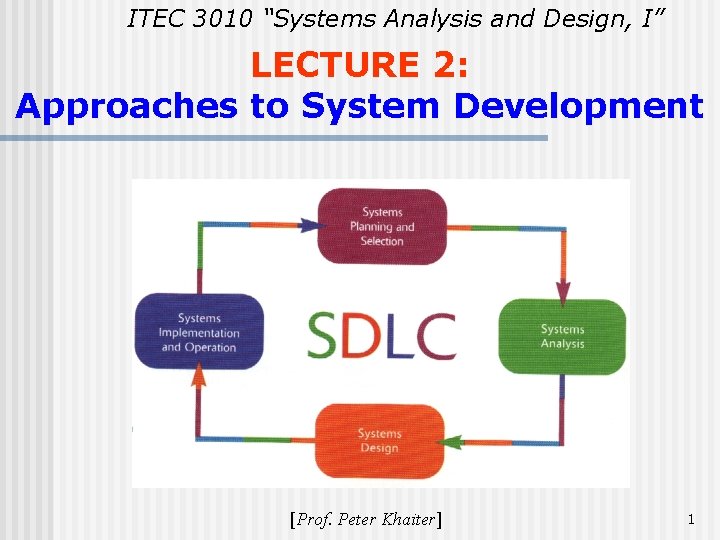
ITEC 3010 “Systems Analysis and Design, I” LECTURE 2: Approaches to System Development [Prof. Peter Khaiter] 1
Lecture Outline n n n Systems Development Life Cycle Phases and Activities in the SDLC Variations of the SDLC models Selecting the appropriate model Methodologies of the SDLC Traditional Approach to SDLC Information Engineering Approach to SDLC Object-Oriented Approach to SDLC Rapid Application Development Current trends in the SDLC CASE Tools 2
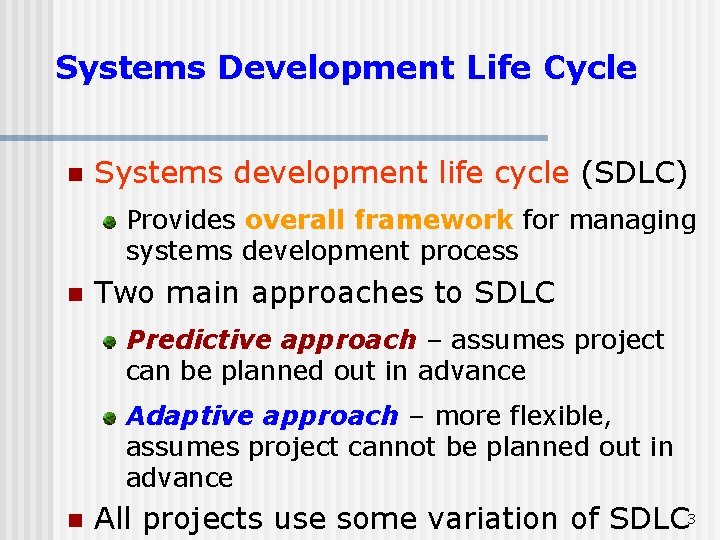
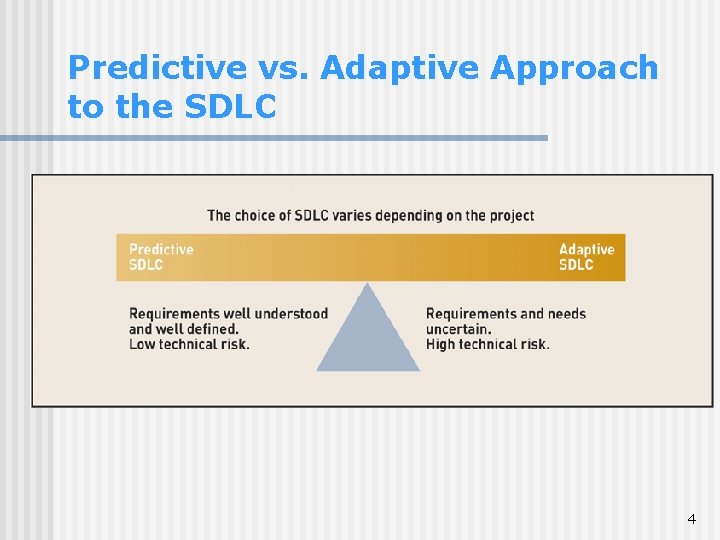
Systems Development Life Cycle n Systems development life cycle (SDLC) Provides overall framework for managing systems development process n Two main approaches to SDLC Predictive approach – assumes project can be planned out in advance Adaptive approach – more flexible, assumes project cannot be planned out in advance n All projects use some variation of SDLC 3
Predictive vs. Adaptive Approach to the SDLC 4
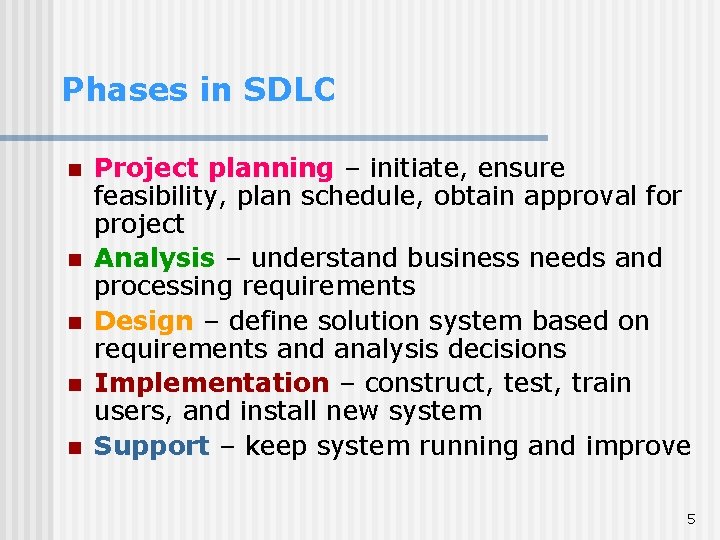
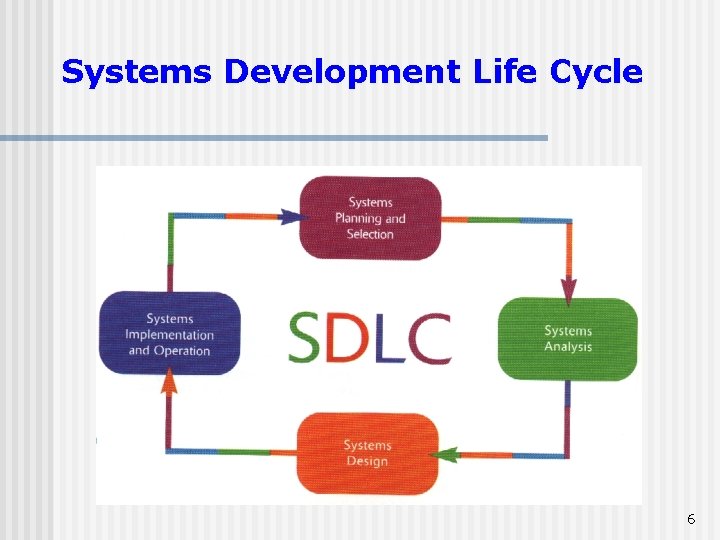
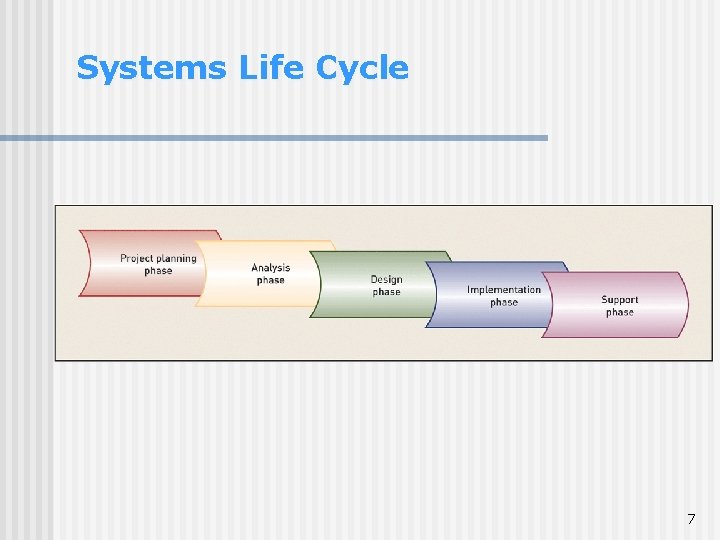
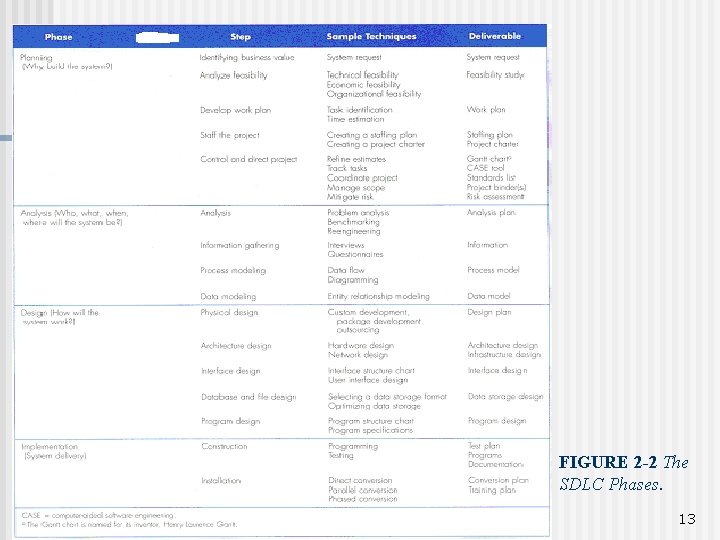
Phases in SDLC n n n Project planning – initiate, ensure feasibility, plan schedule, obtain approval for project Analysis – understand business needs and processing requirements Design – define solution system based on requirements and analysis decisions Implementation – construct, test, train users, and install new system Support – keep system running and improve 5
Systems Development Life Cycle 6
Systems Life Cycle 7
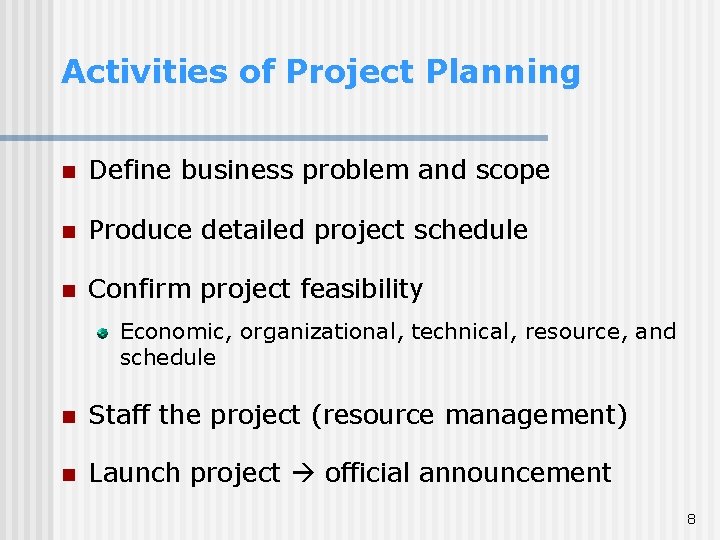
Activities of Project Planning n Define business problem and scope n Produce detailed project schedule n Confirm project feasibility Economic, organizational, technical, resource, and schedule n Staff the project (resource management) n Launch project official announcement 8
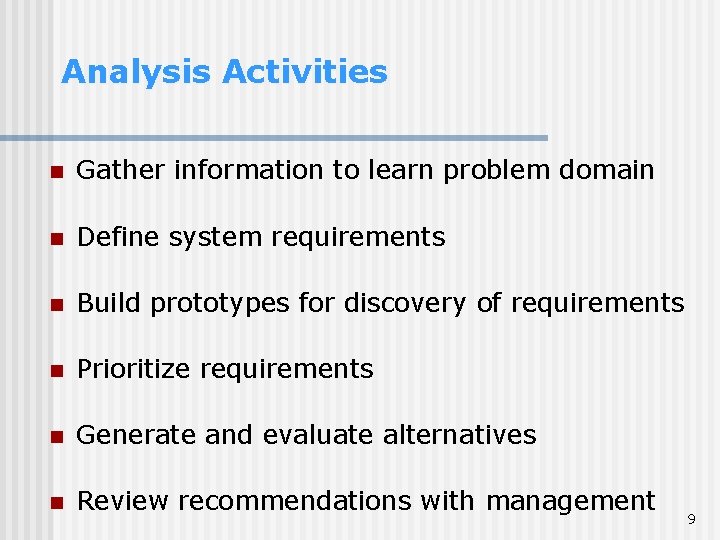
Analysis Activities n Gather information to learn problem domain n Define system requirements n Build prototypes for discovery of requirements n Prioritize requirements n Generate and evaluate alternatives n Review recommendations with management 9
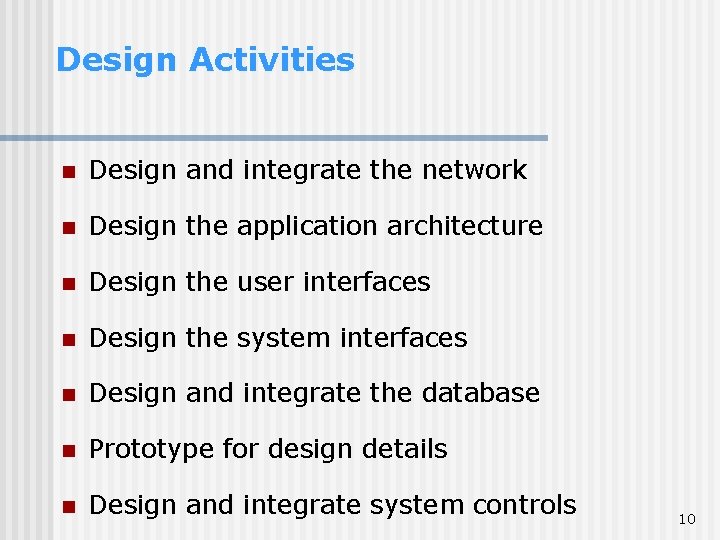
Design Activities n Design and integrate the network n Design the application architecture n Design the user interfaces n Design the system interfaces n Design and integrate the database n Prototype for design details n Design and integrate system controls 10
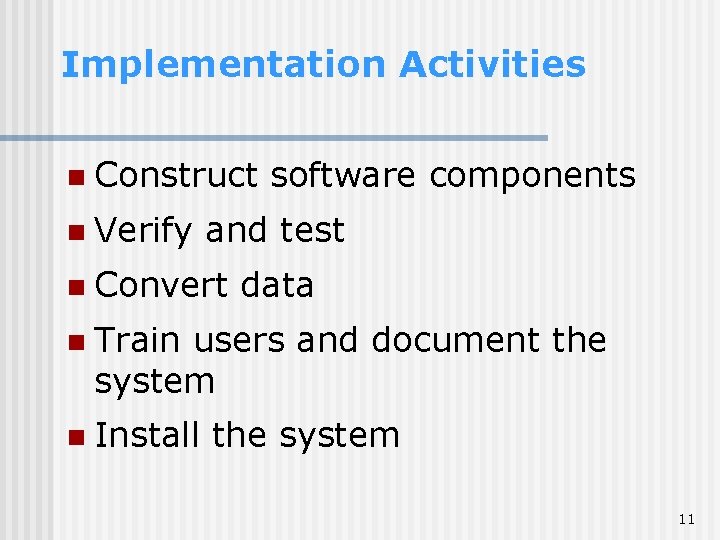
Implementation Activities n Construct n Verify software components and test n Convert data n Train users and document the system n Install the system 11
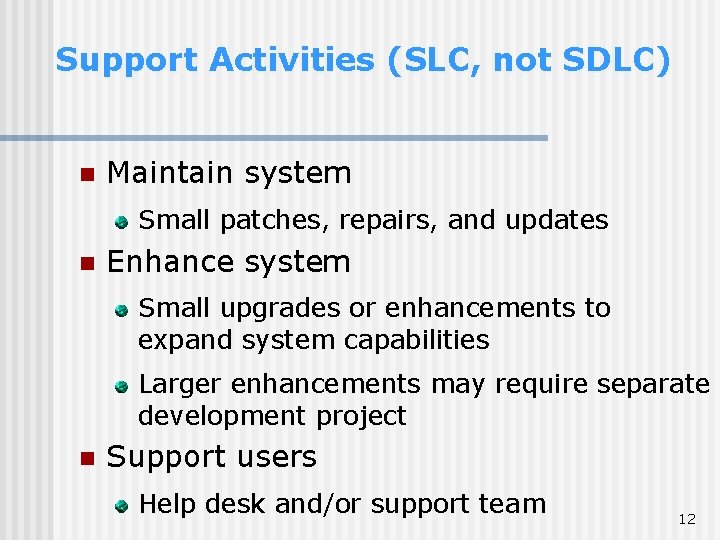
Support Activities (SLC, not SDLC) n Maintain system Small patches, repairs, and updates n Enhance system Small upgrades or enhancements to expand system capabilities Larger enhancements may require separate development project n Support users Help desk and/or support team 12
FIGURE 2 -2 The SDLC Phases. 13
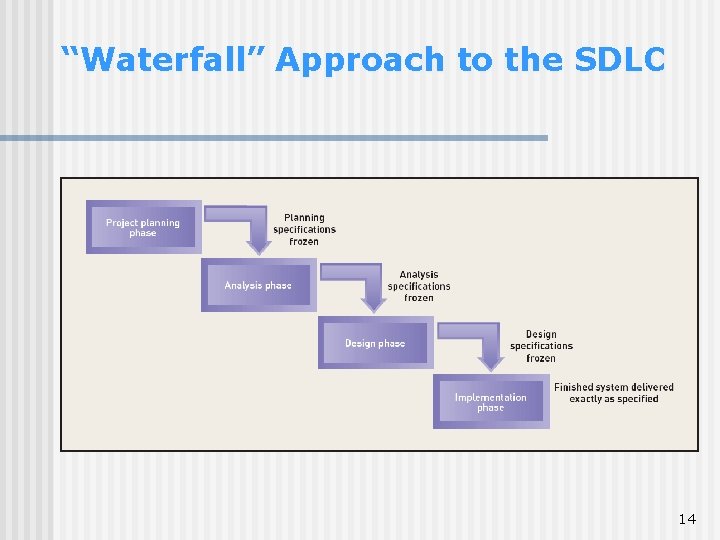
“Waterfall” Approach to the SDLC 14
“Waterfall” Approach n n Each life cycle phase is completed in sequence and then the results of the phase flow on to the next phase There is no going back once the phase is completed (like a waterfall) or it is extremely difficult to do The key deliverables for each phase are typically produced on paper (hundreds of pages in length) The decisions made at each phase are frozen, frozen i. e. they cannot be changed 15
“Waterfall” Approach: pros and cons The two key advantages of the waterfall model: • Identifying system requirements long before programming begins • It minimizes changes to the requirements as the project proceeds The key disadvantages: • The design must be completely specified on paper before programming begins • A long time elapses between the completion of the system proposal in the analysis phase and the delivery of the system (usually many months or years). • A paper document is often a poor communication mechanism, so important requirements can be overlooked in the hundreds of pages of documentation • Users rarely are prepared for their introduction to the new system, which occurs long after the initial idea for the system was introduced. • If the project team misses important requirements, expensive post-implementation programming may be needed. • A system may require significant rework because of changes in business environment since the time the analysis phase occurred. It means going back to the initial phases and following the changes through each of the subsequent phases in turn. 16
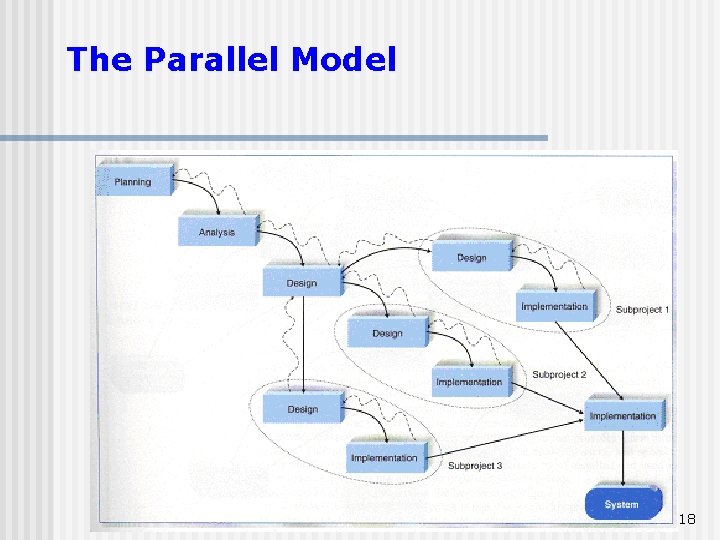
The Parallel Model n n n The Parallel Model attempts to address the problem of long delays between the analysis phase and the delivery of the system. Instead of doing the design and implementation in sequence, it performs a general design for the whole system and then divides the project into series of distinct subprojects that can be designed and implemented in parallel Once all subprojects are complete, the final integration of the separate pieces is delivered 17
The Parallel Model 18
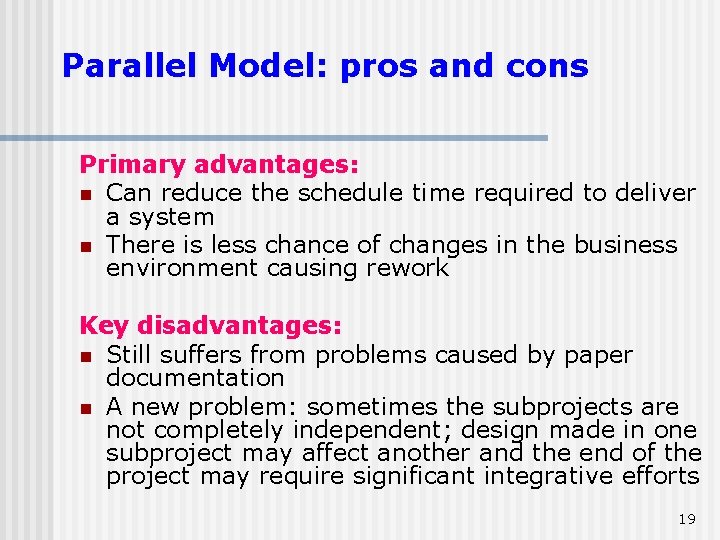
Parallel Model: pros and cons Primary advantages: n Can reduce the schedule time required to deliver a system n There is less chance of changes in the business environment causing rework Key disadvantages: n Still suffers from problems caused by paper documentation n A new problem: sometimes the subprojects are not completely independent; design made in one subproject may affect another and the end of the project may require significant integrative efforts 19
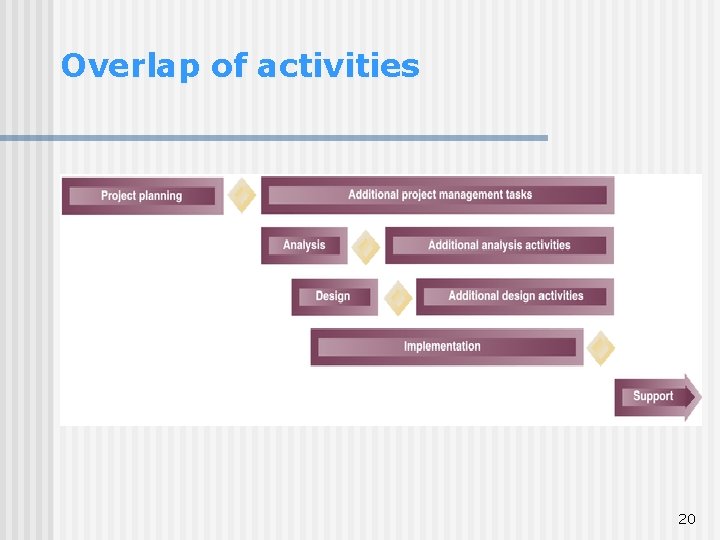
Overlap of activities 20
Newer Adaptive Approaches to the SDLC n Based on spiral model Project cycles through development activities over and over until project is complete Prototype created by end of each cycle Focuses on mitigating risk n Iteration – Work activities are repeated Each iteration refines previous result Approach assumes no one gets it right the first time There a series of mini projects for each iteration 21
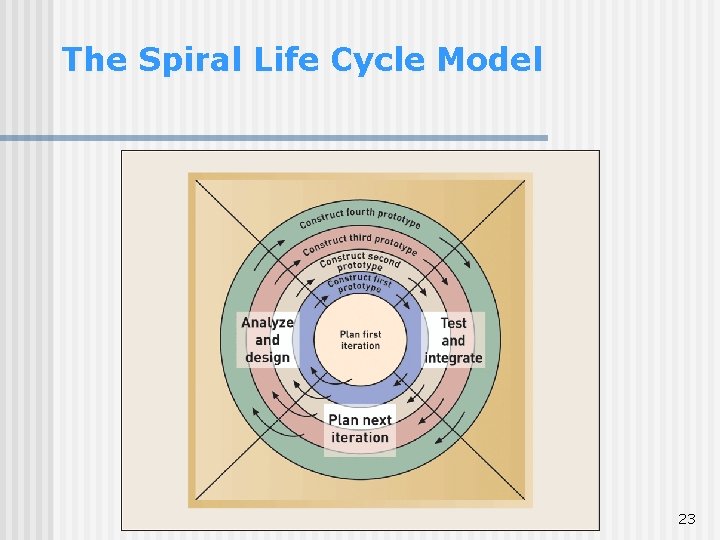
Spiral Model n n n Breaks each project into smaller pieces, each with a different type of risk (Sources of risk: undefined requirements, complex technology, uncertain competitive environment) The project begins in the center of the spiral where project is still small, easy to manage and low in risk Then the project slowly expands The project starts out small, initially handling a few of the risks Then the project expands in next iteration to address more of the risks Eventually the system is completed (all risks addressed) Advantage: n The iterative nature and focus on risk reduction 22
The Spiral Life Cycle Model 23
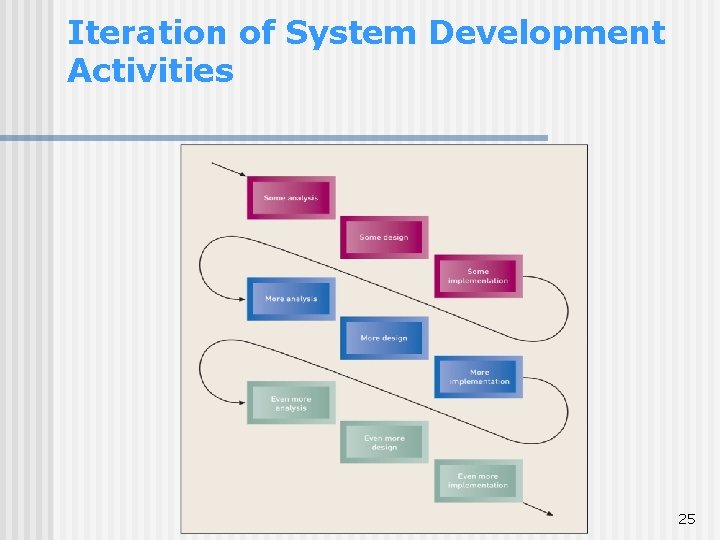
The Model with Iterations Iteration: the process of looping through the same development activities multiple times, sometimes at increasing levels of details or accuracy n Assumes no one gets the right results the first time n Do some analysis, then some design, then some implementation, then do some further analysis, etc until you get it right n Idea: not always realistic to complete analysis before starting design n Waterfall no longer applies - Phases become blurred n Decisions are not frozen at the end of each phase Applicability: n Good for projects where requirement specifications are hard to arrive at 24
Iteration of System Development Activities 25
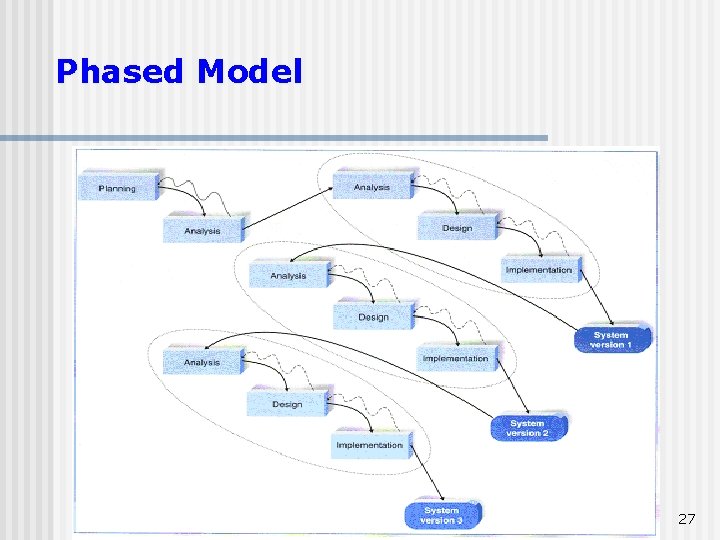
Phased Development Model n n n Breaks the overall system into a series of versions that are developed sequentially The analysis phase identifies the overall system concept. The project team, users and system sponsors categorize the requirements into a series of versions The most important and fundamental requirements are bundled into the first version of the system. The analysis phase then leads into design and implementation, but only with the set of requirements identified for version 1 Once version 1 is implemented, work begins on version 2. Additional analysis is performed on the basis of the previously identified requirements and combined with new ideas and issues that arose from users’ experience with version 1. Version 2 then is designed and implemented, and work immediately begins on the next version. This process continues until the system is complete 26
Phased Model 27
Phased Model: pros and cons n n Advantages: Quickly getting a useful system into the hands of users. Although it does not perform all the functions the users need, it helps them sooner to identify important additional requirements Disadvantages: The users begin to work with systems that are incomplete. It is critical to identify the most important and useful features and include them in the first version. 28
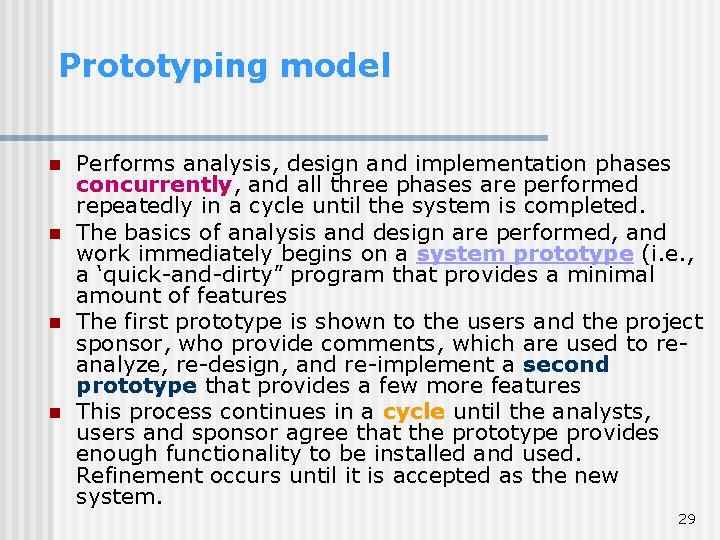
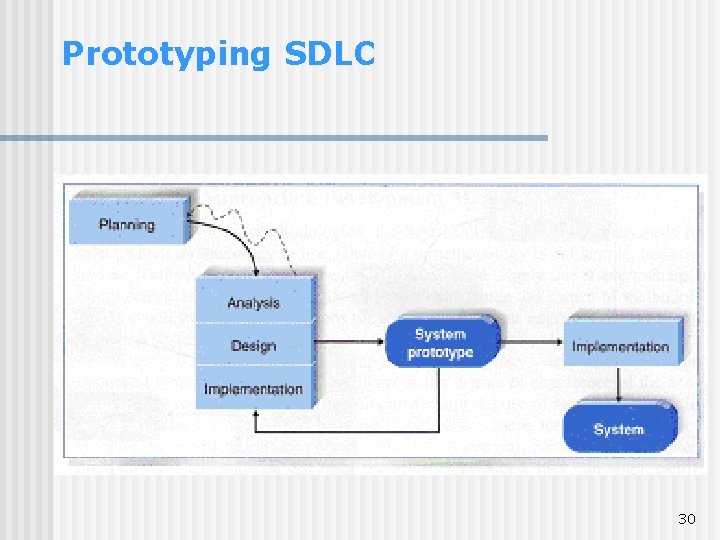
Prototyping model n n Performs analysis, design and implementation phases concurrently, and all three phases are performed repeatedly in a cycle until the system is completed. The basics of analysis and design are performed, and work immediately begins on a system prototype (i. e. , a ‘quick-and-dirty” program that provides a minimal amount of features The first prototype is shown to the users and the project sponsor, who provide comments, which are used to reanalyze, re-design, and re-implement a second prototype that provides a few more features This process continues in a cycle until the analysts, users and sponsor agree that the prototype provides enough functionality to be installed and used. Refinement occurs until it is accepted as the new system. 29
Prototyping SDLC 30
Prototyping model: pros and cons The key advantages: • Very quickly provides a system for users to interact with. It reassures the users that the project team is working on the system. The users can interact with the prototype to better understanding what it can and cannot do rather than attempting to understand a system specification on paper. The major disadvantages: • Fast-paced system releases challenge attempts to conduct careful, methodical analysis. Often the prototype undergoes such significant changes that many initial design decisions become poor ones. This can cause problems in the development of complex systems because fundamental issues and problems are not recognized until well into the development process. 31
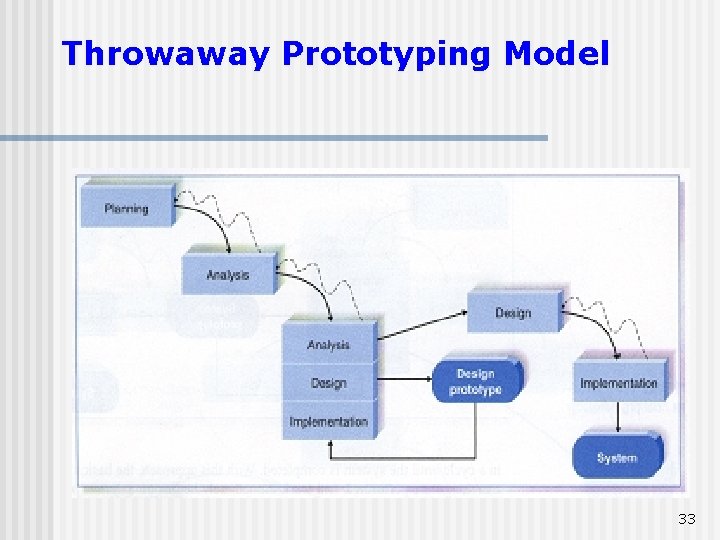
Throwaway Prototyping n n n Similar to the prototyping model in that it includes the development of prototypes, however, they are done at a different point in the SDLC Has a relatively thorough analysis phase that is used to gather information and to develop ideas for the system concept. Many of the features suggested by the users may not be well understood and many technical issues may not be solved. Each of these issues are examined by analyzing, designing and building a design prototype (it is not a working system; it only represents a part of the system that needs additional refinement and it contains only enough details to enable users to understand the issues under consideration) Typically, several prototypes are used during analysis and design phase. Each of them is used to minimize the risk of missing of important issues before the real system is built. Once the issues are resolved, the project moves into design and implementation. At this point, the design prototypes are thrown away, what is a principal difference between this model and prototyping, in which the prototypes evolve into the final system 32
Throwaway Prototyping Model 33
Throwaway Prototyping: pros and cons • Balances the benefits of well-through-out analysis and design phases with the advantages of using prototypes to refine key issues before a system is built. • It may take longer to deliver the final system as compared with prototyping (as far as the prototypes do not become the final system), but this model usually produces more stable and reliable systems. 34
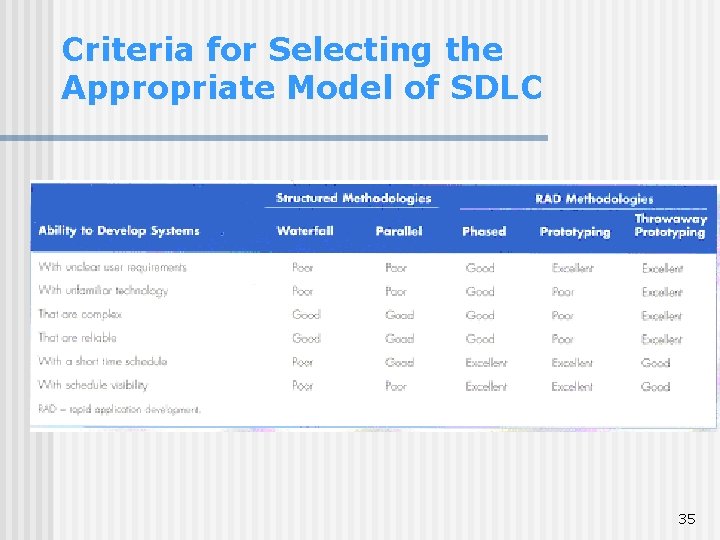
Criteria for Selecting the Appropriate Model of SDLC 35
Criteria for Selecting Clarify of user requirements Sometimes the user requirements are unclear or subject to change. Prototyping and throwaway prototyping are more appropriate models for such situations, because they provide prototypes for user to interact with at early stages of the SDLC. Familiarity with Technology When the system will use new technology, which is unfamiliar for the analysts and programmers (e. g. the first Web-based project with Java), it increases the risks. Application of the new technology as early as possible will improve the chance of success. Throwaway prototyping is particularly appropriate for this situation since it explicitly encourages the developers to develop design prototypes for areas with high risks. Phased model is good as well because it creates opportunities to investigate the technology in some depth before the design is complete. System Complexity Complex systems require careful and detailed analysis and design. Throwaway prototyping is particularly well suited to such situation, but prototyping is not. The traditional structured methodologies can handle complex systems, but without the ability to get the system or prototypes into users’ hands early on, some key issues may be overlooked. Even though the phased model enables users to interact with the system early in the process. 36
Criteria for Selecting Short time schedules Projects with short time schedules are well suited for RAD models as far as they are designed to increase the speed of development. Prototyping and phased development are excellent choices because they best enable the project team to adjust the functionality in the system. If the project schedule starts to slip, it can be readjusted by removing functionality from the version or prototype under development. The waterfall model is the worst choice, because it does not allow for easy schedule changes. Schedule visibility One of the greatest challenges in systems development is knowing whether a project is on schedule. This is particularly true of the structured methods because design and implementation occur at the end of the project. The RAD models move many of the critical design decisions to an earlier point in the project to help project managers to recognize and address risk factors and keep expectations in check. 37
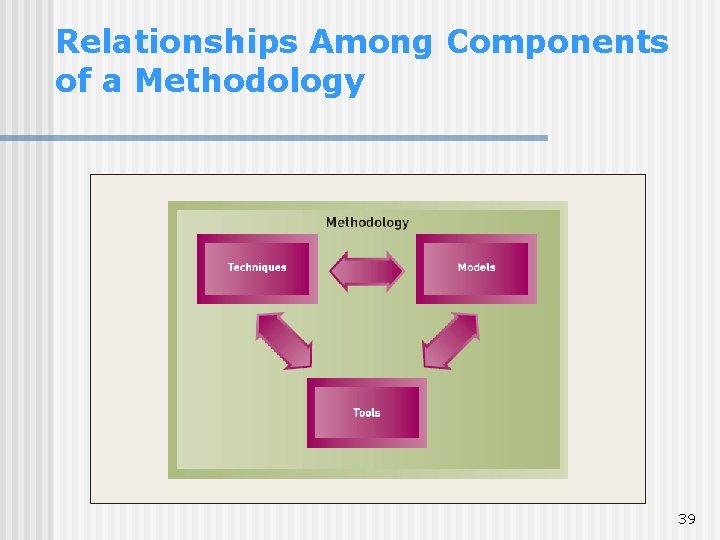
Methodologies n Methodologies Comprehensive guidelines to follow for completing every SDLC activity Collection of models, tools, and techniques 38
Relationships Among Components of a Methodology 39
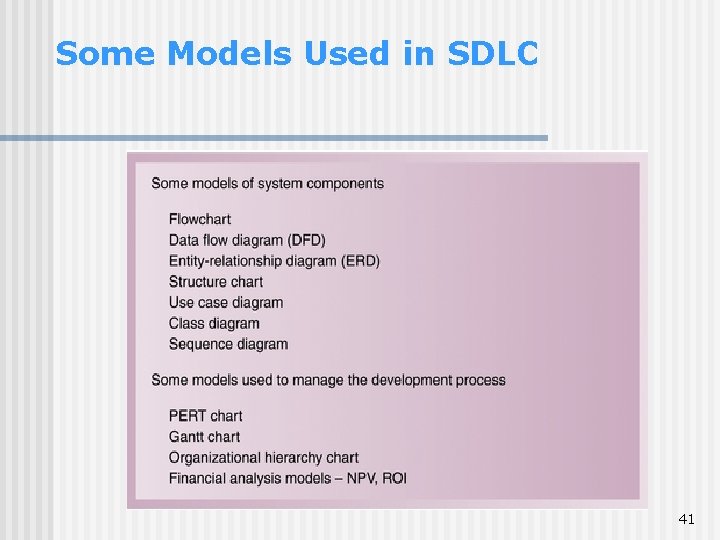
Models n Models Representation of an important aspect of real world, but not same as real thing Abstraction used to separate out aspect • physical (like a model of an airplane) • abstract (e. g. in form of mathematical notation or in graphical form) Models in SDLC are graphical: diagrams and charts Project planning and budgeting aids 40
Some Models Used in SDLC 41
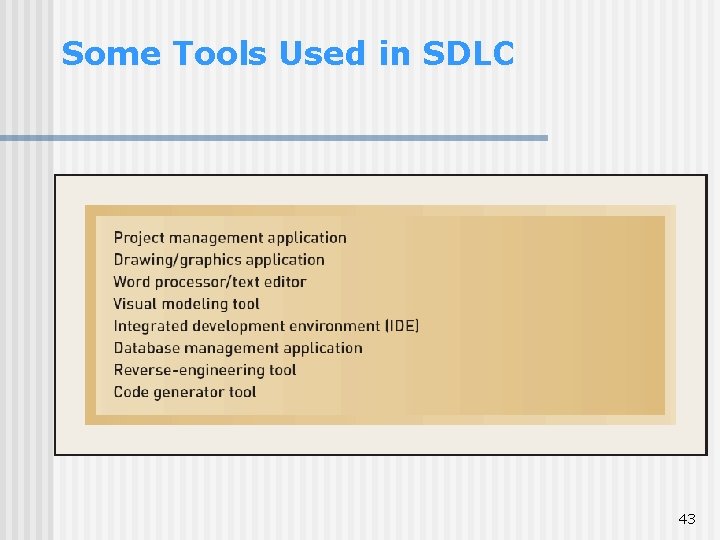
Tools n Tools Software support that helps create models or other required project components Range from simple drawing programs to complex CASE tools to project management software 42
Some Tools Used in SDLC 43
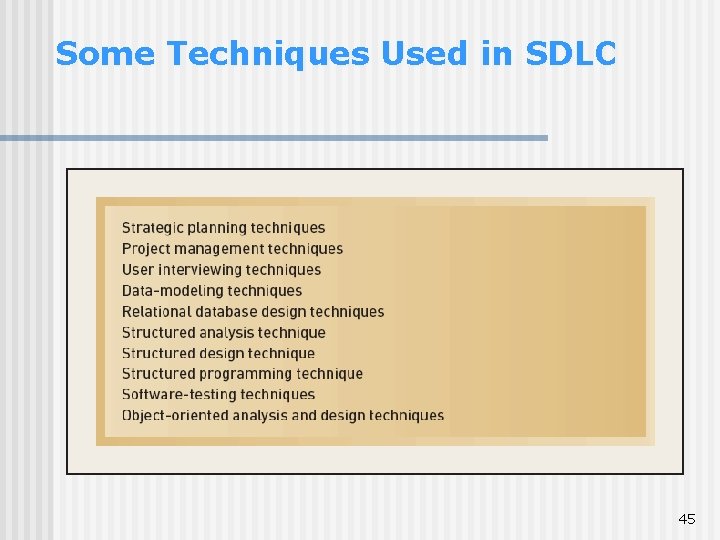
Techniques n Techniques Collection of guidelines that help analysts complete a system development activity or task Can be step-by-step instructions or just general advice 44
Some Techniques Used in SDLC 45
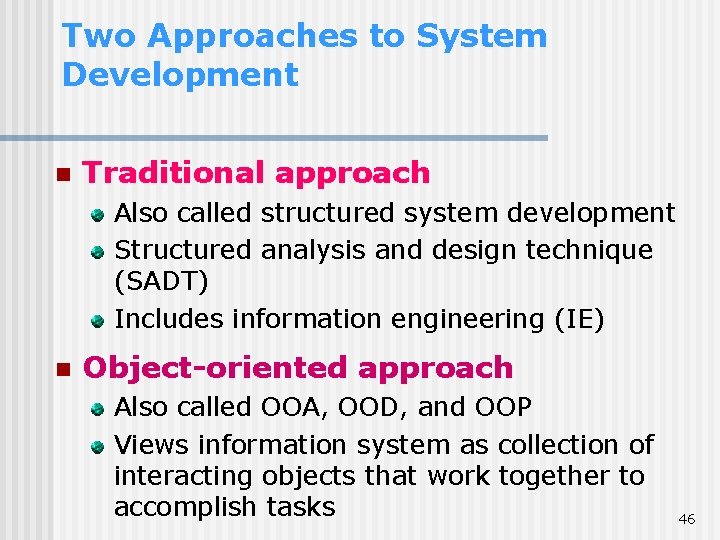
Two Approaches to System Development n Traditional approach Also called structured system development Structured analysis and design technique (SADT) Includes information engineering (IE) n Object-oriented approach Also called OOA, OOD, and OOP Views information system as collection of interacting objects that work together to accomplish tasks 46
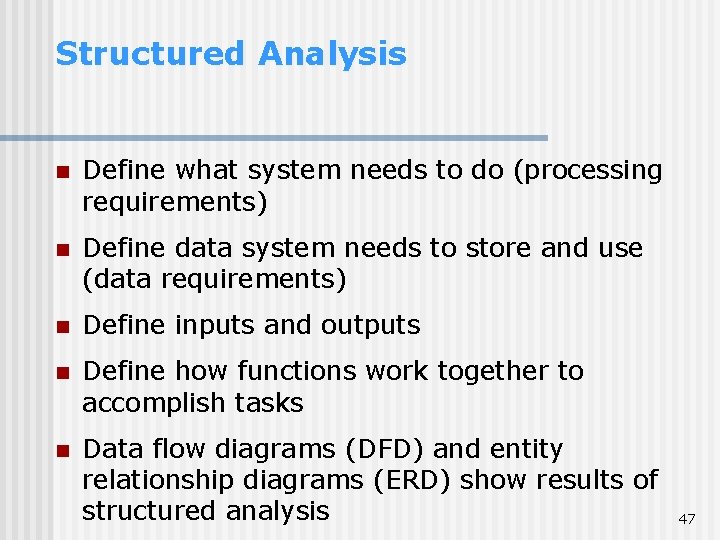
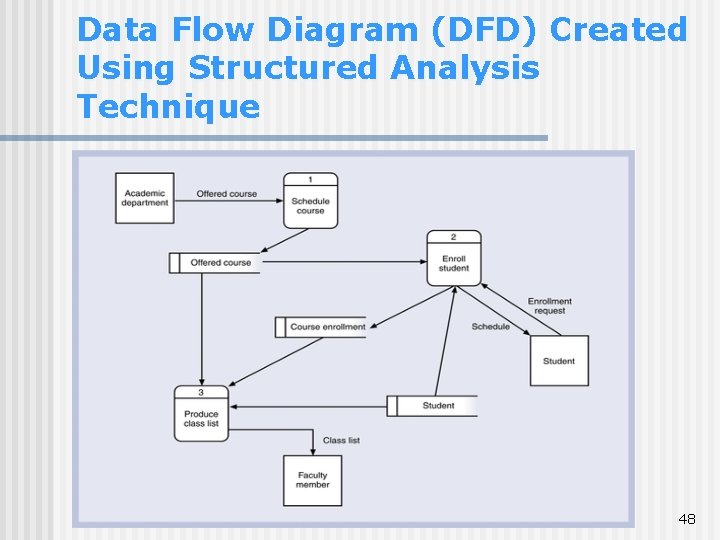
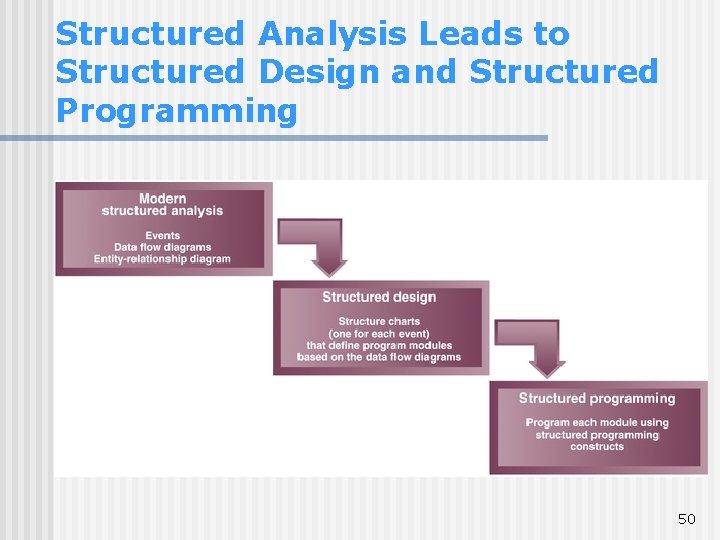
Structured Analysis n Define what system needs to do (processing requirements) n Define data system needs to store and use (data requirements) n Define inputs and outputs n Define how functions work together to accomplish tasks n Data flow diagrams (DFD) and entity relationship diagrams (ERD) show results of structured analysis 47
Data Flow Diagram (DFD) Created Using Structured Analysis Technique 48
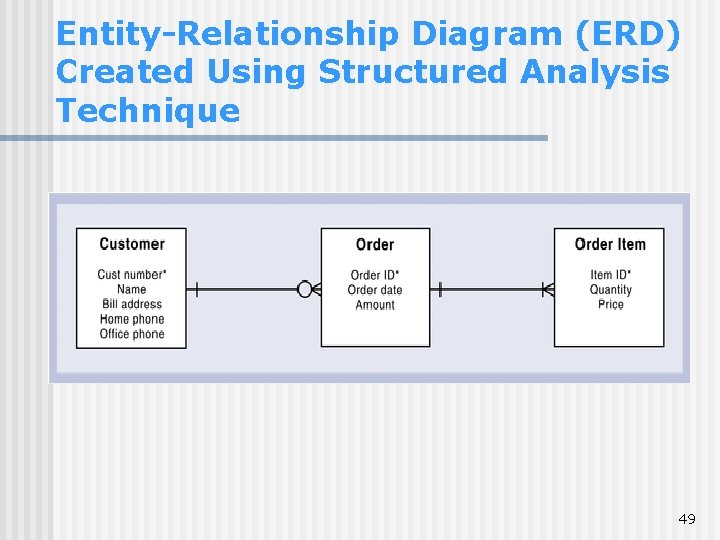
Entity-Relationship Diagram (ERD) Created Using Structured Analysis Technique 49
Structured Analysis Leads to Structured Design and Structured Programming 50
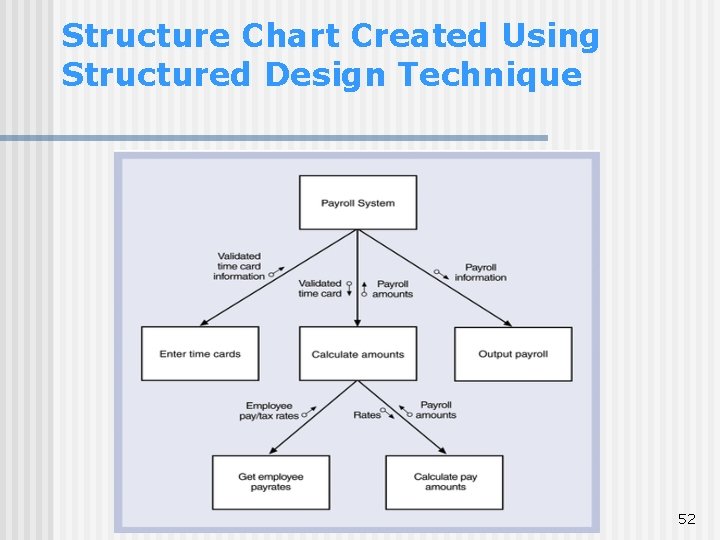
Structured Design n Technique developed to provide design guidelines What set of programs should be What program should accomplish How programs should be organized into a hierarchy n Modules are shown with structure chart n Main principle of program modules Loosely coupled – module is independent of other modules 51 Highly cohesive – module has one clear task
Structure Chart Created Using Structured Design Technique 52
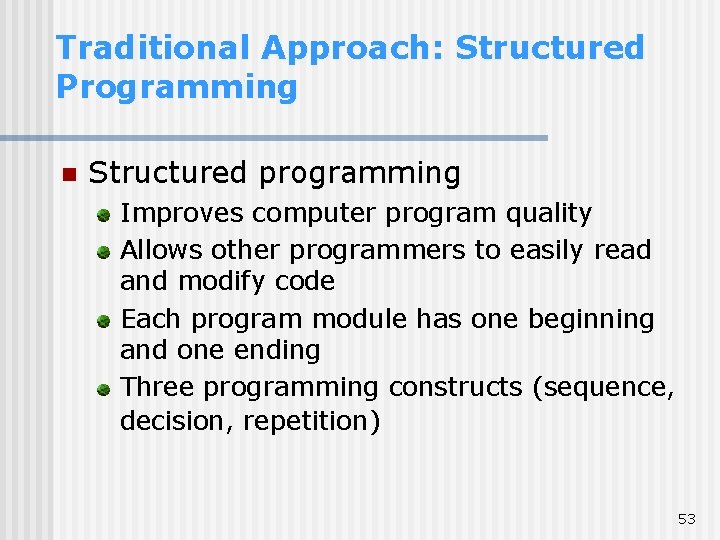
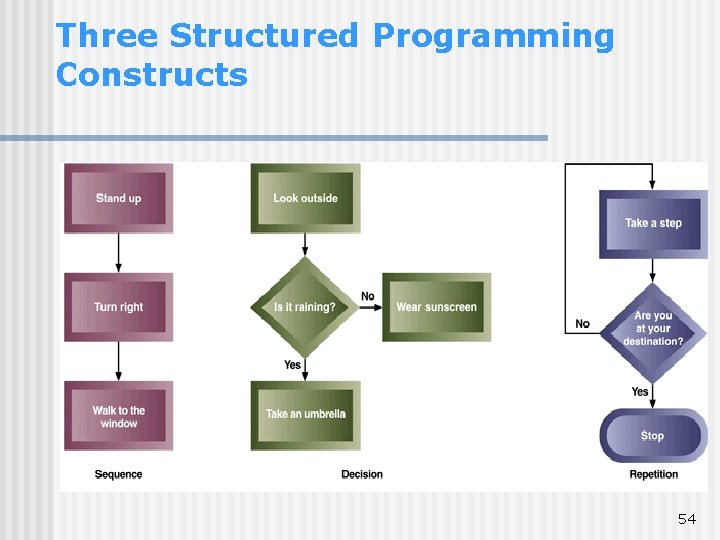
Traditional Approach: Structured Programming n Structured programming Improves computer program quality Allows other programmers to easily read and modify code Each program module has one beginning and one ending Three programming constructs (sequence, decision, repetition) 53
Three Structured Programming Constructs 54
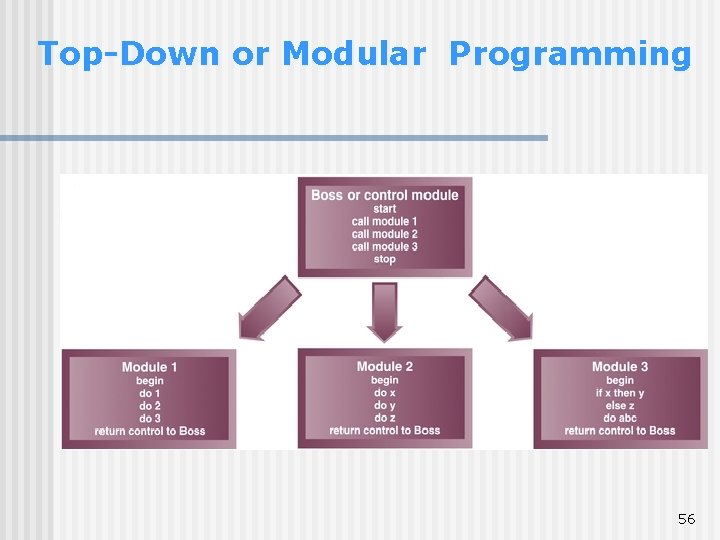
Top-Down Programming n Divides complex programs into hierarchy of modules n The module at top controls execution by “calling” lower level modules n Modular programming Similar to top-down programming n One program calls other programs to work together as single system 55
Top-Down or Modular Programming 56
Weaknesses of the Structured Approach • Techniques address some but not all of the activities of analysis and design • Techniques make system development not enough formal (not like an engineering discipline) but rather like an art. • The transition from the data flow diagram (in structured analysis) to the structure chart (in structured design) did not work well in practice. • data modeling using structure chart and ER diagram were more important than modeling of processes (using dataflow diagrams) • However, the structured approach overall still made processes rather than data the central focus of the system • Many felt a strategic planning technique needed to be included in the approach to determine which systems to be built and to provide some initial requirements. • As an alternative: information engineering. 57
Information Engineering (IE) n n n Focus on strategic planning to identify all the organization information needs (the application architecture plan), data modeling, and automated tools More focused on data itself than the structured approach. But just as the structural approach includes data requirements, IE includes processes, too The processing model of information engineering, the process dependency diagram, is similar to a data flow diagram, but it focuses more on which processes are dependent on other processes and less on data inputs and outputs Provides more complete life cycle support through the use of an integrated CASE tools (help to automate systems development; final program code can be generated automatically by the CASE tools) Became popular on large-mainframe systems in the 1980’s, less used in the 1990’s on smaller desktop systems (but concepts still used by planning and emphasis on data modeling) 58
Structured Approach and IE n Both approaches define information system requirements, design and construct information systems by looking at processes, data and the interaction of these two n Industry merged key concepts from structured development and information engineering approaches into traditional approach n An object-oriented technology provides a completely different perspective 59
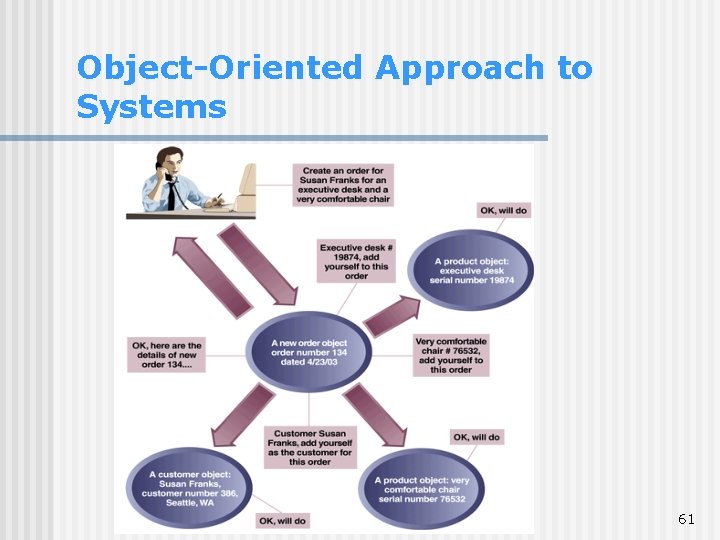
Object-Oriented Approach n Completely different approach to information systems n Views information system as collection of interacting objects that work together to accomplish tasks Objects – things in computer system that can respond to messages Conceptually, no processes, programs, data entities, or files are defined – just objects n OO languages: Java, C++, C#, . NET, VB 60
Object-Oriented Approach to Systems 61
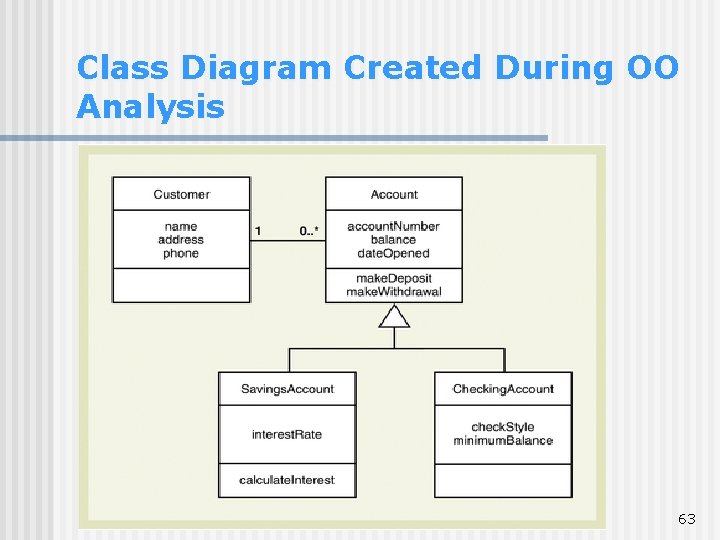
Object-Oriented Approach (continued) n Object-oriented analysis (OOA) Defines types of objects users deal with Shows use cases are required to complete tasks n Object-oriented design (OOD) Defines object types needed to communicate with people and devices in system Shows how objects interact to complete tasks Refines each type of object for implementation with specific language of environment n Object-oriented programming (OOP) Writing statements in programming language to define what each type of object does 62
Class Diagram Created During OO Analysis 63
SDLC Variations n Many variations of SDLC in practice Based on variation of names for phases No matter which one, activities/tasks are similar n Some increase emphasis on people User-centred design, participatory design Socio-technical systems n Some increase speed of development Rapid application development (RAD) Prototyping 64
Rapid Application Development Rapid application development (RAD) is one of the variations of SDLC Aims to speed up the development process. Emerged in the 1990 s as an attempt to address both weaknesses of the waterfall development: long development times and the difficulty in understanding a system from paperbased description. Methods: • Tries to speed up the activities in each phase (e. g. speeding the analysis phase by scheduling intensive meetings of key participants to get information gathered and decisions made rapidly) • Using iterative development (e. g. , spiral life cycle model) to speed up the process of getting to design and implementation • Building prototypes of the system during analysis and design phases. It improves understanding of the system requirements • Using CASE (computer-aided system engineering) tools to speed up the analysis, design and implementation phases 65
Current Trends in Development n More adaptive approaches The Unified Process (UP) Extreme Programming (XP) Scrum n Details on each in Chapter 17 66
The Unified Process (UP) n n Object-oriented development approach Offered by IBM / Rational Booch, Rumbaugh, Jacobson n Unified Modeling Language (UML) used primarily for modeling UML can be used with any OO methodology UP defines four life cycle phases Inception, elaboration, construction, transition n n Defines workflows within each phase: business modeling, requirements modeling, analysis and design, implementation, testing, development, configuration and change management, and project management Involves roles of: designer, use case specifier, systems analyst, implementer, architect 67
Unified Process Life Cycle 68
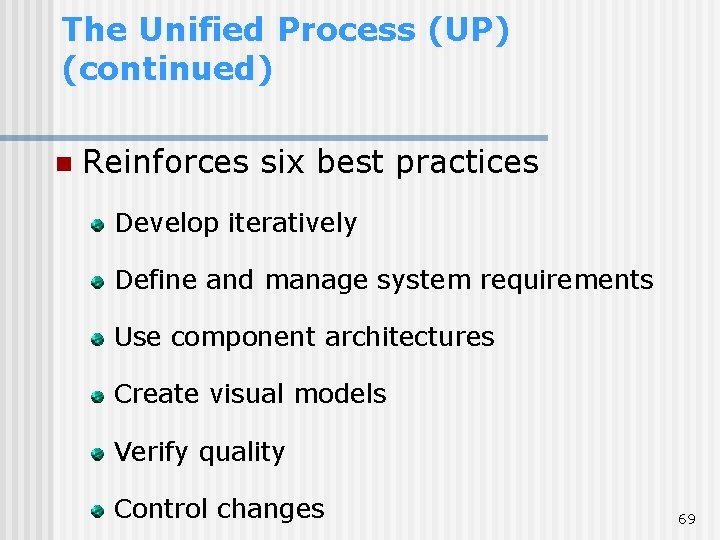
The Unified Process (UP) (continued) n Reinforces six best practices Develop iteratively Define and manage system requirements Use component architectures Create visual models Verify quality Control changes 69
Extreme Programming (XP) n Recent, lightweight, development approach to keep process simple and efficient n Describes system support needed and required system functionality through informal user stories n Has users describe acceptance tests to demonstrate defined outcomes n Relies on continuous testing and integration, heavy user involvement, programming done by small teams 70
Scrum n For highly adaptive project needs n Respond to situation as rapidly as possible n Scrum refers to rugby game Both are quick, agile, and self-organizing n Team retains control over project n Values individuals over processes 71
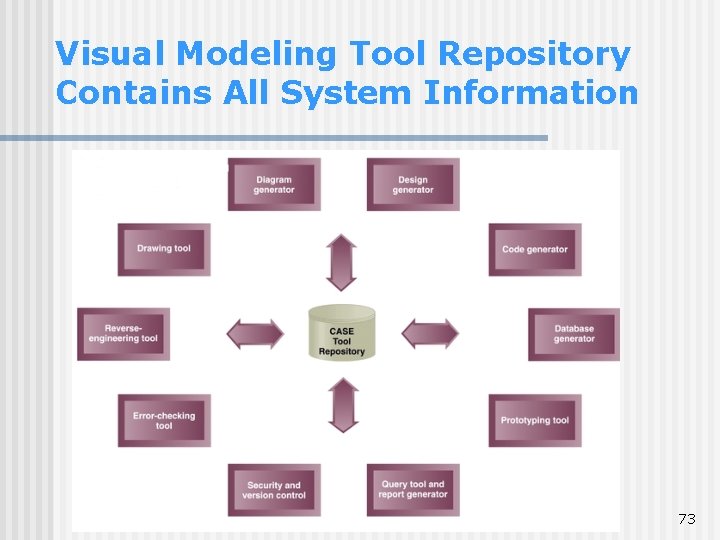
Computer-Aided System Engineering (CASE) Tools n n n n CASE tools are software tools designed to help systems analyst complete development tasks The CASE tool contains a database of information called a repository The repository stores information about the system, including models, descriptions, and references that link the various model together Information stored in repository can be used in a variety of ways by the development team Every time a team member adds information about the system, it is immediately available for everyone else CASE tools can check the models to make sure they are complete and follow the correct diagramming rules CASE tools can check one model against another to make sure they are consistent 72
Visual Modeling Tool Repository Contains All System Information 73
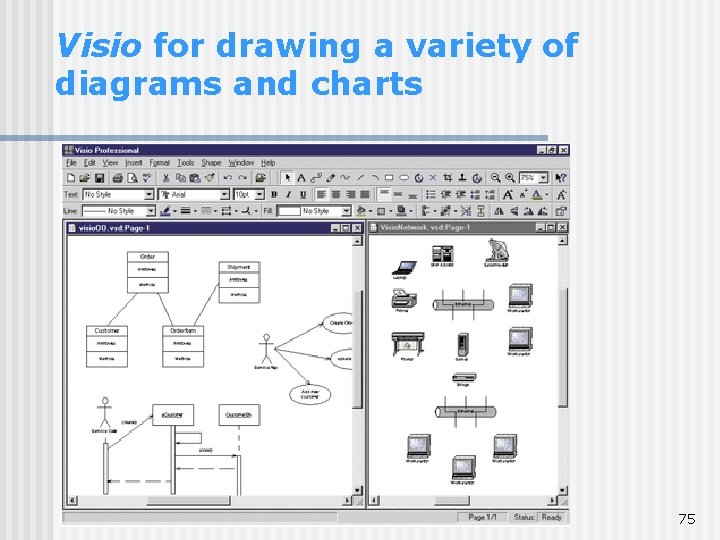
CASE Tools: Examples Microsoft Visio • a drawing tool suitable for about any system model • comes with a collection of drawing templates (incl. symbols used in a variety of business and engineering applications: flowcharts, DFDs, ERDs, UML diagrams) • provides only a limited repository for storing definitions and descriptions of diagram elements, but not a complete repository for a system development project. 74
Visio for drawing a variety of diagrams and charts 75
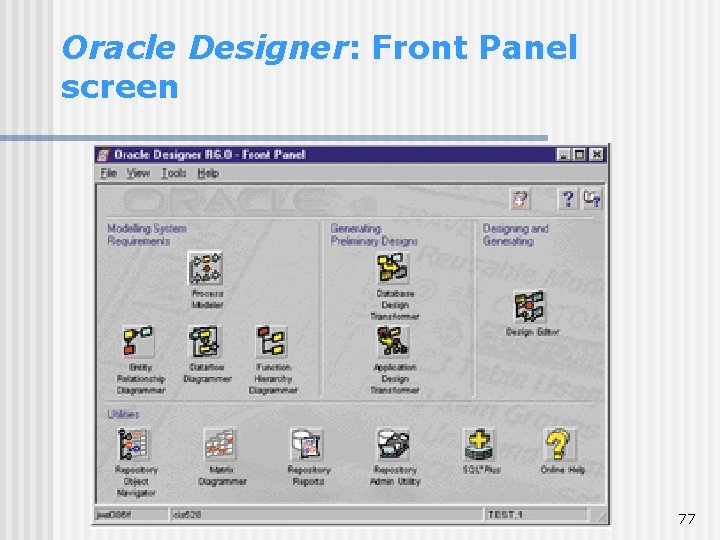
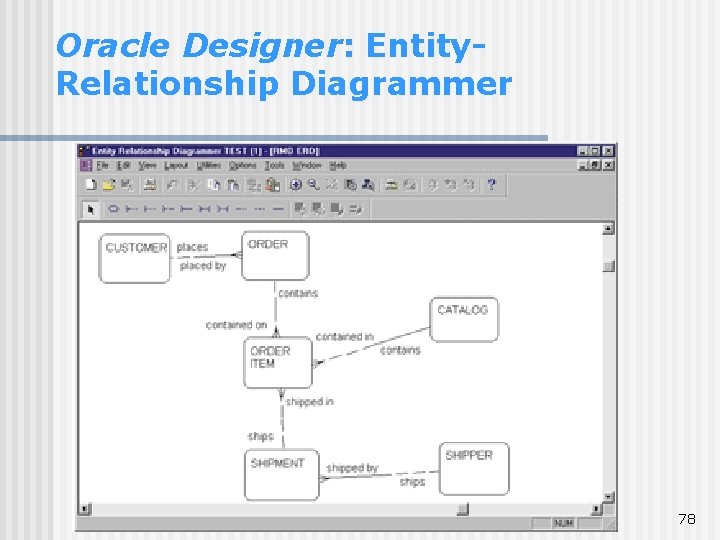
CASE Tools: Examples (cont’d) Oracle Designer • a tool set for recording definitions and automating the rapid constructions of flexible, graphical client -server applications • integrated with Oracle Developer (a tool for creating GUI applications) • includes a complete repository, diagramming and code-generating capabilities • an integrated CASE tool that supports traditional approach to system development (process modeler, function-hierarchy diagrammer, data flow diagrammer, entity-relationship diagrammer) • Design Transformer and Design Editor produce diagrams along with the database and application 76 logic
Oracle Designer: Front Panel screen 77
Oracle Designer: Entity. Relationship Diagrammer 78
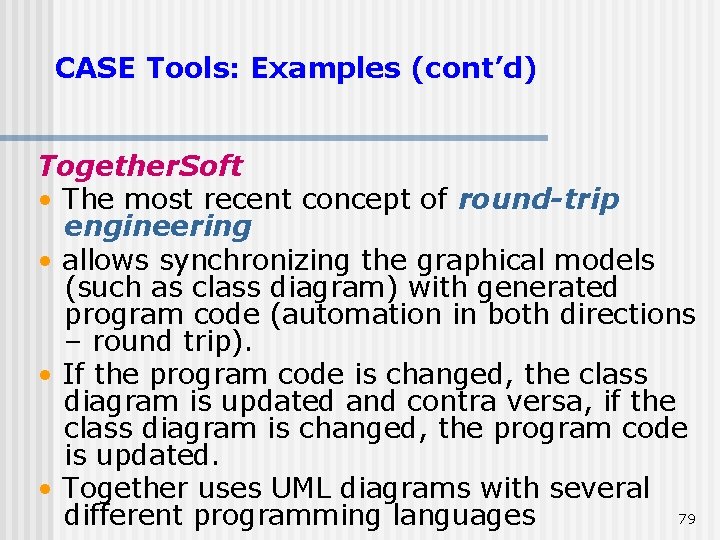
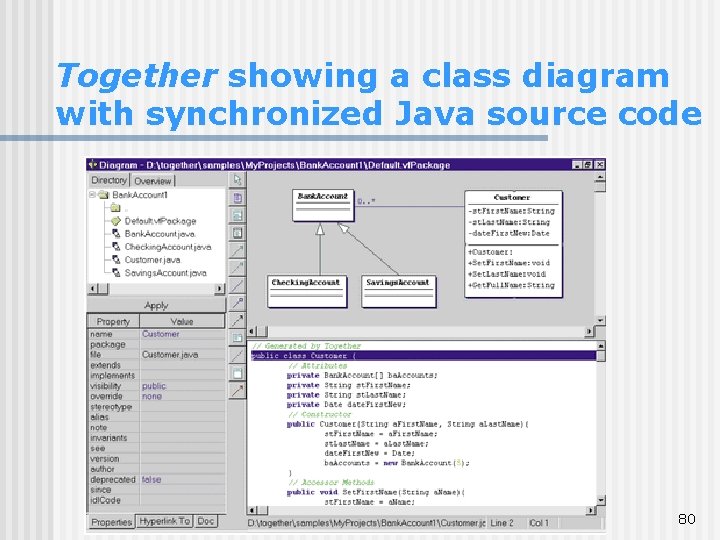
CASE Tools: Examples (cont’d) Together. Soft • The most recent concept of round-trip engineering • allows synchronizing the graphical models (such as class diagram) with generated program code (automation in both directions – round trip). • If the program code is changed, the class diagram is updated and contra versa, if the class diagram is changed, the program code is updated. • Together uses UML diagrams with several 79 different programming languages
Together showing a class diagram with synchronized Java source code 80
CASE Tools: Examples (cont’d) Embarcadero Describe • a new product that include modeling and round-trip engineering features • provides flexible UML modeling capabilities for analysis and design • provides round-trip engineering with several Java development tools (JBuilder and Sum Forte) 81
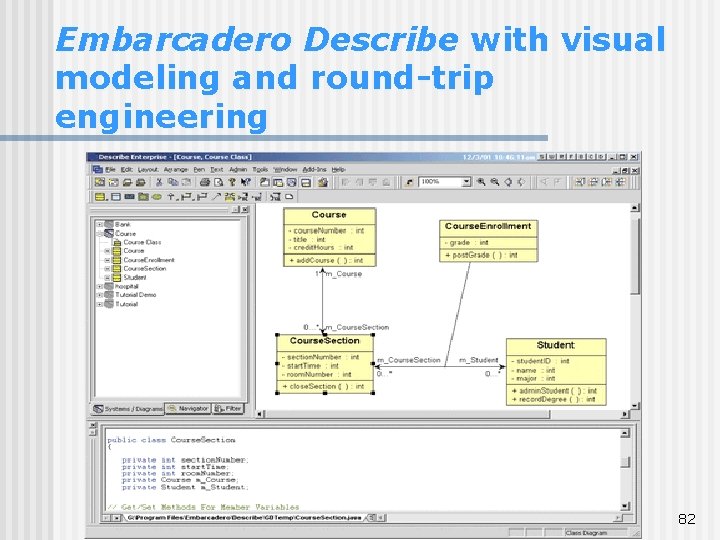
Embarcadero Describe with visual modeling and round-trip engineering 82
Readings Today’s lecture: Chapter 2 – “Approaches to System Development” !! ! u Analyst as a o For next lecture: Chapter 3 – “The y k n Project Manager” a Th 83