
IT101 Section 001 Introduction to Information Technology Lecture
- Slides: 30
IT-101 Section 001 Introduction to Information Technology Lecture #4
v. Overview n Chapter 3: n Bits vs. Bytes n Representing real numbers in binary form n Representing negative numbers in binary form n Octal numbering system n Hexadecimal numbering system n Conversion between different numbering systems n Representing alphanumeric characters in binary form
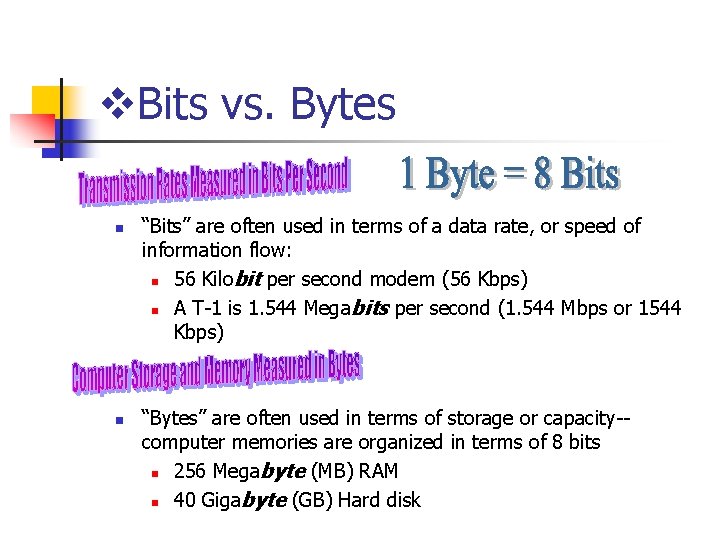
v. Bits vs. Bytes n n “Bits” are often used in terms of a data rate, or speed of information flow: n 56 Kilobit per second modem (56 Kbps) n A T-1 is 1. 544 Megabits per second (1. 544 Mbps or 1544 Kbps) “Bytes” are often used in terms of storage or capacity-computer memories are organized in terms of 8 bits n 256 Megabyte (MB) RAM n 40 Gigabyte (GB) Hard disk
Practical Use n Everyday stuff measured in bits: n 32 -bit sound card n 64 -bit video accelerator card n 128 -bit encryption in your browser
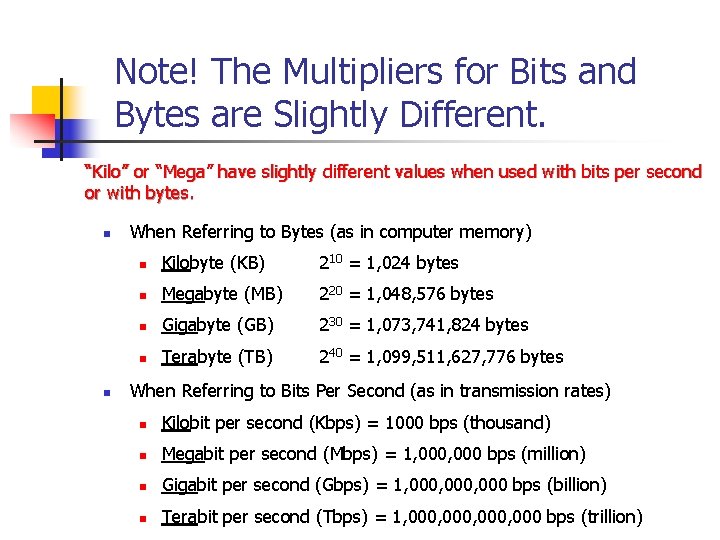
Note! The Multipliers for Bits and Bytes are Slightly Different. “Kilo” or “Mega” have slightly different values when used with bits per second or with bytes. n n When Referring to Bytes (as in computer memory) n Kilobyte (KB) 210 = 1, 024 bytes n Megabyte (MB) 220 = 1, 048, 576 bytes n Gigabyte (GB) 230 = 1, 073, 741, 824 bytes n Terabyte (TB) 240 = 1, 099, 511, 627, 776 bytes When Referring to Bits Per Second (as in transmission rates) n Kilobit per second (Kbps) = 1000 bps (thousand) n Megabit per second (Mbps) = 1, 000 bps (million) n Gigabit per second (Gbps) = 1, 000, 000 bps (billion) n Terabit per second (Tbps) = 1, 000, 000 bps (trillion)
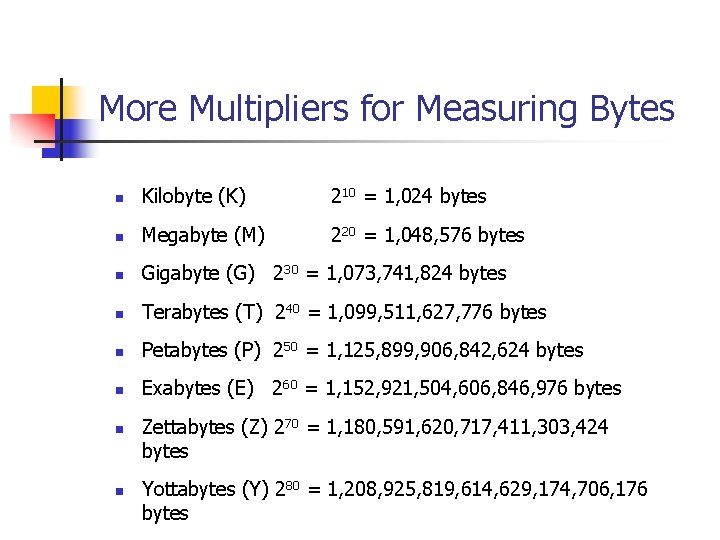
More Multipliers for Measuring Bytes n Kilobyte (K) 210 = 1, 024 bytes n Megabyte (M) 220 = 1, 048, 576 bytes n Gigabyte (G) 230 = 1, 073, 741, 824 bytes n Terabytes (T) 240 = 1, 099, 511, 627, 776 bytes n Petabytes (P) 250 = 1, 125, 899, 906, 842, 624 bytes n Exabytes (E) 260 = 1, 152, 921, 504, 606, 846, 976 bytes n n Zettabytes (Z) 270 = 1, 180, 591, 620, 717, 411, 303, 424 bytes Yottabytes (Y) 280 = 1, 208, 925, 819, 614, 629, 174, 706, 176 bytes
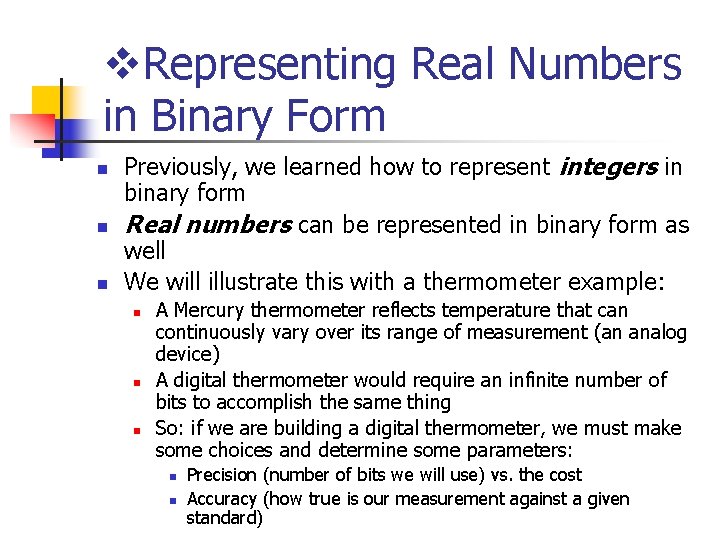
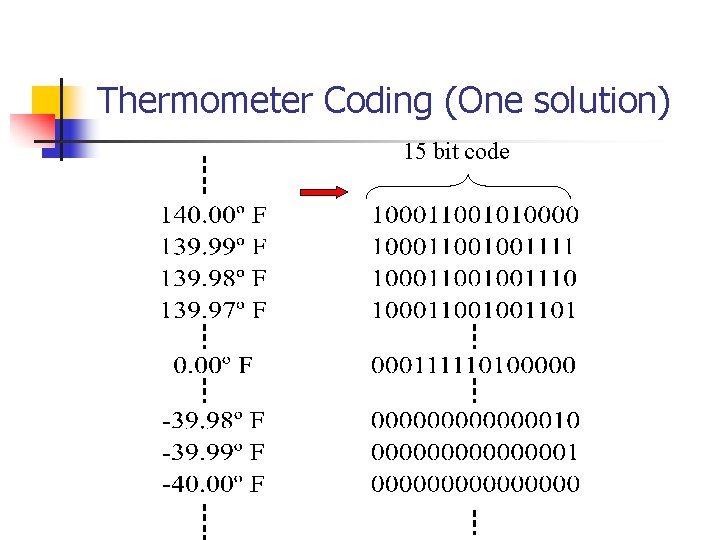
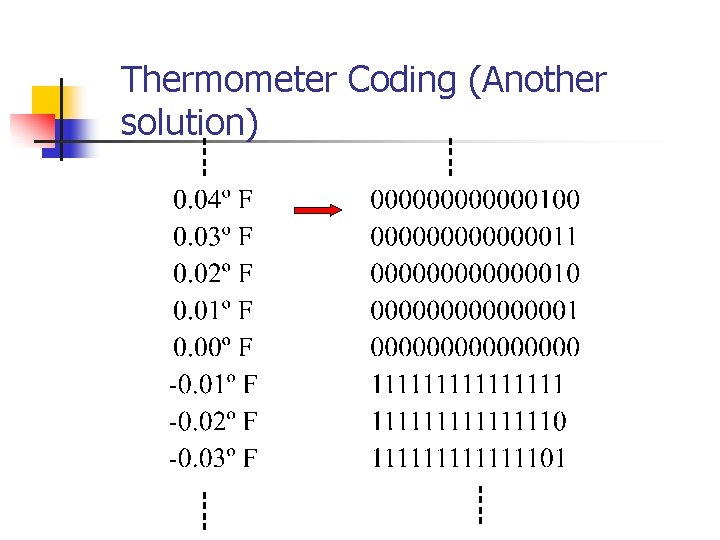
v. Representing Real Numbers in Binary Form n n n Previously, we learned how to represent integers in binary form Real numbers can be represented in binary form as well We will illustrate this with a thermometer example: n n n A Mercury thermometer reflects temperature that can continuously vary over its range of measurement (an analog device) A digital thermometer would require an infinite number of bits to accomplish the same thing So: if we are building a digital thermometer, we must make some choices and determine some parameters: n n Precision (number of bits we will use) vs. the cost Accuracy (how true is our measurement against a given standard)
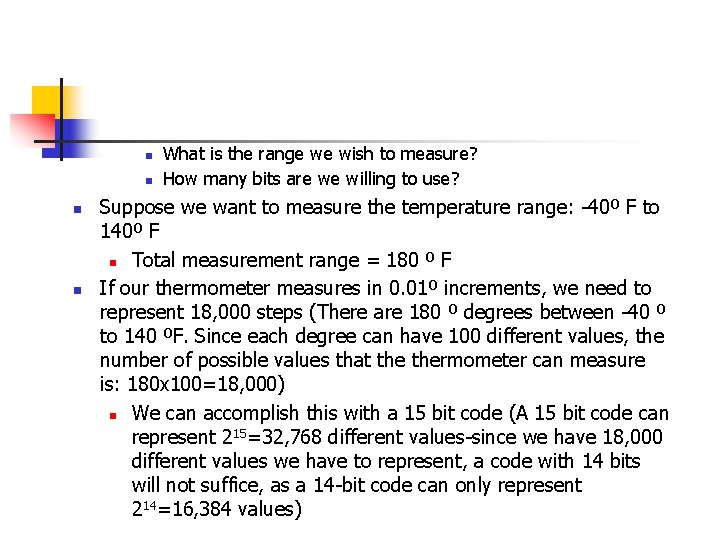
n n What is the range we wish to measure? How many bits are we willing to use? Suppose we want to measure the temperature range: -40º F to 140º F n Total measurement range = 180 º F If our thermometer measures in 0. 01º increments, we need to represent 18, 000 steps (There are 180 º degrees between -40 º to 140 ºF. Since each degree can have 100 different values, the number of possible values that thermometer can measure is: 180 x 100=18, 000) n We can accomplish this with a 15 bit code (A 15 bit code can represent 215=32, 768 different values-since we have 18, 000 different values we have to represent, a code with 14 bits will not suffice, as a 14 -bit code can only represent 214=16, 384 values)
Thermometer Coding (One solution) 15 bit code
Thermometer Coding (Another solution)
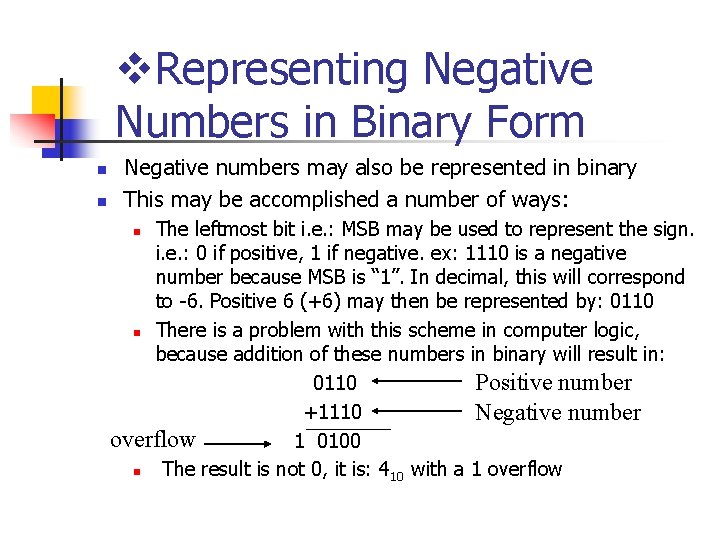
v. Representing Negative Numbers in Binary Form n n Negative numbers may also be represented in binary This may be accomplished a number of ways: The leftmost bit i. e. : MSB may be used to represent the sign. i. e. : 0 if positive, 1 if negative. ex: 1110 is a negative number because MSB is “ 1”. In decimal, this will correspond to -6. Positive 6 (+6) may then be represented by: 0110 n There is a problem with this scheme in computer logic, because addition of these numbers in binary will result in: Positive number 0110 +1110 Negative number overflow 1 0100 n The result is not 0, it is: 410 with a 1 overflow n
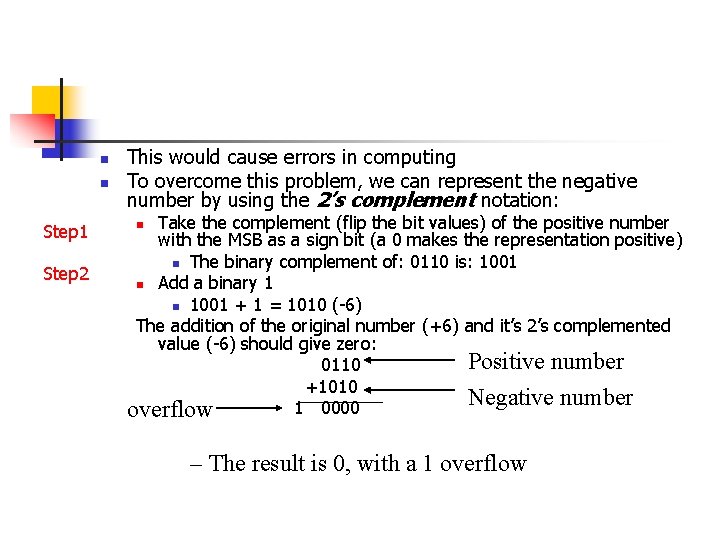
n n Step 1 Step 2 This would cause errors in computing To overcome this problem, we can represent the negative number by using the 2’s complement notation: Take the complement (flip the bit values) of the positive number with the MSB as a sign bit (a 0 makes the representation positive) n The binary complement of: 0110 is: 1001 n Add a binary 1 n 1001 + 1 = 1010 (-6) The addition of the original number (+6) and it’s 2’s complemented value (-6) should give zero: Positive number 0110 +1010 Negative number 1 0000 overflow n – The result is 0, with a 1 overflow
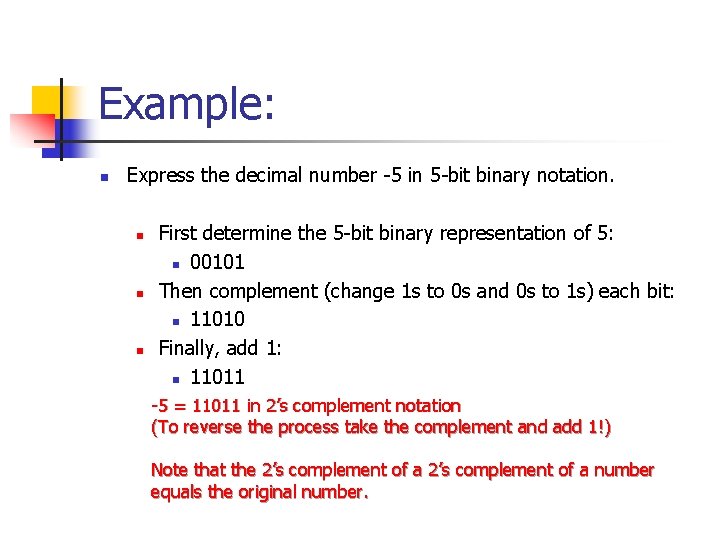
Example: n Express the decimal number -5 in 5 -bit binary notation. n n n First determine the 5 -bit binary representation of 5: n 00101 Then complement (change 1 s to 0 s and 0 s to 1 s) each bit: n 11010 Finally, add 1: n 11011 -5 = 11011 in 2’s complement notation (To reverse the process take the complement and add 1!) Note that the 2’s complement of a number equals the original number.
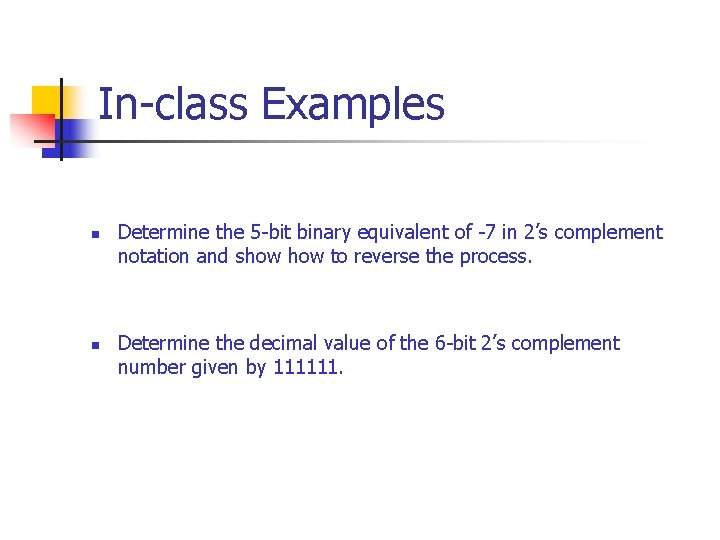
In-class Examples n n Determine the 5 -bit binary equivalent of -7 in 2’s complement notation and show to reverse the process. Determine the decimal value of the 6 -bit 2’s complement number given by 111111.
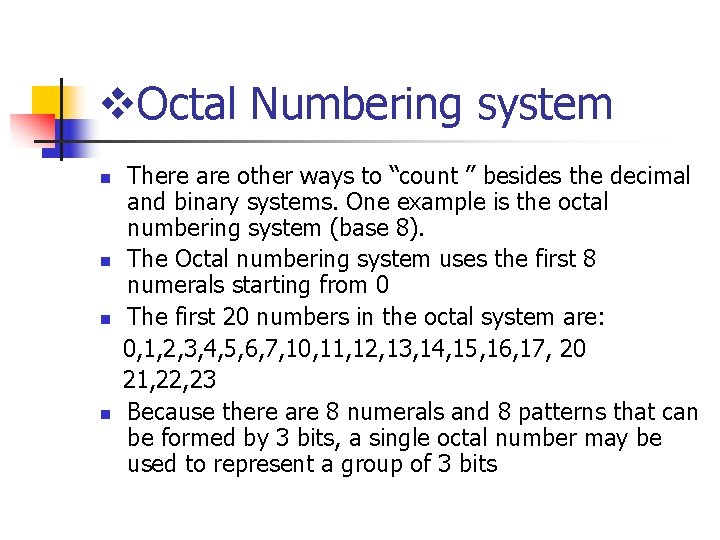
v. Octal Numbering system n n There are other ways to “count ” besides the decimal and binary systems. One example is the octal numbering system (base 8). The Octal numbering system uses the first 8 numerals starting from 0 The first 20 numbers in the octal system are: 0, 1, 2, 3, 4, 5, 6, 7, 10, 11, 12, 13, 14, 15, 16, 17, 20 21, 22, 23 Because there are 8 numerals and 8 patterns that can be formed by 3 bits, a single octal number may be used to represent a group of 3 bits
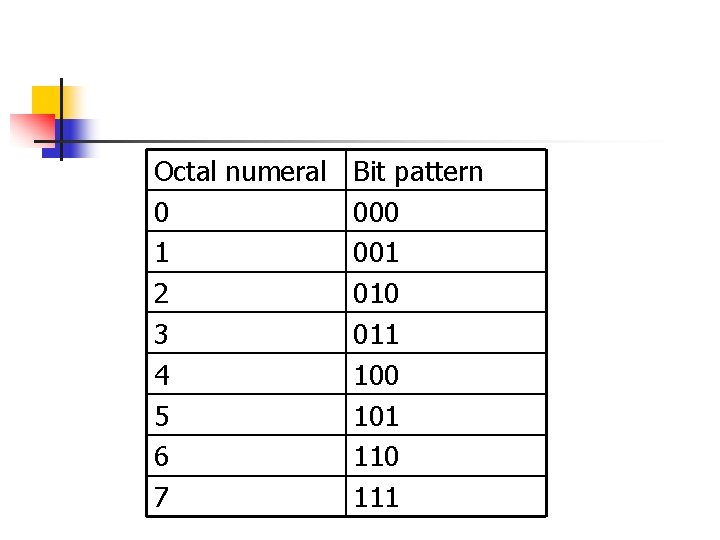
Octal numeral Bit pattern 0 000 1 001 2 010 3 011 4 100 5 101 6 110 7 111
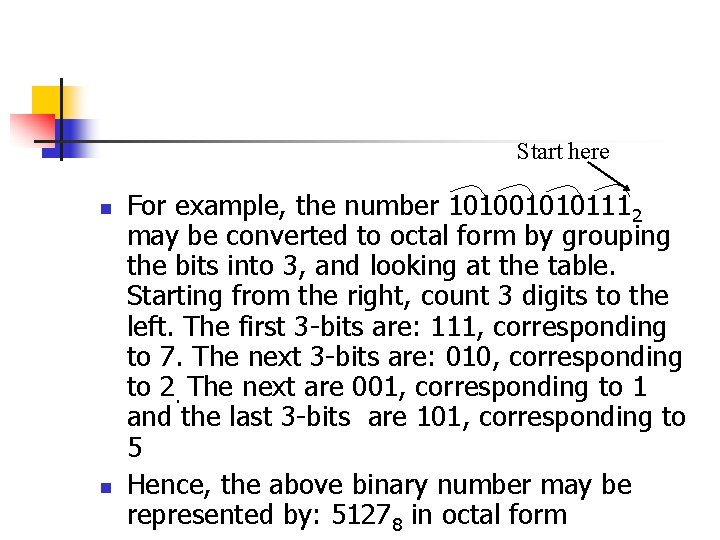
Start here n n For example, the number 1010010101112 may be converted to octal form by grouping the bits into 3, and looking at the table. Starting from the right, count 3 digits to the left. The first 3 -bits are: 111, corresponding to 7. The next 3 -bits are: 010, corresponding to 2. The next are 001, corresponding to 1 and the last 3 -bits are 101, corresponding to 5 Hence, the above binary number may be represented by: 51278 in octal form
v. Hexadecimal Numbering system n n The hex system uses 16 numerals, starting with zero The standard decimal system only provides 10 different symbols So, the letters A-F are used to fill out a set of 16 different numerals We can use hex to represent a grouping of 4 bits
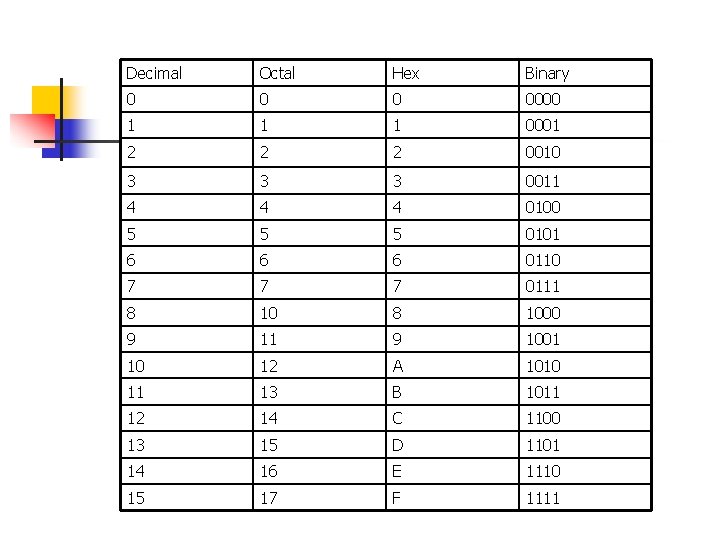
Decimal Octal Hex Binary 0 0000 1 1 1 0001 2 2 2 0010 3 3 3 0011 4 4 4 0100 5 5 5 0101 6 6 6 0110 7 7 7 0111 8 1000 9 11 9 1001 10 12 A 1010 11 13 B 1011 12 14 C 1100 13 15 D 1101 14 16 E 1110 15 17 F 1111
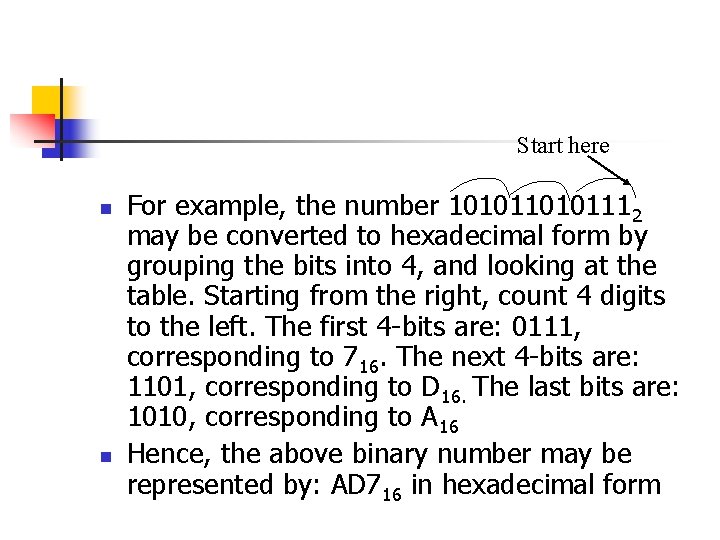
Start here n n For example, the number 10101112 may be converted to hexadecimal form by grouping the bits into 4, and looking at the table. Starting from the right, count 4 digits to the left. The first 4 -bits are: 0111, corresponding to 716. The next 4 -bits are: 1101, corresponding to D 16. The last bits are: 1010, corresponding to A 16 Hence, the above binary number may be represented by: AD 716 in hexadecimal form
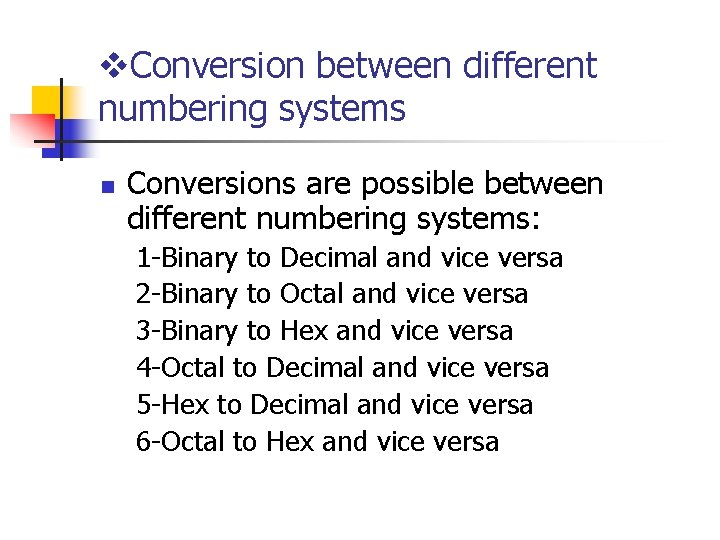
v. Conversion between different numbering systems n Conversions are possible between different numbering systems: 1 -Binary to Decimal and vice versa 2 -Binary to Octal and vice versa 3 -Binary to Hex and vice versa 4 -Octal to Decimal and vice versa 5 -Hex to Decimal and vice versa 6 -Octal to Hex and vice versa
n n n We learned how to do # 1 in detail in the previous lecture We learned how to do # 2 and 3 in this lecture We will learn how to do # 4, 5 and 6 now
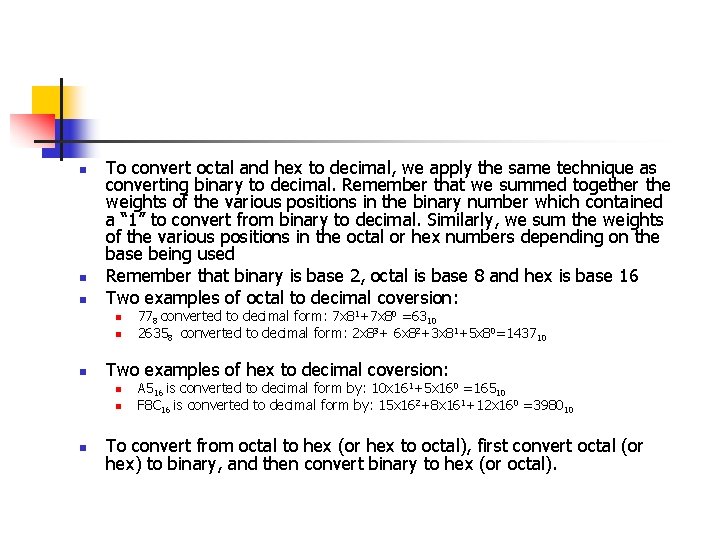
n n n To convert octal and hex to decimal, we apply the same technique as converting binary to decimal. Remember that we summed together the weights of the various positions in the binary number which contained a “ 1” to convert from binary to decimal. Similarly, we sum the weights of the various positions in the octal or hex numbers depending on the base being used Remember that binary is base 2, octal is base 8 and hex is base 16 Two examples of octal to decimal coversion: n n n Two examples of hex to decimal coversion: n n n 778 converted to decimal form: 7 x 81+7 x 80 =6310 26358 converted to decimal form: 2 x 83+ 6 x 82+3 x 81+5 x 80=143710 A 516 is converted to decimal form by: 10 x 161+5 x 160 =16510 F 8 C 16 is converted to decimal form by: 15 x 162+8 x 161+12 x 160 =398010 To convert from octal to hex (or hex to octal), first convert octal (or hex) to binary, and then convert binary to hex (or octal).
v. Representing Alphanumeric Characters in Binary form (ASCII) n n n It is important to be able to represent text in binary form as information is entered into a computer via a keyboard Text may be encoded using ASCII can represent: n n Numerals Letters in both upper and lower cases Special “printing” symbols such as @, $, %, etc. Commands that are used by computers to represent carriage returns, line feeds, etc
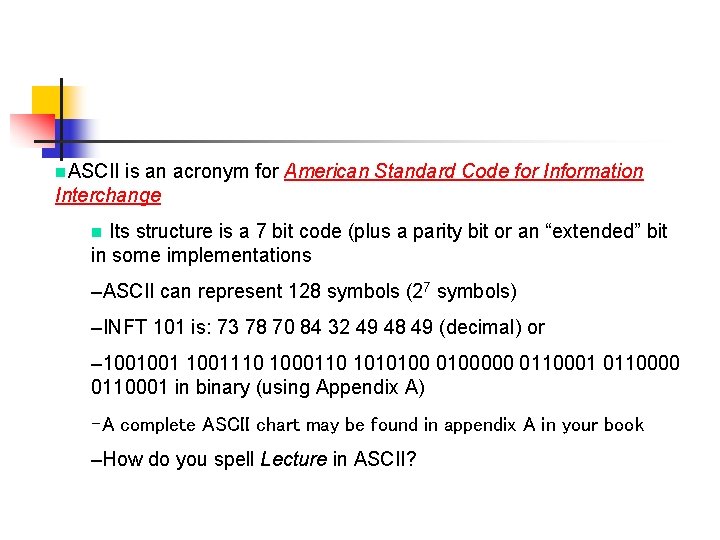
n. ASCII is an acronym for American Standard Code for Information Interchange Its structure is a 7 bit code (plus a parity bit or an “extended” bit in some implementations n –ASCII can represent 128 symbols (27 symbols) –INFT 101 is: 73 78 70 84 32 49 48 49 (decimal) or – 1001001110 1000110 1010100000 0110001 0110000 0110001 in binary (using Appendix A) –A complete ASCII chart may be found in appendix A in your book –How do you spell Lecture in ASCII?
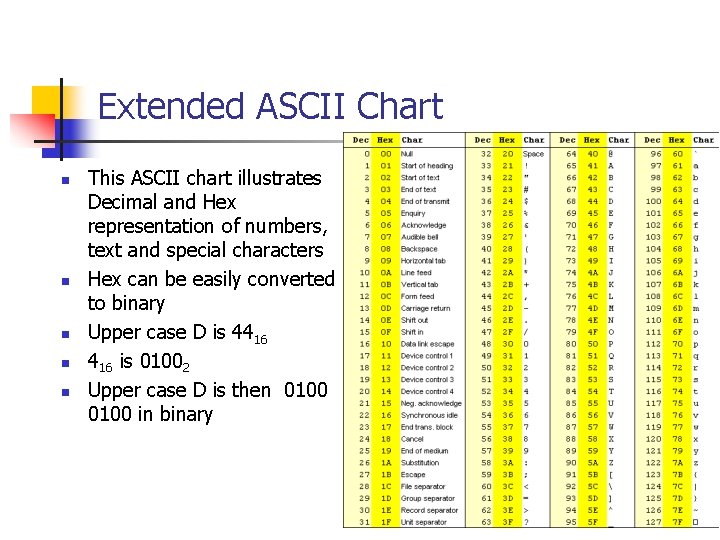
Extended ASCII Chart n n n This ASCII chart illustrates Decimal and Hex representation of numbers, text and special characters Hex can be easily converted to binary Upper case D is 4416 is 01002 Upper case D is then 0100 in binary
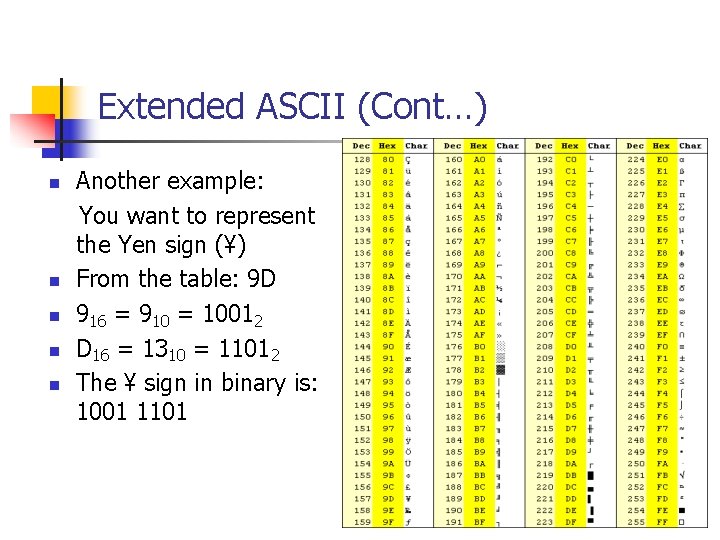
Extended ASCII (Cont…) n n n Another example: You want to represent the Yen sign (¥) From the table: 9 D 916 = 910 = 10012 D 16 = 1310 = 11012 The ¥ sign in binary is: 1001 1101
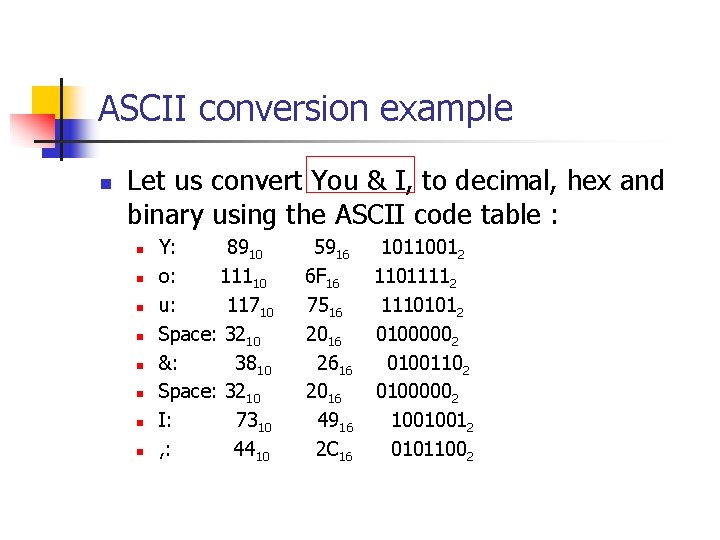
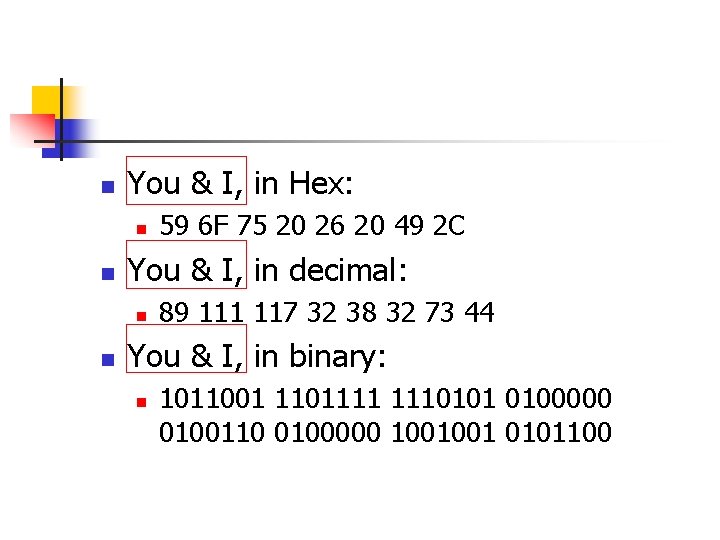
ASCII conversion example n Let us convert You & I, to decimal, hex and binary using the ASCII code table : n n n n Y: 8910 o: 11110 u: 11710 Space: 3210 &: 3810 Space: 3210 I: 7310 , : 4410 5916 10110012 6 F 16 11011112 7516 11101012 2016 01000002 2616 01001102 2016 01000002 4916 10010012 2 C 16 01011002
n You & I, in Hex: n n You & I, in decimal: n n 59 6 F 75 20 26 20 49 2 C 89 111 117 32 38 32 73 44 You & I, in binary: n 1011001 1101111 1110101 0100000 0100110 0100000 1001001 0101100
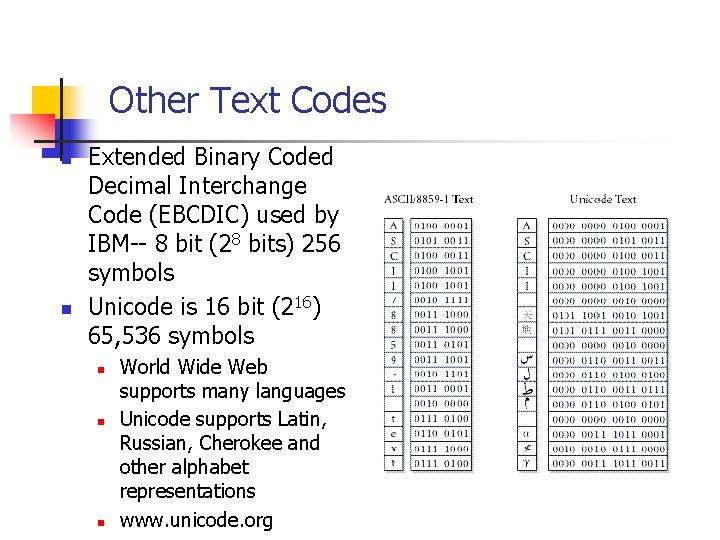
Other Text Codes n n Extended Binary Coded Decimal Interchange Code (EBCDIC) used by IBM-- 8 bit (28 bits) 256 symbols Unicode is 16 bit (216) 65, 536 symbols n n n World Wide Web supports many languages Unicode supports Latin, Russian, Cherokee and other alphabet representations www. unicode. org