
IT Project Management Tools Information Technology Project Management
- Slides: 7
IT Project Management Tools Information Technology Project Management, Seventh Edition Contents of these slides are taken as “direct quotes” from the following textbook, Appendix C (page: 477 -481): Kathy Schwalbe, Information Technology Project Management, Seventh Edition, Course Technology, Canada, 2014. Prepared by: Celeste Ng, 2016
Project Management Simulation Software (1) • Practice your project management skills. . . by using simulation software. There are several tools available, including three listed below. • 1. Fissure (www. fissure. com) now provides a web-based tool to help students apply their project management skills in a simulated environment. The price listed in 2012 was $39. 95. Most students can run the simulation once within 2 -3 hours and benefit from running it again, taking another 1 -2 hours. The following information was taken from their Web site in June, 2012. – Sim. Project®, the Alliance Prototype project is a simulated project from Fissure Corporation used by many academic institutions around the world as part of their project management curriculum. Sim. Project, the Alliance Prototype project has 7 tasks and 10 potential team members. Sim. Project can be given as standalone home work for students (individual or teams), or utilized as a classroom activity with teams of three or four students sharing the role of project manager. Purchase includes three runs or complete executions of the simulated project. Sim. Project will expire after the third run or after 120 days (even if all runs are not completed).
Project Management Simulation Software (2) • • • 2. Double Masters (www. doublemasters. com) provides a project management simulation for academia. Instructors should contact info@doublemasters@com and mention this book to receive a 20% discount on the academic version. The price in June 2012 was $29. 95 per student (without the discount). Most students take about 7 hours to run the entire simulation. The following information was taken from their Web site in June, 2012: Double Masters simulations are offered via the web on demand can be run whenever convenient for the student or instructor. This means there is no software to download or manage and the simulation can be accessed from any computer in the world, as long as there is Internet connectivity. The process is simple and straightforward: – An instructor will sponsor a session: a session ID and access code are generated in order to group students into a single online course – The instructor defines the session duration: start and end date for student accessibility – The students create a user account and register for the session identified by their instructor – The students can only run the simulation during the established time constraints of the simulation • • Assessing Performance - Reports are provided that make it easy for instructors to track their students' simulation run results. Key information reported includes: – – Complete list of decisions made Mail and documents read Schedule and budget data Final Earned Value Management metrics
Project Management Simulation Software (3) • • • 3. Sandbox Model (www. sandboxmodel. com) also provides a simulation tool. The price in June 2012 was $50 per student, and you can get a 30% discount by mentioning this book. Most students can run the web-based simulation once within 30 minutes. The following information was provided in June, 2012. The PTB™ is an award winning training and simulation tool which is used in designing and managing real world projects that require the use of all Project Management aspects. Originally developed at the Technion Institute of Technology, the software is now used by Universities and practitioners around the world. The simulation engine has scientific foundations that are based on reality. While other project management simulation tools include a small number of predefined projects that the user can simulate, the PTB™ includes a user-friendly case study generator, facilitating the development of new case studies that suit a variety of businesses and projects. The module even allows for importing projects from third party software such as Microsoft Project. This feature enables using the PTB™ in different fields such as software development, construction, etc. The PTB™ is the only project management simulator that takes variance into account. Each project task can be performed in a number of different modes. When the trainee selects the mode for execution, the decision affects the project cost, schedule and quality. Another unique feature is the History Mechanism. This permits users to “travel in time”, view past decisions made in the project life cycle, and correct them if necessary. After the project simulation ends, the mechanism allows the user to learn from past mistakes and to duplicate successful solutions. The PTB™ won the PMI project of the year award.
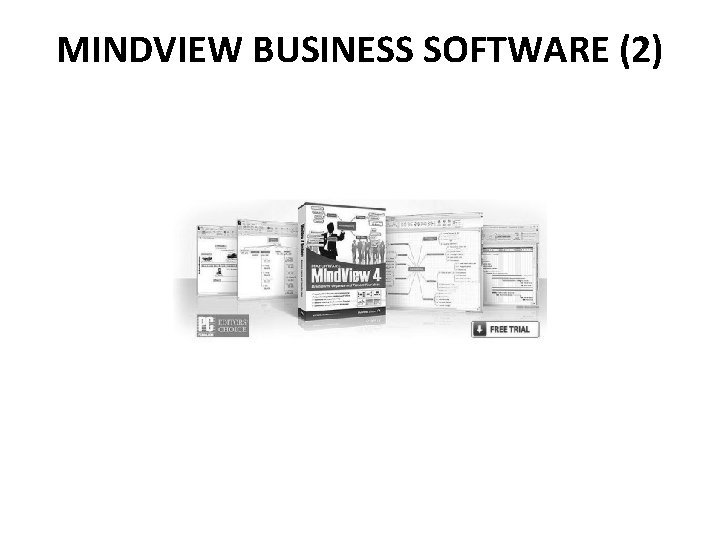
MINDVIEW BUSINESS SOFTWARE (1) • You can use mind-mapping software to perform a SWOT analysis, create a WBS, and more. After creating a WBS with Mind. View Business software, you can easily view it in a Gantt chart format as well. Readers of this text can download a 60 -day free trial of Mind. View Business software by Matchware, Inc. Go to www. matchware. com/intropm for more information. • Match. Ware Mind. View lets you use Mind Mapping to help every member of your team fully understand the project, contribute to planning, follow the project timeline and clearly visualize all tasks in an organized manner. It lets you take notes “on-the-fly” for criteria or risk management and allows you to attach relevant files to each task in your Mind Map (Excel® files, technical drawings, etc. ). Task information such as resources, duration and priorities can also easily be applied directly onto your Mind Map.
MINDVIEW BUSINESS SOFTWARE (2)
MINDVIEW BUSINESS SOFTWARE (3) • Match. Ware Mind. View Business bridges the gap between Mind Mapping and project planning by integrating a dynamic Gantt Chart. This allows you to create most of your project plan in the Mind Map view and then simply switch to the Gantt view for fine-tuning. Your final Gantt chart can then easily be printed or integrated with Microsoft® Project. • Match. Ware Mind. View Business is fast, efficient, affordable and easy to use! Just follow these 4 easy steps: 1. 2. 3. 4. Brainstorm using Mind Mapping Apply task information Fine tune project plans in the built-in Gantt view Present your project plan • Key Features of Mind. View 4 Business for Project Management – – – Built-in Gantt Chart Built-in Project Timeline Export / import to MS Office® Integration with MS Project® XML export / import FREE viewer