
It h c ar e s e R







- Slides: 20
It! h c ar e s e R Write It! t! Explore I Read It! ! t I e z i n a g Or Watch It! Assess It! e t a r t s Illu 8 Plug & Science Play Station s
Connect with Mad Science Lessons Be sure to follow my Tp. T store by clicking on the red ‘Follow Me’ next to my seller picture to receive notifications of new products and upcoming sales. Blog - Mad Science Lessons Blog for more great activities and freebies Follow - Twitter Like – Facebook You may also Like: Mad Science Lessons on Tp. T © Chris Kesler, Madsciencelessons. com, 2013
Mad Science Station Labs The Mad Science Station Lab series was developed to make learning much more enjoyable for my students. This plug and play system is designed to use the same types of stations for every concept that you teach. The information and tasks can be easily interchanged based on the material that is being taught. The teacher or lab assistant simply has to exchange one unit with the next, and the stations are ready to go. It doesn’t get much easier. The 8 plug and play lab stations are setup to teach, reinforce, and challenge every student using a variety of learning styles. The next page summarizes what you can expect out of each lab station. On the following pages I have also provided cards that can be used as station identifiers. You will find full page signs and half-page signs. I use the full page signs to hang from the ceiling and the half-page signs go on my tubs that I set out at each station. They remain there throughout the year. Plug and Play! You can find all of the Mad Science Station Labs that I have created in my TPT store. Please send me an email if you have any questions. madsciencelessons@gmail. com © Chris Kesler, Madsciencelessons. com, 2013
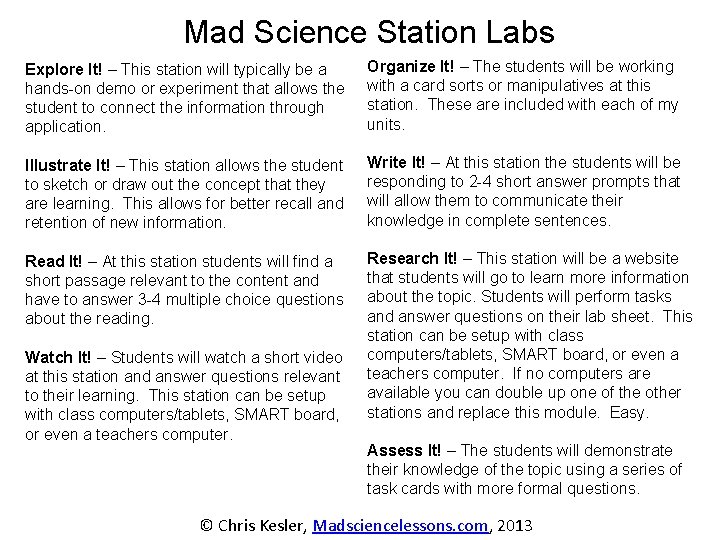
Mad Science Station Labs Explore It! – This station will typically be a hands-on demo or experiment that allows the student to connect the information through application. Organize It! – The students will be working with a card sorts or manipulatives at this station. These are included with each of my units. Illustrate It! – This station allows the student to sketch or draw out the concept that they are learning. This allows for better recall and retention of new information. Write It! – At this station the students will be responding to 2 -4 short answer prompts that will allow them to communicate their knowledge in complete sentences. Read It! – At this station students will find a short passage relevant to the content and have to answer 3 -4 multiple choice questions about the reading. Research It! – This station will be a website that students will go to learn more information about the topic. Students will perform tasks and answer questions on their lab sheet. This station can be setup with class computers/tablets, SMART board, or even a teachers computer. If no computers are available you can double up one of the other stations and replace this module. Easy. Watch It! – Students will watch a short video at this station and answer questions relevant to their learning. This station can be setup with class computers/tablets, SMART board, or even a teachers computer. Assess It! – The students will demonstrate their knowledge of the topic using a series of task cards with more formal questions. © Chris Kesler, Madsciencelessons. com, 2013
Mad Science Station Labs Tips - I use clear tubs for each of the stations. Each of them are labeled using the cards provided, and I just switch out the material depending on the concept that I am teaching. - I allow students to move between stations once they have completed the current station. A timed move doesn’t work in my classroom, because there always those that finish more quickly and then get off task. - I grade the assignment for quality of work rather than completion. Many times this is the first time that the students are seeing this information and a grade is not fair. - I often double up some of the stations if I feel that they will take a longer time or are a prerequisite for another station. You may also have a larger class that will benefit from more stations. - I will let students work in groups of 2 or 3 but discourage groups of 4. I feel that there are more discipline issues with 4 and that reluctant learners tend to get lost in the mix. - I will setup the Research It! and Watch It! stations to accommodate up to about 6 students because they generally require little talking. -I keep the Explore It! and Organize It! stations close by so that I can easily monitor those at the same time. They seem to generate the most questions. - I rarely allow a student to ask me a question without asking their group first. -I set very clear expectations that the stations are to allow the students to learn on their own terms and that they are a privilege. I always have an ‘alternative assignment’ written on the board and if someone can’t handle the station lab they will be removed and have to learn the information in an old school fashion (think textbooks). If you plan on doing 20+ station labs a year you need to set the tone very early on what you will tolerate and what you won’t. It’s for the benefit of you and everyone else in the classroom. - I generally need two, 45 -minute class periods to complete all of the stations. Make sure to have an assignment for those that are finishing up early. © Chris Kesler, Madsciencelessons. com, 2013