
ISYS 263 Introduction to Information Systems David Chao
- Slides: 55
ISYS 263 Introduction to Information Systems David Chao
Welcome to the Information Age • Information Age/society: – the majority of workers are involved in the creation, distribution, and application of information. • Knowledge Workers: Workers involved in the creation, distribution, and application of information. – Businesses depend on information technology to get their work done.
Time Magazine’s Person of the Year You • For seizing the reins of the global media – – Tila Tequila: The Madonna of My. Space Leila: ONELYGIRL 15, the real lonely girl of You. Tube Smosh: Intertainer Kamini, French rapper • For founding and framing the new digital democracy – Lane Hudson, the Washington Whistle-Blogger • For working for nothing and beating the pros at their own games – Mil-Blogger Captain Lee Kelley: “No one knows what’s going on better than the soldiers on the front lines. ” – Citizen reporter
Some Newspaper Titles • Beefy Google profit boots stocks – 4 th quarter proft: 204 million, revenue: 1. 03 billion • Online auction scans soar – complaints nearly double – Problem: challenge and opportunity • Shoppers can pay for their groceries with the touch of a finger – Biometric service • Law hasn’t deterred e-mail spammers – Anti-Spam law, Can Spam Act – 80% of all email sent • Phishing • We. Bloggin, RSS
Web 2. 0 • Web 2. 0 refers to a perceived or proposed second generation of internet-based services —such as social networking sites, wikis, that emphasize online collaboration and sharing among users. – Wikimedia – My. Space – Web syndication
Web Syndication • Web syndication is a form of syndication in which a section of a website is made available for other sites to use. • RSS: Really Simple Syndication
Examples of E-Commerce • Amazon Associates: – Amazon. com's affiliate marketing program. By linking to Amazon products and services you can add compelling content for your site visitors enjoyment and receive up to 8. 5% in referral fees for doing so. – a. Store • e. Bay Stores: – An e. Bay Store helps you get more out of e. Bay's access to millions of shoppers worldwide. By showcasing all of your merchandise in one central location, an e. Bay Store creates a central shopping destination where buyers can learn more about you, your products, and your policies.
Why study information systems? • An end-user perspective – Enhance personal productivity, and the productivity of their work groups and department. – Increase your opportunities for success: • be aware of the management problems and opportunities presented by the information technology.
Why study information systems? • An enterprise perspective: Information systems play a vital role in the success of an enterprise. – Efficient operations – Effective management – Competitive advantage
Information System is a major functional area of business • A major part of the resources of an enterprise and its cost of doing business. • An important factor affecting operational efficiency, employee productivity, customer service, etc. • A major source of information needed to promote effective decision making. • An important ingredient in developing competitive products and services that give an organization a strategic advantage in the marketplace. • A challenge career opportunity.
Techies might finally be able to move into top management • More Chief Information Officers (CIOs) are reporting directly to CEOs. • More CIOs are being included on management committees. • In a recent survey of executives at capital market firms, 89% believed that technology managers would assume greater responsibilities.
Course Introduction • IT – Introduction to information technology – Computer hardware, software – Computer network • IS – Introduction to information systems – Information system components – Types of information systems • PC – personal computing – Problem solving techniques • expression, problem solving using functions, decision, etc. • spreadsheet design – Introduction to database – Internet techniques • Creating web pages
What is Information Technology? • A term used to refer to a wide variety of items and abilities used in the creation, storage, and dispersal of data and information. – Data: Raw facts, figures, and details. – Information: An organized, meaningful, and useful interpretation of data. • Its three main components are computers, communications networks, and know-how.
Computers • An electronic system that can be instructed to accept, process, store, and present data and information. – Input function – Processing function – Output function – Storage function
We use computer to • Process data – Numerical data • Calculation – Text data • Ex. Name, address, title, etc. • word processing, key word search, sorting. – Multimedia data • Graphics, video/audio data
We use computer to • Support business operations • Gather information – Information about business performance • Ex. How many cars sold in July? – Other information. • Improve communication – Email, electronic bulletin, computer conference – Chat, Weblog, Instant Messenger – Internal, and inter-organizational
Hardware • Input devices • CPU and primary storage – RAM - temporary (volatile) storage – Processor • Control Unit - decoder • Arithmetic & Logic Unit (ALU) – Machine cycle: • • fetch instruction decode instruction execute instruction place results in memory
Hardware • Output devices • Secondary storage • Communication devices
Hardware • Microcomputers – Desktop, notebook, Tablet, PDA, Palm – personal computing, workstation, network server. • Minicomputers – Departmental and workgroup systems, network server, workstation. • Mainframes – Enterprisewide systems, transaction processors – E-Server • Supercomputers – Scientific calculation • Networked computer systems
Local Area Network • Peer-to-peer network: – no dedicated server – allow file sharing with password protection • Client/Server network – at least one computer as dedicated server – improved security, performance – Network Operating System (NOS) • Downsizing: replacing mainframes by networked micro/minicomputers. • Upsizing: replacing PC based systems by networked micro/minicomputers. • Distributed processing • Client/Server computing
Personal Area Network • A personal area network (PAN) is a computer network used for communication among computer devices (including telephones and personal digital assistants) close to one person. The devices may or may not belong to the person in question. The reach of a PAN is typically a few meters. • Blue. Tooth: It is an industrial specification for wireless PANs. Bluetooth provides a way to connect and exchange information between devices such as mobile phones, laptops, PCs, printers, digital cameras and video game consoles via a short-range radio frequency. – Nokia’s Sensor program
Business Are Becoming Internetworked Enterprises • The internet and Internet-like networks (intranets and extranets) have become the primary information technology infrastructure that supports the business operations of many organizations. • Electronic commerce: – The buying and selling, and marketing and servicing of products, services, and information over a variety of computer networks. • Globalization: – Global markets, global production facilities, global partners, global competitors, global customers.
Hardware Trends • CPU: Parallel processor systems. • Two approaches of parallel processor systems: – Pieces of the problem are worked on simultaneously by two or more CPUs and the results are then combined. – Multiple CPUs are used sequentially in an arrangement called pipelining.
Hardware Trends • Storage: – RAID (Redundant Arrays of Inexpensive Disks): Arrays of disk drives that provides a fault tolerant capability by storing multiple copies of data on several disks. • RAID hardware/RAID software, Mirroring. – Erasable optical disk. – Flash memory: • non-volatile • Camera, PDA • Input/output: video and multimedia input/output, voice recognition and response, optical and magnetic recognition, biometric scanner.
Software (Program) • System software – Operating system • Application software – University’s registration system • Application development software
Operating system functions – User interface – Resource management (managing hardware) – Task management (managing the accomplishment of tasks) – File management (managing data and program files) – Utilities (providing a variety of supporting services)
Application development software • Low level language • High level language – third generation – fourth generation • Word processing, desktop publishing, spreadsheet, database management, graphic presentation, etc.
Compiler • Translator: Translate the source program to machine executable code. • Interpreter: Translate one command at a time. – VBScript, Java. Script
Object-oriented development tools – Graphical user interface – Component programming – Event-driven programming – Code generator – Examples, Visual. Basic. Net
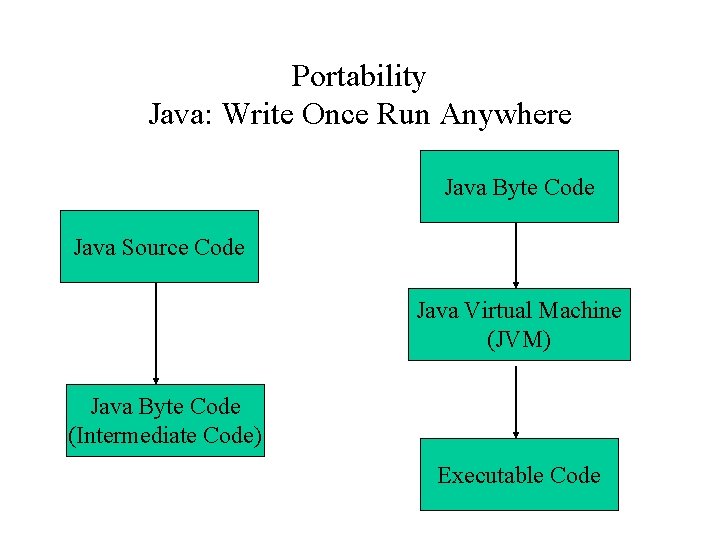
Portability Java: Write Once Run Anywhere Java Byte Code Java Source Code Java Virtual Machine (JVM) Java Byte Code (Intermediate Code) Executable Code
Microsoft’s. Net • Language must compliance with Common Language Specification, CLS. • Compile the language into Microsoft Intermediate Language (MSIL) code. • The MSIL code is then executed in the Common Language Runtime (CLR), which conceptually is same as the JVM, where it is translated into machine code by a compiler.
Know-How • The capability to do something well. • Information technology know-how consists of: – Familiarity with the tools of IT; including the Internet – Possession of the skills needed to use these tools – An understanding of when to use IT to solve a problem or create an opportunity
IT and Business Reengineering • Information technology provides the means to rethink/recreate/reengineer conventional business processes. – Business Processes: Collections of activities, often spanning several departments, that take one or more kinds of input and create a result that is of value to a company’s customers. – Reengineering: The reshaping of business processes to remove barriers that prohibit an organization from providing better products and services and to help the organization capitalize on its strengths.
What Is an Information System? • Information system is a collection of components that work together to process data and provide information to help in the operation and management of an organization.
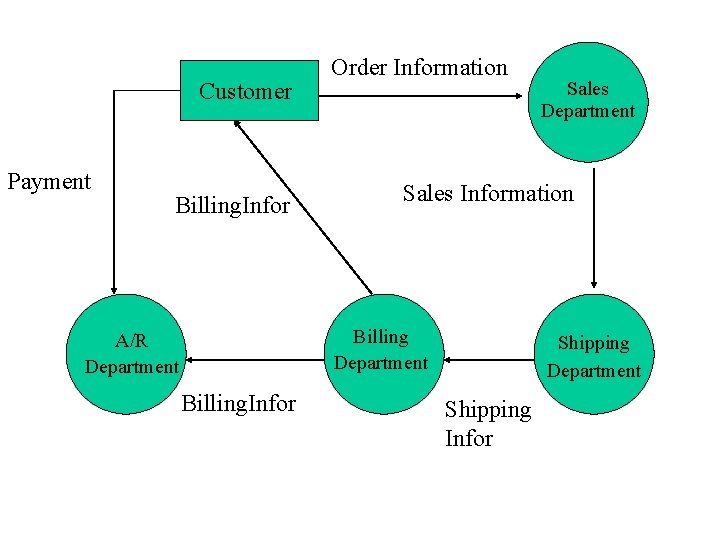
Information and Business Operations • Business operations are those activities that provide the goods and services of the business, and that ensure that the business makes a profit from selling its products. • Manufacturing products, processing customer orders, billing customers, keeping track of inventory, purchasing raw materials, etc. • Information is needed for these operations to function efficiently.
Customer Payment Billing. Infor Order Information Sales Information Billing Department A/R Department Billing. Infor Sales Department Shipping Infor
Information and Management Decisions • A decision is a selection between several courses of action: – Penalty for bad decision • Information helps reduce uncertainty: – Incomplete information • Information systems improve decision-making effectiveness by providing decision makers with information related to the decisions for which they are responsible.
The Fundamental Roles of Information Systems • Support of business operations • Support of managerial decision making • Support of strategic competitive advantage – Information systems that give a company a competitive advantage in the market place.
Benefits of Information Systems • Increased productivity – Output/Input – Reduce cost • Improved service – ATM, Online system • Better information
Components of an Information System • • Information technology people Database Procedure
People • Information specialists – programmer, system analyst, database administrator, etc. • End-user: – Menu-level end users – Command-level end users – End-user programmer • End-user computing
What Stimulated End-User Computing? • An increase in computing literacy • The information services backlog • Low-cost hardware – Power/Price ratio – Ex. MB/$ • User-friendly software
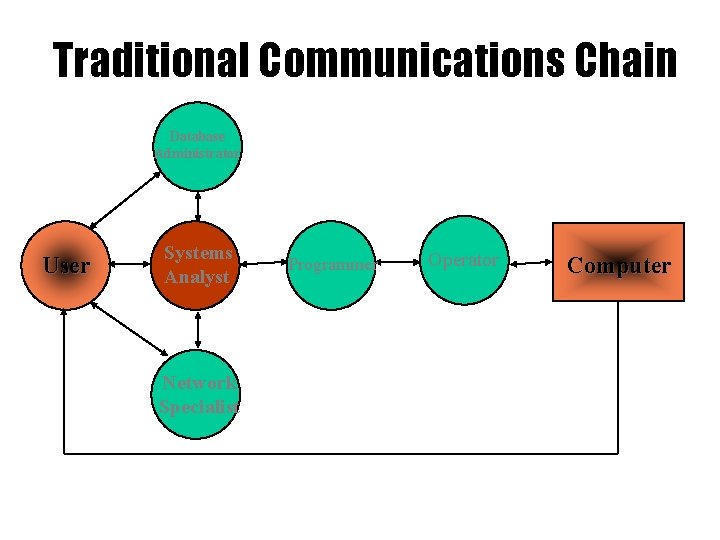
Traditional Communications Chain Database Administrator User Systems Analyst Network Specialist Programmer Operator Computer
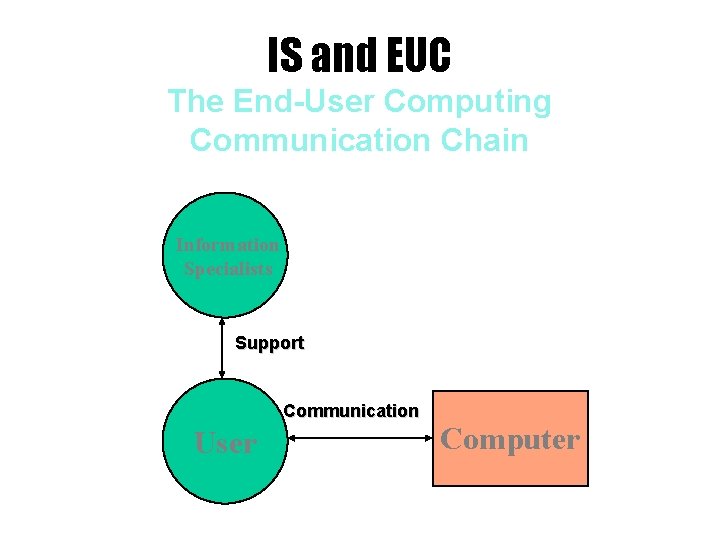
IS and EUC The End-User Computing Communication Chain Information Specialists Support Communication User Computer
Office Ethics Confusion Technology Is Changing the Rules of Conduct on the Job
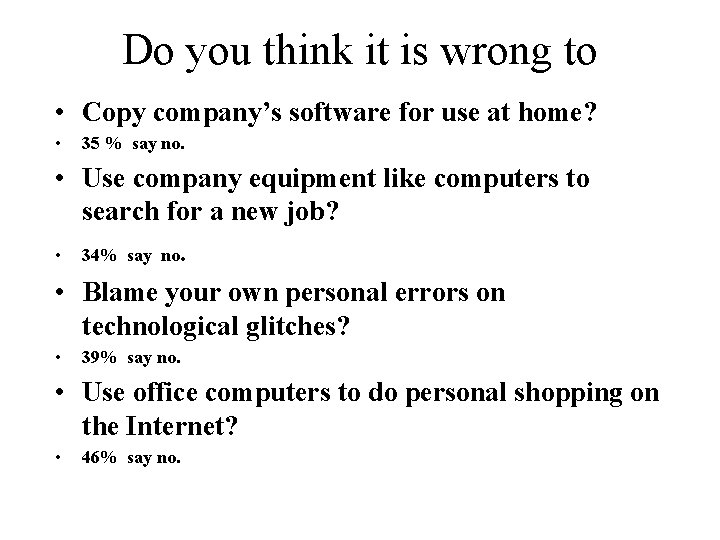
Do you think it is wrong to • Copy company’s software for use at home? • 35 % say no. • Use company equipment like computers to search for a new job? • 34% say no. • Blame your own personal errors on technological glitches? • 39% say no. • Use office computers to do personal shopping on the Internet? • 46% say no.
Workplace PCs May Not Be Very Private • Don’t be fooled: It may be personal, but it is not private. • Cyber-surveillance: The person most likely to be spying on you is your boss. 27% of businesses surveyed by the American Management Association said they review employee email. • Reasons: – Productivity – Liability – Network performance
Database • A group of related files – Support business operations – Provide information • Most of business applications are database applications.
An example of database application Lucky. Market presents another great way to save with your Lucky. Market Rewards Card! You can get up to 4 FREE movie tickets! From Feb. 01 through June 9, 2007, use your Lucky. Market Rewards Card every time you shop at Lucky. When you accumulate between $250 - $399. 99 in groceries during the qualifying period, you get 2 FREE movie tickets! And if you purchase $400 or more during the same period you get 4 FREE movie tickets!
Major Functions of Database Management • Creating a database – Analysis: Entity-Relationship Diagram – Design: Design file structure – Implementation • Accessing a database • Updating a database
Database Security • Logical protection: – Illegal access – Illegal update – Virus • Physical protection
Internet firms flocks to store data in blast-proof bunker • Some biggest companies are running their Internet operations on systems installed in a 300 -foot-deep nuclear blast-proof bunker.
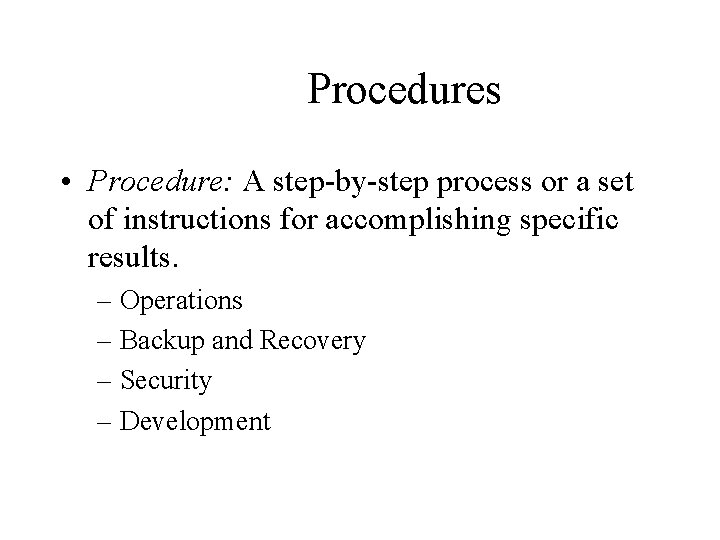
Procedures • Procedure: A step-by-step process or a set of instructions for accomplishing specific results. – Operations – Backup and Recovery – Security – Development
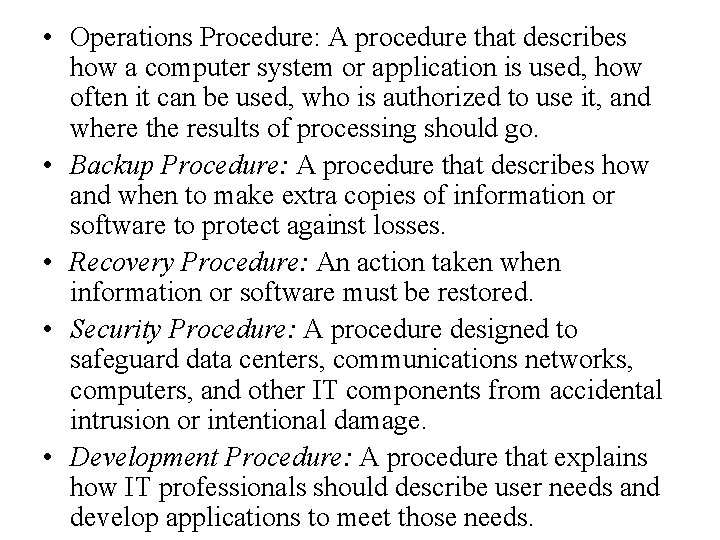
• Operations Procedure: A procedure that describes how a computer system or application is used, how often it can be used, who is authorized to use it, and where the results of processing should go. • Backup Procedure: A procedure that describes how and when to make extra copies of information or software to protect against losses. • Recovery Procedure: An action taken when information or software must be restored. • Security Procedure: A procedure designed to safeguard data centers, communications networks, computers, and other IT components from accidental intrusion or intentional damage. • Development Procedure: A procedure that explains how IT professionals should describe user needs and develop applications to meet those needs.
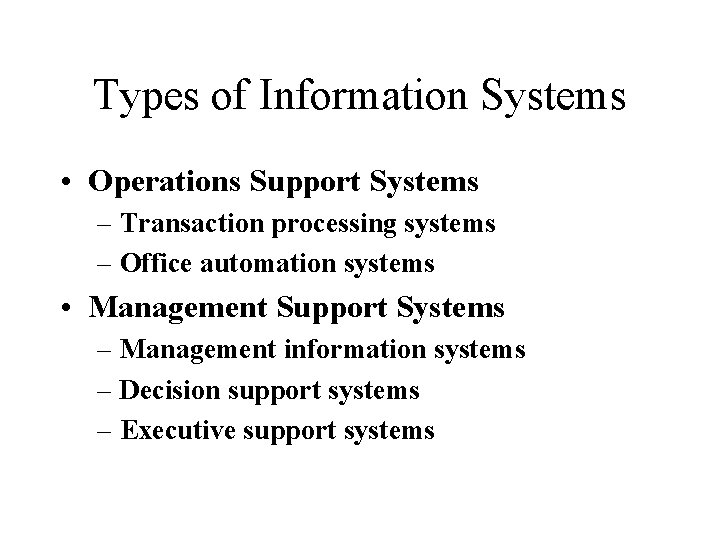
Types of Information Systems • Operations Support Systems – Transaction processing systems – Office automation systems • Management Support Systems – Management information systems – Decision support systems – Executive support systems