
ISO 19107 Geographic information Spatial schema Pusan National





- Slides: 69
ISO 19107 Geographic information – Spatial schema Pusan National University Dept. of Computer Engineering Spatiotemporal Database Lab. Joon-Seok Kim joonseok@pnu. edu
Outline • Introduction • Schema – Geometry • • • Geometry root Geometry primitive Coordinate geometry Geometry aggregate Geometry complex – Topology • Topology root • Topology primitive • Topology complex • Summary 2
Introduction • ISO 19107 – Providing conceptual schemas for describing and manipulating the spatial characteristic – Formal language • Unified Modeling Language (UML) ISO 19103 – Vector geometry and topology up to 3 -D – Spatial operations • For use in access, query, management, processing, and data exchange of geographic information 3
4 Package Clients of ISO 19107
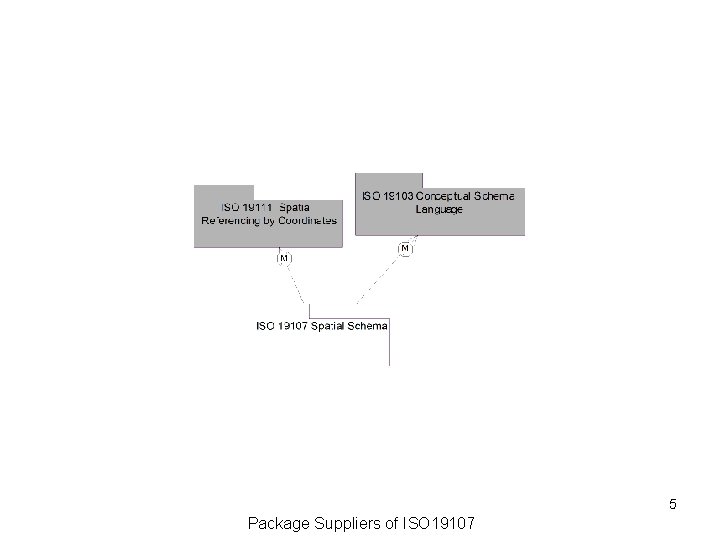
5 Package Suppliers of ISO 19107
6 Main Diagram of ISO 19107 Spatial Schema
Geometry
8 Geometry Packages
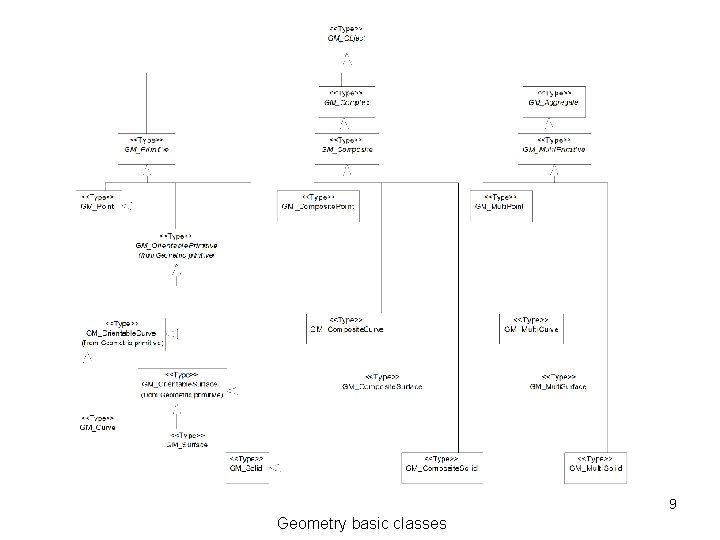
9 Geometry basic classes
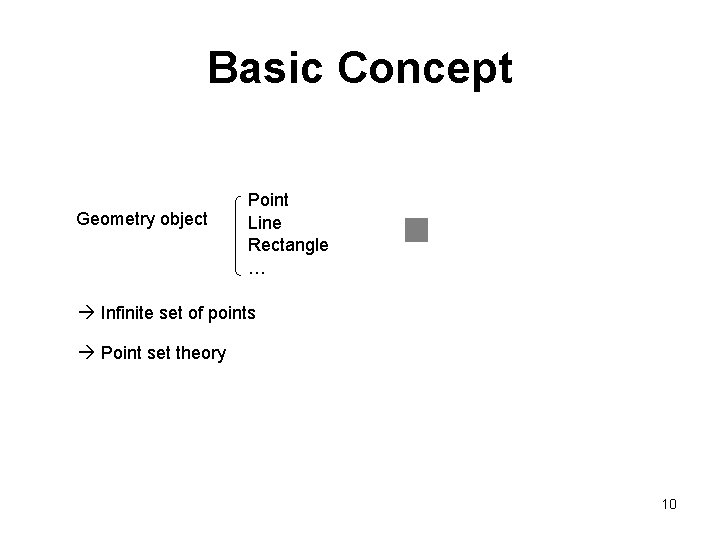
Basic Concept Geometry object Point Line Rectangle … Infinite set of points Point set theory 10
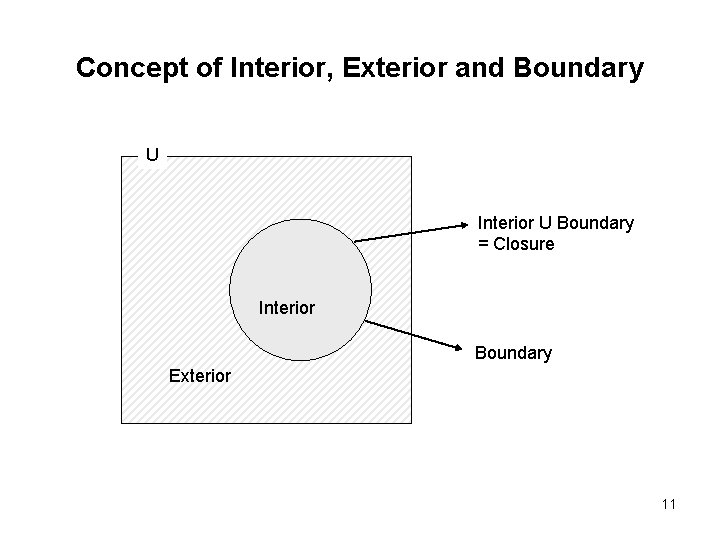
Concept of Interior, Exterior and Boundary U Interior U Boundary = Closure Interior Boundary Exterior 11
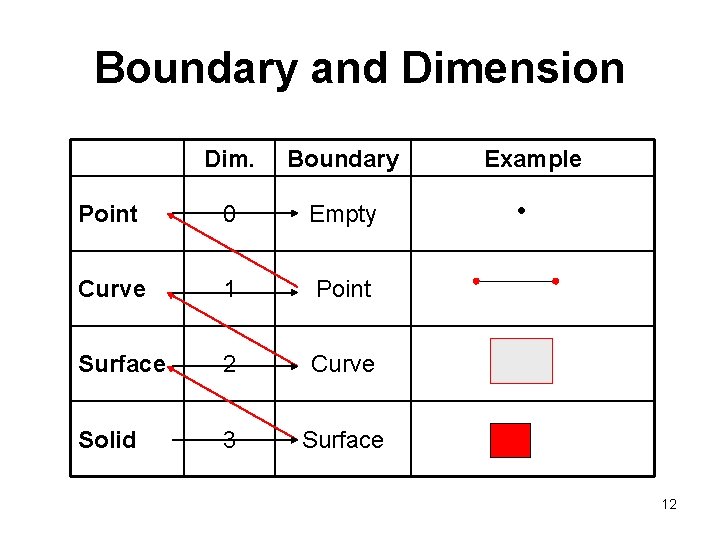
Boundary and Dimension Dim. Boundary Point 0 Empty Curve 1 Point Surface 2 Curve Solid 3 Surface Example 12
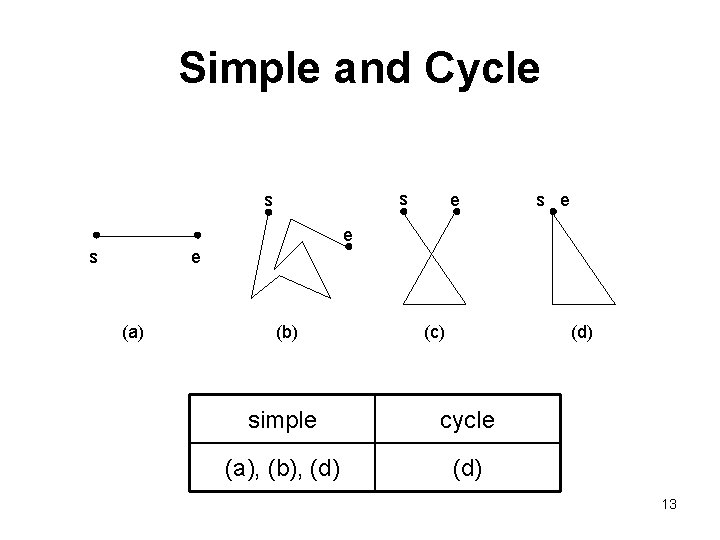
Simple and Cycle s s e e s e (a) (b) (c) (d) simple cycle (a), (b), (d) 13
14 GM_Object
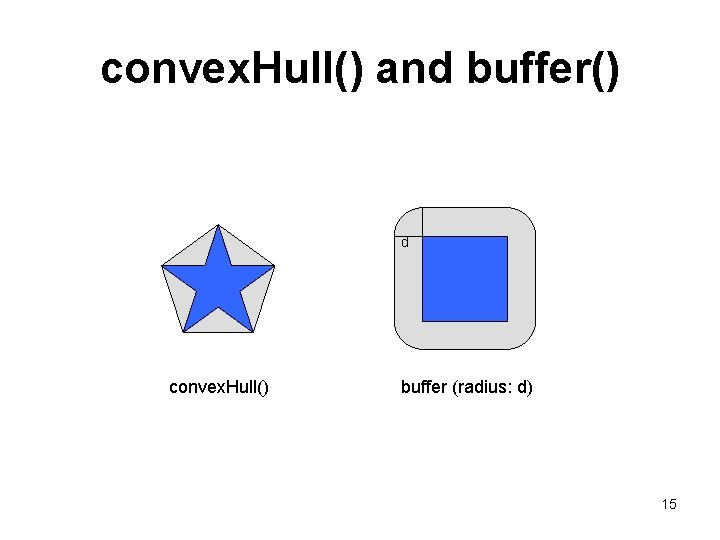
convex. Hull() and buffer() d convex. Hull() buffer (radius: d) 15
16 Geometry Boundary Data Types
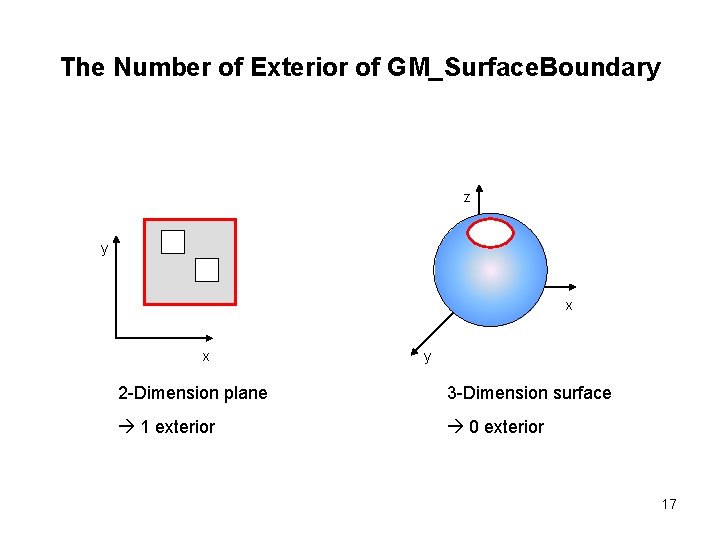
The Number of Exterior of GM_Surface. Boundary z y x x y 2 -Dimension plane 3 -Dimension surface 1 exterior 0 exterior 17
18 GM_Primitive
Geometric Primitive
20 GM_Point
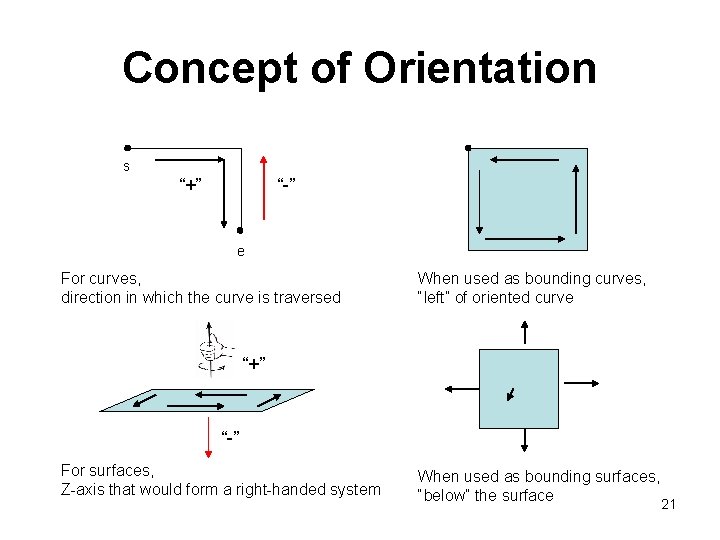
Concept of Orientation s “+” “-” e For curves, direction in which the curve is traversed When used as bounding curves, “left” of oriented curve “+” “-” For surfaces, Z-axis that would form a right-handed system When used as bounding surfaces, “below” the surface 21
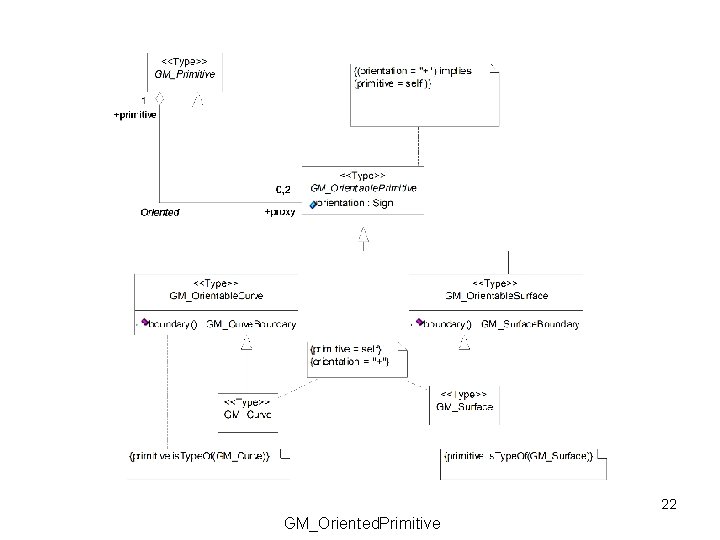
22 GM_Oriented. Primitive
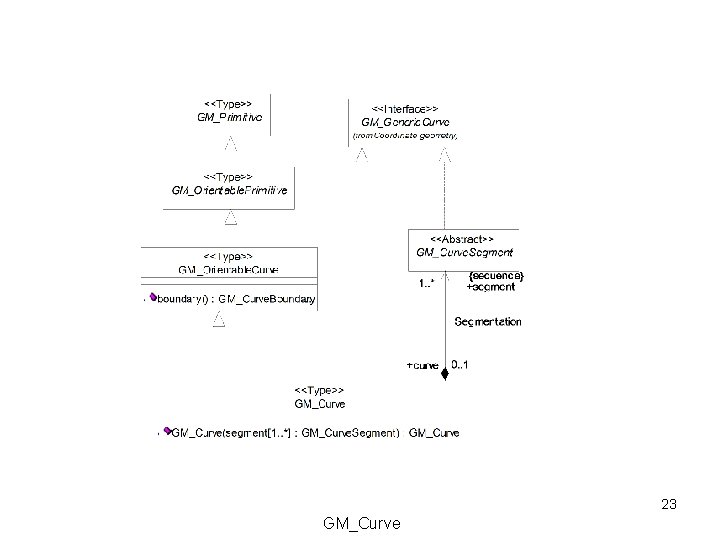
23 GM_Curve
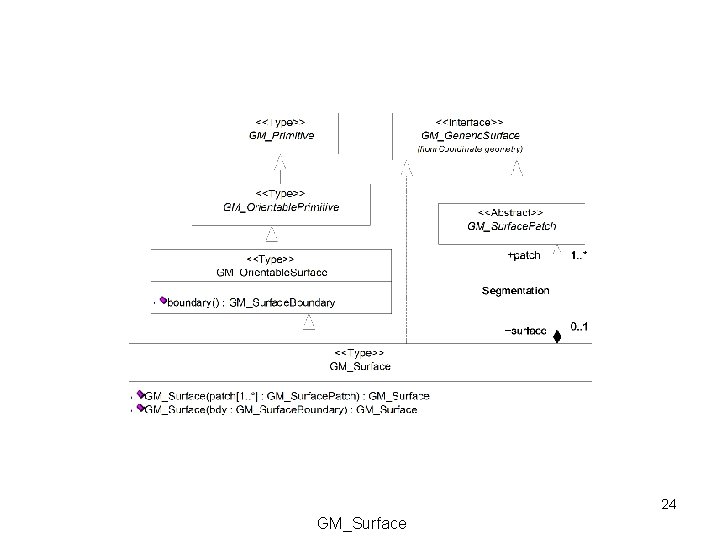
24 GM_Surface
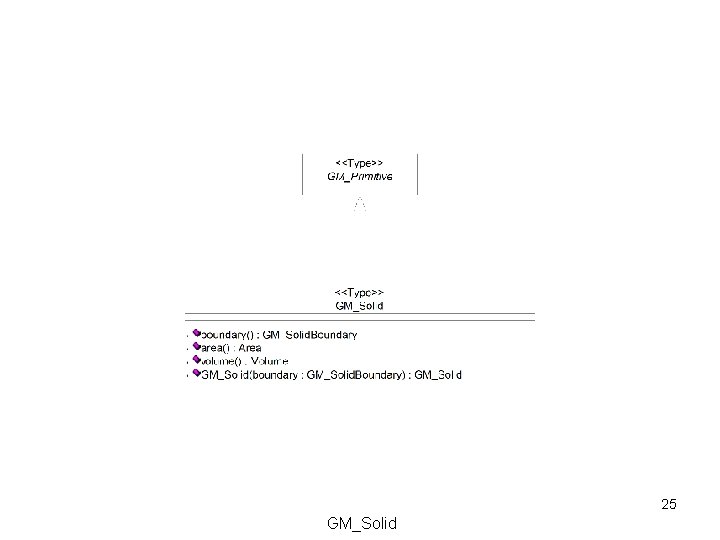
25 GM_Solid
Coordinate Geometry
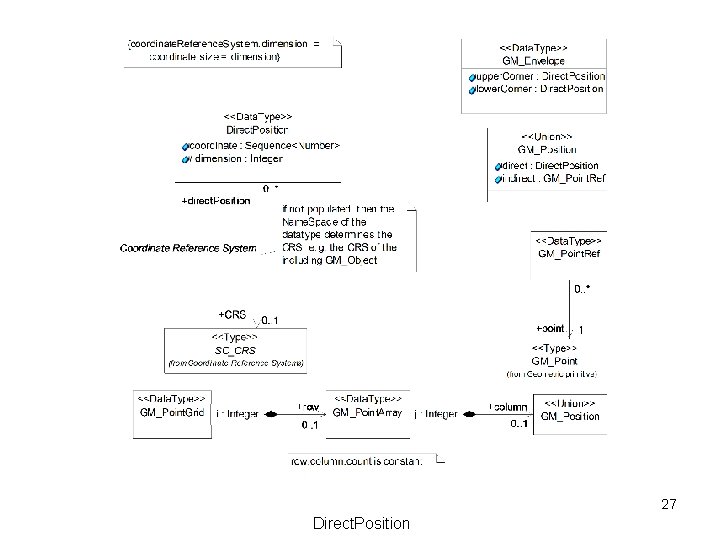
27 Direct. Position
28 Curve segment classes
29 Linear and Geodetic Interpolation
30 Arcs
31 Conics and placements
32 Spline and specialty curves
33 Surface patches
34 Polygonal surface
35 TIN construction
36 GM_Parmetric. Curve. Surface and its subtypes
Geometric Aggregate Geometric Complex
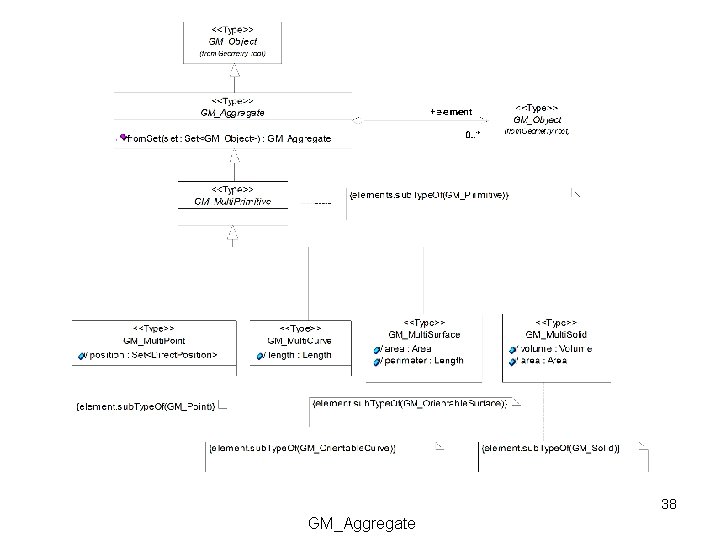
38 GM_Aggregate
39 GM_Complex
40 CM_Composite
Topology
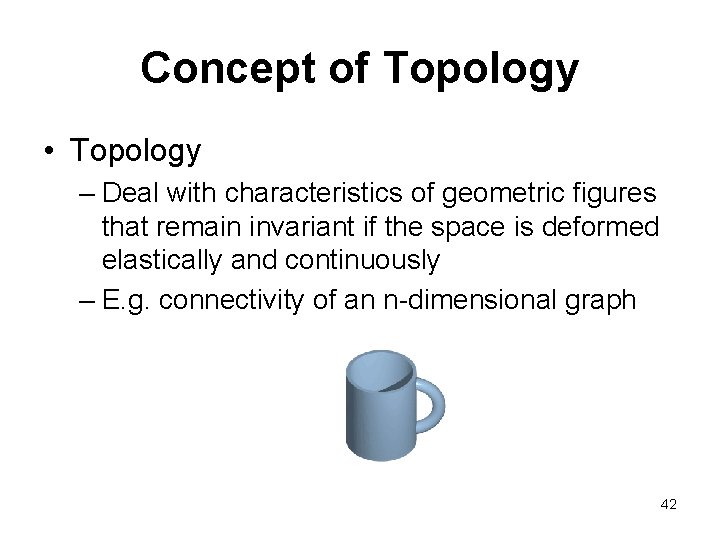
Concept of Topology • Topology – Deal with characteristics of geometric figures that remain invariant if the space is deformed elastically and continuously – E. g. connectivity of an n-dimensional graph 42
43 Topology packages
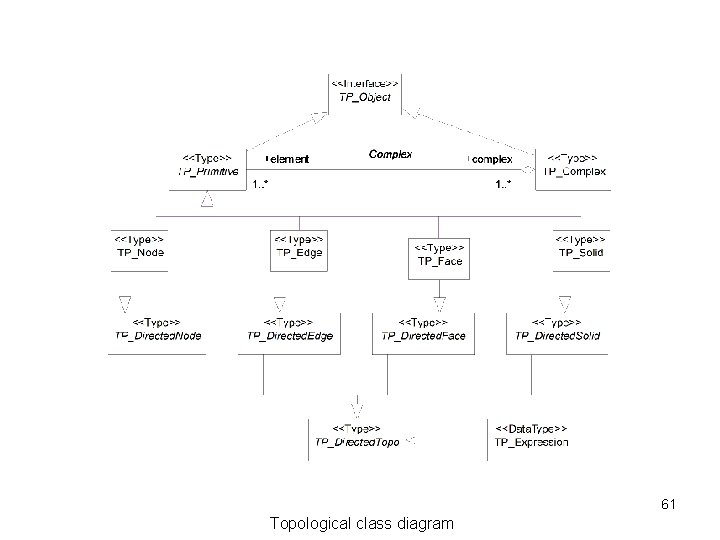
44 Topological class diagram
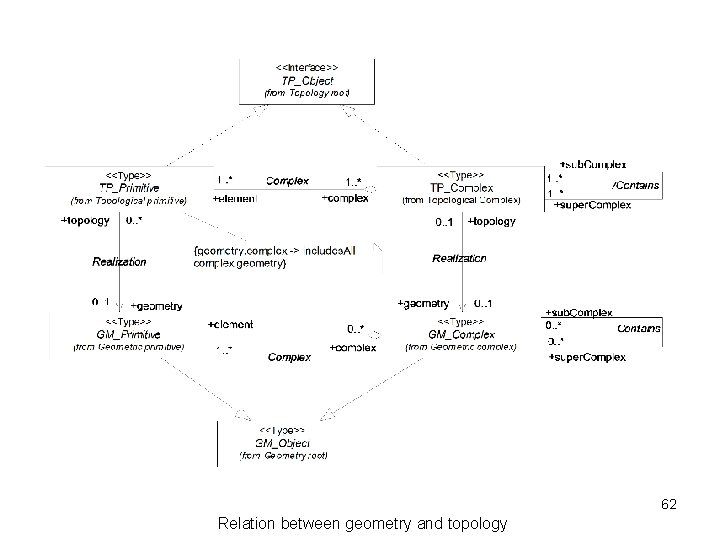
45 Relation between geometry and topology
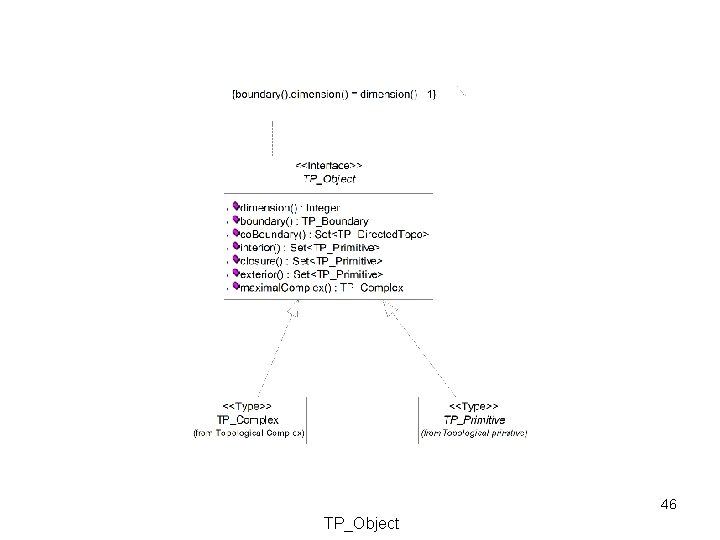
46 TP_Object
47 Boundary and coboundary operation
48 Boundary relation data types
49 TP_Primitive
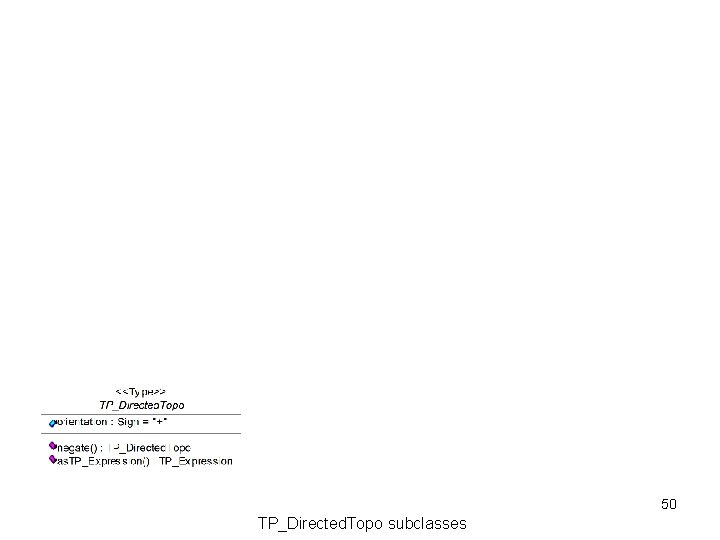
50 TP_Directed. Topo subclasses
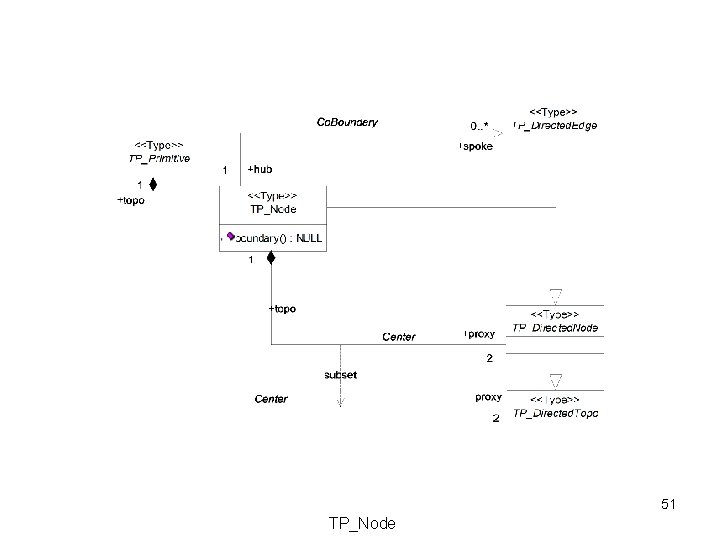
51 TP_Node
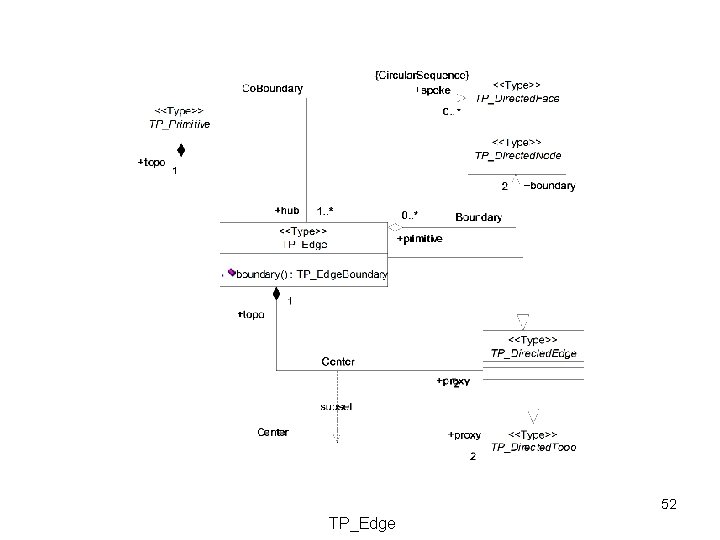
52 TP_Edge
53 TP_Face
54 TP_Solid
55 TP_Expression
56 TP_Complex
Summary
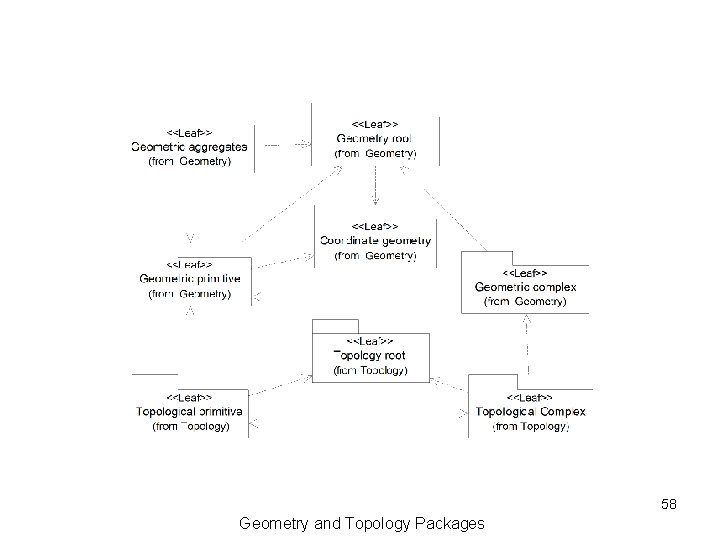
58 Geometry and Topology Packages
59 Geometry basic classes
60 Geometry Boundary Data Types
61 Topological class diagram
62 Relation between geometry and topology
Spatial Examples from ISO 19107
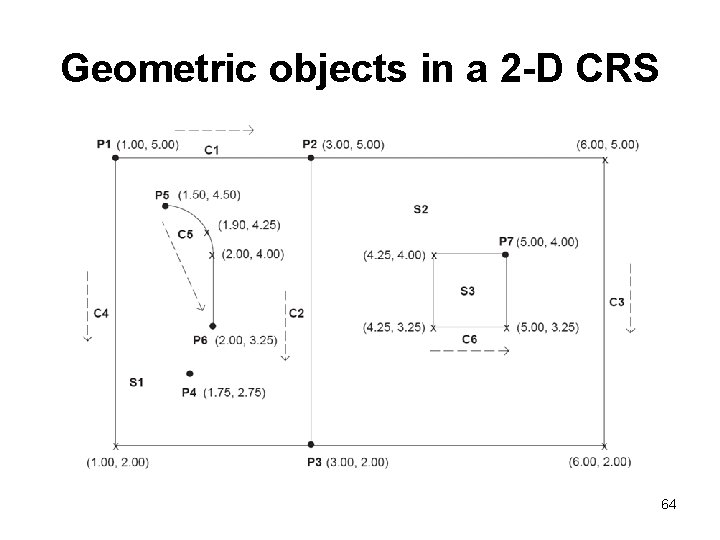
Geometric objects in a 2 -D CRS 64
P 1 = GM_Point < position = < 1. 00, 5. 00 > > P 2 = GM_Point < position = < 3. 00, 5. 00 > > P 3 = GM_Point < position = < 3. 00, 2. 00 > > P 4 = GM_Point < position = < 1. 75, 2. 75 > > P 5 = GM_Point < position = < 1. 50, 4. 50 > > P 6 = GM_Point < position = < 2. 00, 3. 25 > > P 7 = GM_Point < position = < 5. 00, 4. 00 > > 65
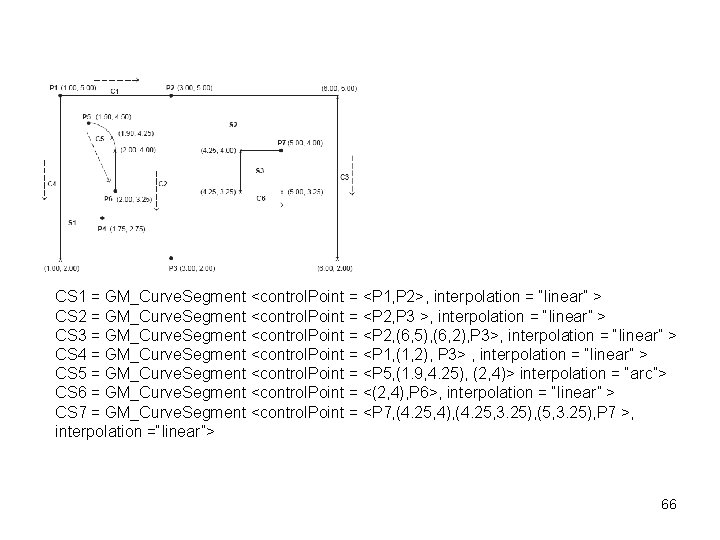
CS 1 = GM_Curve. Segment <control. Point = <P 1, P 2>, interpolation = “linear” > CS 2 = GM_Curve. Segment <control. Point = <P 2, P 3 >, interpolation = “linear” > CS 3 = GM_Curve. Segment <control. Point = <P 2, (6, 5), (6, 2), P 3>, interpolation = “linear” > CS 4 = GM_Curve. Segment <control. Point = <P 1, (1, 2), P 3> , interpolation = “linear” > CS 5 = GM_Curve. Segment <control. Point = <P 5, (1. 9, 4. 25), (2, 4)> interpolation = “arc”> CS 6 = GM_Curve. Segment <control. Point = <(2, 4), P 6>, interpolation = “linear” > CS 7 = GM_Curve. Segment <control. Point = <P 7, (4. 25, 4), (4. 25, 3. 25), (5, 3. 25), P 7 >, interpolation =“linear”> 66
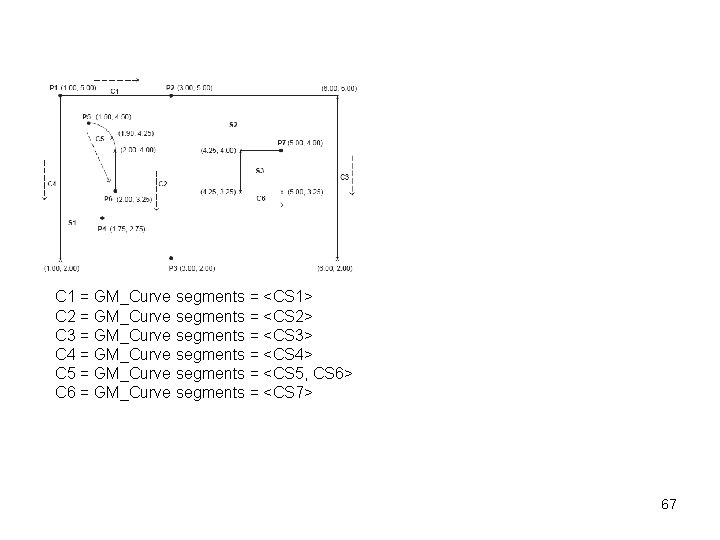
C 1 = GM_Curve segments = <CS 1> C 2 = GM_Curve segments = <CS 2> C 3 = GM_Curve segments = <CS 3> C 4 = GM_Curve segments = <CS 4> C 5 = GM_Curve segments = <CS 5, CS 6> C 6 = GM_Curve segments = <CS 7> 67
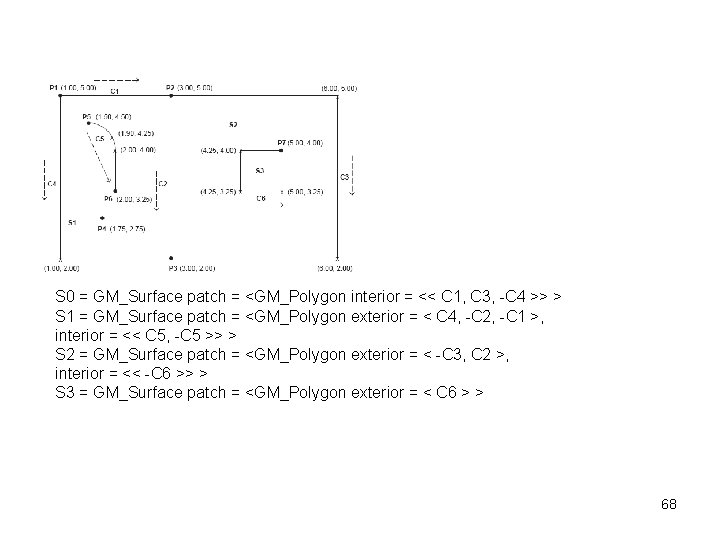
S 0 = GM_Surface patch = <GM_Polygon interior = << C 1, C 3, -C 4 >> > S 1 = GM_Surface patch = <GM_Polygon exterior = < C 4, -C 2, -C 1 >, interior = << C 5, -C 5 >> > S 2 = GM_Surface patch = <GM_Polygon exterior = < -C 3, C 2 >, interior = << -C 6 >> > S 3 = GM_Surface patch = <GM_Polygon exterior = < C 6 > > 68
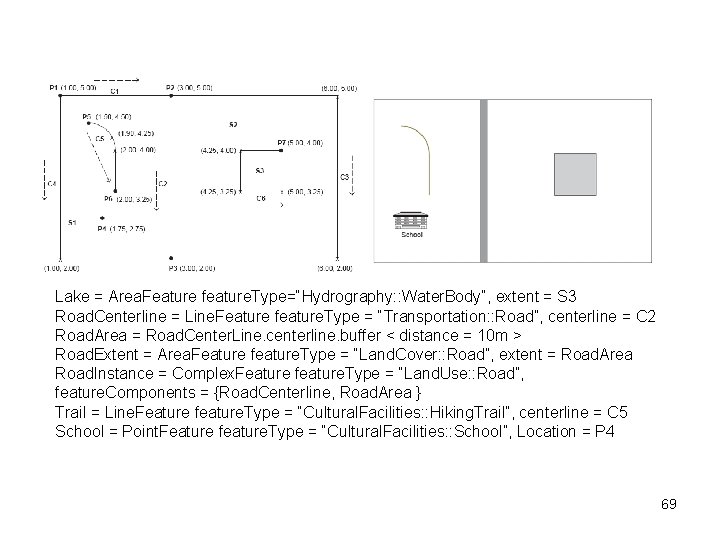
Lake = Area. Feature feature. Type=“Hydrography: : Water. Body”, extent = S 3 Road. Centerline = Line. Feature feature. Type = “Transportation: : Road”, centerline = C 2 Road. Area = Road. Center. Line. centerline. buffer < distance = 10 m > Road. Extent = Area. Feature feature. Type = “Land. Cover: : Road”, extent = Road. Area Road. Instance = Complex. Feature feature. Type = “Land. Use: : Road”, feature. Components = {Road. Centerline, Road. Area } Trail = Line. Feature feature. Type = “Cultural. Facilities: : Hiking. Trail”, centerline = C 5 School = Point. Feature feature. Type = “Cultural. Facilities: : School”, Location = P 4 69