
ISIS Deployment Design Guidelines and New Features Shankar
![Set Over Load Bit (Cont. ) • Enhanced configuration: router isis set-overload-bit [on-startup[<timeout>|wait-for-bgp]] •](https://slidetodoc.com/presentation_image_h/e79fa72602a42035e10d947d3eb43ead/image-21.jpg "Set Over Load Bit (Cont. ) • Enhanced configuration: router isis set-overload-bit [on-startup[<timeout>|wait-for-bgp]] •")
![Exponential Backoff: spf-interval • Extended syntax spf-interval <a> [<b> <c>] <a> seconds between consecutive](https://slidetodoc.com/presentation_image_h/e79fa72602a42035e10d947d3eb43ead/image-30.jpg "Exponential Backoff: spf-interval • Extended syntax spf-interval <a> [<b> <c>] <a> seconds between consecutive")
- Slides: 79
IS-IS Deployment, Design Guidelines and New Features Shankar Vemulapalli svemulap@cisco. com Internet Engineering Support NANAOG 24 © 2002, 2001, Cisco Systems, Inc. All rights reserved. 1
Agenda • Scope of the Presentation • Deployment Scenarios L 1 -Only L 2 -Only L 1 & L 2 With Route Leaking • Design Considerations Set Over Load Bit LSP Flooding SPF PRC LSP Generation and MORE • New Features Route Leaking Route Tags Extensions to MPLS-TE and MORE NANOG 24 © 2002, Cisco Systems, Inc. All rights reserved. 2
Scope of the Presentation • Cover the Deployment Scenarios adopted by the ISPs in deploying IS-IS. • Talk about the Design Guidelines which applies to the different deployment scenarios. • Also cover the recent new enhancements to the IS-IS Protocol. NANOG 24 © 2002, Cisco Systems, Inc. All rights reserved. 3
Why IS-IS ? • Embraced by the large tier 1 ISPs. • Proven to be a very stable and scalable, with very fast convergence. • Encodes the packet(s) in TLV format. • Flexible protocol in terms of tuning and easily extensible to new features (MPLS-TE etc). • It runs directly over Layer 2. (next to IP). NANOG 24 © 2002, Cisco Systems, Inc. All rights reserved. 4
Deployment Scenarios NANAOG 24 © 2002, 2001, Cisco Systems, Inc. All rights reserved. 5
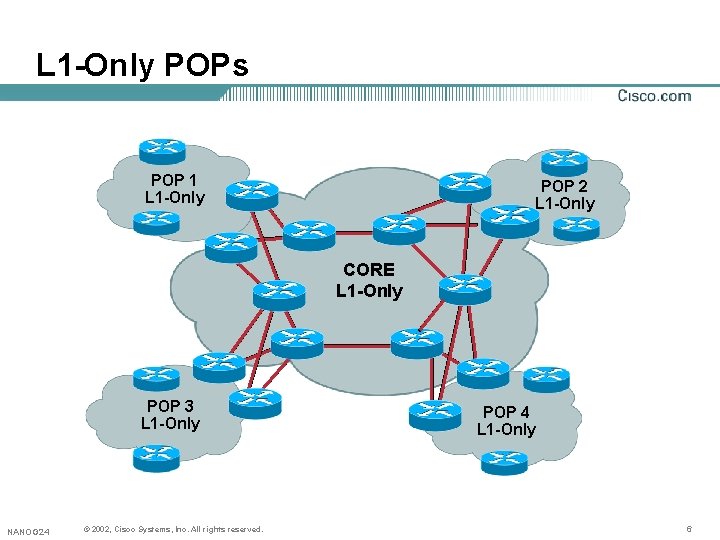
L 1 -Only POPs POP 1 L 1 -Only POP 2 L 1 -Only CORE L 1 -Only POP 3 L 1 -Only NANOG 24 © 2002, Cisco Systems, Inc. All rights reserved. POP 4 L 1 -Only 6
L 1 -Only POPs (Cont. ) • IS-IS is a newer protocol at that time at least operationally with the ISPs • In this design—all the routers will be running in one area and are all doing L 1 -only routing • This design is flat with a single L 1 -only database running on all the routers • If you have a change in the topology, the SPF computation will be done in all the routers as they are in the L 1 -only sub-domain NANOG 24 © 2002, Cisco Systems, Inc. All rights reserved. 7
L 1 -Only POPs (Cont. ) • Also the Tier 1 ISPs picked up L 1 -only to avoid sub-optimal routing problems [before Route-Leaking] • The other factor is when the router runs as L 1 L 2—then the router(s) will have 2 instances of SPFs • Since most of the routers were AGS+/7 XXX at that time, the ISPs had chosen L 1 -only single-area IS-IS with in their network NANOG 24 © 2002, Cisco Systems, Inc. All rights reserved. 8
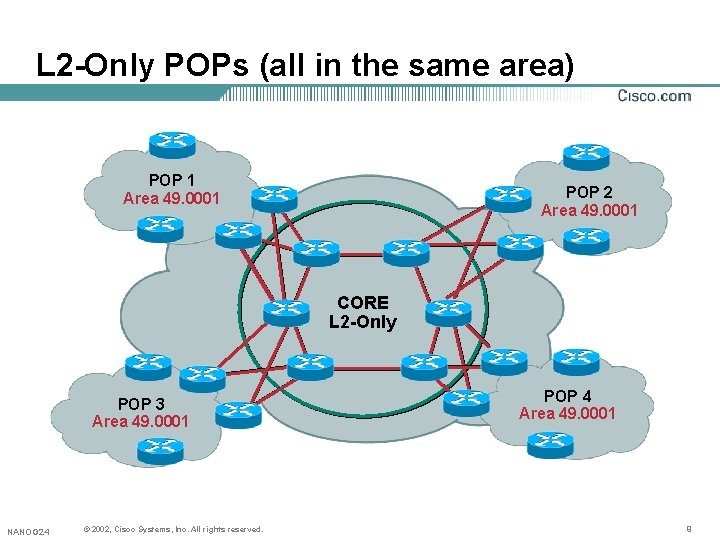
L 2 -Only POPs (all in the same area) POP 1 Area 49. 0001 POP 2 Area 49. 0001 CORE L 2 -Only POP 3 Area 49. 0001 NANOG 24 © 2002, Cisco Systems, Inc. All rights reserved. POP 4 Area 49. 0001 9
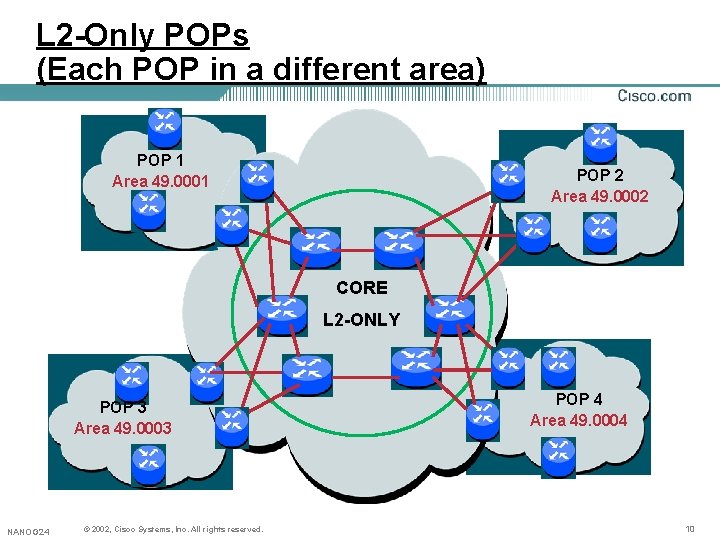
L 2 -Only POPs (Each POP in a different area) POP 1 Area 49. 0001 POP 2 Area 49. 0002 CORE L 2 -ONLY POP 3 Area 49. 0003 NANOG 24 © 2002, Cisco Systems, Inc. All rights reserved. POP 4 Area 49. 0004 10
L 2 -Only POPs (Cont. ) • Most of the Tier 1 ISPs are running Level 2 -only on all the routers [mid 90’s to late 90’s] • The rough approximation of routers L 2 -only are about 800– 1000 • The SPF-computation may take up to ~150 msecs. [ for +/- 1200 routers ] • Most of the uplinks into the core are OC-12 to OC-192 POS links • As the network grows, easy to bring the L 1 -only POPs for easy migration. • All the routers in L 2 will share all the LSPs NANOG 24 © 2002, Cisco Systems, Inc. All rights reserved. 11
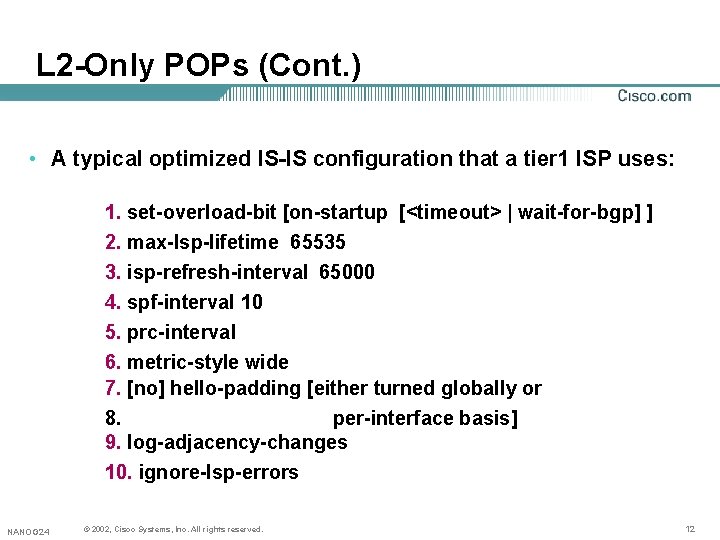
L 2 -Only POPs (Cont. ) • A typical optimized IS-IS configuration that a tier 1 ISP uses: 1. set-overload-bit [on-startup [<timeout> | wait-for-bgp] ] 2. max-lsp-lifetime 65535 3. isp-refresh-interval 65000 4. spf-interval 10 5. prc-interval 6. metric-style wide 7. [no] hello-padding [either turned globally or 8. per-interface basis] 9. log-adjacency-changes 10. ignore-lsp-errors NANOG 24 © 2002, Cisco Systems, Inc. All rights reserved. 12
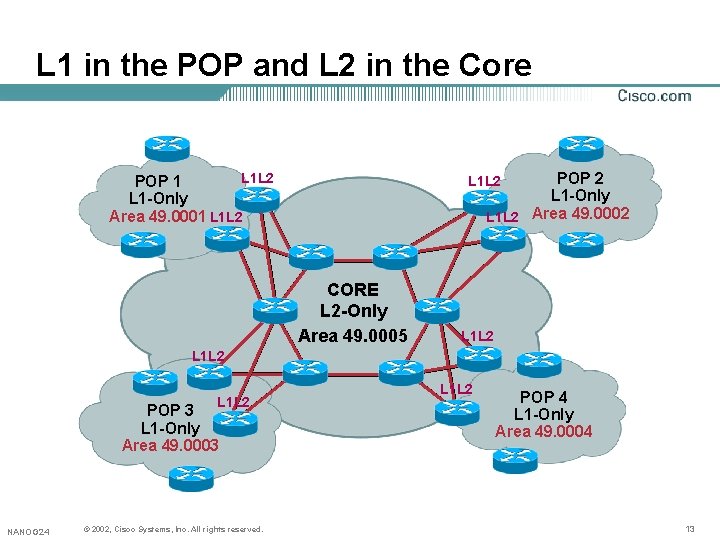
L 1 in the POP and L 2 in the Core POP 2 L 1 -Only L 1 L 2 Area 49. 0002 L 1 L 2 POP 1 L 1 -Only Area 49. 0001 L 1 L 2 CORE L 2 -Only Area 49. 0005 L 1 L 2 POP 3 L 1 -Only Area 49. 0003 NANOG 24 © 2002, Cisco Systems, Inc. All rights reserved. L 1 L 2 POP 4 L 1 -Only Area 49. 0004 13
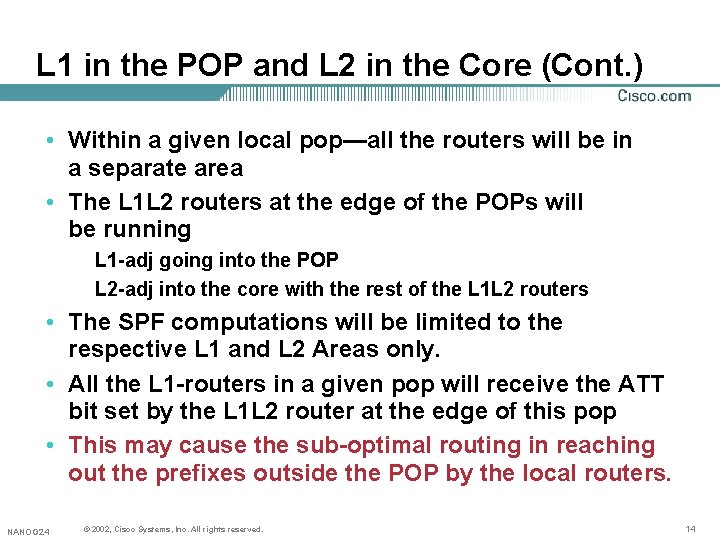
L 1 in the POP and L 2 in the Core (Cont. ) • Within a given local pop—all the routers will be in a separate area • The L 1 L 2 routers at the edge of the POPs will be running L 1 -adj going into the POP L 2 -adj into the core with the rest of the L 1 L 2 routers • The SPF computations will be limited to the respective L 1 and L 2 Areas only. • All the L 1 -routers in a given pop will receive the ATT bit set by the L 1 L 2 router at the edge of this pop • This may cause the sub-optimal routing in reaching out the prefixes outside the POP by the local routers. NANOG 24 © 2002, Cisco Systems, Inc. All rights reserved. 14
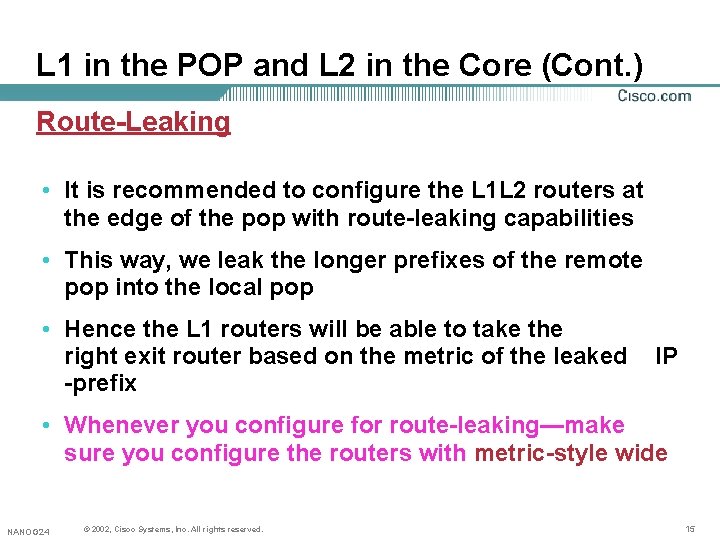
L 1 in the POP and L 2 in the Core (Cont. ) Route-Leaking • It is recommended to configure the L 1 L 2 routers at the edge of the pop with route-leaking capabilities • This way, we leak the longer prefixes of the remote pop into the local pop • Hence the L 1 routers will be able to take the right exit router based on the metric of the leaked -prefix IP • Whenever you configure for route-leaking—make sure you configure the routers with metric-style wide NANOG 24 © 2002, Cisco Systems, Inc. All rights reserved. 15
Design Considerations NANAOG 24 © 2002, 2001, Cisco Systems, Inc. All rights reserved. 16
Set Over Load Bit • 10589 defines for each LSP a special bit called the LSPDB Over Load Bit • While having problems, a router could set the OL bit, and other routers would route around it • Connected IP prefixes still reachable This may change in the future NANOG 24 © 2002, Cisco Systems, Inc. All rights reserved. 17
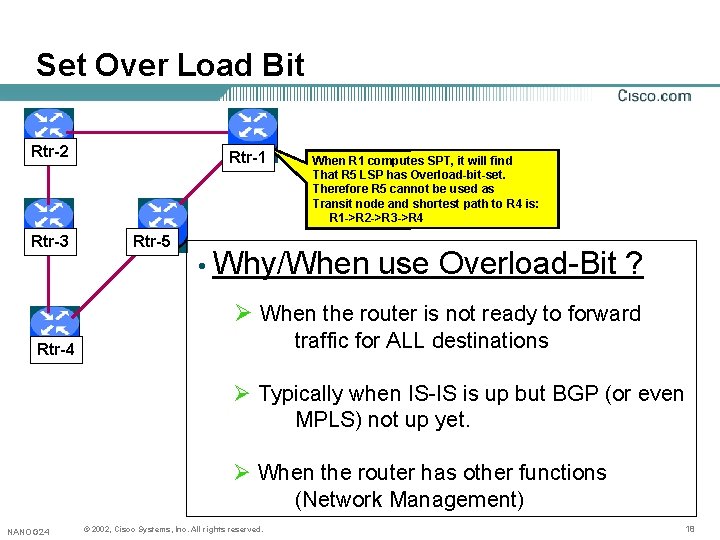
Set Over Load Bit Rtr-2 Rtr-3 Rtr-1 Rtr-5 When R 1 computes SPT, it will find That R 5 LSP has Overload-bit-set. Therefore R 5 cannot be used as Transit node and shortest path to R 4 is: R 1 ->R 2 ->R 3 ->R 4 • Why/When use Overload-Bit ? Ø When the router is not ready to forward traffic for ALL destinations Rtr-4 Ø Typically when IS-IS is up but BGP (or even MPLS) not up yet. Ø When the router has other functions (Network Management) NANOG 24 © 2002, Cisco Systems, Inc. All rights reserved. 18
Set Over Load Bit (Cont. ) • Feature to assist routers in completing their BGP tables after boot-up • BGP may not have had time to fully converge before receiving traffic • Therefore router may drop traffic for destinations not learnt yet via BGP • Better stabilization if router could build its BGP table before fully participating in packet forwarding NANOG 24 © 2002, Cisco Systems, Inc. All rights reserved. 19
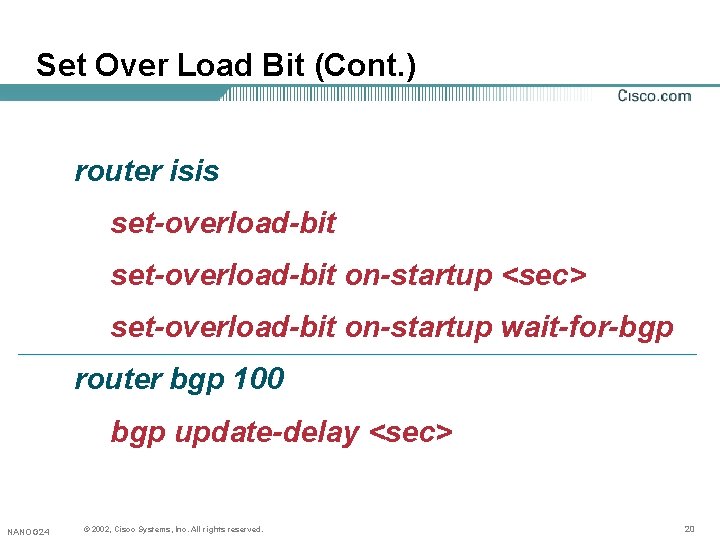
Set Over Load Bit (Cont. ) router isis set-overload-bit on-startup <sec> set-overload-bit on-startup wait-for-bgp router bgp 100 bgp update-delay <sec> NANOG 24 © 2002, Cisco Systems, Inc. All rights reserved. 20
Set Over Load Bit (Cont. ) • Enhanced configuration: router isis set-overload-bit [on-startup[<timeout>|wait-for-bgp]] • New keyword “wait-for-bgp” • When BGP doesn’t inform IS-IS it is ready and “wait-for-bgp” is configured, the over load bit will be cleared after 10 minutes. NANOG 24 © 2002, Cisco Systems, Inc. All rights reserved. 21
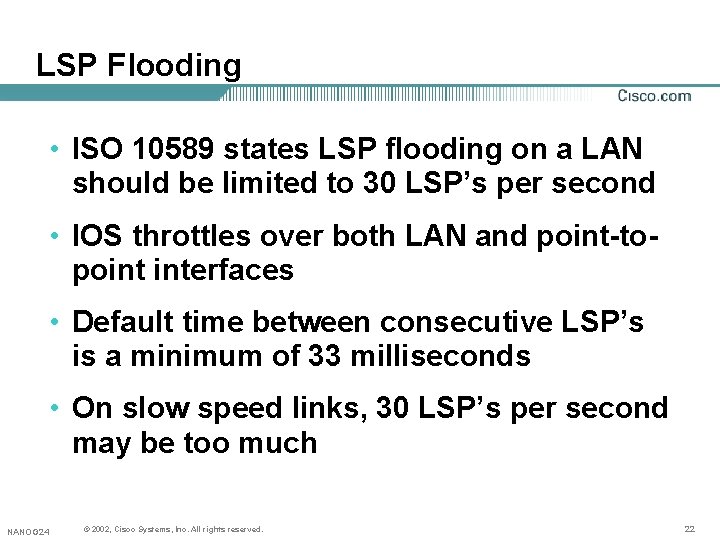
LSP Flooding • ISO 10589 states LSP flooding on a LAN should be limited to 30 LSP’s per second • IOS throttles over both LAN and point-topoint interfaces • Default time between consecutive LSP’s is a minimum of 33 milliseconds • On slow speed links, 30 LSP’s per second may be too much NANOG 24 © 2002, Cisco Systems, Inc. All rights reserved. 22
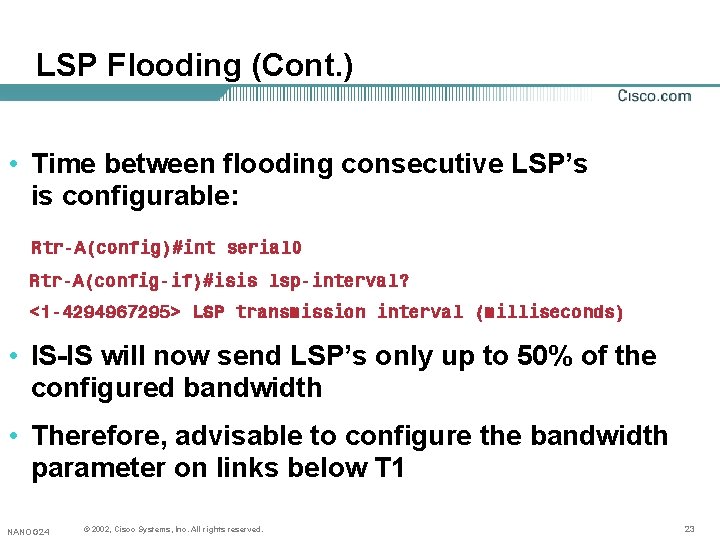
LSP Flooding (Cont. ) • Time between flooding consecutive LSP’s is configurable: Rtr-A(config)#int serial 0 Rtr-A(config-if)#isis lsp-interval? <1 -4294967295> LSP transmission interval (milliseconds) • IS-IS will now send LSP’s only up to 50% of the configured bandwidth • Therefore, advisable to configure the bandwidth parameter on links below T 1 NANOG 24 © 2002, Cisco Systems, Inc. All rights reserved. 23
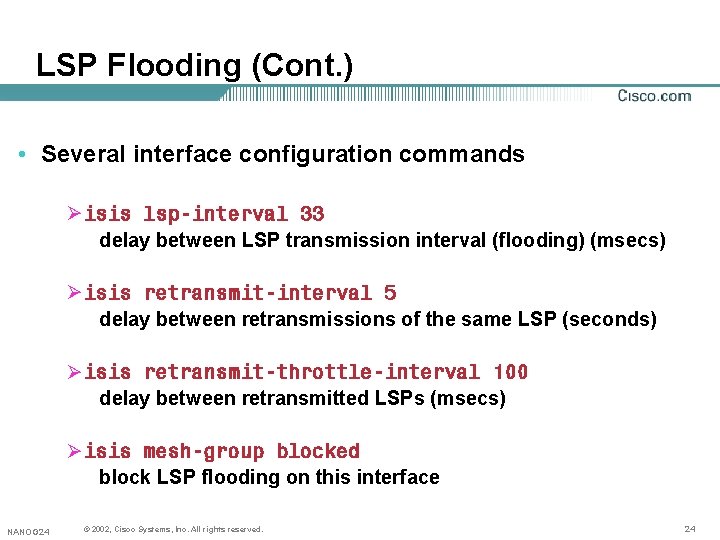
LSP Flooding (Cont. ) • Several interface configuration commands Øisis lsp-interval 33 delay between LSP transmission interval (flooding) (msecs) Øisis retransmit-interval 5 delay between retransmissions of the same LSP (seconds) Øisis retransmit-throttle-interval 100 delay between retransmitted LSPs (msecs) Øisis mesh-group blocked block LSP flooding on this interface NANOG 24 © 2002, Cisco Systems, Inc. All rights reserved. 24
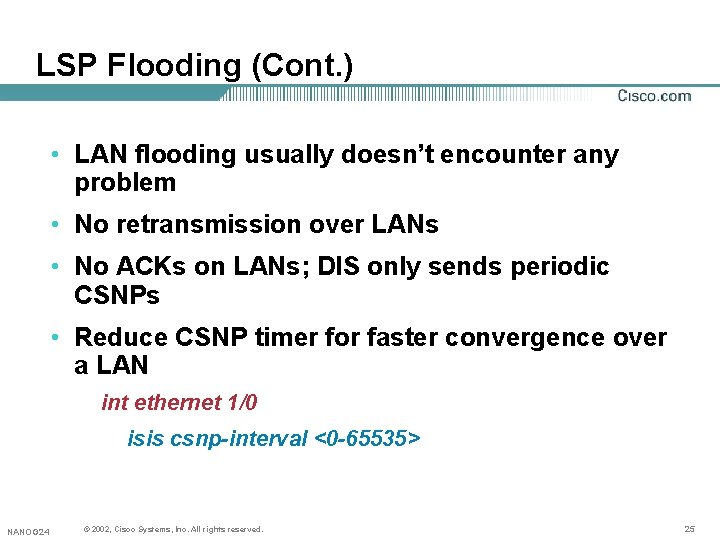
LSP Flooding (Cont. ) • LAN flooding usually doesn’t encounter any problem • No retransmission over LANs • No ACKs on LANs; DIS only sends periodic CSNPs • Reduce CSNP timer for faster convergence over a LAN int ethernet 1/0 isis csnp-interval <0 -65535> NANOG 24 © 2002, Cisco Systems, Inc. All rights reserved. 25
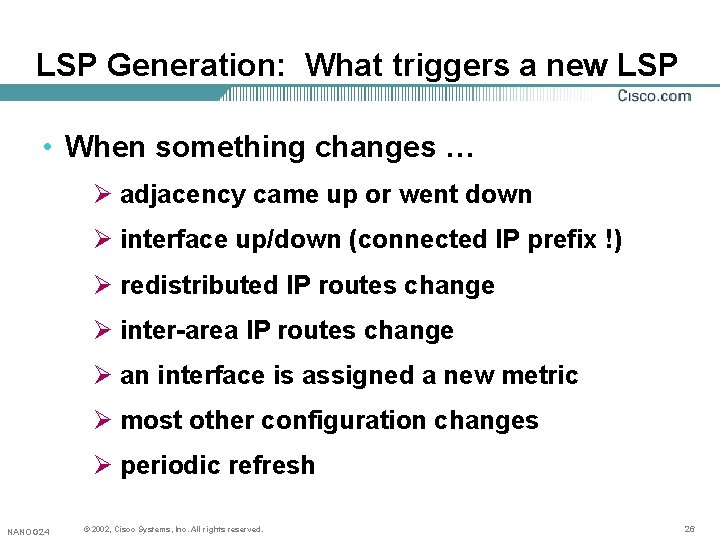
LSP Generation: What triggers a new LSP • When something changes … Ø adjacency came up or went down Ø interface up/down (connected IP prefix !) Ø redistributed IP routes change Ø inter-area IP routes change Ø an interface is assigned a new metric Ø most other configuration changes Ø periodic refresh NANOG 24 © 2002, Cisco Systems, Inc. All rights reserved. 26
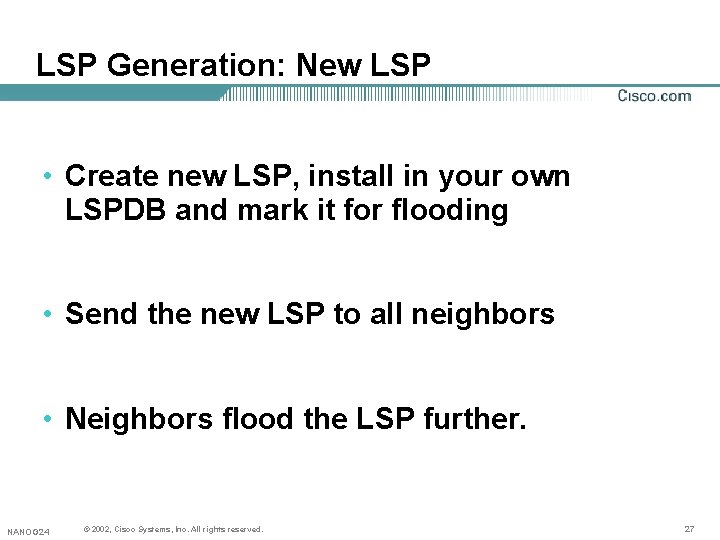
LSP Generation: New LSP • Create new LSP, install in your own LSPDB and mark it for flooding • Send the new LSP to all neighbors • Neighbors flood the LSP further. NANOG 24 © 2002, Cisco Systems, Inc. All rights reserved. 27
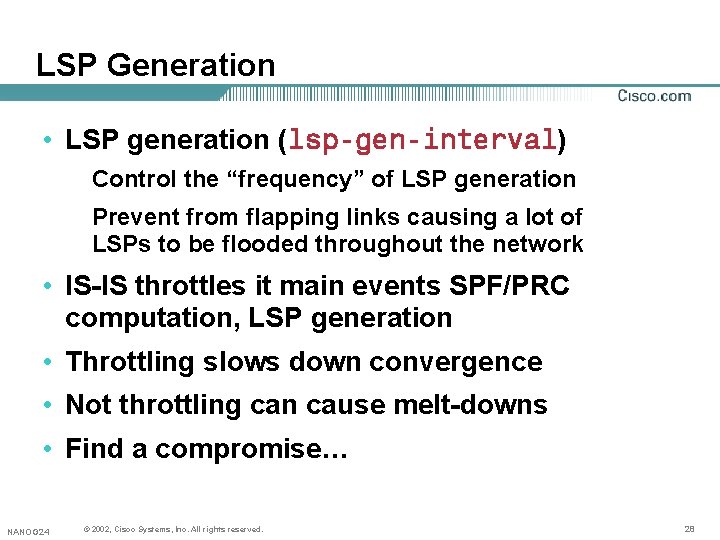
LSP Generation • LSP generation (lsp-gen-interval) Control the “frequency” of LSP generation Prevent from flapping links causing a lot of LSPs to be flooded throughout the network • IS-IS throttles it main events SPF/PRC computation, LSP generation • Throttling slows down convergence • Not throttling can cause melt-downs • Find a compromise… NANOG 24 © 2002, Cisco Systems, Inc. All rights reserved. 28
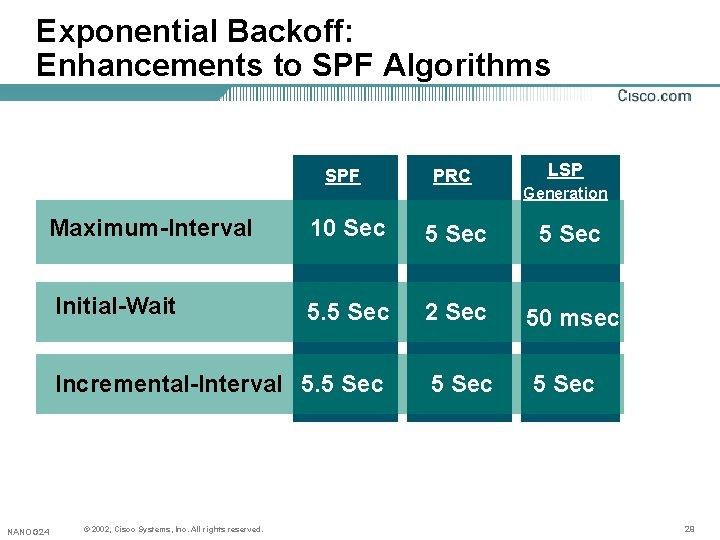
Exponential Backoff: Enhancements to SPF Algorithms LSP SPF PRC Maximum-Interval 10 Sec 5 Sec Initial-Wait 5. 5 Sec 2 Sec 50 msec Incremental-Interval 5. 5 Sec NANOG 24 © 2002, Cisco Systems, Inc. All rights reserved. Generation 29
Exponential Backoff: spf-interval • Extended syntax spf-interval <a> [<b> <c>] <a> seconds between consecutive SPF runs(seconds) <b> initial wait before the first SPF (msecs) <c> minimum wait between first and second SPF (msecs) NANOG 24 © 2002, Cisco Systems, Inc. All rights reserved. 30
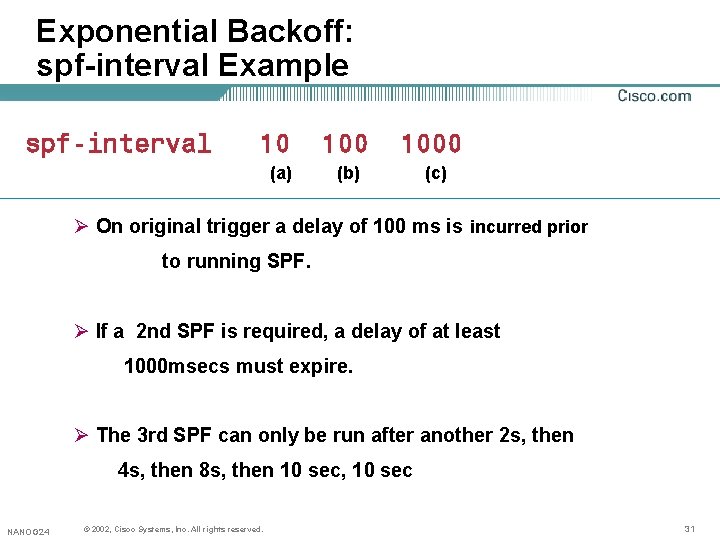
Exponential Backoff: spf-interval Example spf-interval 10 (a) 1000 (b) (c) Ø On original trigger a delay of 100 ms is incurred prior to running SPF. Ø If a 2 nd SPF is required, a delay of at least 1000 msecs must expire. Ø The 3 rd SPF can only be run after another 2 s, then 4 s, then 8 s, then 10 sec, 10 sec NANOG 24 © 2002, Cisco Systems, Inc. All rights reserved. 31
Exponential Backoff: spf-interval Example • When the network calms down, and there were no triggers for 2 times the minimum interval (20 sec in this example), go back to fast behavior (100 ms initial wait) NANOG 24 © 2002, Cisco Systems, Inc. All rights reserved. 32
Exponential Backoff: prc-interval and lsp-gen-interval • Same Syntax for Ø prc-interval Ø lsp-gen-interval NANOG 24 © 2002, Cisco Systems, Inc. All rights reserved. 33
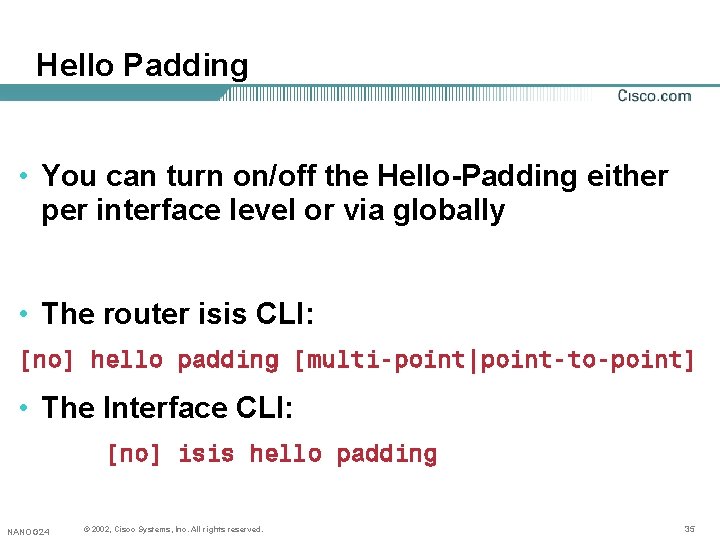
Hello Padding • IS-IS by default pads the Hellos to the fullest MTU size to detect the MTU mismatches. • This results in: Ø Inefficient use of bandwidth Ø May use significant number of buffers Ø Processing overhead when using Authentication NANOG 24 © 2002, Cisco Systems, Inc. All rights reserved. 34
Hello Padding • You can turn on/off the Hello-Padding either per interface level or via globally • The router isis CLI: [no] hello padding [multi-point|point-to-point] • The Interface CLI: [no] isis hello padding NANOG 24 © 2002, Cisco Systems, Inc. All rights reserved. 35
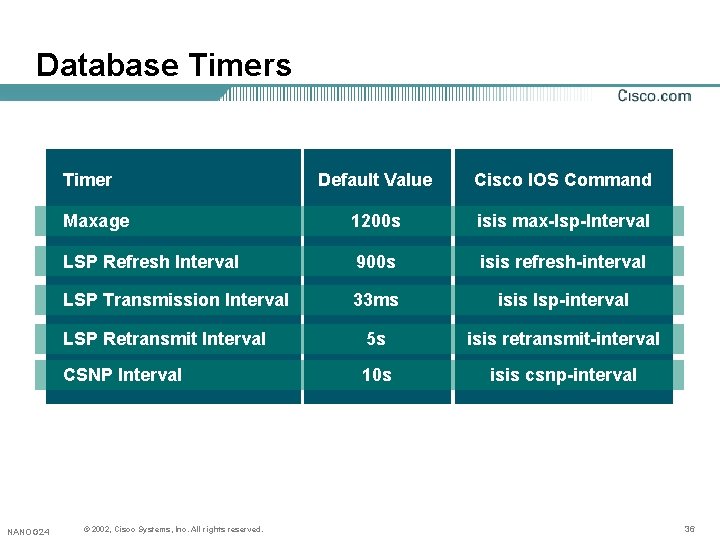
Database Timers Timer NANOG 24 Default Value Cisco IOS Command Maxage 1200 s isis max-lsp-Interval LSP Refresh Interval 900 s isis refresh-interval LSP Transmission Interval 33 ms isis lsp-interval LSP Retransmit Interval 5 s isis retransmit-interval CSNP Interval 10 s isis csnp-interval © 2002, Cisco Systems, Inc. All rights reserved. 36
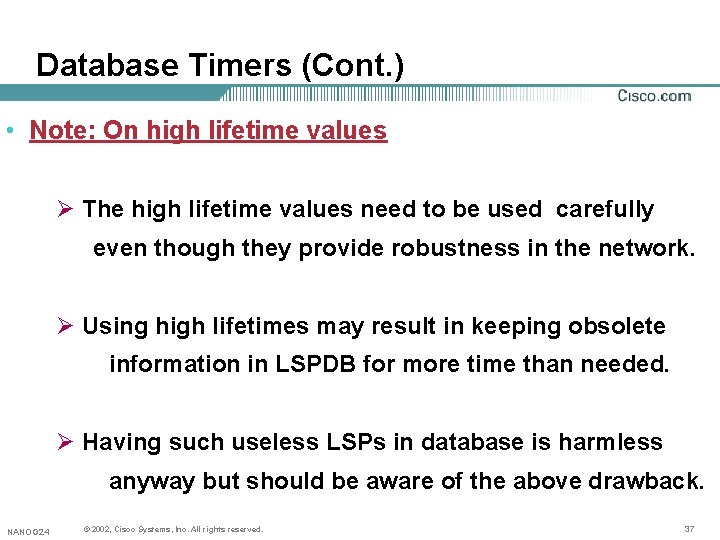
Database Timers (Cont. ) • Note: On high lifetime values Ø The high lifetime values need to be used carefully even though they provide robustness in the network. Ø Using high lifetimes may result in keeping obsolete information in LSPDB for more time than needed. Ø Having such useless LSPs in database is harmless anyway but should be aware of the above drawback. NANOG 24 © 2002, Cisco Systems, Inc. All rights reserved. 37
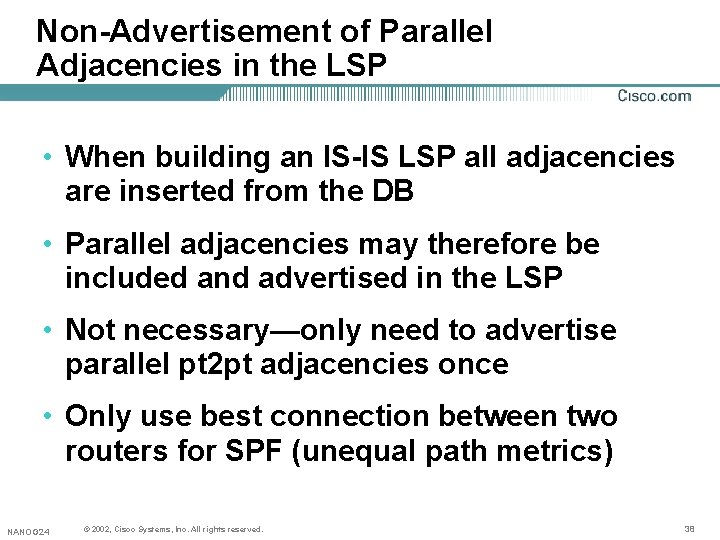
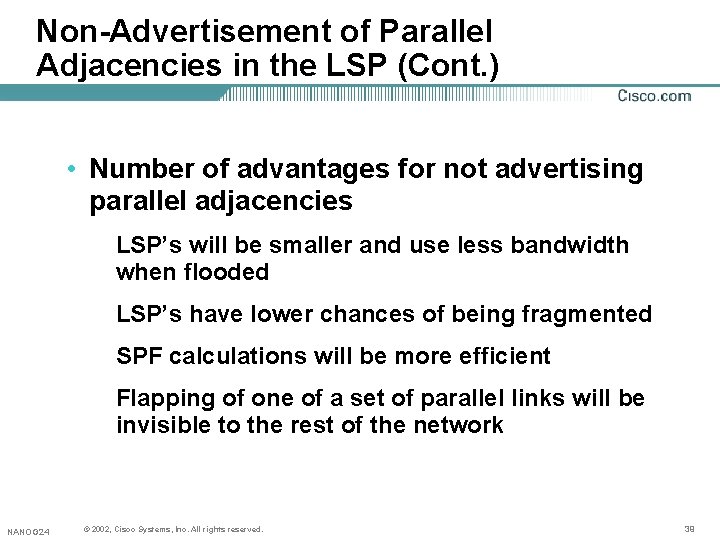
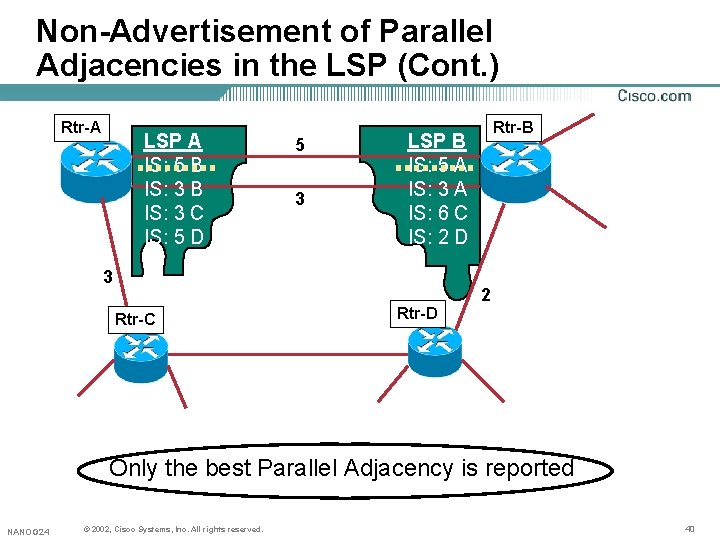
Non-Advertisement of Parallel Adjacencies in the LSP • When building an IS-IS LSP all adjacencies are inserted from the DB • Parallel adjacencies may therefore be included and advertised in the LSP • Not necessary—only need to advertise parallel pt 2 pt adjacencies once • Only use best connection between two routers for SPF (unequal path metrics) NANOG 24 © 2002, Cisco Systems, Inc. All rights reserved. 38
Non-Advertisement of Parallel Adjacencies in the LSP (Cont. ) • Number of advantages for not advertising parallel adjacencies LSP’s will be smaller and use less bandwidth when flooded LSP’s have lower chances of being fragmented SPF calculations will be more efficient Flapping of one of a set of parallel links will be invisible to the rest of the network NANOG 24 © 2002, Cisco Systems, Inc. All rights reserved. 39
Non-Advertisement of Parallel Adjacencies in the LSP (Cont. ) Rtr-A LSP A IS: 5 B IS: 3 C IS: 5 D 5 3 Rtr-B LSP B IS: 5 A IS: 3 A IS: 6 C IS: 2 D 3 2 Rtr-C Rtr-D Only the best Parallel Adjacency is reported NANOG 24 © 2002, Cisco Systems, Inc. All rights reserved. 40
New Features NANAOG 24 © 2002, 2001, Cisco Systems, Inc. All rights reserved. 41
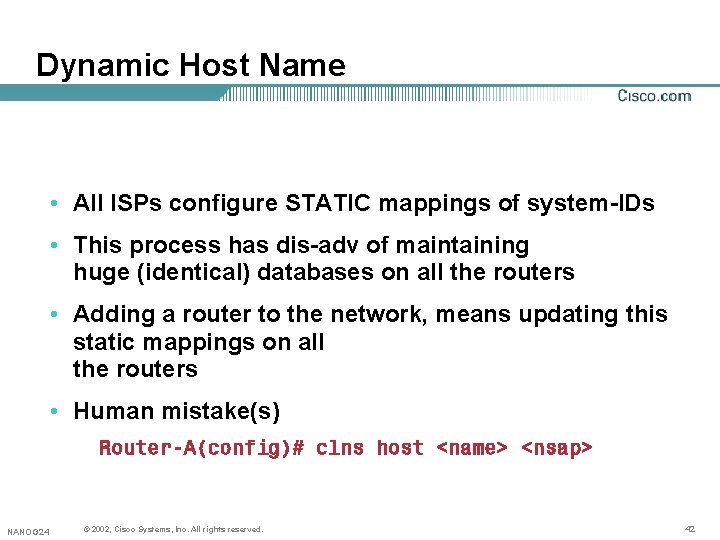
Dynamic Host Name • All ISPs configure STATIC mappings of system-IDs • This process has dis-adv of maintaining huge (identical) databases on all the routers • Adding a router to the network, means updating this static mappings on all the routers • Human mistake(s) Router-A(config)# clns host <name> <nsap> NANOG 24 © 2002, Cisco Systems, Inc. All rights reserved. 42
Dynamic Host Name (Cont. ) • A New TLV 137 • RFC 2763 • Floods the host names dynamically • show isis topology shows the NSAPs getting dynamically mapped to the hostname • Can turn it off using [no] hostname dynamic NANOG 24 © 2002, Cisco Systems, Inc. All rights reserved. 43
Dynamic Host Name (Cont. ) Rules • Always static CLNS host mappings have higher preference over dynamically learned mappings • Static mappings can be seen with “show hosts” and dynamic mappings can be seen with “show isis hostname” • If you remove the static CLNS host-name list on a router which is capable of dynamic-hostname exchange—we may not see this router itself in the ‘show isis hostname’ table immediately. NANOG 24 © 2002, Cisco Systems, Inc. All rights reserved. 44
Route Leaking • RFC 1195 defines all routers as STUB routers • No information is leaked from routers in L 2 into routers in L 1 • Hence all L 1 -routers are forced to route to the closest L 2 -router • This may result in sub-optimal routing • This is IP only feature (CLNS still uses STUB) NANOG 24 © 2002, Cisco Systems, Inc. All rights reserved. 45
Route Leaking • This new feature allows redistribution of L 2 -IP routes into L 1 areas • Enables Level 1 -only routers to pick the best path to exit the area • Enables shortest-exit and MED for BGP • Enables MPLS-VPN (PE reachability) between areas • Redistribution is controlled via distribute-lists NANOG 24 © 2002, Cisco Systems, Inc. All rights reserved. 46
Route Leaking • Prefixes MUST be present in the routing table as ISIS level-2 routes Otherwise no leaking occurs Same criteria than L 1 to L 2 Inter-area routing is done through the routing table NANOG 24 © 2002, Cisco Systems, Inc. All rights reserved. 47
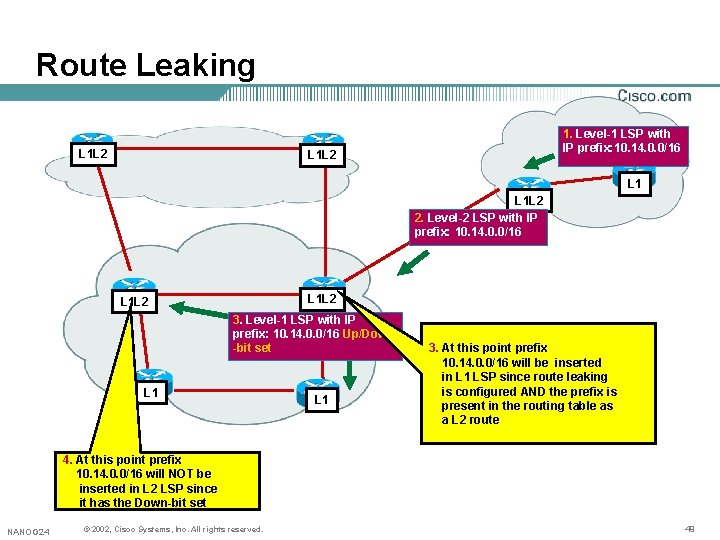
Route Leaking • When leaking routes from L 2 backbone into L 1 areas a loop protection mechanism need to be used in order to prevent leaked routes to be re-injected into the backbone NANOG 24 © 2002, Cisco Systems, Inc. All rights reserved. 48
Route Leaking L 1 L 2 1. Level-1 LSP with IP prefix: 10. 14. 0. 0/16 L 1 L 2 2. Level-2 LSP with IP prefix: 10. 14. 0. 0/16 L 1 L 2 3. Level-1 LSP with IP prefix: 10. 14. 0. 0/16 Up/Down -bit set L 1 3. At this point prefix 10. 14. 0. 0/16 will be inserted in L 1 LSP since route leaking is configured AND the prefix is present in the routing table as a L 2 route 4. At this point prefix 10. 14. 0. 0/16 will NOT be inserted in L 2 LSP since it has the Down-bit set NANOG 24 © 2002, Cisco Systems, Inc. All rights reserved. 49
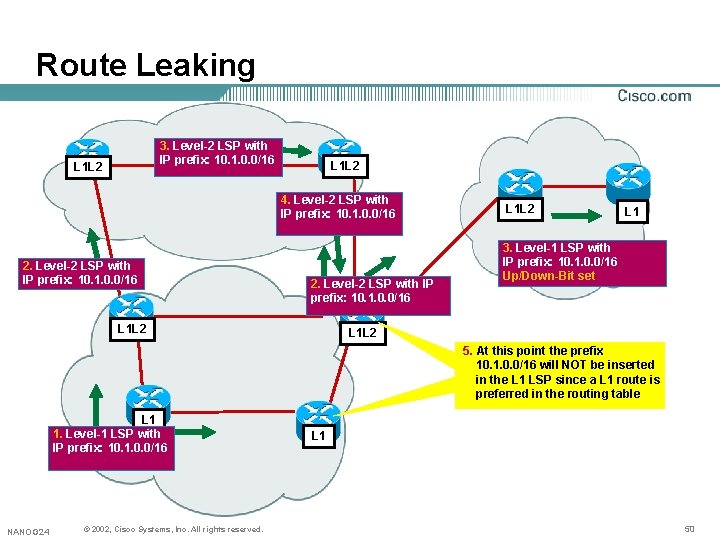
Route Leaking 3. Level-2 LSP with IP prefix: 10. 1. 0. 0/16 L 1 L 2 4. Level-2 LSP with IP prefix: 10. 1. 0. 0/16 2. Level-2 LSP with IP prefix: 10. 1. 0. 0/16 L 1 L 2 L 1 3. Level-1 LSP with IP prefix: 10. 1. 0. 0/16 Up/Down-Bit set L 1 L 2 5. At this point the prefix 10. 1. 0. 0/16 will NOT be inserted in the L 1 LSP since a L 1 route is preferred in the routing table L 1 1. Level-1 LSP with IP prefix: 10. 1. 0. 0/16 NANOG 24 © 2002, Cisco Systems, Inc. All rights reserved. L 1 50
Route Leaking • TVLs 128 and 130 have a metric field that consists of 4 TOS metrics The first metric, the so-called "default metric", has the highorder bit reserved (bit 8) Routers must set this bit to zero on transmission, and ignore it on receipt • The high-order bit in the default metric field in TLVs 128 and 130 becomes the Up/Down bit NANOG 24 © 2002, Cisco Systems, Inc. All rights reserved. 51
Route Leaking • Recommendation: Recommendation use wide Metric TLV (TLV 135) • Configure with: router isis metric-style wide NANOG 24 © 2002, Cisco Systems, Inc. All rights reserved. 52
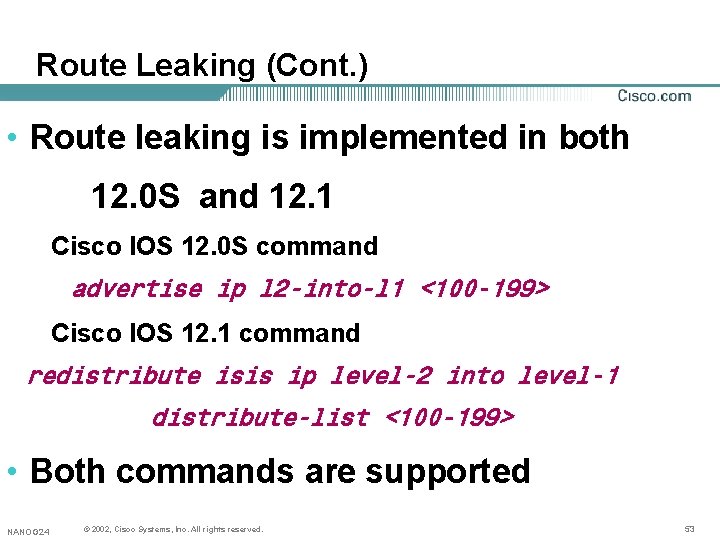
Route Leaking (Cont. ) • Route leaking is implemented in both 12. 0 S and 12. 1 Cisco IOS 12. 0 S command advertise ip l 2 -into-l 1 <100 -199> Cisco IOS 12. 1 command redistribute isis ip level-2 into level-1 distribute-list <100 -199> • Both commands are supported NANOG 24 © 2002, Cisco Systems, Inc. All rights reserved. 53
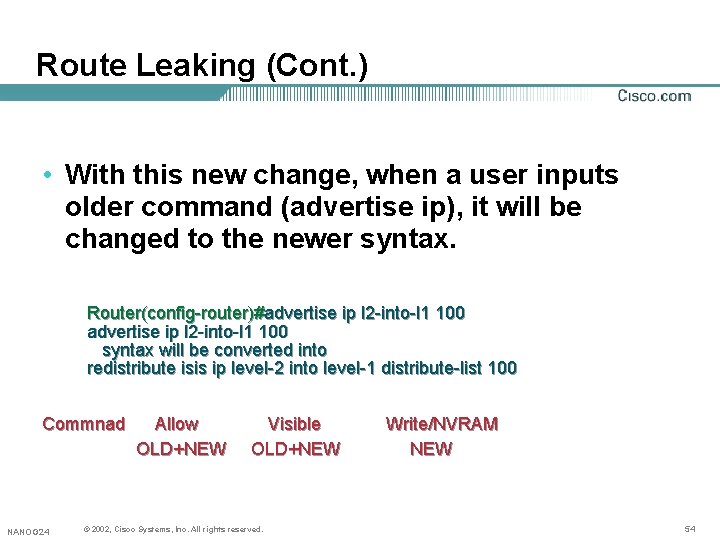
Route Leaking (Cont. ) • With this new change, when a user inputs older command (advertise ip), it will be changed to the newer syntax. Router(config-router)#advertise ip l 2 -into-l 1 100 syntax will be converted into redistribute isis ip level-2 into level-1 distribute-list 100 Commnad NANOG 24 Allow OLD+NEW Visible OLD+NEW © 2002, Cisco Systems, Inc. All rights reserved. Write/NVRAM NEW 54
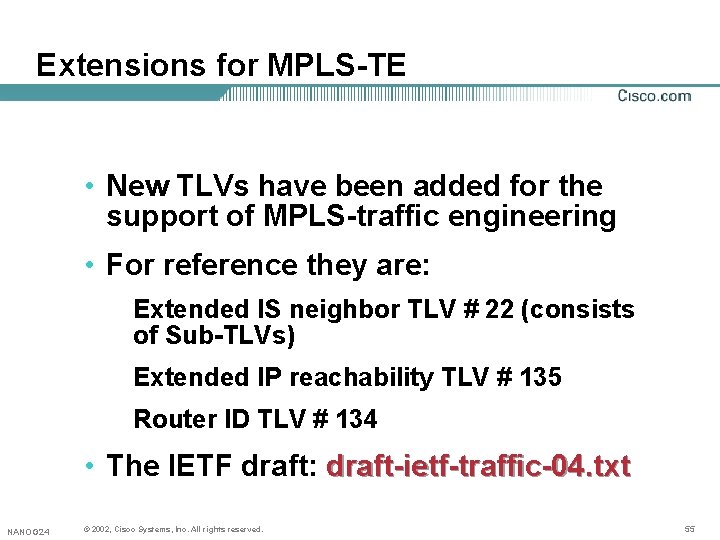
Extensions for MPLS-TE • New TLVs have been added for the support of MPLS-traffic engineering • For reference they are: Extended IS neighbor TLV # 22 (consists of Sub-TLVs) Extended IP reachability TLV # 135 Router ID TLV # 134 • The IETF draft: draft-ietf-traffic-04. txt NANOG 24 © 2002, Cisco Systems, Inc. All rights reserved. 55
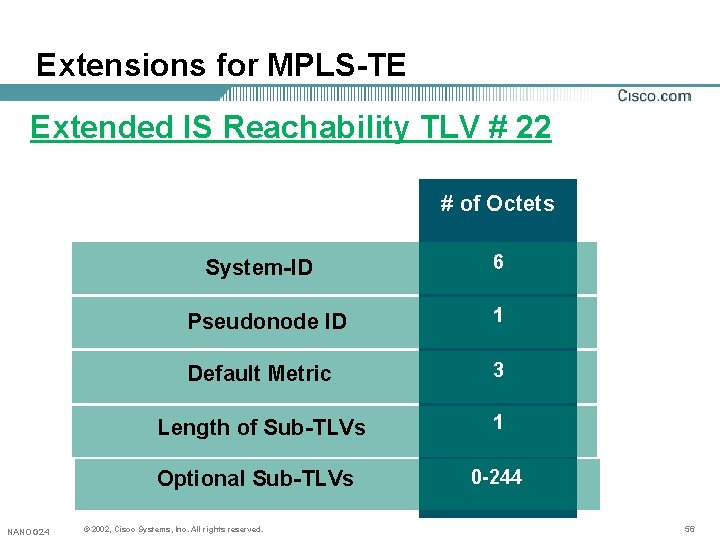
Extensions for MPLS-TE Extended IS Reachability TLV # 22 # of Octets System-ID Pseudonode ID 1 Default Metric 3 Length of Sub-TLVs 1 Optional Sub-TLVs NANOG 24 6 © 2002, Cisco Systems, Inc. All rights reserved. 0 -244 56
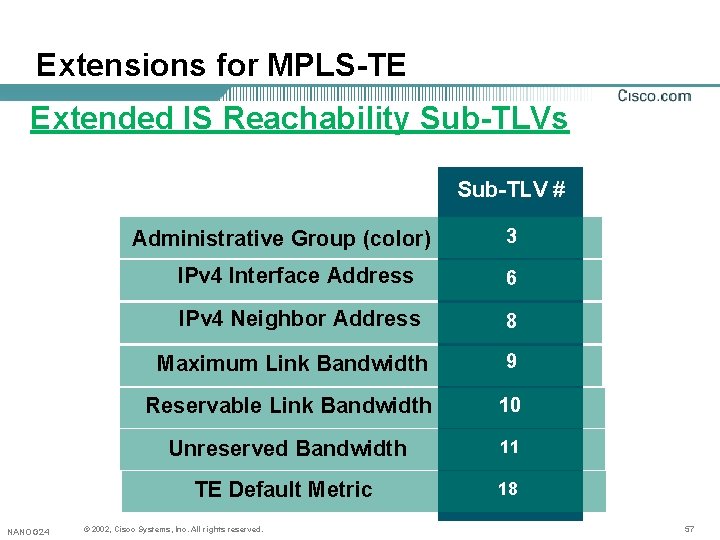
Extensions for MPLS-TE Extended IS Reachability Sub-TLVs Sub-TLV # Administrative Group (color) NANOG 24 3 IPv 4 Interface Address 6 IPv 4 Neighbor Address 8 Maximum Link Bandwidth 9 Reservable Link Bandwidth 10 Unreserved Bandwidth 11 TE Default Metric 18 © 2002, Cisco Systems, Inc. All rights reserved. 57
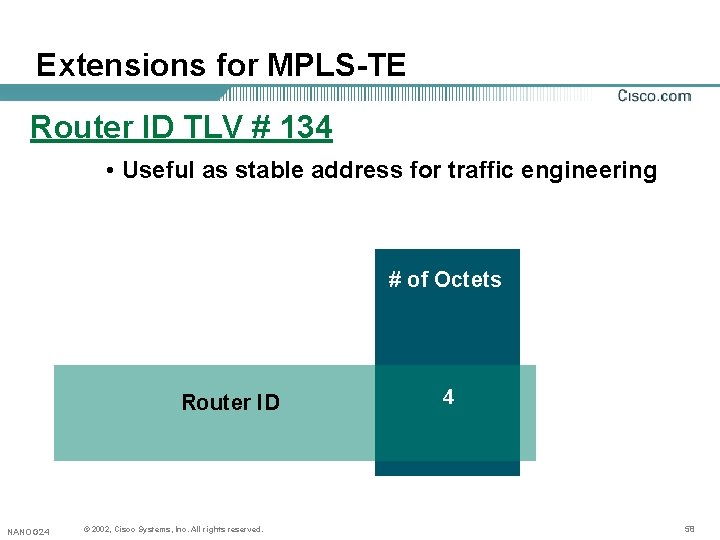
Extensions for MPLS-TE Router ID TLV # 134 • Useful as stable address for traffic engineering # of Octets Router ID NANOG 24 © 2002, Cisco Systems, Inc. All rights reserved. 4 58
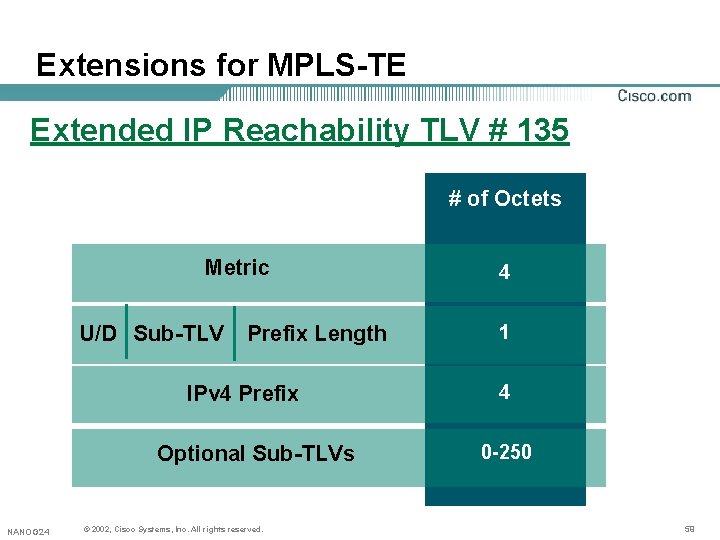
Extensions for MPLS-TE Extended IP Reachability TLV # 135 # of Octets Metric U/D Sub-TLV Prefix Length IPv 4 Prefix Optional Sub-TLVs NANOG 24 © 2002, Cisco Systems, Inc. All rights reserved. 4 1 4 0 -250 59
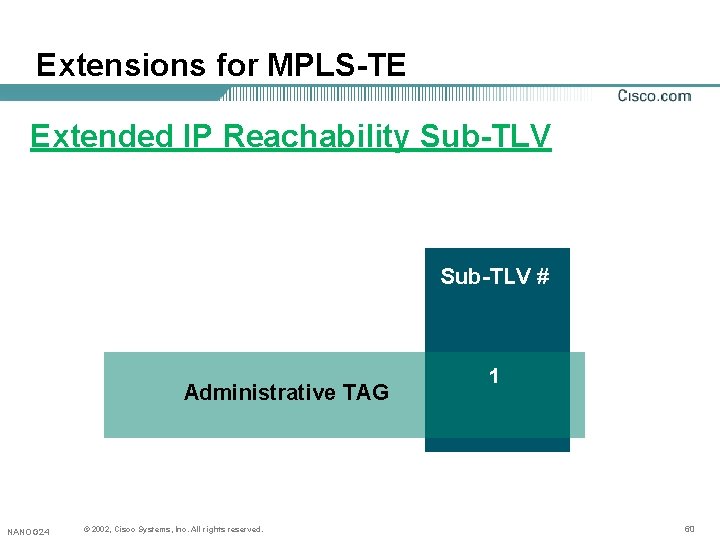
Extensions for MPLS-TE Extended IP Reachability Sub-TLV # Administrative TAG NANOG 24 © 2002, Cisco Systems, Inc. All rights reserved. 1 60
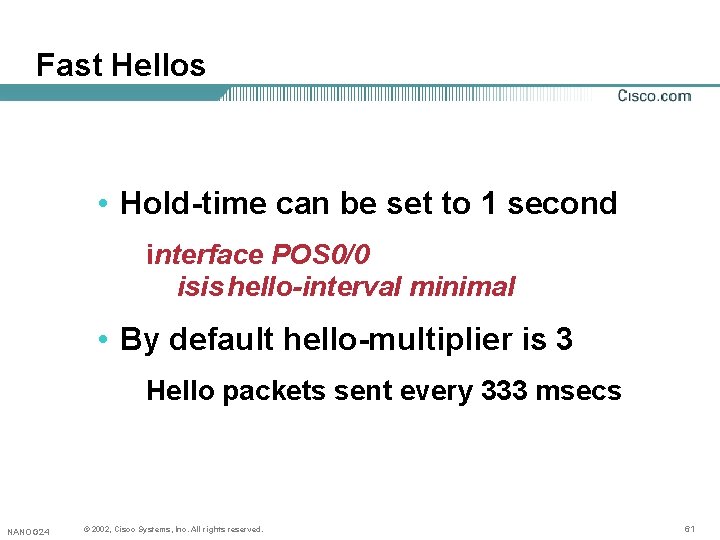
Fast Hellos • Hold-time can be set to 1 second interface POS 0/0 isis hello-interval minimal • By default hello-multiplier is 3 Hello packets sent every 333 msecs NANOG 24 © 2002, Cisco Systems, Inc. All rights reserved. 61
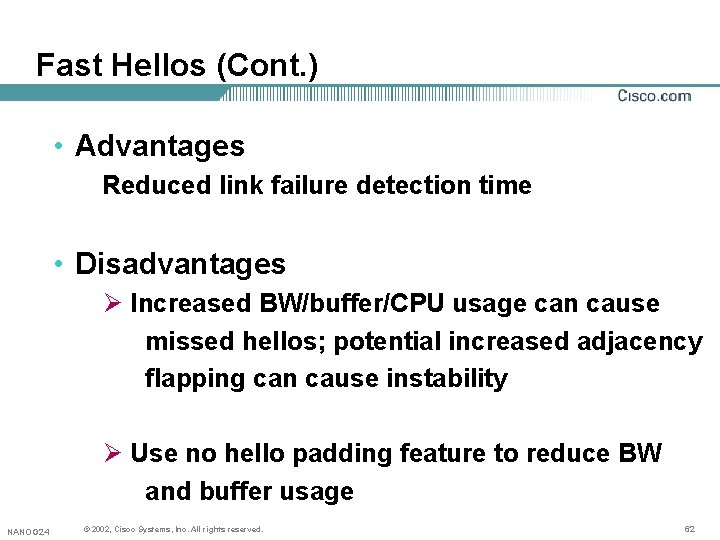
Fast Hellos (Cont. ) • Advantages Reduced link failure detection time • Disadvantages Ø Increased BW/buffer/CPU usage can cause missed hellos; potential increased adjacency flapping can cause instability Ø Use no hello padding feature to reduce BW and buffer usage NANOG 24 © 2002, Cisco Systems, Inc. All rights reserved. 62
d. CEF and ISIS • When CEF disabled on a LC, it should inform the Routing protocol. • Since ISIS runs directly on top of L 2, it still keeps the neighbor adjacency(ies) and doesn’t detect that the LC got disabled for the CEF. • Hence black-holing of the traffic. NANOG 24 © 2002, Cisco Systems, Inc. All rights reserved. 63
d. CEF and ISIS • Under router-isis external overload signalling By default this option is disabled. [no] external overload signalling Can be used as a workaround in case d. CEF forgets to pass enable signal to ISIS when d. CEF is actually up. NANOG 24 © 2002, Cisco Systems, Inc. All rights reserved. 64
Route Tags • The IP prefixes can be ‘tagged’ with Color/admin information. • This may be useful to control the routes redistributed between area/domain boundaries. OR • Can be used to apply for some policies to the ISIS Routes. • This is similar to what BGP is doing with the community attribute(s). NANOG 24 © 2002, Cisco Systems, Inc. All rights reserved. 65
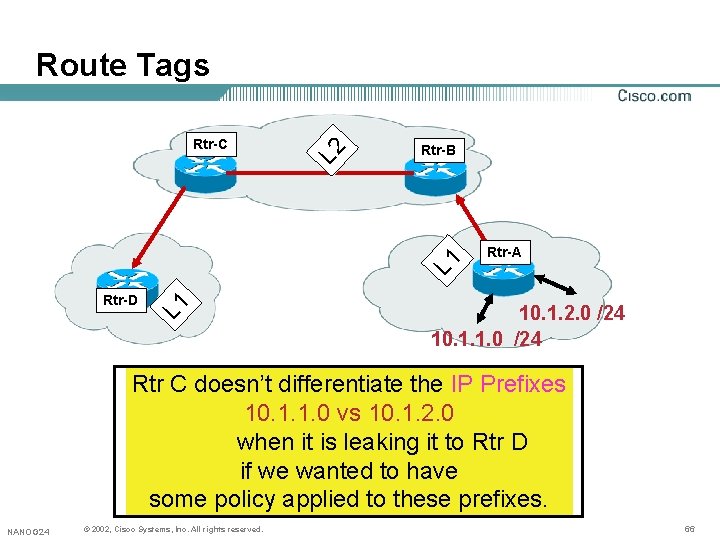
Rtr-B Rtr-D L 1 Rtr-C L 2 Route Tags Rtr-A 10. 1. 2. 0 /24 10. 1. 1. 0 /24 Rtr C doesn’t differentiate the IP Prefixes 10. 1. 1. 0 vs 10. 1. 2. 0 when it is leaking it to Rtr D if we wanted to have some policy applied to these prefixes. NANOG 24 © 2002, Cisco Systems, Inc. All rights reserved. 66
Route Tags • A New sub-TLV has been defined with a value of 1 as a part of Extended IP Reachability TLV 135 • This admin-tag strings attached to the IP prefix are used to color the ISIS IP routes. • The IETF Draft: draft-martin-neal-policy-isis-admin-tags-02. txt NANOG 24 © 2002, Cisco Systems, Inc. All rights reserved. 67
Route Tags • The ‘tag’ can be applied to: Ø an interface Ø an external route(s) Ø while filtering between L 1 ->L 2 or L 2 ->L 1 Ø On Summary Addresses NANOG 24 © 2002, Cisco Systems, Inc. All rights reserved. 68
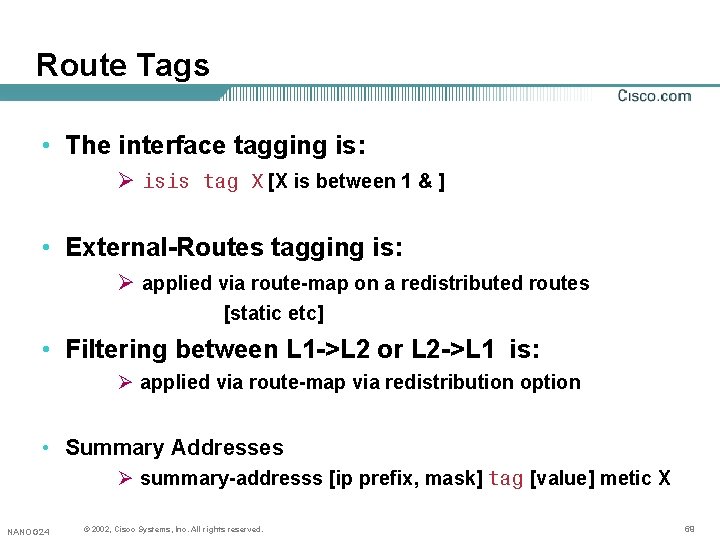
Route Tags • The interface tagging is: Ø isis tag X [X is between 1 & ] • External-Routes tagging is: Ø applied via route-map on a redistributed routes [static etc] • Filtering between L 1 ->L 2 or L 2 ->L 1 is: Ø applied via route-map via redistribution option • Summary Addresses Ø summary-addresss [ip prefix, mask] tag [value] metic X NANOG 24 © 2002, Cisco Systems, Inc. All rights reserved. 69
Route Tags • The current implementation supports only one tag value with the routes. • The tag value can be seen via: show isis database detail verbose NANOG 24 © 2002, Cisco Systems, Inc. All rights reserved. 70
P 2 P Adjacencies over Broadcast Media • When Broadcast interfaces (Ethernet, FE, GE, FDDI etc) used to connect only two routers, tell IS-IS to behave as p 2 p: Ø No Need for DIS Election Ø Also, no need for CSNPs Ø Reduce the number of nodes in SPT (no Pseudonode) 1. The IETF draft: draft-ietf-isis-igp-p 2 p-over-lan-00. txt NANOG 24 © 2002, Cisco Systems, Inc. All rights reserved. 71
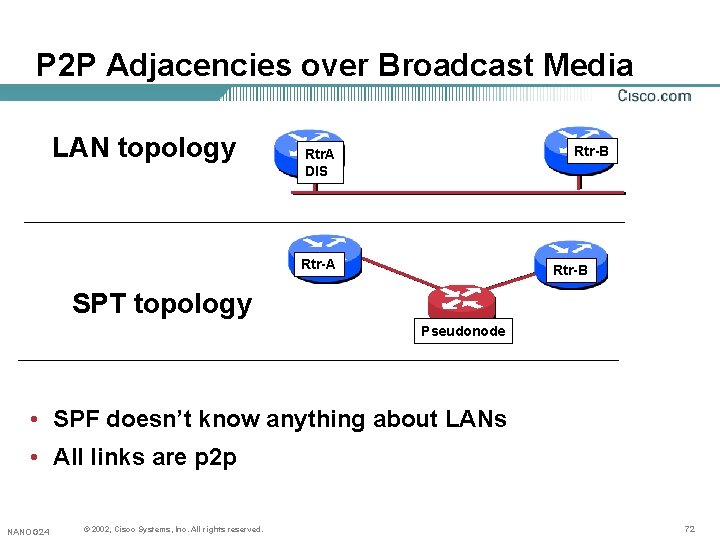
P 2 P Adjacencies over Broadcast Media LAN topology Rtr-B Rtr. A DIS Rtr-A Rtr-B SPT topology Pseudonode • SPF doesn’t know anything about LANs • All links are p 2 p NANOG 24 © 2002, Cisco Systems, Inc. All rights reserved. 72
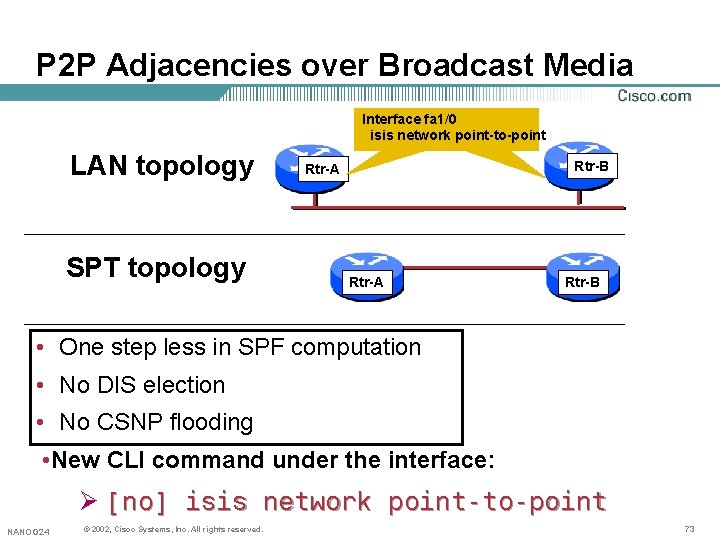
P 2 P Adjacencies over Broadcast Media Interface fa 1/0 isis network point-to-point LAN topology SPT topology Rtr-B Rtr-A Rtr-B • One step less in SPF computation • No DIS election • No CSNP flooding • New CLI command under the interface: Ø [no] isis network point-to-point NANOG 24 © 2002, Cisco Systems, Inc. All rights reserved. 73
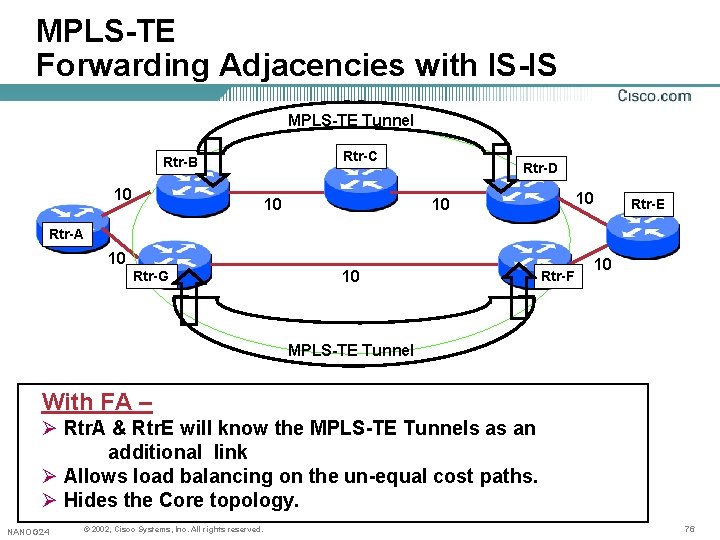
MPLS-TE Forwarding Adjacencies with IS-IS • Ability to advertise the MPLS-TE Tunnels into the IGP (IS-IS) as a regular link. • Then, IGP (IS-IS) will treat it as a normal link. • This is called as “Forwarding Adjacencies” • FA allows to mask the unequal physical topologies so that down-stream nodes can do load balancing to the destination node. • This is a part of the draft: draft-ietf-mpls-lsp-hierarchy-03. txt NANOG 24 © 2002, Cisco Systems, Inc. All rights reserved. 74
MPLS-TE Forwarding Adjacencies with IS-IS • Following are the caveats to remember: (wrt IS-IS) Ø LSP will be put into IS-IS Link State Database Ø IS-IS Hello will not run over the TE Tunnel Ø IS-IS LSPs wont’ be flooded over the TE Tunnels. Ø SPF bi-directional check will be enabled. NANOG 24 © 2002, Cisco Systems, Inc. All rights reserved. 75
MPLS-TE Forwarding Adjacencies with IS-IS MPLS-TE Tunnel Rtr-C Rtr-B 10 Rtr-D 10 10 10 Rtr-E Rtr-A 10 Rtr-G 10 Rtr-F 10 MPLS-TE Tunnel With FA – Ø Rtr. A & Rtr. E will know the MPLS-TE Tunnels as an additional link Ø Allows load balancing on the un-equal cost paths. Ø Hides the Core topology. NANOG 24 © 2002, Cisco Systems, Inc. All rights reserved. 76
MPLS-TE Forwarding Adjacencies with IS-IS • 2 Points to Remember Ø FA has the benefit in some particular cases and is not recommended everywhere. Ø We can not use FAs to do lsp-hierarchy since there is no TE information on FAs NANOG 24 © 2002, Cisco Systems, Inc. All rights reserved. 77
Suggested Reading • ISO 10589 (IS-IS Intra-Domain Routing Exchange Protocol) • RFC 1195 (OSI IS-IS for Routing in TCP/IP and Dual Environments) • draft-ietf-isis-traffic-04. txt (TE Extensions for IS-IS) • draft-ietf-isis-igp-p 2 p-over-lan-00. txt (P 2 P Adj over LAN) • RFC 2966 (Route-leaking) • RFC 2763 (Dynamic Hostname Exchange) • draft-martin-neal-policy-isis-admin-tags-02. txt (Route Tags) NANOG 24 © 2002, Cisco Systems, Inc. All rights reserved. 78
RST-208 3010_05_2001_c 1 © 2001, Cisco Systems, Inc. All rights reserved. 79