
ISDN and DDR Objectives ISDN concepts ISDN configuration
ISDN and DDR
Objectives • ISDN concepts • ISDN configuration • DDR configuration
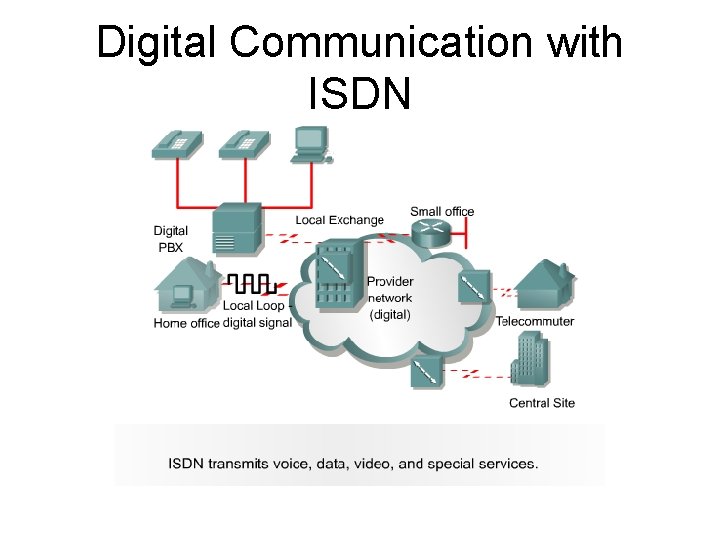
Digital Communication with ISDN
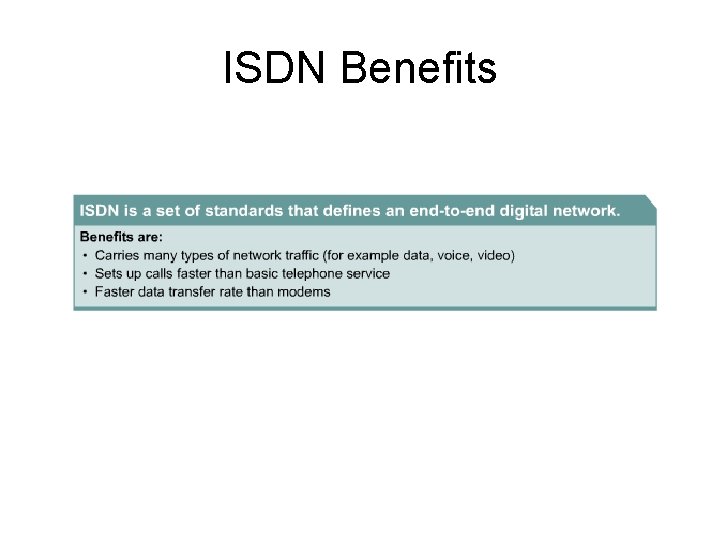
ISDN Benefits
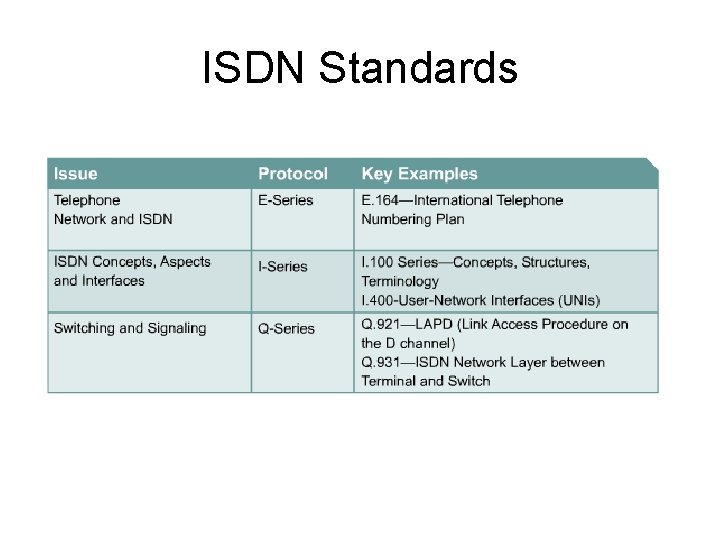
ISDN Standards
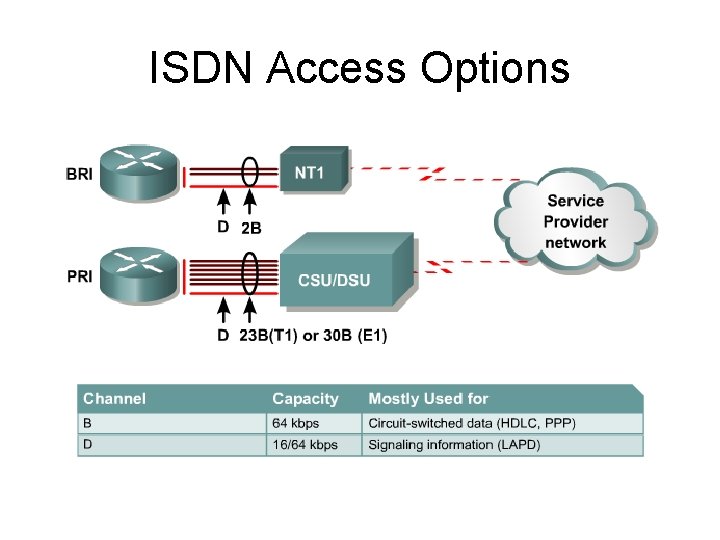
ISDN Access Options
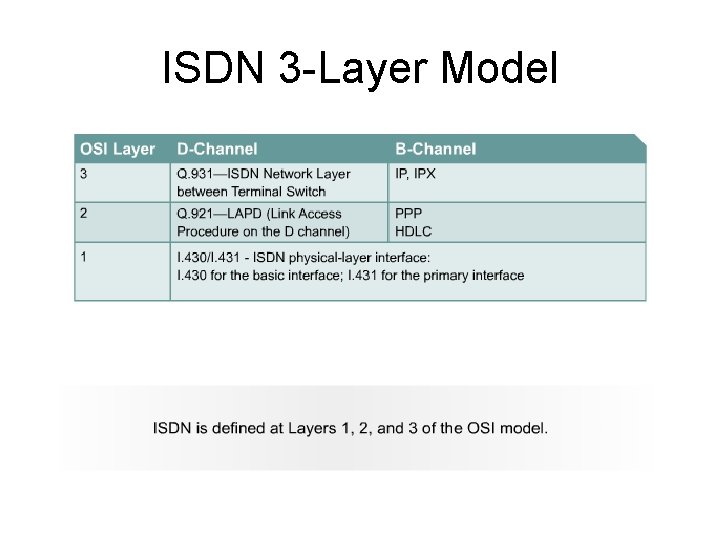
ISDN 3 -Layer Model
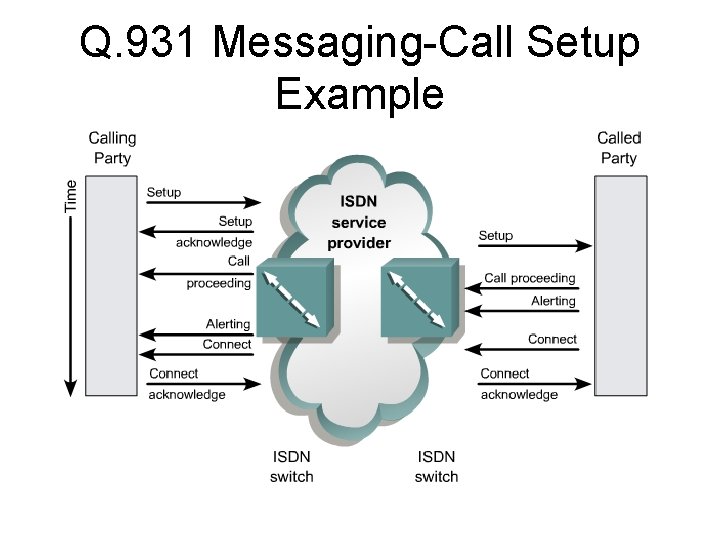
Q. 931 Messaging-Call Setup Example
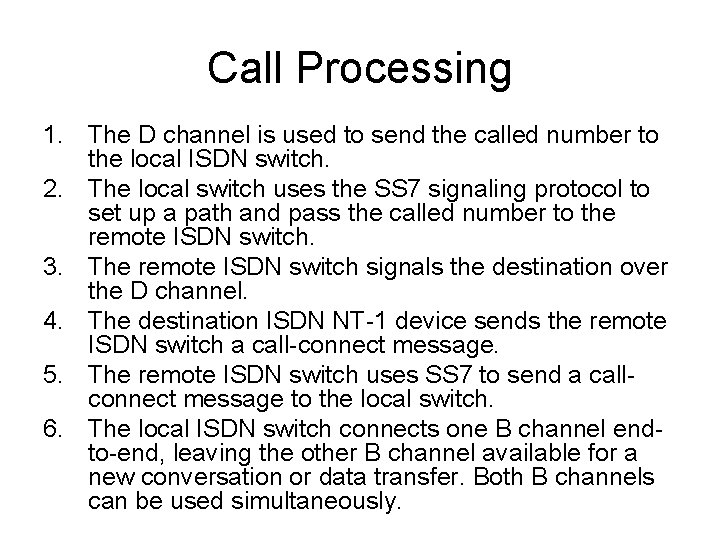
Call Processing 1. The D channel is used to send the called number to the local ISDN switch. 2. The local switch uses the SS 7 signaling protocol to set up a path and pass the called number to the remote ISDN switch. 3. The remote ISDN switch signals the destination over the D channel. 4. The destination ISDN NT-1 device sends the remote ISDN switch a call-connect message. 5. The remote ISDN switch uses SS 7 to send a callconnect message to the local switch. 6. The local ISDN switch connects one B channel endto-end, leaving the other B channel available for a new conversation or data transfer. Both B channels can be used simultaneously.
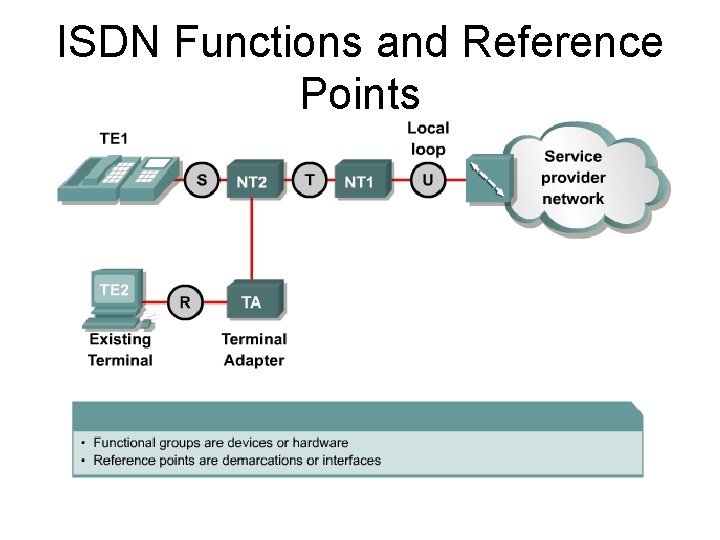
ISDN Functions and Reference Points
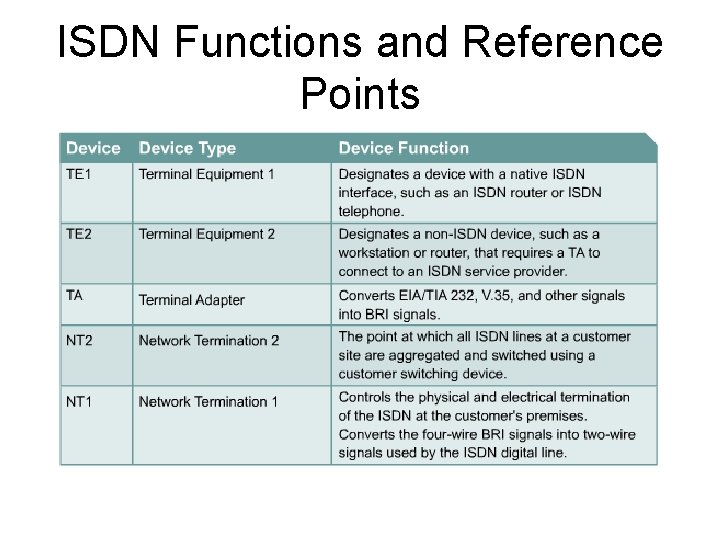
ISDN Functions and Reference Points

BRI Reference Points
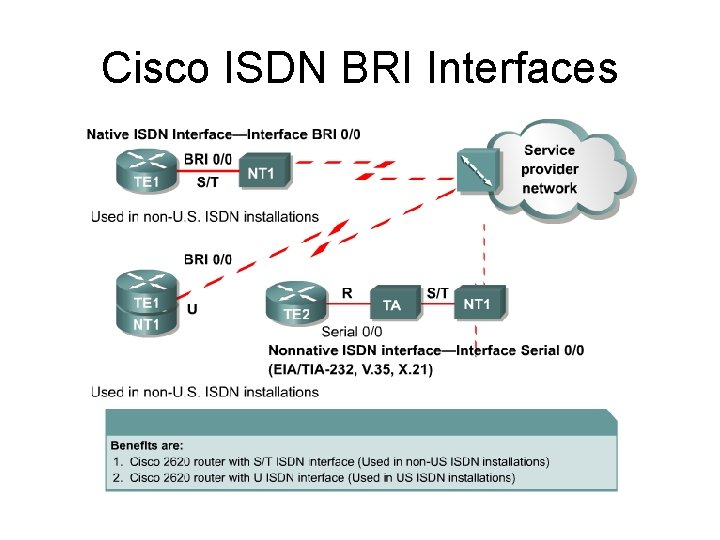
Cisco ISDN BRI Interfaces
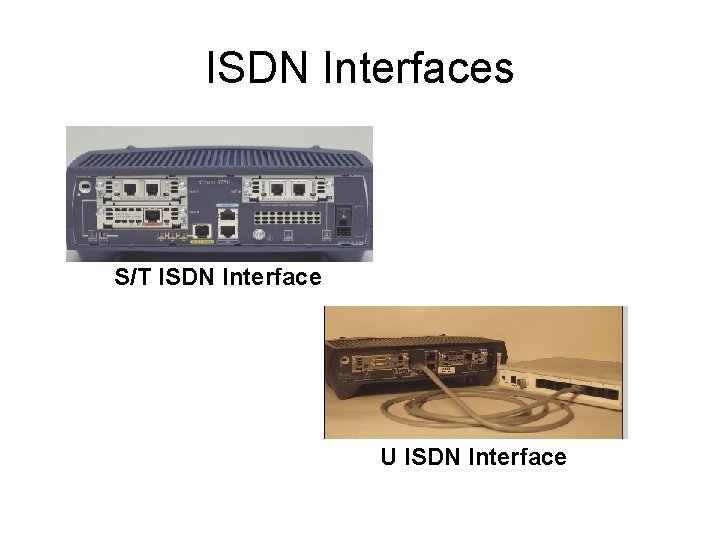
ISDN Interfaces S/T ISDN Interface U ISDN Interface
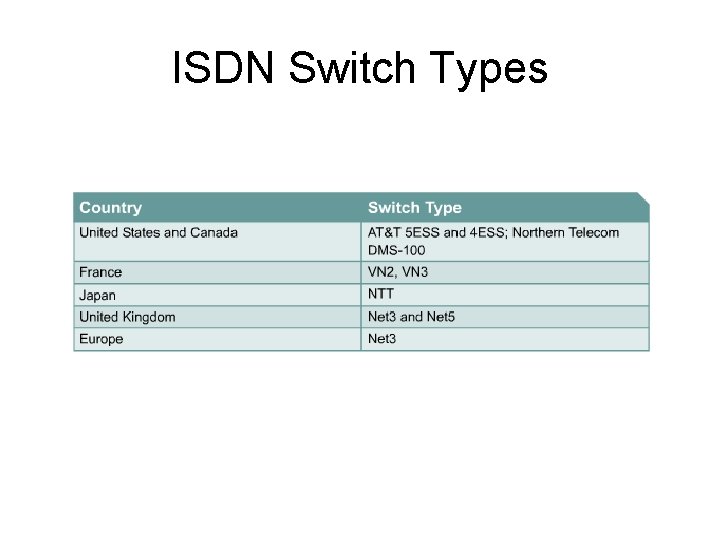
ISDN Switch Types
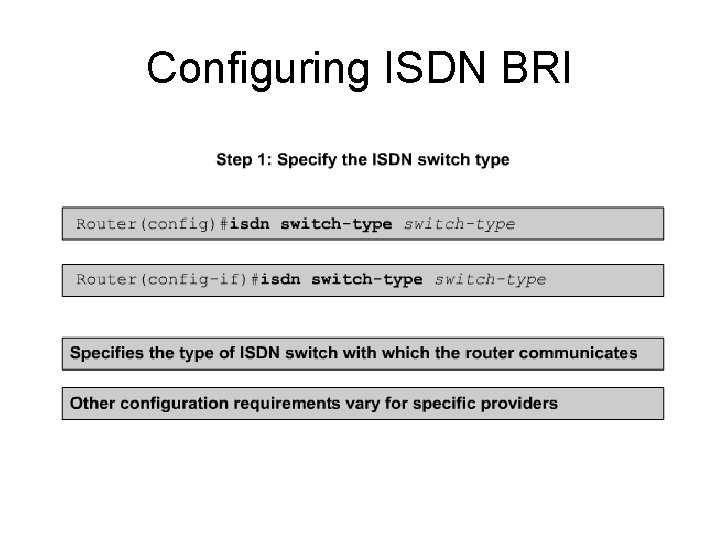
Configuring ISDN BRI
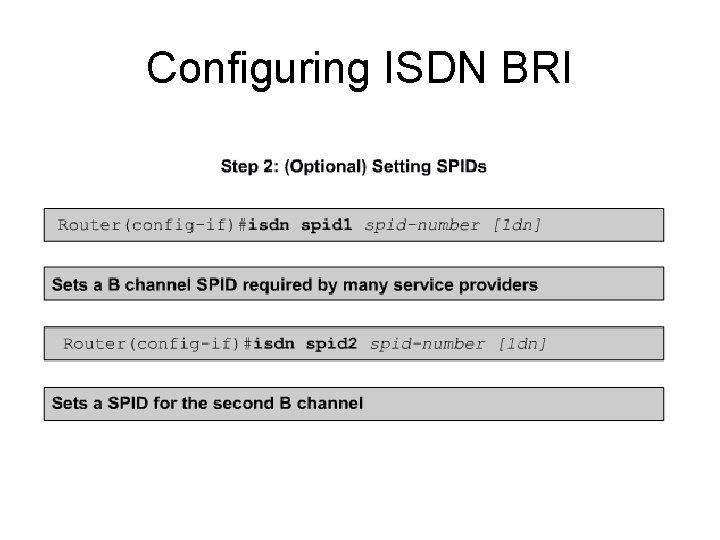
Configuring ISDN BRI
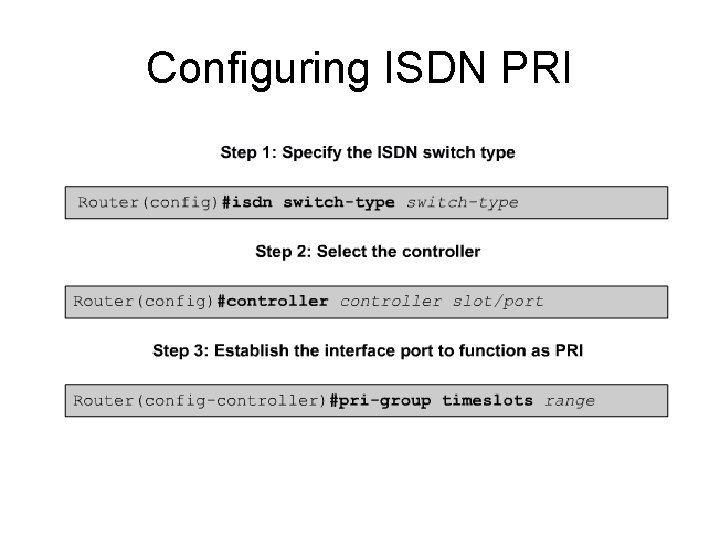
Configuring ISDN PRI
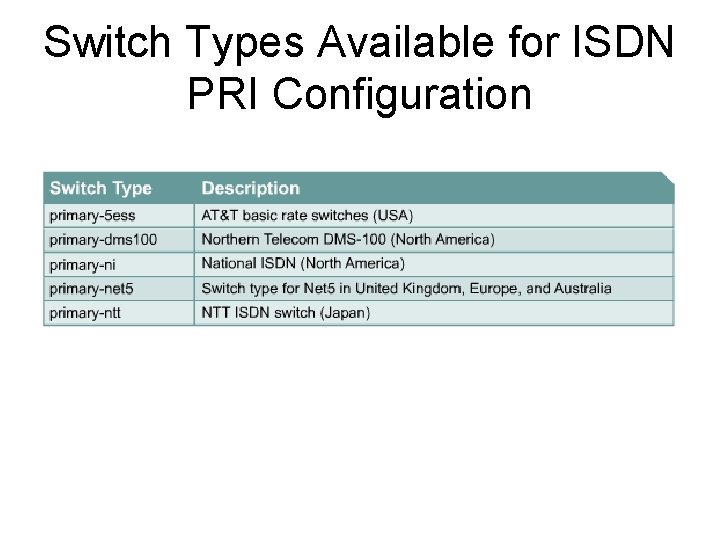
Switch Types Available for ISDN PRI Configuration
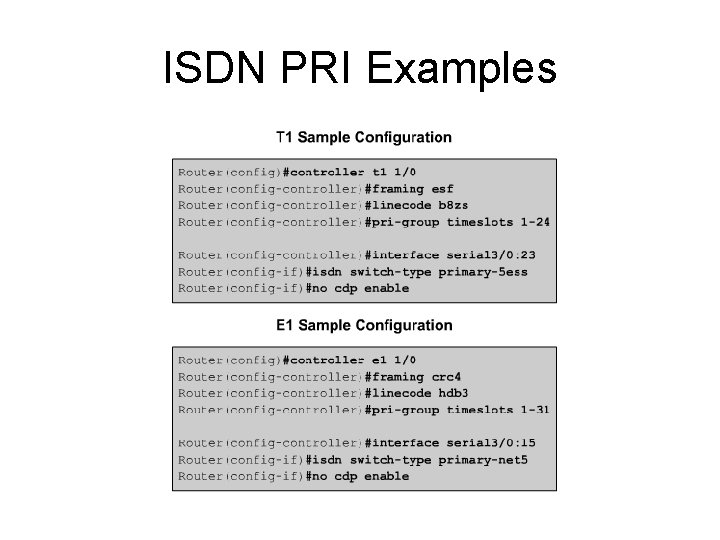
ISDN PRI Examples
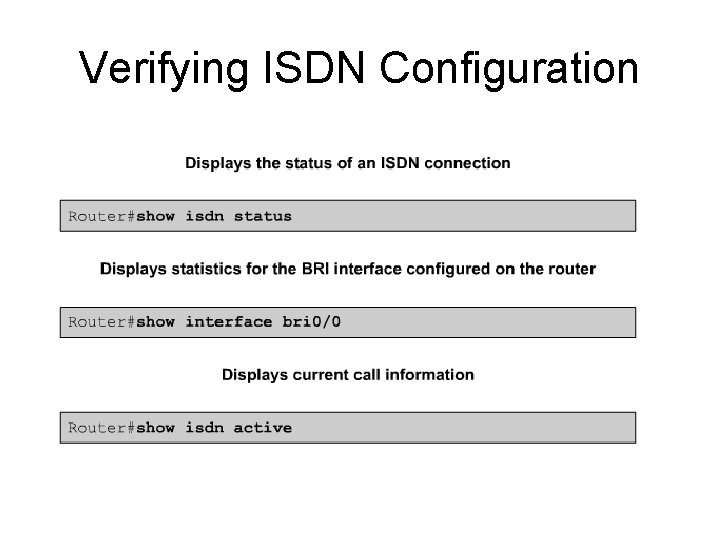
Verifying ISDN Configuration
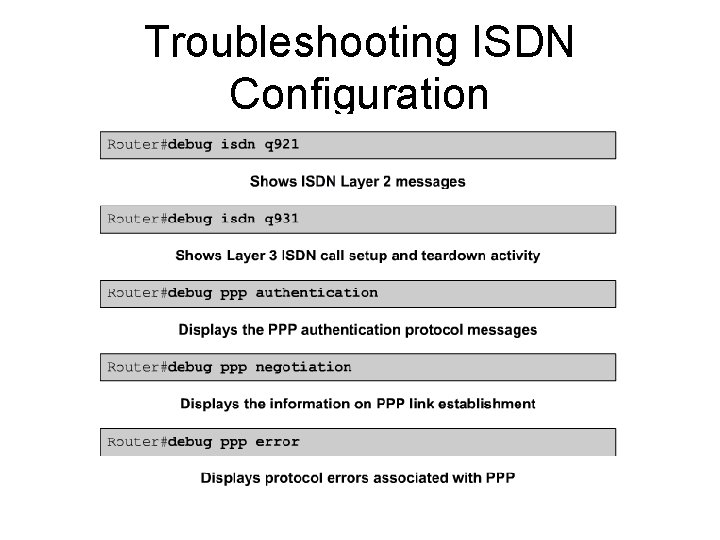
Troubleshooting ISDN Configuration
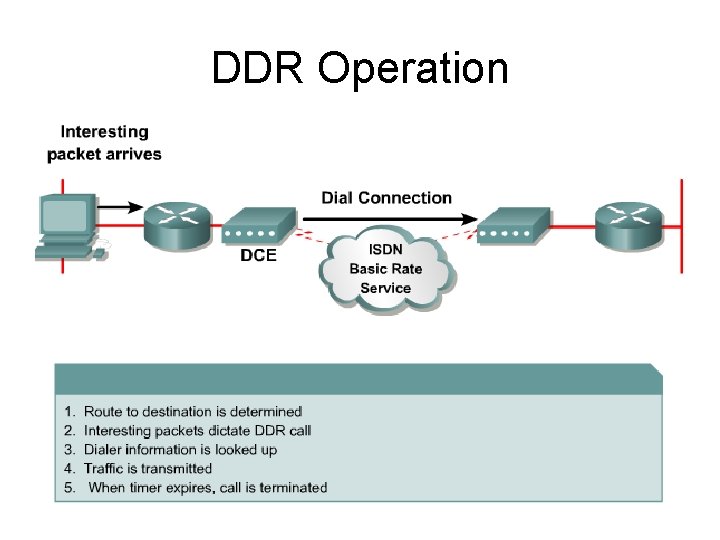
DDR Operation
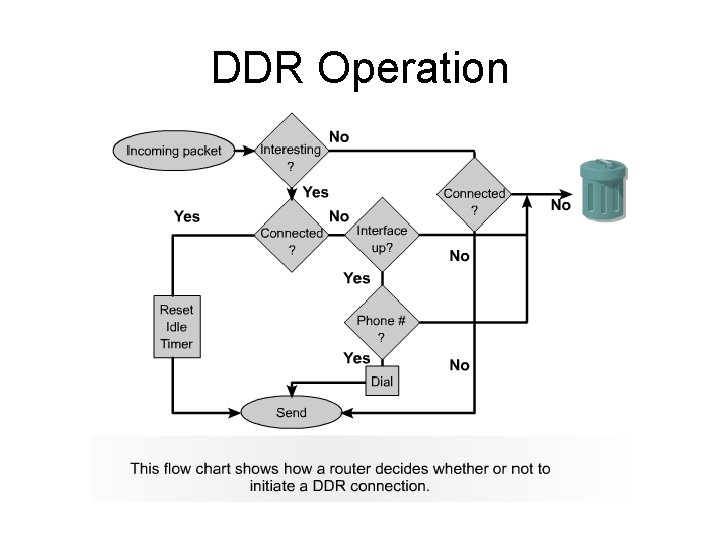
DDR Operation
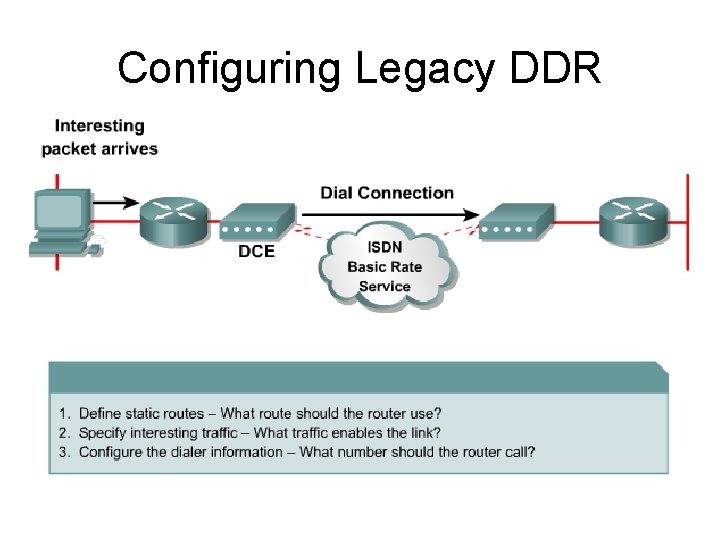
Configuring Legacy DDR
Defining Static Routes • When configuring static routes, consider the following: –By default, a static route will take precedence over a dynamic route because of its lower administrative distance. Without additional configuration, a dynamic route to a network will be ignored if a static route is present in the routing table for the same network. –To reduce the number of static route entries, define a summarized or default static route
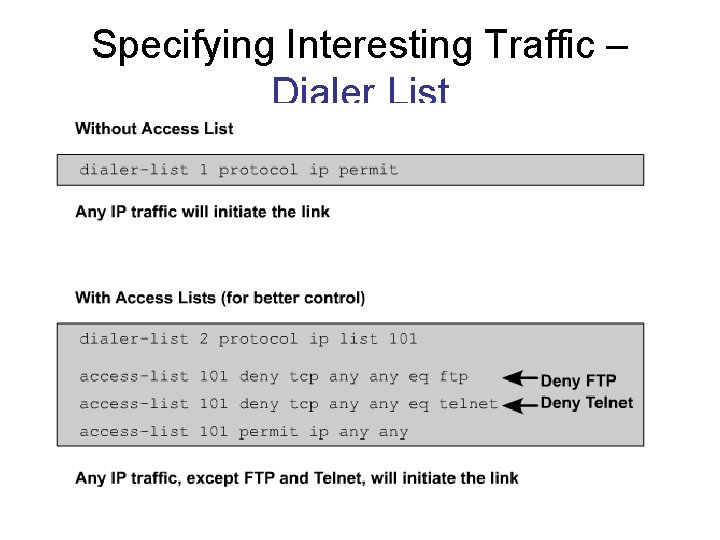
Specifying Interesting Traffic – Dialer List
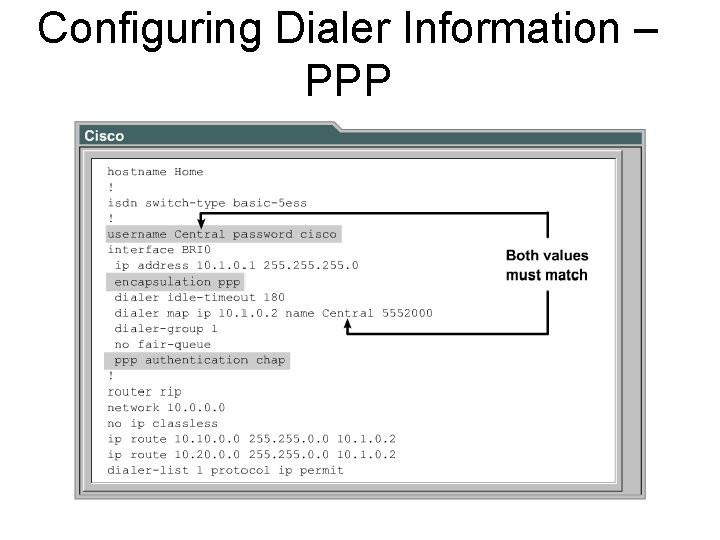
Configuring Dialer Information – PPP
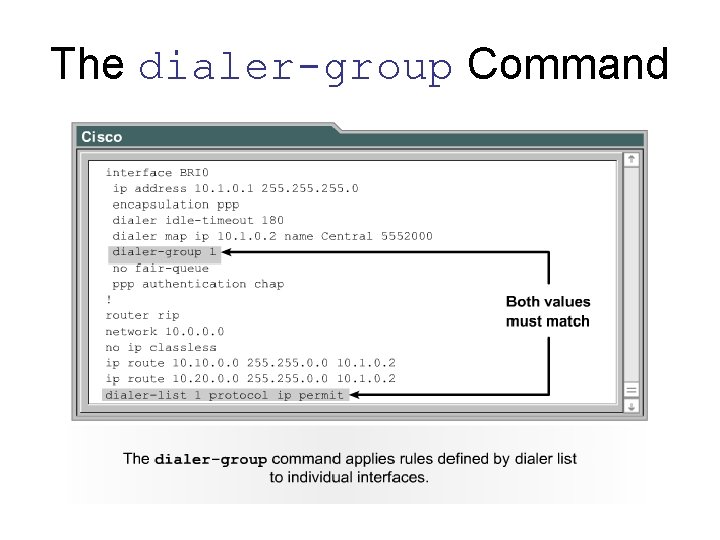
The dialer-group Command
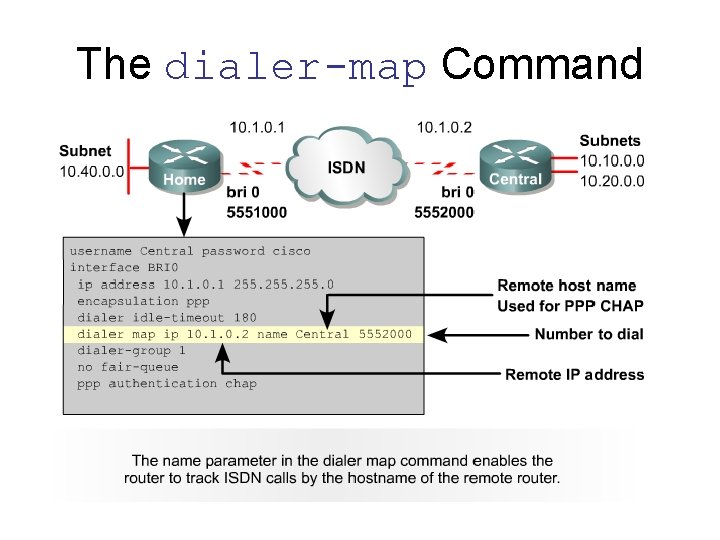
The dialer-map Command
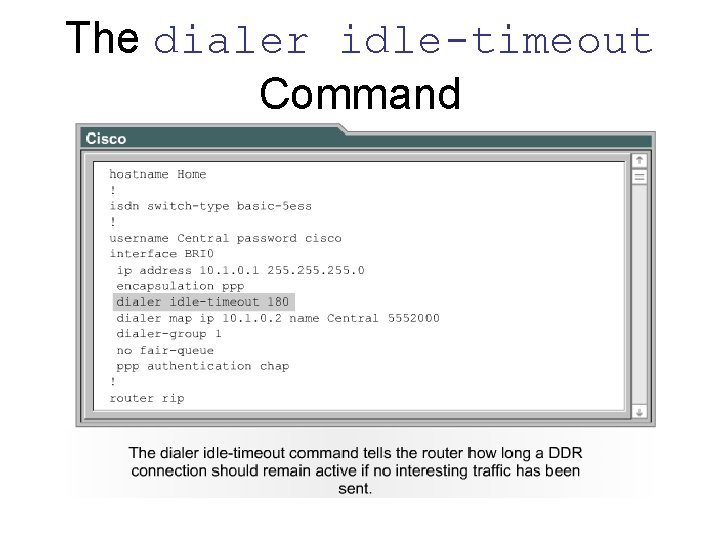
The dialer idle-timeout Command
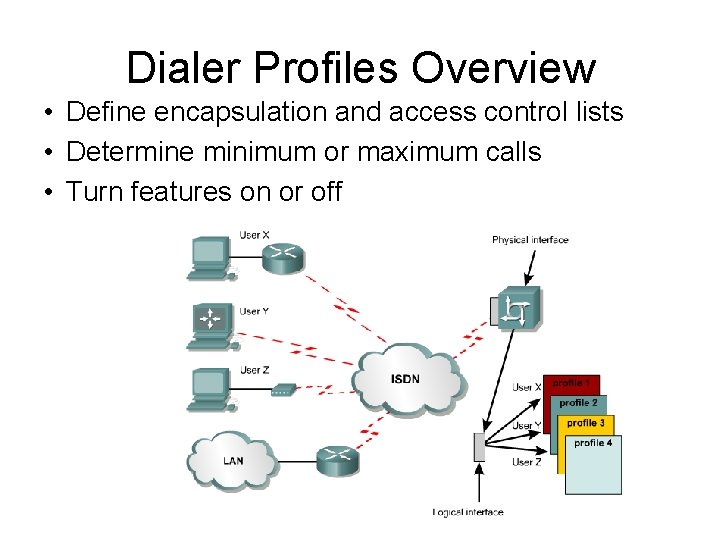
Dialer Profiles Overview • Define encapsulation and access control lists • Determine minimum or maximum calls • Turn features on or off
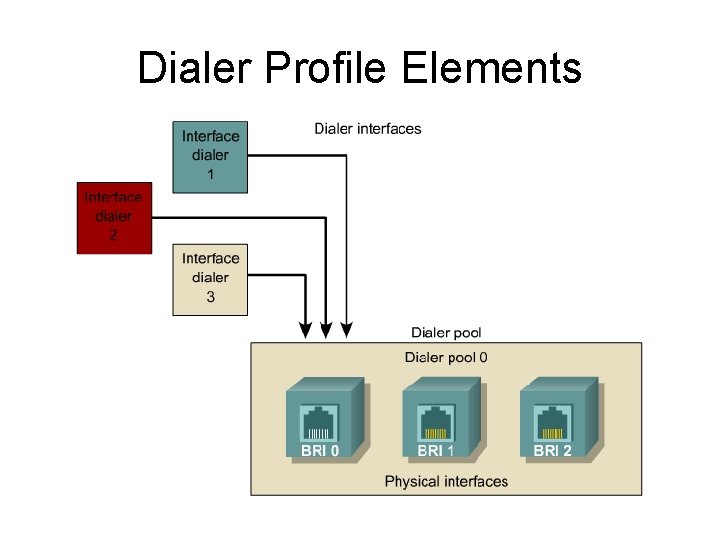
Dialer Profile Elements
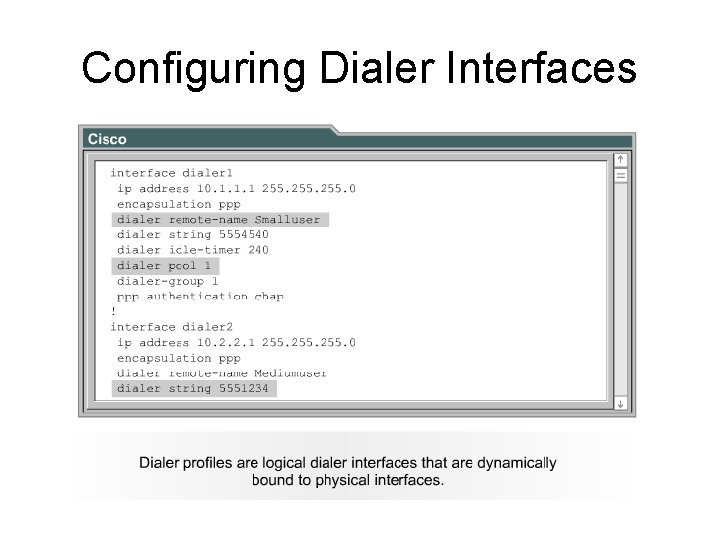
Configuring Dialer Interfaces
![Verifying DDR • show dialer interface [BRI] isdn active isdn status](http://slidetodoc.com/presentation_image_h2/7d71ebe96e4b6fb0cd4afd59e3bd8341/image-35.jpg "Verifying DDR • show dialer interface [BRI] isdn active isdn status")
Verifying DDR • show dialer interface [BRI] isdn active isdn status
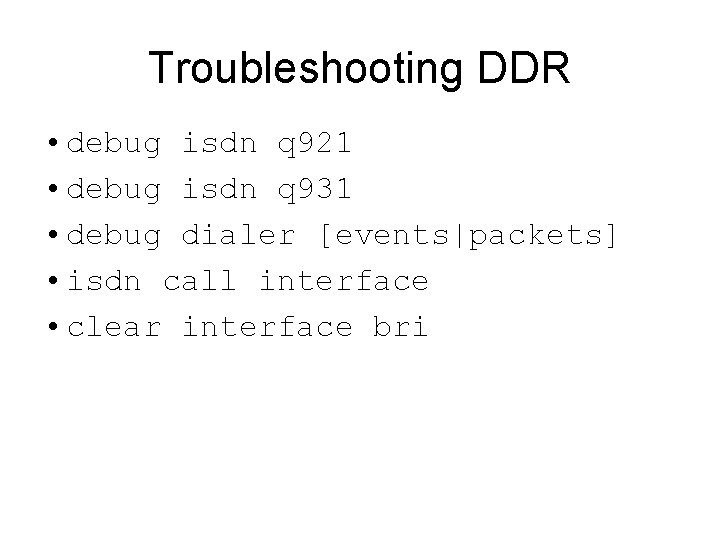
Troubleshooting DDR • debug isdn q 921 • debug isdn q 931 • debug dialer [events|packets] • isdn call interface • clear interface bri

Dialer Profiles 37
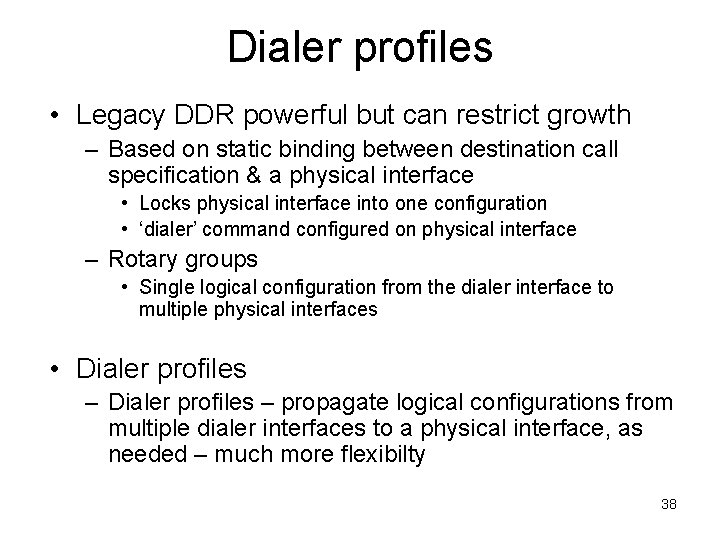
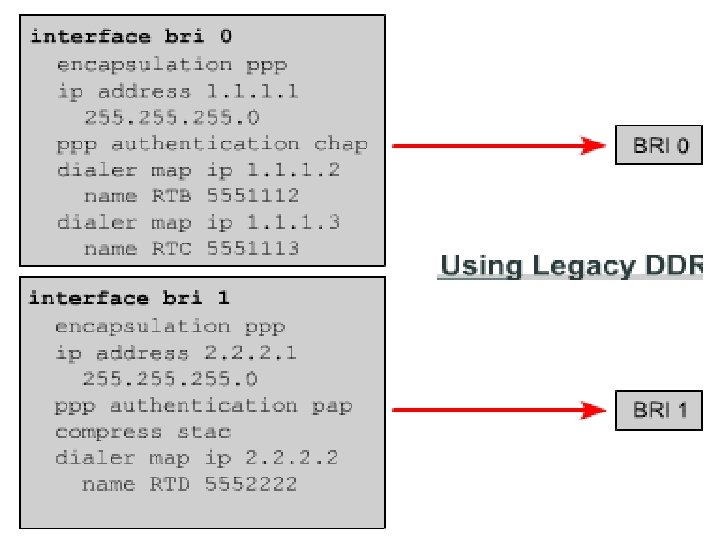
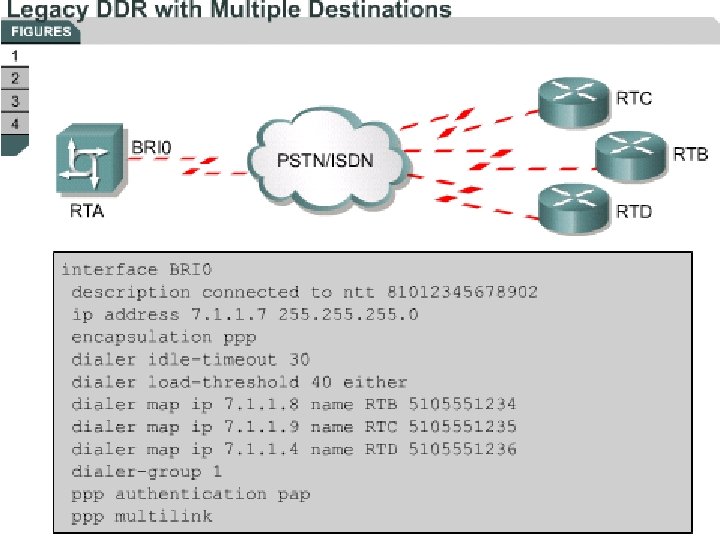
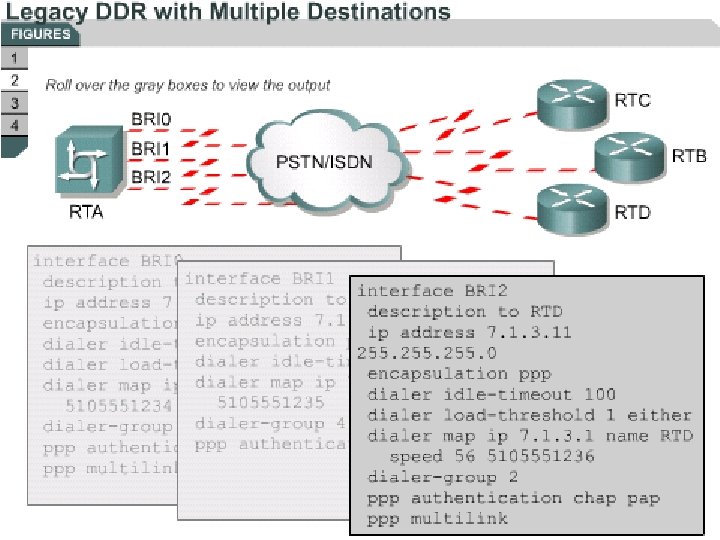
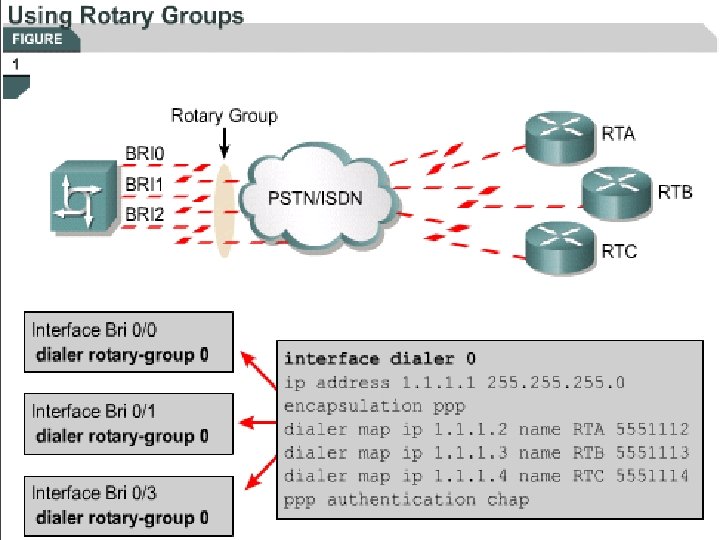
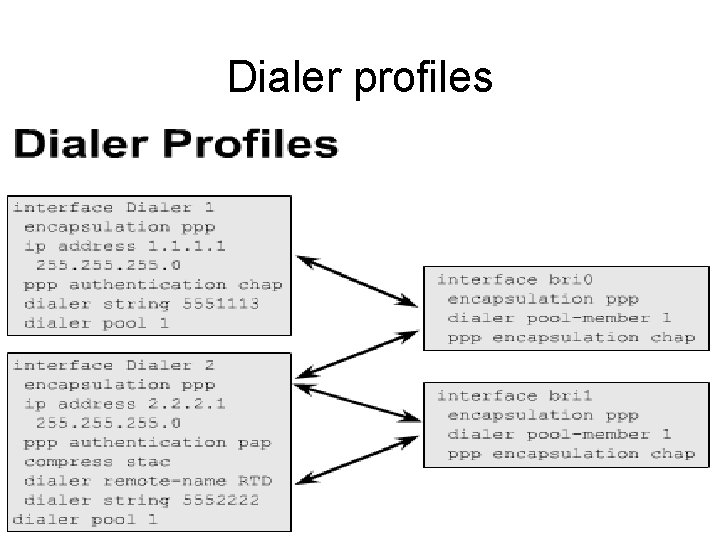
Dialer profiles • Legacy DDR powerful but can restrict growth – Based on static binding between destination call specification & a physical interface • Locks physical interface into one configuration • ‘dialer’ command configured on physical interface – Rotary groups • Single logical configuration from the dialer interface to multiple physical interfaces • Dialer profiles – propagate logical configurations from multiple dialer interfaces to a physical interface, as needed – much more flexibilty 38
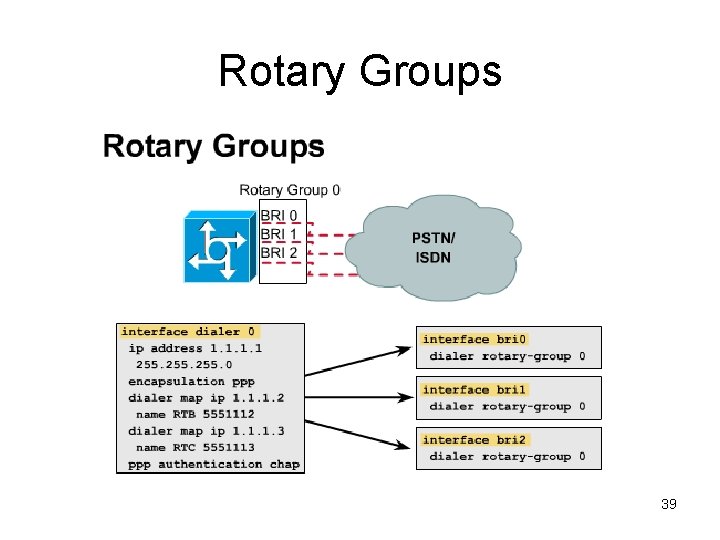
Rotary Groups 39
40
41
42
43

44
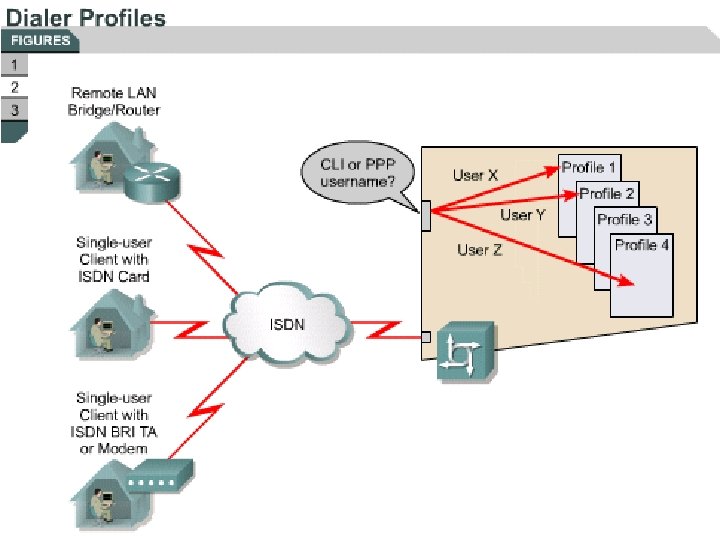
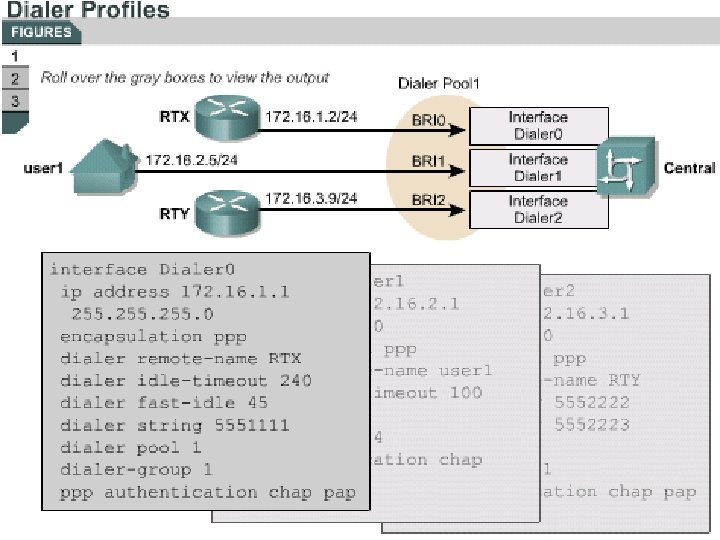
Dialer Profiles • With dialer profiles, the logical and physical configurations are dynamically bound to each other on a per-call basis. • This allows physical interfaces to dynamically assume different characteristics based on incoming or outgoing calls, as shown in Figure Next Slide 45
46
47
Dialer profiles 48
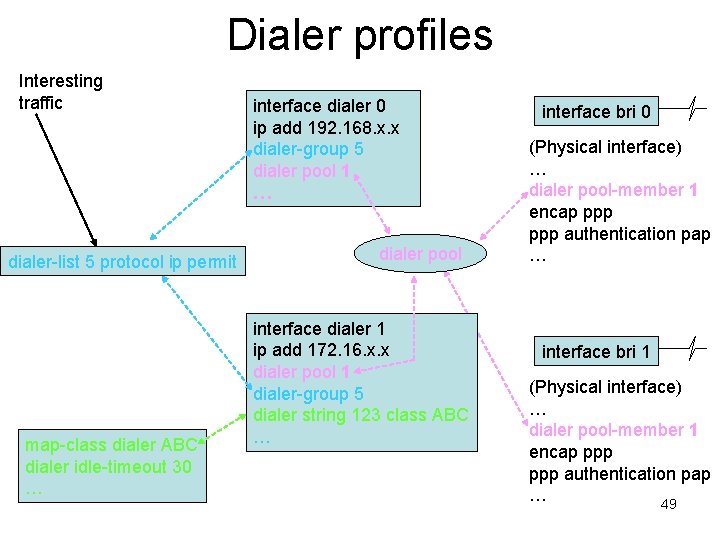
Dialer profiles Interesting traffic dialer-list 5 protocol ip permit map-class dialer ABC dialer idle-timeout 30 … interface dialer 0 ip add 192. 168. x. x dialer-group 5 dialer pool 1 … dialer pool interface dialer 1 ip add 172. 16. x. x dialer pool 1 dialer-group 5 dialer string 123 class ABC … interface bri 0 (Physical interface) … dialer pool-member 1 encap ppp authentication pap … interface bri 1 (Physical interface) … dialer pool-member 1 encap ppp authentication pap … 49
Labs 50
Labs 51
- Slides: 51