
IS 1500 Introduction to Web Development Responsive Webpages

IS 1500: Introduction to Web Development Responsive Webpages Ghita Amor-Tijani, Ph. D. ghitamor@ccs. neu. edu
What is Bootstrap? • Bootstrap is a powerful mobile-first front-end framework for faster and easier web development. • It uses HTML, CSS and Java. Script.

History Bootstrap was developed by Mark Otto and Jacob Thornton at Twitter. It was released as an open source product in August 2011 on Git. Hub.
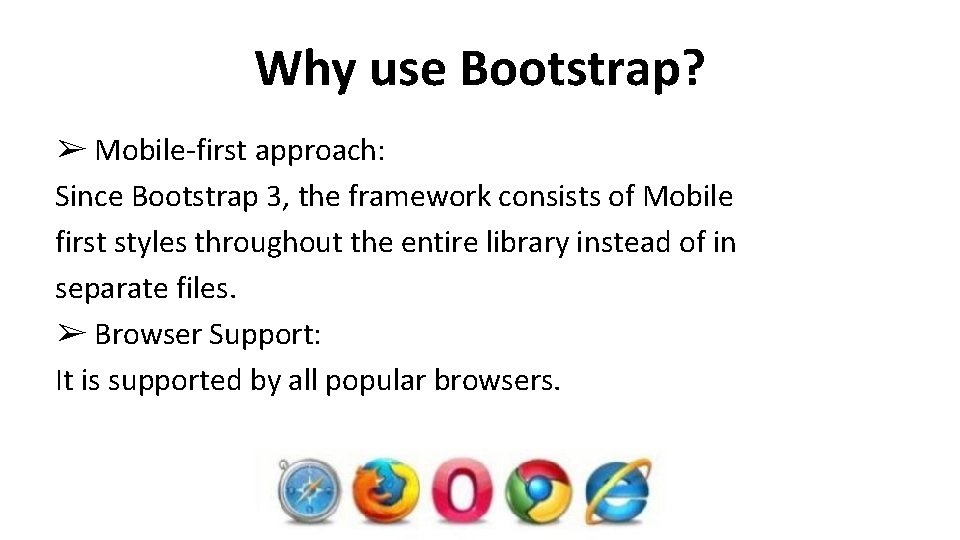
Why use Bootstrap? ➢ Mobile-first approach: Since Bootstrap 3, the framework consists of Mobile first styles throughout the entire library instead of in separate files. ➢ Browser Support: It is supported by all popular browsers.
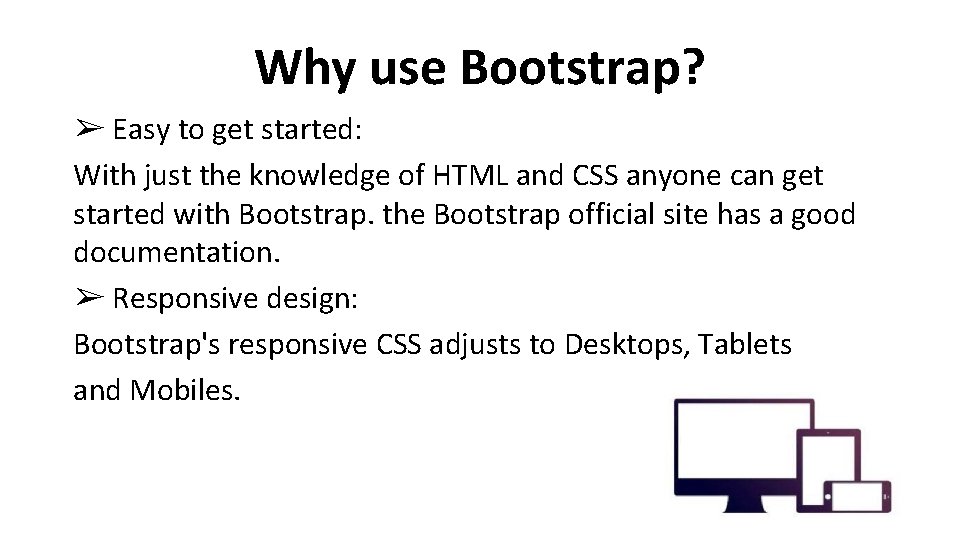
Why use Bootstrap? ➢ Easy to get started: With just the knowledge of HTML and CSS anyone can get started with Bootstrap. the Bootstrap official site has a good documentation. ➢ Responsive design: Bootstrap's responsive CSS adjusts to Desktops, Tablets and Mobiles.
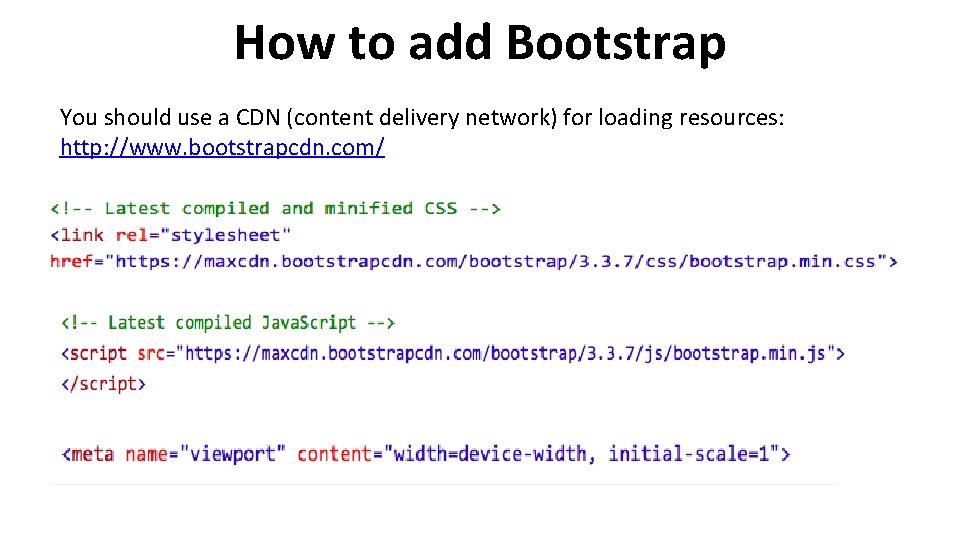
How to add Bootstrap You should use a CDN (content delivery network) for loading resources: http: //www. bootstrapcdn. com/
What are those lines? We use a shared CDN because chances are that common files are most likely already cached in the user’s computer. 1. The <link> tag loads the CSS - the actual bootstrap styling. This is obviously the most important 2. The <script> tag loads additional Java. Script capabilities of the Bootstrap framework 3. The <meta> tag is for smaller devices which have a viewport, and it disables zooming so that the responsive features of Bootstrap will kick in
What is Bootstrap Grid System? • Bootstrap includes a responsive, mobile-first fluid grid system that appropriately scales up to 12 columns as the device or view port size increases. • It includes predefined classes for easy layout options, as well as powerful mixins for generating more semantic layouts. Bootstrap 3 is mobile first in the sense that the code for Bootstrap now starts by targeting smaller screens like mobile devices, tablets, and then “expands” components and grids for larger screens such as laptops, desktops.
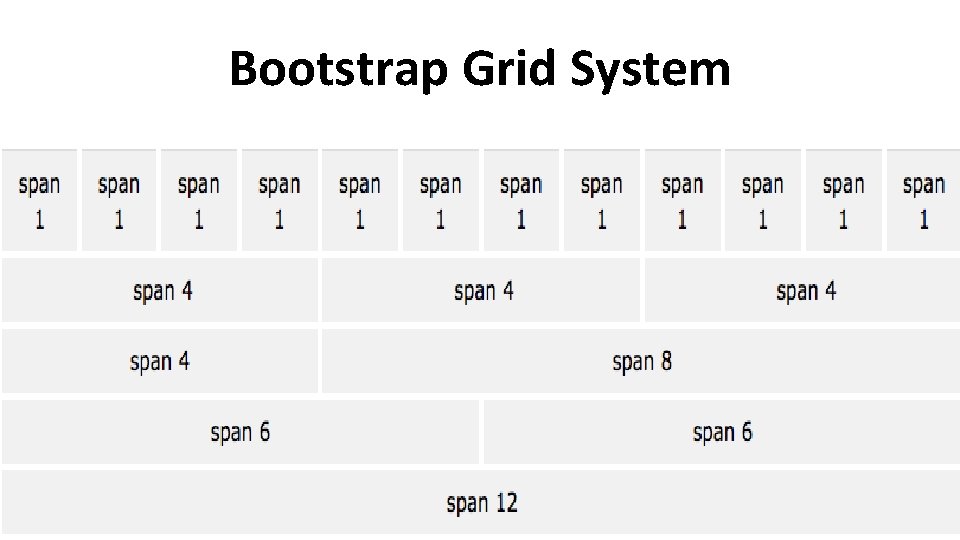
Bootstrap Grid System
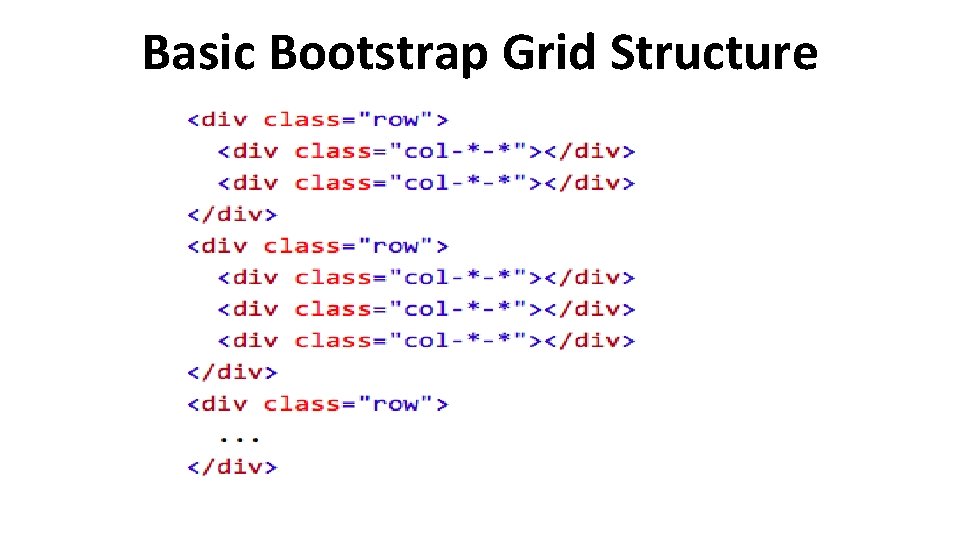
Basic Bootstrap Grid Structure
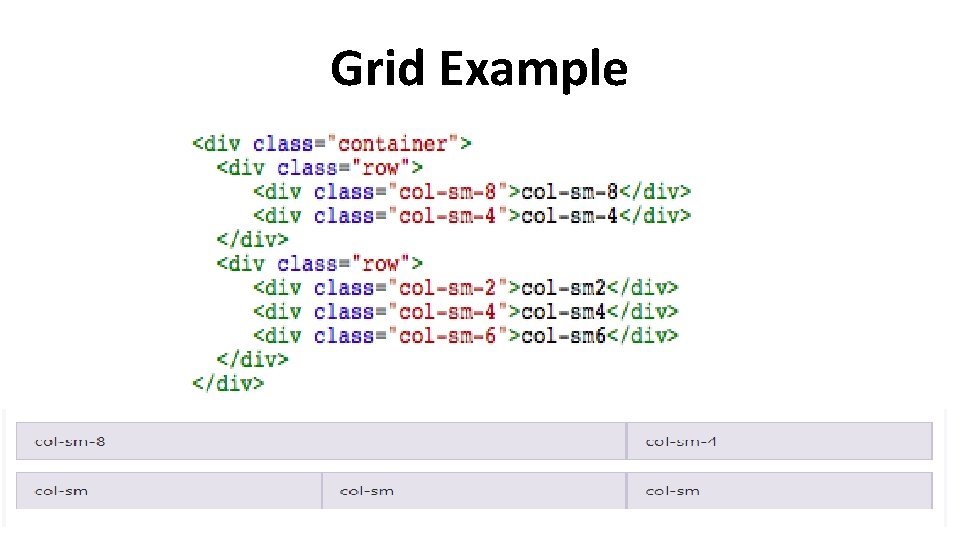
Grid Example
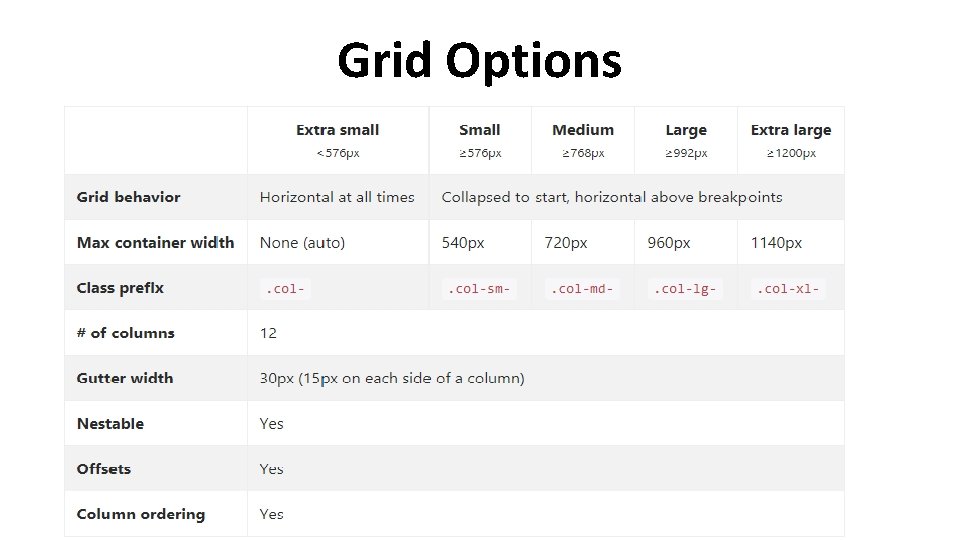
Grid Options
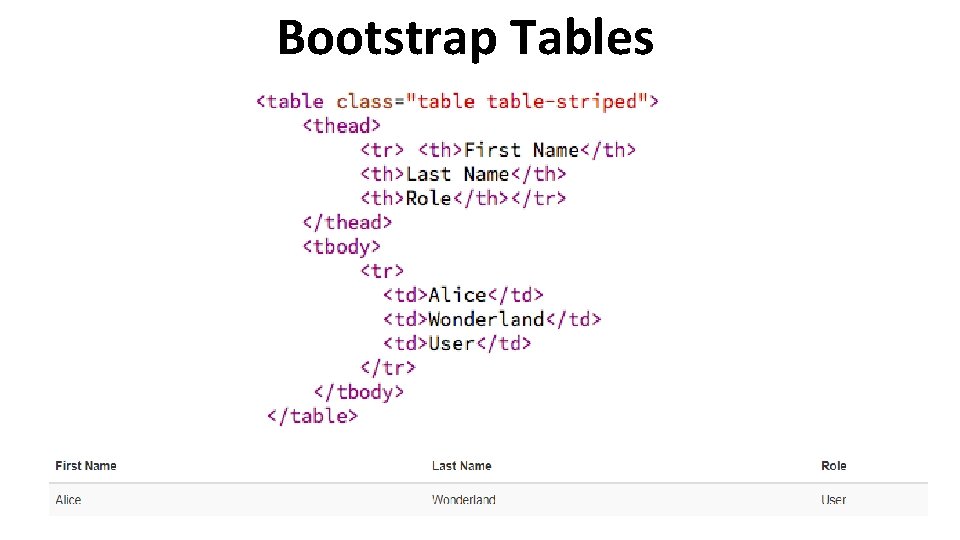
Bootstrap Tables
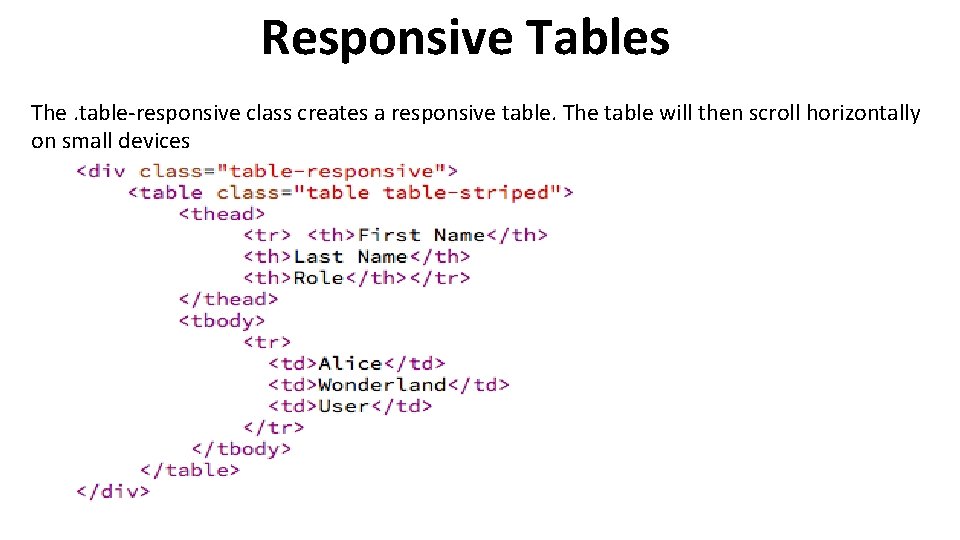
Responsive Tables The. table-responsive class creates a responsive table. The table will then scroll horizontally on small devices
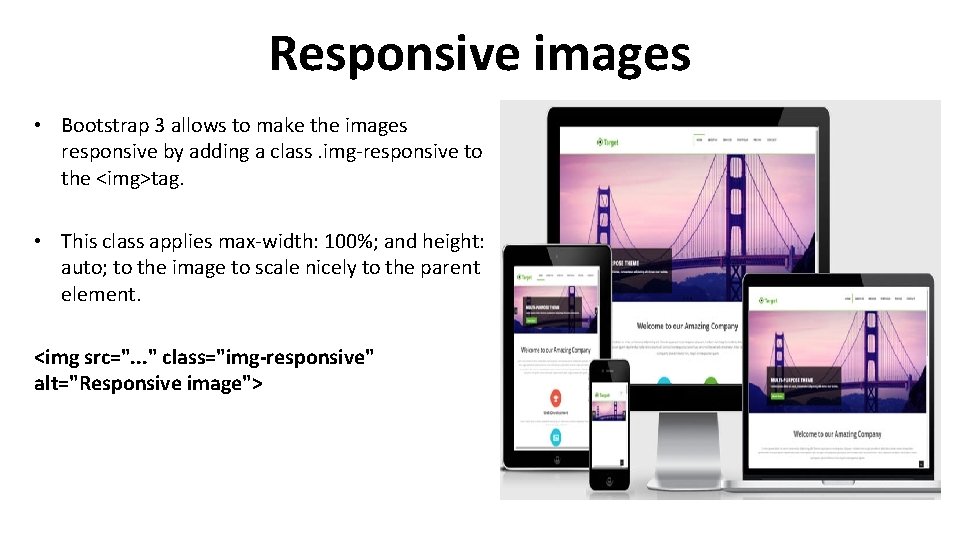
Responsive images • Bootstrap 3 allows to make the images responsive by adding a class. img-responsive to the <img>tag. • This class applies max-width: 100%; and height: auto; to the image to scale nicely to the parent element. <img src=". . . " class="img-responsive" alt="Responsive image">
More Bootstrap elements üDropdowns üTabs üPills üNavbars üAlerts üLists Check out the Bootstrap reference for more http: //getbootstrap. com/components/ W 3 Schools link: https: //www. w 3 schools. com/bootstrap/default. asp
Summary, Review, & Questions… IS 1500 Integrating Multimedia Content 17
- Slides: 17