
IRS Form SS 4 Completion 1182018 This Power
- Slides: 24
IRS Form SS 4 Completion 1/18/2018 • This Power Point is designed to walk our Ohio 4 -H Clubs and Affiliates through the process of completing the online SS 4 form to obtain an EIN# from the Internal Revenue Service.
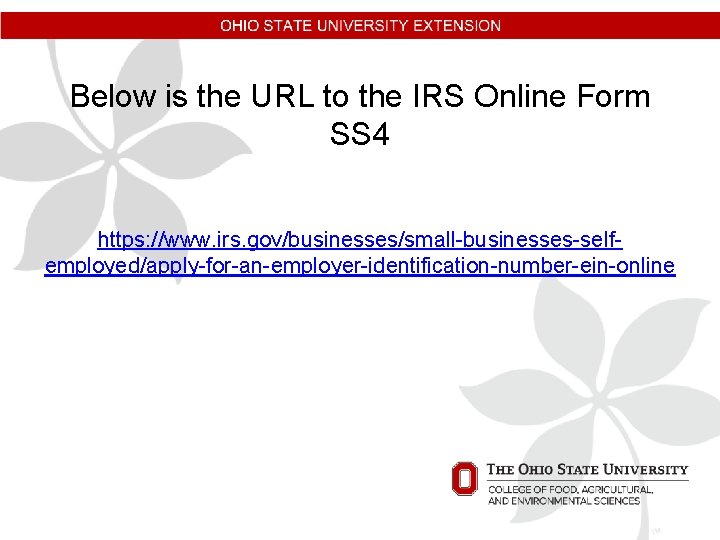
Below is the URL to the IRS Online Form SS 4 https: //www. irs. gov/businesses/small-businesses-selfemployed/apply-for-an-employer-identification-number-ein-online
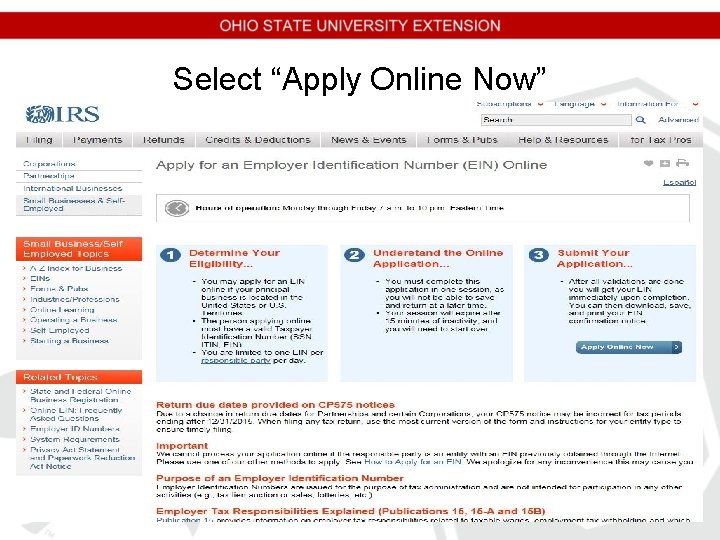
Select “Apply Online Now”
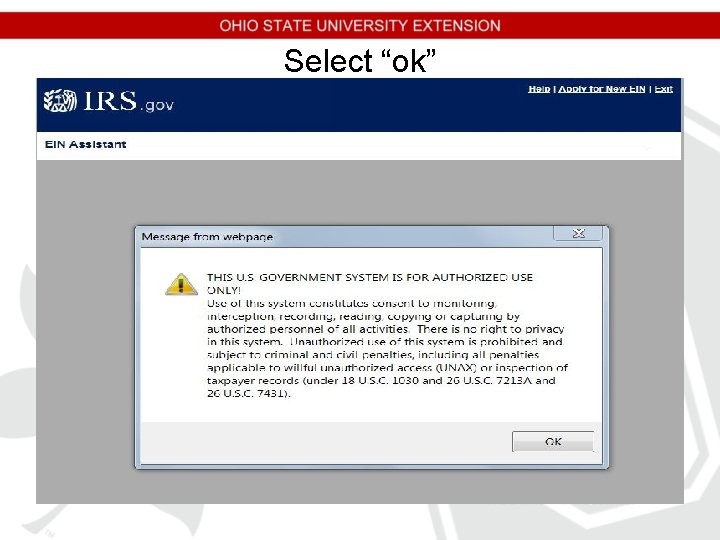
Select “ok”
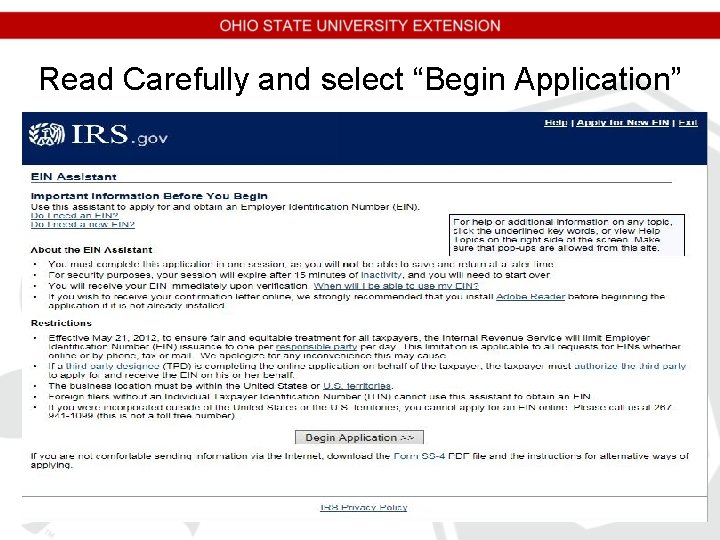
Read Carefully and select “Begin Application”
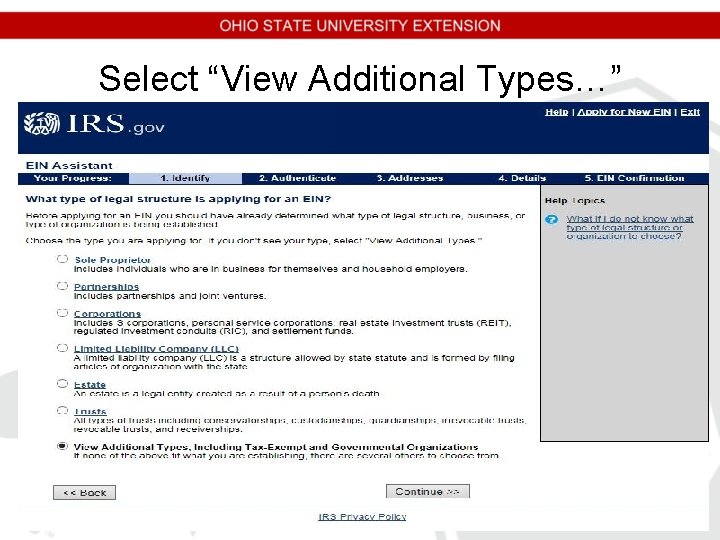
Select “View Additional Types…”
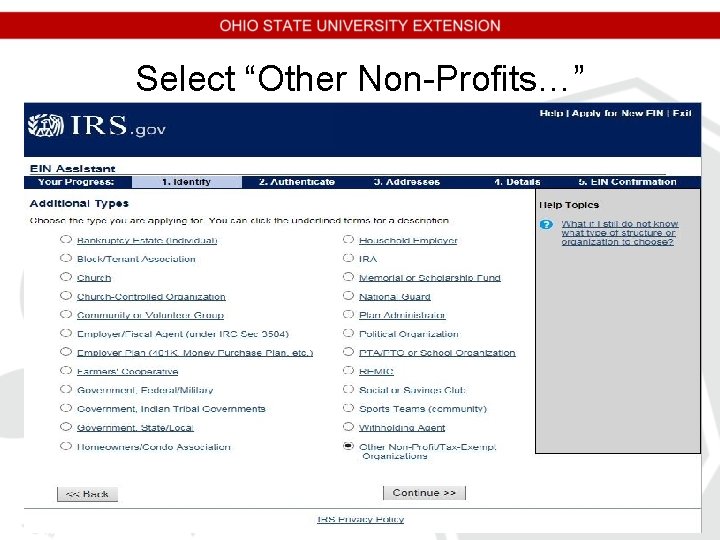
Select “Other Non-Profits…”
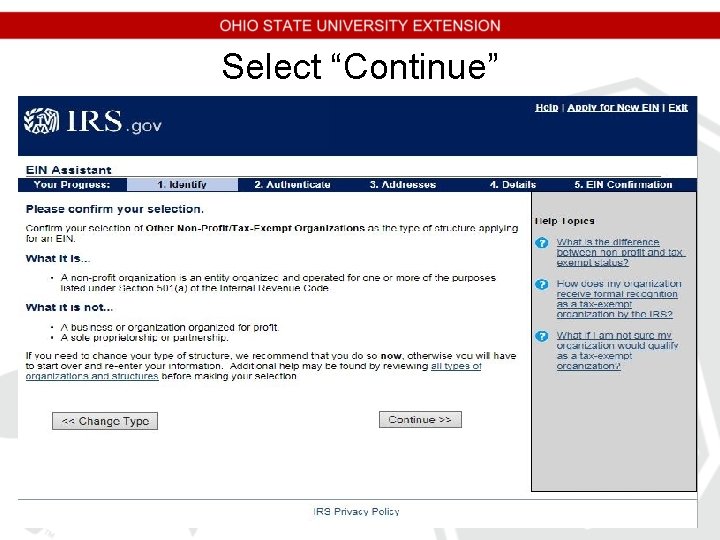
Select “Continue”
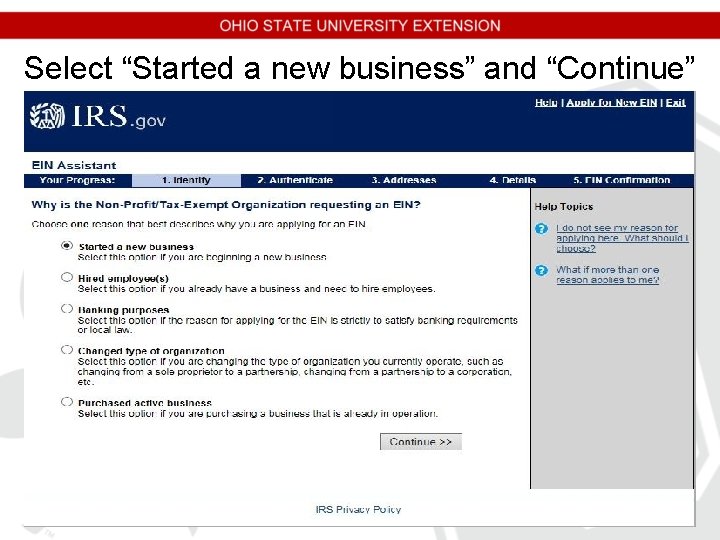
Select “Started a new business” and “Continue”
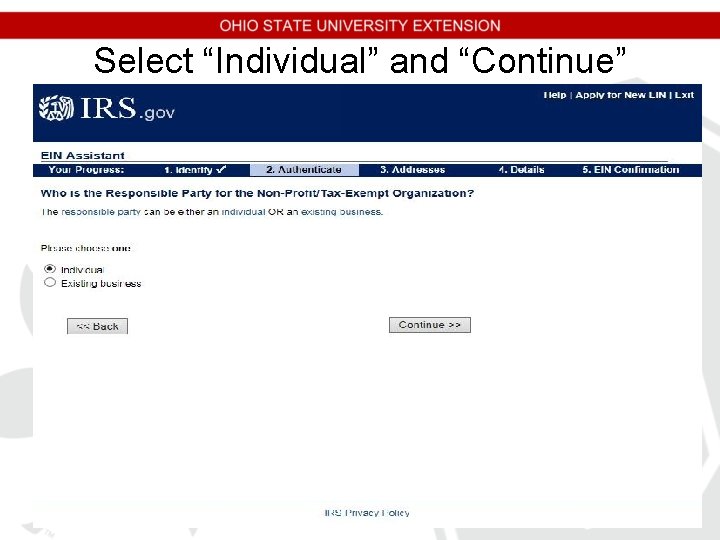
Select “Individual” and “Continue”
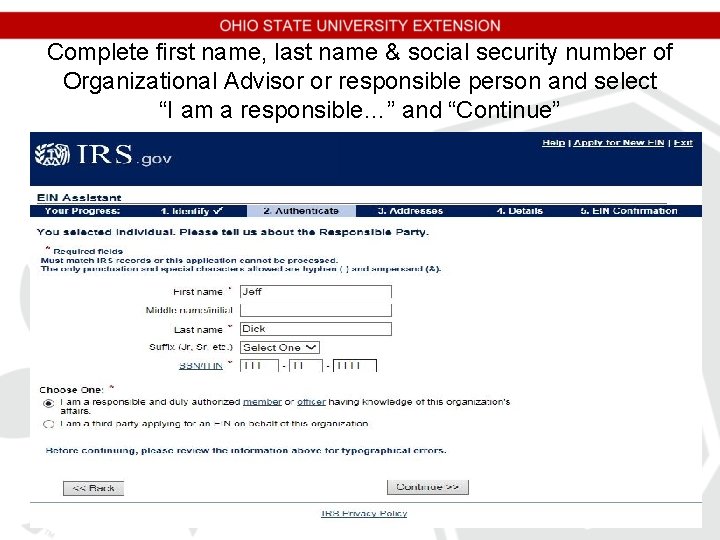
Complete first name, last name & social security number of Organizational Advisor or responsible person and select “I am a responsible…” and “Continue”
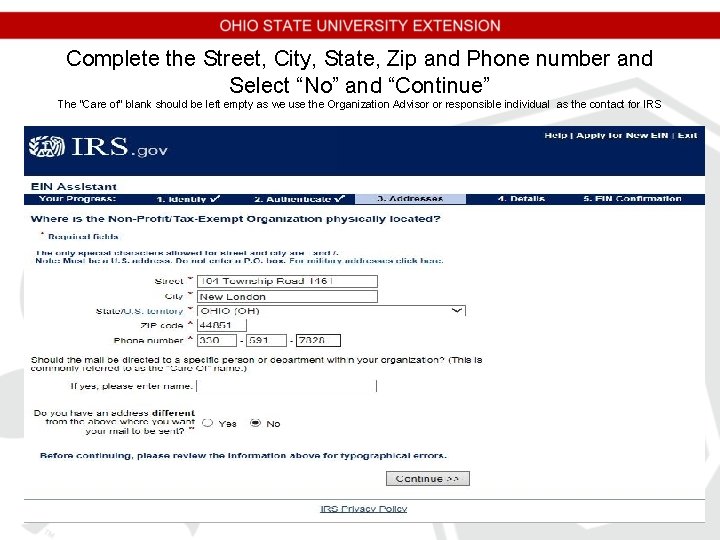
Complete the Street, City, State, Zip and Phone number and Select “No” and “Continue” The “Care of” blank should be left empty as we use the Organization Advisor or responsible individual as the contact for IRS
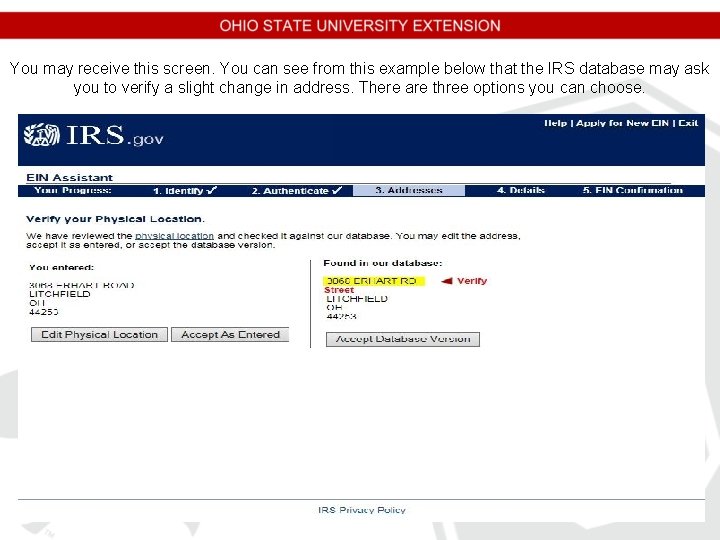
You may receive this screen. You can see from this example below that the IRS database may ask you to verify a slight change in address. There are three options you can choose.
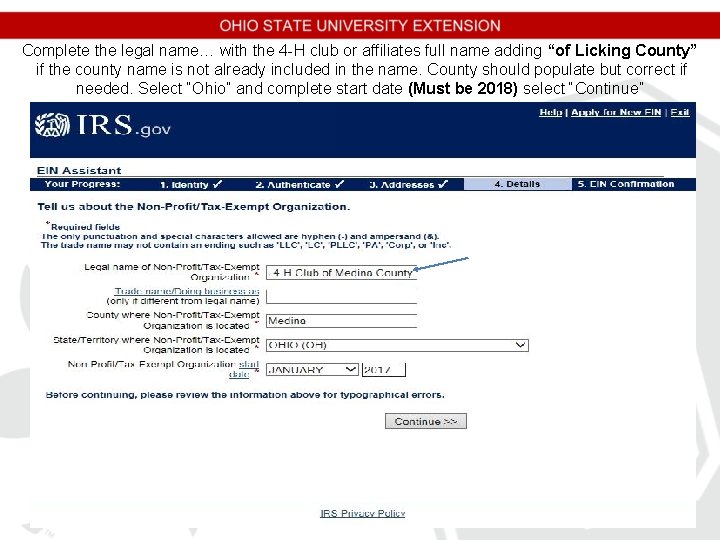
Complete the legal name… with the 4 -H club or affiliates full name adding “of Licking County” if the county name is not already included in the name. County should populate but correct if needed. Select “Ohio” and complete start date (Must be 2018) select “Continue”
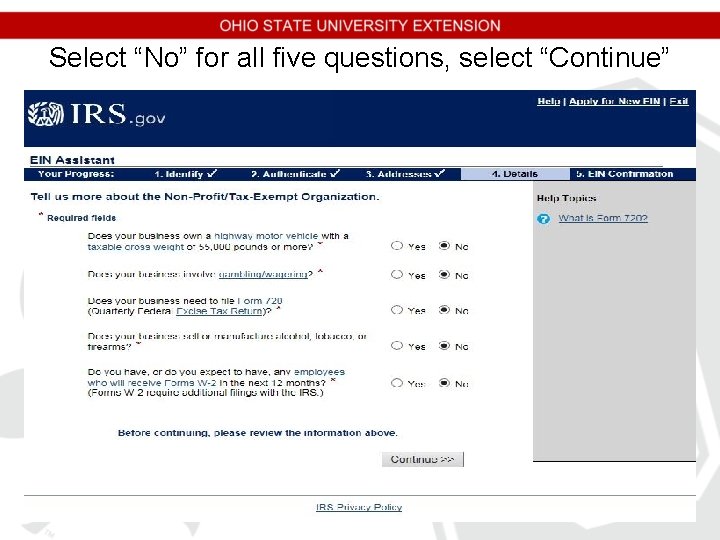
Select “No” for all five questions, select “Continue”
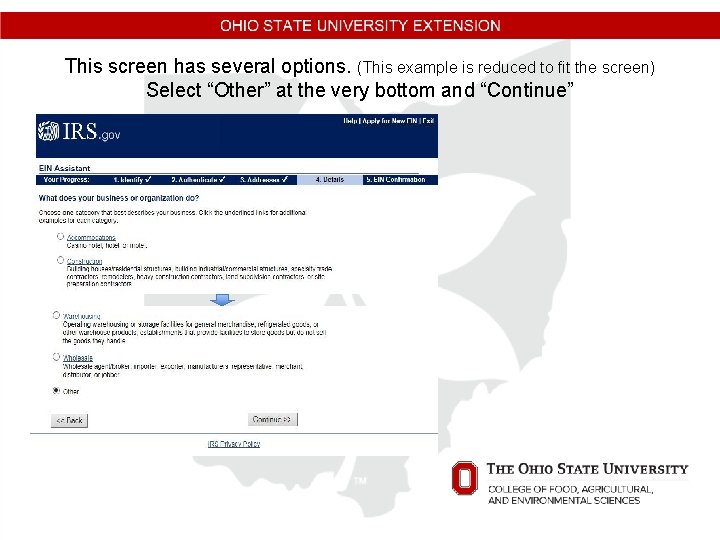
This screen has several options. (This example is reduced to fit the screen) Select “Other” at the very bottom and “Continue”
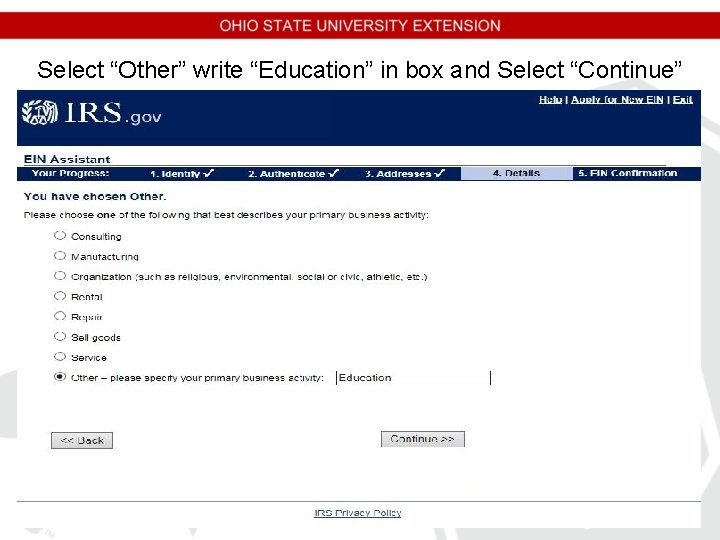
Select “Other” write “Education” in box and Select “Continue”
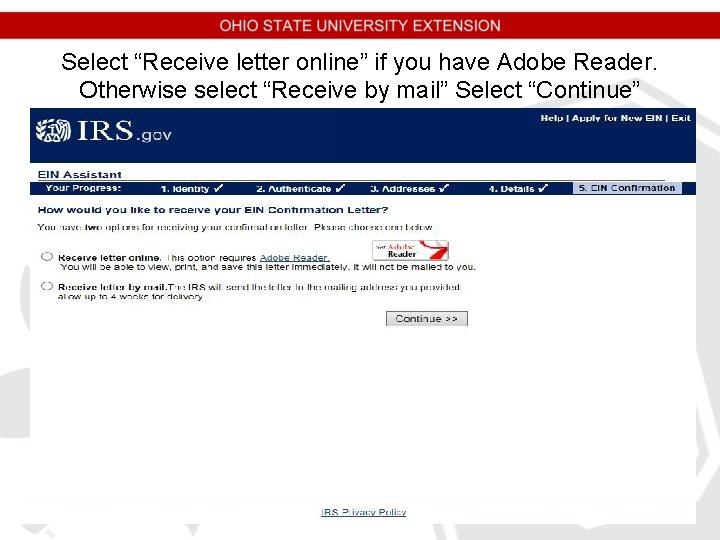
Select “Receive letter online” if you have Adobe Reader. Otherwise select “Receive by mail” Select “Continue”
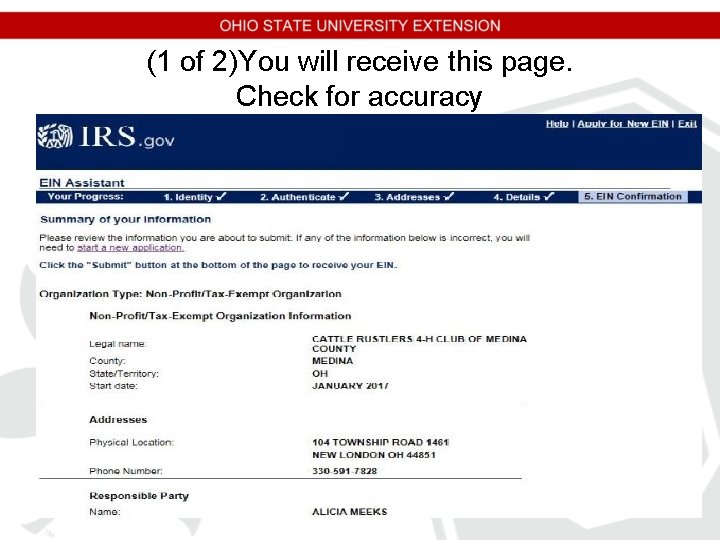
(1 of 2)You will receive this page. Check for accuracy
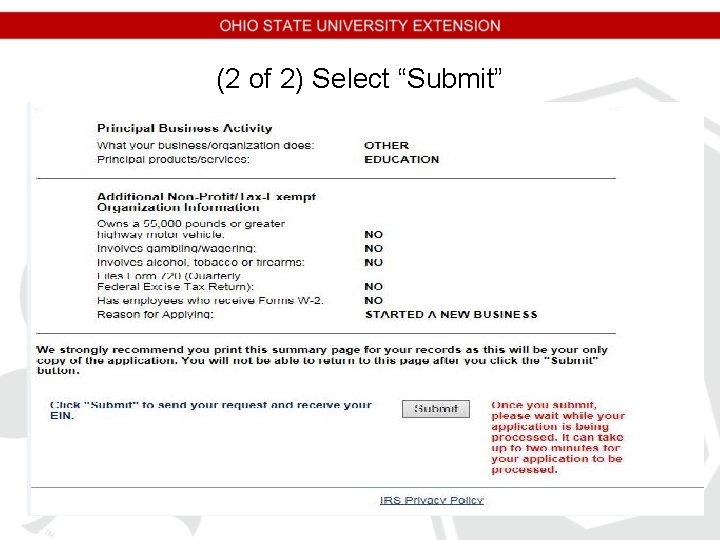
(2 of 2) Select “Submit”
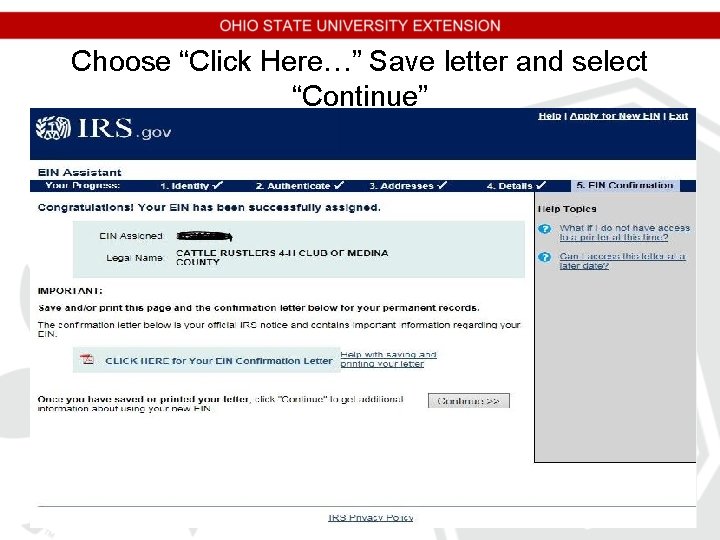
Choose “Click Here…” Save letter and select “Continue”
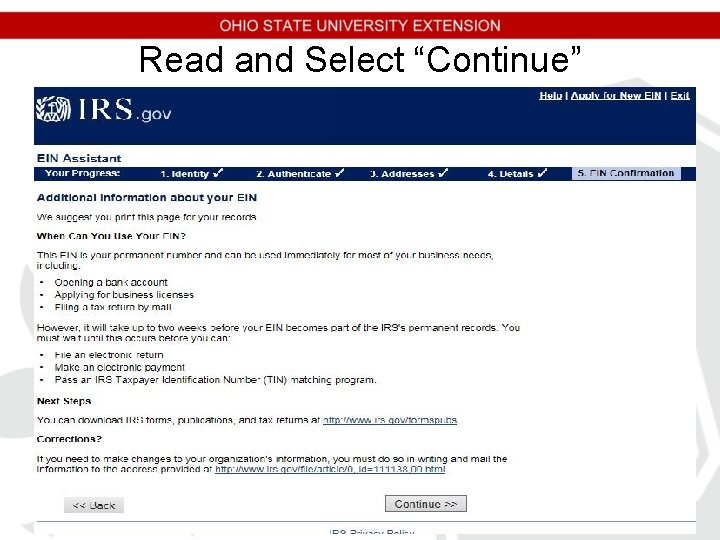
Read and Select “Continue”
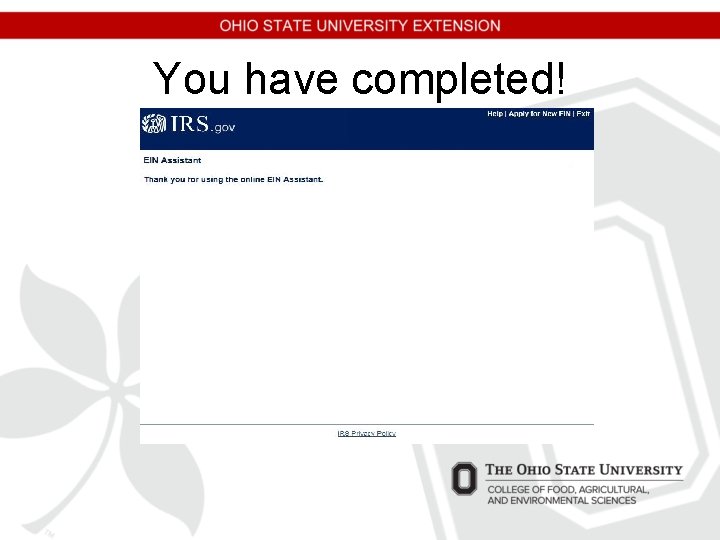
You have completed!
Please print two copies of the EIN Confirmation Letter; keep one for your records and please submit one to the extension office. Then, please fill out the following 4 -H Group Tax Exemption Authorization (TEA) form and submit to the address listed on the form.